
Basic Computer
Fundamentals
A practical and normal
slideshow – Entry level
guidance.
What Is a Computer?


A computer is a programmable machine
with two principal characteristics:
• It responds to a specific set of instructions in a
well-defined manner.
• It can execute a prerecorded list of
instructions (a program).
THE MODERN COMPUTER

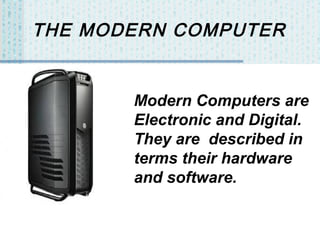
Modern Computers are
Electronic and Digital.
They are described in
terms their hardware
and software.
Hardware
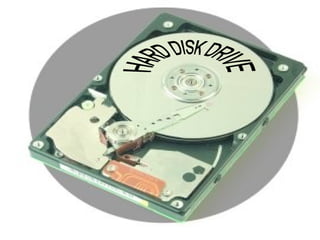
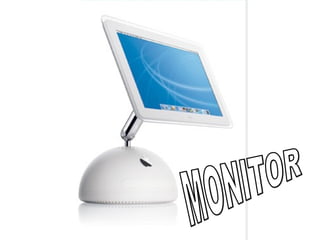
Hardware refers to objects that
you can actually touch, like
disks, disk drives, display
screens, keyboards, printers,
boards, and chips.
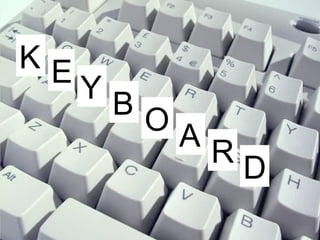
KE
YB
OA
RD
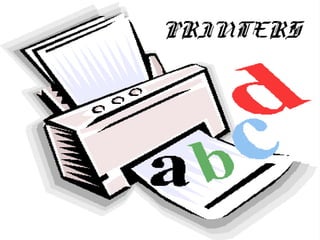
PRINTERS
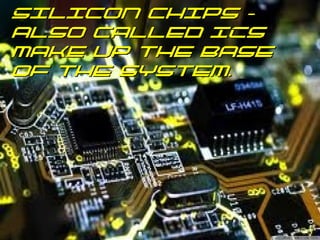
Silicon chips –
also called ICs
make up the base
of the system.
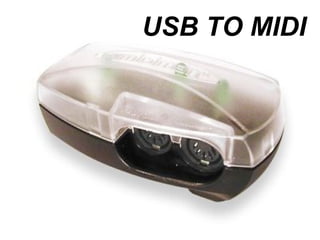
USB TO MIDI
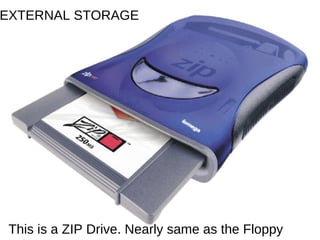
EXTERNAL STORAGE

This is a ZIP Drive. Nearly same as the Floppy
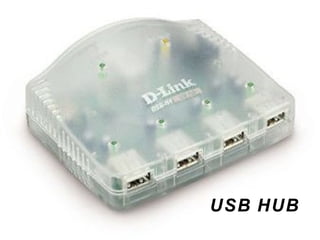
USB HUB
Software
Software exists as ideas, concepts, and
symbols, but it has no substance. They have
been designed by software engineers.
They use programs to control the hardware of
the computer and provide desired output.
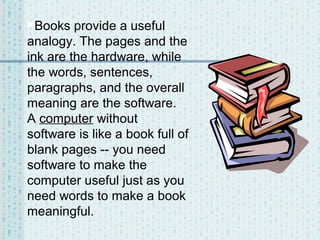
Books

provide a useful
analogy. The pages and the
ink are the hardware, while
the words, sentences,
paragraphs, and the overall
meaning are the software.
A computer without
software is like a book full of
blank pages -- you need
software to make the
computer useful just as you
need words to make a book
meaningful.
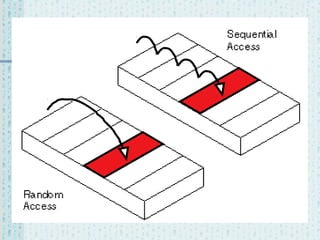
Computers Use Random
Access Technology - Data
Can Be Accessed in Any
Order at Any Time
Regardless of Storage
Position or Time of Creation.
The Language of Computers
Binary: the digital language of
computers. This language is composed
of an alphabet containing only 2 “digits- (0
& 1)” known as bits. Any work done on a
modern computer from word processing
to digital audio is translated to this
language.
 Apart from BINARY,

Digital Letters and Words




Bit: the smallest form of information in the
language of computers. It is represented as
a zero or a one. A bit can be considered a
letter in the digital language of binary.
Byte: a “word” of information in binary. It is
made of a number bits determined by the bit
rate. 8 bits is usually = 1 byte on modern
computers.
Bit Rate


Bit rate: the number of “letters” or bits in
a digital word or byte. An example of a 16
bit digital word in binary could be
(01010101 10101010).
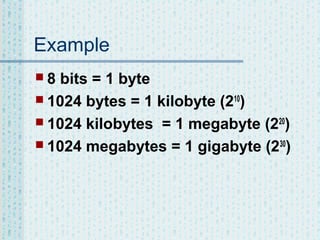
Example
8

bits = 1 byte
 1024 bytes = 1 kilobyte (210)
 1024 kilobytes = 1 megabyte (220)
 1024 megabytes = 1 gigabyte (230)
Important Hardware


CPU - abbreviation of central processing
unit, the CPU is the brains of the
computer. Sometimes referred to simply
as the processor or central processor, the
CPU is where most calculations take
place. In terms of computing power, the
CPU is the most important element of a
computer system.
Clock Speed


Clock speed - also called clock rate, the
speed at which a microprocessor executes
instructions. Every computer contains an
internal clock that regulates the rate at which
instructions are executed and synchronizes
all the various computer components. The
faster the clock, the more instructions the
CPU can execute per second.
Bus




A bus is a collection of wires through which data
is transmitted from one part of a computer to
another. You can think of a bus as a highway
on which data travels within a computer. There
are various types of busses, both internal and
external, that connect the hardware, inside and
outside, the computer.
Like the CPU, busses have a clock speed. A
fast bus allows data to be transferred faster,
which makes applications run faster.
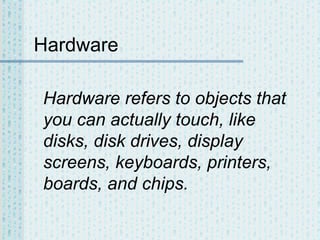
HARD DISK (Storage Device)


The hard disk is a magnetic disk on which
you can store computer data. The term
hard is used to distinguish it from a soft,
or floppy, disk. Hard disks hold more data
and are faster than floppy disks. A hard
disk, for example, can store anywhere
from 10 to more than 100 gigabytes,
whereas most floppies have a maximum
storage capacity of 1.4 megabytes.
RAM Vs. ROM (Memory)


Is an acronym for random access
memory, a type of computer memory that
can be accessed randomly; That is, any
byte of memory can be accessed without
touching the preceding bytes. RAM is the
most common type of memory found in
computers and other devices, such as
printers.
RAM Vs. Rom


In common usage, the term RAM is
synonymous with main memory, the memory
available to programs. For example, a computer
with 300M RAM has approximately 2400 million
bytes of memory that programs can use. In
contrast, ROM (read-only memory) refers to
special memory used to store programs that
boot the computer and perform diagnostics. In
fact, both types of memory (ROM and RAM)
allow random access. To be precise, therefore,
RAM should be referred to as read/write RAM
and ROM as read-only RAM.
Important Software


The operating system software is the
most important program that runs on a
computer. Every general-purpose
computer must have an operating system
to run other programs.
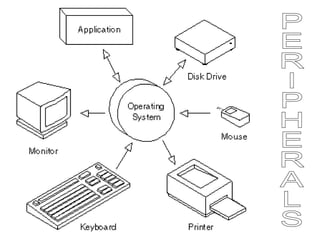
Peripherals


Operating systems perform basic tasks,
such as recognizing input from the
keyboard, sending output to the display
screen, keeping track of files and
directories on the disk, and controlling
peripheral devices.
Applications


Operating systems provide a software
platform on top of which other programs,
called application programs, can run. The
application programs must be written to
run on top of a particular operating
system. Your choice of operating system,
therefore, determines to a great extent
the applications you can run.
Connectivity


USB
Short for universal serial bus, is an
external bus standard that supports
data transfer rates of 12 mbps
(megabits per second). A single USB
port can be used to connect up to 127
peripheral devices, such as mice,
modems, and keyboards.
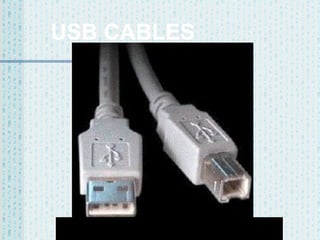
USB CABLES
Plug and Play


USB also supports Plug-and-Play installation
and hot plugging. Also referred to as Hi-Speed
USB, USB 2.0 is an external bus that supports
data rates up to 480 Mbps. USB 2.0 is an
extension of USB 1.1. USB 2.0 is fully
compatible with USB 1.1 and uses the same
cables and connectors. (Two of the contacts
carry data — one for each direction; the other
two supply 5 VDC and a ground. Standard MIDI
cables carry information in only one direction on
a single data wire.)
FIREWIRE
A very fast external bus standard that supports
data transfer rates of up to 400Mbps (in 1394a)
and 800Mbps (in 1394b). Products supporting
the 1394 standard go under different names,
depending on the company. Apple, which
originally developed the technology, uses the
trademarked name FireWire. Other companies
use other names, such as i.link and Lynx, to
describe their 1394 products.
More Fire


A single 1394 port can be used to connect up
63 external devices. In addition to its high
speed, 1394 also supports isochronous data -delivering data at a guaranteed rate. This
makes it ideal for devices that need to transfer
high levels of data in real-time, such as video
devices. Like USB, 1394 supports both plugand-play and hot plugging, and also provides
power to peripheral devices.
Even More


Like USB, FireWire lets you hook things up to a
computer. Unlike USB, however, FireWire will
run quite happily without a computer. That
makes it ideal for situations in which a computer
would be unnecessary, such as in permanent
audio installations like theaters or churches. It
also gives FireWire another advantage,
because devices can talk directly to each other
without having to go through a computer's
operating system.
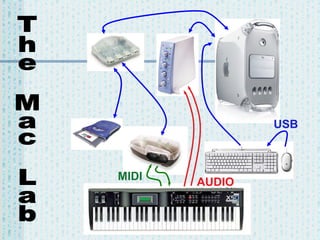
The Mac Lab: Computer And
Peripherals
Digidesign Mbox
 Korg X5D
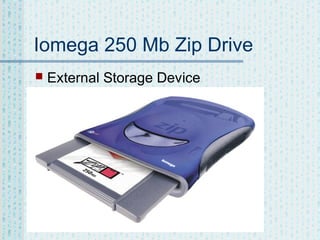
 Iomega 250 Mb zip drive
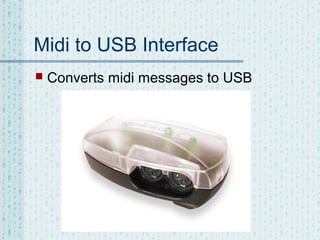
 Midi to USB interface
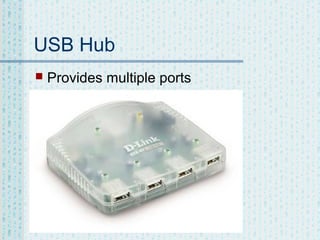
 USB hub
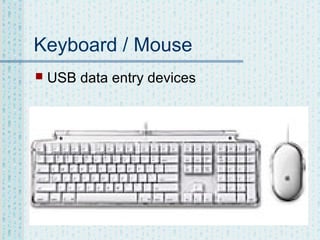
 Keyboard / mouse

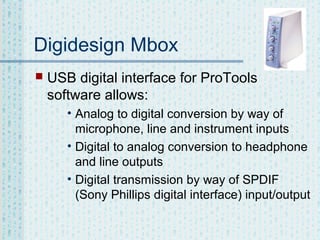
Digidesign Mbox


USB digital interface for ProTools
software allows:
• Analog to digital conversion by way of
microphone, line and instrument inputs
• Digital to analog conversion to headphone
and line outputs
• Digital transmission by way of SPDIF
(Sony Phillips digital interface) input/output
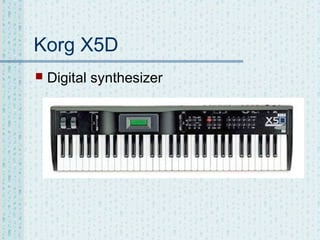
Korg X5D


Digital synthesizer
Iomega 250 Mb Zip Drive


External Storage Device
Midi to USB Interface


Converts midi messages to USB
USB Hub


Provides multiple ports
Keyboard / Mouse


USB data entry devices
THE MAC LAB SET UP


COLOR CODE for diagram:
BLUE – USB
GREEN – MIDI
RED – AUDIO
USB

MIDI

AUDIO
I am sure You

Got That!

Computer fundamentals (kamleshwar pandey)

  • 1.
    Basic Computer Fundamentals A practicaland normal slideshow – Entry level guidance.
  • 2.
    What Is aComputer?  A computer is a programmable machine with two principal characteristics: • It responds to a specific set of instructions in a well-defined manner. • It can execute a prerecorded list of instructions (a program).
  • 3.
    THE MODERN COMPUTER ModernComputers are Electronic and Digital. They are described in terms their hardware and software.
  • 4.
    Hardware Hardware refers toobjects that you can actually touch, like disks, disk drives, display screens, keyboards, printers, boards, and chips.
  • 7.
  • 8.
  • 9.
    Silicon chips – alsocalled ICs make up the base of the system.
  • 10.
  • 11.
    EXTERNAL STORAGE This isa ZIP Drive. Nearly same as the Floppy
  • 12.
  • 13.
    Software Software exists asideas, concepts, and symbols, but it has no substance. They have been designed by software engineers. They use programs to control the hardware of the computer and provide desired output.
  • 14.
    Books provide a useful analogy.The pages and the ink are the hardware, while the words, sentences, paragraphs, and the overall meaning are the software. A computer without software is like a book full of blank pages -- you need software to make the computer useful just as you need words to make a book meaningful.
  • 15.
    Computers Use Random AccessTechnology - Data Can Be Accessed in Any Order at Any Time Regardless of Storage Position or Time of Creation.
  • 17.
    The Language ofComputers Binary: the digital language of computers. This language is composed of an alphabet containing only 2 “digits- (0 & 1)” known as bits. Any work done on a modern computer from word processing to digital audio is translated to this language.  Apart from BINARY, 
  • 18.
    Digital Letters andWords   Bit: the smallest form of information in the language of computers. It is represented as a zero or a one. A bit can be considered a letter in the digital language of binary. Byte: a “word” of information in binary. It is made of a number bits determined by the bit rate. 8 bits is usually = 1 byte on modern computers.
  • 19.
    Bit Rate  Bit rate:the number of “letters” or bits in a digital word or byte. An example of a 16 bit digital word in binary could be (01010101 10101010).
  • 20.
    Example 8 bits = 1byte  1024 bytes = 1 kilobyte (210)  1024 kilobytes = 1 megabyte (220)  1024 megabytes = 1 gigabyte (230)
  • 21.
    Important Hardware  CPU -abbreviation of central processing unit, the CPU is the brains of the computer. Sometimes referred to simply as the processor or central processor, the CPU is where most calculations take place. In terms of computing power, the CPU is the most important element of a computer system.
  • 22.
    Clock Speed  Clock speed- also called clock rate, the speed at which a microprocessor executes instructions. Every computer contains an internal clock that regulates the rate at which instructions are executed and synchronizes all the various computer components. The faster the clock, the more instructions the CPU can execute per second.
  • 23.
    Bus   A bus isa collection of wires through which data is transmitted from one part of a computer to another. You can think of a bus as a highway on which data travels within a computer. There are various types of busses, both internal and external, that connect the hardware, inside and outside, the computer. Like the CPU, busses have a clock speed. A fast bus allows data to be transferred faster, which makes applications run faster.
  • 24.
    HARD DISK (StorageDevice)  The hard disk is a magnetic disk on which you can store computer data. The term hard is used to distinguish it from a soft, or floppy, disk. Hard disks hold more data and are faster than floppy disks. A hard disk, for example, can store anywhere from 10 to more than 100 gigabytes, whereas most floppies have a maximum storage capacity of 1.4 megabytes.
  • 25.
    RAM Vs. ROM(Memory)  Is an acronym for random access memory, a type of computer memory that can be accessed randomly; That is, any byte of memory can be accessed without touching the preceding bytes. RAM is the most common type of memory found in computers and other devices, such as printers.
  • 26.
    RAM Vs. Rom  Incommon usage, the term RAM is synonymous with main memory, the memory available to programs. For example, a computer with 300M RAM has approximately 2400 million bytes of memory that programs can use. In contrast, ROM (read-only memory) refers to special memory used to store programs that boot the computer and perform diagnostics. In fact, both types of memory (ROM and RAM) allow random access. To be precise, therefore, RAM should be referred to as read/write RAM and ROM as read-only RAM.
  • 27.
    Important Software  The operatingsystem software is the most important program that runs on a computer. Every general-purpose computer must have an operating system to run other programs.
  • 28.
    Peripherals  Operating systems performbasic tasks, such as recognizing input from the keyboard, sending output to the display screen, keeping track of files and directories on the disk, and controlling peripheral devices.
  • 30.
    Applications  Operating systems providea software platform on top of which other programs, called application programs, can run. The application programs must be written to run on top of a particular operating system. Your choice of operating system, therefore, determines to a great extent the applications you can run.
  • 31.
    Connectivity  USB Short for universalserial bus, is an external bus standard that supports data transfer rates of 12 mbps (megabits per second). A single USB port can be used to connect up to 127 peripheral devices, such as mice, modems, and keyboards.
  • 32.
  • 33.
    Plug and Play  USBalso supports Plug-and-Play installation and hot plugging. Also referred to as Hi-Speed USB, USB 2.0 is an external bus that supports data rates up to 480 Mbps. USB 2.0 is an extension of USB 1.1. USB 2.0 is fully compatible with USB 1.1 and uses the same cables and connectors. (Two of the contacts carry data — one for each direction; the other two supply 5 VDC and a ground. Standard MIDI cables carry information in only one direction on a single data wire.)
  • 34.
    FIREWIRE A very fastexternal bus standard that supports data transfer rates of up to 400Mbps (in 1394a) and 800Mbps (in 1394b). Products supporting the 1394 standard go under different names, depending on the company. Apple, which originally developed the technology, uses the trademarked name FireWire. Other companies use other names, such as i.link and Lynx, to describe their 1394 products.
  • 35.
    More Fire  A single1394 port can be used to connect up 63 external devices. In addition to its high speed, 1394 also supports isochronous data -delivering data at a guaranteed rate. This makes it ideal for devices that need to transfer high levels of data in real-time, such as video devices. Like USB, 1394 supports both plugand-play and hot plugging, and also provides power to peripheral devices.
  • 36.
    Even More  Like USB,FireWire lets you hook things up to a computer. Unlike USB, however, FireWire will run quite happily without a computer. That makes it ideal for situations in which a computer would be unnecessary, such as in permanent audio installations like theaters or churches. It also gives FireWire another advantage, because devices can talk directly to each other without having to go through a computer's operating system.
  • 37.
    The Mac Lab:Computer And Peripherals Digidesign Mbox  Korg X5D  Iomega 250 Mb zip drive  Midi to USB interface  USB hub  Keyboard / mouse 
  • 38.
    Digidesign Mbox  USB digitalinterface for ProTools software allows: • Analog to digital conversion by way of microphone, line and instrument inputs • Digital to analog conversion to headphone and line outputs • Digital transmission by way of SPDIF (Sony Phillips digital interface) input/output
  • 39.
  • 40.
    Iomega 250 MbZip Drive  External Storage Device
  • 41.
    Midi to USBInterface  Converts midi messages to USB
  • 42.
  • 43.
    Keyboard / Mouse  USBdata entry devices
  • 44.
    THE MAC LABSET UP  COLOR CODE for diagram: BLUE – USB GREEN – MIDI RED – AUDIO
  • 45.
  • 46.
    I am sureYou Got That!