This document provides an overview and descriptions of commands for the Apache Hadoop platform. It describes both user commands, such as fs, archive, and jar, as well as administration commands like balancer, daemonlog, and dfsadmin. For each command, it lists the usage and available options. The document is intended to help users and administrators understand and utilize the different commands available in Hadoop.
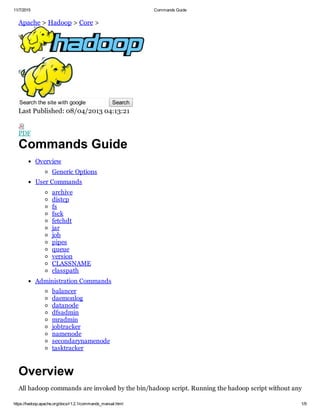
![11/7/2015 Commands Guide
https://hadoop.apache.org/docs/r1.2.1/commands_manual.html 2/9
arguments prints the description for all commands.
Usage: hadoop [config confdir] [COMMAND] [GENERIC_OPTIONS]
[COMMAND_OPTIONS]
Hadoop has an option parsing framework that employs parsing generic options as well as running
classes.
COMMAND_OPTION Description
config confdir Overwrites the default Configuration directory. Default is
${HADOOP_HOME}/conf.
GENERIC_OPTIONS The common set of options supported by multiple commands.
COMMAND
COMMAND_OPTIONS
Various commands with their options are described in the following
sections. The commands have been grouped into User Commands and
Administration Commands.
Generic Options
The following options are supported by dfsadmin, fs, fsck, job and fetchdt. Applications should
implement Tool to support GenericOptions.
GENERIC_OPTION Description
conf <configuration file> Specify an application configuration file.
D <property=value> Use value for given property.
fs <local|namenode:port> Specify a namenode.
jt
<local|jobtracker:port>
Specify a job tracker. Applies only to job.
files <comma separated
list of files>
Specify comma separated files to be copied to the map
reduce cluster. Applies only to job.
libjars <comma seperated
list of jars>
Specify comma separated jar files to include in the
classpath. Applies only to job.
archives <comma separated
list of archives>
Specify comma separated archives to be unarchived on the
compute machines. Applies only to job.
User Commands
Commands useful for users of a hadoop cluster.
archive
Creates a hadoop archive. More information can be found at Hadoop Archives.
Usage: hadoop archive archiveName NAME <src>* <dest>
COMMAND_OPTION Description
archiveName NAME Name of the archive to be created.
src Filesystem pathnames which work as usual with regular expressions.
dest Destination directory which would contain the archive.](https://image.slidesharecdn.com/commandsguide-apache-170125025134/85/Commands-guide-apache-hadoop-2-320.jpg)
![11/7/2015 Commands Guide
https://hadoop.apache.org/docs/r1.2.1/commands_manual.html 3/9
distcp
Copy file or directories recursively. More information can be found at Hadoop DistCp Guide.
Usage: hadoop distcp <srcurl> <desturl>
COMMAND_OPTION Description
srcurl Source Url
desturl Destination Url
fs
Usage: hadoop fs [GENERIC_OPTIONS] [COMMAND_OPTIONS]
Runs a generic filesystem user client.
The various COMMAND_OPTIONS can be found at File System Shell Guide.
fsck
Runs a HDFS filesystem checking utility. See Fsck for more info.
Usage: hadoop fsck [GENERIC_OPTIONS] <path> [move | delete |
openforwrite] [files [blocks [locations | racks]]]
COMMAND_OPTION Description
<path> Start checking from this path.
move Move corrupted files to /lost+found
delete Delete corrupted files.
openforwrite Print out files opened for write.
files Print out files being checked.
blocks Print out block report.
locations Print out locations for every block.
racks Print out network topology for datanode locations.
fetchdt
Gets Delegation Token from a NameNode. See fetchdt for more info.
Usage: hadoop fetchdt [GENERIC_OPTIONS] [webservice
<namenode_http_addr>] <path>
COMMAND_OPTION Description
<fileName> File name to store the token into.
webservice <https_address> use http protocol instead of RPC
jar
Runs a jar file. Users can bundle their Map Reduce code in a jar file and execute it using this](https://image.slidesharecdn.com/commandsguide-apache-170125025134/85/Commands-guide-apache-hadoop-3-320.jpg)
![11/7/2015 Commands Guide
https://hadoop.apache.org/docs/r1.2.1/commands_manual.html 4/9
command.
Usage: hadoop jar <jar> [mainClass] args...
The streaming jobs are run via this command. Examples can be referred from Streaming examples
Word count example is also run using jar command. It can be referred from Wordcount example
job
Command to interact with Map Reduce Jobs.
Usage: hadoop job [GENERIC_OPTIONS] [submit <jobfile>] | [status
<jobid>] | [counter <jobid> <groupname> <countername>] | [
kill <jobid>] | [events <jobid> <fromevent#> <#ofevents>] |
[history [all] <jobOutputDir>] | [list [all]] | [killtask
<taskid>] | [failtask <taskid>] | [setpriority <jobid>
<priority>]
COMMAND_OPTION Description
submit <job
file>
Submits the job.
status <jobid> Prints the map and reduce completion percentage and all job counters.
counter <job
id> <groupname>
<countername>
Prints the counter value.
kill <jobid> Kills the job.
events <jobid>
<fromevent#>
<#ofevents>
Prints the events' details received by jobtracker for the given range.
history [all]
<jobOutputDir>
history <jobOutputDir> prints job details, failed and killed tip details.
More details about the job such as successful tasks and task attempts
made for each task can be viewed by specifying the [all] option.
list [all] list all displays all jobs. list displays only jobs which are yet to complete.
killtask
<taskid>
Kills the task. Killed tasks are NOT counted against failed attempts.
failtask
<taskid>
Fails the task. Failed tasks are counted against failed attempts.
setpriority
<jobid>
<priority>
Changes the priority of the job. Allowed priority values are VERY_HIGH,
HIGH, NORMAL, LOW, VERY_LOW
pipes
Runs a pipes job.
Usage: hadoop pipes [conf <path>] [jobconf <key=value>,
<key=value>, ...] [input <path>] [output <path>] [jar <jar
file>] [inputformat <class>] [map <class>] [partitioner <class>]
[reduce <class>] [writer <class>] [program <executable>] [
reduces <num>]](https://image.slidesharecdn.com/commandsguide-apache-170125025134/85/Commands-guide-apache-hadoop-4-320.jpg)
![11/7/2015 Commands Guide
https://hadoop.apache.org/docs/r1.2.1/commands_manual.html 5/9
reduces <num>]
COMMAND_OPTION Description
conf <path> Configuration for job
jobconf <key=value>, <key=value>, ... Add/override configuration for job
input <path> Input directory
output <path> Output directory
jar <jar file> Jar filename
inputformat <class> InputFormat class
map <class> Java Map class
partitioner <class> Java Partitioner
reduce <class> Java Reduce class
writer <class> Java RecordWriter
program <executable> Executable URI
reduces <num> Number of reduces
queue
command to interact and view Job Queue information
Usage : hadoop queue [list] | [info <jobqueuename> [showJobs]]
| [showacls]
COMMAND_OPTION Description
list Gets list of Job Queues configured in the system. Along with scheduling
information associated with the job queues.
info <job
queuename> [
showJobs]
Displays the job queue information and associated scheduling information
of particular job queue. If showJobs options is present a list of jobs
submitted to the particular job queue is displayed.
showacls Displays the queue name and associated queue operations allowed for the
current user. The list consists of only those queues to which the user has
access.
version
Prints the version.
Usage: hadoop version
CLASSNAME
hadoop script can be used to invoke any class.
Usage: hadoop CLASSNAME
Runs the class named CLASSNAME.
classpath](https://image.slidesharecdn.com/commandsguide-apache-170125025134/85/Commands-guide-apache-hadoop-5-320.jpg)
![11/7/2015 Commands Guide
https://hadoop.apache.org/docs/r1.2.1/commands_manual.html 6/9
Prints the class path needed to get the Hadoop jar and the required libraries.
Usage: hadoop classpath
Administration Commands
Commands useful for administrators of a hadoop cluster.
balancer
Runs a cluster balancing utility. An administrator can simply press CtrlC to stop the rebalancing
process. See Rebalancer for more details.
Usage: hadoop balancer [threshold <threshold>]
COMMAND_OPTION Description
threshold <threshold> Percentage of disk capacity. This overwrites the default threshold.
daemonlog
Get/Set the log level for each daemon.
Usage: hadoop daemonlog getlevel <host:port> <name>
Usage: hadoop daemonlog setlevel <host:port> <name> <level>
COMMAND_OPTION Description
getlevel
<host:port> <name>
Prints the log level of the daemon running at <host:port>. This
command internally connects to http://<host:port>/logLevel?log=
<name>
setlevel
<host:port> <name>
<level>
Sets the log level of the daemon running at <host:port>. This command
internally connects to http://<host:port>/logLevel?log=<name>
datanode
Runs a HDFS datanode.
Usage: hadoop datanode [rollback]
COMMAND_OPTION Description
rollback Rollsback the datanode to the previous version. This should be used after
stopping the datanode and distributing the old hadoop version.
dfsadmin
Runs a HDFS dfsadmin client.
Usage: hadoop dfsadmin [GENERIC_OPTIONS] [report] [safemode enter
| leave | get | wait] [refreshNodes] [finalizeUpgrade] [
upgradeProgress status | details | force] [metasave filename] [](https://image.slidesharecdn.com/commandsguide-apache-170125025134/85/Commands-guide-apache-hadoop-6-320.jpg)
![11/7/2015 Commands Guide
https://hadoop.apache.org/docs/r1.2.1/commands_manual.html 7/9
upgradeProgress status | details | force] [metasave filename] [
setQuota <quota> <dirname>...<dirname>] [clrQuota <dirname>...
<dirname>] [help [cmd]]
COMMAND_OPTION Description
report Reports basic filesystem information and statistics.
safemode enter
| leave | get |
wait
Safe mode maintenance command. Safe mode is a Namenode state in
which it
1. does not accept changes to the name space (readonly)
2. does not replicate or delete blocks.
Safe mode is entered automatically at Namenode startup, and leaves safe
mode automatically when the configured minimum percentage of blocks
satisfies the minimum replication condition. Safe mode can also be entered
manually, but then it can only be turned off manually as well.
refreshNodes Reread the hosts and exclude files to update the set of Datanodes that are
allowed to connect to the Namenode and those that should be
decommissioned or recommissioned.
finalizeUpgrade Finalize upgrade of HDFS. Datanodes delete their previous version working
directories, followed by Namenode doing the same. This completes the
upgrade process.
upgradeProgress
status | details
| force
Request current distributed upgrade status, a detailed status or force the
upgrade to proceed.
metasave
filename
Save Namenode's primary data structures to <filename> in the directory
specified by hadoop.log.dir property. <filename> will contain one line for
each of the following
1. Datanodes heart beating with Namenode
2. Blocks waiting to be replicated
3. Blocks currrently being replicated
4. Blocks waiting to be deleted
setQuota
<quota>
<dirname>...
<dirname>
Set the quota <quota> for each directory <dirname>. The directory quota
is a long integer that puts a hard limit on the number of names in the
directory tree.
Best effort for the directory, with faults reported if
1. N is not a positive integer, or
2. user is not an administrator, or
3. the directory does not exist or is a file, or
4. the directory would immediately exceed the new quota.
clrQuota
<dirname>...
<dirname>
Clear the quota for each directory <dirname>.
Best effort for the directory. with fault reported if
1. the directory does not exist or is a file, or
2. user is not an administrator.
It does not fault if the directory has no quota.
help [cmd] Displays help for the given command or all commands if none is specified.
mradmin
Runs MR admin client
Usage: hadoop mradmin [ GENERIC_OPTIONS ] [refreshQueueAcls]
COMMAND_OPTION Description](https://image.slidesharecdn.com/commandsguide-apache-170125025134/85/Commands-guide-apache-hadoop-7-320.jpg)
![11/7/2015 Commands Guide
https://hadoop.apache.org/docs/r1.2.1/commands_manual.html 8/9
refreshQueueAcls
Refresh the queue acls used by hadoop, to check access during
submissions and administration of the job by the user. The properties
present in mapredqueueacls.xml is reloaded by the queue
manager.
jobtracker
Runs the MapReduce job Tracker node.
Usage: hadoop jobtracker [dumpConfiguration]
COMMAND_OPTION Description
dumpConfiguration
Dumps the configuration used by the JobTracker alongwith queue
configuration in JSON format into Standard output used by the jobtracker
and exits.
namenode
Runs the namenode. More info about the upgrade, rollback and finalize is at Upgrade Rollback
Usage: hadoop namenode [format [force] [nonInteractive]] | [
upgrade] | [rollback] | [finalize] | [importCheckpoint]
COMMAND_OPTION Description
format [force]
[
nonInteractive]
Formats the namenode. It starts the namenode, formats it and then shuts
it down. User will be prompted for input if the name directories exist on the
local filesystem.
nonInteractive: User will not be prompted for input if the name directories
exist in the local filesystem and the format will fail.
force: formats the namenode and the user will NOT be prompted to
confirm formatting of name directories in the local filesystem. If
nonInteractive option is specified it will be ignored.
upgrade Namenode should be started with upgrade option after the distribution of
new hadoop version.
rollback Rollsback the namenode to the previous version. This should be used after
stopping the cluster and distributing the old hadoop version.
finalize Finalize will remove the previous state of the files system. Recent upgrade
will become permanent. Rollback option will not be available anymore.
After finalization it shuts the namenode down.
importCheckpoint
Loads image from a checkpoint directory and save it into the current one.
Checkpoint dir is read from property fs.checkpoint.dir
secondarynamenode
Runs the HDFS secondary namenode. See Secondary Namenode for more info.
Usage: hadoop secondarynamenode [checkpoint [force]] | [
geteditsize]
COMMAND_OPTION Description
checkpoint Checkpoints the Secondary namenode if EditLog size >= fs.checkpoint.size.](https://image.slidesharecdn.com/commandsguide-apache-170125025134/85/Commands-guide-apache-hadoop-8-320.jpg)
![11/7/2015 Commands Guide
https://hadoop.apache.org/docs/r1.2.1/commands_manual.html 9/9
[force] If force is used, checkpoint irrespective of EditLog size.
geteditsize Prints the EditLog size.
tasktracker
Runs a MapReduce task Tracker node.
Usage: hadoop tasktracker
Last Published: 08/04/2013 04:13:21
Copyright © 2008 The Apache Software Foundation.](https://image.slidesharecdn.com/commandsguide-apache-170125025134/85/Commands-guide-apache-hadoop-9-320.jpg)


