HADOOP INSTALLATION ON UBUNTU
 Creating a User
 it is recommended to create a separate user for Hadoop to isolate Hadoop file
system from Unix file system.
 open the root using the command “su”.
 Create a user from the rootaccount using the command “useradd username”.
 Now you can open an existing user account using the command “suusername”.
 $ su password:
 # useradd hadoop
 # passwd hadoop
 New passwd:
 Retype new passwd
 Changing the password of su
 If su is giving error means not giving permission you can change the
password
 $sudo - i
 Enter the password:
 $sudo passwd
 $enter the unix password:
 $re enter the unix password:
 $exit
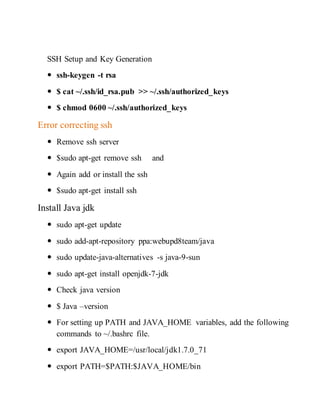
SSH Setup and Key Generation
 ssh-keygen -t rsa
 $ cat ~/.ssh/id_rsa.pub >> ~/.ssh/authorized_keys
 $ chmod 0600 ~/.ssh/authorized_keys
Error correcting ssh
 Remove ssh server
 $sudo apt-get remove ssh and
 Again add or install the ssh
 $sudo apt-get install ssh
Install Java jdk
 sudo apt-get update
 sudo add-apt-repository ppa:webupd8team/java
 sudo update-java-alternatives -s java-9-sun
 sudo apt-get install openjdk-7-jdk
 Check java version
 $ Java –version
 For setting up PATH and JAVA_HOME variables, add the following
commands to ~/.bashrc file.
 export JAVA_HOME=/usr/local/jdk1.7.0_71
 export PATH=$PATH:$JAVA_HOME/bin
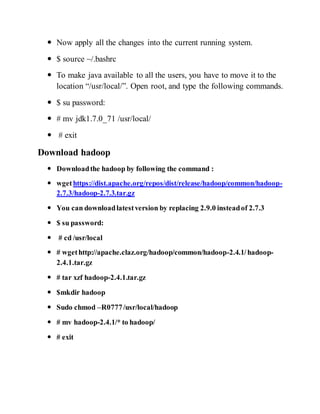
 Now apply all the changes into the current running system.
 $ source ~/.bashrc
 To make java available to all the users, you have to move it to the
location “/usr/local/”. Open root, and type the following commands.
 $ su password:
 # mv jdk1.7.0_71 /usr/local/
 # exit
Download hadoop
 Downloadthe hadoop by following the command :
 wgethttps://dist.apache.org/repos/dist/release/hadoop/common/hadoop-
2.7.3/hadoop-2.7.3.tar.gz
 You can downloadlatestversion by replacing 2.9.0 insteadof 2.7.3
 $ su password:
 # cd /usr/local
 # wgethttp://apache.claz.org/hadoop/common/hadoop-2.4.1/hadoop-
2.4.1.tar.gz
 # tar xzf hadoop-2.4.1.tar.gz
 $mkdir hadoop
 Sudo chmod –R0777/usr/local/hadoop
 # mv hadoop-2.4.1/* to hadoop/
 # exit
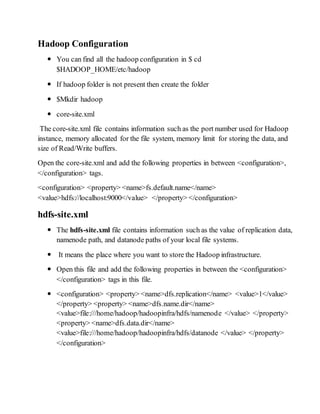
Hadoop Configuration
 You can find all the hadoop configuration in $ cd
$HADOOP_HOME/etc/hadoop
 If hadoop folder is not present then create the folder
 $Mkdir hadoop
 core-site.xml
The core-site.xml file contains information such as the port number used for Hadoop
instance, memory allocated for the file system, memory limit for storing the data, and
size of Read/Write buffers.
Open the core-site.xml and add the following properties in between <configuration>,
</configuration> tags.
<configuration> <property> <name>fs.default.name</name>
<value>hdfs://localhost:9000</value> </property> </configuration>
hdfs-site.xml
 The hdfs-site.xml file contains information such as the value of replication data,
namenode path, and datanode paths of your local file systems.
 It means the place where you want to store the Hadoop infrastructure.
 Open this file and add the following properties in between the <configuration>
</configuration> tags in this file.
 <configuration> <property> <name>dfs.replication</name> <value>1</value>
</property> <property> <name>dfs.name.dir</name>
<value>file:///home/hadoop/hadoopinfra/hdfs/namenode </value> </property>
<property> <name>dfs.data.dir</name>
<value>file:///home/hadoop/hadoopinfra/hdfs/datanode </value> </property>
</configuration>
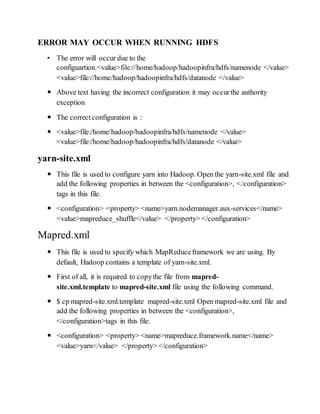
ERROR MAY OCCUR WHEN RUNNING HDFS
• The error will occur due to the
configuartion.<value>file://home/hadoop/hadoopinfra/hdfs/namenode </value>
<value>file://home/hadoop/hadoopinfra/hdfs/datanode </value>
 Above text having the incorrect configuration it may occurthe authority
exception
 The correctconfiguration is :
 <value>file:/home/hadoop/hadoopinfra/hdfs/namenode </value>
<value>file:/home/hadoop/hadoopinfra/hdfs/datanode </value>
yarn-site.xml
 This file is used to configure yarn into Hadoop. Open the yarn-site.xml file and
add the following properties in between the <configuration>, </configuration>
tags in this file.
 <configuration> <property> <name>yarn.nodemanager.aux-services</name>
<value>mapreduce_shuffle</value> </property> </configuration>
Mapred.xml
 This file is used to specify which MapReduceframework we are using. By
default, Hadoop contains a template of yarn-site.xml.
 First of all, it is required to copythe file from mapred-
site.xml.template to mapred-site.xml file using the following command.
 $ cp mapred-site.xml.template mapred-site.xml Open mapred-site.xml file and
add the following properties in between the <configuration>,
</configuration>tags in this file.
 <configuration> <property> <name>mapreduce.framework.name</name>
<value>yarn</value> </property> </configuration>
Verifying Hadoop Installation
Name node
$ cd ~ $ hdfs namenode –format
The following command is used to start dfs. Executing this command will start your
Hadoop file system.
$ start-dfs.sh
The following command is used to start the yarn script. Executing this command will
start your yarn daemons.
$ start-yarn.sh
Web interface s
MAPREDUCE :http://localhost:8042
NAME NODE:http://localhost:50070
RESOURCEMANAGER:http://localhost:8088
SECONDARY NAME NODE :http://localhost:50090/status.html

Hadoop installation

  • 1.
    HADOOP INSTALLATION ONUBUNTU  Creating a User  it is recommended to create a separate user for Hadoop to isolate Hadoop file system from Unix file system.  open the root using the command “su”.  Create a user from the rootaccount using the command “useradd username”.  Now you can open an existing user account using the command “suusername”.  $ su password:  # useradd hadoop  # passwd hadoop  New passwd:  Retype new passwd  Changing the password of su  If su is giving error means not giving permission you can change the password  $sudo - i  Enter the password:  $sudo passwd  $enter the unix password:  $re enter the unix password:  $exit
  • 2.
    SSH Setup andKey Generation  ssh-keygen -t rsa  $ cat ~/.ssh/id_rsa.pub >> ~/.ssh/authorized_keys  $ chmod 0600 ~/.ssh/authorized_keys Error correcting ssh  Remove ssh server  $sudo apt-get remove ssh and  Again add or install the ssh  $sudo apt-get install ssh Install Java jdk  sudo apt-get update  sudo add-apt-repository ppa:webupd8team/java  sudo update-java-alternatives -s java-9-sun  sudo apt-get install openjdk-7-jdk  Check java version  $ Java –version  For setting up PATH and JAVA_HOME variables, add the following commands to ~/.bashrc file.  export JAVA_HOME=/usr/local/jdk1.7.0_71  export PATH=$PATH:$JAVA_HOME/bin
  • 3.
     Now applyall the changes into the current running system.  $ source ~/.bashrc  To make java available to all the users, you have to move it to the location “/usr/local/”. Open root, and type the following commands.  $ su password:  # mv jdk1.7.0_71 /usr/local/  # exit Download hadoop  Downloadthe hadoop by following the command :  wgethttps://dist.apache.org/repos/dist/release/hadoop/common/hadoop- 2.7.3/hadoop-2.7.3.tar.gz  You can downloadlatestversion by replacing 2.9.0 insteadof 2.7.3  $ su password:  # cd /usr/local  # wgethttp://apache.claz.org/hadoop/common/hadoop-2.4.1/hadoop- 2.4.1.tar.gz  # tar xzf hadoop-2.4.1.tar.gz  $mkdir hadoop  Sudo chmod –R0777/usr/local/hadoop  # mv hadoop-2.4.1/* to hadoop/  # exit
  • 4.
    Hadoop Configuration  Youcan find all the hadoop configuration in $ cd $HADOOP_HOME/etc/hadoop  If hadoop folder is not present then create the folder  $Mkdir hadoop  core-site.xml The core-site.xml file contains information such as the port number used for Hadoop instance, memory allocated for the file system, memory limit for storing the data, and size of Read/Write buffers. Open the core-site.xml and add the following properties in between <configuration>, </configuration> tags. <configuration> <property> <name>fs.default.name</name> <value>hdfs://localhost:9000</value> </property> </configuration> hdfs-site.xml  The hdfs-site.xml file contains information such as the value of replication data, namenode path, and datanode paths of your local file systems.  It means the place where you want to store the Hadoop infrastructure.  Open this file and add the following properties in between the <configuration> </configuration> tags in this file.  <configuration> <property> <name>dfs.replication</name> <value>1</value> </property> <property> <name>dfs.name.dir</name> <value>file:///home/hadoop/hadoopinfra/hdfs/namenode </value> </property> <property> <name>dfs.data.dir</name> <value>file:///home/hadoop/hadoopinfra/hdfs/datanode </value> </property> </configuration>
  • 5.
    ERROR MAY OCCURWHEN RUNNING HDFS • The error will occur due to the configuartion.<value>file://home/hadoop/hadoopinfra/hdfs/namenode </value> <value>file://home/hadoop/hadoopinfra/hdfs/datanode </value>  Above text having the incorrect configuration it may occurthe authority exception  The correctconfiguration is :  <value>file:/home/hadoop/hadoopinfra/hdfs/namenode </value> <value>file:/home/hadoop/hadoopinfra/hdfs/datanode </value> yarn-site.xml  This file is used to configure yarn into Hadoop. Open the yarn-site.xml file and add the following properties in between the <configuration>, </configuration> tags in this file.  <configuration> <property> <name>yarn.nodemanager.aux-services</name> <value>mapreduce_shuffle</value> </property> </configuration> Mapred.xml  This file is used to specify which MapReduceframework we are using. By default, Hadoop contains a template of yarn-site.xml.  First of all, it is required to copythe file from mapred- site.xml.template to mapred-site.xml file using the following command.  $ cp mapred-site.xml.template mapred-site.xml Open mapred-site.xml file and add the following properties in between the <configuration>, </configuration>tags in this file.  <configuration> <property> <name>mapreduce.framework.name</name> <value>yarn</value> </property> </configuration>
  • 6.
    Verifying Hadoop Installation Namenode $ cd ~ $ hdfs namenode –format The following command is used to start dfs. Executing this command will start your Hadoop file system. $ start-dfs.sh The following command is used to start the yarn script. Executing this command will start your yarn daemons. $ start-yarn.sh Web interface s MAPREDUCE :http://localhost:8042 NAME NODE:http://localhost:50070 RESOURCEMANAGER:http://localhost:8088 SECONDARY NAME NODE :http://localhost:50090/status.html