Demystifying Docker & Kubernetes
Networking
• Senior Devops Engineer at Onmobile Global
• Part of Bangalore Docker Community
• One of the Contributors in Docker Labs
• Have travelled extensively from work.
• A Linux, Docker Enthusiast, Avid Runner and Cyclist
LinkedIn profile https://in.linkedin.com/in/balasundaram-natarajan-43471115
Who am I?
•Overview of Container Networking Standards
•Docker CNM-Container Networking Model Dive
•Kubernetes CNI- Container Networking Interface Dive
Agenda
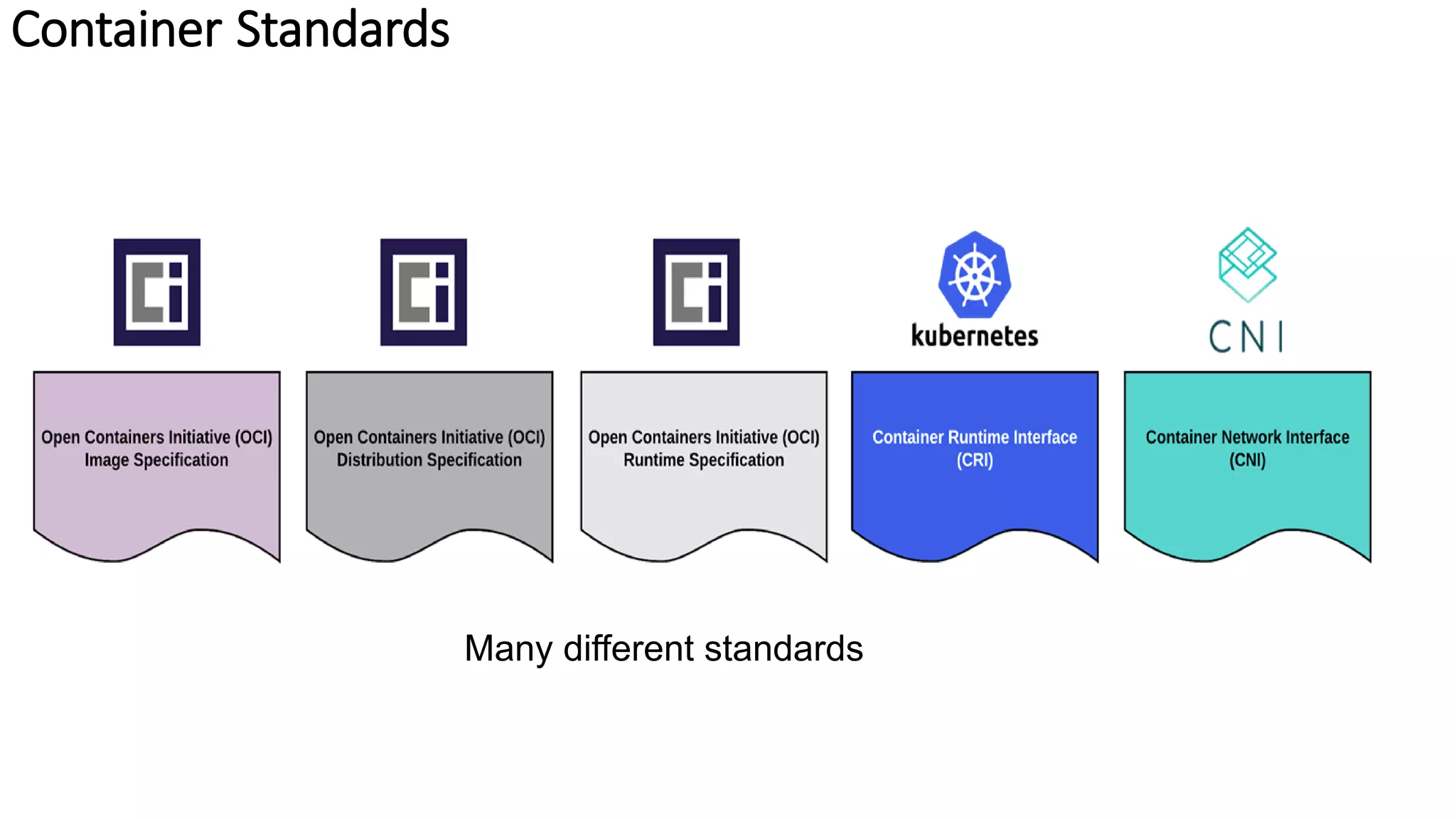
Container Standards
Container Standards
Many different standards
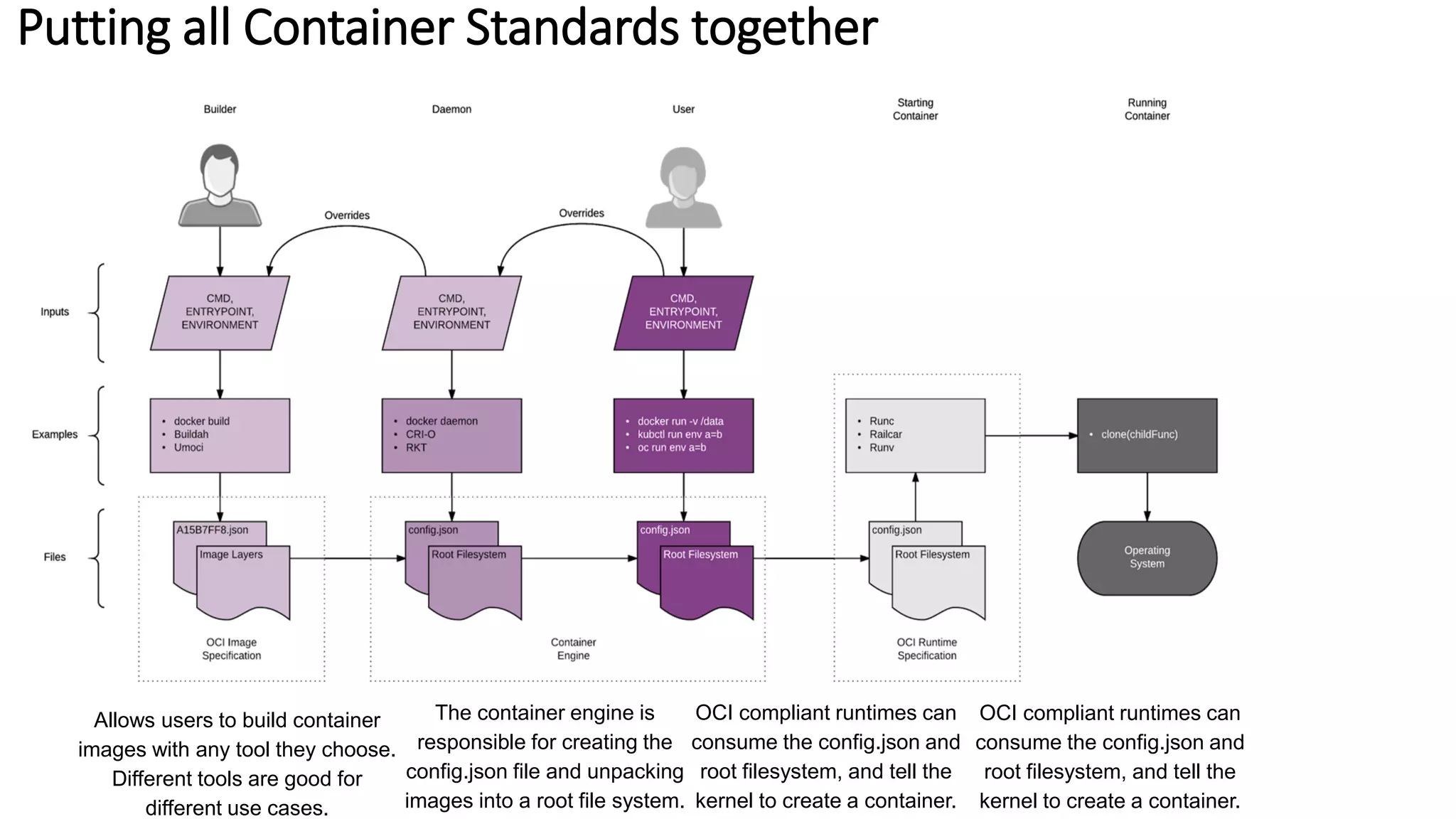
Putting all Container Standards together
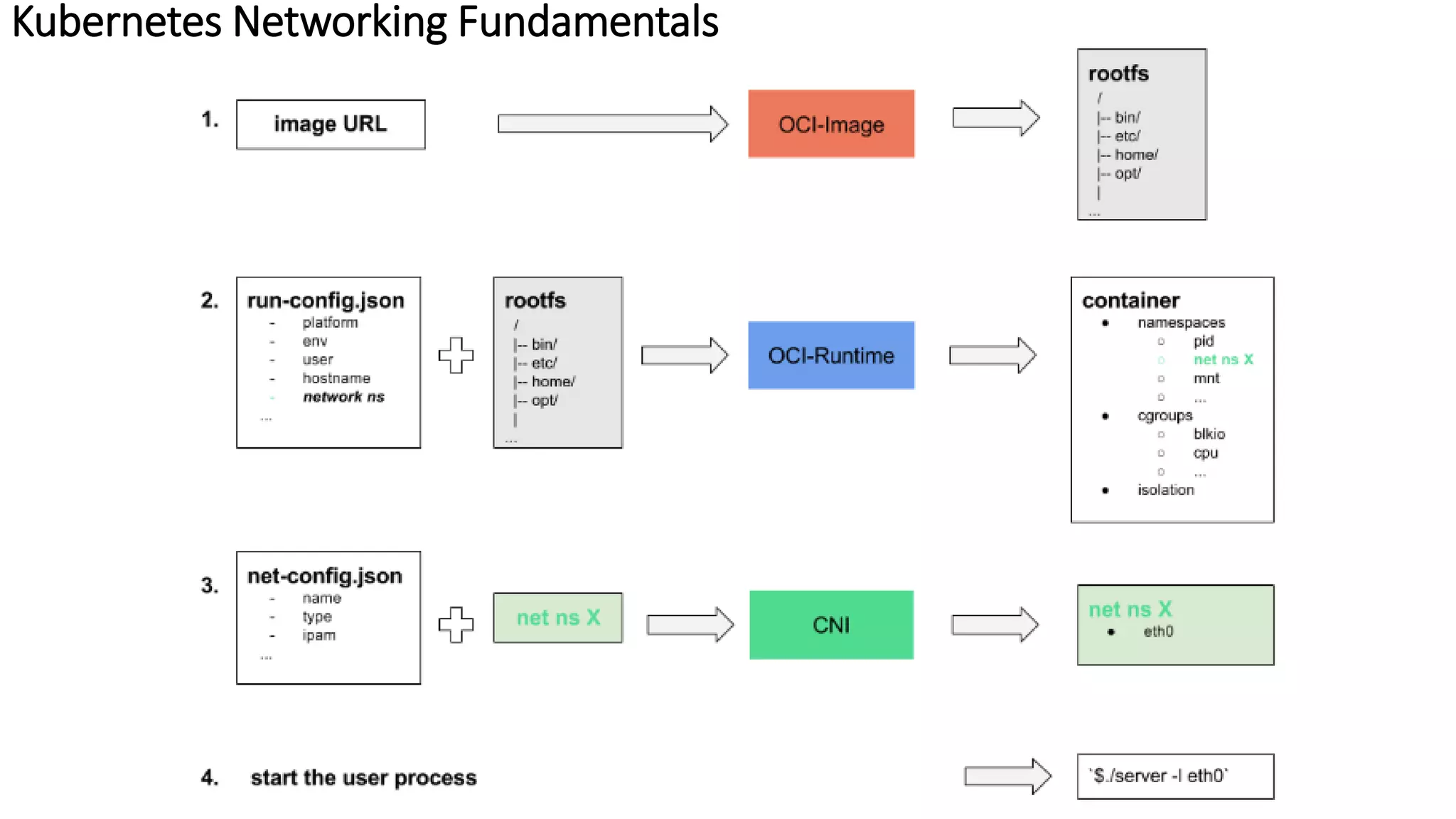
Allows users to build container
images with any tool they choose.
Different tools are good for
different use cases.
OCI compliant runtimes can
consume the config.json and
root filesystem, and tell the
kernel to create a container.
OCI compliant runtimes can
consume the config.json and
root filesystem, and tell the
kernel to create a container.
The container engine is
responsible for creating the
config.json file and unpacking
images into a root file system.
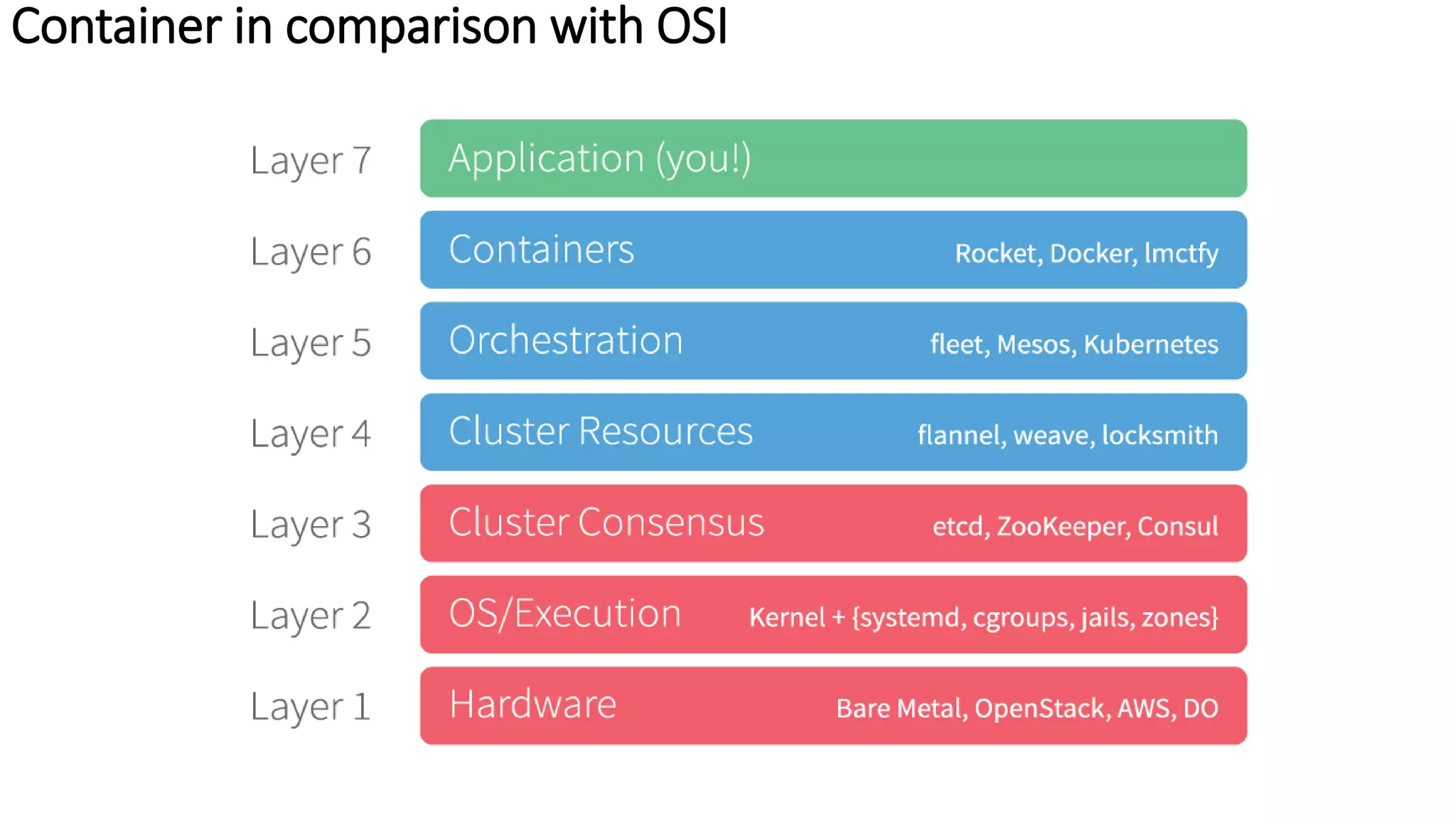
Container in comparison with OSI
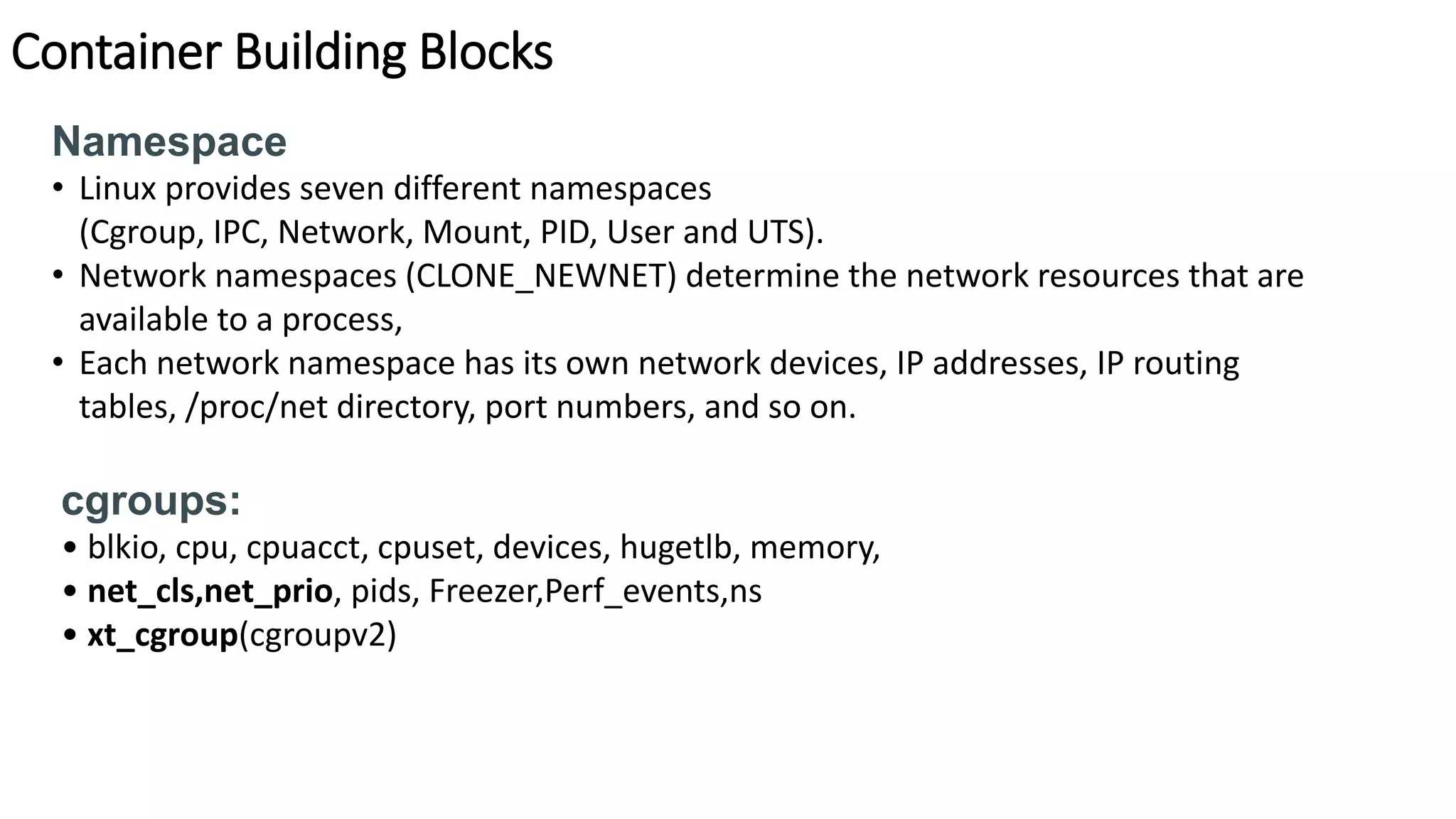
Container Building Blocks
Namespace
• Linux provides seven different namespaces
(Cgroup, IPC, Network, Mount, PID, User and UTS).
• Network namespaces (CLONE_NEWNET) determine the network resources that are
available to a process,
• Each network namespace has its own network devices, IP addresses, IP routing
tables, /proc/net directory, port numbers, and so on.
cgroups:
• blkio, cpu, cpuacct, cpuset, devices, hugetlb, memory,
• net_cls,net_prio, pids, Freezer,Perf_events,ns
• xt_cgroup(cgroupv2)
Container Building Blocks
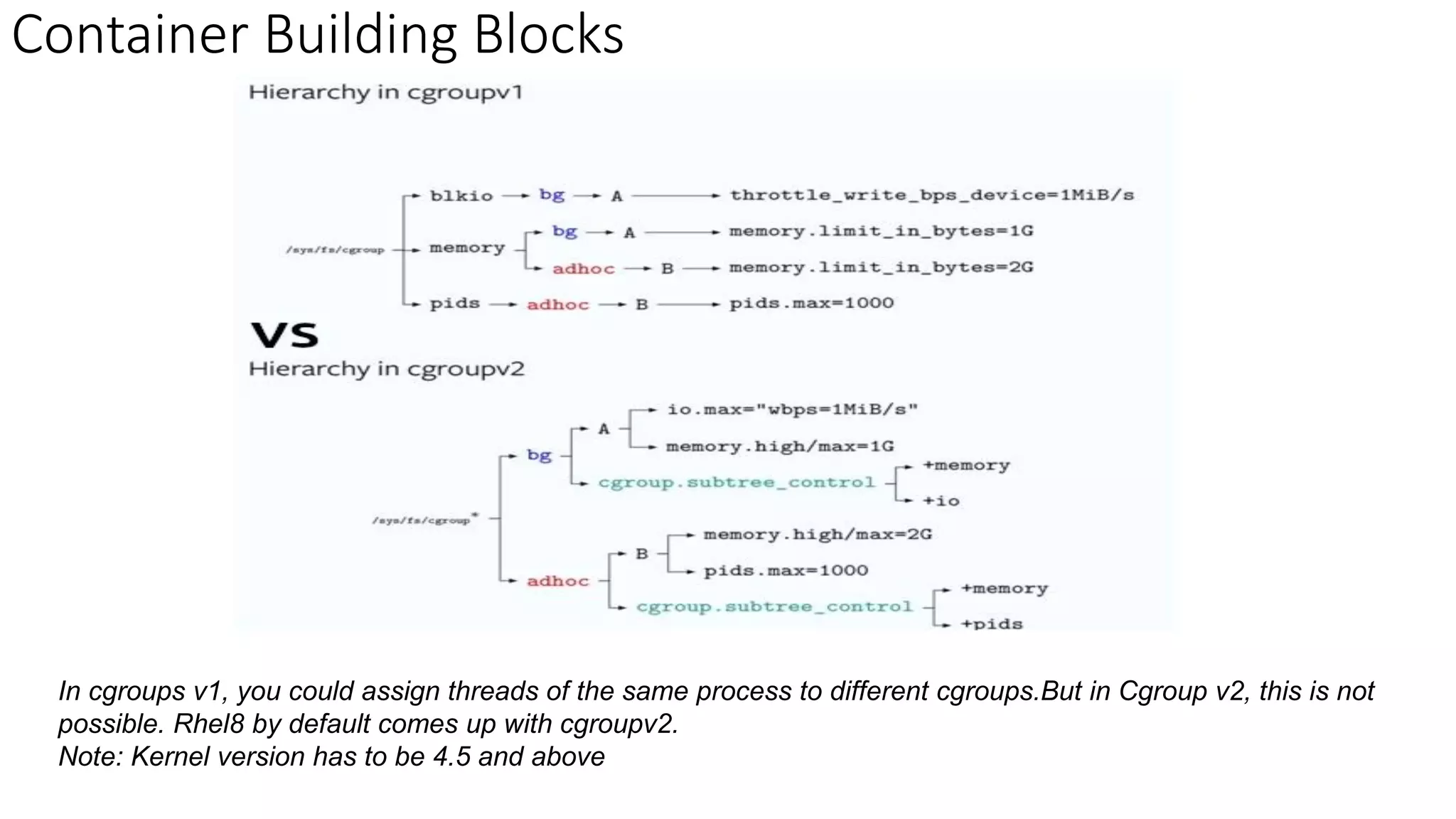
In cgroups v1, you could assign threads of the same process to different cgroups.But in Cgroup v2, this is not
possible. Rhel8 by default comes up with cgroupv2.
Note: Kernel version has to be 4.5 and above
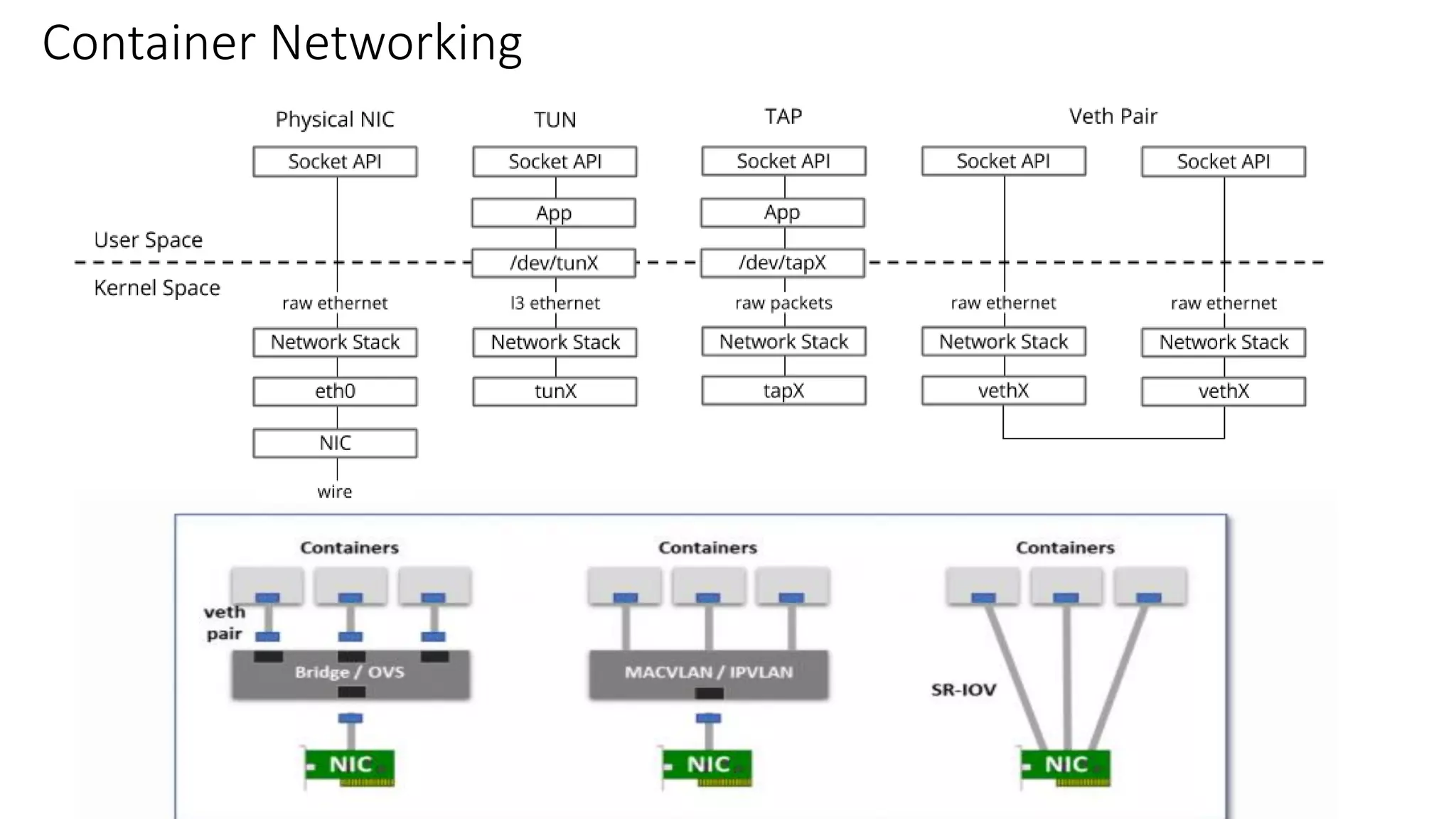
Container Networking
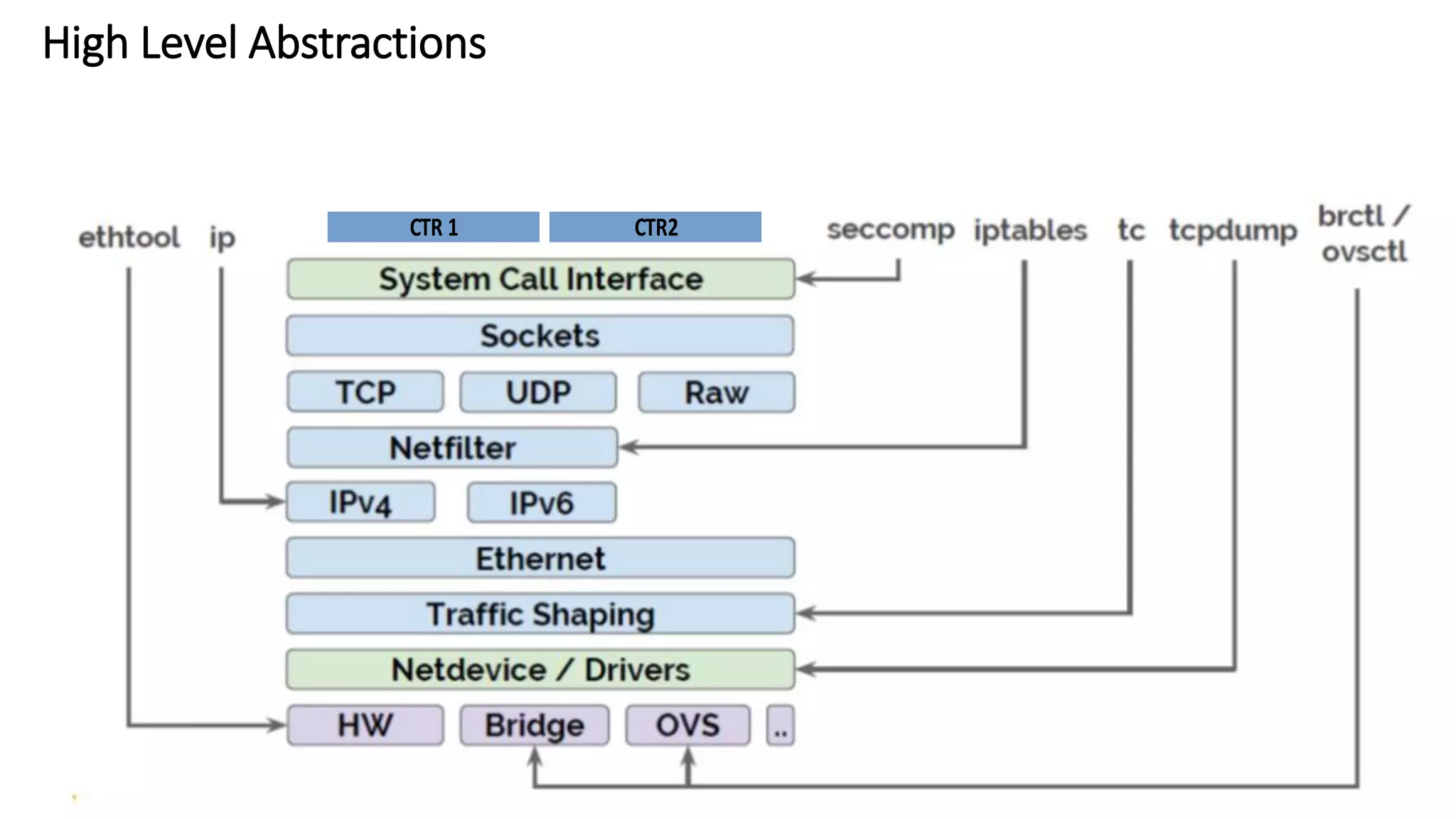
High Level Abstractions
CTR 1 CTR2
Container Network Model
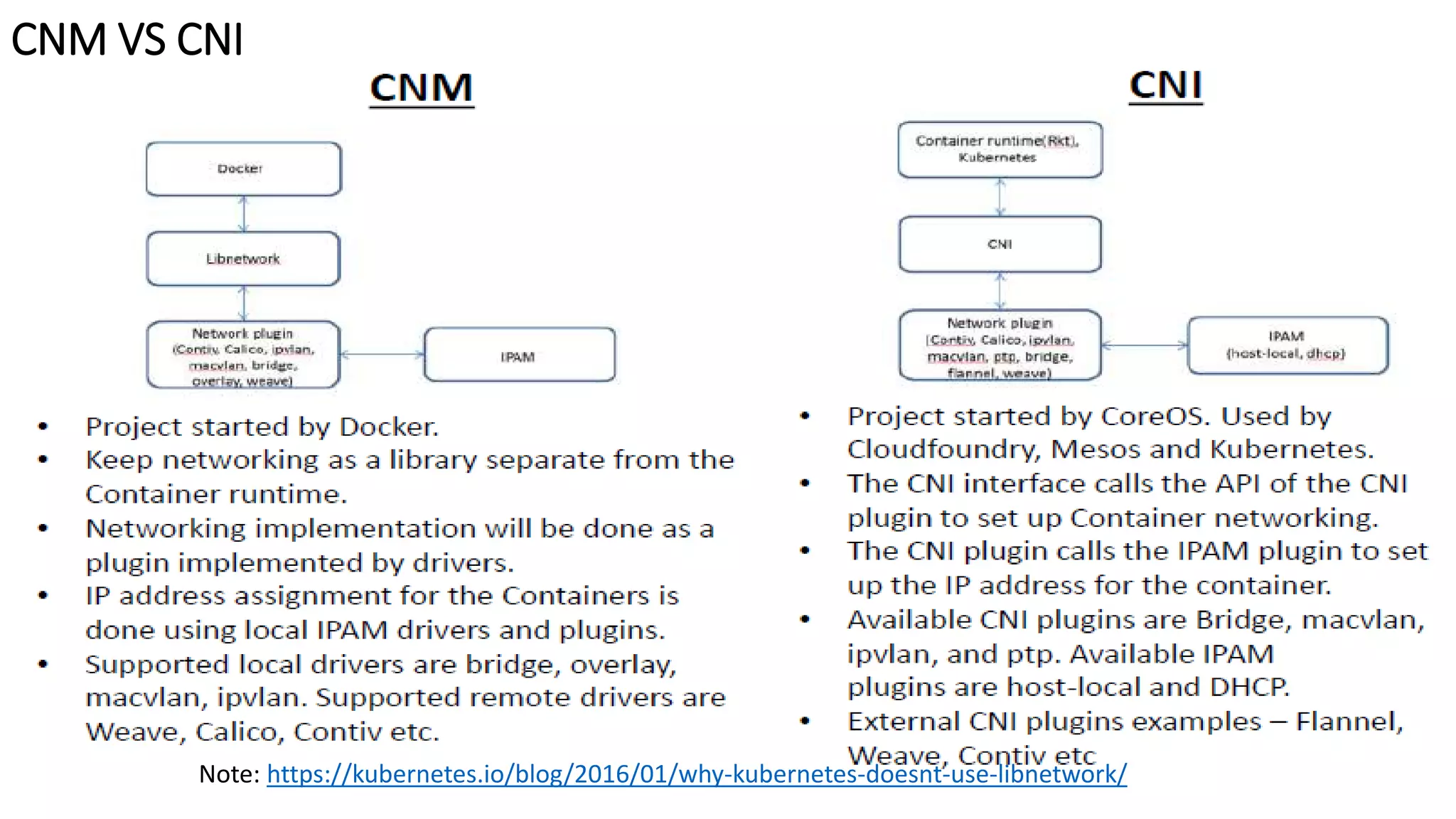
CNM VS CNI
Note: https://kubernetes.io/blog/2016/01/why-kubernetes-doesnt-use-libnetwork/
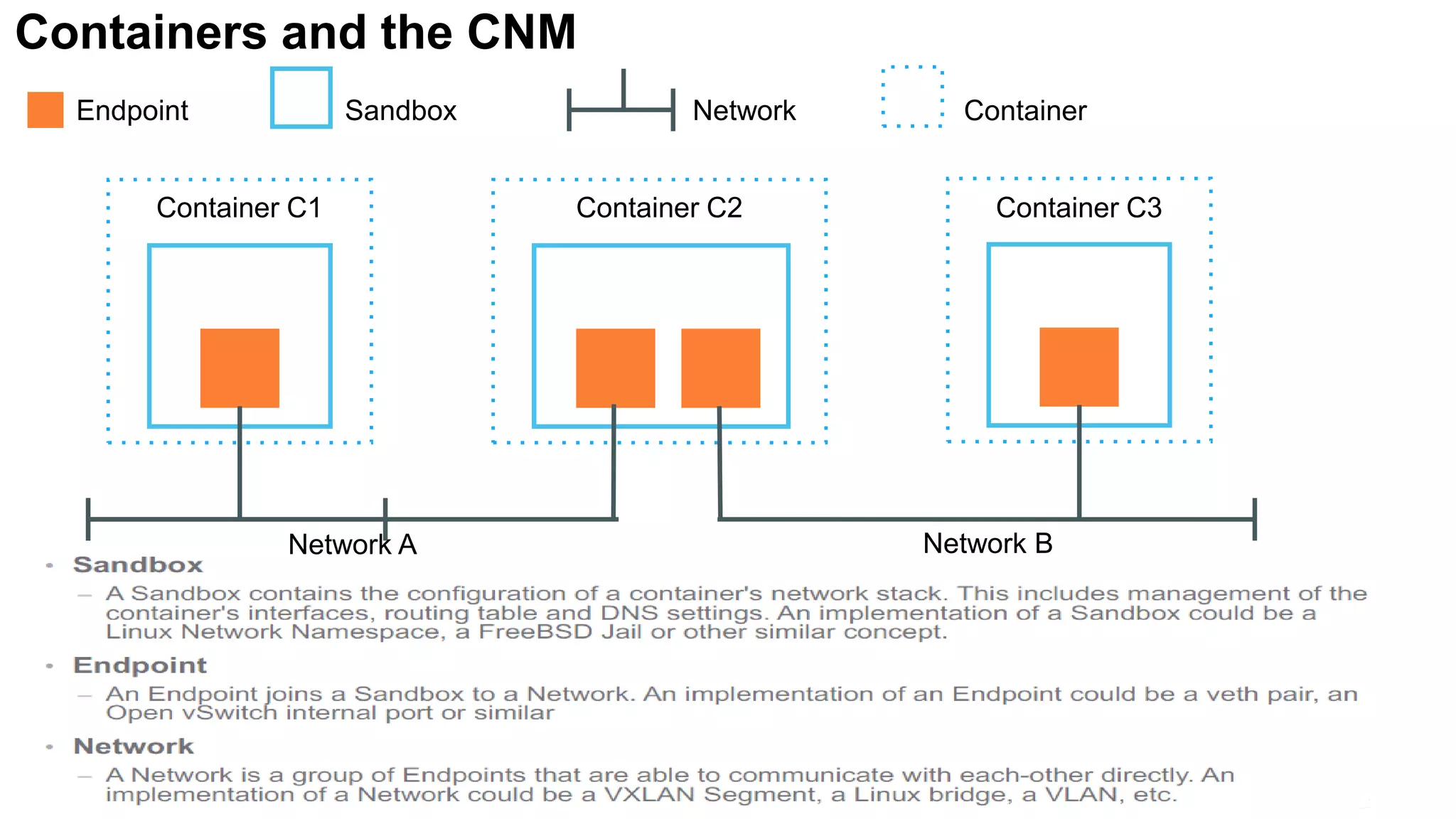
Containers and the CNM
Endpoint Sandbox Network Container
Container C1 Container C2 Container C3
Network A Network B
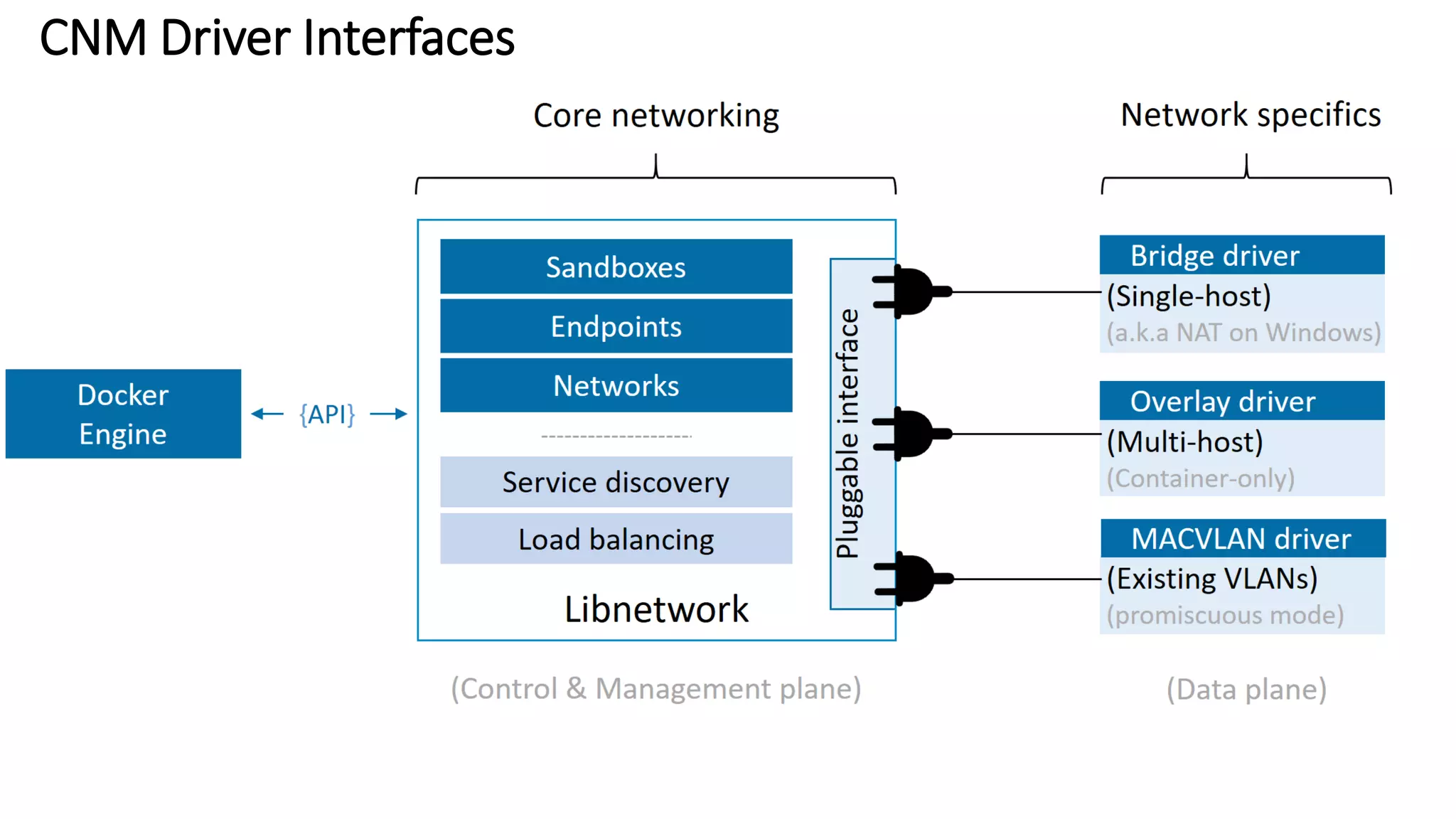
CNM Driver Interfaces
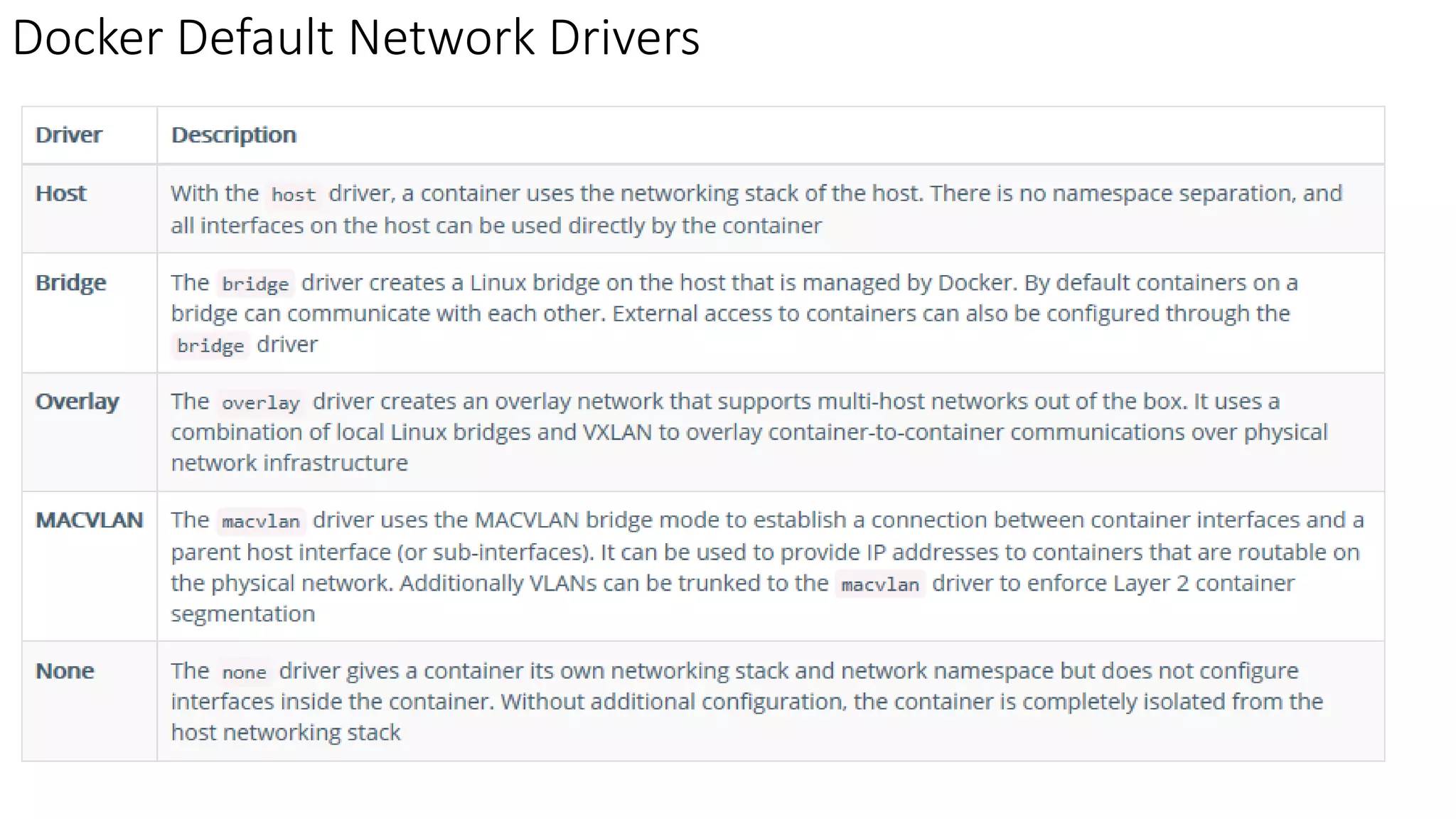
Docker Default Network Drivers
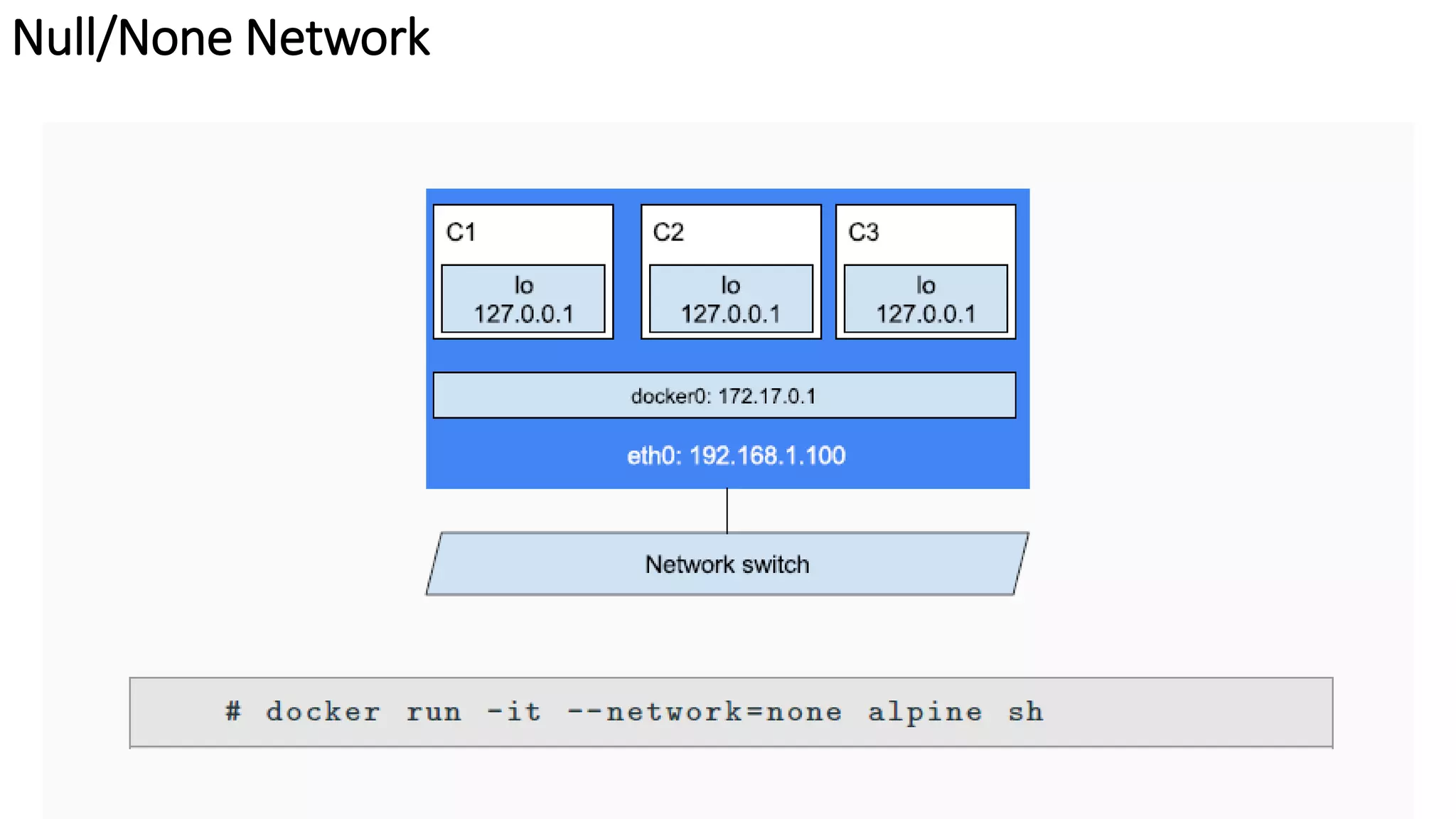
Null/None Network
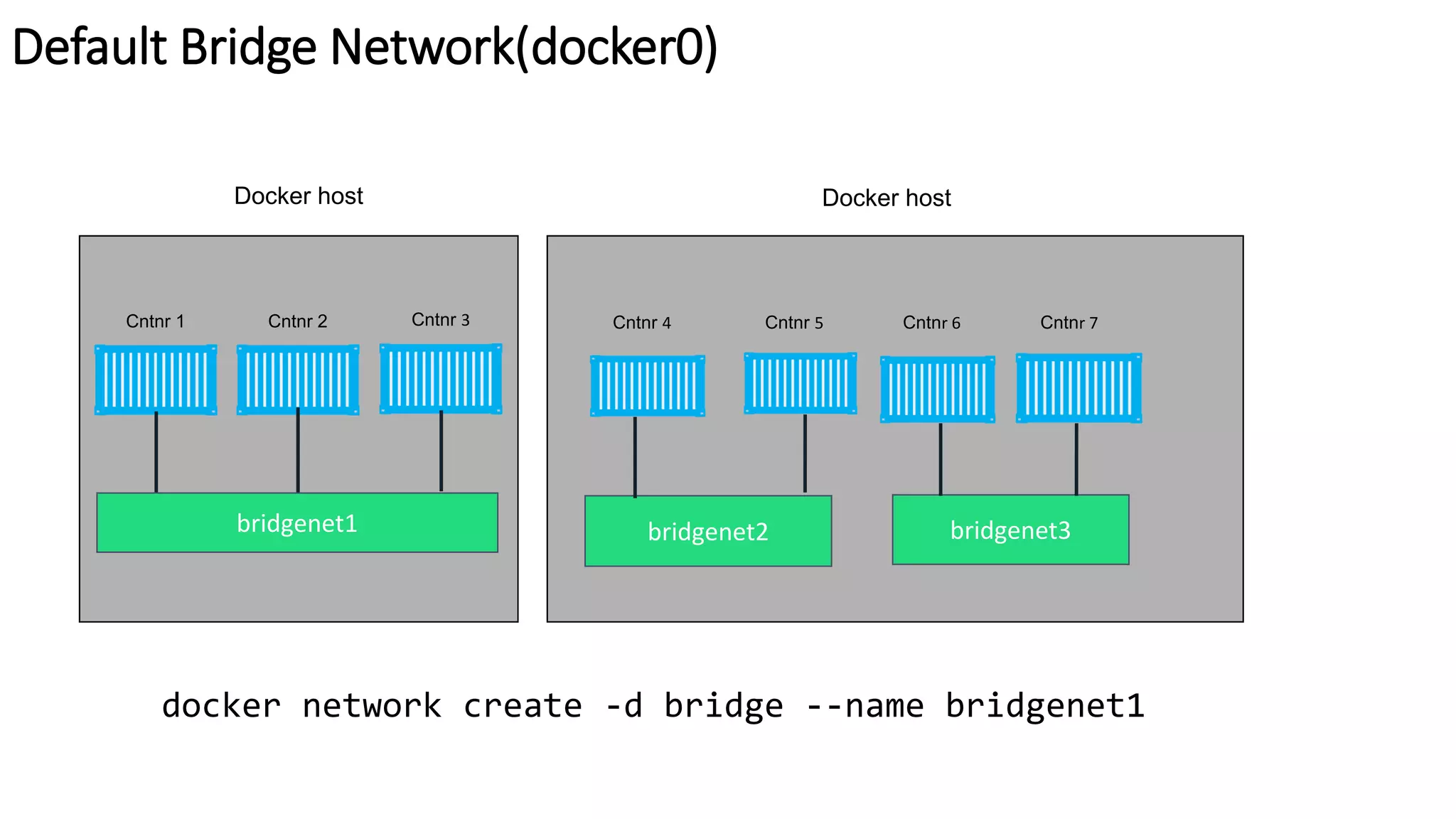
Default Bridge Network(docker0)
Docker host
bridgenet1
Cntnr 1 Cntnr 2 Cntnr 3
Docker host
bridgenet2
Cntnr 4 Cntnr 5
bridgenet3
Cntnr 7Cntnr 6
docker network create -d bridge --name bridgenet1
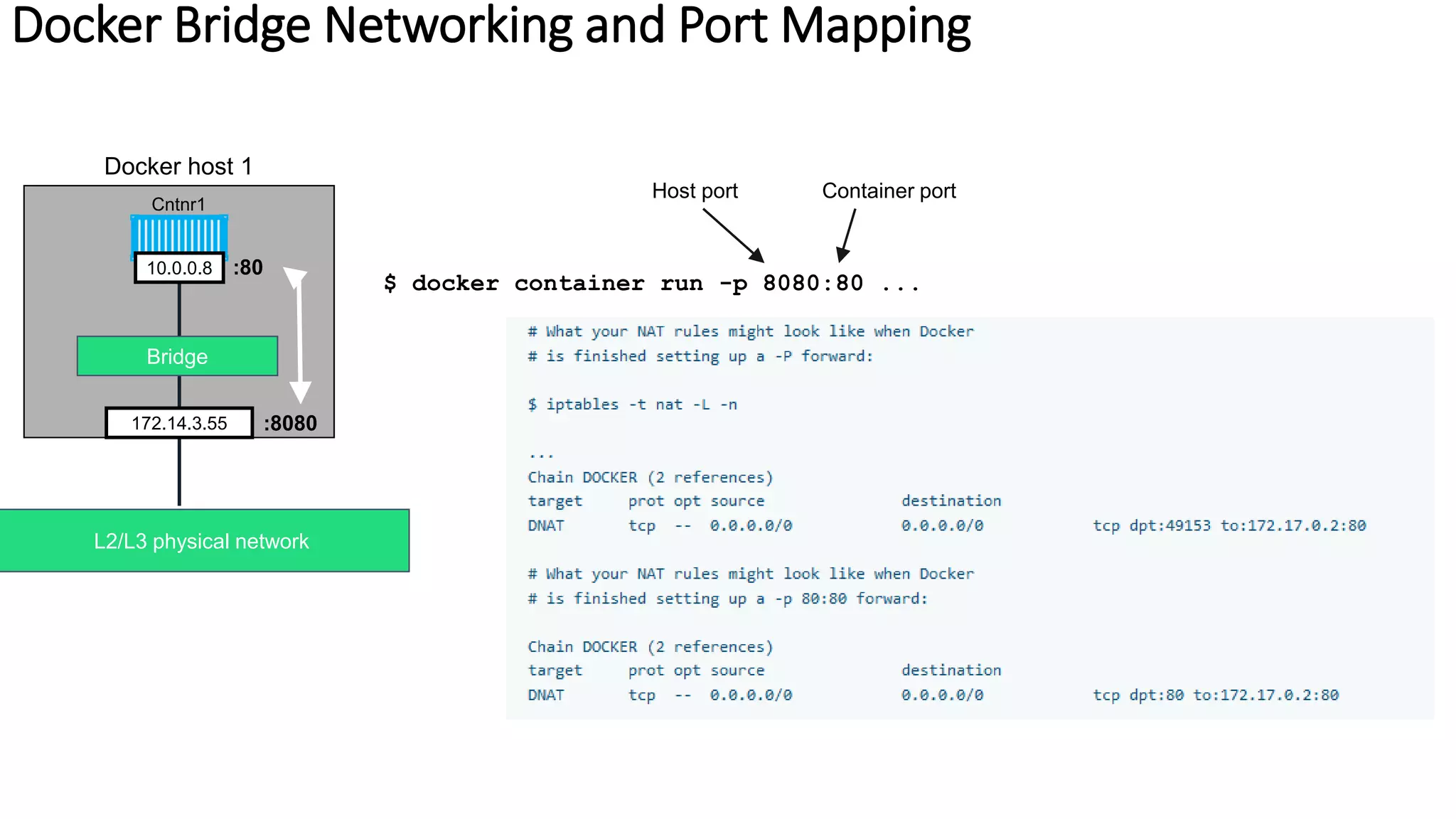
Docker Bridge Networking and Port Mapping
Docker host 1
Bridge
Cntnr1
10.0.0.8
L2/L3 physical network
:80
:8080172.14.3.55
$ docker container run -p 8080:80 ...
Host port Container port
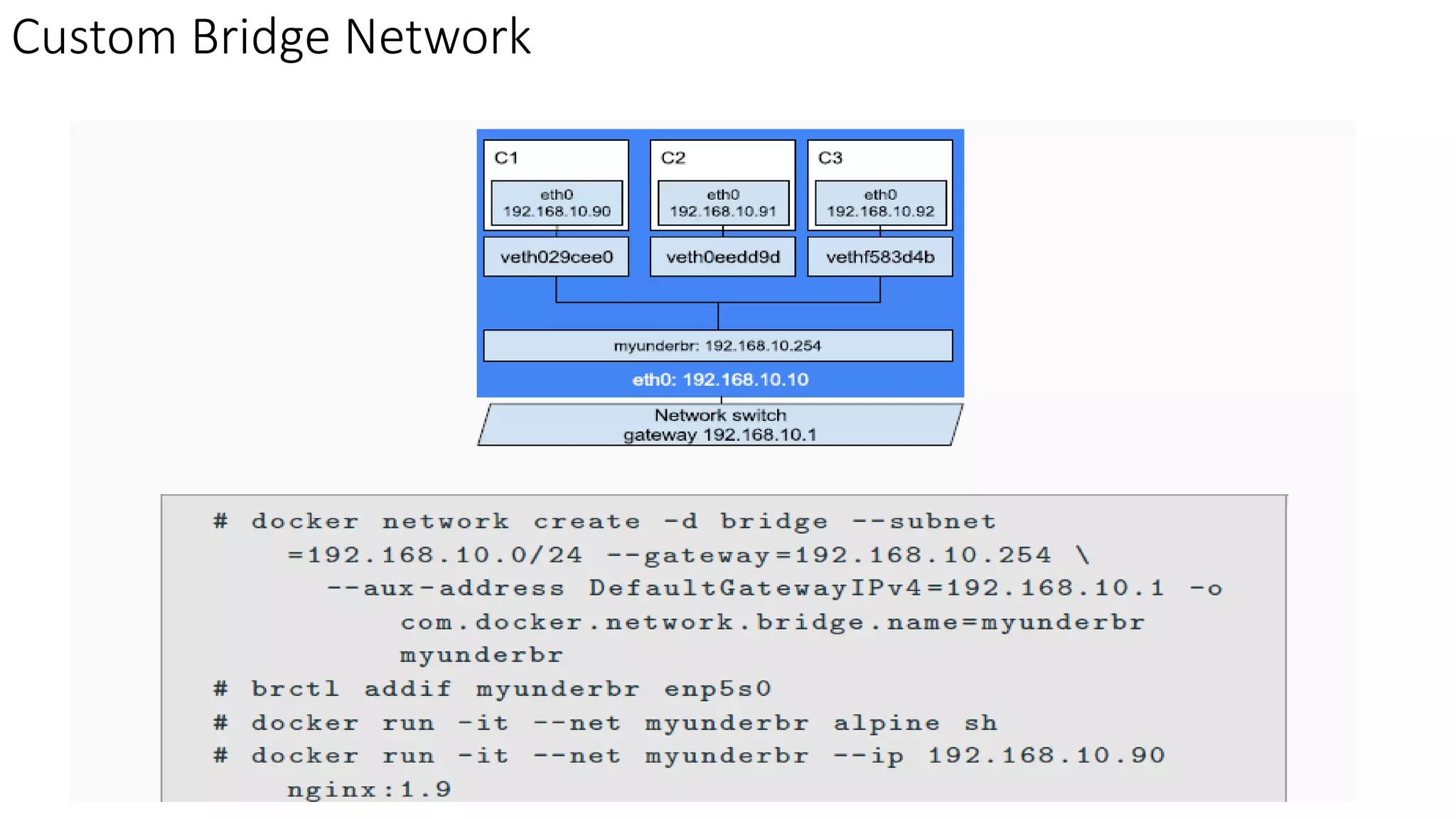
Custom Bridge Network
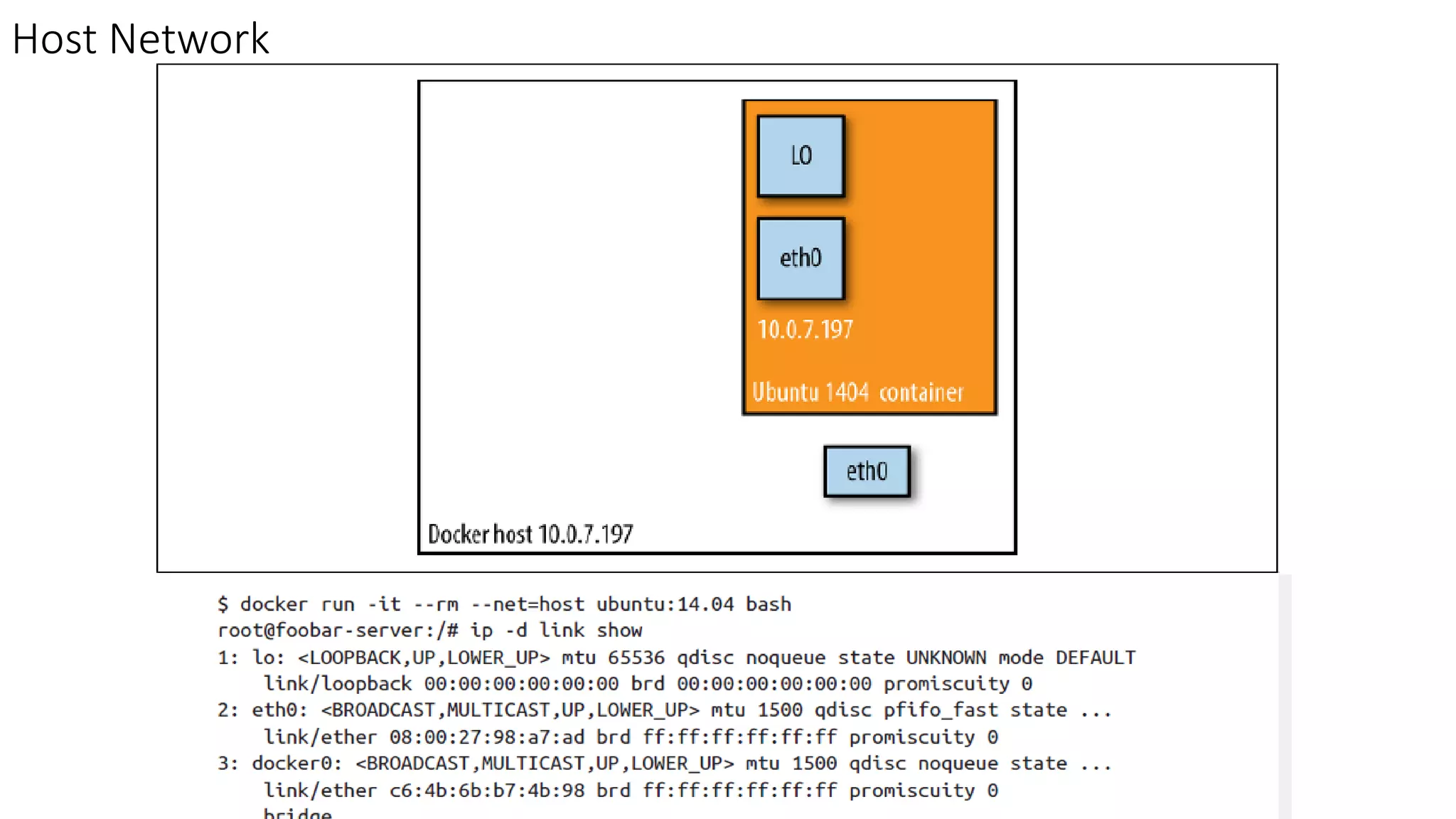
Host Network
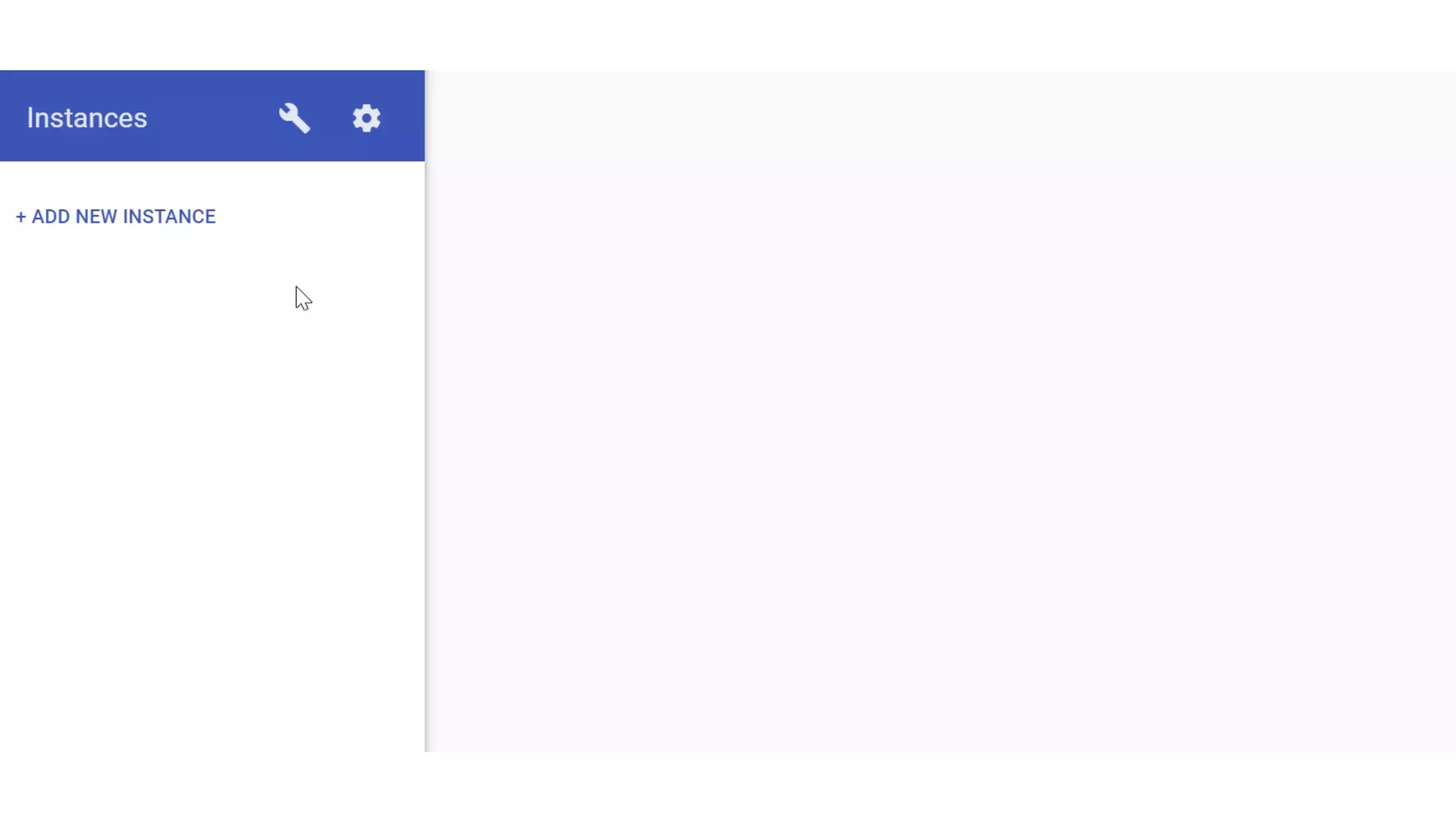
DEMO
https://labs.play-with-docker.com
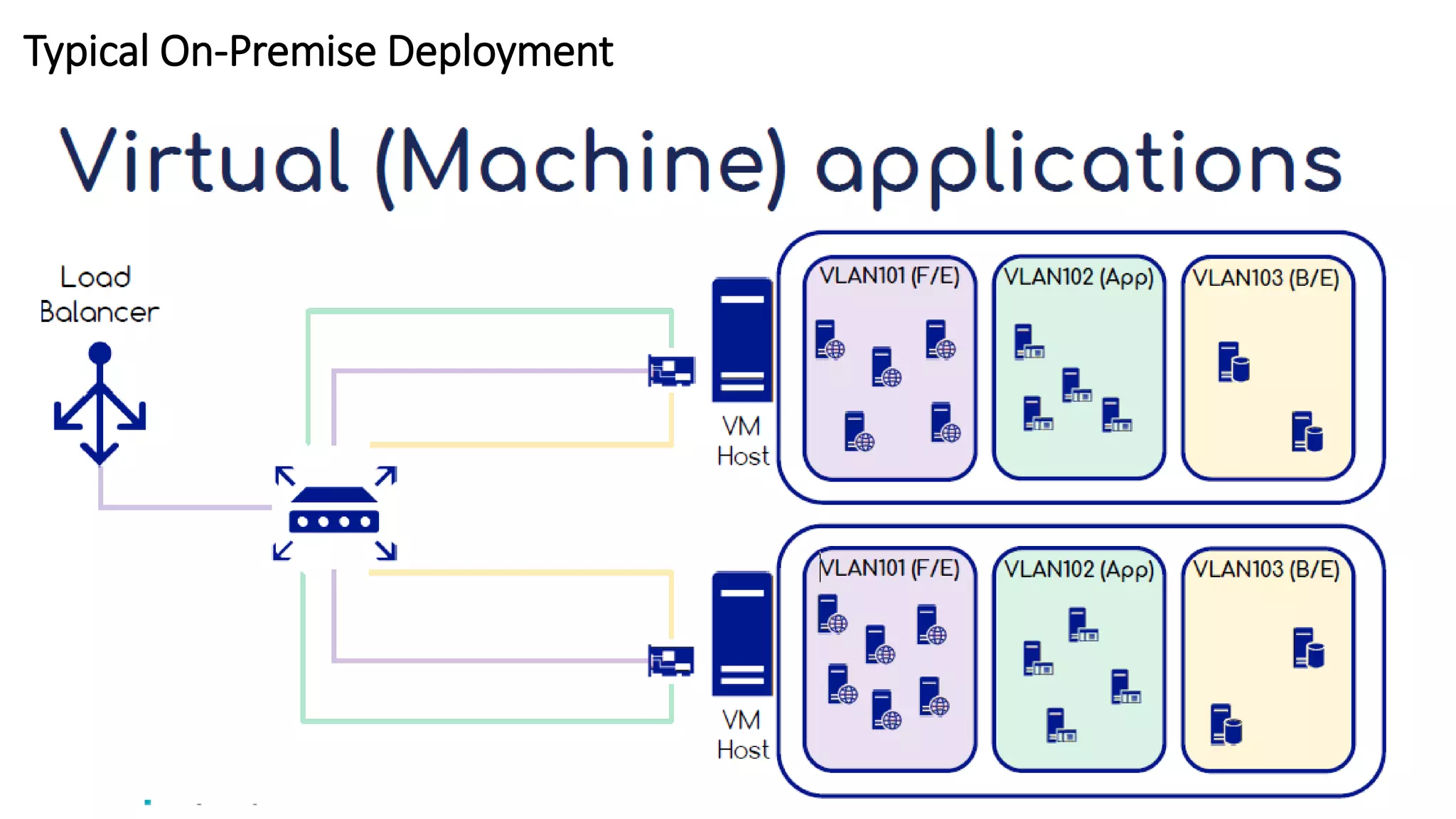
Typical On-Premise Deployment
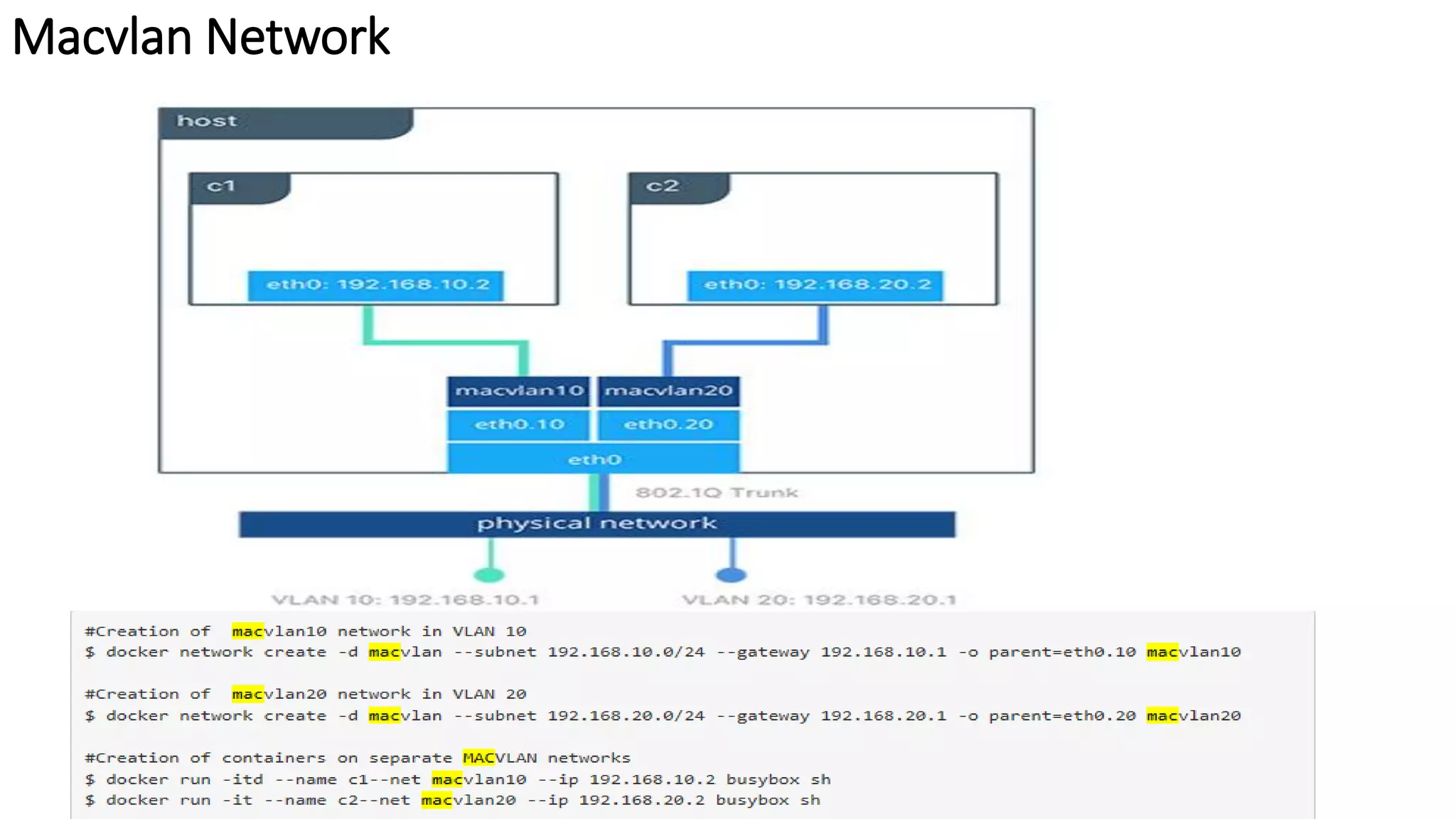
Macvlan Network
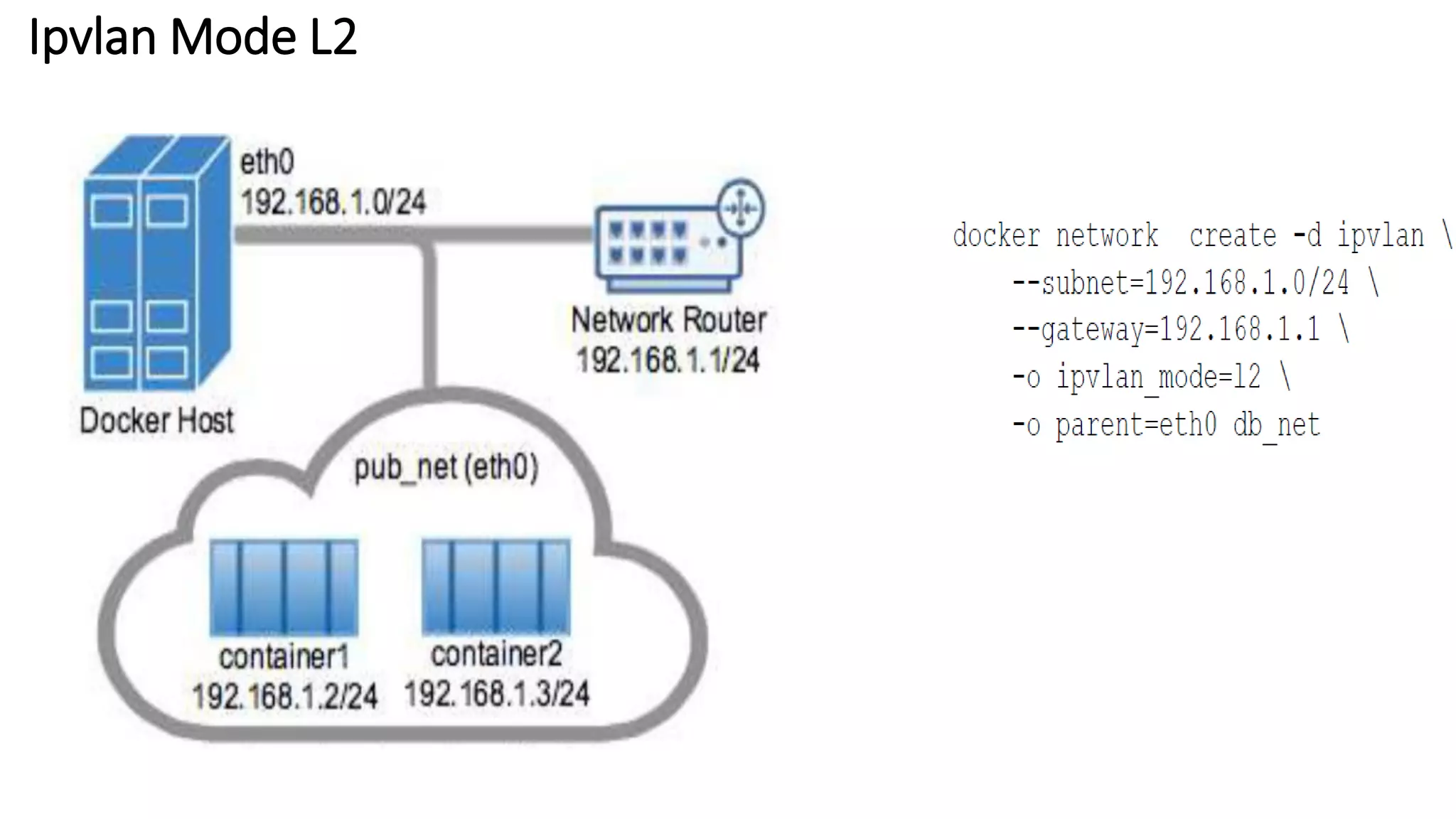
Ipvlan Mode L2
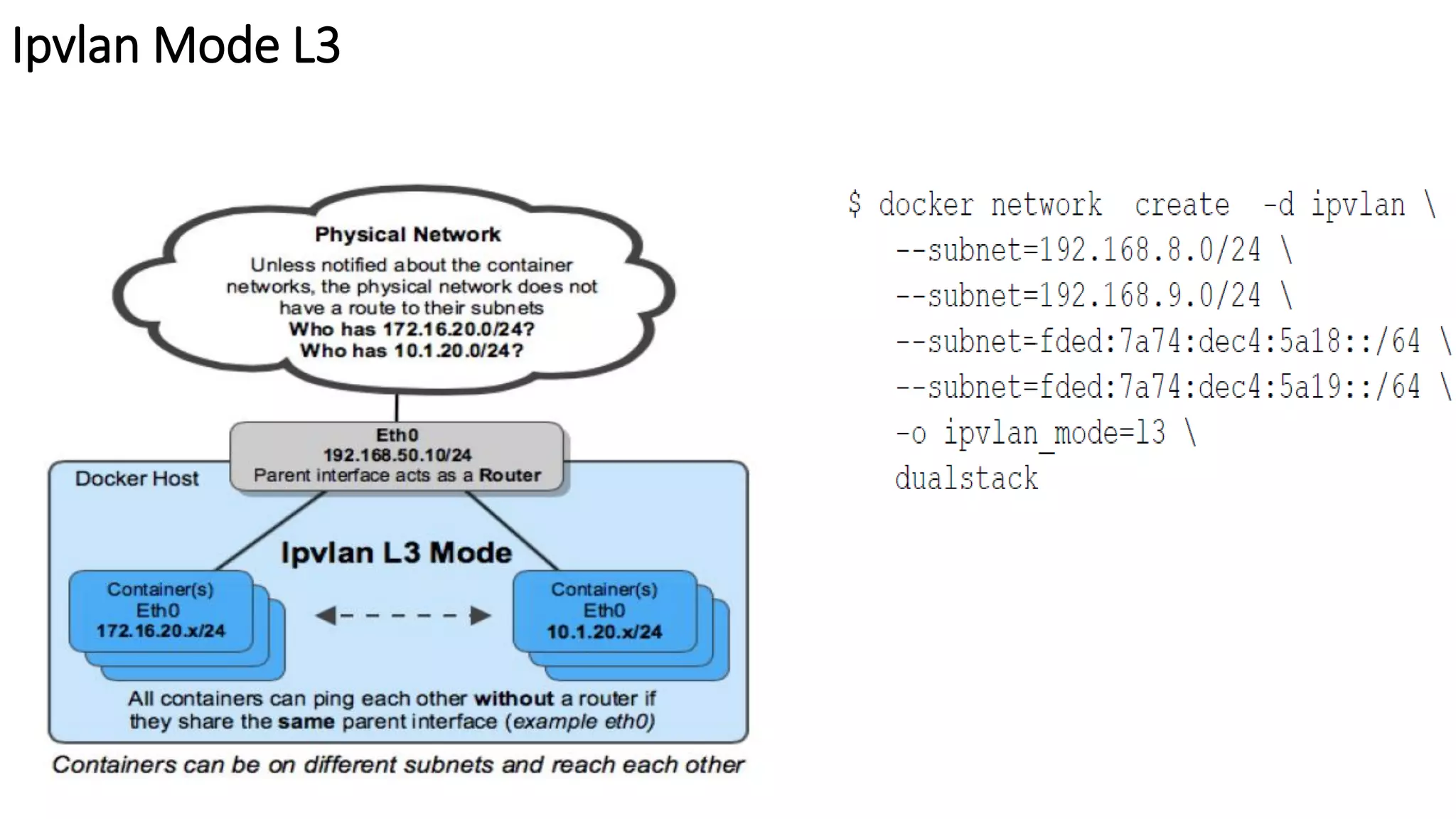
Ipvlan Mode L3
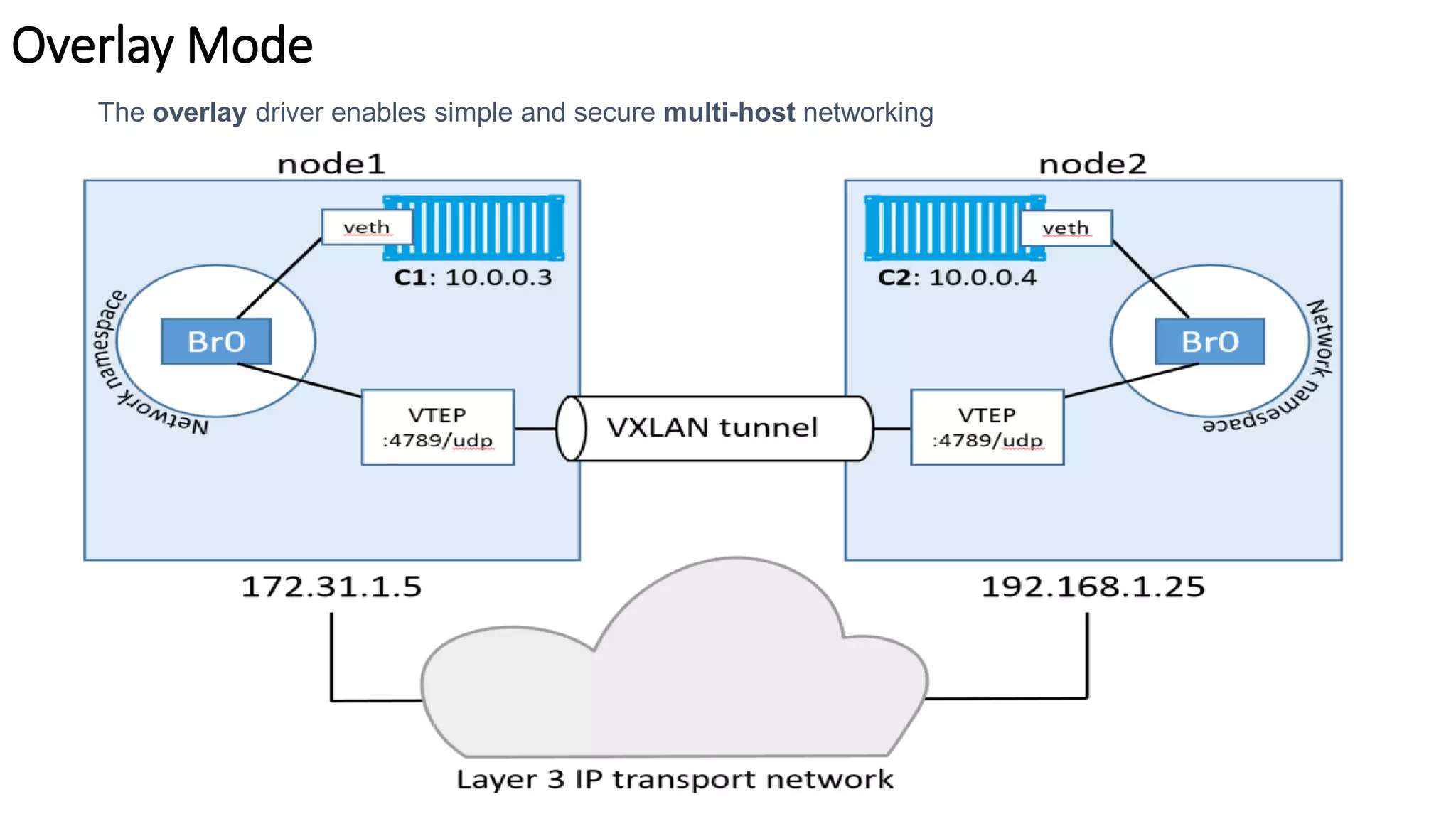
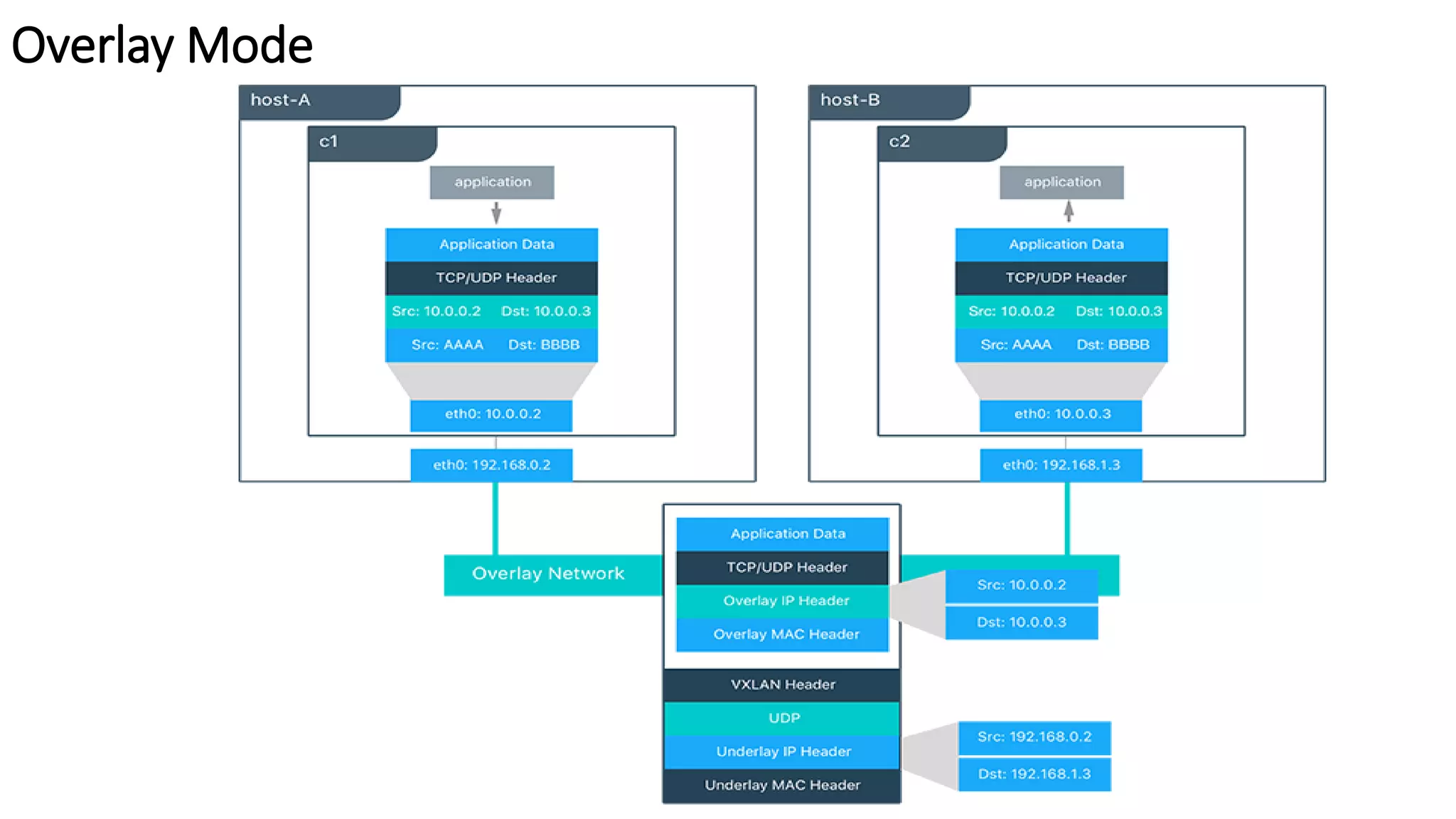
Overlay Mode
The overlay driver enables simple and secure multi-host networking
Overlay Mode
What is Service Discovery
The ability to discover services within a Swarm
• Every service registers its name with the Swarm
• Every task registers its name with the Swarm
• Clients can lookup service names
• Service discovery uses the DNS resolver embedded inside each
container and the DNS server inside of each Docker Engine
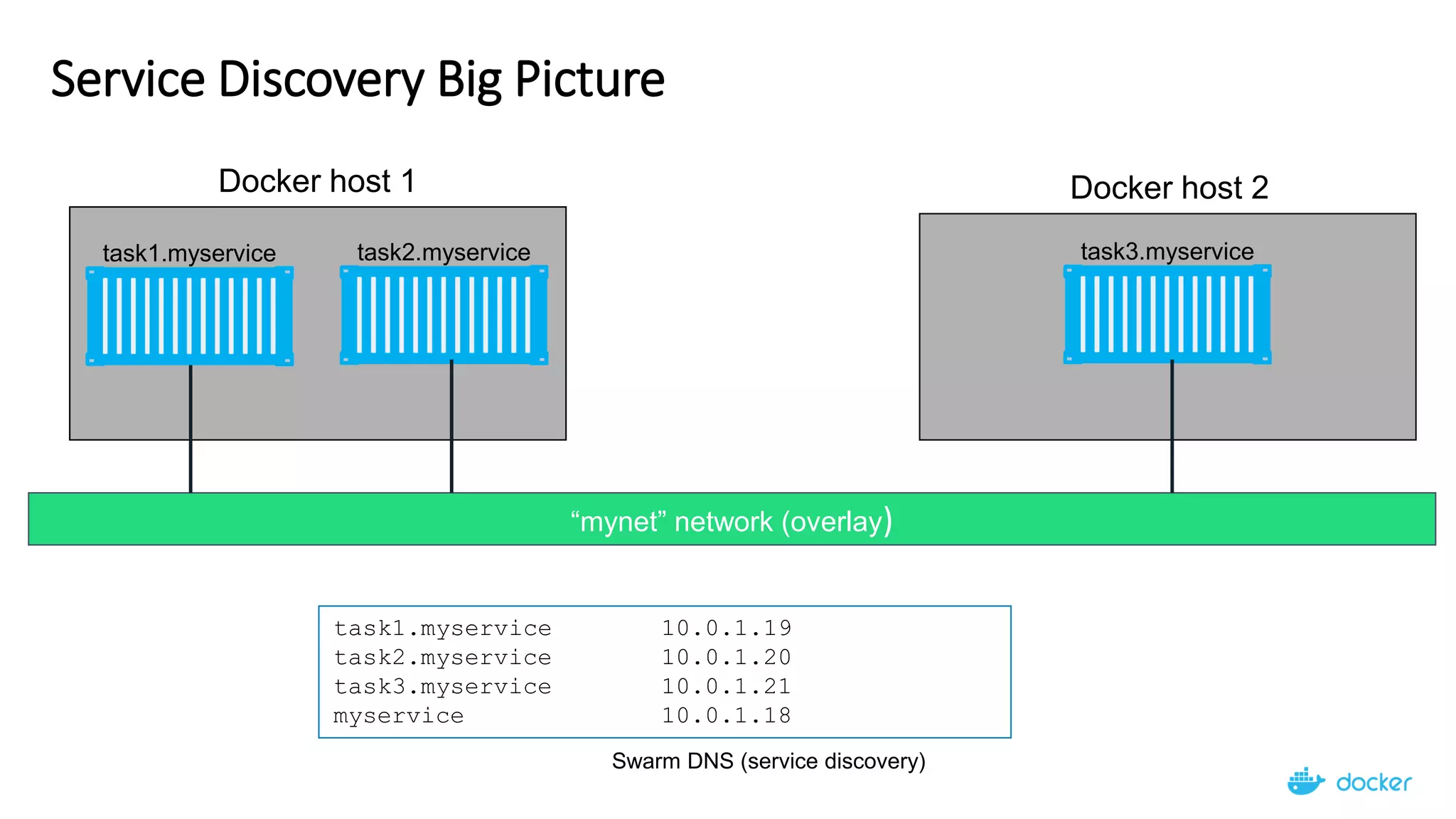
Service Discovery Big Picture
“mynet” network (overlay)
Docker host 1
task1.myservice task2.myservice
Docker host 2
task3.myservice
task1.myservice 10.0.1.19
task2.myservice 10.0.1.20
task3.myservice 10.0.1.21
myservice 10.0.1.18
Swarm DNS (service discovery)
32
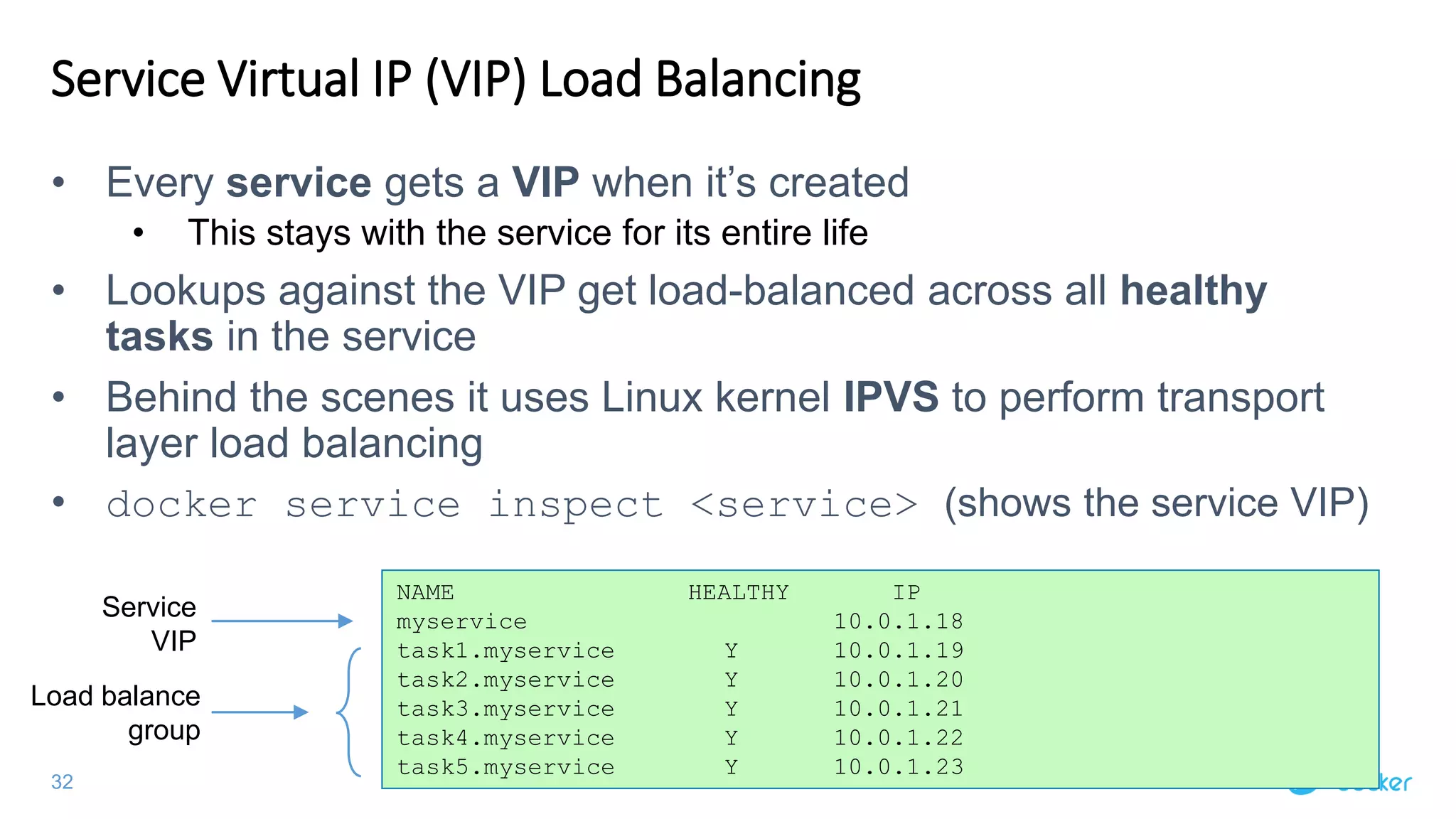
Service Virtual IP (VIP) Load Balancing
• Every service gets a VIP when it’s created
• This stays with the service for its entire life
• Lookups against the VIP get load-balanced across all healthy
tasks in the service
• Behind the scenes it uses Linux kernel IPVS to perform transport
layer load balancing
• docker service inspect <service> (shows the service VIP)
NAME HEALTHY IP
myservice 10.0.1.18
task1.myservice Y 10.0.1.19
task2.myservice Y 10.0.1.20
task3.myservice Y 10.0.1.21
task4.myservice Y 10.0.1.22
task5.myservice Y 10.0.1.23
Service
VIP
Load balance
group
33
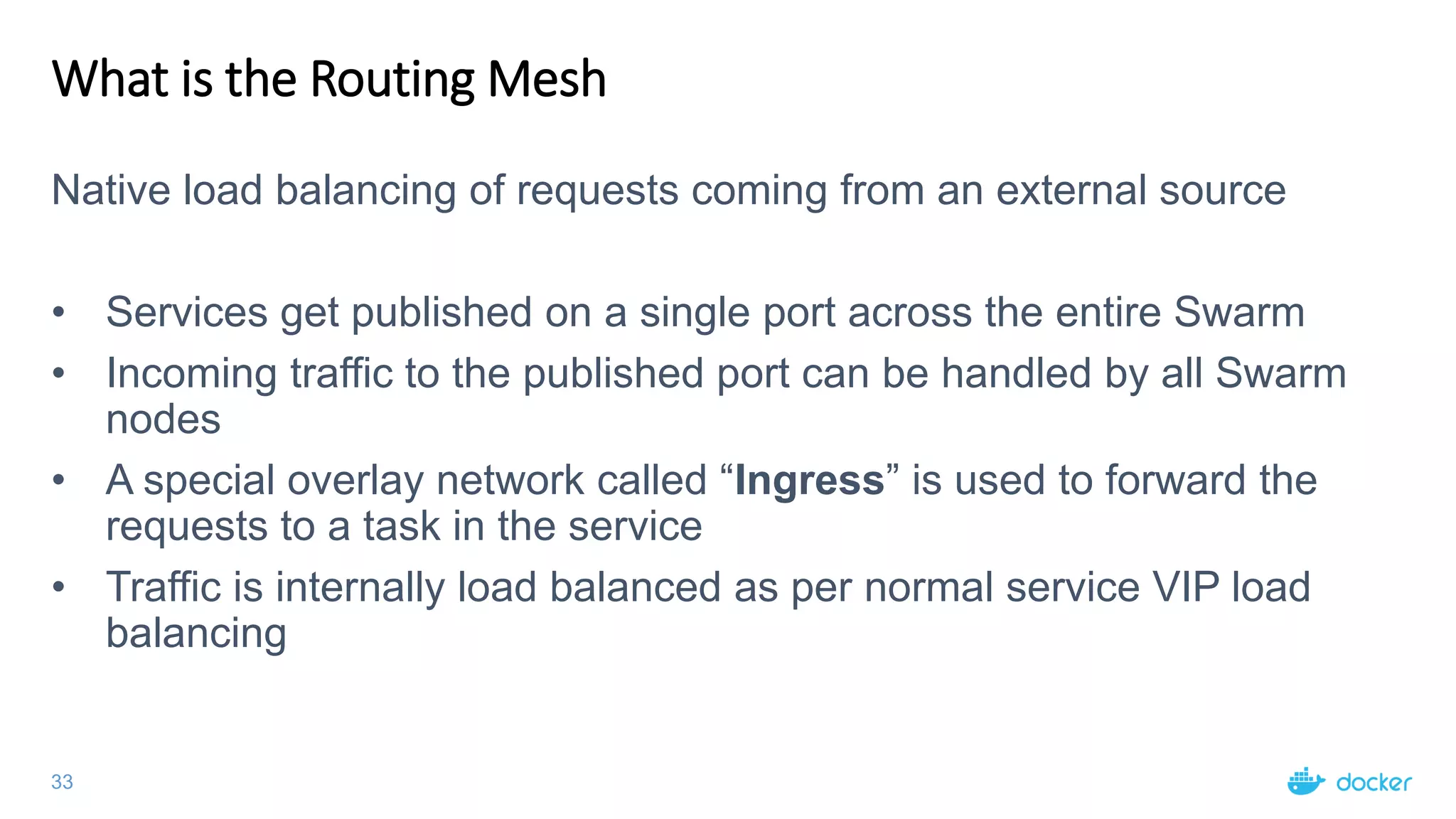
What is the Routing Mesh
Native load balancing of requests coming from an external source
• Services get published on a single port across the entire Swarm
• Incoming traffic to the published port can be handled by all Swarm
nodes
• A special overlay network called “Ingress” is used to forward the
requests to a task in the service
• Traffic is internally load balanced as per normal service VIP load
balancing
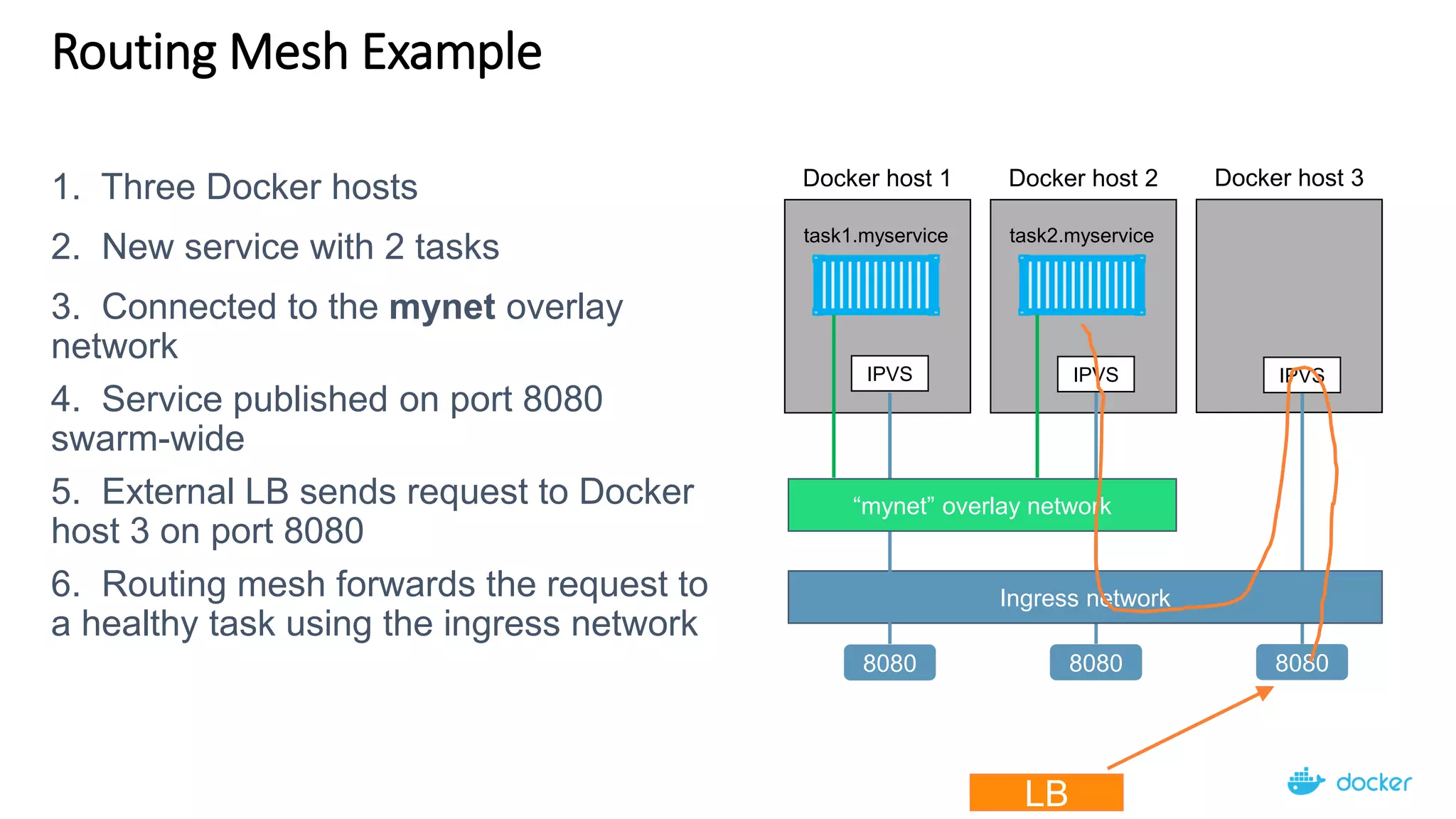
Routing Mesh Example
Docker host 2
task2.myservice
Docker host 1
task1.myservice
Docker host 3
IPVS IPVS IPVS
Ingress network
8080 8080 8080
“mynet” overlay network
LB
1. Three Docker hosts
2. New service with 2 tasks
3. Connected to the mynet overlay
network
4. Service published on port 8080
swarm-wide
5. External LB sends request to Docker
host 3 on port 8080
6. Routing mesh forwards the request to
a healthy task using the ingress network
Node
Node
Node
Node
Node
Node
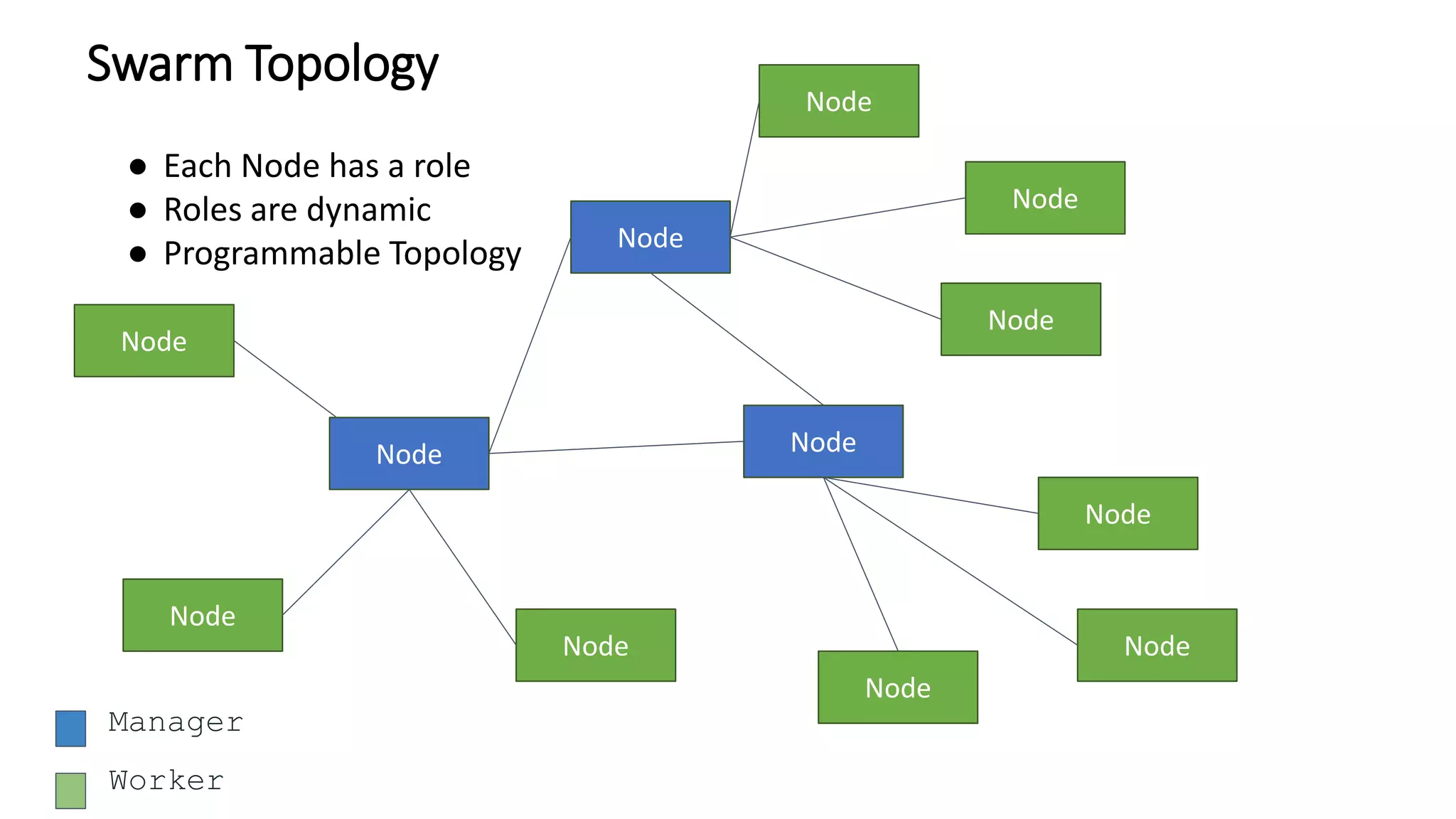
Swarm Topology
Node
Node
Node
Node
Node
Node
Manager
Worker
● Each Node has a role
● Roles are dynamic
● Programmable Topology
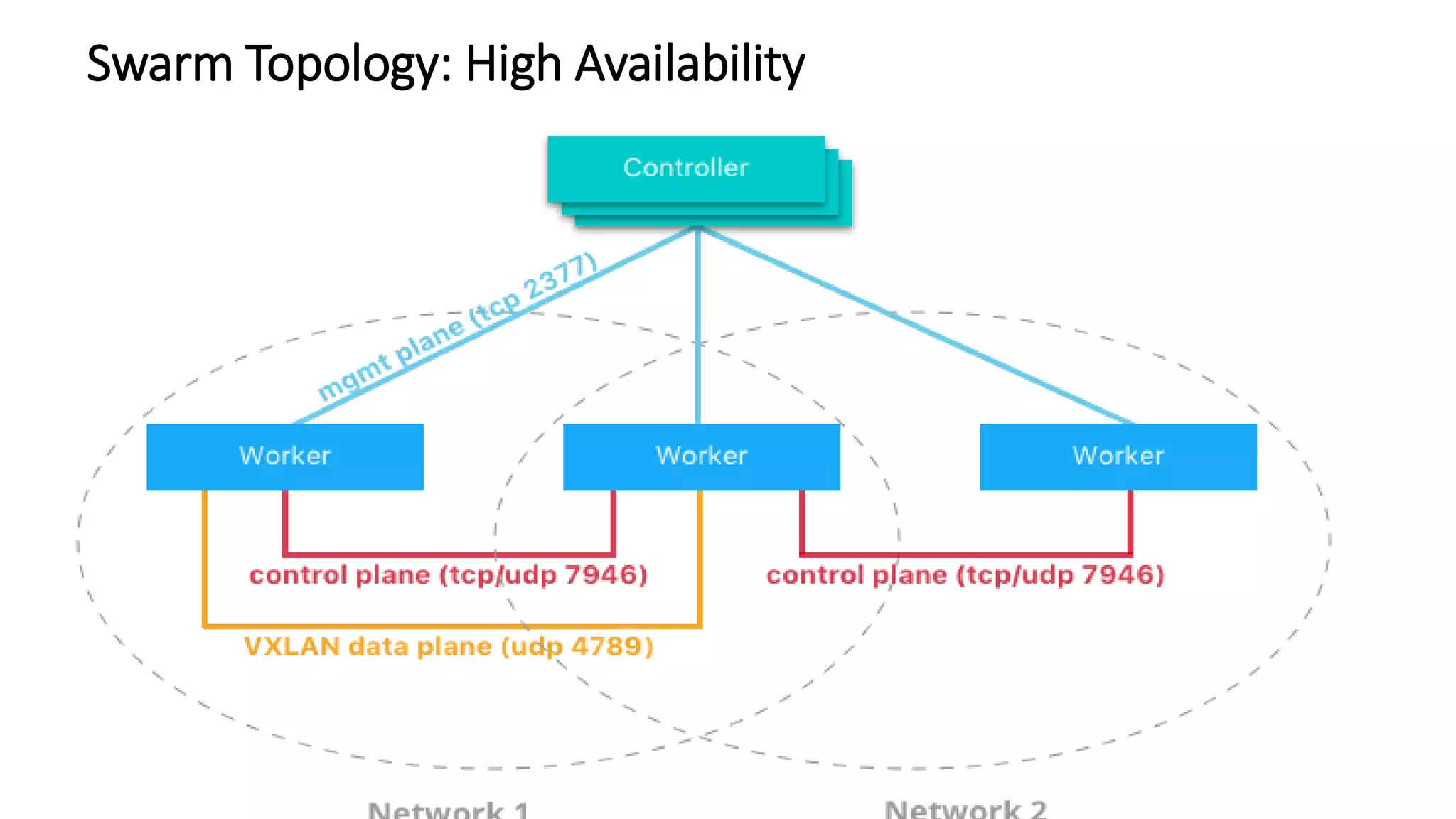
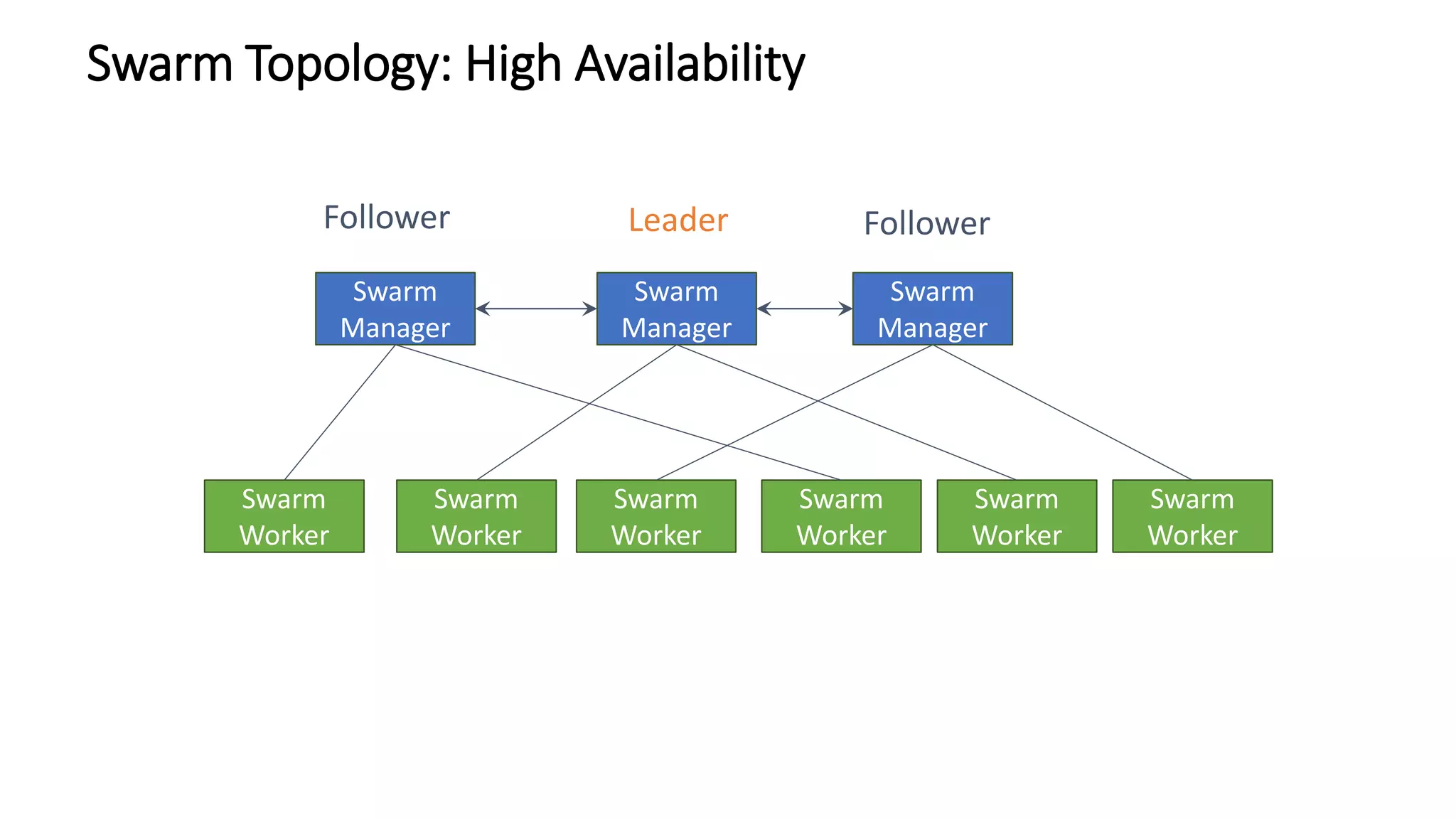
Swarm Topology: High Availability
Swarm
Manager
Swarm
Manager
Swarm Topology: High Availability
Swarm
Manager
Swarm
Worker
Swarm
Worker
Swarm
Worker
Swarm
Worker
Swarm
Worker
Swarm
Worker
Leader FollowerFollower
Swarm
Manager
Swarm
Manager
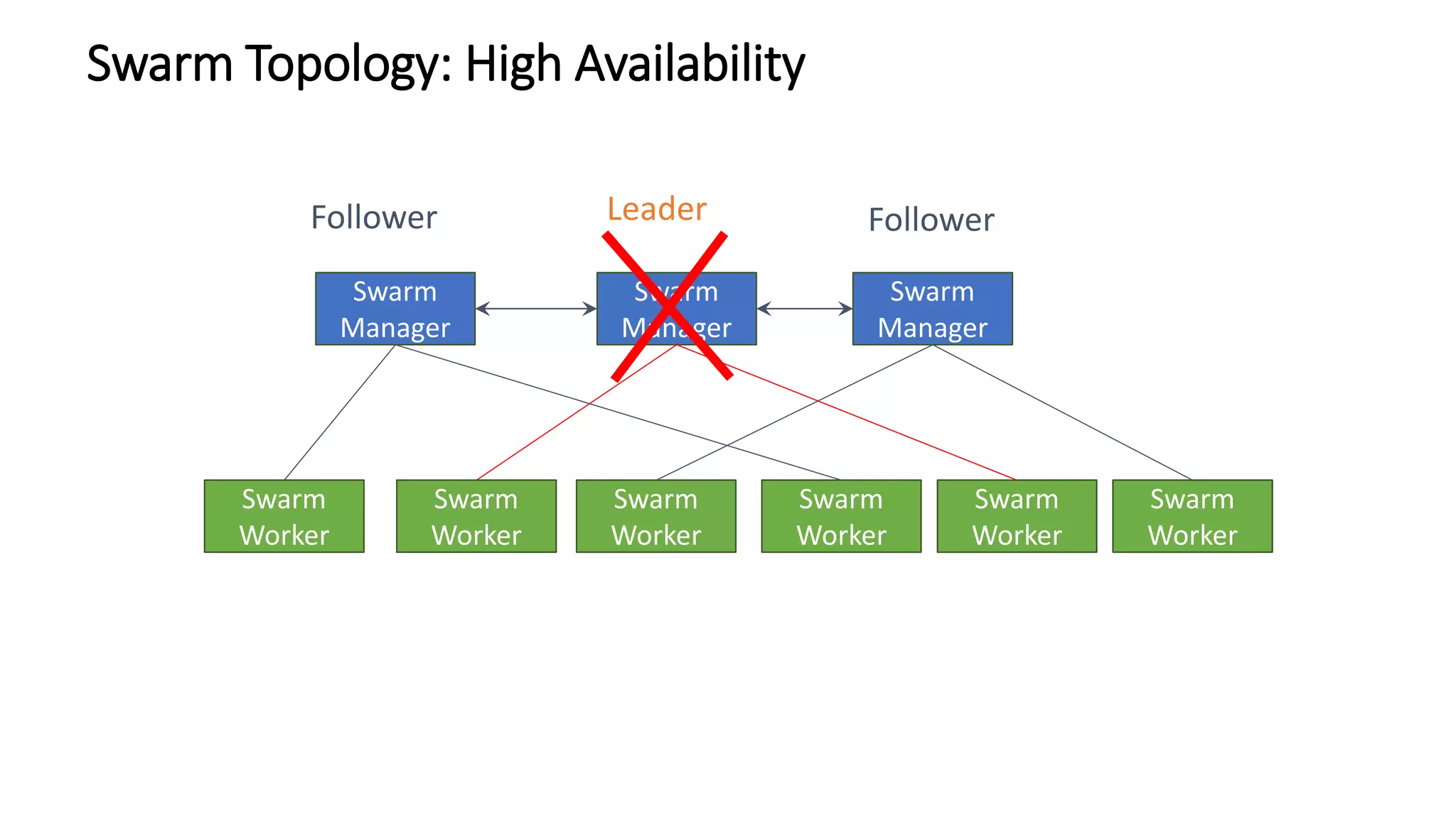
Swarm Topology: High Availability
Swarm
Manager
Swarm
Worker
Swarm
Worker
Swarm
Worker
Swarm
Worker
Swarm
Worker
Swarm
Worker
Leader FollowerFollower
Swarm
Manager
Swarm
Manager
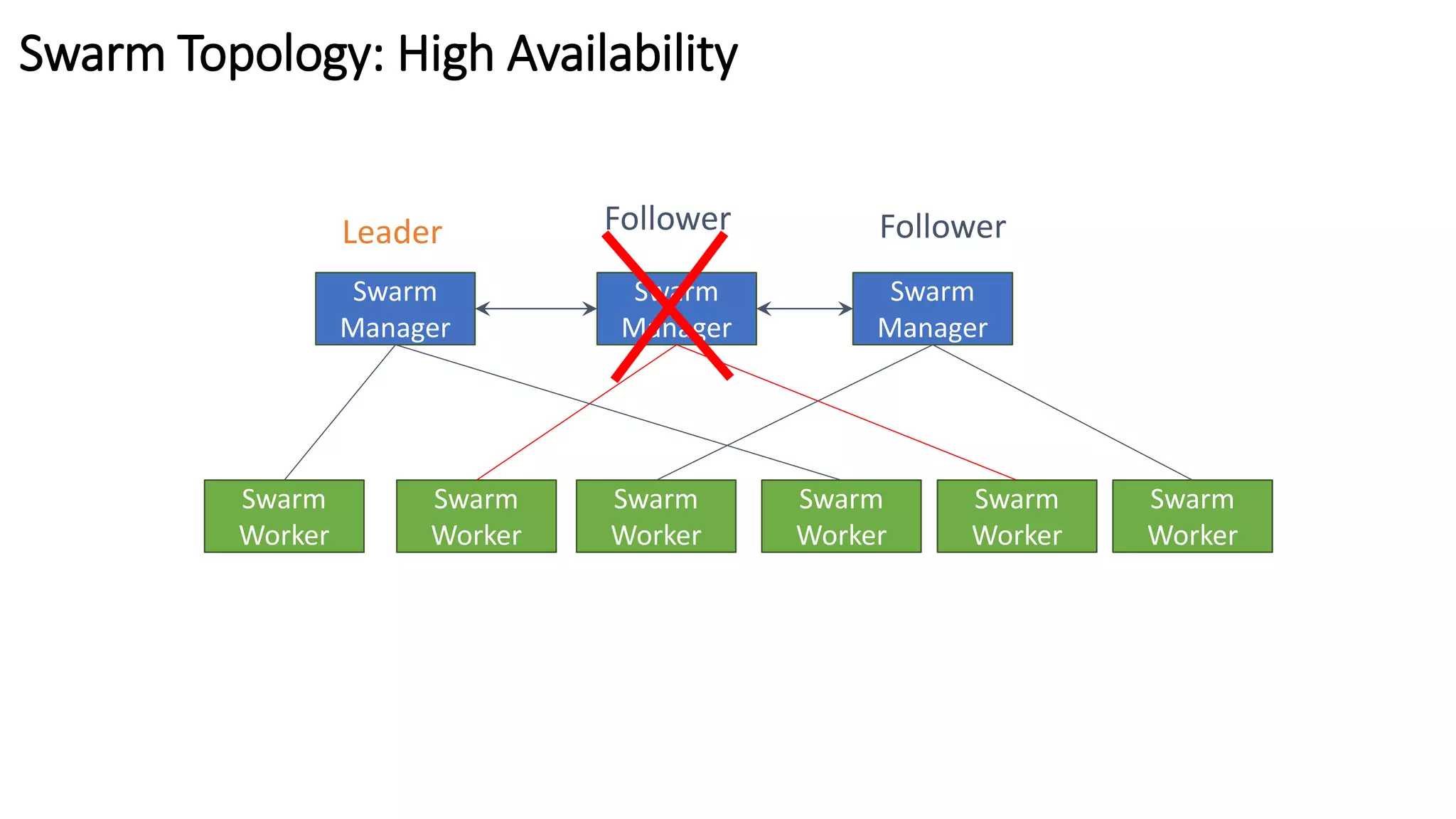
Swarm Topology: High Availability
Swarm
Manager
Swarm
Worker
Swarm
Worker
Swarm
Worker
Swarm
Worker
Swarm
Worker
Swarm
Worker
Follower FollowerLeader
Swarm
Manager
Swarm
Manager
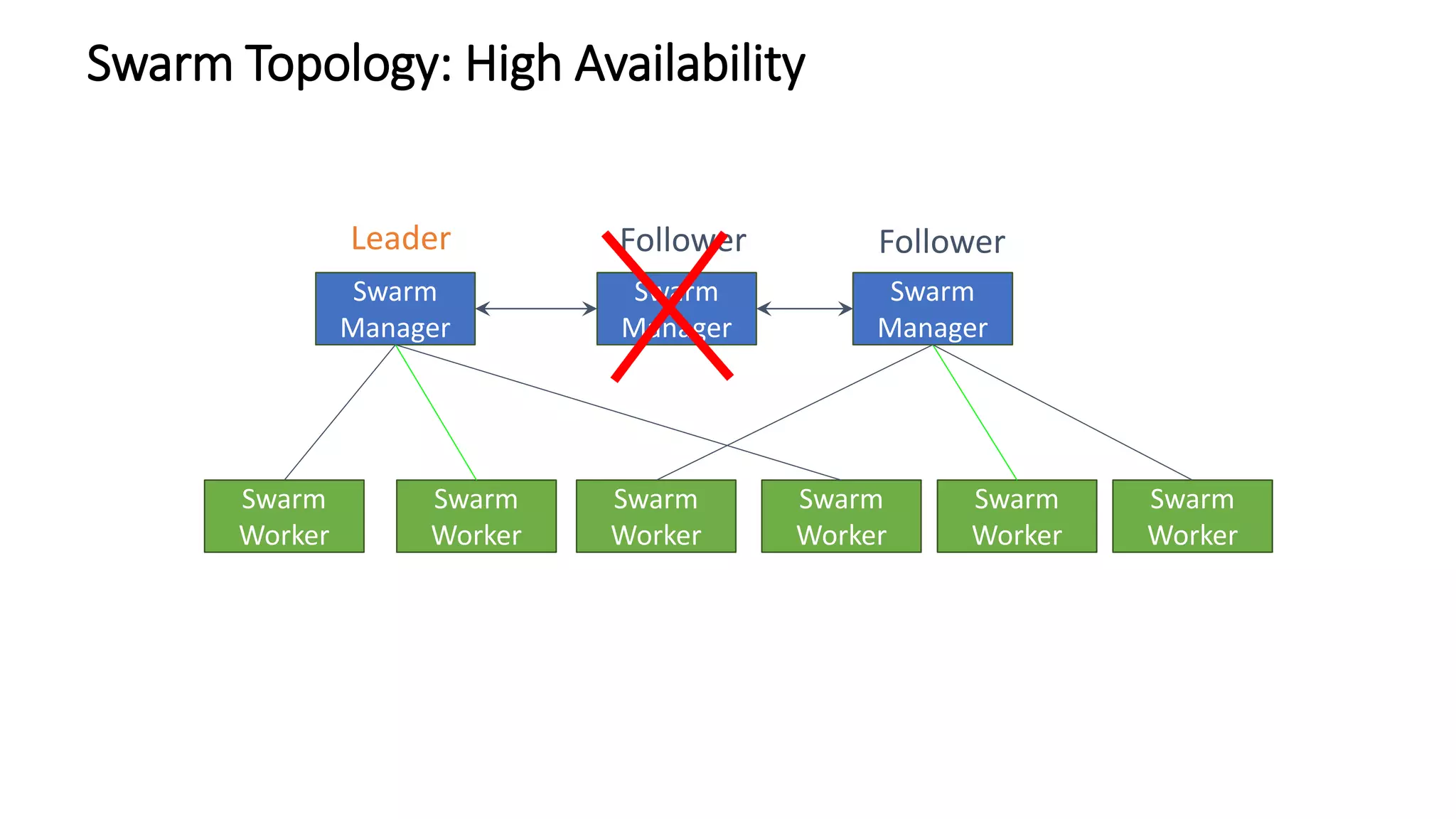
Swarm Topology: High Availability
Swarm
Manager
Swarm
Worker
Swarm
Worker
Swarm
Worker
Swarm
Worker
Swarm
Worker
Swarm
Worker
Follower FollowerLeader
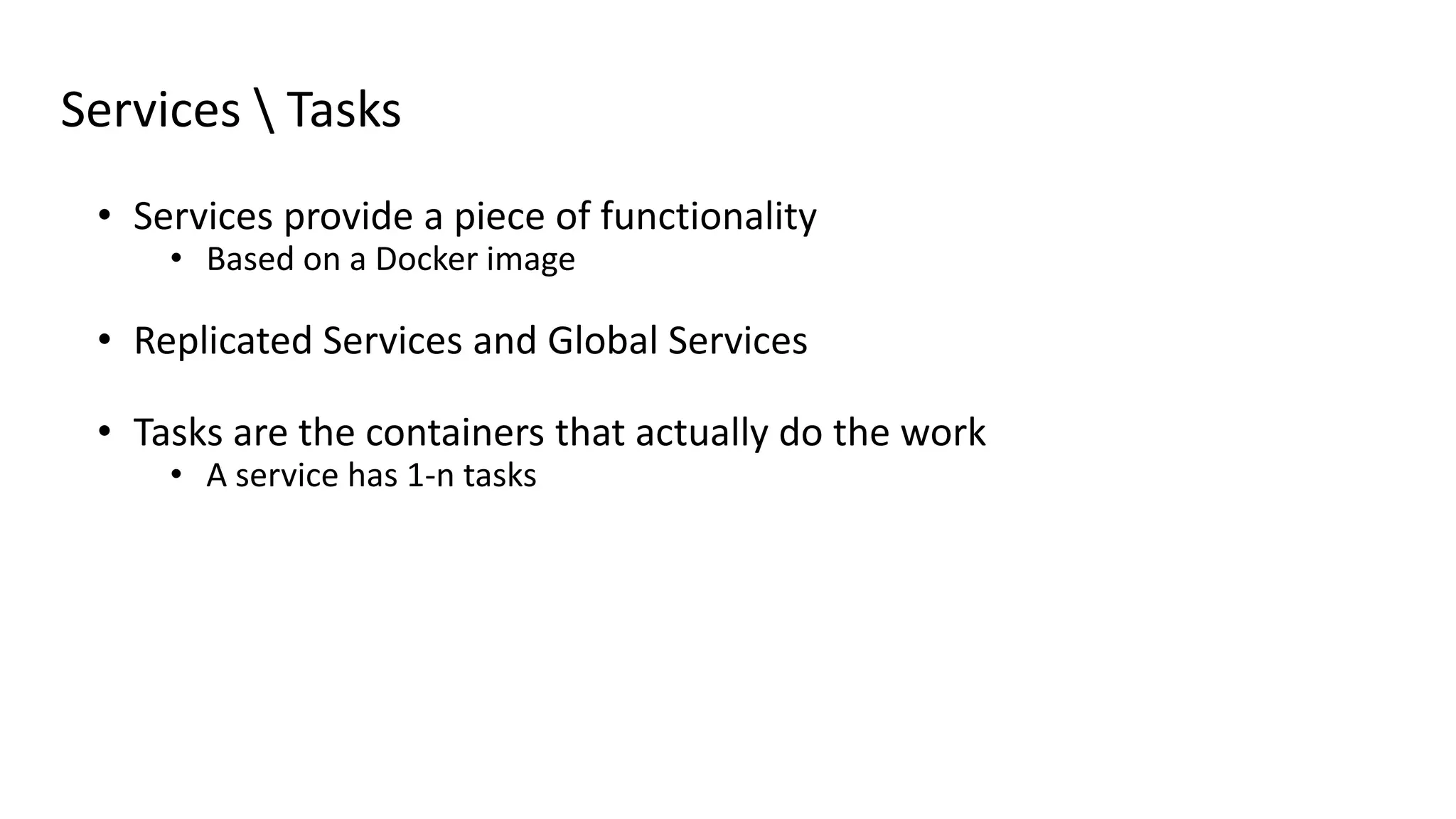
Services  Tasks
• Services provide a piece of functionality
• Based on a Docker image
• Replicated Services and Global Services
• Tasks are the containers that actually do the work
• A service has 1-n tasks
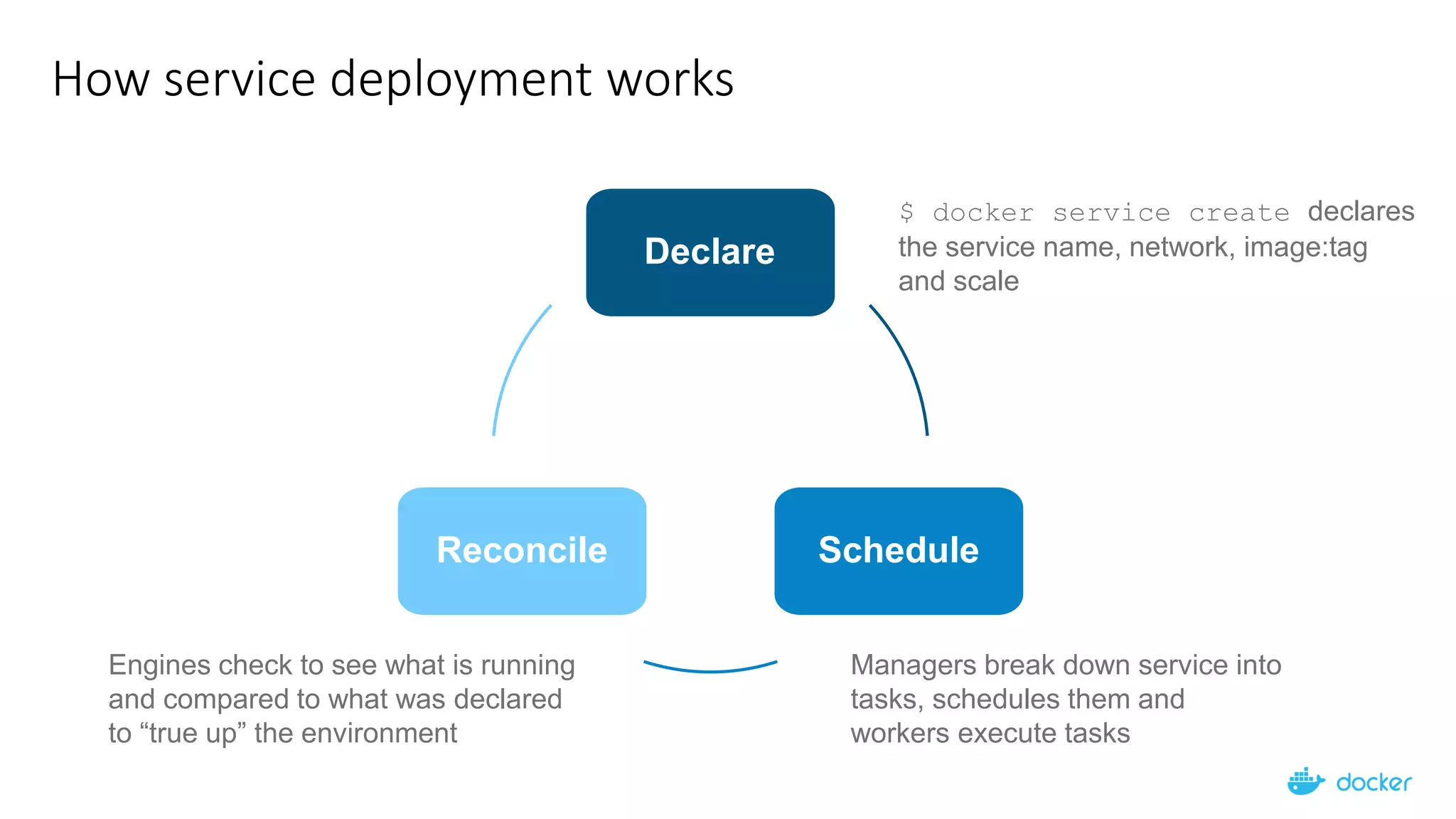
How service deployment works
$ docker service create declares
the service name, network, image:tag
and scale
Managers break down service into
tasks, schedules them and
workers execute tasks
Engines check to see what is running
and compared to what was declared
to “true up” the environment
Declare
ScheduleReconcile
Engine
Engine
Engine
Engine
Engine Engine
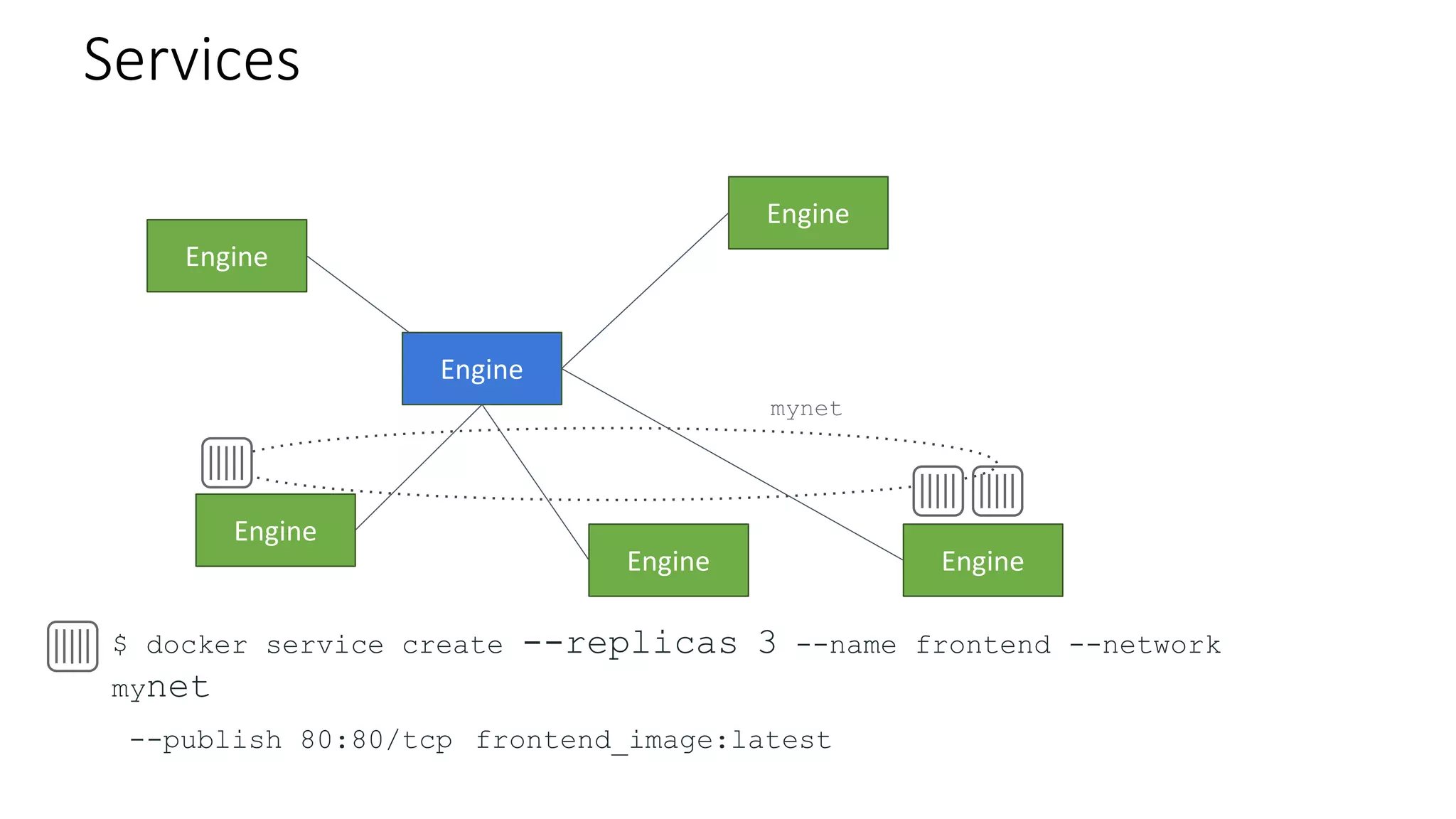
Services
$ docker service create --replicas 3 --name frontend --network
mynet
--publish 80:80/tcp frontend_image:latest
mynet
Engine
Engine
Engine
Engine
Engine Engine
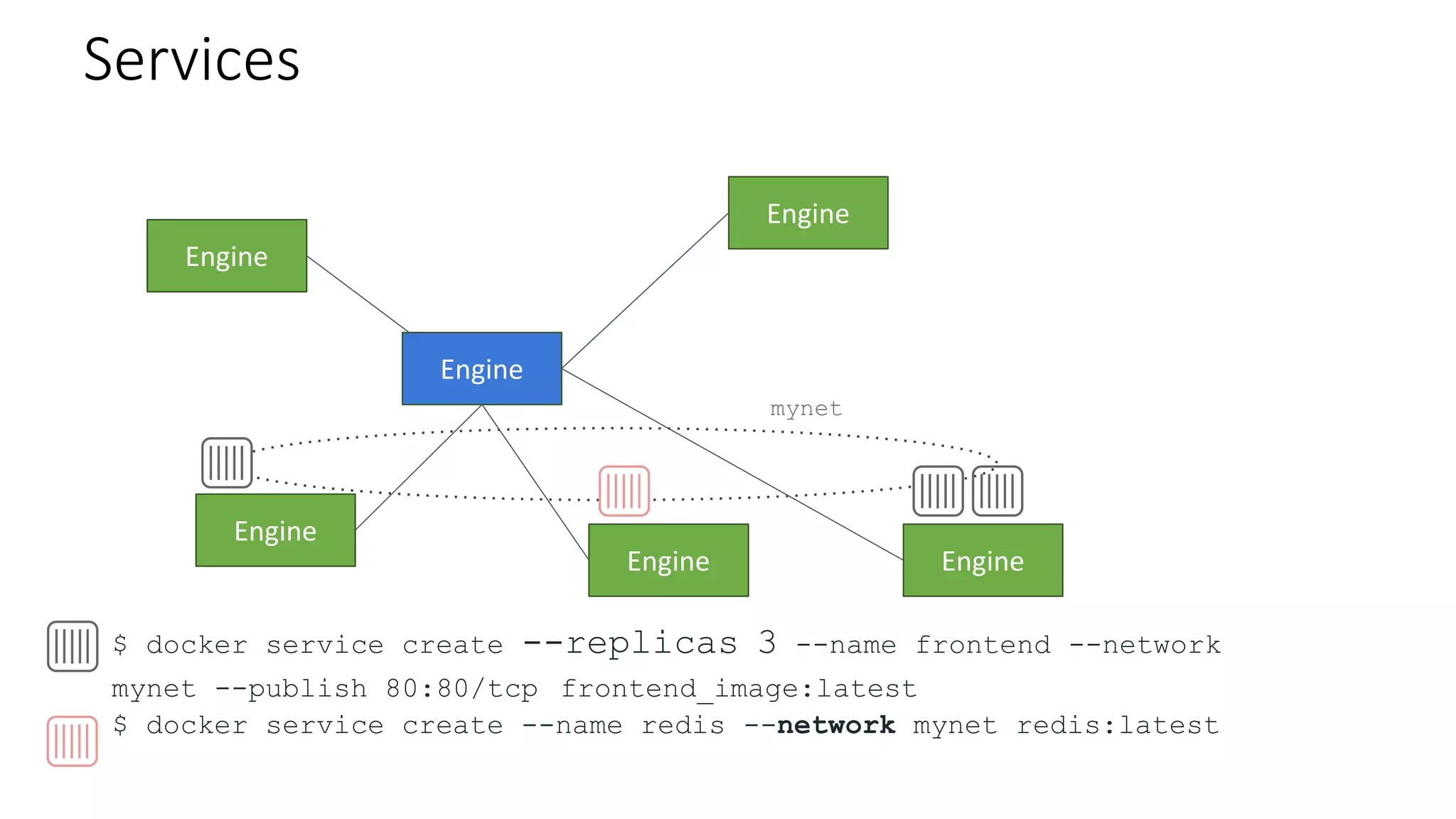
Services
$ docker service create --replicas 3 --name frontend --network
mynet --publish 80:80/tcp frontend_image:latest
$ docker service create --name redis --network mynet redis:latest
mynet
Engine
Engine
Engine
Engine
Engine Engine
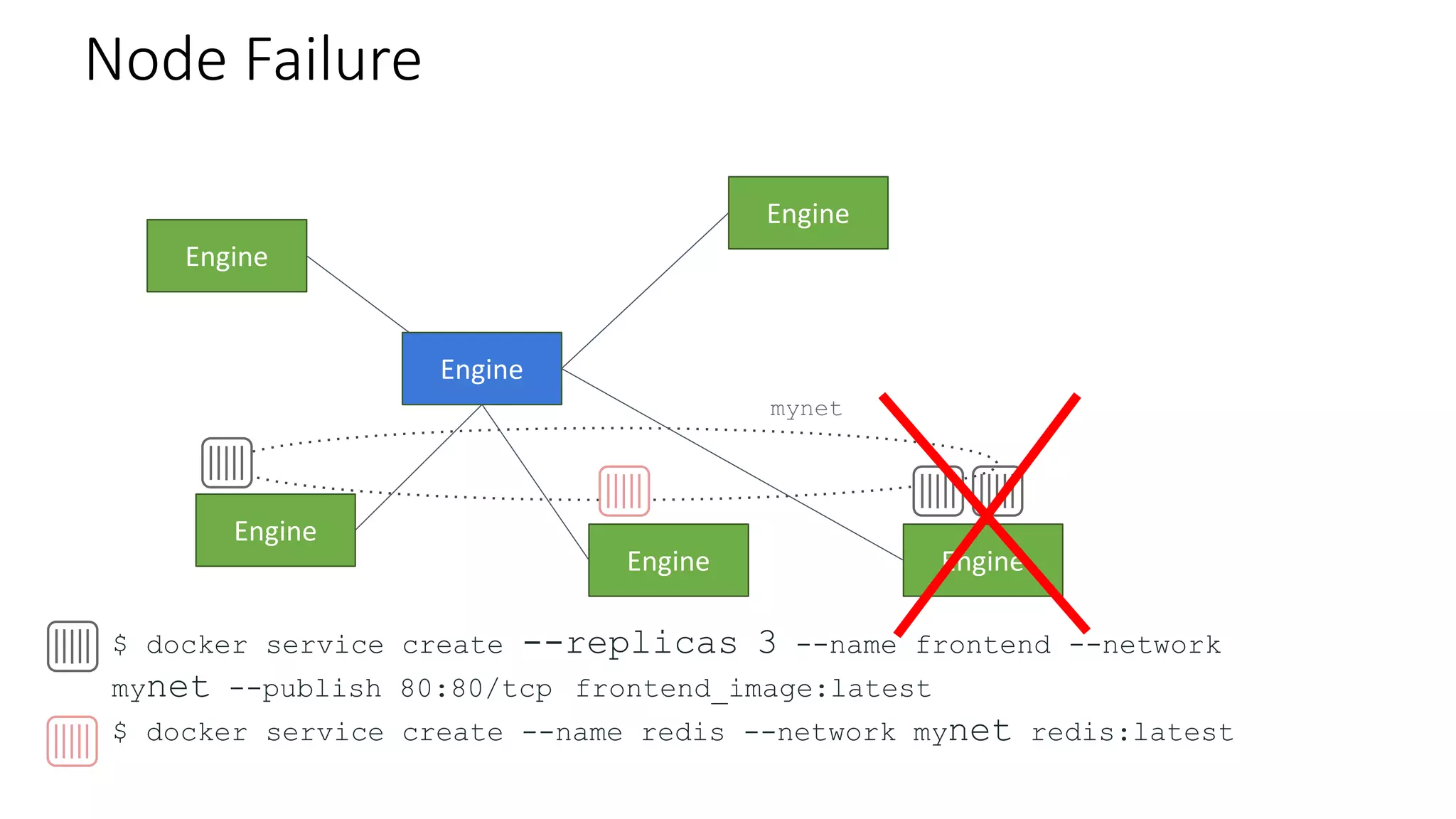
Node Failure
$ docker service create --replicas 3 --name frontend --network
mynet --publish 80:80/tcp frontend_image:latest
$ docker service create --name redis --network mynet redis:latest
mynet
Engine
Engine
Engine
Engine
Engine
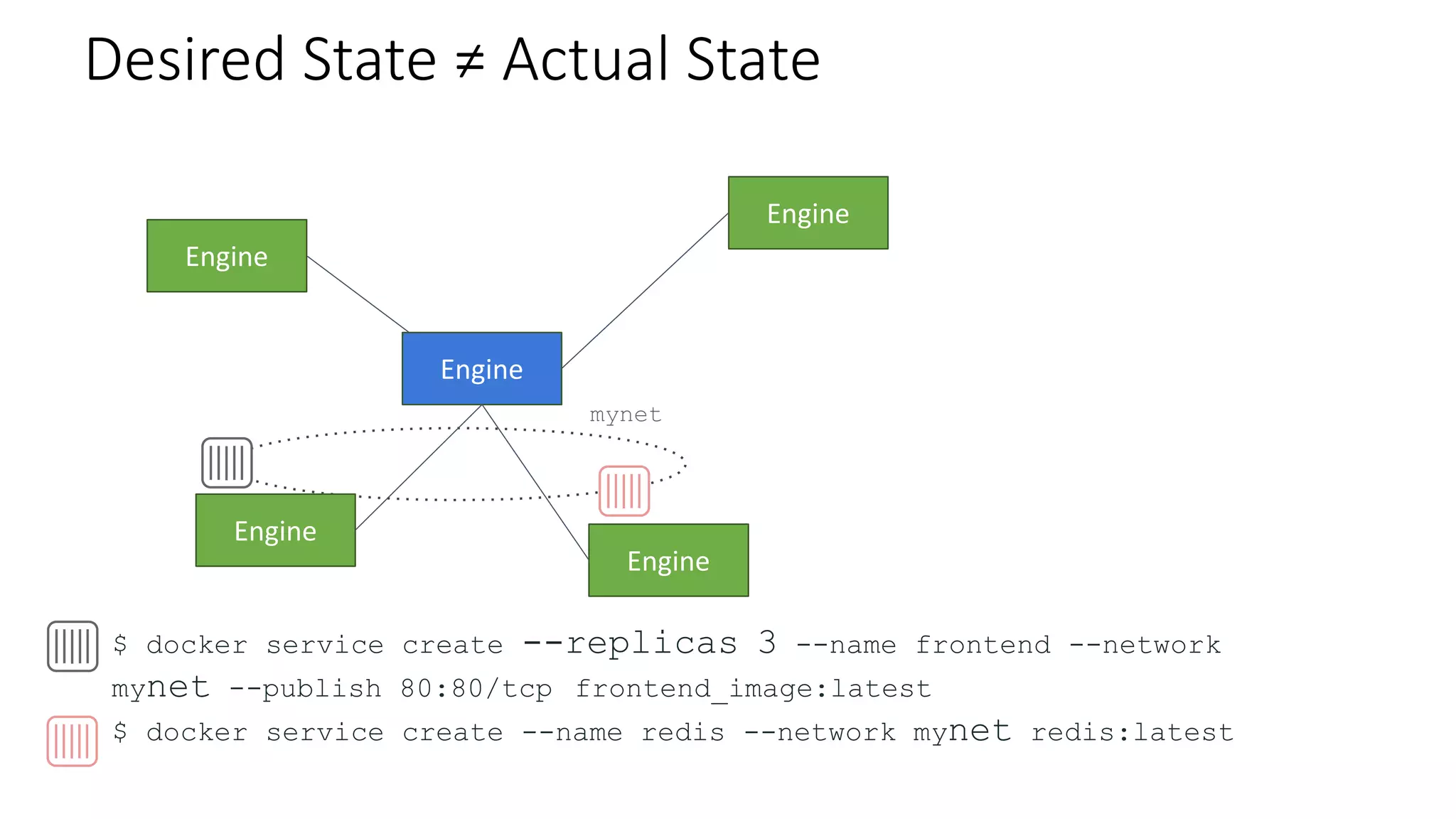
Desired State ≠ Actual State
$ docker service create --replicas 3 --name frontend --network
mynet --publish 80:80/tcp frontend_image:latest
$ docker service create --name redis --network mynet redis:latest
mynet
Engine
Engine
Engine
Engine
Engine
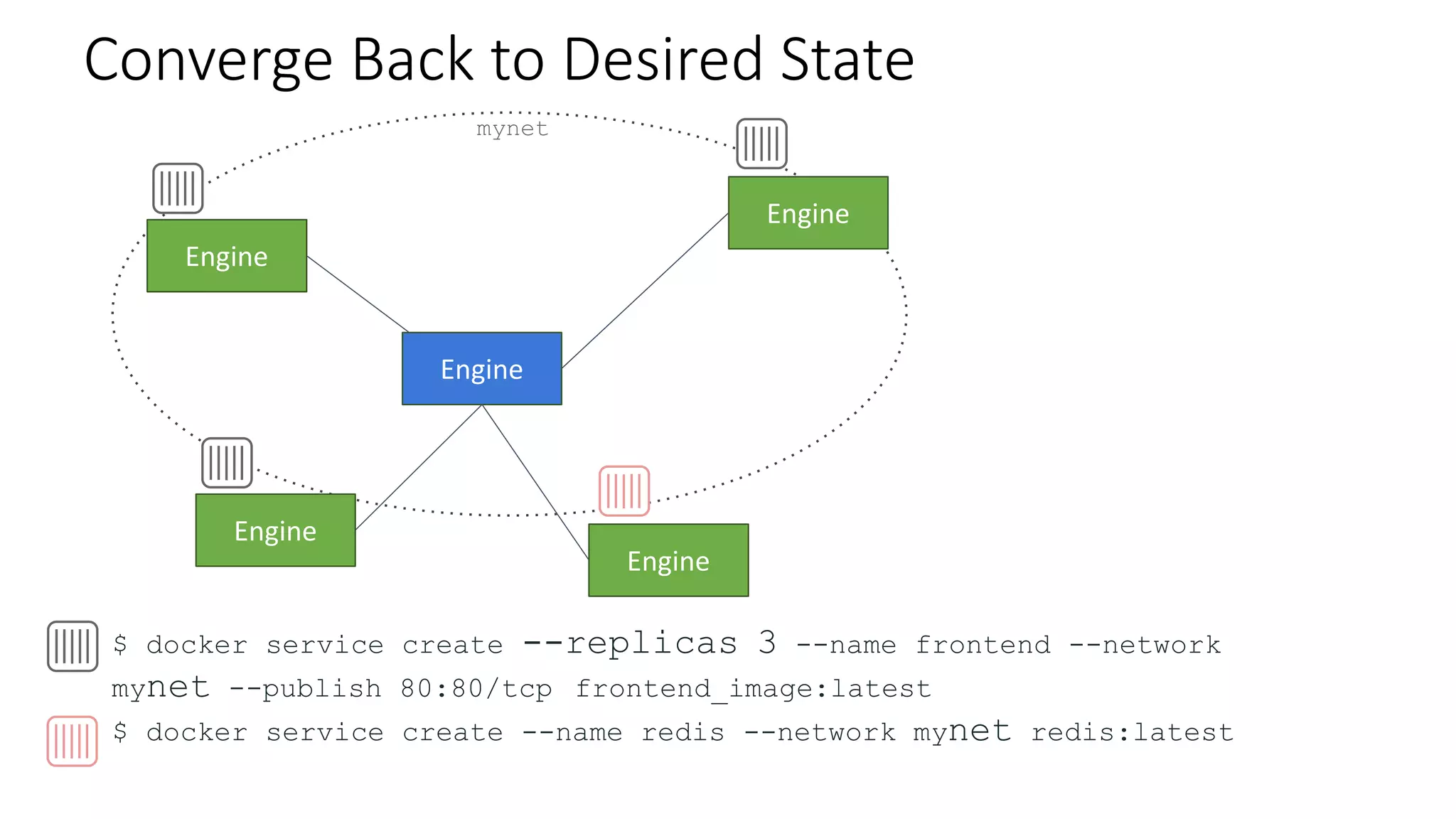
Converge Back to Desired State
$ docker service create --replicas 3 --name frontend --network
mynet --publish 80:80/tcp frontend_image:latest
$ docker service create --name redis --network mynet redis:latest
mynet
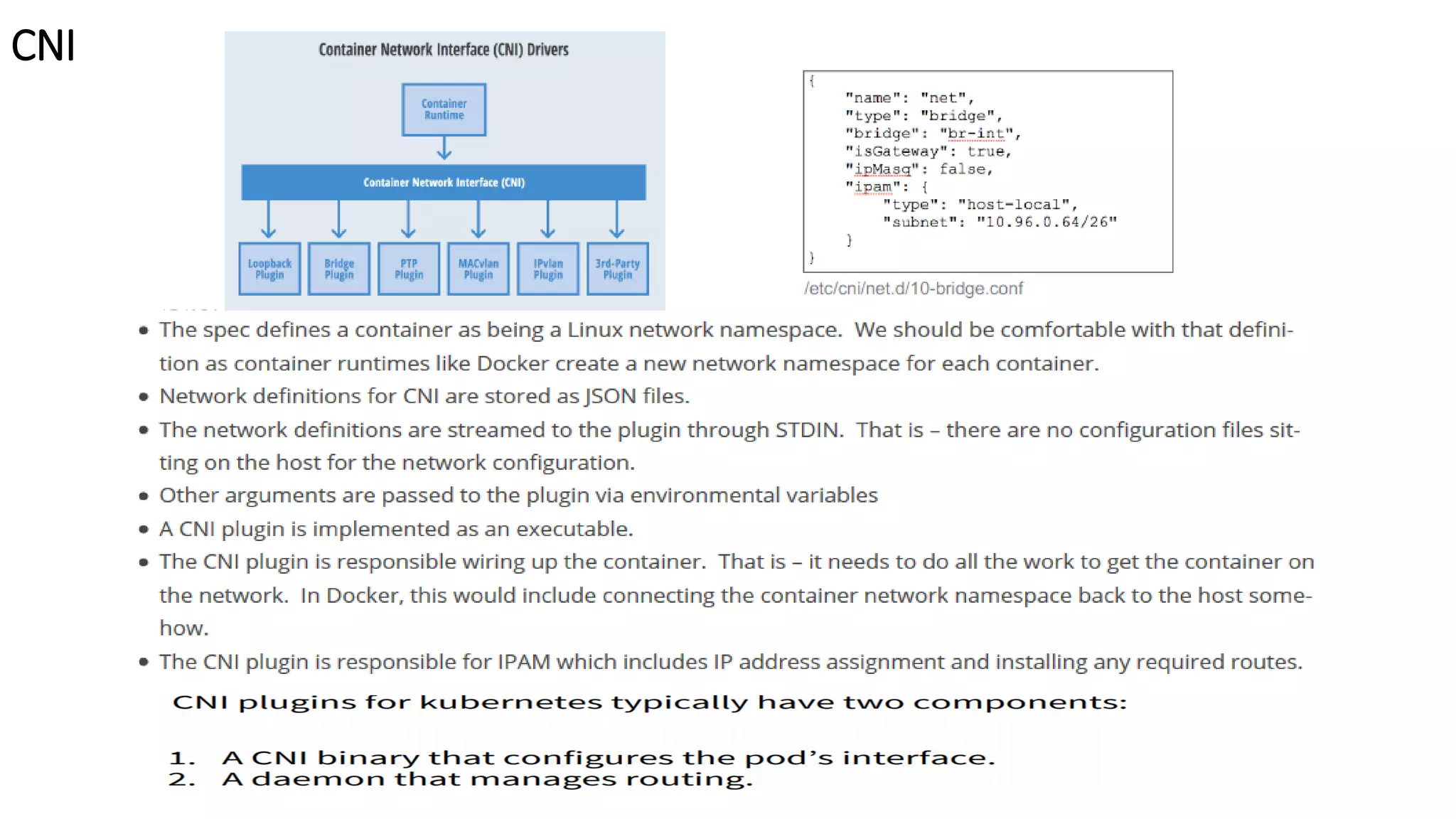
Container Network Interface
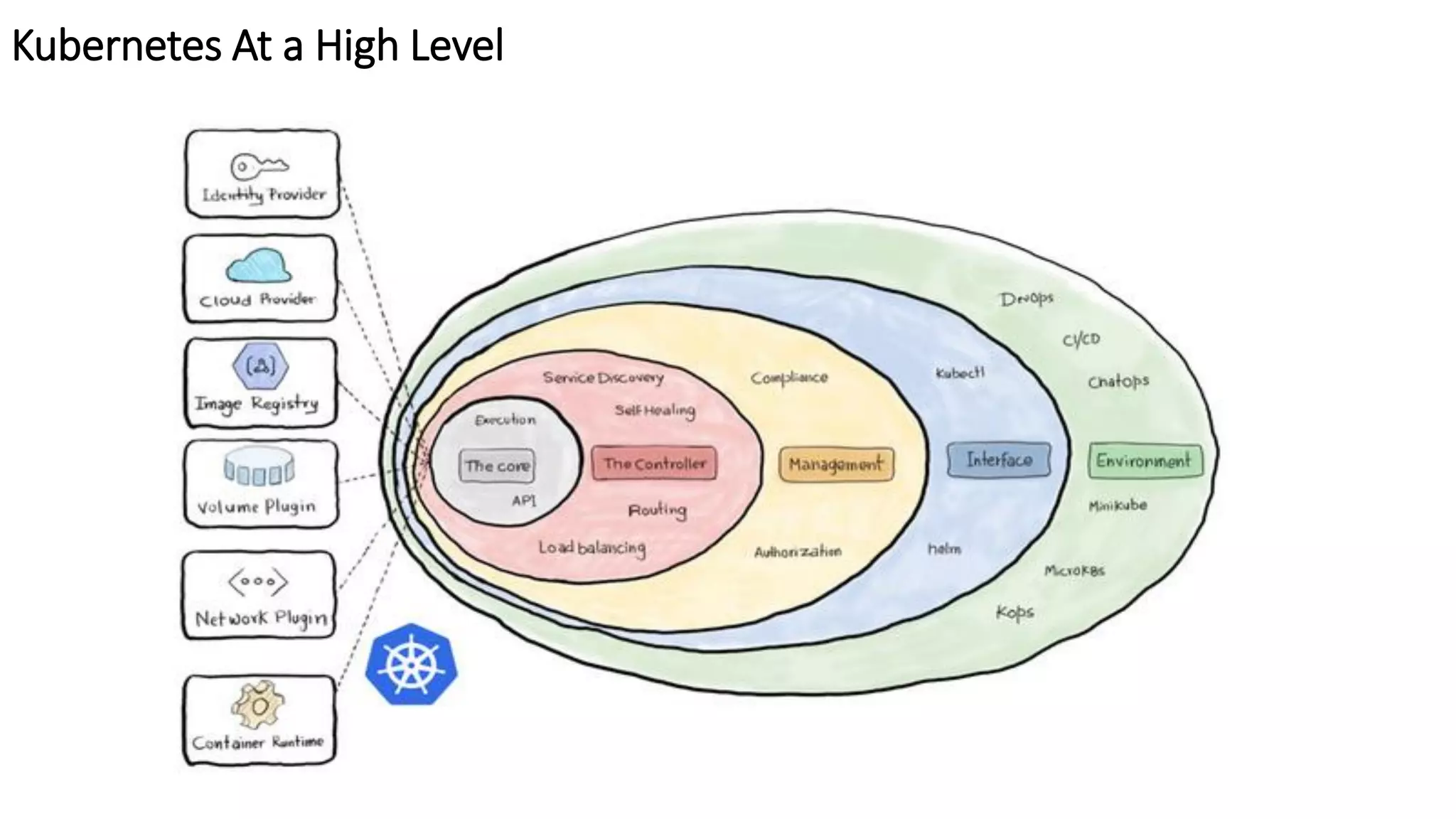
Kubernetes At a High Level
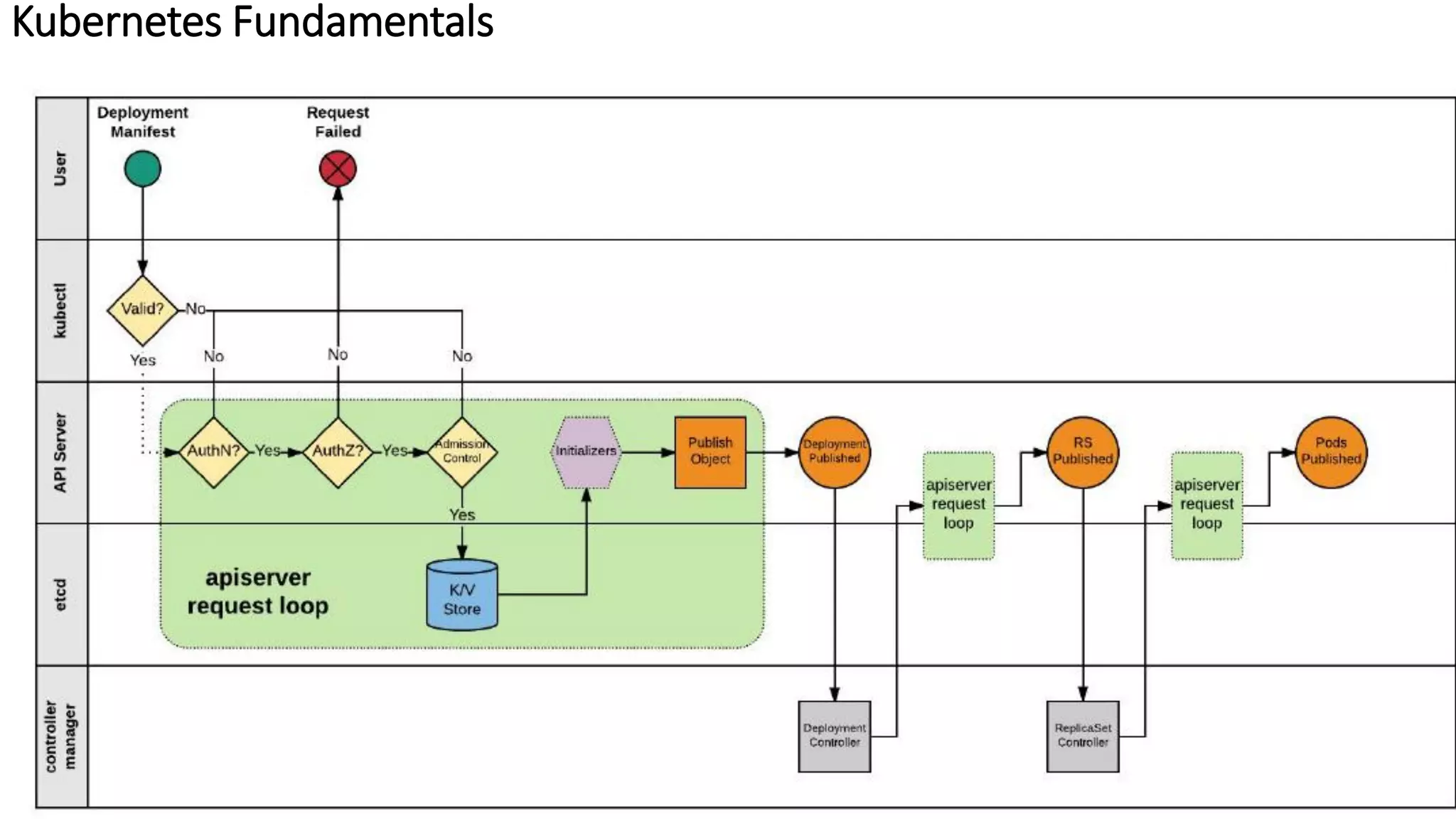
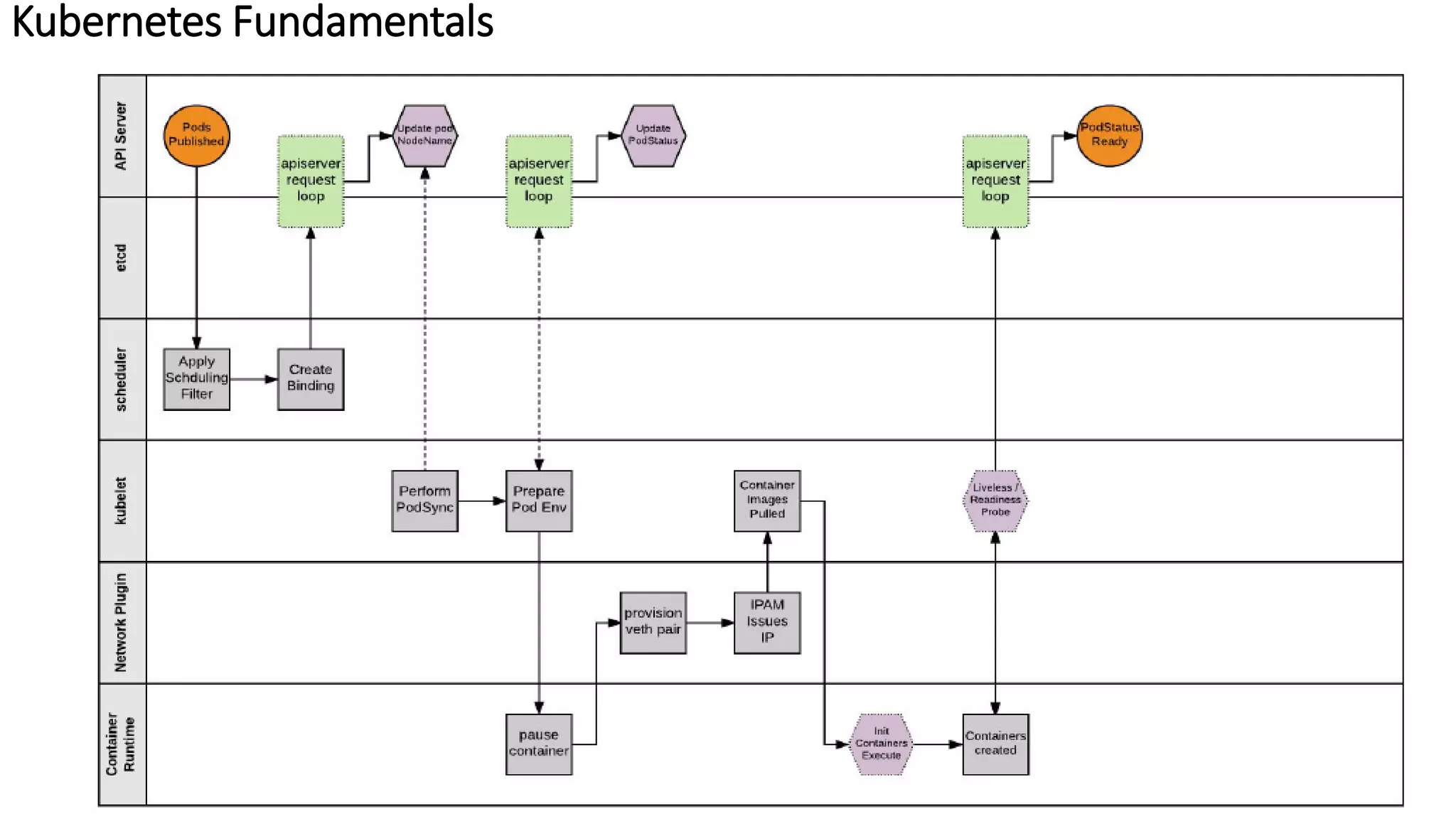
Kubernetes Fundamentals
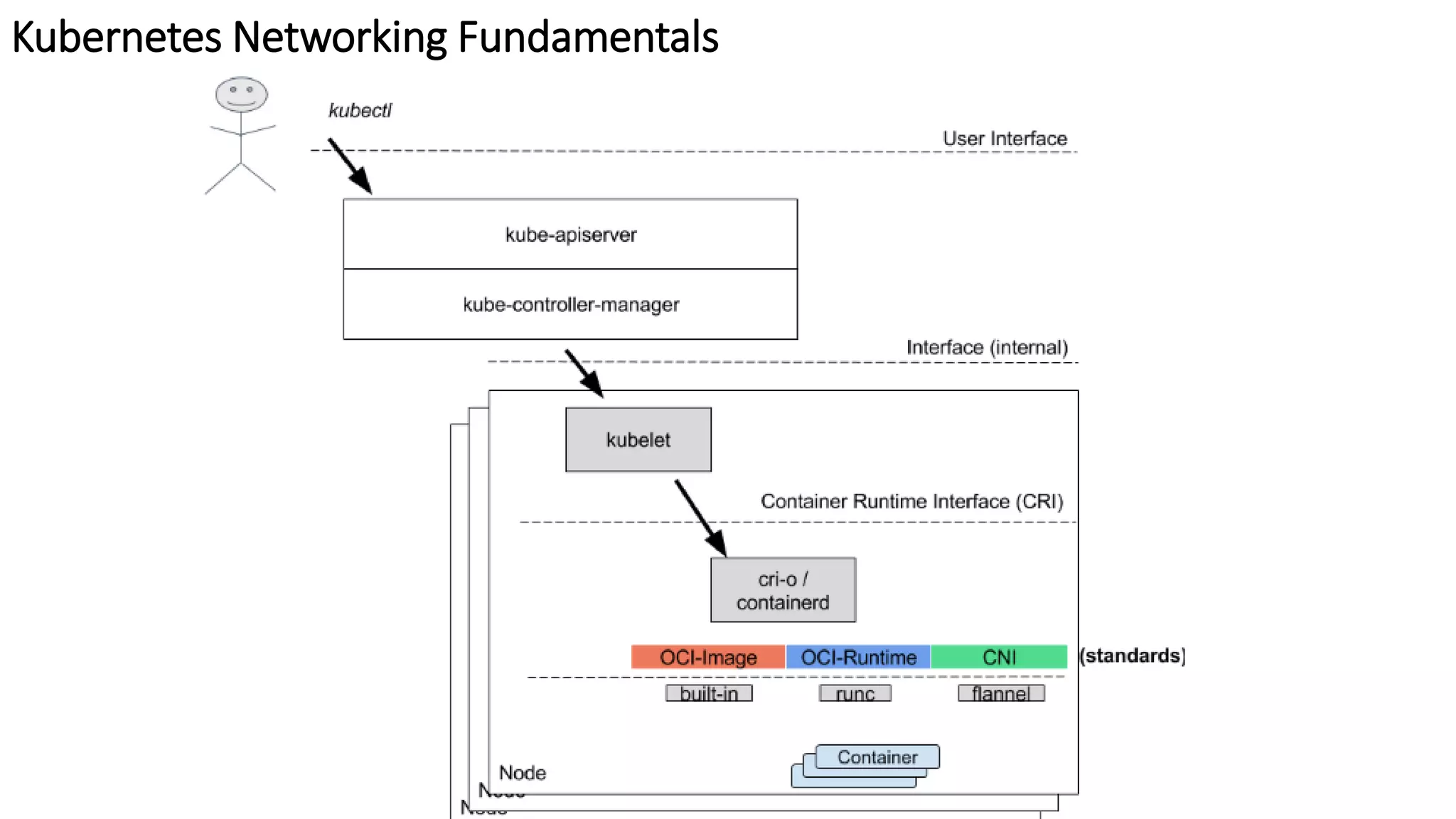
Kubernetes Networking Fundamentals
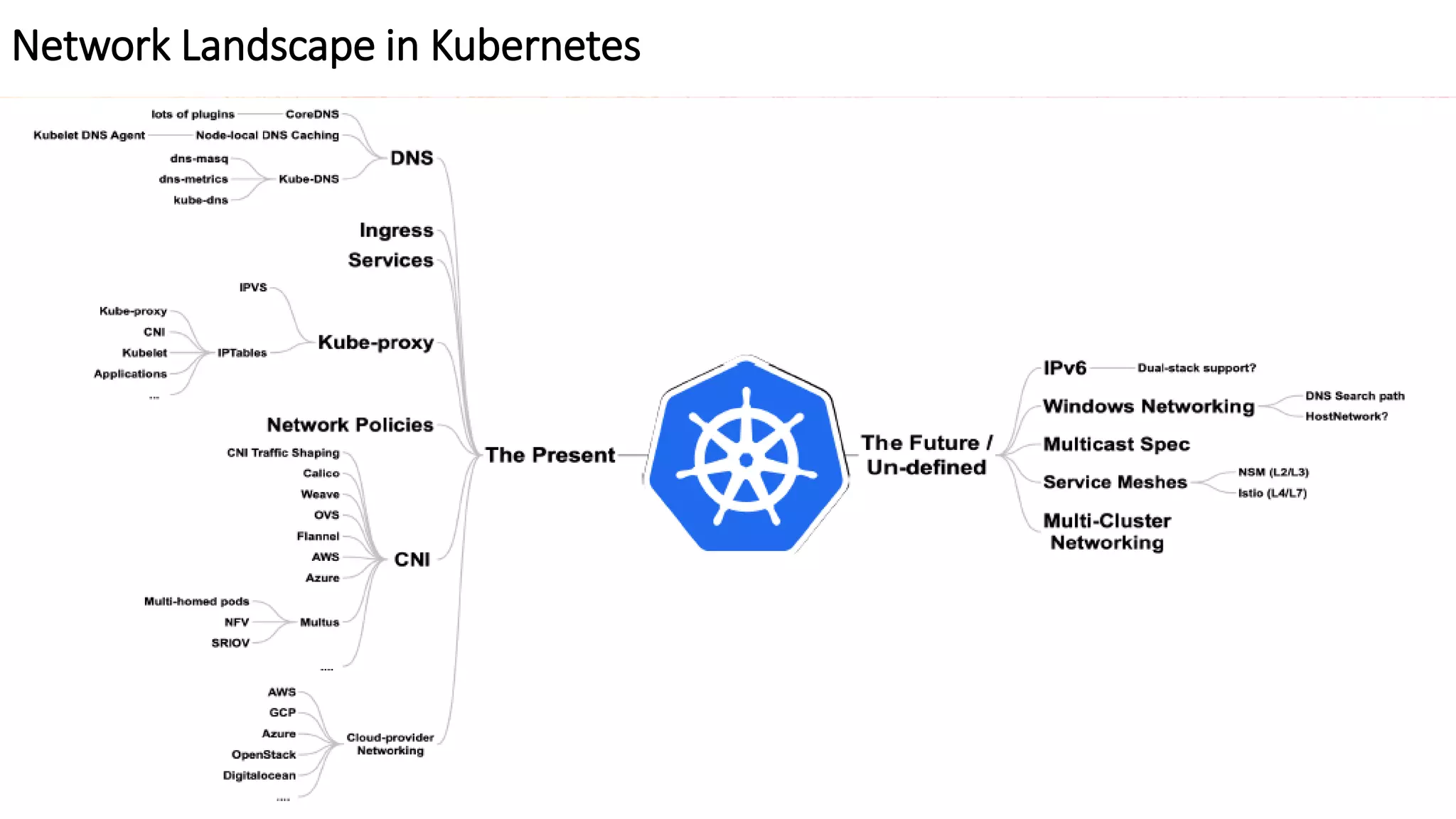
Network Landscape in Kubernetes
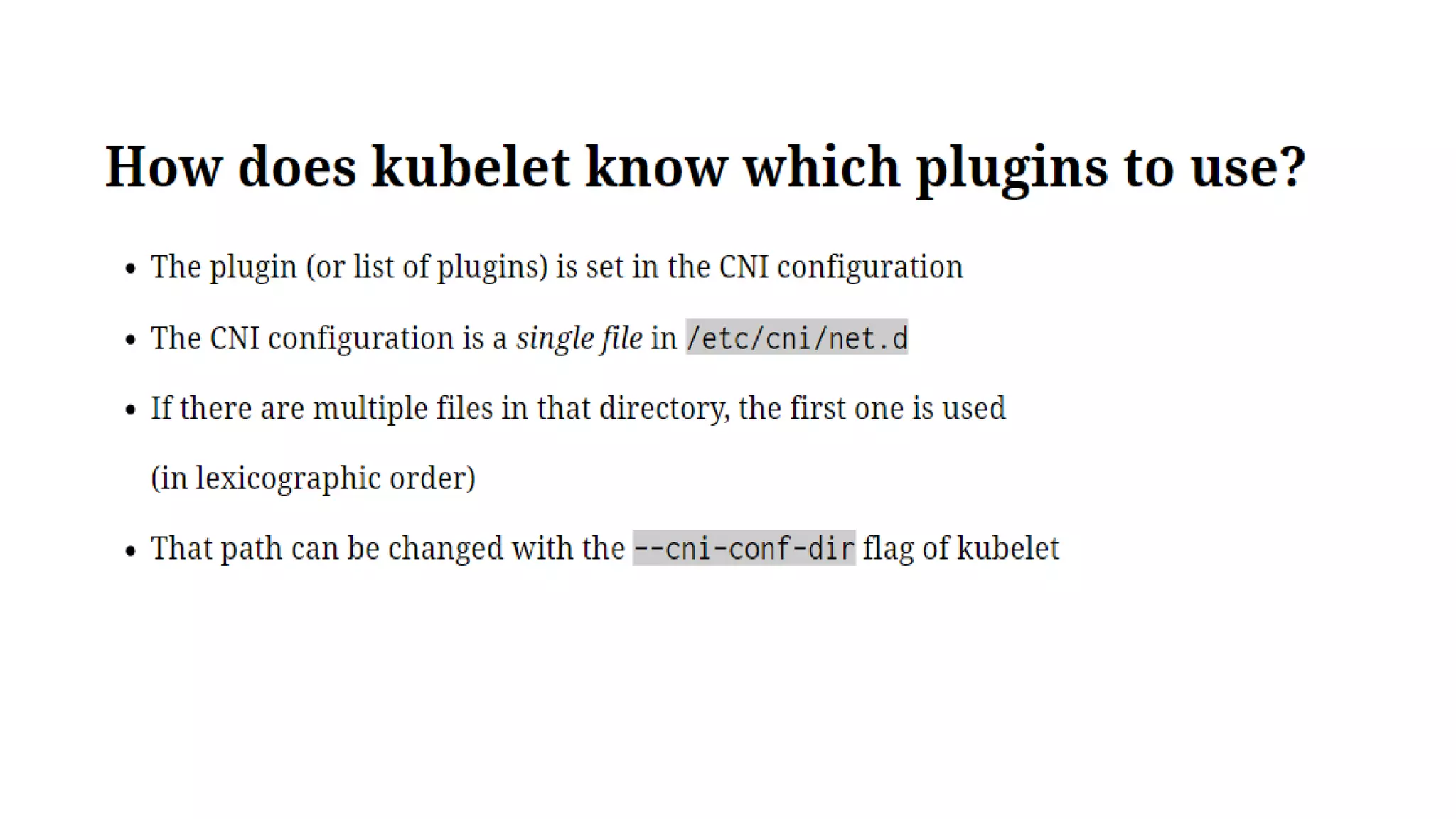
CNI
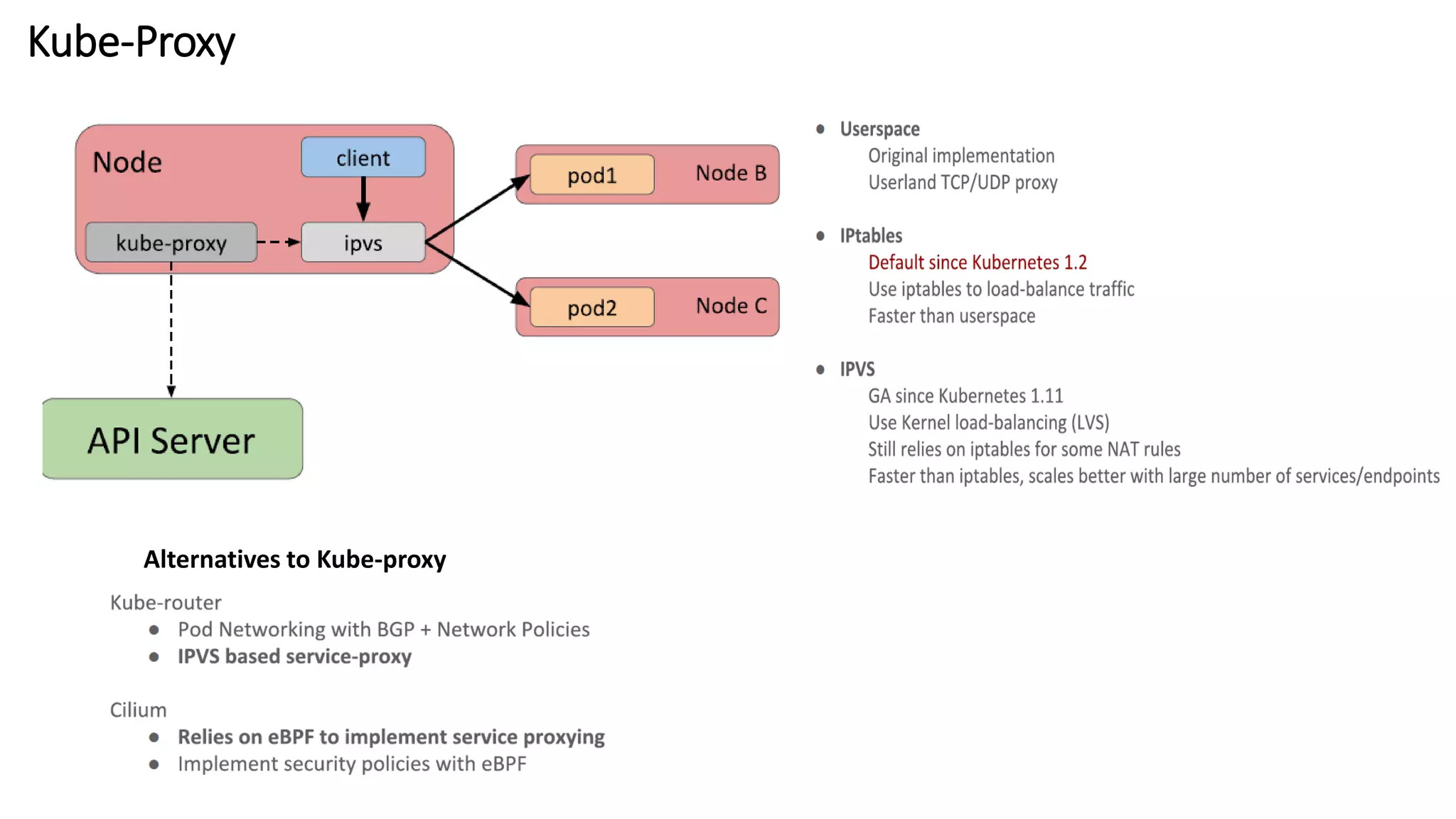
Kube-Proxy
Alternatives to Kube-proxy
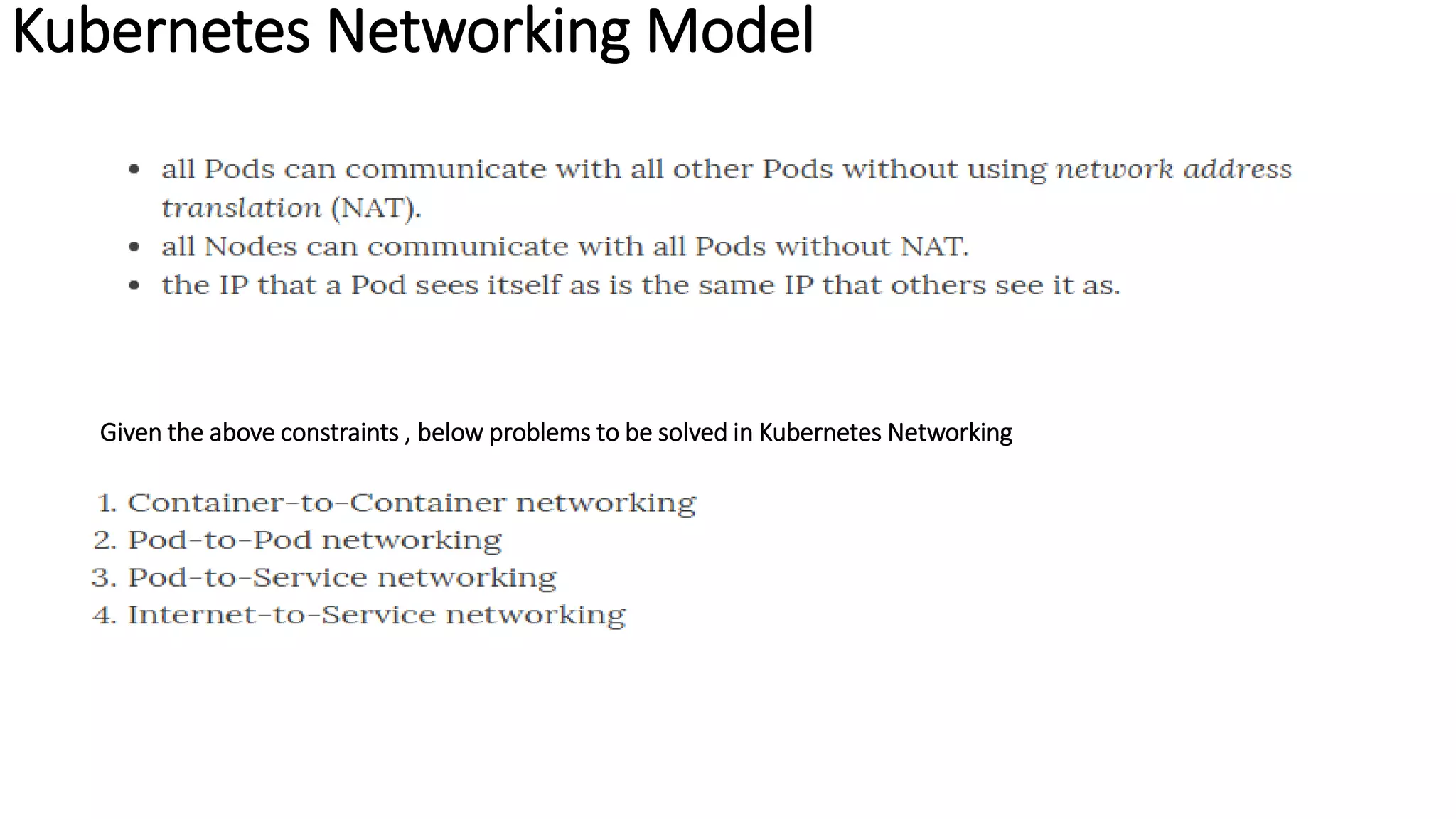
Kubernetes Networking Model
Given the above constraints , below problems to be solved in Kubernetes Networking
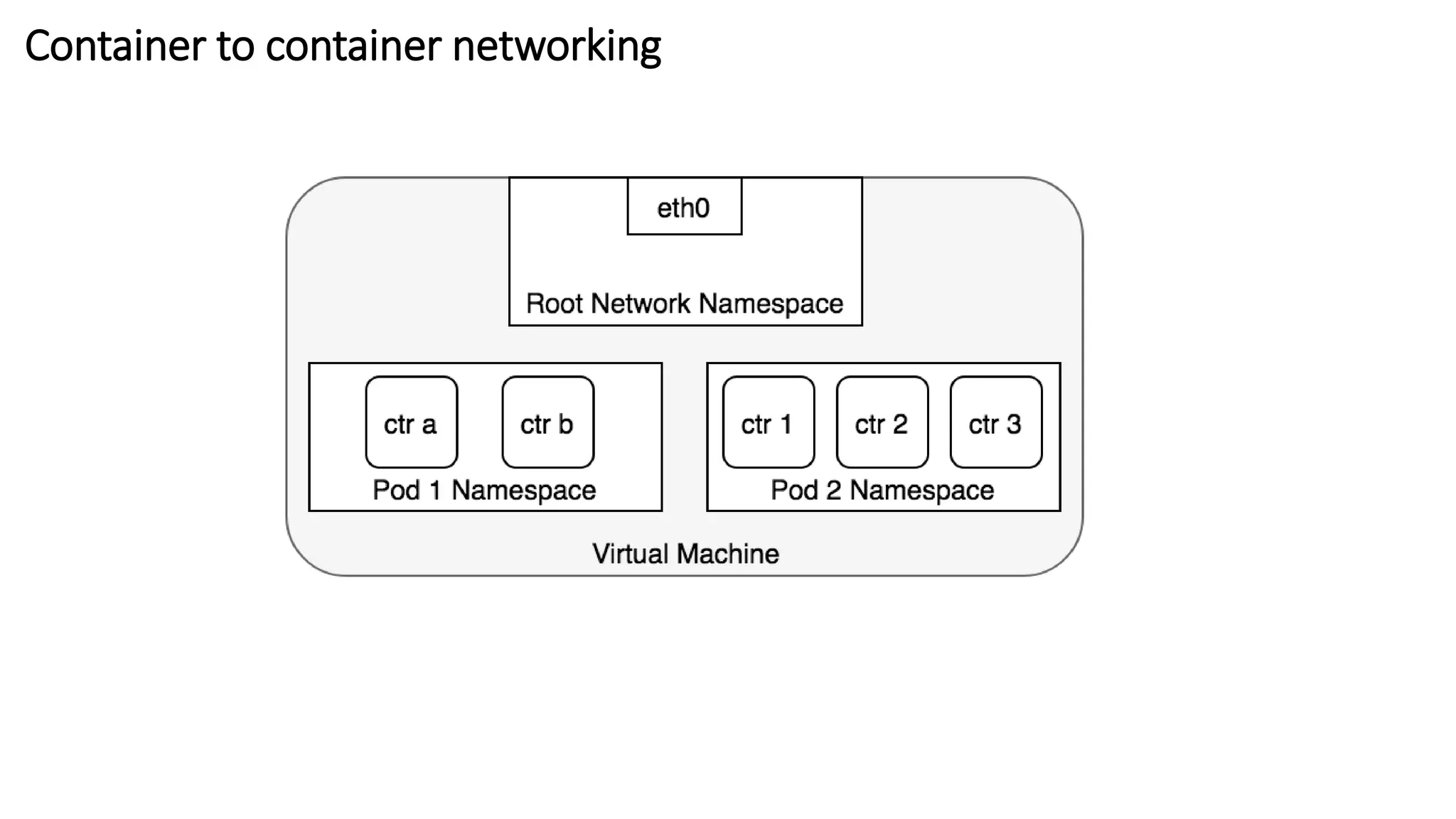
Container to container networking
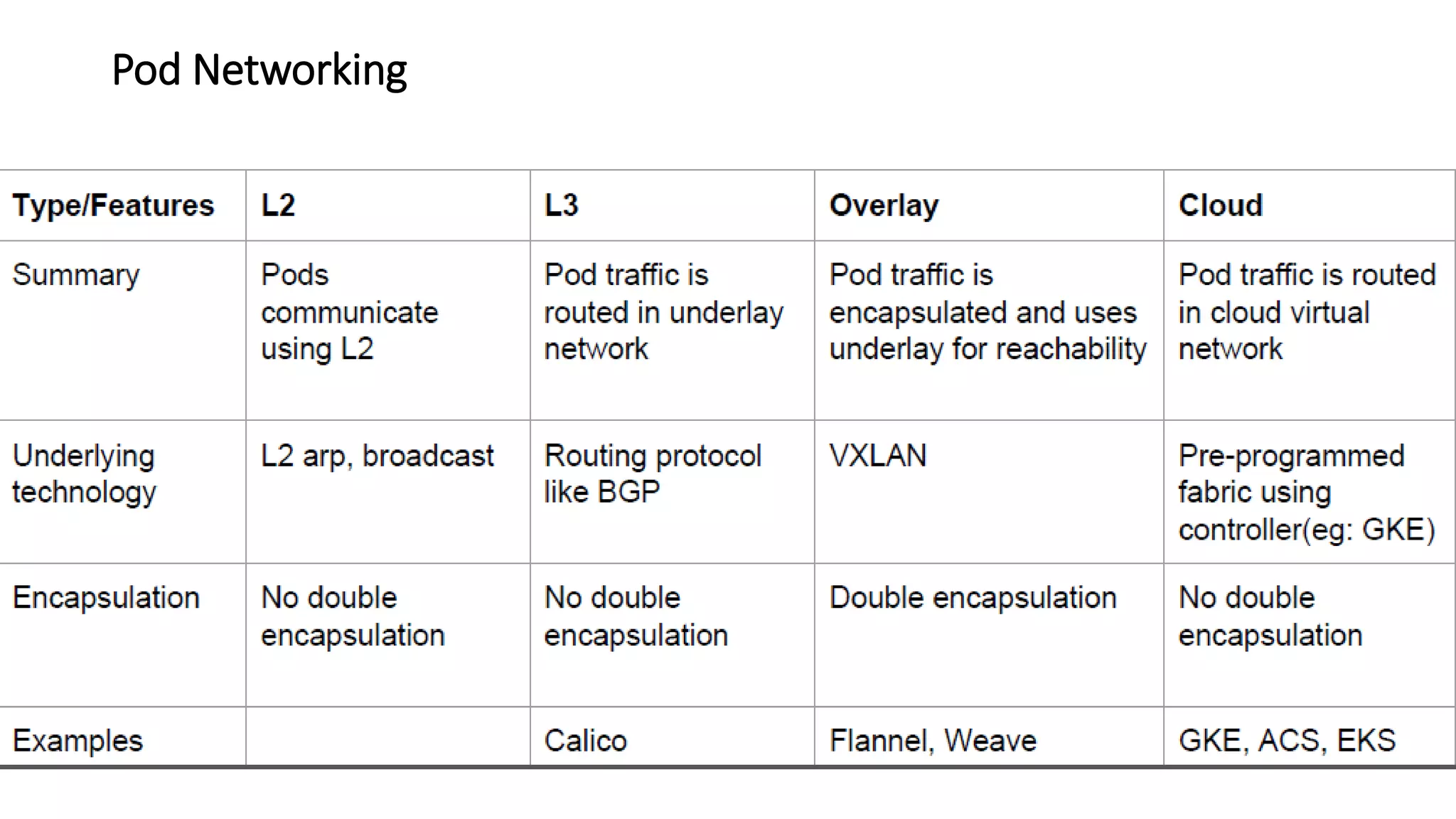
Pod Networking
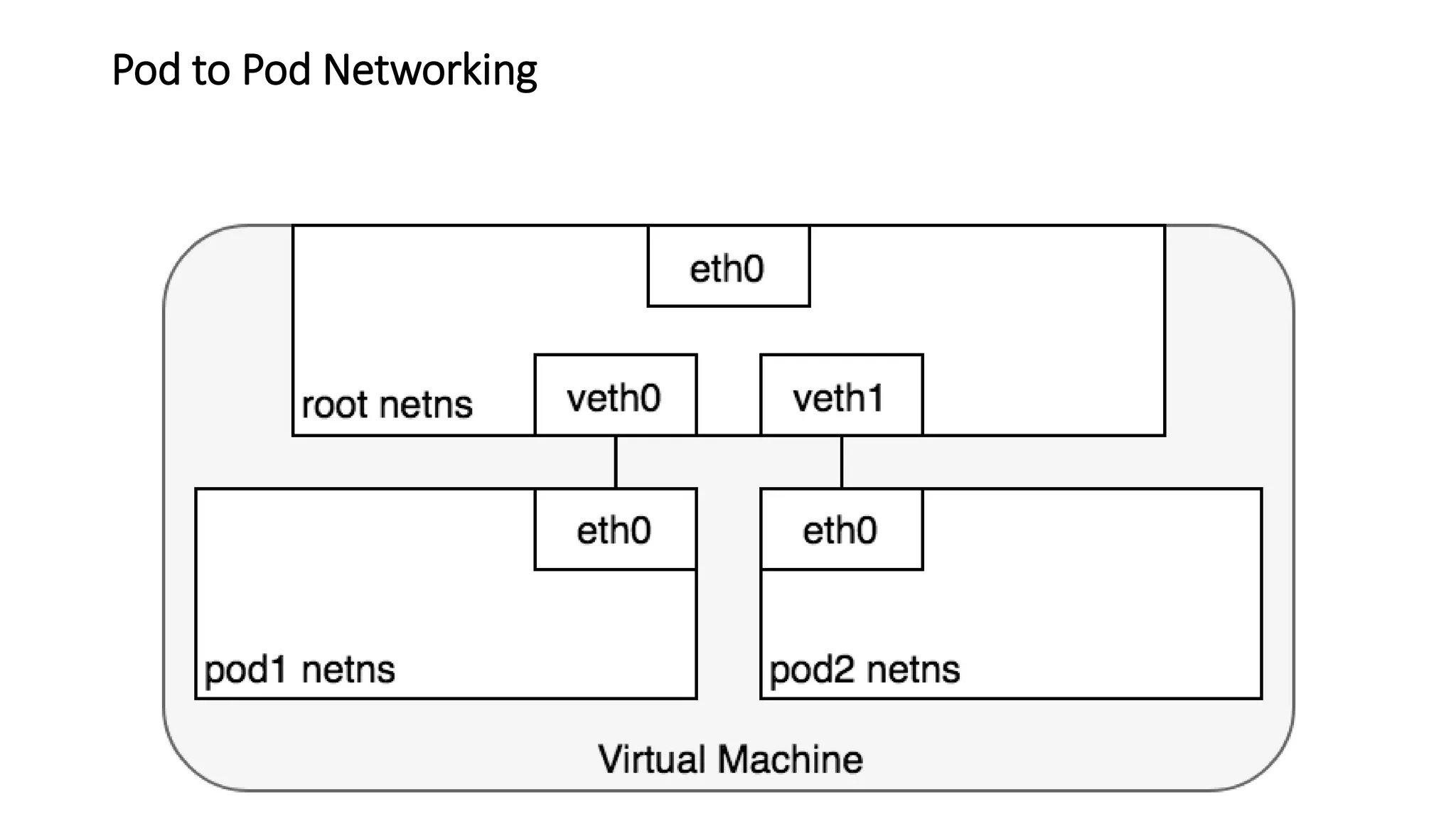
Pod to Pod Networking
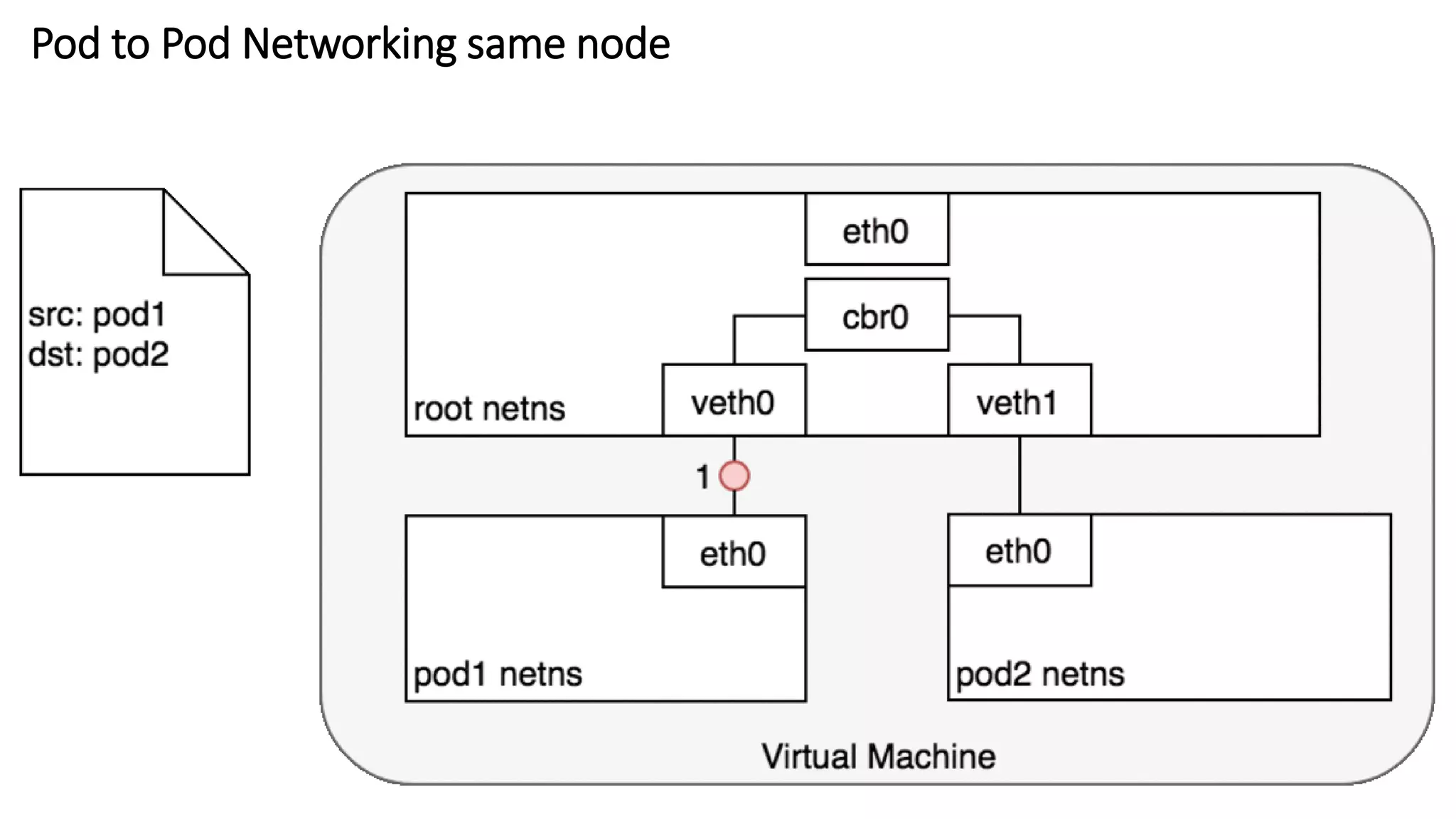
Pod to Pod Networking same node
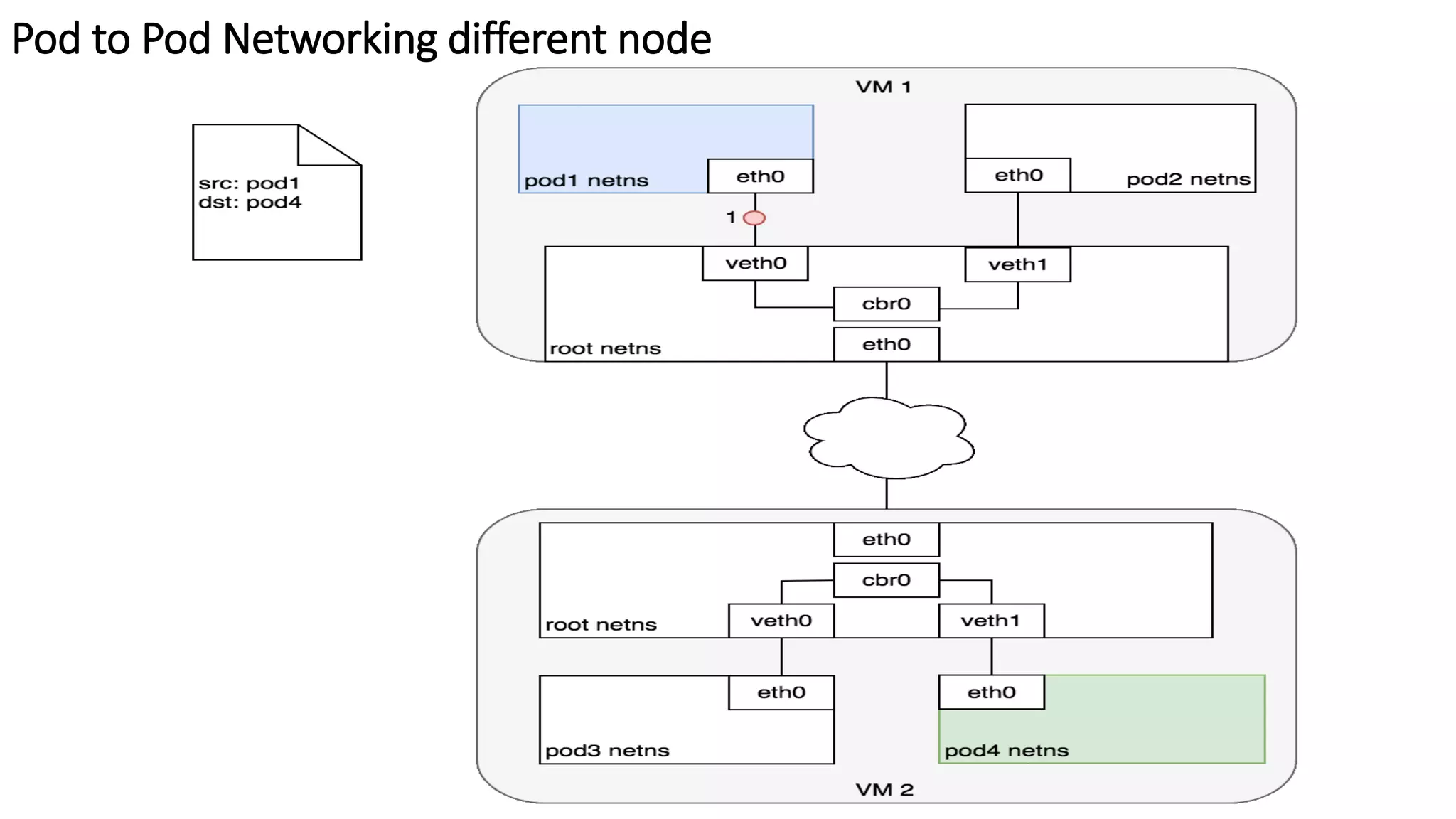
Pod to Pod Networking different node
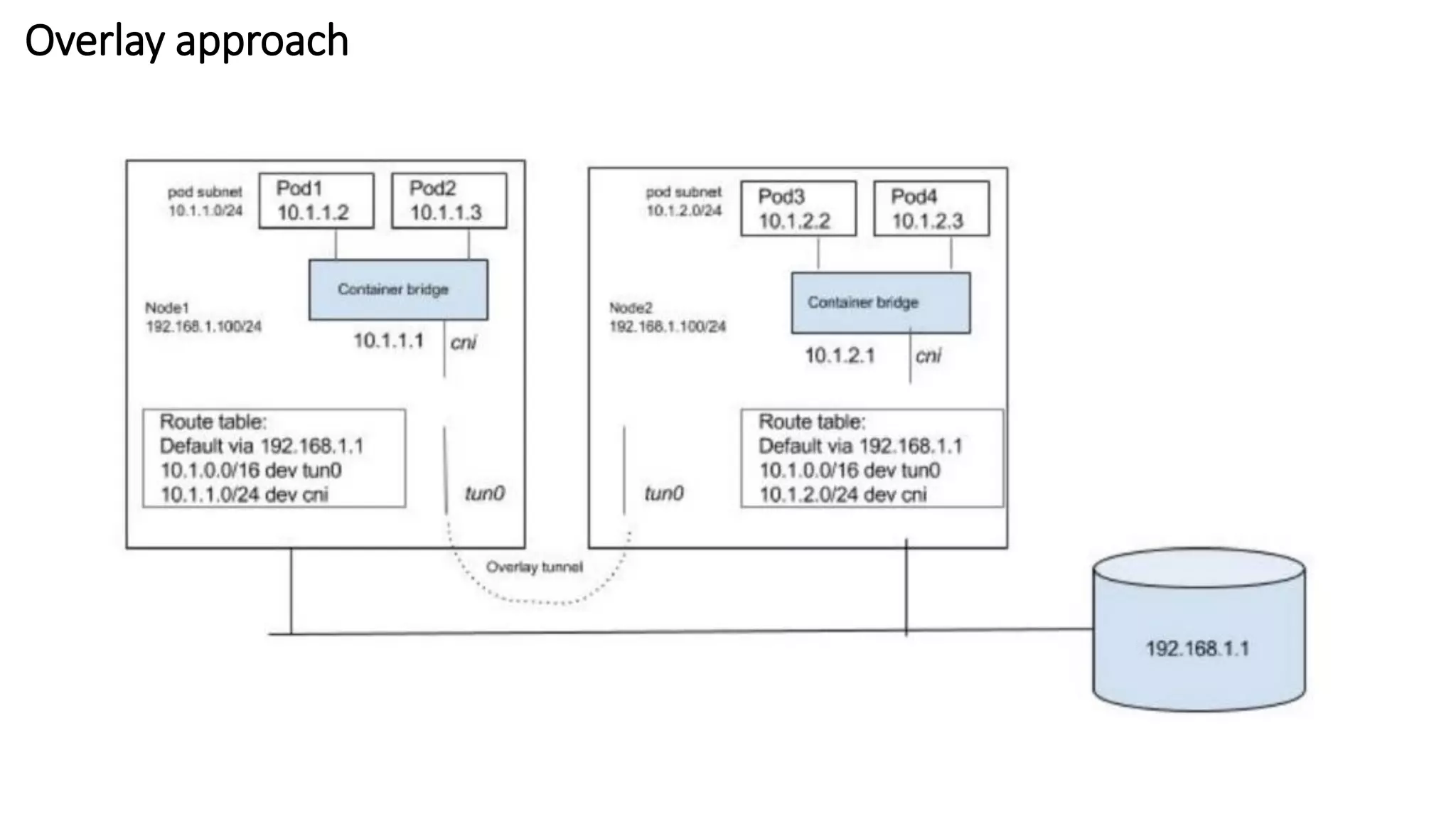
Overlay approach
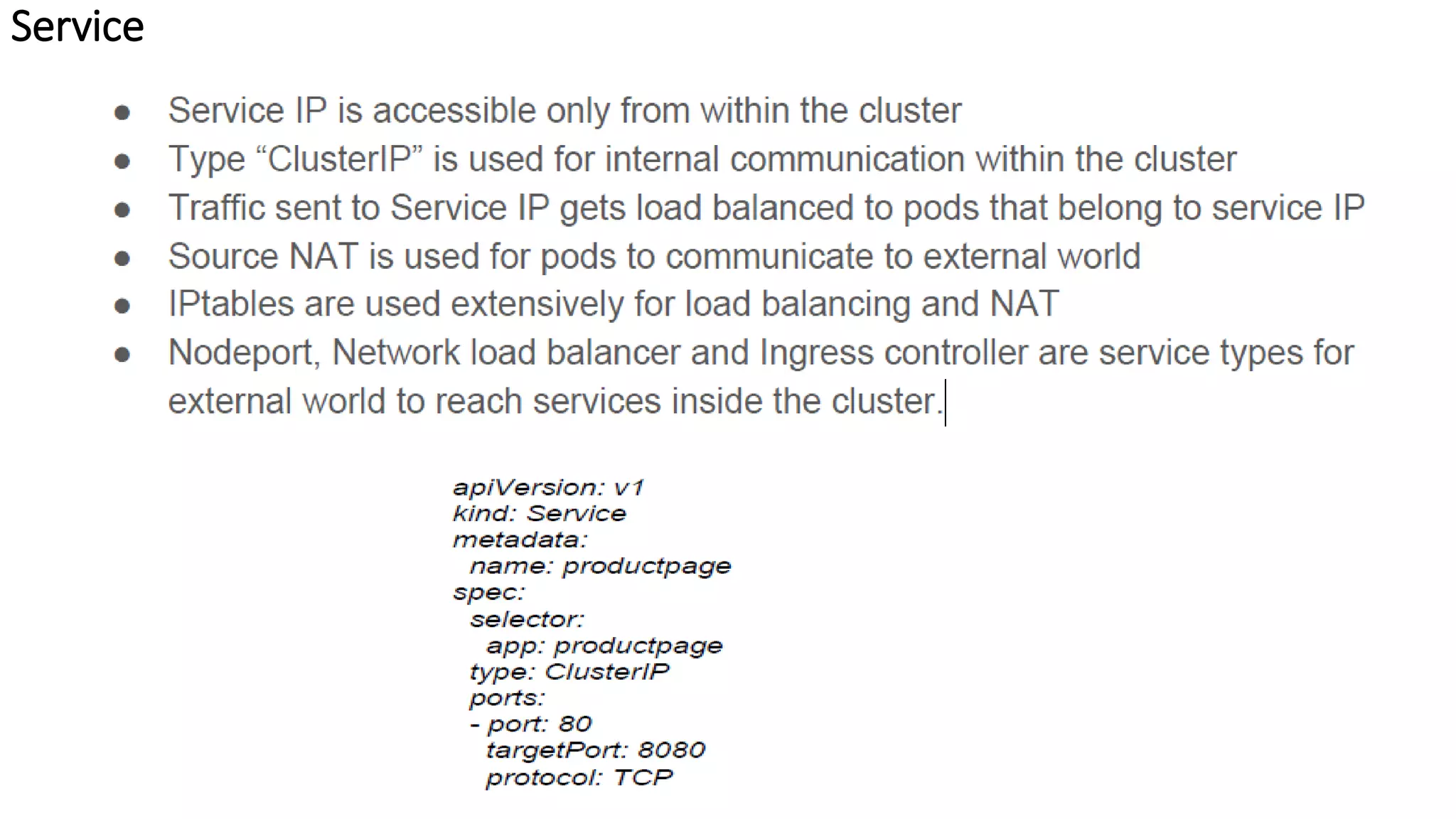
Service
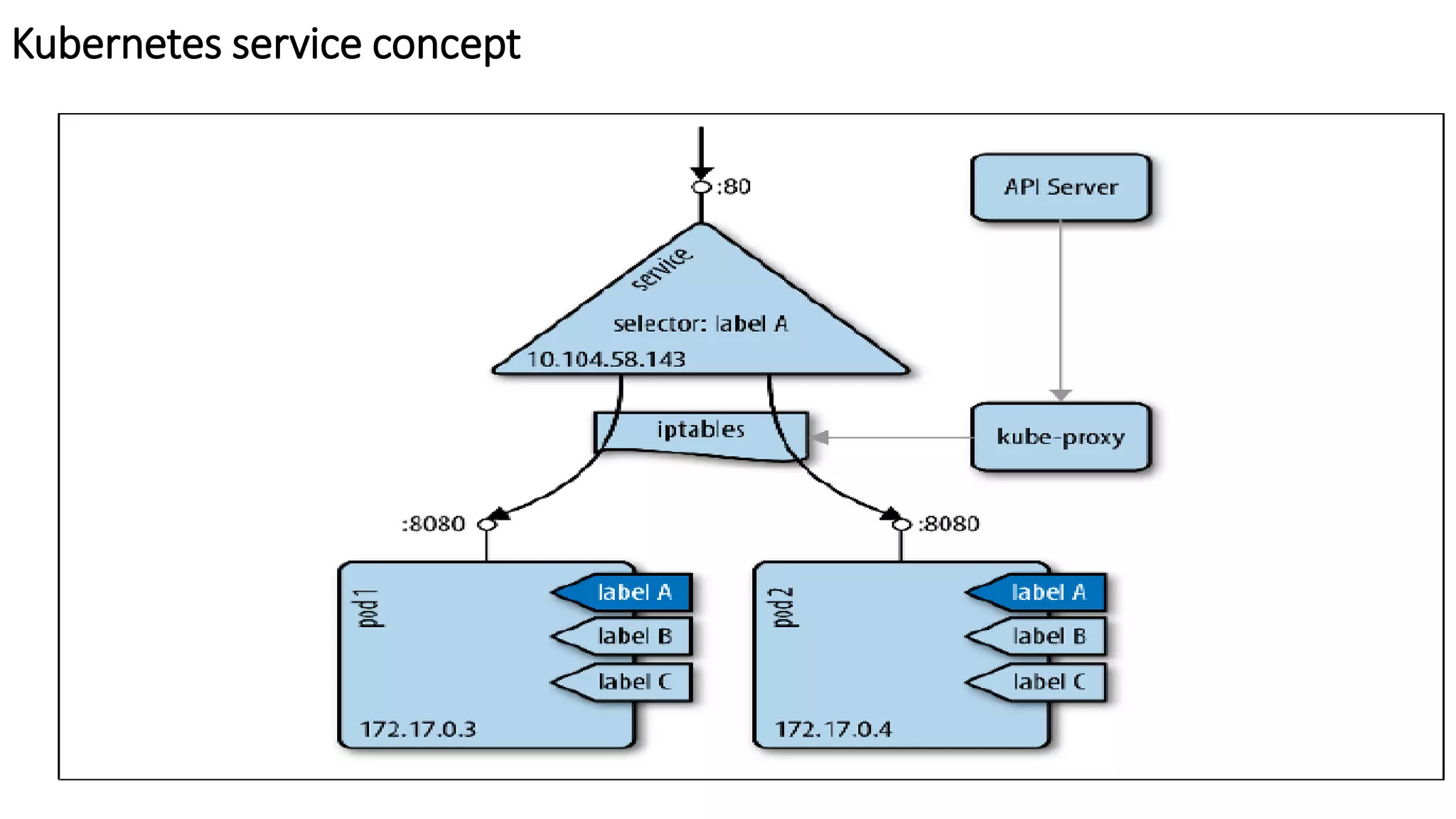
Kubernetes service concept
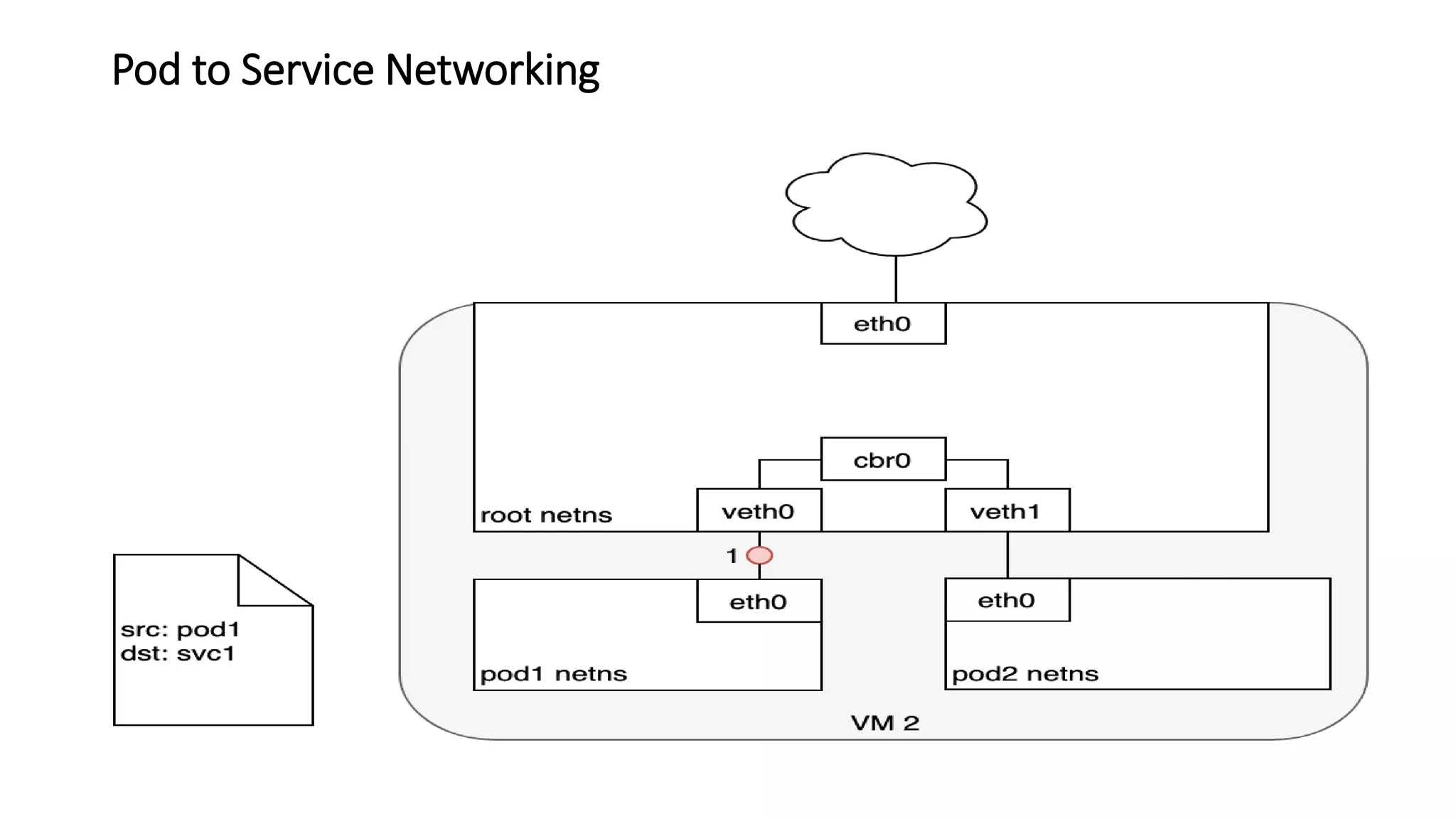
Pod to Service Networking
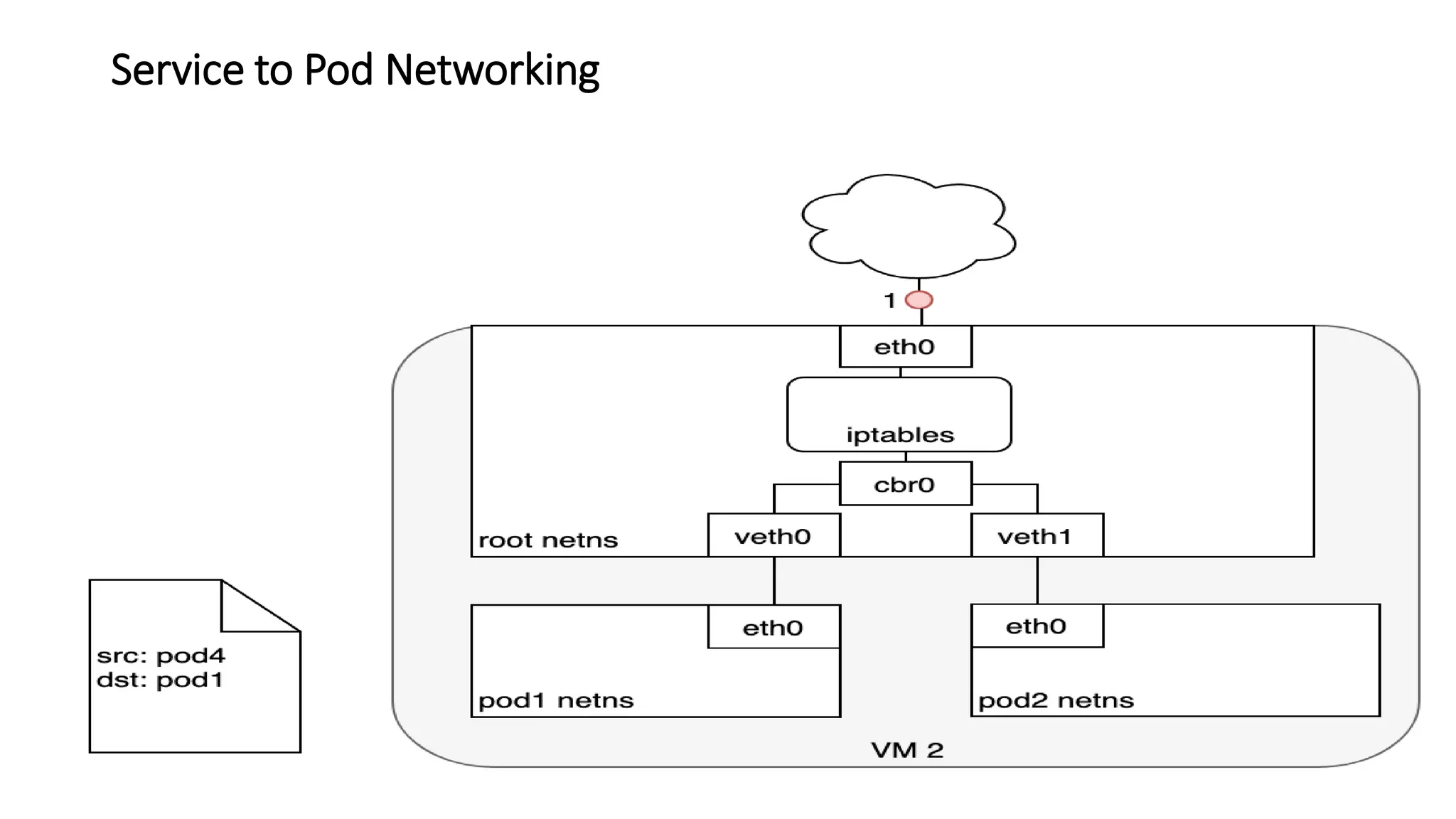
Service to Pod Networking
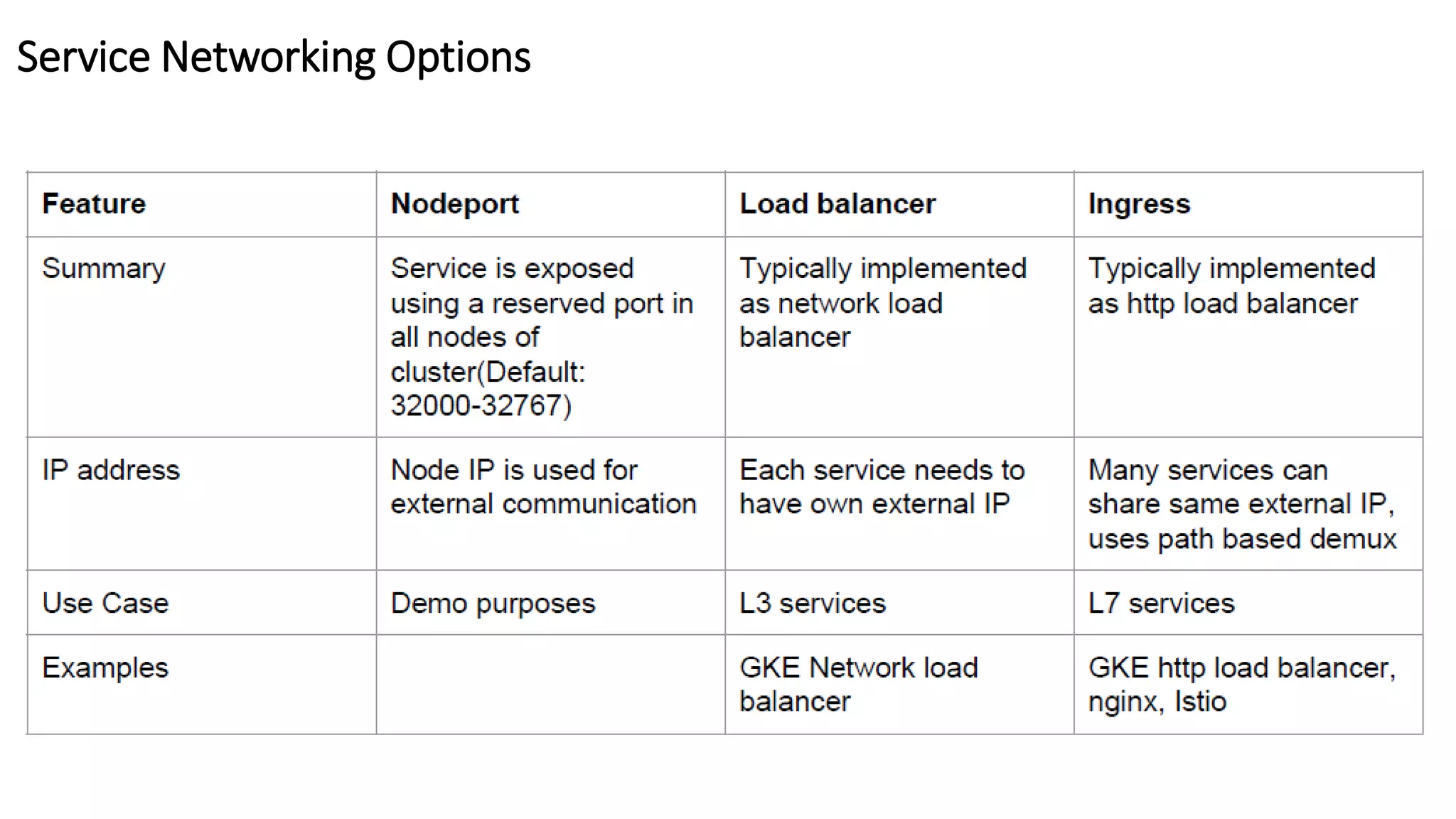
Service Networking Options
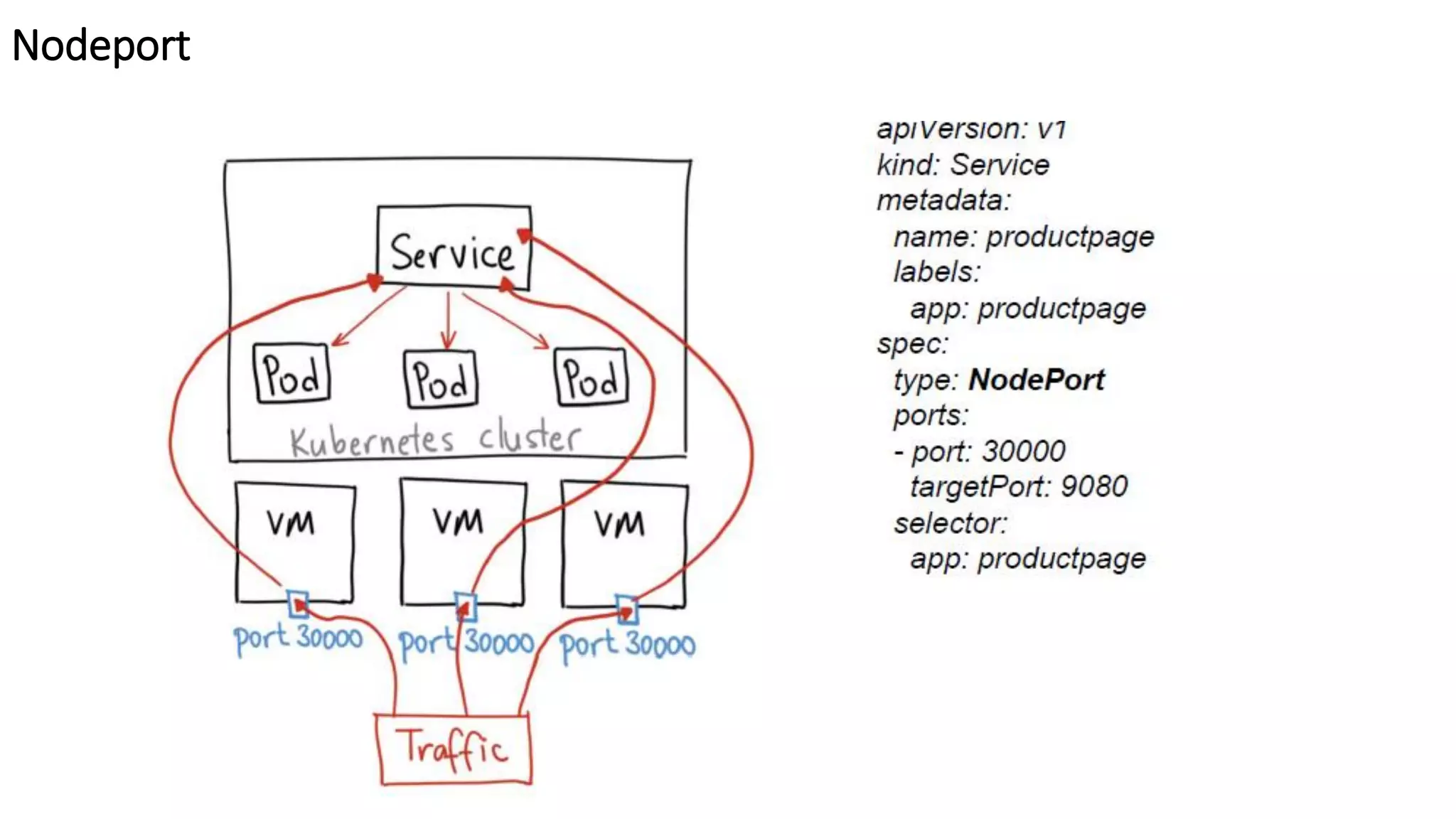
Nodeport
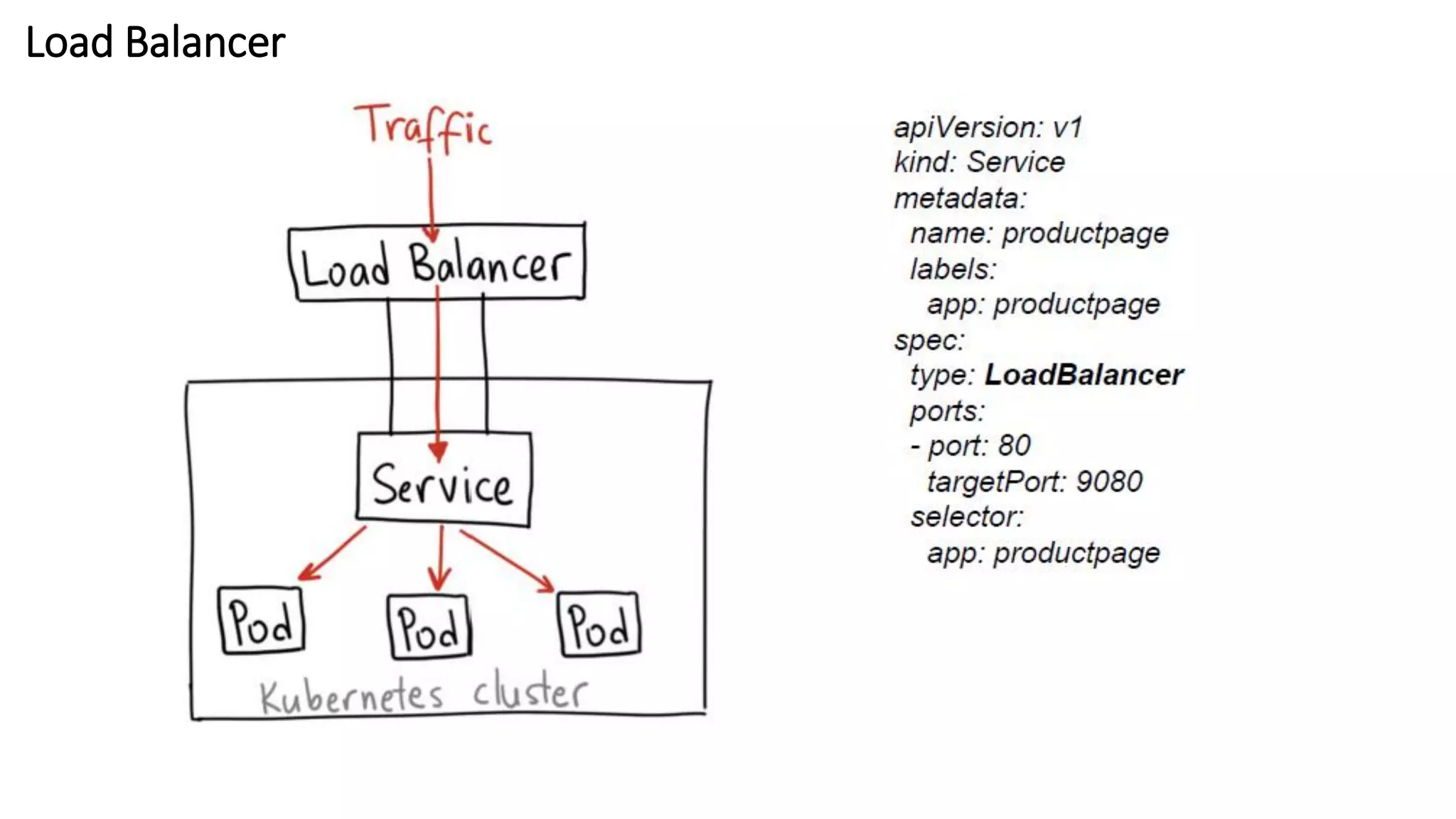
Load Balancer
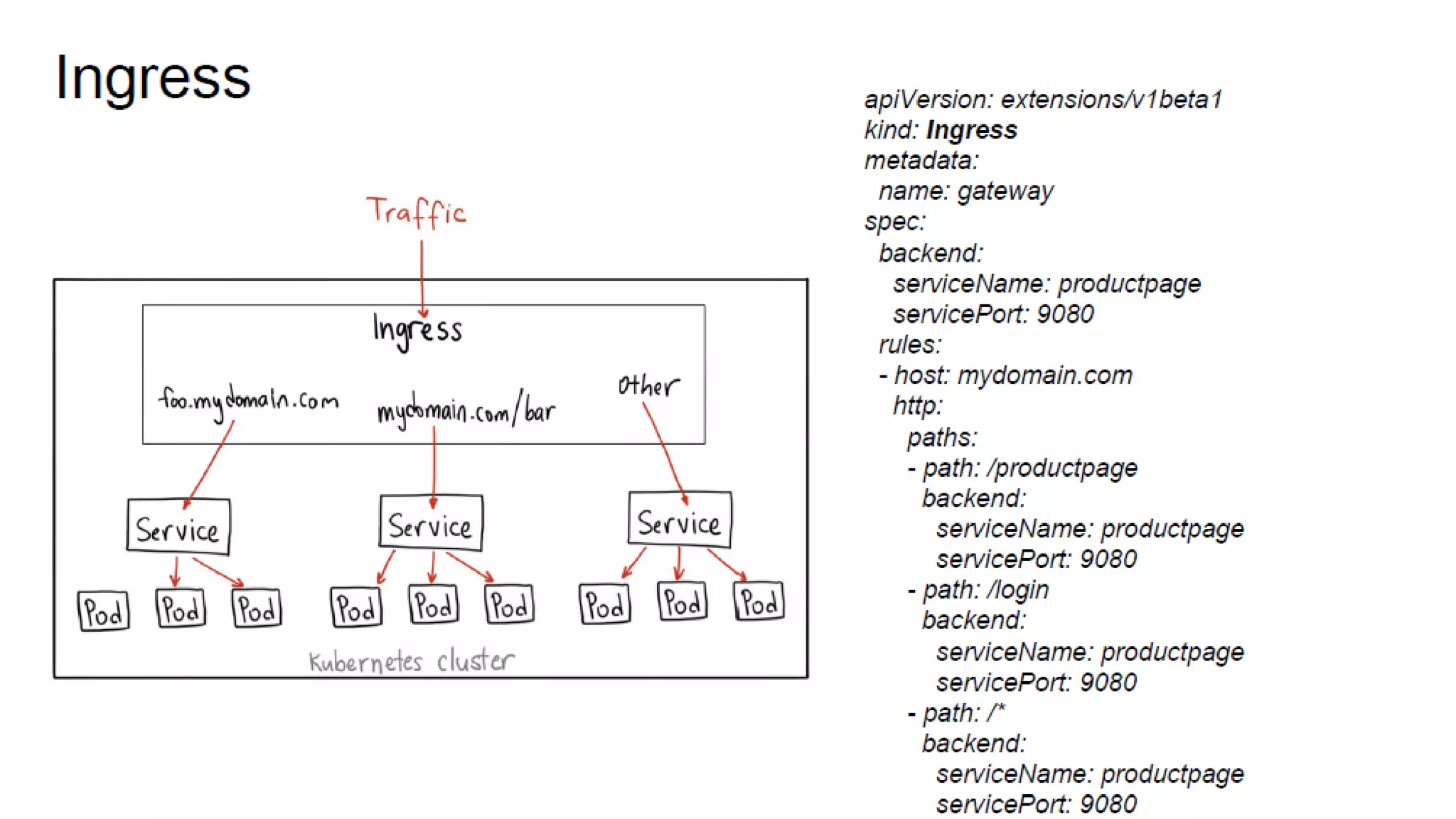
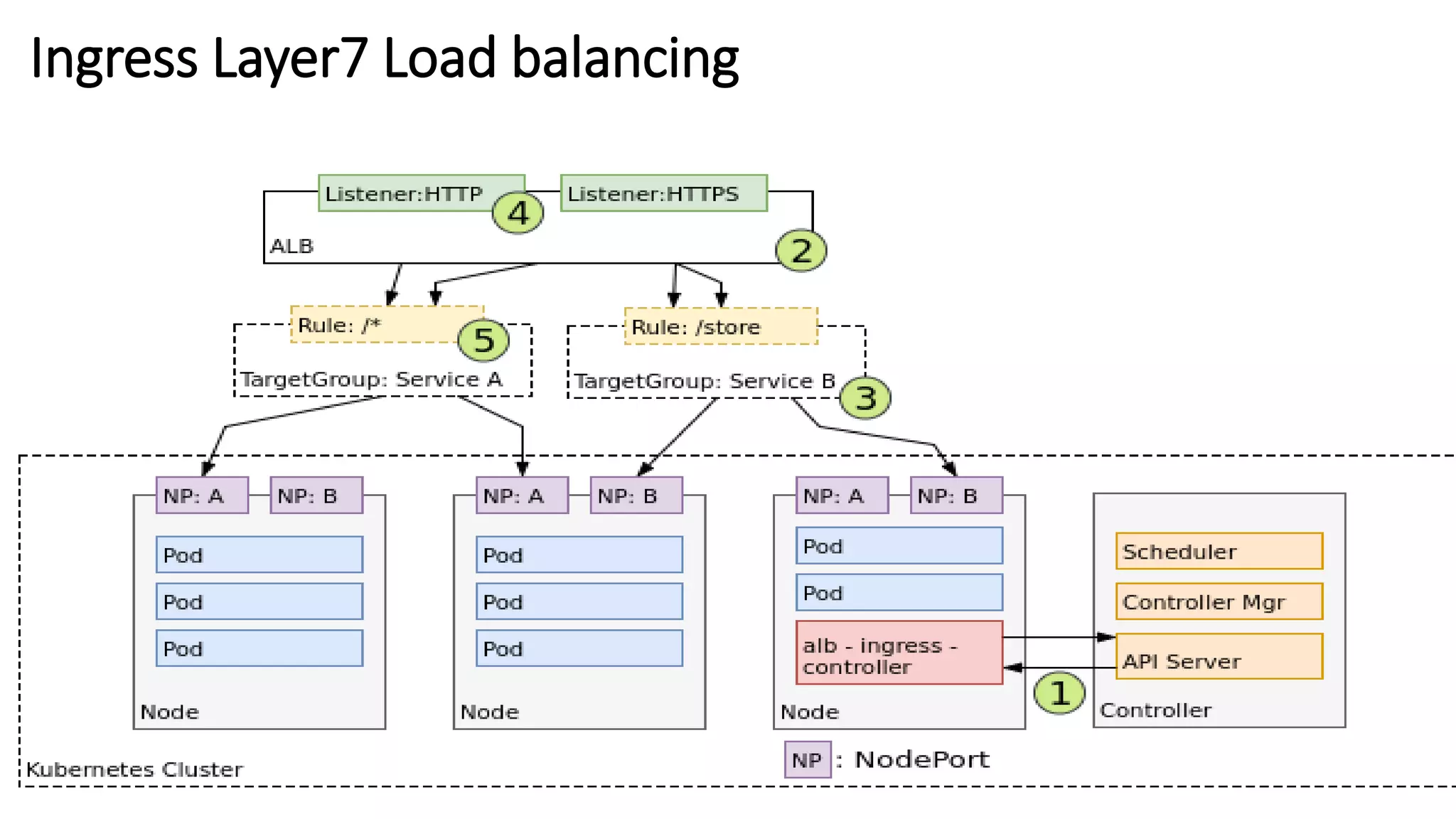
Ingress Layer7 Load balancing
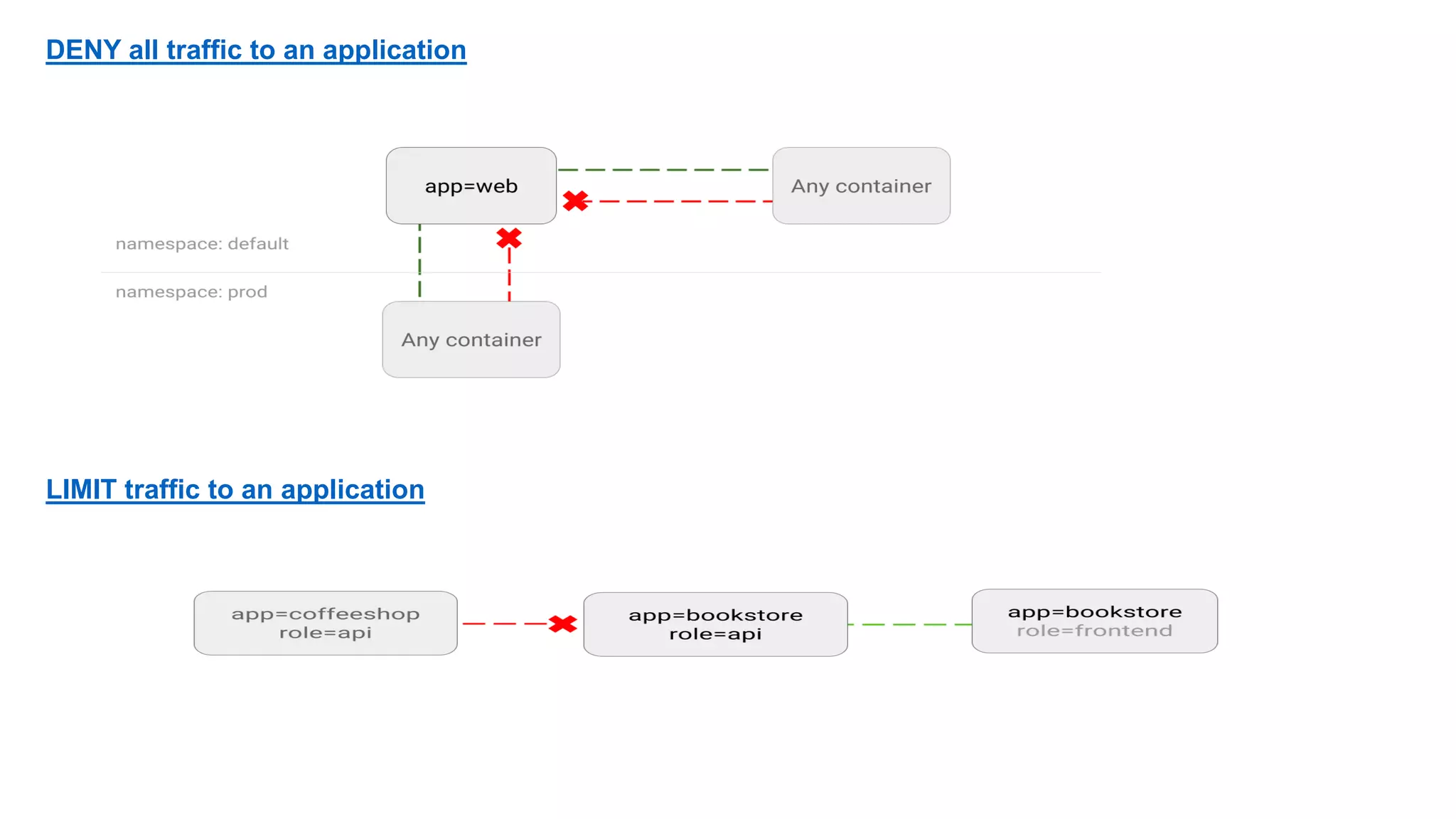
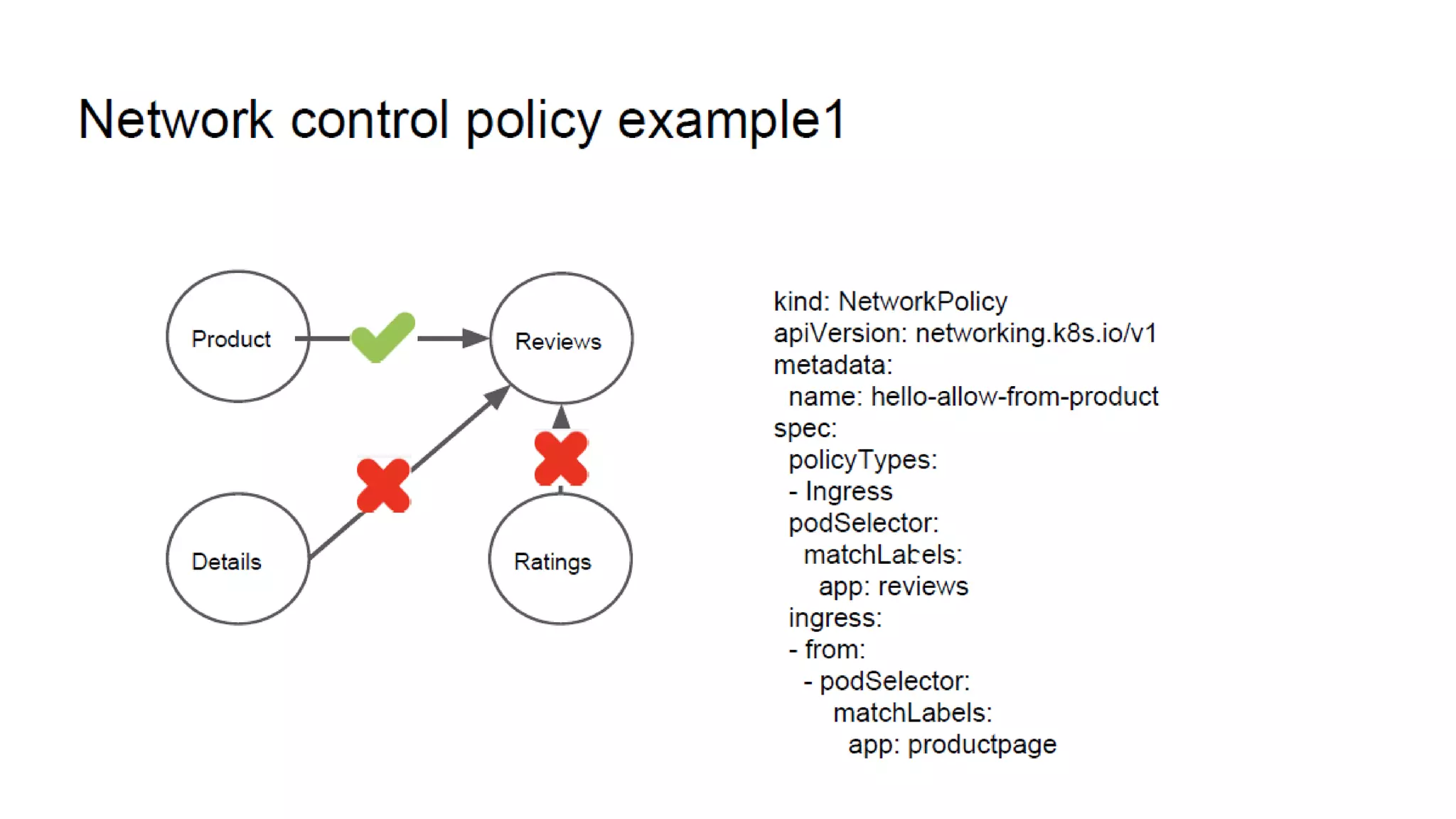
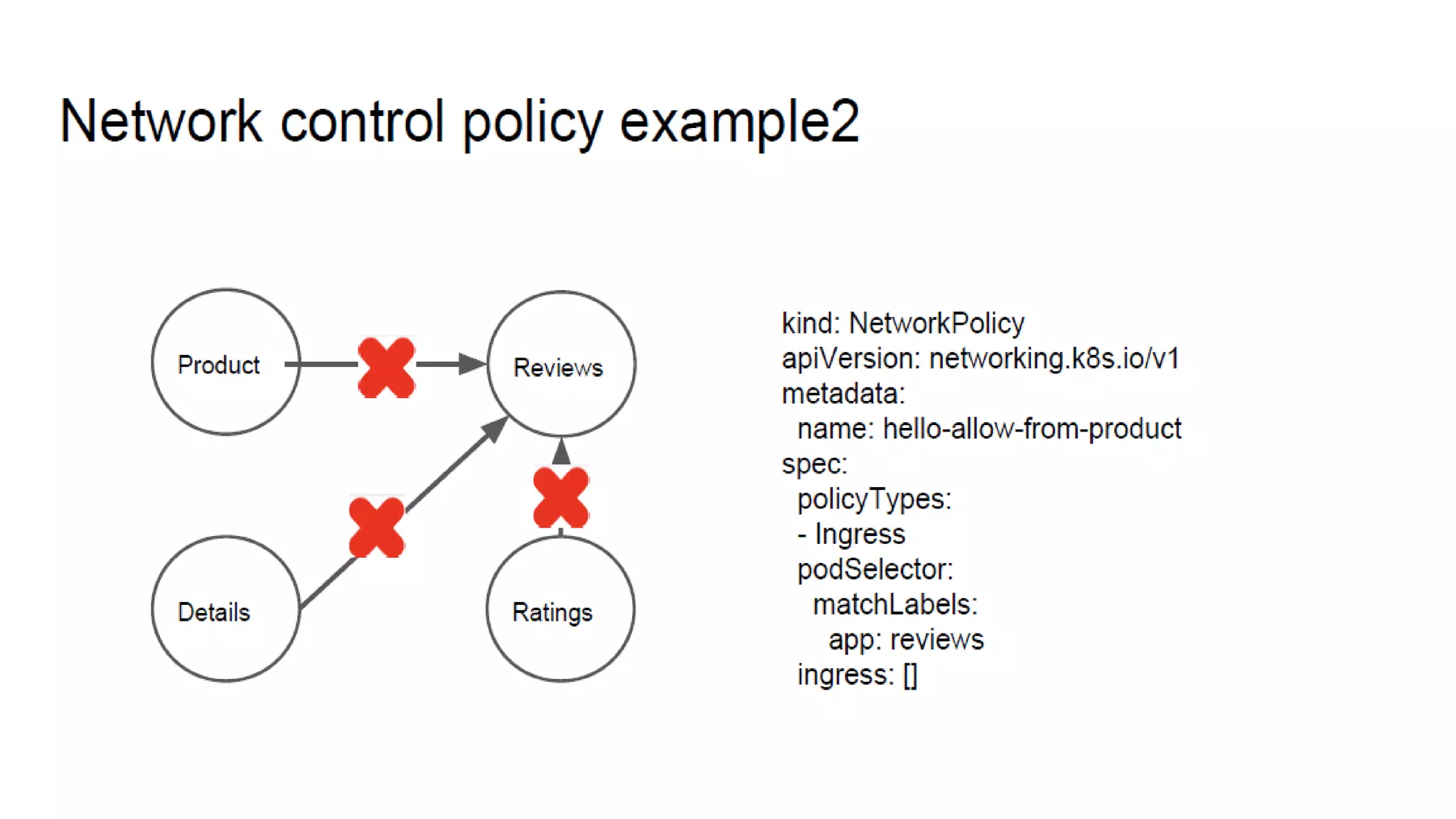
DENY all traffic to an application
LIMIT traffic to an application
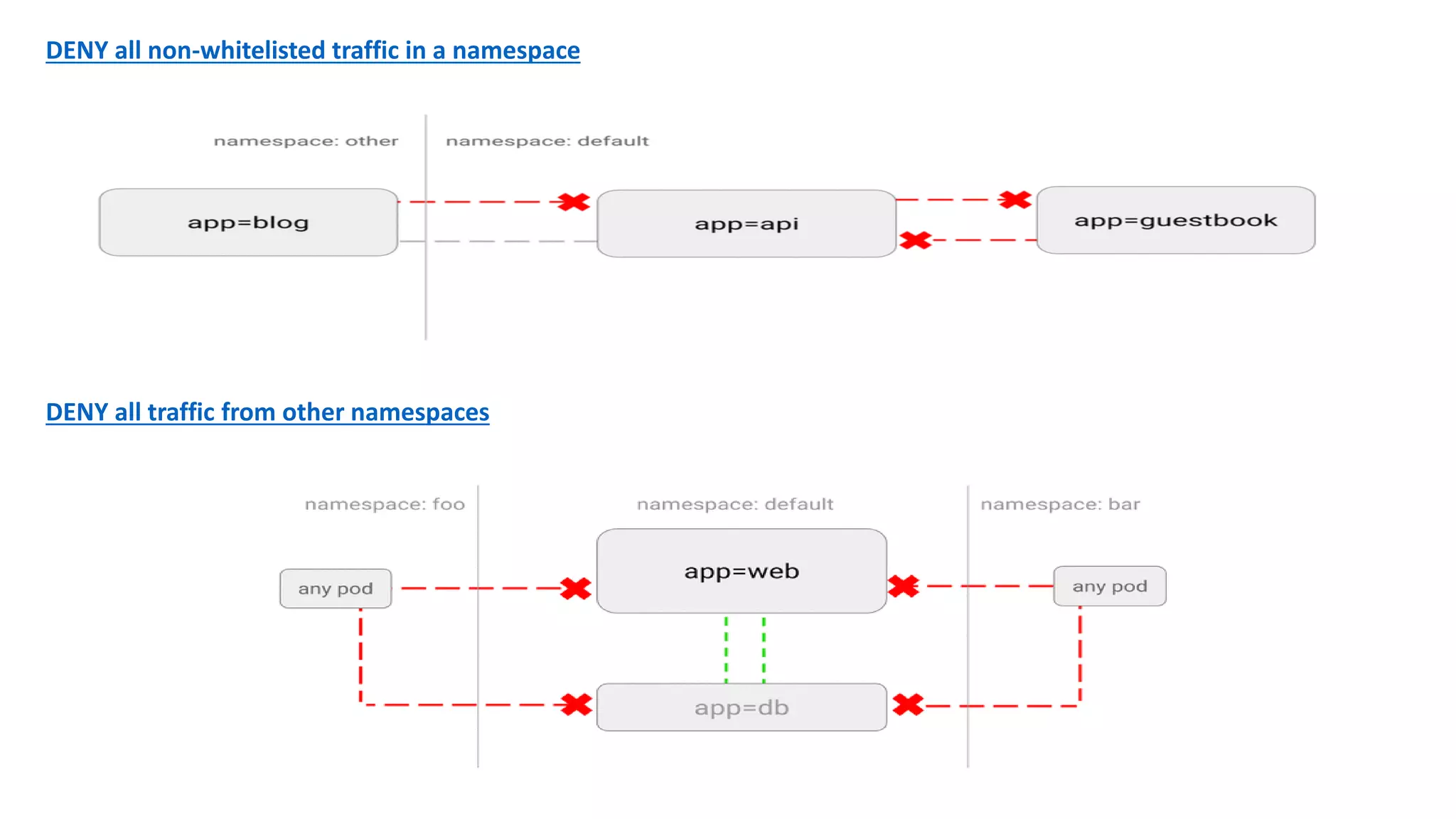
DENY all non-whitelisted traffic in a namespace
DENY all traffic from other namespaces
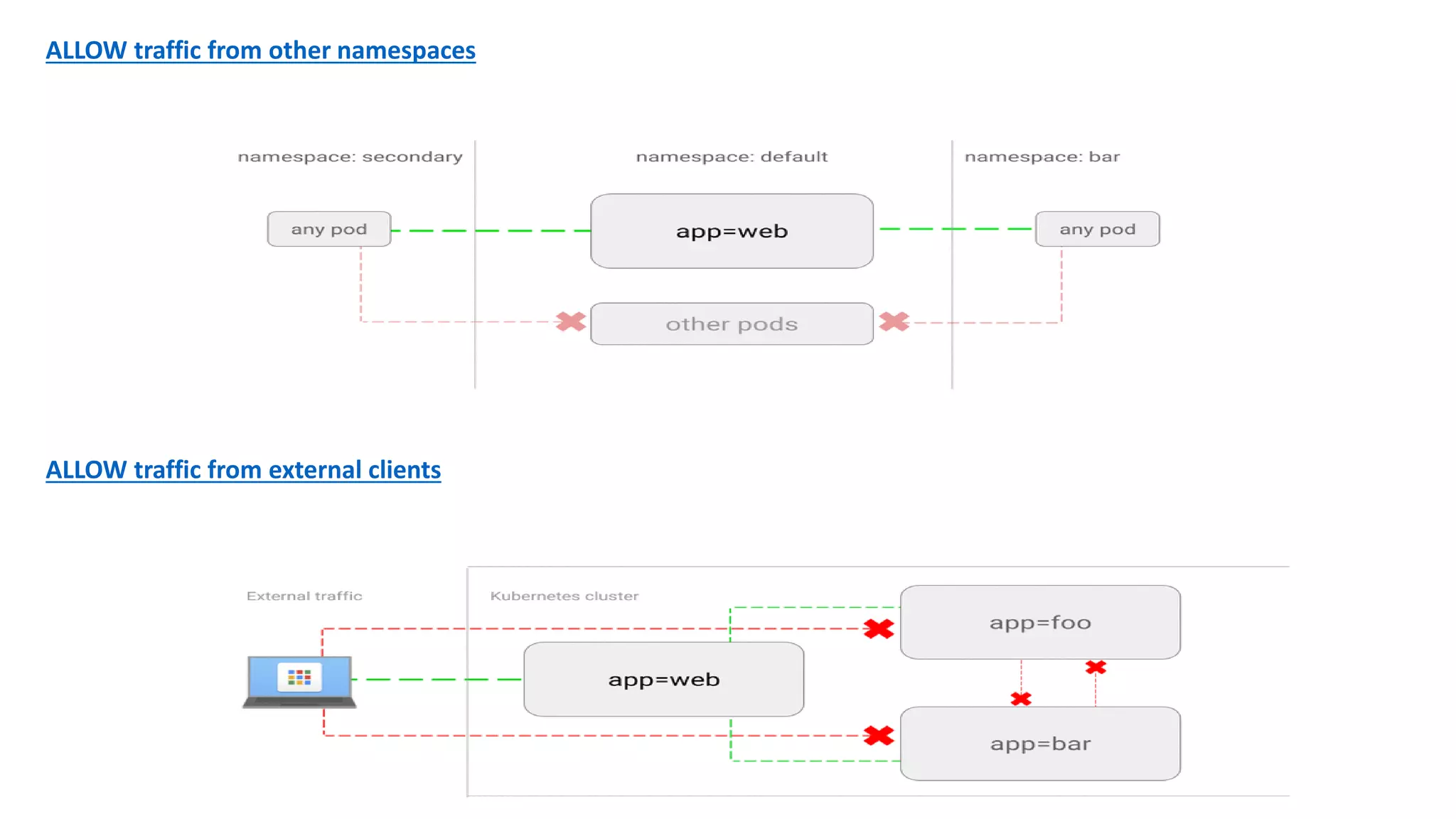
ALLOW traffic from other namespaces
ALLOW traffic from external clients
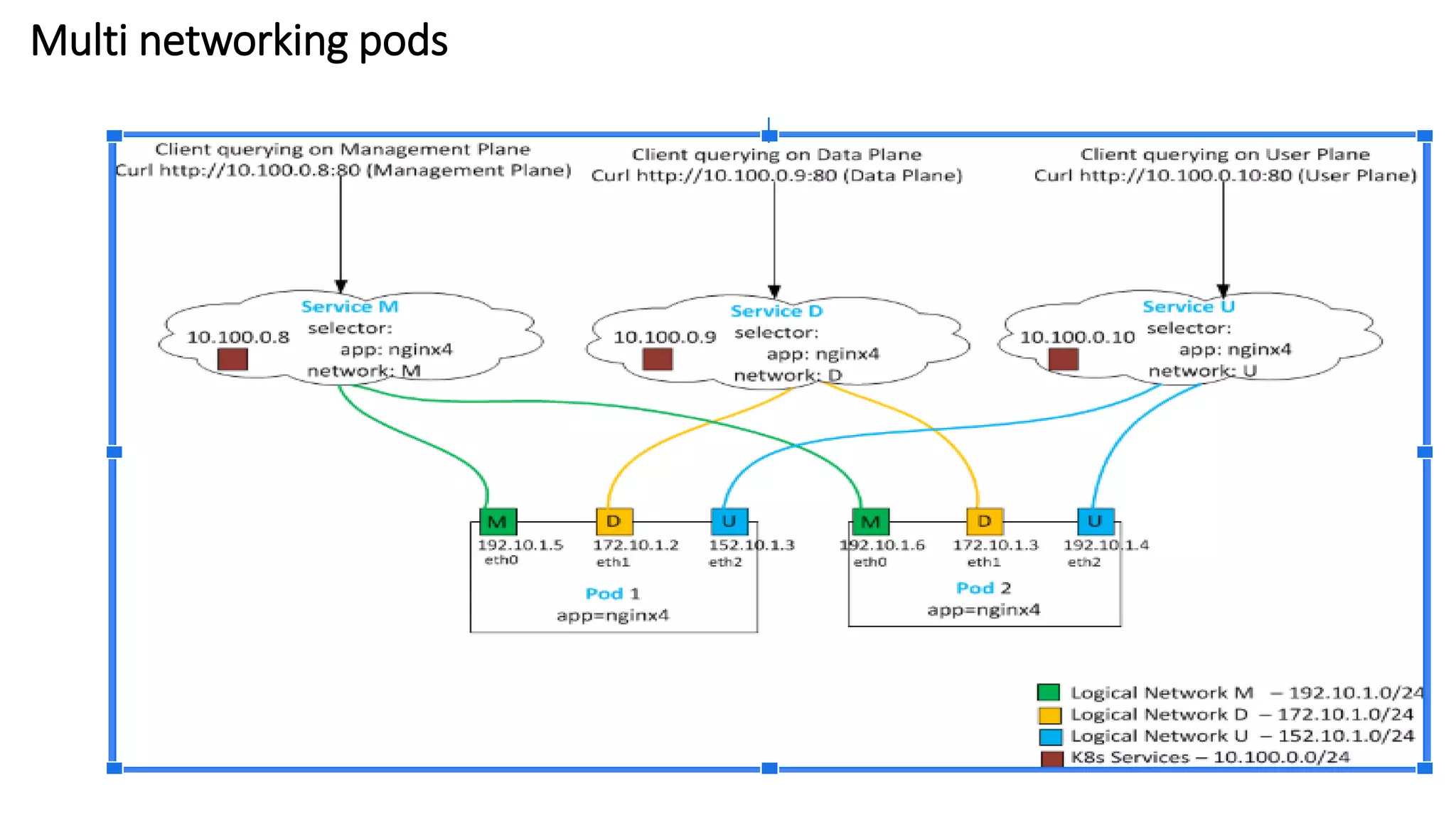
Multi networking pods
Reference
• https://github.com/collabnix/dockerlabs
• https://docs.docker.com
• http://www.collabnix.com
• https://kubernetes.io/docs/concepts/cluster-administration/networking/
• https://sookocheff.com/post/kubernetes/understanding-kubernetes-networking-model/
• https://www.digitalocean.com/community/tutorials/how-to-inspect-kubernetes-networking
• https://success.docker.com/article/docker-ee-best-practices#astandarddeploymentarchitecture
• https://success.docker.com/article/networking
• https://kubernetes.io/blog/2016/12/container-runtime-interface-cri-in-kubernetes/
• https://medium.com/@reuvenharrison/an-introduction-to-kubernetes-network-policies-for-
security-people-ba92dd4c809d
• https://sreeninet.wordpress.com/2016/05/29/docker-macvlan-and-ipvlan-network-plugins/
Thank You

Collabnix Online Webinar - Demystifying Docker & Kubernetes Networking by Balasundaram Natarajan