Ajeet Singh Raina
Delivering
Container-based
Apps to IoT Edge
devices
Developer Relations Manager, Redis Labs
@ajeetsraina
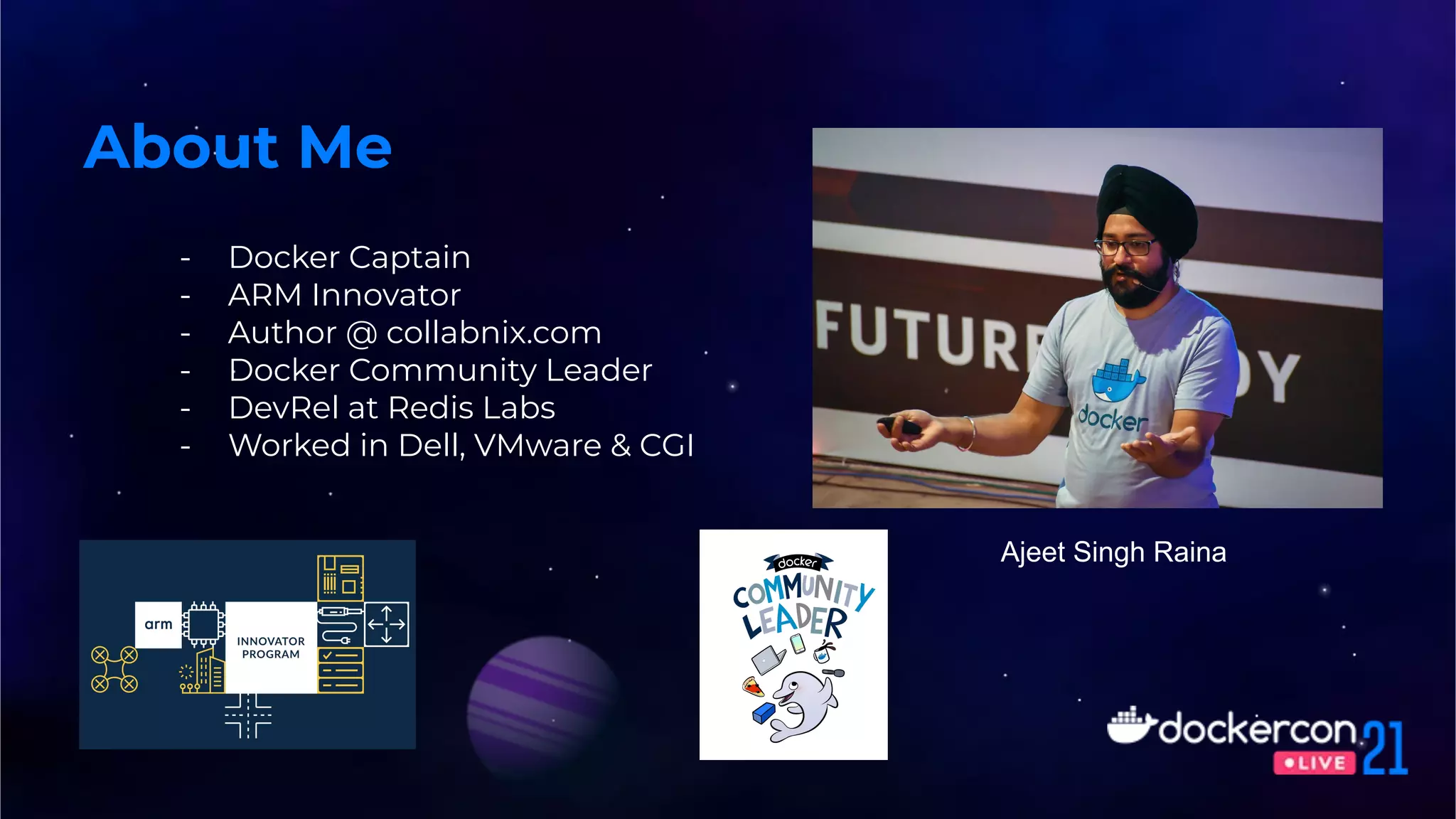
- Docker Captain
- ARM Innovator
- Author @ collabnix.com
- Docker Community Leader
- DevRel at Redis Labs
- Worked in Dell, VMware & CGI
About Me
Ajeet Singh Raina
- The Rise of Docker for AI
- Autonomous Robotic Platform
- Docker on IoT Edge
- IoT Edge Sensor Analytics
- Real-time video analytics
- Real-time Crowd Mask detection
Agenda
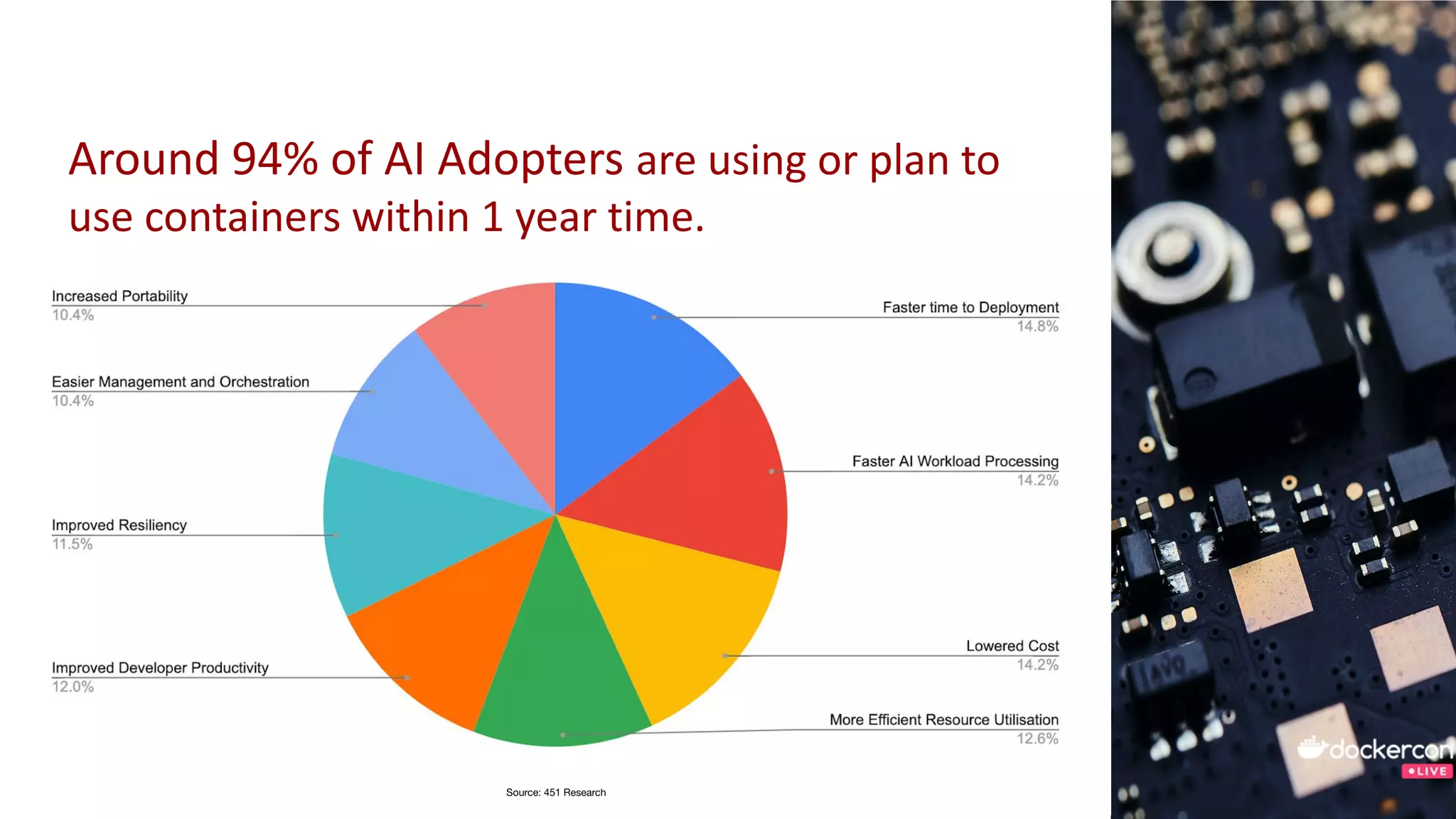
Around 94% of AI Adopters are using or plan to
use containers within 1 year time.
Source: 451 Research
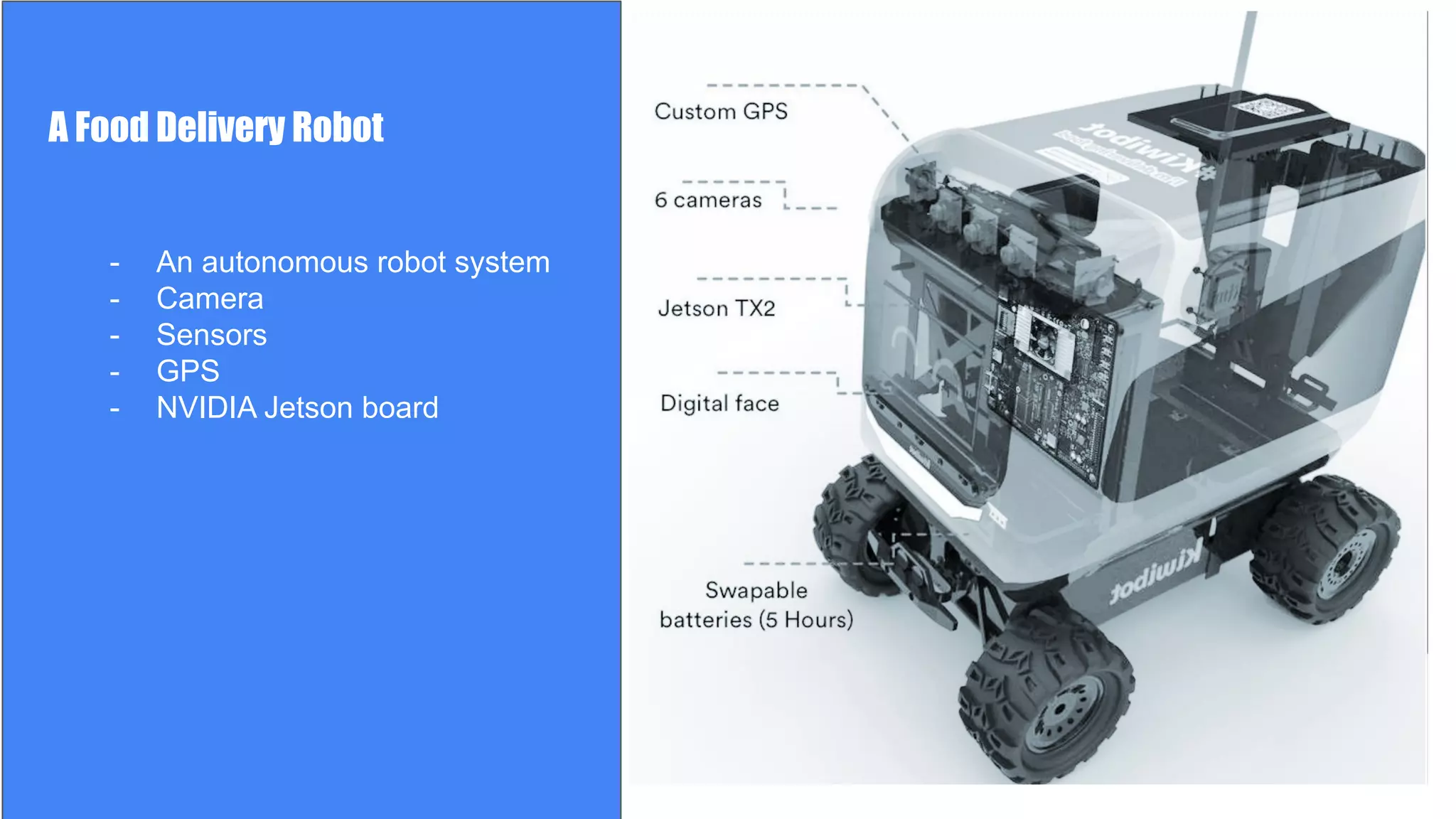
A Food Delivery Robot
- An autonomous robot system
- Camera
- Sensors
- GPS
- NVIDIA Jetson TX2
A Food Delivery Robot
- An autonomous robot system
- Camera
- Sensors
- GPS
- NVIDIA Jetson board
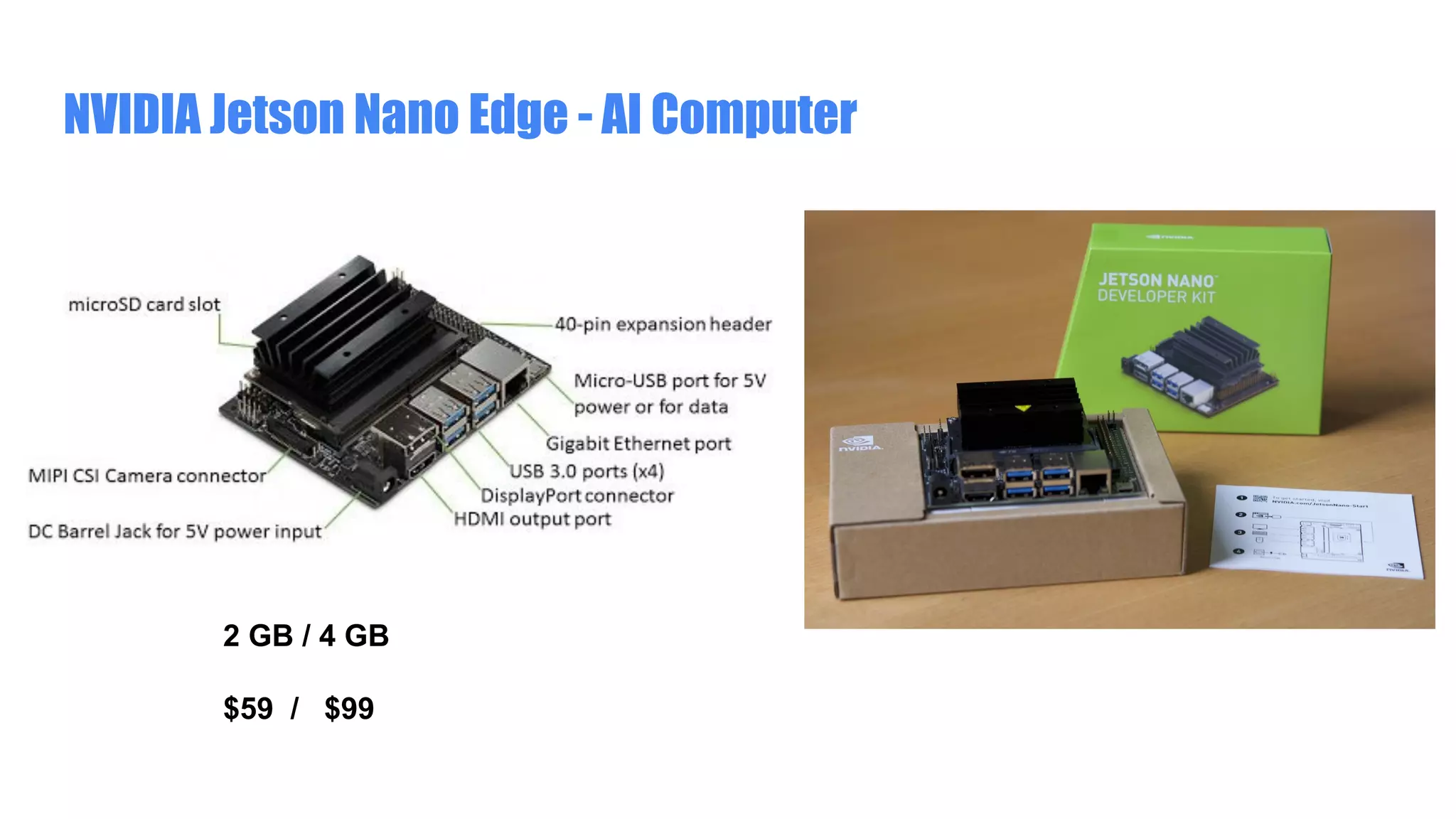
NVIDIA Jetson Nano Edge - AI Computer
2 GB / 4 GB
$59 / $99
But how shall I build app for such
robotic platform in a faster pace?
Docker on NVIDIA Jetson Nano
Build on Open Source
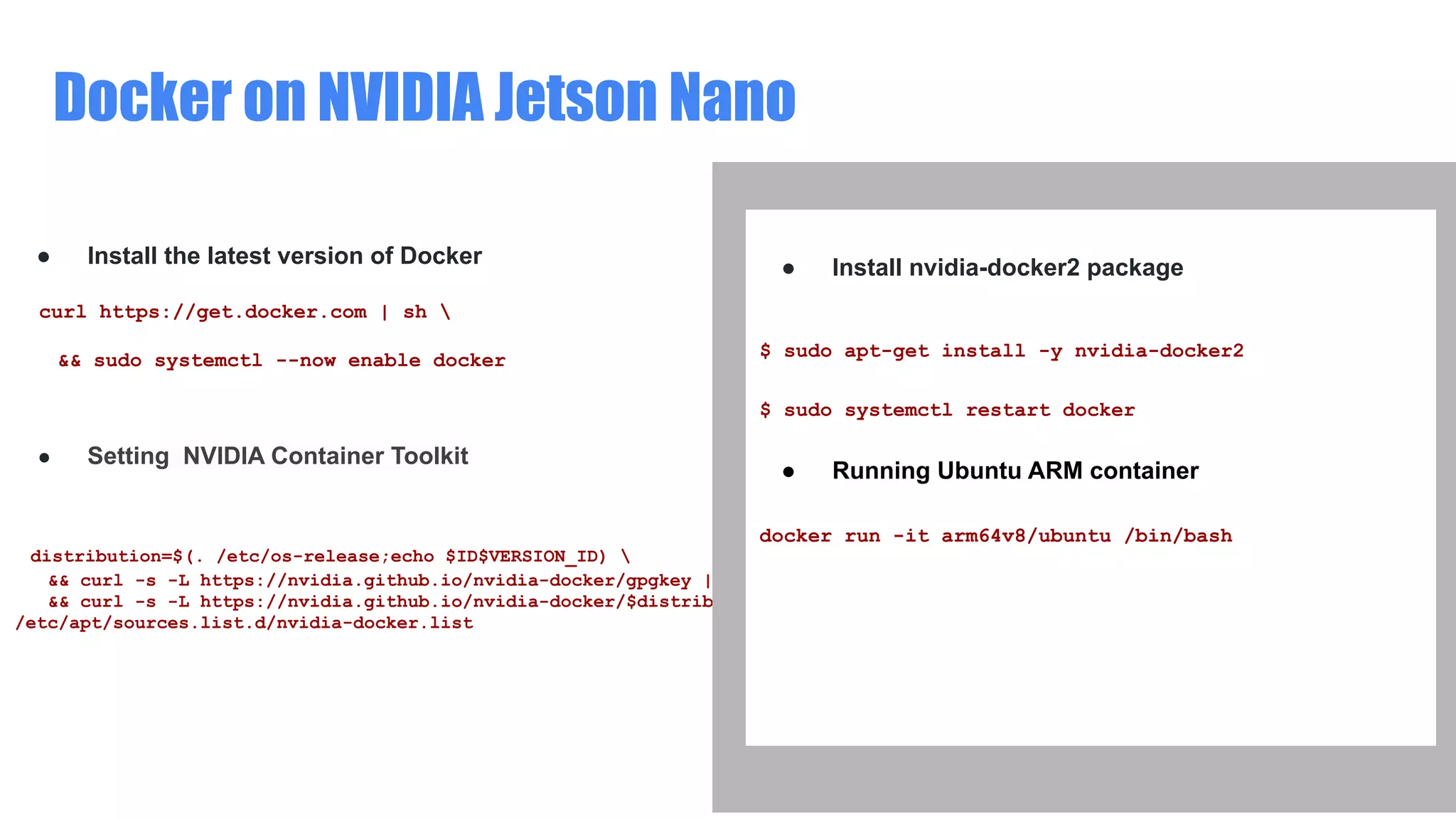
● Install the latest version of Docker
curl https://get.docker.com | sh 
&& sudo systemctl --now enable docker
● Setting NVIDIA Container Toolkit
distribution=$(. /etc/os-release;echo $ID$VERSION_ID) 
&& curl -s -L https://nvidia.github.io/nvidia-docker/gpgkey | sudo apt-key add - 
&& curl -s -L https://nvidia.github.io/nvidia-docker/$distribution/nvidia-docker.list | sudo tee
/etc/apt/sources.list.d/nvidia-docker.list
● Install nvidia-docker2 package
$ sudo apt-get install -y nvidia-docker2
$ sudo systemctl restart docker
● Running Ubuntu ARM container
docker run -it arm64v8/ubuntu /bin/bash
Docker access to NVIDIA GPU
Build on Open Source
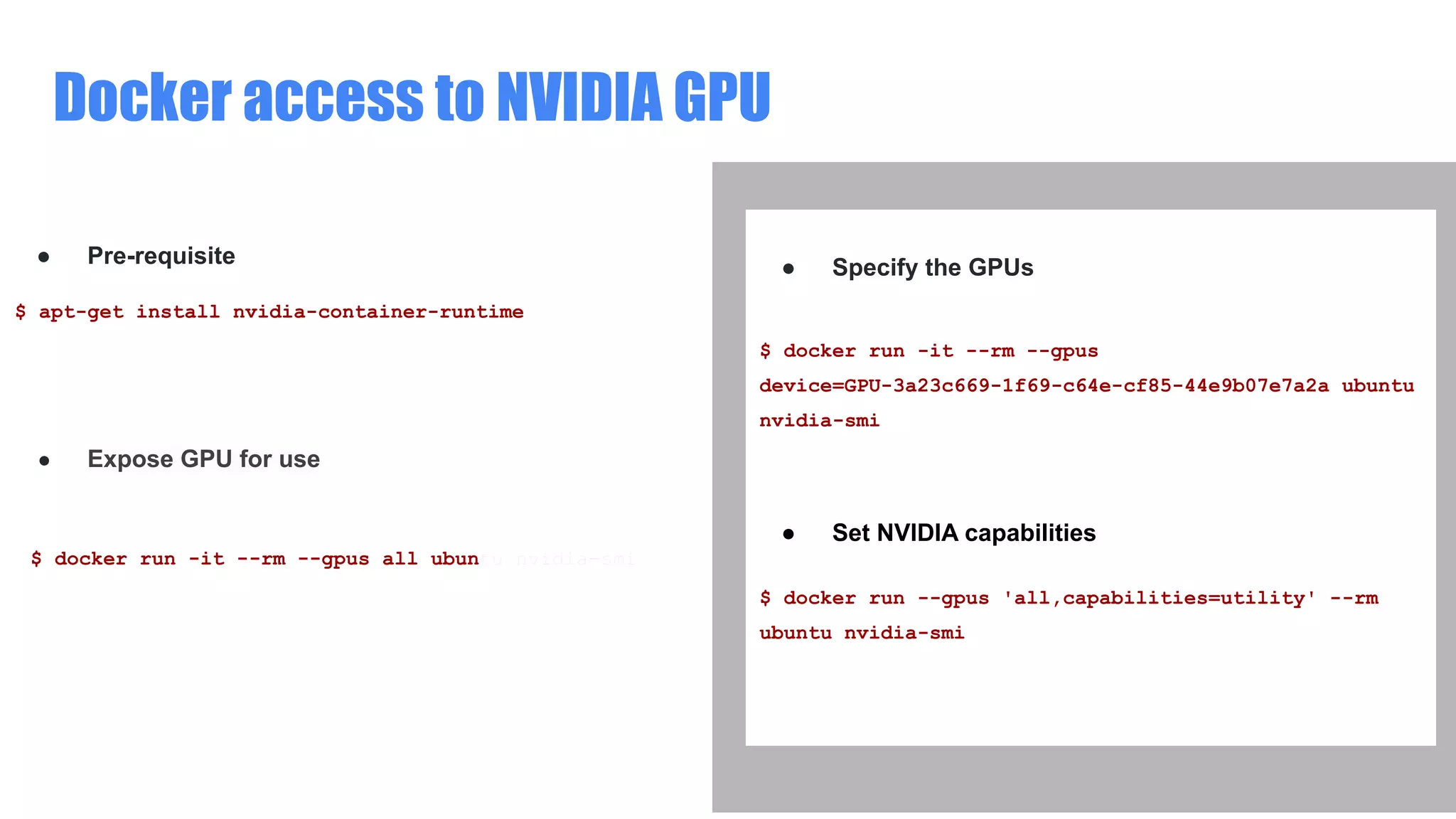
● Pre-requisite
$ apt-get install nvidia-container-runtime
● Expose GPU for use
$ docker run -it --rm --gpus all ubuntu nvidia-smi
● Specify the GPUs
$ docker run -it --rm --gpus
device=GPU-3a23c669-1f69-c64e-cf85-44e9b07e7a2a ubuntu
nvidia-smi
● Set NVIDIA capabilities
$ docker run --gpus 'all,capabilities=utility' --rm
ubuntu nvidia-smi
Enabling GPU access with Compose
Build on Open Source
● Compose services can define GPU device reservations
services:
test:
image: nvidia/cuda:10.2-base
command: nvidia-smi
deploy:
resources:
reservations:
devices:
- driver: nvidia
count: 1
capabilities: [gpu, utility]
ia-smi
● Specify the GPUs
$ docker-compose up
Creating network "gpu_default" with the default driver
Creating gpu_test_1 ... done
Attaching to gpu_test_1
test_1 |
+-----------------------------------------------------
------------------------+
test_1 | | NVIDIA-SMI 450.80.02 Driver Version:
450.80.02 CUDA Version: 11.1 |
test_1 |
|-------------------------------+---------------------
-+----------------------+
======================================================
==============|
Interesting? How shall I build those
apps from scratch?
-
-
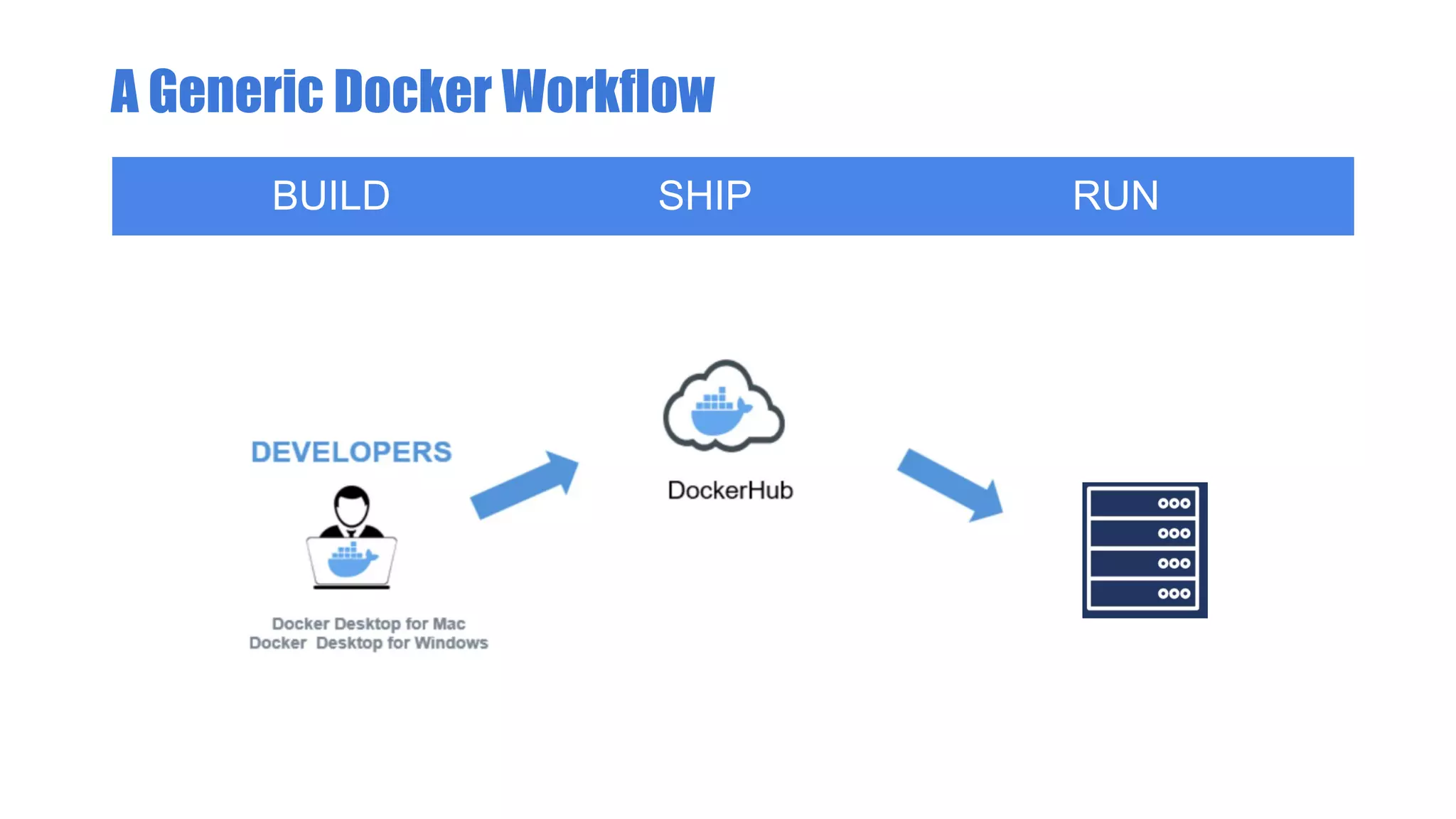
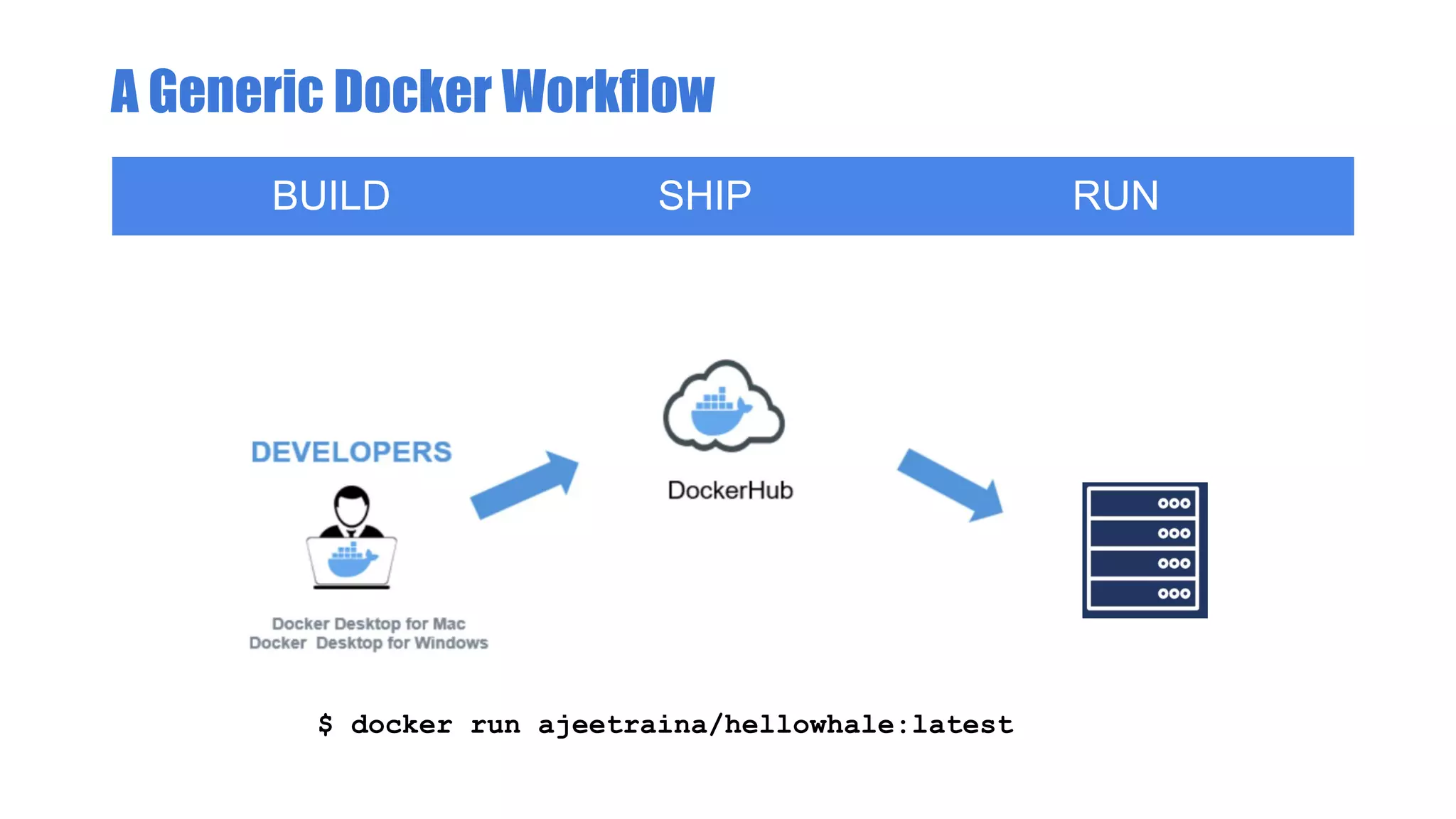
A Generic Docker Workflow
BUILD SHIP RUN
A Generic Docker Workflow
BUILD SHIP RUN
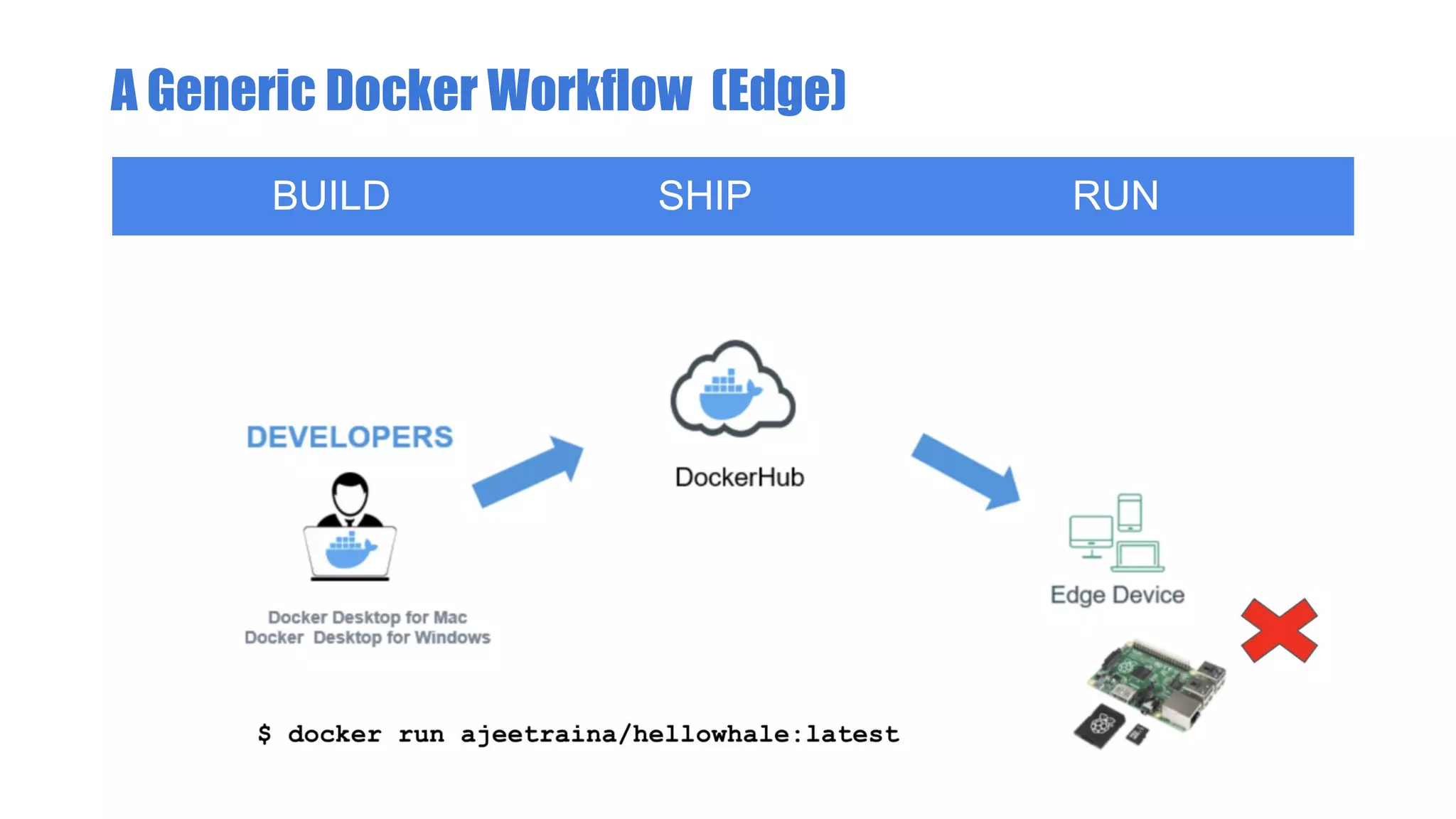
$ docker run ajeetraina/hellowhale:latest
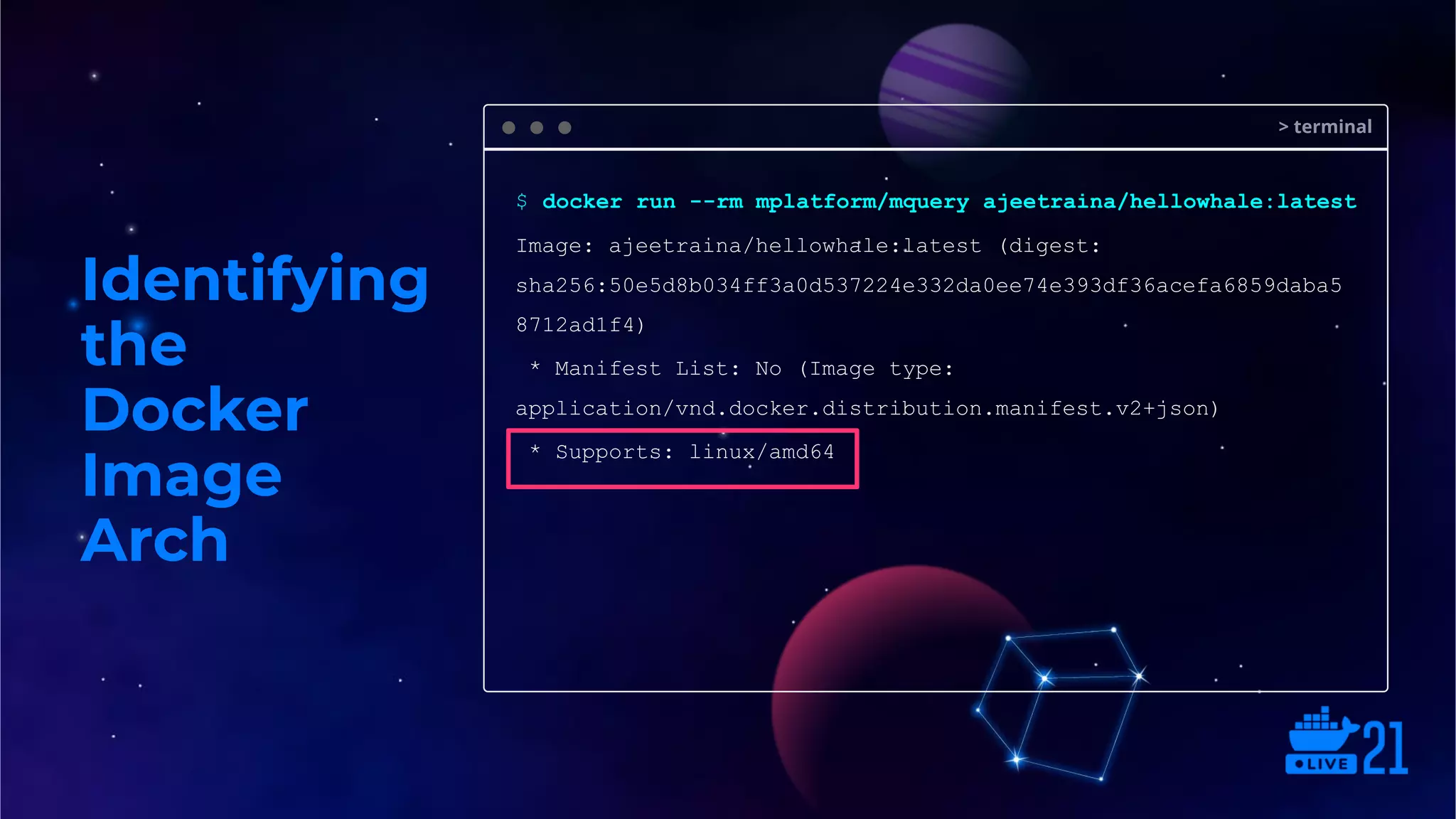
Identifying
the
Docker
Image
Arch
> terminal
$ docker run --rm mplatform/mquery ajeetraina/hellowhale:latest
Image: ajeetraina/hellowhale:latest (digest:
sha256:50e5d8b034ff3a0d537224e332da0ee74e393df36acefa6859daba5
8712ad1f4)
* Manifest List: No (Image type:
application/vnd.docker.distribution.manifest.v2+json)
* Supports: linux/amd64
A Generic Docker Workflow (Edge)
BUILD SHIP RUN
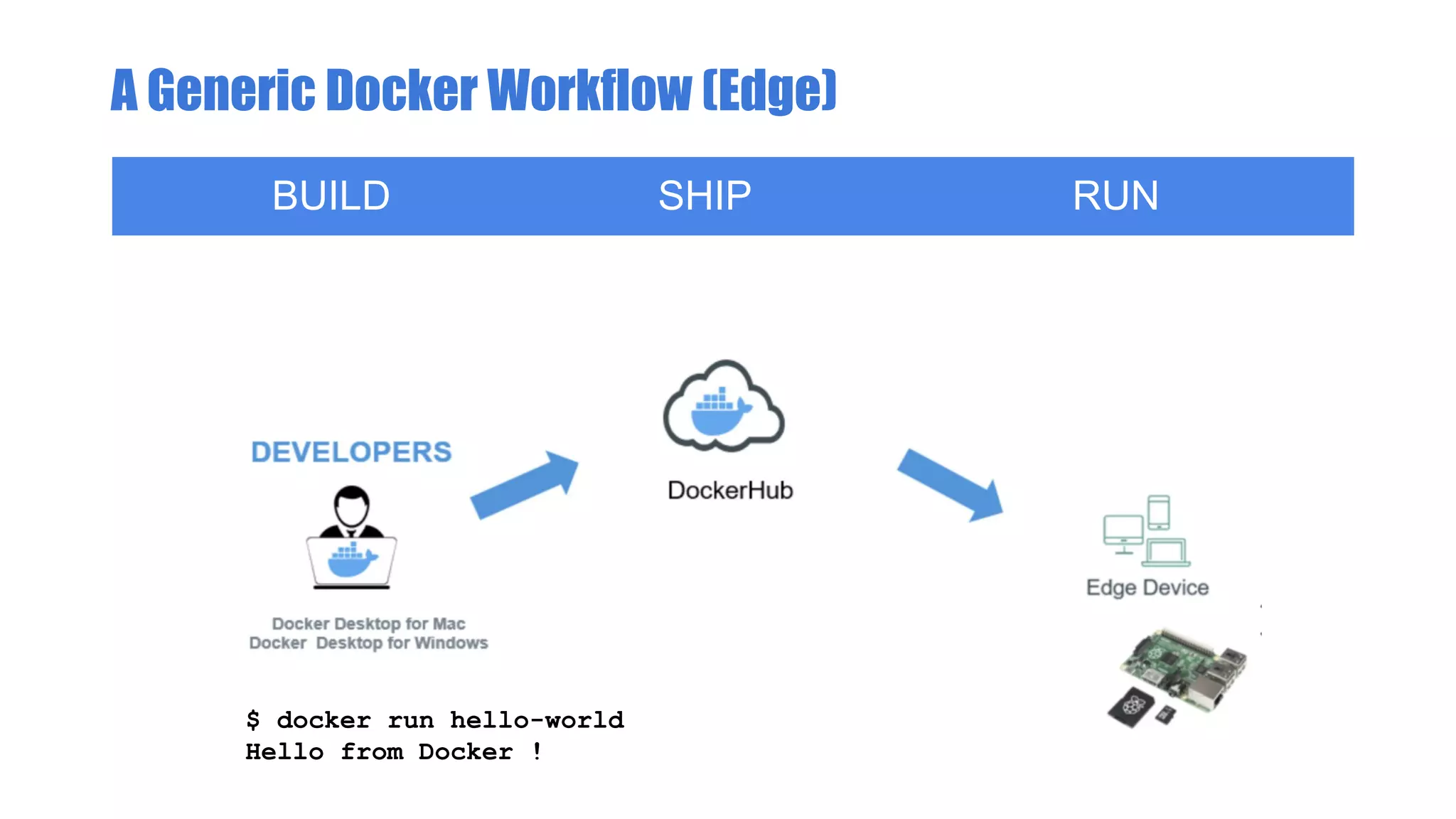
A Generic Docker Workflow (Edge)
BUILD SHIP RUN
$ docker run hello-world
Hello from Docker !
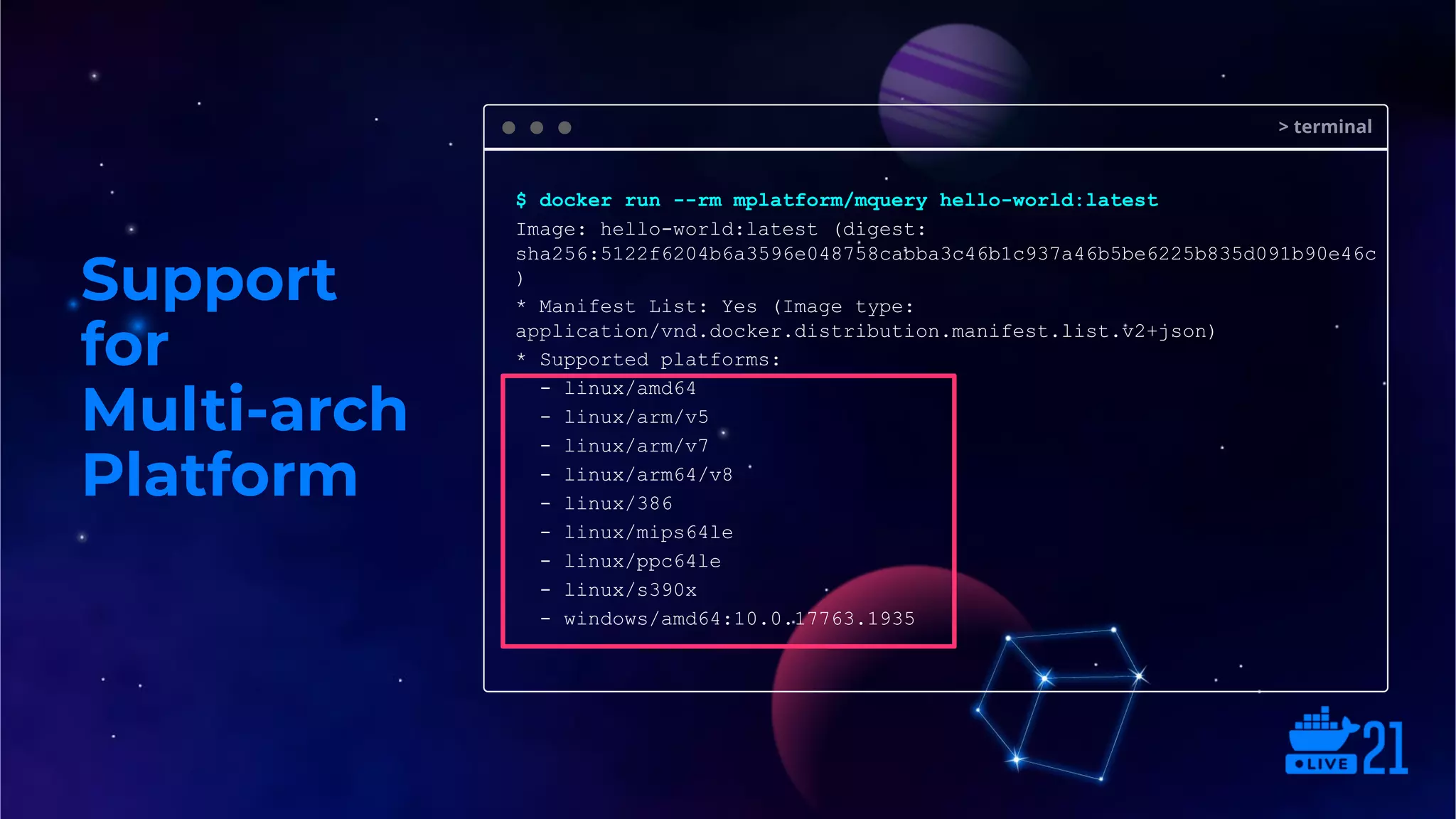
Support
for
Multi-arch
Platform
> terminal
$ docker run --rm mplatform/mquery hello-world:latest
Image: hello-world:latest (digest:
sha256:5122f6204b6a3596e048758cabba3c46b1c937a46b5be6225b835d091b90e46c
)
* Manifest List: Yes (Image type:
application/vnd.docker.distribution.manifest.list.v2+json)
* Supported platforms:
- linux/amd64
- linux/arm/v5
- linux/arm/v7
- linux/arm64/v8
- linux/386
- linux/mips64le
- linux/ppc64le
- linux/s390x
- windows/amd64:10.0.17763.1935
Do I need ARM-based devices to
build ARM-based images?
Not necessarily.
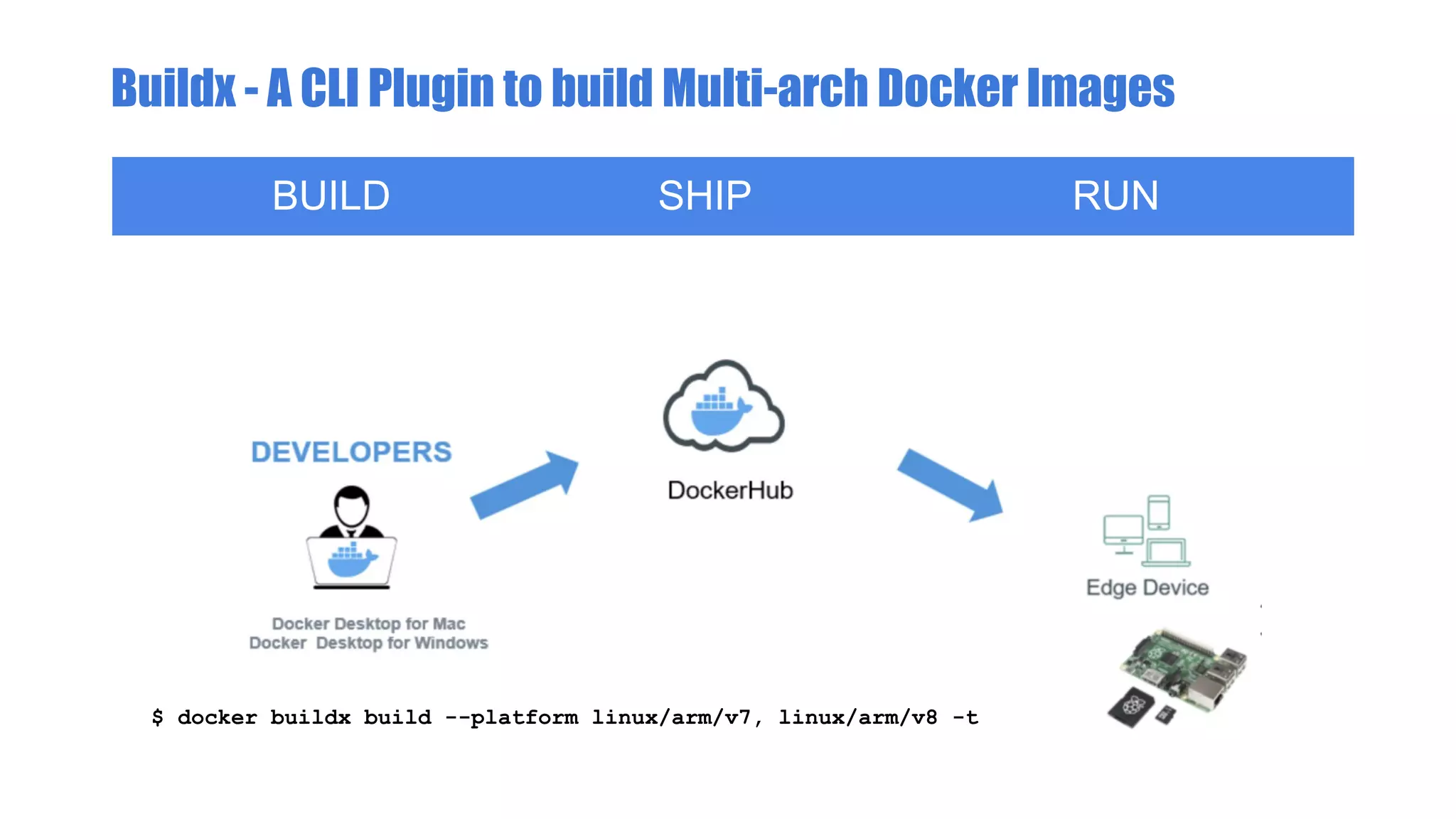
Buildx - A CLI Plugin to build Multi-arch Docker Images
BUILD SHIP RUN
$ docker buildx build --platform linux/arm/v7, linux/arm/v8 -t
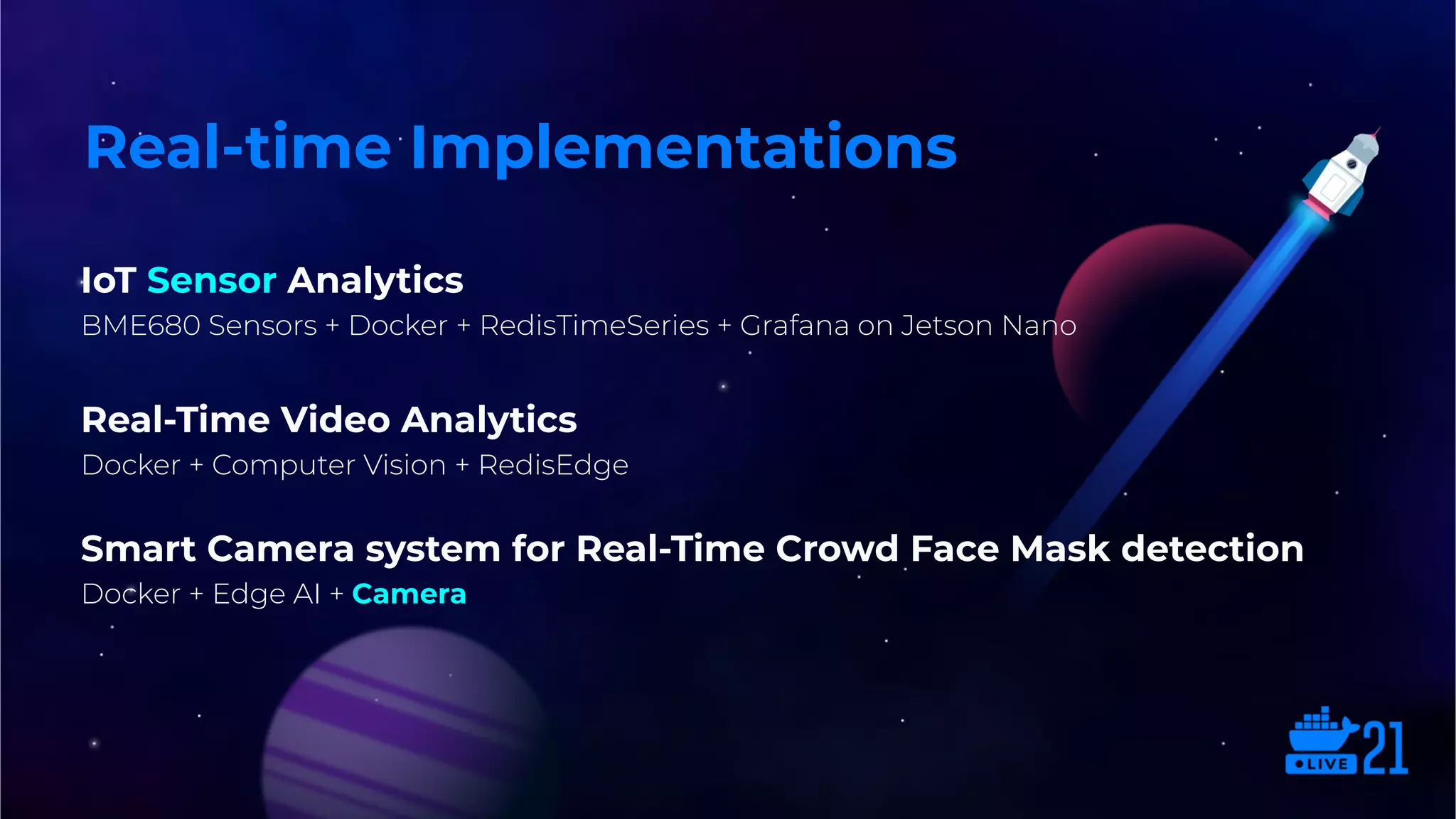
IoT Sensor Analytics
BME680 Sensors + Docker + RedisTimeSeries + Grafana on Jetson Nano
Real-Time Video Analytics
Docker + Computer Vision + RedisEdge
Smart Camera system for Real-Time Crowd Face Mask detection
Docker + Edge AI + Camera
Real-time Implementations
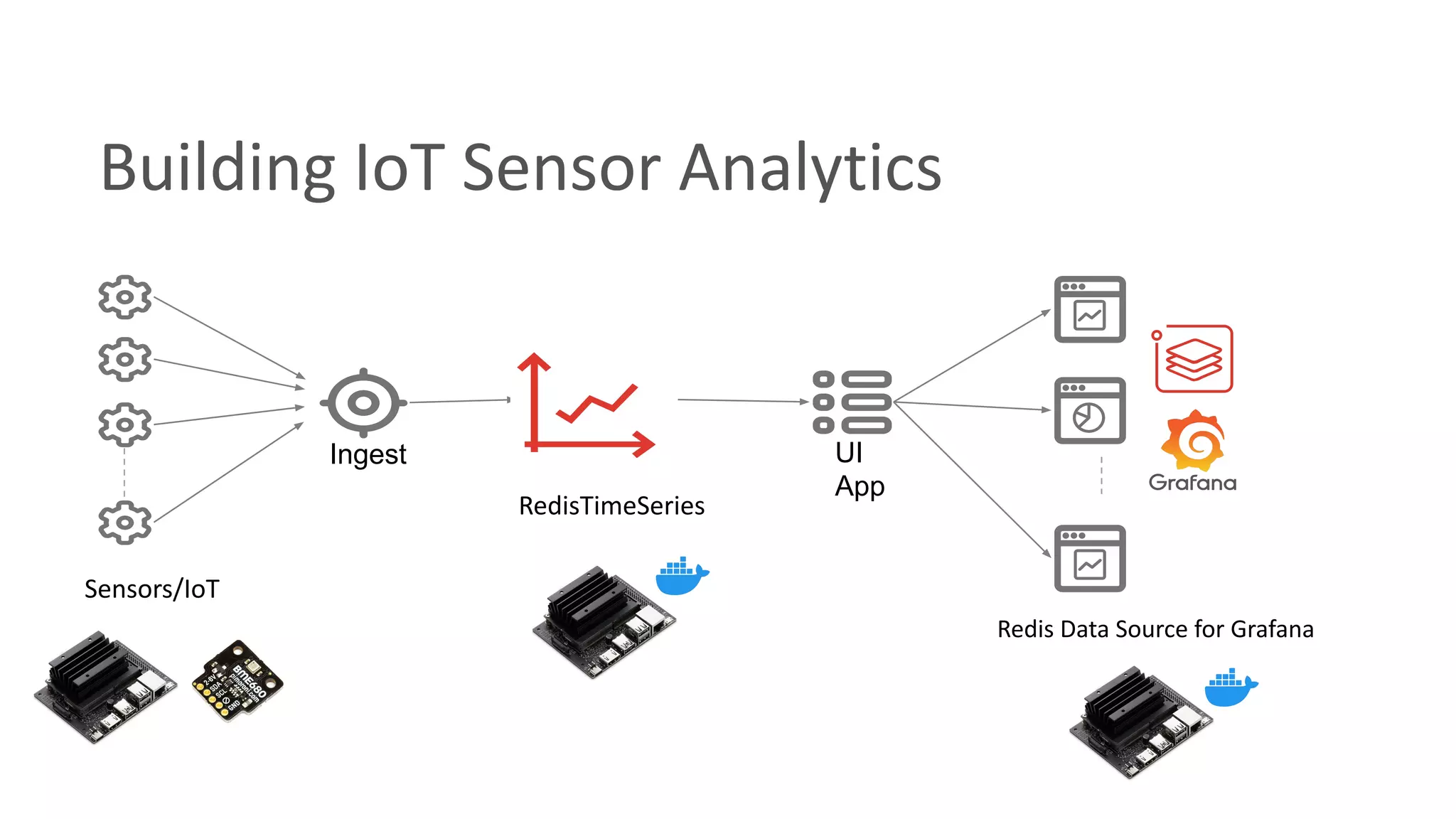
Building IoT Sensor Analytics
Ingest UI
App
RedisTimeSeries
Sensors/IoT
Redis Data Source for Grafana
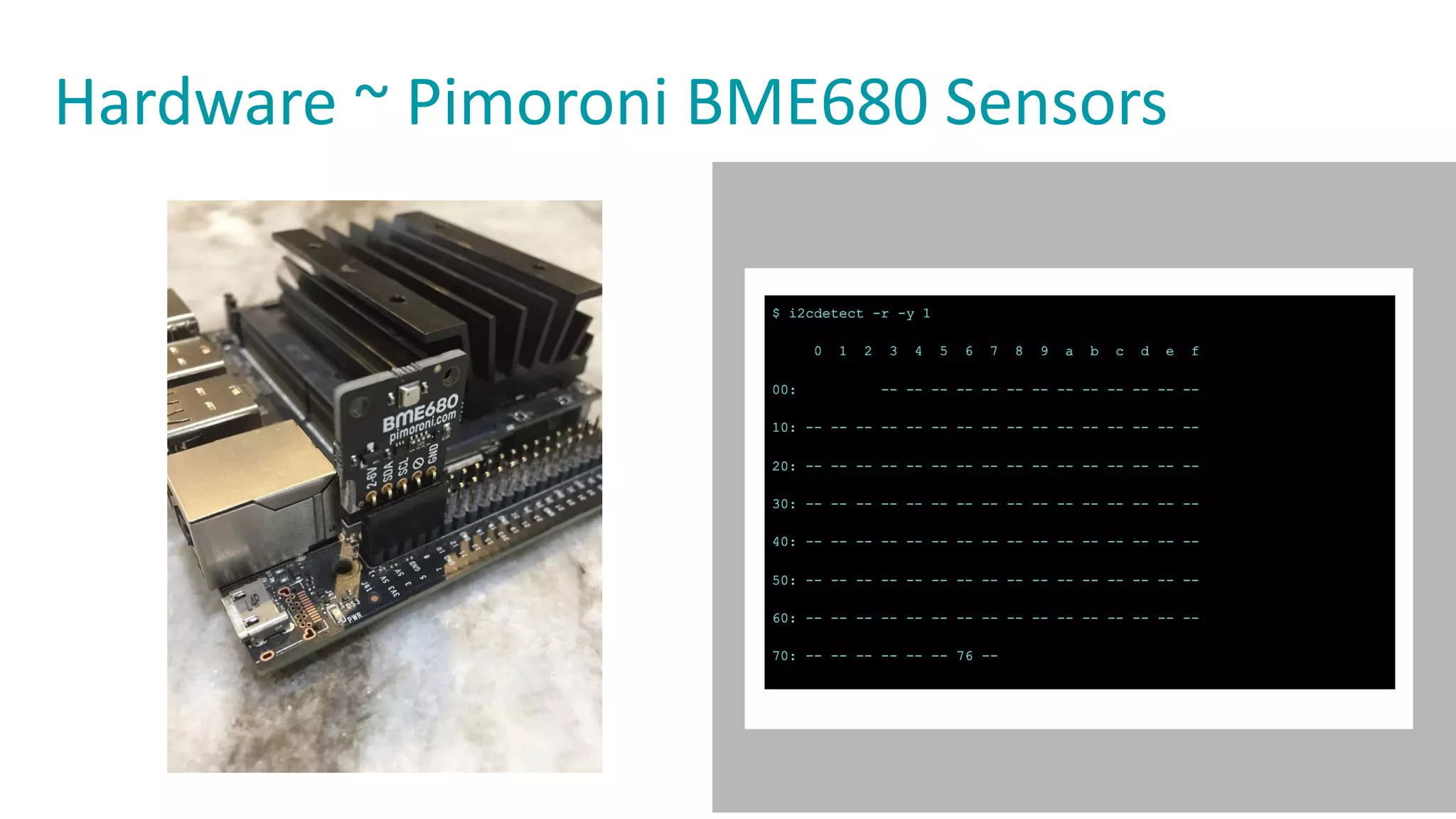
Hardware ~ Pimoroni BME680 Sensors
Build on Open Source
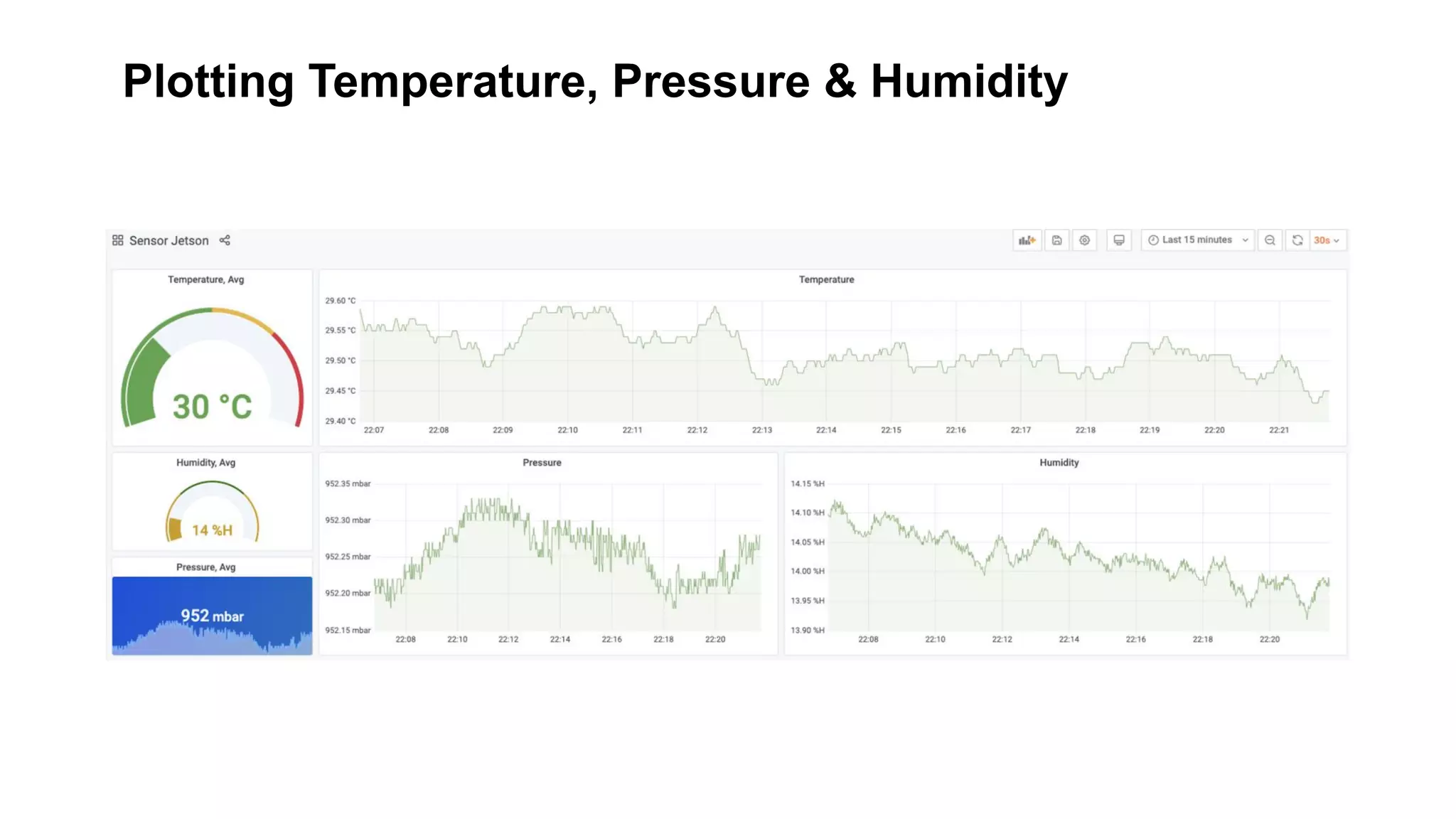
Plotting Temperature, Pressure & Humidity
It’s Demo time..
Real-Time Crowd Face Mask detection
Docker + Edge AI + Camera
Running Mask detection system
Build on Open Source
● Open the daemon.json ( /etc/docker/daemon.json)
{
"runtimes": {
"nvidia": {
"path": "/usr/bin/nvidia-container-runtime",
"runtimeArgs": []
}
}
}
● Restart docker
$ systemctl restart docker
You also need to install nvidia-container-runtime
$ sudo apt install nvidia-container-runtime
$ sudo docker pull maskcam/maskcam-beta
$ sudo docker run --runtime nvidia --privileged --rm
-it --env MASKCAM_DEVICE_ADDRESS=<your-jetson-ip> -p
1883:1883 -p 8080:8080 -p 8554:8554
maskcam/maskcam-beta
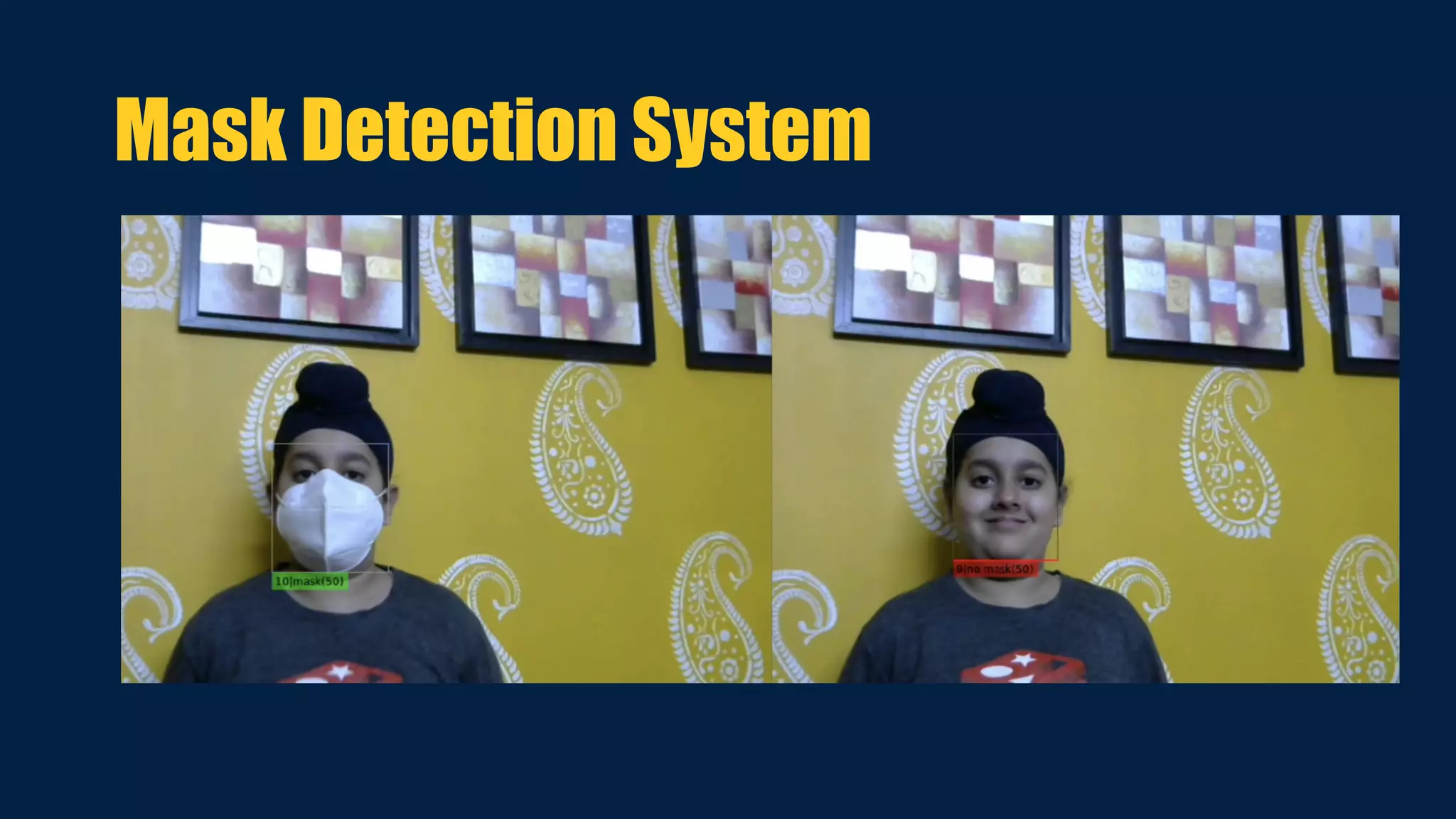
Mask Detection System
References
https://github.com/collabnix/ioetplanet
https://collabnix.com
https://github.com/redis-developer/redis-datasets
https://github.com/collabnix/redisedge-grafana
Thank You.

Delivering Container-based Apps to IoT Edge devices

  • 1.
    Ajeet Singh Raina Delivering Container-based Appsto IoT Edge devices Developer Relations Manager, Redis Labs @ajeetsraina
  • 2.
    - Docker Captain -ARM Innovator - Author @ collabnix.com - Docker Community Leader - DevRel at Redis Labs - Worked in Dell, VMware & CGI About Me Ajeet Singh Raina
  • 3.
    - The Riseof Docker for AI - Autonomous Robotic Platform - Docker on IoT Edge - IoT Edge Sensor Analytics - Real-time video analytics - Real-time Crowd Mask detection Agenda
  • 5.
    Around 94% ofAI Adopters are using or plan to use containers within 1 year time. Source: 451 Research
  • 6.
    A Food DeliveryRobot - An autonomous robot system - Camera - Sensors - GPS - NVIDIA Jetson TX2 A Food Delivery Robot - An autonomous robot system - Camera - Sensors - GPS - NVIDIA Jetson board
  • 7.
    NVIDIA Jetson NanoEdge - AI Computer 2 GB / 4 GB $59 / $99
  • 8.
    But how shallI build app for such robotic platform in a faster pace?
  • 11.
    Docker on NVIDIAJetson Nano Build on Open Source ● Install the latest version of Docker curl https://get.docker.com | sh && sudo systemctl --now enable docker ● Setting NVIDIA Container Toolkit distribution=$(. /etc/os-release;echo $ID$VERSION_ID) && curl -s -L https://nvidia.github.io/nvidia-docker/gpgkey | sudo apt-key add - && curl -s -L https://nvidia.github.io/nvidia-docker/$distribution/nvidia-docker.list | sudo tee /etc/apt/sources.list.d/nvidia-docker.list ● Install nvidia-docker2 package $ sudo apt-get install -y nvidia-docker2 $ sudo systemctl restart docker ● Running Ubuntu ARM container docker run -it arm64v8/ubuntu /bin/bash
  • 12.
    Docker access toNVIDIA GPU Build on Open Source ● Pre-requisite $ apt-get install nvidia-container-runtime ● Expose GPU for use $ docker run -it --rm --gpus all ubuntu nvidia-smi ● Specify the GPUs $ docker run -it --rm --gpus device=GPU-3a23c669-1f69-c64e-cf85-44e9b07e7a2a ubuntu nvidia-smi ● Set NVIDIA capabilities $ docker run --gpus 'all,capabilities=utility' --rm ubuntu nvidia-smi
  • 13.
    Enabling GPU accesswith Compose Build on Open Source ● Compose services can define GPU device reservations services: test: image: nvidia/cuda:10.2-base command: nvidia-smi deploy: resources: reservations: devices: - driver: nvidia count: 1 capabilities: [gpu, utility] ia-smi ● Specify the GPUs $ docker-compose up Creating network "gpu_default" with the default driver Creating gpu_test_1 ... done Attaching to gpu_test_1 test_1 | +----------------------------------------------------- ------------------------+ test_1 | | NVIDIA-SMI 450.80.02 Driver Version: 450.80.02 CUDA Version: 11.1 | test_1 | |-------------------------------+--------------------- -+----------------------+ ====================================================== ==============|
  • 14.
    Interesting? How shallI build those apps from scratch? - -
  • 15.
    A Generic DockerWorkflow BUILD SHIP RUN
  • 16.
    A Generic DockerWorkflow BUILD SHIP RUN $ docker run ajeetraina/hellowhale:latest
  • 17.
    Identifying the Docker Image Arch > terminal $ dockerrun --rm mplatform/mquery ajeetraina/hellowhale:latest Image: ajeetraina/hellowhale:latest (digest: sha256:50e5d8b034ff3a0d537224e332da0ee74e393df36acefa6859daba5 8712ad1f4) * Manifest List: No (Image type: application/vnd.docker.distribution.manifest.v2+json) * Supports: linux/amd64
  • 18.
    A Generic DockerWorkflow (Edge) BUILD SHIP RUN
  • 19.
    A Generic DockerWorkflow (Edge) BUILD SHIP RUN $ docker run hello-world Hello from Docker !
  • 20.
    Support for Multi-arch Platform > terminal $ dockerrun --rm mplatform/mquery hello-world:latest Image: hello-world:latest (digest: sha256:5122f6204b6a3596e048758cabba3c46b1c937a46b5be6225b835d091b90e46c ) * Manifest List: Yes (Image type: application/vnd.docker.distribution.manifest.list.v2+json) * Supported platforms: - linux/amd64 - linux/arm/v5 - linux/arm/v7 - linux/arm64/v8 - linux/386 - linux/mips64le - linux/ppc64le - linux/s390x - windows/amd64:10.0.17763.1935
  • 21.
    Do I needARM-based devices to build ARM-based images? Not necessarily.
  • 22.
    Buildx - ACLI Plugin to build Multi-arch Docker Images BUILD SHIP RUN $ docker buildx build --platform linux/arm/v7, linux/arm/v8 -t
  • 23.
    IoT Sensor Analytics BME680Sensors + Docker + RedisTimeSeries + Grafana on Jetson Nano Real-Time Video Analytics Docker + Computer Vision + RedisEdge Smart Camera system for Real-Time Crowd Face Mask detection Docker + Edge AI + Camera Real-time Implementations
  • 24.
    Building IoT SensorAnalytics Ingest UI App RedisTimeSeries Sensors/IoT Redis Data Source for Grafana
  • 25.
    Hardware ~ PimoroniBME680 Sensors Build on Open Source
  • 26.
  • 27.
  • 28.
    Real-Time Crowd FaceMask detection Docker + Edge AI + Camera
  • 29.
    Running Mask detectionsystem Build on Open Source ● Open the daemon.json ( /etc/docker/daemon.json) { "runtimes": { "nvidia": { "path": "/usr/bin/nvidia-container-runtime", "runtimeArgs": [] } } } ● Restart docker $ systemctl restart docker You also need to install nvidia-container-runtime $ sudo apt install nvidia-container-runtime $ sudo docker pull maskcam/maskcam-beta $ sudo docker run --runtime nvidia --privileged --rm -it --env MASKCAM_DEVICE_ADDRESS=<your-jetson-ip> -p 1883:1883 -p 8080:8080 -p 8554:8554 maskcam/maskcam-beta
  • 30.
  • 31.
  • 32.