Cloud Storage Introduction
Sept, 2015
CLOUD STORAGE INTRO
Software Define Storage
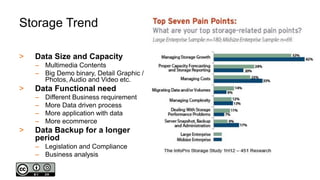
Storage Trend
> Data Size and Capacity
– Multimedia Contents
– Big Demo binary, Detail Graphic /
Photos, Audio and Video etc.
> Data Functional need
– Different Business requirement
– More Data driven process
– More application with data
– More ecommerce
> Data Backup for a longer
period
– Legislation and Compliance
– Business analysis
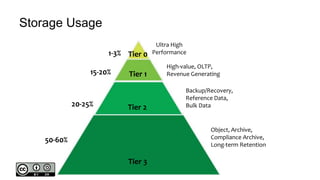
Storage Usage
Tier 0
Ultra High
Performance
Tier 1
High-value, OLTP,
Revenue Generating
Tier 2
Backup/Recovery,
Reference Data,
Bulk Data
Tier 3
Object, Archive,
Compliance Archive,
Long-term Retention
1-3%
15-20%
20-25%
50-60%
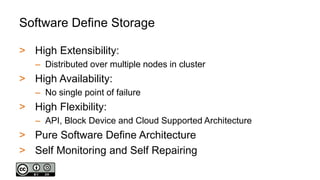
Software Define Storage
> High Extensibility:
– Distributed over multiple nodes in cluster
> High Availability:
– No single point of failure
> High Flexibility:
– API, Block Device and Cloud Supported Architecture
> Pure Software Define Architecture
> Self Monitoring and Self Repairing
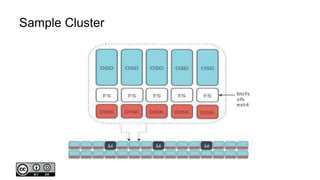
Sample Cluster
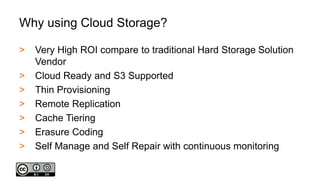
Why using Cloud Storage?
> Very High ROI compare to traditional Hard Storage Solution
Vendor
> Cloud Ready and S3 Supported
> Thin Provisioning
> Remote Replication
> Cache Tiering
> Erasure Coding
> Self Manage and Self Repair with continuous monitoring
Other Key Features
> Support client from multiple OS
> Data encryption over physical disk ( more CPU needed)
> On the fly data compression
> Basically Unlimited Extendibility
> Copy-On-Writing ( Clone and Snapshot )
> iSCSI support ( VM and thin client etc )
WHO USING IT ?
Show Cases of Cloud Storage
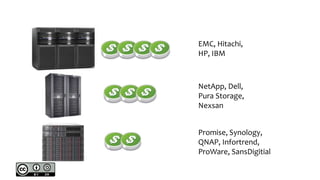
EMC, Hitachi,
HP, IBM
NetApp, Dell,
Pura Storage,
Nexsan
Promise, Synology,
QNAP, Infortrend,
ProWare, SansDigitial
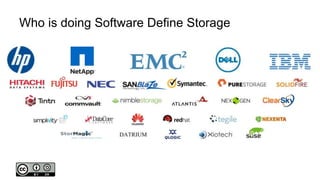
Who is doing Software Define Storage
Who is using software define storage?
HOW MUCH?
What if we use Software Define Storage?
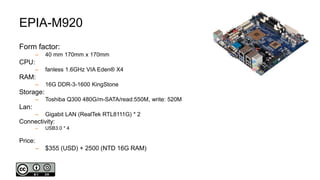
EPIA-M920
Form factor:
– 40 mm 170mm x 170mm
CPU:
– fanless 1.6GHz VIA Eden® X4
RAM:
– 16G DDR-3-1600 KingStone
Storage:
– Toshiba Q300 480G/m-SATA/read:550M, write: 520M
Lan:
– Gigabit LAN (RealTek RTL8111G) * 2
Connectivity:
– USB3.0 * 4
Price:
– $355 (USD) + 2500 (NTD 16G RAM)
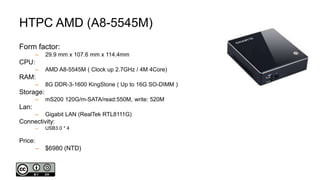
HTPC AMD (A8-5545M)
Form factor:
– 29.9 mm x 107.6 mm x 114.4mm
CPU:
– AMD A8-5545M ( Clock up 2.7GHz / 4M 4Core)
RAM:
– 8G DDR-3-1600 KingStone ( Up to 16G SO-DIMM )
Storage:
– mS200 120G/m-SATA/read:550M, write: 520M
Lan:
– Gigabit LAN (RealTek RTL8111G)
Connectivity:
– USB3.0 * 4
Price:
– $6980 (NTD)
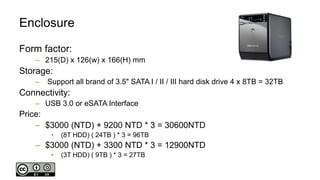
Enclosure
Form factor:
– 215(D) x 126(w) x 166(H) mm
Storage:
– Support all brand of 3.5" SATA I / II / III hard disk drive 4 x 8TB = 32TB
Connectivity:
– USB 3.0 or eSATA Interface
Price:
– $3000 (NTD) + 9200 NTD * 3 = 30600NTD
• (8T HDD) ( 24TB ) * 3 = 96TB
– $3000 (NTD) + 3300 NTD * 3 = 12900NTD
• (3T HDD) ( 9TB ) * 3 = 27TB
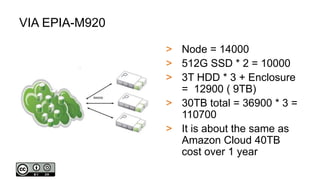
VIA EPIA-M920
> Node = 14000
> 512G SSD * 2 = 10000
> 3T HDD * 3 + Enclosure
= 12900 ( 9TB)
> 30TB total = 36900 * 3 =
110700
> It is about the same as
Amazon Cloud 40TB
cost over 1 year
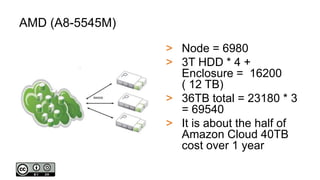
AMD (A8-5545M)
> Node = 6980
> 3T HDD * 4 +
Enclosure = 16200
( 12 TB)
> 36TB total = 23180 * 3
= 69540
> It is about the half of
Amazon Cloud 40TB
cost over 1 year
QUICK 3 NODE SETUP
Demo basic setup of a small cluster
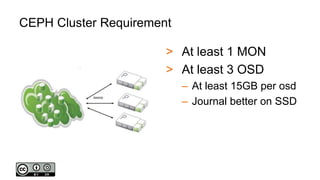
CEPH Cluster Requirement
> At least 1 MON
> At least 3 OSD
– At least 15GB per osd
– Journal better on SSD
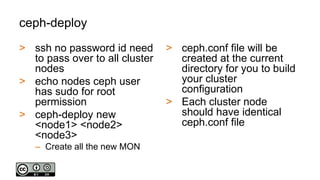
ceph-deploy
> ssh no password id need
to pass over to all cluster
nodes
> echo nodes ceph user
has sudo for root
permission
> ceph-deploy new
<node1> <node2>
<node3>
– Create all the new MON
> ceph.conf file will be
created at the current
directory for you to build
your cluster
configuration
> Each cluster node
should have identical
ceph.conf file
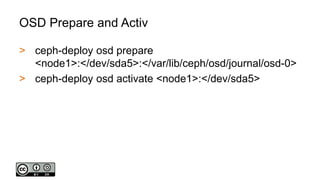
OSD Prepare and Activ
> ceph-deploy osd prepare
<node1>:</dev/sda5>:</var/lib/ceph/osd/journal/osd-0>
> ceph-deploy osd activate <node1>:</dev/sda5>
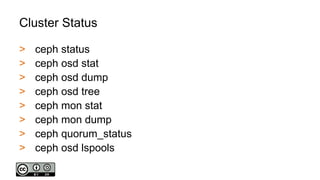
Cluster Status
> ceph status
> ceph osd stat
> ceph osd dump
> ceph osd tree
> ceph mon stat
> ceph mon dump
> ceph quorum_status
> ceph osd lspools
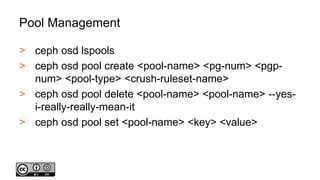
Pool Management
> ceph osd lspools
> ceph osd pool create <pool-name> <pg-num> <pgp-
num> <pool-type> <crush-ruleset-name>
> ceph osd pool delete <pool-name> <pool-name> --yes-
i-really-really-mean-it
> ceph osd pool set <pool-name> <key> <value>
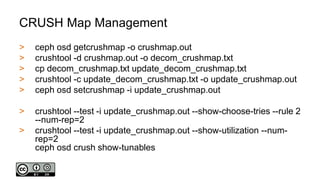
CRUSH Map Management
> ceph osd getcrushmap -o crushmap.out
> crushtool -d crushmap.out -o decom_crushmap.txt
> cp decom_crushmap.txt update_decom_crushmap.txt
> crushtool -c update_decom_crushmap.txt -o update_crushmap.out
> ceph osd setcrushmap -i update_crushmap.out
> crushtool --test -i update_crushmap.out --show-choose-tries --rule 2
--num-rep=2
> crushtool --test -i update_crushmap.out --show-utilization --num-
rep=2
ceph osd crush show-tunables
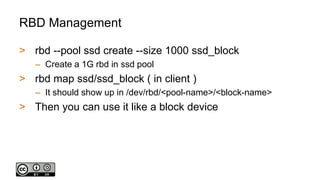
RBD Management
> rbd --pool ssd create --size 1000 ssd_block
– Create a 1G rbd in ssd pool
> rbd map ssd/ssd_block ( in client )
– It should show up in /dev/rbd/<pool-name>/<block-name>
> Then you can use it like a block device
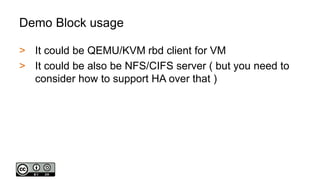
Demo Block usage
> It could be QEMU/KVM rbd client for VM
> It could be also be NFS/CIFS server ( but you need to
consider how to support HA over that )
WHAT NEXT?
Email me avengermojo@gmail.com
Let me know what you want to hear next

Cloud Storage Introduction ( CEPH )

  • 1.
  • 2.
  • 3.
    Storage Trend > DataSize and Capacity – Multimedia Contents – Big Demo binary, Detail Graphic / Photos, Audio and Video etc. > Data Functional need – Different Business requirement – More Data driven process – More application with data – More ecommerce > Data Backup for a longer period – Legislation and Compliance – Business analysis
  • 4.
    Storage Usage Tier 0 UltraHigh Performance Tier 1 High-value, OLTP, Revenue Generating Tier 2 Backup/Recovery, Reference Data, Bulk Data Tier 3 Object, Archive, Compliance Archive, Long-term Retention 1-3% 15-20% 20-25% 50-60%
  • 5.
    Software Define Storage >High Extensibility: – Distributed over multiple nodes in cluster > High Availability: – No single point of failure > High Flexibility: – API, Block Device and Cloud Supported Architecture > Pure Software Define Architecture > Self Monitoring and Self Repairing
  • 6.
  • 7.
    Why using CloudStorage? > Very High ROI compare to traditional Hard Storage Solution Vendor > Cloud Ready and S3 Supported > Thin Provisioning > Remote Replication > Cache Tiering > Erasure Coding > Self Manage and Self Repair with continuous monitoring
  • 8.
    Other Key Features >Support client from multiple OS > Data encryption over physical disk ( more CPU needed) > On the fly data compression > Basically Unlimited Extendibility > Copy-On-Writing ( Clone and Snapshot ) > iSCSI support ( VM and thin client etc )
  • 9.
    WHO USING IT? Show Cases of Cloud Storage
  • 10.
    EMC, Hitachi, HP, IBM NetApp,Dell, Pura Storage, Nexsan Promise, Synology, QNAP, Infortrend, ProWare, SansDigitial
  • 11.
    Who is doingSoftware Define Storage
  • 12.
    Who is usingsoftware define storage?
  • 13.
    HOW MUCH? What ifwe use Software Define Storage?
  • 14.
    EPIA-M920 Form factor: – 40mm 170mm x 170mm CPU: – fanless 1.6GHz VIA Eden® X4 RAM: – 16G DDR-3-1600 KingStone Storage: – Toshiba Q300 480G/m-SATA/read:550M, write: 520M Lan: – Gigabit LAN (RealTek RTL8111G) * 2 Connectivity: – USB3.0 * 4 Price: – $355 (USD) + 2500 (NTD 16G RAM)
  • 15.
    HTPC AMD (A8-5545M) Formfactor: – 29.9 mm x 107.6 mm x 114.4mm CPU: – AMD A8-5545M ( Clock up 2.7GHz / 4M 4Core) RAM: – 8G DDR-3-1600 KingStone ( Up to 16G SO-DIMM ) Storage: – mS200 120G/m-SATA/read:550M, write: 520M Lan: – Gigabit LAN (RealTek RTL8111G) Connectivity: – USB3.0 * 4 Price: – $6980 (NTD)
  • 16.
    Enclosure Form factor: – 215(D)x 126(w) x 166(H) mm Storage: – Support all brand of 3.5" SATA I / II / III hard disk drive 4 x 8TB = 32TB Connectivity: – USB 3.0 or eSATA Interface Price: – $3000 (NTD) + 9200 NTD * 3 = 30600NTD • (8T HDD) ( 24TB ) * 3 = 96TB – $3000 (NTD) + 3300 NTD * 3 = 12900NTD • (3T HDD) ( 9TB ) * 3 = 27TB
  • 17.
    VIA EPIA-M920 > Node= 14000 > 512G SSD * 2 = 10000 > 3T HDD * 3 + Enclosure = 12900 ( 9TB) > 30TB total = 36900 * 3 = 110700 > It is about the same as Amazon Cloud 40TB cost over 1 year
  • 18.
    AMD (A8-5545M) > Node= 6980 > 3T HDD * 4 + Enclosure = 16200 ( 12 TB) > 36TB total = 23180 * 3 = 69540 > It is about the half of Amazon Cloud 40TB cost over 1 year
  • 19.
    QUICK 3 NODESETUP Demo basic setup of a small cluster
  • 20.
    CEPH Cluster Requirement >At least 1 MON > At least 3 OSD – At least 15GB per osd – Journal better on SSD
  • 21.
    ceph-deploy > ssh nopassword id need to pass over to all cluster nodes > echo nodes ceph user has sudo for root permission > ceph-deploy new <node1> <node2> <node3> – Create all the new MON > ceph.conf file will be created at the current directory for you to build your cluster configuration > Each cluster node should have identical ceph.conf file
  • 22.
    OSD Prepare andActiv > ceph-deploy osd prepare <node1>:</dev/sda5>:</var/lib/ceph/osd/journal/osd-0> > ceph-deploy osd activate <node1>:</dev/sda5>
  • 23.
    Cluster Status > cephstatus > ceph osd stat > ceph osd dump > ceph osd tree > ceph mon stat > ceph mon dump > ceph quorum_status > ceph osd lspools
  • 24.
    Pool Management > cephosd lspools > ceph osd pool create <pool-name> <pg-num> <pgp- num> <pool-type> <crush-ruleset-name> > ceph osd pool delete <pool-name> <pool-name> --yes- i-really-really-mean-it > ceph osd pool set <pool-name> <key> <value>
  • 25.
    CRUSH Map Management >ceph osd getcrushmap -o crushmap.out > crushtool -d crushmap.out -o decom_crushmap.txt > cp decom_crushmap.txt update_decom_crushmap.txt > crushtool -c update_decom_crushmap.txt -o update_crushmap.out > ceph osd setcrushmap -i update_crushmap.out > crushtool --test -i update_crushmap.out --show-choose-tries --rule 2 --num-rep=2 > crushtool --test -i update_crushmap.out --show-utilization --num- rep=2 ceph osd crush show-tunables
  • 26.
    RBD Management > rbd--pool ssd create --size 1000 ssd_block – Create a 1G rbd in ssd pool > rbd map ssd/ssd_block ( in client ) – It should show up in /dev/rbd/<pool-name>/<block-name> > Then you can use it like a block device
  • 27.
    Demo Block usage >It could be QEMU/KVM rbd client for VM > It could be also be NFS/CIFS server ( but you need to consider how to support HA over that )
  • 28.
    WHAT NEXT? Email meavengermojo@gmail.com Let me know what you want to hear next