Cloud
Formation
Agenda
1. Introduction
2. Benefits
3. Concepts
4. Templates
5. CLITool
6. Cloud FormationDemo
7. Cloud Former(Intro)
8. Questions
AWS Services That We Use
Amazon
S3
Amazon
EC2
AMI
ElasticLoad
Balancing
Amazon
RDS
CloudWatch
Deployment
Amazon SES
Amazon
SNS
AmazonSQS Snapshot
Amazon
EBS
What If…
AWS
CloudForm
ation
Amazon
S3
Amazon
EC2
AMI
ElasticLoad
Balancing
Amazon
RDS
Cloud
Watch
Deployment
Amazon
SES
Amazon
SNS
Amazon
SQS
Snap
shot
Amazo
nEBS
Cloud Formation
Source :http://docs.aws.amazon.com
• Create and Manage AWS resources
• JSONFile
• No need to worry about sequence or dependencies
• EasilyReplicable
• Use config file any number of times
• UseCloudformer
• Ful control over all the resources
• And itsFree
Concepts
• Template
• Stack
Template
• Describes Infrastructure
• Textfile in JSONFormat
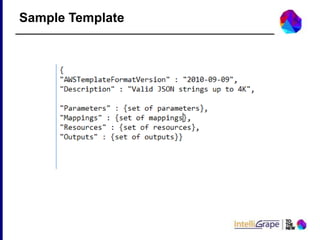
• A template has 6 objects
 Formatversion
 Description
 Parameters
 Mappings
 Resources
 Outputs
Sample Template
Parameters
Parameters
• Composedof the key, value
• Delimited by acomma
• Properties
 Type
 Default
 NoEcho
 AllowedValues
 MaxLength
 MinLength
 MaxValue
 MinValue
 Description
Parameters
• Pseudo Parameters
 AWS::Region
Returns a string representing the AWS Region in which the
encompassing resource isbeing created.
 AWS::StackName
Returns the name of the stack as specified with the cfn-create-
stack command.
Resources
• Describes the AWSresource
• Comma separated
• Non-optional part
• Each resource must have a logical name unique within the template
• You must specify the type for each resource
Resources Type
• Types
 AWS::AutoScaling::*
 AWS::CloudFormation::*
 AWS::EC2::*
 AWS::ElasticLoadBalancing::*
 AWS::IAM::*
 AWS::RDS::*
 AWS::RDS::*
 AWS::S3::*
 AWS::RDS::*
Stack
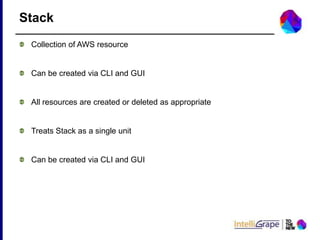
• Collection ofAWS resource
• Can be created via CLI and GUI
• All resources are created or deleted as appropriate
• TreatsStack as a single unit
• Can be created via CLI and GUI
Steps to creating a Template
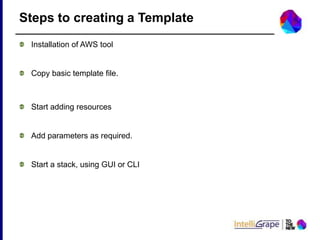
• Installation of AWStool
• Copy basictemplate file
• Start adding resources
• Add parameters asrequired
• Starta stack, using GUI or CLI
CFN, the CLI Tool
• cfn-create-stack
• cfn-vaidate-stack
• cfn-delete-stack
• cfn-describe-stacks
• cfn-describe-stack-events
• cfn-describe-stack-resources
• cfn-list-stack-resources
• cfn-list-stacks
• cfn-update-stack
• cfn-cancel-update-stack
Cloud Formation Demo
 Cloud Formationtemplatewhich
 Create an instance with word press site
 Interacts with RDSinstance
 https://s3.amazonaws.com/cloudformation-templates-us-east-
1/WordPress_Single_Instance_With_RDS.template
Issues
• Complextemplates
• Hardtowriteand understand
• Takesa majorchunkoftime
• Tooltocreate templatesforCloud Formation
• Usesexistingarchitecture
 Allows to create template from existing resources
 GUI
 Templates can be modified.
• PredefinedCloud Formationtemplatecan be usedtosetupCloud
Former
Cloud Former
• Create a perfectstackand replicateitagain andagain
• IntegratewithChef/Puppettogainmore power
• Can be usedtocreate a serverwithweb-app application pre installed
Possibilities
References
 OnlineDocumentation
• http://aws.amazon.com/cloudformation/
 SampleTemplates
• http://docs.aws.amazon.com/AWSCloudFormation/latest/UserGuid
e/CHAP_TemplateQuickRef.html
Contact us
Here’s how TOTHENEW
uses AWS for better
infrastructure management
for your customers.
Click Here To Know More!
Have more queries on
AWS?
Talk to our AWS
experts Now!
Talk To Our Experts!
Our Office
Client Location

Cloud Formation