OPENSHIFT

baron@baronchandler.com
Baron Chandler
@msthebaron
AGENDA
• What is OpenShift?
• How much does it cost?
• Gears and Cartridges

• Why does

WiserTogether use
OpenShift?
• How can I play?
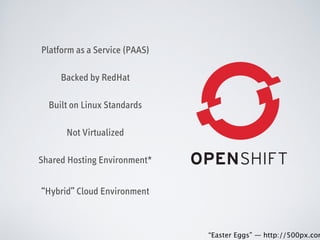
Platform as a Service (PAAS)
Backed by RedHat
Built on Linux Standards
Not Virtualized
Shared Hosting Environment*
“Hybrid” Cloud Environment
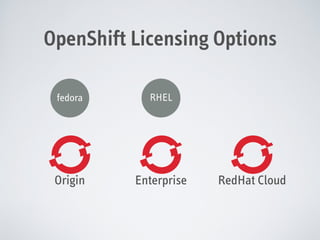
OpenShift Licensing Options
fedora

RHEL

Origin

Enterprise

RedHat Cloud
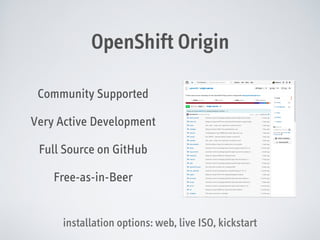
OpenShift Origin
Community Supported
Very Active Development
Full Source on GitHub
Free-as-in-Beer
installation options: web, live ISO, kickstart
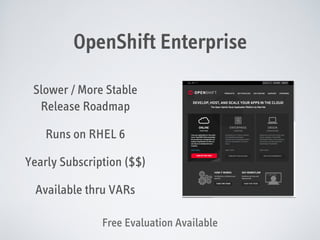
OpenShift Enterprise
Slower / More Stable
Release Roadmap
Runs on RHEL 6
Yearly Subscription ($$)
Available thru VARs
Free Evaluation Available
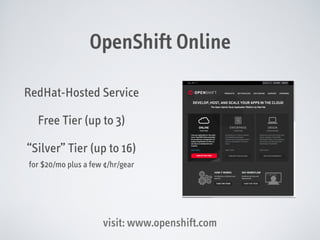
OpenShift Online
RedHat-Hosted Service
Free Tier (up to 3)
“Silver” Tier (up to 16)
for $20/mo plus a few ¢/hr/gear

visit: www.openshift.com
Quick Recap
•

RedHat’s foray into cloud offerings.

•

Built on standard Linux technology.

•

Three options: Origin (free), Enterprise ($$), Cloud
(hosted)
Gears and Cartridges
“((AND BEARS, OH, MY!!))”
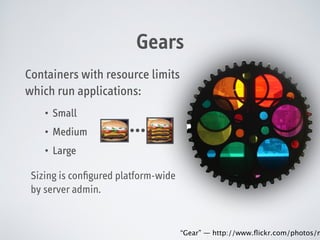
Gears
Containers with resource limits
which run applications:
•

Small

•

Medium

•

Large

…

Sizing is configured platform-wide
by server admin.

“Gear” — http://www.flickr.com/photos/m
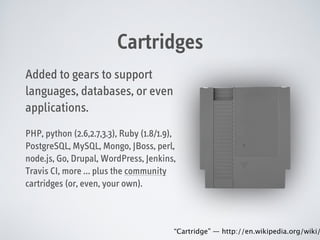
Cartridges
Added to gears to support
languages, databases, or even
applications.
PHP, python (2.6,2.7,3.3), Ruby (1.8/1.9),
PostgreSQL, MySQL, Mongo, JBoss, perl,
node.js, Go, Drupal, WordPress, Jenkins,
Travis CI, more … plus the community
cartridges (or, even, your own).

“Cartridge” — http://en.wikipedia.org/wiki/
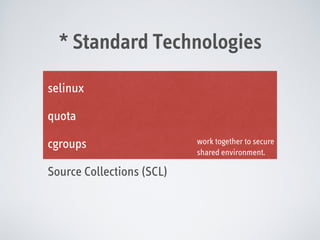
* Standard Technologies
selinux
quota
cgroups
Source Collections (SCL)

work together to secure
shared environment.
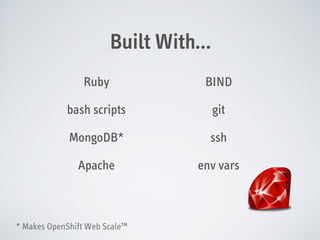
Built With…
Ruby

BIND

bash scripts

git

MongoDB*

ssh

Apache

env vars

* Makes OpenShift Web Scale™
Quick Recap
•

Built on standard Linux technology.

•

SCL allows multiple versions of code to be installed
together on the same running server.

•

Gears provide non-virtualized, secure, and
constrained shared environment for your code.

•

Features added with cartridges from RedHat,
community, or your own DIY cartridge repo.
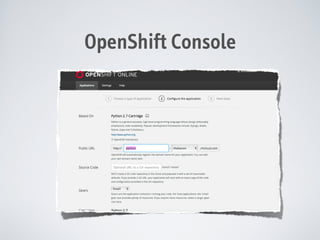
OpenShift Console
OpenShift RHC Tool
$ rhc
Usage: rhc [--help] [--version] [--debug] <command> [<args>]

!
Command
!

line interface for OpenShift.

Getting started:
create-app
apps
add-cartridge
set-env

Create an application
List all your applications
Add a cartridge to your application
Set one or more environment variable(s) to your application

Working with apps:
tail
snapshot
git-clone

Tail the logs of an application
Save the current state of your application locally
Clone and configure an application's repository locally

!

!

Management commands:
app
Commands for creating and managing applications
env
Manages user-defined environment variables set on a given
application
ssh
SSH into the specified application

!
So, Why Does

Wanna Use OpenShift?
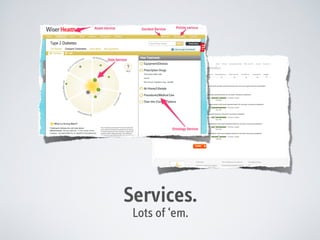
Services.
Lots of ‘em.
Release Management

Evolution of the Legacy Production and Staging Environment
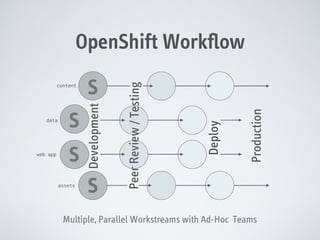
web app

S
assets

S

Production

S

Deploy

data

S
Development

content

Peer Review / Testing

OpenShift Workflow

Multiple, Parallel Workstreams with Ad-Hoc Teams
Other Advantages
• Ad-hoc workgroups and priorities.
• Similar config and deployment “machinery.”
• Cartridges = flexible stacks per service.
• Code no longer marinates in fetid waters.
Other Advantages
• Huggy-kissy technology for nerds.
• App configuration is $OPENSHIFT_ENV-driven.
• Hybrid cloud model.
Putting It Together
Knockout To Do
Demonstration
!
!

1. Create node.js app
2. ????
3. Profit.
Lots More Cool Stuff
•

Custom cartridges

•

Automated deploys / CI

•

Scalable applications

•

rhc / oo-* commands

•

Deploy hooks

•

Broker REST API

•

Group development

•

Snapshot and restore

•

Port forwarding

•

Logging and debugging

It’s Ruby, it’s shell, it’s Linux, you’ll find something to hack.
Broker: Master Control
Manages applications and DNS
Manages users, git, ssh on nodes
Runs OpenShift Console
Provides REST-style API
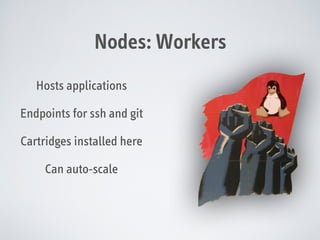
Nodes: Workers
Hosts applications
Endpoints for ssh and git
Cartridges installed here
Can auto-scale
You Can’t Win, If’n Y’on’t Play
https://www.openshift.com/
To sign up for 3 free hosted gears.

https://github.com/openshift/origin-server
Take a look at the code behind the curtain.

http://openshift.github.io/
The community OpenShift website.

#openshift-dev on Freenode
Talk smack about people’s mamas on IRC with the developers.
You Can’t Win, If’n Y’on’t Play
https://install.openshift.com/
“Easy Button” install your own instance.

http://openshift.github.io/documentation/oo_cartridge_developers_guide.html
All you need to know to roll your own.
https://mywiserhealth.com/

OpenShift Overview

  • 1.
  • 2.
    AGENDA • What isOpenShift? • How much does it cost? • Gears and Cartridges • Why does WiserTogether use OpenShift? • How can I play?
  • 3.
    Platform as aService (PAAS) Backed by RedHat Built on Linux Standards Not Virtualized Shared Hosting Environment* “Hybrid” Cloud Environment
  • 4.
  • 5.
    OpenShift Origin Community Supported VeryActive Development Full Source on GitHub Free-as-in-Beer installation options: web, live ISO, kickstart
  • 6.
    OpenShift Enterprise Slower /More Stable Release Roadmap Runs on RHEL 6 Yearly Subscription ($$) Available thru VARs Free Evaluation Available
  • 7.
    OpenShift Online RedHat-Hosted Service FreeTier (up to 3) “Silver” Tier (up to 16) for $20/mo plus a few ¢/hr/gear visit: www.openshift.com
  • 8.
    Quick Recap • RedHat’s forayinto cloud offerings. • Built on standard Linux technology. • Three options: Origin (free), Enterprise ($$), Cloud (hosted)
  • 9.
    Gears and Cartridges “((ANDBEARS, OH, MY!!))”
  • 10.
    Gears Containers with resourcelimits which run applications: • Small • Medium • Large … Sizing is configured platform-wide by server admin. “Gear” — http://www.flickr.com/photos/m
  • 11.
    Cartridges Added to gearsto support languages, databases, or even applications. PHP, python (2.6,2.7,3.3), Ruby (1.8/1.9), PostgreSQL, MySQL, Mongo, JBoss, perl, node.js, Go, Drupal, WordPress, Jenkins, Travis CI, more … plus the community cartridges (or, even, your own). “Cartridge” — http://en.wikipedia.org/wiki/
  • 12.
    * Standard Technologies selinux quota cgroups SourceCollections (SCL) work together to secure shared environment.
  • 13.
  • 14.
    Quick Recap • Built onstandard Linux technology. • SCL allows multiple versions of code to be installed together on the same running server. • Gears provide non-virtualized, secure, and constrained shared environment for your code. • Features added with cartridges from RedHat, community, or your own DIY cartridge repo.
  • 15.
  • 16.
    OpenShift RHC Tool $rhc Usage: rhc [--help] [--version] [--debug] <command> [<args>] ! Command ! line interface for OpenShift. Getting started: create-app apps add-cartridge set-env Create an application List all your applications Add a cartridge to your application Set one or more environment variable(s) to your application Working with apps: tail snapshot git-clone Tail the logs of an application Save the current state of your application locally Clone and configure an application's repository locally ! ! Management commands: app Commands for creating and managing applications env Manages user-defined environment variables set on a given application ssh SSH into the specified application !
  • 17.
    So, Why Does WannaUse OpenShift?
  • 18.
  • 19.
    Release Management Evolution ofthe Legacy Production and Staging Environment
  • 20.
    web app S assets S Production S Deploy data S Development content Peer Review/ Testing OpenShift Workflow Multiple, Parallel Workstreams with Ad-Hoc Teams
  • 21.
    Other Advantages • Ad-hocworkgroups and priorities. • Similar config and deployment “machinery.” • Cartridges = flexible stacks per service. • Code no longer marinates in fetid waters.
  • 22.
    Other Advantages • Huggy-kissytechnology for nerds. • App configuration is $OPENSHIFT_ENV-driven. • Hybrid cloud model.
  • 23.
    Putting It Together KnockoutTo Do Demonstration ! ! 1. Create node.js app 2. ???? 3. Profit.
  • 24.
    Lots More CoolStuff • Custom cartridges • Automated deploys / CI • Scalable applications • rhc / oo-* commands • Deploy hooks • Broker REST API • Group development • Snapshot and restore • Port forwarding • Logging and debugging It’s Ruby, it’s shell, it’s Linux, you’ll find something to hack.
  • 25.
    Broker: Master Control Managesapplications and DNS Manages users, git, ssh on nodes Runs OpenShift Console Provides REST-style API
  • 26.
    Nodes: Workers Hosts applications Endpointsfor ssh and git Cartridges installed here Can auto-scale
  • 27.
    You Can’t Win,If’n Y’on’t Play https://www.openshift.com/ To sign up for 3 free hosted gears. https://github.com/openshift/origin-server Take a look at the code behind the curtain. http://openshift.github.io/ The community OpenShift website. #openshift-dev on Freenode Talk smack about people’s mamas on IRC with the developers.
  • 28.
    You Can’t Win,If’n Y’on’t Play https://install.openshift.com/ “Easy Button” install your own instance. http://openshift.github.io/documentation/oo_cartridge_developers_guide.html All you need to know to roll your own.
  • 29.