AWS CloudFormation
From basic instance to AutoScale with extras
What is Cloud Formation

Presented by Adam Book
from
Find me on LinkedIn
What is CloudFormation

AWS CloudFormation is a way to create and
manage a group of AWS Resources in a
templated fashion.
What is CloudFormation

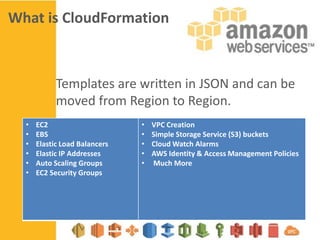
Templates are written in JSON and can be
moved from Region to Region.
•
•
•
•
•
•

EC2
EBS
Elastic Load Balancers
Elastic IP Addresses
Auto Scaling Groups
EC2 Security Groups

•
•
•
•
•

VPC Creation
Simple Storage Service (S3) buckets
Cloud Watch Alarms
AWS Identity & Access Management Policies
Much More
CloudFormation templates
A basic Template contains 5 Sections
1.
2.
3.
4.
5.

Description
Parameters
Mappings
Resources
Outputs
CloudFormation templates
A basic Template contains 5 Sections
1.
2.
3.
4.
5.

Description - Template parameters hold a
Parameters value and contain a list of
attributes that define its value.
Mappings
Resources
They are used in conjunction with
Fn::GetAtt in the Resources section
Outputs
CloudFormation templates
A basic Template contains 5 Sections
1.
2.
3.
4.
5.

Description
Parameters Mappings
Resources
Outputs

Template parameters hold a
value and contain a list of
attributes that define its value.
They are used in conjunction with
Fn::GetAtt in the Resources section
CloudFormation templates
A basic Template contains 5 Sections
1.
2.
3.
4.
5.

Description
Parameters
Mappings Resources
Outputs

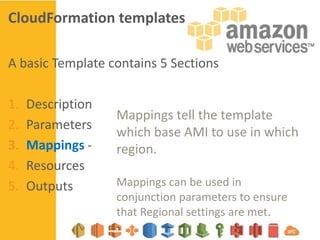
Mappings tell the template
which base AMI to use in which
region.
Mappings can be used in
conjunction parameters to ensure
that Regional settings are met.
CloudFormation templates
A basic Template contains 5 Sections
1.
2.
3.
4.
5.

Description
Parameters
Mappings
Resources Outputs

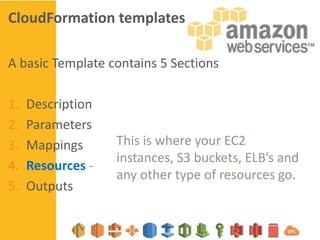
This is where your EC2
instances, S3 buckets, ELB’s and
any other type of resources go.
CloudFormation templates
A basic Template contains 5 Sections
1.
2.
3.
4.
5.

Description
Parameters
Mappings
Resources
Outputs -

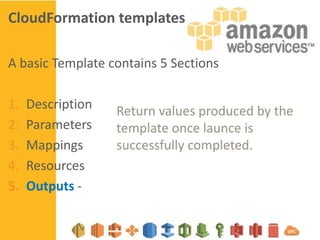
Return values produced by the
template once launce is
successfully completed.
CloudFormation templates
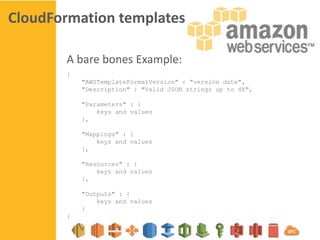
A bare bones Example:
{
"AWSTemplateFormatVersion" : "version date",
"Description" : "Valid JSON strings up to 4K",
"Parameters" : {
keys and values
},
"Mappings" : {
keys and values
},
"Resources" : {
keys and values
},
"Outputs" : {
keys and values
}
}
Build from Examples
AWS already has lots of example templates ready for
you to look at and build from.
http://aws.amazon.com/cloudformation/aws-cloudformation-templates/
Tools to help you validate
As you modify and customize the templates the json
can get complex.
http://www.jsoneditoronline.org/

OR
http://jsonlint.com/
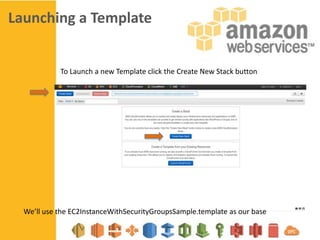
Launching a Template

To Launch a new Template click the Create New Stack button

We’ll use the EC2InstanceWithSecurityGroupsSample.template as our base
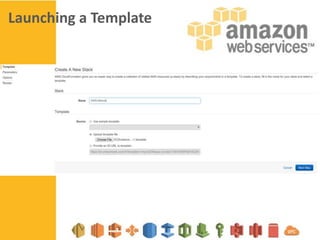
Launching a Template
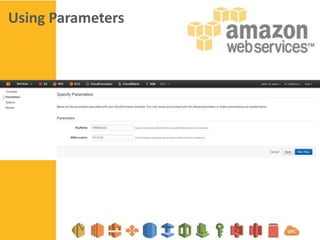
Using Parameters
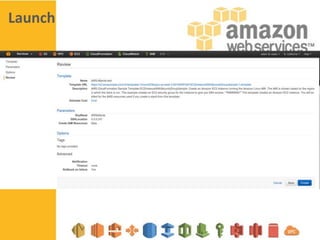
Launch
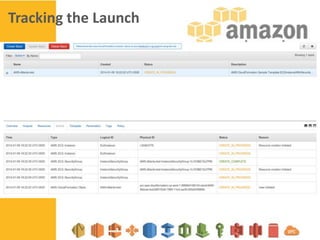
Tracking the Launch
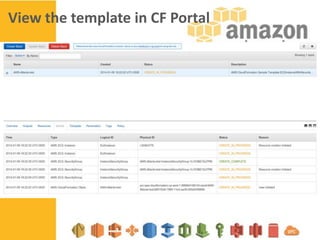
View the template in CF Portal
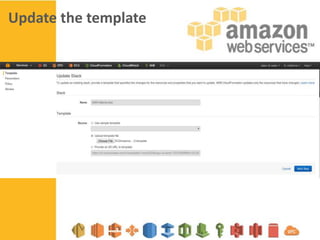
Update the template
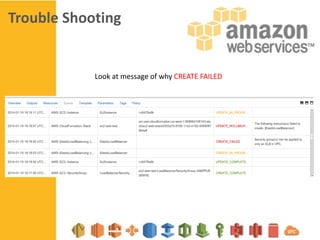
Trouble Shooting

Look at message of why CREATE FAILED

AWS Cloud Formation

  • 1.
    AWS CloudFormation From basicinstance to AutoScale with extras
  • 2.
    What is CloudFormation Presented by Adam Book from Find me on LinkedIn
  • 3.
    What is CloudFormation AWSCloudFormation is a way to create and manage a group of AWS Resources in a templated fashion.
  • 4.
    What is CloudFormation Templatesare written in JSON and can be moved from Region to Region. • • • • • • EC2 EBS Elastic Load Balancers Elastic IP Addresses Auto Scaling Groups EC2 Security Groups • • • • • VPC Creation Simple Storage Service (S3) buckets Cloud Watch Alarms AWS Identity & Access Management Policies Much More
  • 5.
    CloudFormation templates A basicTemplate contains 5 Sections 1. 2. 3. 4. 5. Description Parameters Mappings Resources Outputs
  • 6.
    CloudFormation templates A basicTemplate contains 5 Sections 1. 2. 3. 4. 5. Description - Template parameters hold a Parameters value and contain a list of attributes that define its value. Mappings Resources They are used in conjunction with Fn::GetAtt in the Resources section Outputs
  • 7.
    CloudFormation templates A basicTemplate contains 5 Sections 1. 2. 3. 4. 5. Description Parameters Mappings Resources Outputs Template parameters hold a value and contain a list of attributes that define its value. They are used in conjunction with Fn::GetAtt in the Resources section
  • 8.
    CloudFormation templates A basicTemplate contains 5 Sections 1. 2. 3. 4. 5. Description Parameters Mappings Resources Outputs Mappings tell the template which base AMI to use in which region. Mappings can be used in conjunction parameters to ensure that Regional settings are met.
  • 9.
    CloudFormation templates A basicTemplate contains 5 Sections 1. 2. 3. 4. 5. Description Parameters Mappings Resources Outputs This is where your EC2 instances, S3 buckets, ELB’s and any other type of resources go.
  • 10.
    CloudFormation templates A basicTemplate contains 5 Sections 1. 2. 3. 4. 5. Description Parameters Mappings Resources Outputs - Return values produced by the template once launce is successfully completed.
  • 11.
    CloudFormation templates A barebones Example: { "AWSTemplateFormatVersion" : "version date", "Description" : "Valid JSON strings up to 4K", "Parameters" : { keys and values }, "Mappings" : { keys and values }, "Resources" : { keys and values }, "Outputs" : { keys and values } }
  • 12.
    Build from Examples AWSalready has lots of example templates ready for you to look at and build from. http://aws.amazon.com/cloudformation/aws-cloudformation-templates/
  • 13.
    Tools to helpyou validate As you modify and customize the templates the json can get complex. http://www.jsoneditoronline.org/ OR http://jsonlint.com/
  • 14.
    Launching a Template ToLaunch a new Template click the Create New Stack button We’ll use the EC2InstanceWithSecurityGroupsSample.template as our base
  • 15.
  • 16.
  • 17.
  • 18.
  • 19.
    View the templatein CF Portal
  • 20.
  • 21.
    Trouble Shooting Look atmessage of why CREATE FAILED