Moving Your IT to
the Cloud
DEVELOPING AN ENTERPRISE CLOUD STRATEGY
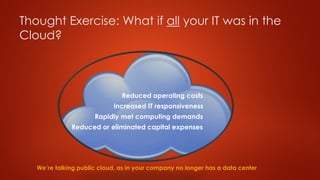
Thought Exercise: What if all your IT was in the
Cloud?
Reduced or eliminated capital expenses
Rapidly met computing demands
Increased IT responsiveness
Reduced operating costs
We’re talking public cloud, as in your company no longer has a data center
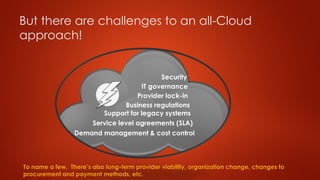
But there are challenges to an all-Cloud
approach!
Business regulations
Support for legacy systems
Security
Service level agreements (SLA)
Demand management & cost control
IT governance
Provider lock-in
To name a few. There’s also long-term provider viability, organization change, changes to
procurement and payment methods, etc.
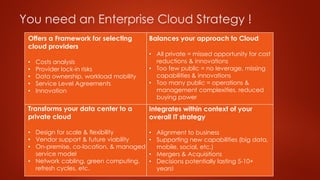
You need an Enterprise Cloud Strategy !
Offers a Framework for selecting
cloud providers
• Costs analysis
• Provider lock-in risks
• Data ownership, workload mobility
• Service Level Agreements
• Innovation
Transforms your data center to a
private cloud
• Design for scale & flexibility
• Vendor support & future viability
• On-premise, co-location, & managed
service model
• Network cabling, green computing,
refresh cycles, etc.
Balances your approach to Cloud
• All private = missed opportunity for cost
reductions & innovations
• Too few public = no leverage, missing
capabilities & innovations
• Too many public = operations &
management complexities, reduced
buying power
Integrates within context of your
overall IT strategy
• Alignment to business
• Supporting new capabilities (big data,
mobile, social, etc.)
• Mergers & Acquisitions
• Decisions potentially lasting 5-10+
years!
Benefits of an Enterprise Cloud Strategy
 Produces the business and financial requirements for cloud solutions
 Establishes the criteria for selecting and implementing cloud
solutions
 Consists of justifiable and defensible business cases for:
 Migrating, replacing, or augmenting current IT systems and services to
the Cloud
 Transforming existing data center(s) into private clouds
 Integrating cloud solutions (hybrid cloud model)
 Retiring, modernizing, or living with “deep” legacy systems (e.g.
mainframe COBOL apps)
 Delivers sourcing strategies for cloud solutions and supporting
activities (e.g. migration work, network updates, training, etc.)
 Produces roadmaps, programs, and project plans for aligning
people, processes and technologies into cloud-based solutions
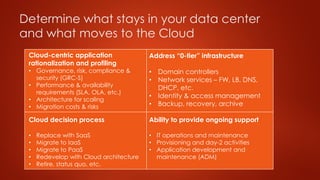
Determine what stays in your data center
and what moves to the Cloud
Cloud-centric application
rationalization and profiling
• Governance, risk, compliance &
security (GRC-S)
• Performance & availability
requirements (SLA, OLA, etc.)
• Architecture for scaling
• Migration costs & risks
Cloud decision process
• Replace with SaaS
• Migrate to IaaS
• Migrate to PaaS
• Redevelop with Cloud architecture
• Retire, status quo, etc.
Address “0-tier” infrastructure
• Domain controllers
• Network services – FW, LB, DNS,
DHCP, etc.
• Identity & access management
• Backup, recovery, archive
Ability to provide ongoing support
• IT operations and maintenance
• Provisioning and day-2 activities
• Application development and
maintenance (ADM)
Inevitably some, much, or all will stay in your
data center…for now…
 Not all applications and services run more cheaply in the
Cloud
 Many legacy systems are not architected for the Cloud
 Performance requirements, SLAs, network latencies may
prohibit running in the Cloud
 Compliance with regulations and standards may be issue
or risk in the Cloud
 Operational visibility may be obscured in the Cloud
 Potential for licensing and support issues in the Cloud
 Organization may not be ready for significant changes
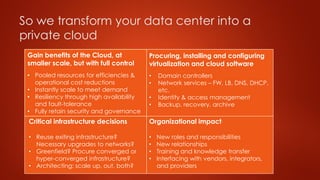
So we transform your data center into a
private cloud
Gain benefits of the Cloud, at
smaller scale, but with full control
• Pooled resources for efficiencies &
operational cost reductions
• Instantly scale to meet demand
• Resiliency through high availability
and fault-tolerance
• Fully retain security and governance
Critical infrastructure decisions
• Reuse exiting infrastructure?
Necessary upgrades to networks?
• Greenfield? Procure converged or
hyper-converged infrastructure?
• Architecting: scale up, out, both?
Procuring, installing and configuring
virtualization and cloud software
• Domain controllers
• Network services – FW, LB, DNS, DHCP,
etc.
• Identity & access management
• Backup, recovery, archive
Organizational impact
• New roles and responsibilities
• New relationships
• Training and knowledge transfer
• Interfacing with vendors, integrators,
and providers
And integrate your private cloud with
public cloud solutions
 Develop or acquire a cloud management platform (CMP)
 Ability to “stretch” your network into the cloud, e.g. network
virtualization, VPN,VPC, cross connections with providers
 Develop or acquire ability to move workloads between private and
public clouds
 Centrally track usage and gather costing information
 Enabling, and possibly automating, consistent governance process:
what apps permitted in which clouds, and keeping it that way
 Federating users access
 Compliance monitoring, security, patching and upgrades
Remember to plan for operations and
management of your enterprise cloud
 Organizational considerations
 Roles & responsibilities
 Procedures, processes, and tasks
 Operational reporting: SLA, financials, systems status
 Integrating with ITSM, ITIL, COBIT, etc.
 Training
 Transition to contractor and integrator support
Do you have an enterprise cloud
strategy?
There’s a tremendous amount of work involved with getting Cloud
right! You’re busy doing mission critical IT stuff. That’s where Digital
Peak Consulting comes in. We focus on helping clients leverage the
Cloud, in all its flavors, shapes, and sizes, to lower TCO and improve IT
capabilities.
Mel Stockwell,Principal
DigitalPeak Consulting
720.624.9087

Moving your IT to the Cloud with an Enterprise Cloud Strategy

  • 1.
    Moving Your ITto the Cloud DEVELOPING AN ENTERPRISE CLOUD STRATEGY
  • 2.
    Thought Exercise: Whatif all your IT was in the Cloud? Reduced or eliminated capital expenses Rapidly met computing demands Increased IT responsiveness Reduced operating costs We’re talking public cloud, as in your company no longer has a data center
  • 3.
    But there arechallenges to an all-Cloud approach! Business regulations Support for legacy systems Security Service level agreements (SLA) Demand management & cost control IT governance Provider lock-in To name a few. There’s also long-term provider viability, organization change, changes to procurement and payment methods, etc.
  • 4.
    You need anEnterprise Cloud Strategy ! Offers a Framework for selecting cloud providers • Costs analysis • Provider lock-in risks • Data ownership, workload mobility • Service Level Agreements • Innovation Transforms your data center to a private cloud • Design for scale & flexibility • Vendor support & future viability • On-premise, co-location, & managed service model • Network cabling, green computing, refresh cycles, etc. Balances your approach to Cloud • All private = missed opportunity for cost reductions & innovations • Too few public = no leverage, missing capabilities & innovations • Too many public = operations & management complexities, reduced buying power Integrates within context of your overall IT strategy • Alignment to business • Supporting new capabilities (big data, mobile, social, etc.) • Mergers & Acquisitions • Decisions potentially lasting 5-10+ years!
  • 5.
    Benefits of anEnterprise Cloud Strategy  Produces the business and financial requirements for cloud solutions  Establishes the criteria for selecting and implementing cloud solutions  Consists of justifiable and defensible business cases for:  Migrating, replacing, or augmenting current IT systems and services to the Cloud  Transforming existing data center(s) into private clouds  Integrating cloud solutions (hybrid cloud model)  Retiring, modernizing, or living with “deep” legacy systems (e.g. mainframe COBOL apps)  Delivers sourcing strategies for cloud solutions and supporting activities (e.g. migration work, network updates, training, etc.)  Produces roadmaps, programs, and project plans for aligning people, processes and technologies into cloud-based solutions
  • 6.
    Determine what staysin your data center and what moves to the Cloud Cloud-centric application rationalization and profiling • Governance, risk, compliance & security (GRC-S) • Performance & availability requirements (SLA, OLA, etc.) • Architecture for scaling • Migration costs & risks Cloud decision process • Replace with SaaS • Migrate to IaaS • Migrate to PaaS • Redevelop with Cloud architecture • Retire, status quo, etc. Address “0-tier” infrastructure • Domain controllers • Network services – FW, LB, DNS, DHCP, etc. • Identity & access management • Backup, recovery, archive Ability to provide ongoing support • IT operations and maintenance • Provisioning and day-2 activities • Application development and maintenance (ADM)
  • 7.
    Inevitably some, much,or all will stay in your data center…for now…  Not all applications and services run more cheaply in the Cloud  Many legacy systems are not architected for the Cloud  Performance requirements, SLAs, network latencies may prohibit running in the Cloud  Compliance with regulations and standards may be issue or risk in the Cloud  Operational visibility may be obscured in the Cloud  Potential for licensing and support issues in the Cloud  Organization may not be ready for significant changes
  • 8.
    So we transformyour data center into a private cloud Gain benefits of the Cloud, at smaller scale, but with full control • Pooled resources for efficiencies & operational cost reductions • Instantly scale to meet demand • Resiliency through high availability and fault-tolerance • Fully retain security and governance Critical infrastructure decisions • Reuse exiting infrastructure? Necessary upgrades to networks? • Greenfield? Procure converged or hyper-converged infrastructure? • Architecting: scale up, out, both? Procuring, installing and configuring virtualization and cloud software • Domain controllers • Network services – FW, LB, DNS, DHCP, etc. • Identity & access management • Backup, recovery, archive Organizational impact • New roles and responsibilities • New relationships • Training and knowledge transfer • Interfacing with vendors, integrators, and providers
  • 9.
    And integrate yourprivate cloud with public cloud solutions  Develop or acquire a cloud management platform (CMP)  Ability to “stretch” your network into the cloud, e.g. network virtualization, VPN,VPC, cross connections with providers  Develop or acquire ability to move workloads between private and public clouds  Centrally track usage and gather costing information  Enabling, and possibly automating, consistent governance process: what apps permitted in which clouds, and keeping it that way  Federating users access  Compliance monitoring, security, patching and upgrades
  • 10.
    Remember to planfor operations and management of your enterprise cloud  Organizational considerations  Roles & responsibilities  Procedures, processes, and tasks  Operational reporting: SLA, financials, systems status  Integrating with ITSM, ITIL, COBIT, etc.  Training  Transition to contractor and integrator support
  • 11.
    Do you havean enterprise cloud strategy? There’s a tremendous amount of work involved with getting Cloud right! You’re busy doing mission critical IT stuff. That’s where Digital Peak Consulting comes in. We focus on helping clients leverage the Cloud, in all its flavors, shapes, and sizes, to lower TCO and improve IT capabilities. Mel Stockwell,Principal DigitalPeak Consulting 720.624.9087