Cloud Computing
 and Virtualization-
  Newest Trends
             Srinath Perera, Ph.D.
      Senior Software Architect, WSO2
Research Scientist, Lanka Software Foundation
    Member, Apache Software Foundation
   Visiting Faculty, University of Moratuwa
Next 1 hour: Goal

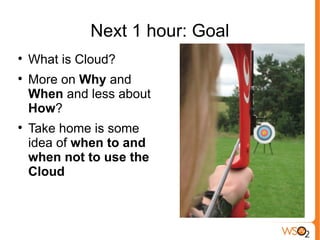
    What is Cloud?

    More on Why and
    When and less about
    How?

    Take home is some
    idea of when to and
    when not to use the
    Cloud
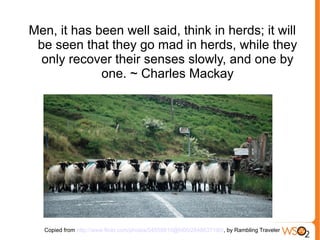
Men, it has been well said, think in herds; it will
 be seen that they go mad in herds, while they
  only recover their senses slowly, and one by
             one. ~ Charles Mackay


  Copied from http://www.flickr.com/photos/54555810@N00/2848637190/, by Rambling Traveler
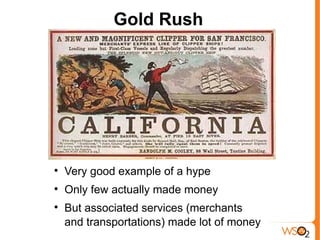
Gold Rush



    Very good example of a hype

    Only few actually made money

    But associated services (merchants
    and transportations) made lot of money
The Cloud Bandwagon
                                    
                                        Is Cloud a hype? Of course
                                        it is!
                                    
                                        Is it Just hype? may be not,
                                        thats what we will discuss.
                                        But don’t get me wrong,
                                         even if it is a hype, that
                                        doesn’t mean we should
                                         not be talking about it.


Image from http://www.flickr.com/photos/88929764@N00/4436978855/
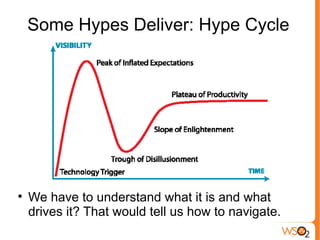
Some Hypes Deliver: Hype Cycle



    We have to understand what it is and what
    drives it? That would tell us how to navigate.
Selling Shovels In the Gold Rush


             Hype change the demand
               and supply dynamics.
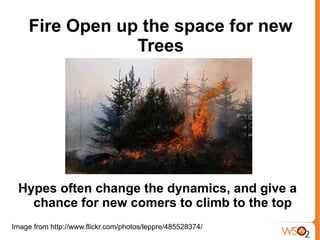
Fire Open up the space for new
                 Trees


 Hypes often change the dynamics, and give a
   chance for new comers to climb to the top
Image from http://www.flickr.com/photos/leppre/485528374/
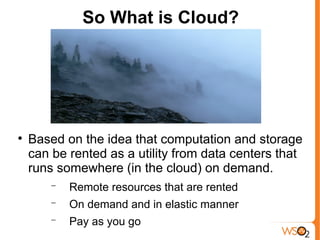
So What is Cloud?



    Based on the idea that computation and storage
    can be rented as a utility from data centers that
    runs somewhere (in the cloud) on demand.
        −   Remote resources that are rented
        −   On demand and in elastic manner
        −   Pay as you go
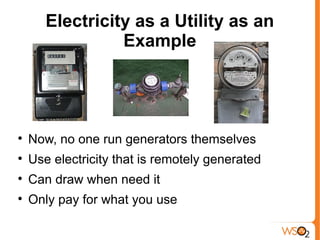
Electricity as a Utility as an
                 Example



    Now, no one run generators themselves

    Use electricity that is remotely generated

    Can draw when need it

    Only pay for what you use
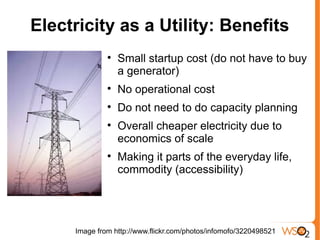
Electricity as a Utility: Benefits
              
                  Small startup cost (do not have to buy
                  a generator)
              
                  No operational cost
              
                  Do not need to do capacity planning
              
                  Overall cheaper electricity due to
                  economics of scale
              
                  Making it parts of the everyday life,
                  commodity (accessibility)


     Image from http://www.flickr.com/photos/infomofo/3220498521
Benefits of the Cloud
        
            Avoid/reduce operational
            costs by outsourcing
        
            Can scale up and down as
            needed
        
            Pay as you go
        
            Making it parts of the
            everyday life, commodity
            (accessibility)
        
            Cheaper computing power
            due to economy of scale
Drivers of Cloud



    Unused computing power at Google, Amazon

    Max load >> average load

    High operational cost, need for outsourcing

    Availability of large scale solutions and
    infrastructure as side efforts of high tech
    company operations
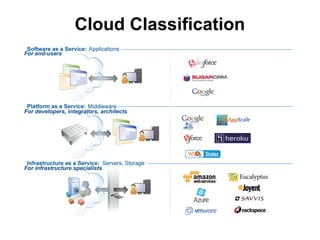
Cloud Classification
For end-users


For developers, integrators, architects


For infrastructure specialists
IaaS Example: Amazon

    Two services
        −   S3 Storage
        −   EC2 computing cloud

    Based on Virtualization, where each user is given a
    virtual machine and charged by the hour

    Need least amount of changes to move apps to the
    Cloud. They in a way replace hosting services

    Least amount of out of the box services (e.g. DOS
    attack prevention) and advanced services like scaling
    etc., are a responsibility of the user.

    Often the best choice for ad-hoc computer users.
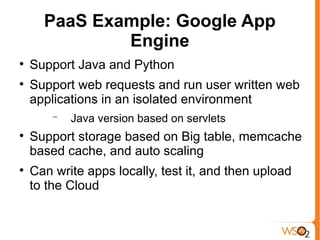
PaaS Example: Google App
              Engine

    Support Java and Python

    Support web requests and run user written web
    applications in an isolated environment
        −   Java version based on servlets

    Support storage based on Big table, memcache
    based cache, and auto scaling

    Can write apps locally, test it, and then upload
    to the Cloud
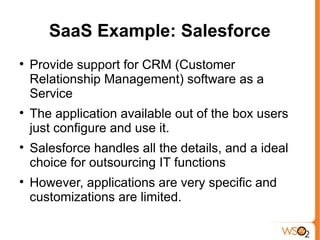
SaaS Example: Salesforce

    Provide support for CRM (Customer
    Relationship Management) software as a
    Service

    The application available out of the box users
    just configure and use it.

    Salesforce handles all the details, and a ideal
    choice for outsourcing IT functions

    However, applications are very specific and
    customizations are limited.
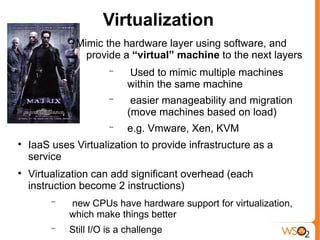
Virtualization
              Mimic the hardware layer using software, and
                provide a “virtual” machine to the next layers
                       −   Used to mimic multiple machines
                           within the same machine
                       −    easier manageability and migration
                           (move machines based on load)
                       −   e.g. Vmware, Xen, KVM

    IaaS uses Virtualization to provide infrastructure as a
    service

    Virtualization can add significant overhead (each
    instruction become 2 instructions)
         −   new CPUs have hardware support for virtualization,
             which make things better
         −   Still I/O is a challenge
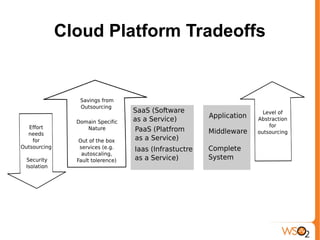
Cloud Platform Tradeoffs
Private Cloud
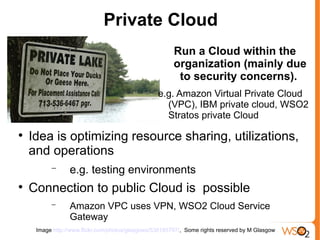
                                                        Run a Cloud within the
                                                        organization (mainly due
                                                         to security concerns).
                                                  e.g. Amazon Virtual Private Cloud
                                                    (VPC), IBM private cloud, WSO2
                                                    Stratos private Cloud

    Idea is optimizing resource sharing, utilizations,
    and operations
          −      e.g. testing environments

    Connection to public Cloud is possible
          −      Amazon VPC uses VPN, WSO2 Cloud Service
                 Gateway
     Image http://www.flickr.com/photos/glasgows/536185797/, Some rights reserved by M Glasgow
Potential Impact
More Room to Outsource Non
    Key Functions of a Organization

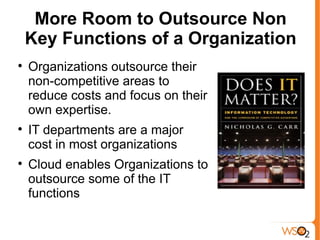
    Organizations outsource their
    non-competitive areas to
    reduce costs and focus on their
    own expertise.

    IT departments are a major
    cost in most organizations

    Cloud enables Organizations to
    outsource some of the IT
    functions
Small Start Up Cost
      
          Small start up cost
              −   Reducing the gap
                  between visionaries and
                  dreamers
              −   New organization has
                  better chance for
                  outsourcing operations
                  through the Cloud
              −   Cloud competition likely
                  to drive down hosting
                  prizes
1 computer for 100days = 100
    computers for 1 day
         
             Great tool for occasional
             computations
                 −   Research labs
                 −   Reporting collecting data
                     for a story
                 −   New york Times tiff to pdf
                     conversion
         
             Rise of analytics
                 −   great tool for offline
                     analysis
                 −   Business Intelligence (BI)
                 −
Large Scale Computation and
    Storage Resources becoming a
             Commodity

                                 Normal people, not
                                   just organizations
                                  can have access to
                                   computing power
                                      and storage



    Computer intensive desktop apps (e.g. Excel, 3D Max)
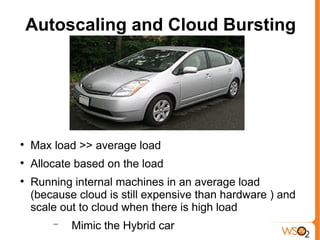
Autoscaling and Cloud Bursting



    Max load >> average load

    Allocate based on the load

    Running internal machines in an average load
    (because cloud is still expensive than hardware ) and
    scale out to cloud when there is high load
        −   Mimic the Hybrid car
Dangers and
 Concerns
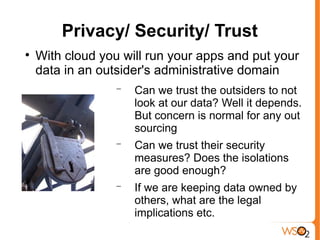
Privacy/ Security/ Trust

    With cloud you will run your apps and put your
    data in an outsider's administrative domain
                  −   Can we trust the outsiders to not
                      look at our data? Well it depends.
                      But concern is normal for any out
                      sourcing
                  −   Can we trust their security
                      measures? Does the isolations
                      are good enough?
                  −   If we are keeping data owned by
                      others, what are the legal
                      implications etc.
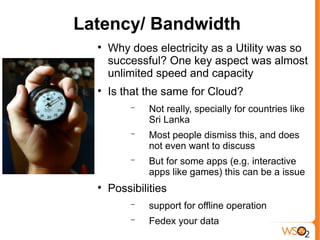
Latency/ Bandwidth
  
      Why does electricity as a Utility was so
      successful? One key aspect was almost
      unlimited speed and capacity
  
      Is that the same for Cloud?
           −   Not really, specially for countries like
               Sri Lanka
           −   Most people dismiss this, and does
               not even want to discuss
           −   But for some apps (e.g. interactive
               apps like games) this can be a issue
  
      Possibilities
           −   support for offline operation
           −   Fedex your data
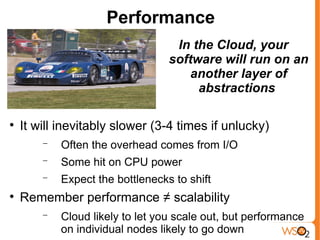
Performance
                                   In the Cloud, your
                                  software will run on an
                                      another layer of
                                       abstractions


    It will inevitably slower (3-4 times if unlucky)
        −   Often the overhead comes from I/O
        −   Some hit on CPU power
        −   Expect the bottlenecks to shift

    Remember performance ≠ scalability
        −   Cloud likely to let you scale out, but performance
            on individual nodes likely to go down
Challenges

    Cloud Middleware
        −   Long running, large scale, fault Tolerant
            Computations
        −   Scalable service and resource
            scheduling
        −   Scalable, secure, self-managing, fault-
            tolerant data storage for long running
            processors
        −   Multi-tenancy and Isolation
        −   Delegation across organizations

    Cloud Operations
        −   Metering and Billing
        −   Provisioning and Monitoring
        −   Data Confidentiality and auditability
Challenges (Contd.)
 
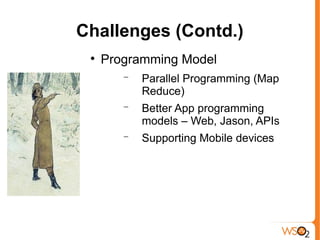
     Programming Model
        −   Parallel Programming (Map
            Reduce)
        −   Better App programming
            models – Web, Jason, APIs
        −   Supporting Mobile devices
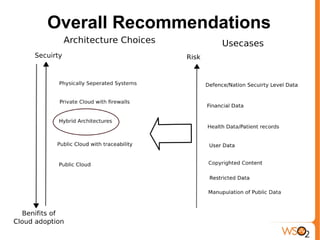
Overall Recommendations
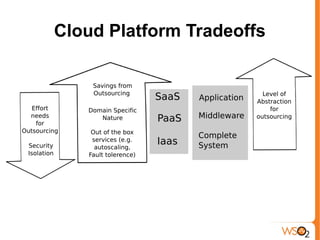
Cloud Platform Tradeoffs
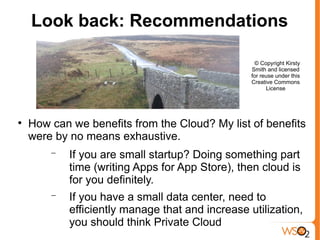
Look back: Recommendations

                                                   © Copyright Kirsty
                                                  Smith and licensed
                                                  for reuse under this
                                                  Creative Commons
                                                        License



    How can we benefits from the Cloud? My list of benefits
    were by no means exhaustive.
        −   If you are small startup? Doing something part
            time (writing Apps for App Store), then cloud is
            for you definitely.
        −   If you have a small data center, need to
            efficiently manage that and increase utilization,
            you should think Private Cloud
Look back: Recommendations
               (Contd.)

    If your services have a Max load >> Average load, you
    should think about crowd bursting

    If you do heavy computations once in a while (analytics,
    audits), then use IaaS there.

    If you want to outsource some of your IT functions, think
    SaaS

    Before leap think about 3 major concerns of Cloud?
        −   Security/ Privacy, Latency and Performance

    How much sharing and savings I need?
        −   IaaS, PaaS, SaaS
Questions?

Cloud Computing: An Introduction

  • 1.
    Cloud Computing andVirtualization- Newest Trends Srinath Perera, Ph.D. Senior Software Architect, WSO2 Research Scientist, Lanka Software Foundation Member, Apache Software Foundation Visiting Faculty, University of Moratuwa
  • 2.
    Next 1 hour:Goal  What is Cloud?  More on Why and When and less about How?  Take home is some idea of when to and when not to use the Cloud
  • 3.
    Men, it hasbeen well said, think in herds; it will be seen that they go mad in herds, while they only recover their senses slowly, and one by one. ~ Charles Mackay Copied from http://www.flickr.com/photos/54555810@N00/2848637190/, by Rambling Traveler
  • 4.
    Gold Rush  Very good example of a hype  Only few actually made money  But associated services (merchants and transportations) made lot of money
  • 5.
    The Cloud Bandwagon  Is Cloud a hype? Of course it is!  Is it Just hype? may be not, thats what we will discuss. But don’t get me wrong, even if it is a hype, that doesn’t mean we should not be talking about it. Image from http://www.flickr.com/photos/88929764@N00/4436978855/
  • 6.
    Some Hypes Deliver:Hype Cycle  We have to understand what it is and what drives it? That would tell us how to navigate.
  • 7.
    Selling Shovels Inthe Gold Rush Hype change the demand and supply dynamics.
  • 8.
    Fire Open upthe space for new Trees Hypes often change the dynamics, and give a chance for new comers to climb to the top Image from http://www.flickr.com/photos/leppre/485528374/
  • 9.
    So What isCloud?  Based on the idea that computation and storage can be rented as a utility from data centers that runs somewhere (in the cloud) on demand. − Remote resources that are rented − On demand and in elastic manner − Pay as you go
  • 10.
    Electricity as aUtility as an Example  Now, no one run generators themselves  Use electricity that is remotely generated  Can draw when need it  Only pay for what you use
  • 11.
    Electricity as aUtility: Benefits  Small startup cost (do not have to buy a generator)  No operational cost  Do not need to do capacity planning  Overall cheaper electricity due to economics of scale  Making it parts of the everyday life, commodity (accessibility) Image from http://www.flickr.com/photos/infomofo/3220498521
  • 12.
    Benefits of theCloud  Avoid/reduce operational costs by outsourcing  Can scale up and down as needed  Pay as you go  Making it parts of the everyday life, commodity (accessibility)  Cheaper computing power due to economy of scale
  • 13.
    Drivers of Cloud  Unused computing power at Google, Amazon  Max load >> average load  High operational cost, need for outsourcing  Availability of large scale solutions and infrastructure as side efforts of high tech company operations
  • 14.
    Cloud Classification For end-users Fordevelopers, integrators, architects For infrastructure specialists
  • 15.
    IaaS Example: Amazon  Two services − S3 Storage − EC2 computing cloud  Based on Virtualization, where each user is given a virtual machine and charged by the hour  Need least amount of changes to move apps to the Cloud. They in a way replace hosting services  Least amount of out of the box services (e.g. DOS attack prevention) and advanced services like scaling etc., are a responsibility of the user.  Often the best choice for ad-hoc computer users.
  • 16.
    PaaS Example: GoogleApp Engine  Support Java and Python  Support web requests and run user written web applications in an isolated environment − Java version based on servlets  Support storage based on Big table, memcache based cache, and auto scaling  Can write apps locally, test it, and then upload to the Cloud
  • 17.
    SaaS Example: Salesforce  Provide support for CRM (Customer Relationship Management) software as a Service  The application available out of the box users just configure and use it.  Salesforce handles all the details, and a ideal choice for outsourcing IT functions  However, applications are very specific and customizations are limited.
  • 18.
    Virtualization Mimic the hardware layer using software, and provide a “virtual” machine to the next layers − Used to mimic multiple machines within the same machine − easier manageability and migration (move machines based on load) − e.g. Vmware, Xen, KVM  IaaS uses Virtualization to provide infrastructure as a service  Virtualization can add significant overhead (each instruction become 2 instructions) − new CPUs have hardware support for virtualization, which make things better − Still I/O is a challenge
  • 19.
  • 20.
    Private Cloud Run a Cloud within the organization (mainly due to security concerns). e.g. Amazon Virtual Private Cloud (VPC), IBM private cloud, WSO2 Stratos private Cloud  Idea is optimizing resource sharing, utilizations, and operations − e.g. testing environments  Connection to public Cloud is possible − Amazon VPC uses VPN, WSO2 Cloud Service Gateway Image http://www.flickr.com/photos/glasgows/536185797/, Some rights reserved by M Glasgow
  • 21.
  • 22.
    More Room toOutsource Non Key Functions of a Organization  Organizations outsource their non-competitive areas to reduce costs and focus on their own expertise.  IT departments are a major cost in most organizations  Cloud enables Organizations to outsource some of the IT functions
  • 23.
    Small Start UpCost  Small start up cost − Reducing the gap between visionaries and dreamers − New organization has better chance for outsourcing operations through the Cloud − Cloud competition likely to drive down hosting prizes
  • 24.
    1 computer for100days = 100 computers for 1 day  Great tool for occasional computations − Research labs − Reporting collecting data for a story − New york Times tiff to pdf conversion  Rise of analytics − great tool for offline analysis − Business Intelligence (BI) −
  • 25.
    Large Scale Computationand Storage Resources becoming a Commodity Normal people, not just organizations can have access to computing power and storage  Computer intensive desktop apps (e.g. Excel, 3D Max)
  • 26.
    Autoscaling and CloudBursting  Max load >> average load  Allocate based on the load  Running internal machines in an average load (because cloud is still expensive than hardware ) and scale out to cloud when there is high load − Mimic the Hybrid car
  • 27.
  • 28.
    Privacy/ Security/ Trust  With cloud you will run your apps and put your data in an outsider's administrative domain − Can we trust the outsiders to not look at our data? Well it depends. But concern is normal for any out sourcing − Can we trust their security measures? Does the isolations are good enough? − If we are keeping data owned by others, what are the legal implications etc.
  • 29.
    Latency/ Bandwidth  Why does electricity as a Utility was so successful? One key aspect was almost unlimited speed and capacity  Is that the same for Cloud? − Not really, specially for countries like Sri Lanka − Most people dismiss this, and does not even want to discuss − But for some apps (e.g. interactive apps like games) this can be a issue  Possibilities − support for offline operation − Fedex your data
  • 30.
    Performance In the Cloud, your software will run on an another layer of abstractions  It will inevitably slower (3-4 times if unlucky) − Often the overhead comes from I/O − Some hit on CPU power − Expect the bottlenecks to shift  Remember performance ≠ scalability − Cloud likely to let you scale out, but performance on individual nodes likely to go down
  • 31.
    Challenges  Cloud Middleware − Long running, large scale, fault Tolerant Computations − Scalable service and resource scheduling − Scalable, secure, self-managing, fault- tolerant data storage for long running processors − Multi-tenancy and Isolation − Delegation across organizations  Cloud Operations − Metering and Billing − Provisioning and Monitoring − Data Confidentiality and auditability
  • 32.
    Challenges (Contd.)  Programming Model − Parallel Programming (Map Reduce) − Better App programming models – Web, Jason, APIs − Supporting Mobile devices
  • 33.
  • 34.
  • 35.
    Look back: Recommendations © Copyright Kirsty Smith and licensed for reuse under this Creative Commons License  How can we benefits from the Cloud? My list of benefits were by no means exhaustive. − If you are small startup? Doing something part time (writing Apps for App Store), then cloud is for you definitely. − If you have a small data center, need to efficiently manage that and increase utilization, you should think Private Cloud
  • 36.
    Look back: Recommendations (Contd.)  If your services have a Max load >> Average load, you should think about crowd bursting  If you do heavy computations once in a while (analytics, audits), then use IaaS there.  If you want to outsource some of your IT functions, think SaaS  Before leap think about 3 major concerns of Cloud? − Security/ Privacy, Latency and Performance  How much sharing and savings I need? − IaaS, PaaS, SaaS
  • 37.