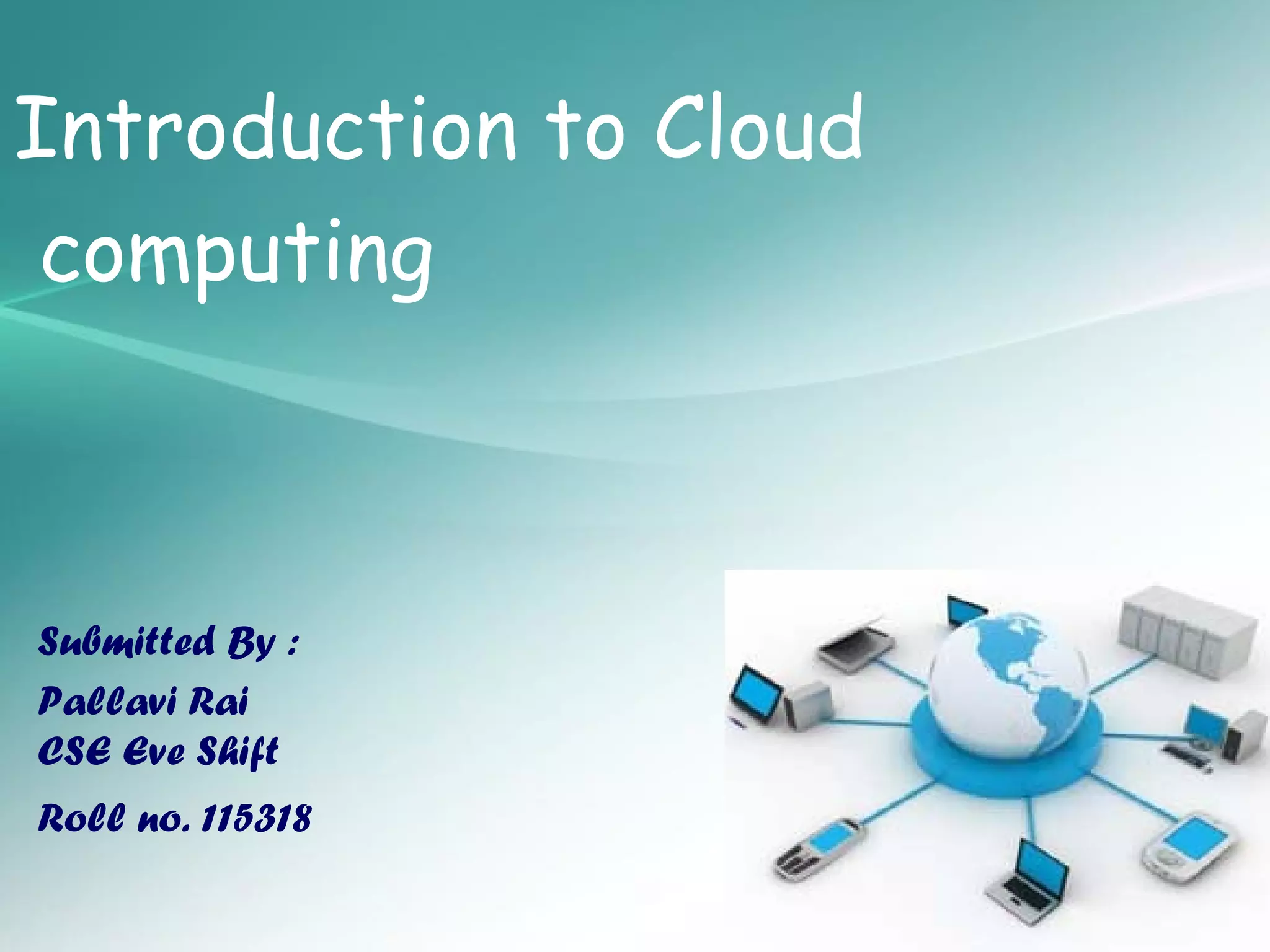
Introduction to Cloud
 computing    • Cloud Computing


Submitted By :
Pallavi Rai
CSE Eve Shift               S
Roll no. 115318

Presented by: Pallavi Rai
Agenda
•Introduction
•Need Of Cloud Computing
•Evolution of cloud computing
•Cloud Summary
•Cloud Computing Characteristics
•Models for Cloud Computing
•Cloud Architecture
•Basic Cloud Characteristics
•Purpose and Benefits
•Cloud-Sourcing
•Cloud Storage
•Opportunities and Challenges
•Advantages of Cloud Computing
•The Future
What is Cloud Computing?
INTRODUCTION
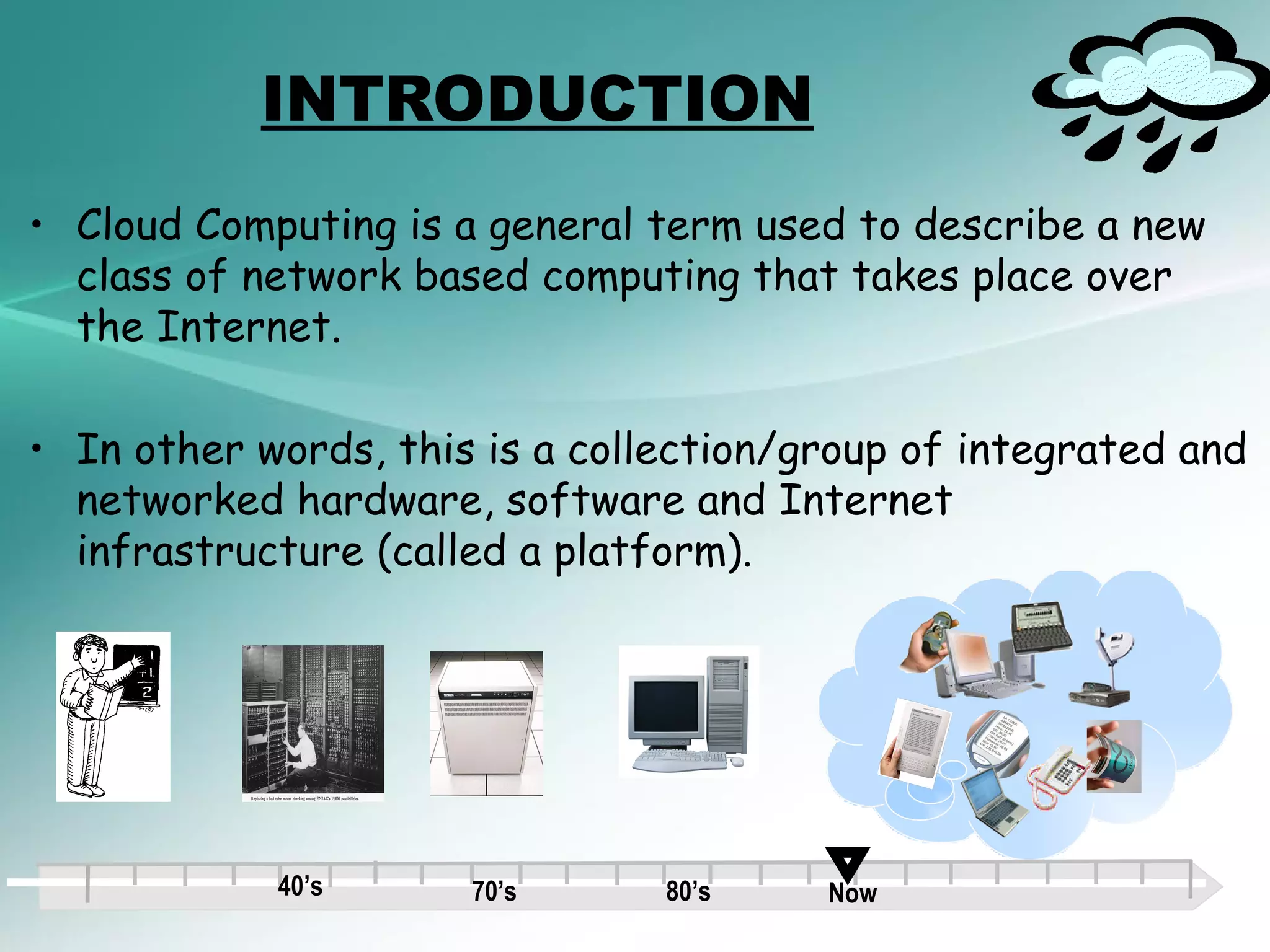
• Cloud Computing is a general term used to describe a new
  class of network based computing that takes place over
  the Internet.

• In other words, this is a collection/group of integrated and
  networked hardware, software and Internet
  infrastructure (called a platform).


            40’s      70’s      80’s    Now
INTRODUCTION
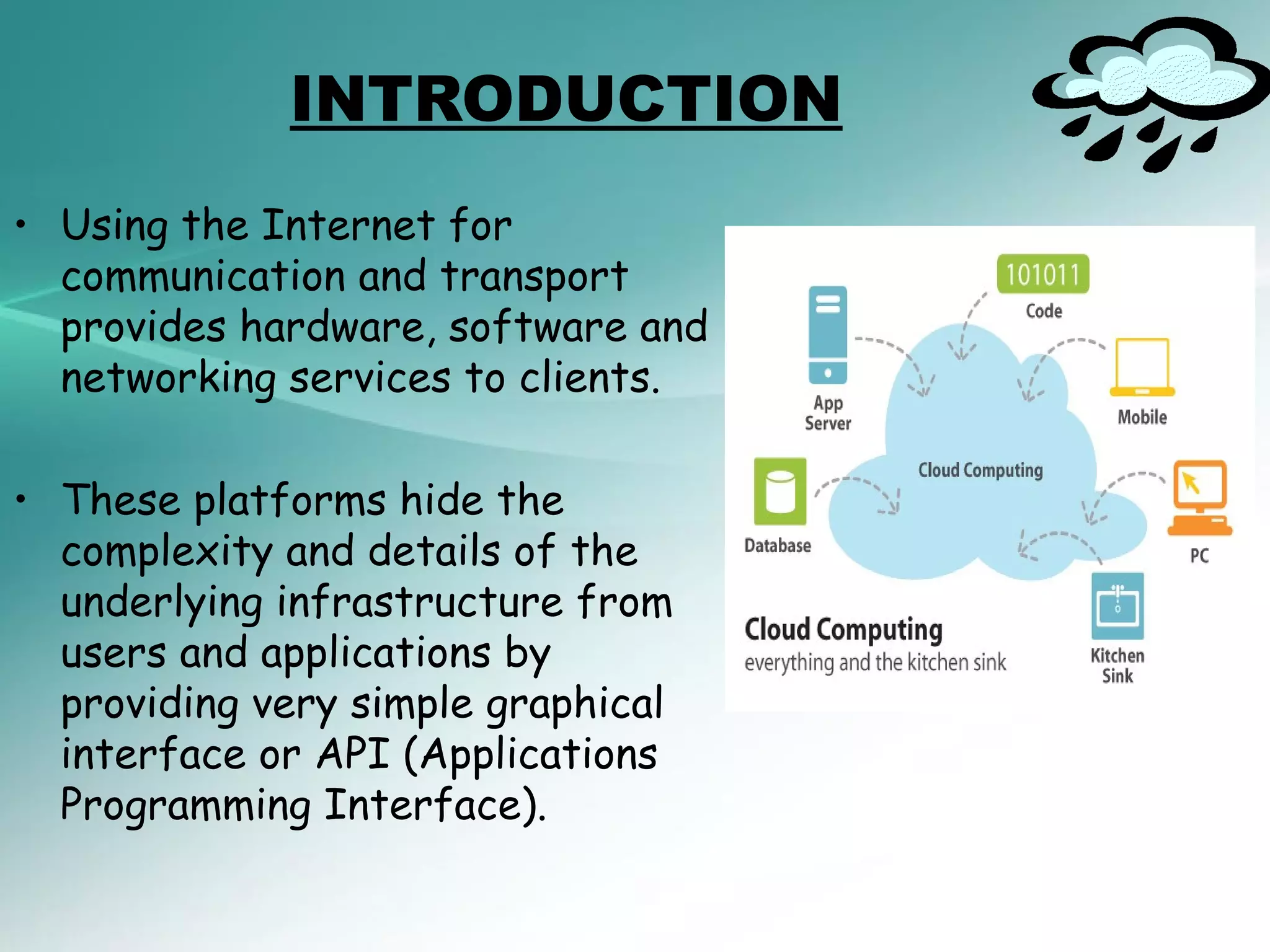
• Using the Internet for
  communication and transport
  provides hardware, software and
  networking services to clients.

• These platforms hide the
  complexity and details of the
  underlying infrastructure from
  users and applications by
  providing very simple graphical
  interface or API (Applications
  Programming Interface).
INTRODUCTION

• In addition, the platform provides on demand services,
  that are always on, anywhere, anytime and any place.

• Pay for use and as needed, elastic (scale up and down in
  capacity and functionalities).

• The hardware and software services are available to the
  general public, enterprises, corporations and businesses
  markets.
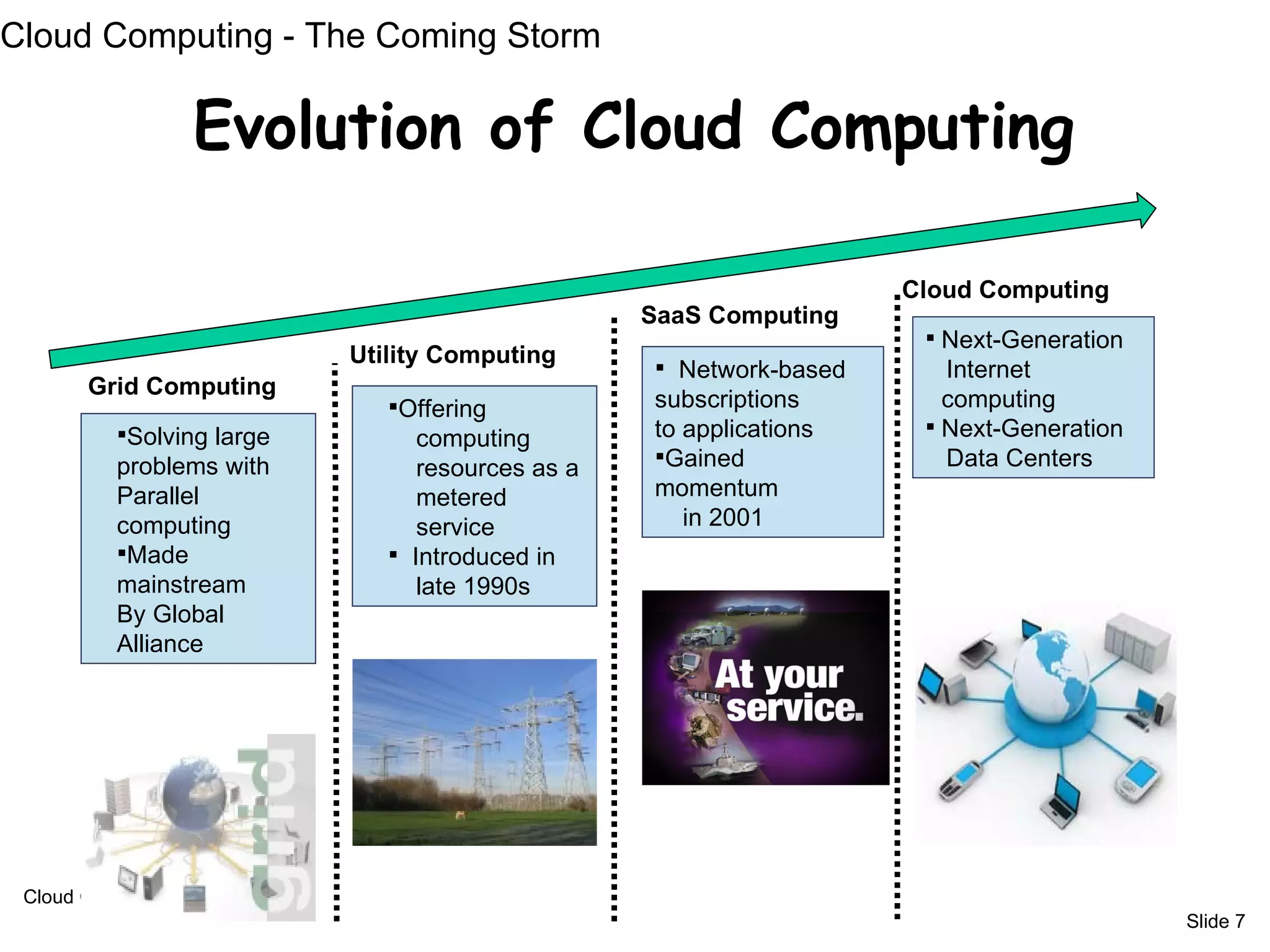
Cloud Computing - The Coming Storm

                   Evolution of Cloud Computing

                                                                    Cloud Computing
                                                  SaaS Computing
                                                                      Next-Generation
                           Utility Computing       Network-based      Internet
       Grid Computing
                              Offering           subscriptions        computing
          Solving large                          to applications     Next-Generation
                                 computing
          problems with          resources as a   Gained              Data Centers
          Parallel               metered          momentum
          computing              service             in 2001
          Made                Introduced in
          mainstream             late 1990s
          By Global
          Alliance


 Cloud Computing
                                                                                         Slide 7
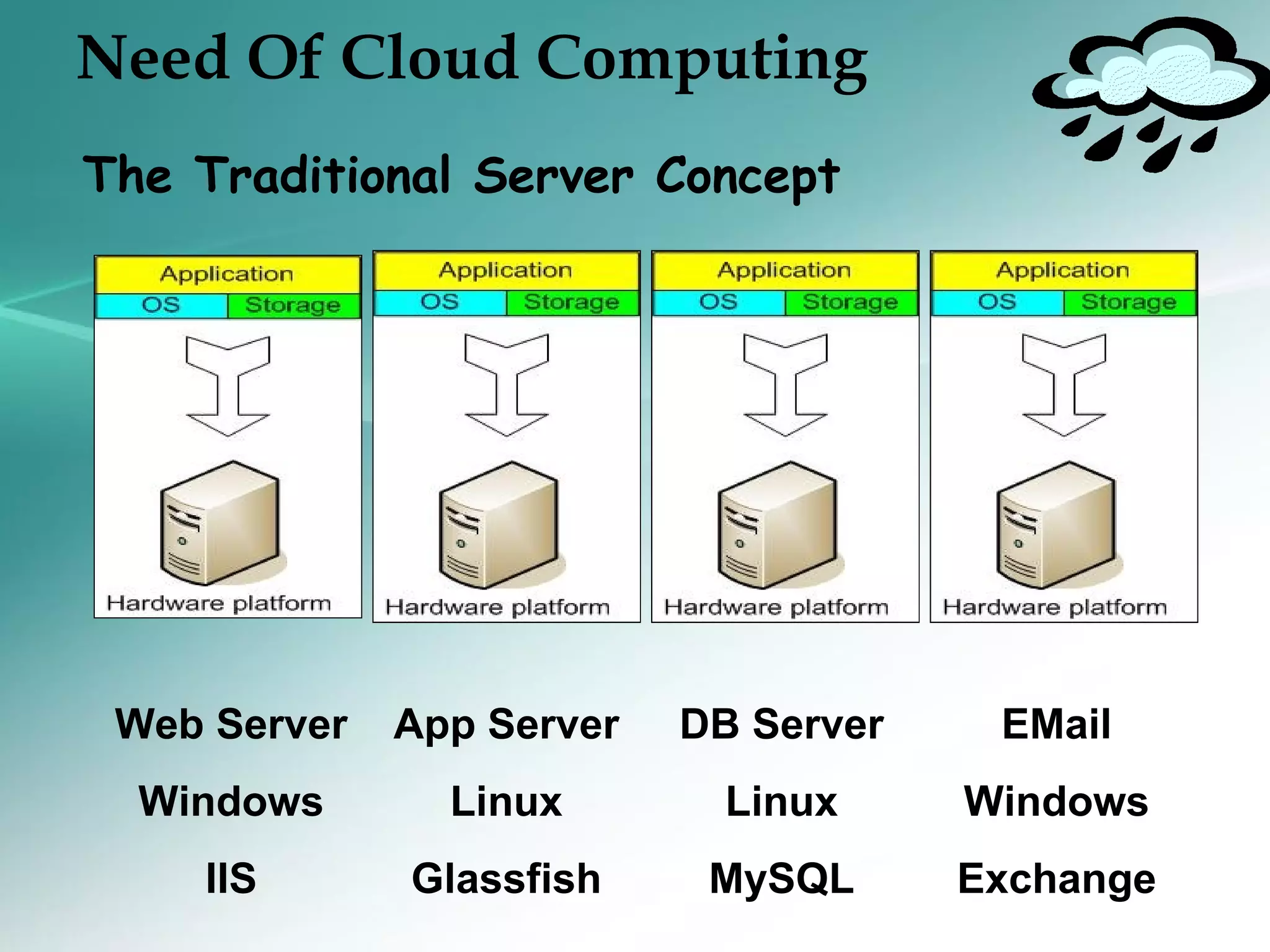
Need Of Cloud Computing
The Traditional Server Concept


 Web Server   App Server   DB Server    EMail
  Windows       Linux        Linux     Windows
    IIS       Glassfish     MySQL      Exchange
Need Of Cloud Computing
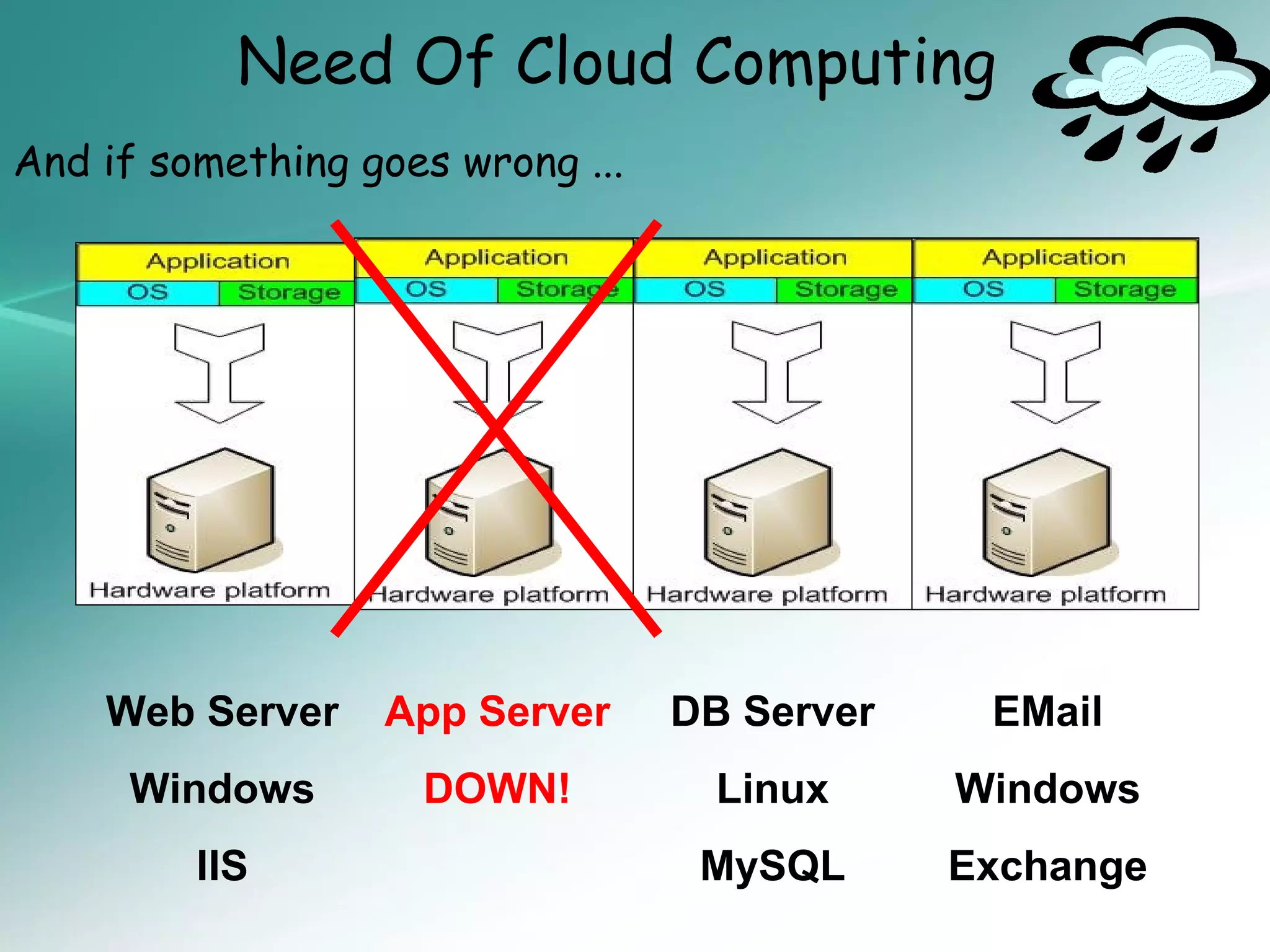
And if something goes wrong ...


    Web Server    App Server      DB Server    EMail
     Windows        DOWN!           Linux     Windows
         IIS                       MySQL      Exchange
Need Of Cloud Computing


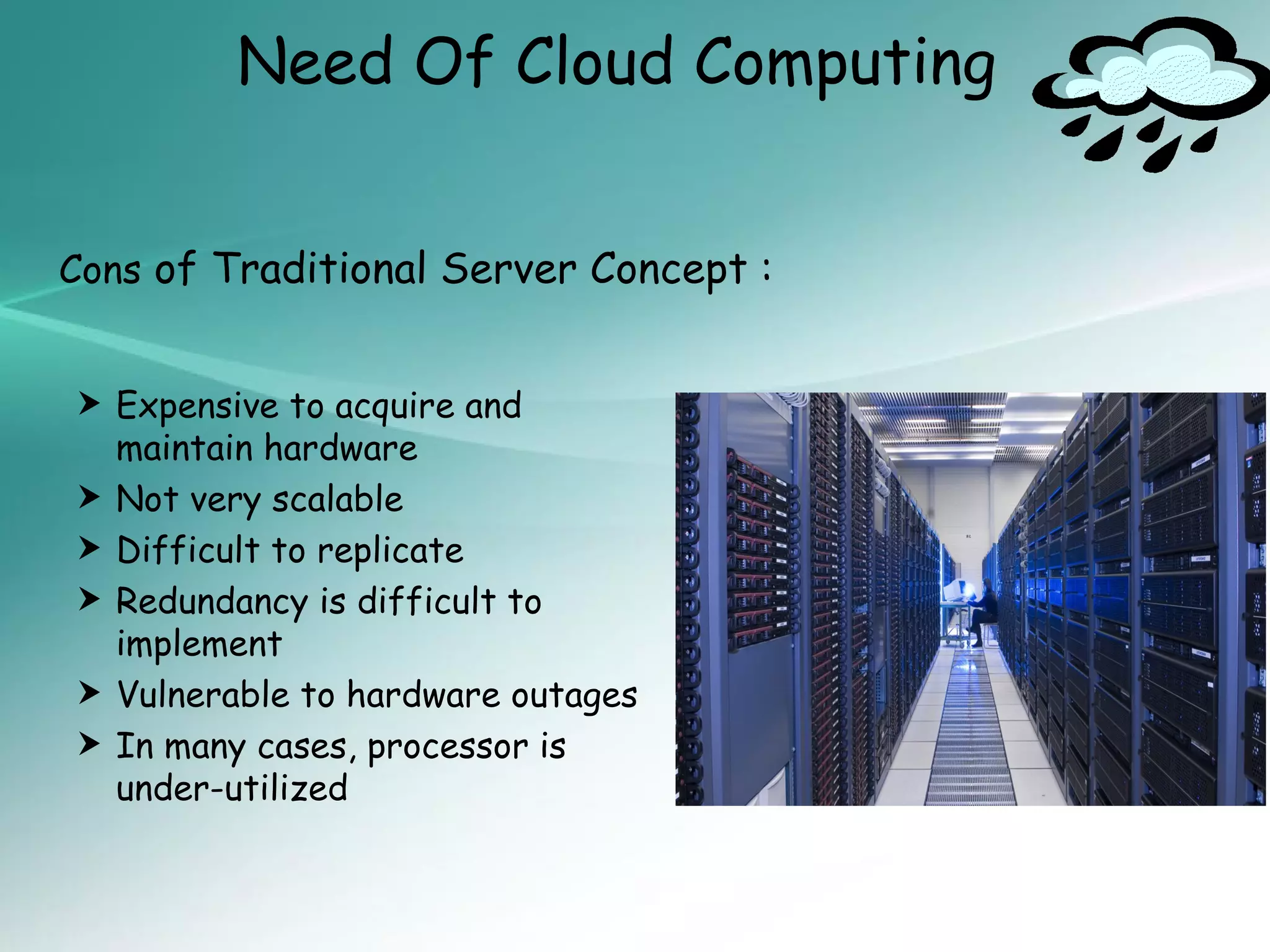
Cons of Traditional Server Concept :


 Expensive to acquire and
    maintain hardware
   Not very scalable
   Difficult to replicate
   Redundancy is difficult to
    implement
   Vulnerable to hardware outages
   In many cases, processor is
    under-utilized
Cloud Summary
• Cloud computing is developmenttermservices.refer
  to Internet based
                     an umbrella
                                 and
                                      used to


• A number ofservices and infrastructure: data,
  applications
               characteristics define cloud


   Remotely hosted: Services or data are hosted on remote
    infrastructure.

   Ubiquitous: Services or data are available from
    anywhere.

   Commodified: The result is a utility computing model
    similar to traditional that of traditional utilities, like gas
    and electricity - you pay for what you would want!
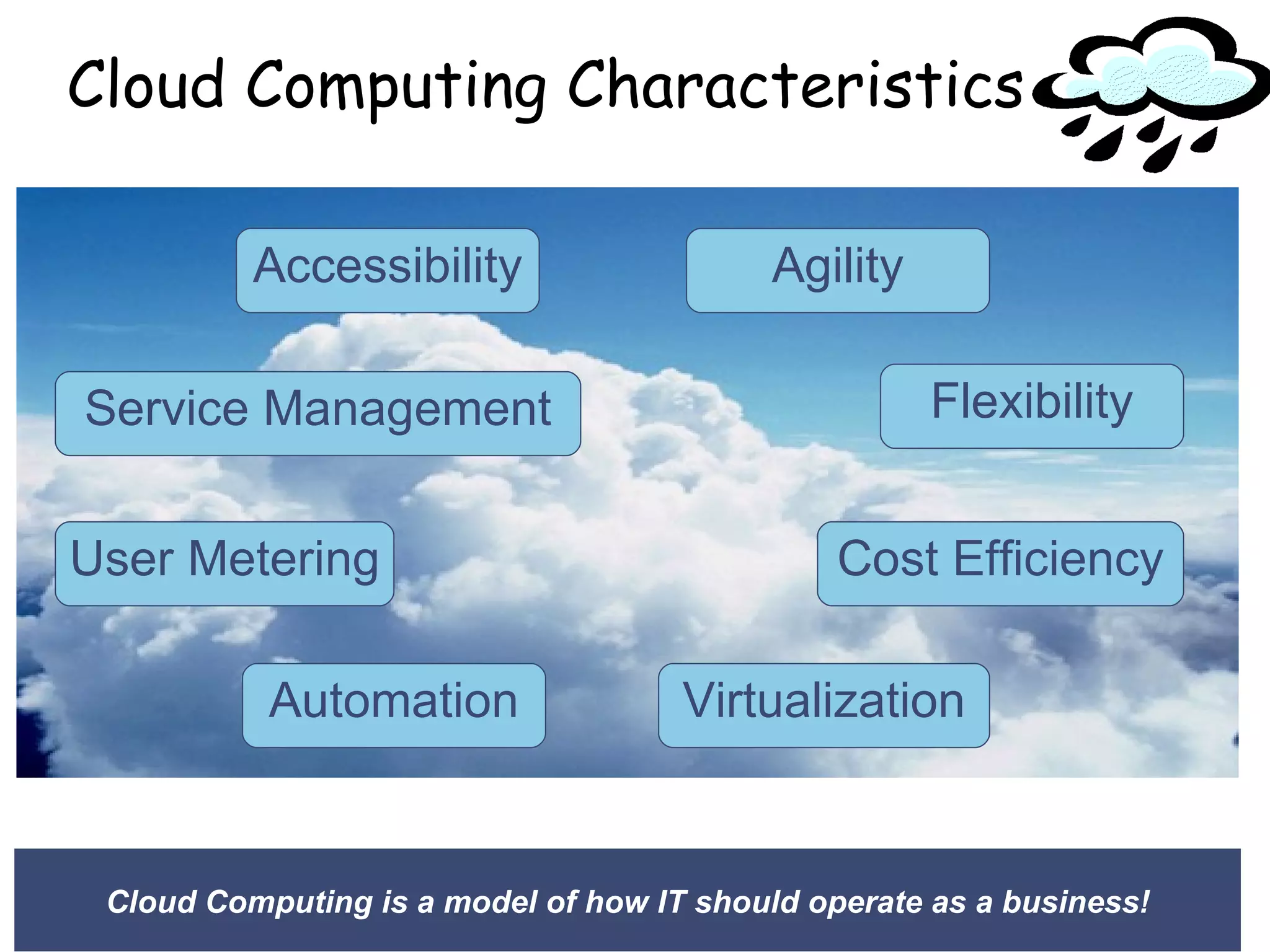
Cloud Computing Characteristics

          Accessibility                    Agility

Service Management                                   Flexibility


User Metering                                  Cost Efficiency

           Automation                Virtualization


 Cloud Computing is a model of how IT should operate as a business!
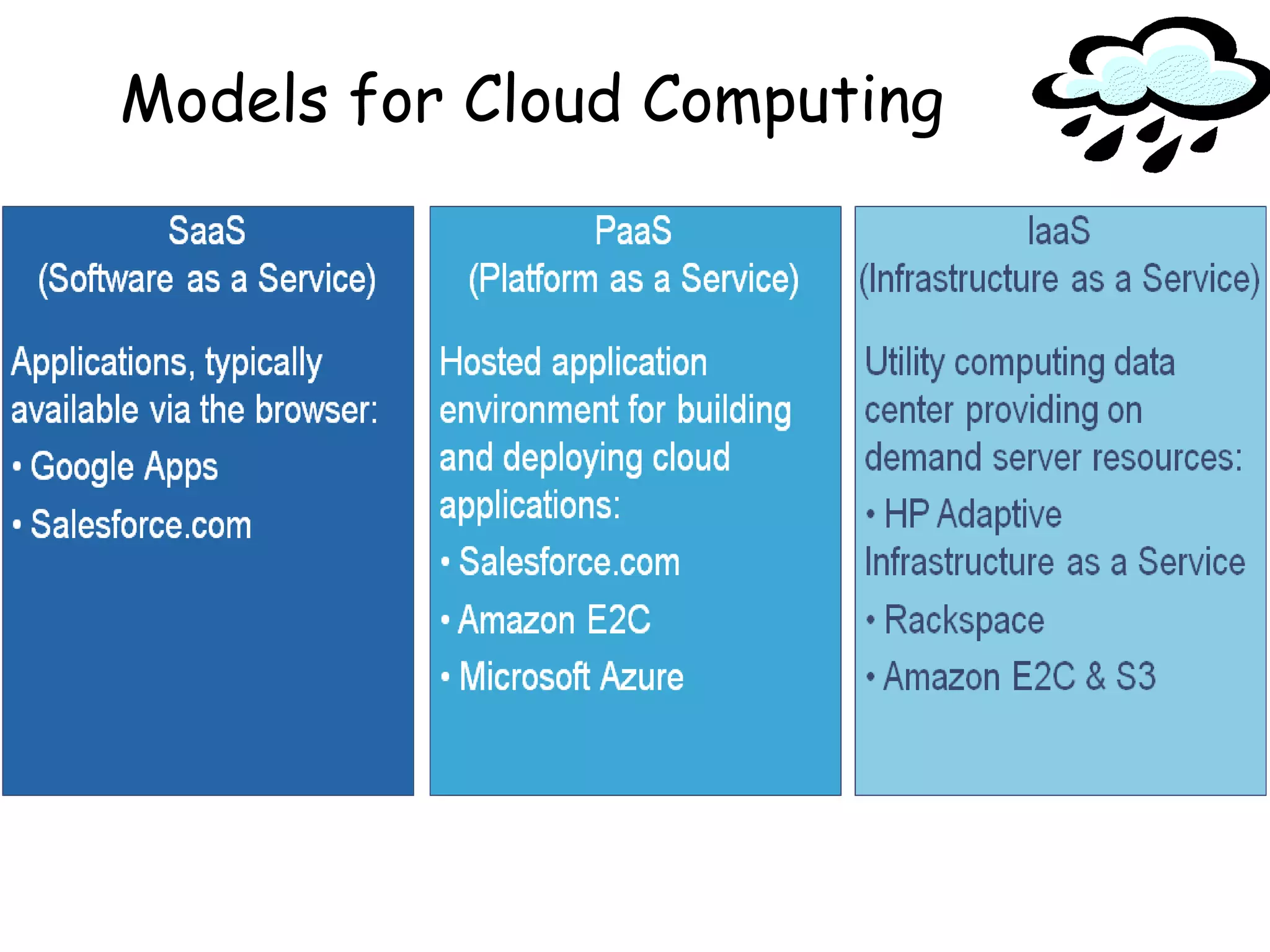
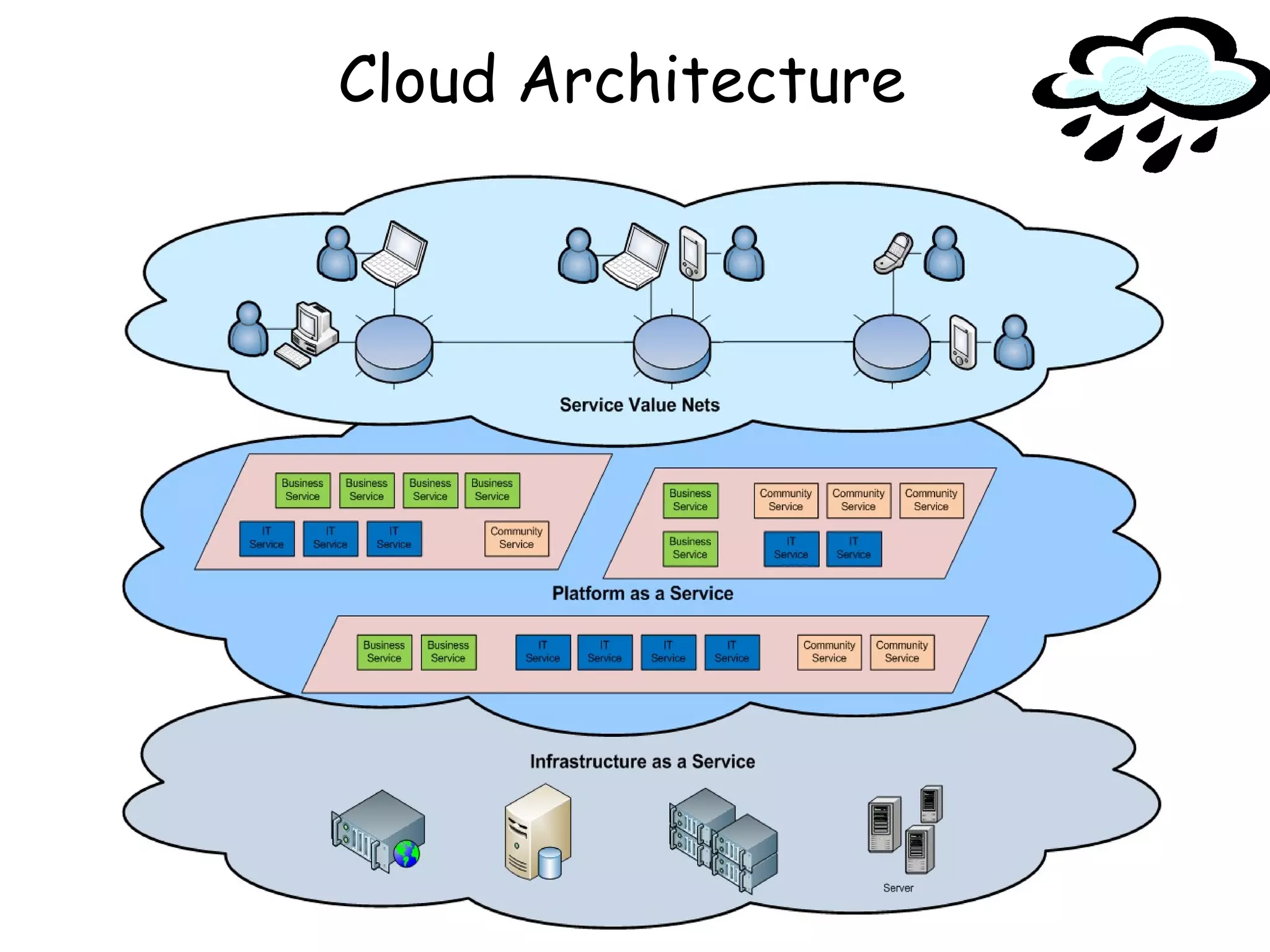
Models for Cloud Computing
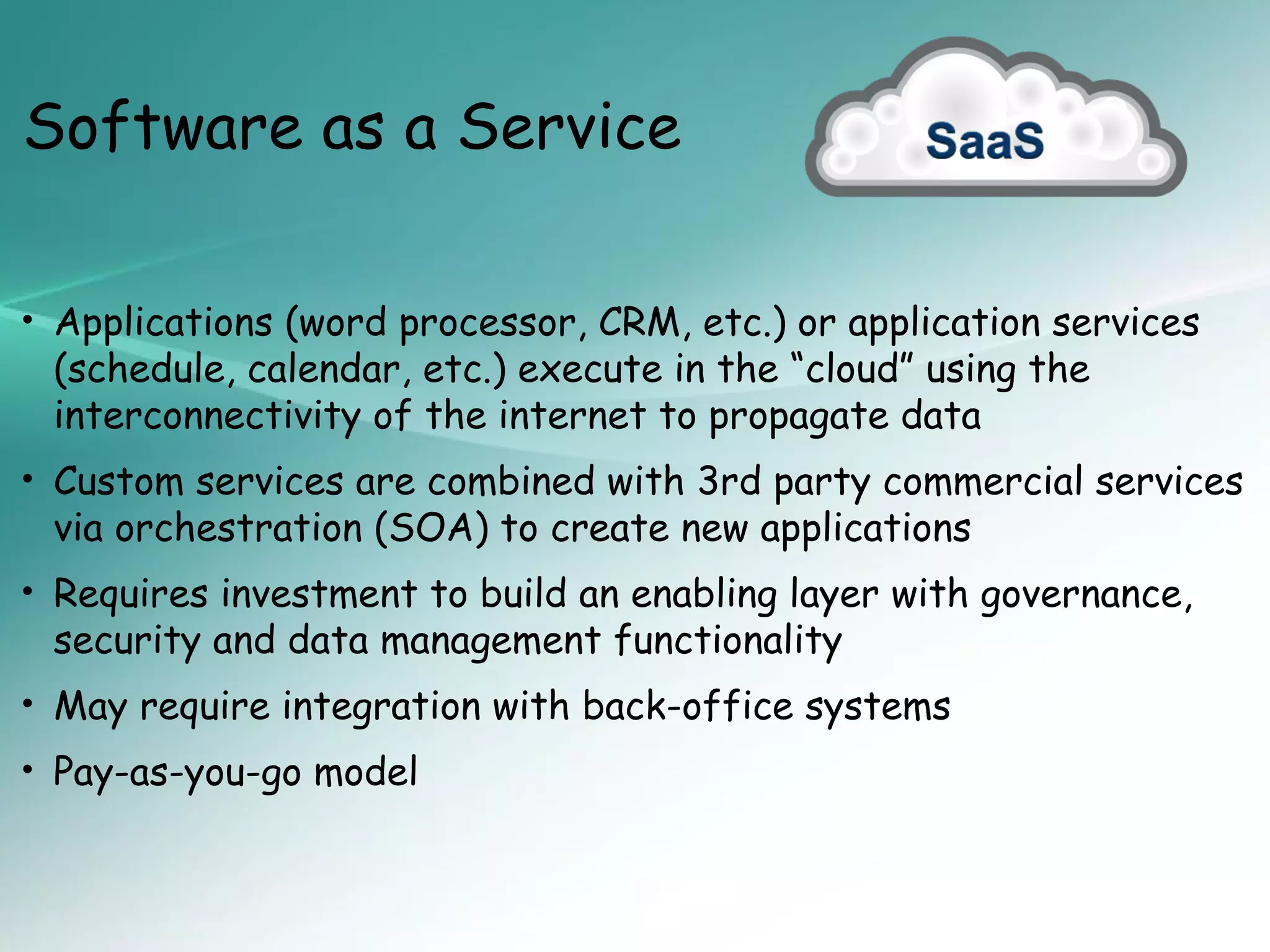
Software as a Service

• Applications (word processor, CRM, etc.) or application services
 (schedule, calendar, etc.) execute in the “cloud” using the
 interconnectivity of the internet to propagate data
• Custom services are combined with 3rd party commercial services
 via orchestration (SOA) to create new applications
• Requires investment to build an enabling layer with governance,
 security and data management functionality
• May require integration with back-office systems
• Pay-as-you-go model
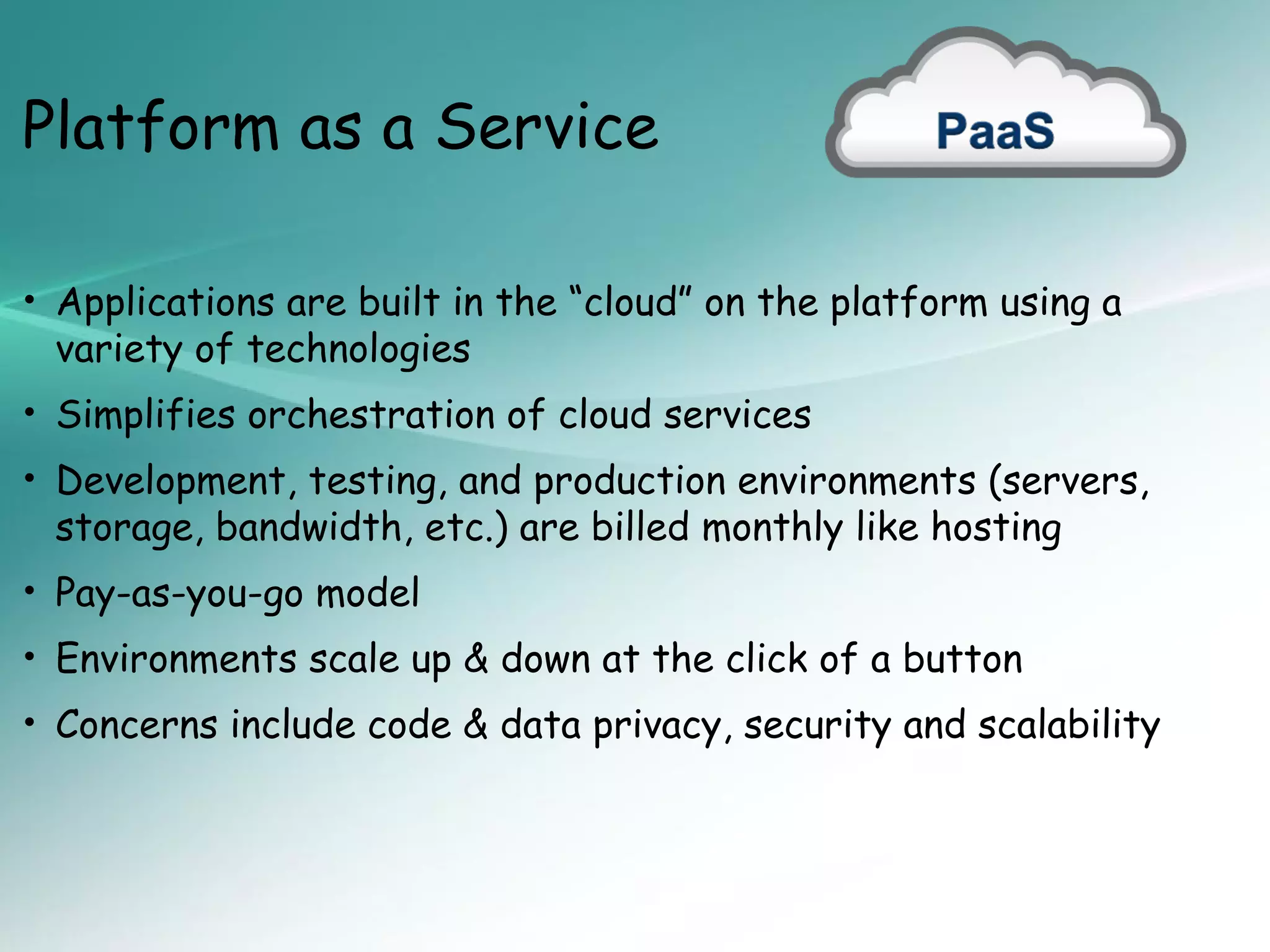
Platform as a Service

• Applications are built in the “cloud” on the platform using a
 variety of technologies
• Simplifies orchestration of cloud services
• Development, testing, and production environments (servers,
 storage, bandwidth, etc.) are billed monthly like hosting
• Pay-as-you-go model
• Environments scale up & down at the click of a button
• Concerns include code & data privacy, security and scalability
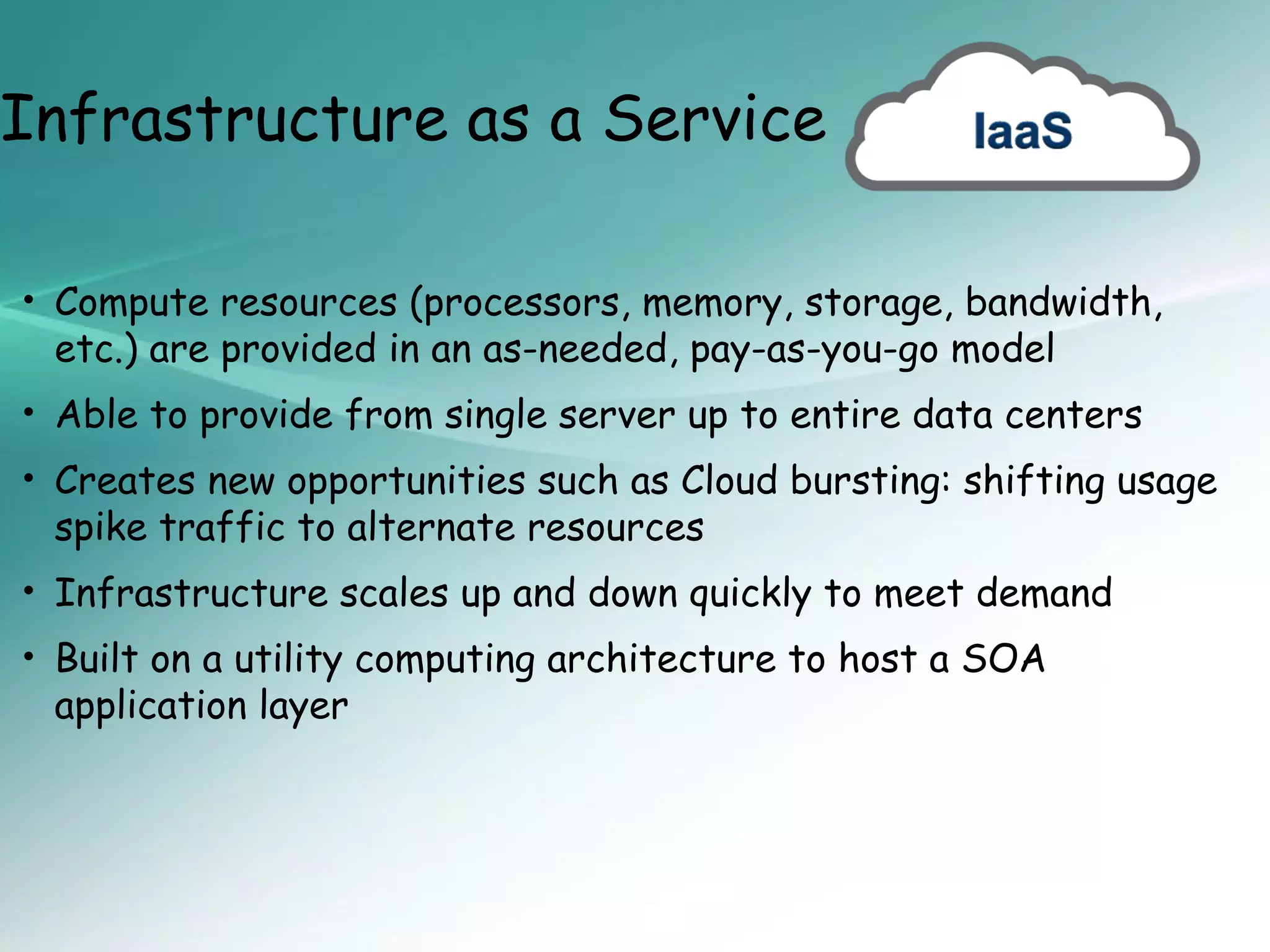
Infrastructure as a Service

• Compute resources (processors, memory, storage, bandwidth,
 etc.) are provided in an as-needed, pay-as-you-go model
• Able to provide from single server up to entire data centers
• Creates new opportunities such as Cloud bursting: shifting usage
 spike traffic to alternate resources
• Infrastructure scales up and down quickly to meet demand
• Built on a utility computing architecture to host a SOA
 application layer
Cloud Architecture
Basic Cloud Characteristics

• The “no-need-to-know” in terms of the underlying
  details of infrastructure, applications interface with the
  infrastructure via the APIs.

• The “flexibility and elasticity” allows these systems to
  scale up and down at will – utilising the resources of all
  kinds (CPU, storage, server capacity, load balancing, and
  databases).

• The “pay as much as used and needed” type of utility
  computing and the “always on!, anywhere and any place”
  type of network-based computing.
Basic Cloud Characteristics

• Cloud are transparent to users and applications, they can
  be built in multiple ways - branded products, proprietary
  open source, hardware or software, or just off-the-
  shelf PCs.

• In general, they are built on clusters of PC servers and
  off-the-shelf components plus Open Source software
  combined with in-house applications and/or system
  software.
Purpose and Benefits
• Cloud computing enables companies and applications,
  which are system infrastructure dependent, to be
  infrastructure-less.

• By using the Cloud infrastructure on “pay as used and
  on demand”, all of us can save in capital and
  operational investment!

• Clients can:
   – Put their data on the platform instead of on their own
     desktop PCs and/or on their own servers.
   – They can put their applications on the cloud and use the
     servers within the cloud to do processing and data
     manipulations etc.
Purpose and Benefits


• The term cloud is used to describe and to reflect this
  class of Internet centric computing infrastructure being
  transparent (users do not need to know what is behind
  the scenes!), highly scalable (scale up and down as
  needed), on-demand, pay as needed and as used.

• After so many years, Cloud Computing is today the a
  network based computing over Internet.
Cloud-Sourcing


• Why is it becoming a Big Deal:

  –   Using high-scale/low-cost providers,
  –   Any time/place access via web browser,
  –   Rapid scalability; incremental cost and load sharing,
  –   Can forget need to focus on local IT.
Cloud-Sourcing


• Concerns:
  Performance, reliability, and SLAs,
  Control of data, and service parameters,
  Application features and choices,
  Interaction between Cloud providers,
  No standard API – mix of SOAP and REST!
  Privacy, security, compliance, trust…
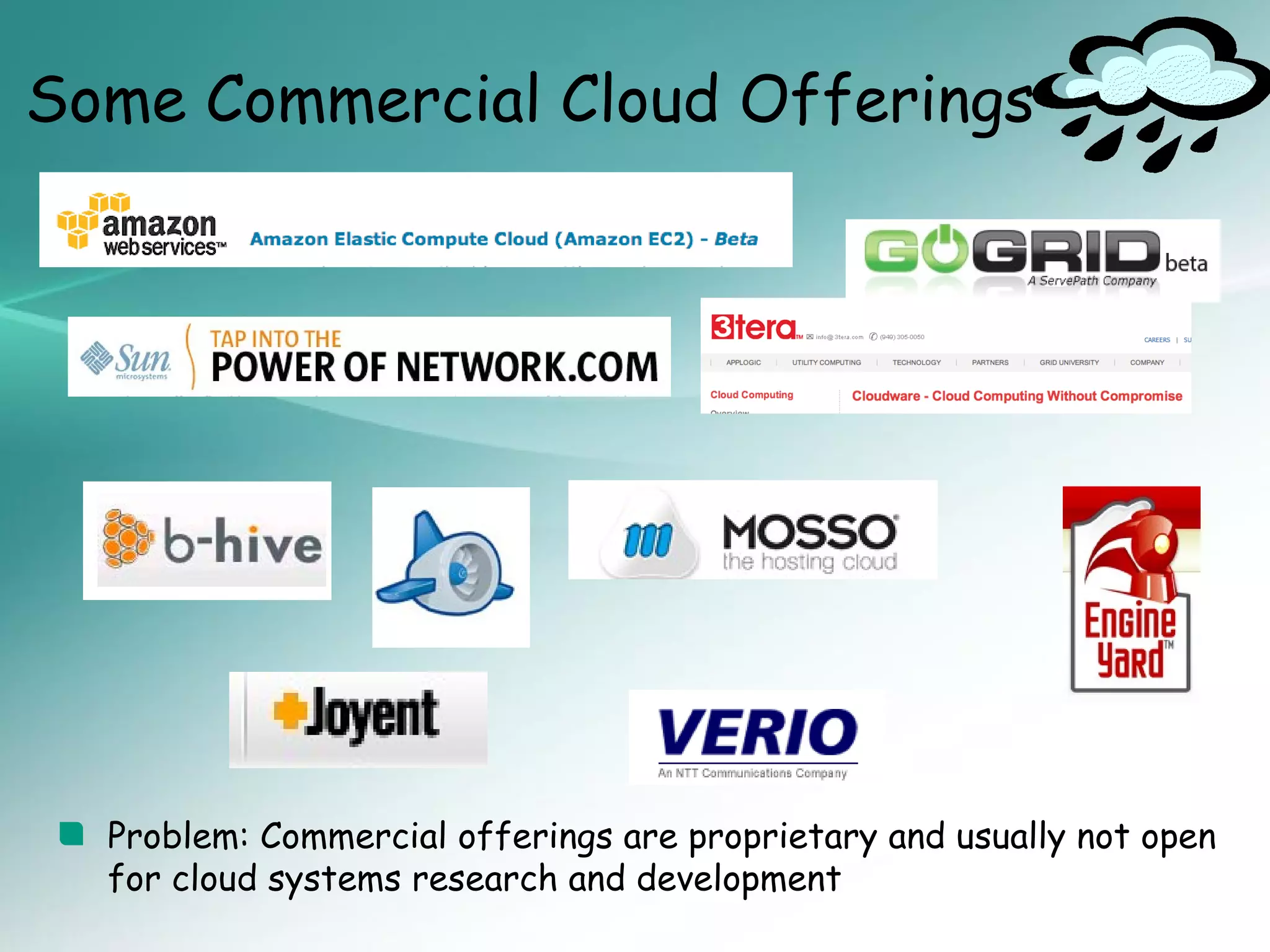
Some Commercial Cloud Offerings


  Problem: Commercial offerings are proprietary and usually not open
  for cloud systems research and development
Cloud Storage

 Several large Web companies (such as Amazon and
  Google) are now exploiting the fact that they have data
  storage capacity that can be hired out to others.

 This approach, known as cloud storage allows data
  stored remotely to be temporarily cached on desktop
  computers, mobile phones or other Internet-linked
  devices.

 Amazon’s Elastic Compute Cloud (EC2) and Simple
  Storage Solution (S3) are well known examples.
Opportunities and Challenges

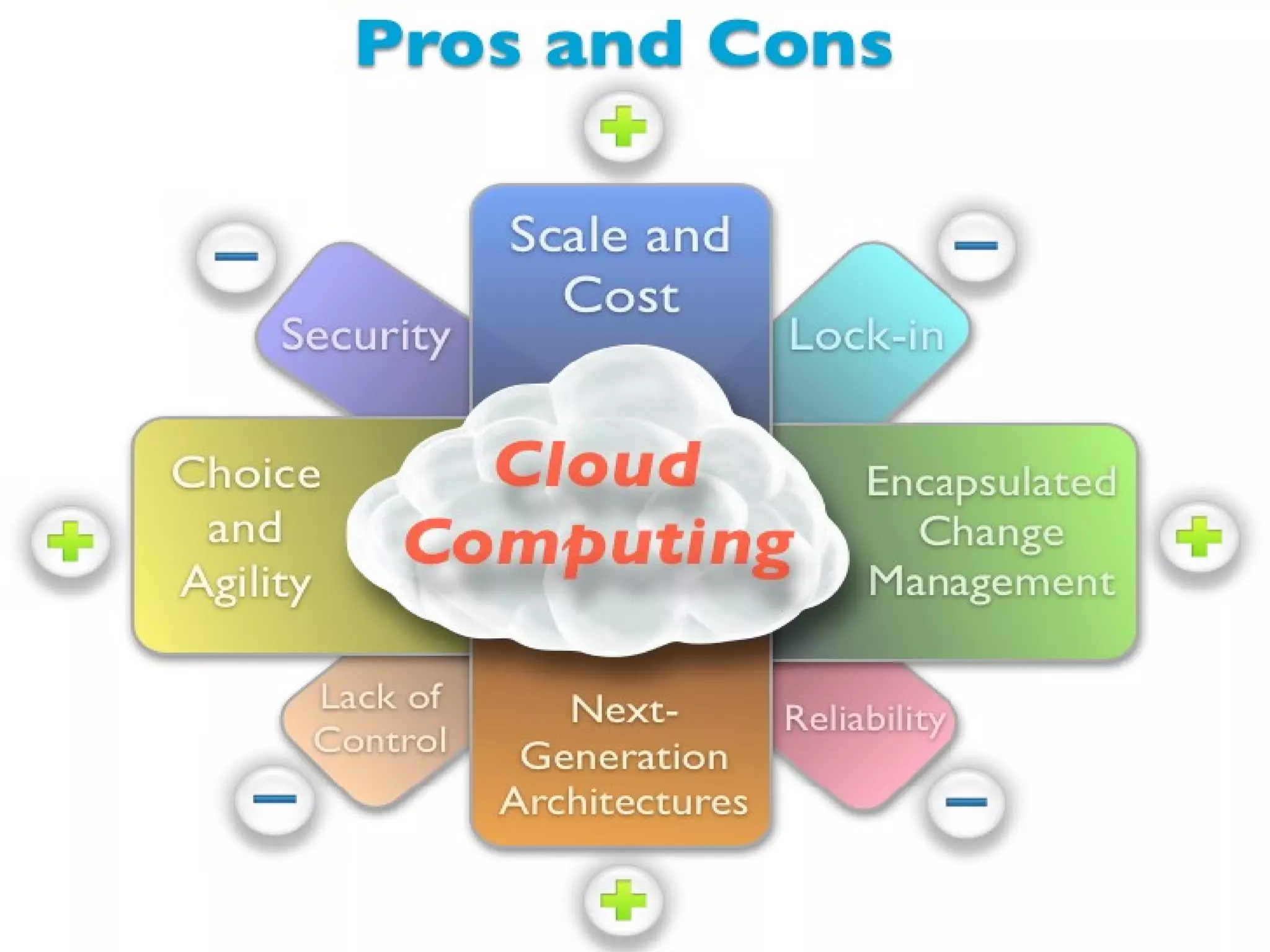
•   The use of the cloud provides a number of opportunities:
     It enables services to be used without any understanding of
      their infrastructure.
     Cloud computing works using economies of scale:
     Data and services are stored remotely but accessible from
      “anywhere”.
•   In parallel there has been backlash against cloud
    computing:
     Use of cloud computing means dependence on others and that
      could possibly limit flexibility and innovation:
     Security could prove to be a big issue:
     There are also issues relating to policy and access:
Advantages of Cloud Computing

 Lower computer costs.

 Improved performance.

 Reduced software costs.

 Instant software updates.

 Improved document format compatibility.

 Unlimited storage capacity.
Advantages of Cloud Computing

 Increased data reliability.

 Universal document access.

 Latest version availability.

 Easier group collaboration.

 Device independence.
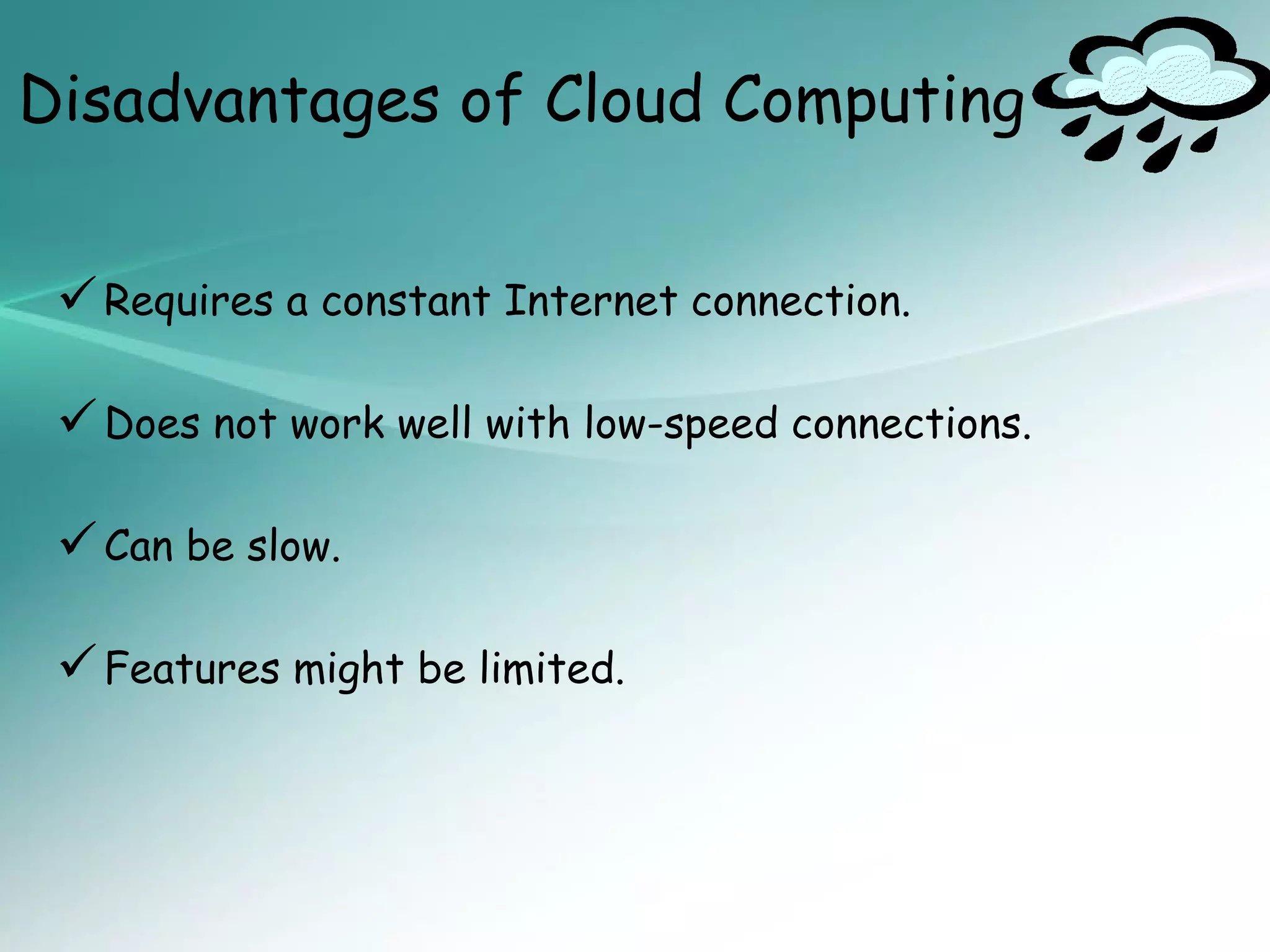
Disadvantages of Cloud Computing


  Requires a constant Internet connection.

  Does not work well with low-speed connections.

  Can be slow.

  Features might be limited.
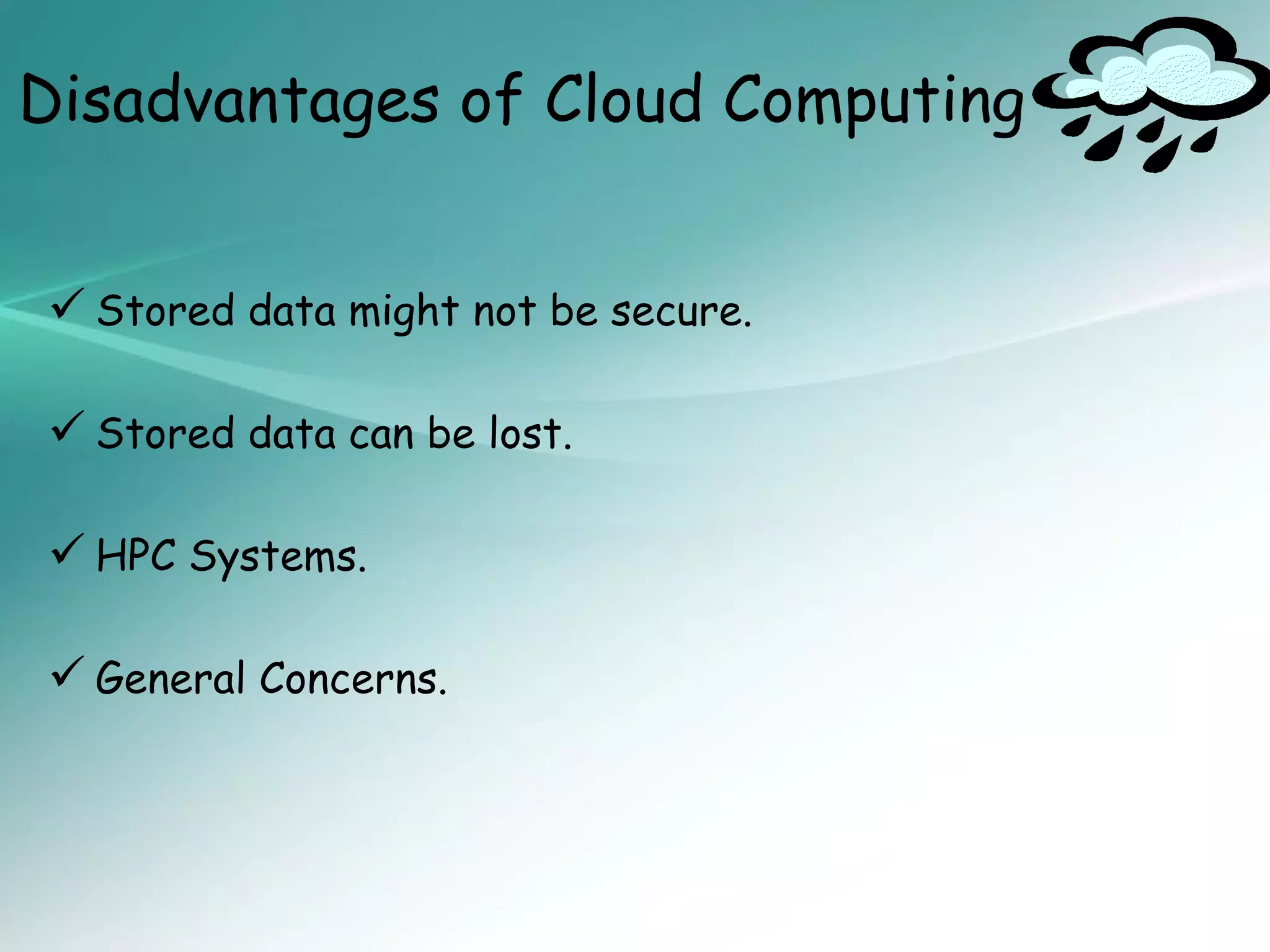
Disadvantages of Cloud Computing


 Stored data might not be secure.

 Stored data can be lost.

 HPC Systems.

 General Concerns.
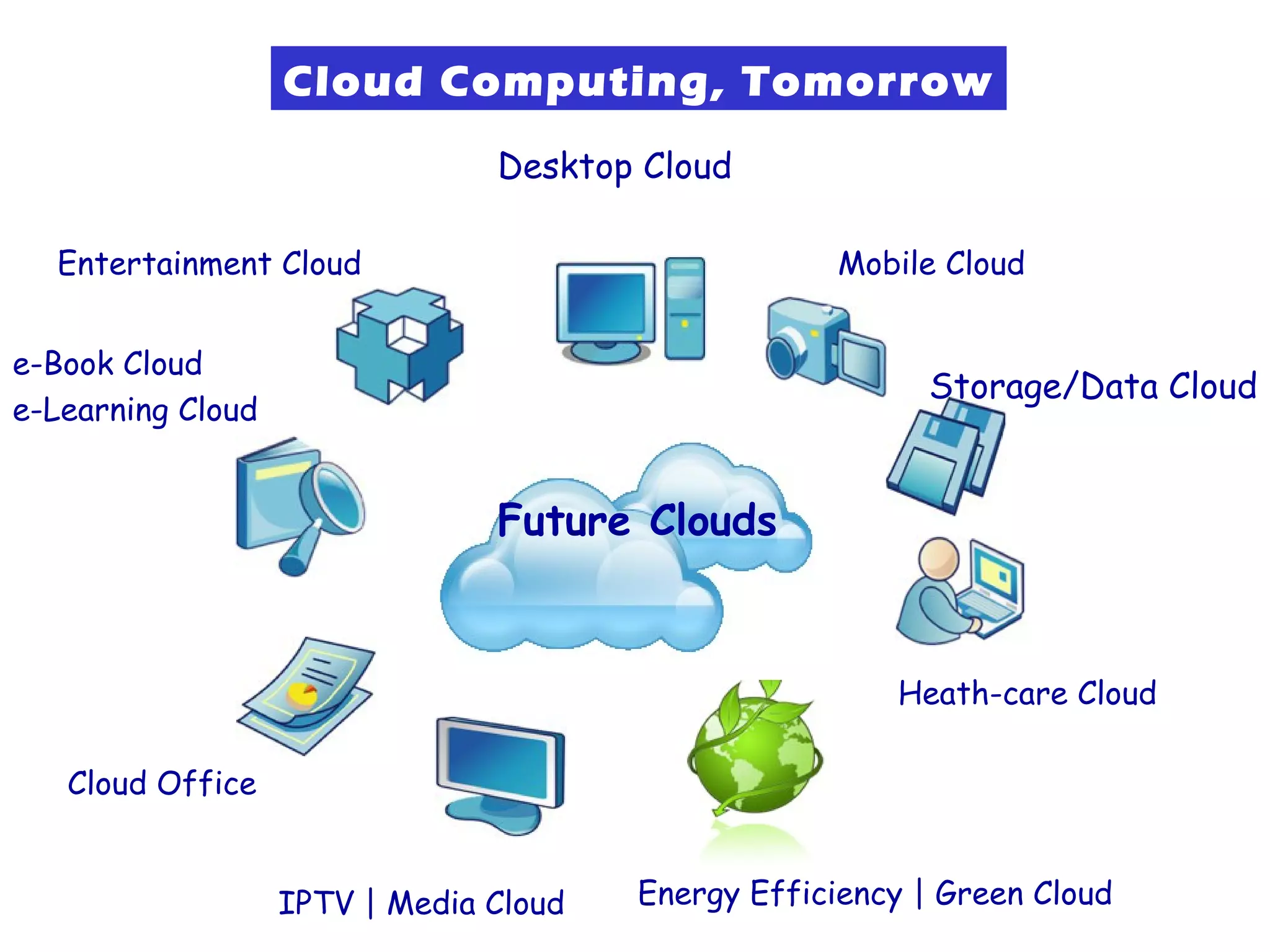
Cloud Computing, Tomorrow
                                Desktop Cloud

  Entertainment Cloud                                Mobile Cloud


e-Book Cloud
                                                           Storage/Data Cloud
e-Learning Cloud


                                Future Clouds


                                                        Heath-care Cloud

   Cloud Office


                   IPTV | Media Cloud   Energy Efficiency | Green Cloud
The Future

Many of the activities loosely grouped together under
  cloud computing have already been happening and
  centralised computing activity is not a new phenomena.


Grid Computing was the last research-led centralised
  approach.


However there are concerns that the mainstream
  adoption of cloud computing could cause many problems
  for users.
The Future

Whether these worries are grounded or not has yet to
  be seen.


Many new open source systems appearing that you can
  install and run on your local cluster – should be able to
  run a variety of applications on these systems.
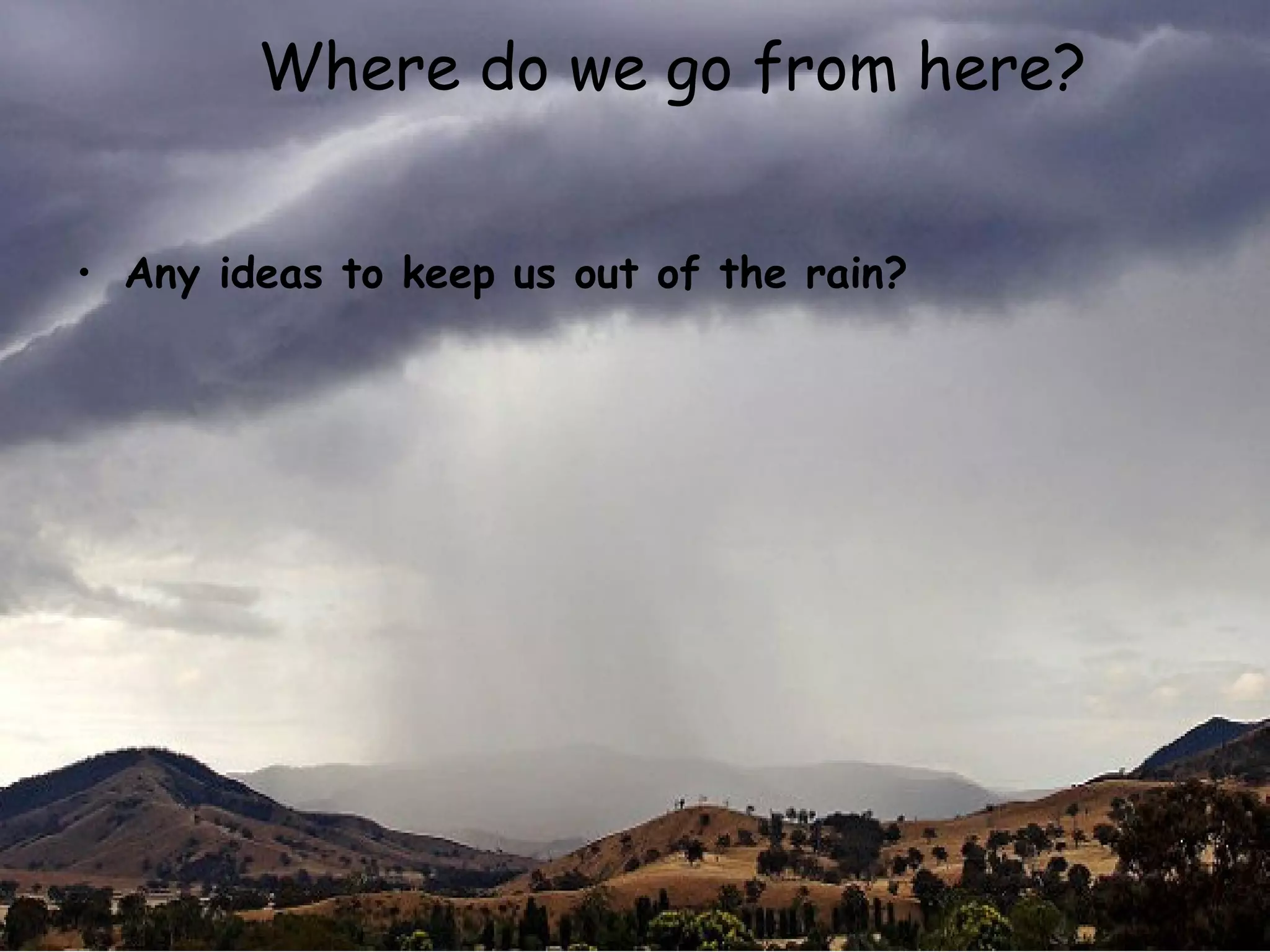
Where do we go from here?


• Any ideas to keep us out of the rain?


                 20090909_VirtualizationAndCloud   35
Thank You

Cloud computing

  • 1.
    Introduction to Cloud computing • Cloud Computing Submitted By : Pallavi Rai CSE Eve Shift S Roll no. 115318 Presented by: Pallavi Rai
  • 2.
    Agenda •Introduction •Need Of CloudComputing •Evolution of cloud computing •Cloud Summary •Cloud Computing Characteristics •Models for Cloud Computing •Cloud Architecture •Basic Cloud Characteristics •Purpose and Benefits •Cloud-Sourcing •Cloud Storage •Opportunities and Challenges •Advantages of Cloud Computing •The Future
  • 3.
    What is CloudComputing?
  • 4.
    INTRODUCTION • Cloud Computingis a general term used to describe a new class of network based computing that takes place over the Internet. • In other words, this is a collection/group of integrated and networked hardware, software and Internet infrastructure (called a platform). 40’s 70’s 80’s Now
  • 5.
    INTRODUCTION • Using theInternet for communication and transport provides hardware, software and networking services to clients. • These platforms hide the complexity and details of the underlying infrastructure from users and applications by providing very simple graphical interface or API (Applications Programming Interface).
  • 6.
    INTRODUCTION • In addition,the platform provides on demand services, that are always on, anywhere, anytime and any place. • Pay for use and as needed, elastic (scale up and down in capacity and functionalities). • The hardware and software services are available to the general public, enterprises, corporations and businesses markets.
  • 7.
    Cloud Computing -The Coming Storm Evolution of Cloud Computing Cloud Computing SaaS Computing  Next-Generation Utility Computing  Network-based Internet Grid Computing Offering subscriptions computing Solving large to applications  Next-Generation computing problems with resources as a Gained Data Centers Parallel metered momentum computing service in 2001 Made  Introduced in mainstream late 1990s By Global Alliance Cloud Computing Slide 7
  • 8.
    Need Of CloudComputing The Traditional Server Concept Web Server App Server DB Server EMail Windows Linux Linux Windows IIS Glassfish MySQL Exchange
  • 9.
    Need Of CloudComputing And if something goes wrong ... Web Server App Server DB Server EMail Windows DOWN! Linux Windows IIS MySQL Exchange
  • 10.
    Need Of CloudComputing Cons of Traditional Server Concept :  Expensive to acquire and maintain hardware  Not very scalable  Difficult to replicate  Redundancy is difficult to implement  Vulnerable to hardware outages  In many cases, processor is under-utilized
  • 11.
    Cloud Summary • Cloudcomputing is developmenttermservices.refer to Internet based an umbrella and used to • A number ofservices and infrastructure: data, applications characteristics define cloud  Remotely hosted: Services or data are hosted on remote infrastructure.  Ubiquitous: Services or data are available from anywhere.  Commodified: The result is a utility computing model similar to traditional that of traditional utilities, like gas and electricity - you pay for what you would want!
  • 12.
    Cloud Computing Characteristics Accessibility Agility Service Management Flexibility User Metering Cost Efficiency Automation Virtualization Cloud Computing is a model of how IT should operate as a business!
  • 13.
  • 14.
    Software as aService • Applications (word processor, CRM, etc.) or application services (schedule, calendar, etc.) execute in the “cloud” using the interconnectivity of the internet to propagate data • Custom services are combined with 3rd party commercial services via orchestration (SOA) to create new applications • Requires investment to build an enabling layer with governance, security and data management functionality • May require integration with back-office systems • Pay-as-you-go model
  • 15.
    Platform as aService • Applications are built in the “cloud” on the platform using a variety of technologies • Simplifies orchestration of cloud services • Development, testing, and production environments (servers, storage, bandwidth, etc.) are billed monthly like hosting • Pay-as-you-go model • Environments scale up & down at the click of a button • Concerns include code & data privacy, security and scalability
  • 16.
    Infrastructure as aService • Compute resources (processors, memory, storage, bandwidth, etc.) are provided in an as-needed, pay-as-you-go model • Able to provide from single server up to entire data centers • Creates new opportunities such as Cloud bursting: shifting usage spike traffic to alternate resources • Infrastructure scales up and down quickly to meet demand • Built on a utility computing architecture to host a SOA application layer
  • 17.
  • 18.
    Basic Cloud Characteristics •The “no-need-to-know” in terms of the underlying details of infrastructure, applications interface with the infrastructure via the APIs. • The “flexibility and elasticity” allows these systems to scale up and down at will – utilising the resources of all kinds (CPU, storage, server capacity, load balancing, and databases). • The “pay as much as used and needed” type of utility computing and the “always on!, anywhere and any place” type of network-based computing.
  • 19.
    Basic Cloud Characteristics •Cloud are transparent to users and applications, they can be built in multiple ways - branded products, proprietary open source, hardware or software, or just off-the- shelf PCs. • In general, they are built on clusters of PC servers and off-the-shelf components plus Open Source software combined with in-house applications and/or system software.
  • 20.
    Purpose and Benefits •Cloud computing enables companies and applications, which are system infrastructure dependent, to be infrastructure-less. • By using the Cloud infrastructure on “pay as used and on demand”, all of us can save in capital and operational investment! • Clients can: – Put their data on the platform instead of on their own desktop PCs and/or on their own servers. – They can put their applications on the cloud and use the servers within the cloud to do processing and data manipulations etc.
  • 21.
    Purpose and Benefits •The term cloud is used to describe and to reflect this class of Internet centric computing infrastructure being transparent (users do not need to know what is behind the scenes!), highly scalable (scale up and down as needed), on-demand, pay as needed and as used. • After so many years, Cloud Computing is today the a network based computing over Internet.
  • 22.
    Cloud-Sourcing • Why isit becoming a Big Deal: – Using high-scale/low-cost providers, – Any time/place access via web browser, – Rapid scalability; incremental cost and load sharing, – Can forget need to focus on local IT.
  • 23.
    Cloud-Sourcing • Concerns: Performance, reliability, and SLAs, Control of data, and service parameters, Application features and choices, Interaction between Cloud providers, No standard API – mix of SOAP and REST! Privacy, security, compliance, trust…
  • 24.
    Some Commercial CloudOfferings Problem: Commercial offerings are proprietary and usually not open for cloud systems research and development
  • 25.
    Cloud Storage  Severallarge Web companies (such as Amazon and Google) are now exploiting the fact that they have data storage capacity that can be hired out to others.  This approach, known as cloud storage allows data stored remotely to be temporarily cached on desktop computers, mobile phones or other Internet-linked devices.  Amazon’s Elastic Compute Cloud (EC2) and Simple Storage Solution (S3) are well known examples.
  • 26.
    Opportunities and Challenges • The use of the cloud provides a number of opportunities:  It enables services to be used without any understanding of their infrastructure.  Cloud computing works using economies of scale:  Data and services are stored remotely but accessible from “anywhere”. • In parallel there has been backlash against cloud computing:  Use of cloud computing means dependence on others and that could possibly limit flexibility and innovation:  Security could prove to be a big issue:  There are also issues relating to policy and access:
  • 27.
    Advantages of CloudComputing  Lower computer costs.  Improved performance.  Reduced software costs.  Instant software updates.  Improved document format compatibility.  Unlimited storage capacity.
  • 28.
    Advantages of CloudComputing  Increased data reliability.  Universal document access.  Latest version availability.  Easier group collaboration.  Device independence.
  • 29.
    Disadvantages of CloudComputing  Requires a constant Internet connection.  Does not work well with low-speed connections.  Can be slow.  Features might be limited.
  • 30.
    Disadvantages of CloudComputing  Stored data might not be secure.  Stored data can be lost.  HPC Systems.  General Concerns.
  • 32.
    Cloud Computing, Tomorrow Desktop Cloud Entertainment Cloud Mobile Cloud e-Book Cloud Storage/Data Cloud e-Learning Cloud Future Clouds Heath-care Cloud Cloud Office IPTV | Media Cloud Energy Efficiency | Green Cloud
  • 33.
    The Future Many ofthe activities loosely grouped together under cloud computing have already been happening and centralised computing activity is not a new phenomena. Grid Computing was the last research-led centralised approach. However there are concerns that the mainstream adoption of cloud computing could cause many problems for users.
  • 34.
    The Future Whether theseworries are grounded or not has yet to be seen. Many new open source systems appearing that you can install and run on your local cluster – should be able to run a variety of applications on these systems.
  • 35.
    Where do wego from here? • Any ideas to keep us out of the rain? 20090909_VirtualizationAndCloud 35
  • 36.

Editor's Notes

  • #2 Submitted by: Pallavi Rai CSE Eve Shift Roll no.115318
  • #13 Date