Te c h L e a d

iOSAndroid
DEVELOPER
BlackberryBadaWindowsPhone7

MOBILE
Mathieu Hausherr
mha@octo.com
1
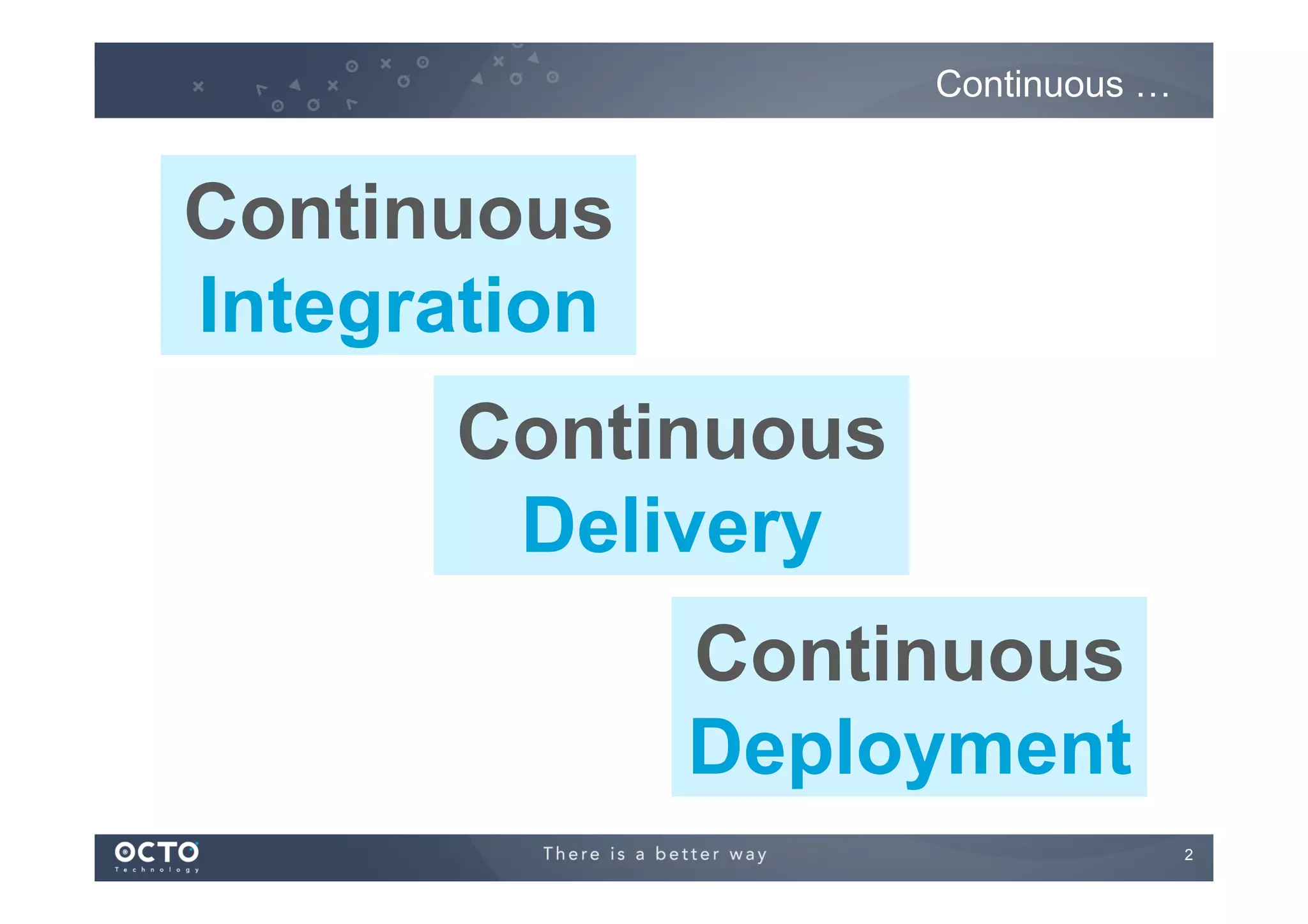
Continuous …

Continuous
Integration
Continuous
Delivery
Continuous
Deployment
2
Definitions
!

Continuous Integration
!   Each commit or per batch, the source code is :
!   Compiled
!   Tested
!   Deployed on Integration environment

!

Continuous Delivery
!   Each commit or per batch, the source code is :
!   […]
!   Delivered to next team (QA, validation, production, …)

!

Continuous Deployment
!   Each commit or per batch, the source code is :
!   […]
!   Deployed on Production environment

3
Continuous
Integration

4
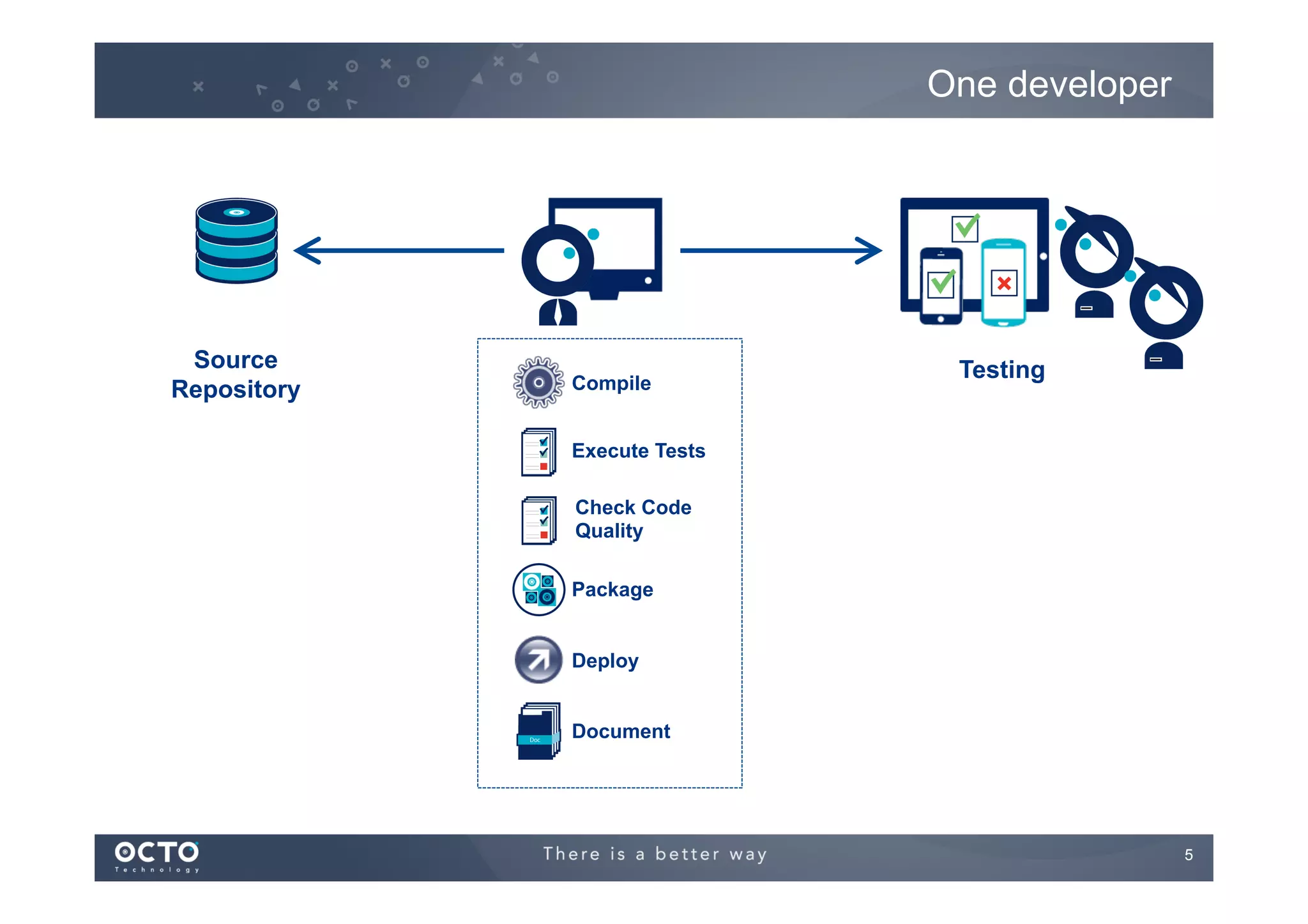
One developer

Source
Repository

Compile

Testing

Execute Tests
Check Code
Quality
Package
Deploy
Document

5
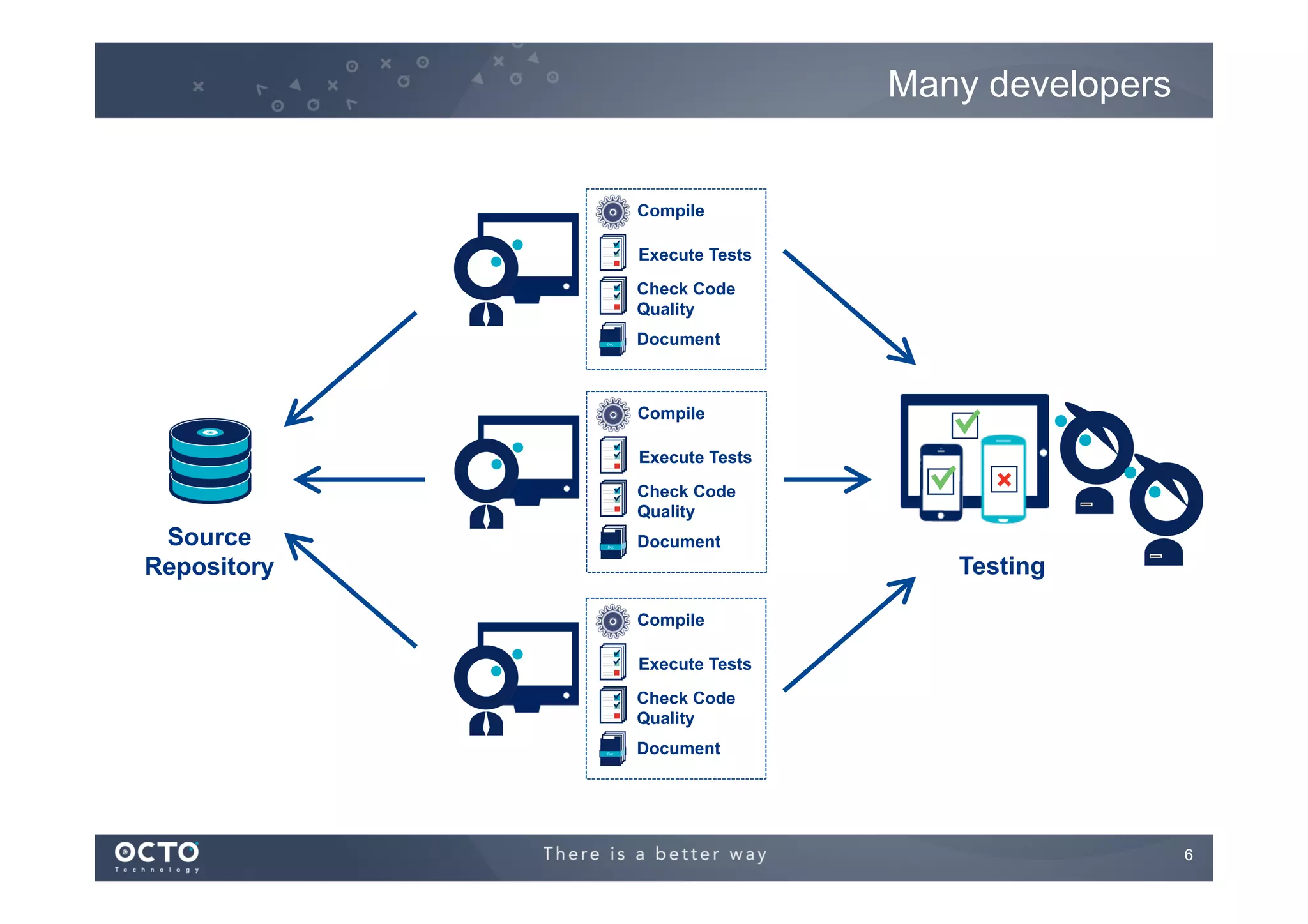
Many developers

Compile
Execute Tests
Check Code
Quality
Document

Compile
Execute Tests
Check Code
Quality

Source
Repository

Document

Testing
Compile
Execute Tests
Check Code
Quality
Document

6
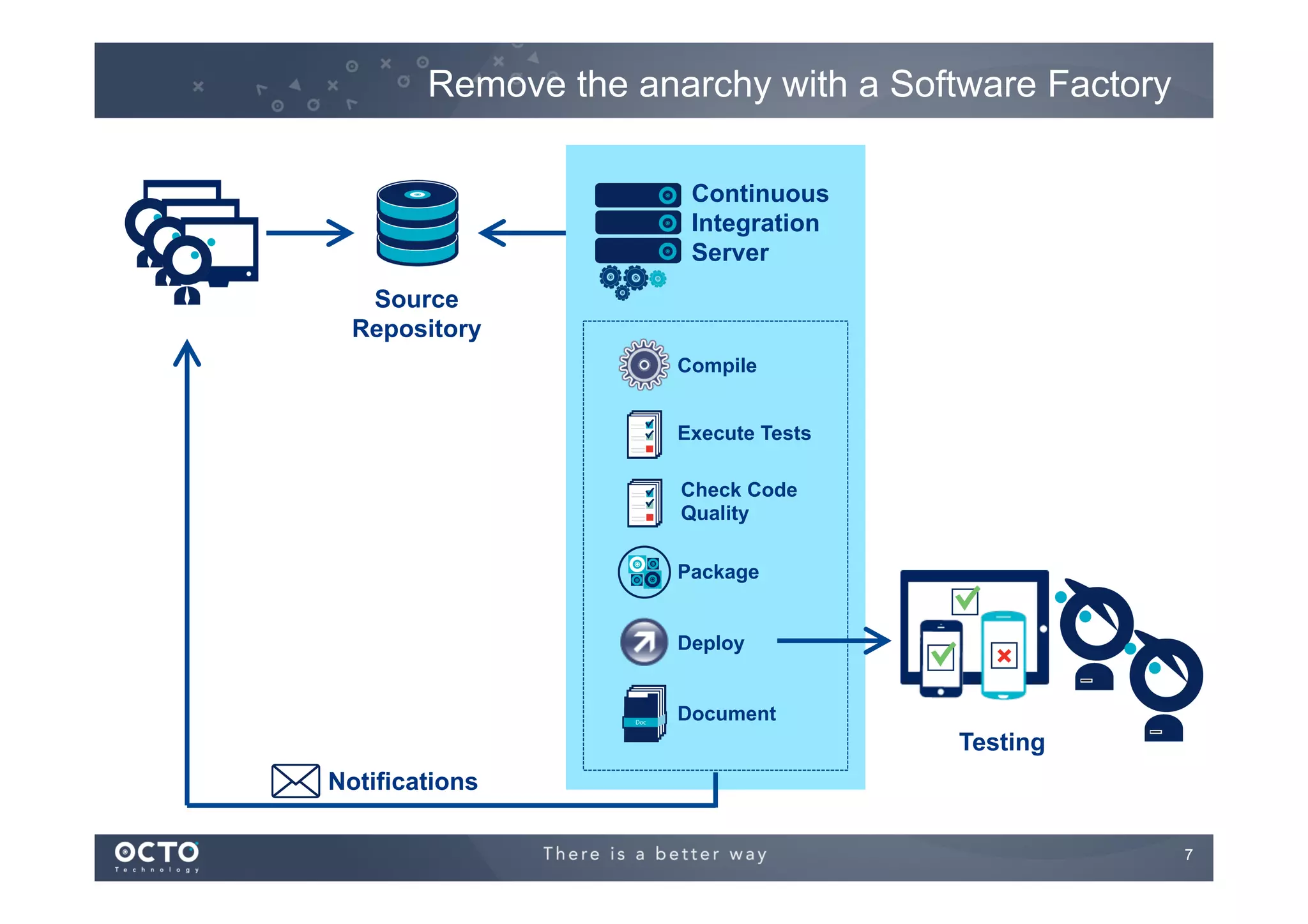
Remove the anarchy with a Software Factory
Continuous
Integration
Server
Source
Repository
Compile
Execute Tests
Check Code
Quality
Package
Deploy
Document

Testing
Notifications
7
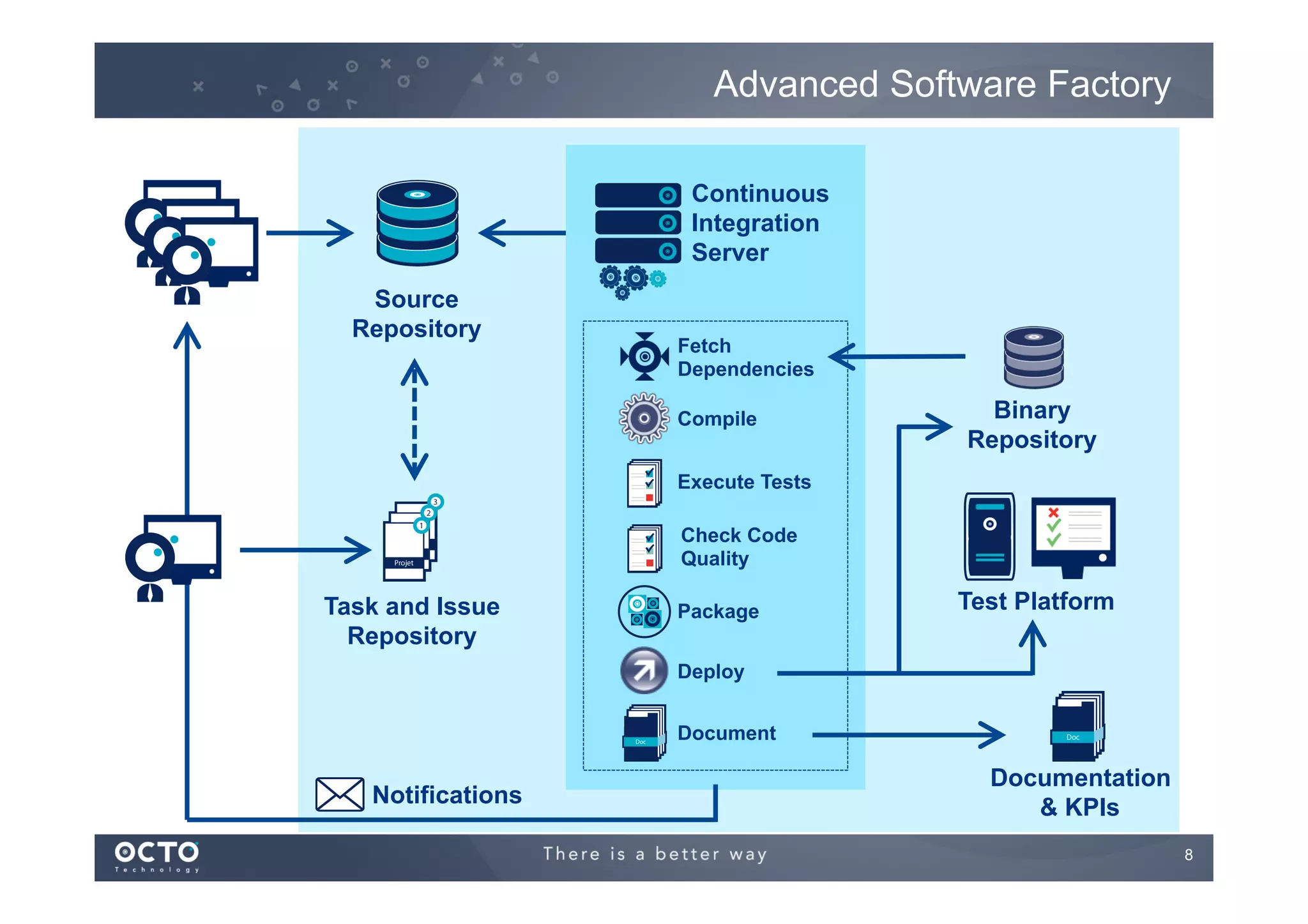
Advanced Software Factory
Continuous
Integration
Server
Source
Repository

Fetch
Dependencies
Compile

Binary
Repository

Execute Tests
Check Code
Quality

Task and Issue
Repository

Package

Test Platform

Deploy
Document

Notifications

Documentation
& KPIs
8
How ?

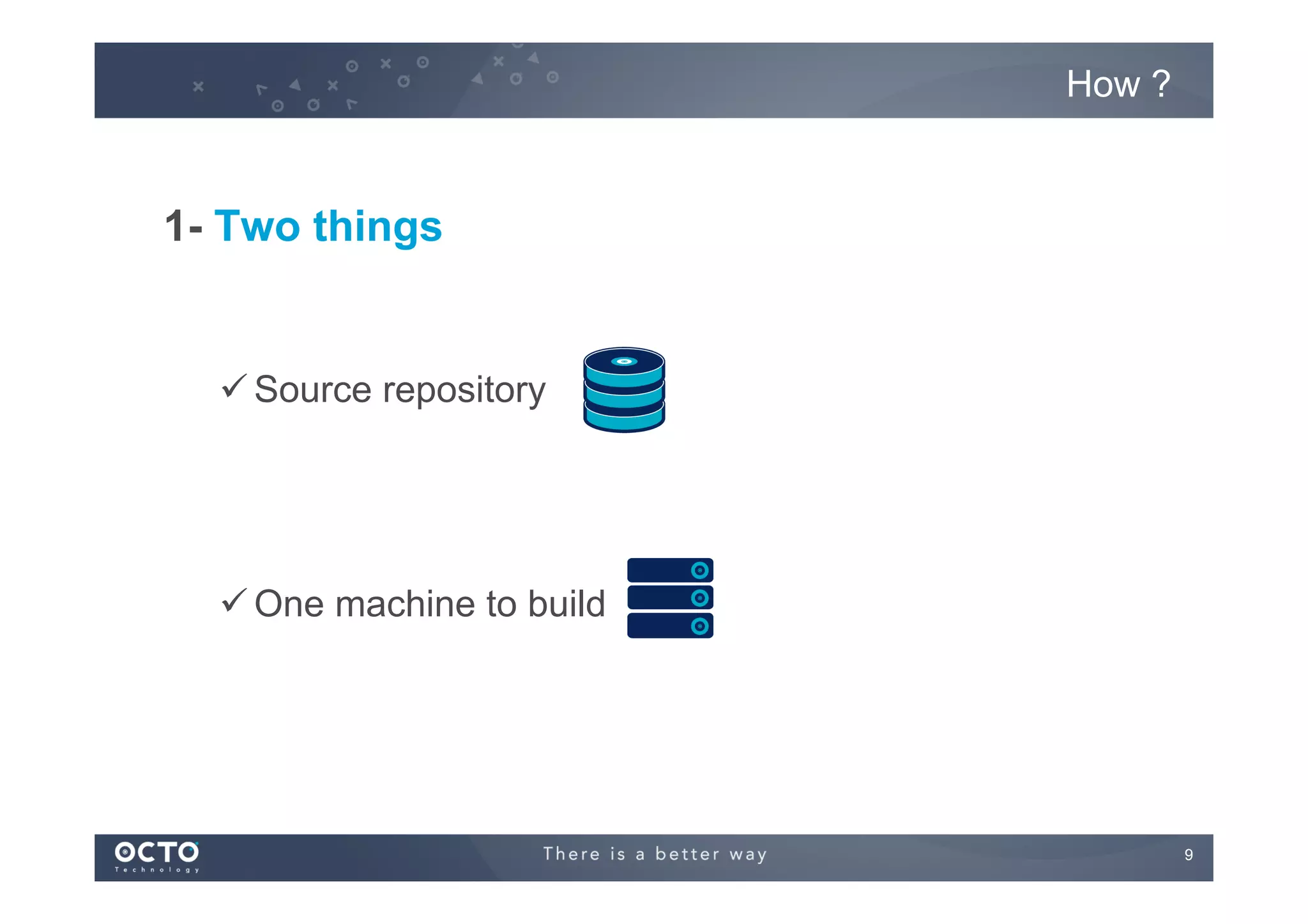
1- Two things

ü Source repository

ü One machine to build

9
How ?

2- Many principles to apply :
ü Maintain a code repository
ü Automate the build
ü Make the build self-testing
ü Everyone commits more often
ü Everyone can see the results of the latest build
ü Automate deployment

Source : http://en.wikipedia.org/wiki/Continuous_integration
10
Continuous Continuous
Delivery
Deployment

11
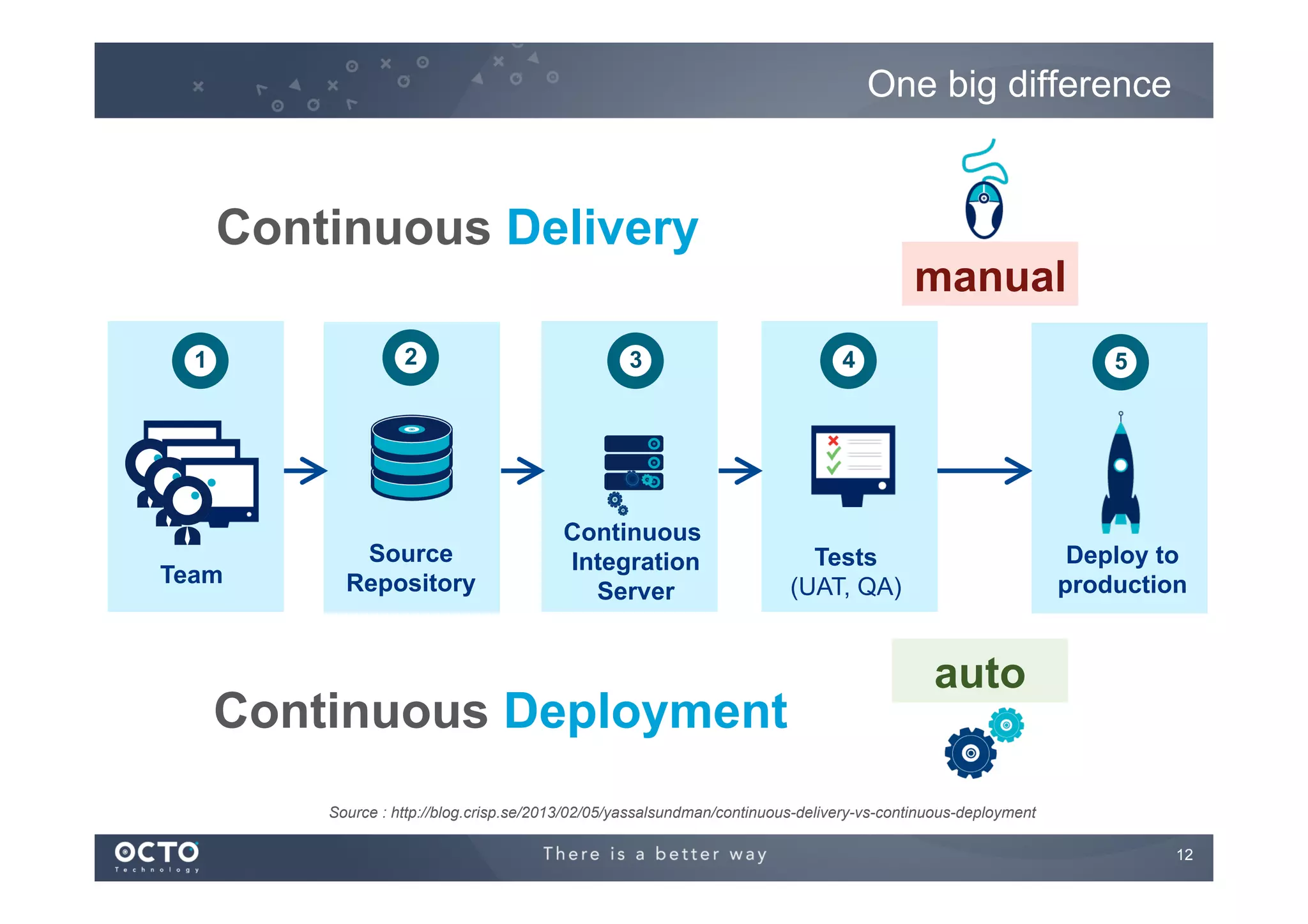
One big difference

Continuous Delivery

manual

2

1

Team

3

4

5

Source
Repository

Continuous
Integration
Server

Tests
(UAT, QA)

Deploy to
production

Continuous Deployment

auto

Source : http://blog.crisp.se/2013/02/05/yassalsundman/continuous-delivery-vs-continuous-deployment
12
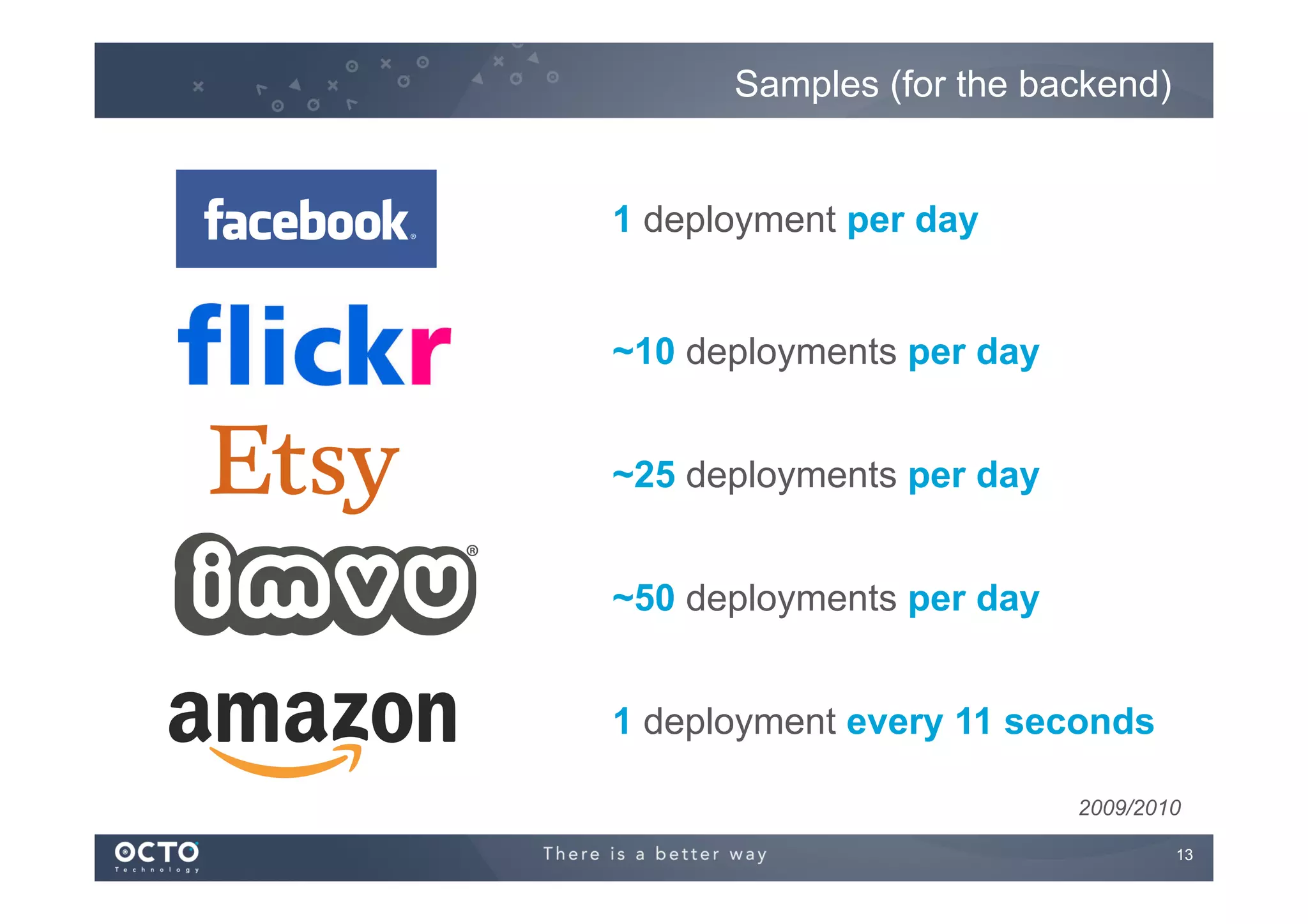
Samples (for the backend)

1 deployment per day
~10 deployments per day
~25 deployments per day
~50 deployments per day
1 deployment every 11 seconds
2009/2010
13
What about mobile Apps ?

! Continuous deployment, not continuous delivery
!

Many factors prevent from doing continuous delivery
!   On iOS and WP the Store validation process
!   On Android the regression testing process is long
!   Facebook is going for crowd testing on Android
!   Android Beta Program

!   New releases are marketed towards the users and they expect them !
!   “42 new levels for Candy Crush !”
!   “A new hero in Clash of Clans !”
!   “A new budget feature for my mobile banking app !”

!

The emerging standard is going to release every month

14
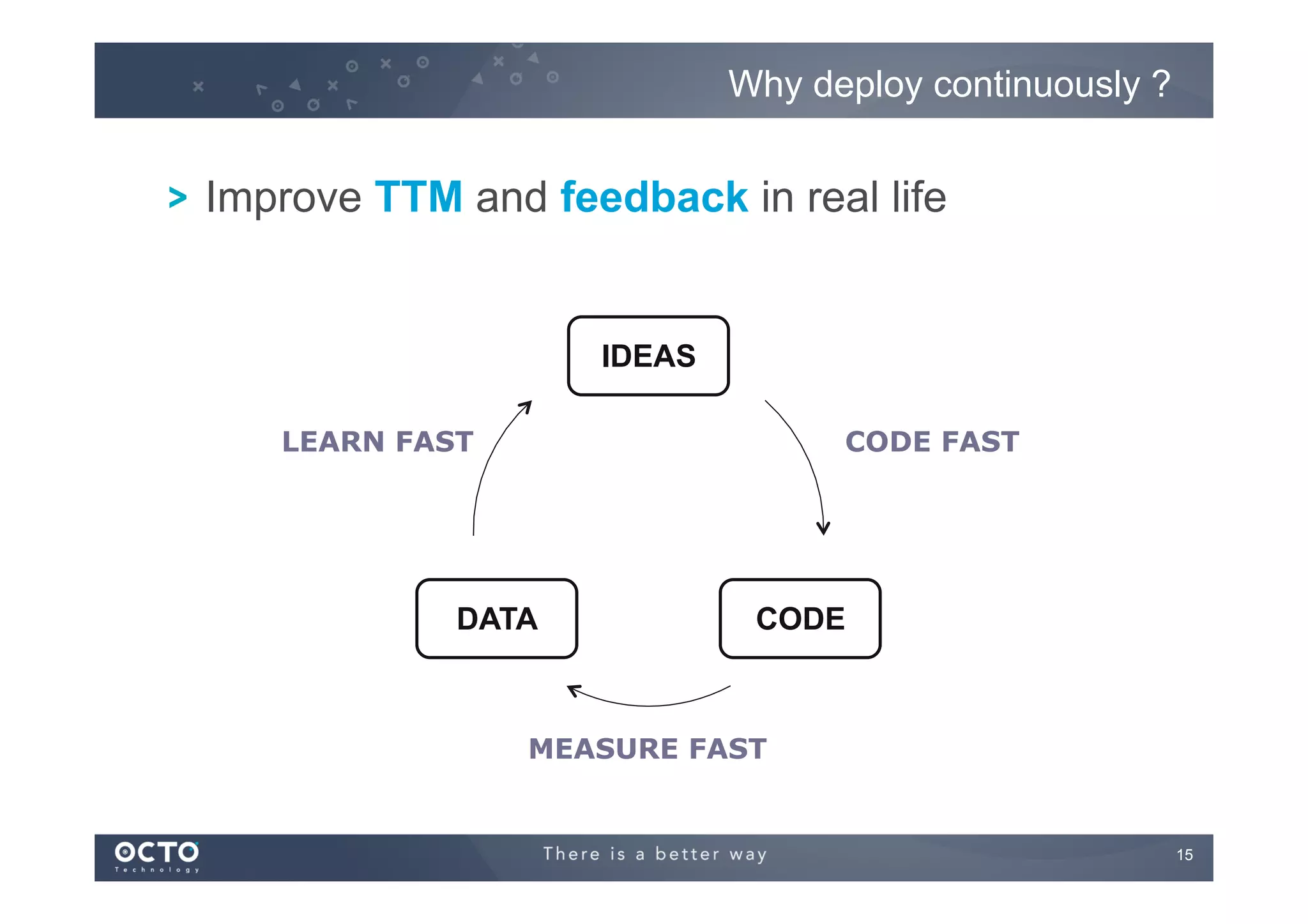
Why deploy continuously ?

! Improve TTM and feedback in real life

IDEAS
LEARN FAST	


CODE FAST	


DATA

CODE

MEASURE FAST	


15
Meetic sample

!

Deploy every day at 4PM to the product team

!

Product team come on the open space at 4:30 and give feedbacks

16
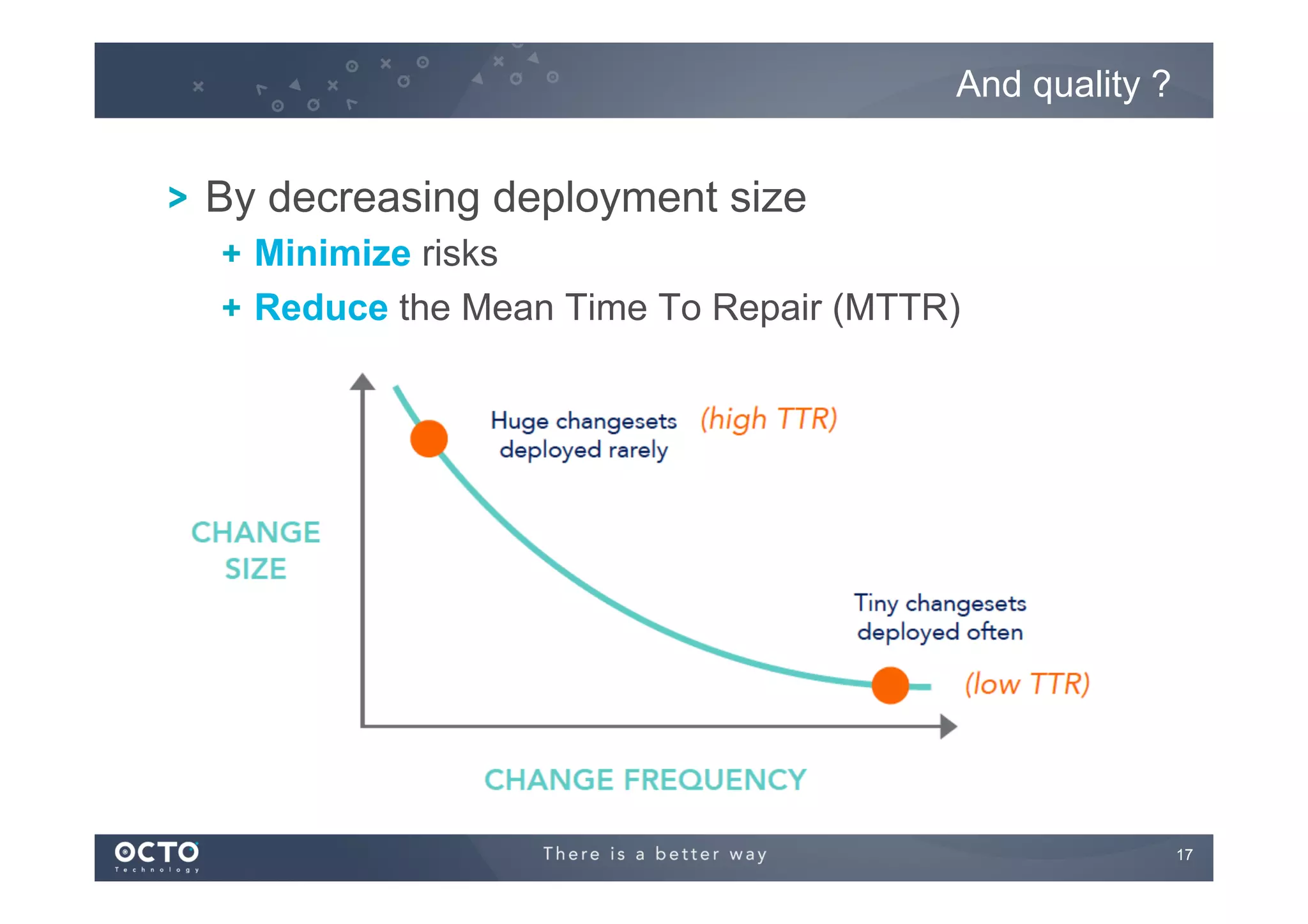
And quality ?

! By decreasing deployment size
!   Minimize risks
!   Reduce the Mean Time To Repair (MTTR)

17
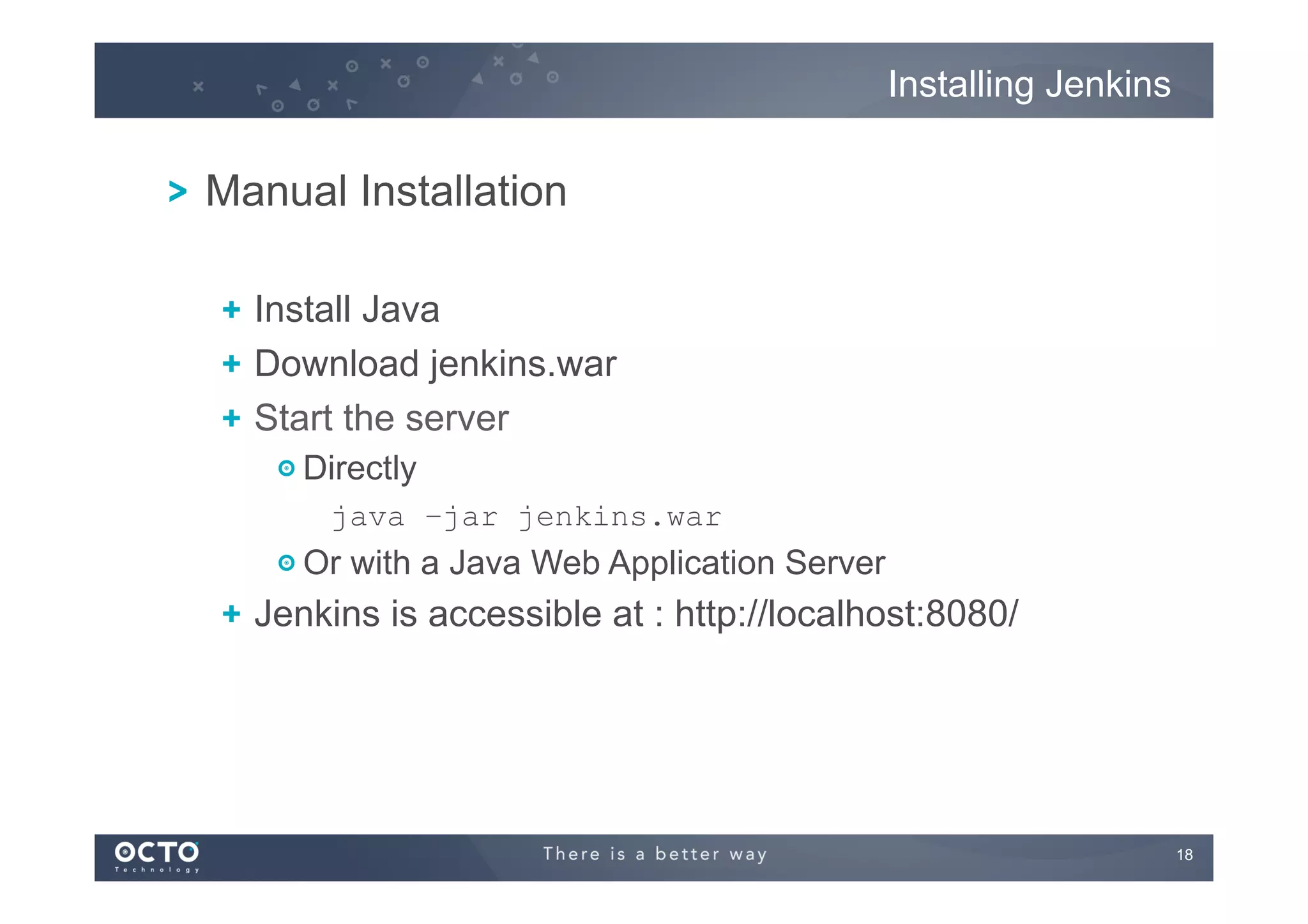
Installing Jenkins

! Manual Installation
!   Install Java
! Download jenkins.war
!   Start the server
! Directly
java –jar jenkins.war

!  Or with a Java Web Application Server

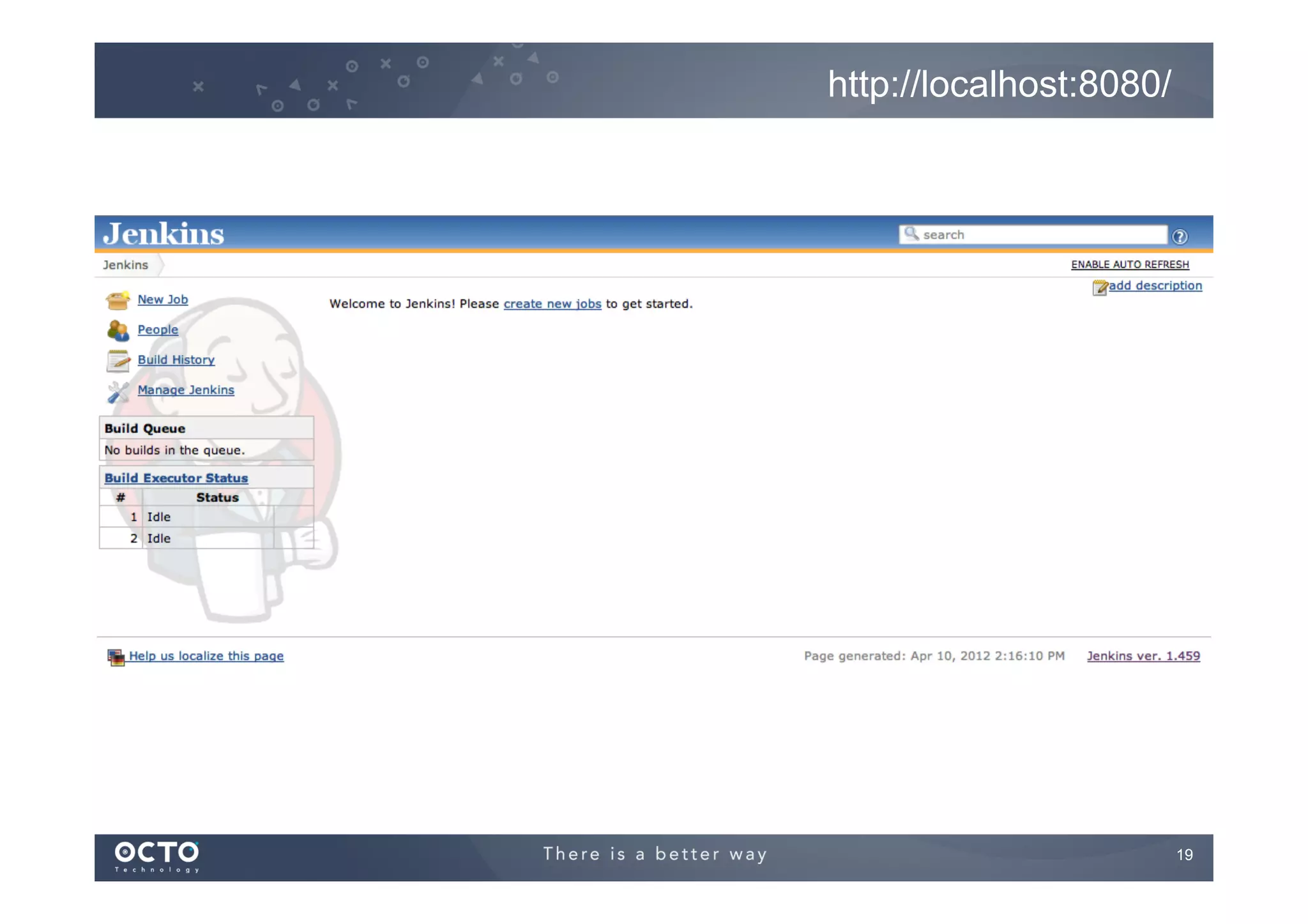
!   Jenkins is accessible at : http://localhost:8080/

18
http://localhost:8080/

19
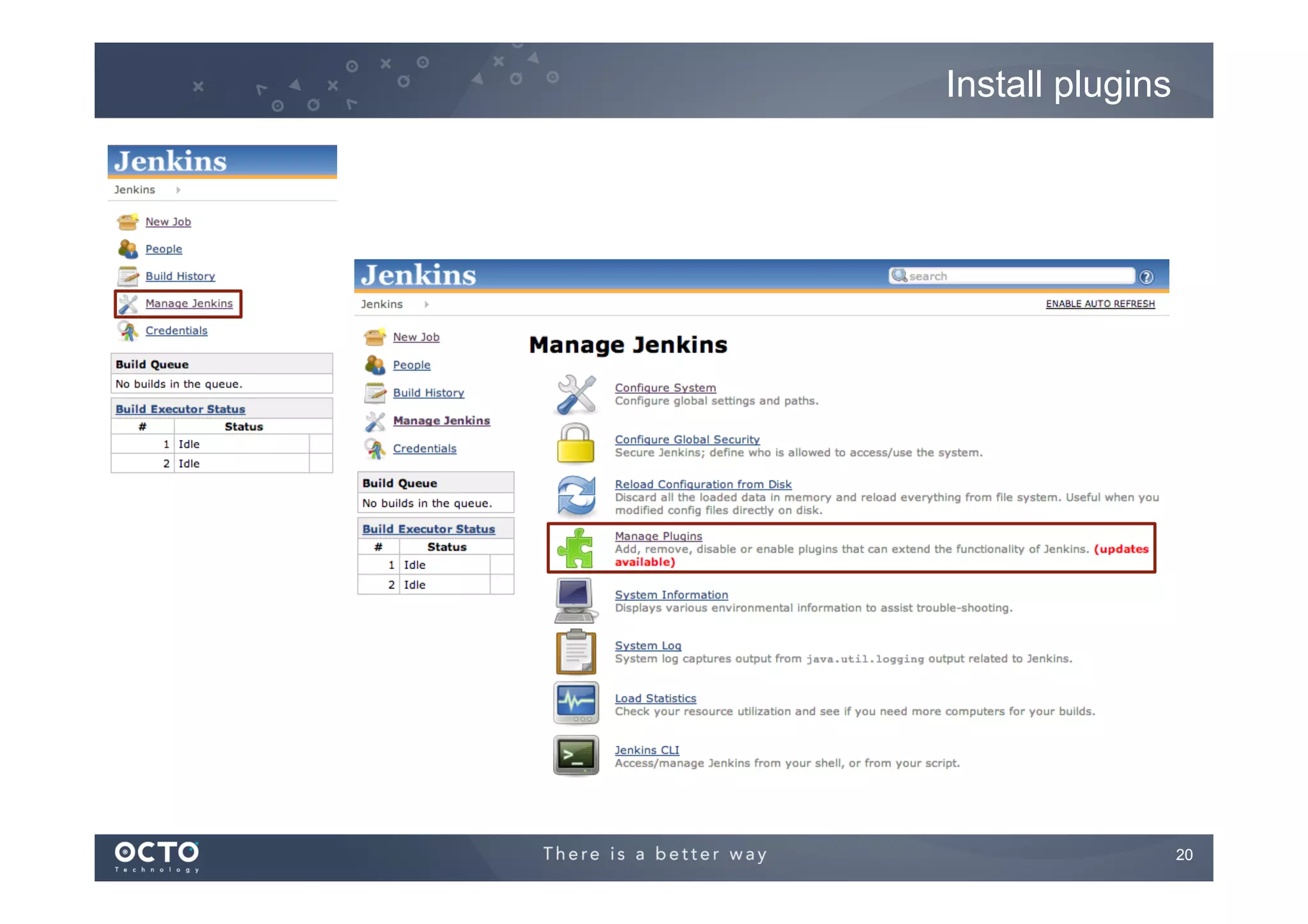
Install plugins

20
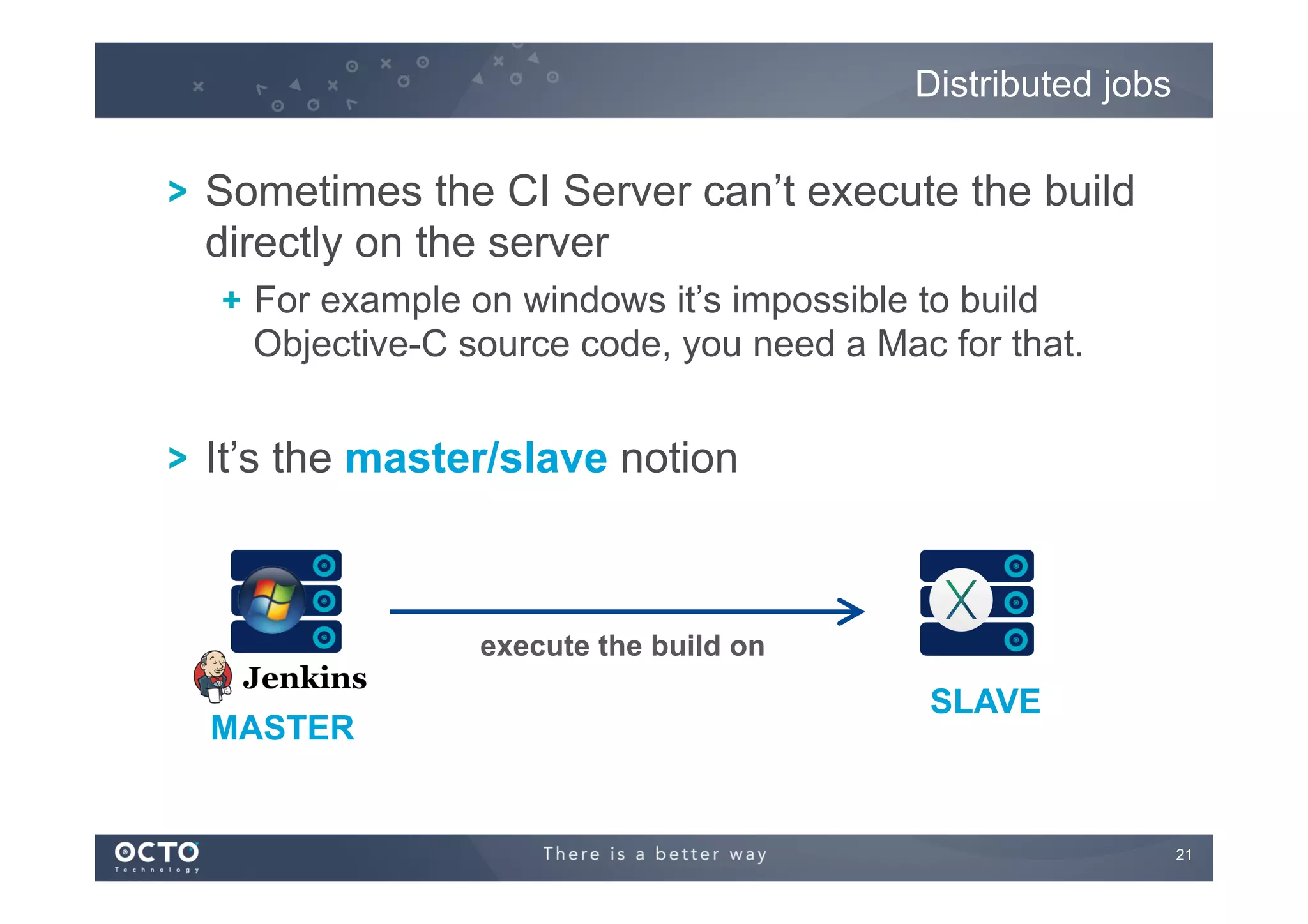
Distributed jobs

! Sometimes the CI Server can’t execute the build
directly on the server
!   For example on windows it’s impossible to build
Objective-C source code, you need a Mac for that.

! It’s the master/slave notion

execute the build on

MASTER

SLAVE

21
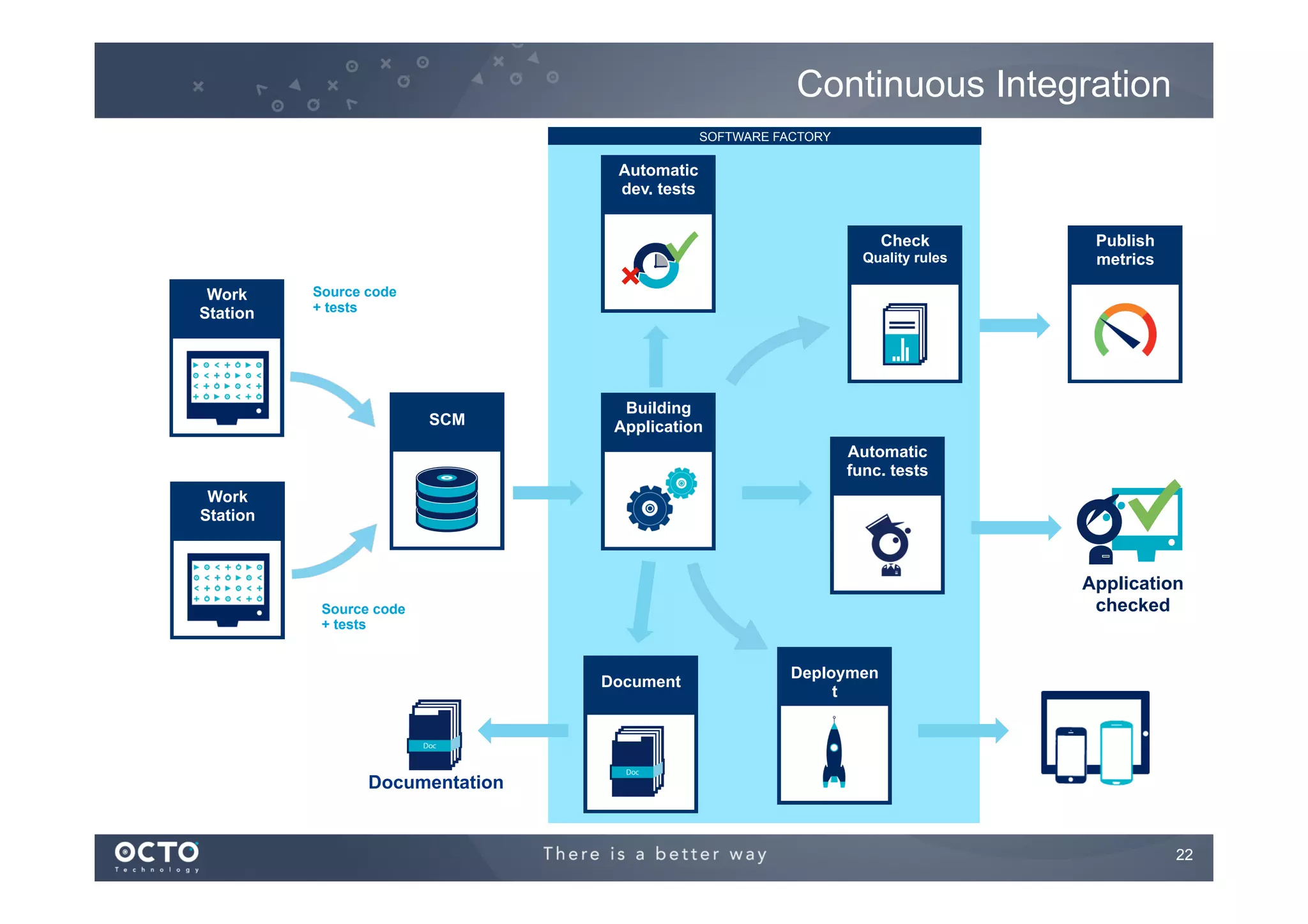
Continuous Integration
SOFTWARE FACTORY

Automatic
dev. tests
Check
Quality rules

Work
Station

Publish
metrics

Source code
+ tests

SCM

Building
Application
Automatic
func. tests

Work
Station

Application
checked

Source code
+ tests

Document

Deploymen
t

Documentation

22
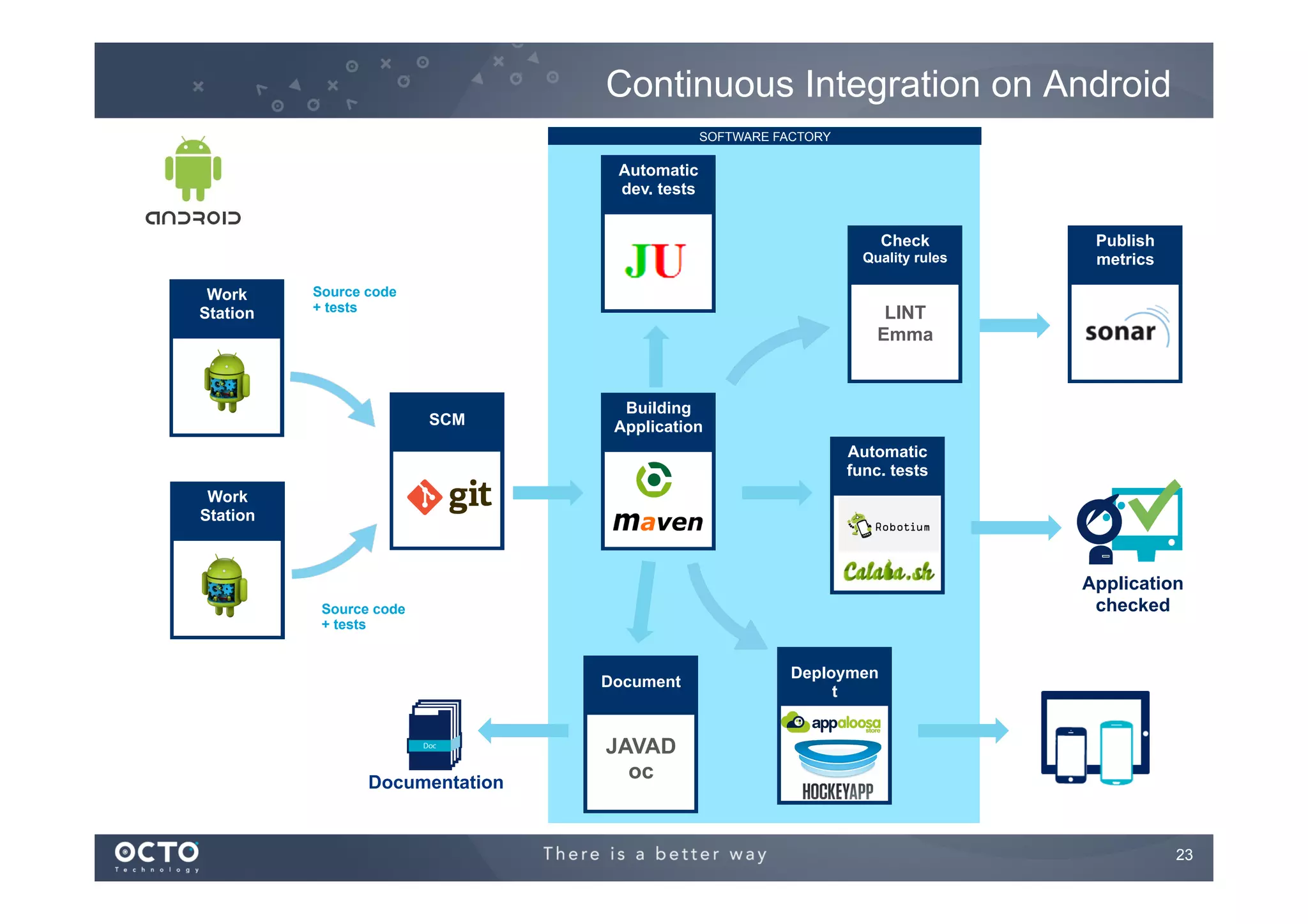
Continuous Integration on Android
SOFTWARE FACTORY

Automatic
dev. tests
Check
Quality rules

Work
Station

Source code
+ tests

Publish
metrics

LINT
Emma

SCM

Building
Application
Automatic
func. tests

Work
Station

Application
checked

Source code
+ tests

Document

Documentation

Deploymen
t

JAVAD
oc

23
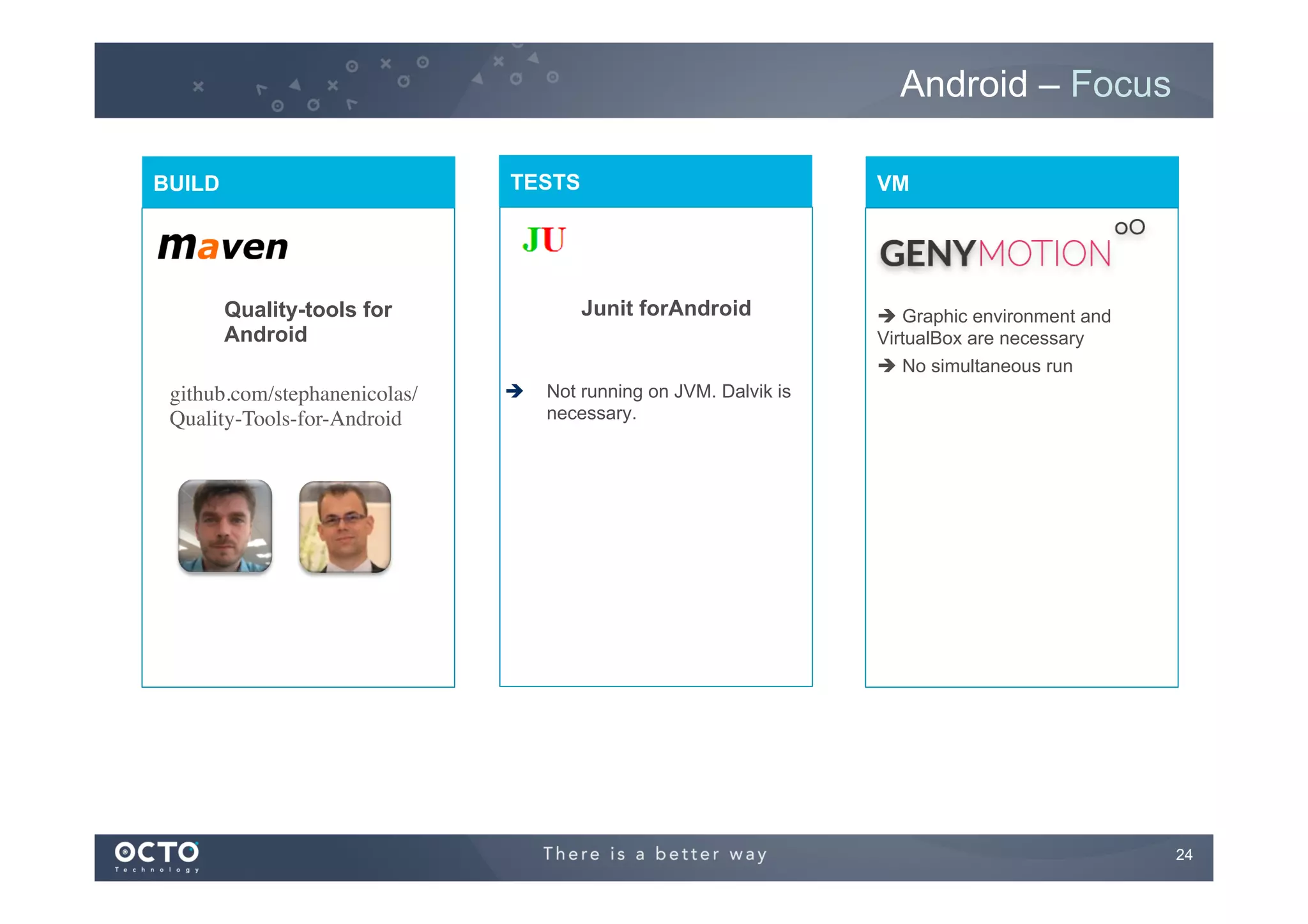
Android – Focus
TESTS

BUILD

Junit forAndroid

Quality-tools for
Android
github.com/stephanenicolas/
Quality-Tools-for-Android	


VM

è 

è Graphic environment and
VirtualBox are necessary
è No simultaneous run

Not running on JVM. Dalvik is
necessary.

24
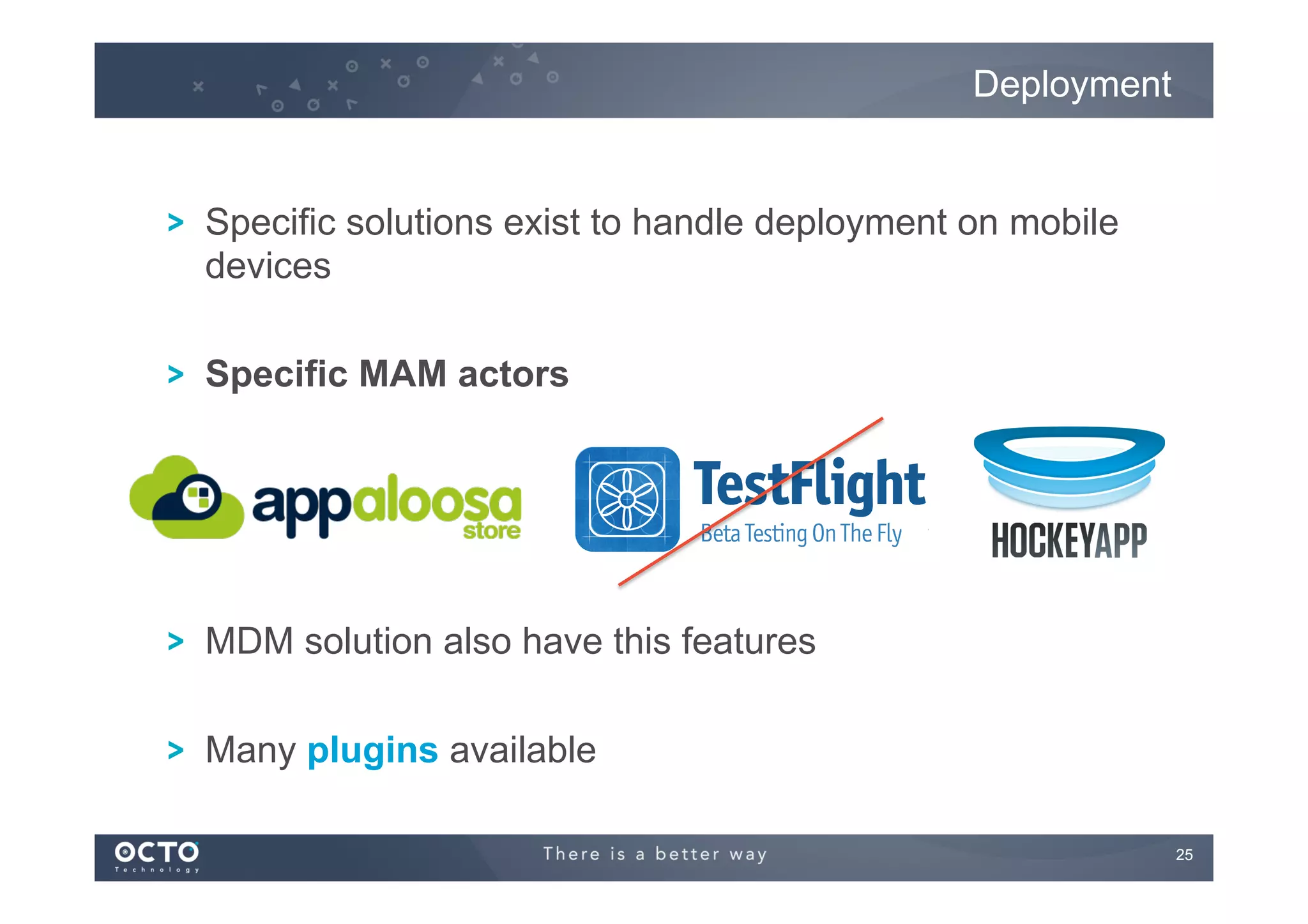
Deployment

! Specific solutions exist to handle deployment on mobile
devices
! Specific MAM actors

! MDM solution also have this features
! Many plugins available
25
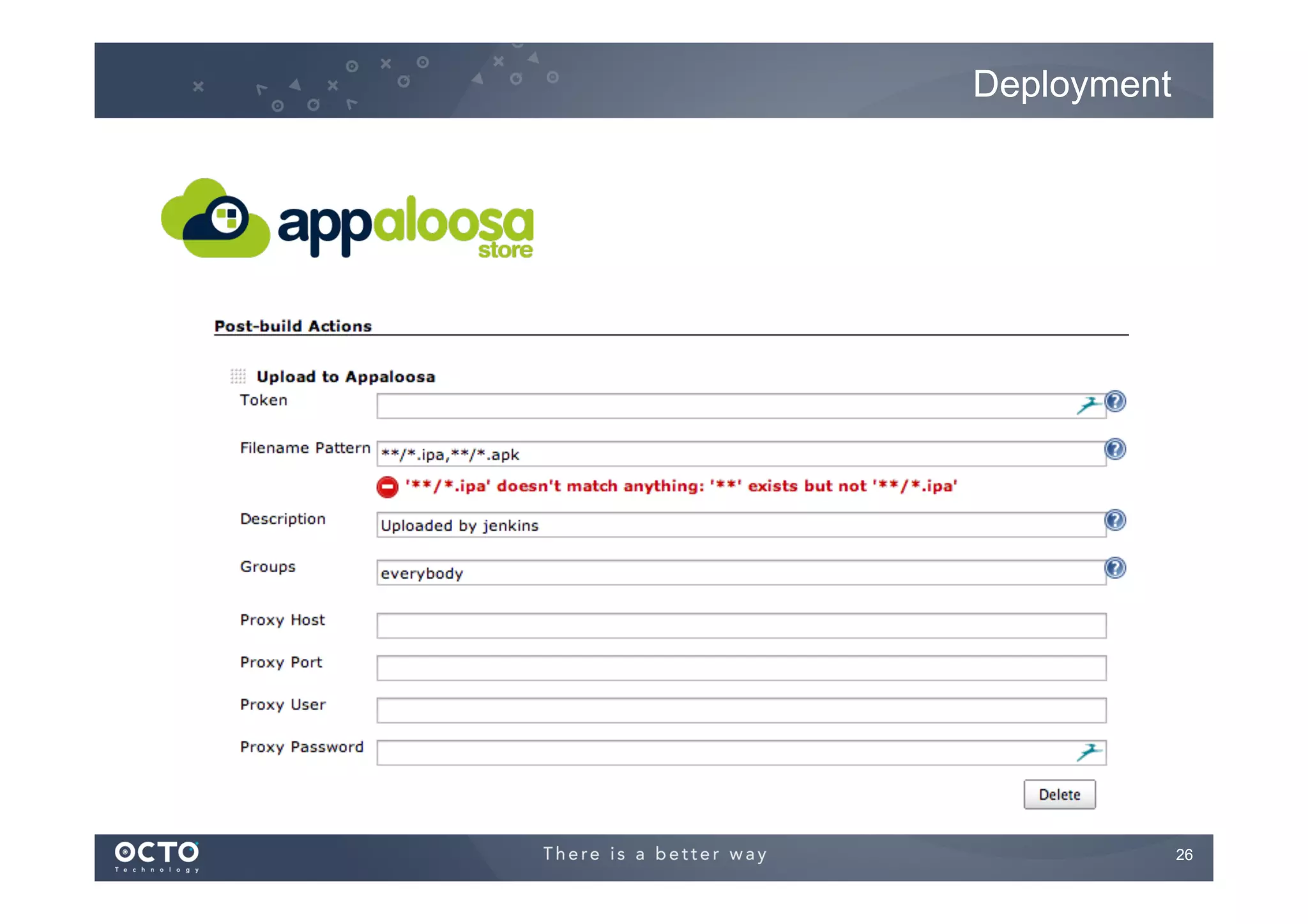
Deployment

26
CI Server on the cloud

27
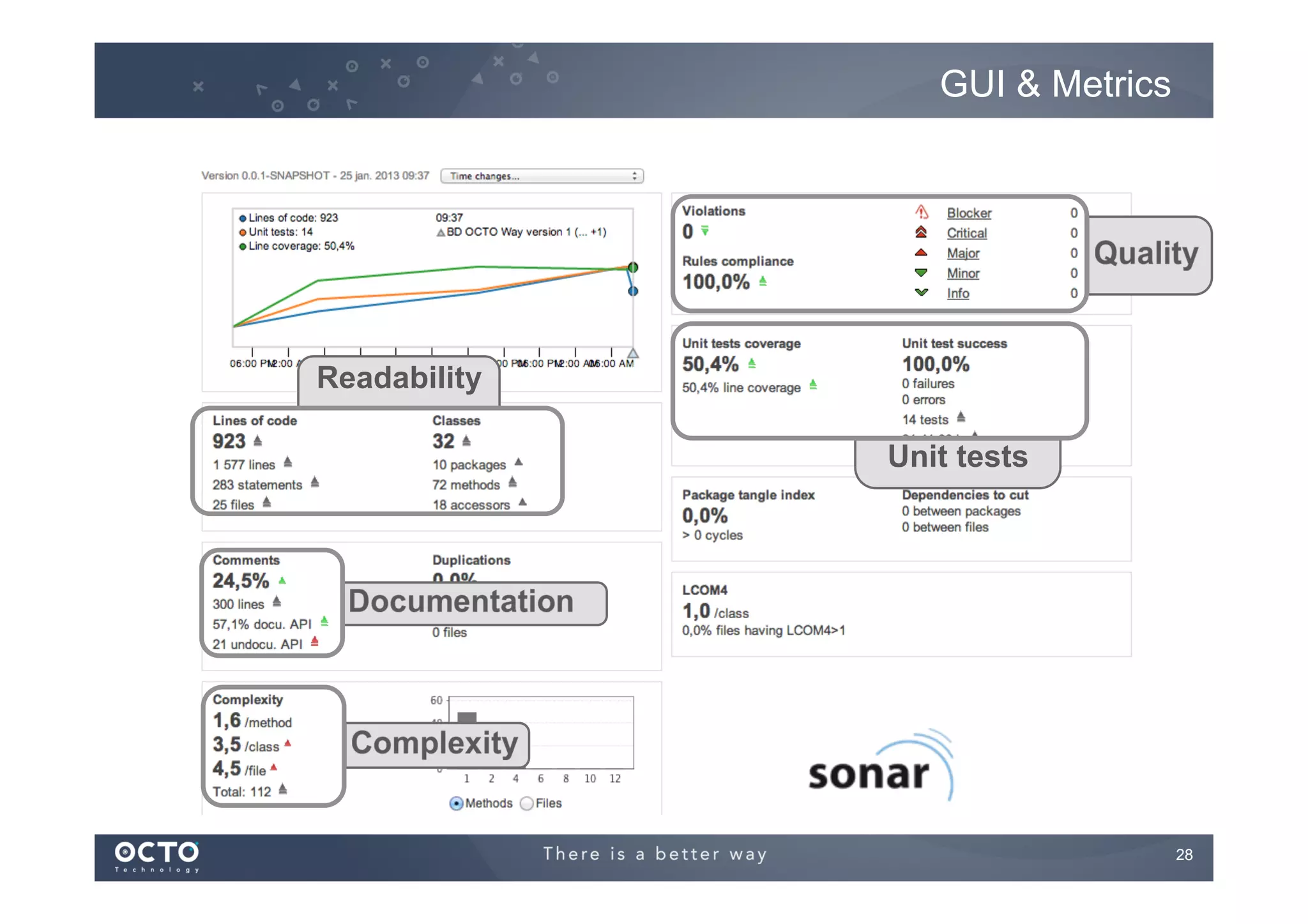
GUI & Metrics

Readability
Unit tests

28

Automate your build on Android with Jenkins

  • 1.
    Te c hL e a d iOSAndroid DEVELOPER BlackberryBadaWindowsPhone7 MOBILE Mathieu Hausherr mha@octo.com 1
  • 2.
  • 3.
    Definitions ! Continuous Integration !  Each commit or per batch, the source code is : !   Compiled !   Tested !   Deployed on Integration environment ! Continuous Delivery !   Each commit or per batch, the source code is : !   […] !   Delivered to next team (QA, validation, production, …) ! Continuous Deployment !   Each commit or per batch, the source code is : !   […] !   Deployed on Production environment 3
  • 4.
  • 5.
  • 6.
    Many developers Compile Execute Tests CheckCode Quality Document Compile Execute Tests Check Code Quality Source Repository Document Testing Compile Execute Tests Check Code Quality Document 6
  • 7.
    Remove the anarchywith a Software Factory Continuous Integration Server Source Repository Compile Execute Tests Check Code Quality Package Deploy Document Testing Notifications 7
  • 8.
    Advanced Software Factory Continuous Integration Server Source Repository Fetch Dependencies Compile Binary Repository ExecuteTests Check Code Quality Task and Issue Repository Package Test Platform Deploy Document Notifications Documentation & KPIs 8
  • 9.
    How ? 1- Twothings ü Source repository ü One machine to build 9
  • 10.
    How ? 2- Manyprinciples to apply : ü Maintain a code repository ü Automate the build ü Make the build self-testing ü Everyone commits more often ü Everyone can see the results of the latest build ü Automate deployment Source : http://en.wikipedia.org/wiki/Continuous_integration 10
  • 11.
  • 12.
    One big difference ContinuousDelivery manual 2 1 Team 3 4 5 Source Repository Continuous Integration Server Tests (UAT, QA) Deploy to production Continuous Deployment auto Source : http://blog.crisp.se/2013/02/05/yassalsundman/continuous-delivery-vs-continuous-deployment 12
  • 13.
    Samples (for thebackend) 1 deployment per day ~10 deployments per day ~25 deployments per day ~50 deployments per day 1 deployment every 11 seconds 2009/2010 13
  • 14.
    What about mobileApps ? ! Continuous deployment, not continuous delivery ! Many factors prevent from doing continuous delivery !   On iOS and WP the Store validation process !   On Android the regression testing process is long !   Facebook is going for crowd testing on Android !   Android Beta Program !   New releases are marketed towards the users and they expect them ! !   “42 new levels for Candy Crush !” !   “A new hero in Clash of Clans !” !   “A new budget feature for my mobile banking app !” ! The emerging standard is going to release every month 14
  • 15.
    Why deploy continuously? ! Improve TTM and feedback in real life IDEAS LEARN FAST CODE FAST DATA CODE MEASURE FAST 15
  • 16.
    Meetic sample ! Deploy everyday at 4PM to the product team ! Product team come on the open space at 4:30 and give feedbacks 16
  • 17.
    And quality ? !By decreasing deployment size !   Minimize risks !   Reduce the Mean Time To Repair (MTTR) 17
  • 18.
    Installing Jenkins ! ManualInstallation !   Install Java ! Download jenkins.war !   Start the server ! Directly java –jar jenkins.war !  Or with a Java Web Application Server !   Jenkins is accessible at : http://localhost:8080/ 18
  • 19.
  • 20.
  • 21.
    Distributed jobs ! Sometimesthe CI Server can’t execute the build directly on the server !   For example on windows it’s impossible to build Objective-C source code, you need a Mac for that. ! It’s the master/slave notion execute the build on MASTER SLAVE 21
  • 22.
    Continuous Integration SOFTWARE FACTORY Automatic dev.tests Check Quality rules Work Station Publish metrics Source code + tests SCM Building Application Automatic func. tests Work Station Application checked Source code + tests Document Deploymen t Documentation 22
  • 23.
    Continuous Integration onAndroid SOFTWARE FACTORY Automatic dev. tests Check Quality rules Work Station Source code + tests Publish metrics LINT Emma SCM Building Application Automatic func. tests Work Station Application checked Source code + tests Document Documentation Deploymen t JAVAD oc 23
  • 24.
    Android – Focus TESTS BUILD JunitforAndroid Quality-tools for Android github.com/stephanenicolas/ Quality-Tools-for-Android VM è  è Graphic environment and VirtualBox are necessary è No simultaneous run Not running on JVM. Dalvik is necessary. 24
  • 25.
    Deployment ! Specific solutionsexist to handle deployment on mobile devices ! Specific MAM actors ! MDM solution also have this features ! Many plugins available 25
  • 26.
  • 27.
    CI Server onthe cloud 27
  • 28.