29/2/2012
Continuous Integration for Android Apps
Anthony Dahanne, Eng.
@anthonydahanne
http://blog.dahanne.net
@anthonydahanne 2
Continuous Integration for Android Apps
Getting to know each other ...
Work @compuware on a APM software based on
OSGi and Equinox
Develop an open source app on Android,
ReGalAndroid
Work on Continuous Integration (contribute to tools
such as Maven Tycho, m2e-android)
@anthonydahanne 3
Continuous Integration for Android Apps
A gentle introduction to Continuous Integration
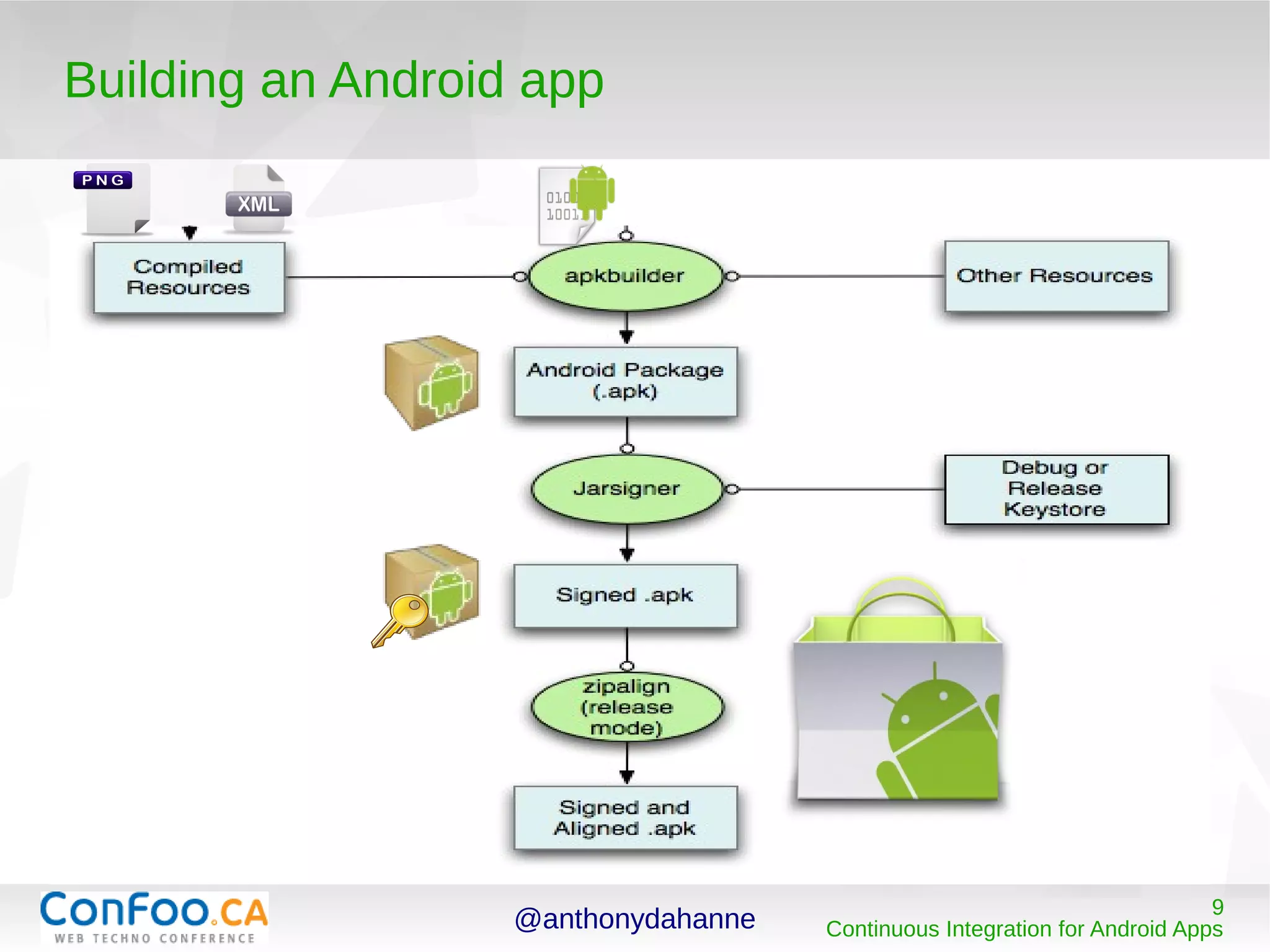
Building an Android app
Testing an Android App
Setting up a CI tool for Android development
Going further than CI...
@anthonydahanne 4
Continuous Integration for Android Apps
A gentle introduction to Continuous
Integration (CI)
@anthonydahanne 5
Continuous Integration for Android Apps
A gentle introduction to CI : what is it ?
“the practice of frequently integrating one's new or changed
code with the existing code repository” Wikipedia
Each code change triggers a new build of the software
Each build should be working (not broken)
CI jobs occur on dedicated machines running CI tools such as
Hudson/Jenkins/CruiseControl/Bamboo/TravisCI
@anthonydahanne 6
Continuous Integration for Android Apps
A gentle introduction to CI : benefits ?
Coding within a team,
makes sure no one commits broken code
makes it easy to get the latest good build
And more generally
Eases the distribution of your software
Shows the quality and robustness of your code
@anthonydahanne 7
Continuous Integration for Android Apps
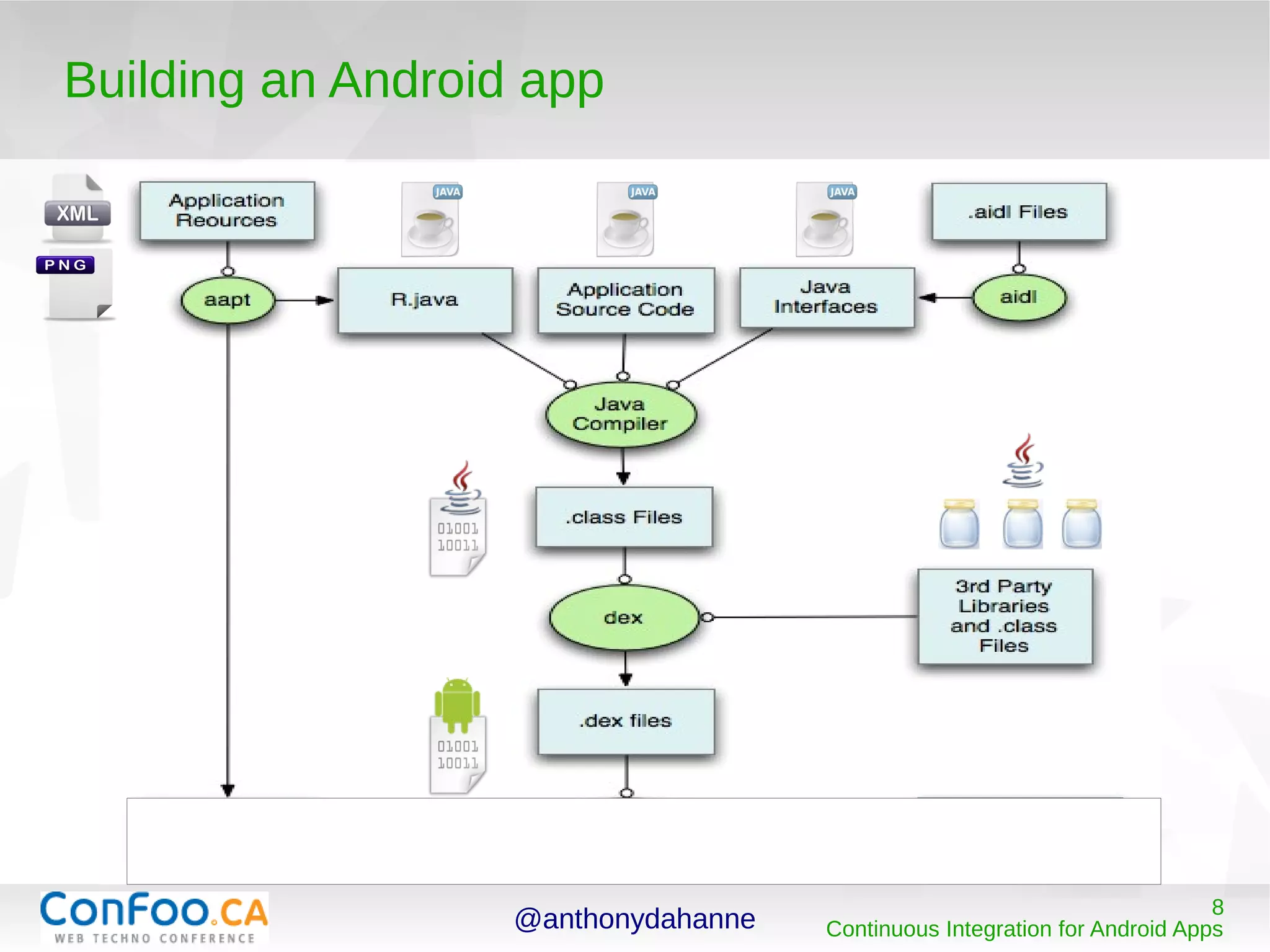
Building an Android app
@anthonydahanne 8
Continuous Integration for Android Apps
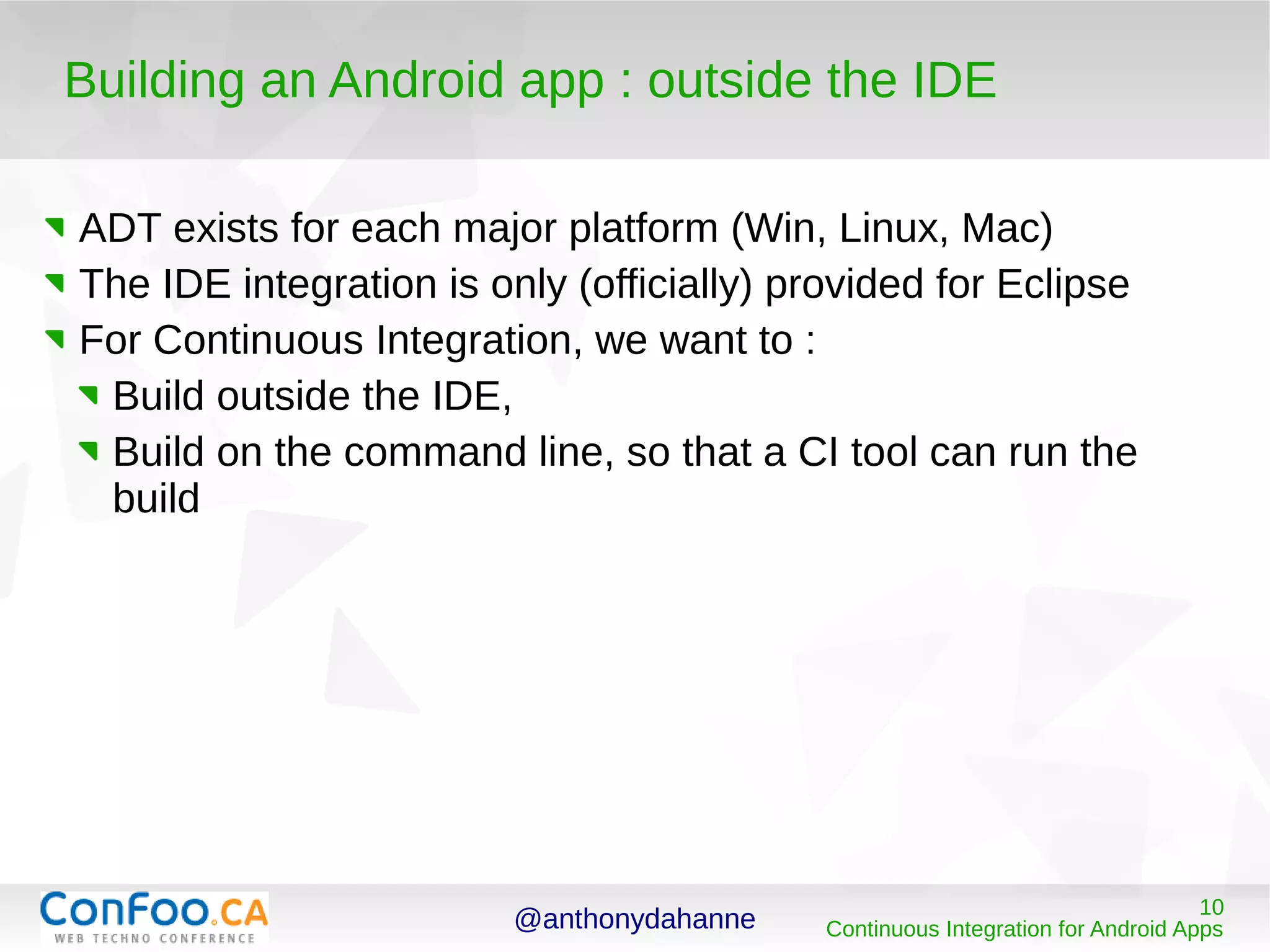
Building an Android app
@anthonydahanne 9
Continuous Integration for Android Apps
Building an Android app
@anthonydahanne 10
Continuous Integration for Android Apps
Building an Android app : outside the IDE
ADT exists for each major platform (Win, Linux, Mac)
The IDE integration is only (officially) provided for Eclipse
For Continuous Integration, we want to :
Build outside the IDE,
Build on the command line, so that a CI tool can run the
build
@anthonydahanne 11
Continuous Integration for Android Apps
Building an Android app : the choices
In the Java world, the main build automation tools are Ant and
Maven (equivalent of make in the C world)
Apache Ant
Appeared in 2000
Very versatile
Still very popular
Apache Maven
Convention over configuration
Build lifecycle
Dependencies management
@anthonydahanne 12
Continuous Integration for Android Apps
Building an Android app : with Ant
Ant is the official building tool chosen by the ADT team
The Ant script can be generated and used easily from an
Android project :
> android update project --path ./
Updated local.properties
Added file ./build.xml
Updated file ./proguard.cfg
> ant debug install
[…]
BUILD SUCCESSFUL
Demo : generate an ant script
to build your project
@anthonydahanne 13
Continuous Integration for Android Apps
Building an Android app : with Maven
Maven privileges “convention over configuration”
It is extensible via plugins (eg : android-maven-plugin !)
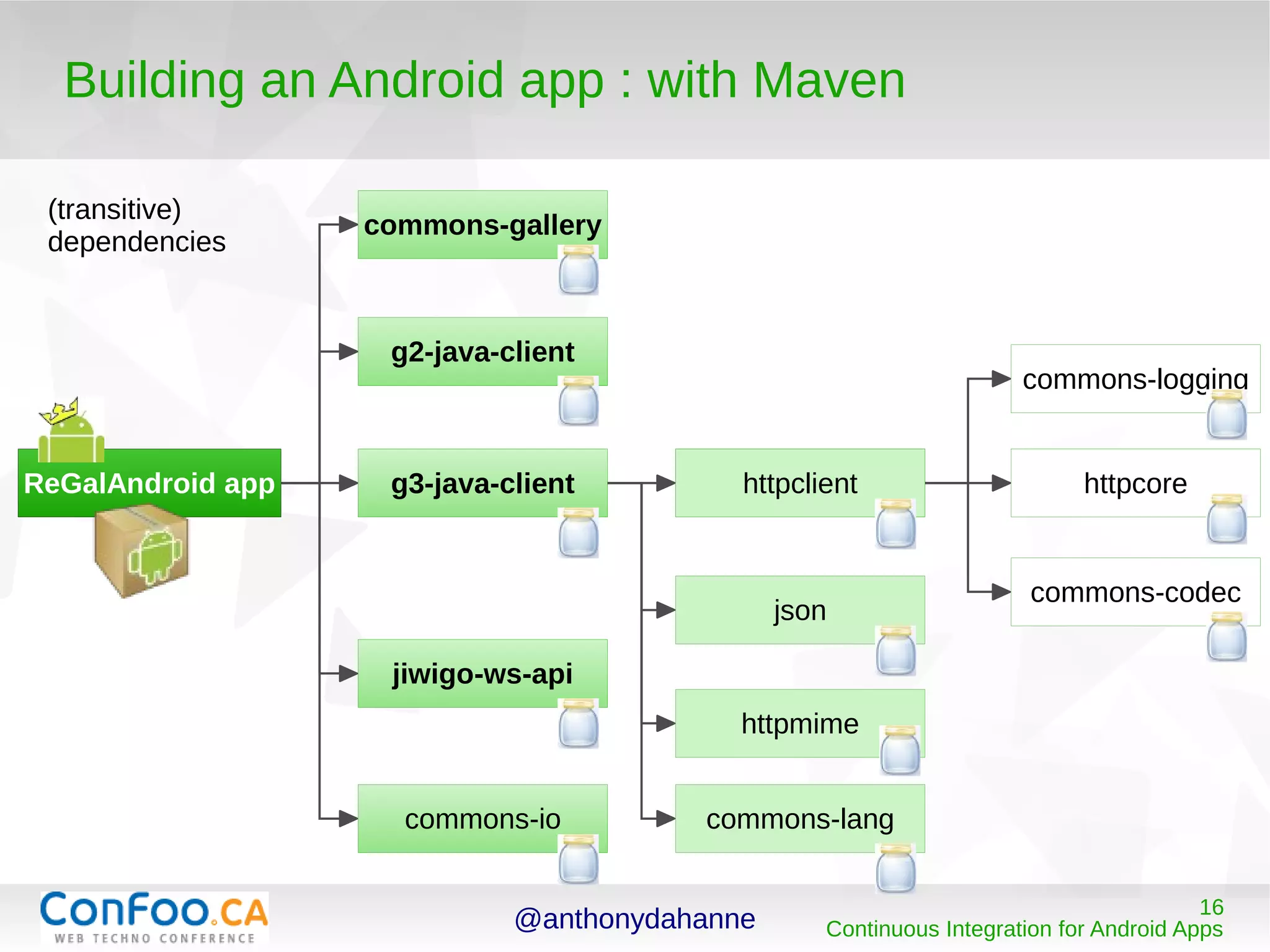
Project dependencies are fetched and cached
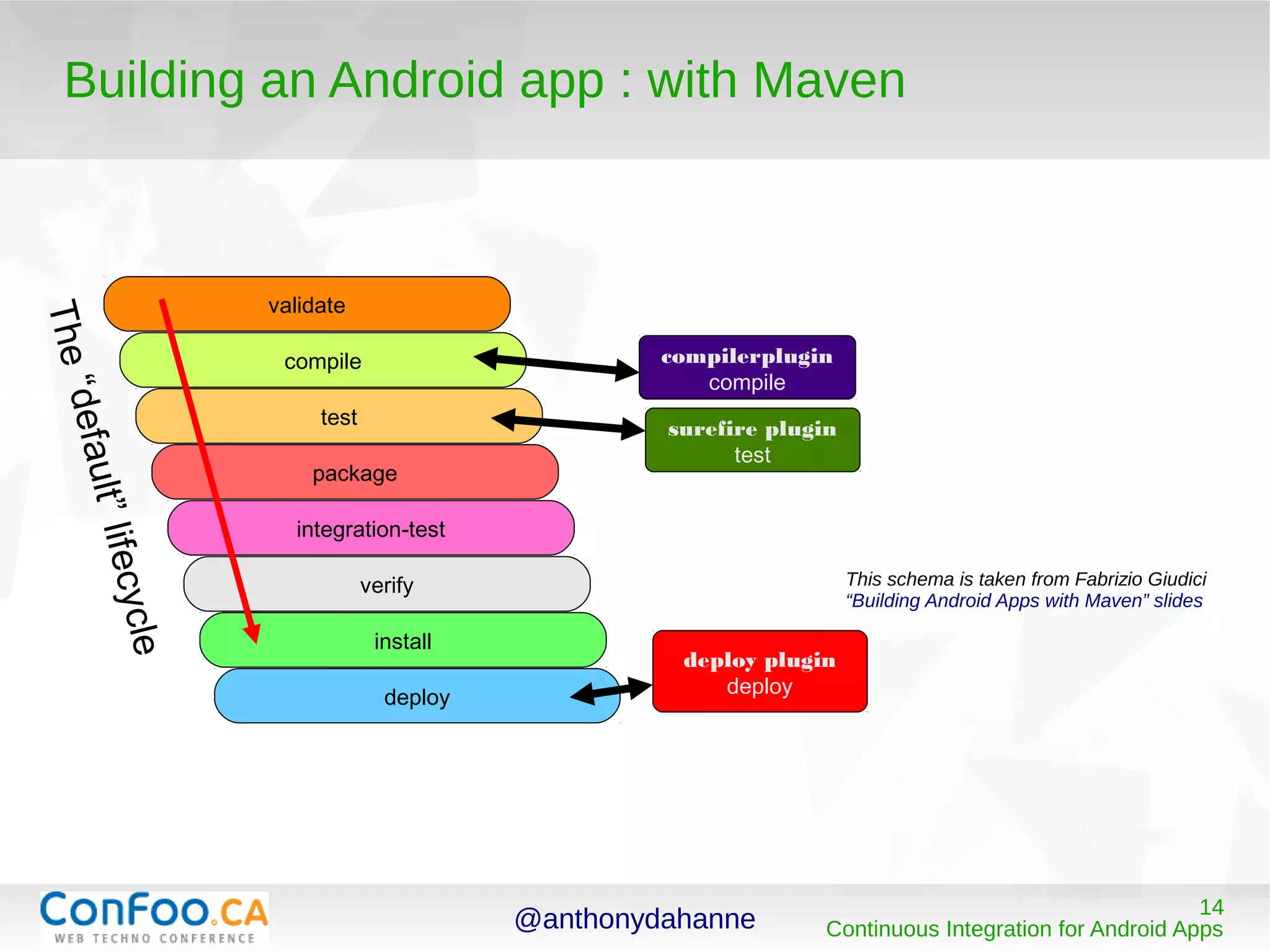
It provides a default execution lifecycle (you can bound a
plugin execution to each phase of the lifecycle)
@anthonydahanne 14
Continuous Integration for Android Apps
Building an Android app : with Maven
compilerplugin
compile
surefire plugin
test
validate
compile
test
package
integration-test
verify
install
deploy
deploy plugin
deploy
The“default”lifecycle
This schema is taken from Fabrizio Giudici
“Building Android Apps with Maven” slides
@anthonydahanne 15
Continuous Integration for Android Apps
Building an Android app : with Maven
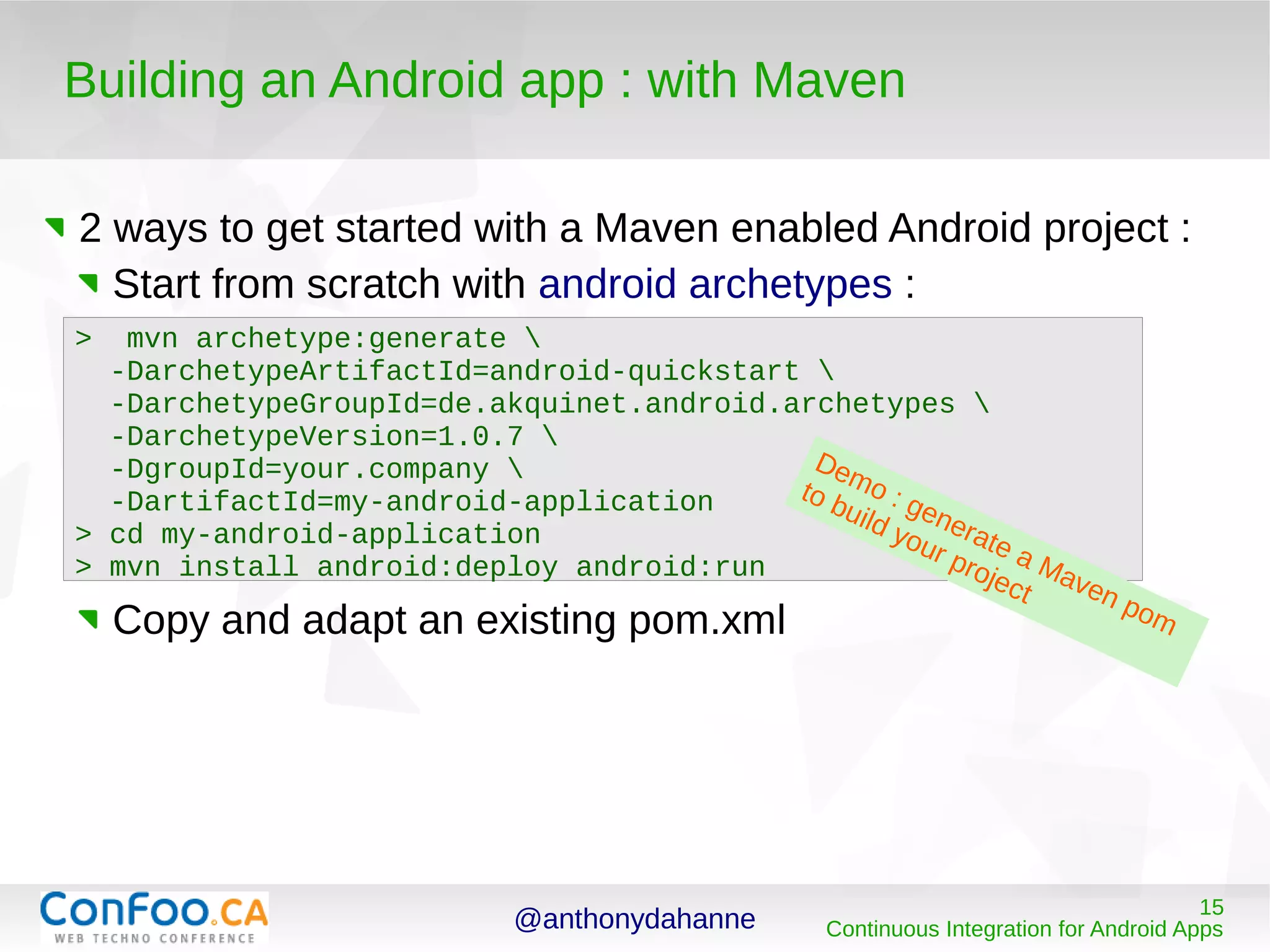
2 ways to get started with a Maven enabled Android project :
Start from scratch with android archetypes :
Copy and adapt an existing pom.xml
> mvn archetype:generate 
-DarchetypeArtifactId=android-quickstart 
-DarchetypeGroupId=de.akquinet.android.archetypes 
-DarchetypeVersion=1.0.7 
-DgroupId=your.company 
-DartifactId=my-android-application
> cd my-android-application
> mvn install android:deploy android:run
Demo : generate a Maven pom
to build your project
@anthonydahanne 16
Continuous Integration for Android Apps
Building an Android app : with Maven
commons-gallery
ReGalAndroid app
g2-java-client
g3-java-client
jiwigo-ws-api
commons-io
httpclient
json
httpclient
httpmime
commons-lang
httpcore
commons-logging
commons-codec
(transitive)
dependencies
@anthonydahanne 17
Continuous Integration for Android Apps
Building an Android app : which one to choose ?
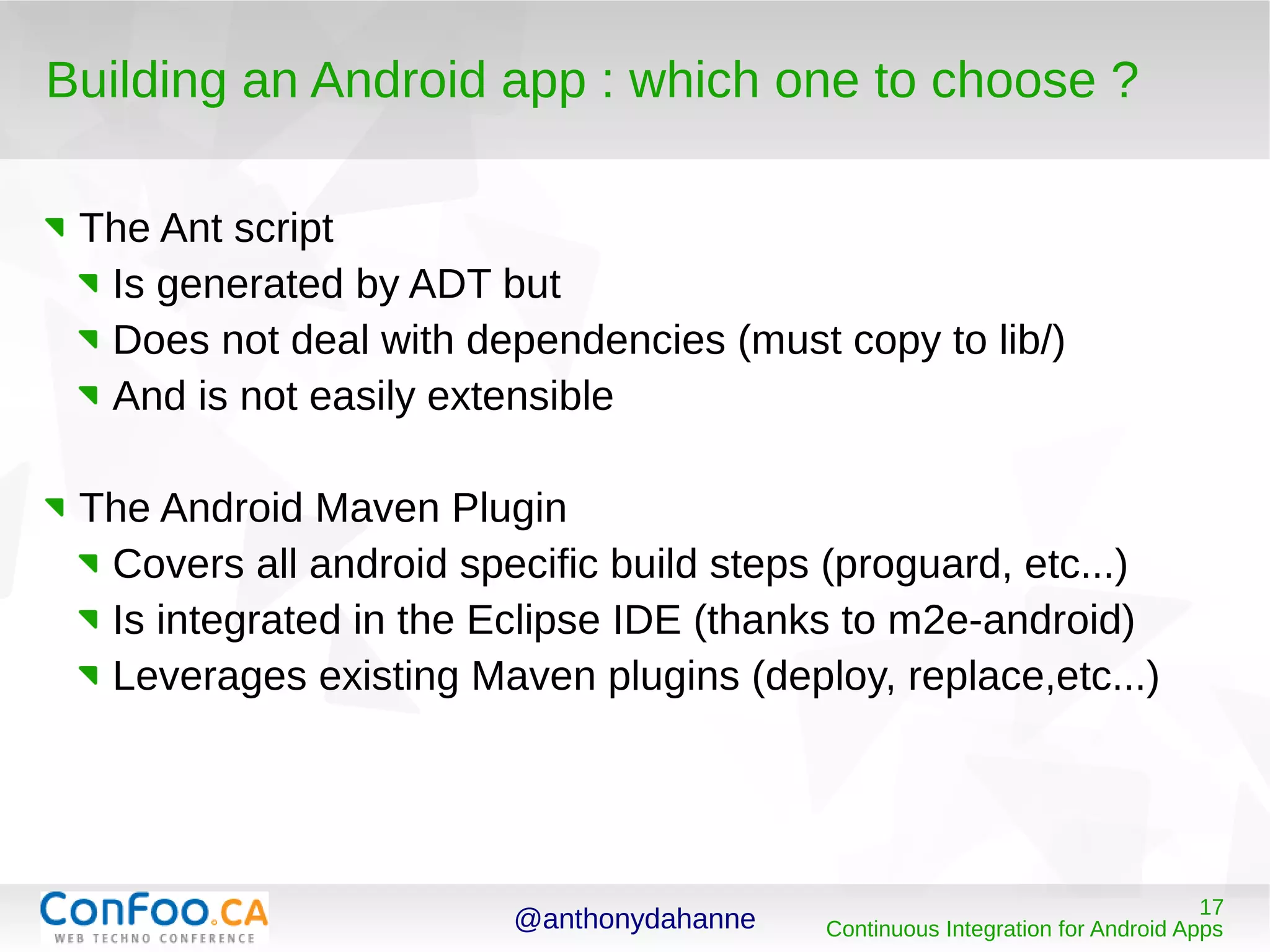
The Ant script
Is generated by ADT but
Does not deal with dependencies (must copy to lib/)
And is not easily extensible
The Android Maven Plugin
Covers all android specific build steps (proguard, etc...)
Is integrated in the Eclipse IDE (thanks to m2e-android)
Leverages existing Maven plugins (deploy, replace,etc...)
@anthonydahanne 18
Continuous Integration for Android Apps
Testing an Android app
@anthonydahanne 19
Continuous Integration for Android Apps
Testing an Android app
Outside an emulator :
Externalize your logic in plain jars
Use an “Android Mocker” (robolectric)
Inside an emulator
Integration testing : tests run in a real device (robotium
helps !)
@anthonydahanne 20
Continuous Integration for Android Apps
Testing an Android App
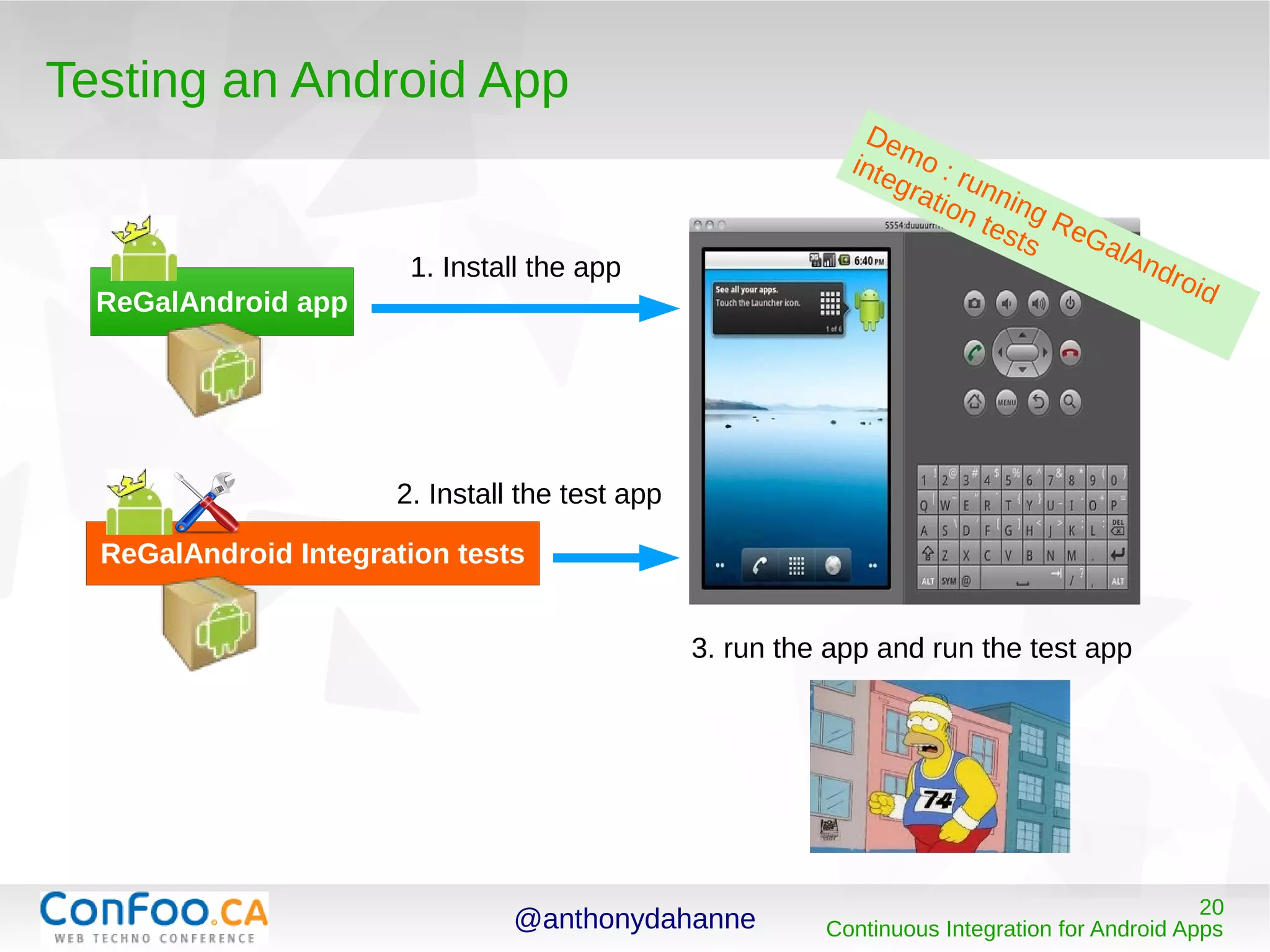
ReGalAndroid app
ReGalAndroid Integration tests
1. Install the app
2. Install the test app
3. run the app and run the test app
Demo : running ReGalAndroid
integration tests
@anthonydahanne 21
Continuous Integration for Android Apps
Setting up a CI tool for Android
development
@anthonydahanne 22
Continuous Integration for Android Apps
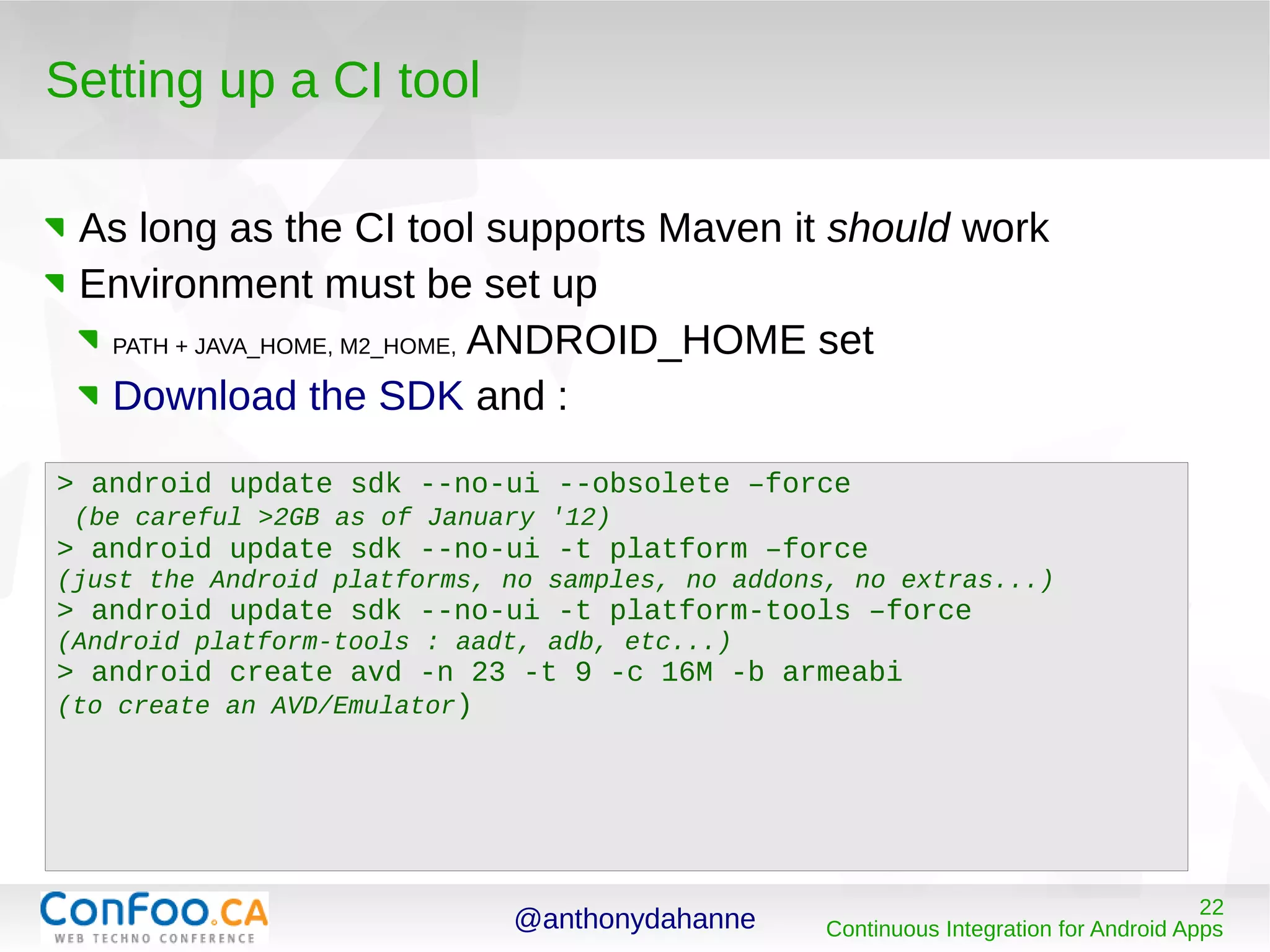
Setting up a CI tool
As long as the CI tool supports Maven it should work
Environment must be set up
PATH + JAVA_HOME, M2_HOME, ANDROID_HOME set
Download the SDK and :
> android update sdk --no-ui --obsolete –force
(be careful >2GB as of January '12)
> android update sdk --no-ui -t platform –force
(just the Android platforms, no samples, no addons, no extras...)
> android update sdk --no-ui -t platform-tools –force
(Android platform-tools : aadt, adb, etc...)
> android create avd -n 23 -t 9 -c 16M -b armeabi
(to create an AVD/Emulator)
@anthonydahanne 23
Continuous Integration for Android Apps
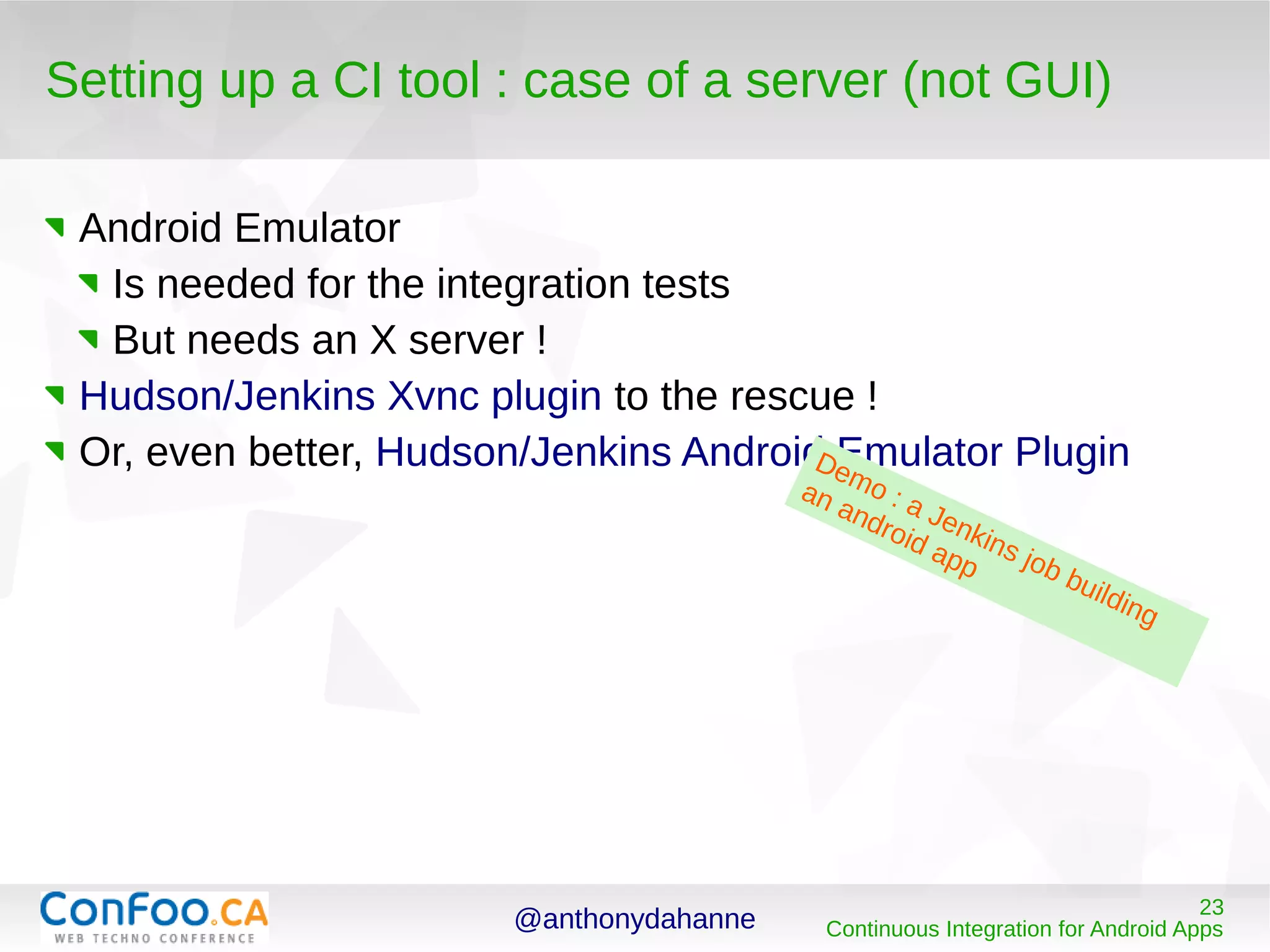
Setting up a CI tool : case of a server (not GUI)
Android Emulator
Is needed for the integration tests
But needs an X server !
Hudson/Jenkins Xvnc plugin to the rescue !
Or, even better, Hudson/Jenkins Android Emulator PluginDemo : a Jenkins job building
an android app
@anthonydahanne 24
Continuous Integration for Android Apps
Going further than Continuous Integration
@anthonydahanne 25
Continuous Integration for Android Apps
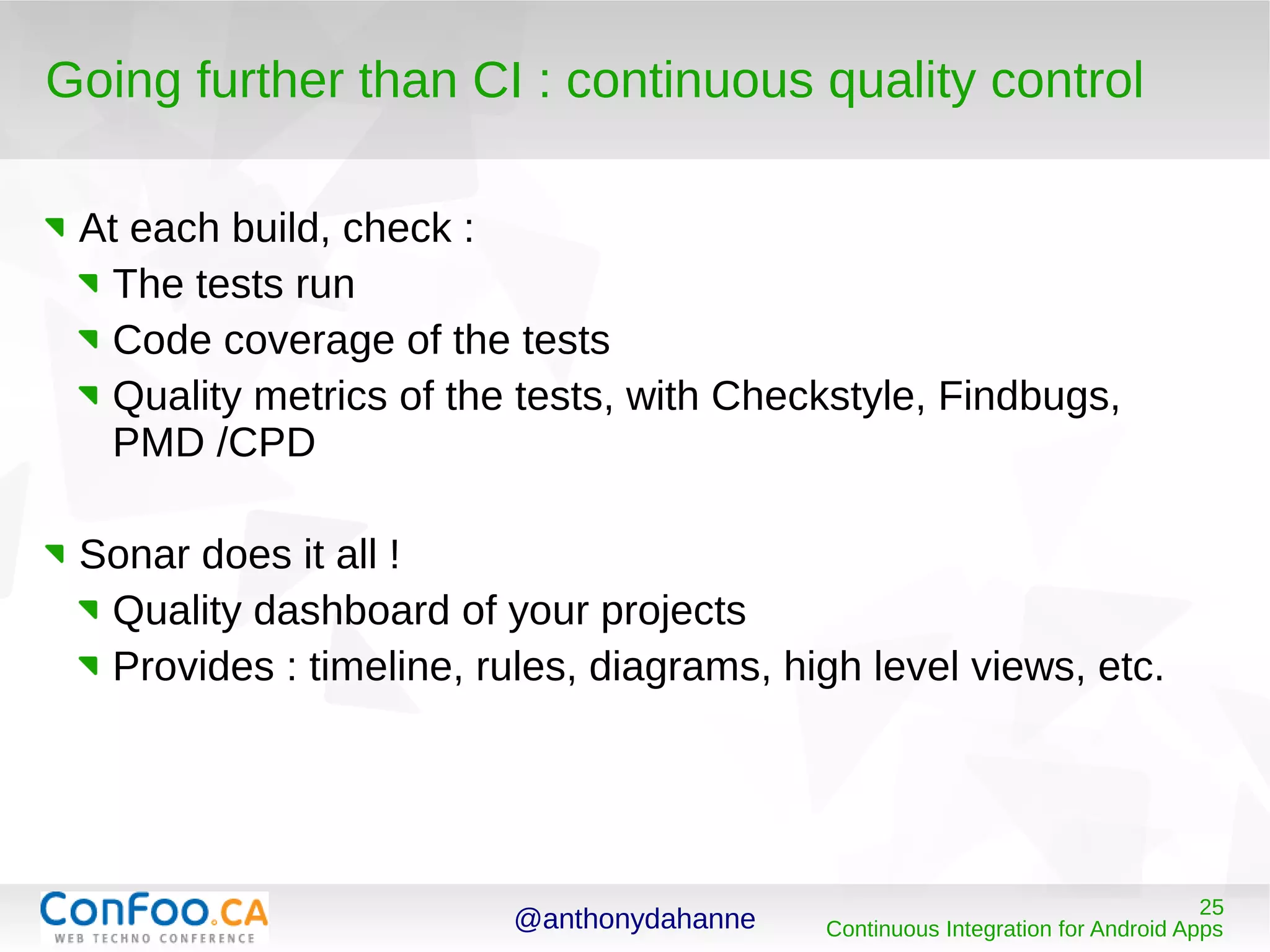
Going further than CI : continuous quality control
At each build, check :
The tests run
Code coverage of the tests
Quality metrics of the tests, with Checkstyle, Findbugs,
PMD /CPD
Sonar does it all !
Quality dashboard of your projects
Provides : timeline, rules, diagrams, high level views, etc.
@anthonydahanne 26
Continuous Integration for Android Apps
Going further than CI : continuous deployment
At each build (or milestone / nightly builds)
Deploy to a an archive repository (such as Nexus)
Use some tooling to push to devices ?
@anthonydahanne 27
Continuous Integration for Android Apps
Thank you …
Now please vote
and react on https://joind.in/6032 !
Art
The template used for this presentation was the LibreOffice Presentation Template 1.0
The Android pictures belong to Google http://tools.android.com/overview
Tools, documentation, useful blogs for Android development and CI
Documentation on the Android Maven Plugin can be found reading the
Maven Reference Book
Updating Android SDK from the command line
Manfred Moser's blog
Using Android Maven Artifacts
See a device screen on your computer : Droid@Screen
Use Hudson/Jenkins or try TravisCI out, for CI Sonar, to check on your code quality , and
Nexus as an artifact repository manager

Ci for-android-apps

  • 1.
    29/2/2012 Continuous Integration forAndroid Apps Anthony Dahanne, Eng. @anthonydahanne http://blog.dahanne.net
  • 2.
    @anthonydahanne 2 Continuous Integrationfor Android Apps Getting to know each other ... Work @compuware on a APM software based on OSGi and Equinox Develop an open source app on Android, ReGalAndroid Work on Continuous Integration (contribute to tools such as Maven Tycho, m2e-android)
  • 3.
    @anthonydahanne 3 Continuous Integrationfor Android Apps Continuous Integration for Android Apps A gentle introduction to Continuous Integration Building an Android app Testing an Android App Setting up a CI tool for Android development Going further than CI...
  • 4.
    @anthonydahanne 4 Continuous Integrationfor Android Apps A gentle introduction to Continuous Integration (CI)
  • 5.
    @anthonydahanne 5 Continuous Integrationfor Android Apps A gentle introduction to CI : what is it ? “the practice of frequently integrating one's new or changed code with the existing code repository” Wikipedia Each code change triggers a new build of the software Each build should be working (not broken) CI jobs occur on dedicated machines running CI tools such as Hudson/Jenkins/CruiseControl/Bamboo/TravisCI
  • 6.
    @anthonydahanne 6 Continuous Integrationfor Android Apps A gentle introduction to CI : benefits ? Coding within a team, makes sure no one commits broken code makes it easy to get the latest good build And more generally Eases the distribution of your software Shows the quality and robustness of your code
  • 7.
    @anthonydahanne 7 Continuous Integrationfor Android Apps Building an Android app
  • 8.
    @anthonydahanne 8 Continuous Integrationfor Android Apps Building an Android app
  • 9.
    @anthonydahanne 9 Continuous Integrationfor Android Apps Building an Android app
  • 10.
    @anthonydahanne 10 Continuous Integrationfor Android Apps Building an Android app : outside the IDE ADT exists for each major platform (Win, Linux, Mac) The IDE integration is only (officially) provided for Eclipse For Continuous Integration, we want to : Build outside the IDE, Build on the command line, so that a CI tool can run the build
  • 11.
    @anthonydahanne 11 Continuous Integrationfor Android Apps Building an Android app : the choices In the Java world, the main build automation tools are Ant and Maven (equivalent of make in the C world) Apache Ant Appeared in 2000 Very versatile Still very popular Apache Maven Convention over configuration Build lifecycle Dependencies management
  • 12.
    @anthonydahanne 12 Continuous Integrationfor Android Apps Building an Android app : with Ant Ant is the official building tool chosen by the ADT team The Ant script can be generated and used easily from an Android project : > android update project --path ./ Updated local.properties Added file ./build.xml Updated file ./proguard.cfg > ant debug install […] BUILD SUCCESSFUL Demo : generate an ant script to build your project
  • 13.
    @anthonydahanne 13 Continuous Integrationfor Android Apps Building an Android app : with Maven Maven privileges “convention over configuration” It is extensible via plugins (eg : android-maven-plugin !) Project dependencies are fetched and cached It provides a default execution lifecycle (you can bound a plugin execution to each phase of the lifecycle)
  • 14.
    @anthonydahanne 14 Continuous Integrationfor Android Apps Building an Android app : with Maven compilerplugin compile surefire plugin test validate compile test package integration-test verify install deploy deploy plugin deploy The“default”lifecycle This schema is taken from Fabrizio Giudici “Building Android Apps with Maven” slides
  • 15.
    @anthonydahanne 15 Continuous Integrationfor Android Apps Building an Android app : with Maven 2 ways to get started with a Maven enabled Android project : Start from scratch with android archetypes : Copy and adapt an existing pom.xml > mvn archetype:generate -DarchetypeArtifactId=android-quickstart -DarchetypeGroupId=de.akquinet.android.archetypes -DarchetypeVersion=1.0.7 -DgroupId=your.company -DartifactId=my-android-application > cd my-android-application > mvn install android:deploy android:run Demo : generate a Maven pom to build your project
  • 16.
    @anthonydahanne 16 Continuous Integrationfor Android Apps Building an Android app : with Maven commons-gallery ReGalAndroid app g2-java-client g3-java-client jiwigo-ws-api commons-io httpclient json httpclient httpmime commons-lang httpcore commons-logging commons-codec (transitive) dependencies
  • 17.
    @anthonydahanne 17 Continuous Integrationfor Android Apps Building an Android app : which one to choose ? The Ant script Is generated by ADT but Does not deal with dependencies (must copy to lib/) And is not easily extensible The Android Maven Plugin Covers all android specific build steps (proguard, etc...) Is integrated in the Eclipse IDE (thanks to m2e-android) Leverages existing Maven plugins (deploy, replace,etc...)
  • 18.
    @anthonydahanne 18 Continuous Integrationfor Android Apps Testing an Android app
  • 19.
    @anthonydahanne 19 Continuous Integrationfor Android Apps Testing an Android app Outside an emulator : Externalize your logic in plain jars Use an “Android Mocker” (robolectric) Inside an emulator Integration testing : tests run in a real device (robotium helps !)
  • 20.
    @anthonydahanne 20 Continuous Integrationfor Android Apps Testing an Android App ReGalAndroid app ReGalAndroid Integration tests 1. Install the app 2. Install the test app 3. run the app and run the test app Demo : running ReGalAndroid integration tests
  • 21.
    @anthonydahanne 21 Continuous Integrationfor Android Apps Setting up a CI tool for Android development
  • 22.
    @anthonydahanne 22 Continuous Integrationfor Android Apps Setting up a CI tool As long as the CI tool supports Maven it should work Environment must be set up PATH + JAVA_HOME, M2_HOME, ANDROID_HOME set Download the SDK and : > android update sdk --no-ui --obsolete –force (be careful >2GB as of January '12) > android update sdk --no-ui -t platform –force (just the Android platforms, no samples, no addons, no extras...) > android update sdk --no-ui -t platform-tools –force (Android platform-tools : aadt, adb, etc...) > android create avd -n 23 -t 9 -c 16M -b armeabi (to create an AVD/Emulator)
  • 23.
    @anthonydahanne 23 Continuous Integrationfor Android Apps Setting up a CI tool : case of a server (not GUI) Android Emulator Is needed for the integration tests But needs an X server ! Hudson/Jenkins Xvnc plugin to the rescue ! Or, even better, Hudson/Jenkins Android Emulator PluginDemo : a Jenkins job building an android app
  • 24.
    @anthonydahanne 24 Continuous Integrationfor Android Apps Going further than Continuous Integration
  • 25.
    @anthonydahanne 25 Continuous Integrationfor Android Apps Going further than CI : continuous quality control At each build, check : The tests run Code coverage of the tests Quality metrics of the tests, with Checkstyle, Findbugs, PMD /CPD Sonar does it all ! Quality dashboard of your projects Provides : timeline, rules, diagrams, high level views, etc.
  • 26.
    @anthonydahanne 26 Continuous Integrationfor Android Apps Going further than CI : continuous deployment At each build (or milestone / nightly builds) Deploy to a an archive repository (such as Nexus) Use some tooling to push to devices ?
  • 27.
    @anthonydahanne 27 Continuous Integrationfor Android Apps Thank you … Now please vote and react on https://joind.in/6032 ! Art The template used for this presentation was the LibreOffice Presentation Template 1.0 The Android pictures belong to Google http://tools.android.com/overview Tools, documentation, useful blogs for Android development and CI Documentation on the Android Maven Plugin can be found reading the Maven Reference Book Updating Android SDK from the command line Manfred Moser's blog Using Android Maven Artifacts See a device screen on your computer : Droid@Screen Use Hudson/Jenkins or try TravisCI out, for CI Sonar, to check on your code quality , and Nexus as an artifact repository manager

Editor's Notes

  • #6 Code compiles Tests pass Packages build (jar, apk, etc..) See this as a Cron table From wikipedia : Advantages when unit tests fail or a bug emerges, developers might revert the codebase to a bug-free state, without wasting time debugging developers detect and fix integration problems continuously - avoiding last-minute chaos at release dates, (when everyone tries to check in their slightly incompatible versions). early warning of broken/incompatible code early warning of conflicting changes immediate unit testing of all changes constant availability of a "current" build for testing, demo, or release purposes immediate feedback to developers on the quality, functionality, or system-wide impact of code they are writing frequent code check-in pushes developers to create modular, less complex code[citation needed] metrics generated from automated testing and CI (such as metrics for code coverage, code complexity, and features complete) focus developers on developing functional, quality code, and help develop momentum in a team[citation needed] Disadvantages initial setup time required well-developed test-suite required to achieve automated testing advantages hardware costs for build machines can be significant Many teams using CI report that the advantages of CI well outweigh the disadvantages.[9] The effect of finding and fixing integration bugs early in the development process saves both time and money over the lifespan of a project.
  • #13 Hint ! > ant -p To list all available targets
  • #16 Hint ! > mvn help:describe -Dplugin=android to list all availlable goals
  • #23 Hint ! Use : > echo no | android create avd -n 23 -t 9 -c 16M -b armeabi not to be promped to create a hardware profile !