Chapter1
Getting started with Android
Programming
What is Android?
• Features of Android
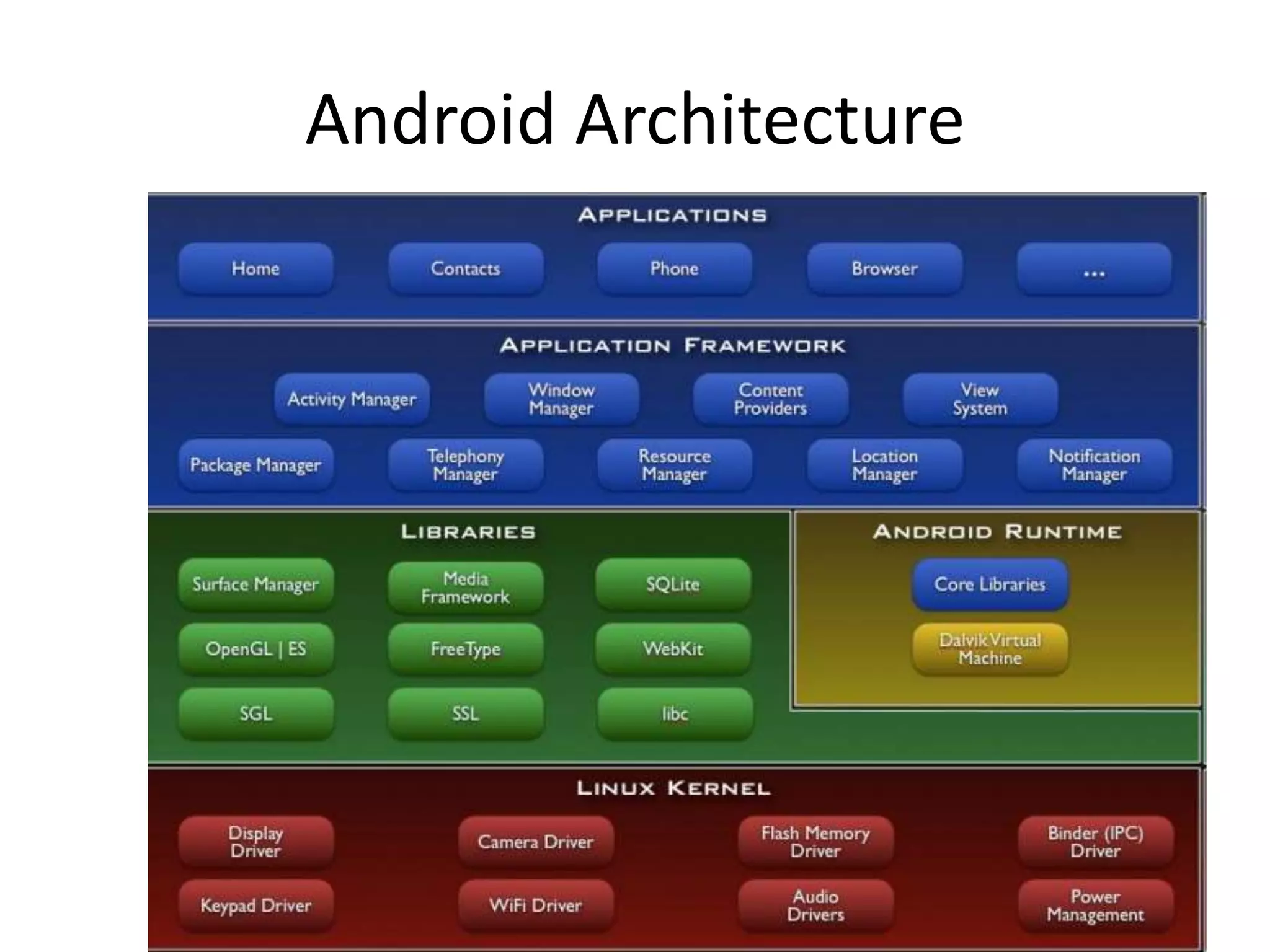
• Architecture
• Architecture of Android
• The Android Market
• The Android Developer Community
Obtaining the Required Tools
• Android SDK
• Installing the Android SDK Tools
• Configuring the Android SDK Manager
• Eclipse
• Android Development Tool (ADT)
• Creating Android Virtual Device (AVDs)
• Creating your first Android App
• Anatomy of an Android Application
• Summary
What is Android?
 Android is a software stack for
mobile devices that includes an
operating system, middleware
and key applications.
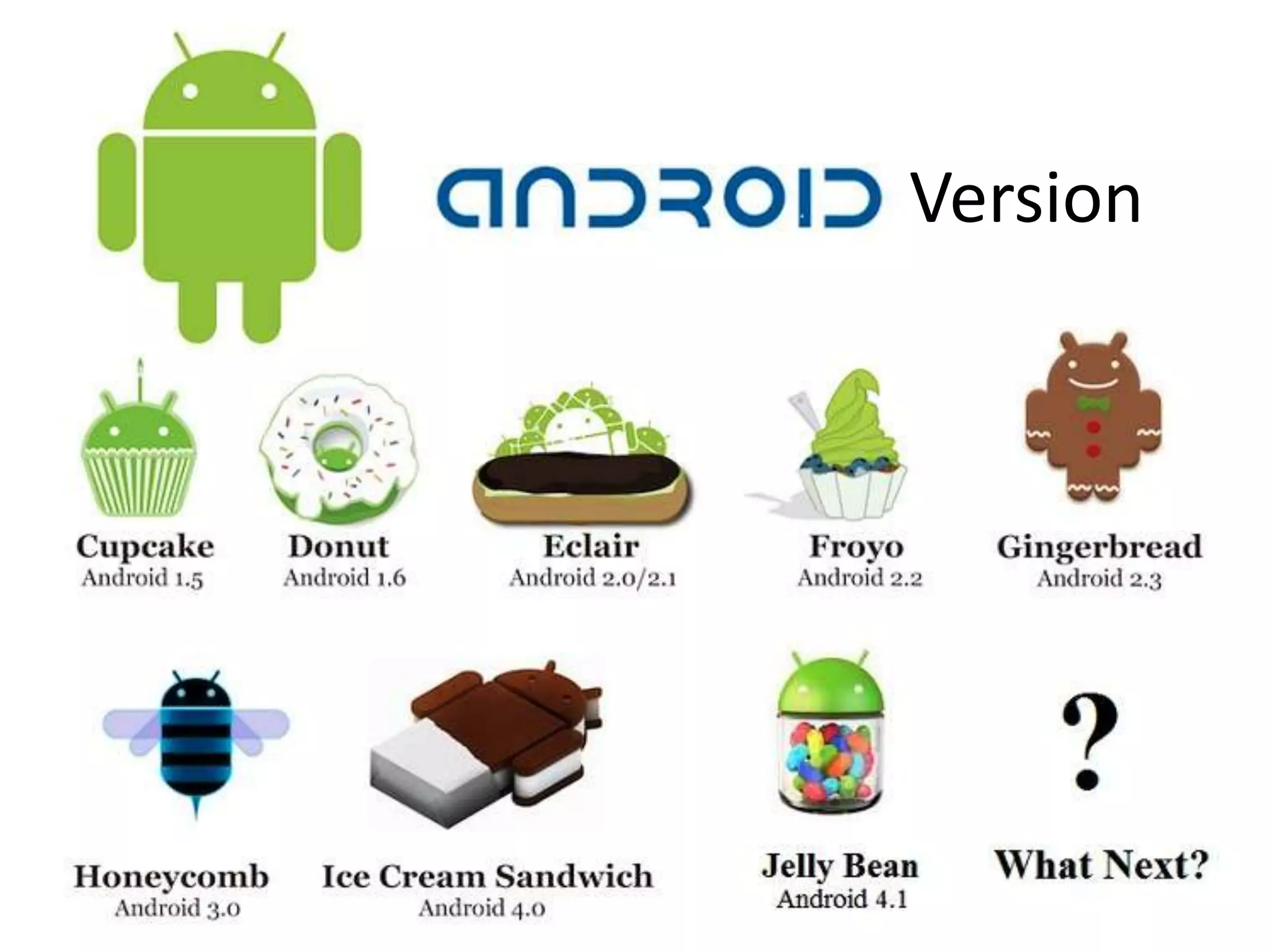
Version
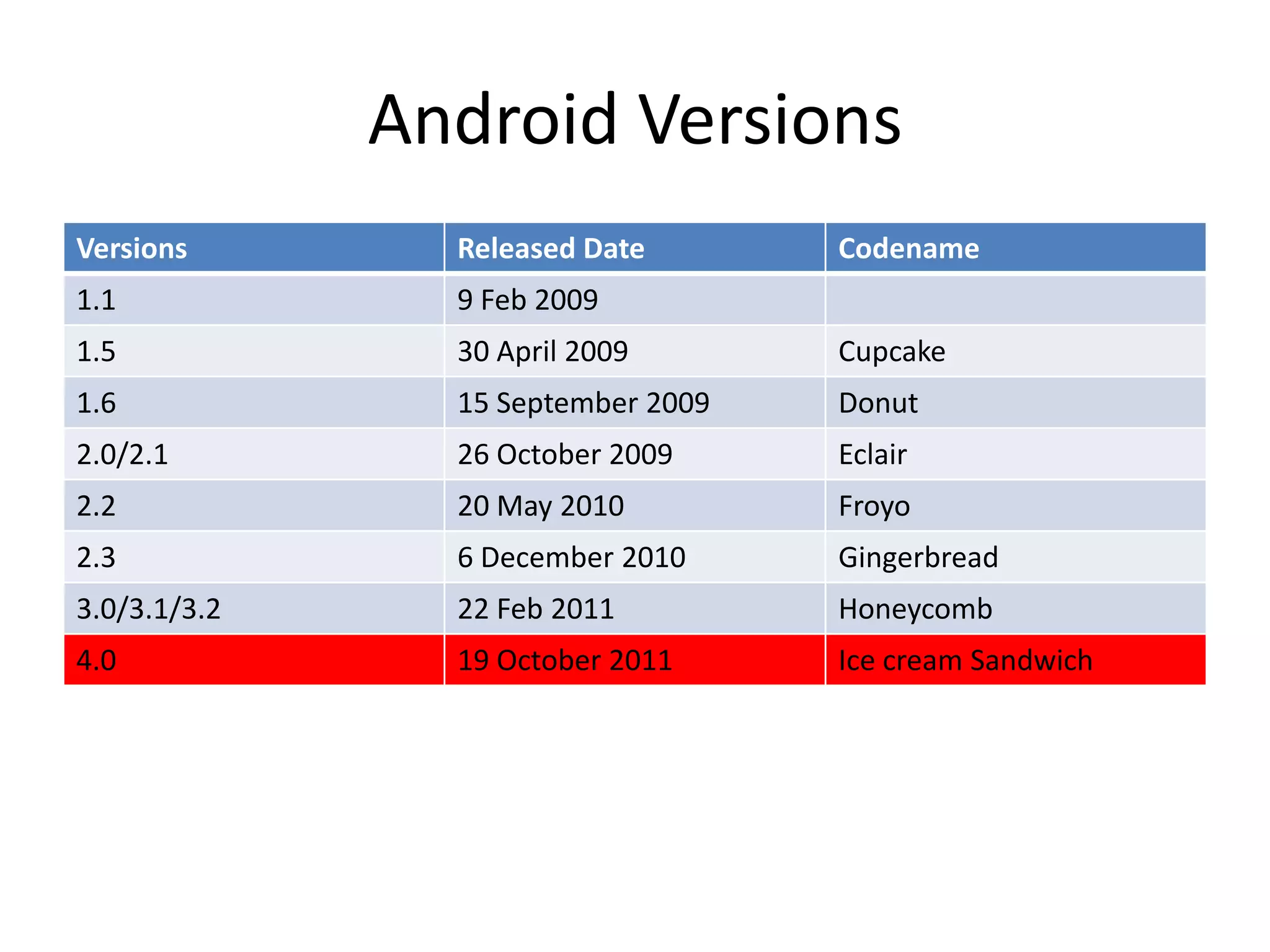
Android Versions
Versions Released Date Codename
1.1 9 Feb 2009
1.5 30 April 2009 Cupcake
1.6 15 September 2009 Donut
2.0/2.1 26 October 2009 Eclair
2.2 20 May 2010 Froyo
2.3 6 December 2010 Gingerbread
3.0/3.1/3.2 22 Feb 2011 Honeycomb
4.0 19 October 2011 Ice cream Sandwich
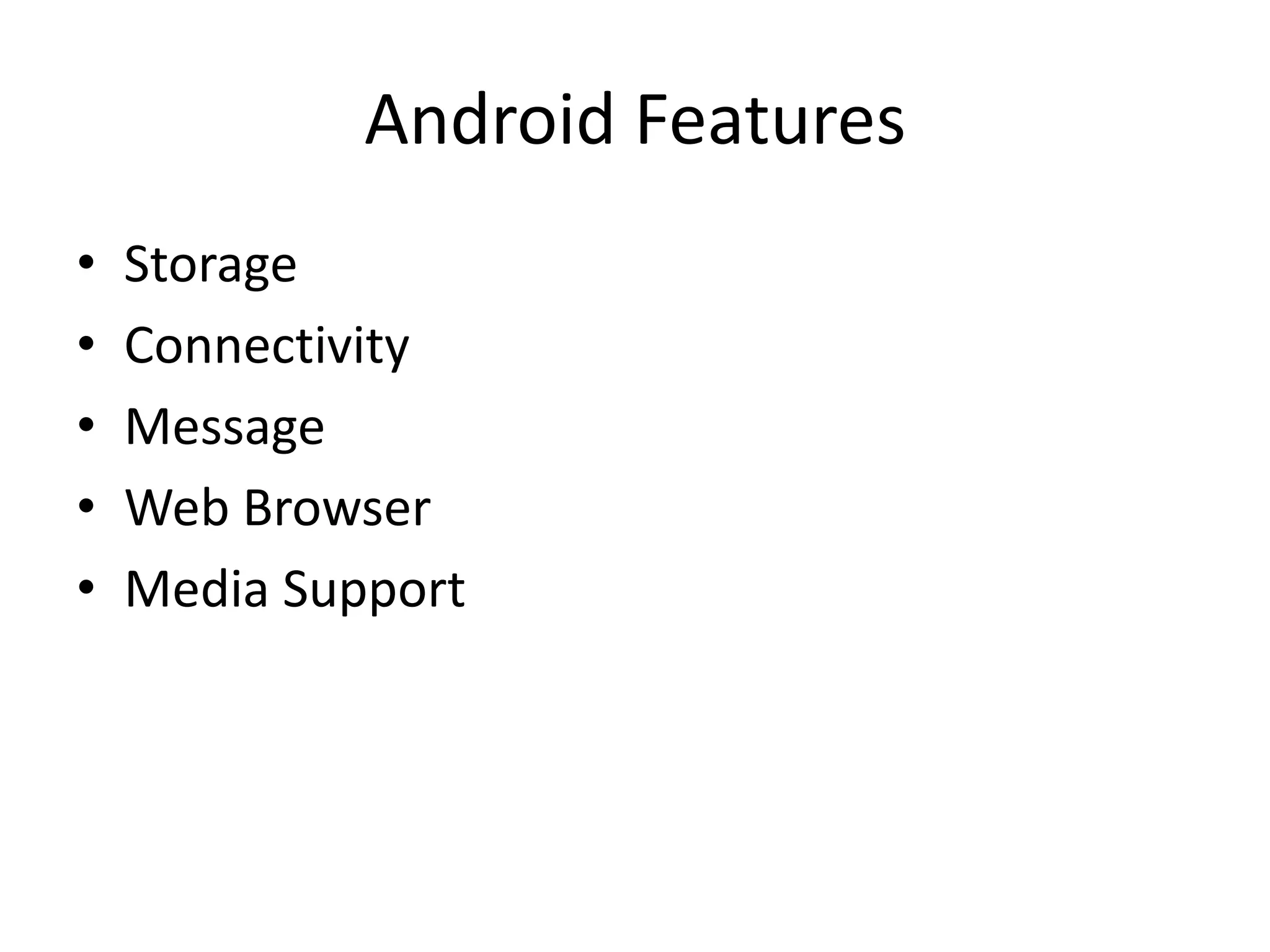
Android Features
• Storage
• Connectivity
• Message
• Web Browser
• Media Support
Android Architecture
10
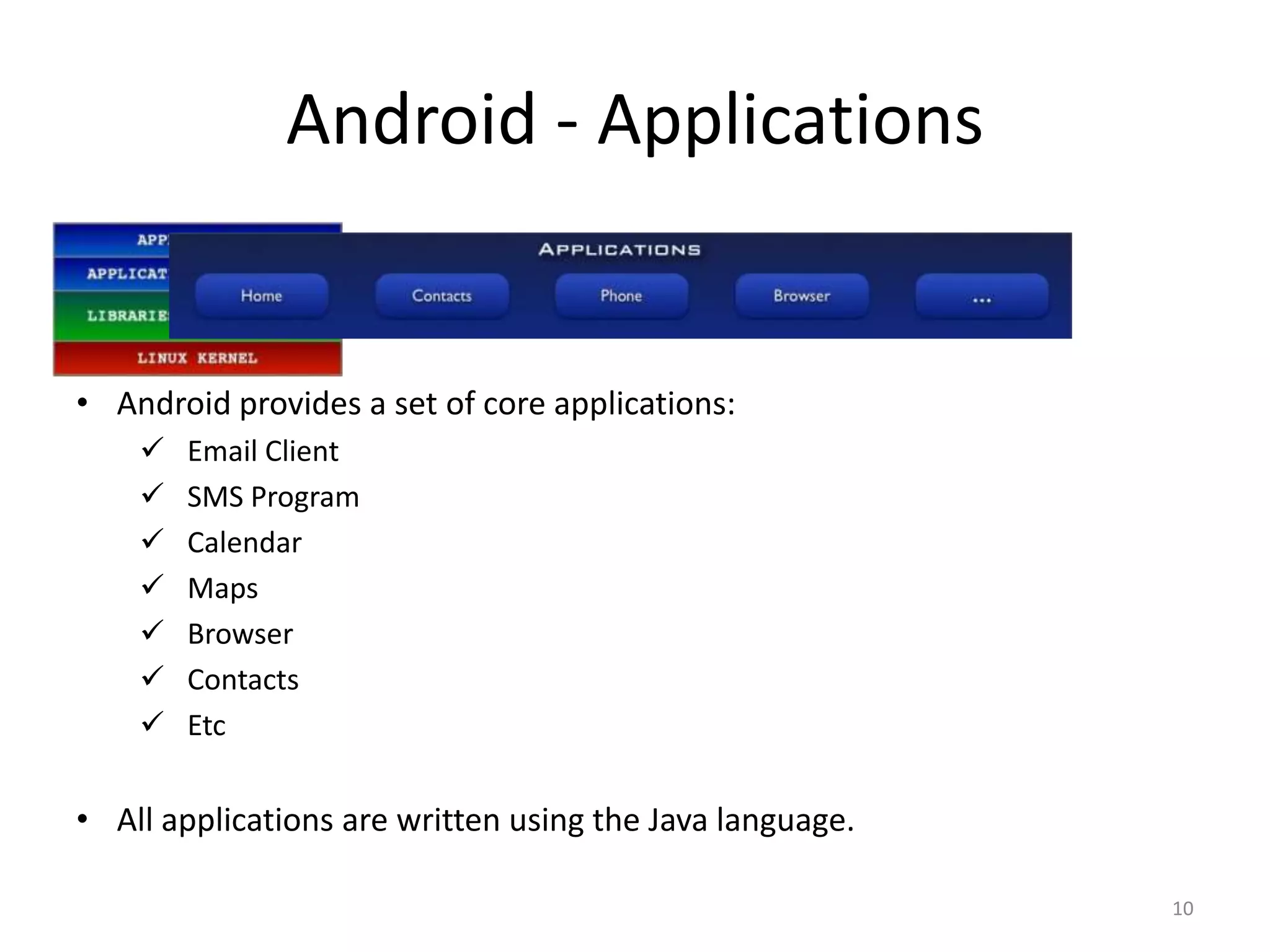
• Android provides a set of core applications:
 Email Client
 SMS Program
 Calendar
 Maps
 Browser
 Contacts
 Etc
• All applications are written using the Java language.
Android - Applications
11
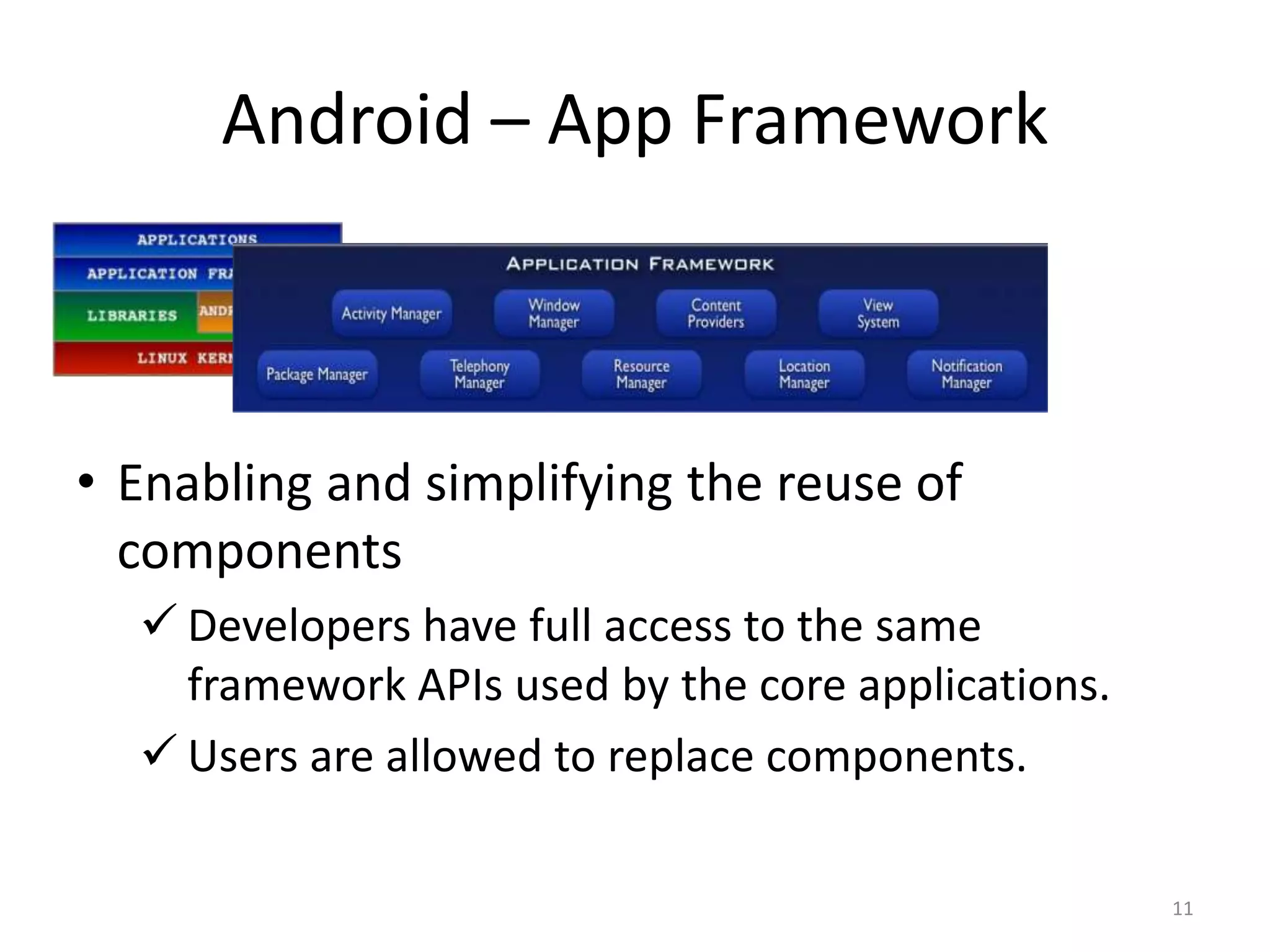
• Enabling and simplifying the reuse of
components
 Developers have full access to the same
framework APIs used by the core applications.
 Users are allowed to replace components.
Android – App Framework
@2011 Mihail L. Sichitiu 12
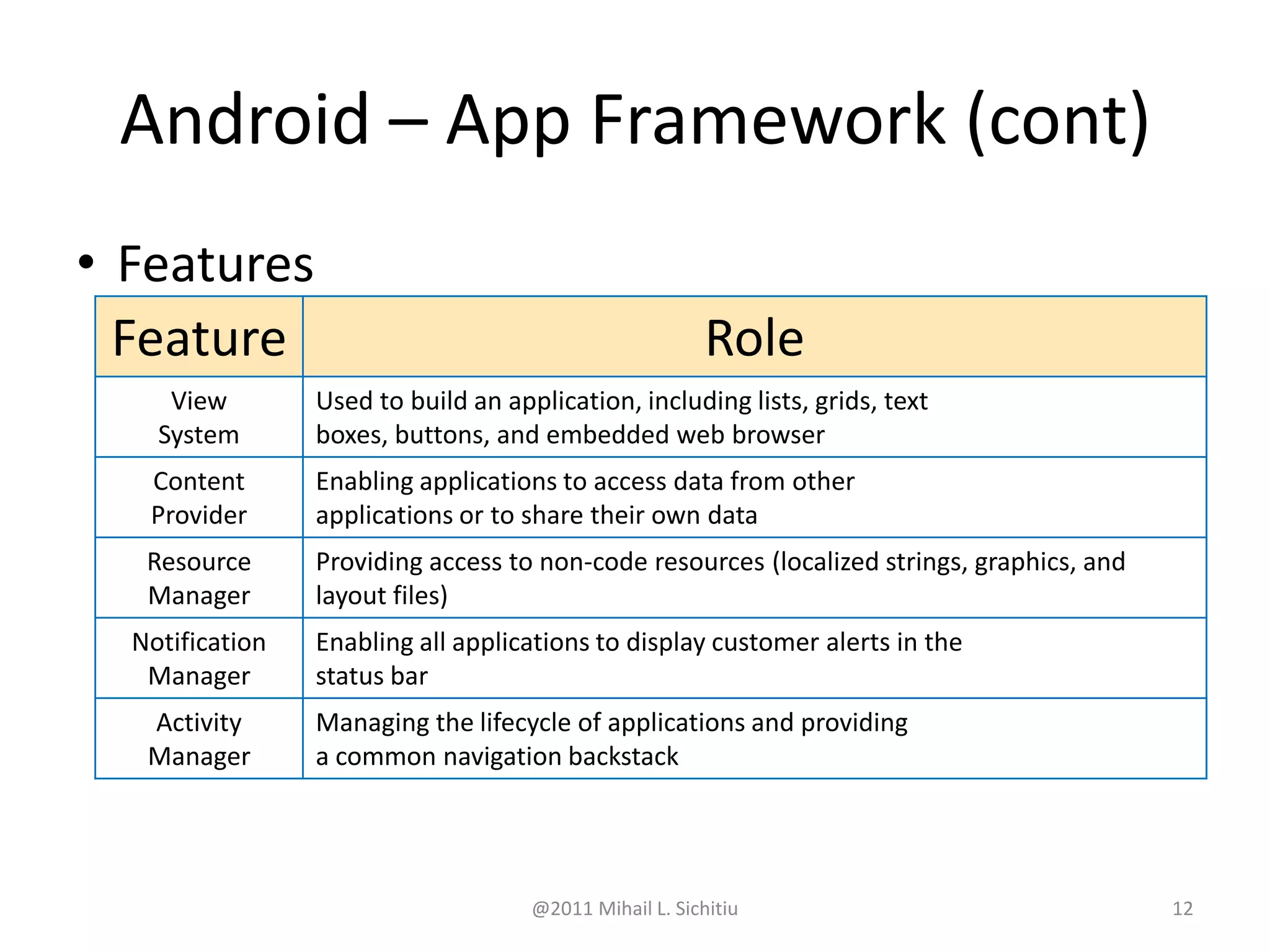
• Features
Feature Role
View
System
Used to build an application, including lists, grids, text
boxes, buttons, and embedded web browser
Content
Provider
Enabling applications to access data from other
applications or to share their own data
Resource
Manager
Providing access to non-code resources (localized strings, graphics, and
layout files)
Notification
Manager
Enabling all applications to display customer alerts in the
status bar
Activity
Manager
Managing the lifecycle of applications and providing
a common navigation backstack
Android – App Framework (cont)
@2011 Mihail L. Sichitiu 13
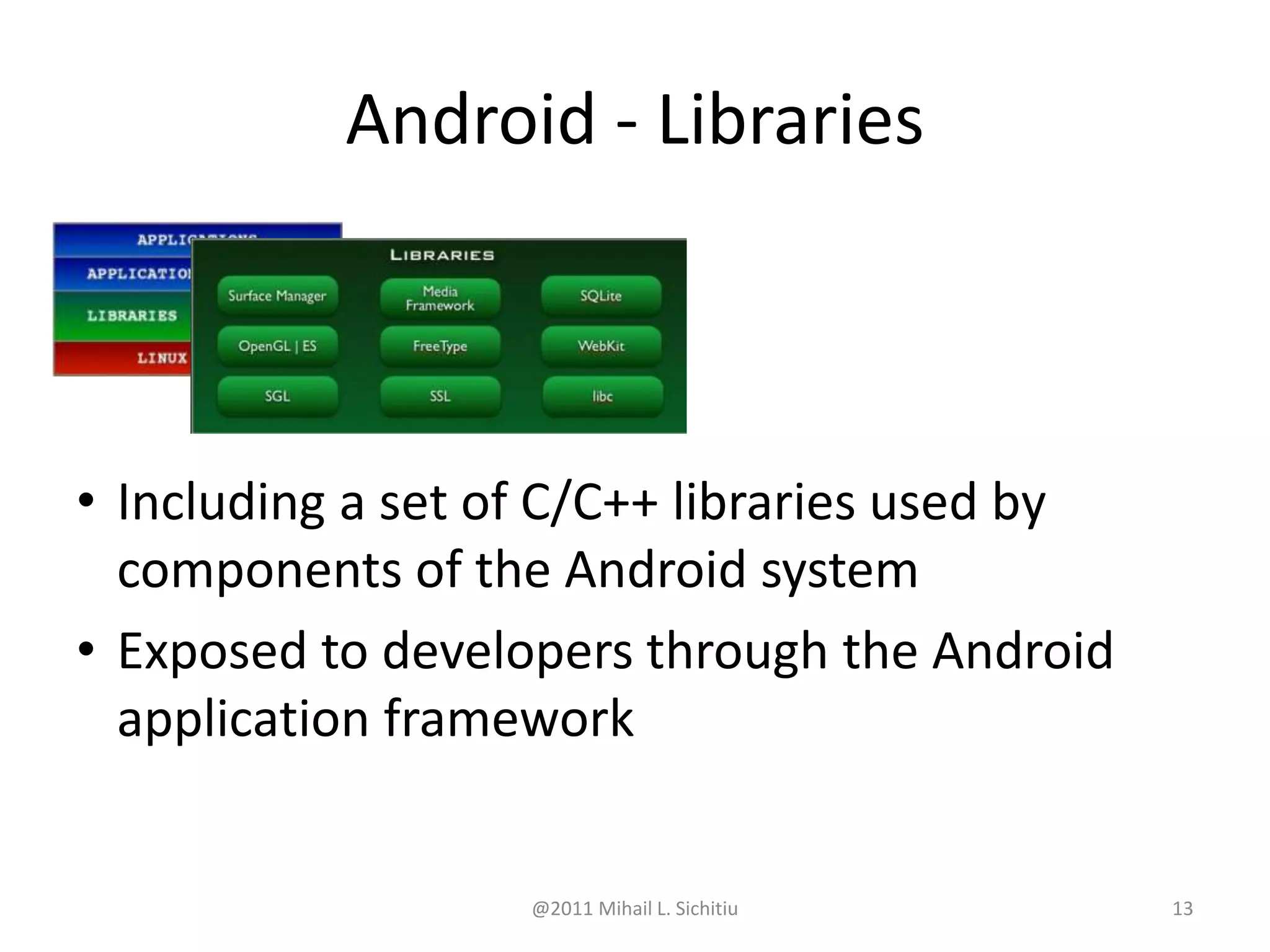
• Including a set of C/C++ libraries used by
components of the Android system
• Exposed to developers through the Android
application framework
Android - Libraries
@2011 Mihail L. Sichitiu 14
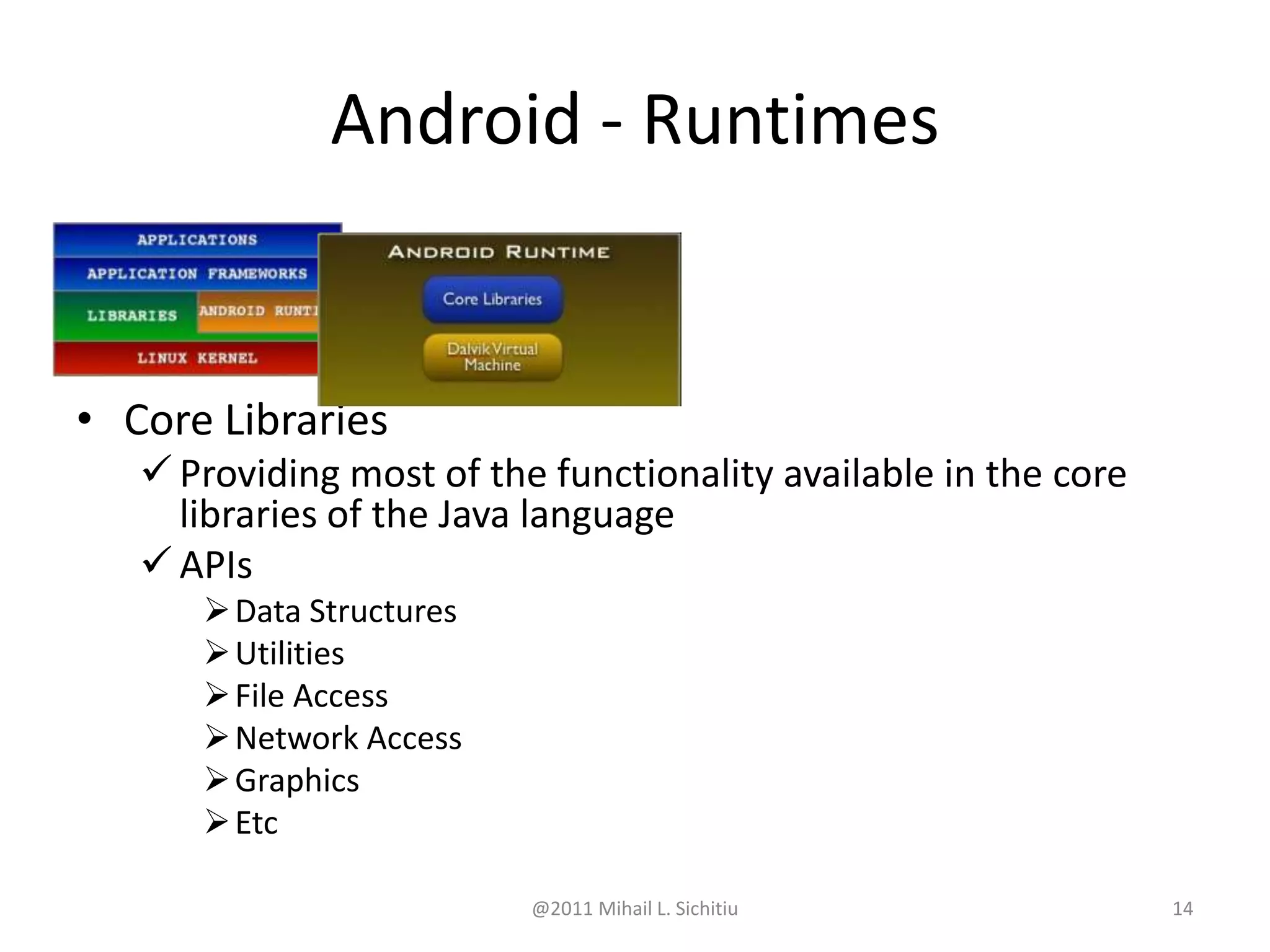
• Core Libraries
 Providing most of the functionality available in the core
libraries of the Java language
 APIs
Data Structures
Utilities
File Access
Network Access
Graphics
Etc
Android - Runtimes
@2011 Mihail L. Sichitiu 15
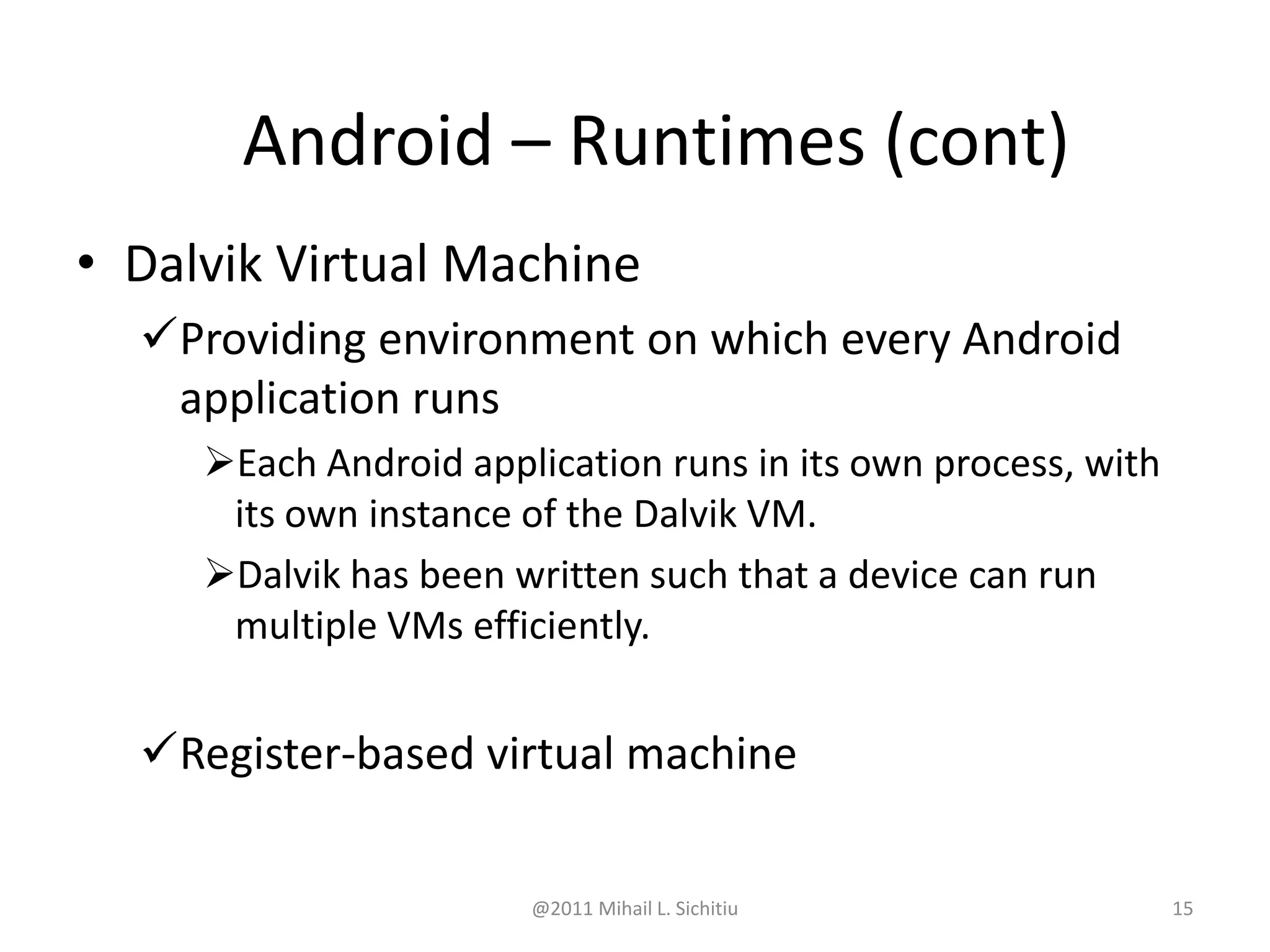
• Dalvik Virtual Machine
Providing environment on which every Android
application runs
Each Android application runs in its own process, with
its own instance of the Dalvik VM.
Dalvik has been written such that a device can run
multiple VMs efficiently.
Register-based virtual machine
Android – Runtimes (cont)
@2011 Mihail L. Sichitiu 16
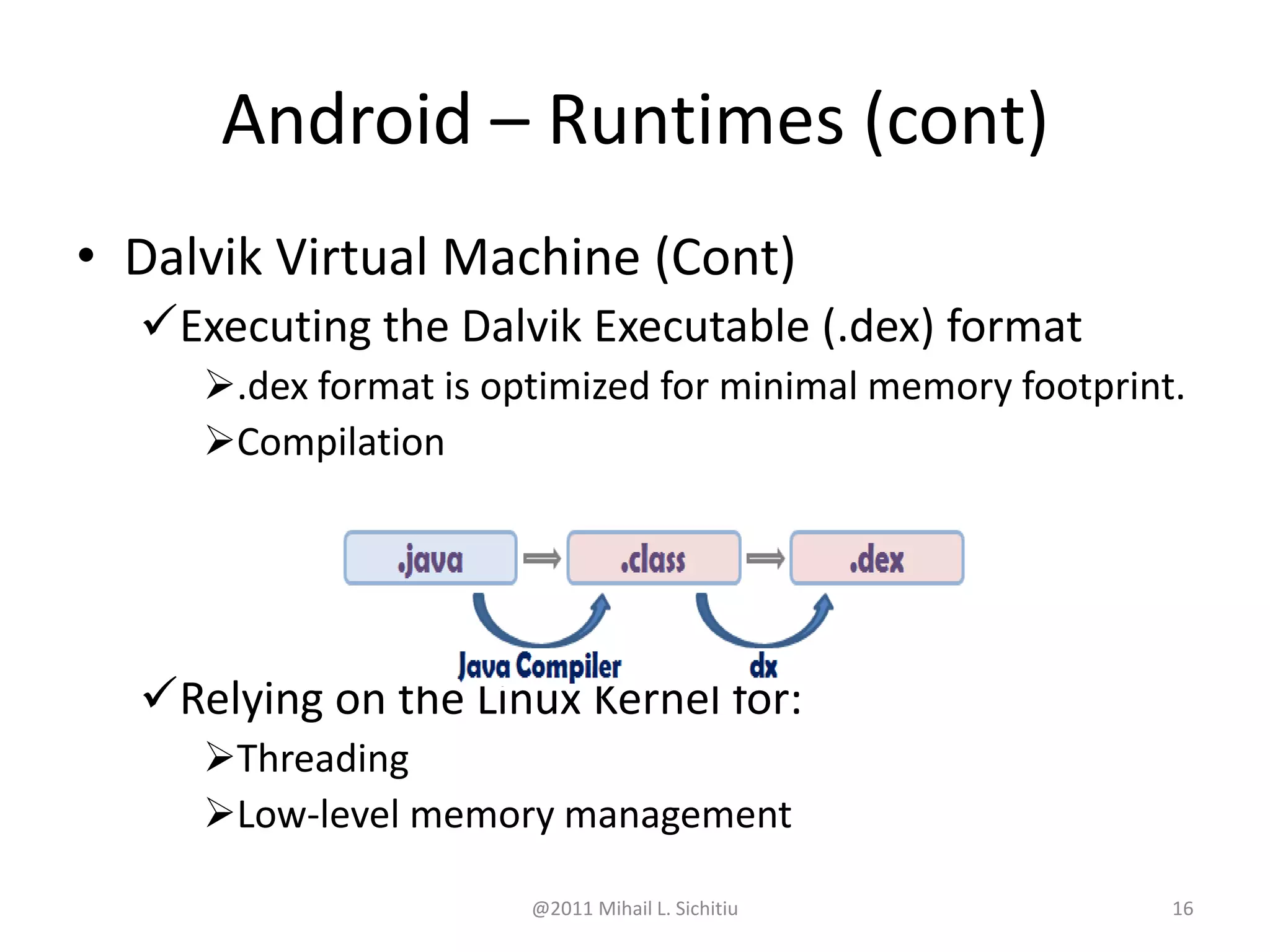
• Dalvik Virtual Machine (Cont)
Executing the Dalvik Executable (.dex) format
.dex format is optimized for minimal memory footprint.
Compilation
Relying on the Linux Kernel for:
Threading
Low-level memory management
Android – Runtimes (cont)
@2011 Mihail L. Sichitiu 17
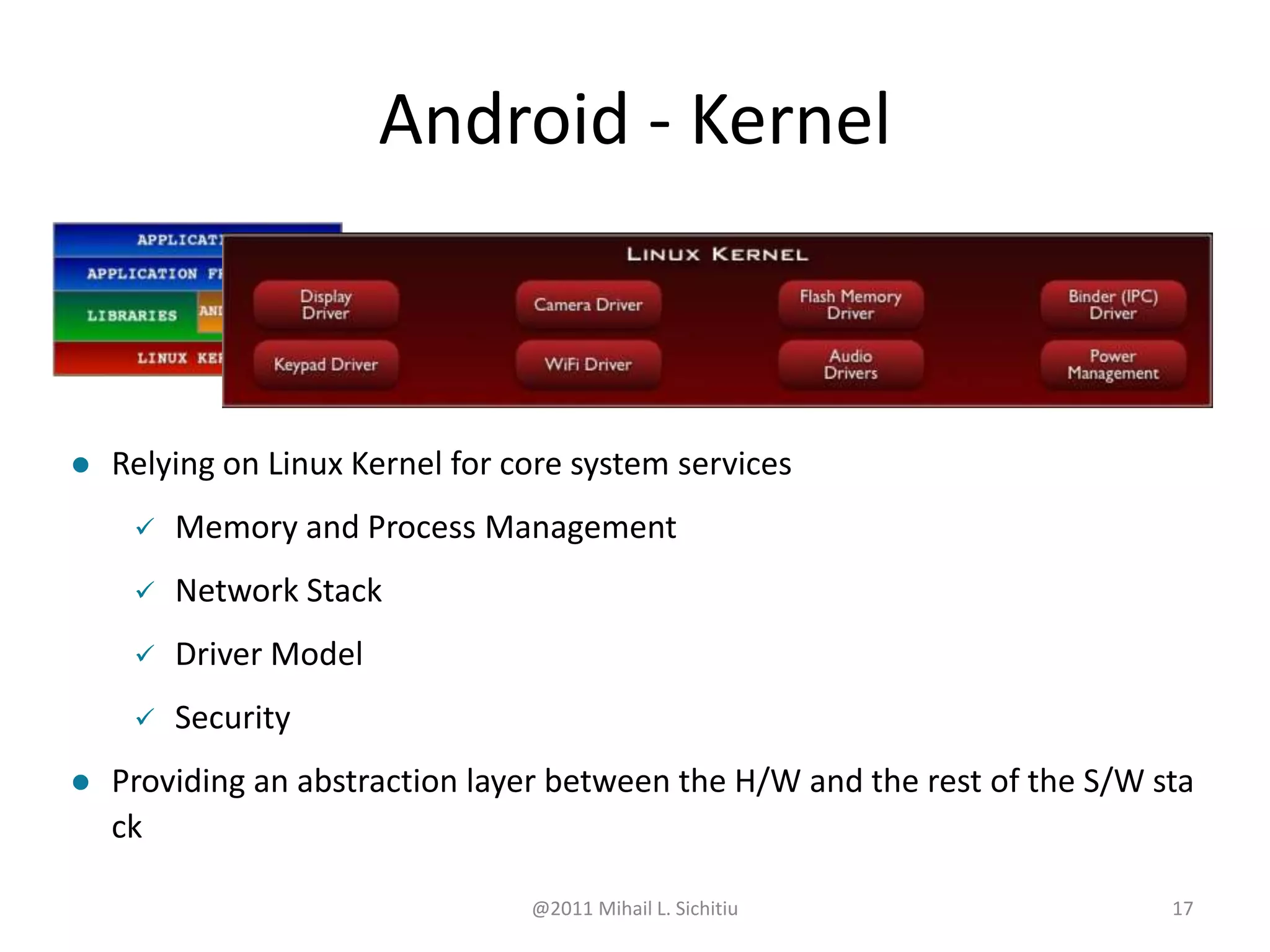
 Relying on Linux Kernel for core system services
 Memory and Process Management
 Network Stack
 Driver Model
 Security
 Providing an abstraction layer between the H/W and the rest of the S/W sta
ck
Android - Kernel
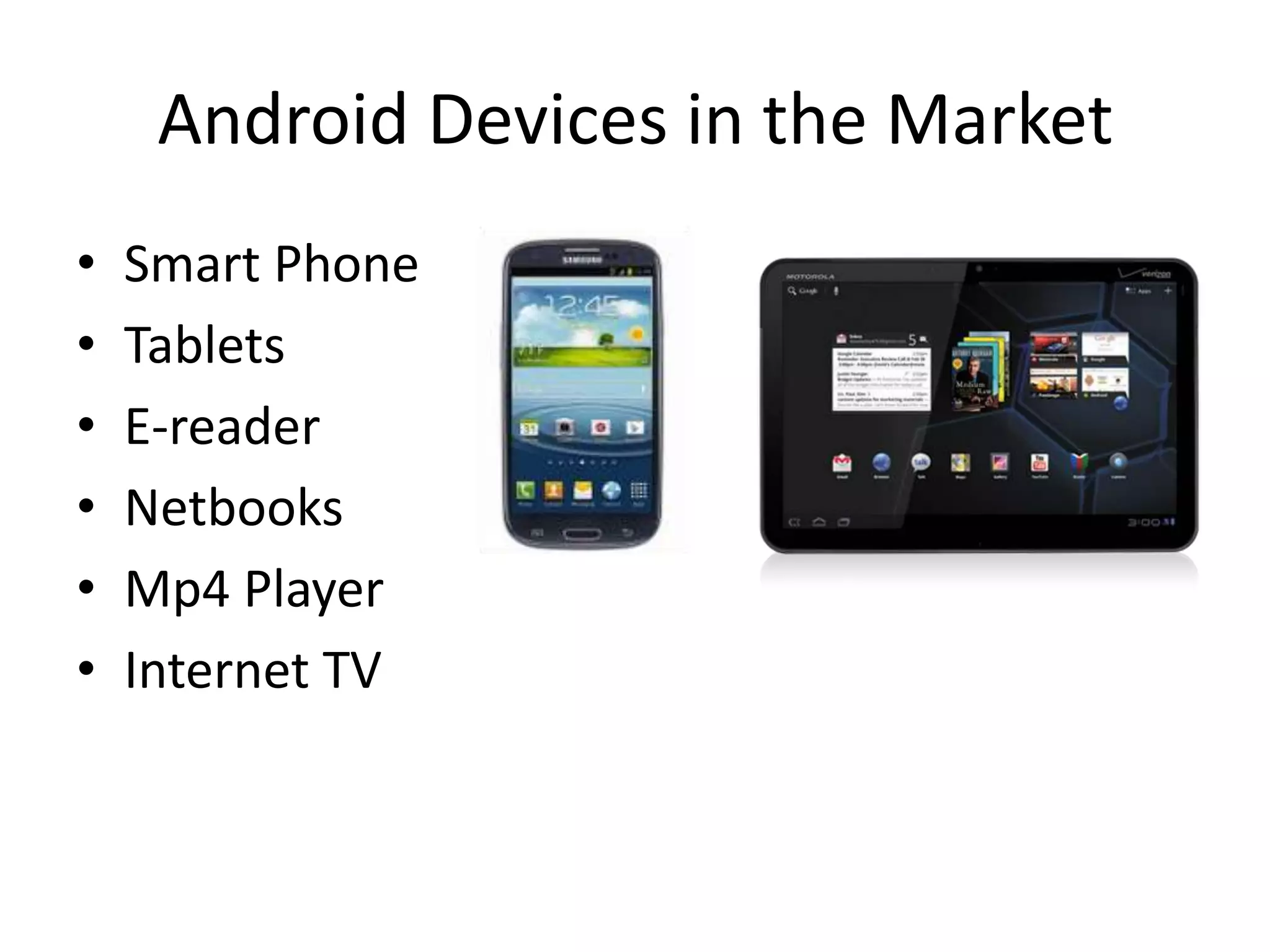
Android Devices in the Market
• Smart Phone
• Tablets
• E-reader
• Netbooks
• Mp4 Player
• Internet TV
@2011 Mihail L. Sichitiu 19
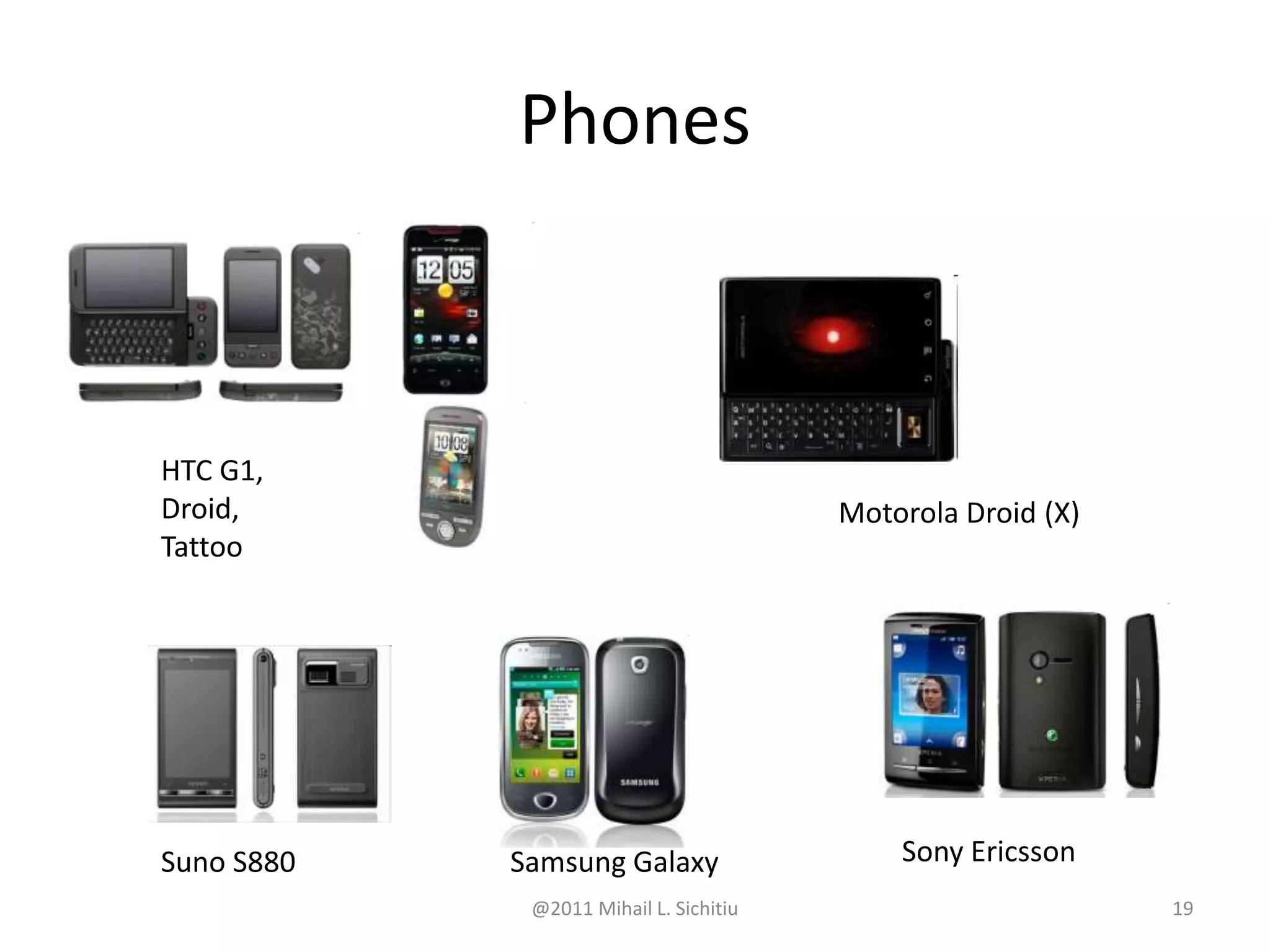
Phones
HTC G1,
Droid,
Tattoo
Motorola Droid (X)
Suno S880 Samsung Galaxy Sony Ericsson
@2011 Mihail L. Sichitiu 20
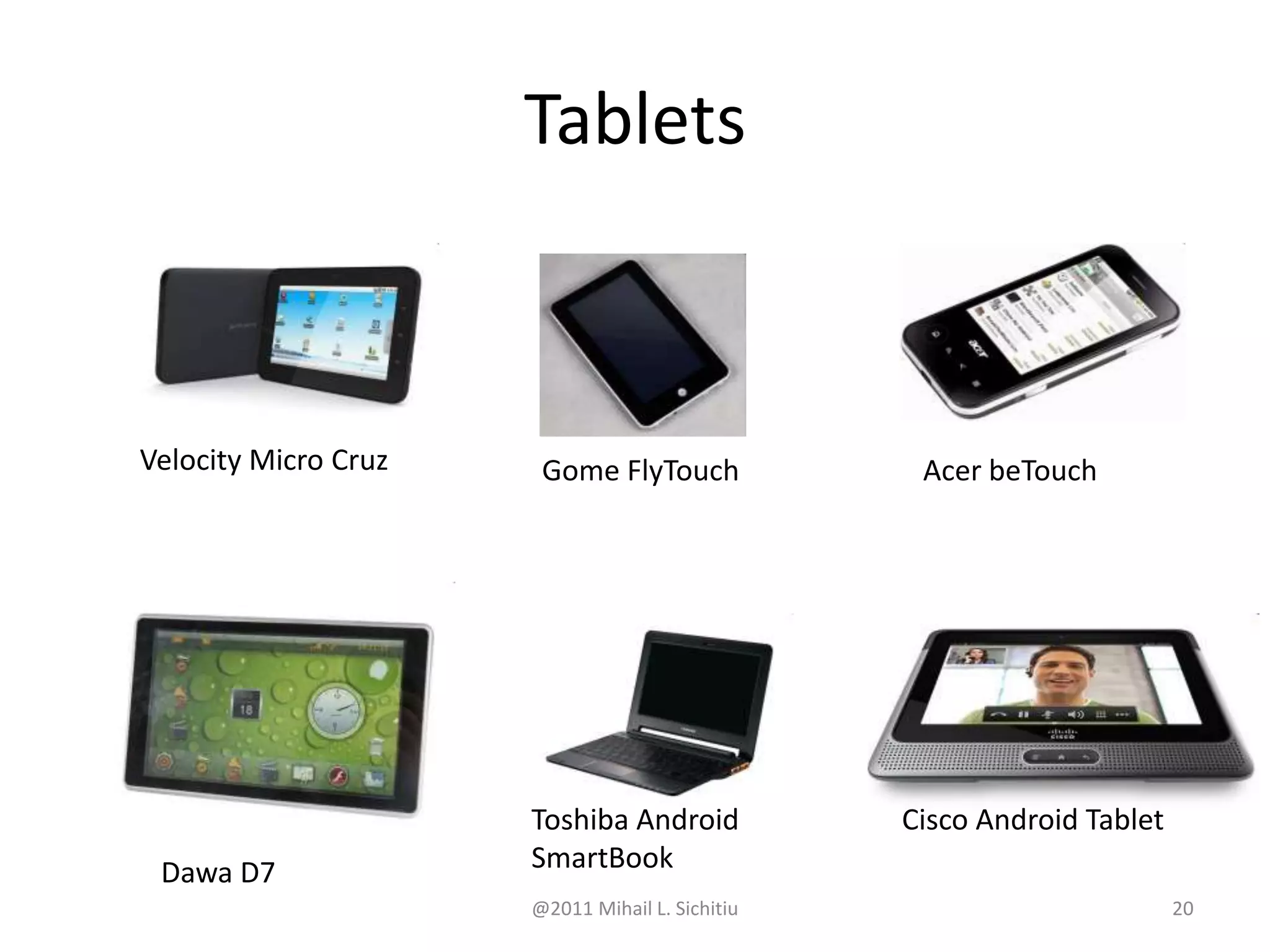
Tablets
Velocity Micro Cruz Gome FlyTouch Acer beTouch
Dawa D7
Toshiba Android
SmartBook
Cisco Android Tablet
Android Market
• In August 2008, Google announced Android
Market and made it available in Oct 2008.
• Preinstall in every android devices.
• To download third-party application
Android Developer Community
• Stack Overflow
• Google Android Training
(http://developer.android.com/training/index.
html )
• Android Discuss
(http://groups.google.com/group/android-
discuss)
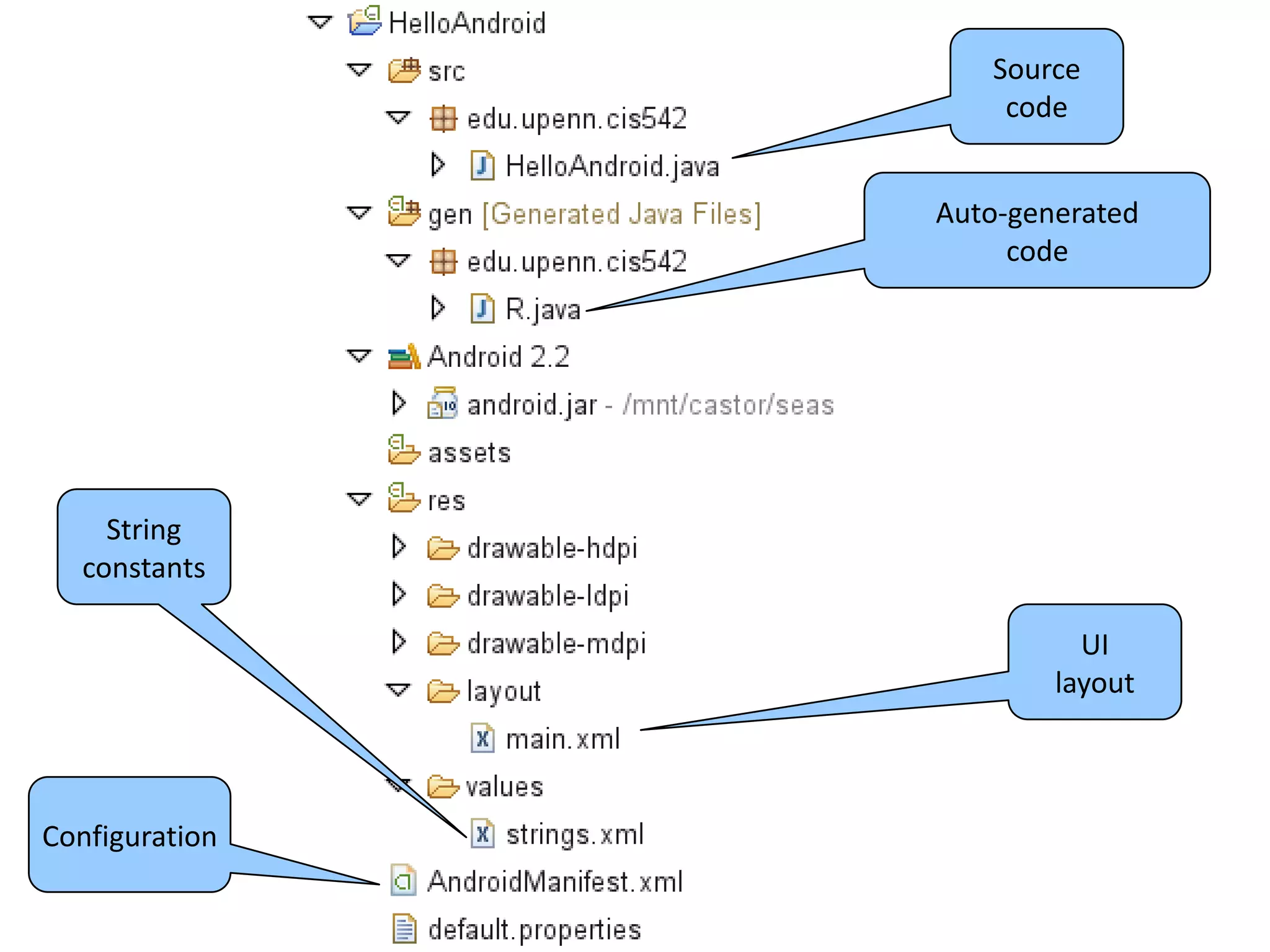
Android Development Tools
Source
code
Auto-generated
code
UI
layout
String
constants
Configuration
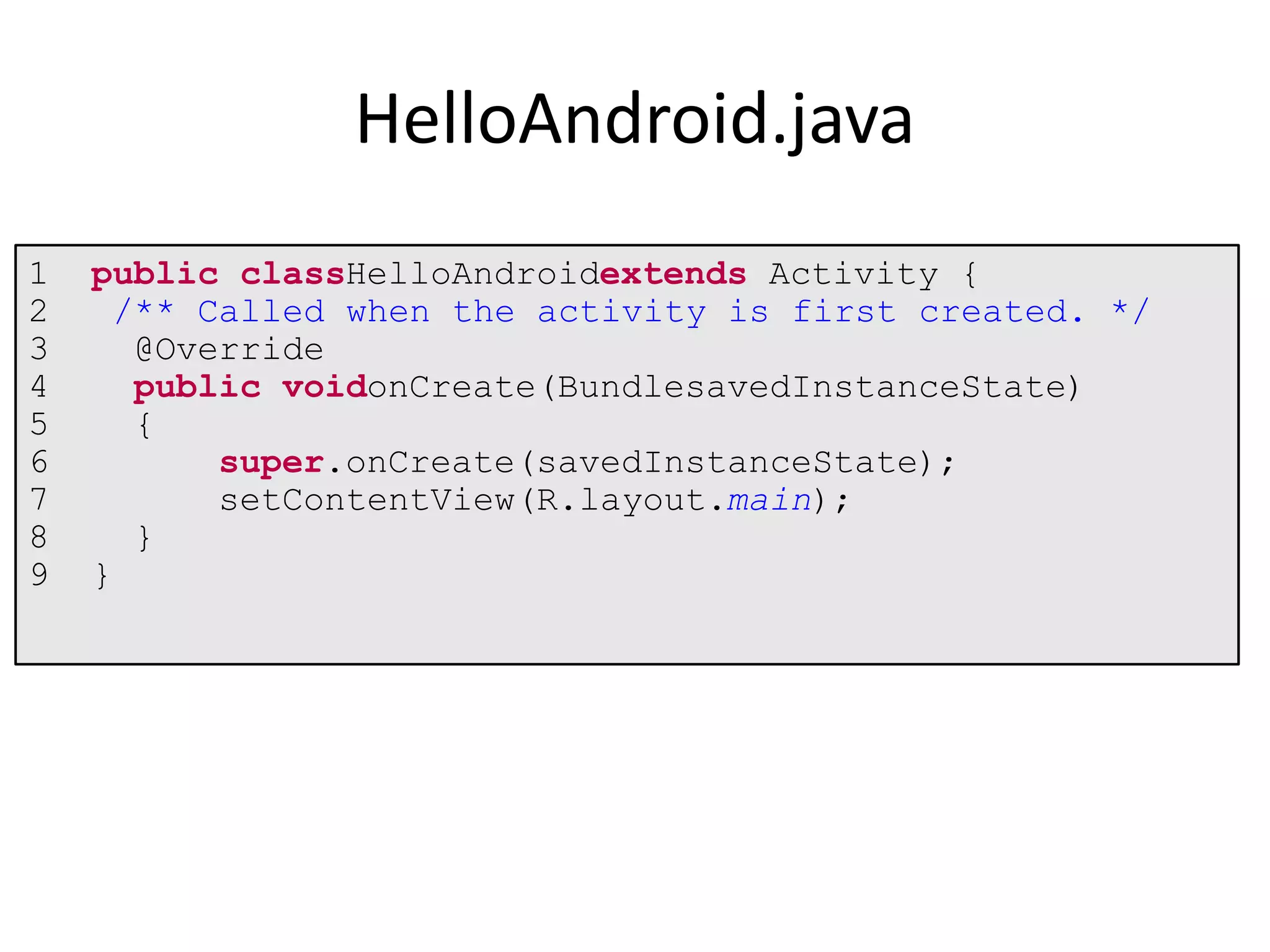
1 public classHelloAndroidextends Activity {
2 /** Called when the activity is first created. */
3 @Override
4 public voidonCreate(BundlesavedInstanceState)
5 {
6 super.onCreate(savedInstanceState);
7 setContentView(R.layout.main);
8 }
9 }
HelloAndroid.java
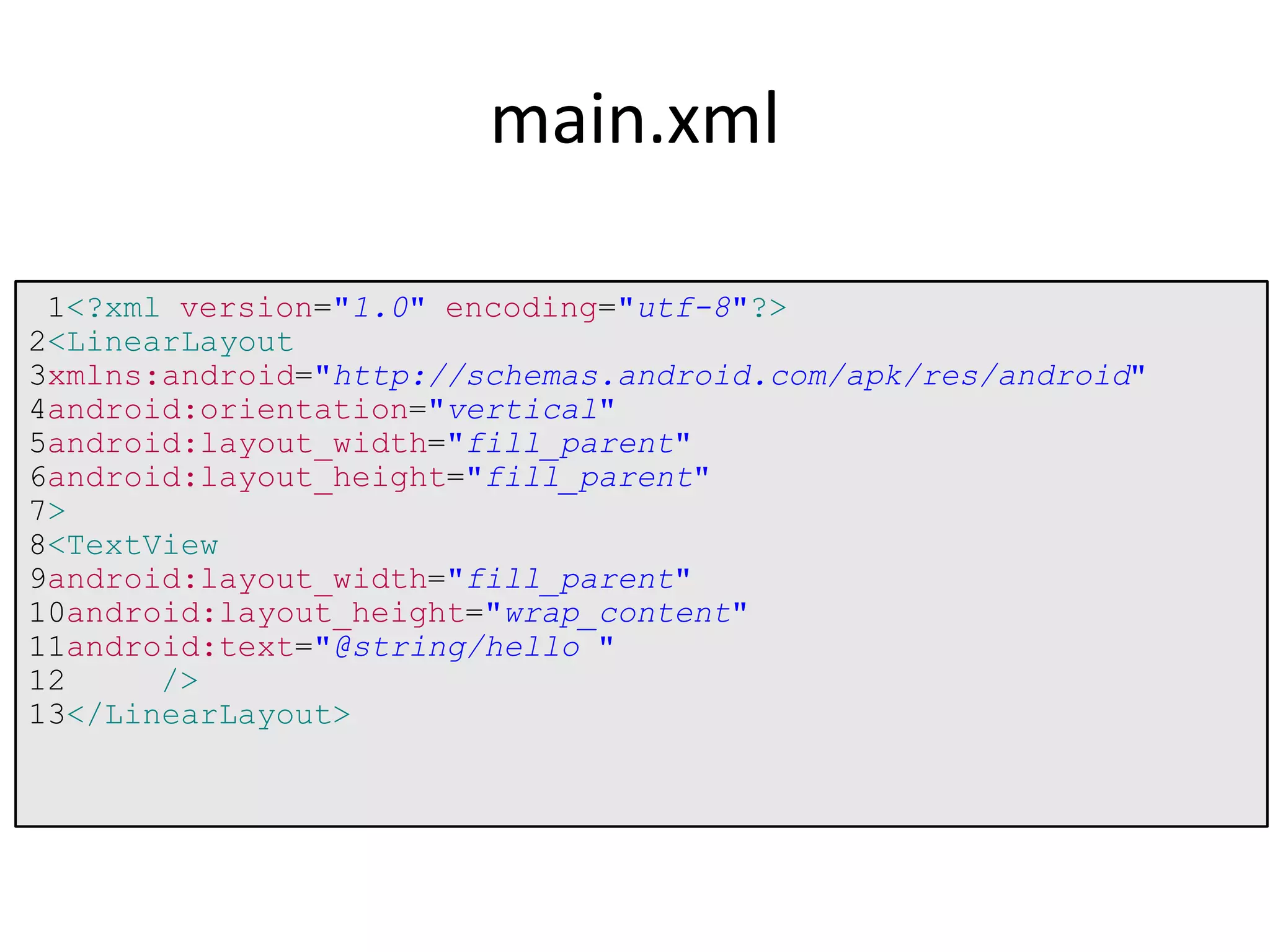
1<?xml version="1.0" encoding="utf-8"?>
2<LinearLayout
3xmlns:android="http://schemas.android.com/apk/res/android"
4android:orientation="vertical"
5android:layout_width="fill_parent"
6android:layout_height="fill_parent"
7>
8<TextView
9android:layout_width="fill_parent"
10android:layout_height="wrap_content"
11android:text="@string/hello "
12 />
13</LinearLayout>
main.xml
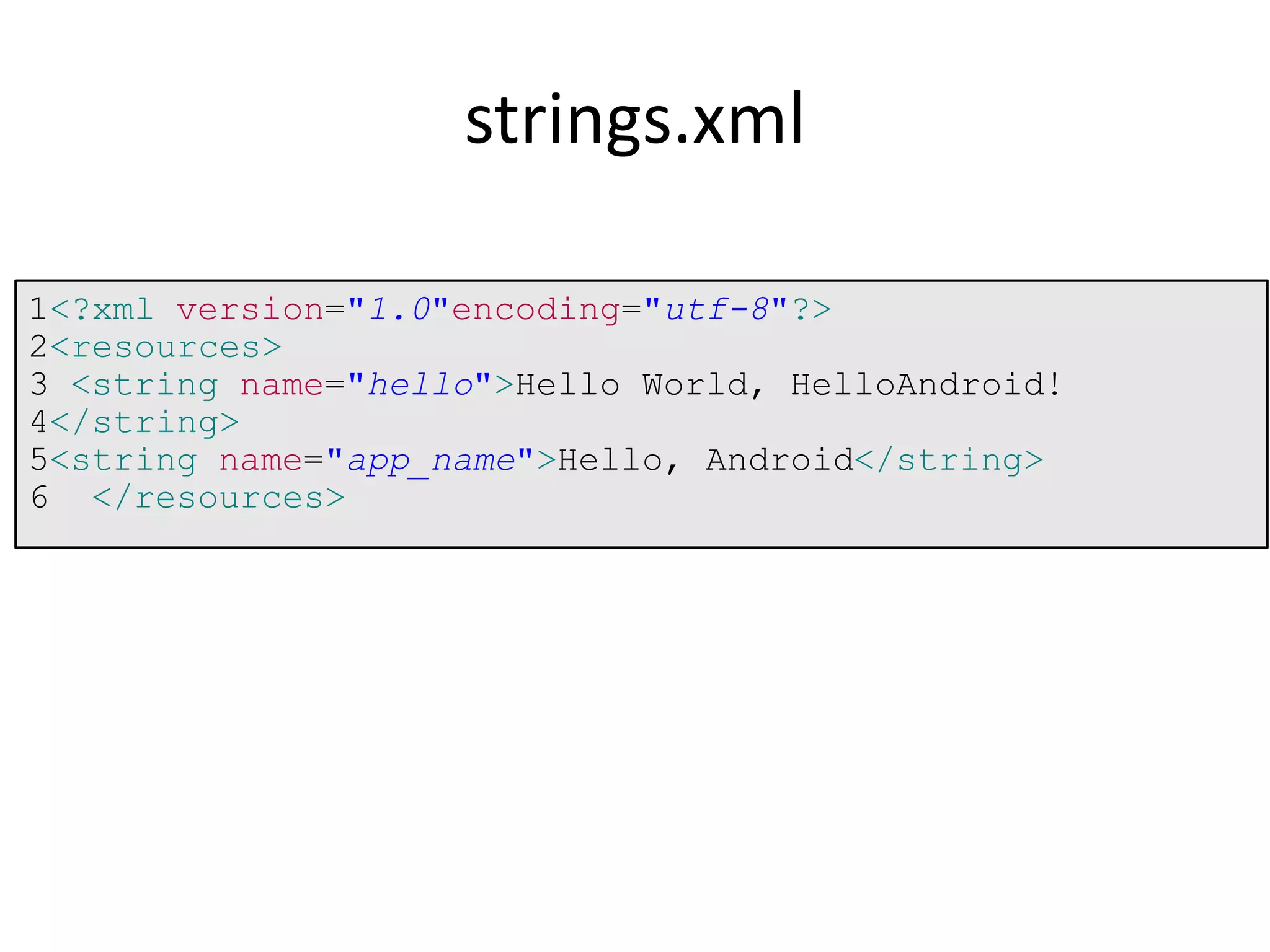
1<?xml version="1.0"encoding="utf-8"?>
2<resources>
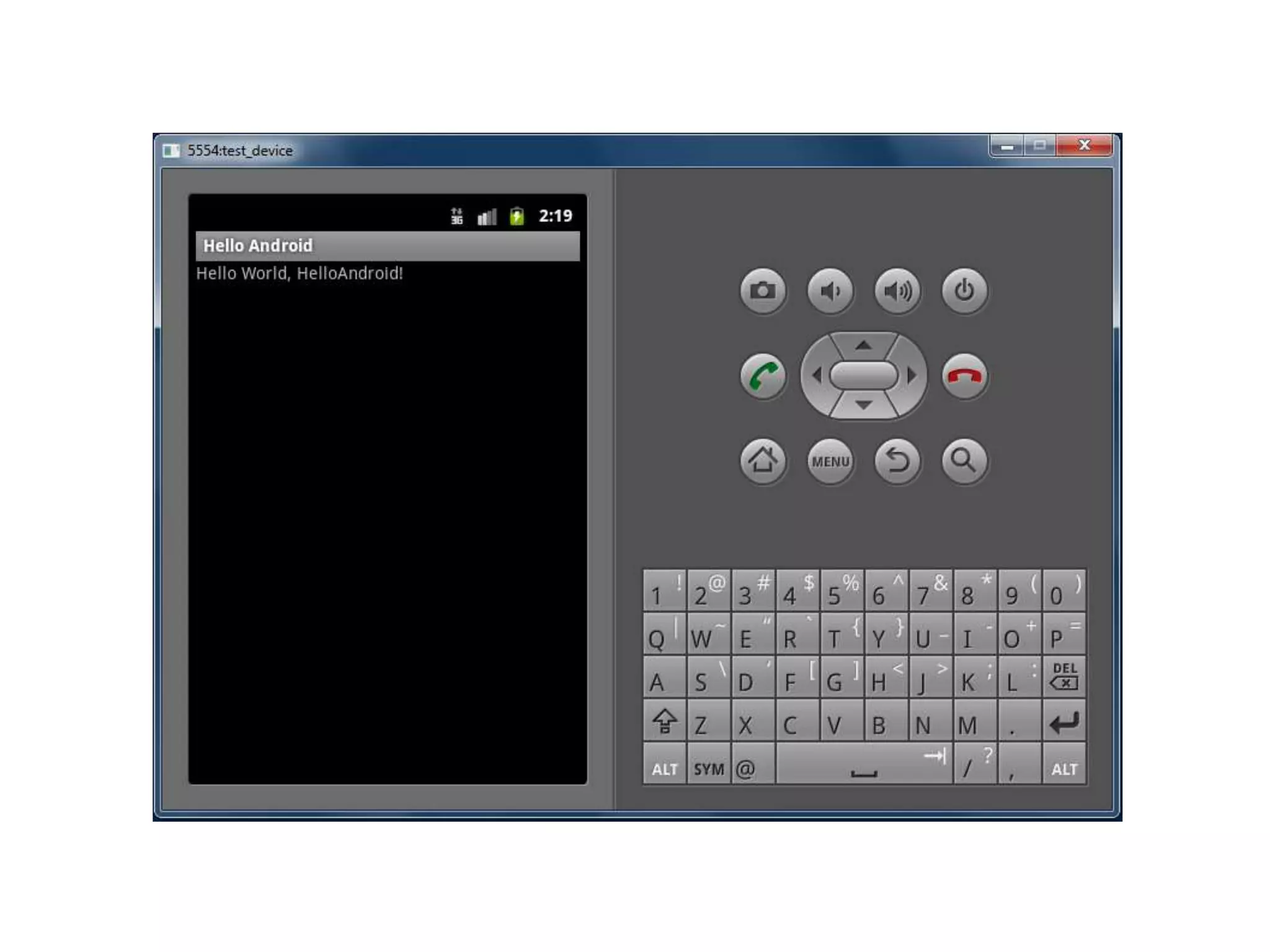
3 <string name="hello">Hello World, HelloAndroid!
4</string>
5<string name="app_name">Hello, Android</string>
6 </resources>
strings.xml
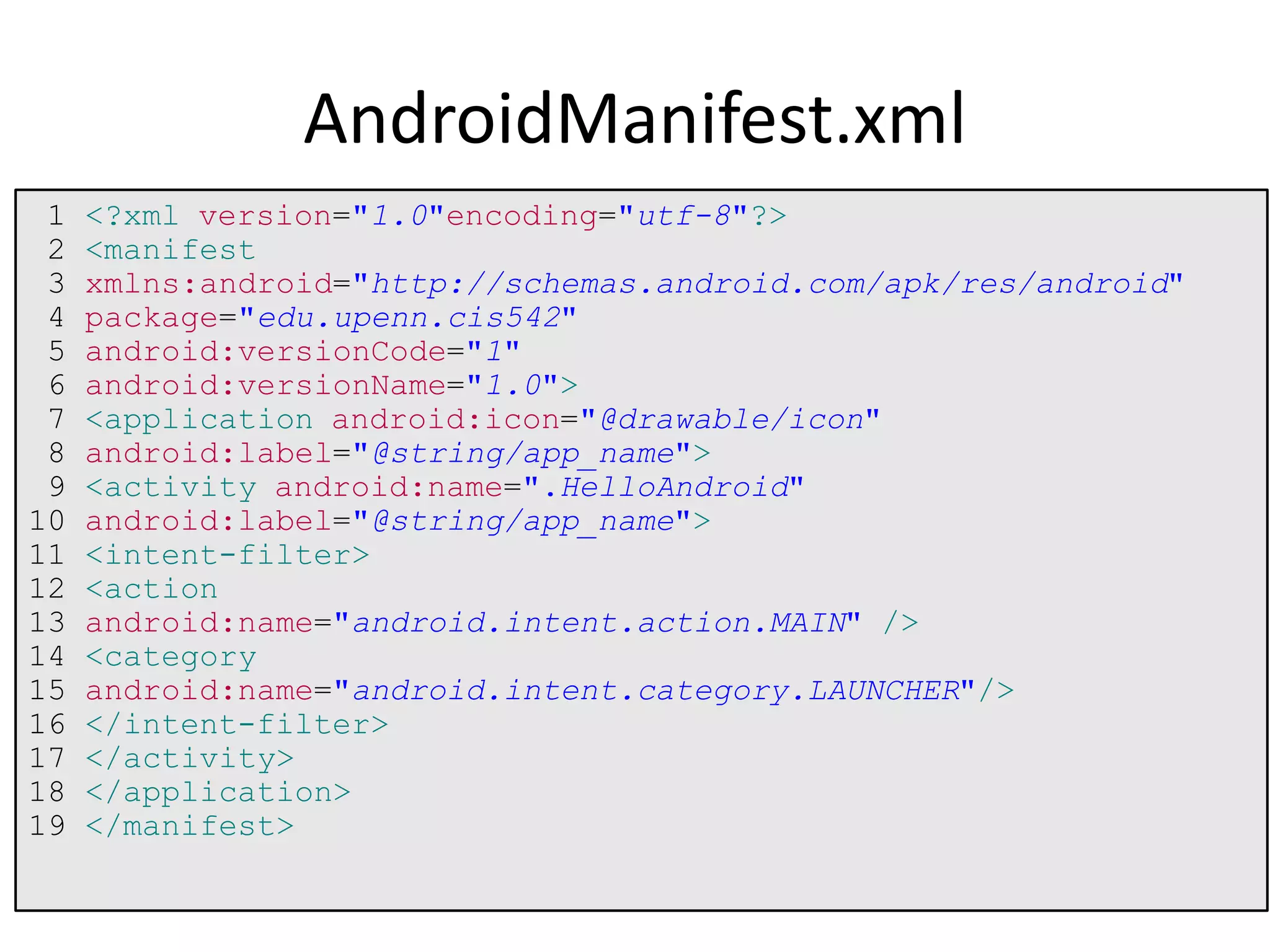
1 <?xml version="1.0"encoding="utf-8"?>
2 <manifest
3 xmlns:android="http://schemas.android.com/apk/res/android"
4 package="edu.upenn.cis542"
5 android:versionCode="1"
6 android:versionName="1.0">
7 <application android:icon="@drawable/icon"
8 android:label="@string/app_name">
9 <activity android:name=".HelloAndroid"
10 android:label="@string/app_name">
11 <intent-filter>
12 <action
13 android:name="android.intent.action.MAIN" />
14 <category
15 android:name="android.intent.category.LAUNCHER"/>
16 </intent-filter>
17 </activity>
18 </application>
19 </manifest>
AndroidManifest.xml

Chapter1

  • 1.
    Chapter1 Getting started withAndroid Programming
  • 2.
    What is Android? •Features of Android • Architecture • Architecture of Android • The Android Market • The Android Developer Community
  • 3.
    Obtaining the RequiredTools • Android SDK • Installing the Android SDK Tools • Configuring the Android SDK Manager • Eclipse • Android Development Tool (ADT) • Creating Android Virtual Device (AVDs)
  • 4.
    • Creating yourfirst Android App • Anatomy of an Android Application • Summary
  • 5.
    What is Android? Android is a software stack for mobile devices that includes an operating system, middleware and key applications.
  • 6.
  • 7.
    Android Versions Versions ReleasedDate Codename 1.1 9 Feb 2009 1.5 30 April 2009 Cupcake 1.6 15 September 2009 Donut 2.0/2.1 26 October 2009 Eclair 2.2 20 May 2010 Froyo 2.3 6 December 2010 Gingerbread 3.0/3.1/3.2 22 Feb 2011 Honeycomb 4.0 19 October 2011 Ice cream Sandwich
  • 8.
    Android Features • Storage •Connectivity • Message • Web Browser • Media Support
  • 9.
  • 10.
    10 • Android providesa set of core applications:  Email Client  SMS Program  Calendar  Maps  Browser  Contacts  Etc • All applications are written using the Java language. Android - Applications
  • 11.
    11 • Enabling andsimplifying the reuse of components  Developers have full access to the same framework APIs used by the core applications.  Users are allowed to replace components. Android – App Framework
  • 12.
    @2011 Mihail L.Sichitiu 12 • Features Feature Role View System Used to build an application, including lists, grids, text boxes, buttons, and embedded web browser Content Provider Enabling applications to access data from other applications or to share their own data Resource Manager Providing access to non-code resources (localized strings, graphics, and layout files) Notification Manager Enabling all applications to display customer alerts in the status bar Activity Manager Managing the lifecycle of applications and providing a common navigation backstack Android – App Framework (cont)
  • 13.
    @2011 Mihail L.Sichitiu 13 • Including a set of C/C++ libraries used by components of the Android system • Exposed to developers through the Android application framework Android - Libraries
  • 14.
    @2011 Mihail L.Sichitiu 14 • Core Libraries  Providing most of the functionality available in the core libraries of the Java language  APIs Data Structures Utilities File Access Network Access Graphics Etc Android - Runtimes
  • 15.
    @2011 Mihail L.Sichitiu 15 • Dalvik Virtual Machine Providing environment on which every Android application runs Each Android application runs in its own process, with its own instance of the Dalvik VM. Dalvik has been written such that a device can run multiple VMs efficiently. Register-based virtual machine Android – Runtimes (cont)
  • 16.
    @2011 Mihail L.Sichitiu 16 • Dalvik Virtual Machine (Cont) Executing the Dalvik Executable (.dex) format .dex format is optimized for minimal memory footprint. Compilation Relying on the Linux Kernel for: Threading Low-level memory management Android – Runtimes (cont)
  • 17.
    @2011 Mihail L.Sichitiu 17  Relying on Linux Kernel for core system services  Memory and Process Management  Network Stack  Driver Model  Security  Providing an abstraction layer between the H/W and the rest of the S/W sta ck Android - Kernel
  • 18.
    Android Devices inthe Market • Smart Phone • Tablets • E-reader • Netbooks • Mp4 Player • Internet TV
  • 19.
    @2011 Mihail L.Sichitiu 19 Phones HTC G1, Droid, Tattoo Motorola Droid (X) Suno S880 Samsung Galaxy Sony Ericsson
  • 20.
    @2011 Mihail L.Sichitiu 20 Tablets Velocity Micro Cruz Gome FlyTouch Acer beTouch Dawa D7 Toshiba Android SmartBook Cisco Android Tablet
  • 21.
    Android Market • InAugust 2008, Google announced Android Market and made it available in Oct 2008. • Preinstall in every android devices. • To download third-party application
  • 22.
    Android Developer Community •Stack Overflow • Google Android Training (http://developer.android.com/training/index. html ) • Android Discuss (http://groups.google.com/group/android- discuss)
  • 23.
  • 25.
  • 26.
    1 public classHelloAndroidextendsActivity { 2 /** Called when the activity is first created. */ 3 @Override 4 public voidonCreate(BundlesavedInstanceState) 5 { 6 super.onCreate(savedInstanceState); 7 setContentView(R.layout.main); 8 } 9 } HelloAndroid.java
  • 27.
  • 28.
    1<?xml version="1.0"encoding="utf-8"?> 2<resources> 3 <stringname="hello">Hello World, HelloAndroid! 4</string> 5<string name="app_name">Hello, Android</string> 6 </resources> strings.xml
  • 29.
    1 <?xml version="1.0"encoding="utf-8"?> 2<manifest 3 xmlns:android="http://schemas.android.com/apk/res/android" 4 package="edu.upenn.cis542" 5 android:versionCode="1" 6 android:versionName="1.0"> 7 <application android:icon="@drawable/icon" 8 android:label="@string/app_name"> 9 <activity android:name=".HelloAndroid" 10 android:label="@string/app_name"> 11 <intent-filter> 12 <action 13 android:name="android.intent.action.MAIN" /> 14 <category 15 android:name="android.intent.category.LAUNCHER"/> 16 </intent-filter> 17 </activity> 18 </application> 19 </manifest> AndroidManifest.xml