An Introduction to Android
Huang Xuguang
Database Lab. Inha University
2009.11.2
Email: xuguanghuang@yahoo.cn
Outline
• Background
• What is Android?
• Development for Android
Background
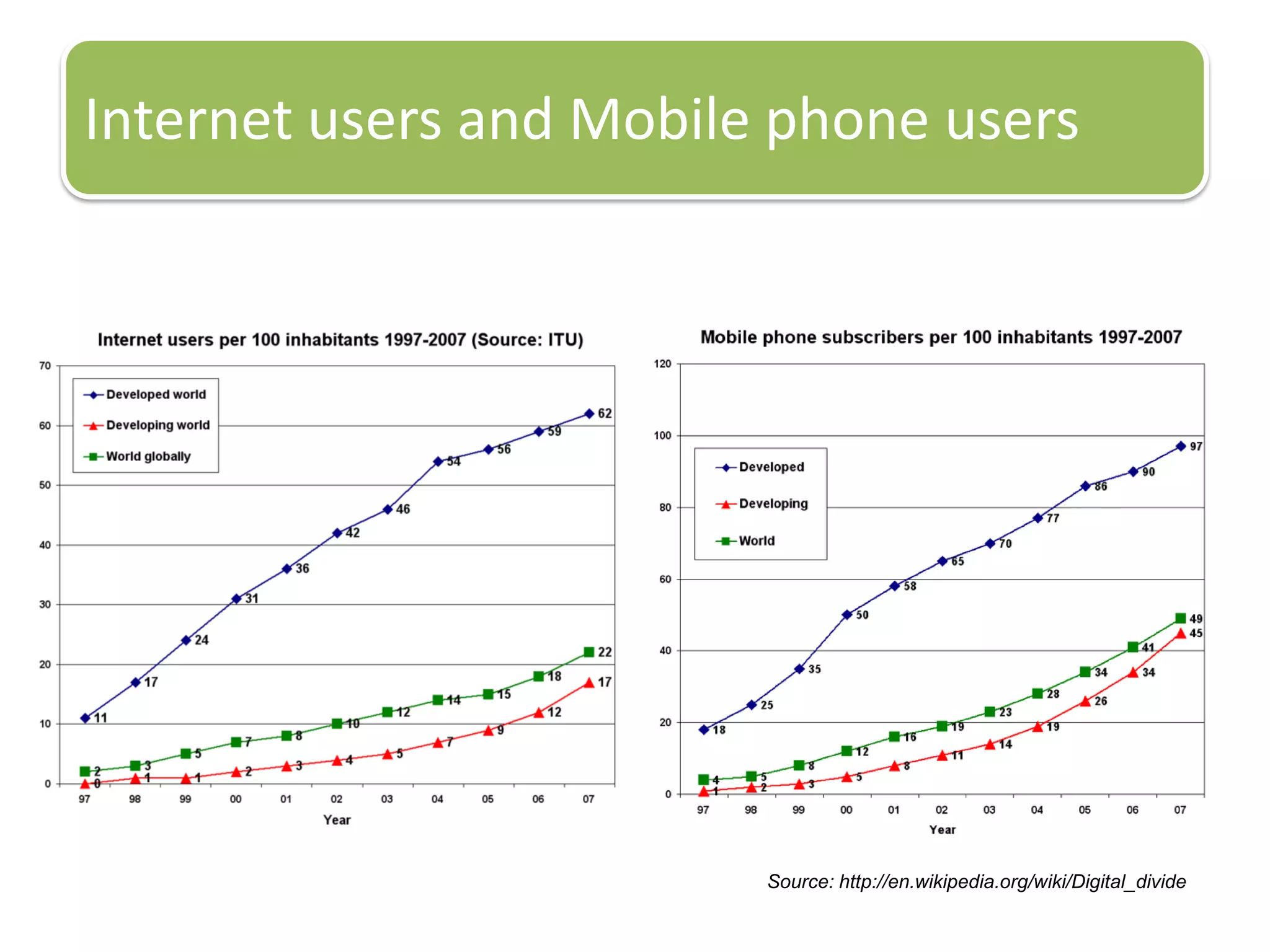
Internet users and Mobile phone users
Source: http://en.wikipedia.org/wiki/Digital_divide
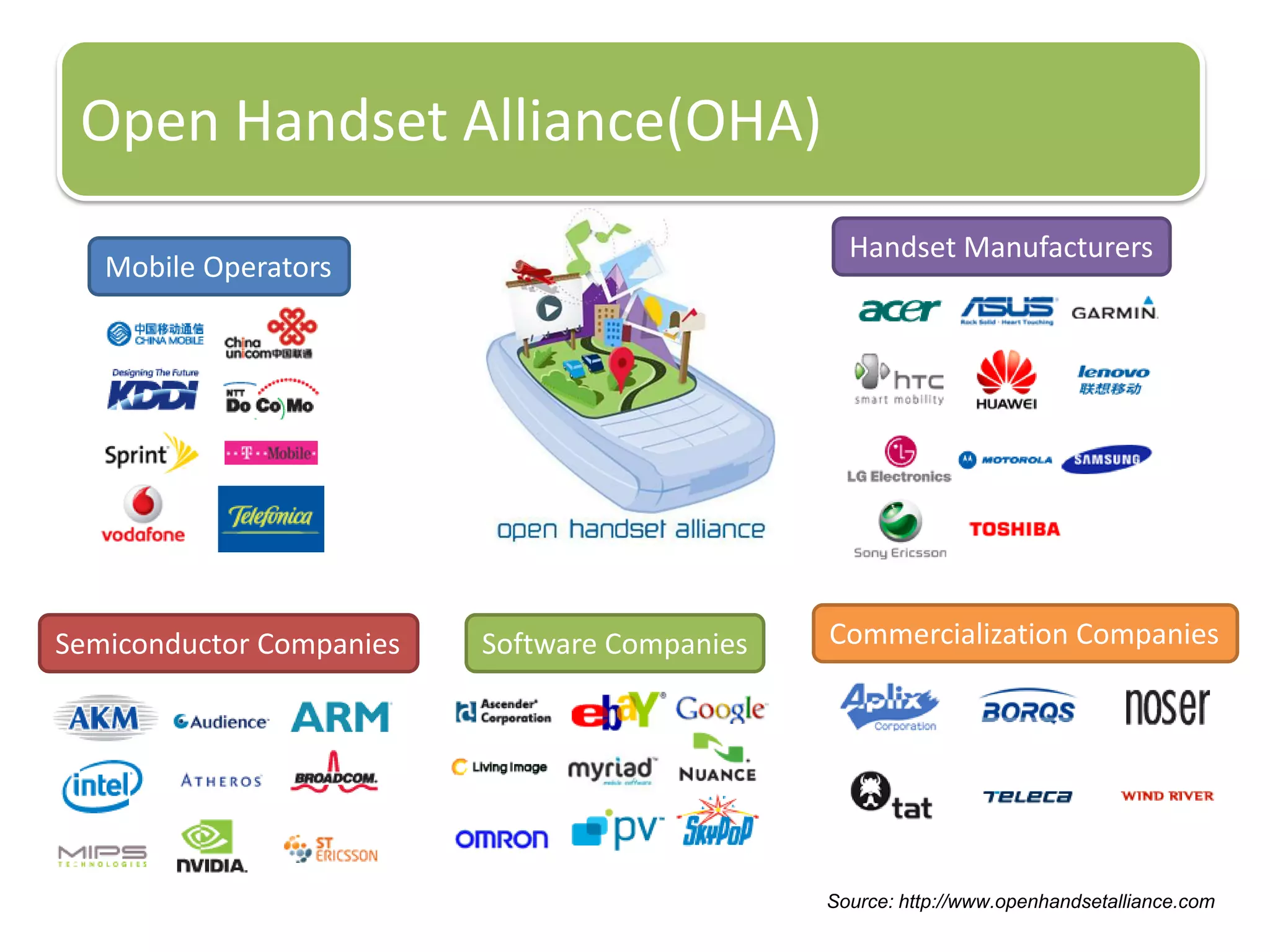
Open Handset Alliance(OHA)
Mobile Operators
Handset Manufacturers
Semiconductor Companies Software Companies Commercialization Companies
Source: http://www.openhandsetalliance.com
What is Android?
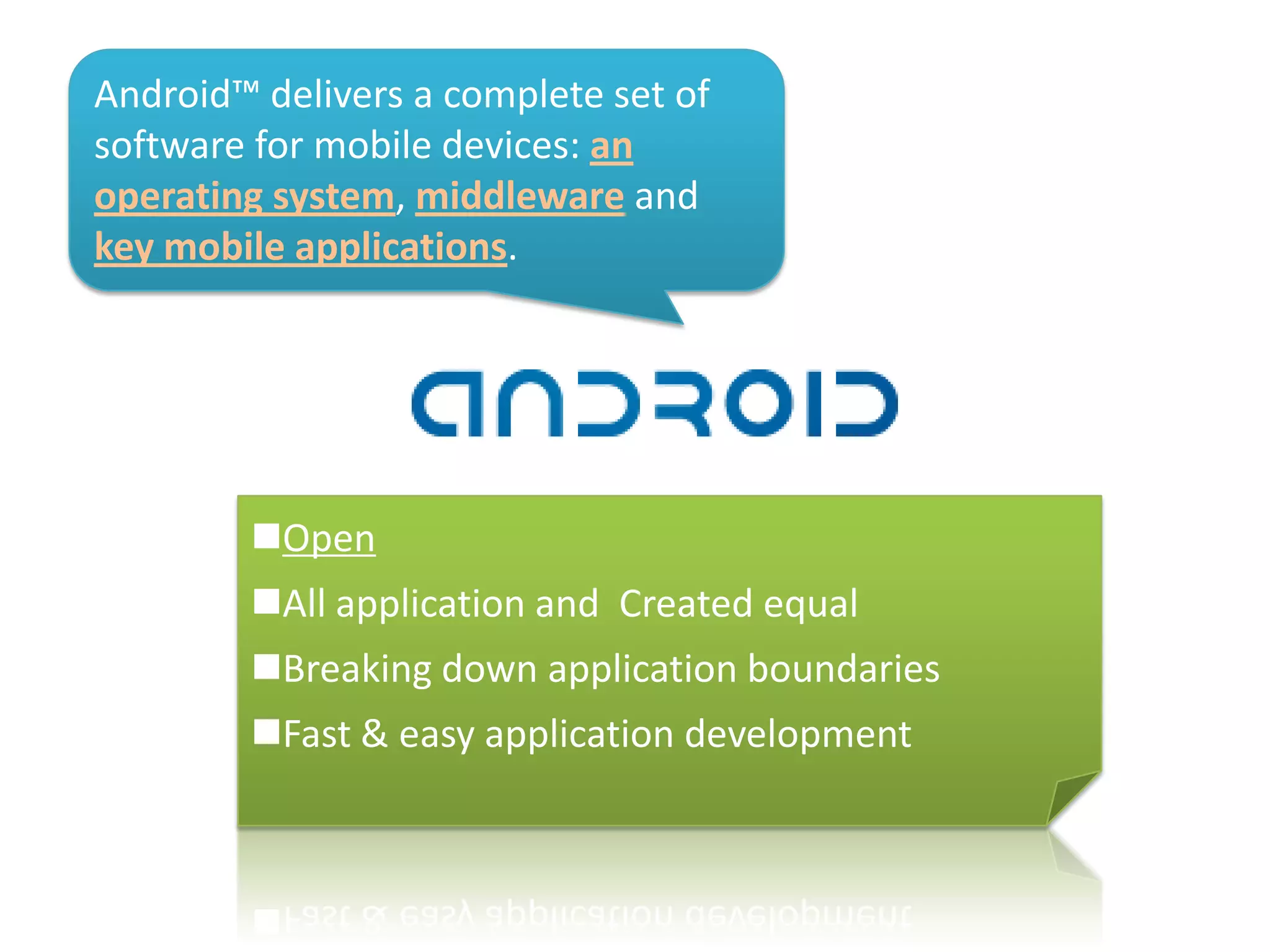
Android™ delivers a complete set of
software for mobile devices: an
operating system, middleware and
key mobile applications.
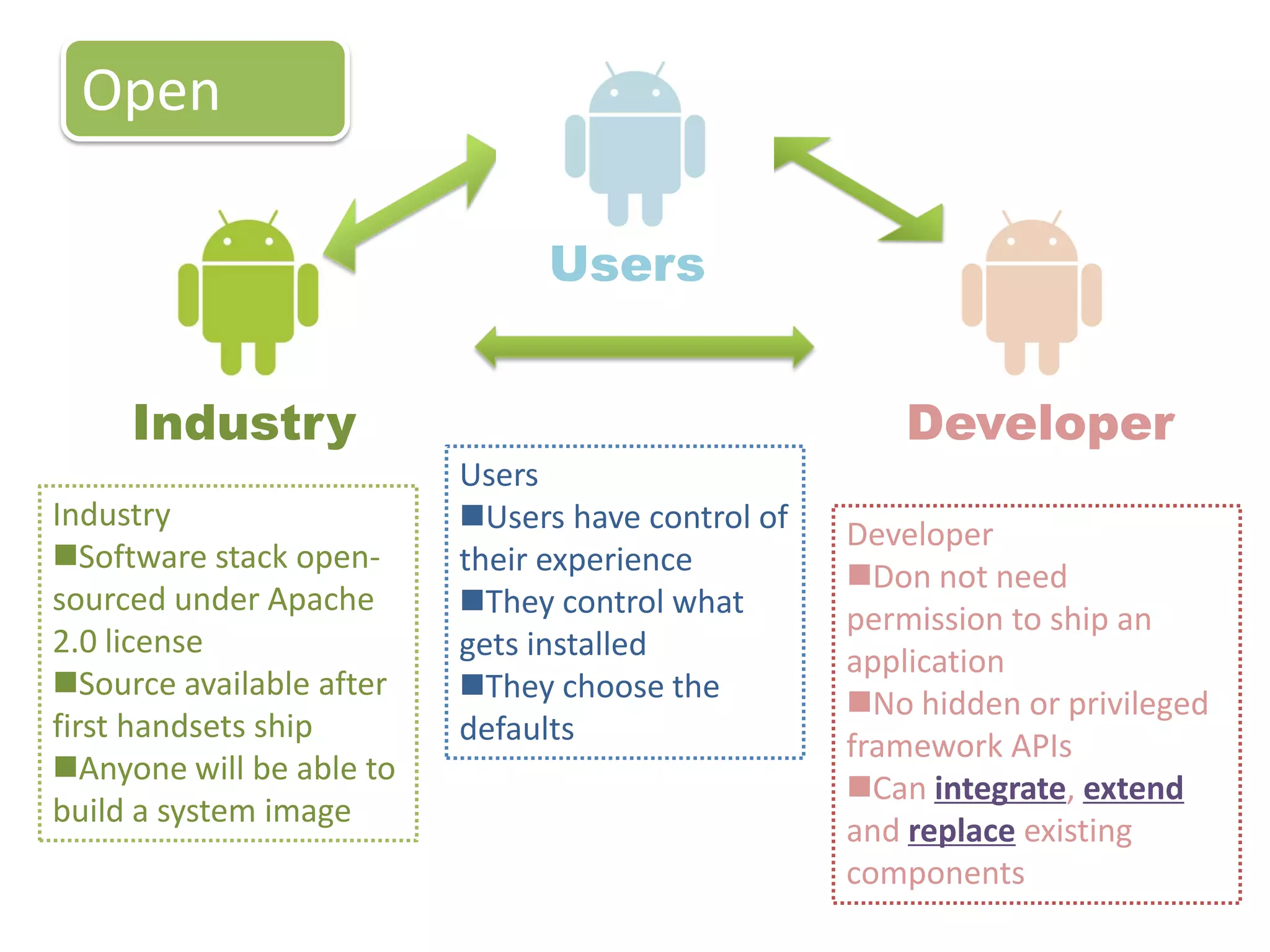
Open
All application and Created equal
Breaking down application boundaries
Fast & easy application development
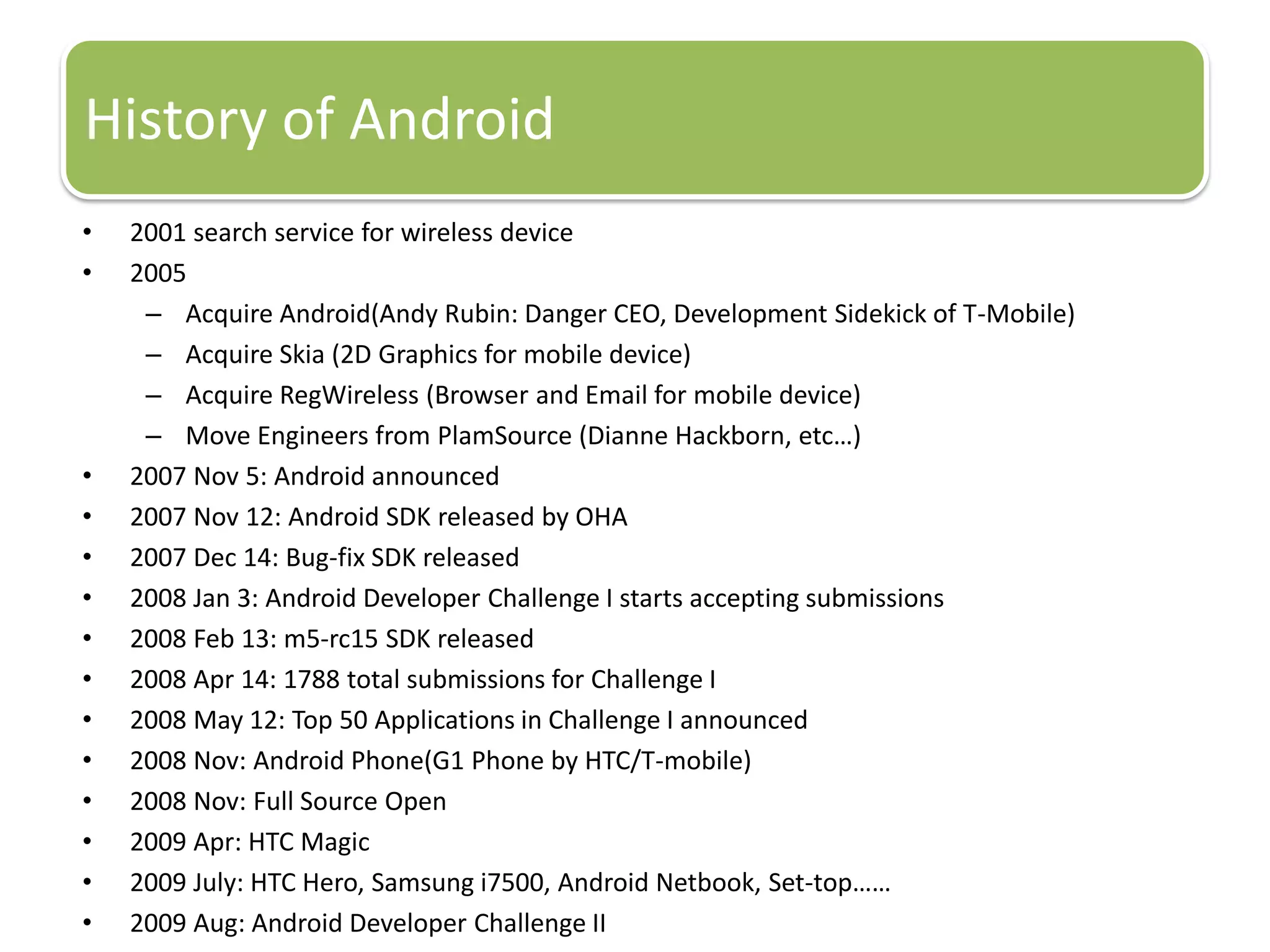
History of Android
• 2001 search service for wireless device
• 2005
– Acquire Android(Andy Rubin: Danger CEO, Development Sidekick of T-Mobile)
– Acquire Skia (2D Graphics for mobile device)
– Acquire RegWireless (Browser and Email for mobile device)
– Move Engineers from PlamSource (Dianne Hackborn, etc…)
• 2007 Nov 5: Android announced
• 2007 Nov 12: Android SDK released by OHA
• 2007 Dec 14: Bug-fix SDK released
• 2008 Jan 3: Android Developer Challenge I starts accepting submissions
• 2008 Feb 13: m5-rc15 SDK released
• 2008 Apr 14: 1788 total submissions for Challenge I
• 2008 May 12: Top 50 Applications in Challenge I announced
• 2008 Nov: Android Phone(G1 Phone by HTC/T-mobile)
• 2008 Nov: Full Source Open
• 2009 Apr: HTC Magic
• 2009 July: HTC Hero, Samsung i7500, Android Netbook, Set-top……
• 2009 Aug: Android Developer Challenge II
Industry Developer
Open
Industry
Software stack open-
sourced under Apache
2.0 license
Source available after
first handsets ship
Anyone will be able to
build a system image
Developer
Don not need
permission to ship an
application
No hidden or privileged
framework APIs
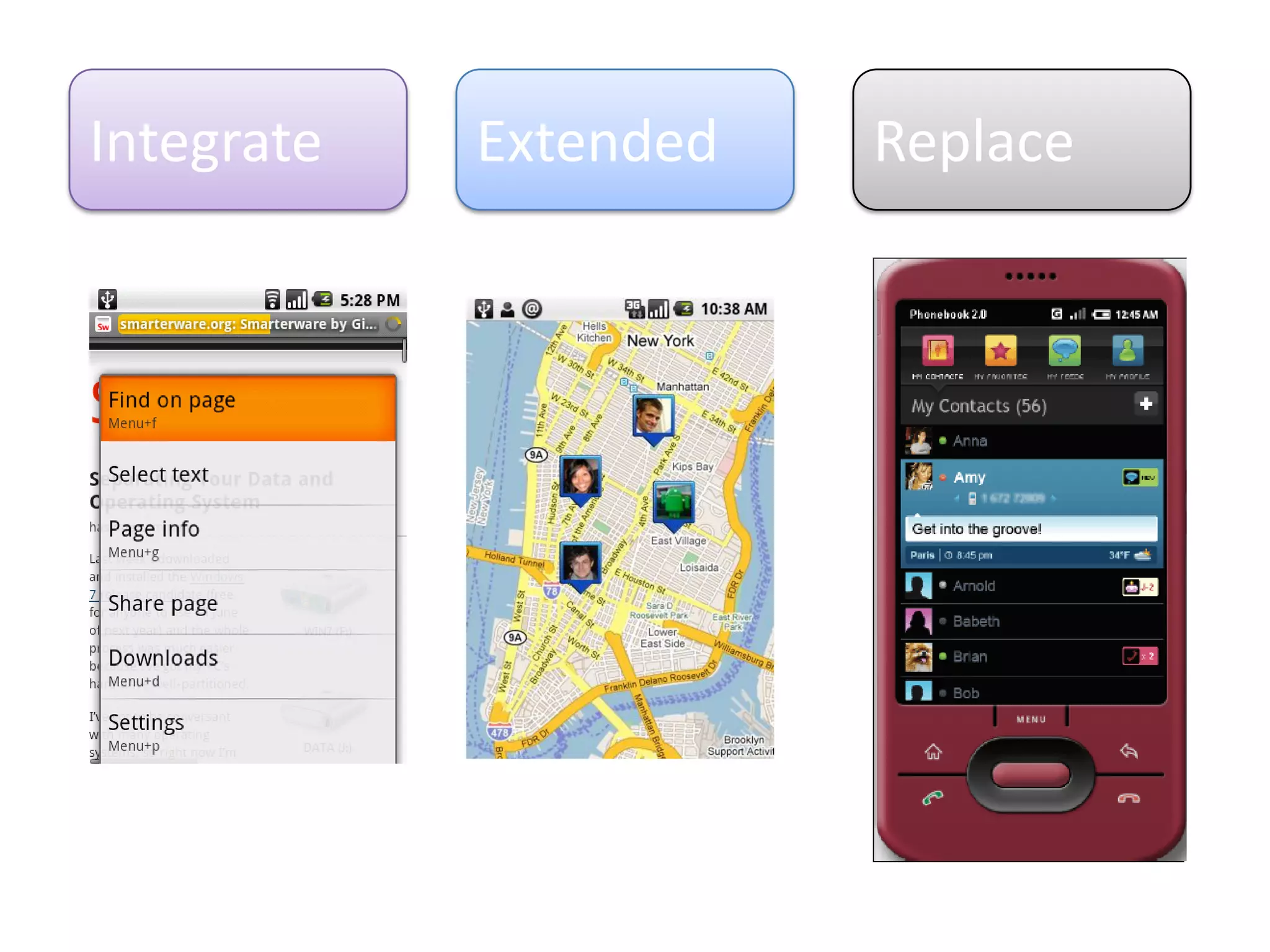
Can integrate, extend
and replace existing
components
Users
Users have control of
their experience
They control what
gets installed
They choose the
defaults
Users
Integrate Extended Replace
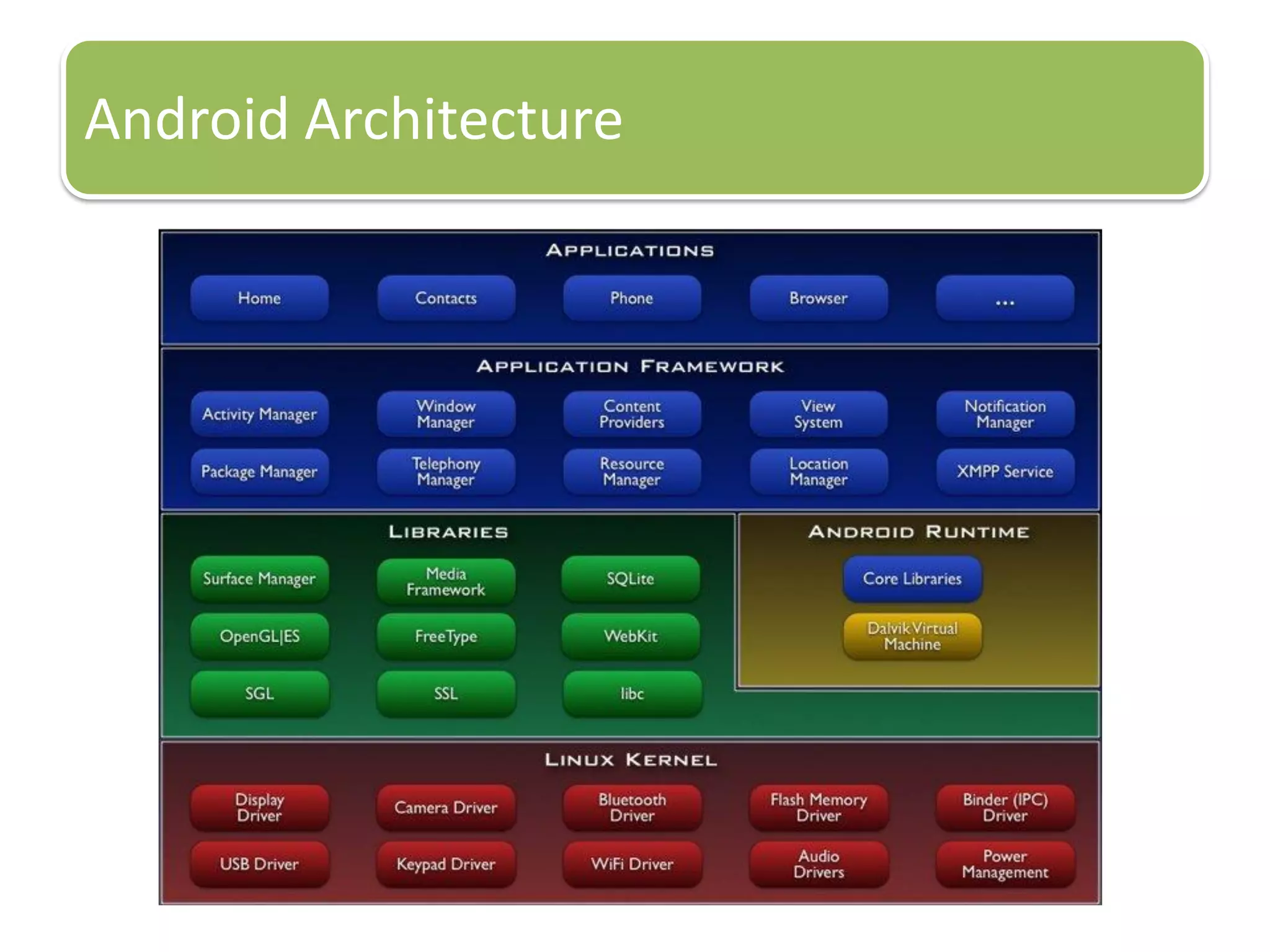
Android Architecture
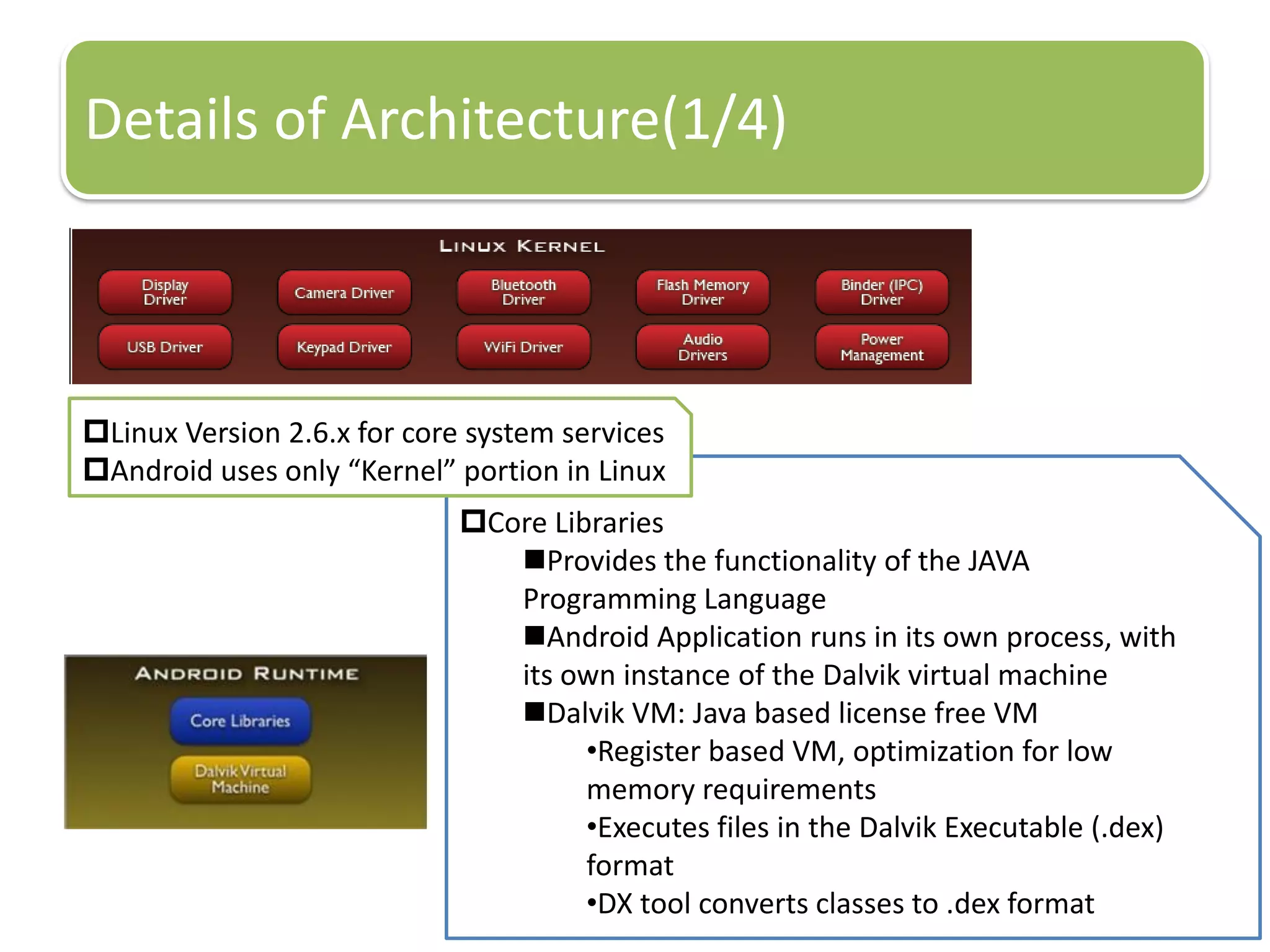
Core Libraries
Provides the functionality of the JAVA
Programming Language
Android Application runs in its own process, with
its own instance of the Dalvik virtual machine
Dalvik VM: Java based license free VM
•Register based VM, optimization for low
memory requirements
•Executes files in the Dalvik Executable (.dex)
format
•DX tool converts classes to .dex format
Details of Architecture(1/4)
Linux Version 2.6.x for core system services
Android uses only “Kernel” portion in Linux
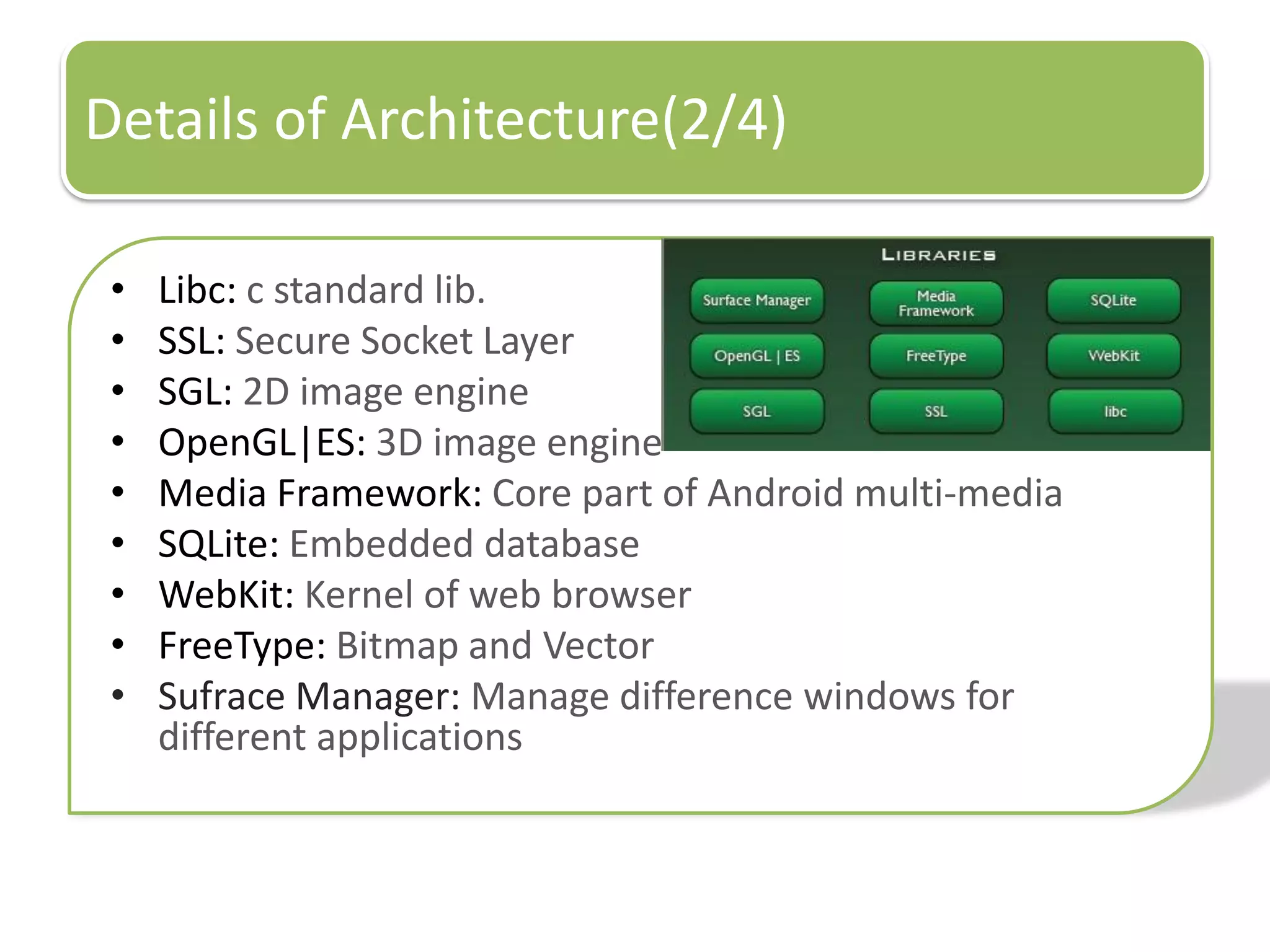
Details of Architecture(2/4)
• Libc: c standard lib.
• SSL: Secure Socket Layer
• SGL: 2D image engine
• OpenGL|ES: 3D image engine
• Media Framework: Core part of Android multi-media
• SQLite: Embedded database
• WebKit: Kernel of web browser
• FreeType: Bitmap and Vector
• Sufrace Manager: Manage difference windows for
different applications
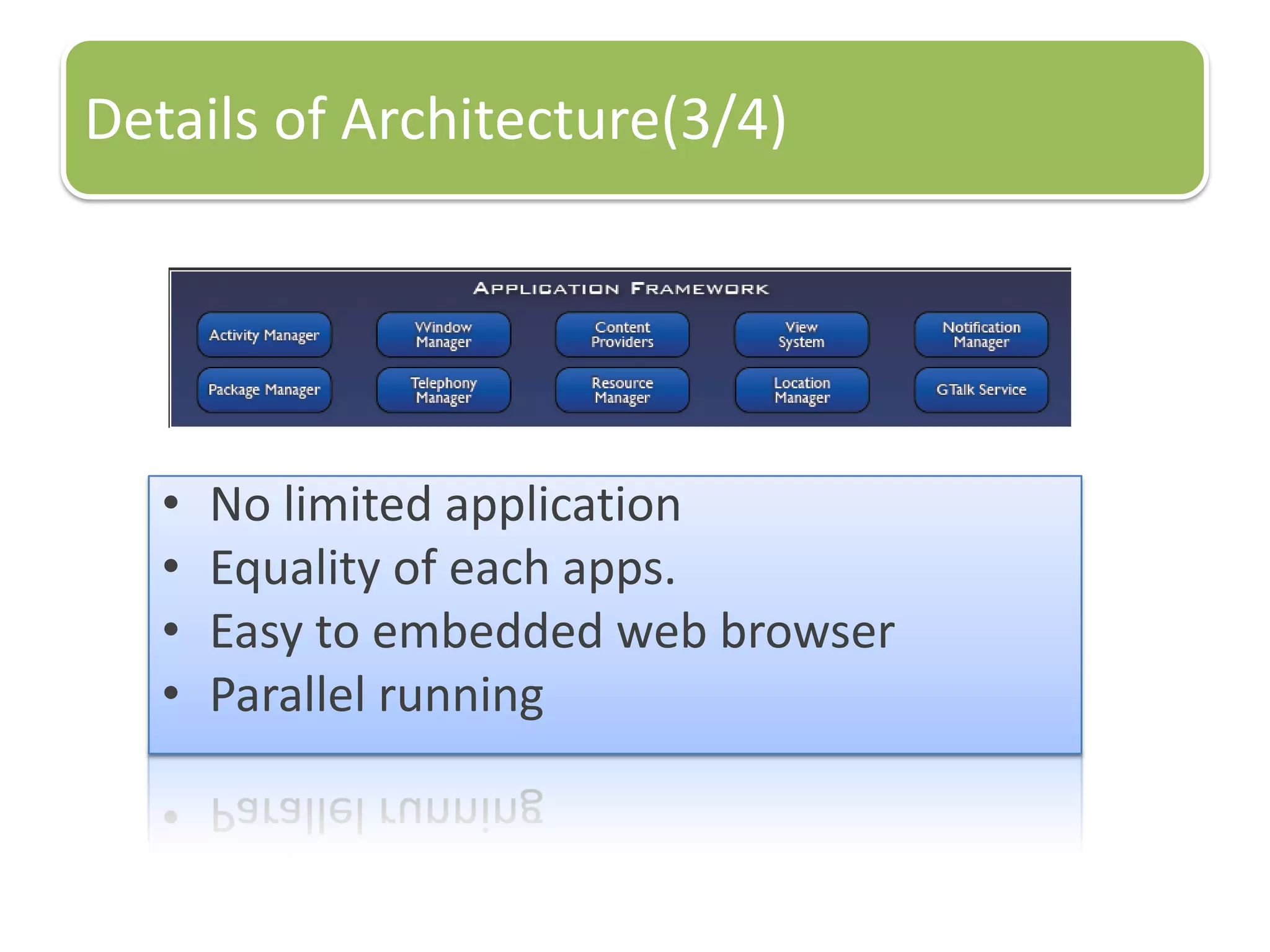
Details of Architecture(3/4)
• No limited application
• Equality of each apps.
• Easy to embedded web browser
• Parallel running
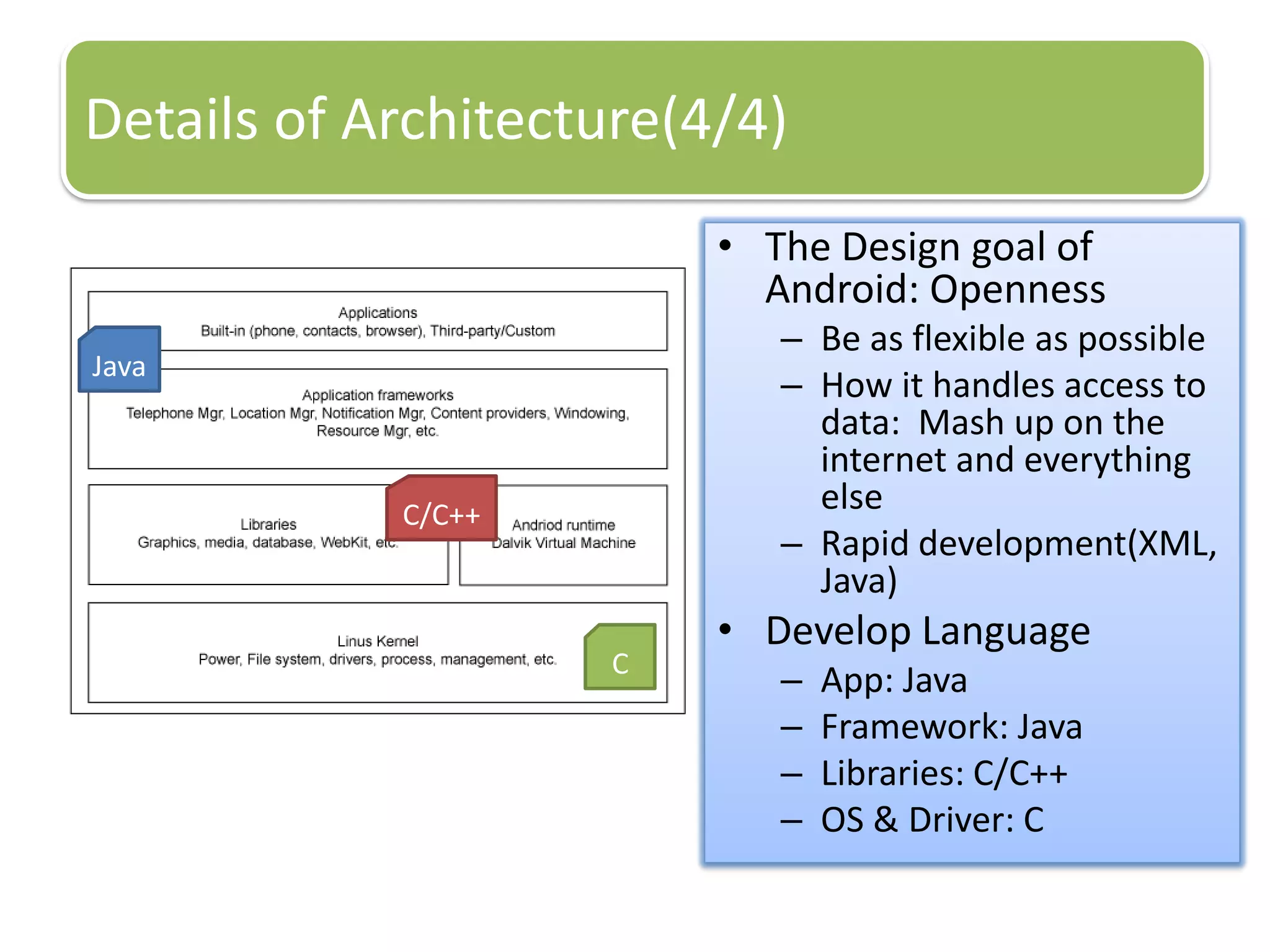
Details of Architecture(4/4)
• The Design goal of
Android: Openness
– Be as flexible as possible
– How it handles access to
data: Mash up on the
internet and everything
else
– Rapid development(XML,
Java)
• Develop Language
– App: Java
– Framework: Java
– Libraries: C/C++
– OS & Driver: C
Java
C/C++
C
Develop for Android
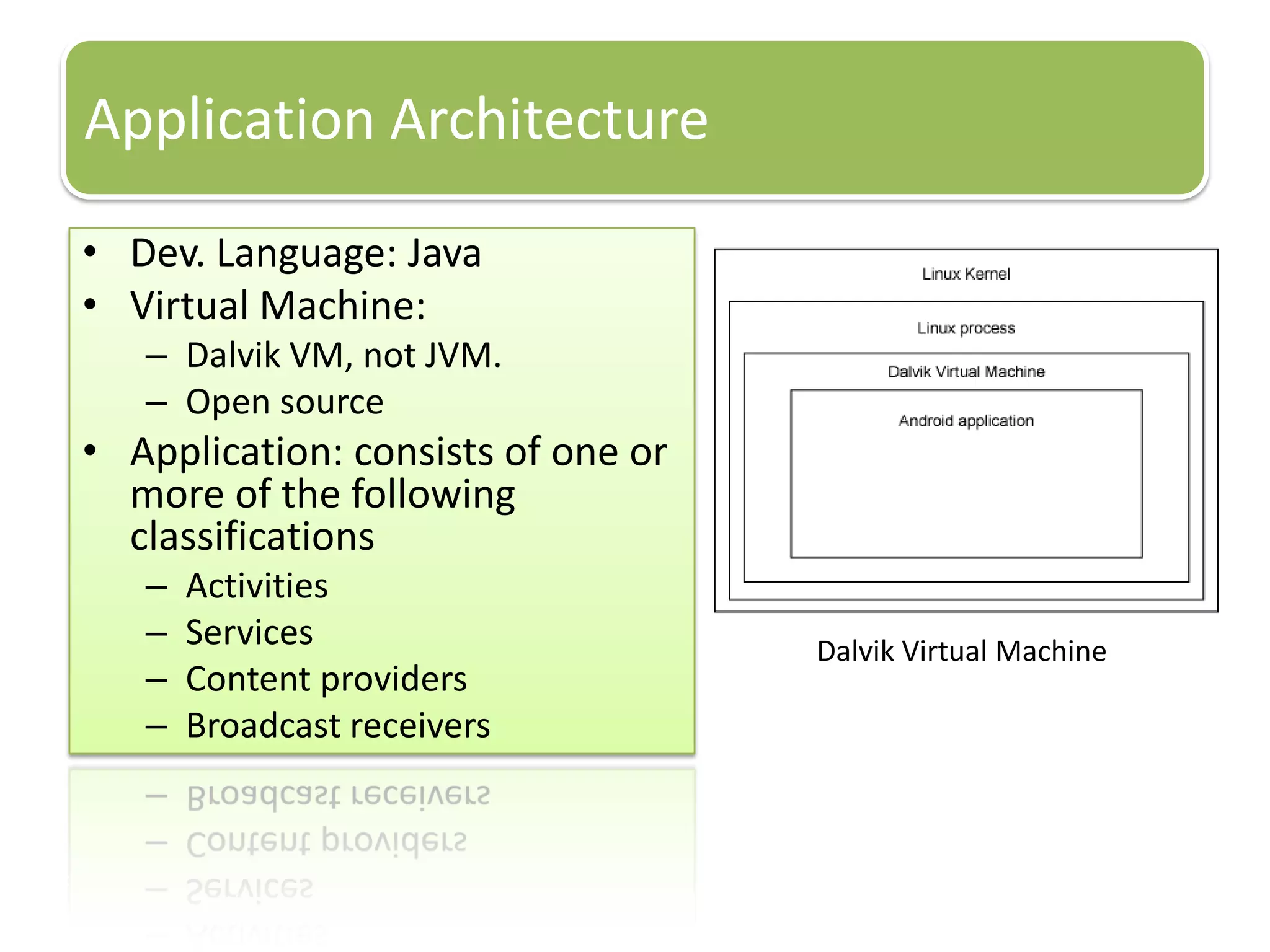
Application Architecture
• Dev. Language: Java
• Virtual Machine:
– Dalvik VM, not JVM.
– Open source
• Application: consists of one or
more of the following
classifications
– Activities
– Services
– Content providers
– Broadcast receivers
Dalvik Virtual Machine
Android SDK
• android.jar Java archive file containing all of the Android SDK classes necessary to
build your application.
• documention.html and docs directory The SDK documentation is provided
locally and on the Web. It's largely in the form of JavaDocs, making it easy to
navigate the many packages in the SDK. The documentation also includes a high-
level Development Guide and links to the broader Android community.
• Samples directory The samples subdirectory contains full source code for a
variety of applications, including Api Demo, which exercises many APIs. The
sample application is a great place to explore when starting Android application
development.
• Tools directory Contains all of the command-line tools to build Android
applications. The most commonly employed and useful tool is the adb utility
(Android Debug Bridge).
• Usb_driver Directory containing the necessary drivers to connect the
development environment to an Android-enabled device, such as the G1 or the
Android Dev 1 unlocked development phone. These files are only required for
developers using the Windows platform.
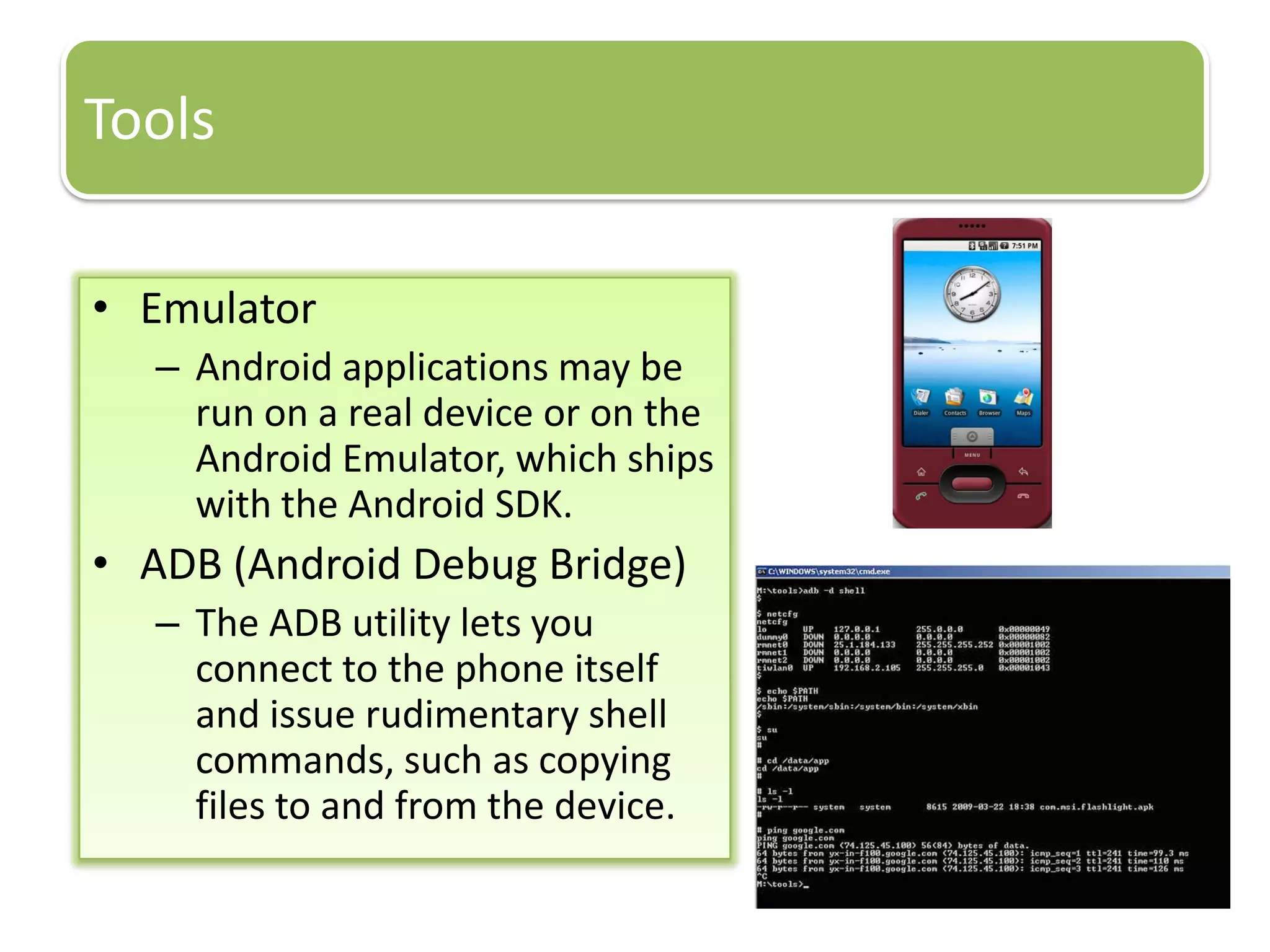
Tools
• Emulator
– Android applications may be
run on a real device or on the
Android Emulator, which ships
with the Android SDK.
• ADB (Android Debug Bridge)
– The ADB utility lets you
connect to the phone itself
and issue rudimentary shell
commands, such as copying
files to and from the device.
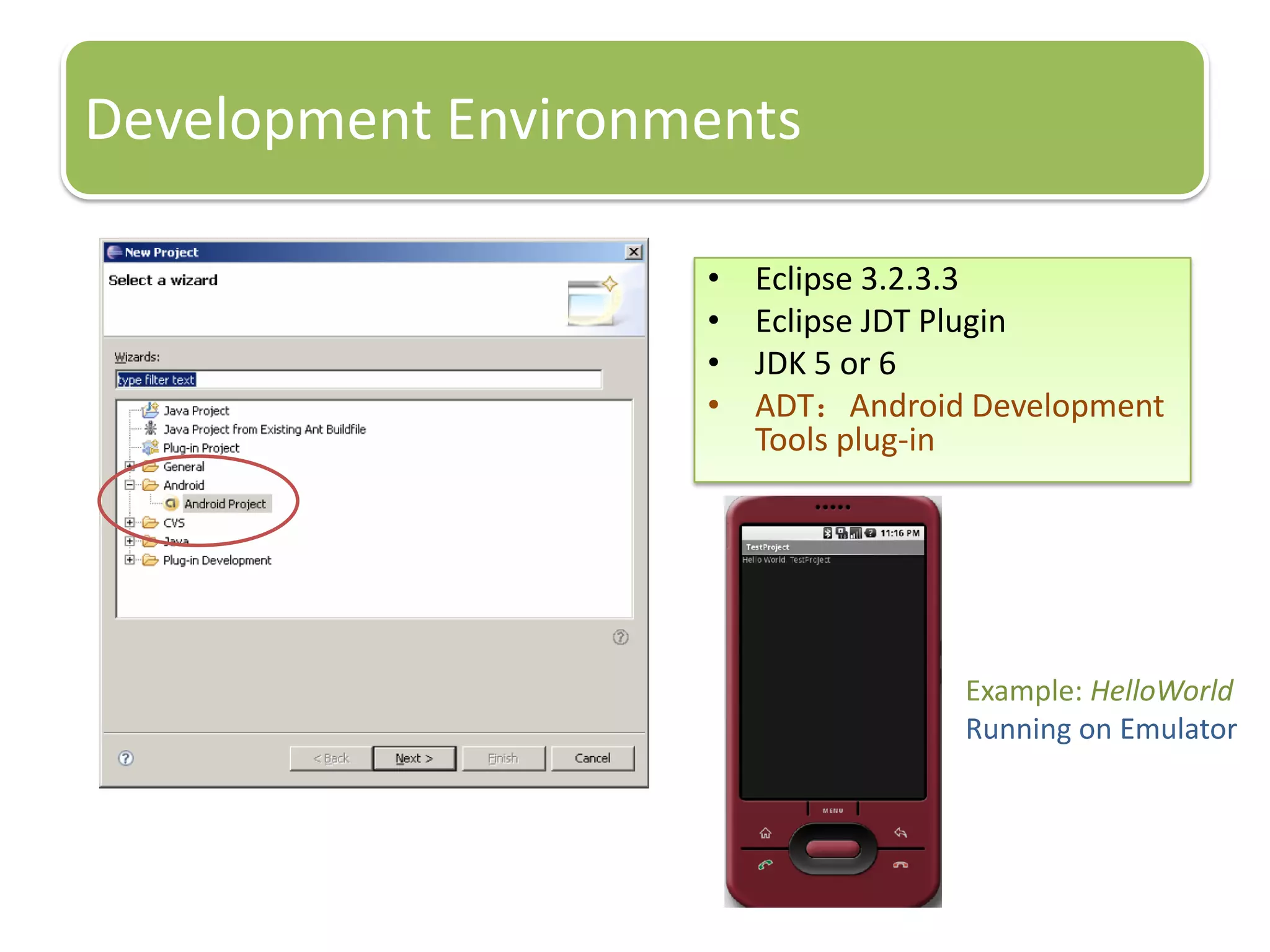
Development Environments
• Eclipse 3.2.3.3
• Eclipse JDT Plugin
• JDK 5 or 6
• ADT:Android Development
Tools plug-in
Example: HelloWorld
Running on Emulator
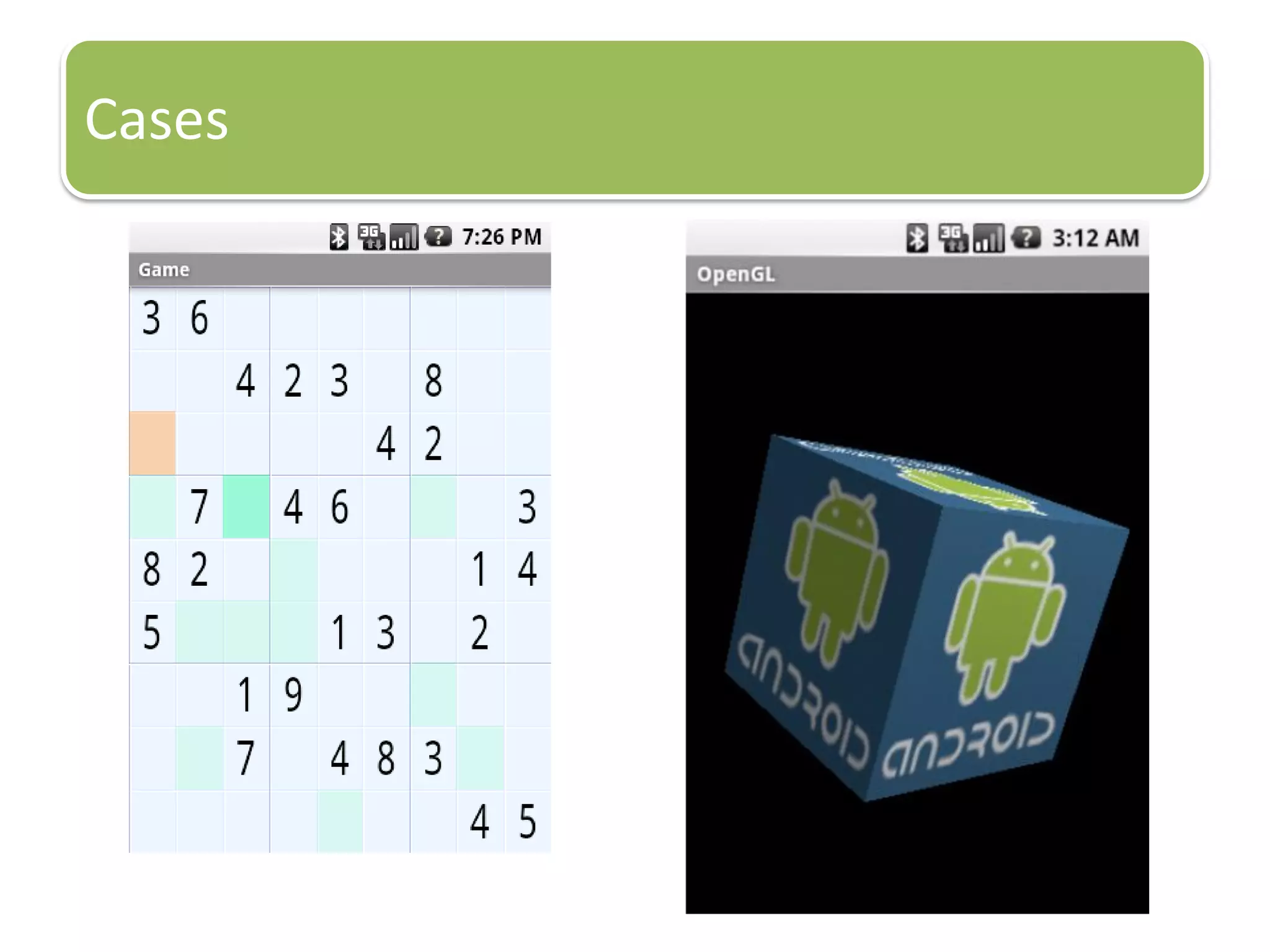
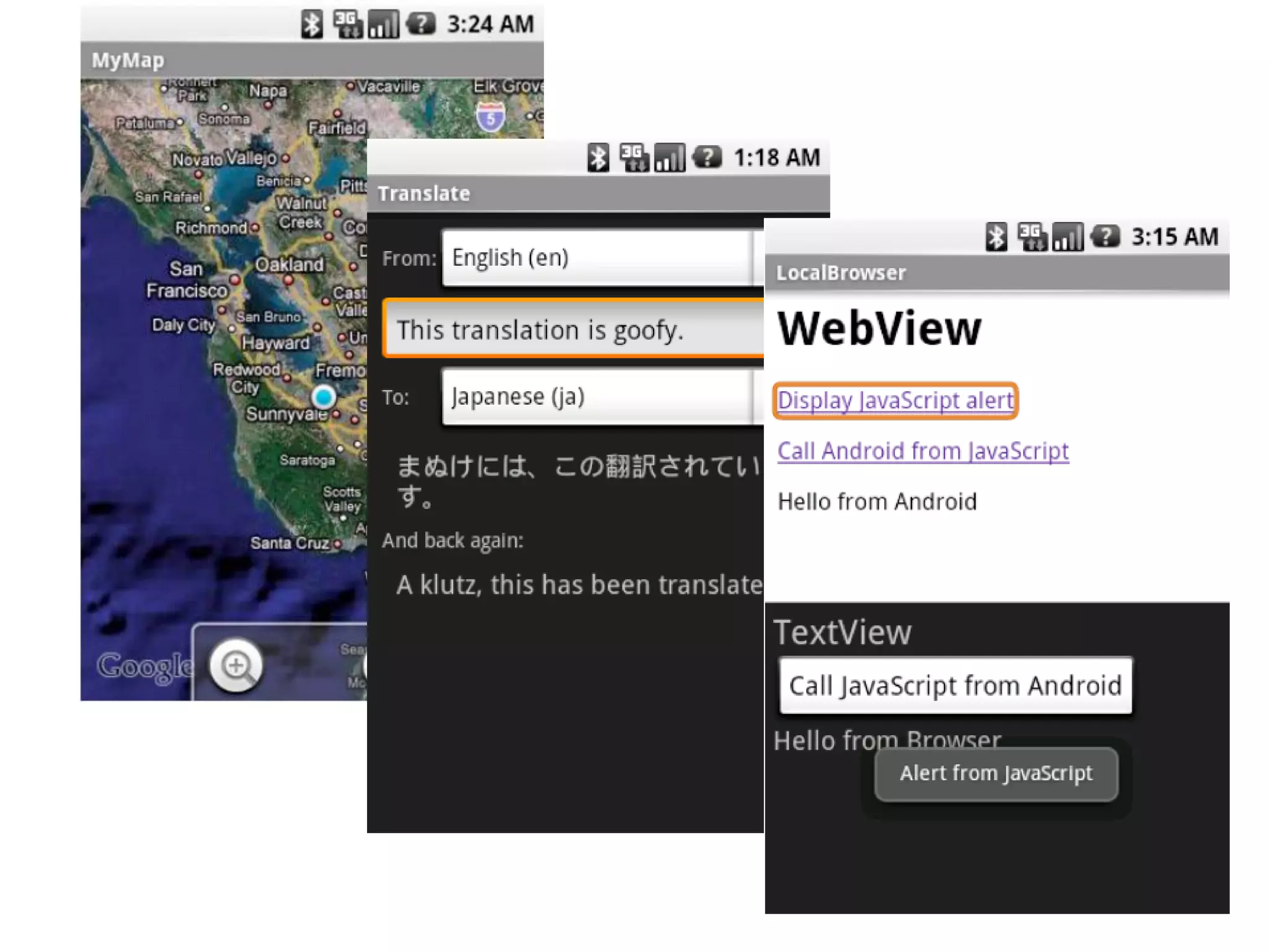
Cases
Summary
• Benefits
– Open Platform/License Free
– Robust OS Kernel, Innovative Library Packages
– Ease App. Development
– Rapid Improvement
• Challenges
– Performance Consideration
– Hard to Integrate for Vendors
– Too Much Google Dependent
• Key Factor: Market Response
References
• An Introduction to Android. Jason Chen, 2008
• Introduction to Android Development. Frank Ableson, May 12,
2009
– http://www.ibm.com/developerworks/opensource/library/os-android-
devel/index.html?S_TACT=105AGX52&S_CMP=content
• Homepage of OHA
– http://www.openhandsetalliance.com/
• Introduction to Android Development. Ed Burnette, 2009
• Android Overview. 이승민, Oct 27, 2009
Resources
• http://developer.android.com
– Home page for Android development and documentation
• http://groups.google.com/group/android-beginners
– Forum for development questions (beginner)
• http://groups.google.com/group/android-developers
– Forum for development questions (advanced)
• http://www.planetandroid.com
– Blogs and news from around the Android community
• http://pragprog.com/titles/eband
– <book> Hello, Android: Introducing Google’s Mobile Development
Platform
• Videos
Android 1.6 office show: http://www.youtube.com/watch?v=MBRFkLKRwFw
Android architecture:
I: http://www.youtube.com/watch?v=QBGfUs9mQYY
II: http://www.youtube.com/watch?v=fL6gSd4ugSI
III: http://www.youtube.com/watch?v=MPukbH6D-lY
Android Introduction by google I/O 2008: http://www.youtube.com/watch?v=x1ZZ-R3p_w8

Introduction to android

  • 1.
    An Introduction toAndroid Huang Xuguang Database Lab. Inha University 2009.11.2 Email: xuguanghuang@yahoo.cn
  • 2.
    Outline • Background • Whatis Android? • Development for Android
  • 3.
  • 4.
    Internet users andMobile phone users Source: http://en.wikipedia.org/wiki/Digital_divide
  • 5.
    Open Handset Alliance(OHA) MobileOperators Handset Manufacturers Semiconductor Companies Software Companies Commercialization Companies Source: http://www.openhandsetalliance.com
  • 6.
  • 7.
    Android™ delivers acomplete set of software for mobile devices: an operating system, middleware and key mobile applications. Open All application and Created equal Breaking down application boundaries Fast & easy application development
  • 8.
    History of Android •2001 search service for wireless device • 2005 – Acquire Android(Andy Rubin: Danger CEO, Development Sidekick of T-Mobile) – Acquire Skia (2D Graphics for mobile device) – Acquire RegWireless (Browser and Email for mobile device) – Move Engineers from PlamSource (Dianne Hackborn, etc…) • 2007 Nov 5: Android announced • 2007 Nov 12: Android SDK released by OHA • 2007 Dec 14: Bug-fix SDK released • 2008 Jan 3: Android Developer Challenge I starts accepting submissions • 2008 Feb 13: m5-rc15 SDK released • 2008 Apr 14: 1788 total submissions for Challenge I • 2008 May 12: Top 50 Applications in Challenge I announced • 2008 Nov: Android Phone(G1 Phone by HTC/T-mobile) • 2008 Nov: Full Source Open • 2009 Apr: HTC Magic • 2009 July: HTC Hero, Samsung i7500, Android Netbook, Set-top…… • 2009 Aug: Android Developer Challenge II
  • 9.
    Industry Developer Open Industry Software stackopen- sourced under Apache 2.0 license Source available after first handsets ship Anyone will be able to build a system image Developer Don not need permission to ship an application No hidden or privileged framework APIs Can integrate, extend and replace existing components Users Users have control of their experience They control what gets installed They choose the defaults Users
  • 10.
  • 11.
  • 12.
    Core Libraries Provides thefunctionality of the JAVA Programming Language Android Application runs in its own process, with its own instance of the Dalvik virtual machine Dalvik VM: Java based license free VM •Register based VM, optimization for low memory requirements •Executes files in the Dalvik Executable (.dex) format •DX tool converts classes to .dex format Details of Architecture(1/4) Linux Version 2.6.x for core system services Android uses only “Kernel” portion in Linux
  • 13.
    Details of Architecture(2/4) •Libc: c standard lib. • SSL: Secure Socket Layer • SGL: 2D image engine • OpenGL|ES: 3D image engine • Media Framework: Core part of Android multi-media • SQLite: Embedded database • WebKit: Kernel of web browser • FreeType: Bitmap and Vector • Sufrace Manager: Manage difference windows for different applications
  • 14.
    Details of Architecture(3/4) •No limited application • Equality of each apps. • Easy to embedded web browser • Parallel running
  • 15.
    Details of Architecture(4/4) •The Design goal of Android: Openness – Be as flexible as possible – How it handles access to data: Mash up on the internet and everything else – Rapid development(XML, Java) • Develop Language – App: Java – Framework: Java – Libraries: C/C++ – OS & Driver: C Java C/C++ C
  • 16.
  • 17.
    Application Architecture • Dev.Language: Java • Virtual Machine: – Dalvik VM, not JVM. – Open source • Application: consists of one or more of the following classifications – Activities – Services – Content providers – Broadcast receivers Dalvik Virtual Machine
  • 18.
    Android SDK • android.jarJava archive file containing all of the Android SDK classes necessary to build your application. • documention.html and docs directory The SDK documentation is provided locally and on the Web. It's largely in the form of JavaDocs, making it easy to navigate the many packages in the SDK. The documentation also includes a high- level Development Guide and links to the broader Android community. • Samples directory The samples subdirectory contains full source code for a variety of applications, including Api Demo, which exercises many APIs. The sample application is a great place to explore when starting Android application development. • Tools directory Contains all of the command-line tools to build Android applications. The most commonly employed and useful tool is the adb utility (Android Debug Bridge). • Usb_driver Directory containing the necessary drivers to connect the development environment to an Android-enabled device, such as the G1 or the Android Dev 1 unlocked development phone. These files are only required for developers using the Windows platform.
  • 19.
    Tools • Emulator – Androidapplications may be run on a real device or on the Android Emulator, which ships with the Android SDK. • ADB (Android Debug Bridge) – The ADB utility lets you connect to the phone itself and issue rudimentary shell commands, such as copying files to and from the device.
  • 20.
    Development Environments • Eclipse3.2.3.3 • Eclipse JDT Plugin • JDK 5 or 6 • ADT:Android Development Tools plug-in Example: HelloWorld Running on Emulator
  • 21.
  • 23.
    Summary • Benefits – OpenPlatform/License Free – Robust OS Kernel, Innovative Library Packages – Ease App. Development – Rapid Improvement • Challenges – Performance Consideration – Hard to Integrate for Vendors – Too Much Google Dependent • Key Factor: Market Response
  • 24.
    References • An Introductionto Android. Jason Chen, 2008 • Introduction to Android Development. Frank Ableson, May 12, 2009 – http://www.ibm.com/developerworks/opensource/library/os-android- devel/index.html?S_TACT=105AGX52&S_CMP=content • Homepage of OHA – http://www.openhandsetalliance.com/ • Introduction to Android Development. Ed Burnette, 2009 • Android Overview. 이승민, Oct 27, 2009
  • 25.
    Resources • http://developer.android.com – Homepage for Android development and documentation • http://groups.google.com/group/android-beginners – Forum for development questions (beginner) • http://groups.google.com/group/android-developers – Forum for development questions (advanced) • http://www.planetandroid.com – Blogs and news from around the Android community • http://pragprog.com/titles/eband – <book> Hello, Android: Introducing Google’s Mobile Development Platform • Videos Android 1.6 office show: http://www.youtube.com/watch?v=MBRFkLKRwFw Android architecture: I: http://www.youtube.com/watch?v=QBGfUs9mQYY II: http://www.youtube.com/watch?v=fL6gSd4ugSI III: http://www.youtube.com/watch?v=MPukbH6D-lY Android Introduction by google I/O 2008: http://www.youtube.com/watch?v=x1ZZ-R3p_w8