Connecting workstations tointernet
• To connect computers to the internet connection for
accessing information over a network either by using
connection based or connectionless internet
infrastructure the user must be connected to the internet
access through internet service providers (ISP).
• There are three types of connection such as:-
Dialup connection
Leased connection
ADSL connection
Digital Subscriber Line (DSL)
3.
Dialup connection
• Dial-upinternet access is a form of
Internet access that uses the facilities of the
public switched telephone network (PSTN) to
establish a dialed connection to an
Internet service provider (ISP) via
telephone lines. allows you to connect to the
internet via a local server using a standard 56k
modem
4.
Advantages of dialup internet connection
Very economic and widely available
Hardware cost are minimal since it uses a standard modem
Easy configuration
Convenient for one computer or small network
• Disadvantages of dial up internet connection
o The slowest connection
o Since it uses a 56k modem, it transfers 56 kilo bits a second(7 kB)
of data
o The average webpage size is about 50Kbyte
o So it takes 7 seconds to load a webpage
o Your telephone line will be busy when connected
5.
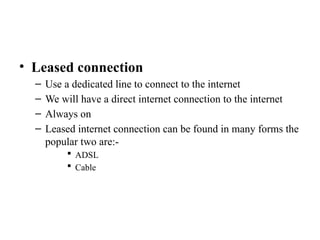
• Leased connection
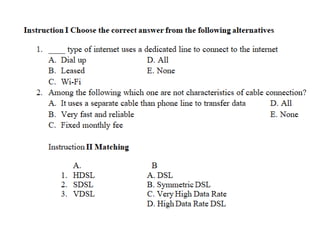
–Use a dedicated line to connect to the internet
– We will have a direct internet connection to the internet
– Always on
– Leased internet connection can be found in many forms the
popular two are:-
ADSL
Cable
6.
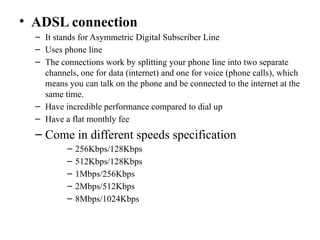
• ADSL connection
–It stands for Asymmetric Digital Subscriber Line
– Uses phone line
– The connections work by splitting your phone line into two separate
channels, one for data (internet) and one for voice (phone calls), which
means you can talk on the phone and be connected to the internet at the
same time.
– Have incredible performance compared to dial up
– Have a flat monthly fee
– Come in different speeds specification
– 256Kbps/128Kbps
– 512Kbps/128Kbps
– 1Mbps/256Kbps
– 2Mbps/512Kbps
– 8Mbps/1024Kbps
7.
• Advantage ofADSL
– Always on
– Transfer data and voice at the same time
– Fast
• Disadvantages of ADSL
– Does not available everywhere
– Additional hardware cost, since it needs a special modem called
ADSL modem
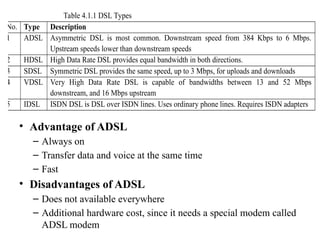
Table 4.1.1 DSL Types
No. Type Description
1 ADSL Asymmetric DSL is most common. Downstream speed from 384 Kbps to 6 Mbps.
Upstream speeds lower than downstream speeds
2 HDSL High Data Rate DSL provides equal bandwidth in both directions.
3 SDSL Symmetric DSL provides the same speed, up to 3 Mbps, for uploads and downloads
4 VDSL Very High Data Rate DSL is capable of bandwidths between 13 and 52 Mbps
downstream, and 16 Mbps upstream
5 IDSL ISDN DSL is DSL over ISDN lines. Uses ordinary phone lines. Requires ISDN adapters
8.
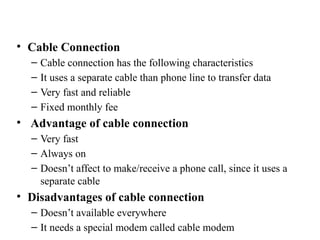
• Cable Connection
–Cable connection has the following characteristics
– It uses a separate cable than phone line to transfer data
– Very fast and reliable
– Fixed monthly fee
• Advantage of cable connection
– Very fast
– Always on
– Doesn’t affect to make/receive a phone call, since it uses a
separate cable
• Disadvantages of cable connection
– Doesn’t available everywhere
– It needs a special modem called cable modem
9.
Wireless connection (Wi-Finetwork
Connection)
– Wi-Fi is the wireless technology used to connect
computers, tablets, smartphones and other devices to
the internet.
– Wi-Fi is the radio signal sent from a wireless router to a
nearby device, which translates the signal into data you can
see and use.
11.
Launching internet browsersoftware and
test
• Web Browser/ Internet Browser
• The word "browser" originated prior to the Web as a
generic term for user interfaces that let you browse
(navigate through and read) text files online.
– A Web browser is a client program that uses HTTP
(Hypertext Transfer Protocol) to make requests of Web
servers throughout the Internet on behalf of the browser
user.
12.
• Common Webbrowser features
Most Web browsers share standard features such as:
– A home button- which, when selected, will bring a user to a pre-
defined homepage.
– A Web address bar, which allows users to input a Web address and
visit a website.
– Back and forward buttons- which will take the user to the previous
or the next page they were on.
– Refresh- a button which can be used to reload a Web page.
– Stop- a button which makes a Web ceases communication with a
Web server, stopping a page from loading.
– Tabs- which allow users to open multiple websites in a single
window.
– Bookmarks- which allow a user to select specific, predefined-by-the-
user websites.
13.
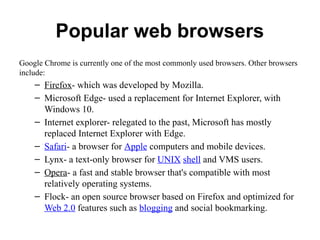
Popular web browsers
GoogleChrome is currently one of the most commonly used browsers. Other browsers
include:
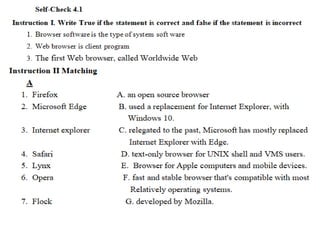
– Firefox- which was developed by Mozilla.
– Microsoft Edge- used a replacement for Internet Explorer, with
Windows 10.
– Internet explorer- relegated to the past, Microsoft has mostly
replaced Internet Explorer with Edge.
– Safari- a browser for Apple computers and mobile devices.
– Lynx- a text-only browser for UNIX shell and VMS users.
– Opera- a fast and stable browser that's compatible with most
relatively operating systems.
– Flock- an open source browser based on Firefox and optimized for
Web 2.0 features such as blogging and social bookmarking.




![Getting Started with Apache Spark: Big Data Made Simple [Free Meetup]](https://cdn.slidesharecdn.com/ss_thumbnails/apachesparkgettingstarted-260203175547-8361bcc3-thumbnail.jpg?width=640&height=640&fit=bounds)


