INTERNET
(INTRODUCTION)
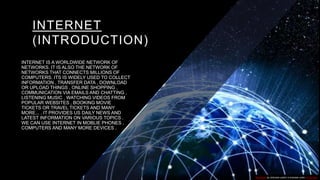
INTERNET IS A WORLDWIDE NETWORK OF
NETWORKS. IT IS ALSO THE NETWORK OF
NETWORKS THAT CONNECTS MILLIONS OF
COMPUTERS. ITS IS WIDELY USED TO COLLECT
INFORMATION , TRANSFER DATA , DOWNLOAD
OR UPLOAD THINGS , ONLINE SHOPPING ,
COMMUNICATION VIA EMAILS AND CHATTING ,
LISTENING MUSIC , WATCHING VIDEOS FROM
POPULAR WEBSITES , BOOKING MOVIE
TICKETS OR TRAVEL TICKETS AND MANY
MORE... . IT PROVIDES US DAILY NEWS AND
LATEST INFORMATION ON VARIOUS TOPICS .
WE CAN USE INTERNET IN MOBLIE PHONES ,
COMPUTERS AND MANY MORE DEVICES .
This Photo by Unknown author is licensed under CC BY-ND.
VARIOUS FEATURES OF INTERNET
THE MAJOR FEATURES OF INTERNET THAT MAKES INTERNET A REALLY GOOD THING USE
ARE AS FOLLOWS -
1. FLEXIBILITY – Another remarkable feature of the Internet is Flexibility on the transfer of the data.
Internet is basically a network that carries information in digital form in the majority of the’ cases
instead of voice information in analog form
2. UBIQUITOUS – internet connections are not fixed from point to point for the duration of the Data
sent over the internet is in the form of packets. It transmits a small part of the data, verifies it is
correct and then sends more information toward the destination. Internet does not require all of the
information to be delivered through the same path at the same time. Available everywhere at any
time. Reduces transaction cost. Shopping can be done easily.
3. CLIENT – SERVER ARCHITECTURE - The internet follows a client-server architecture. A server is
a computer loaded with a software package that provides requested information to clients. A client is
a software program that contacts a server and requests information.
4. READILY ACCESSIBLE CUSTOMERS - When it comes to affiliate marketing, this is one of the most
admired business models. Affiliate marketing entails selling a product or service developed by one person
or entity by third parties. The other parties engaged in the sale of these goods or services earn a share of
profit in this. The business owner provides marketing collateral such as banners, affiliate links, sales letters,
etc.
5. INTERNET MARKETING TOOLS - Internet marketing tools are necessary for any online business.
These tools include enormous features that will not only take your marketing techniques to a diverse level
but also make the supervision of sites and simple procedure which will ultimately lead to high search
Engine rankings. These dissimilar tools that can be of use include SEO (Search Engine Optimization),
email marketing, SEM (Search Engine Marketing) and another medium as banner advertisements, etc.
6. EASY TO USE - The software that is used to access the Internet or web browser is designed in such a
way that is very simple and can be easily learned and used. Also, it is easy to develop.
7. INTERACTION WITH MEDIA AND FLEXIBILITY OF COMMUNICATION - Businesses are
expanding with the help of the Internet. There is a high degree of interaction with the media due to
internet service. Like, News, magazines, publishing houses, etc. have extended their business
with the help of Internet service. Also, communication is flexible due to internet service. With the
help of text voice, video people can communicate easily.
8. LOW COST AND SECURITY - The maintenance and development costs of Internet service are
comparatively low. Also, Internet service helped the security system both at an individual and
national levels. For example CCTV cameras, etc.
9. WORLD WIDE WEB - It is a part of the internet and supports hypertext documents, allowing
users to view and navigate various types of data. A web page is a document that is encoded with
hypertext markup language (HTML) tags. Each web page has an address, URL (Uniform
Resource Locator).
1 0 . E - M A I L - O N E O F T H E M O S T P O P U L AR R E AS O N S T H AT P E O P L E U S E
T H E I N T E R N E T I S E - M AI L . AN D TO C R E AT E , S E N D , AN D R E C E I V E E -
M AI L M E S S AG E S P E O P L E N E E D AN E - M AI L P R O G R AM AN D AN AC C O U N T
O N AN I N T E R N E T M AI L S E RV E R W I T H A D O M AI N N AM E .
11 . F I L E T R AN S F E R P R O TO C O L - I T I S T H E I N T E R N E T T O O L T H AT I S
U S E D T O C O P Y F I L E S F R O M O N E C O M P U T E R T O A N O T H E R . U S I N G T H I S ,
A P E R S O N C A N L O G I N T O A N E T P H O S T C O M P U T E R O V E R T H E
I N T E R N E T A N D C O P Y F I L E S O N T O I T S C O M P U T E R . I T I S H A N D Y F O R
F I N D I N G A N D C O P Y I N G S O F T WA R E F I L E S , A RT I C L E S , A N D O T H E R
T Y P E S O F D ATA
1 2 . T E L N E T - I T I S A S P E C I A L I S E D S E RV I C E W I T H W H I C H A P E R S O N
C A N U S E A C O M P U T E R T O A C C E S S T H E C O N T E N T S O F A N O T H E R
C O M P U T E R , A T E L N E T H O S T. I T I S L A R G E LY U S E D B Y L I B R A R I E S T O
A L L O W V I S I T O R S T O L O O K U P I N F O R M AT I O N , F I N D A RT I C L E S , E T C .
This Photo by Unknown author is licensed under CC BY-SA-NC.
TECHNIQUES TO CONNECT
WITH INTERNET
• 1 MODEM – MODEM STANDS FOR
MODULATOR AND DEMODULATOR
• a modem is a hardware device that allows
a computer to send and receive information
over telephone lines. When sending a
signal, the device converts
("modulates") digital data to
an analog audio signal, and transmits it
over a telephone line. Similarly, when an
analog signal is received, the modem
converts it back ("demodulates" it) to a
digital signal.
This Photo by Unknown author is licensed under CC BY-SA-NC.
Internal modem
• An internal modem is a network device that is contained on an expansion board that
plugs into the motherboard. Unlike an external modem, an internal modem contains no
lights to inform the user of its current function or changing modem states. Instead, the
user must rely on the software that came with the modem.
• Internal modems are also known as on-board modems.
External modem
• An external modem is a network device
that is in a self-contained enclosure
external to a computer. This is in contrast
to an internal modem that is contained on
a printed circuit board with a computer.
• External modems have lights indicating
various modem functions and they can
easily be moved from one computer
system to another. The do, however,
require one COM or USB port to operate.
This Photo by Unknown author is licensed under CC BY-SA-NC.
Accessing the internet
• Through dial up connection - A dial-up connection uses a standard phone
line and analog modem to access the Internet at data transfer rates (DTR)
of up to 56 Kbps.
• A dial-up connection is the least expensive way to access the Internet, but it
also slowest connection.
• dial-up connection is established when two or more communication devices
use a public switched telephone network (PSTN) to connect to an Internet
service provider (ISP).
• Many remote areas depend on Internet dial-up connections because
broadband and cable are rare in remote areas with low population numbers.
• ISPs often provide free dial-up connections, a viable alternative for budget-
conscious subscribers.
This Photo by Unknown author is licensed under CC BY-ND.
Through broadband connection - Broadband is a
high-data-rate connection to the Internet. The
technology gets its name as a result of the wide band
of frequencies that isavailable for information
transmission. Information can be multiplexed and
sent on numerous channels, allowingmore
information to be transmitted at a given time.
Wired broadband
• CABLE CONNECTION - Connection that can be part
of a cable. That is, either a conductor or - for hybrid
cables - an optical fiber, hose, etc.
• For a connection to be assigned to a cable in EPLAN,
this connection must have the "Cable" value assigned
to the Connection: Association property.
This Photo by Unknown author is licensed under CC BY-SA.
DIGITAL SUBSCRIBER LINE
• Digital subscriber line (DSL) is a technology that transports high-bandwidth data over a
simple telephone line that is directly connected to a modem. This allows for file-sharing,
and the transmission of pictures and graphics, multimedia data, audio and video
conferencing and much more. DSL uses the analog medium, which is reliable and prevents
interruptions and heavy packet loss. DSL is fast and provides low user subscription rates.
• DSL was originally part of the Integrated Services Digital Network (ISD) specification
introduced in 1984. In the beginning, ISDN was being used for point-to-point connections
for different kinds of data sharing. With the passage of time and the increasing size of
networks, ISDN gave a low data speed because of various issues, from interruptions in
telephone lines to natural factors like fog and rain. After the failure of ISDN, DSL emerged
and started providing broadband connections over an analog medium with an efficient
network environment. DSL mainly uses copper wires and fiber optic cables as its
transmission medium.
This Photo by Unknown author is licensed under CC BY-SA-NC.
FIBRE OPTIC
• Fiber optic refers to the technology and medium used in the transmission of data as
pulses of light through a strand or fiber medium made of glass or plastic (optical fiber),
versus being sent as electrical pulses through conductive metal, like copper wires.
Optical fiber technology can carry much more data than conventional copper wires and
is less prone to electromagnetic interference, simply because data is transmitted in the
form of light, rather than electricity.
•
• Fiber optic technology uses glass fibers to transmit data at blazing fast speeds, although
not as fast as the speed of light. This is because the general notion of the speed of light,
which is 299,792,458 meters per second, occurs in a vacuum. In reality, the speed at
which light travels greatly varies, depending on the medium through which it passes.
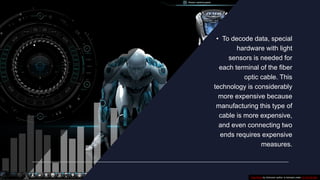
. • To decode data, special
hardware with light
sensors is needed for
each terminal of the fiber
optic cable. This
technology is considerably
more expensive because
manufacturing this type of
cable is more expensive,
and even connecting two
ends requires expensive
measures.
This Photo by Unknown author is licensed under CC BY-NC-ND.
THROUGH WIRELESS BROADBAND
• Wireless broadband (WiBB) is high-speed internet and data service delivered
through a wireless local area network (WLAN) or wireless wide area
network (WWAN). As with other wireless services, wireless broadband may be either
fixed or mobile.
• Wireless broadband is not the same as Wi-Fi, which is a way to connect computers
and devices together into a LAN, and may be used to connect a network to the
internet by another means. Wireless broadband implies that internet service itself is
being delivered wirelessly to a single device, which may in turn be connected to
other devices -- possibly using Wi-Fi or Ethernet.
WI-FI
Wi-Fi is a wireless networking technology that allows devices
such as computers (laptops and desktops), mobile devices
(smart phones and wearables), and other equipment
(printers and video cameras) to interface with the Internet.
It allows these devices--and many more--to exchange
information with one another, creating a network.
Internet connectivity occurs through a wireless router. When
you access Wi-Fi, you are connecting to a wireless router
that allows your Wi-Fi-compatible devices to interface with
the Internet.
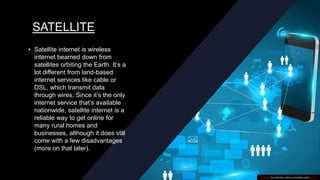
SATELLITE
• Satellite internet is wireless
internet beamed down from
satellites orbiting the Earth. It’s a
lot different from land-based
internet services like cable or
DSL, which transmit data
through wires. Since it’s the only
internet service that’s available
nationwide, satellite internet is a
reliable way to get online for
many rural homes and
businesses, although it does still
come with a few disadvantages
(more on that later).
This Photo by Unknown author is licensed under CC BY.
WIMAX
• WiMAX (Worldwide Interoperability for Microwave Access) is a telecommunications
protocol describing fixed and fully mobile Internet access services. The protocol
conforms to certain parts of the IEEE 802.16 Standard.
• Coined by its namesake industry group, the WiMAX Forum, which was formed in
2001 as a nonprofit organization created to promote the adoption of WiMAX-
compatible products and services, and certify the interoperability of WiMAX products,
subsequently designated as WiMAX Forum Certified.
WEB SERVERS
• a web server includes several parts that control how web users access hosted files. At a
minimum, this is an HTTP server. An HTTP server is software that
understands URLs (web addresses) and HTTP (the protocol your browser uses to view
webpages). An HTTP server can be accessed through the domain names of the
websites it stores, and it delivers the content of these hosted websites to the end user's
device
• At the most basic level, whenever a browser needs a file that is hosted on a web server,
the browser requests the file via HTTP. When the request reaches the correct
(hardware) web server, the (software) HTTP server accepts the request, finds the
requested document, and sends it back to the browser, also through HTTP. (If the
server doesn't find the requested document, it returns a 404 response instead.)
THANK YOU !!
MADE BY – MANAN AZAD
CLASS – 10 DIAMOND
ROLL NO - 20
This Photo by Unknown author is licensed under CC BY-NC.

very nice project on internet class 10.pptx

  • 1.
    INTERNET (INTRODUCTION) INTERNET IS AWORLDWIDE NETWORK OF NETWORKS. IT IS ALSO THE NETWORK OF NETWORKS THAT CONNECTS MILLIONS OF COMPUTERS. ITS IS WIDELY USED TO COLLECT INFORMATION , TRANSFER DATA , DOWNLOAD OR UPLOAD THINGS , ONLINE SHOPPING , COMMUNICATION VIA EMAILS AND CHATTING , LISTENING MUSIC , WATCHING VIDEOS FROM POPULAR WEBSITES , BOOKING MOVIE TICKETS OR TRAVEL TICKETS AND MANY MORE... . IT PROVIDES US DAILY NEWS AND LATEST INFORMATION ON VARIOUS TOPICS . WE CAN USE INTERNET IN MOBLIE PHONES , COMPUTERS AND MANY MORE DEVICES . This Photo by Unknown author is licensed under CC BY-ND.
  • 2.
    VARIOUS FEATURES OFINTERNET THE MAJOR FEATURES OF INTERNET THAT MAKES INTERNET A REALLY GOOD THING USE ARE AS FOLLOWS - 1. FLEXIBILITY – Another remarkable feature of the Internet is Flexibility on the transfer of the data. Internet is basically a network that carries information in digital form in the majority of the’ cases instead of voice information in analog form 2. UBIQUITOUS – internet connections are not fixed from point to point for the duration of the Data sent over the internet is in the form of packets. It transmits a small part of the data, verifies it is correct and then sends more information toward the destination. Internet does not require all of the information to be delivered through the same path at the same time. Available everywhere at any time. Reduces transaction cost. Shopping can be done easily. 3. CLIENT – SERVER ARCHITECTURE - The internet follows a client-server architecture. A server is a computer loaded with a software package that provides requested information to clients. A client is a software program that contacts a server and requests information.
  • 3.
    4. READILY ACCESSIBLECUSTOMERS - When it comes to affiliate marketing, this is one of the most admired business models. Affiliate marketing entails selling a product or service developed by one person or entity by third parties. The other parties engaged in the sale of these goods or services earn a share of profit in this. The business owner provides marketing collateral such as banners, affiliate links, sales letters, etc. 5. INTERNET MARKETING TOOLS - Internet marketing tools are necessary for any online business. These tools include enormous features that will not only take your marketing techniques to a diverse level but also make the supervision of sites and simple procedure which will ultimately lead to high search Engine rankings. These dissimilar tools that can be of use include SEO (Search Engine Optimization), email marketing, SEM (Search Engine Marketing) and another medium as banner advertisements, etc. 6. EASY TO USE - The software that is used to access the Internet or web browser is designed in such a way that is very simple and can be easily learned and used. Also, it is easy to develop.
  • 4.
    7. INTERACTION WITHMEDIA AND FLEXIBILITY OF COMMUNICATION - Businesses are expanding with the help of the Internet. There is a high degree of interaction with the media due to internet service. Like, News, magazines, publishing houses, etc. have extended their business with the help of Internet service. Also, communication is flexible due to internet service. With the help of text voice, video people can communicate easily. 8. LOW COST AND SECURITY - The maintenance and development costs of Internet service are comparatively low. Also, Internet service helped the security system both at an individual and national levels. For example CCTV cameras, etc. 9. WORLD WIDE WEB - It is a part of the internet and supports hypertext documents, allowing users to view and navigate various types of data. A web page is a document that is encoded with hypertext markup language (HTML) tags. Each web page has an address, URL (Uniform Resource Locator).
  • 5.
    1 0 .E - M A I L - O N E O F T H E M O S T P O P U L AR R E AS O N S T H AT P E O P L E U S E T H E I N T E R N E T I S E - M AI L . AN D TO C R E AT E , S E N D , AN D R E C E I V E E - M AI L M E S S AG E S P E O P L E N E E D AN E - M AI L P R O G R AM AN D AN AC C O U N T O N AN I N T E R N E T M AI L S E RV E R W I T H A D O M AI N N AM E . 11 . F I L E T R AN S F E R P R O TO C O L - I T I S T H E I N T E R N E T T O O L T H AT I S U S E D T O C O P Y F I L E S F R O M O N E C O M P U T E R T O A N O T H E R . U S I N G T H I S , A P E R S O N C A N L O G I N T O A N E T P H O S T C O M P U T E R O V E R T H E I N T E R N E T A N D C O P Y F I L E S O N T O I T S C O M P U T E R . I T I S H A N D Y F O R F I N D I N G A N D C O P Y I N G S O F T WA R E F I L E S , A RT I C L E S , A N D O T H E R T Y P E S O F D ATA 1 2 . T E L N E T - I T I S A S P E C I A L I S E D S E RV I C E W I T H W H I C H A P E R S O N C A N U S E A C O M P U T E R T O A C C E S S T H E C O N T E N T S O F A N O T H E R C O M P U T E R , A T E L N E T H O S T. I T I S L A R G E LY U S E D B Y L I B R A R I E S T O A L L O W V I S I T O R S T O L O O K U P I N F O R M AT I O N , F I N D A RT I C L E S , E T C . This Photo by Unknown author is licensed under CC BY-SA-NC.
  • 6.
    TECHNIQUES TO CONNECT WITHINTERNET • 1 MODEM – MODEM STANDS FOR MODULATOR AND DEMODULATOR • a modem is a hardware device that allows a computer to send and receive information over telephone lines. When sending a signal, the device converts ("modulates") digital data to an analog audio signal, and transmits it over a telephone line. Similarly, when an analog signal is received, the modem converts it back ("demodulates" it) to a digital signal. This Photo by Unknown author is licensed under CC BY-SA-NC.
  • 7.
    Internal modem • Aninternal modem is a network device that is contained on an expansion board that plugs into the motherboard. Unlike an external modem, an internal modem contains no lights to inform the user of its current function or changing modem states. Instead, the user must rely on the software that came with the modem. • Internal modems are also known as on-board modems.
  • 8.
    External modem • Anexternal modem is a network device that is in a self-contained enclosure external to a computer. This is in contrast to an internal modem that is contained on a printed circuit board with a computer. • External modems have lights indicating various modem functions and they can easily be moved from one computer system to another. The do, however, require one COM or USB port to operate. This Photo by Unknown author is licensed under CC BY-SA-NC.
  • 9.
    Accessing the internet •Through dial up connection - A dial-up connection uses a standard phone line and analog modem to access the Internet at data transfer rates (DTR) of up to 56 Kbps. • A dial-up connection is the least expensive way to access the Internet, but it also slowest connection. • dial-up connection is established when two or more communication devices use a public switched telephone network (PSTN) to connect to an Internet service provider (ISP). • Many remote areas depend on Internet dial-up connections because broadband and cable are rare in remote areas with low population numbers. • ISPs often provide free dial-up connections, a viable alternative for budget- conscious subscribers. This Photo by Unknown author is licensed under CC BY-ND.
  • 10.
    Through broadband connection- Broadband is a high-data-rate connection to the Internet. The technology gets its name as a result of the wide band of frequencies that isavailable for information transmission. Information can be multiplexed and sent on numerous channels, allowingmore information to be transmitted at a given time.
  • 11.
    Wired broadband • CABLECONNECTION - Connection that can be part of a cable. That is, either a conductor or - for hybrid cables - an optical fiber, hose, etc. • For a connection to be assigned to a cable in EPLAN, this connection must have the "Cable" value assigned to the Connection: Association property. This Photo by Unknown author is licensed under CC BY-SA.
  • 12.
    DIGITAL SUBSCRIBER LINE •Digital subscriber line (DSL) is a technology that transports high-bandwidth data over a simple telephone line that is directly connected to a modem. This allows for file-sharing, and the transmission of pictures and graphics, multimedia data, audio and video conferencing and much more. DSL uses the analog medium, which is reliable and prevents interruptions and heavy packet loss. DSL is fast and provides low user subscription rates. • DSL was originally part of the Integrated Services Digital Network (ISD) specification introduced in 1984. In the beginning, ISDN was being used for point-to-point connections for different kinds of data sharing. With the passage of time and the increasing size of networks, ISDN gave a low data speed because of various issues, from interruptions in telephone lines to natural factors like fog and rain. After the failure of ISDN, DSL emerged and started providing broadband connections over an analog medium with an efficient network environment. DSL mainly uses copper wires and fiber optic cables as its transmission medium. This Photo by Unknown author is licensed under CC BY-SA-NC.
  • 13.
    FIBRE OPTIC • Fiberoptic refers to the technology and medium used in the transmission of data as pulses of light through a strand or fiber medium made of glass or plastic (optical fiber), versus being sent as electrical pulses through conductive metal, like copper wires. Optical fiber technology can carry much more data than conventional copper wires and is less prone to electromagnetic interference, simply because data is transmitted in the form of light, rather than electricity. • • Fiber optic technology uses glass fibers to transmit data at blazing fast speeds, although not as fast as the speed of light. This is because the general notion of the speed of light, which is 299,792,458 meters per second, occurs in a vacuum. In reality, the speed at which light travels greatly varies, depending on the medium through which it passes.
  • 14.
    . • Todecode data, special hardware with light sensors is needed for each terminal of the fiber optic cable. This technology is considerably more expensive because manufacturing this type of cable is more expensive, and even connecting two ends requires expensive measures. This Photo by Unknown author is licensed under CC BY-NC-ND.
  • 15.
    THROUGH WIRELESS BROADBAND •Wireless broadband (WiBB) is high-speed internet and data service delivered through a wireless local area network (WLAN) or wireless wide area network (WWAN). As with other wireless services, wireless broadband may be either fixed or mobile. • Wireless broadband is not the same as Wi-Fi, which is a way to connect computers and devices together into a LAN, and may be used to connect a network to the internet by another means. Wireless broadband implies that internet service itself is being delivered wirelessly to a single device, which may in turn be connected to other devices -- possibly using Wi-Fi or Ethernet.
  • 16.
    WI-FI Wi-Fi is awireless networking technology that allows devices such as computers (laptops and desktops), mobile devices (smart phones and wearables), and other equipment (printers and video cameras) to interface with the Internet. It allows these devices--and many more--to exchange information with one another, creating a network. Internet connectivity occurs through a wireless router. When you access Wi-Fi, you are connecting to a wireless router that allows your Wi-Fi-compatible devices to interface with the Internet.
  • 17.
    SATELLITE • Satellite internetis wireless internet beamed down from satellites orbiting the Earth. It’s a lot different from land-based internet services like cable or DSL, which transmit data through wires. Since it’s the only internet service that’s available nationwide, satellite internet is a reliable way to get online for many rural homes and businesses, although it does still come with a few disadvantages (more on that later). This Photo by Unknown author is licensed under CC BY.
  • 18.
    WIMAX • WiMAX (WorldwideInteroperability for Microwave Access) is a telecommunications protocol describing fixed and fully mobile Internet access services. The protocol conforms to certain parts of the IEEE 802.16 Standard. • Coined by its namesake industry group, the WiMAX Forum, which was formed in 2001 as a nonprofit organization created to promote the adoption of WiMAX- compatible products and services, and certify the interoperability of WiMAX products, subsequently designated as WiMAX Forum Certified.
  • 19.
    WEB SERVERS • aweb server includes several parts that control how web users access hosted files. At a minimum, this is an HTTP server. An HTTP server is software that understands URLs (web addresses) and HTTP (the protocol your browser uses to view webpages). An HTTP server can be accessed through the domain names of the websites it stores, and it delivers the content of these hosted websites to the end user's device • At the most basic level, whenever a browser needs a file that is hosted on a web server, the browser requests the file via HTTP. When the request reaches the correct (hardware) web server, the (software) HTTP server accepts the request, finds the requested document, and sends it back to the browser, also through HTTP. (If the server doesn't find the requested document, it returns a 404 response instead.)
  • 20.
    THANK YOU !! MADEBY – MANAN AZAD CLASS – 10 DIAMOND ROLL NO - 20 This Photo by Unknown author is licensed under CC BY-NC.