Using :
1. software : Audacity
2. hardware : Behringer xynx 1202
To open the mixer board, alt v (view) then m (mixing board
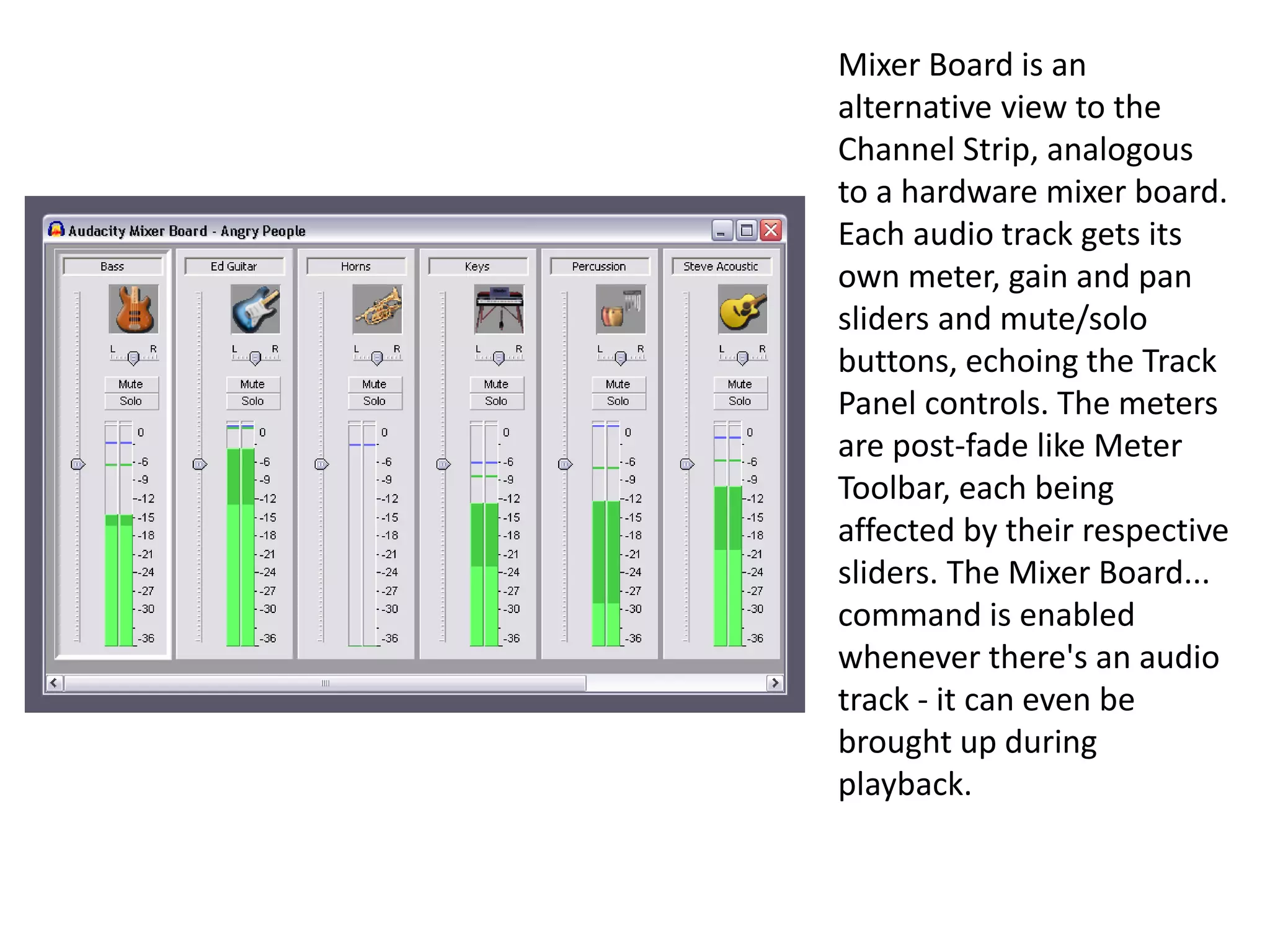
Mixer Board is an
alternative view to the
Channel Strip, analogous
to a hardware mixer board.
Each audio track gets its
own meter, gain and pan
sliders and mute/solo
buttons, echoing the Track
Panel controls. The meters
are post-fade like Meter
Toolbar, each being
affected by their respective
sliders. The Mixer Board...
command is enabled
whenever there's an audio
track - it can even be
brought up during
playback.
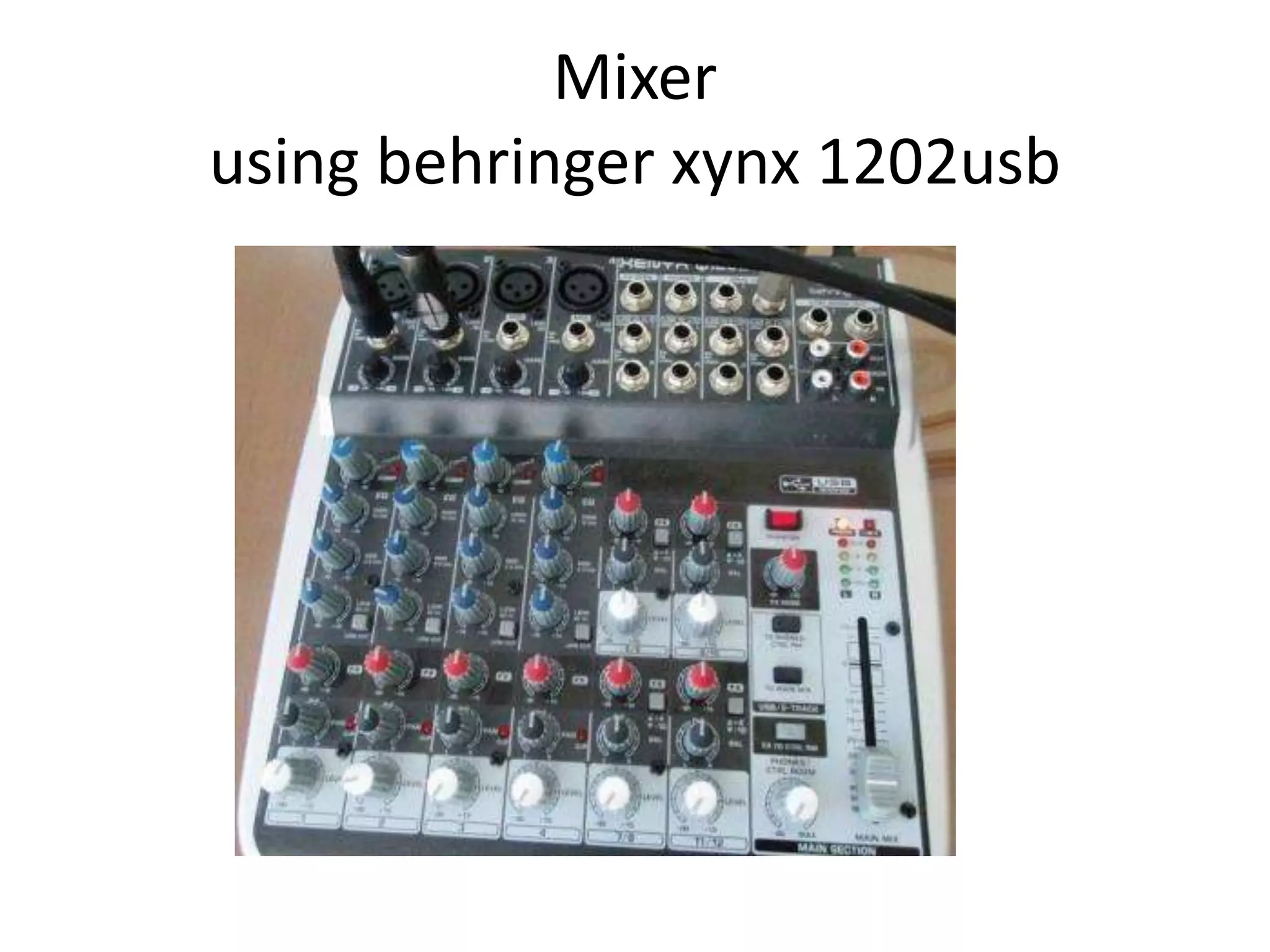
Mixer
using behringer xynx 1202usb
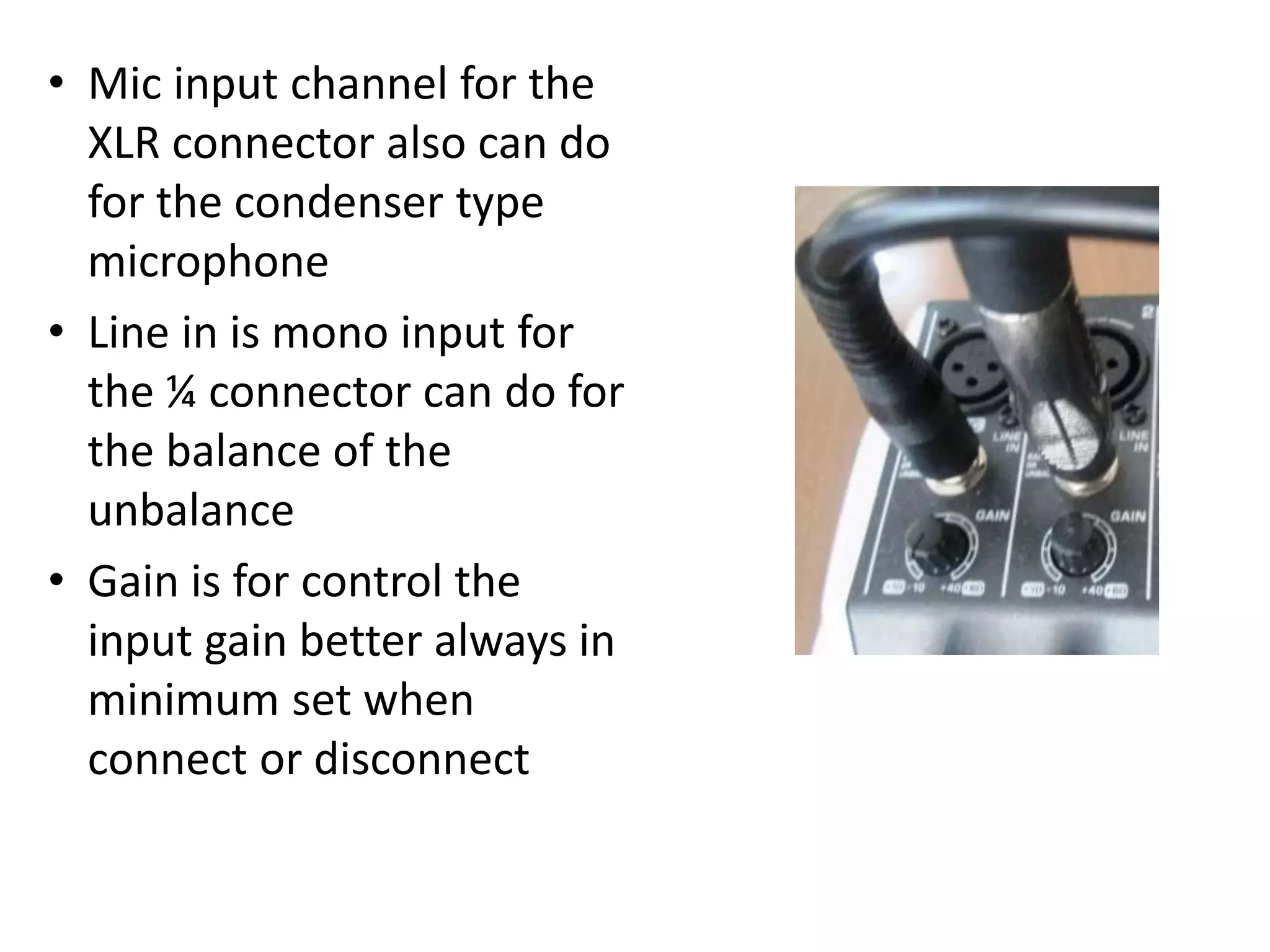
• Mic input channel for the
XLR connector also can do
for the condenser type
microphone
• Line in is mono input for
the ¼ connector can do for
the balance of the
unbalance
• Gain is for control the
input gain better always in
minimum set when
connect or disconnect
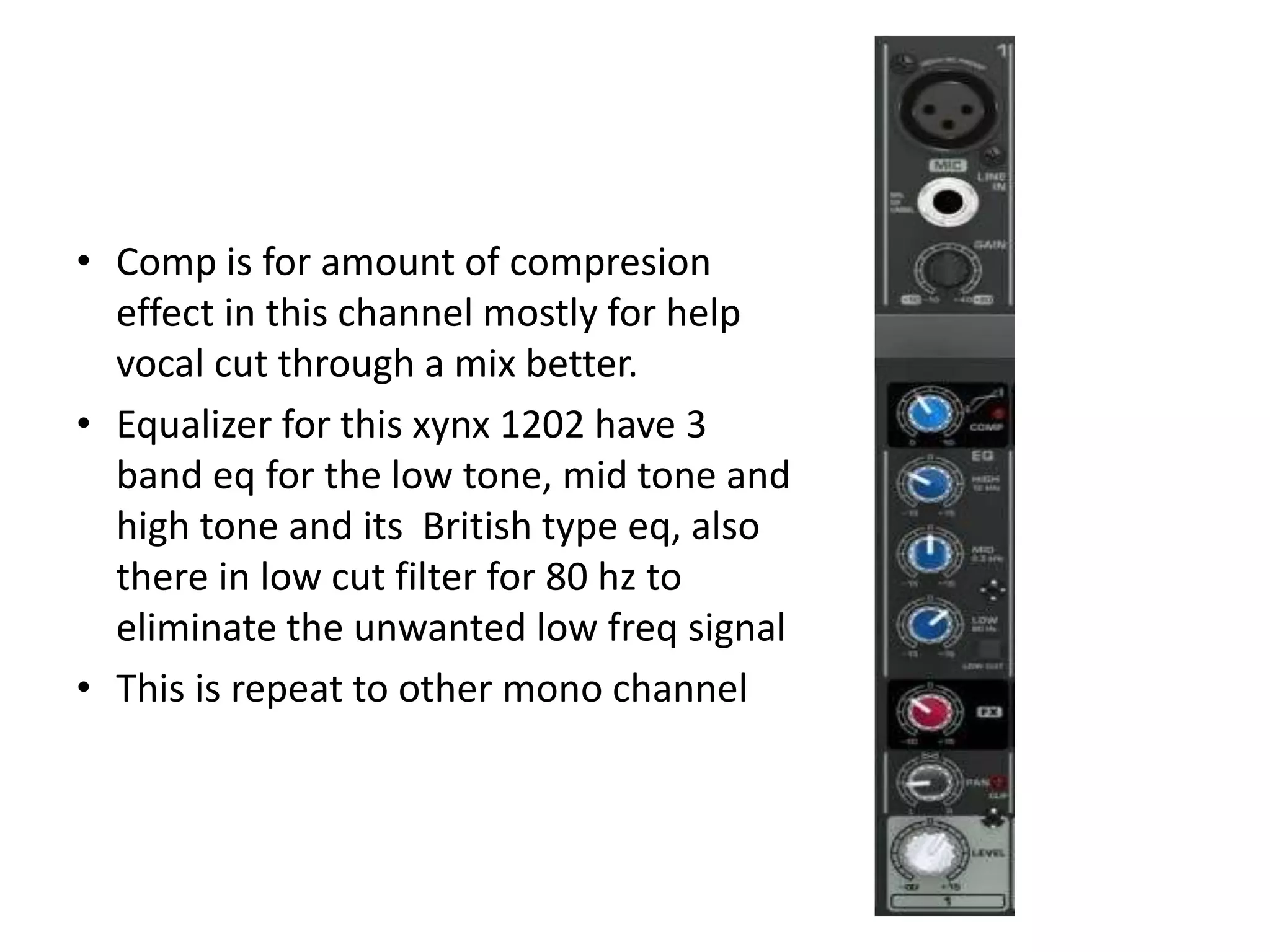
• Comp is for amount of compresion
effect in this channel mostly for help
vocal cut through a mix better.
• Equalizer for this xynx 1202 have 3
band eq for the low tone, mid tone and
high tone and its British type eq, also
there in low cut filter for 80 hz to
eliminate the unwanted low freq signal
• This is repeat to other mono channel
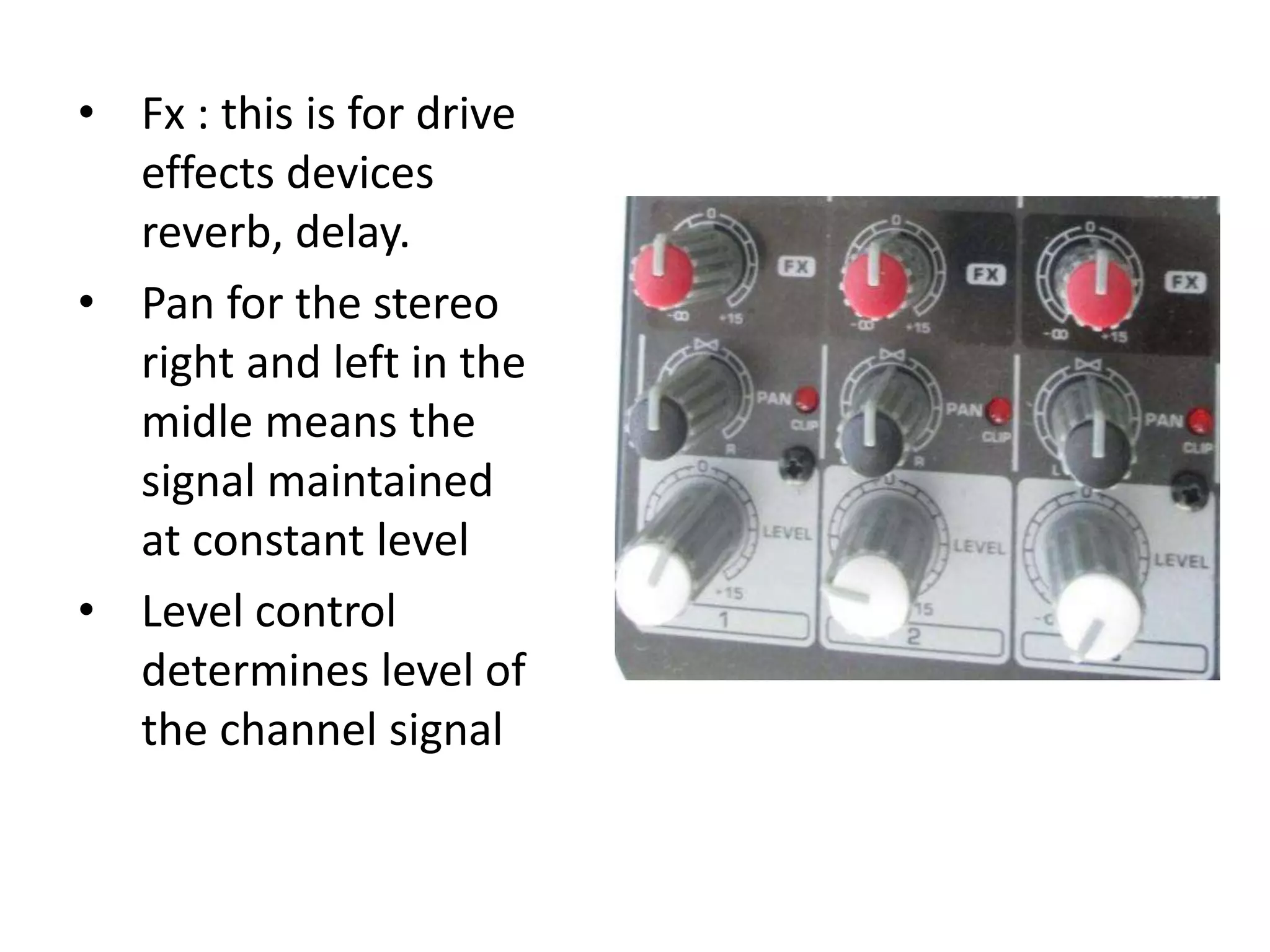
• Fx : this is for drive
effects devices
reverb, delay.
• Pan for the stereo
right and left in the
midle means the
signal maintained
at constant level
• Level control
determines level of
the channel signal
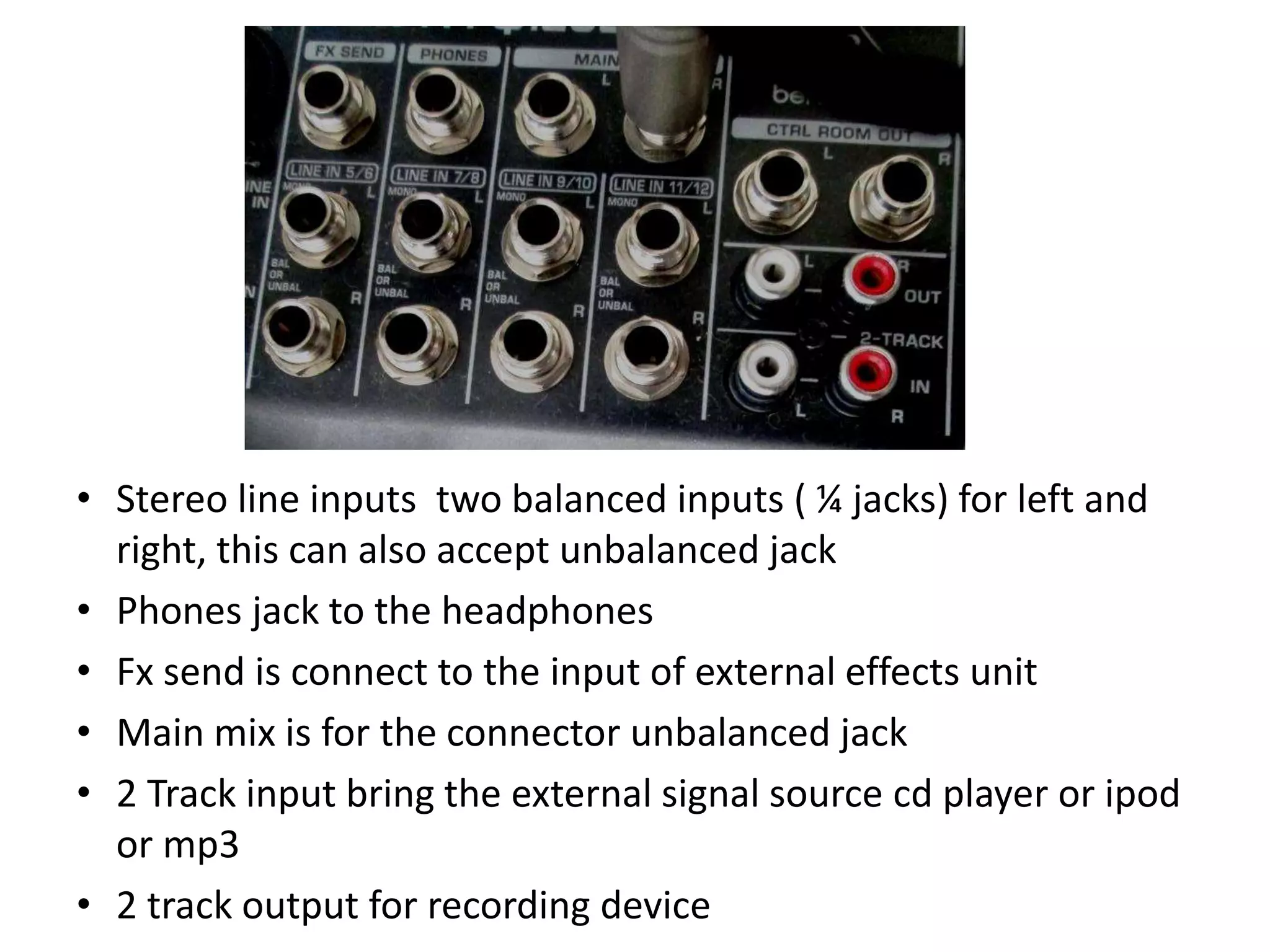
• Stereo line inputs two balanced inputs ( ¼ jacks) for left and
right, this can also accept unbalanced jack
• Phones jack to the headphones
• Fx send is connect to the input of external effects unit
• Main mix is for the connector unbalanced jack
• 2 Track input bring the external signal source cd player or ipod
or mp3
• 2 track output for recording device
• Main Mix : the main mix adjust the
volume.
• Phones/control room : this control
adjust the level of both
headphones and main monitor
outputs.
• Phones : this is to phones jack to
adjust the level output
• There is power led and led for
right and left if the led is green ok
then if red should be reduce the
signal
• Also there is 48 v lights up when
the phantom power is on, this is
for the supply xlr cable connector
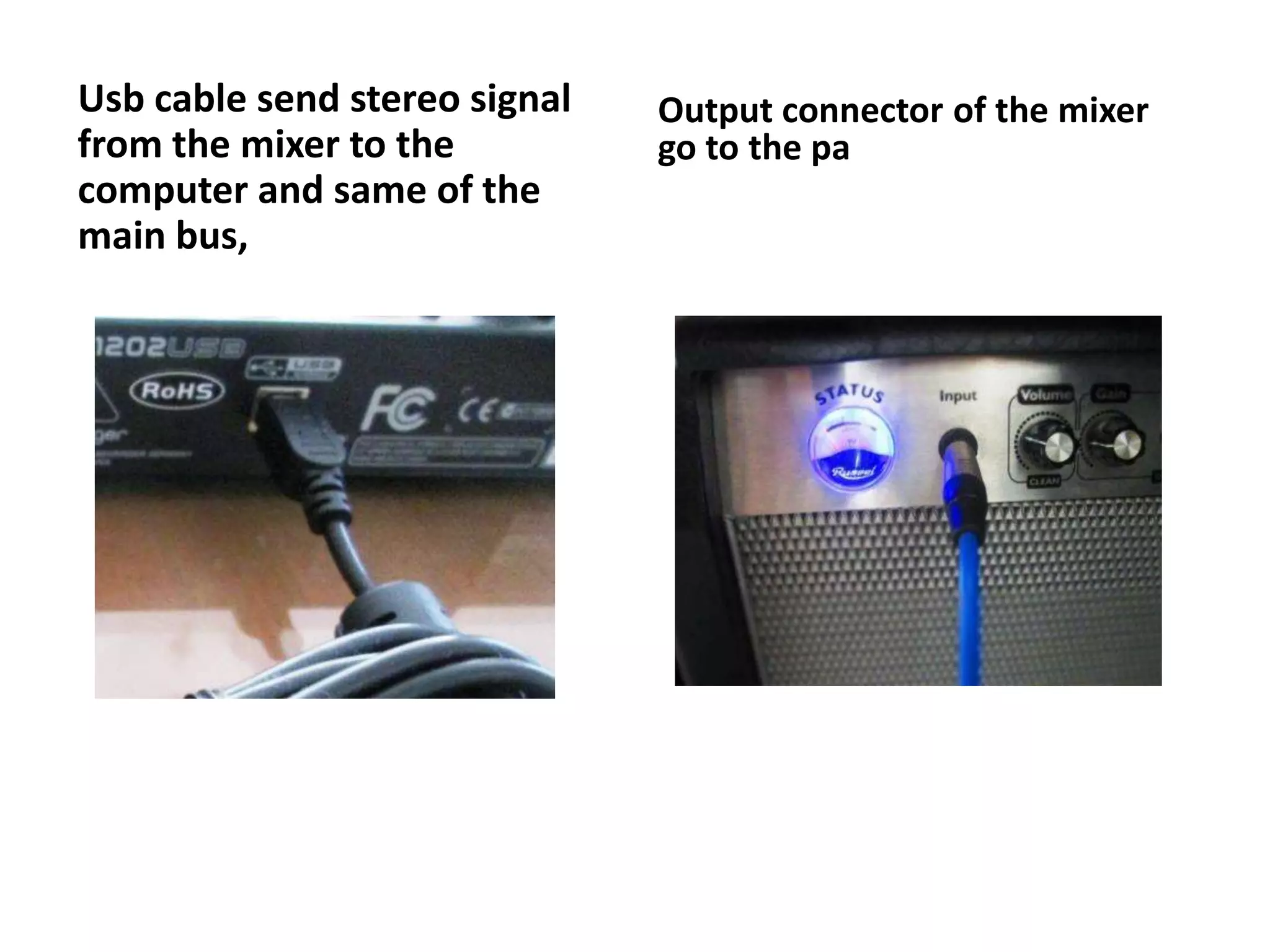
Usb cable send stereo signal
from the mixer to the
computer and same of the
main bus,
Output connector of the mixer
go to the pa
Introduction to Music
Production

Channel strip (mixer)

  • 3.
    Using : 1. software: Audacity 2. hardware : Behringer xynx 1202
  • 5.
    To open themixer board, alt v (view) then m (mixing board
  • 6.
    Mixer Board isan alternative view to the Channel Strip, analogous to a hardware mixer board. Each audio track gets its own meter, gain and pan sliders and mute/solo buttons, echoing the Track Panel controls. The meters are post-fade like Meter Toolbar, each being affected by their respective sliders. The Mixer Board... command is enabled whenever there's an audio track - it can even be brought up during playback.
  • 8.
  • 9.
    • Mic inputchannel for the XLR connector also can do for the condenser type microphone • Line in is mono input for the ¼ connector can do for the balance of the unbalance • Gain is for control the input gain better always in minimum set when connect or disconnect
  • 10.
    • Comp isfor amount of compresion effect in this channel mostly for help vocal cut through a mix better. • Equalizer for this xynx 1202 have 3 band eq for the low tone, mid tone and high tone and its British type eq, also there in low cut filter for 80 hz to eliminate the unwanted low freq signal • This is repeat to other mono channel
  • 11.
    • Fx :this is for drive effects devices reverb, delay. • Pan for the stereo right and left in the midle means the signal maintained at constant level • Level control determines level of the channel signal
  • 12.
    • Stereo lineinputs two balanced inputs ( ¼ jacks) for left and right, this can also accept unbalanced jack • Phones jack to the headphones • Fx send is connect to the input of external effects unit • Main mix is for the connector unbalanced jack • 2 Track input bring the external signal source cd player or ipod or mp3 • 2 track output for recording device
  • 13.
    • Main Mix: the main mix adjust the volume. • Phones/control room : this control adjust the level of both headphones and main monitor outputs. • Phones : this is to phones jack to adjust the level output • There is power led and led for right and left if the led is green ok then if red should be reduce the signal • Also there is 48 v lights up when the phantom power is on, this is for the supply xlr cable connector
  • 14.
    Usb cable sendstereo signal from the mixer to the computer and same of the main bus, Output connector of the mixer go to the pa
  • 15.