CEFPI is a Registered Provider with The American Institute of Architects
Continuing Education Systems (AIA/CES). Credit(s) earned on
completion of this program will be reported to AIA/CES for AIA
members. Certificates of Completion for both AIA members and non-AIA
members are available upon request.
This program is registered with AIA/CES for continuing professional
education. As such, it does not include content that may be deemed or
construed to be an approval or endorsement by the AIA of any material
of construction or any method or manner of handling, using, distributing,
or dealing in any material or product.

Questions related to specific materials, methods, and services will be
addressed at the conclusion of each presentation.
Learning Objectives
               LIBRARY DESIGN FOR THE 21ST CENTURY LEARNER

                 At the end of this program, participants will be able to:

•Have familiarity with current trends in library design
1.Know strategies for observing and documenting student behaviors in libraries
2.Understand Impact of technology on student use of library spaces
3.Understand changing expectations in the educational system for student learning
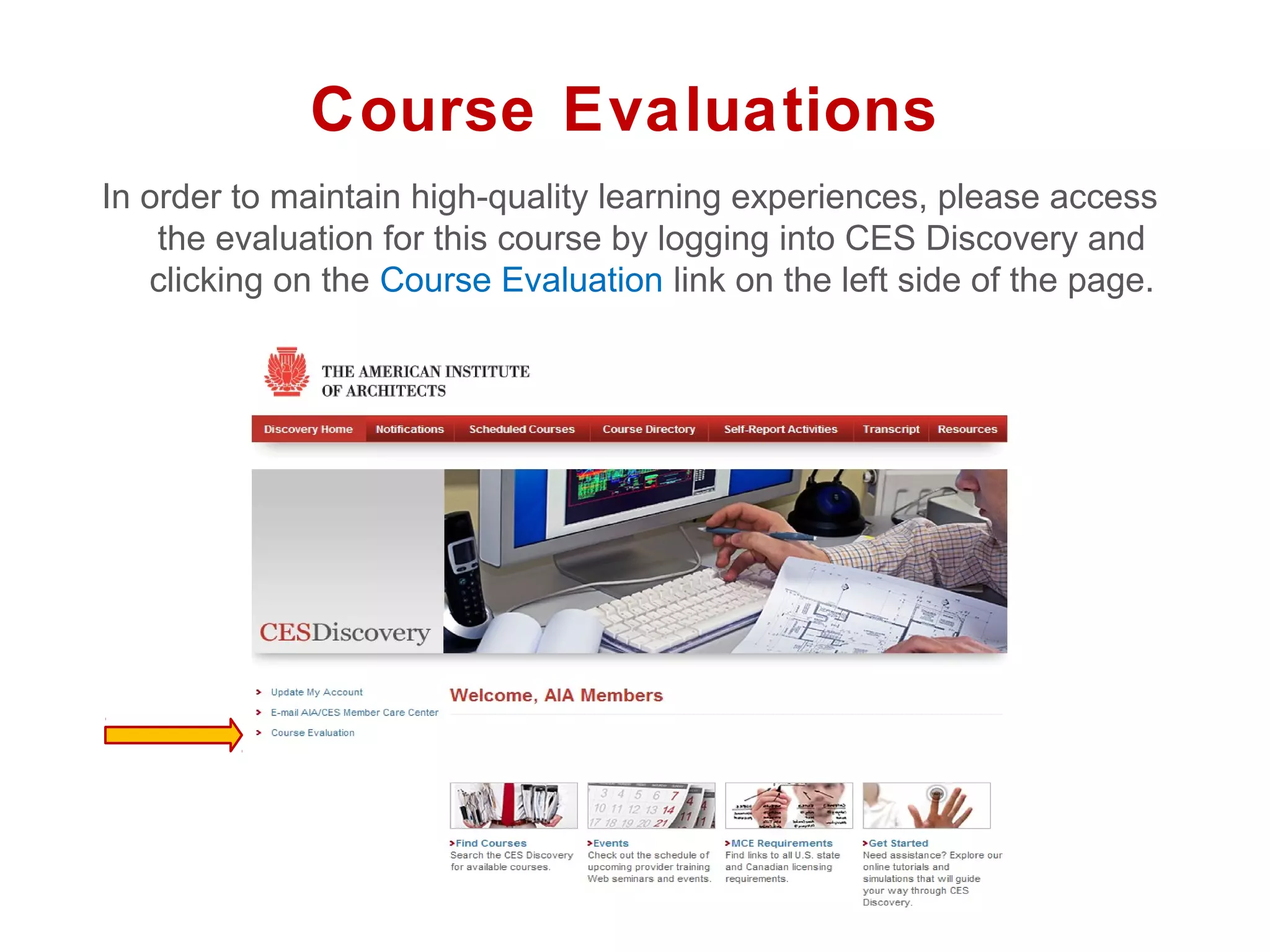
Course Evaluations
In order to maintain high-quality learning experiences, please access
    the evaluation for this course by logging into CES Discovery and
   clicking on the Course Evaluation link on the left side of the page.
Thank you for your time!


        QUESTIONS??


        This concludes The American Institute of Architects Continuing
                         Education Systems Course


CEFPI
Library Design for the 21st
century learner
Sean Connor, Pfluger and Associates   Carolyn Foote, Westlake High School Library

April 5, 2013
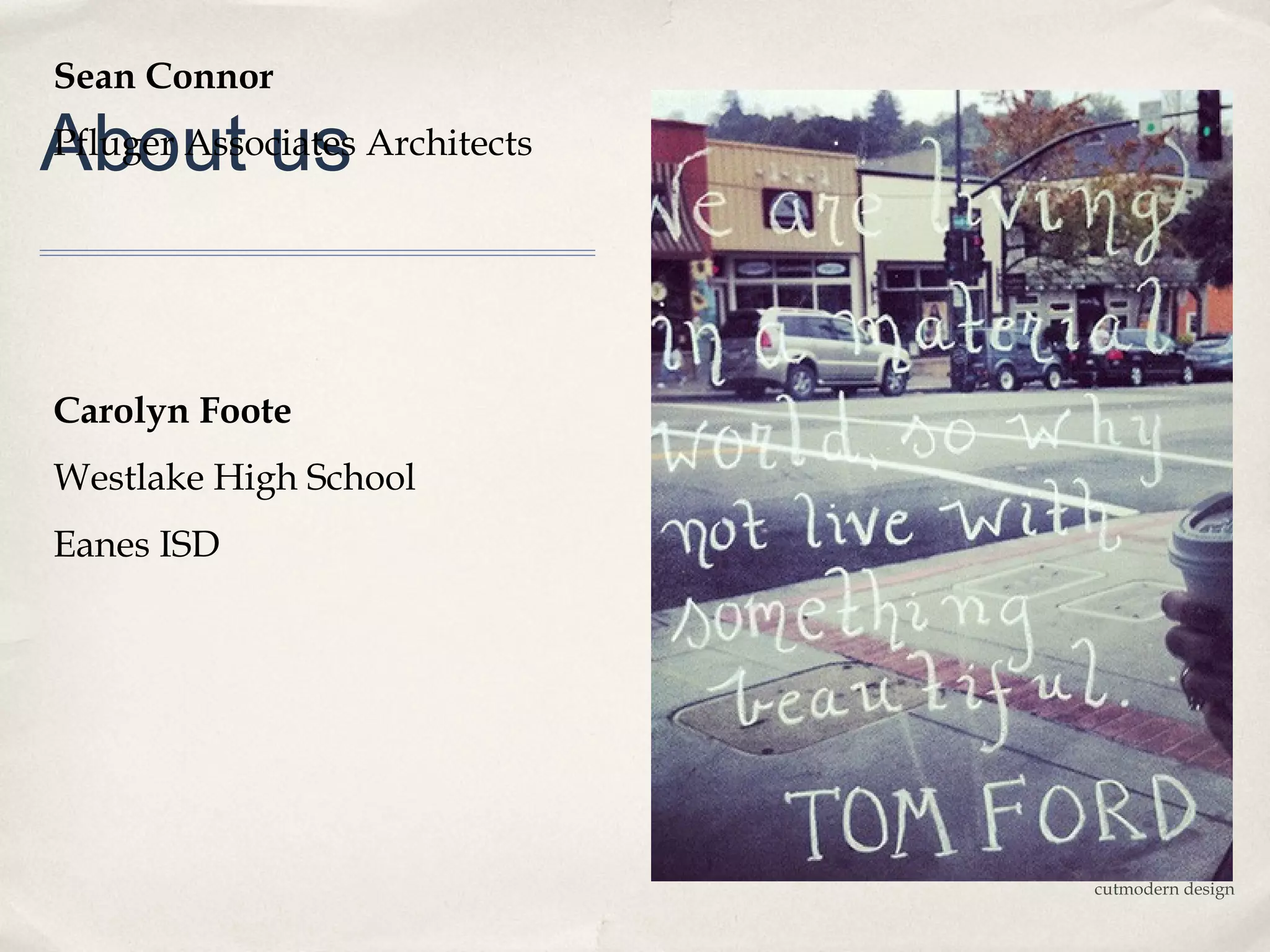
Sean Connor

About us Architects
Pfluger Associates


Carolyn Foote
Westlake High School
Eanes ISD


                       cutmodern design
Conference Materials

http://todaysmeet.com/cefpi

slideshare of presentation

www.pflugerarchitects.com
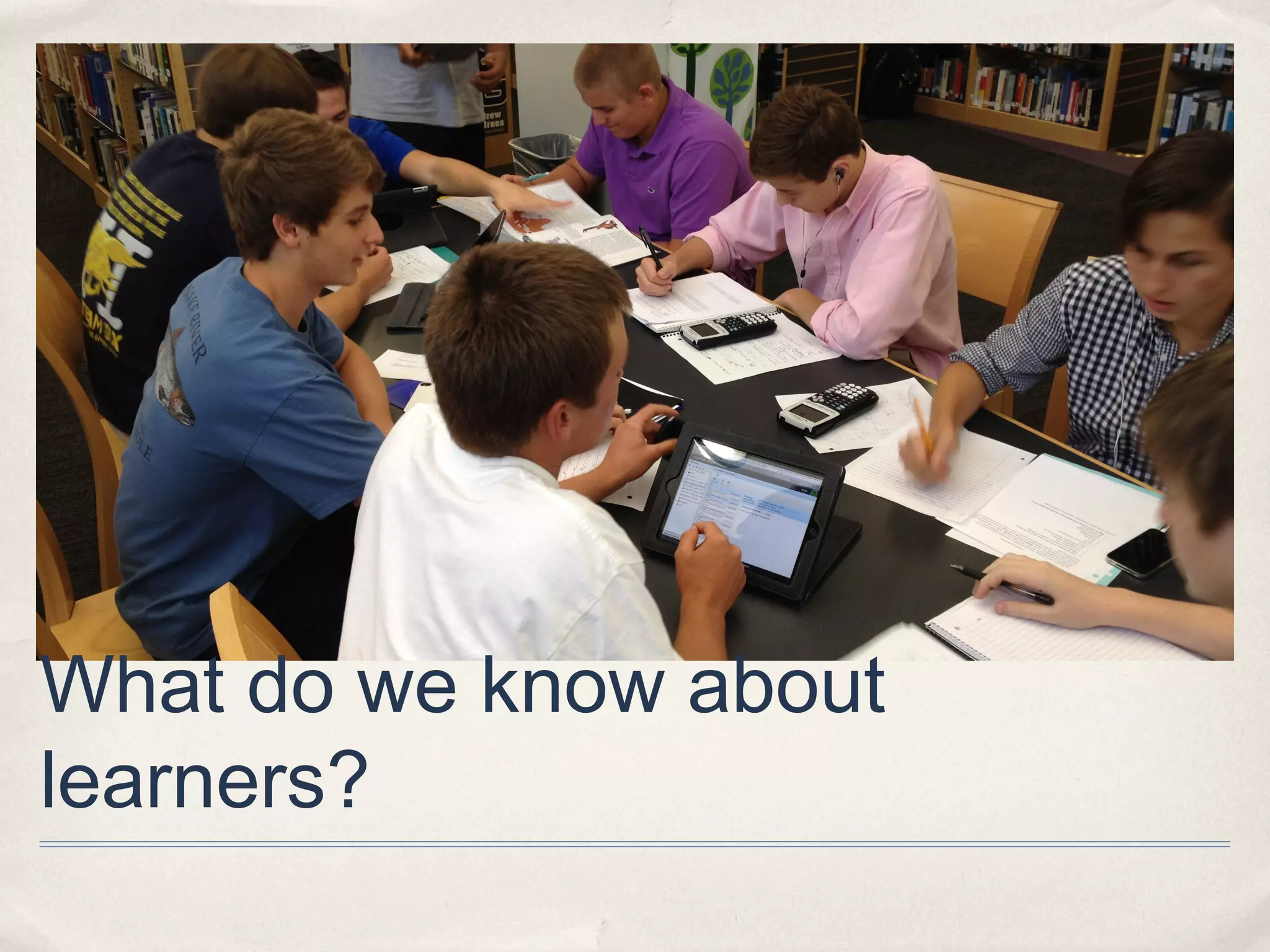
What do we know about
learners?
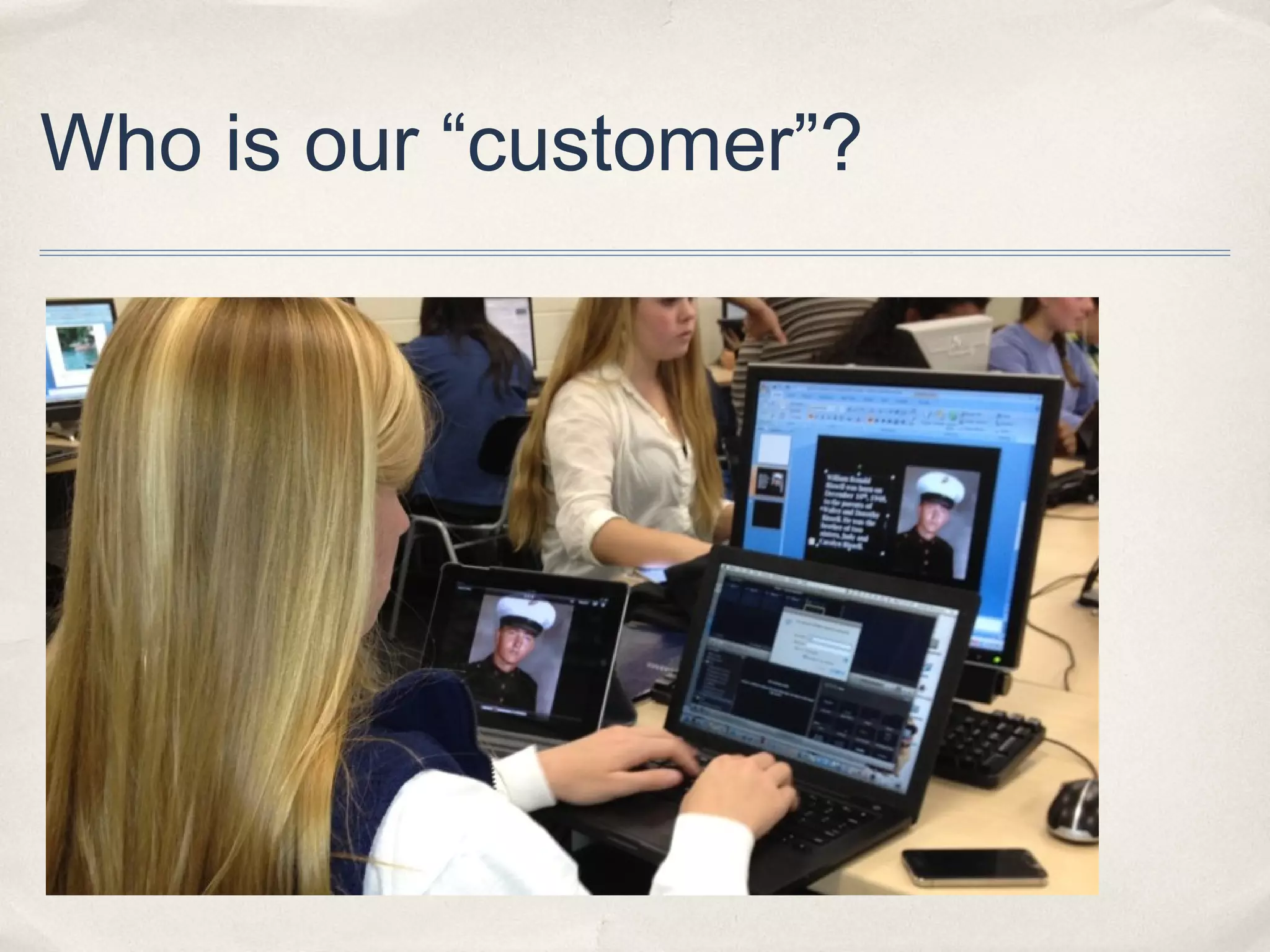
Who is our “customer”?
Teens and tech

✤   71%            of teens say the computer they use most often is shared with other
    family.


✤   23%          of teens surveyed have a tablet.


✤   37%            of teens have smartphones. (78% have a phone)


          http://www.pewinternet.org/Reports/2013/Teens-and-Tech/Main-Findings/Teens-and-Technology.aspx
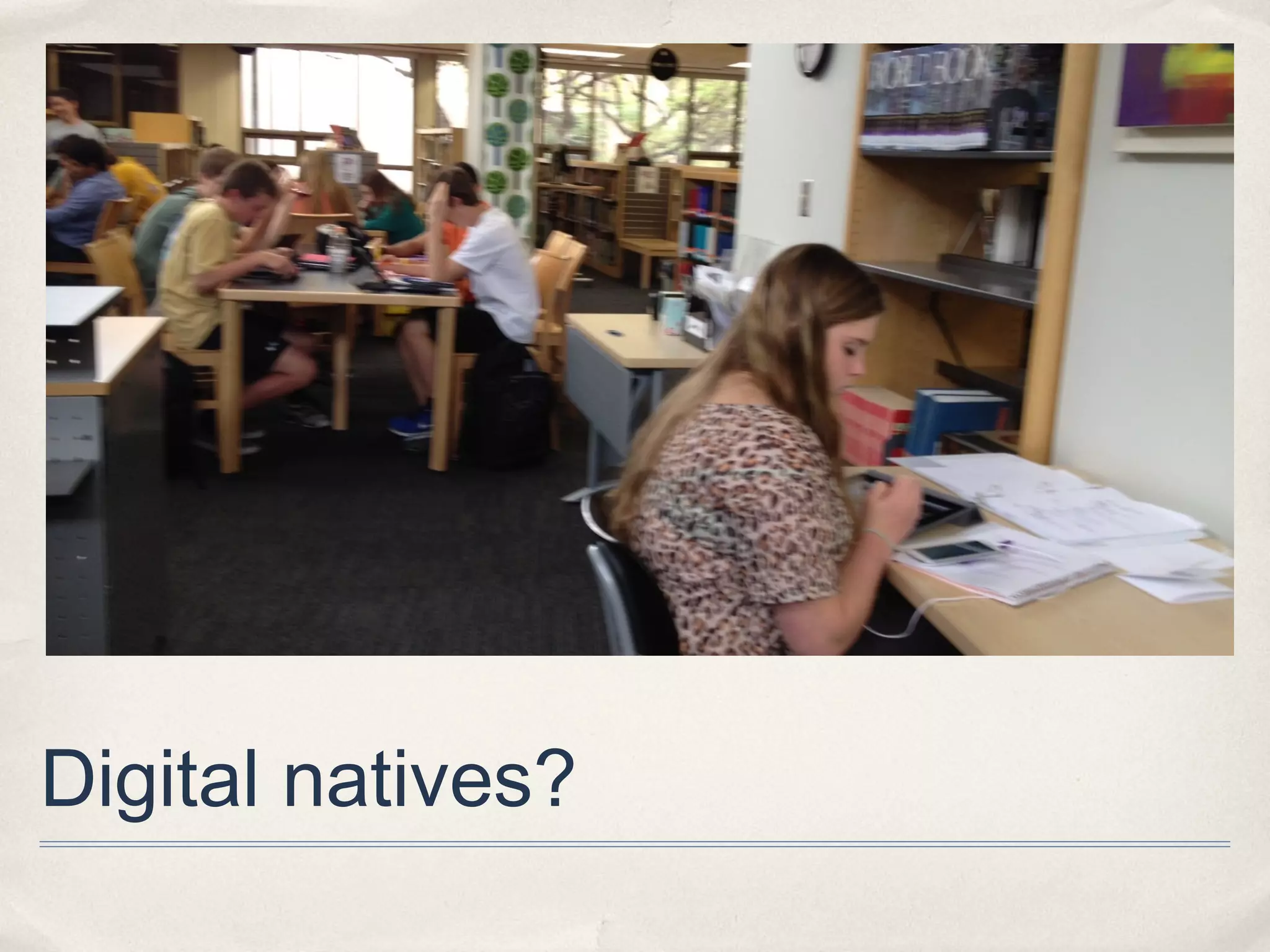
Digital natives?
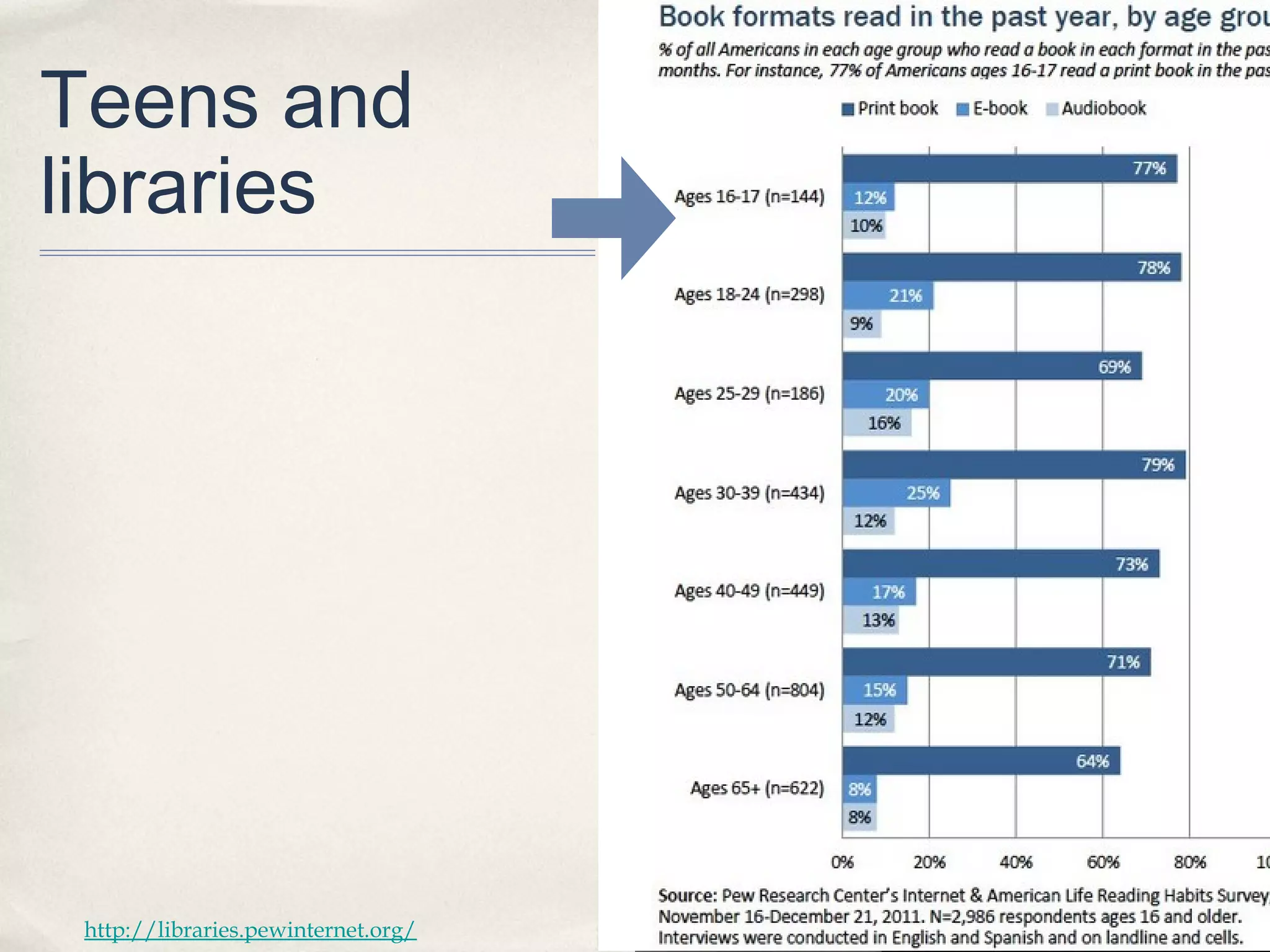
Teens and
libraries


 http://libraries.pewinternet.org/
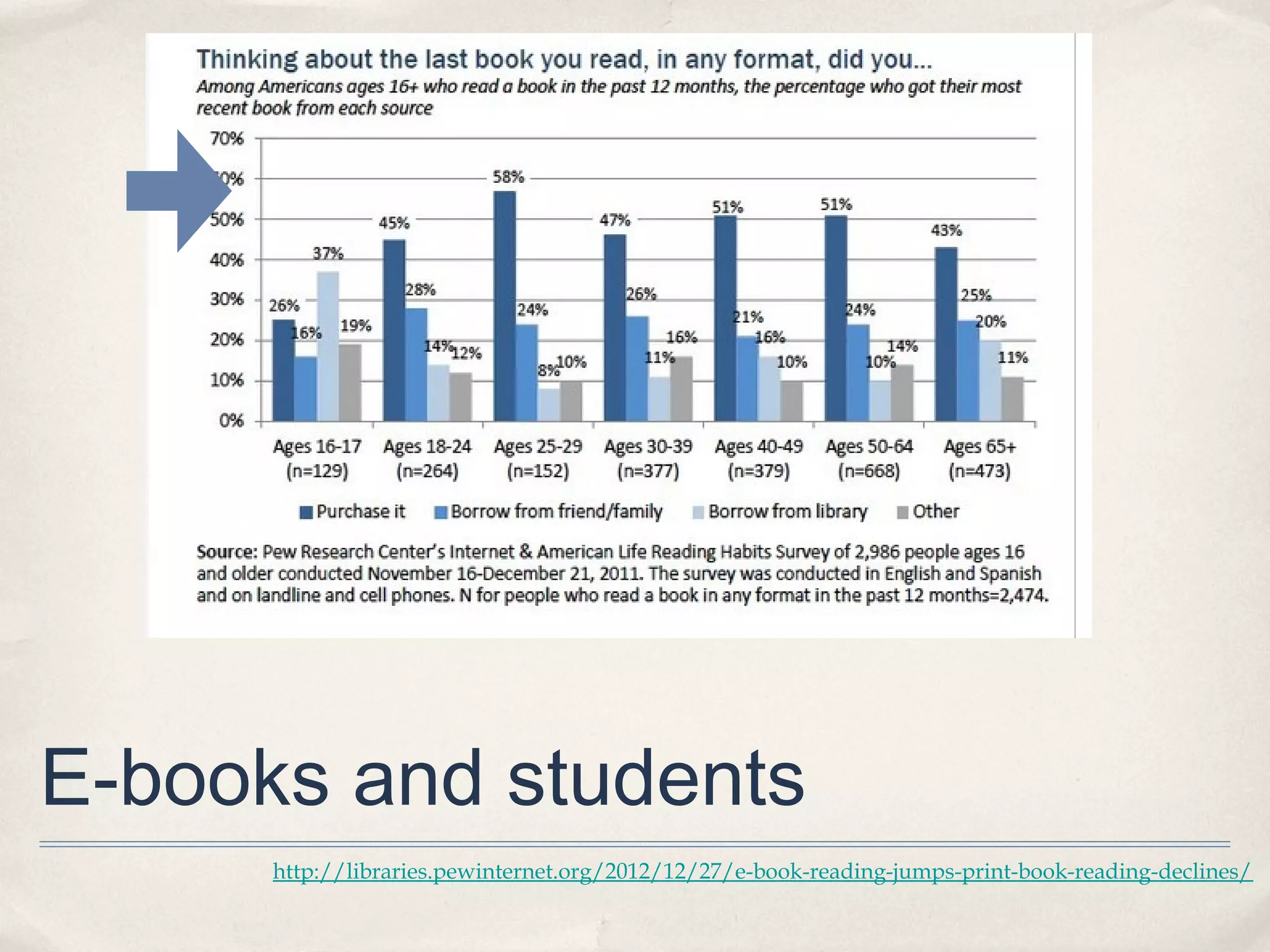
E-books and students
      http://libraries.pewinternet.org/2012/12/27/e-book-reading-jumps-print-book-reading-declines/
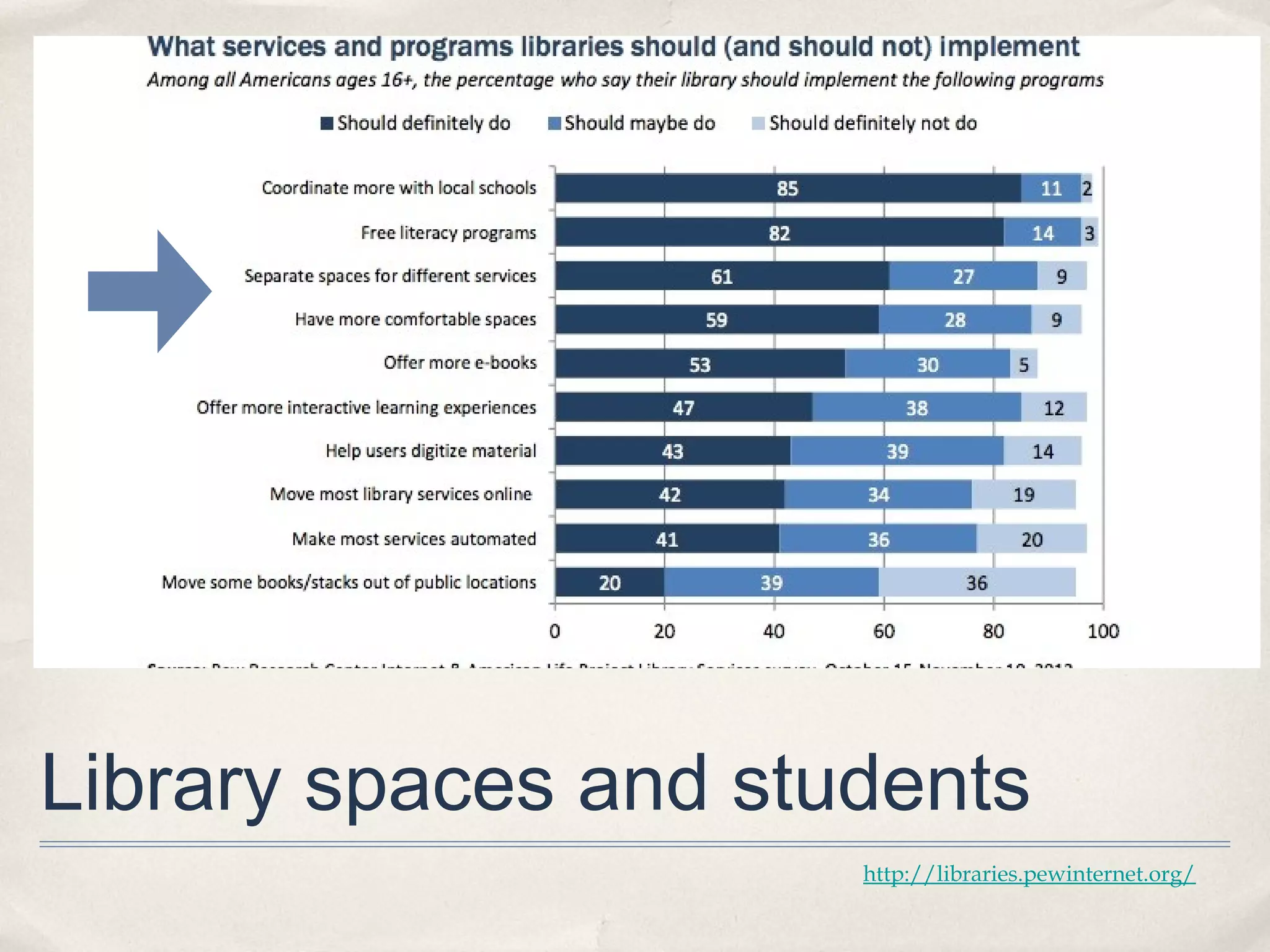
Library spaces and students
                      http://libraries.pewinternet.org/
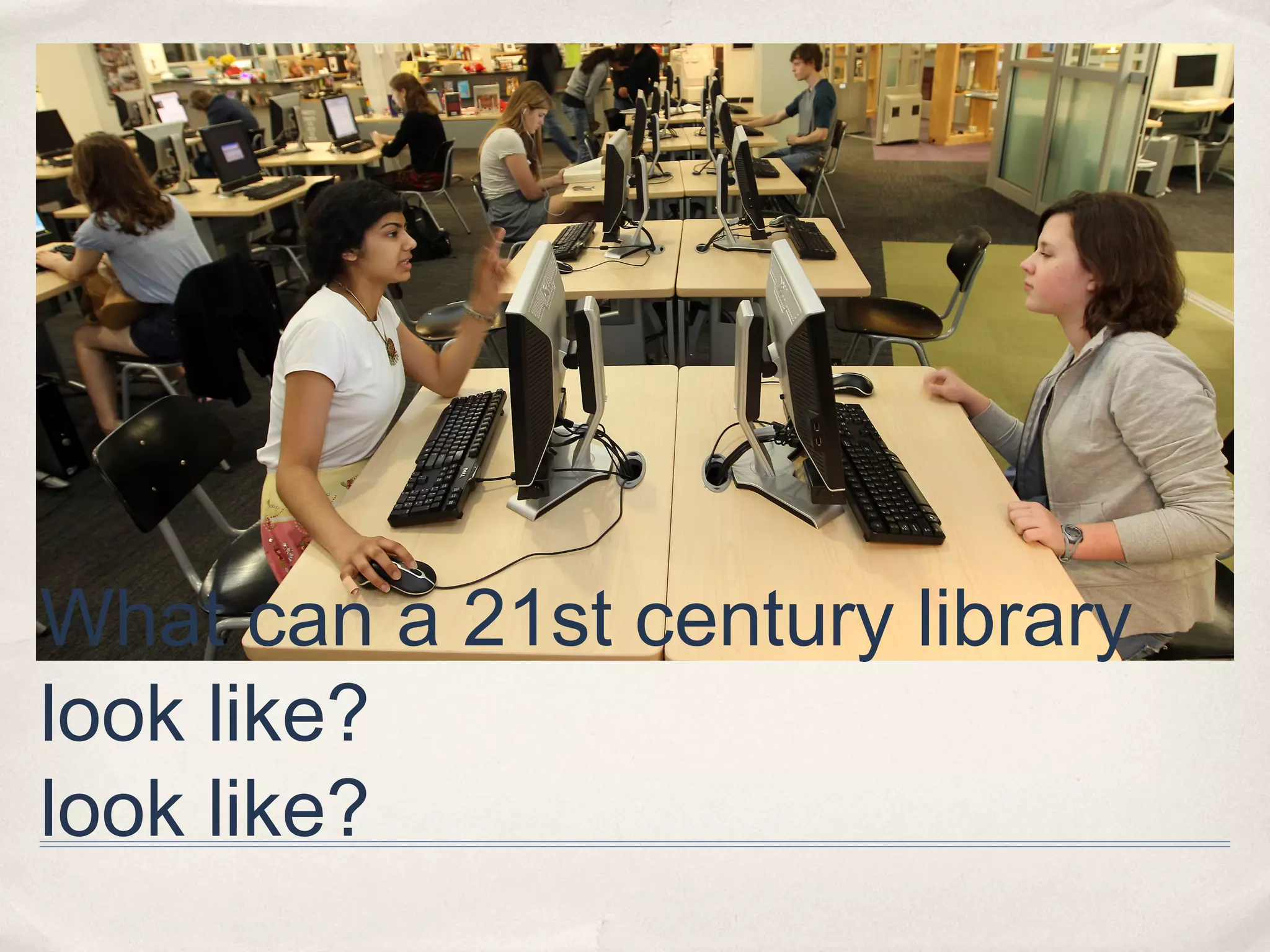
What can a 21st century library
look like?
look like?
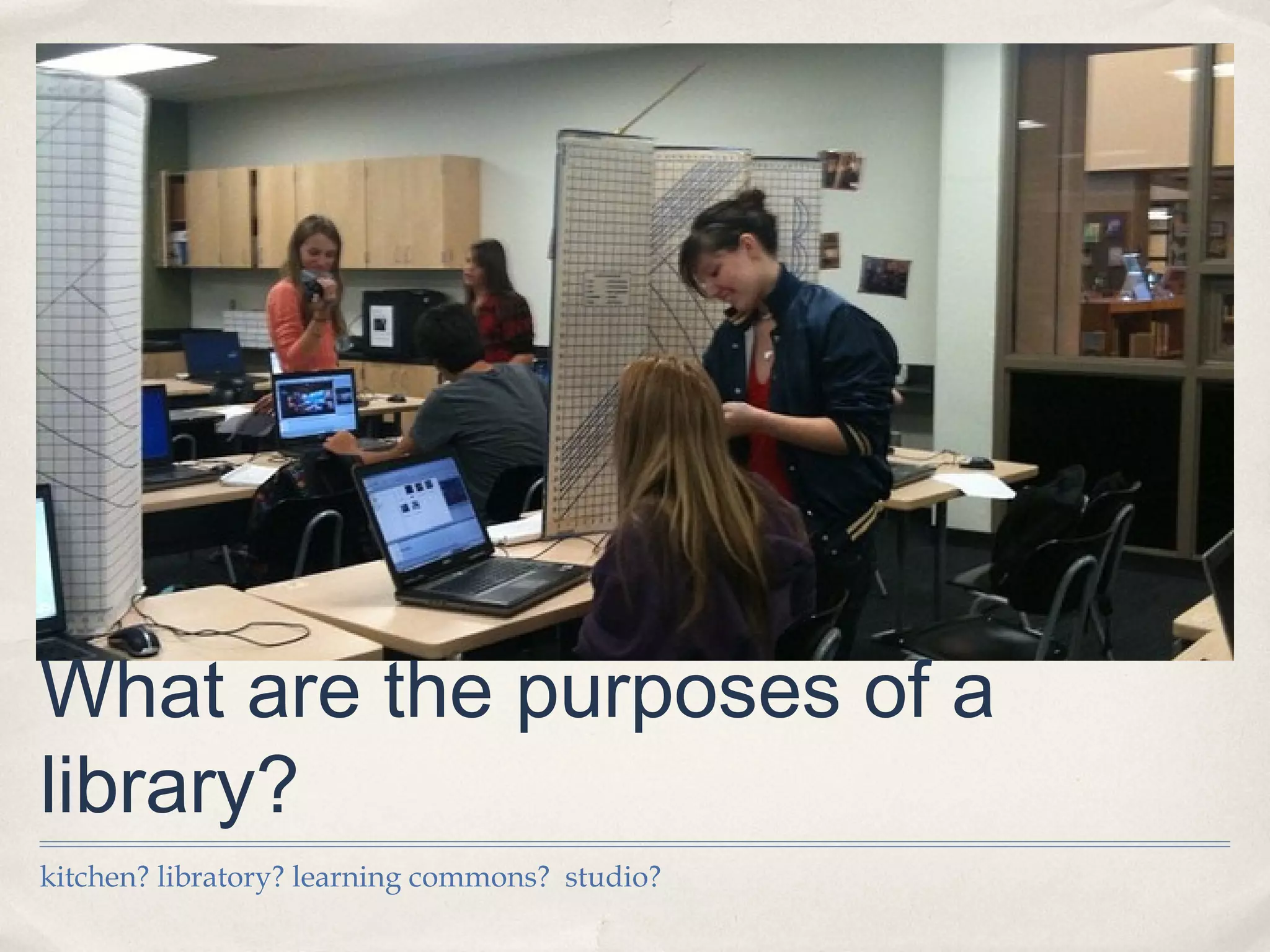
What are the purposes of a
library?
kitchen? libratory? learning commons? studio?
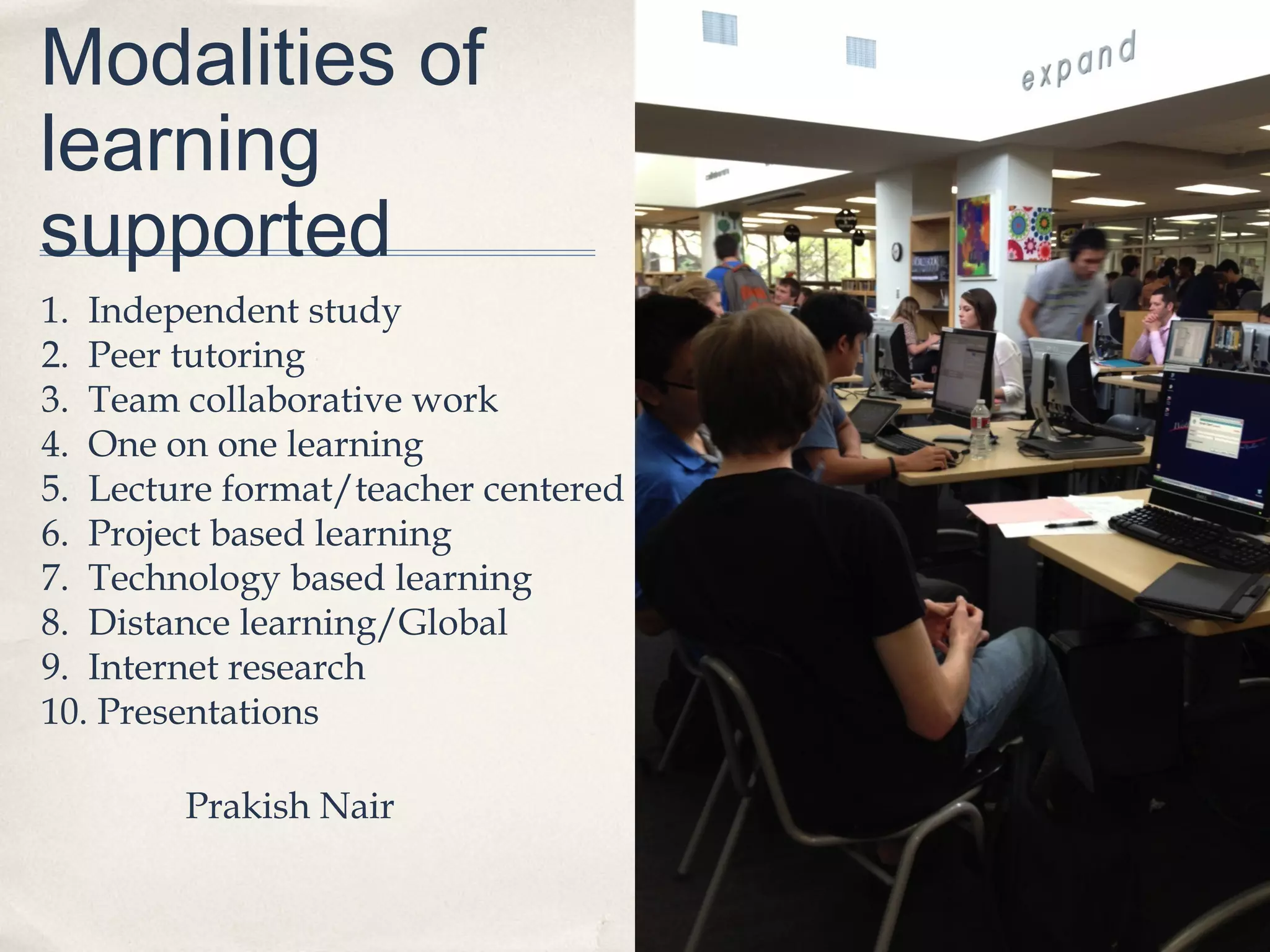
Modalities of
learning
supported
1. Independent study
2. Peer tutoring
3. Team collaborative work
4. One on one learning
5. Lecture format/teacher centered
6. Project based learning
7. Technology based learning
8. Distance learning/Global
9. Internet research
10. Presentations

        Prakish Nair
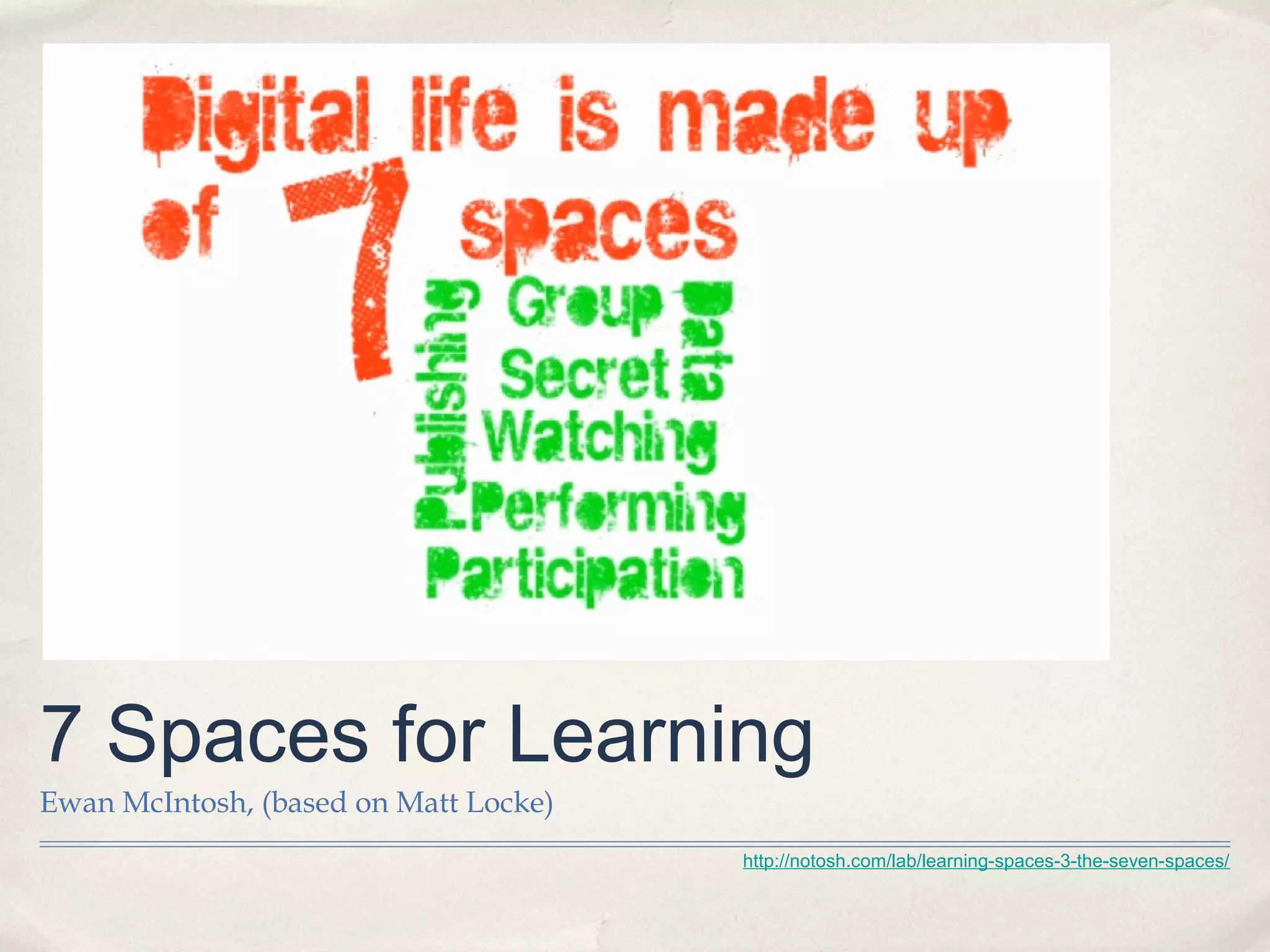
7 Spaces for Learning
Ewan McIntosh, (based on Matt Locke)
                                       http://notosh.com/lab/learning-spaces-3-the-seven-spaces/
Learning                             “If they build it, they will use it.”

Commons
                                                       David Loertscher


✤   Student, Teacher and Librarian
    designed

✤   Learning studio with
    technology, books, librarians,
    technologists and other
    learning specialists

✤   Areas for individual or group
    work or classroom work
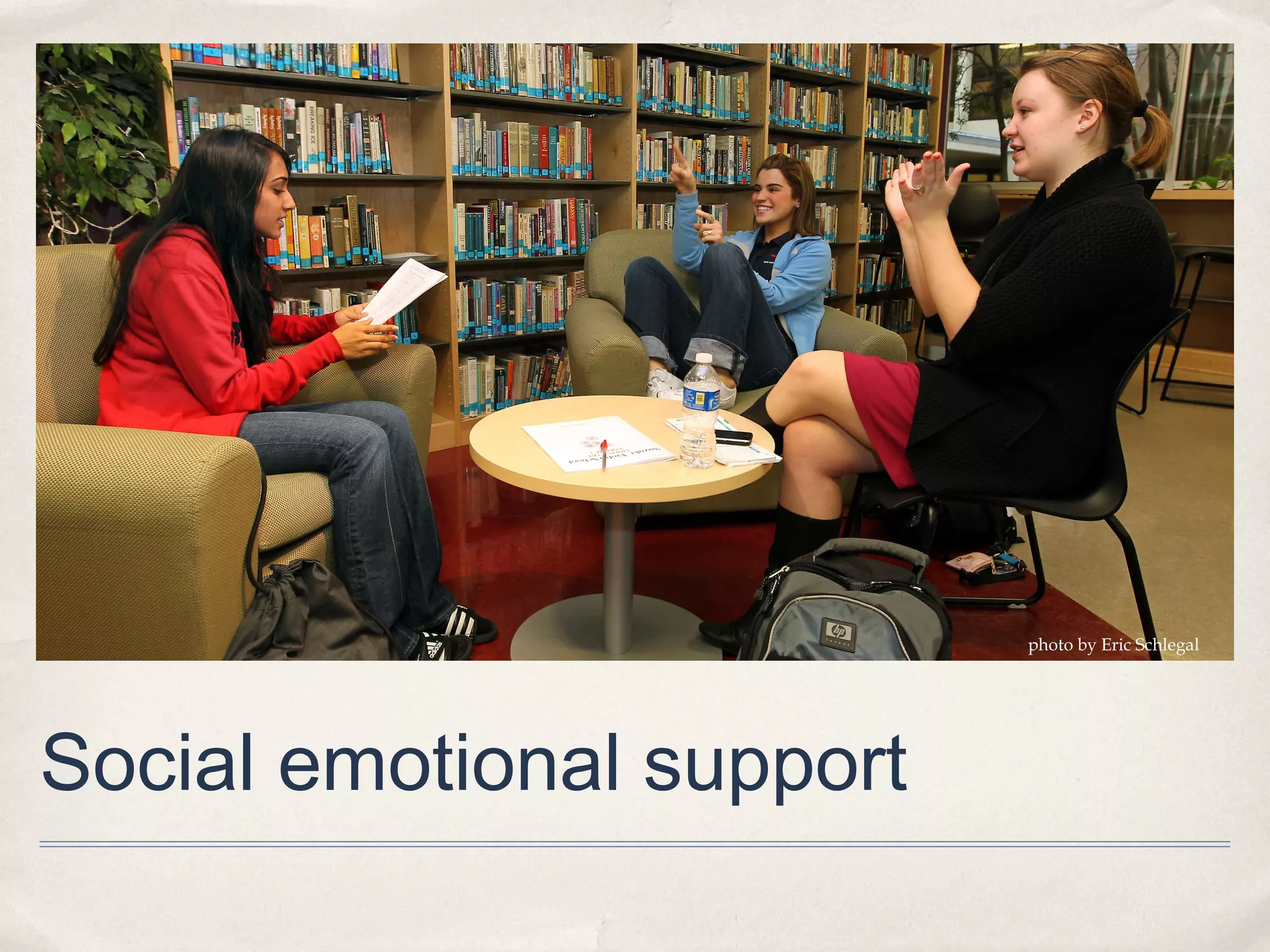
photo by Eric Schlegal


Social emotional support
“School librariesfillednot justof
                  are with books;
bunch of a national network
          rooms                 a
they are for future economic
incubators
potential.” 
                                        Jeff Norton
            http://www.theliteraryplatform.com/2012/10/why-school-libraries-matter-hint-its-not-just-about-the-b
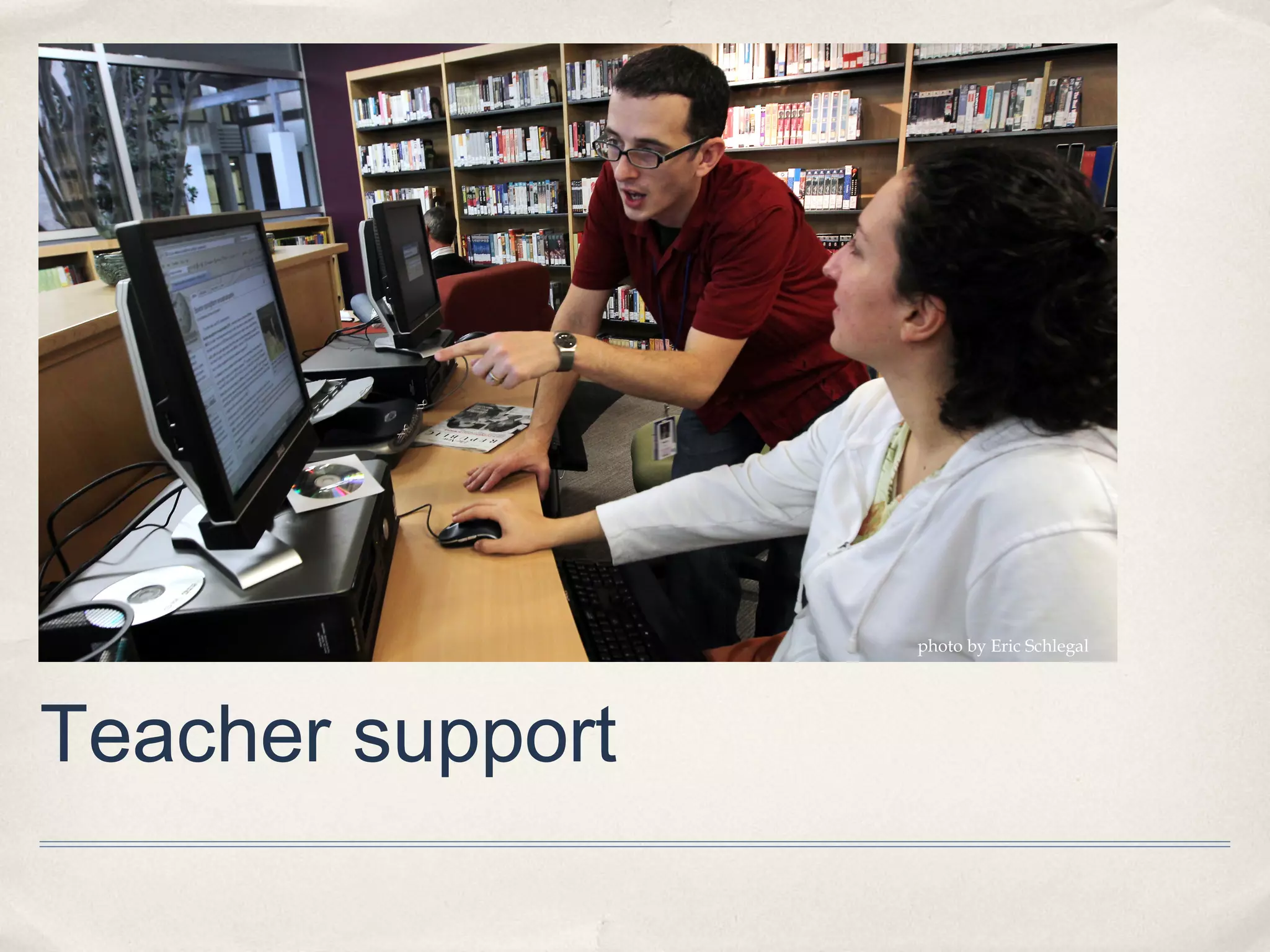
photo by Eric Schlegal


Teacher support
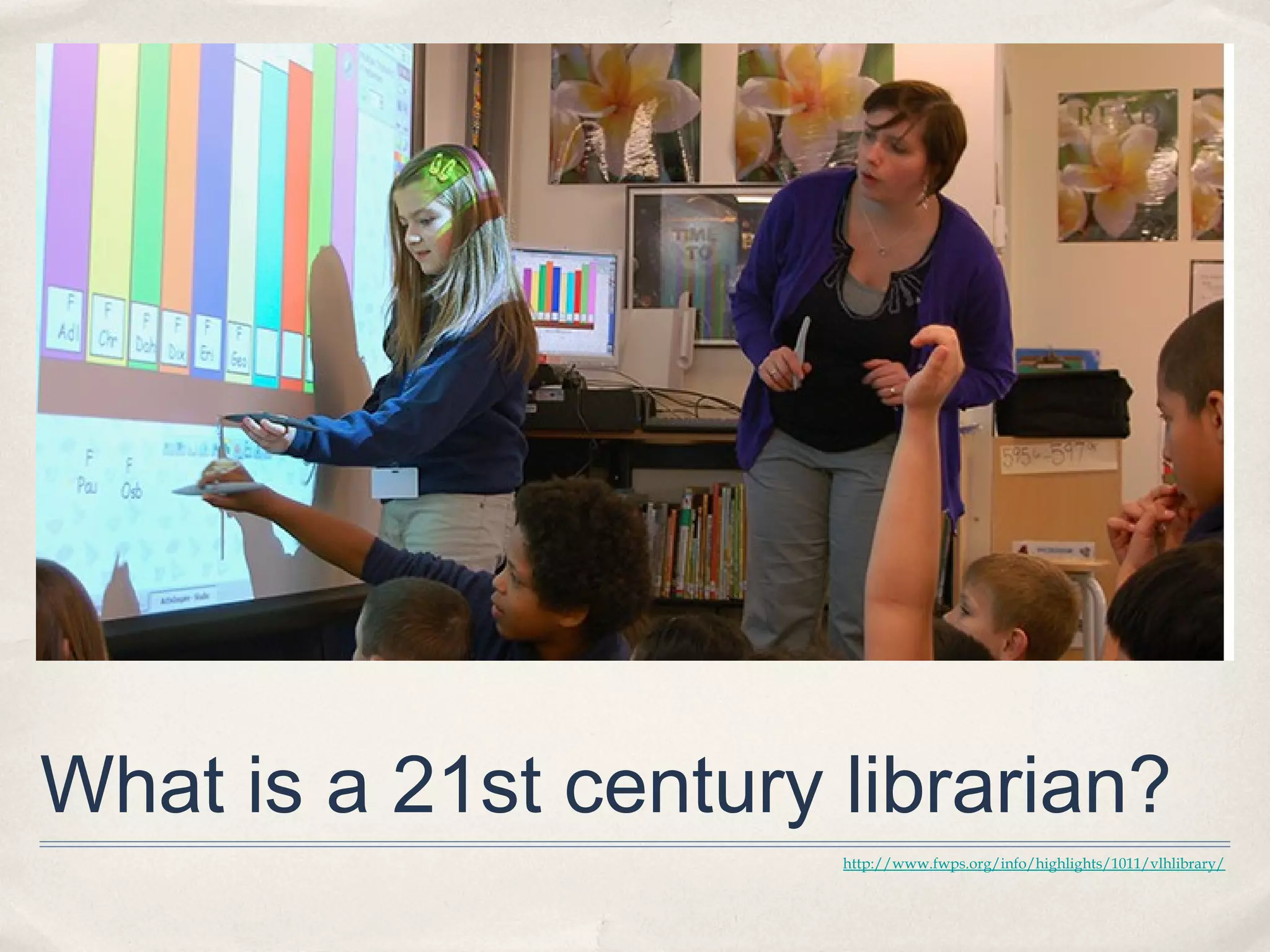
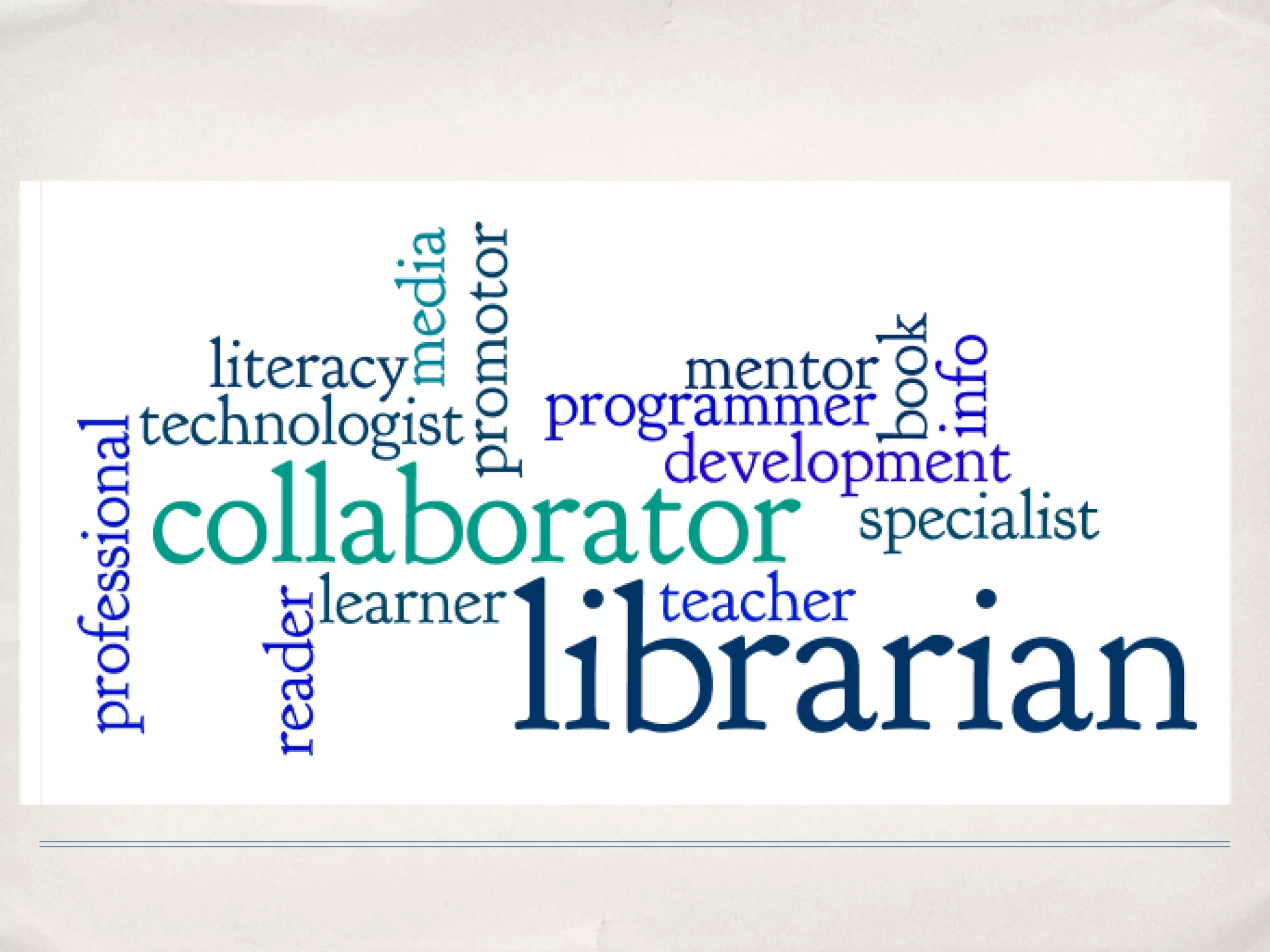
What is a 21st century librarian?
                       http://www.fwps.org/info/highlights/1011/vlhlibrary/
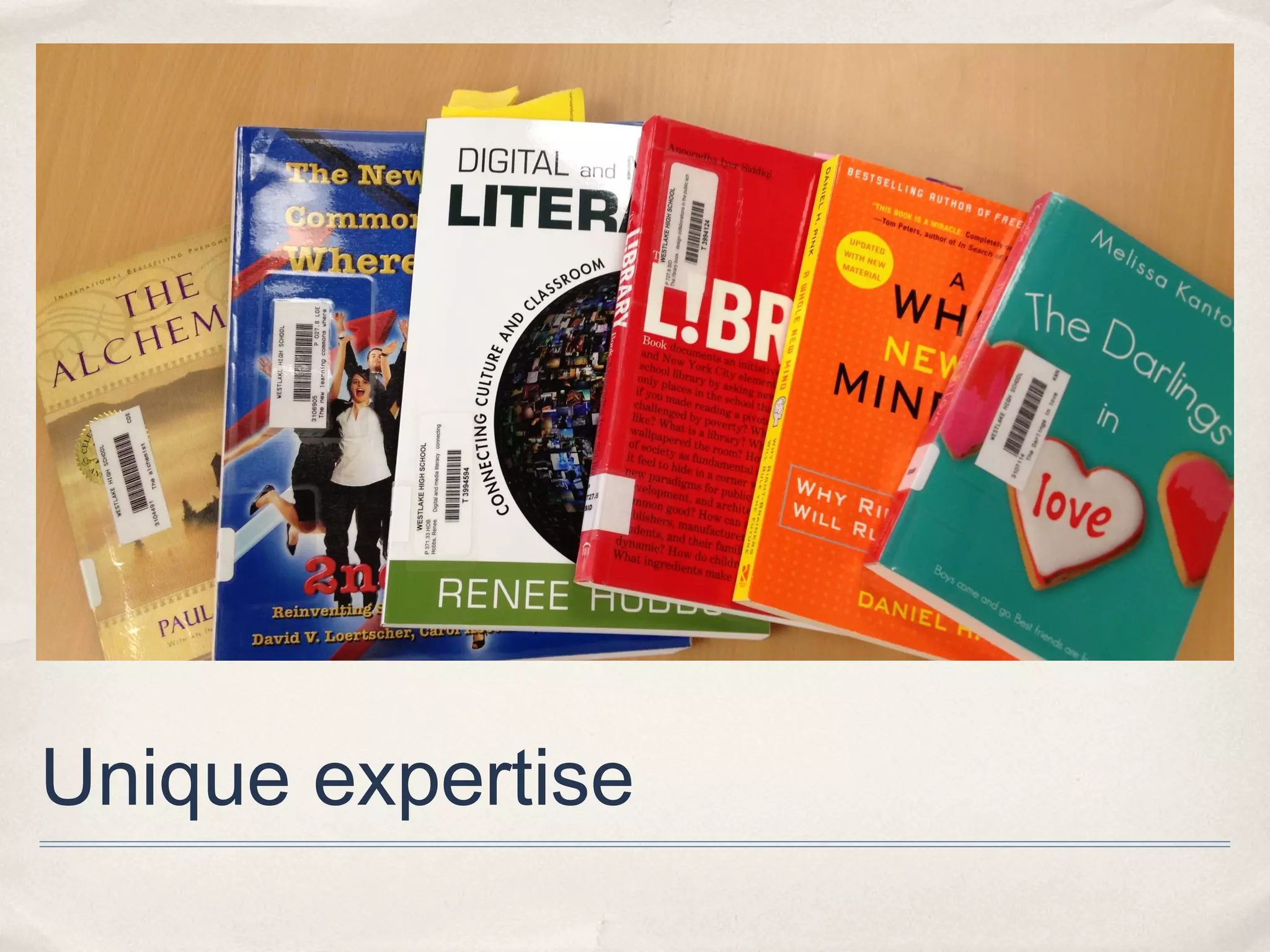
Unique expertise
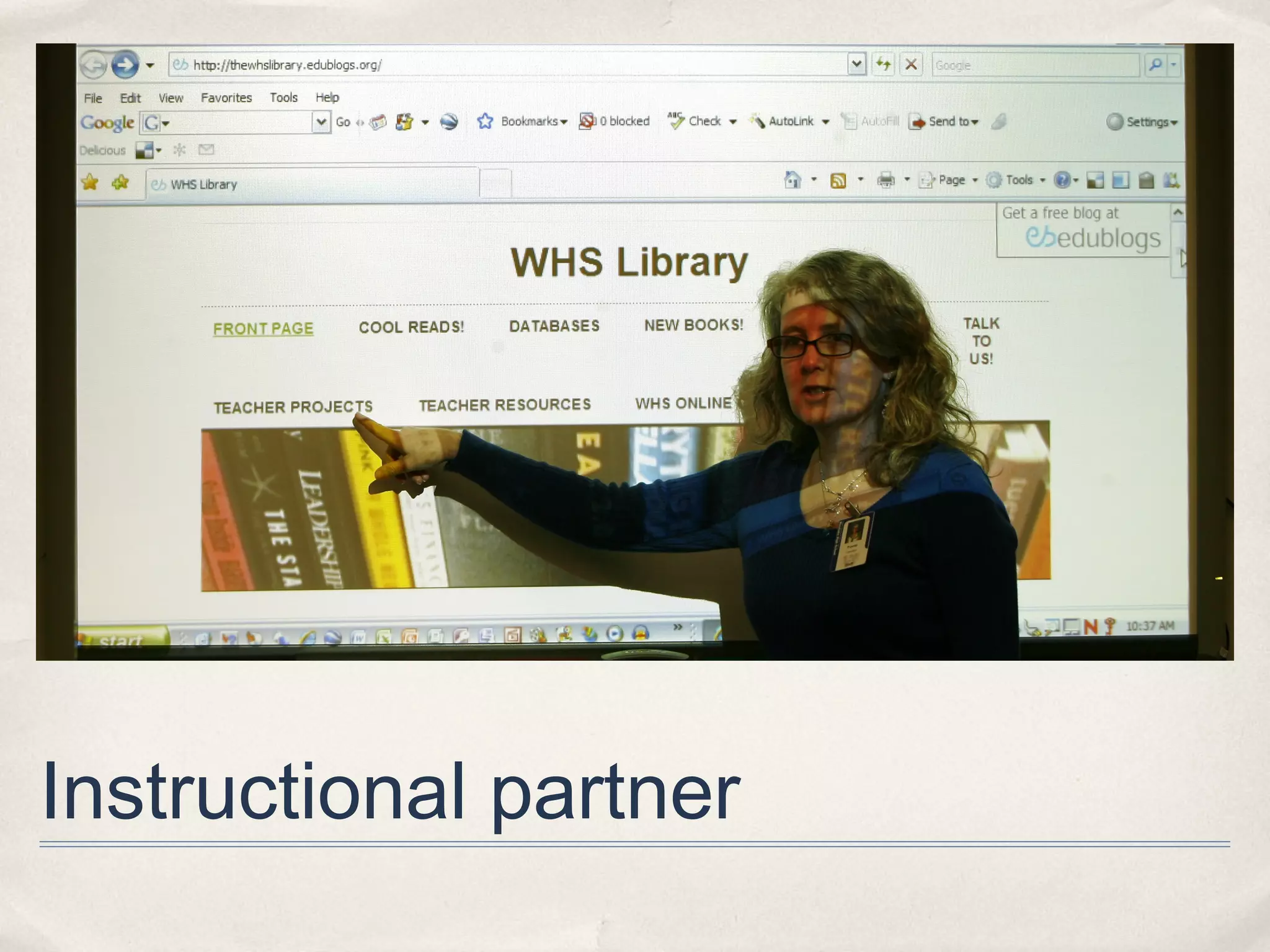
Instructional partner
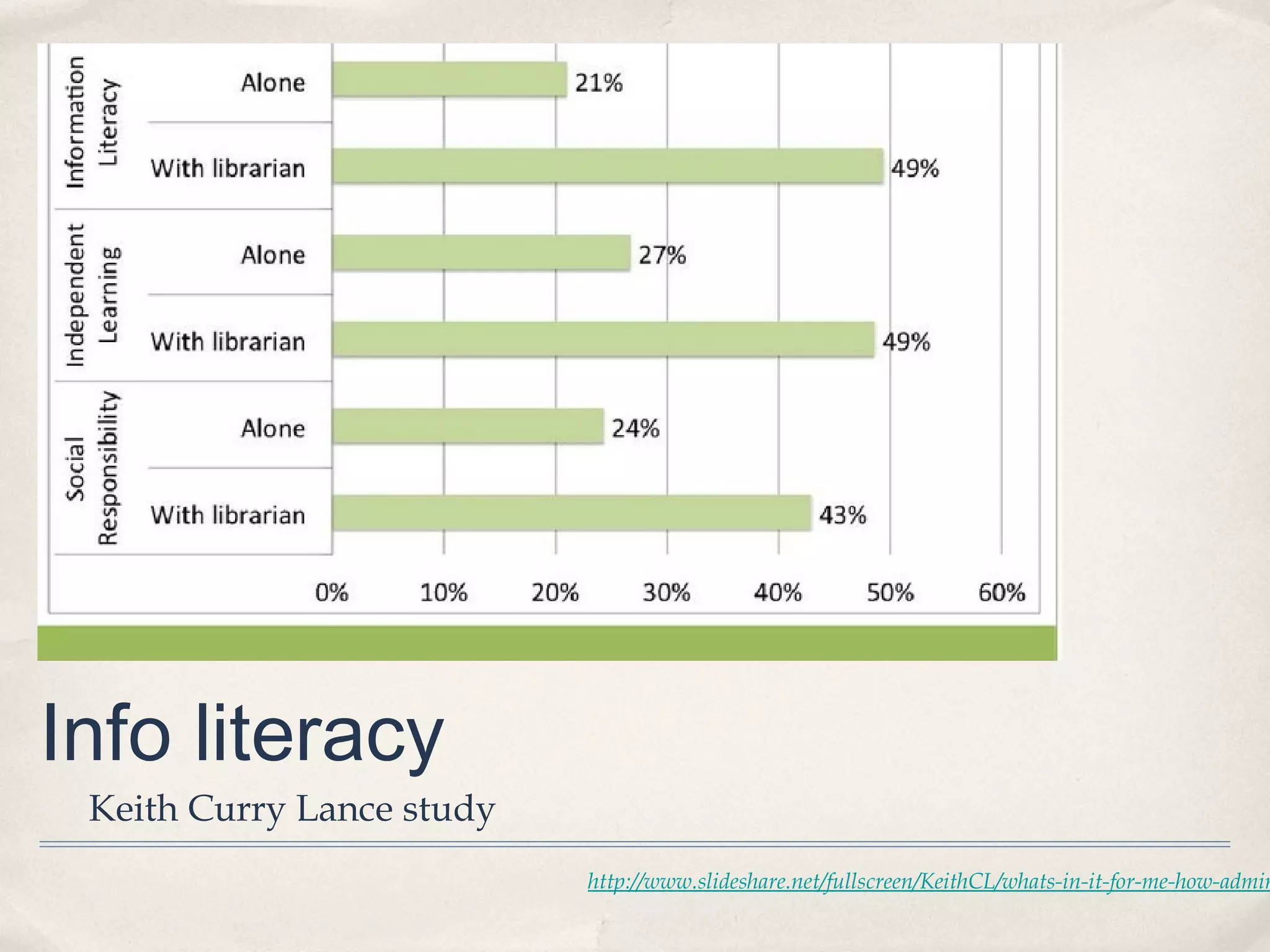
Info literacy
 Keith Curry Lance study
                           http://www.slideshare.net/fullscreen/KeithCL/whats-in-it-for-me-how-admin
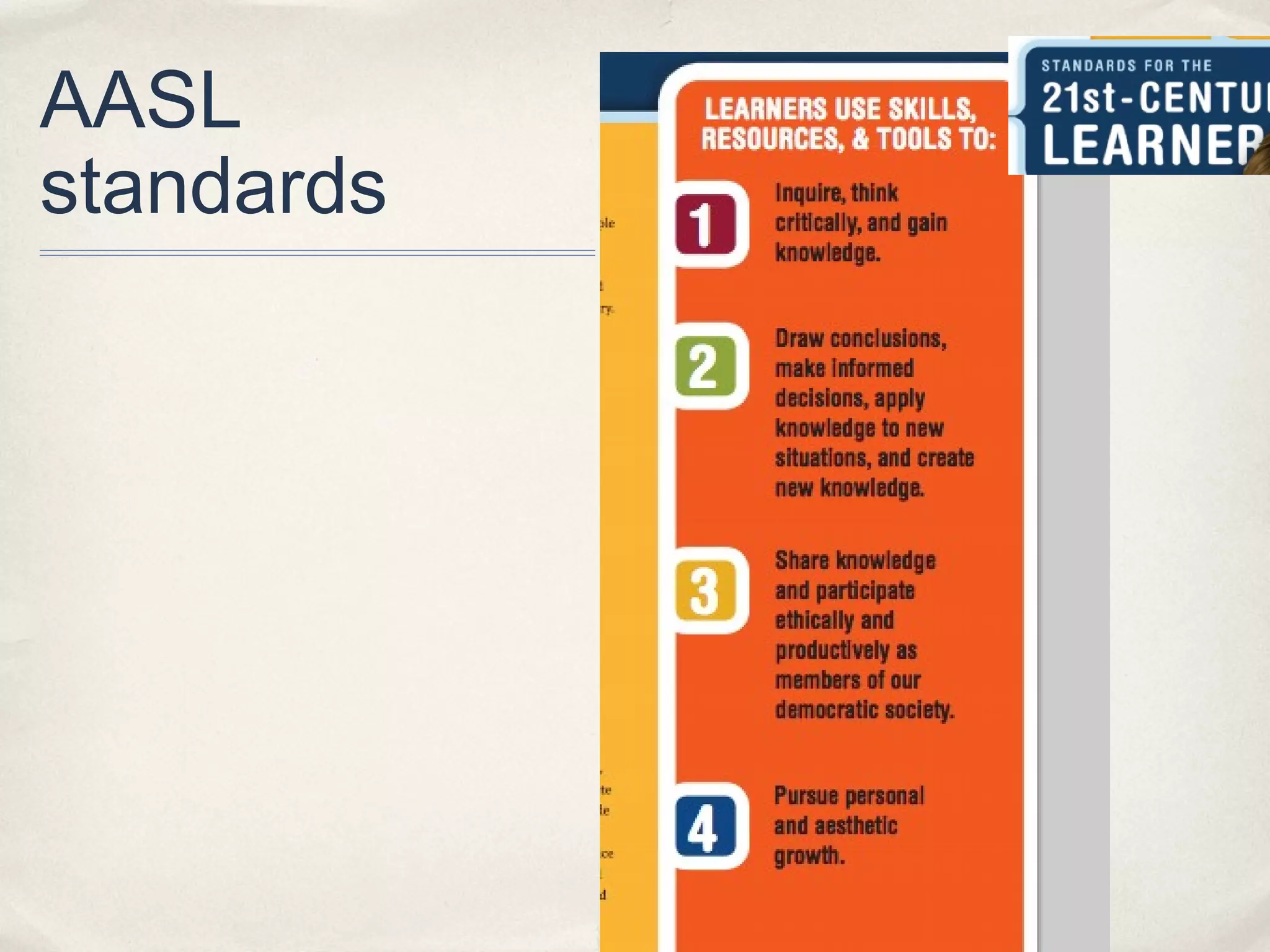
AASL
standards
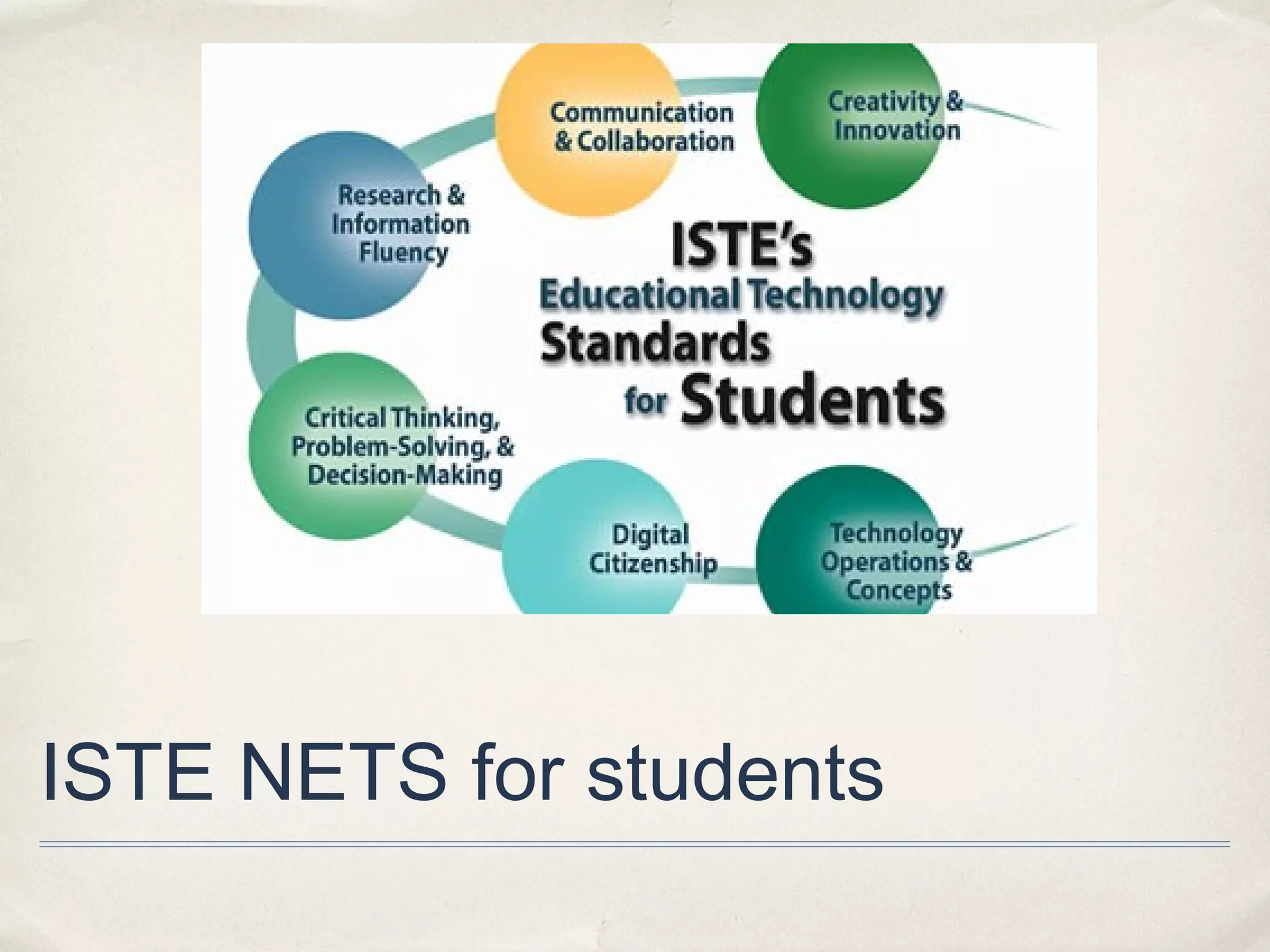
ISTE NETS for students
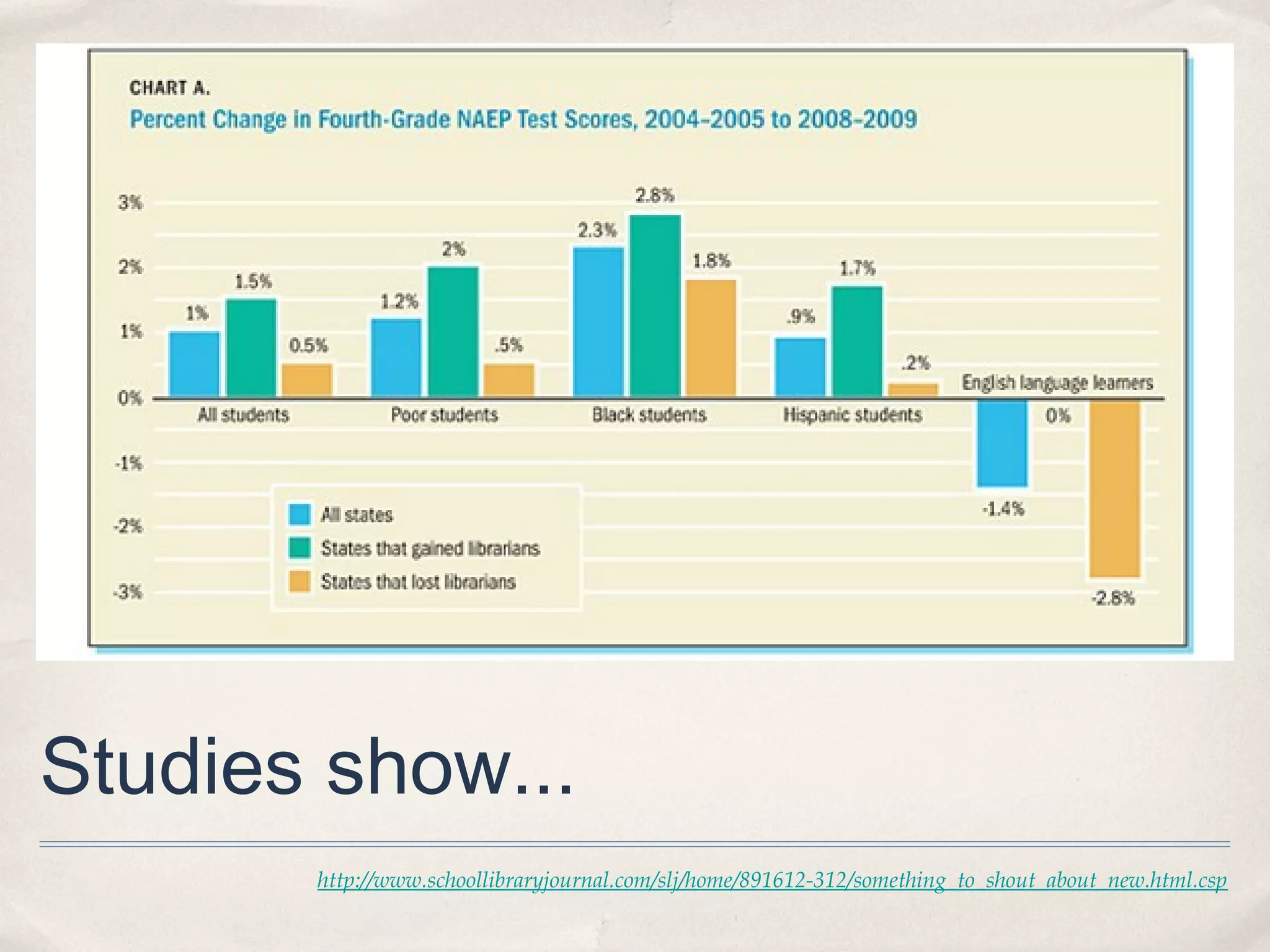
Studies show...
       http://www.schoollibraryjournal.com/slj/home/891612-312/something_to_shout_about_new.html.csp
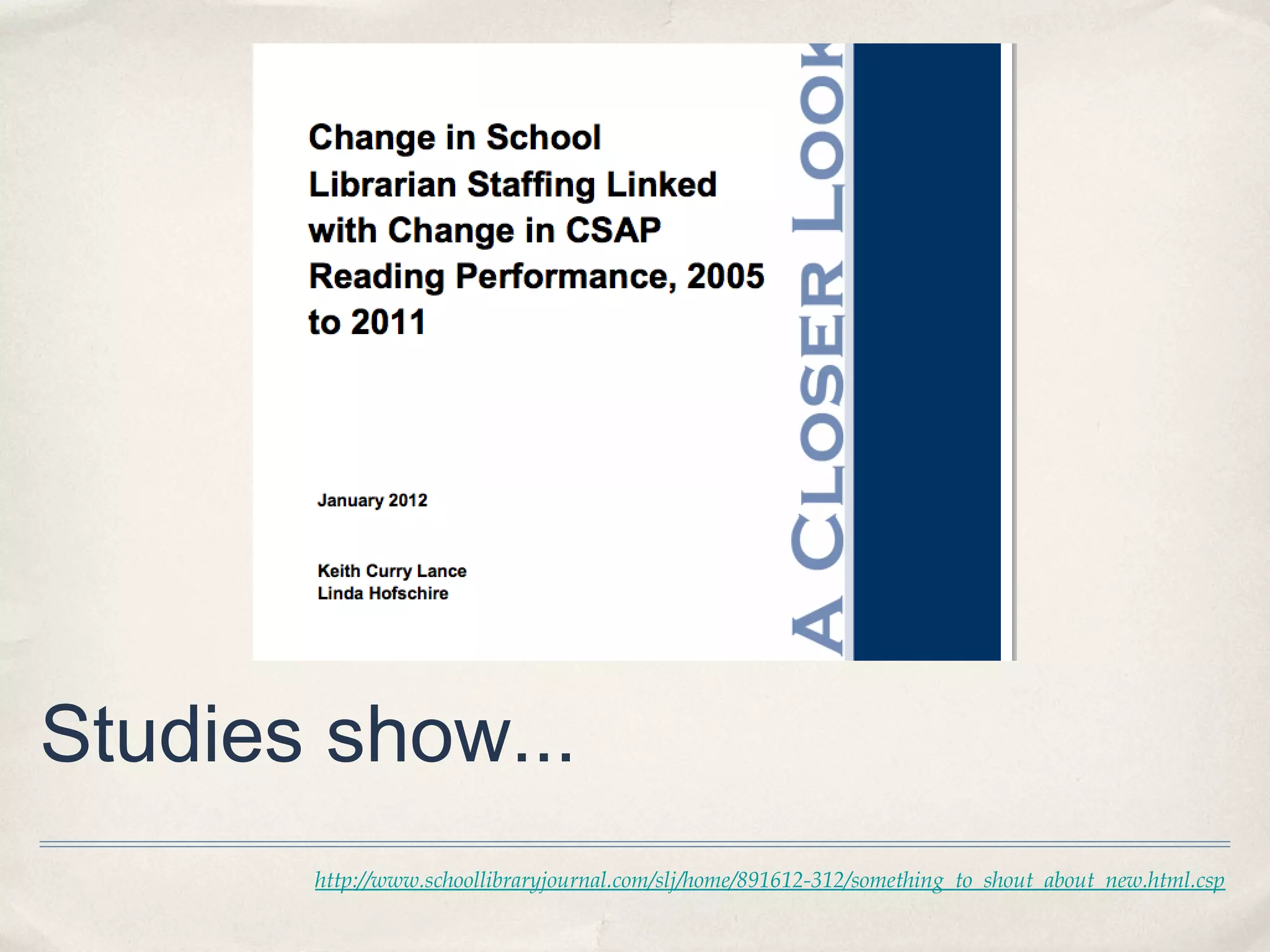
Studies show...
       http://www.schoollibraryjournal.com/slj/home/891612-312/something_to_shout_about_new.html.csp
What do our students tell us?
QuickTime™ and a
      H.264 decompressor
are needed to see this picture.
video
        QuickTime™ and a
      H.264 decompressor
are needed to see this picture.
✤   What would ideal library look like?
    “quiet, but not too quiet”

    “. . .where ‘even if you’re by yourself, you don’t feel like you’re by yourself,’ as one
    participant put it.”

    “‘coffeeshop’ feel or ‘living room atmosphere,’ where they could mingle with other
    people if they wanted to, but can do their own thing if not.”


“‘like home room for your community.’”


                                   Rainie and Zickuhr. Pew Internet Project: Library Services in the Digital Age.
                                               http://libraries.pewinternet.org/2013/01/22/Library-services/
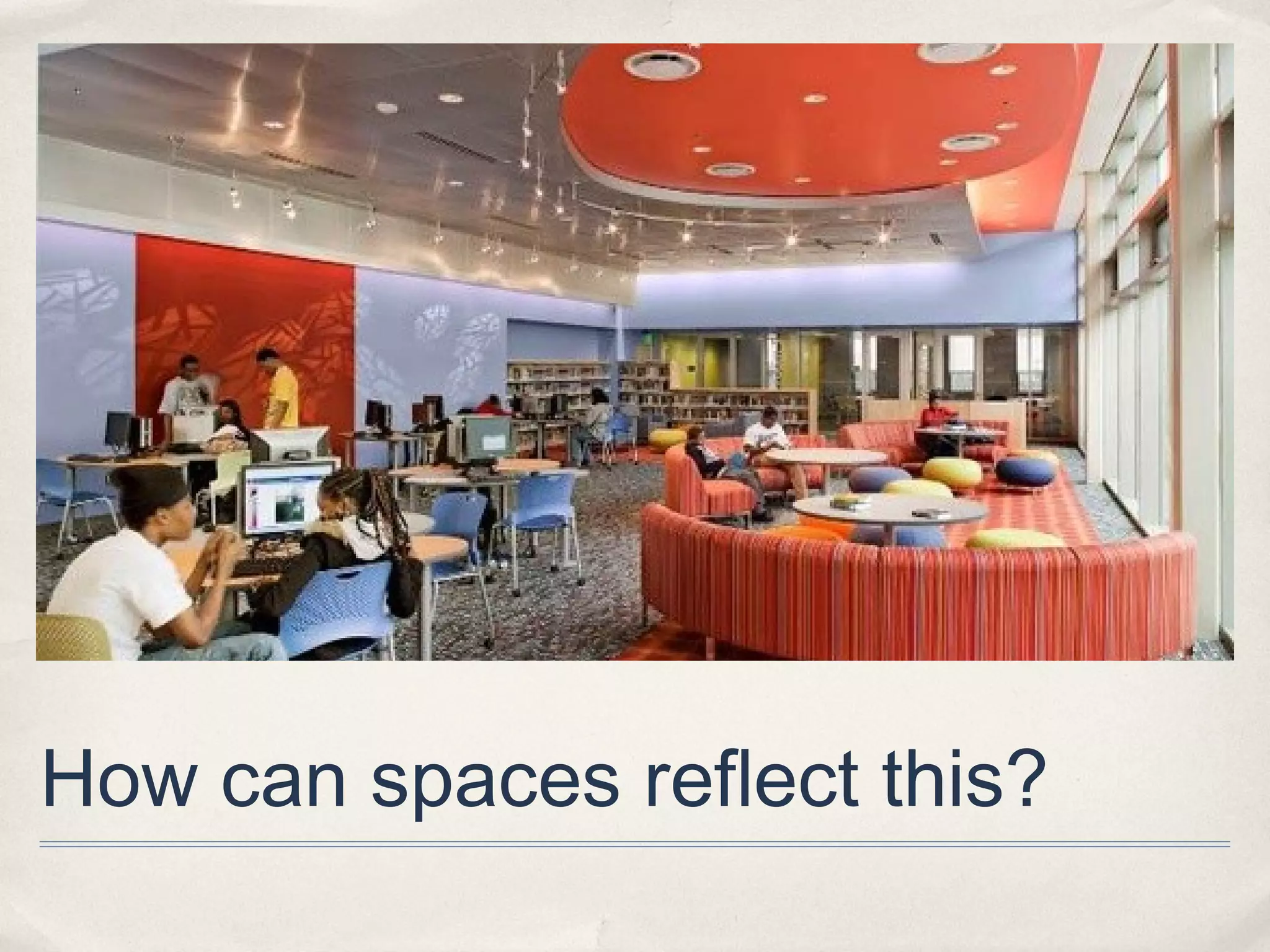
How can spaces reflect this?
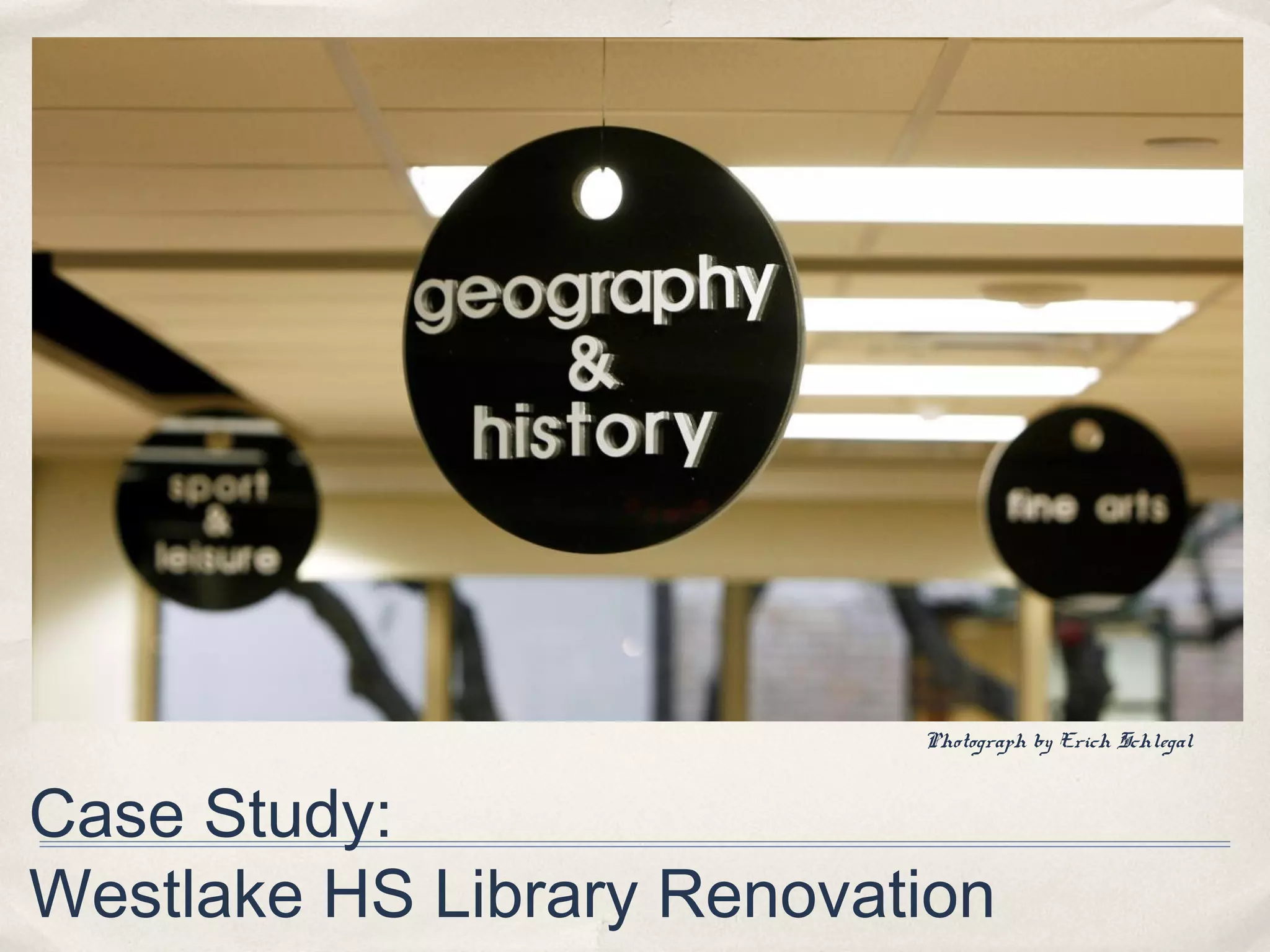
Photograph by Erich Schlegal


Case Study:
Westlake HS Library Renovation
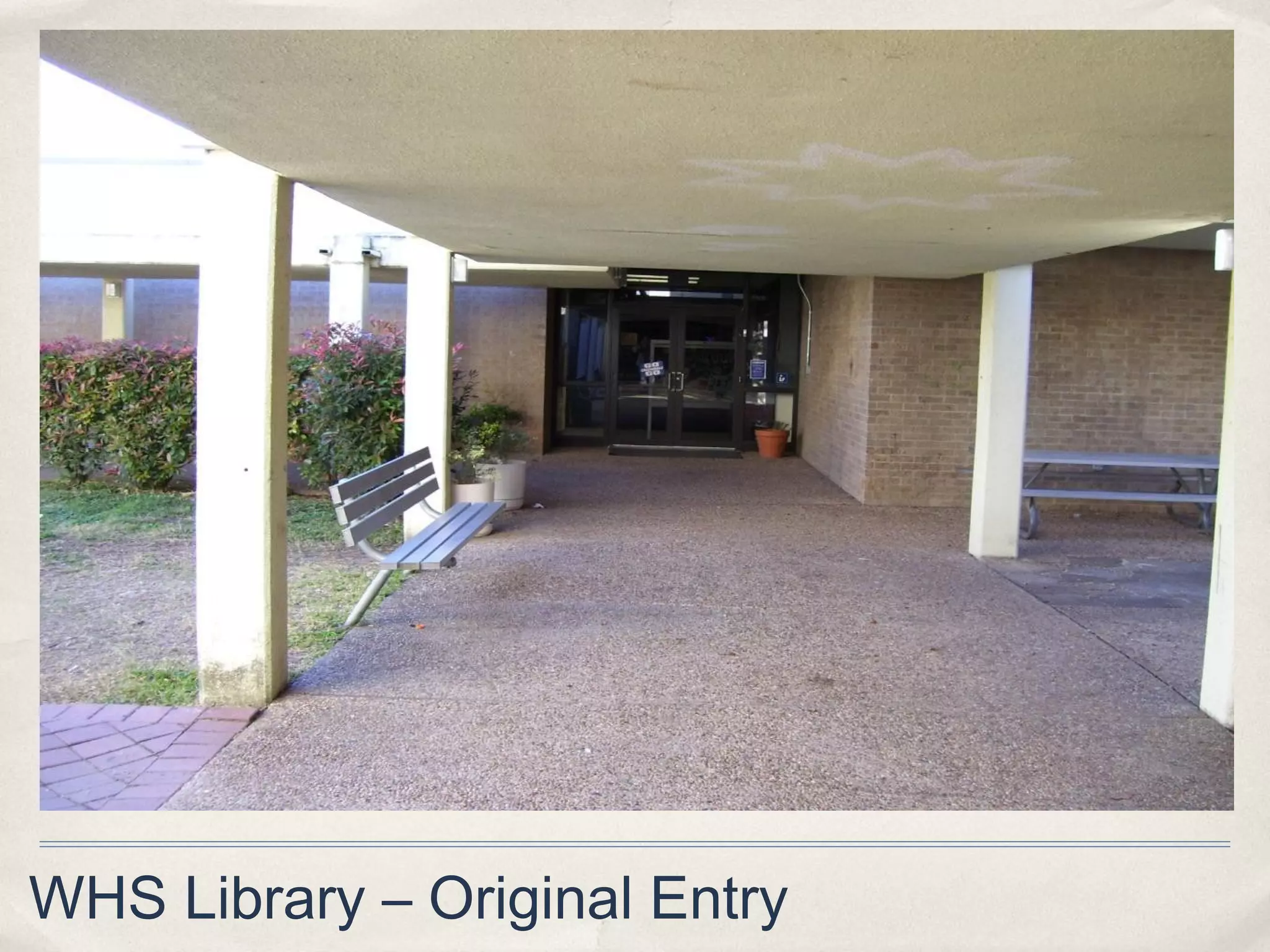
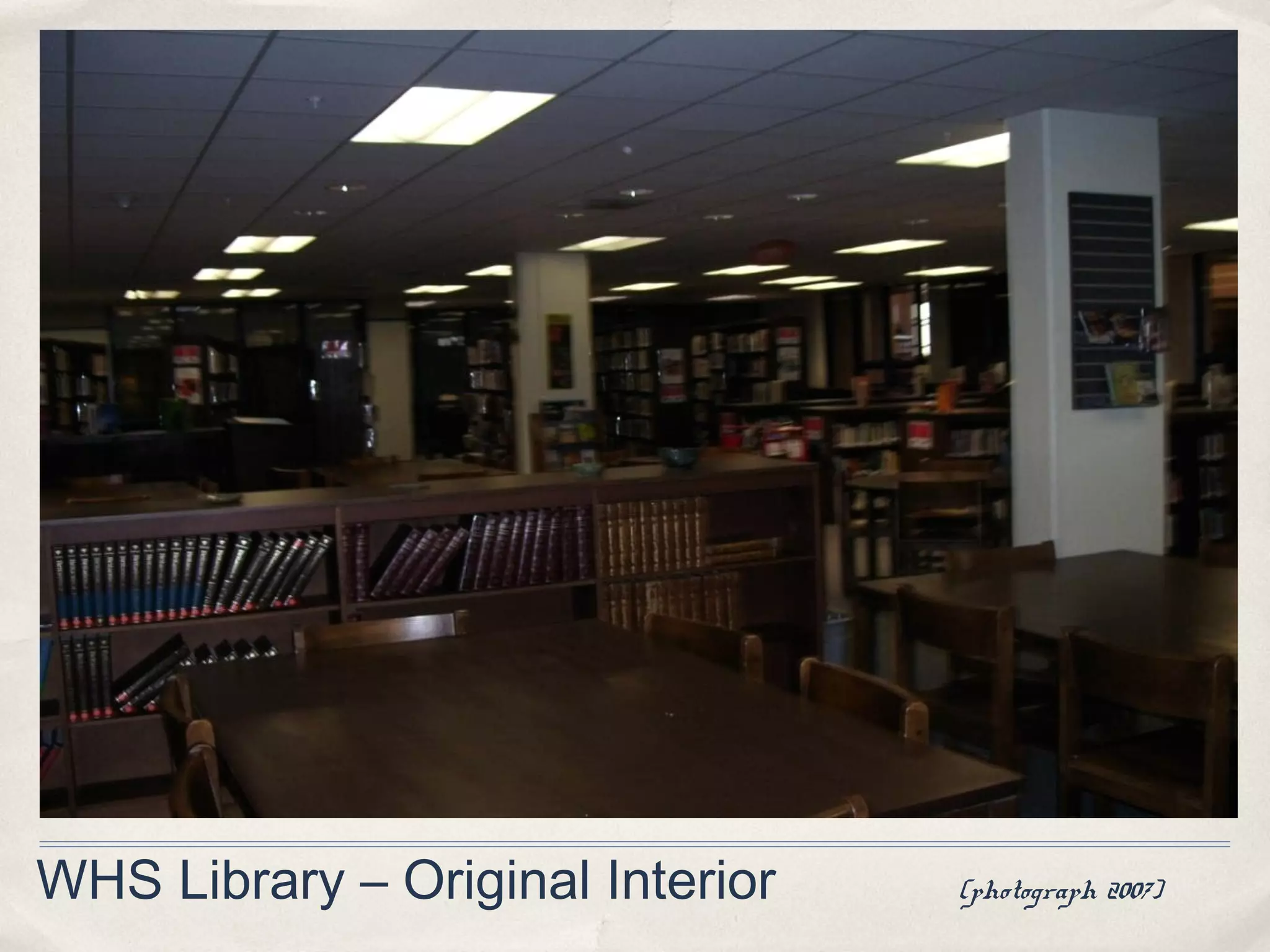
WHS Library – Original Interior   (photograph 2007)
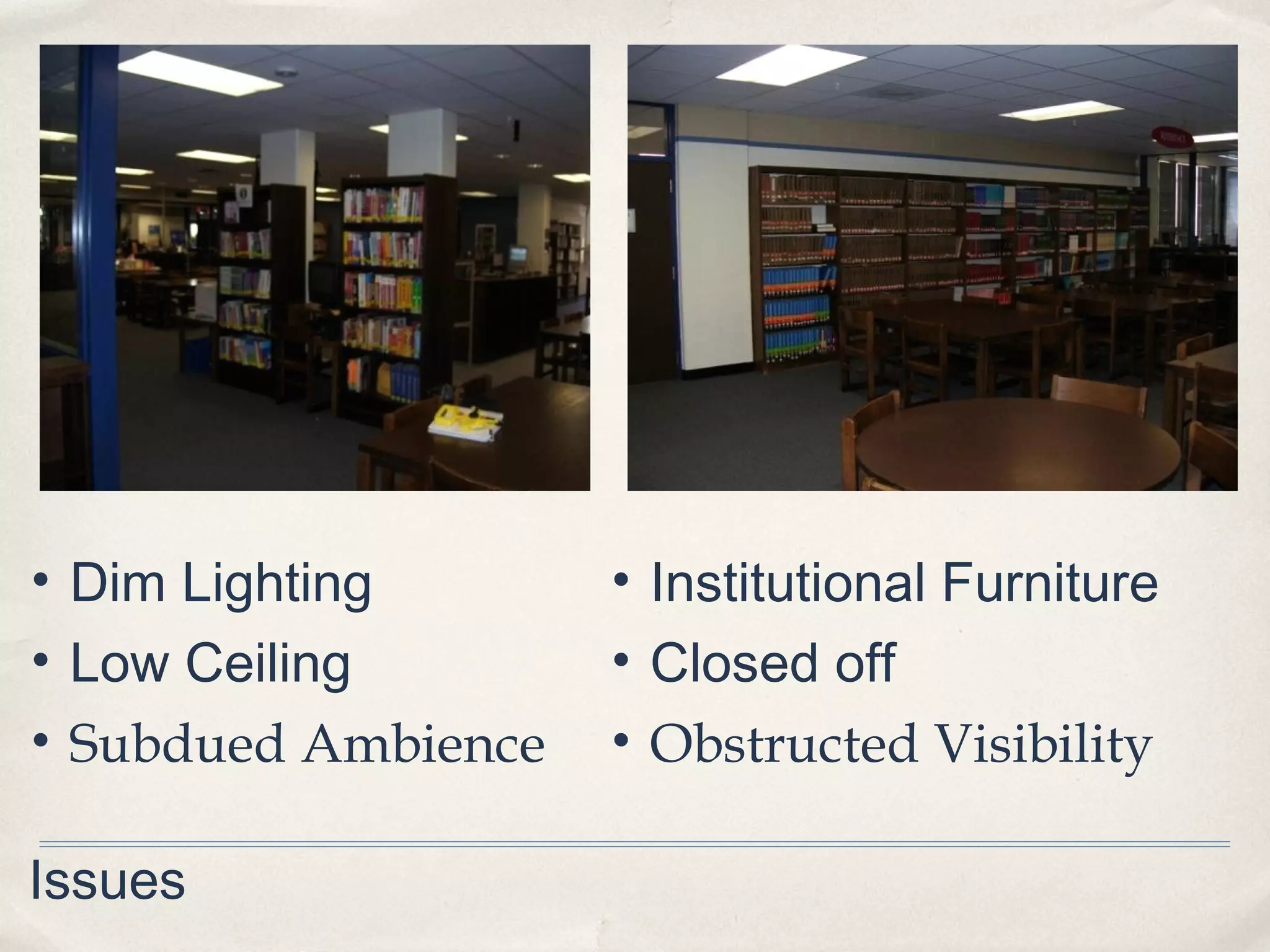
• Dim Lighting       • Institutional Furniture
• Low Ceiling        • Closed off
• Subdued Ambience   • Obstructed Visibility

Issues
WHS Library – Original Entry
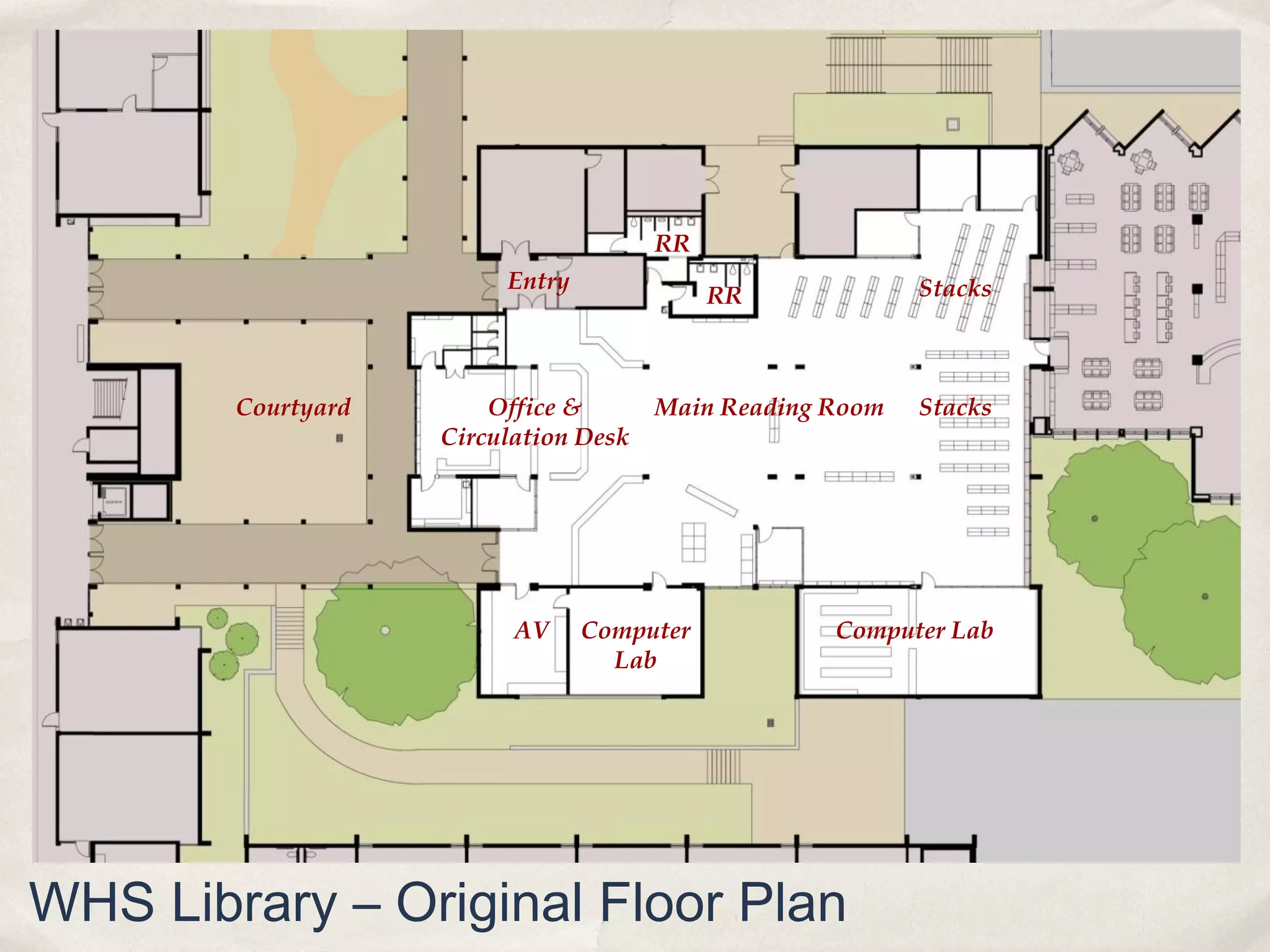
RR
                         Entry                             Stacks
                                            RR


        Courtyard       Office &       Main Reading Room   Stacks
                    Circulation Desk


                          AV     Computer           Computer Lab
                                   Lab


WHS Library – Original Floor Plan
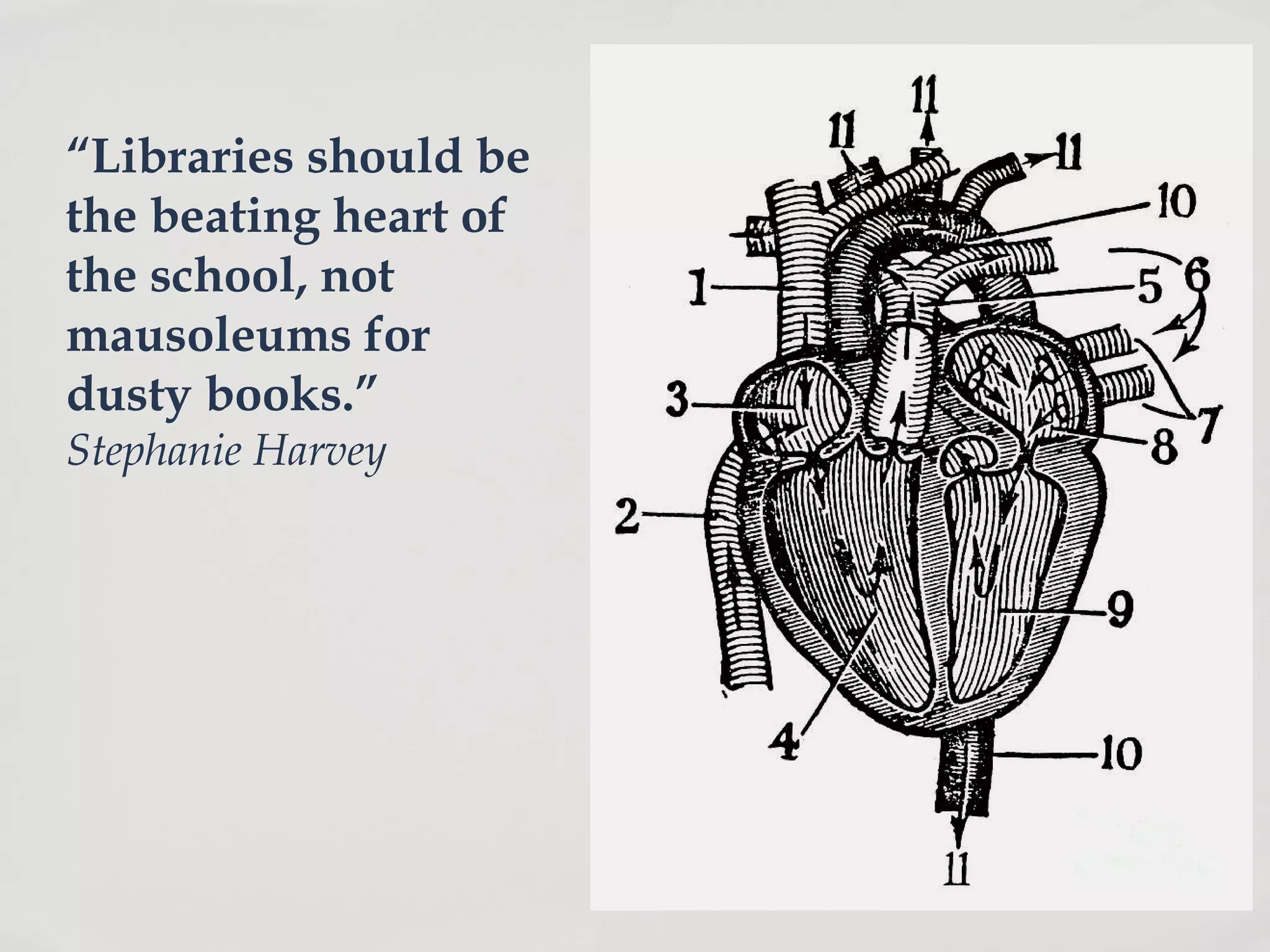
“Libraries should be
the beating heart of
the school, not
mausoleums for
dusty books.”
Stephanie Harvey
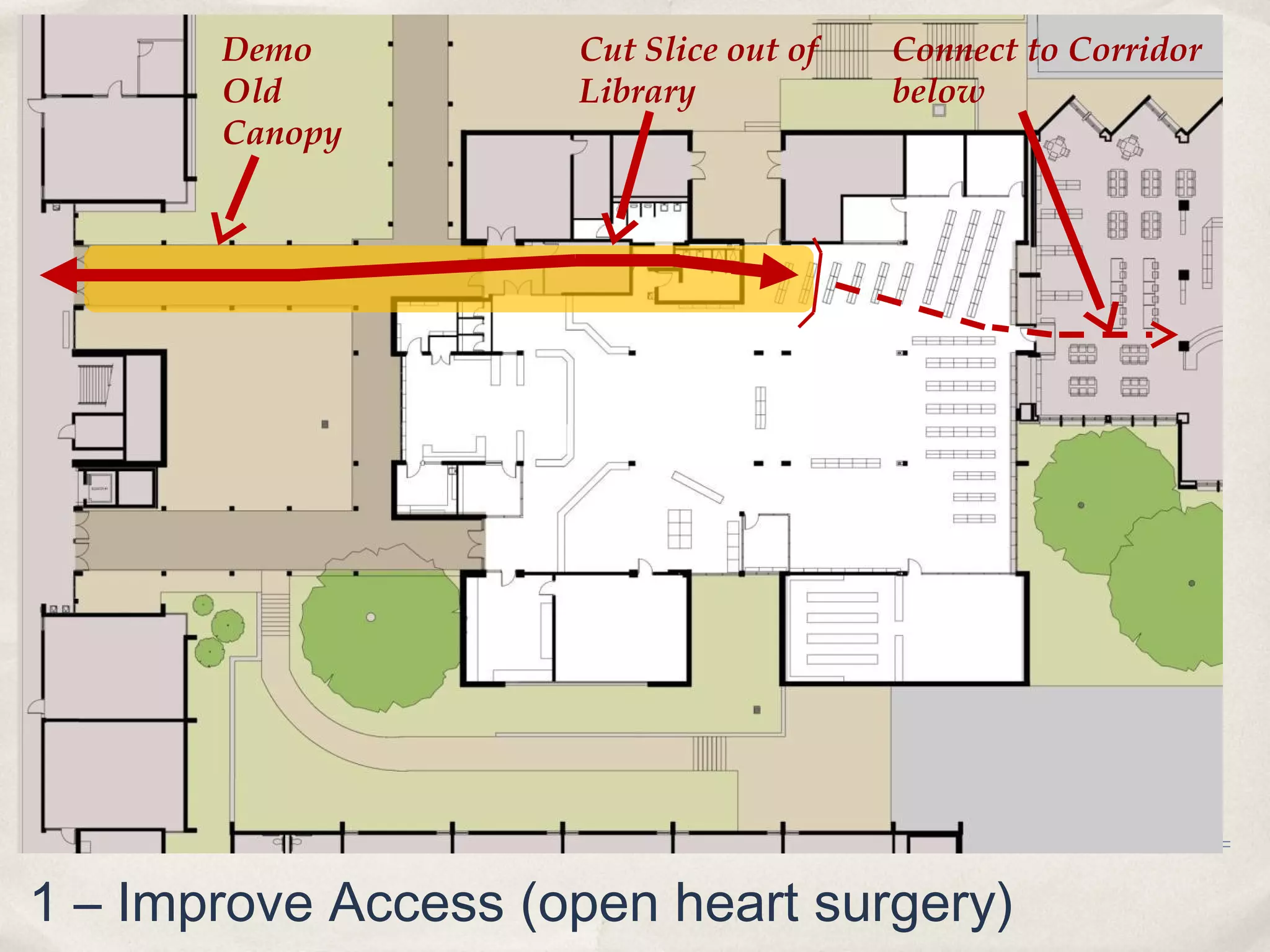
Demo          Cut Slice out of   Connect to Corridor
       Old           Library            below
       Canopy


1 – Improve Access (open heart surgery)
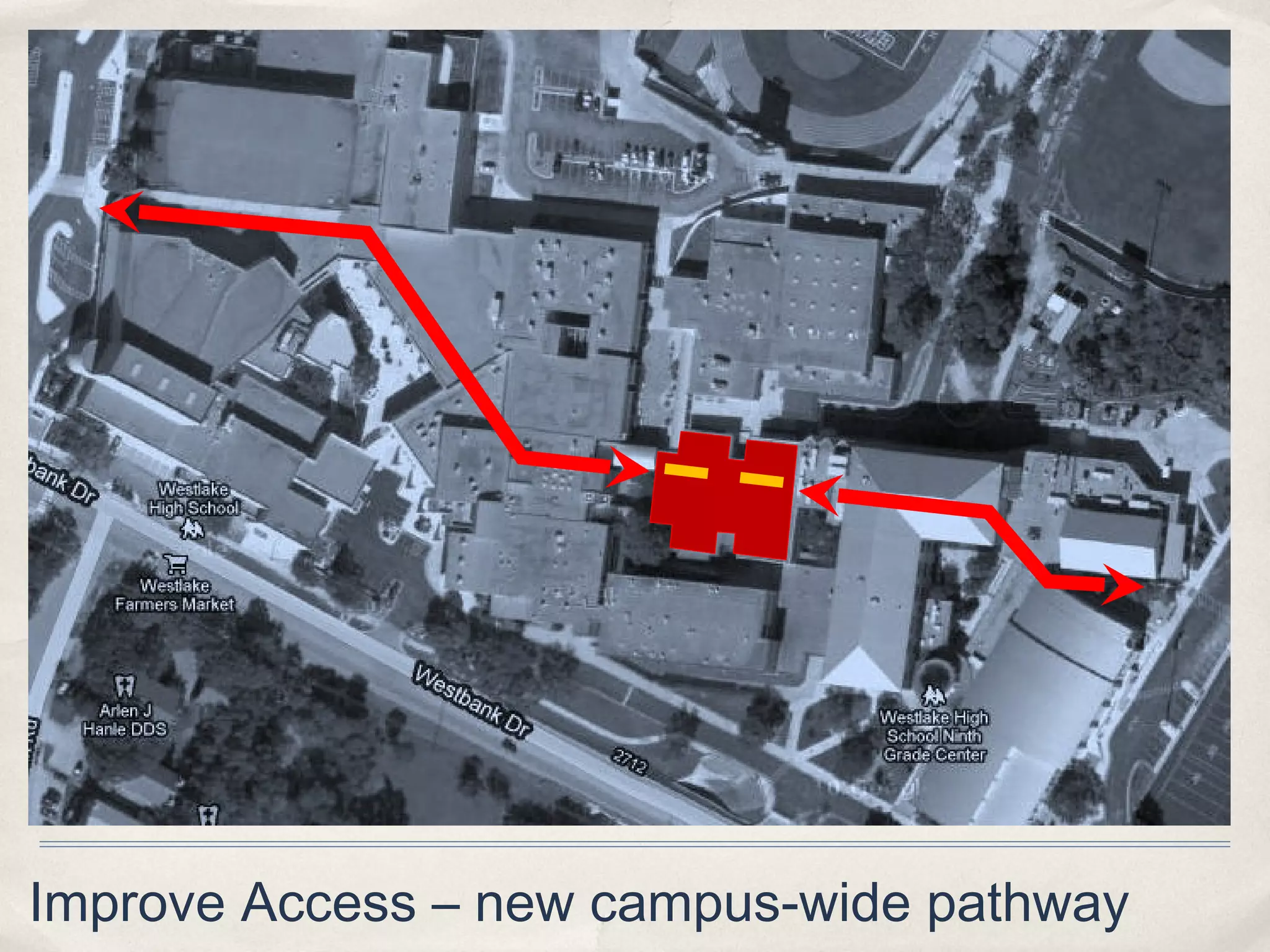
Improve Access – new campus-wide pathway
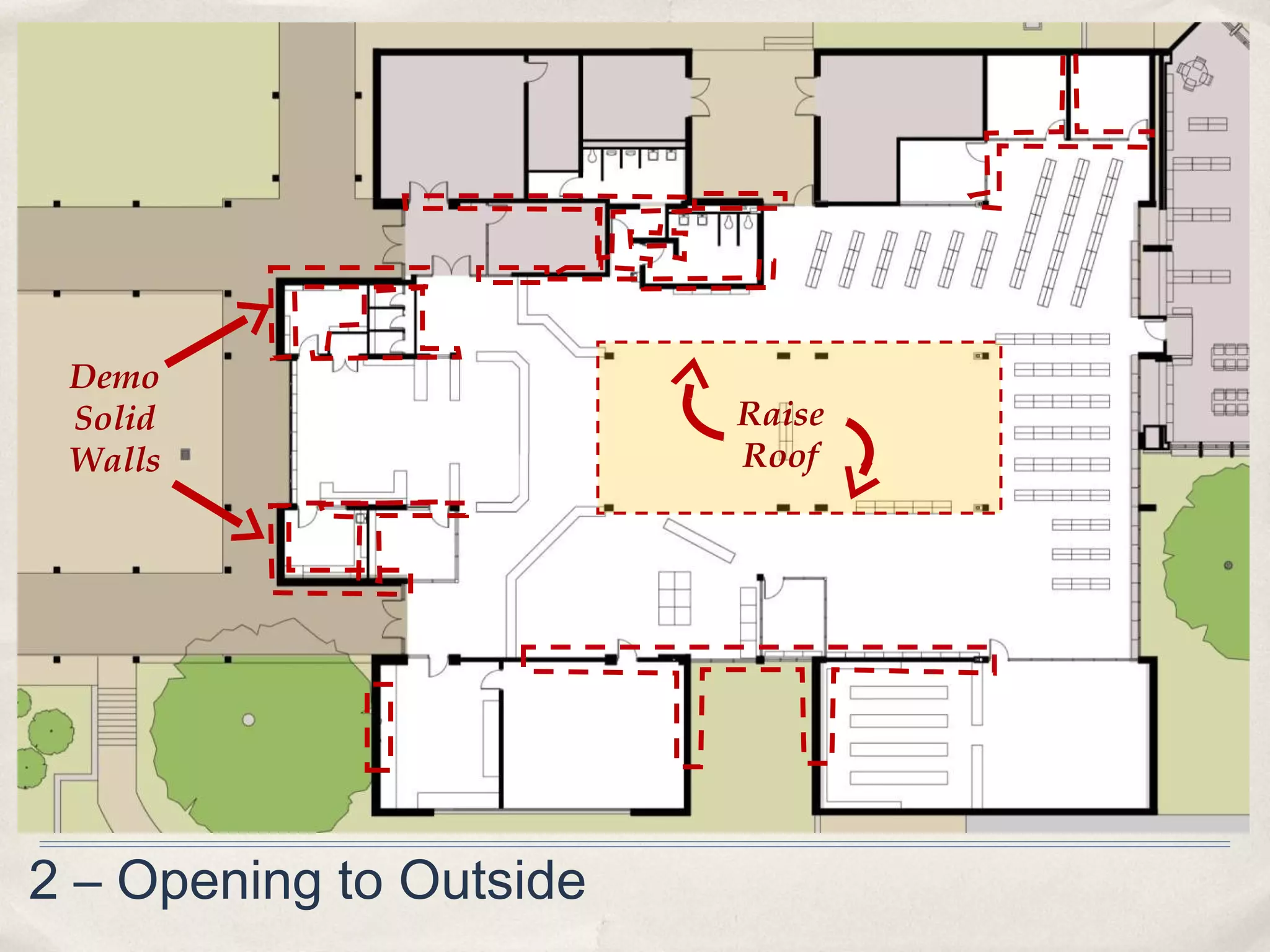
Demo
 Solid                   Raise
 Walls                   Roof


2 – Opening to Outside
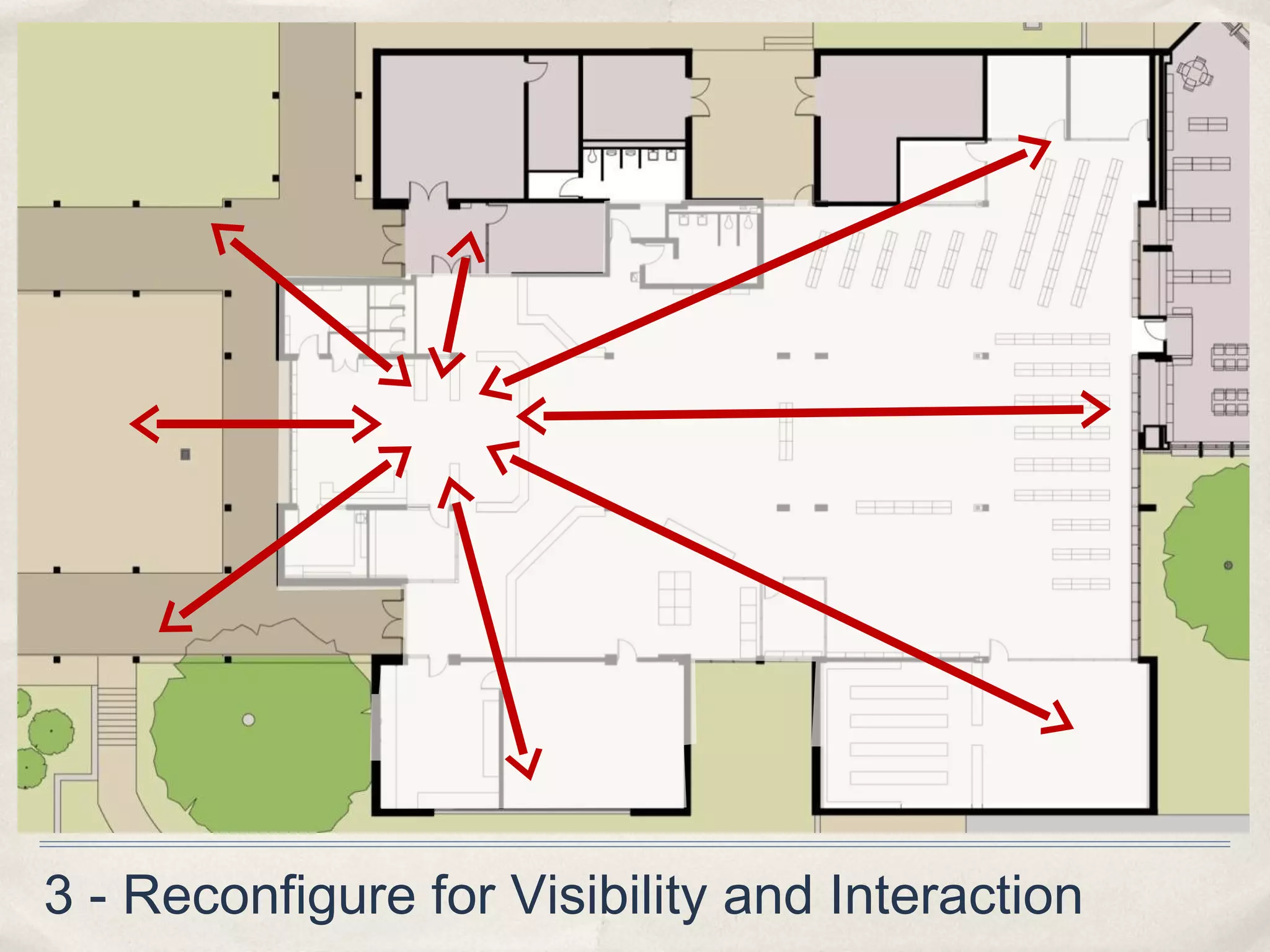
3 - Reconfigure for Visibility and Interaction
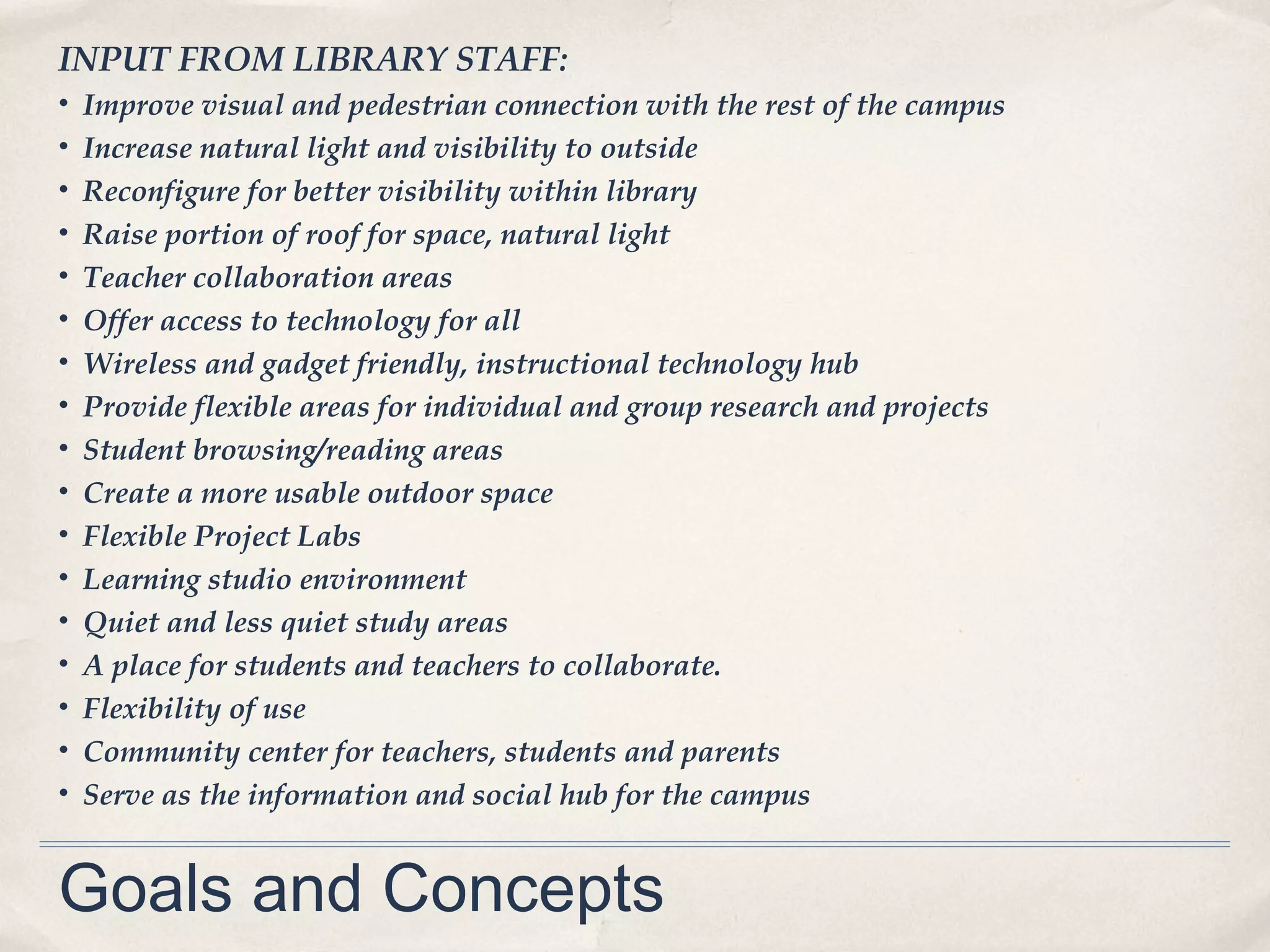
INPUT FROM LIBRARY STAFF:
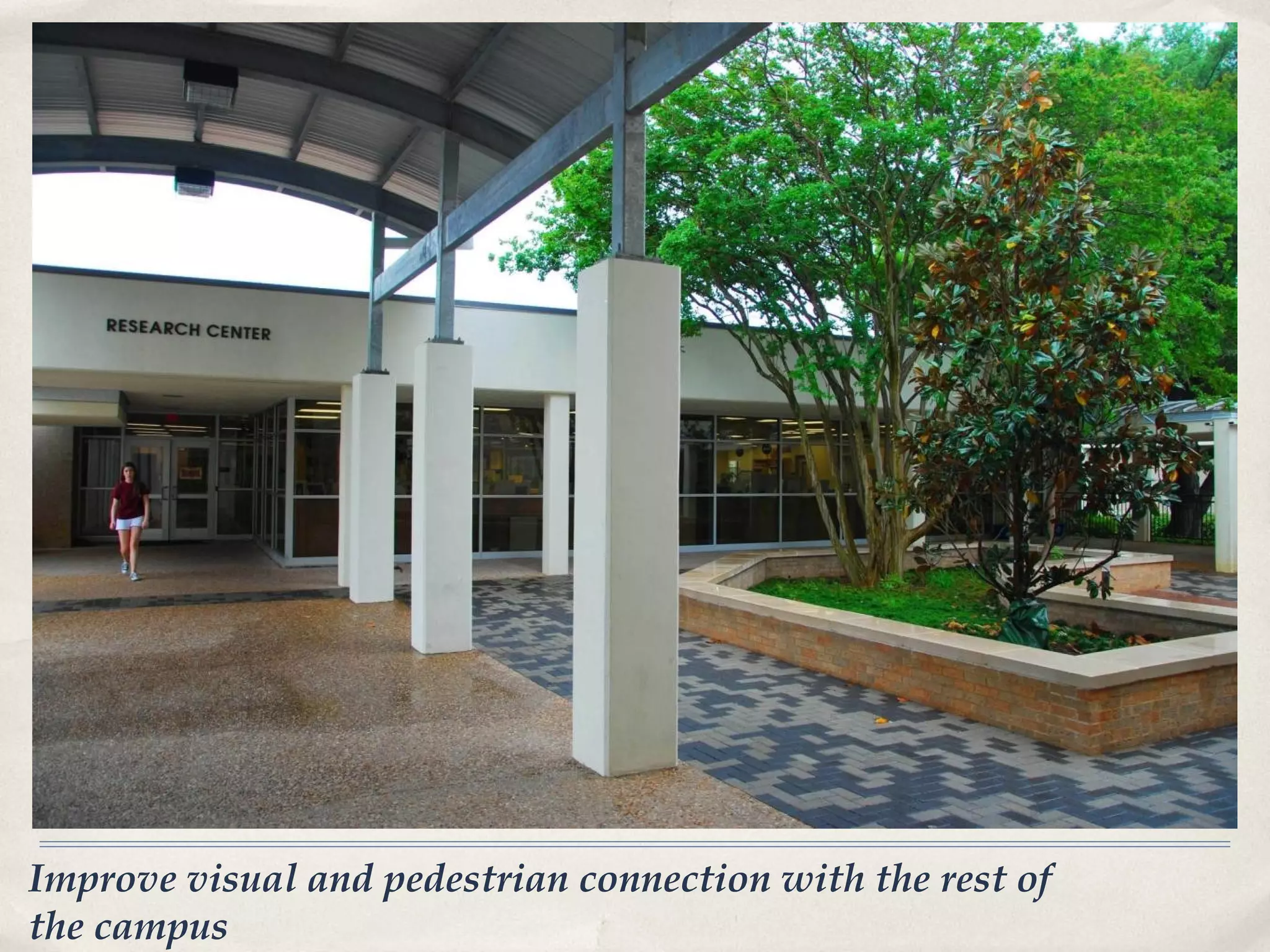
•   Improve visual and pedestrian connection with the rest of the campus
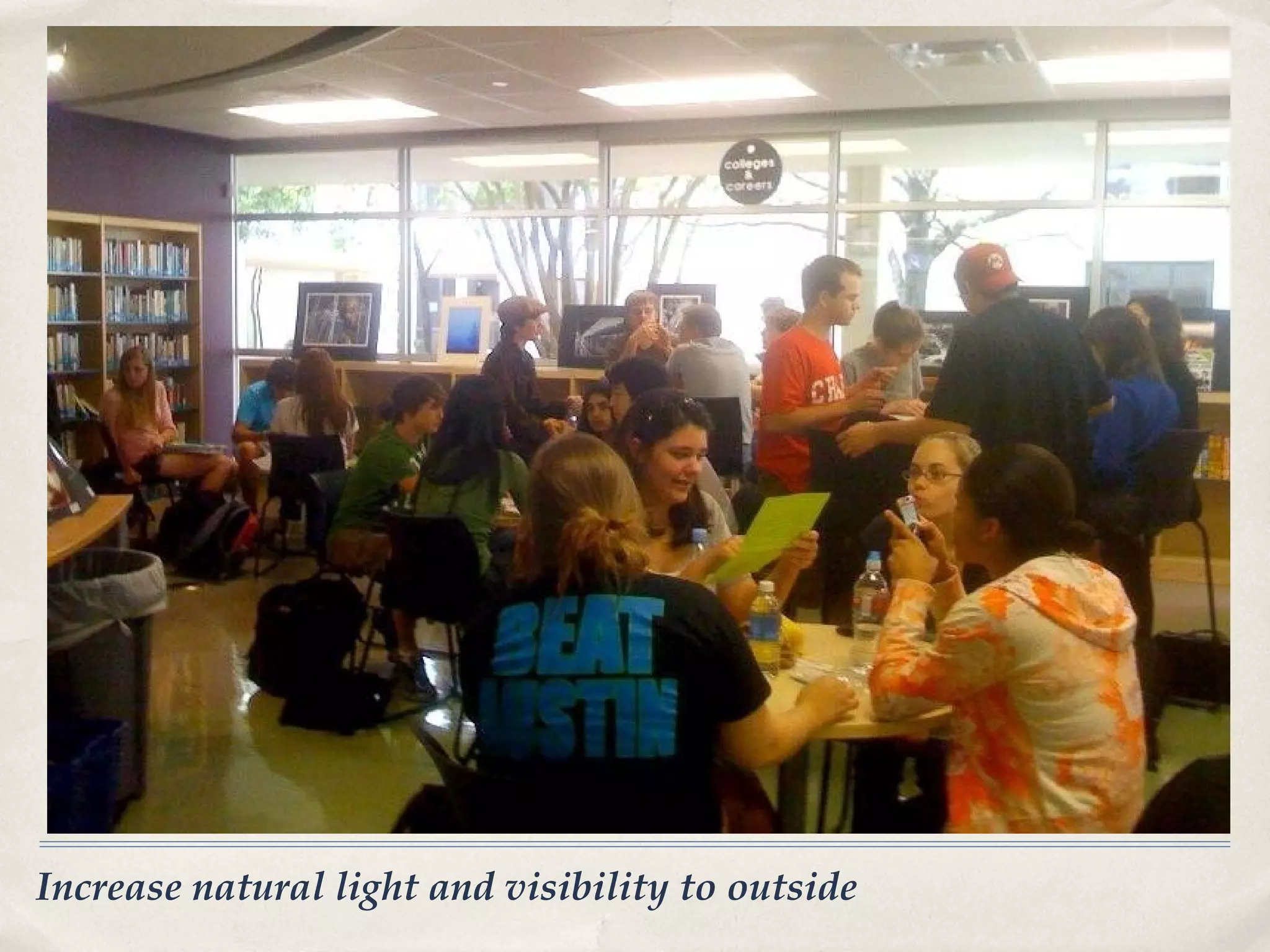
•   Increase natural light and visibility to outside
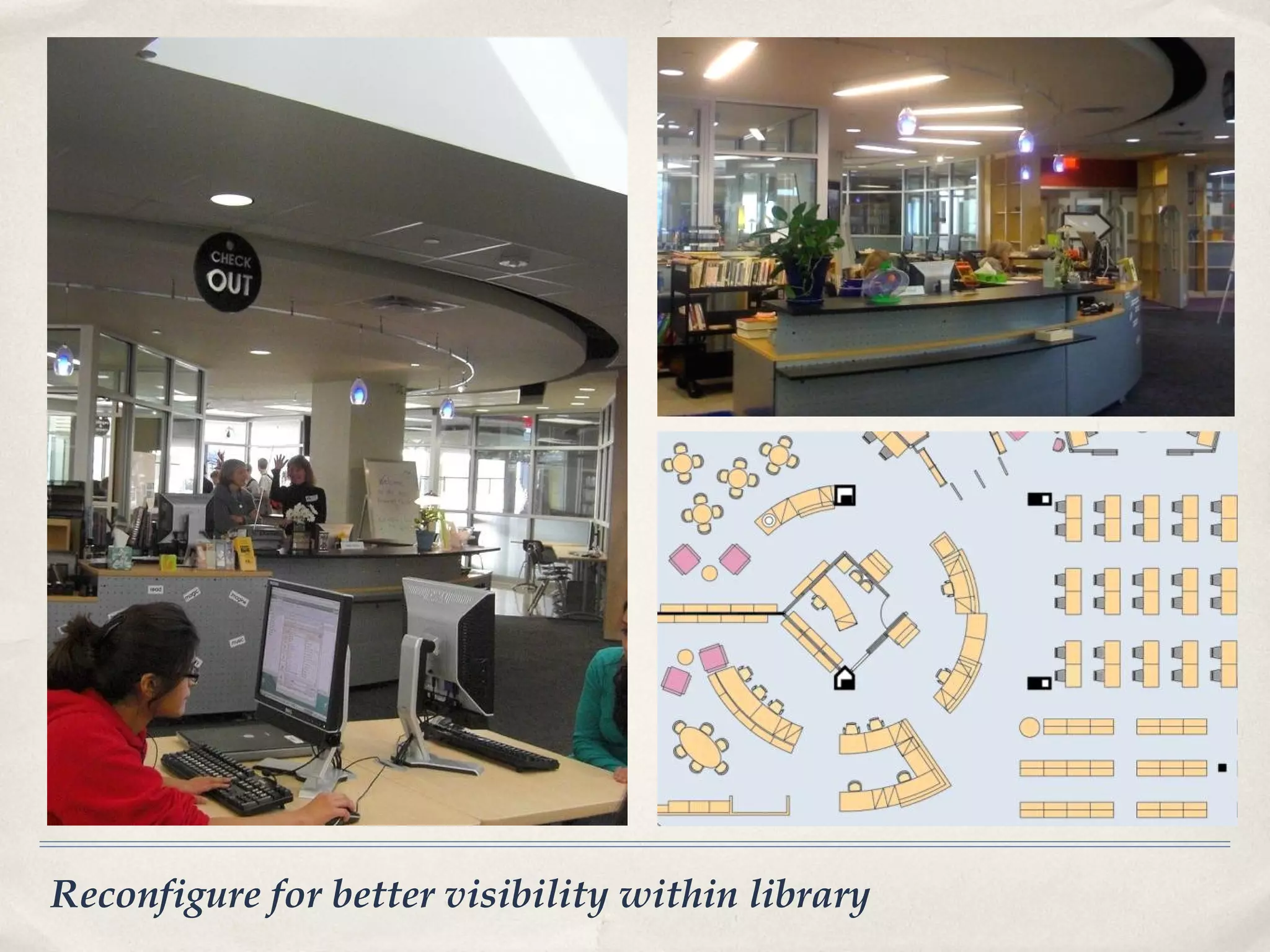
•   Reconfigure for better visibility within library
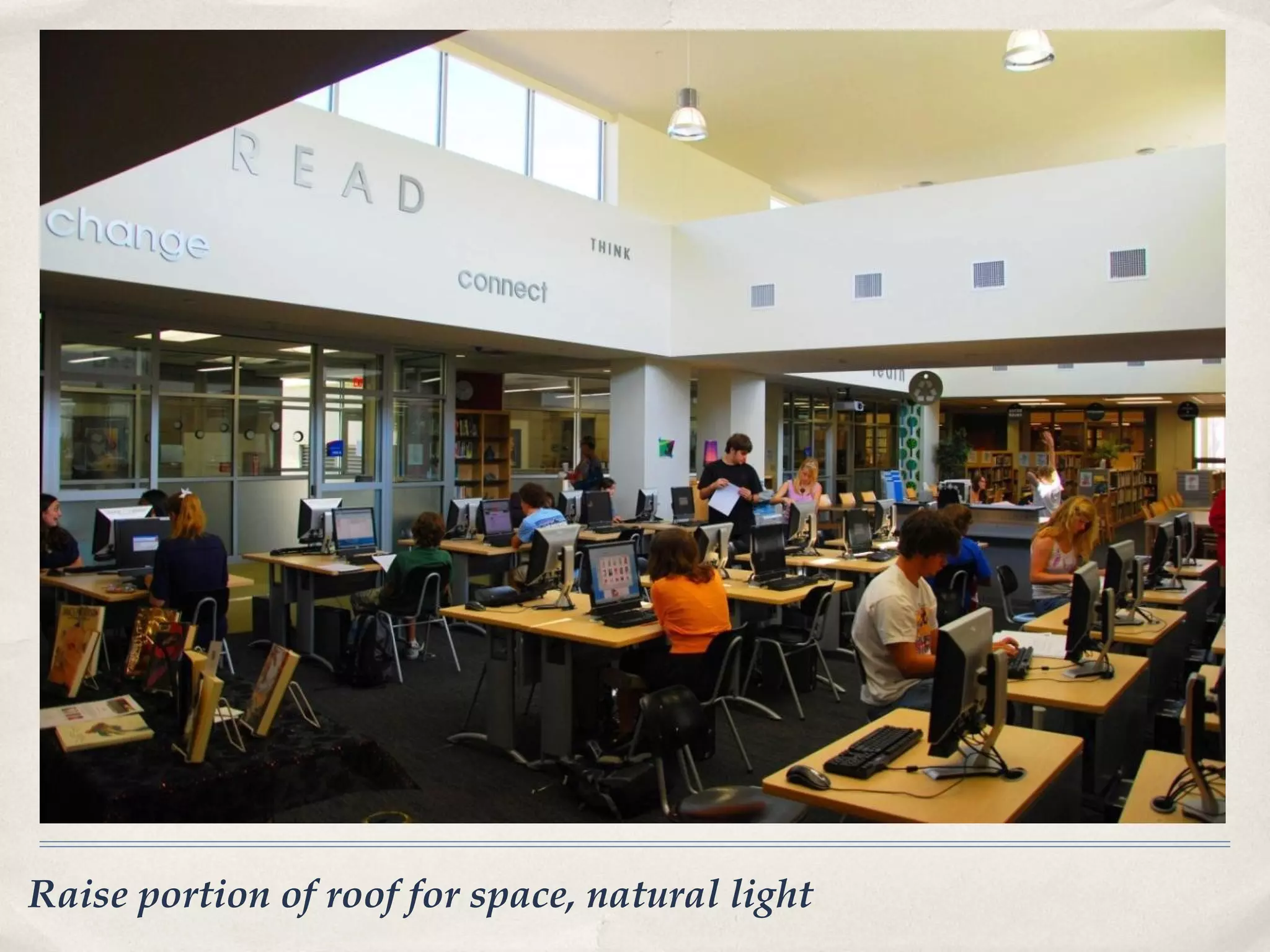
•   Raise portion of roof for space, natural light
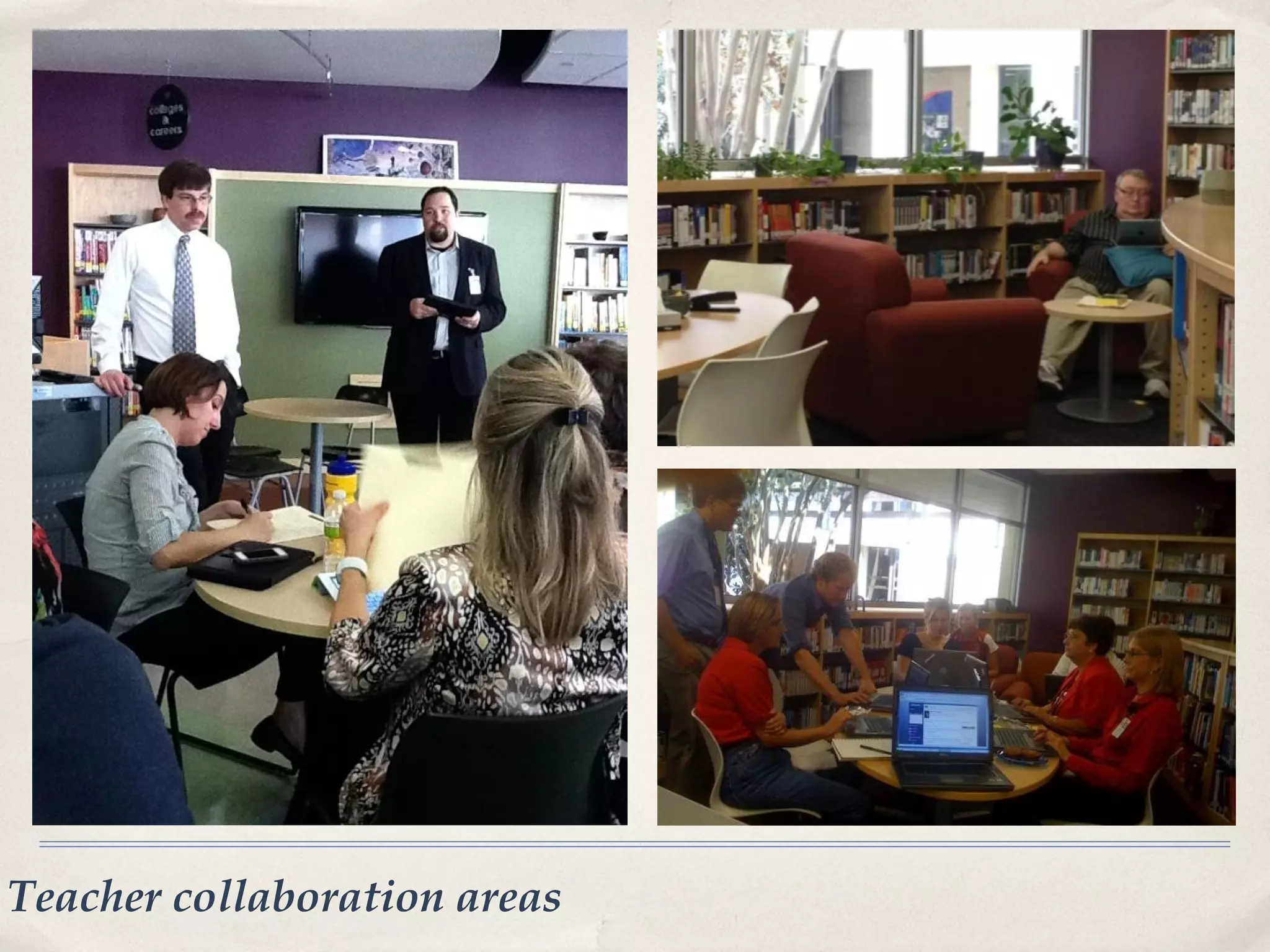
•   Teacher collaboration areas
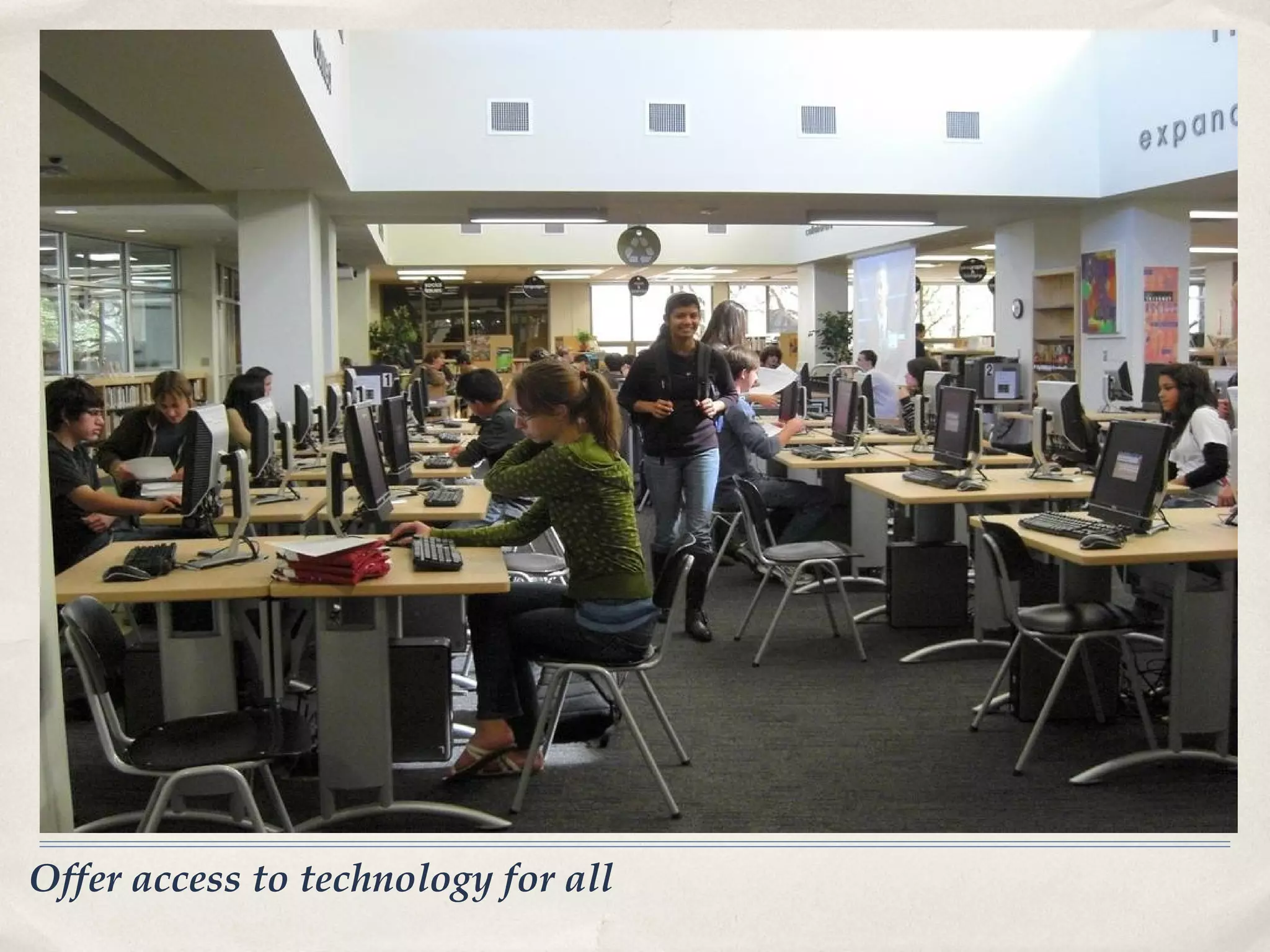
•   Offer access to technology for all
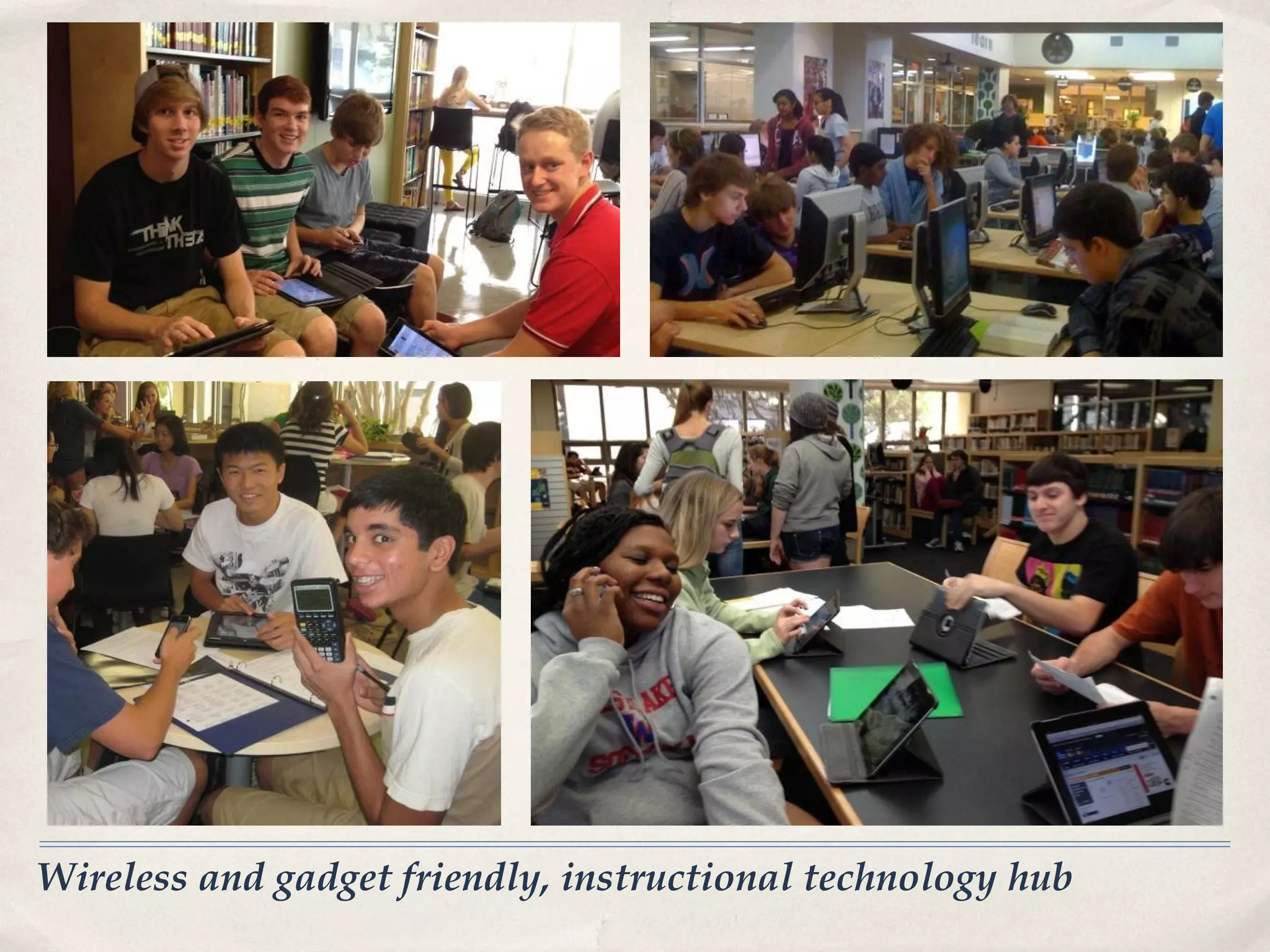
•   Wireless and gadget friendly, instructional technology hub
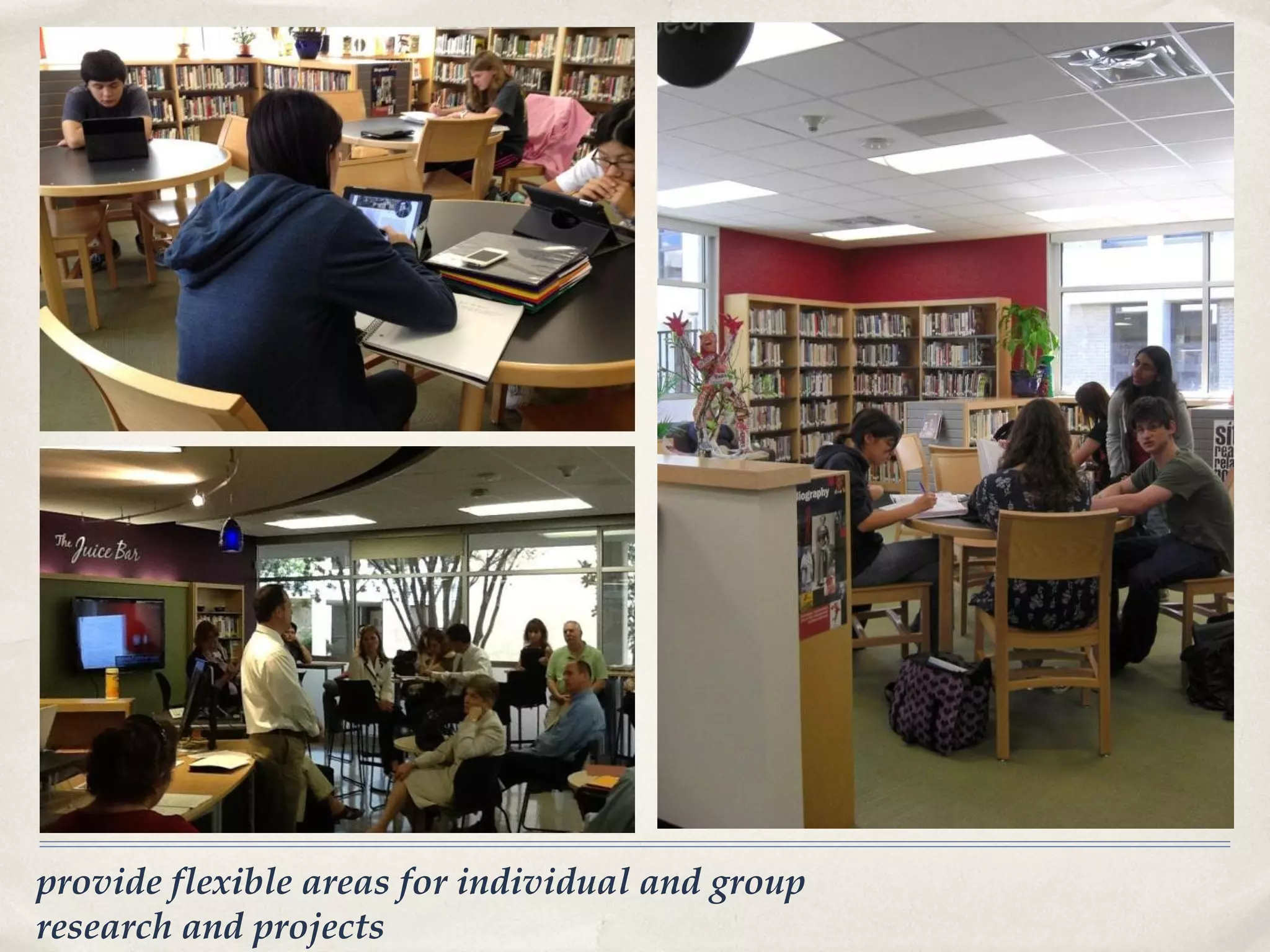
•   Provide flexible areas for individual and group research and projects
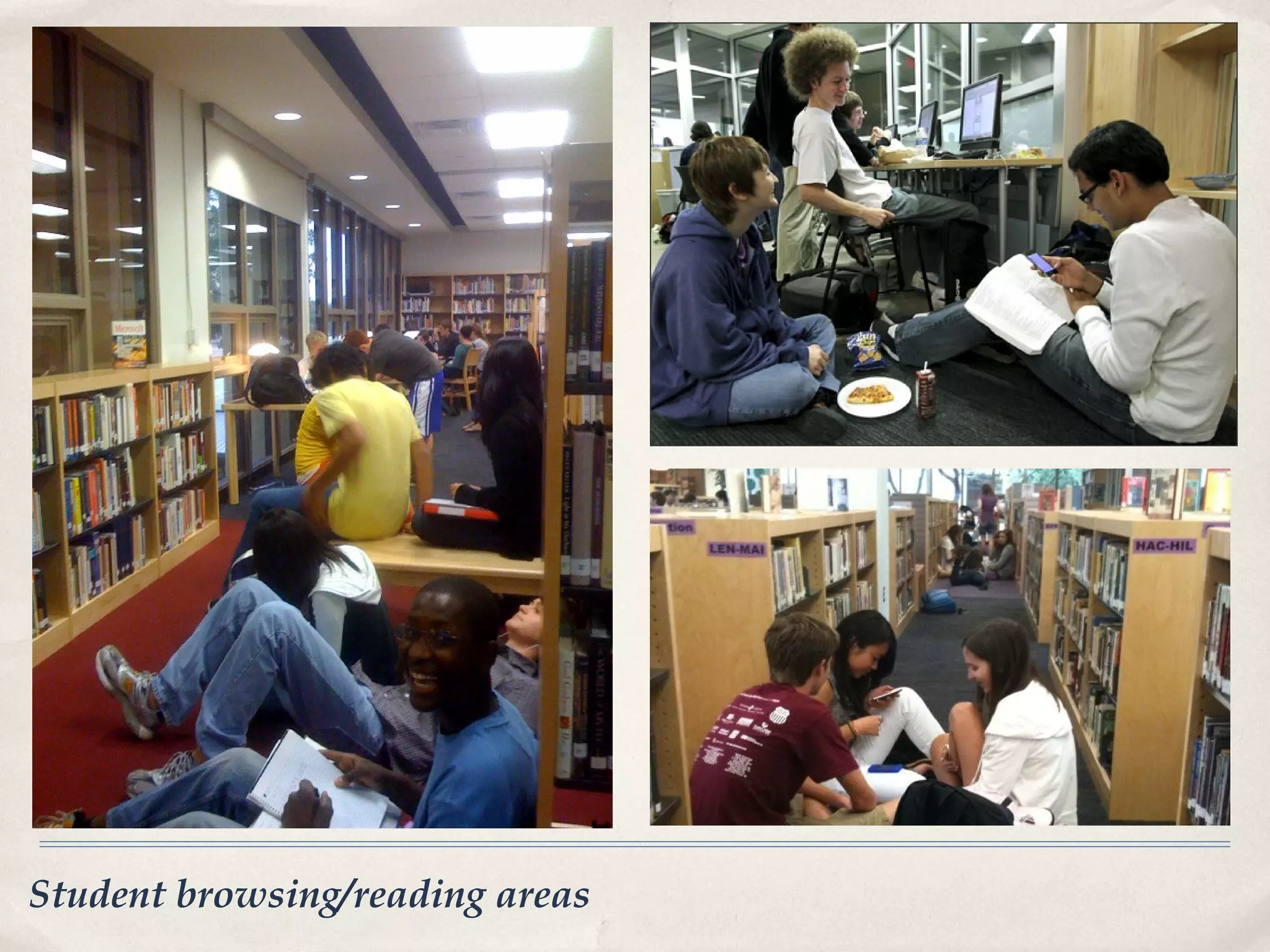
•   Student browsing/reading areas
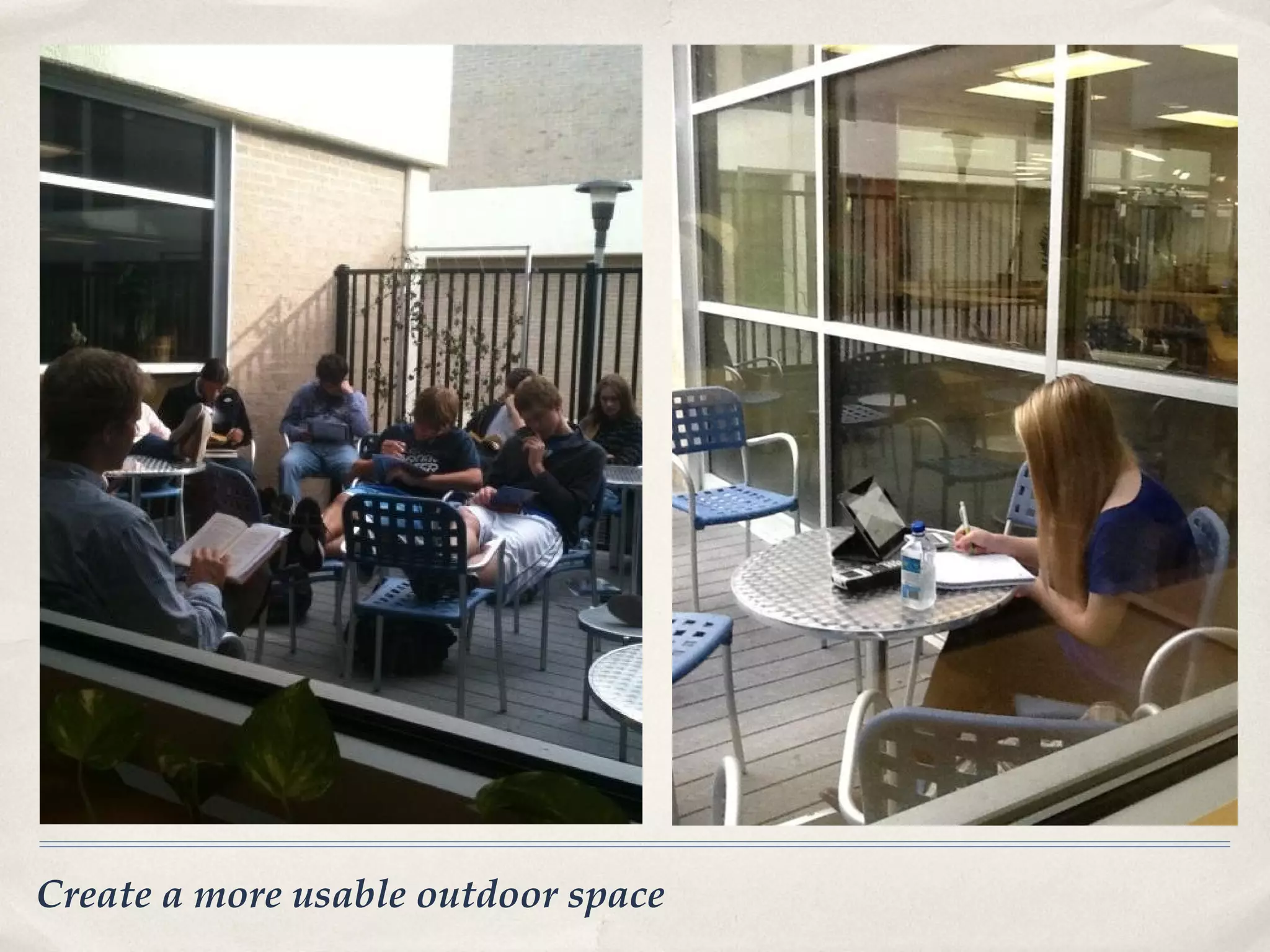
•   Create a more usable outdoor space
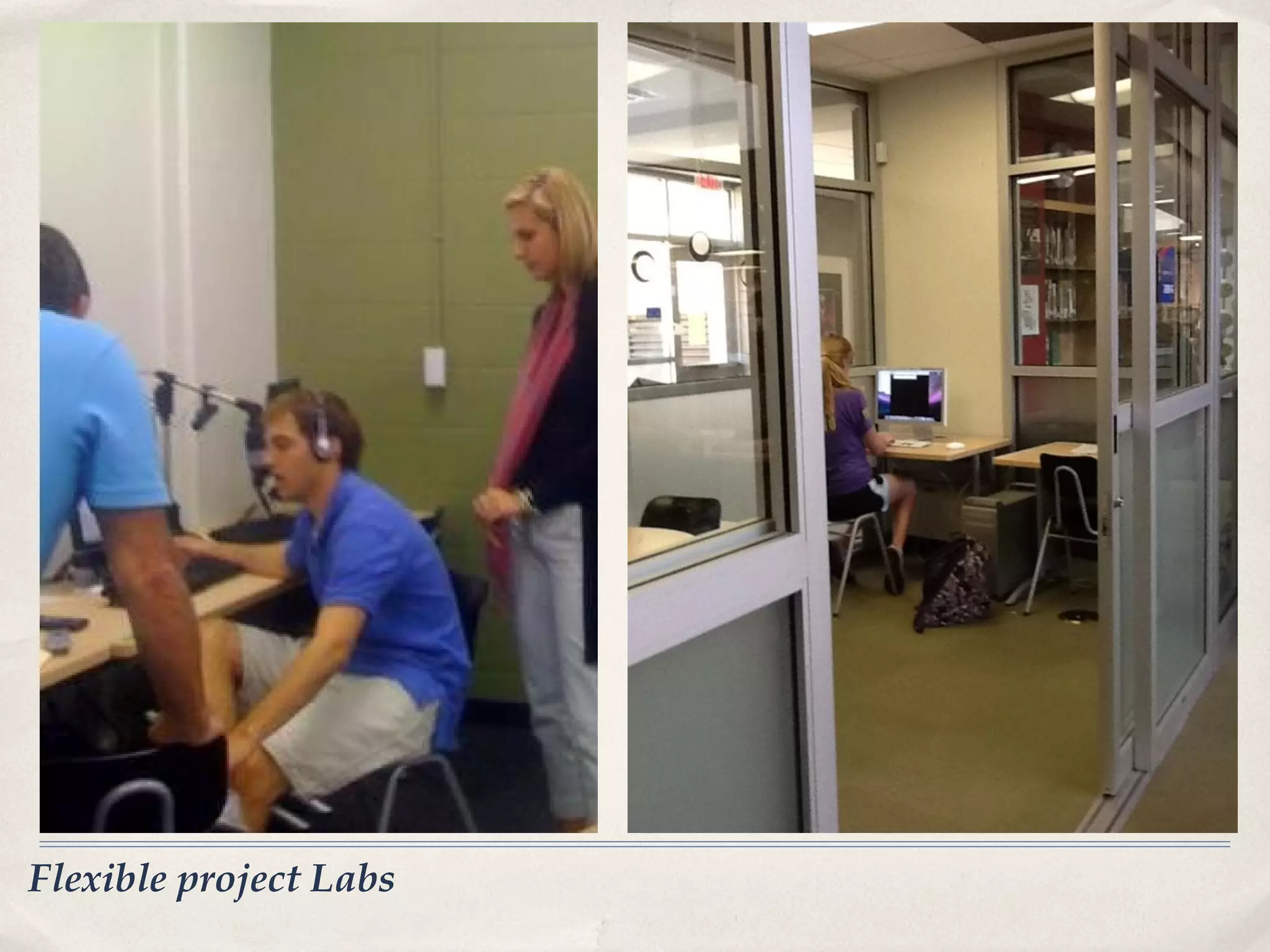
•   Flexible Project Labs
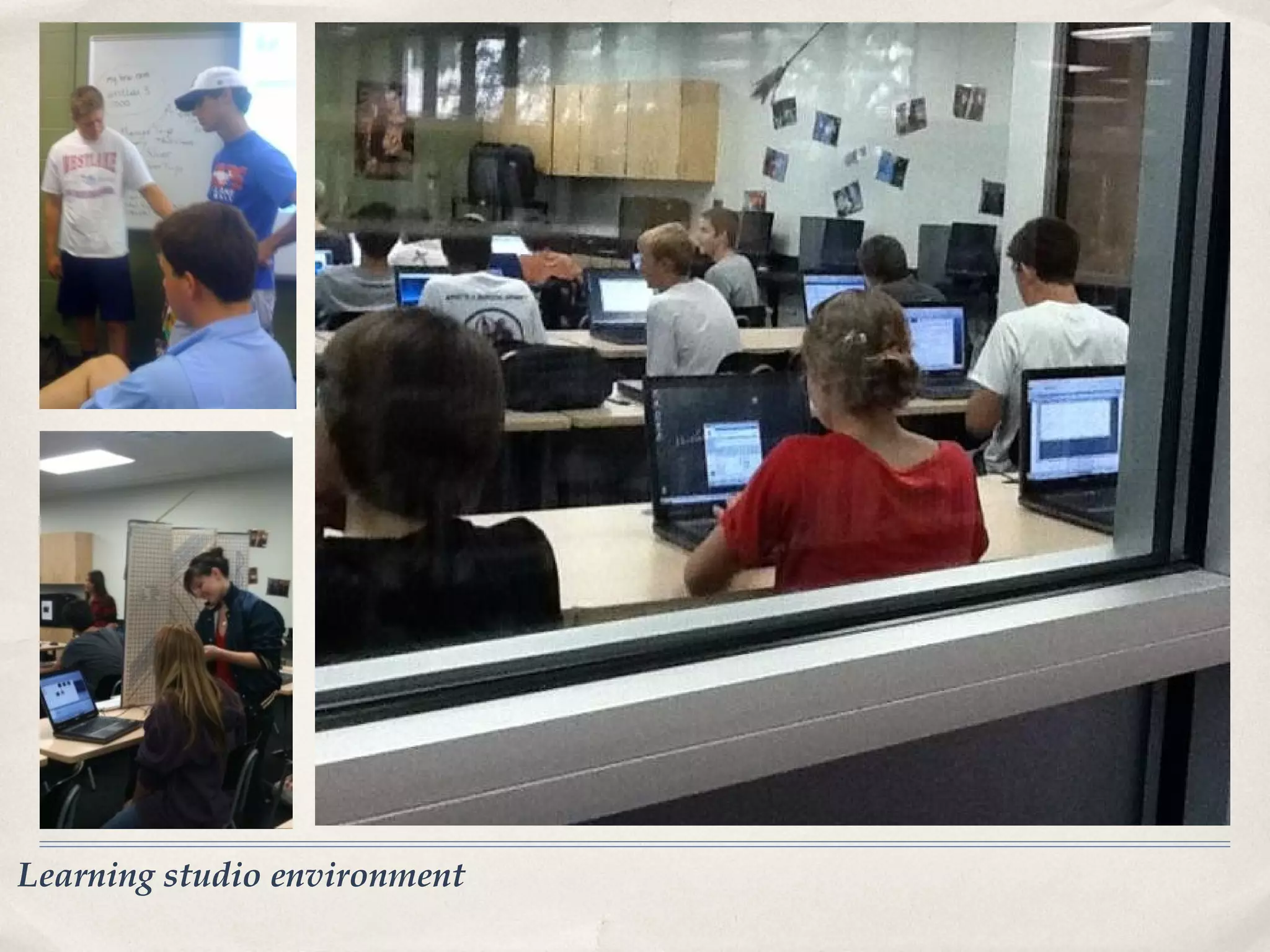
•   Learning studio environment
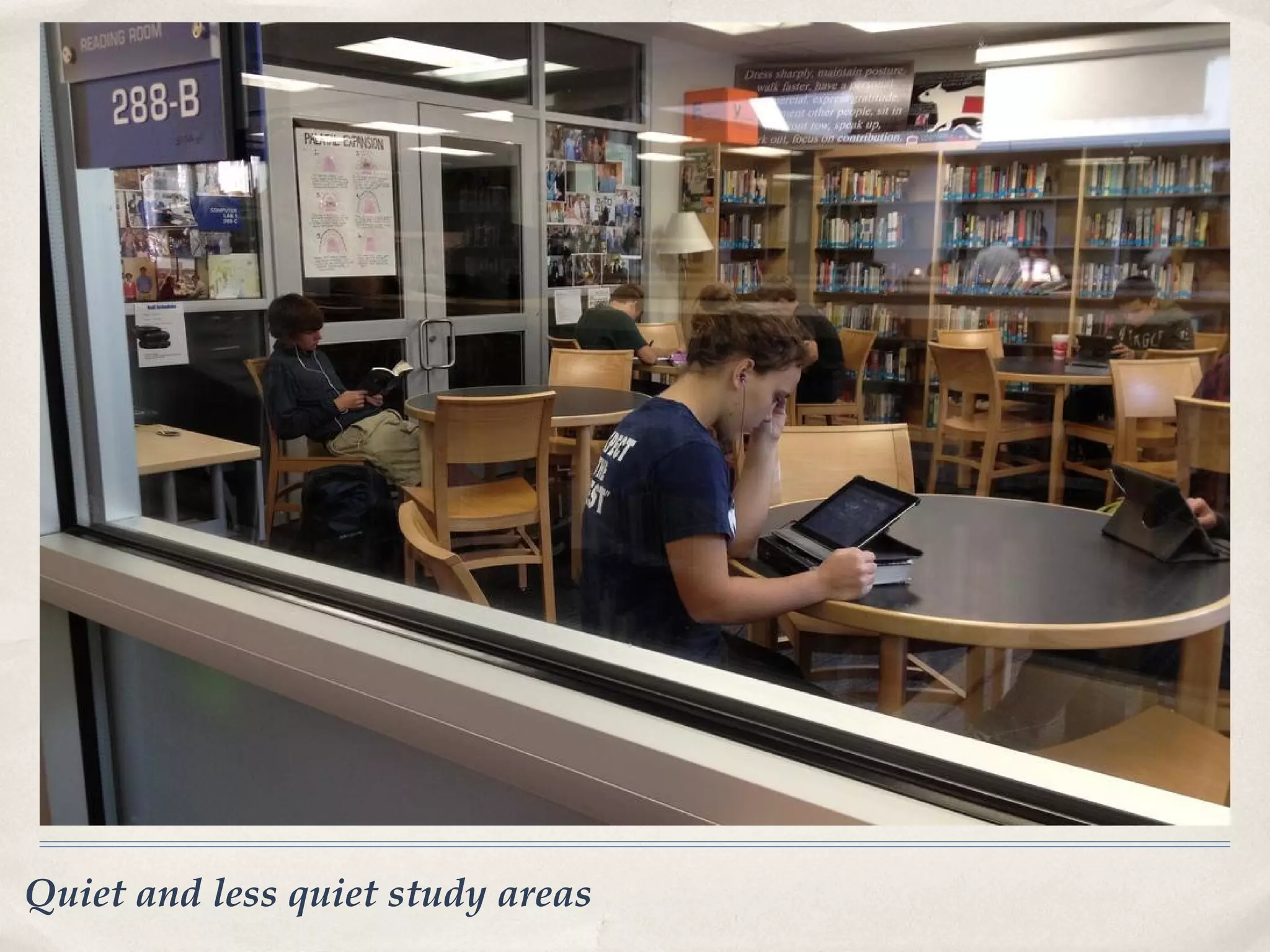
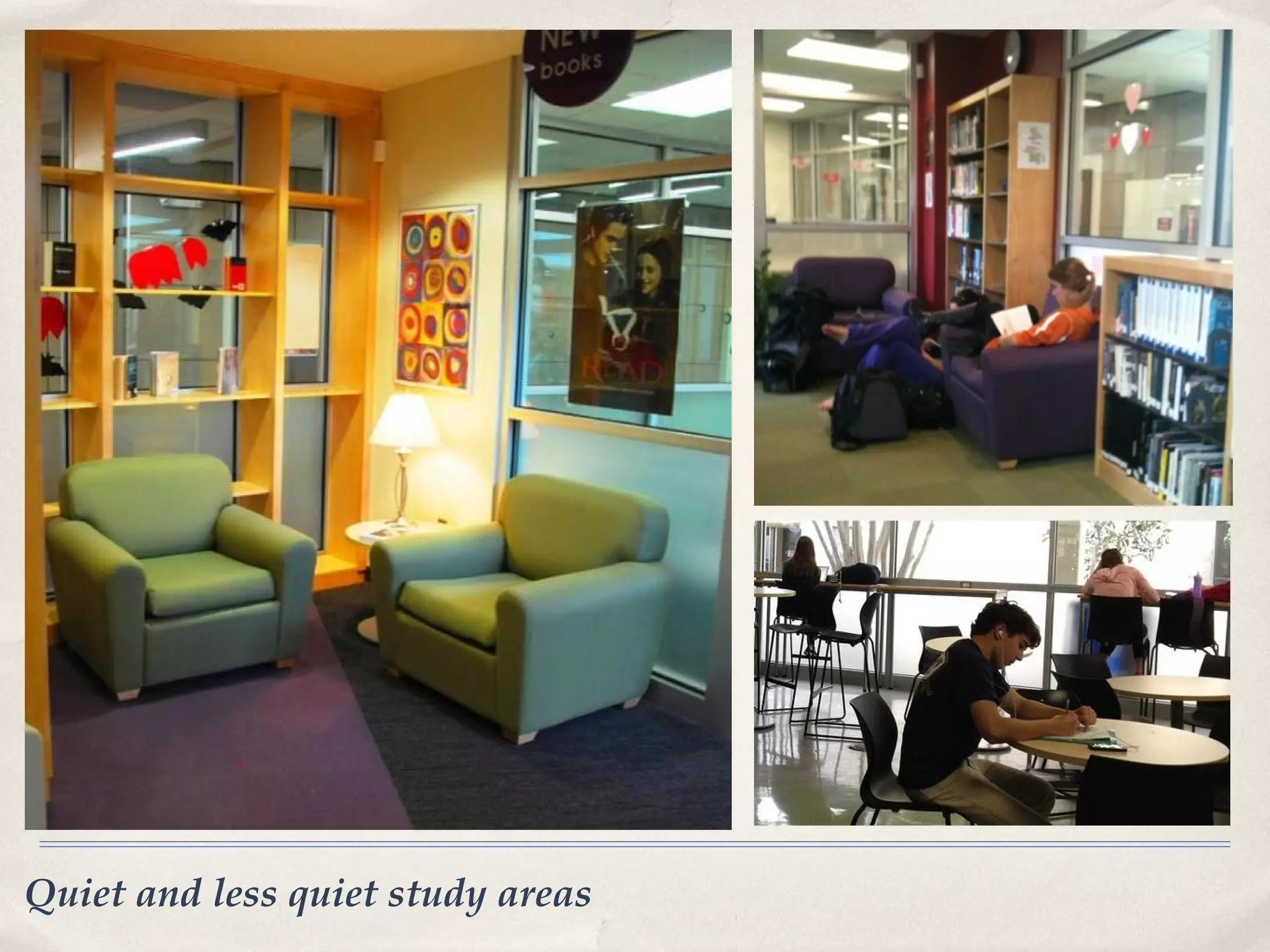
•   Quiet and less quiet study areas
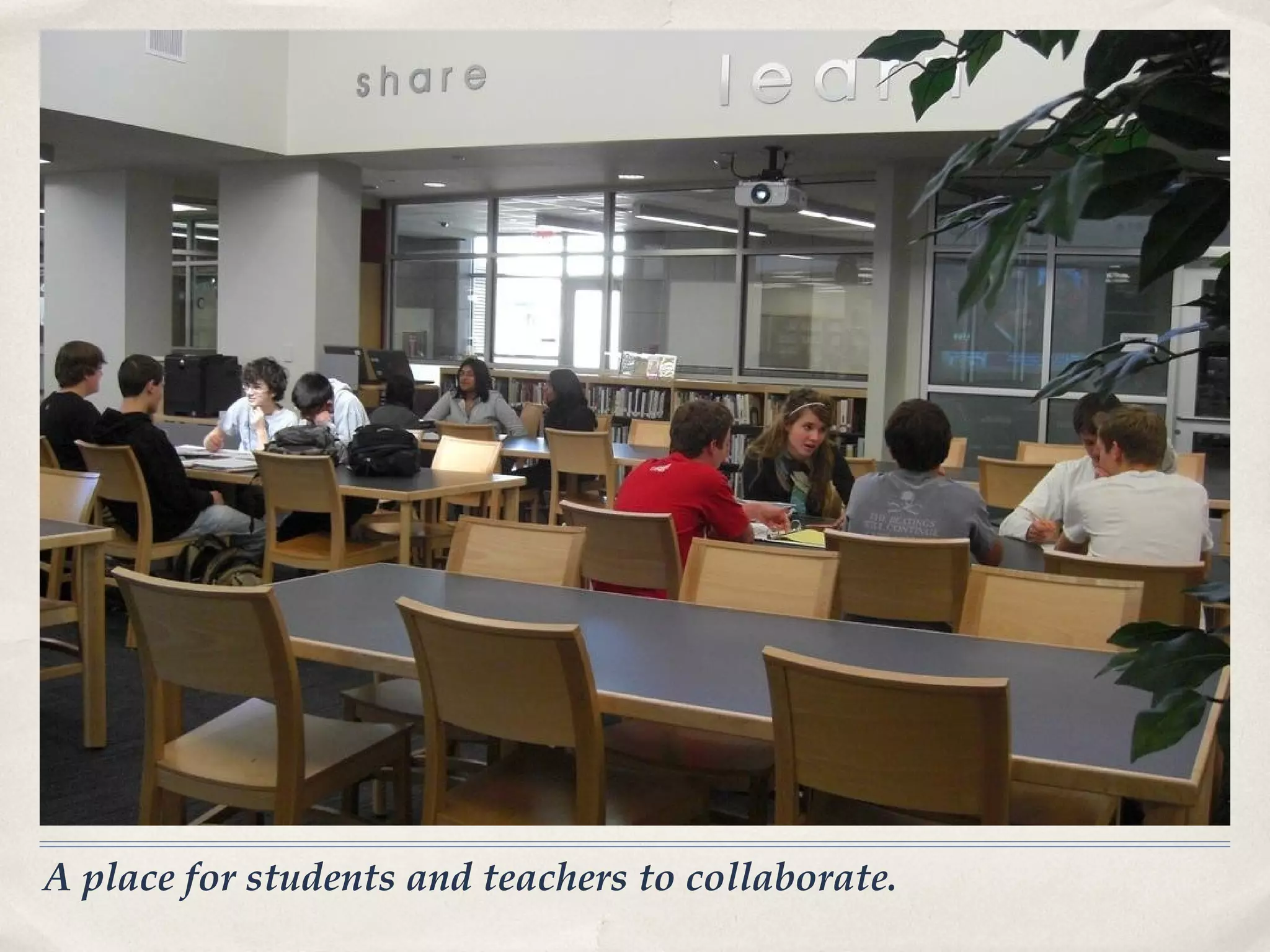
•   A place for students and teachers to collaborate.
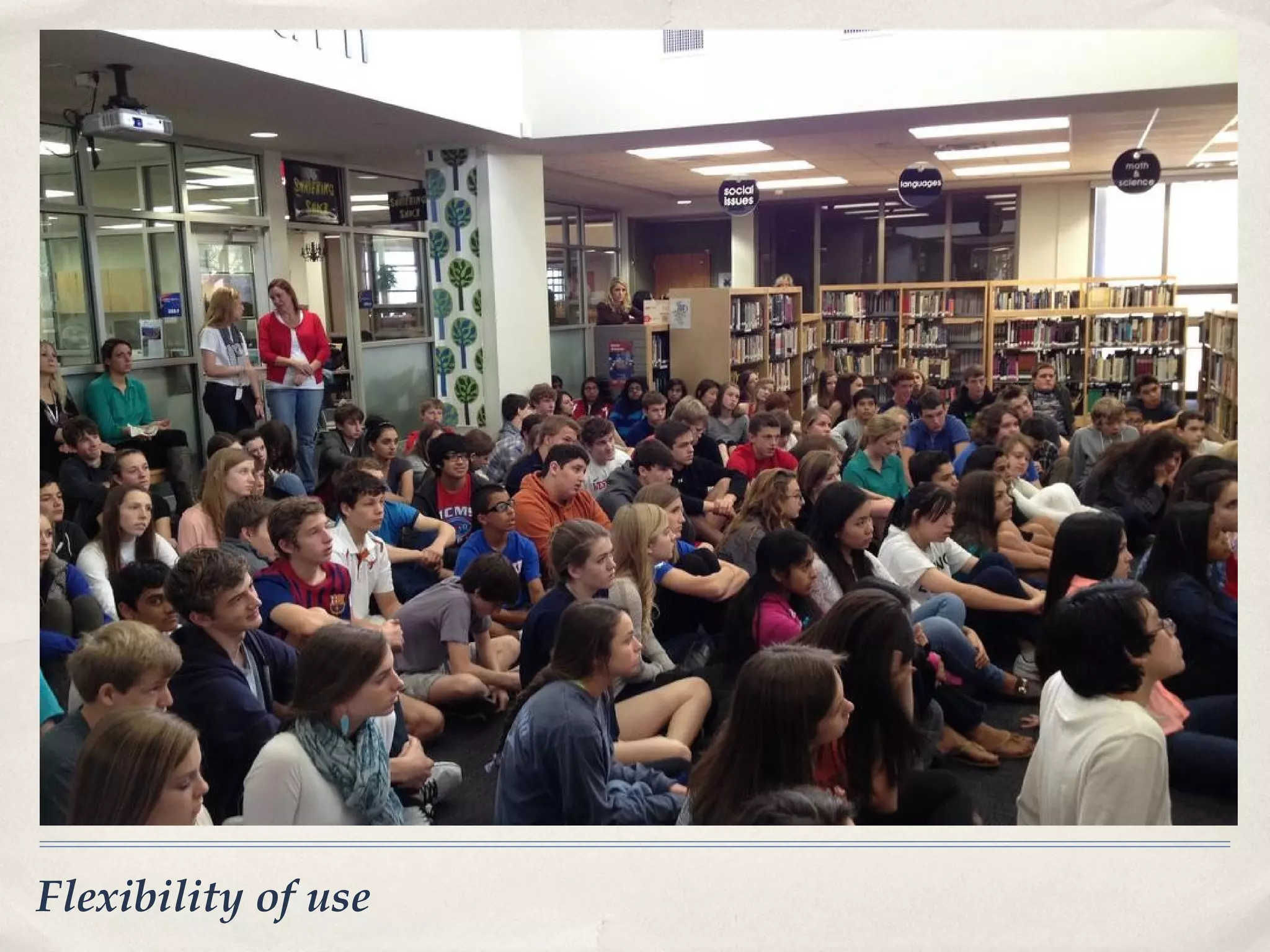
•   Flexibility of use
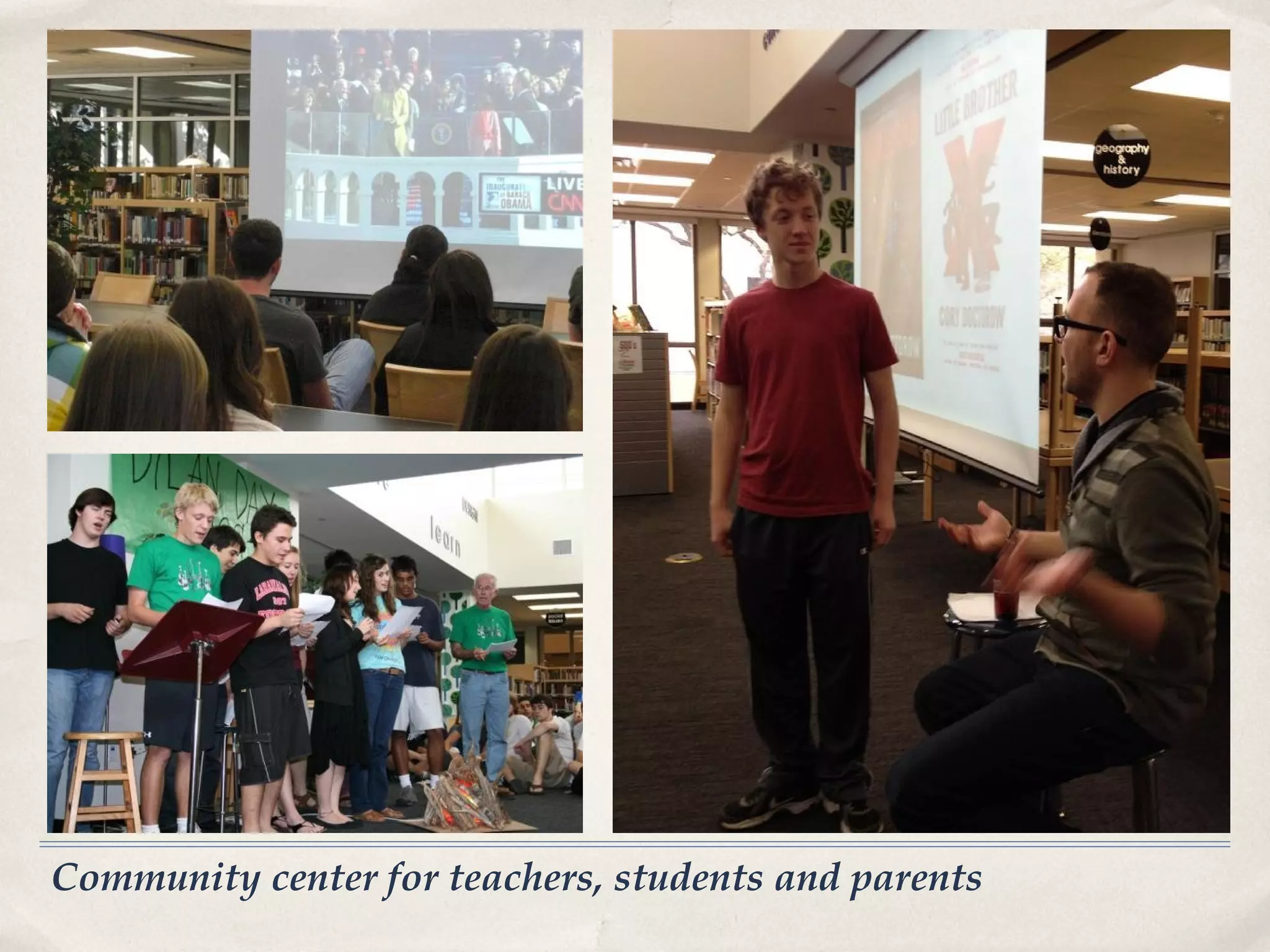
•   Community center for teachers, students and parents
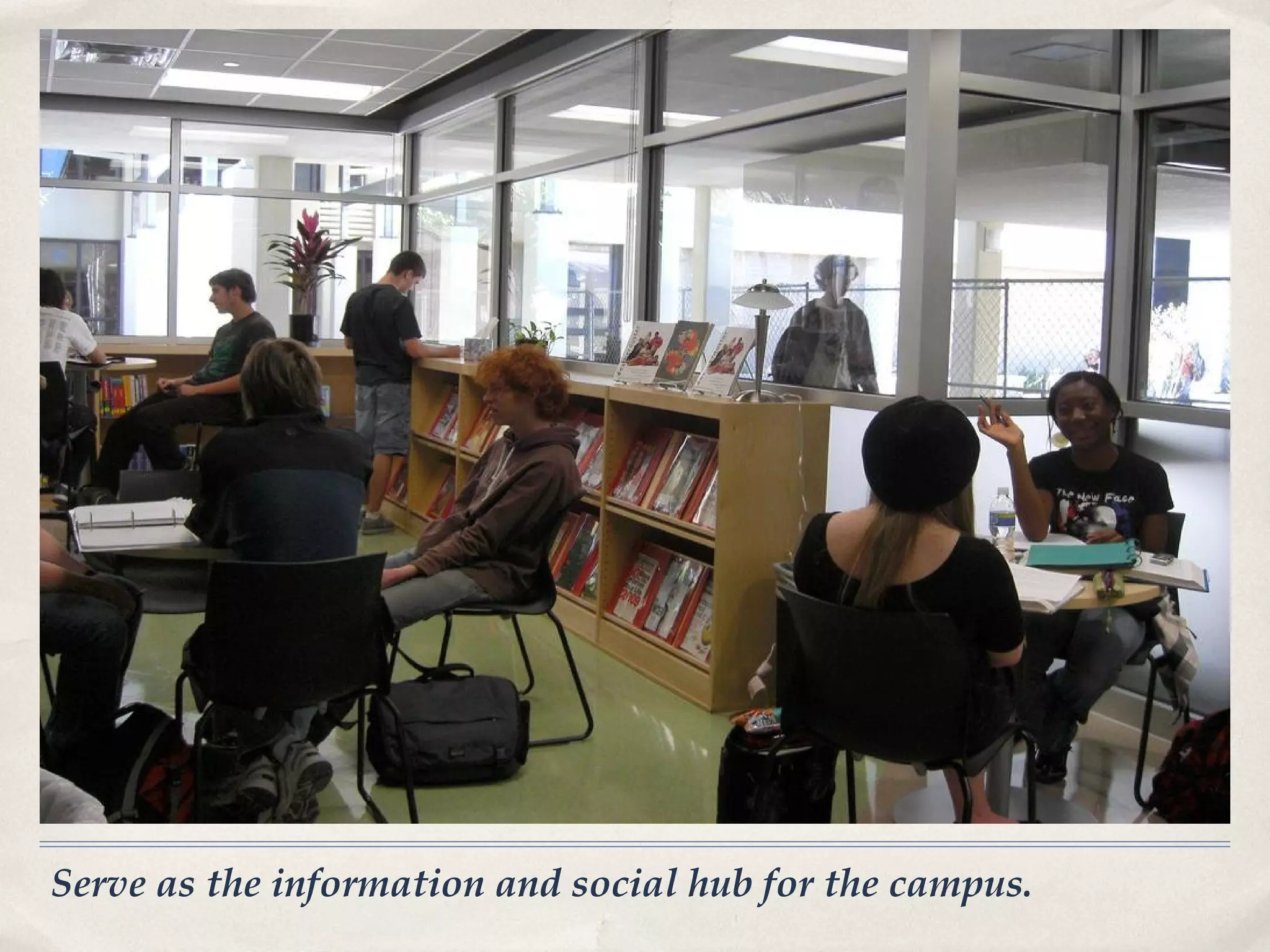
•   Serve as the information and social hub for the campus


Goals and Concepts
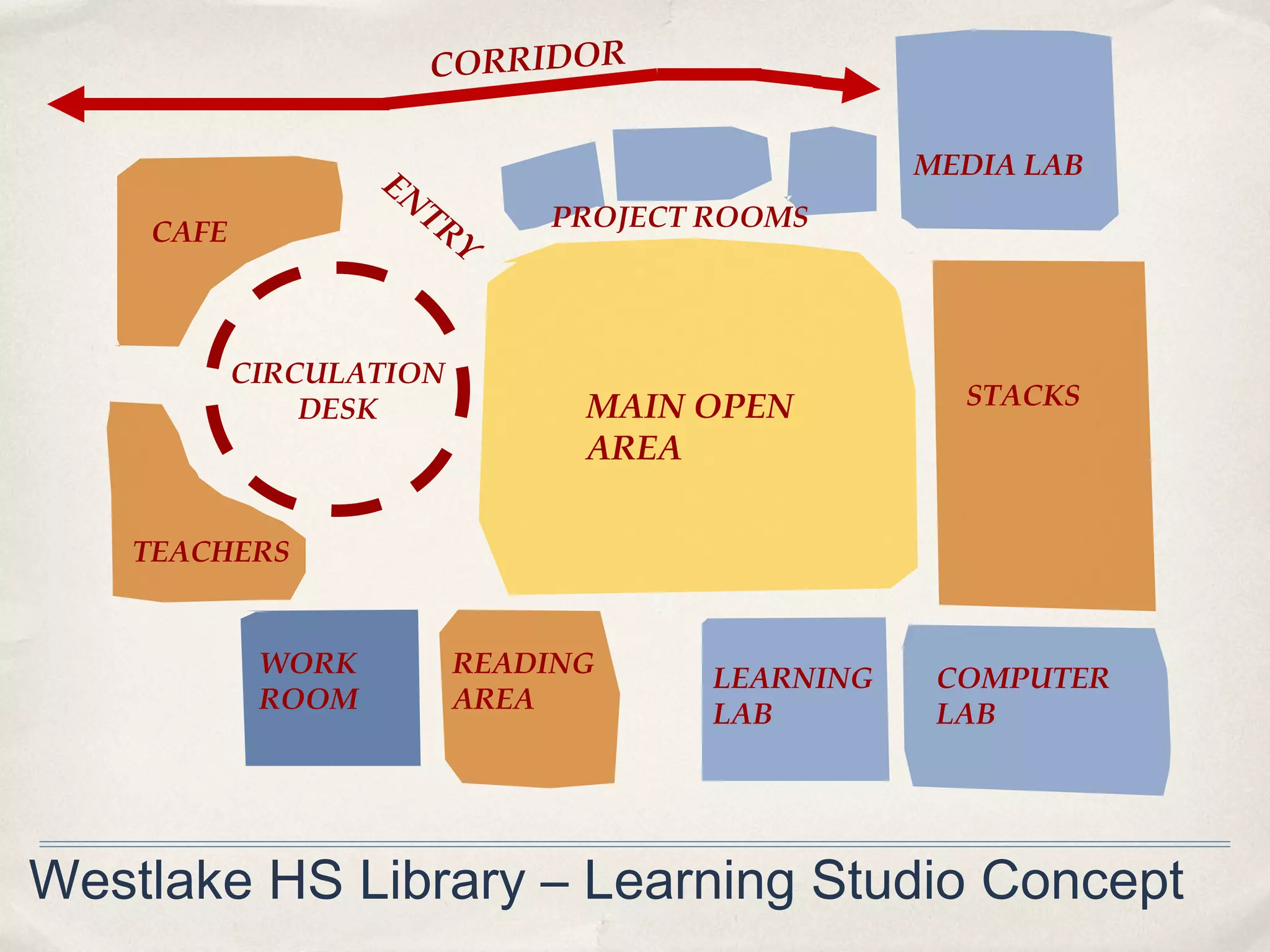
CORRIDOR


                   EN                           MEDIA LAB
                     TR      PROJECT ROOMS
    CAFE               Y


           CIRCULATION
               DESK            MAIN OPEN          STACKS
                               AREA

    TEACHERS


            WORK         READING     LEARNING    COMPUTER
            ROOM         AREA        LAB         LAB


Westlake HS Library – Learning Studio Concept
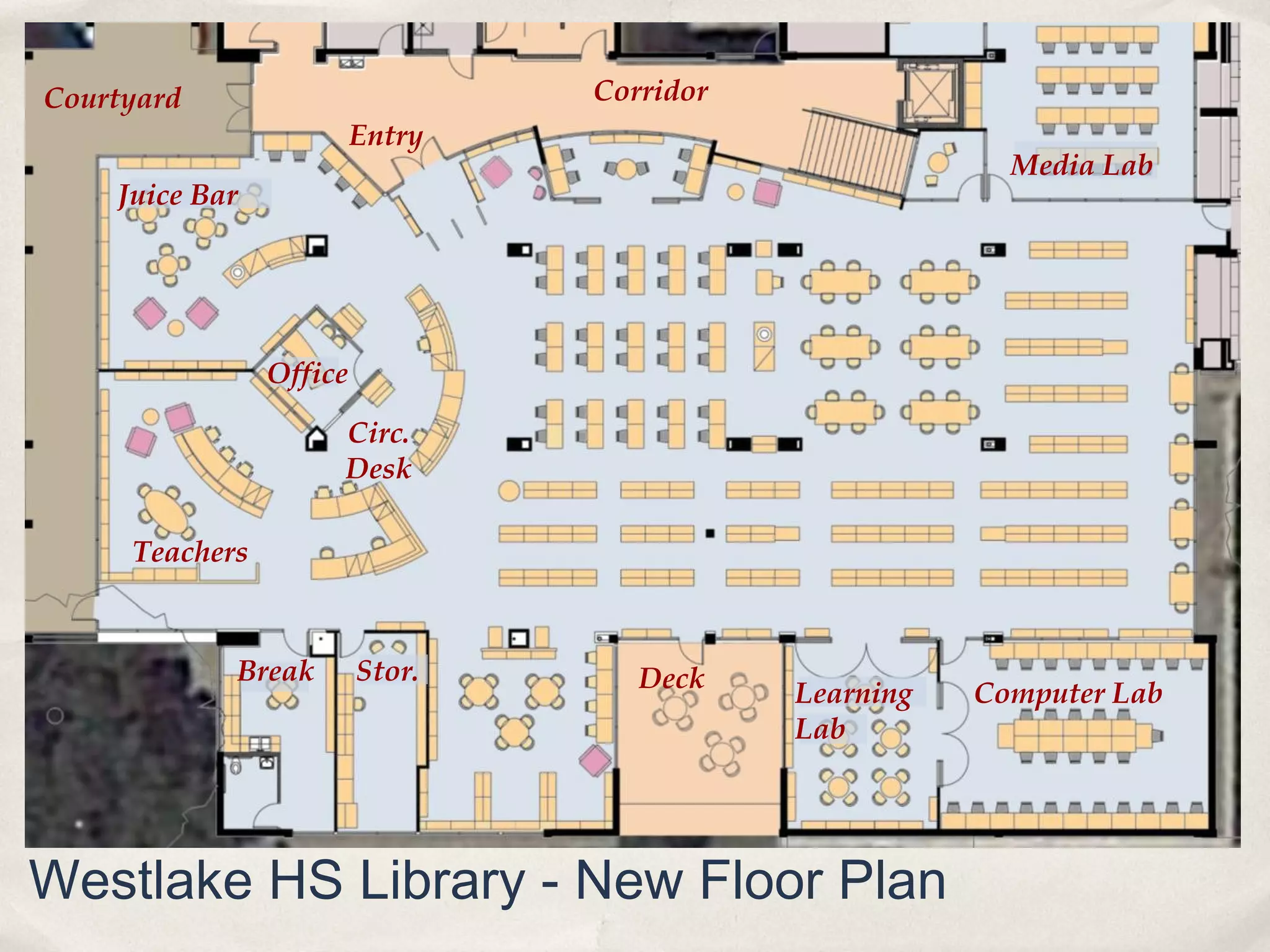
Courtyard                        Corridor
                         Entry
                                                         Media Lab
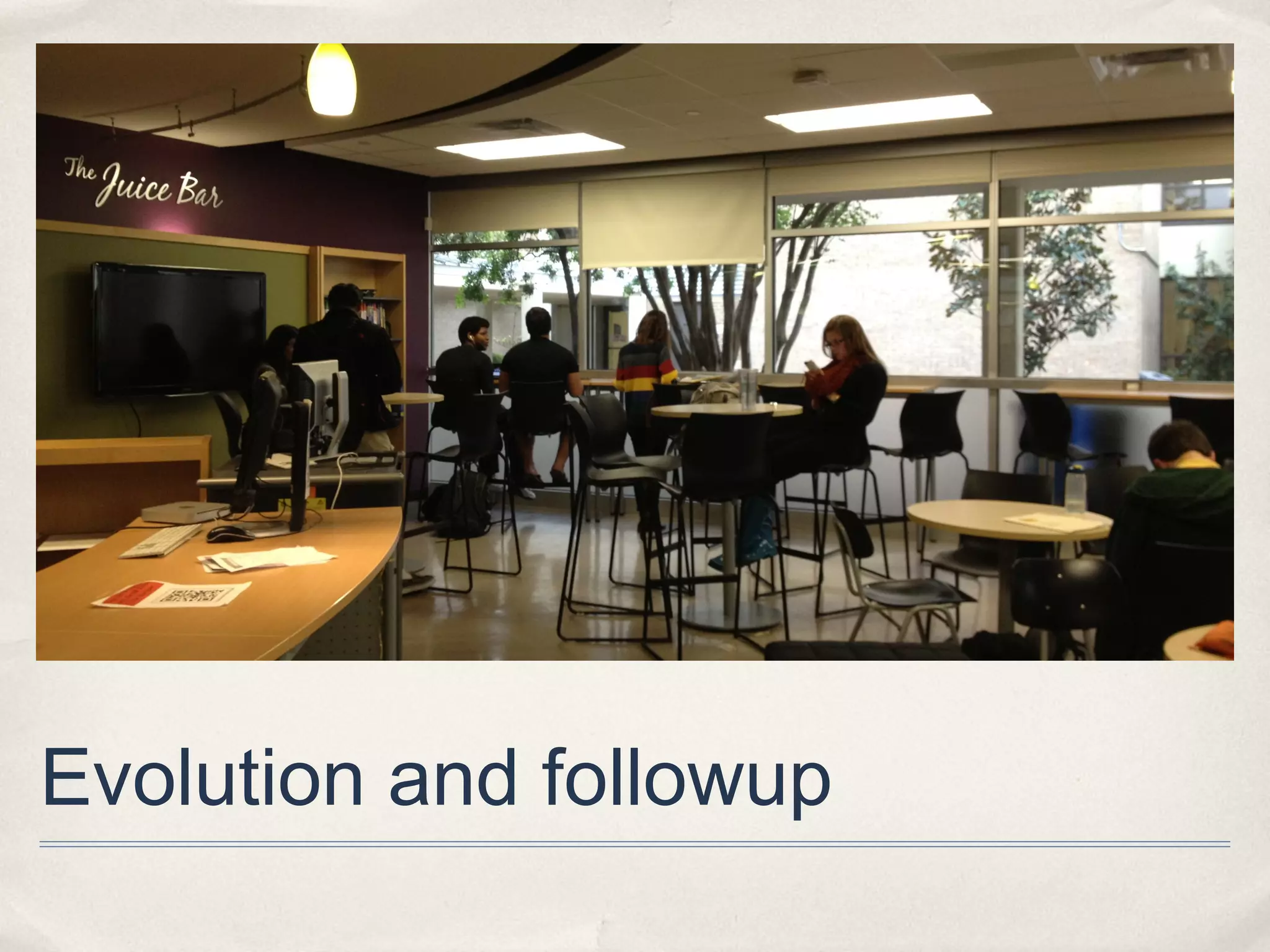
    Juice Bar


                Office

                     Circ.
                     Desk

     Teachers


            Break        Stor.      Deck    Learning   Computer Lab
                                            Lab


Westlake HS Library - New Floor Plan
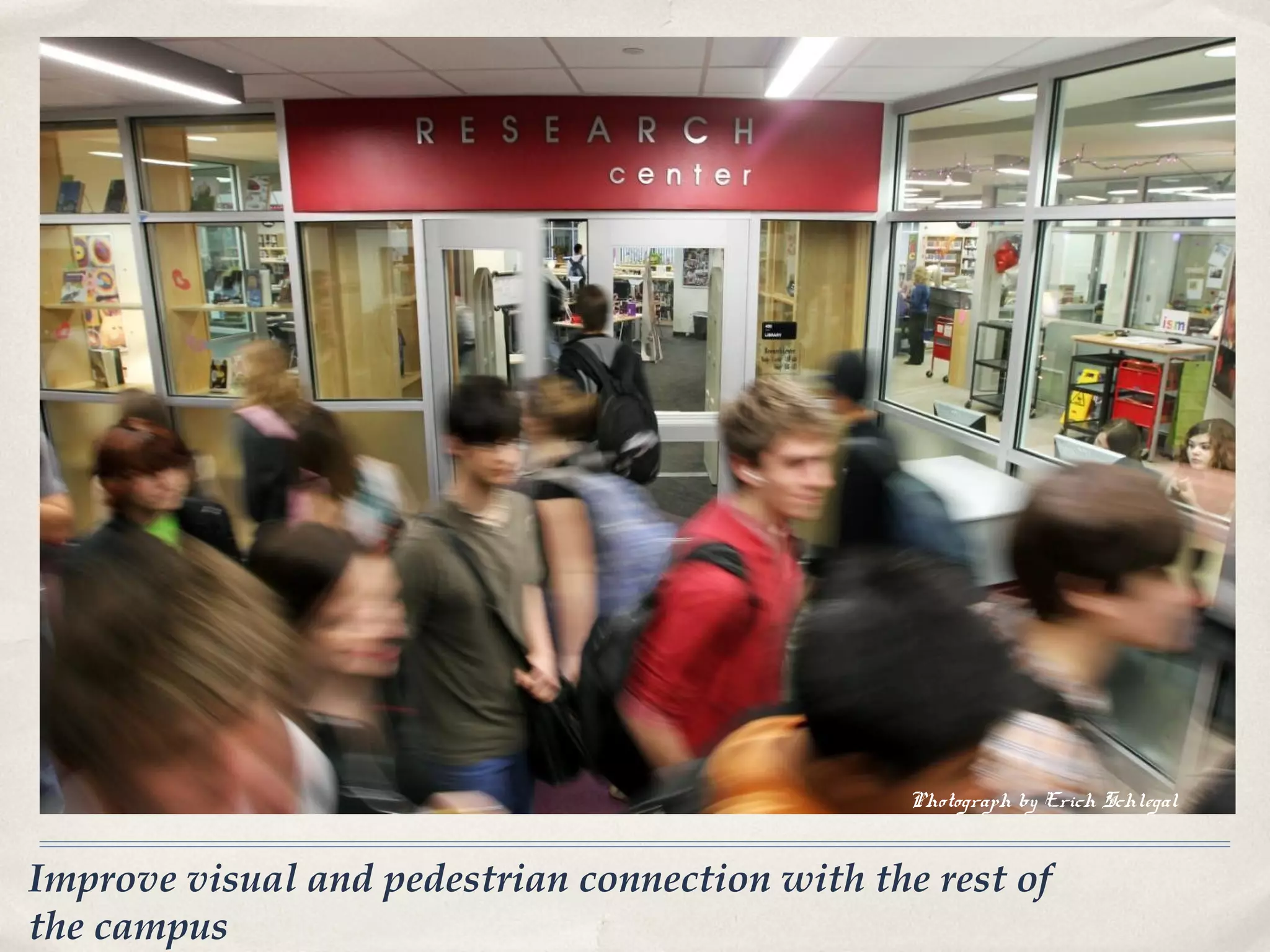
Photograph by Erich Schlegal


Improve visual and pedestrian connection with the rest of
the campus
Improve visual and pedestrian connection with the rest of
the campus
Increase natural light and visibility to outside
Reconfigure for better visibility within library
Raise portion of roof for space, natural light
Teacher collaboration areas
Offer access to technology for all
Wireless and gadget friendly, instructional technology hub
provide flexible areas for individual and group
research and projects
Student browsing/reading areas
Create a more usable outdoor space
Flexible project Labs
Learning studio environment
Quiet and less quiet study areas
A place for students and teachers to collaborate.
Flexibility of use
Community center for teachers, students and parents
Serve as the information and social hub for the campus.
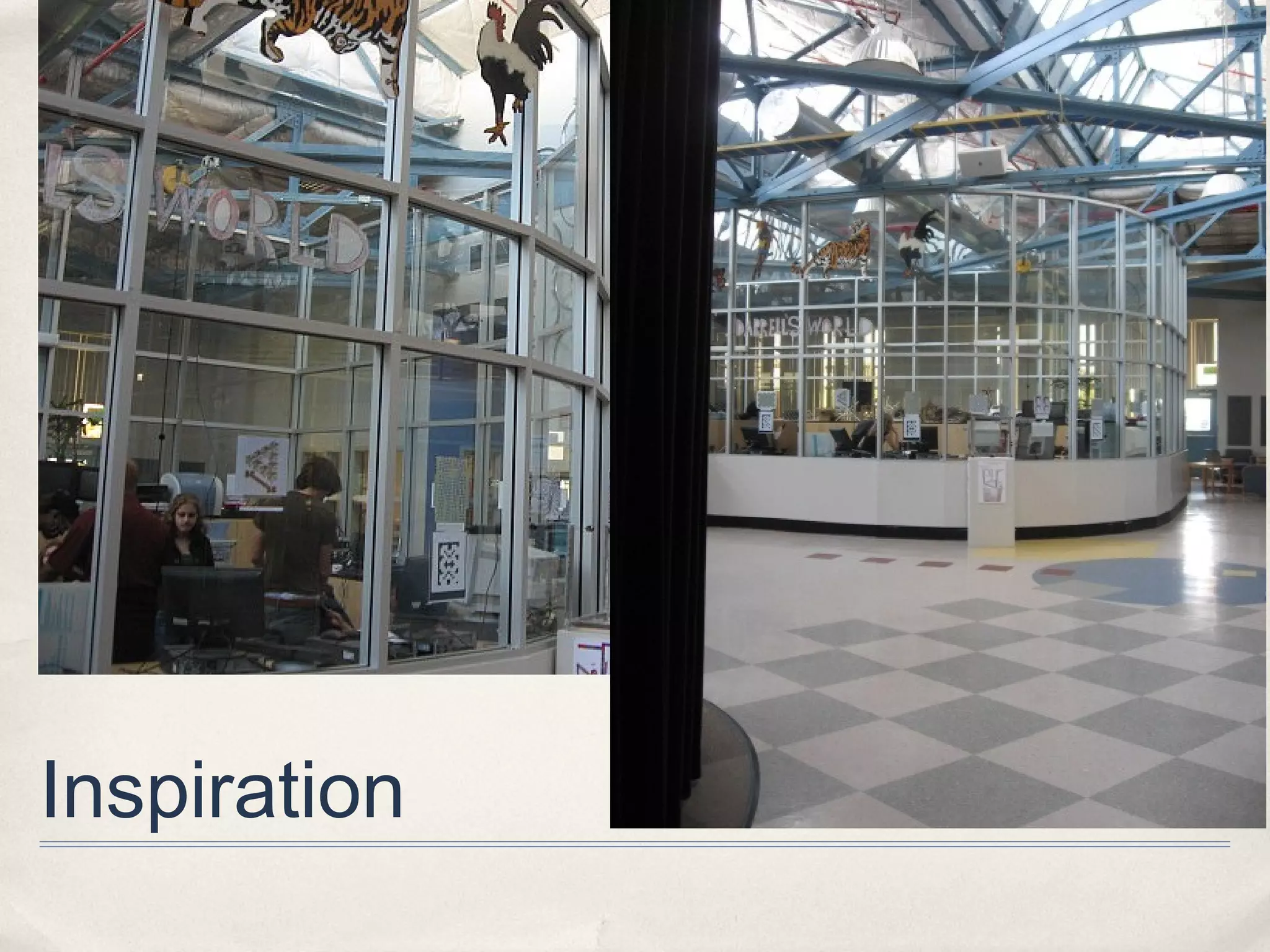
Inspiration
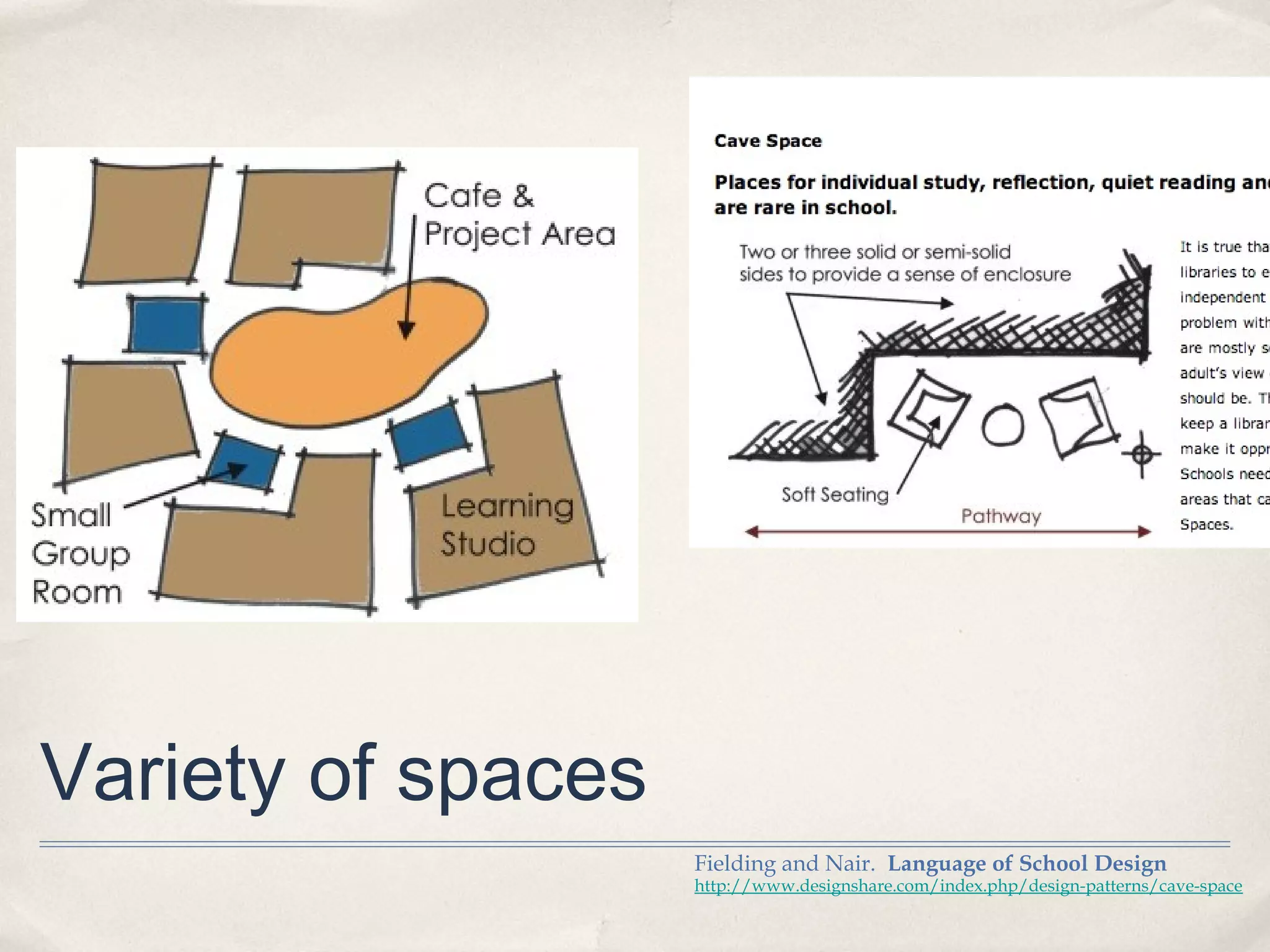
Variety of spaces
                    Fielding and Nair. Language of School Design
                    http://www.designshare.com/index.php/design-patterns/cave-space
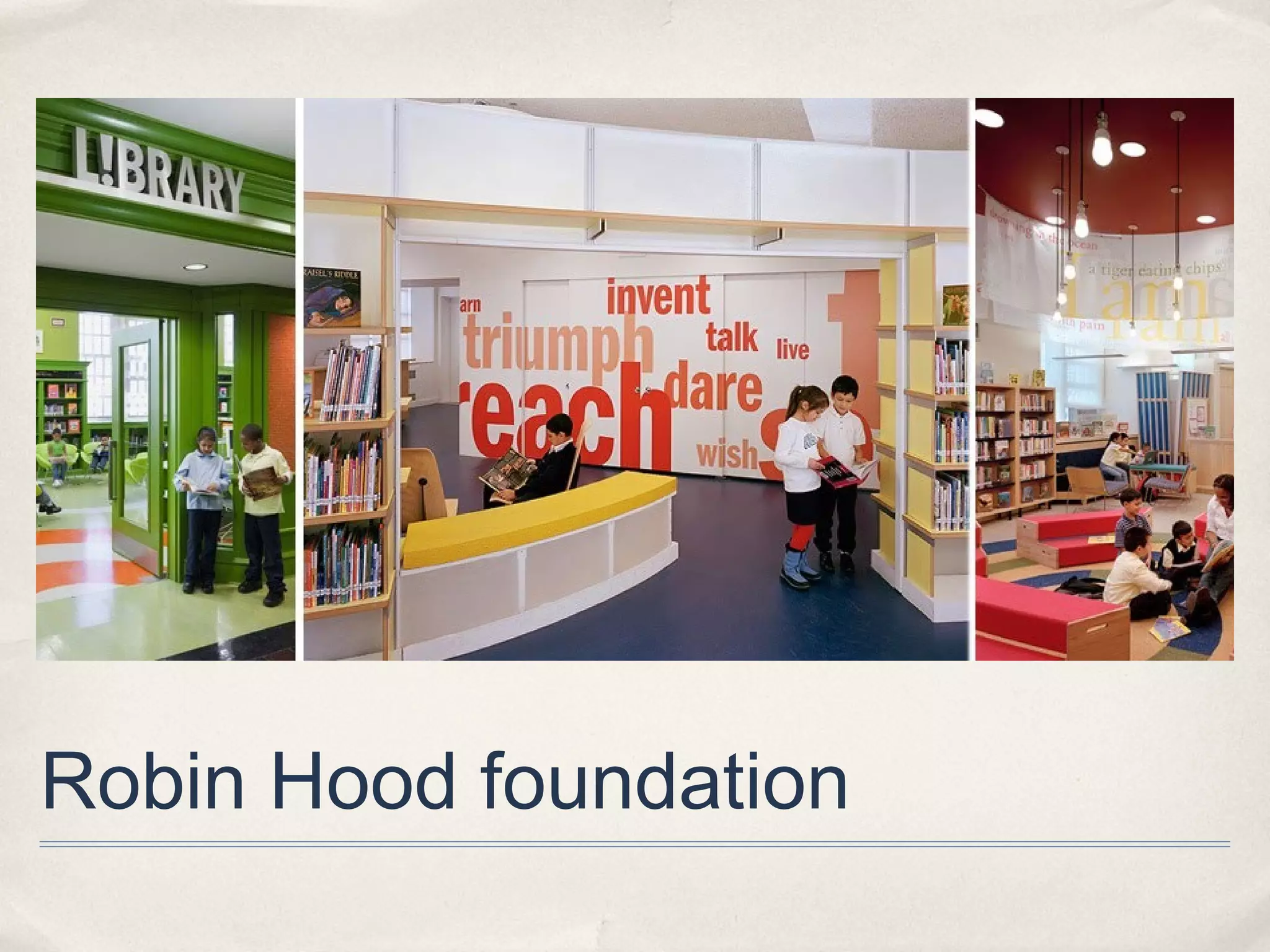
Robin Hood foundation
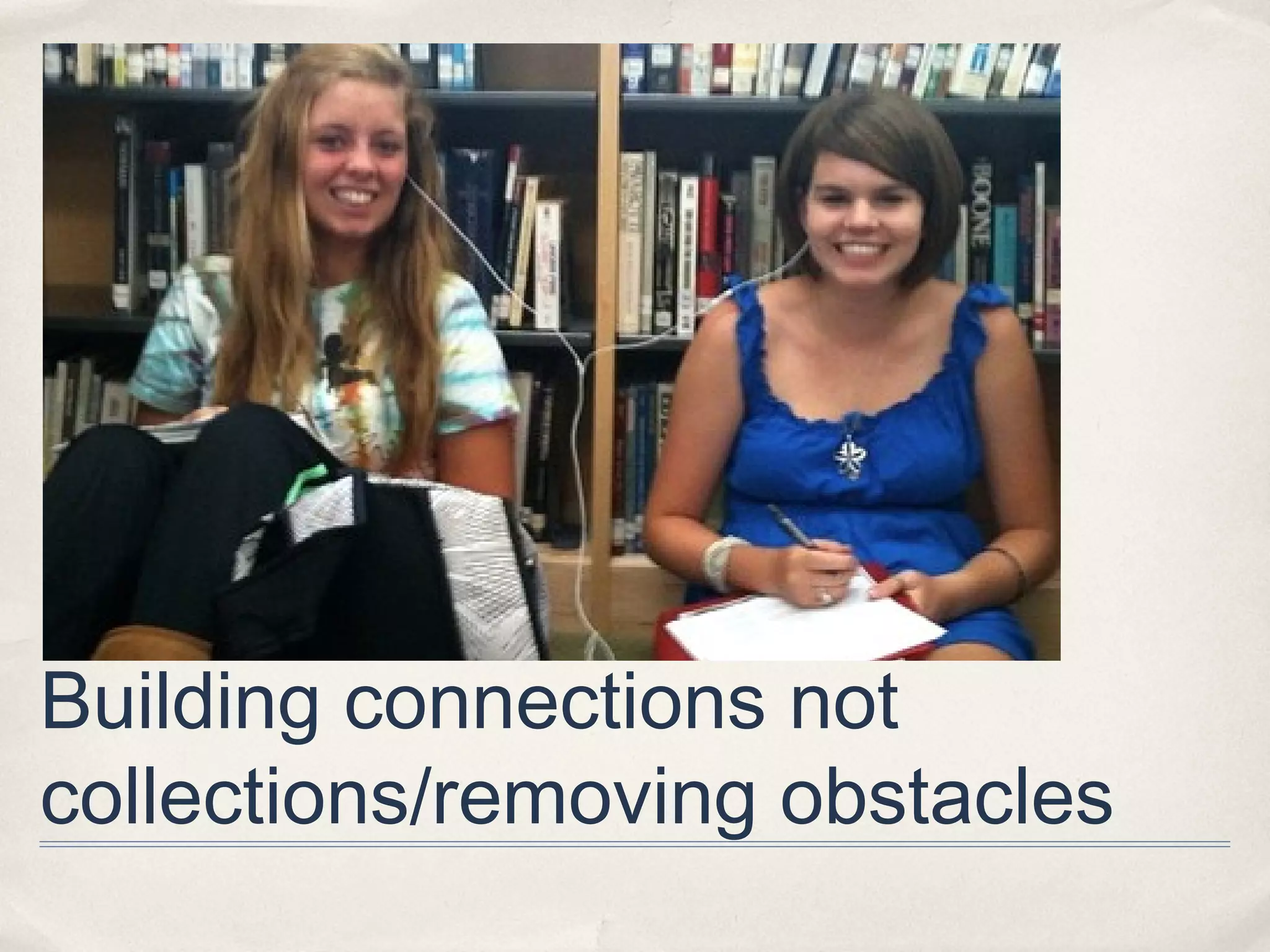
Building connections not
collections/removing obstacles
Evolution and followup
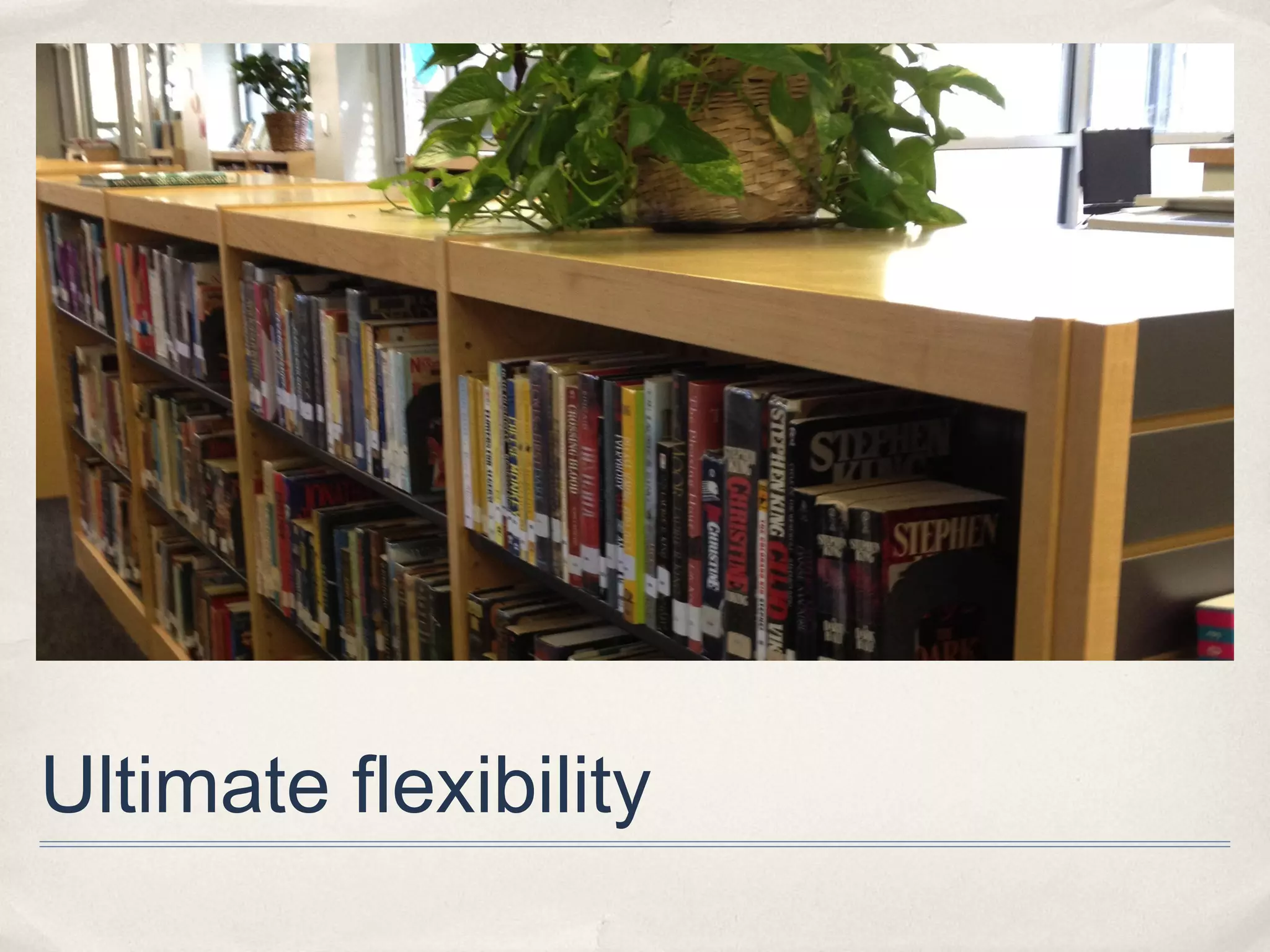
Ultimate flexibility
iLab concept
               http://www.youtube.com/watch?feature=player_embedded&v=3nwc7N6BaQc#!
Imagination is more important than knowledge. Knowledge
is limited. Imagination encircles the world.”
               Albert Einstein
Albert Einstein
Resources
✤   Fielding and Nair. Language of School Design.

✤   Siddiqi. The Library Book.(Robin Hood foundation)

✤   Doorley and Witthoft. Make Space. (Stanford d.school)

✤   Loertscher, et. al. The New Learning Commons.

✤   Pew Internet Research
    http://libraries.pewinternet.org/

✤   Not So Distant Future blog http://www.futura.edublogs.org/design

✤   Pfluger http://pflugerarchitects.com
Contact us
Carolyn Foote
cfoote@eanesisd.net;
www.futura.edublogs.org

Sean Connor
Sean@pflugerassociates.com

Library Design for the 21st Century Learner: CEFPI Southern Region

  • 1.
    CEFPI is aRegistered Provider with The American Institute of Architects Continuing Education Systems (AIA/CES). Credit(s) earned on completion of this program will be reported to AIA/CES for AIA members. Certificates of Completion for both AIA members and non-AIA members are available upon request. This program is registered with AIA/CES for continuing professional education. As such, it does not include content that may be deemed or construed to be an approval or endorsement by the AIA of any material of construction or any method or manner of handling, using, distributing, or dealing in any material or product. Questions related to specific materials, methods, and services will be addressed at the conclusion of each presentation.
  • 2.
    Learning Objectives LIBRARY DESIGN FOR THE 21ST CENTURY LEARNER At the end of this program, participants will be able to: •Have familiarity with current trends in library design 1.Know strategies for observing and documenting student behaviors in libraries 2.Understand Impact of technology on student use of library spaces 3.Understand changing expectations in the educational system for student learning
  • 3.
    Course Evaluations In orderto maintain high-quality learning experiences, please access the evaluation for this course by logging into CES Discovery and clicking on the Course Evaluation link on the left side of the page.
  • 4.
    Thank you foryour time! QUESTIONS?? This concludes The American Institute of Architects Continuing Education Systems Course CEFPI
  • 5.
    Library Design forthe 21st century learner Sean Connor, Pfluger and Associates Carolyn Foote, Westlake High School Library April 5, 2013
  • 6.
    Sean Connor About usArchitects Pfluger Associates Carolyn Foote Westlake High School Eanes ISD cutmodern design
  • 7.
  • 8.
    What do weknow about learners?
  • 9.
    Who is our“customer”?
  • 10.
    Teens and tech ✤ 71% of teens say the computer they use most often is shared with other family. ✤ 23% of teens surveyed have a tablet. ✤ 37% of teens have smartphones. (78% have a phone) http://www.pewinternet.org/Reports/2013/Teens-and-Tech/Main-Findings/Teens-and-Technology.aspx
  • 11.
  • 12.
  • 13.
    E-books and students http://libraries.pewinternet.org/2012/12/27/e-book-reading-jumps-print-book-reading-declines/
  • 14.
    Library spaces andstudents http://libraries.pewinternet.org/
  • 15.
    What can a21st century library look like? look like?
  • 16.
    What are thepurposes of a library? kitchen? libratory? learning commons? studio?
  • 17.
    Modalities of learning supported 1. Independentstudy 2. Peer tutoring 3. Team collaborative work 4. One on one learning 5. Lecture format/teacher centered 6. Project based learning 7. Technology based learning 8. Distance learning/Global 9. Internet research 10. Presentations Prakish Nair
  • 18.
    7 Spaces forLearning Ewan McIntosh, (based on Matt Locke) http://notosh.com/lab/learning-spaces-3-the-seven-spaces/
  • 19.
    Learning “If they build it, they will use it.” Commons David Loertscher ✤ Student, Teacher and Librarian designed ✤ Learning studio with technology, books, librarians, technologists and other learning specialists ✤ Areas for individual or group work or classroom work
  • 20.
    photo by EricSchlegal Social emotional support
  • 21.
    “School librariesfillednot justof are with books; bunch of a national network rooms a they are for future economic incubators potential.”  Jeff Norton http://www.theliteraryplatform.com/2012/10/why-school-libraries-matter-hint-its-not-just-about-the-b
  • 22.
    photo by EricSchlegal Teacher support
  • 23.
    What is a21st century librarian? http://www.fwps.org/info/highlights/1011/vlhlibrary/
  • 25.
  • 26.
  • 27.
    Info literacy KeithCurry Lance study http://www.slideshare.net/fullscreen/KeithCL/whats-in-it-for-me-how-admin
  • 28.
  • 29.
    ISTE NETS forstudents
  • 30.
    Studies show... http://www.schoollibraryjournal.com/slj/home/891612-312/something_to_shout_about_new.html.csp
  • 31.
    Studies show... http://www.schoollibraryjournal.com/slj/home/891612-312/something_to_shout_about_new.html.csp
  • 32.
    What do ourstudents tell us?
  • 33.
    QuickTime™ and a H.264 decompressor are needed to see this picture.
  • 34.
    video QuickTime™ and a H.264 decompressor are needed to see this picture.
  • 35.
    What would ideal library look like? “quiet, but not too quiet” “. . .where ‘even if you’re by yourself, you don’t feel like you’re by yourself,’ as one participant put it.” “‘coffeeshop’ feel or ‘living room atmosphere,’ where they could mingle with other people if they wanted to, but can do their own thing if not.” “‘like home room for your community.’” Rainie and Zickuhr. Pew Internet Project: Library Services in the Digital Age. http://libraries.pewinternet.org/2013/01/22/Library-services/
  • 36.
    How can spacesreflect this?
  • 37.
    Photograph by ErichSchlegal Case Study: Westlake HS Library Renovation
  • 38.
    WHS Library –Original Interior (photograph 2007)
  • 39.
    • Dim Lighting • Institutional Furniture • Low Ceiling • Closed off • Subdued Ambience • Obstructed Visibility Issues
  • 40.
    WHS Library –Original Entry
  • 41.
    RR Entry Stacks RR Courtyard Office & Main Reading Room Stacks Circulation Desk AV Computer Computer Lab Lab WHS Library – Original Floor Plan
  • 42.
    “Libraries should be thebeating heart of the school, not mausoleums for dusty books.” Stephanie Harvey
  • 43.
    Demo Cut Slice out of Connect to Corridor Old Library below Canopy 1 – Improve Access (open heart surgery)
  • 44.
    Improve Access –new campus-wide pathway
  • 45.
    Demo Solid Raise Walls Roof 2 – Opening to Outside
  • 46.
    3 - Reconfigurefor Visibility and Interaction
  • 47.
    INPUT FROM LIBRARYSTAFF: • Improve visual and pedestrian connection with the rest of the campus • Increase natural light and visibility to outside • Reconfigure for better visibility within library • Raise portion of roof for space, natural light • Teacher collaboration areas • Offer access to technology for all • Wireless and gadget friendly, instructional technology hub • Provide flexible areas for individual and group research and projects • Student browsing/reading areas • Create a more usable outdoor space • Flexible Project Labs • Learning studio environment • Quiet and less quiet study areas • A place for students and teachers to collaborate. • Flexibility of use • Community center for teachers, students and parents • Serve as the information and social hub for the campus Goals and Concepts
  • 48.
    CORRIDOR EN MEDIA LAB TR PROJECT ROOMS CAFE Y CIRCULATION DESK MAIN OPEN STACKS AREA TEACHERS WORK READING LEARNING COMPUTER ROOM AREA LAB LAB Westlake HS Library – Learning Studio Concept
  • 49.
    Courtyard Corridor Entry Media Lab Juice Bar Office Circ. Desk Teachers Break Stor. Deck Learning Computer Lab Lab Westlake HS Library - New Floor Plan
  • 50.
    Photograph by ErichSchlegal Improve visual and pedestrian connection with the rest of the campus
  • 51.
    Improve visual andpedestrian connection with the rest of the campus
  • 52.
    Increase natural lightand visibility to outside
  • 53.
    Reconfigure for bettervisibility within library
  • 54.
    Raise portion ofroof for space, natural light
  • 55.
  • 56.
    Offer access totechnology for all
  • 57.
    Wireless and gadgetfriendly, instructional technology hub
  • 58.
    provide flexible areasfor individual and group research and projects
  • 59.
  • 60.
    Create a moreusable outdoor space
  • 61.
  • 62.
  • 63.
    Quiet and lessquiet study areas
  • 64.
    Quiet and lessquiet study areas
  • 65.
    A place forstudents and teachers to collaborate.
  • 66.
  • 67.
    Community center forteachers, students and parents
  • 68.
    Serve as theinformation and social hub for the campus.
  • 69.
  • 70.
    Variety of spaces Fielding and Nair. Language of School Design http://www.designshare.com/index.php/design-patterns/cave-space
  • 71.
  • 72.
  • 73.
  • 74.
  • 75.
    iLab concept http://www.youtube.com/watch?feature=player_embedded&v=3nwc7N6BaQc#!
  • 76.
    Imagination is moreimportant than knowledge. Knowledge is limited. Imagination encircles the world.” Albert Einstein Albert Einstein
  • 77.
    Resources ✤ Fielding and Nair. Language of School Design. ✤ Siddiqi. The Library Book.(Robin Hood foundation) ✤ Doorley and Witthoft. Make Space. (Stanford d.school) ✤ Loertscher, et. al. The New Learning Commons. ✤ Pew Internet Research http://libraries.pewinternet.org/ ✤ Not So Distant Future blog http://www.futura.edublogs.org/design ✤ Pfluger http://pflugerarchitects.com
  • 78.

Editor's Notes

  • #2 AIA Providers can use their own powerpoint template as long as it doesn’t have your company logos. To personalize this slide, please insert your company name in the purple area. You may change the color used in the text. All other wording on this slide is mandatory and cannot be changed.
  • #3 To personalize this slide, please insert your four learning objectives in the purple area on this slide. You may change the color used in the text. Be sure that these four learning objectives are identical to the ones that were submitted on the course registration. Please remove the “sample slide” lingo from the upper right hand corner of the page.
  • #4 As a new requirement, Providers are required to encourage members to complete the online CES Discovery Evaluation. You may still use your own paper evaluation form to collect feedback for your personal records, however our online evaluation must still be encouraged.
  • #5 To personalize this slide, please insert your company name/logo and contact information in the purple area. You may change the color used in the text. Also, please remove the “sample last slide” lingo in the upper right hand corner of the page.