CCL+ TIPS FOR A GOOD
PRESENTATION
Autor: Kalexanderson - Creative Beauty http://goo.gl/2vPrva
CCL+ TIPS GOOD PRESENTATION by
http://www.slideshare.net/slideshow/embed_code/45263310is licensed under
a Creative Commons Reconocimiento-NoComercial 4.0 Internacional License.
What’s that?
• An organization that permits you
to share your work and utilize
other works as legal
http://creativecommons.org.au/
Who use it?• MUSIC INDUSTRY, SINGER
• BLOGGERS
• YOUTUBERS
• SOYER 14/15
• Photo by Stephen Coles , http://goo.gl/jC2c4x
HOW TO CREATE IT?
www.creativecommons.org
by Michael Mandiberg and Xtine Burrough http://goo.gl/h8FIO3
• With CC you do not give up your
copyright; you still own your work
cc-by-sa
•CC do not replace copyright registration
Pros
• "Free Advertising" License – allows others to
do the duplication and re-distribution.
• Preserve the original integrity of the work
• Cannot create any derivative works that you
have no control
• Protects you from people telling any thing
using your work and not paying you for it
AGAINST
• You can not cancel a Creative Commons
Licence once given.
• If someone profits from your work, you can’t ask
for compensation or a licence fee.
• Someone can use your work to develop a new
work .
http://goo.gl/ekPGfO
The better of CC is..
• Authors allow us to use their CREATIVITY !
http://goo.gl/kx838b http://goo.gl/sKm1DN
HOW TO MAKE A GOOD
ORAL AND
PRESENTATION?
By Luis Bobo Borobia
By Nacho Vegas
IDEAS OF SOME
AUTHORS
According to Aristotle:
• ACT 1: Beginning
• ACT 2: Middle
• ACT 3: End
By M. Peinado
By Lali Masriera
By Javier
Pedreira
1863 FREYTAG´S PYRAMID
By Darren Barefoot
What is What is What is What is
What could be What could be What could be
New bliss
(new norm)
STEPS TO
FOLLOW
By Jeremy
Fernsler
PLANIFICATING
• What are the objectives?
• Who is the audience?
• Where is the presentation?
STRUCTURING THE
INFORMATION
• Select the info
• Looking for examples
• Distribute the info
of the slides
ILUSTRATING THE
PRESENTATION
• Maps
• Graphics
• Images
• Videos
TAKING CARE
ABOUT THE EXCESS
• Letter styles
• Letter colors
• Animation
• Transition´s effect
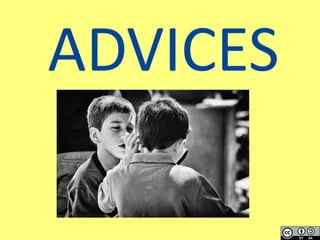
ADVICES
CHOOSE A VISUAL FONT
Make color contrast
and also size
contrast
Direct people attention where you
want
Don´t turn your back to
the audience
Look your audience
to their eyes
KEEP IT
SIMPLE
Avoiding reading each point from the
slides
Quality information
Adapt the information to the audience
(kids, adults…)
Avoid using gaudy colours
Use multimedia:
videos and audios
Avoid numerical data
Avoid crossing your
legs during
your speak
Do not speak
looking at the
floor or roof
Slow down your
speech
Leave the most important things
at the end
“Finally,butnotlessimportant…”
Relax yourself
Leave time for
questions at
the end
Vocalice
Try to express the emotions you want the
audience feel
Try to interact
with the audience
THE END

CCL+ TIPS GOOD PRESENTATION

  • 1.
    CCL+ TIPS FORA GOOD PRESENTATION Autor: Kalexanderson - Creative Beauty http://goo.gl/2vPrva CCL+ TIPS GOOD PRESENTATION by http://www.slideshare.net/slideshow/embed_code/45263310is licensed under a Creative Commons Reconocimiento-NoComercial 4.0 Internacional License.
  • 2.
    What’s that? • Anorganization that permits you to share your work and utilize other works as legal http://creativecommons.org.au/
  • 3.
    Who use it?•MUSIC INDUSTRY, SINGER • BLOGGERS • YOUTUBERS • SOYER 14/15 • Photo by Stephen Coles , http://goo.gl/jC2c4x
  • 4.
    HOW TO CREATEIT? www.creativecommons.org
  • 5.
    by Michael Mandibergand Xtine Burrough http://goo.gl/h8FIO3
  • 6.
    • With CCyou do not give up your copyright; you still own your work cc-by-sa •CC do not replace copyright registration
  • 7.
    Pros • "Free Advertising"License – allows others to do the duplication and re-distribution. • Preserve the original integrity of the work • Cannot create any derivative works that you have no control • Protects you from people telling any thing using your work and not paying you for it
  • 8.
    AGAINST • You cannot cancel a Creative Commons Licence once given. • If someone profits from your work, you can’t ask for compensation or a licence fee. • Someone can use your work to develop a new work . http://goo.gl/ekPGfO
  • 9.
    The better ofCC is.. • Authors allow us to use their CREATIVITY ! http://goo.gl/kx838b http://goo.gl/sKm1DN
  • 10.
    HOW TO MAKEA GOOD ORAL AND PRESENTATION? By Luis Bobo Borobia By Nacho Vegas
  • 11.
  • 12.
    According to Aristotle: •ACT 1: Beginning • ACT 2: Middle • ACT 3: End By M. Peinado By Lali Masriera By Javier Pedreira
  • 13.
  • 14.
    What is Whatis What is What is What could be What could be What could be New bliss (new norm)
  • 15.
  • 16.
    PLANIFICATING • What arethe objectives? • Who is the audience? • Where is the presentation?
  • 17.
    STRUCTURING THE INFORMATION • Selectthe info • Looking for examples • Distribute the info of the slides
  • 18.
    ILUSTRATING THE PRESENTATION • Maps •Graphics • Images • Videos
  • 19.
    TAKING CARE ABOUT THEEXCESS • Letter styles • Letter colors • Animation • Transition´s effect
  • 20.
  • 21.
    CHOOSE A VISUALFONT Make color contrast and also size contrast
  • 22.
    Direct people attentionwhere you want Don´t turn your back to the audience Look your audience to their eyes
  • 23.
  • 24.
    Avoiding reading eachpoint from the slides Quality information Adapt the information to the audience (kids, adults…)
  • 25.
    Avoid using gaudycolours Use multimedia: videos and audios Avoid numerical data
  • 26.
    Avoid crossing your legsduring your speak Do not speak looking at the floor or roof Slow down your speech
  • 27.
    Leave the mostimportant things at the end “Finally,butnotlessimportant…” Relax yourself Leave time for questions at the end
  • 28.
    Vocalice Try to expressthe emotions you want the audience feel Try to interact with the audience
  • 29.