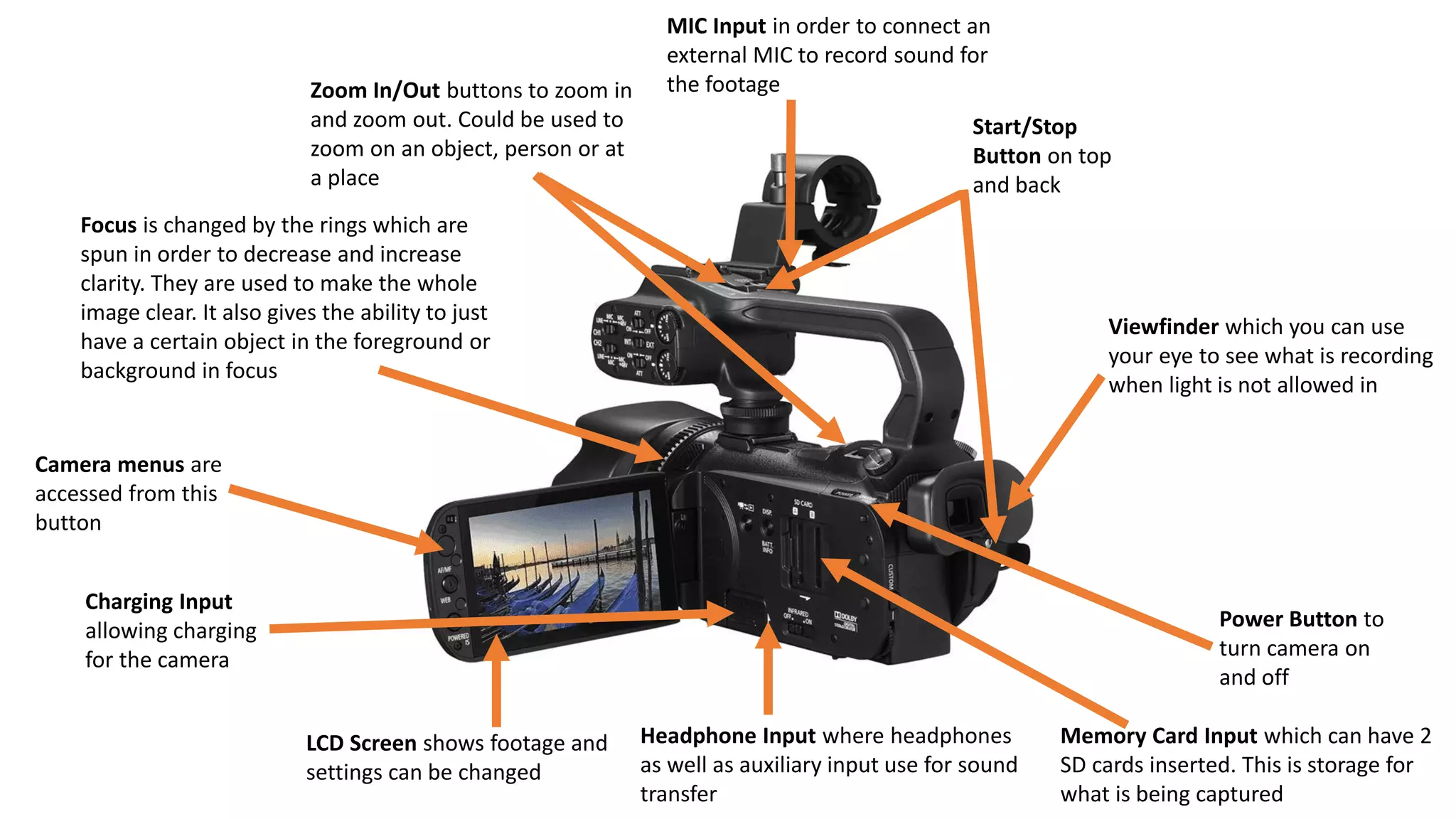
Power Button to
turn camera on
and off
Start/Stop
Button on top
and back
LCD Screen shows footage and
settings can be changed
Viewfinder which you can use
your eye to see what is recording
when light is not allowed in
Headphone Input where headphones
as well as auxiliary input use for sound
transfer
Charging Input
allowing charging
for the camera
Camera menus are
accessed from this
button
Zoom In/Out buttons to zoom in
and zoom out. Could be used to
zoom on an object, person or at
a place
Memory Card Input which can have 2
SD cards inserted. This is storage for
what is being captured
MIC Input in order to connect an
external MIC to record sound for
the footage
Focus is changed by the rings which are
spun in order to decrease and increase
clarity. They are used to make the whole
image clear. It also gives the ability to just
have a certain object in the foreground or
background in focus

Canon XA10

  • 1.
    Power Button to turncamera on and off Start/Stop Button on top and back LCD Screen shows footage and settings can be changed Viewfinder which you can use your eye to see what is recording when light is not allowed in Headphone Input where headphones as well as auxiliary input use for sound transfer Charging Input allowing charging for the camera Camera menus are accessed from this button Zoom In/Out buttons to zoom in and zoom out. Could be used to zoom on an object, person or at a place Memory Card Input which can have 2 SD cards inserted. This is storage for what is being captured MIC Input in order to connect an external MIC to record sound for the footage Focus is changed by the rings which are spun in order to decrease and increase clarity. They are used to make the whole image clear. It also gives the ability to just have a certain object in the foreground or background in focus