

Cannon slr labeled
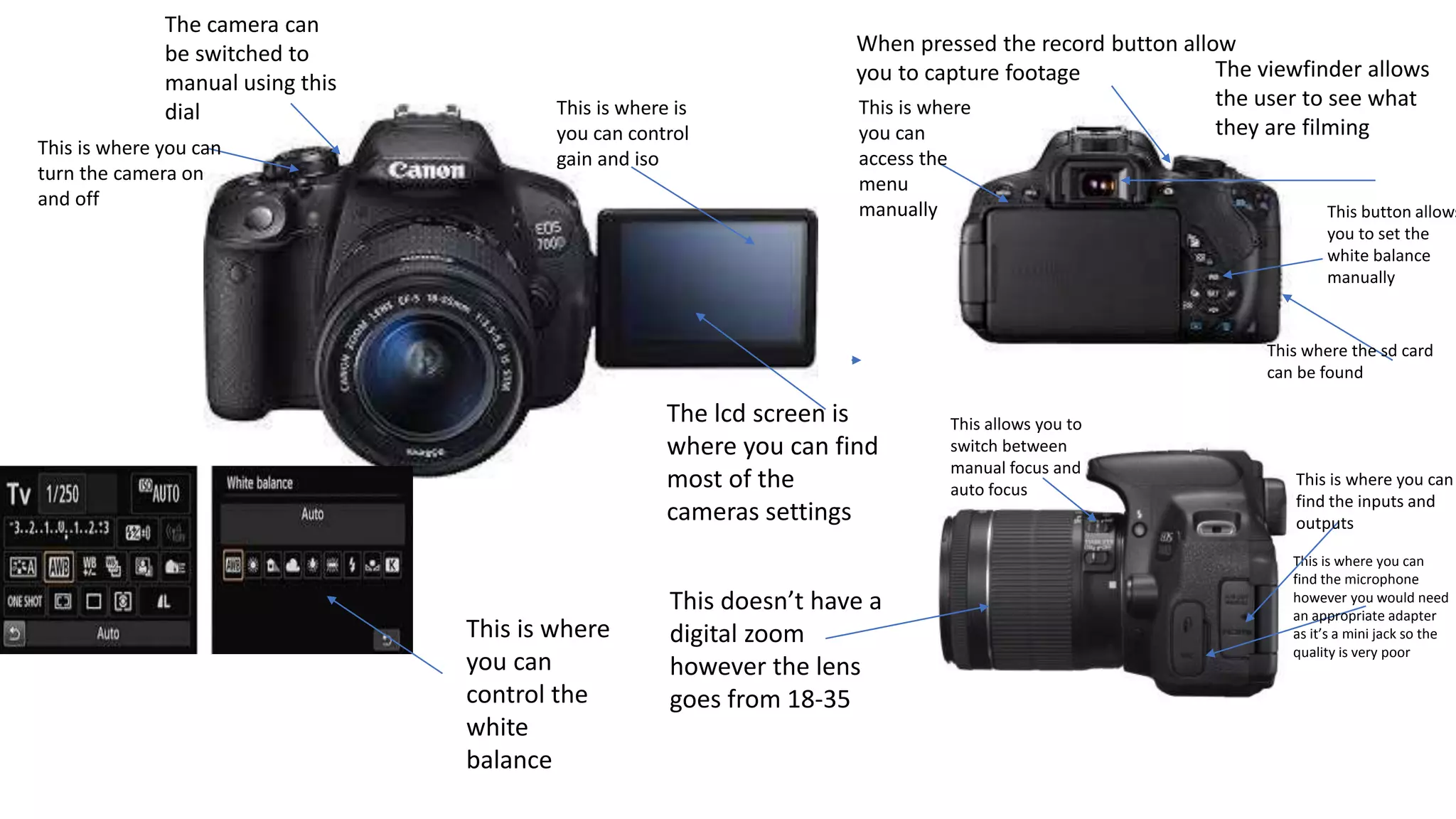
- 1. The lcd screenis where you can find most of the cameras settings The viewfinder allows the user to see what they are filming When pressed the record button allow you to capture footage The camera can be switched to manual using this dial This is where you can turn the camera on and off This button allows you to set the white balance manually This is where you can access the menu manually This where the sd card can be found This is where you can find the microphone however you would need an appropriate adapter as it’s a mini jack so the quality is very poor This doesn’t have a digital zoom however the lens goes from 18-35 This allows you to switch between manual focus and auto focus This is where is you can control gain and iso This is where you can control the white balance This is where you can find the inputs and outputs