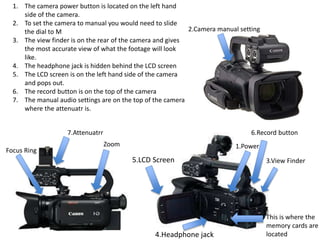
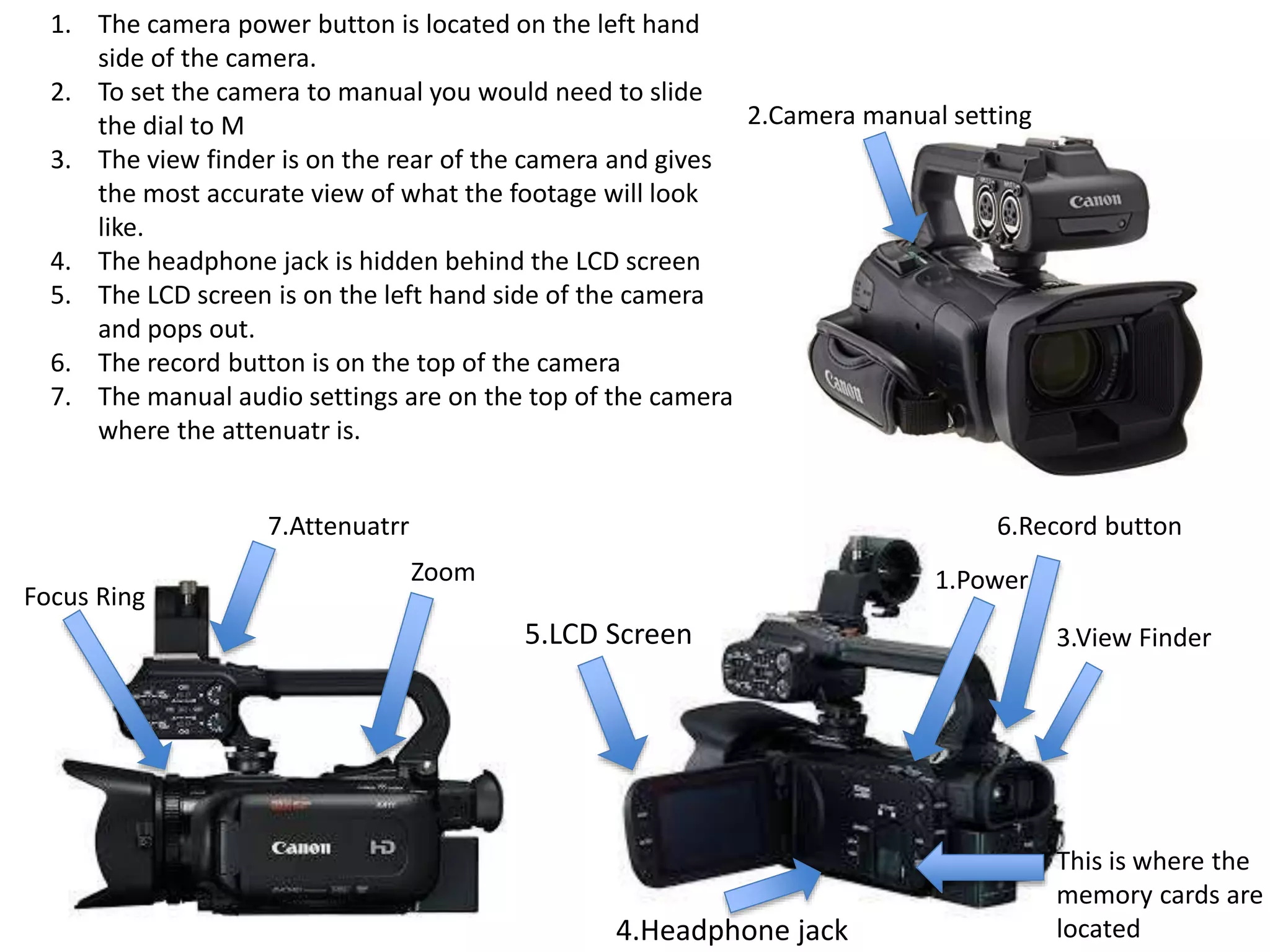
1.Power
2.Camera manual setting
3.View Finder
4.Headphone jack
5.LCD Screen
6.Record button
Zoom
Focus Ring
This is where the
memory cards are
located
1. The camera power button is located on the left hand
side of the camera.
2. To set the camera to manual you would need to slide
the dial to M
3. The view finder is on the rear of the camera and gives
the most accurate view of what the footage will look
like.
4. The headphone jack is hidden behind the LCD screen
5. The LCD screen is on the left hand side of the camera
and pops out.
6. The record button is on the top of the camera
7. The manual audio settings are on the top of the camera
where the attenuatr is.
7.Attenuatrr
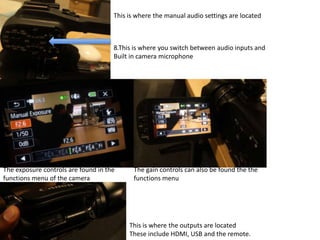
The exposure controls are found in the
functions menu of the camera
The gain controls can also be found the the
functions menu
This is where the manual audio settings are located
8.This is where you switch between audio inputs and
Built in camera microphone
This is where the outputs are located
These include HDMI, USB and the remote.
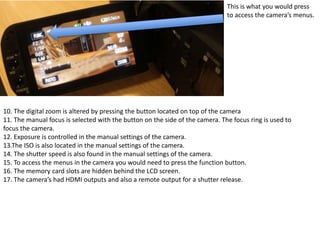
This is what you would press
to access the camera’s menus.
10. The digital zoom is altered by pressing the button located on top of the camera
11. The manual focus is selected with the button on the side of the camera. The focus ring is used to
focus the camera.
12. Exposure is controlled in the manual settings of the camera.
13.The ISO is also located in the manual settings of the camera.
14. The shutter speed is also found in the manual settings of the camera.
15. To access the menus in the camera you would need to press the function button.
16. The memory card slots are hidden behind the LCD screen.
17. The camera’s had HDMI outputs and also a remote output for a shutter release.

Xa10

  • 1.
    1.Power 2.Camera manual setting 3.ViewFinder 4.Headphone jack 5.LCD Screen 6.Record button Zoom Focus Ring This is where the memory cards are located 1. The camera power button is located on the left hand side of the camera. 2. To set the camera to manual you would need to slide the dial to M 3. The view finder is on the rear of the camera and gives the most accurate view of what the footage will look like. 4. The headphone jack is hidden behind the LCD screen 5. The LCD screen is on the left hand side of the camera and pops out. 6. The record button is on the top of the camera 7. The manual audio settings are on the top of the camera where the attenuatr is. 7.Attenuatrr
  • 2.
    The exposure controlsare found in the functions menu of the camera The gain controls can also be found the the functions menu This is where the manual audio settings are located 8.This is where you switch between audio inputs and Built in camera microphone This is where the outputs are located These include HDMI, USB and the remote.
  • 3.
    This is whatyou would press to access the camera’s menus. 10. The digital zoom is altered by pressing the button located on top of the camera 11. The manual focus is selected with the button on the side of the camera. The focus ring is used to focus the camera. 12. Exposure is controlled in the manual settings of the camera. 13.The ISO is also located in the manual settings of the camera. 14. The shutter speed is also found in the manual settings of the camera. 15. To access the menus in the camera you would need to press the function button. 16. The memory card slots are hidden behind the LCD screen. 17. The camera’s had HDMI outputs and also a remote output for a shutter release.