CA SSO performance
testing with CA
Blazemeter
August 23, 2017
Jason Wilcox & Dave Karow
Copyright © 2017 CA. All rights reserved.
Agenda
CA BLAZEMETER OVERVIEW
WHAT ARE CA SSO BOTTLENECKS
USING BLAZEMETER TO TEST EACH COMPONENT
USING BLAZEMETER TO TEST LDAP DIRECTORY PERFORMANCE
USING BLAZEMETER TO TEST BASIC SSO PERFORMANCE
NEXT STEPS
1
2
3
4
5
6
Copyright © 2017 CA. All rights reserved.
The Policy Server responds
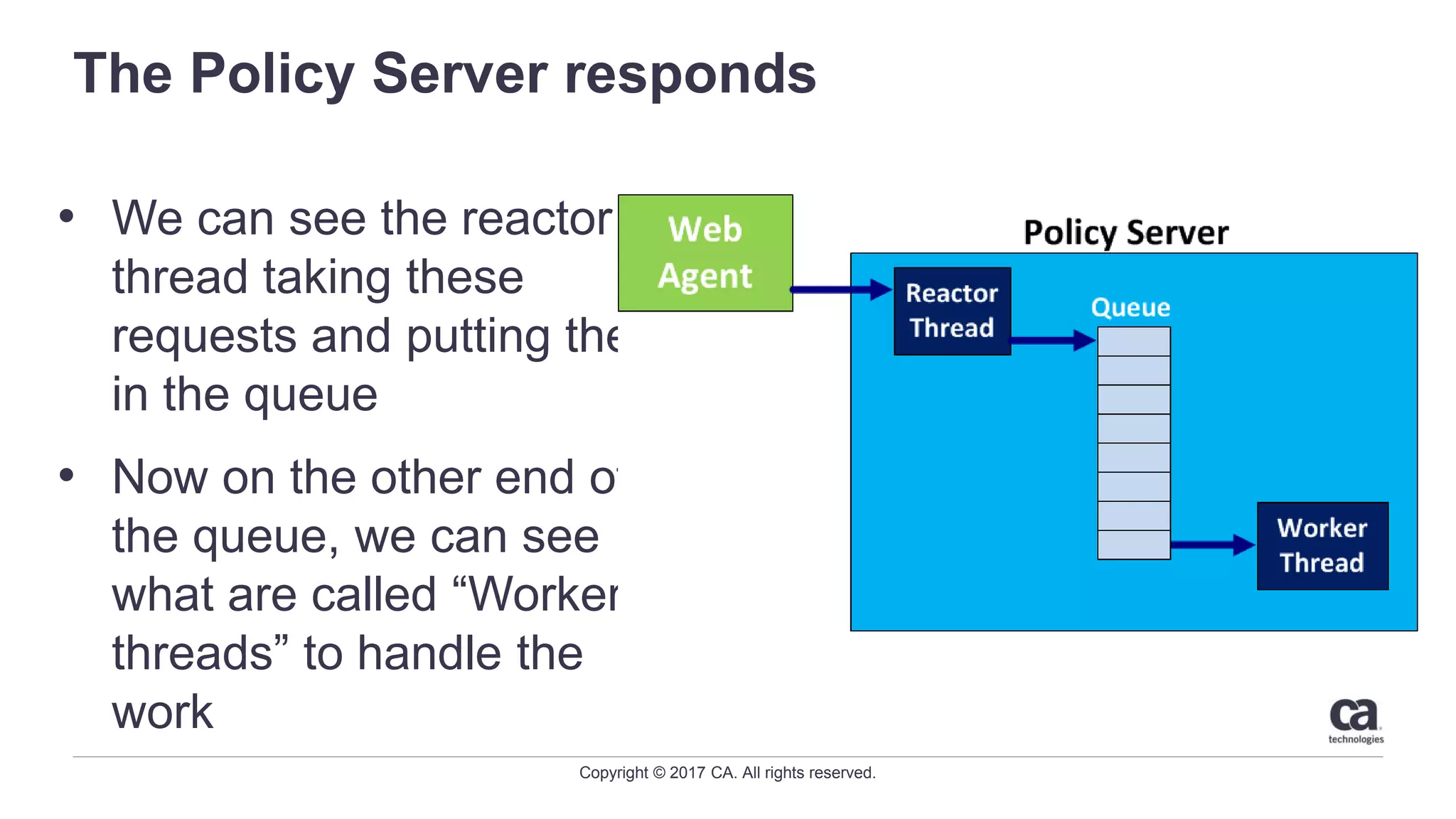
• We can see the reactor
thread taking these
requests and putting them
in the queue
• Now on the other end of
the queue, we can see
what are called “Worker
threads” to handle the
work
• When the Agent comes
knocking, who answers?
Copyright © 2017 CA. All rights reserved.
What do worker threads do?
• Worker threads do the work!
• The worker threads take the item off the queue, and go to
the User Store, Policy Store, Session Store, cache, etc…
• Worker threads generate assertions
• Worker threads process xml
• Worker threads do everything the policy server needs to
do
Before I can tell you how many you need, we need to know what they are
doing?
Copyright © 2017 CA. All rights reserved.
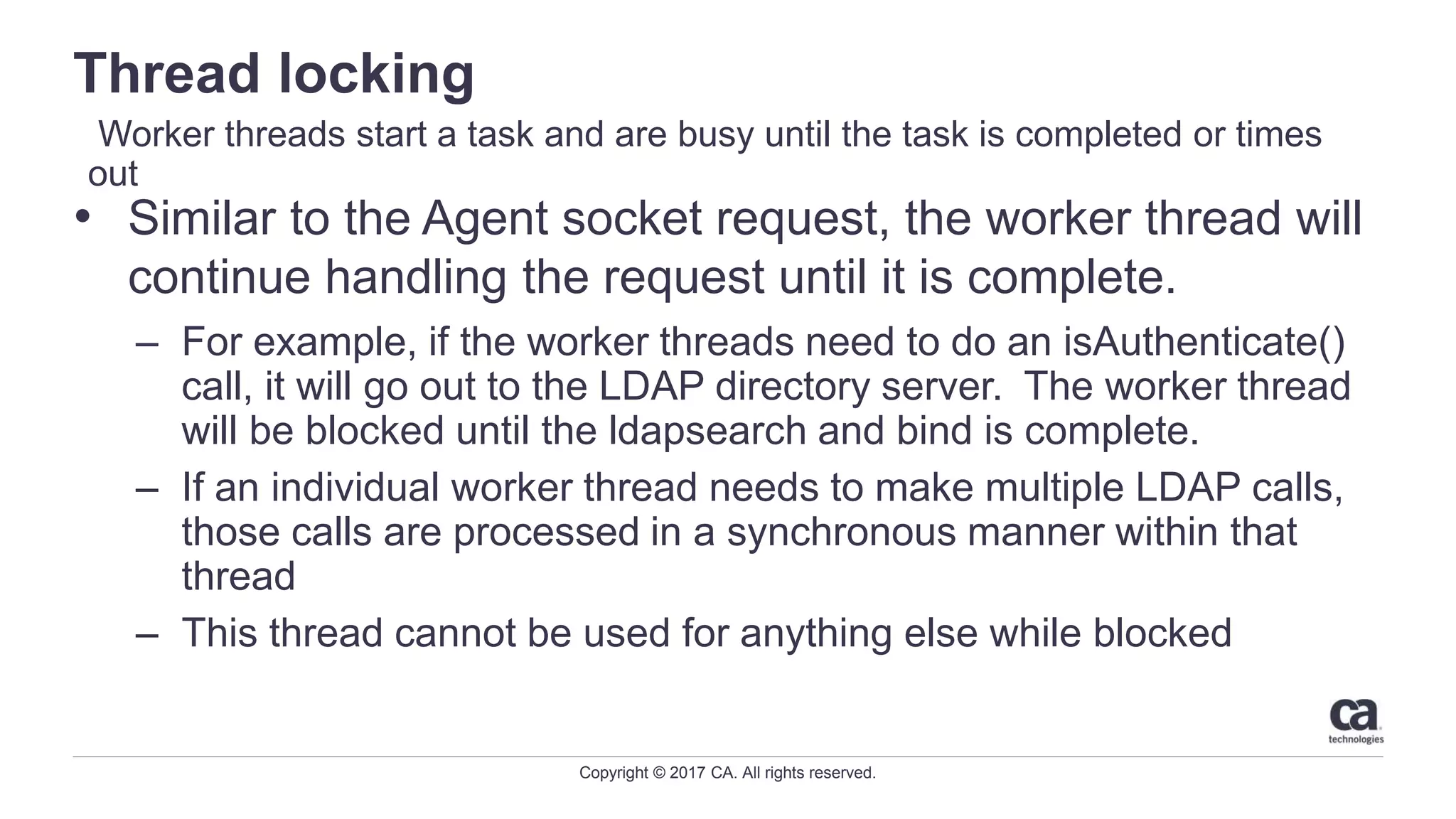
Thread locking
• Similar to the Agent socket request, the worker thread will
continue handling the request until it is complete.
– For example, if the worker threads need to do an isAuthenticate()
call, it will go out to the LDAP directory server. The worker thread
will be blocked until the ldapsearch and bind is complete.
– If an individual worker thread needs to make multiple LDAP calls,
those calls are processed in a synchronous manner within that
thread
– This thread cannot be used for anything else while blocked
Worker threads start a task and are busy until the task is completed or times
out
Copyright © 2017 CA. All rights reserved.
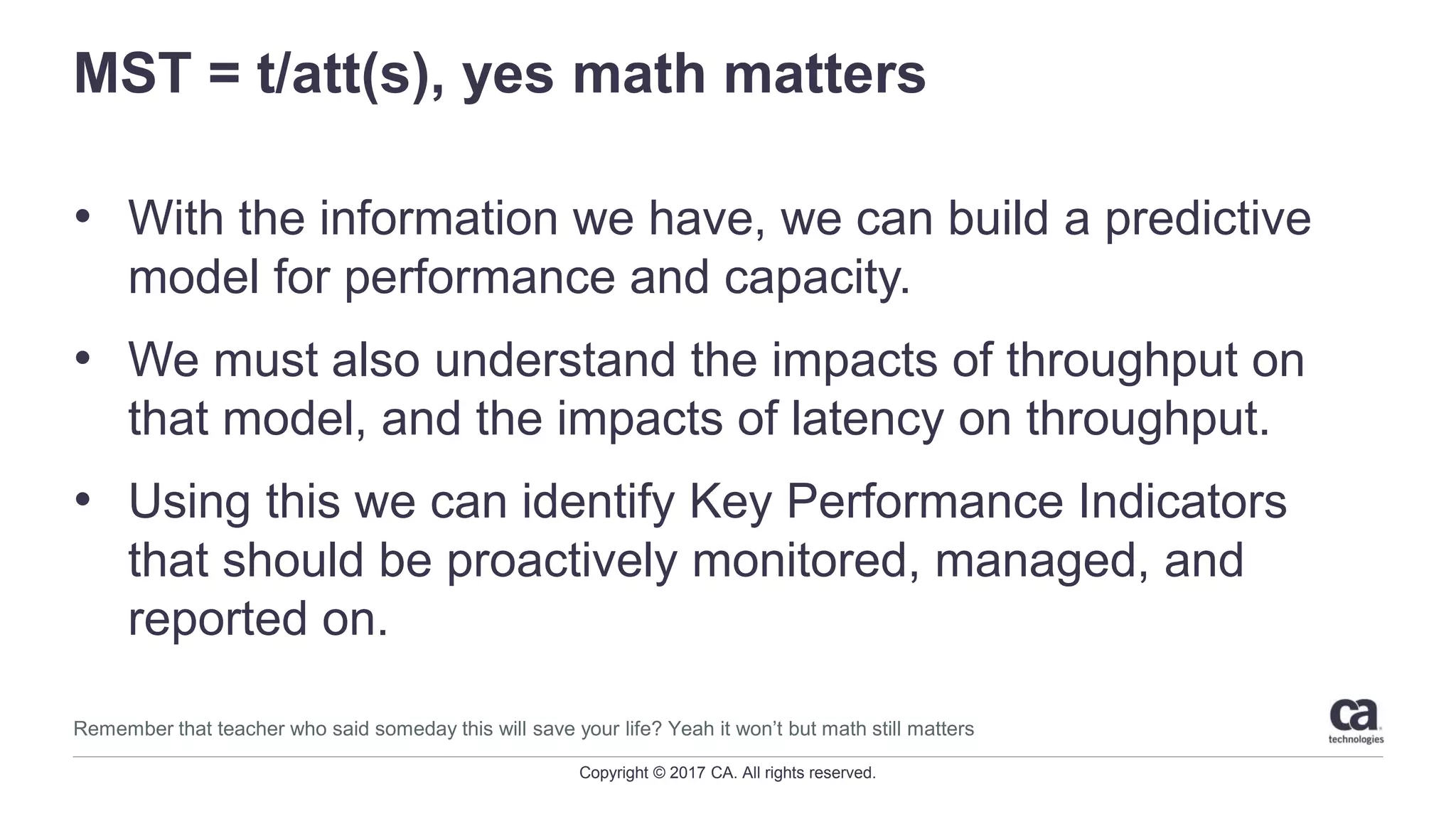
MST = t/att(s), yes math matters
• With the information we have, we can build a predictive
model for performance and capacity.
• We must also understand the impacts of throughput on
that model, and the impacts of latency on throughput.
• Using this we can identify Key Performance Indicators
that should be proactively monitored, managed, and
reported on.
Remember that teacher who said someday this will save your life? Yeah it won’t but math still matters
Copyright © 2017 CA. All rights reserved.
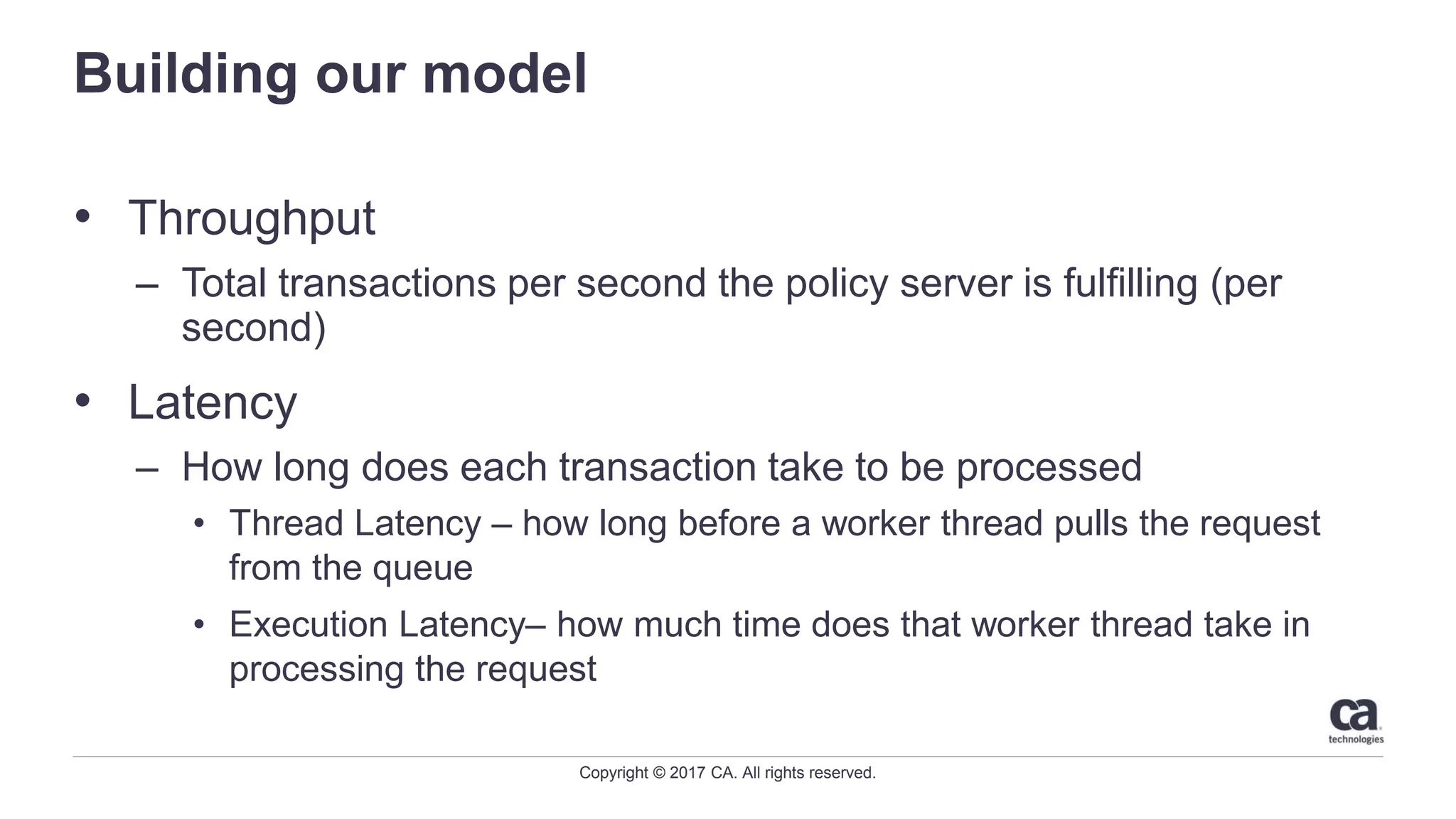
Building our model
• Throughput
– Total transactions per second the policy server is fulfilling (per
second)
• Latency
– How long does each transaction take to be processed
• Thread Latency – how long before a worker thread pulls the request
from the queue
• Execution Latency– how much time does that worker thread take in
processing the request
Copyright © 2017 CA. All rights reserved.
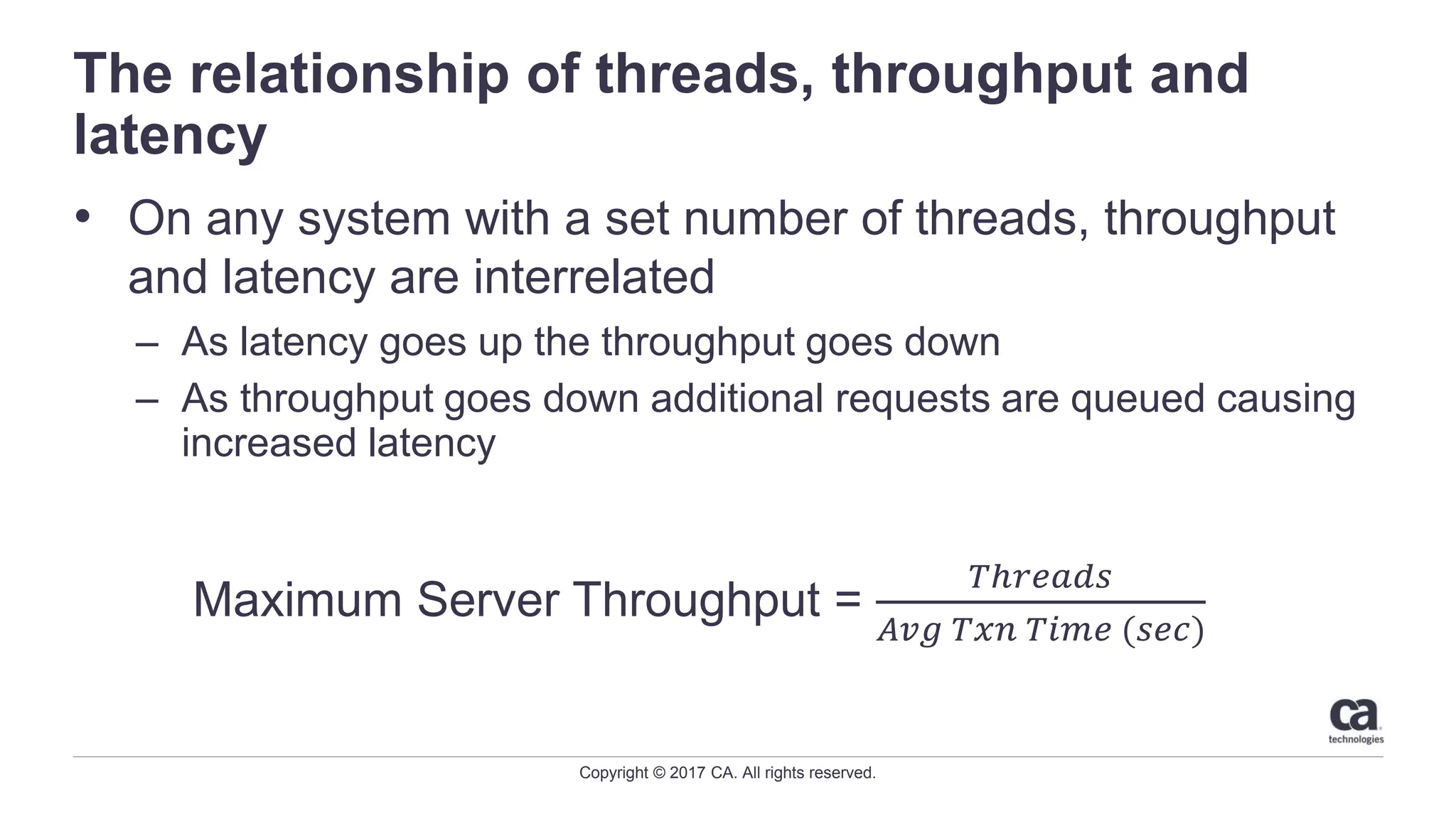
The relationship of threads, throughput and
latency
• On any system with a set number of threads, throughput
and latency are interrelated
– As latency goes up the throughput goes down
– As throughput goes down additional requests are queued causing
increased latency
Maximum Server Throughput =
𝑇ℎ𝑟𝑒𝑎𝑑𝑠
𝐴𝑣𝑔 𝑇𝑥𝑛 𝑇𝑖𝑚𝑒 (𝑠𝑒𝑐)
Copyright © 2017 CA. All rights reserved.
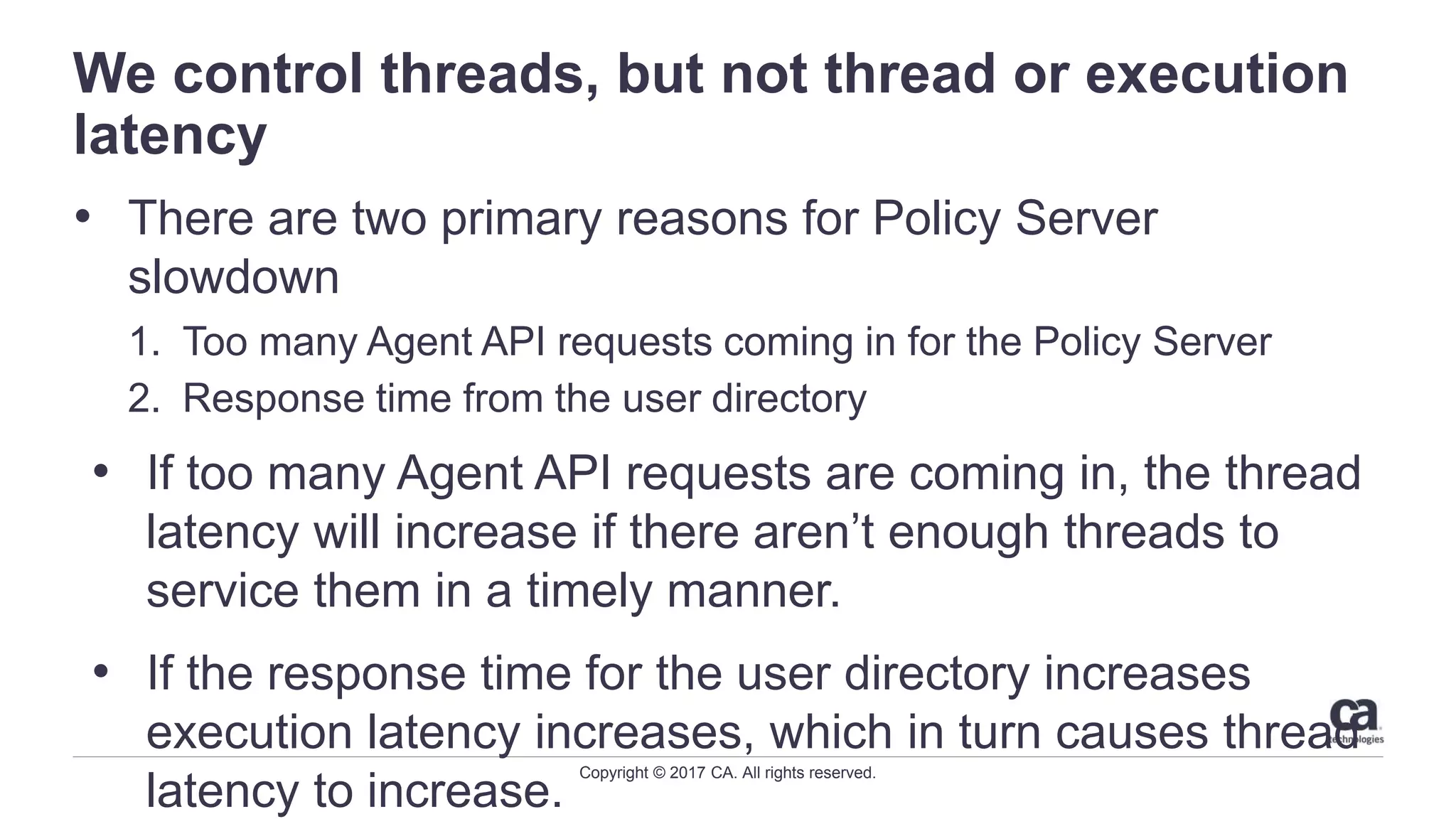
We control threads, but not thread or execution
latency
• There are two primary reasons for Policy Server
slowdown
1. Too many Agent API requests coming in for the Policy Server
2. Response time from the user directory
• If too many Agent API requests are coming in, the thread
latency will increase if there aren’t enough threads to
service them in a timely manner.
• If the response time for the user directory increases
execution latency increases, which in turn causes thread
latency to increase.
Copyright © 2017 CA. All rights reserved.
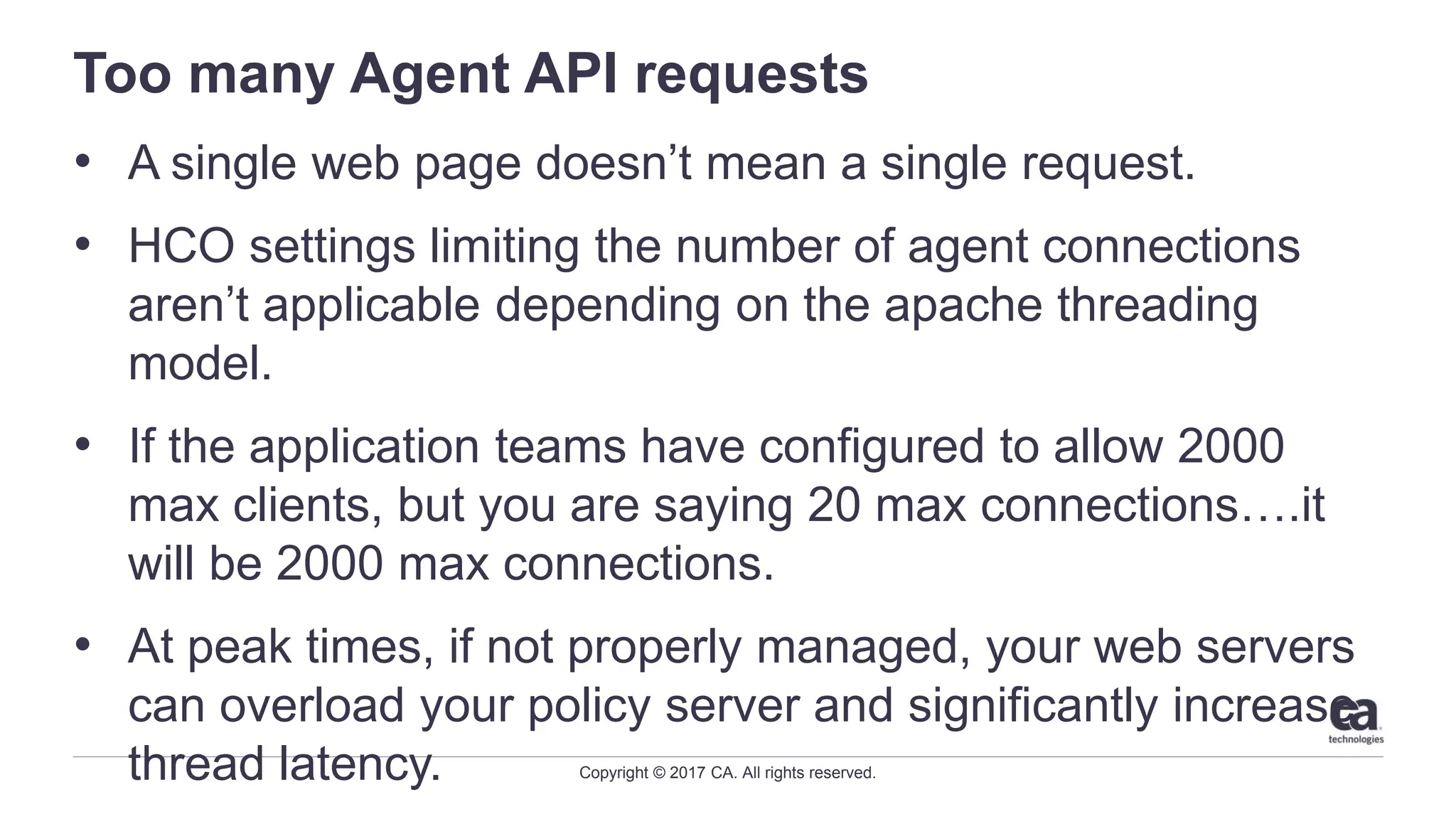
Too many Agent API requests
• A single web page doesn’t mean a single request.
• HCO settings limiting the number of agent connections
aren’t applicable depending on the apache threading
model.
• If the application teams have configured to allow 2000
max clients, but you are saying 20 max connections….it
will be 2000 max connections.
• At peak times, if not properly managed, your web servers
can overload your policy server and significantly increase
thread latency.
11 © 2016 CA. ALL RIGHTS RESERVED.@CAWORLD #CAWORLD
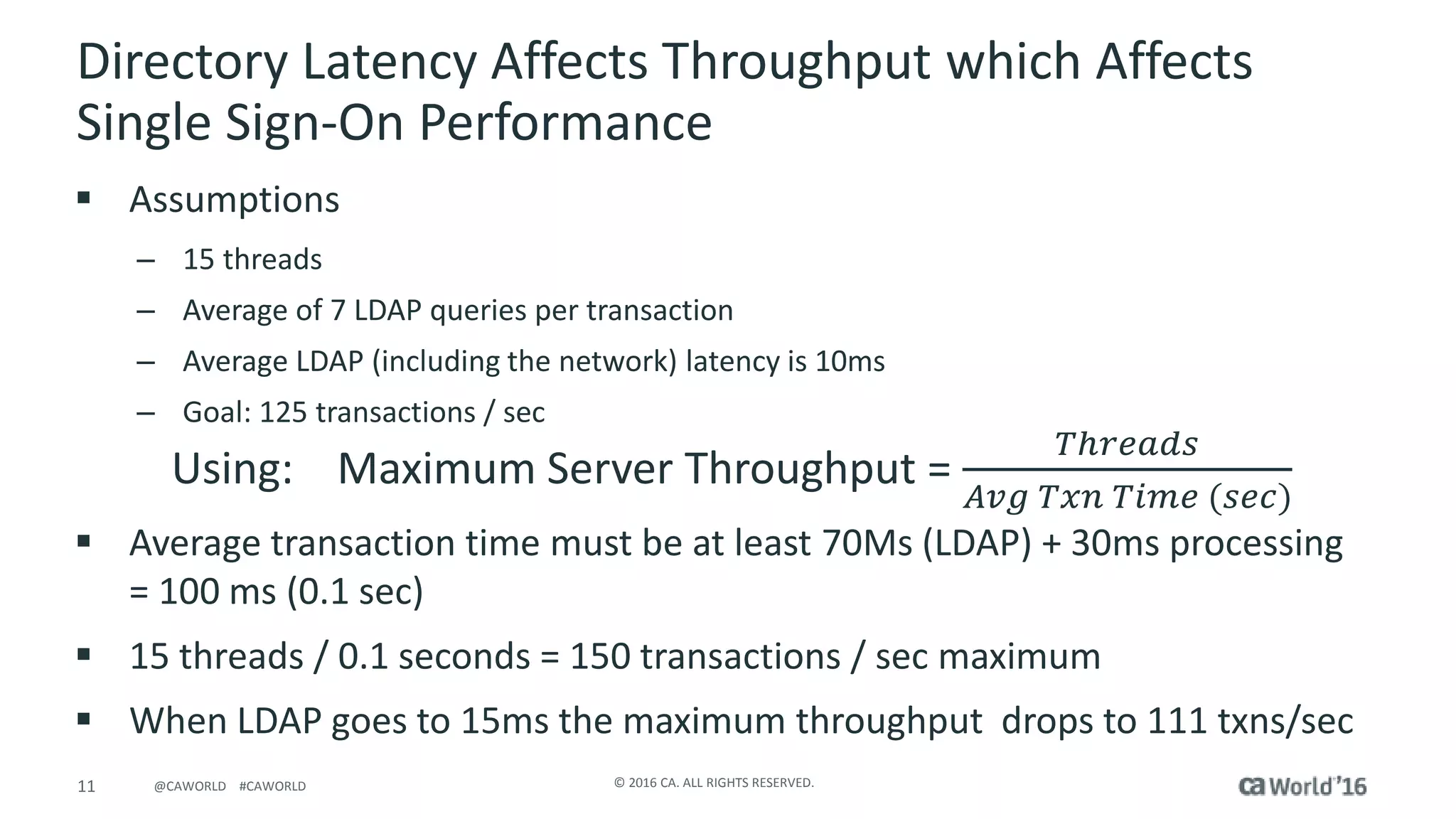
Directory Latency Affects Throughput which Affects
Single Sign-On Performance
 Assumptions
– 15 threads
– Average of 7 LDAP queries per transaction
– Average LDAP (including the network) latency is 10ms
– Goal: 125 transactions / sec
 Average transaction time must be at least 70Ms (LDAP) + 30ms processing
= 100 ms (0.1 sec)
 15 threads / 0.1 seconds = 150 transactions / sec maximum
 When LDAP goes to 15ms the maximum throughput drops to 111 txns/sec
Using: Maximum Server Throughput =
𝑇ℎ𝑟𝑒𝑎𝑑𝑠
𝐴𝑣𝑔 𝑇𝑥𝑛 𝑇𝑖𝑚𝑒 (𝑠𝑒𝑐)
Copyright © 2017 CA. All rights reserved.
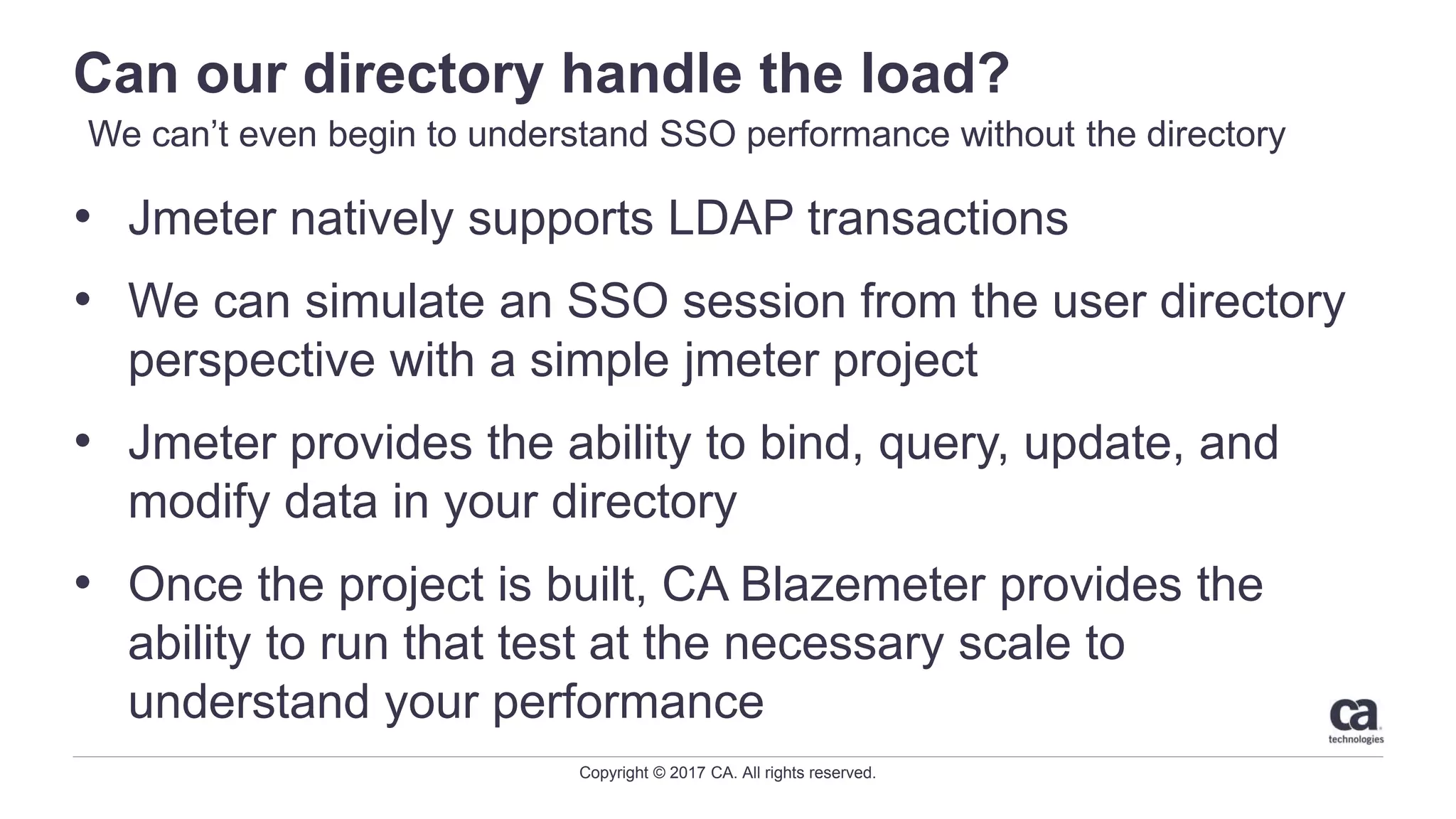
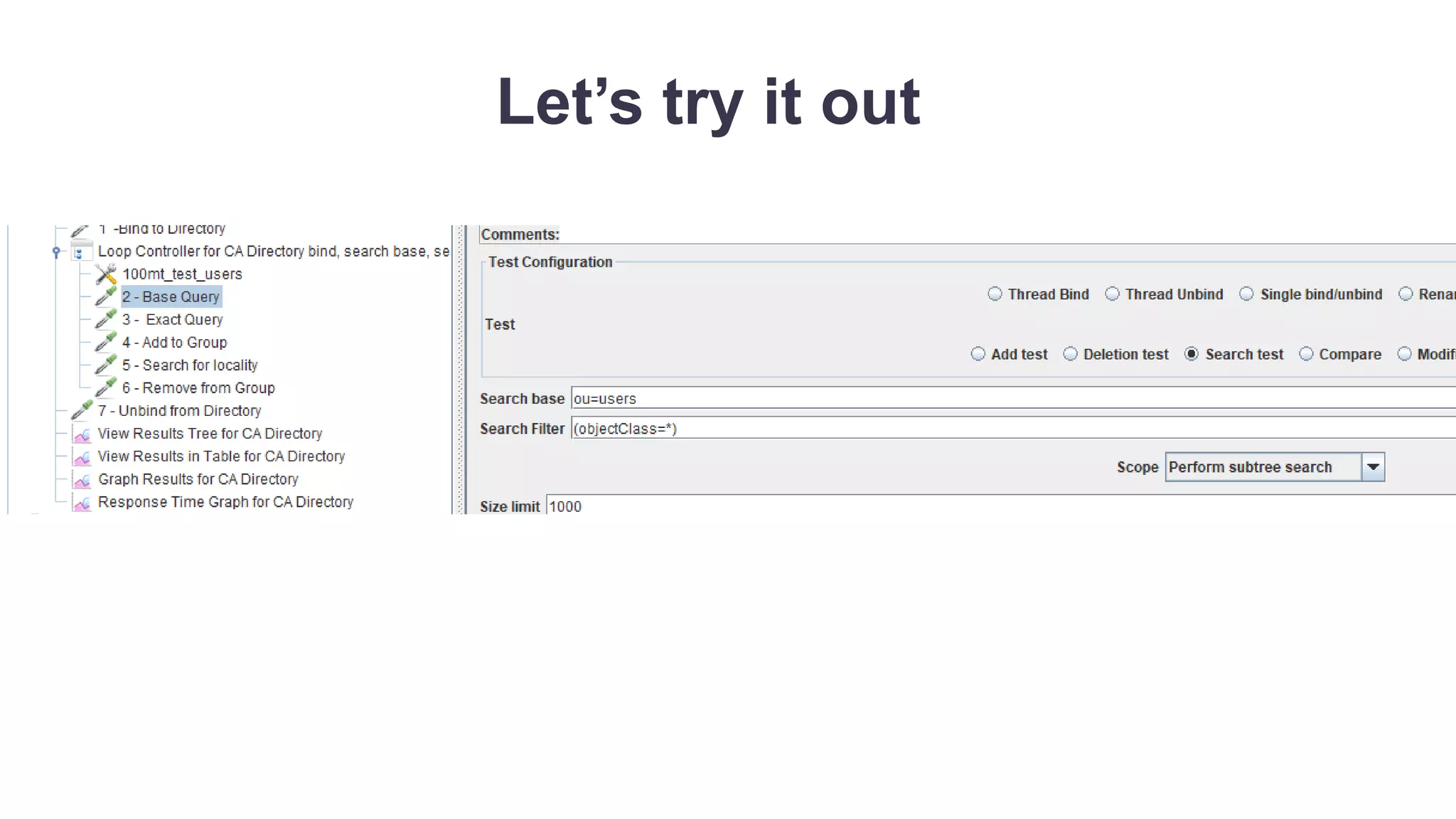
Can our directory handle the load?
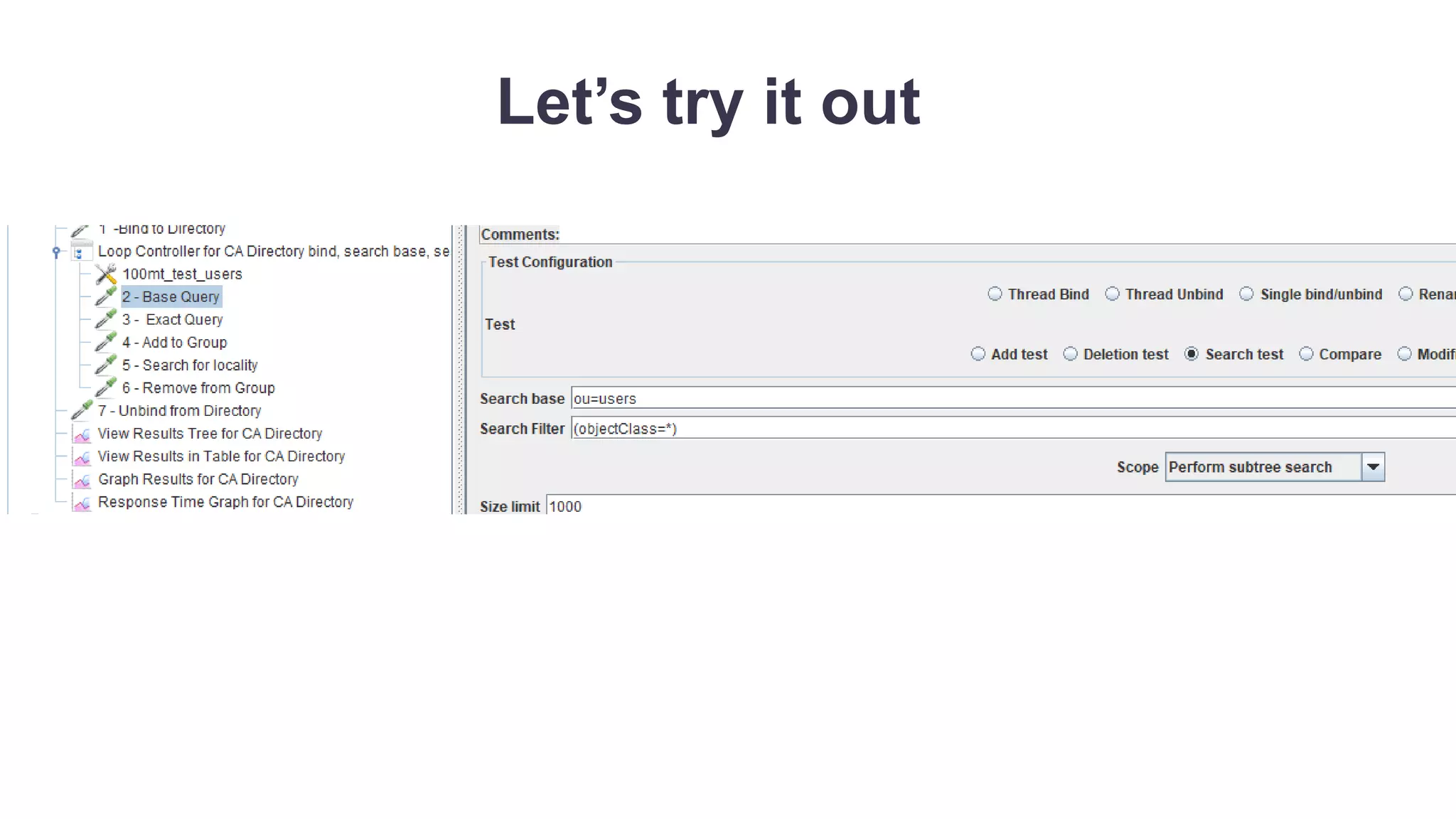
• Jmeter natively supports LDAP transactions
• We can simulate an SSO session from the user directory
perspective with a simple jmeter project
• Jmeter provides the ability to bind, query, update, and
modify data in your directory
• Once the project is built, CA Blazemeter provides the
ability to run that test at the necessary scale to
understand your performance
We can’t even begin to understand SSO performance without the directory
Let’s try it out
Copyright © 2017 CA. All rights reserved.
Testing Authentication and Authorization
Focus on the outcome not functional testing
• We aren’t testing the app, just performance of SSO
• Keep it focused on authentication and authorizations
• Simple access pattern
– 1. Access a protected page
– 2. Redirect and login
– 3. Access another page
Copyright © 2017 CA. All rights reserved.
Testing Authentication and Authorization
Focus on the outcome not functional testing
• Advanced access pattern
– 1. Access a protected page
– 2. Redirect and login
– 3. Access another page
– 4. Access pages protected by complex policies
• Understand what you are accessing from a policy
perspective
Copyright © 2017 CA. All rights reserved.
Generate your test script
You don’t need to be a professional
• Record your script
– Jmeter
– Blazemeter recorders
• Convert your script
– Loadrunner to Jmeter
– Selenium to Jmeter
• Modify your script
Let’s try it out

CA Security Communities Webcast - CA SSO Performance Testing with CA BlazeMeter

  • 1.
    CA SSO performance testingwith CA Blazemeter August 23, 2017 Jason Wilcox & Dave Karow
  • 2.
    Copyright © 2017CA. All rights reserved. Agenda CA BLAZEMETER OVERVIEW WHAT ARE CA SSO BOTTLENECKS USING BLAZEMETER TO TEST EACH COMPONENT USING BLAZEMETER TO TEST LDAP DIRECTORY PERFORMANCE USING BLAZEMETER TO TEST BASIC SSO PERFORMANCE NEXT STEPS 1 2 3 4 5 6
  • 3.
    Copyright © 2017CA. All rights reserved. The Policy Server responds • We can see the reactor thread taking these requests and putting them in the queue • Now on the other end of the queue, we can see what are called “Worker threads” to handle the work • When the Agent comes knocking, who answers?
  • 4.
    Copyright © 2017CA. All rights reserved. What do worker threads do? • Worker threads do the work! • The worker threads take the item off the queue, and go to the User Store, Policy Store, Session Store, cache, etc… • Worker threads generate assertions • Worker threads process xml • Worker threads do everything the policy server needs to do Before I can tell you how many you need, we need to know what they are doing?
  • 5.
    Copyright © 2017CA. All rights reserved. Thread locking • Similar to the Agent socket request, the worker thread will continue handling the request until it is complete. – For example, if the worker threads need to do an isAuthenticate() call, it will go out to the LDAP directory server. The worker thread will be blocked until the ldapsearch and bind is complete. – If an individual worker thread needs to make multiple LDAP calls, those calls are processed in a synchronous manner within that thread – This thread cannot be used for anything else while blocked Worker threads start a task and are busy until the task is completed or times out
  • 6.
    Copyright © 2017CA. All rights reserved. MST = t/att(s), yes math matters • With the information we have, we can build a predictive model for performance and capacity. • We must also understand the impacts of throughput on that model, and the impacts of latency on throughput. • Using this we can identify Key Performance Indicators that should be proactively monitored, managed, and reported on. Remember that teacher who said someday this will save your life? Yeah it won’t but math still matters
  • 7.
    Copyright © 2017CA. All rights reserved. Building our model • Throughput – Total transactions per second the policy server is fulfilling (per second) • Latency – How long does each transaction take to be processed • Thread Latency – how long before a worker thread pulls the request from the queue • Execution Latency– how much time does that worker thread take in processing the request
  • 8.
    Copyright © 2017CA. All rights reserved. The relationship of threads, throughput and latency • On any system with a set number of threads, throughput and latency are interrelated – As latency goes up the throughput goes down – As throughput goes down additional requests are queued causing increased latency Maximum Server Throughput = 𝑇ℎ𝑟𝑒𝑎𝑑𝑠 𝐴𝑣𝑔 𝑇𝑥𝑛 𝑇𝑖𝑚𝑒 (𝑠𝑒𝑐)
  • 9.
    Copyright © 2017CA. All rights reserved. We control threads, but not thread or execution latency • There are two primary reasons for Policy Server slowdown 1. Too many Agent API requests coming in for the Policy Server 2. Response time from the user directory • If too many Agent API requests are coming in, the thread latency will increase if there aren’t enough threads to service them in a timely manner. • If the response time for the user directory increases execution latency increases, which in turn causes thread latency to increase.
  • 10.
    Copyright © 2017CA. All rights reserved. Too many Agent API requests • A single web page doesn’t mean a single request. • HCO settings limiting the number of agent connections aren’t applicable depending on the apache threading model. • If the application teams have configured to allow 2000 max clients, but you are saying 20 max connections….it will be 2000 max connections. • At peak times, if not properly managed, your web servers can overload your policy server and significantly increase thread latency.
  • 11.
    11 © 2016CA. ALL RIGHTS RESERVED.@CAWORLD #CAWORLD Directory Latency Affects Throughput which Affects Single Sign-On Performance  Assumptions – 15 threads – Average of 7 LDAP queries per transaction – Average LDAP (including the network) latency is 10ms – Goal: 125 transactions / sec  Average transaction time must be at least 70Ms (LDAP) + 30ms processing = 100 ms (0.1 sec)  15 threads / 0.1 seconds = 150 transactions / sec maximum  When LDAP goes to 15ms the maximum throughput drops to 111 txns/sec Using: Maximum Server Throughput = 𝑇ℎ𝑟𝑒𝑎𝑑𝑠 𝐴𝑣𝑔 𝑇𝑥𝑛 𝑇𝑖𝑚𝑒 (𝑠𝑒𝑐)
  • 12.
    Copyright © 2017CA. All rights reserved. Can our directory handle the load? • Jmeter natively supports LDAP transactions • We can simulate an SSO session from the user directory perspective with a simple jmeter project • Jmeter provides the ability to bind, query, update, and modify data in your directory • Once the project is built, CA Blazemeter provides the ability to run that test at the necessary scale to understand your performance We can’t even begin to understand SSO performance without the directory
  • 13.
  • 14.
    Copyright © 2017CA. All rights reserved. Testing Authentication and Authorization Focus on the outcome not functional testing • We aren’t testing the app, just performance of SSO • Keep it focused on authentication and authorizations • Simple access pattern – 1. Access a protected page – 2. Redirect and login – 3. Access another page
  • 15.
    Copyright © 2017CA. All rights reserved. Testing Authentication and Authorization Focus on the outcome not functional testing • Advanced access pattern – 1. Access a protected page – 2. Redirect and login – 3. Access another page – 4. Access pages protected by complex policies • Understand what you are accessing from a policy perspective
  • 16.
    Copyright © 2017CA. All rights reserved. Generate your test script You don’t need to be a professional • Record your script – Jmeter – Blazemeter recorders • Convert your script – Loadrunner to Jmeter – Selenium to Jmeter • Modify your script
  • 17.