www.ifpeople.net  |  678 608 3408 Tirza Hollenhorst |  [email_address] Barrett Michael  |  bmichael@ifpeople.net
Photo: Oneras Source: Flickr
Is this ME?
You  are NOT
Your Car Photo: Mr. Beaver Source: Flickr
Social Media is NOT
 
Social Media is
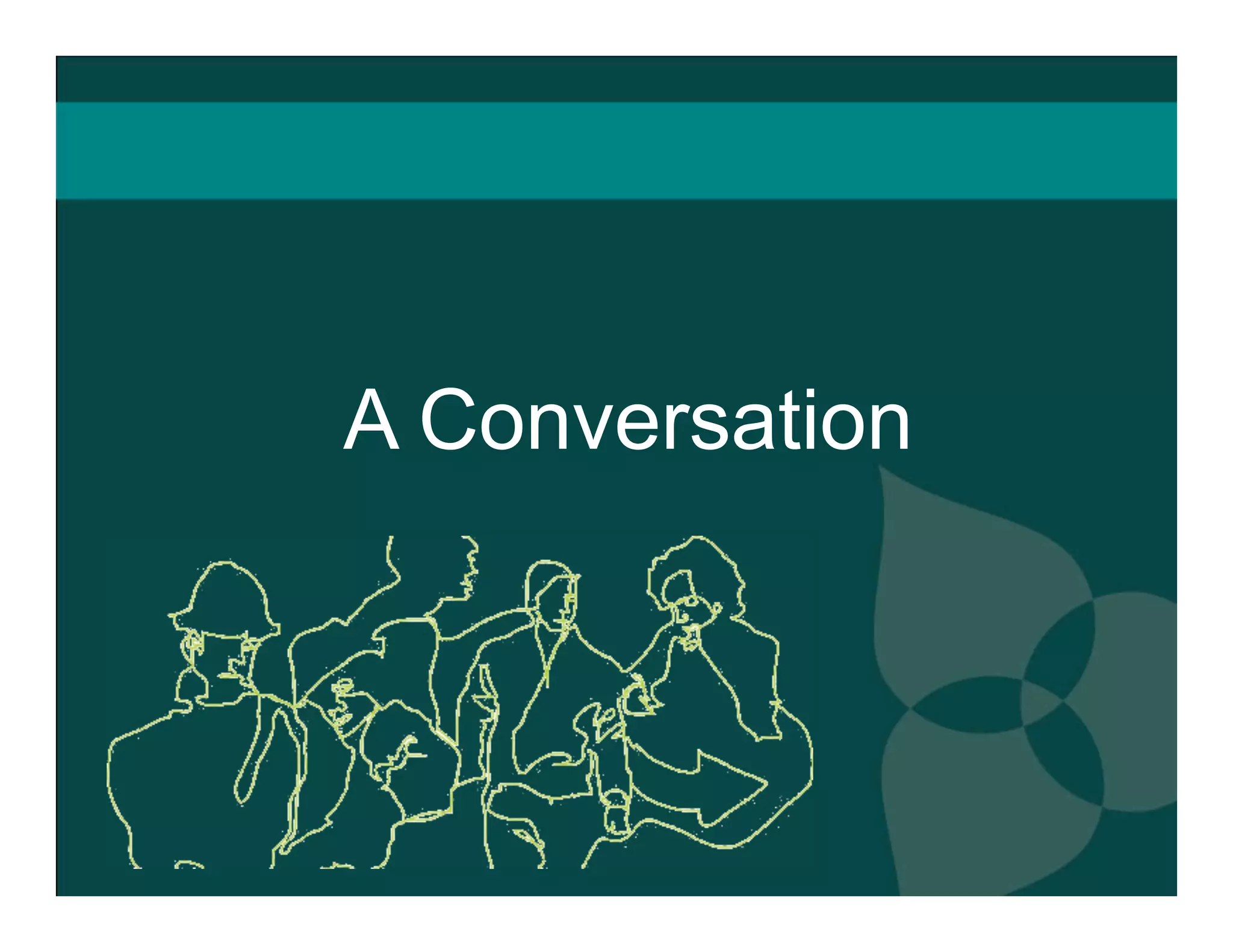
A Conversation
A Conversation   Powered  Managed Organized and  Connected by ....
 
What are your goals? We need a blog! Great! What are you going to do with it? Who is going to write it? How are you going to moderate? What outcome are you trying to achieve?
Before you begin, some questions: Are there more important organizational issues to address? Are you falling victim to S.O.S. - shiny object syndrome? Are you open to conversation off-line? Is your website ready?
1. Listen 2. Participate 3. Share Content
Listen: On your website Commenting Voting Rating User Generated Content
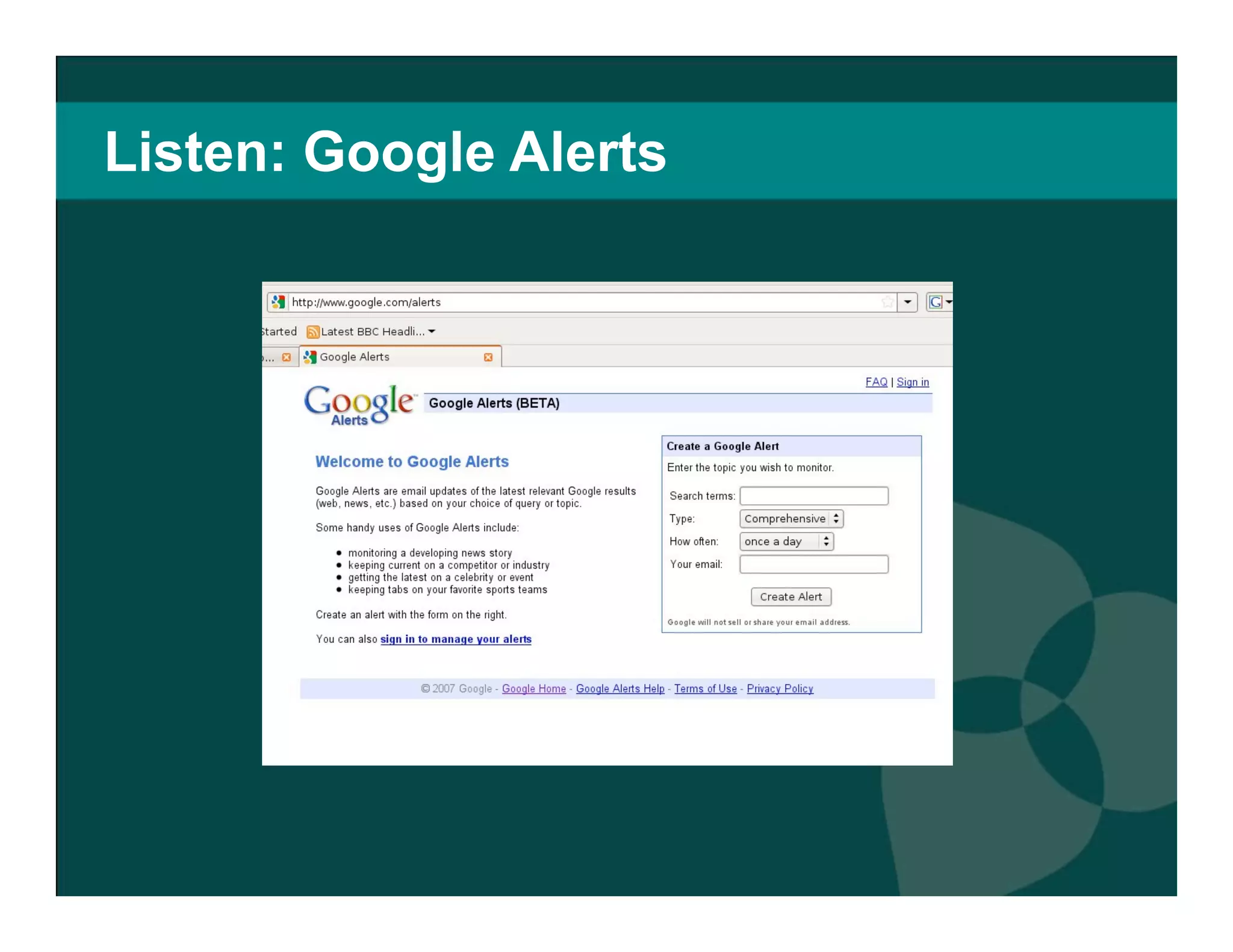
Listen: To what people are saying  Google Alerts Technorati Google Blog Search
Listen: Google Alerts
Listen: Ask your stakeholders Where do they go? What do they do? Would they like to meet you there? Who do they read? Do they want to hear from you?
Participate: Share your knowledge Respond to posts and questions Participate in related communities Connect to others in your field Document where interesting  conversations occur
Blogging Organizational/E.D. Internal Community Media Sharing Photo/Flickr Video/You Tube Podcast Knowledge Sharing Wikis Social bookmarking Submission & voting Event Sharing Mapping  Aggregation Social Networking General Interest Niche Mobile Microblogging
Social Media Tools
Social Networking Sites Virtual meeting places  Let you  connect with supporters  around the globe otherwise beyond your reach  Network with likeminded organizations  Raise awareness  of causes, request donations, seek volunteers
Social Networking Sites MySpace vs Facebook MySpace : Formerly the largest social networking site Customizable interface,  can be cluttered  Attracts teenagers, musicians, artists , etc.  Facebook : Created for college students  Opened in 2006 to anyone with e-mail address Now the  largest social network with 170 million users Clean,  professional interface Attracts upwardly mobile, college-educated people Great site to begin social media integration
Social Networking Sites  Create  branded “fan pages” Keep supporters up-to-date  with news feeds, blogs, discussion groups, RSS and other messaging  Engage supporters  with video, audio, pictures and applications that give your organization personality Use the Causes application to solicit donations Facebook for Nonprofits:
Facebook:  Two Case  Studies The Good The Bad  and  the Ugly http://tinyurl.com/dbtbs9 http://tinyurl.com/d2h8bz http://tinyurl.com/d6zcg4
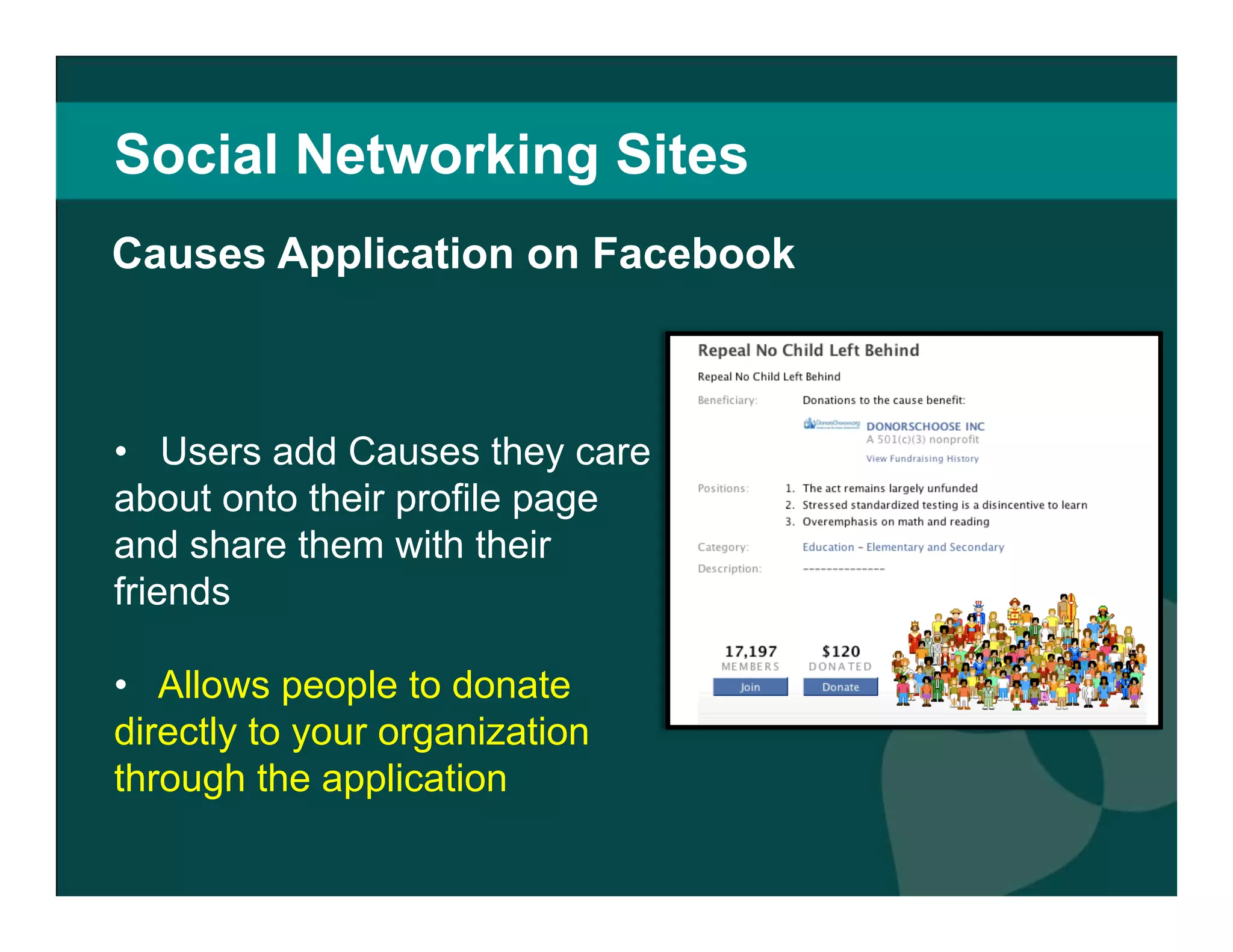
Social Networking Sites Users add Causes they care about onto their profile page and share them with their friends Allows people to donate directly to your organization through the application Facebook takes 4% Causes Application on Facebook
Social Networking Sites Causes Application on Facebook Facebook reports  60,000 daily users of Causes  $2.5 million raised  for 19,445 nonprofits in first year Nonprofits can work directly with Facebook to create a causes application.  Just e-mail partner@causes.com  (techcrunch.com)
Social Networking Sites Causes Application on Facebook Donate to your own Cause - People less likely to donate if your Cause has $0 (sixdegrees.org) Make sure  your Cause is obviously aligned with your nonprofit Make sure  your application states what you do clearly Send thank you messages to donors
Social Networking Sites Niche social networking  site specifically for activists Users can  create or join groups devoted to causes Solicit donations, discuss issues on message boards, publicize your organization’s events  Great for creating and signing petitions  Over 5 million members  Care2
Care2:  Petitionsite  Simple way to create online petitions Supporters do not have to members to sign This means you can circulate a link to the petition in emails, your website, blogs, etc.  http://www.thepetitionsite.com/
Social Networking Sites The  social network for professionals 14 million members and growing Create individual and company accounts Network with professional groups  that hold similar values Participate in discussion forums  and gain valuable info about your field  LinkedIn
LinkedIn: Profiles, Discussions, Networking http://tinyurl.com/dcuz7l
Social Networking Sites Lets you  create a social network based  around an idea, mission or topic Incorporates multimedia (like Facebook) Free  service Great for building off existing brands  with strong followings  Works best for global causes  that attract and excite many people Ning
Ning:  Two Case Studies http://athenshabitat.ning.com/ http://tudiabetes.com/ Appropriate Use Should’ve Used Facebook
Media Sharing People watch 100 million video clips per day Videos easily embedded  and shared  on websites Has nonprofit/ activism  “ channel”  Offers  special incentives for nonprofits  like premium branding, increased upload capacity, inclusion of Google Checkout “Donate” Button YouTube
YouTube:  US Campaign for Burma  http://www.youtube.com/user/uscampaignforburma For YouTube success:  Keep your videos short Focus on messaging over aesthetics  Update content regularly Promote videos expressing similar views  Link to your official website Respond to comments and video posts
Media Sharing Like YouTube, but with images People share their interests via photography  and leave comments Easy way to  organize and share large volumes of images with supporters or members of your organization  Free upgrades for nonprofits   Source: Flickr Flickr
Flickr:  Don’t Just Post Pics.  Get Creative.  http://www.flickr.com/photos/sneakers4fitkids/sets/72157604468133558/ Encourage supporters and volunteers to share their pictures of events Tell your organization’s story through images Launch a campaign Run a photo contest http://www.flickr.com/groups/thenatureconservancy/
Media Sharing Short audio or video installments  your supporters can subscribe to on your website Can be  created with low-cost audio/video recording devices Non profits can  use them to interview experts, present voices of supporters, discuss topical issues   Source: VOSibilities Podcasts
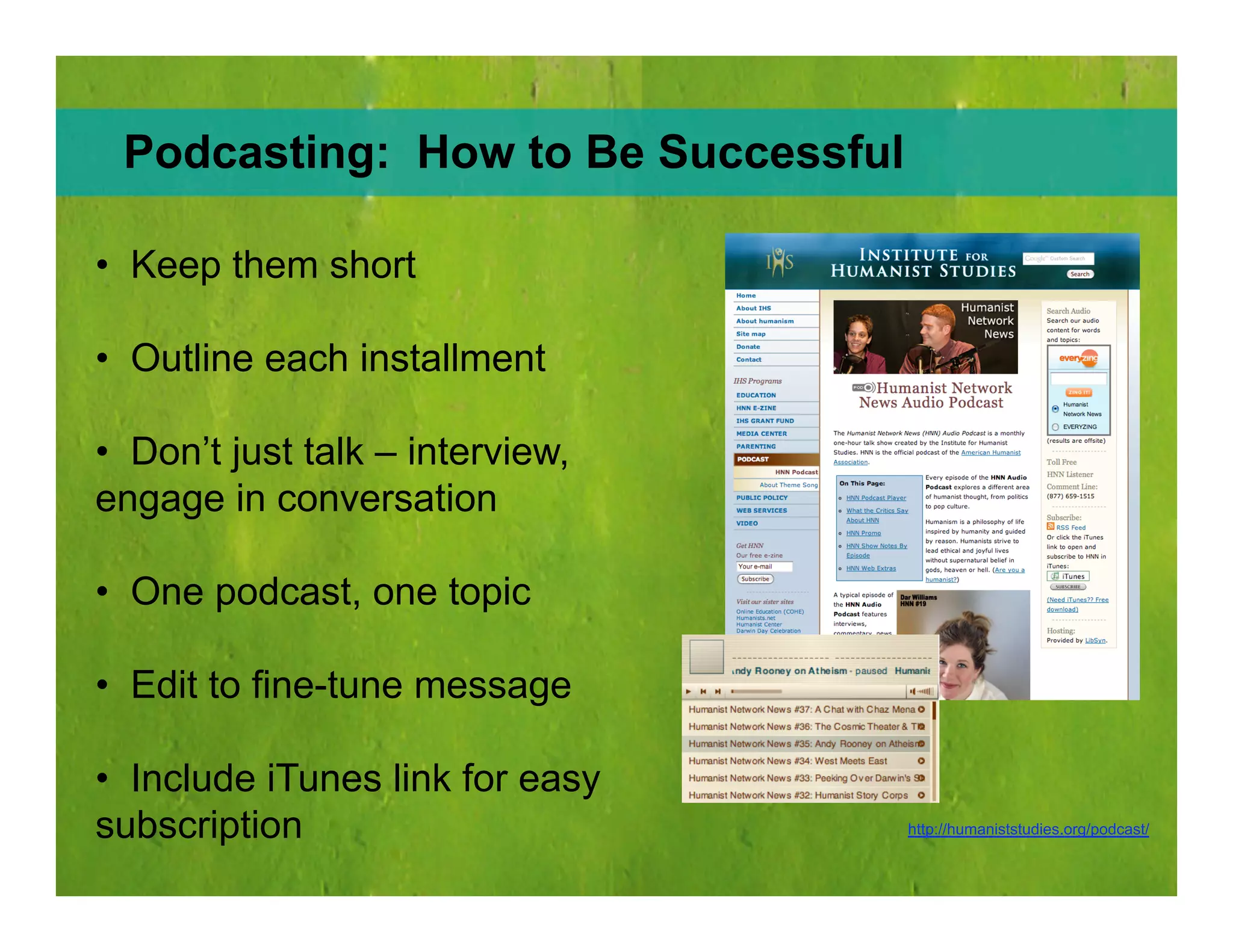
Podcasting:  How to Be Successful http://humaniststudies.org/podcast/ Keep them short Outline each installment Don’t just talk – interview, engage in conversation One podcast, one topic Edit to fine-tune message  Include iTunes link for easy subscription
Blogging Keeping a Blog for Your Nonprofit Can: Establish you as an expert  in your field  Make your operations visible and transparent to  increase trust with supporters  Give you valuable, unsolicited opinions   Allow you to tell interesting and compelling stories that  humanize your organization
Blogging Embed images and video  to break up text  Read comments and  write back  Make your blog an information source  – not just about your organization but issues related to your organization Archive posts by content  (not date) so readers can find what interests them Include an RSS feed  so readers can subscribe  Keys to Successful Blogging
Blogging:  Two Case Studies  http://www.streetsblog.org/ http://www.ceosforcities.org/blog Spot On What Happened?
Microblogging  Let’s Tweet  http://www.youtube.com/watch?v=ddO9idmax0o
Microblogging Mobilize supporters in times of urgency  (to sign petitions, donate, attend meetings)  Post links to new information  like press releases, blogs or newspaper articles Start spontaneous conversations  with supporters http://twitter.com/youthservivce Fundraising Twitter:  Nonprofit Application
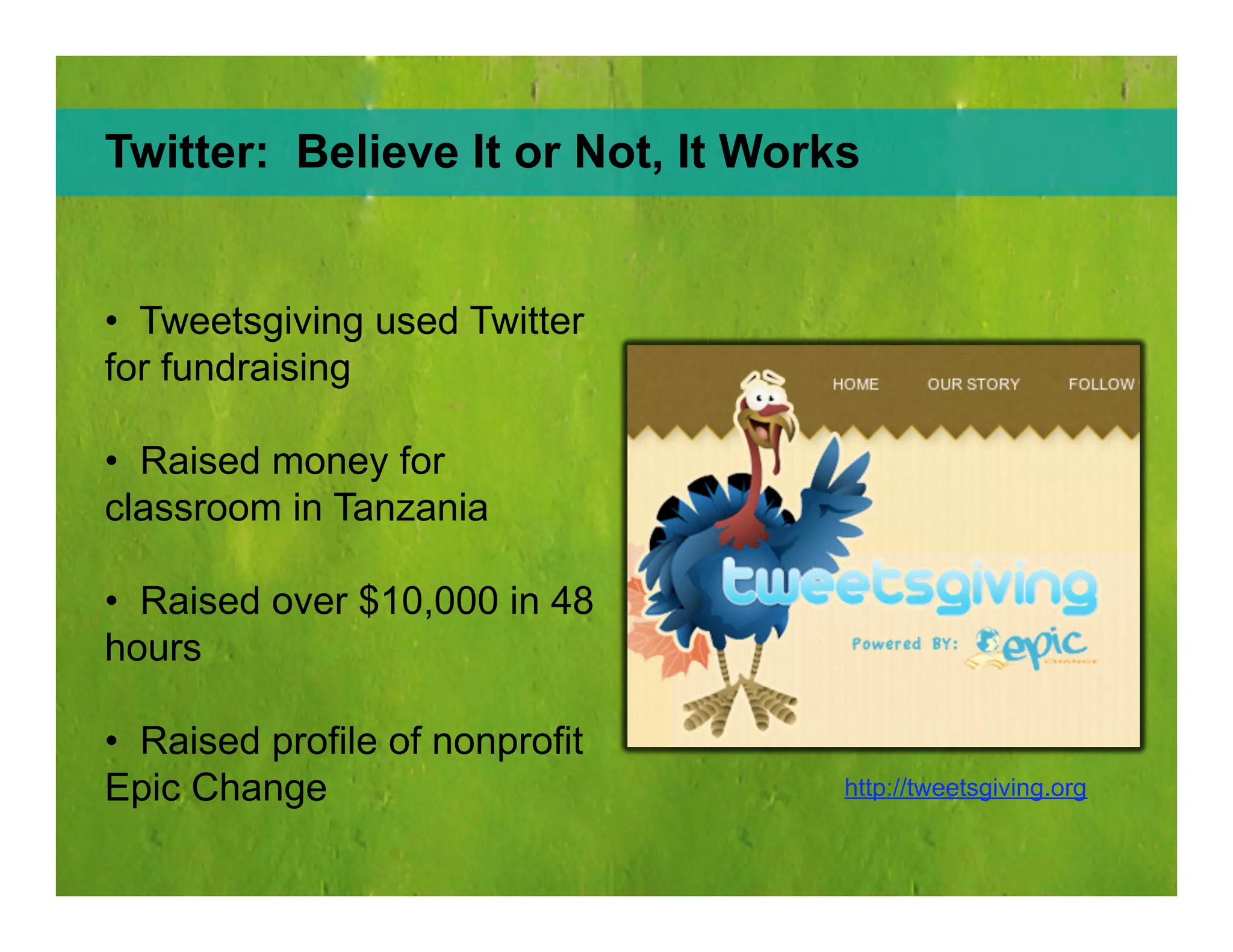
Twitter:  Believe It or Not, It Works http://tweetsgiving.org Tweetsgiving used Twitter for fundraising Raised money for classroom in Tanzania Raised over $10,000 in 48 hours Raised profile of nonprofit Epic Change
Knowledge Sharing You aggregate  other people’s information and share it online. Works Two Ways: Others aggregate  your information and share it online.
Knowledge Sharing Lets you store, share and discover web bookmarks Use tags to categorize  your links  Access your bookmarks from any computer  Easy exchange of information  with friends or likeminded companies Social Bookmarking with del.icio.us
Knowledge Sharing Keep track  of what supporters and likeminded organizations find interesting  Build an information exchange network  that boosts  credibility and expertise  Placing bookmark button on your sites  increases online exposure How del.icio.us Benefits Nonprofits
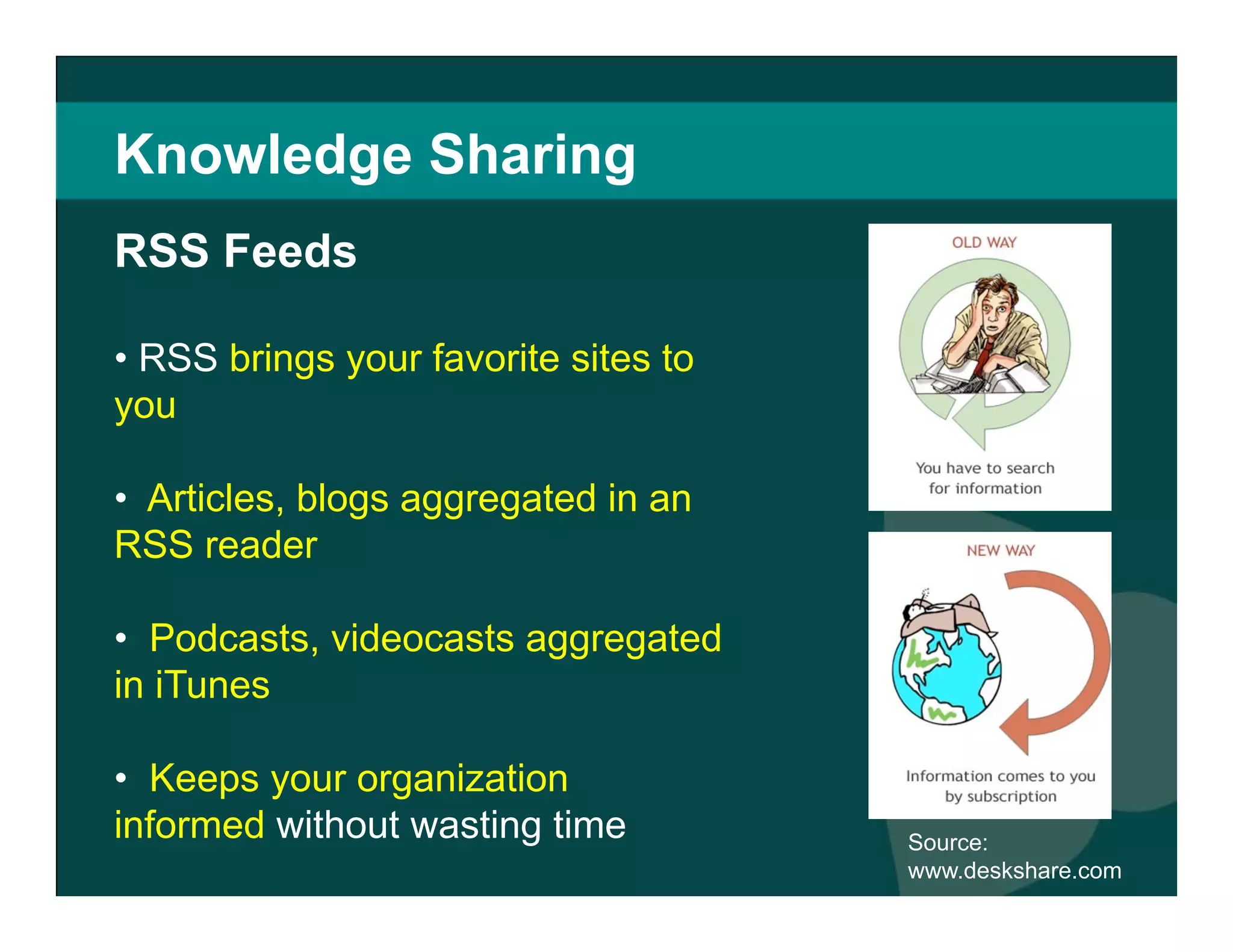
Knowledge Sharing RSS  brings your favorite sites to you  Articles, blogs aggregated in an RSS reader  Podcasts, videocasts aggregated in iTunes  Keeps your organization informed  without wasting time Source:  www.deskshare.com RSS Feeds
Knowledge Sharing Choose an RSS aggregator   (Google Reader, Bloglines) Create an account  Go to your favorite sites and add them by clicking on the  icon New posts and stories appear on your reader page www.google.com/reader RSS Feeds:  How to Make It Come to You
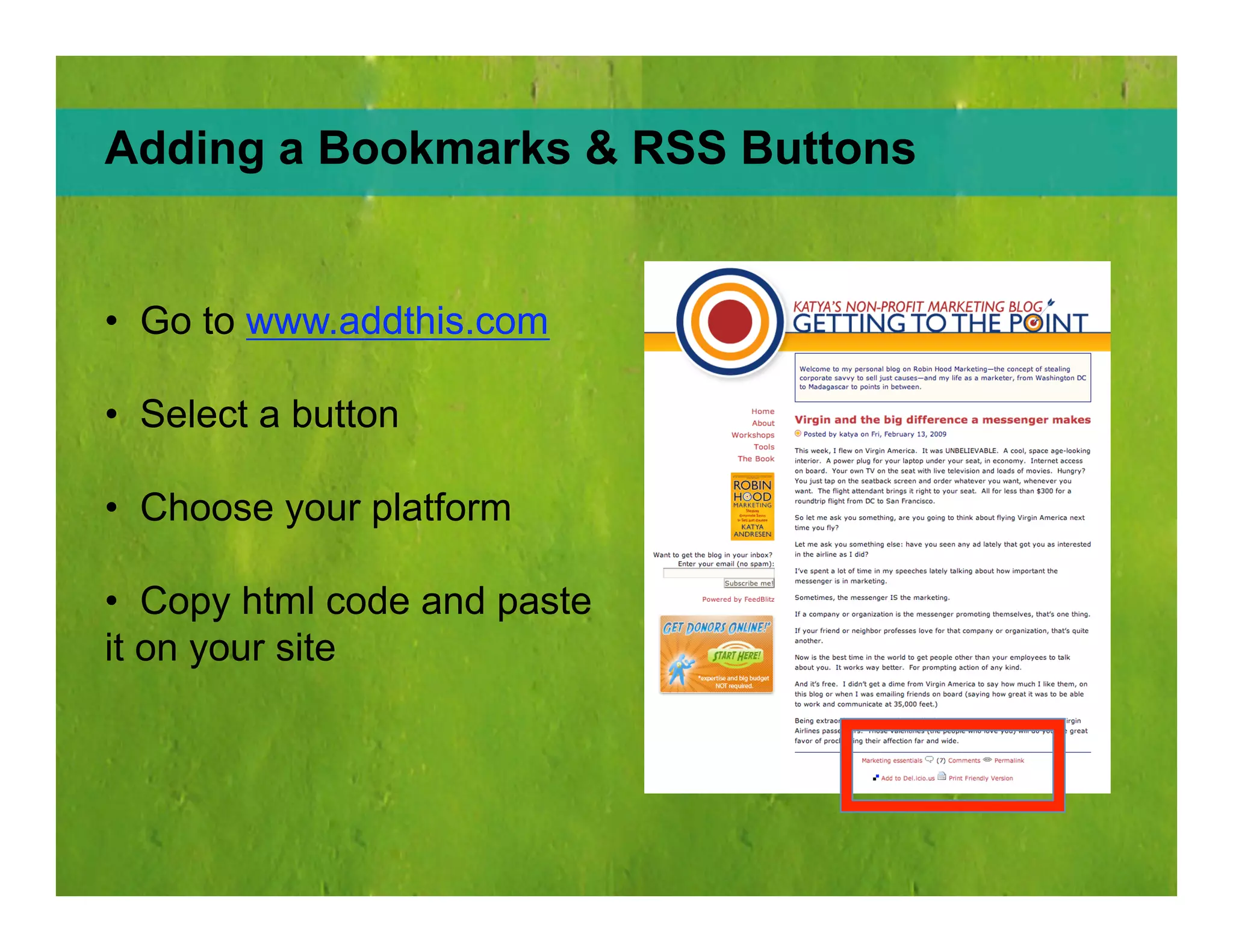
Adding Bookmarks & RSS Buttons Go to  www.addthis.com Select a button  Choose your platform  Copy html code and paste it on your site
The End Questions?
www.ifpeople.net  |  678 608 3408 Tirza Hollenhorst |  [email_address] Barrett Michael  |  bmichael@ifpeople.net

Social Media 101: Online Communication as Stakeholder Engagement

  • 1.
    www.ifpeople.net | 678 608 3408 Tirza Hollenhorst | [email_address] Barrett Michael | bmichael@ifpeople.net
  • 2.
  • 3.
  • 4.
  • 5.
    Your Car Photo:Mr. Beaver Source: Flickr
  • 6.
  • 7.
  • 8.
  • 9.
  • 10.
    A Conversation Powered Managed Organized and Connected by ....
  • 11.
  • 12.
    What are yourgoals? We need a blog! Great! What are you going to do with it? Who is going to write it? How are you going to moderate? What outcome are you trying to achieve?
  • 13.
    Before you begin,some questions: Are there more important organizational issues to address? Are you falling victim to S.O.S. - shiny object syndrome? Are you open to conversation off-line? Is your website ready?
  • 14.
    1. Listen 2.Participate 3. Share Content
  • 15.
    Listen: On yourwebsite Commenting Voting Rating User Generated Content
  • 16.
    Listen: To whatpeople are saying Google Alerts Technorati Google Blog Search
  • 17.
  • 18.
    Listen: Ask yourstakeholders Where do they go? What do they do? Would they like to meet you there? Who do they read? Do they want to hear from you?
  • 19.
    Participate: Share yourknowledge Respond to posts and questions Participate in related communities Connect to others in your field Document where interesting conversations occur
  • 20.
    Blogging Organizational/E.D. InternalCommunity Media Sharing Photo/Flickr Video/You Tube Podcast Knowledge Sharing Wikis Social bookmarking Submission & voting Event Sharing Mapping Aggregation Social Networking General Interest Niche Mobile Microblogging
  • 21.
  • 22.
    Social Networking SitesVirtual meeting places Let you connect with supporters around the globe otherwise beyond your reach Network with likeminded organizations Raise awareness of causes, request donations, seek volunteers
  • 23.
    Social Networking SitesMySpace vs Facebook MySpace : Formerly the largest social networking site Customizable interface, can be cluttered Attracts teenagers, musicians, artists , etc. Facebook : Created for college students Opened in 2006 to anyone with e-mail address Now the largest social network with 170 million users Clean, professional interface Attracts upwardly mobile, college-educated people Great site to begin social media integration
  • 24.
    Social Networking Sites Create branded “fan pages” Keep supporters up-to-date with news feeds, blogs, discussion groups, RSS and other messaging Engage supporters with video, audio, pictures and applications that give your organization personality Use the Causes application to solicit donations Facebook for Nonprofits:
  • 25.
    Facebook: TwoCase Studies The Good The Bad and the Ugly http://tinyurl.com/dbtbs9 http://tinyurl.com/d2h8bz http://tinyurl.com/d6zcg4
  • 26.
    Social Networking SitesUsers add Causes they care about onto their profile page and share them with their friends Allows people to donate directly to your organization through the application Facebook takes 4% Causes Application on Facebook
  • 27.
    Social Networking SitesCauses Application on Facebook Facebook reports 60,000 daily users of Causes $2.5 million raised for 19,445 nonprofits in first year Nonprofits can work directly with Facebook to create a causes application. Just e-mail partner@causes.com (techcrunch.com)
  • 28.
    Social Networking SitesCauses Application on Facebook Donate to your own Cause - People less likely to donate if your Cause has $0 (sixdegrees.org) Make sure your Cause is obviously aligned with your nonprofit Make sure your application states what you do clearly Send thank you messages to donors
  • 29.
    Social Networking SitesNiche social networking site specifically for activists Users can create or join groups devoted to causes Solicit donations, discuss issues on message boards, publicize your organization’s events Great for creating and signing petitions Over 5 million members Care2
  • 30.
    Care2: Petitionsite Simple way to create online petitions Supporters do not have to members to sign This means you can circulate a link to the petition in emails, your website, blogs, etc. http://www.thepetitionsite.com/
  • 31.
    Social Networking SitesThe social network for professionals 14 million members and growing Create individual and company accounts Network with professional groups that hold similar values Participate in discussion forums and gain valuable info about your field LinkedIn
  • 32.
    LinkedIn: Profiles, Discussions,Networking http://tinyurl.com/dcuz7l
  • 33.
    Social Networking SitesLets you create a social network based around an idea, mission or topic Incorporates multimedia (like Facebook) Free service Great for building off existing brands with strong followings Works best for global causes that attract and excite many people Ning
  • 34.
    Ning: TwoCase Studies http://athenshabitat.ning.com/ http://tudiabetes.com/ Appropriate Use Should’ve Used Facebook
  • 35.
    Media Sharing Peoplewatch 100 million video clips per day Videos easily embedded and shared on websites Has nonprofit/ activism “ channel” Offers special incentives for nonprofits like premium branding, increased upload capacity, inclusion of Google Checkout “Donate” Button YouTube
  • 36.
    YouTube: USCampaign for Burma http://www.youtube.com/user/uscampaignforburma For YouTube success: Keep your videos short Focus on messaging over aesthetics Update content regularly Promote videos expressing similar views Link to your official website Respond to comments and video posts
  • 37.
    Media Sharing LikeYouTube, but with images People share their interests via photography and leave comments Easy way to organize and share large volumes of images with supporters or members of your organization Free upgrades for nonprofits Source: Flickr Flickr
  • 38.
    Flickr: Don’tJust Post Pics. Get Creative. http://www.flickr.com/photos/sneakers4fitkids/sets/72157604468133558/ Encourage supporters and volunteers to share their pictures of events Tell your organization’s story through images Launch a campaign Run a photo contest http://www.flickr.com/groups/thenatureconservancy/
  • 39.
    Media Sharing Shortaudio or video installments your supporters can subscribe to on your website Can be created with low-cost audio/video recording devices Non profits can use them to interview experts, present voices of supporters, discuss topical issues Source: VOSibilities Podcasts
  • 40.
    Podcasting: Howto Be Successful http://humaniststudies.org/podcast/ Keep them short Outline each installment Don’t just talk – interview, engage in conversation One podcast, one topic Edit to fine-tune message Include iTunes link for easy subscription
  • 41.
    Blogging Keeping aBlog for Your Nonprofit Can: Establish you as an expert in your field Make your operations visible and transparent to increase trust with supporters Give you valuable, unsolicited opinions Allow you to tell interesting and compelling stories that humanize your organization
  • 42.
    Blogging Embed imagesand video to break up text Read comments and write back Make your blog an information source – not just about your organization but issues related to your organization Archive posts by content (not date) so readers can find what interests them Include an RSS feed so readers can subscribe Keys to Successful Blogging
  • 43.
    Blogging: TwoCase Studies http://www.streetsblog.org/ http://www.ceosforcities.org/blog Spot On What Happened?
  • 44.
    Microblogging Let’sTweet http://www.youtube.com/watch?v=ddO9idmax0o
  • 45.
    Microblogging Mobilize supportersin times of urgency (to sign petitions, donate, attend meetings) Post links to new information like press releases, blogs or newspaper articles Start spontaneous conversations with supporters http://twitter.com/youthservivce Fundraising Twitter: Nonprofit Application
  • 46.
    Twitter: BelieveIt or Not, It Works http://tweetsgiving.org Tweetsgiving used Twitter for fundraising Raised money for classroom in Tanzania Raised over $10,000 in 48 hours Raised profile of nonprofit Epic Change
  • 47.
    Knowledge Sharing Youaggregate other people’s information and share it online. Works Two Ways: Others aggregate your information and share it online.
  • 48.
    Knowledge Sharing Letsyou store, share and discover web bookmarks Use tags to categorize your links Access your bookmarks from any computer Easy exchange of information with friends or likeminded companies Social Bookmarking with del.icio.us
  • 49.
    Knowledge Sharing Keeptrack of what supporters and likeminded organizations find interesting Build an information exchange network that boosts credibility and expertise Placing bookmark button on your sites increases online exposure How del.icio.us Benefits Nonprofits
  • 50.
    Knowledge Sharing RSS brings your favorite sites to you Articles, blogs aggregated in an RSS reader Podcasts, videocasts aggregated in iTunes Keeps your organization informed without wasting time Source: www.deskshare.com RSS Feeds
  • 51.
    Knowledge Sharing Choosean RSS aggregator (Google Reader, Bloglines) Create an account Go to your favorite sites and add them by clicking on the icon New posts and stories appear on your reader page www.google.com/reader RSS Feeds: How to Make It Come to You
  • 52.
    Adding Bookmarks &RSS Buttons Go to www.addthis.com Select a button Choose your platform Copy html code and paste it on your site
  • 53.
  • 54.
    www.ifpeople.net | 678 608 3408 Tirza Hollenhorst | [email_address] Barrett Michael | bmichael@ifpeople.net