Building a
Virtual Learning Commons
2010 Christa McAuliffe
Technology Conference
Ray Palin
http://smhslibrary.org
http://raypalin.info
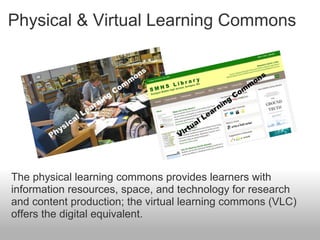
Physical & Virtual Learning Commons
The physical learning commons provides learners with
information resources, space, and technology for research
and content production; the virtual learning commons (VLC)
offers the digital equivalent.
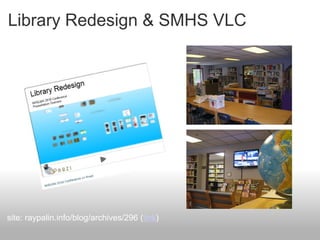
Library Redesign & SMHS VLC
site: raypalin.info/blog/archives/296 (link)
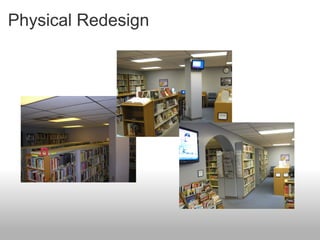
Physical Redesign
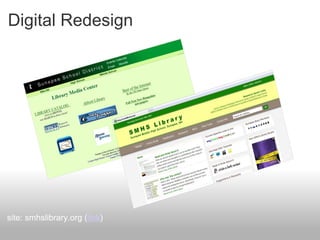
Digital Redesign
site: smhslibrary.org (link)
Those Quoted
Baumbach, D. (2009). Web 2.0 & YOU. Knowledge Quest, 37(4), 12-19
Brooks-Kirkland, A. (2009). The School Library Learning Commons: Are We
"Virtually" There? School Libraries in Canada, 27(2), 28.
Brooks-Kirkland, A. (2009). The virtual library as a learning hub. School Libraries
in Canada, 27(3), 43.
Flanders, V. (2010). Worst Web Sites of 2008. Web Pages That Suck. Retrieved
November 21, 2010, from http://www.webpagesthatsuck.com/worst-web-sites-of-
2008-navigation.htm
Those Quoted
Harland, P. (2009). Library 2.0 in Plymouth, New Hampshire: How One Library
Uses Web 2.0 Tools to Enhance Services to Students & Staff. Library Media
Connection, 27(5), 57.
King, D. L. (2008). Designing the digital experience: how to use experience
design tools and techniques to build Websites customers love. Medford, NJ:
CyberAge Books/Information Today.
Loertscher, D. V., Koechlin, C., & Zwaan, S. (2008). The new learning commons
where learners win!: reinventing school libraries and computer labs. Salt Lake
City, UT: Hi Willow Research & Publishing.
The VLC and Web 2.0
"Within the last three to four years, AJAX and other
technologies have made it possible for software developers to
create Web applications that communicate with the server,
allowing elements on a webpage to change within the static
page. These applications, collectively called Web
2.0 tools, enable interactivity and easily created
content by contributors with no knowledge of programming."
quote: Baumbach, Donna
Web 2.0 & Website Design Changes
"Our initial venture into Library 2.0 arose from frustration with
our school's ... conventional Web site. If we wanted to make
changes to the library Web page, we submitted our changes to
the school's Web master who would make edits using
Dreamweaver (a Web design and development tool).... Most
changes were done within the week, but total
overhauls were scheduled for the summer."
quote: Harland, Pam
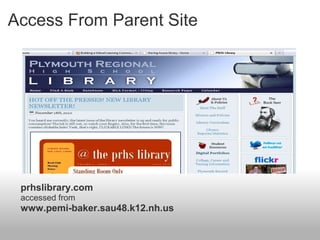
Access From Parent Site
prhslibrary.com
accessed from
www.pemi-baker.sau48.k12.nh.us
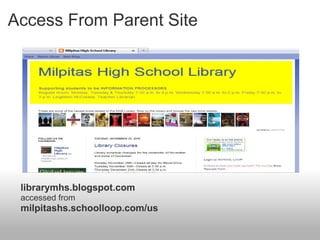
Access From Parent Site
librarymhs.blogspot.com
accessed from
milpitashs.schoolloop.com/us
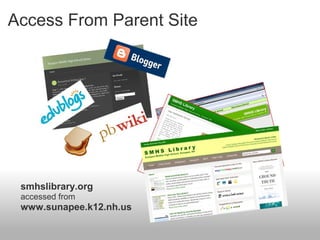
Access From Parent Site
smhslibrary.org
accessed from
www.sunapee.k12.nh.us
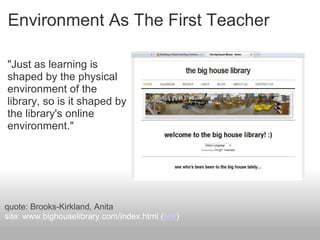
Environment As The First Teacher
"Just as learning is
shaped by the physical
environment of the
library, so is it shaped by
the library's online
environment."
quote: Brooks-Kirkland, Anita
site: www.bighouselibrary.com/index.html (link)
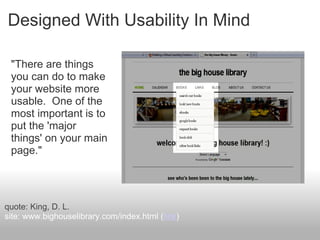
Designed With Usability In Mind
"There are things
you can do to make
your website more
usable. One of the
most important is to
put the 'major
things' on your main
page."
quote: King, D. L.
site: www.bighouselibrary.com/index.html (link)
Designed For Something Else
"This [leads] to
another Flash page,
which was also
strange, but it [at
least] had information
about how to get
mobile broadband.
My main reaction is
'Huh?'."
quote: Flanders, Vincent
site: now.sprint.com/nownetwork/ (link)
Choosing Web Tools For The VLC
"Web 2.0 ... enables
[students] to use the
Web as a desktop.
Software has
become a service
delivered over the
Internet, called
'cloud computing'."
quote: Baumbach, D.
site: heyjude.wordpress.com/student-tools-let-them-fly/ (link)
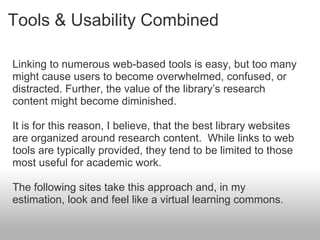
Tools & Usability Combined
Linking to numerous web-based tools is easy, but too many
might cause users to become overwhelmed, confused, or
distracted. Further, the value of the library’s research
content might become diminished.
It is for this reason, I believe, that the best library websites
are organized around research content. While links to web
tools are typically provided, they tend to be limited to those
most useful for academic work.
The following sites take this approach and, in my
estimation, look and feel like a virtual learning commons.
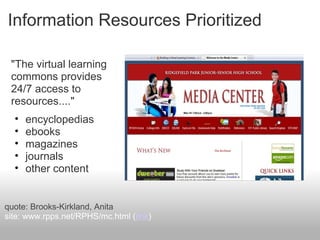
Information Resources Prioritized
"The virtual learning
commons provides
24/7 access to
resources...."
• encyclopedias
• ebooks
• magazines
• journals
• other content
quote: Brooks-Kirkland, Anita
site: www.rpps.net/RPHS/mc.html (link)
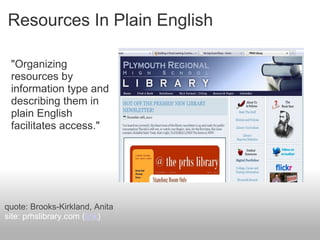
Resources In Plain English
"Organizing
resources by
information type and
describing them in
plain English
facilitates access."
quote: Brooks-Kirkland, Anita
site: prhslibrary.com (link)
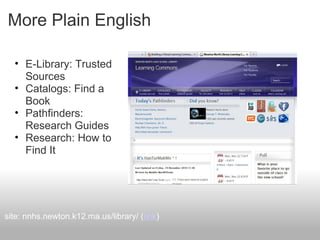
More Plain English
• E-Library: Trusted
Sources
• Catalogs: Find a
Book
• Pathfinders:
Research Guides
• Research: How to
Find It
site: nnhs.newton.k12.ma.us/library/ (link)
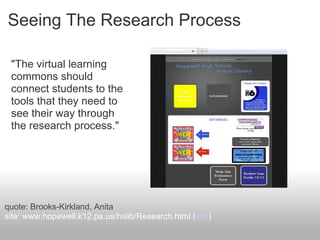
Seeing The Research Process
"The virtual learning
commons should
connect students to the
tools that they need to
see their way through
the research process."
quote: Brooks-Kirkland, Anita
site: www.hopewell.k12.pa.us/hslib/Research.html (link)
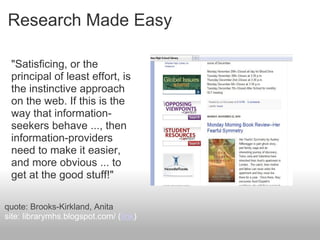
Research Made Easy
"Satisficing, or the
principal of least effort, is
the instinctive approach
on the web. If this is the
way that information-
seekers behave ..., then
information-providers
need to make it easier,
and more obvious ... to
get at the good stuff!"
quote: Brooks-Kirkland, Anita
site: librarymhs.blogspot.com/ (link)
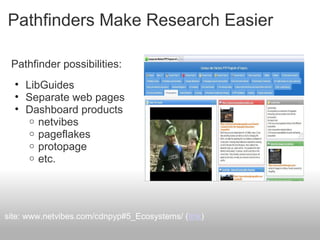
Pathfinders Make Research Easier
Pathfinder possibilities:
• LibGuides
• Separate web pages
• Dashboard products
o netvibes
o pageflakes
o protopage
o etc.
site: www.netvibes.com/cdnpyp#5_Ecosystems/ (link)
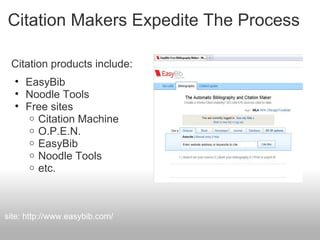
Citation Makers Expedite The Process
Citation products include:
• EasyBib
• Noodle Tools
• Free sites
o Citation Machine
o O.P.E.N.
o EasyBib
o Noodle Tools
o etc.
site: http://www.easybib.com/
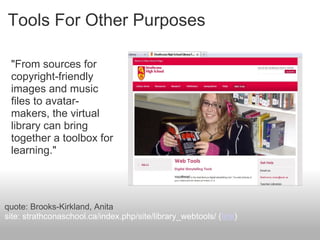
Tools For Other Purposes
"From sources for
copyright-friendly
images and music
files to avatar-
makers, the virtual
library can bring
together a toolbox for
learning."
quote: Brooks-Kirkland, Anita
site: strathconaschool.ca/index.php/site/library_webtools/ (link)
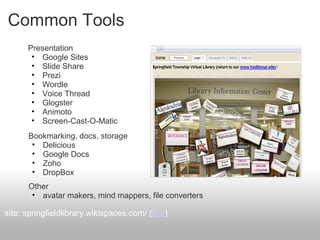
Common Tools
Presentation
• Google Sites
• Slide Share
• Prezi
• Wordle
• Voice Thread
• Glogster
• Animoto
• Screen-Cast-O-Matic
site: springfieldlibrary.wikispaces.com/ (link)
Bookmarking, docs, storage
• Delicious
• Google Docs
• Zoho
• DropBox
Other
• avatar makers, mind mappers, file converters
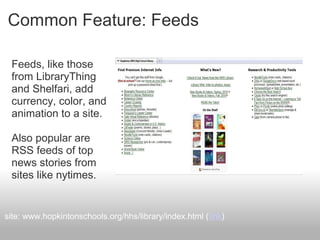
Common Feature: Feeds
Feeds, like those
from LibraryThing
and Shelfari, add
currency, color, and
animation to a site.
Also popular are
RSS feeds of top
news stories from
sites like nytimes.
site: www.hopkintonschools.org/hhs/library/index.html (link)
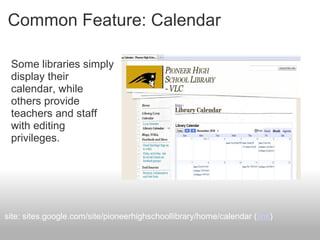
Common Feature: Calendar
Some libraries simply
display their
calendar, while
others provide
teachers and staff
with editing
privileges.
site: sites.google.com/site/pioneerhighschoollibrary/home/calendar (link)
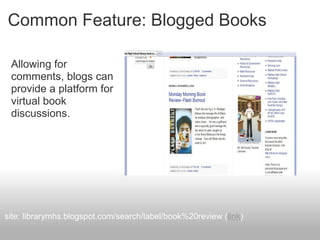
Common Feature: Blogged Books
Allowing for
comments, blogs can
provide a platform for
virtual book
discussions.
site: librarymhs.blogspot.com/search/label/book%20review (link)
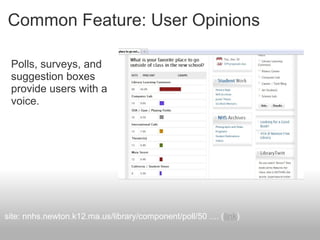
Common Feature: User Opinions
Polls, surveys, and
suggestion boxes
provide users with a
voice.
site: nnhs.newton.k12.ma.us/library/component/poll/50 .... (link)
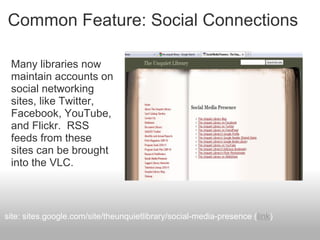
Common Feature: Social Connections
Many libraries now
maintain accounts on
social networking
sites, like Twitter,
Facebook, YouTube,
and Flickr. RSS
feeds from these
sites can be brought
into the VLC.
site: sites.google.com/site/theunquietlibrary/social-media-presence (link)
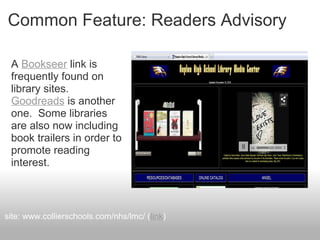
Common Feature: Readers Advisory
A Bookseer link is
frequently found on
library sites.
Goodreads is another
one. Some libraries
are also now including
book trailers in order to
promote reading
interest.
site: www.collierschools.com/nhs/lmc/ (link)
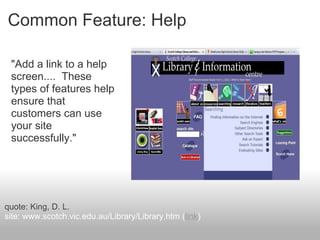
Common Feature: Help
"Add a link to a help
screen.... These
types of features help
ensure that
customers can use
your site
successfully."
quote: King, D. L.
site: www.scotch.vic.edu.au/Library/Library.htm (link)
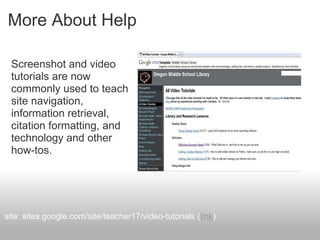
More About Help
Screenshot and video
tutorials are now
commonly used to teach
site navigation,
information retrieval,
citation formatting, and
technology and other
how-tos.
site: sites.google.com/site/teacher17/video-tutorials (link)
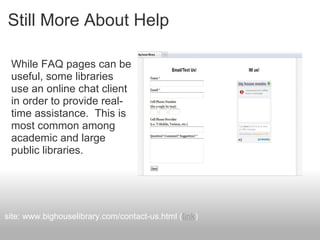
Still More About Help
While FAQ pages can be
useful, some libraries
use an online chat client
in order to provide real-
time assistance. This is
most common among
academic and large
public libraries.
site: www.bighouselibrary.com/contact-us.html (link)
Other VLC Possibilities
• "Small groups ... building a knowledge base on a topic
they are studying."
• "A list constructed by a student club of best sources
about [a research topic]."
• "Areas where parents can collaborate as experts on
various learning projects when they cannot be present in
person."
• "A team of learners uploading videos they have created
to demonstrate ... how to upload their materials to the
school's digital showcase."
quote: Loertscher, Koechlin, and Zwaan
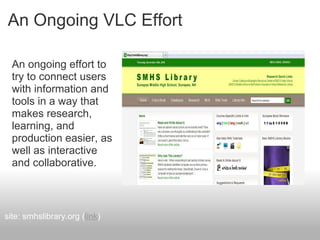
An Ongoing VLC Effort
An ongoing effort to
try to connect users
with information and
tools in a way that
makes research,
learning, and
production easier, as
well as interactive
and collaborative.
site: smhslibrary.org (link)

Building A Virtual Learning Commons

  • 1.
    Building a Virtual LearningCommons 2010 Christa McAuliffe Technology Conference Ray Palin http://smhslibrary.org http://raypalin.info
  • 2.
    Physical & VirtualLearning Commons The physical learning commons provides learners with information resources, space, and technology for research and content production; the virtual learning commons (VLC) offers the digital equivalent.
  • 3.
    Library Redesign &SMHS VLC site: raypalin.info/blog/archives/296 (link)
  • 4.
  • 5.
  • 6.
    Those Quoted Baumbach, D.(2009). Web 2.0 & YOU. Knowledge Quest, 37(4), 12-19 Brooks-Kirkland, A. (2009). The School Library Learning Commons: Are We "Virtually" There? School Libraries in Canada, 27(2), 28. Brooks-Kirkland, A. (2009). The virtual library as a learning hub. School Libraries in Canada, 27(3), 43. Flanders, V. (2010). Worst Web Sites of 2008. Web Pages That Suck. Retrieved November 21, 2010, from http://www.webpagesthatsuck.com/worst-web-sites-of- 2008-navigation.htm
  • 7.
    Those Quoted Harland, P.(2009). Library 2.0 in Plymouth, New Hampshire: How One Library Uses Web 2.0 Tools to Enhance Services to Students & Staff. Library Media Connection, 27(5), 57. King, D. L. (2008). Designing the digital experience: how to use experience design tools and techniques to build Websites customers love. Medford, NJ: CyberAge Books/Information Today. Loertscher, D. V., Koechlin, C., & Zwaan, S. (2008). The new learning commons where learners win!: reinventing school libraries and computer labs. Salt Lake City, UT: Hi Willow Research & Publishing.
  • 8.
    The VLC andWeb 2.0 "Within the last three to four years, AJAX and other technologies have made it possible for software developers to create Web applications that communicate with the server, allowing elements on a webpage to change within the static page. These applications, collectively called Web 2.0 tools, enable interactivity and easily created content by contributors with no knowledge of programming." quote: Baumbach, Donna
  • 9.
    Web 2.0 &Website Design Changes "Our initial venture into Library 2.0 arose from frustration with our school's ... conventional Web site. If we wanted to make changes to the library Web page, we submitted our changes to the school's Web master who would make edits using Dreamweaver (a Web design and development tool).... Most changes were done within the week, but total overhauls were scheduled for the summer." quote: Harland, Pam
  • 10.
    Access From ParentSite prhslibrary.com accessed from www.pemi-baker.sau48.k12.nh.us
  • 11.
    Access From ParentSite librarymhs.blogspot.com accessed from milpitashs.schoolloop.com/us
  • 12.
    Access From ParentSite smhslibrary.org accessed from www.sunapee.k12.nh.us
  • 13.
    Environment As TheFirst Teacher "Just as learning is shaped by the physical environment of the library, so is it shaped by the library's online environment." quote: Brooks-Kirkland, Anita site: www.bighouselibrary.com/index.html (link)
  • 14.
    Designed With UsabilityIn Mind "There are things you can do to make your website more usable. One of the most important is to put the 'major things' on your main page." quote: King, D. L. site: www.bighouselibrary.com/index.html (link)
  • 15.
    Designed For SomethingElse "This [leads] to another Flash page, which was also strange, but it [at least] had information about how to get mobile broadband. My main reaction is 'Huh?'." quote: Flanders, Vincent site: now.sprint.com/nownetwork/ (link)
  • 16.
    Choosing Web ToolsFor The VLC "Web 2.0 ... enables [students] to use the Web as a desktop. Software has become a service delivered over the Internet, called 'cloud computing'." quote: Baumbach, D. site: heyjude.wordpress.com/student-tools-let-them-fly/ (link)
  • 17.
    Tools & UsabilityCombined Linking to numerous web-based tools is easy, but too many might cause users to become overwhelmed, confused, or distracted. Further, the value of the library’s research content might become diminished. It is for this reason, I believe, that the best library websites are organized around research content. While links to web tools are typically provided, they tend to be limited to those most useful for academic work. The following sites take this approach and, in my estimation, look and feel like a virtual learning commons.
  • 18.
    Information Resources Prioritized "Thevirtual learning commons provides 24/7 access to resources...." • encyclopedias • ebooks • magazines • journals • other content quote: Brooks-Kirkland, Anita site: www.rpps.net/RPHS/mc.html (link)
  • 19.
    Resources In PlainEnglish "Organizing resources by information type and describing them in plain English facilitates access." quote: Brooks-Kirkland, Anita site: prhslibrary.com (link)
  • 20.
    More Plain English •E-Library: Trusted Sources • Catalogs: Find a Book • Pathfinders: Research Guides • Research: How to Find It site: nnhs.newton.k12.ma.us/library/ (link)
  • 21.
    Seeing The ResearchProcess "The virtual learning commons should connect students to the tools that they need to see their way through the research process." quote: Brooks-Kirkland, Anita site: www.hopewell.k12.pa.us/hslib/Research.html (link)
  • 22.
    Research Made Easy "Satisficing,or the principal of least effort, is the instinctive approach on the web. If this is the way that information- seekers behave ..., then information-providers need to make it easier, and more obvious ... to get at the good stuff!" quote: Brooks-Kirkland, Anita site: librarymhs.blogspot.com/ (link)
  • 23.
    Pathfinders Make ResearchEasier Pathfinder possibilities: • LibGuides • Separate web pages • Dashboard products o netvibes o pageflakes o protopage o etc. site: www.netvibes.com/cdnpyp#5_Ecosystems/ (link)
  • 24.
    Citation Makers ExpediteThe Process Citation products include: • EasyBib • Noodle Tools • Free sites o Citation Machine o O.P.E.N. o EasyBib o Noodle Tools o etc. site: http://www.easybib.com/
  • 25.
    Tools For OtherPurposes "From sources for copyright-friendly images and music files to avatar- makers, the virtual library can bring together a toolbox for learning." quote: Brooks-Kirkland, Anita site: strathconaschool.ca/index.php/site/library_webtools/ (link)
  • 26.
    Common Tools Presentation • GoogleSites • Slide Share • Prezi • Wordle • Voice Thread • Glogster • Animoto • Screen-Cast-O-Matic site: springfieldlibrary.wikispaces.com/ (link) Bookmarking, docs, storage • Delicious • Google Docs • Zoho • DropBox Other • avatar makers, mind mappers, file converters
  • 27.
    Common Feature: Feeds Feeds,like those from LibraryThing and Shelfari, add currency, color, and animation to a site. Also popular are RSS feeds of top news stories from sites like nytimes. site: www.hopkintonschools.org/hhs/library/index.html (link)
  • 28.
    Common Feature: Calendar Somelibraries simply display their calendar, while others provide teachers and staff with editing privileges. site: sites.google.com/site/pioneerhighschoollibrary/home/calendar (link)
  • 29.
    Common Feature: BloggedBooks Allowing for comments, blogs can provide a platform for virtual book discussions. site: librarymhs.blogspot.com/search/label/book%20review (link)
  • 30.
    Common Feature: UserOpinions Polls, surveys, and suggestion boxes provide users with a voice. site: nnhs.newton.k12.ma.us/library/component/poll/50 .... (link)
  • 31.
    Common Feature: SocialConnections Many libraries now maintain accounts on social networking sites, like Twitter, Facebook, YouTube, and Flickr. RSS feeds from these sites can be brought into the VLC. site: sites.google.com/site/theunquietlibrary/social-media-presence (link)
  • 32.
    Common Feature: ReadersAdvisory A Bookseer link is frequently found on library sites. Goodreads is another one. Some libraries are also now including book trailers in order to promote reading interest. site: www.collierschools.com/nhs/lmc/ (link)
  • 33.
    Common Feature: Help "Adda link to a help screen.... These types of features help ensure that customers can use your site successfully." quote: King, D. L. site: www.scotch.vic.edu.au/Library/Library.htm (link)
  • 34.
    More About Help Screenshotand video tutorials are now commonly used to teach site navigation, information retrieval, citation formatting, and technology and other how-tos. site: sites.google.com/site/teacher17/video-tutorials (link)
  • 35.
    Still More AboutHelp While FAQ pages can be useful, some libraries use an online chat client in order to provide real- time assistance. This is most common among academic and large public libraries. site: www.bighouselibrary.com/contact-us.html (link)
  • 36.
    Other VLC Possibilities •"Small groups ... building a knowledge base on a topic they are studying." • "A list constructed by a student club of best sources about [a research topic]." • "Areas where parents can collaborate as experts on various learning projects when they cannot be present in person." • "A team of learners uploading videos they have created to demonstrate ... how to upload their materials to the school's digital showcase." quote: Loertscher, Koechlin, and Zwaan
  • 37.
    An Ongoing VLCEffort An ongoing effort to try to connect users with information and tools in a way that makes research, learning, and production easier, as well as interactive and collaborative. site: smhslibrary.org (link)