


Topic:
Topic:
web browser
Group Members
• Rajpar
• Shehroz H
Content
• Introduction
• History
• Introduction to WWW
• Mosaic and netscape
• Chrome
• Mozila firefox
• Internet explorer
• Opera
• Safari
Introduction
• What is web browser??
• Web user access information from web servers,
through a client program called browser.
Content of web browser
1. User Interface
• this includes the address bar, back/forward button ,
bookmarking menu etc
1. Rendering Engine
• Rendering, that is display of the requested contents on the
browser screen.
• By default the rendering engine can display HTML and XML
documents and images
History
• The first web browser was invented in 1990 by
Sir Tim Berners-Lee.
• His browser was called WorldWideWeb and later
renamed Nexus
• Internet Explorer in 1995 was released by MS
initiating the industry's first browser war
• 1993, browser software was further innovated
by Marc Andreessen with the release of Mosaic
www
• The first web browser was invented in 1990 by Sir Tim
Berners-Lee.
• Features of www
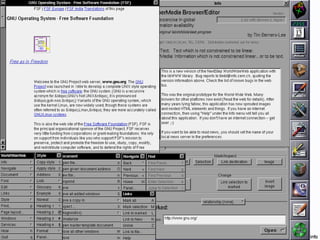
– WorldWideWeb was capable of displaying basic style sheets
– downloading and opening any file type supported by the NeXT
system
– browsing newsgroups, and spellchecking
– In earlier versions, images were displayed in separate window
Mosaic
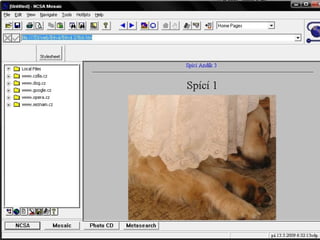
• Mosaic was developed at the National Center for
Supercomputing Applications(NCSA) at the
University of Illinois Urbana-Champaign
• beginning in late 1992. NCSA released the
browser in 1993, and officially discontinued
development and support on January 7, 1997
• Mosaic was also the first browser to display
images inline with text instead of displaying
images in a separate window
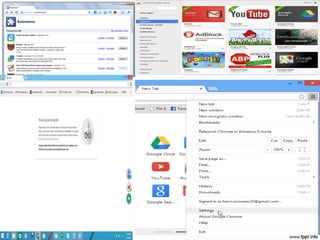
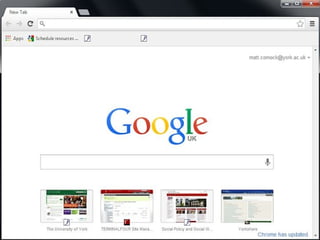
Chrome
• Developer: Google Inc
• Initial release: September 2, 2008
• Available in: 47 languages
• Written in: c++
• Supported by: Windows,Mac,ios,android,linux
• Engine:webkit
• Secure,fast,simple browser
Features of chrome
• Bookmarks
• Incognito Mode
• User interface
• Chrome Web Store
• Extensions
• Themes
• Automatic web page translation
• Download manager
• Video game
• Multiple browsing:Tab option
• Restores where user left
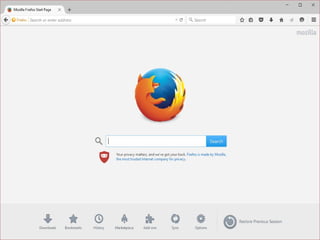
Mozila Firefox
• Developer:Mozilla Foundation
• Initial release: September 23, 2002
• Available in:79 languages
• Written in: C++,JavaScript, C, Rust,XUL, XBL
• Supported os: Windows, OS X, Linux, Android, iOS
• Engine: Gecko, SpiderMonkkey
• Size: 45 in windows,79MB in mac X,50MB in linux
• Fast browsing experience
Features Of Firefox
• Tabbed browsing
• Pop-up blocking
• Private Browsing
• Download manager
• Bookmarks
• Session Restore
• Add-ons
• Inline spell checker
• Security
• Built in PDF viewer
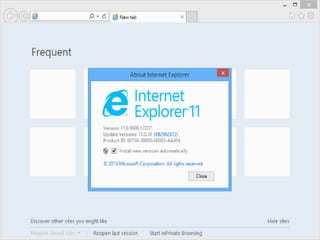
Internet explorer
• Developer: Microsoft
• Orignal Author: Thomas Reardon
• Initial release: August 1995
• Current version: 11
• Supported os: windows, mac
• Written in:c++
• Engine:trident
• Available in: 95 languages
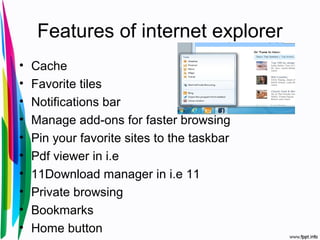
Features of internet explorer
• Cache
• Favorite tiles
• Notifications bar
• Manage add-ons for faster browsing
• Pin your favorite sites to the taskbar
• Pdf viewer in i.e
• 11Download manager in i.e 11
• Private browsing
• Bookmarks
• Home button
Opera
• Developer: Opera Software
• Initial release: april 1995
• Written in: c++
• Engine: blink,v8
• Available: 48 languages
• Web: www.opera.com
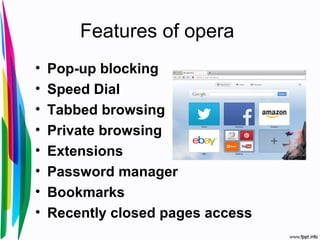
Features of opera
• Pop-up blocking
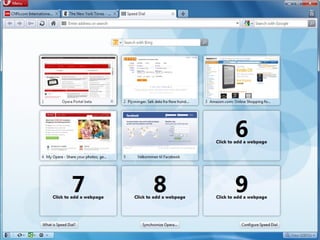
• Speed Dial
• Tabbed browsing
• Private browsing
• Extensions
• Password manager
• Bookmarks
• Recently closed pages access
safari
• Developer: Apple
• Initial release: January 7, 2003
• Written in: objective c,c++
• Engine: webkit,nitro
• OS: windows ,mac x
Features
• Spell check
• Tab browsing
• Pop up blocking
• History view
• Privacy
• Extension
• Restore
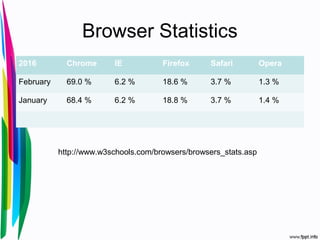
Browser Statistics
2016 Chrome IE Firefox Safari Opera
February 69.0 % 6.2 % 18.6 % 3.7 % 1.3 %
January 68.4 % 6.2 % 18.8 % 3.7 % 1.4 %
http://www.w3schools.com/browsers/browsers_stats.asp
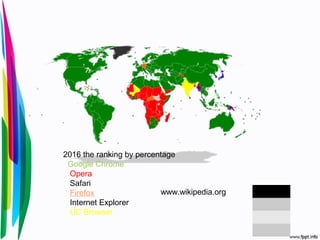
2016 the ranking by percentage
Google Chrome
Opera
Safari
Firefox
Internet Explorer
UC Browser
www.wikipedia.org
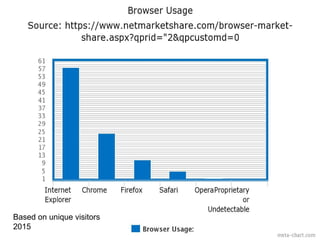
Based on unique visitors
2015
House is open
for quries?

browser presentation

  • 2.
  • 3.
  • 4.
    Content • Introduction • History •Introduction to WWW • Mosaic and netscape • Chrome • Mozila firefox • Internet explorer • Opera • Safari
  • 5.
    Introduction • What isweb browser?? • Web user access information from web servers, through a client program called browser.
  • 6.
    Content of webbrowser 1. User Interface • this includes the address bar, back/forward button , bookmarking menu etc 1. Rendering Engine • Rendering, that is display of the requested contents on the browser screen. • By default the rendering engine can display HTML and XML documents and images
  • 7.
    History • The firstweb browser was invented in 1990 by Sir Tim Berners-Lee. • His browser was called WorldWideWeb and later renamed Nexus • Internet Explorer in 1995 was released by MS initiating the industry's first browser war • 1993, browser software was further innovated by Marc Andreessen with the release of Mosaic
  • 8.
    www • The firstweb browser was invented in 1990 by Sir Tim Berners-Lee. • Features of www – WorldWideWeb was capable of displaying basic style sheets – downloading and opening any file type supported by the NeXT system – browsing newsgroups, and spellchecking – In earlier versions, images were displayed in separate window
  • 10.
    Mosaic • Mosaic wasdeveloped at the National Center for Supercomputing Applications(NCSA) at the University of Illinois Urbana-Champaign • beginning in late 1992. NCSA released the browser in 1993, and officially discontinued development and support on January 7, 1997 • Mosaic was also the first browser to display images inline with text instead of displaying images in a separate window
  • 12.
    Chrome • Developer: GoogleInc • Initial release: September 2, 2008 • Available in: 47 languages • Written in: c++ • Supported by: Windows,Mac,ios,android,linux • Engine:webkit • Secure,fast,simple browser
  • 13.
    Features of chrome •Bookmarks • Incognito Mode • User interface • Chrome Web Store • Extensions • Themes • Automatic web page translation • Download manager • Video game • Multiple browsing:Tab option • Restores where user left
  • 16.
    Mozila Firefox • Developer:MozillaFoundation • Initial release: September 23, 2002 • Available in:79 languages • Written in: C++,JavaScript, C, Rust,XUL, XBL • Supported os: Windows, OS X, Linux, Android, iOS • Engine: Gecko, SpiderMonkkey • Size: 45 in windows,79MB in mac X,50MB in linux • Fast browsing experience
  • 17.
    Features Of Firefox •Tabbed browsing • Pop-up blocking • Private Browsing • Download manager • Bookmarks • Session Restore • Add-ons • Inline spell checker • Security • Built in PDF viewer
  • 19.
    Internet explorer • Developer:Microsoft • Orignal Author: Thomas Reardon • Initial release: August 1995 • Current version: 11 • Supported os: windows, mac • Written in:c++ • Engine:trident • Available in: 95 languages
  • 20.
    Features of internetexplorer • Cache • Favorite tiles • Notifications bar • Manage add-ons for faster browsing • Pin your favorite sites to the taskbar • Pdf viewer in i.e • 11Download manager in i.e 11 • Private browsing • Bookmarks • Home button
  • 22.
    Opera • Developer: OperaSoftware • Initial release: april 1995 • Written in: c++ • Engine: blink,v8 • Available: 48 languages • Web: www.opera.com
  • 23.
    Features of opera •Pop-up blocking • Speed Dial • Tabbed browsing • Private browsing • Extensions • Password manager • Bookmarks • Recently closed pages access
  • 25.
    safari • Developer: Apple •Initial release: January 7, 2003 • Written in: objective c,c++ • Engine: webkit,nitro • OS: windows ,mac x
  • 26.
    Features • Spell check •Tab browsing • Pop up blocking • History view • Privacy • Extension • Restore
  • 28.
    Browser Statistics 2016 ChromeIE Firefox Safari Opera February 69.0 % 6.2 % 18.6 % 3.7 % 1.3 % January 68.4 % 6.2 % 18.8 % 3.7 % 1.4 % http://www.w3schools.com/browsers/browsers_stats.asp
  • 29.
    2016 the rankingby percentage Google Chrome Opera Safari Firefox Internet Explorer UC Browser www.wikipedia.org
  • 30.
    Based on uniquevisitors 2015
  • 31.