Brightspace Analytics, Insights and Data
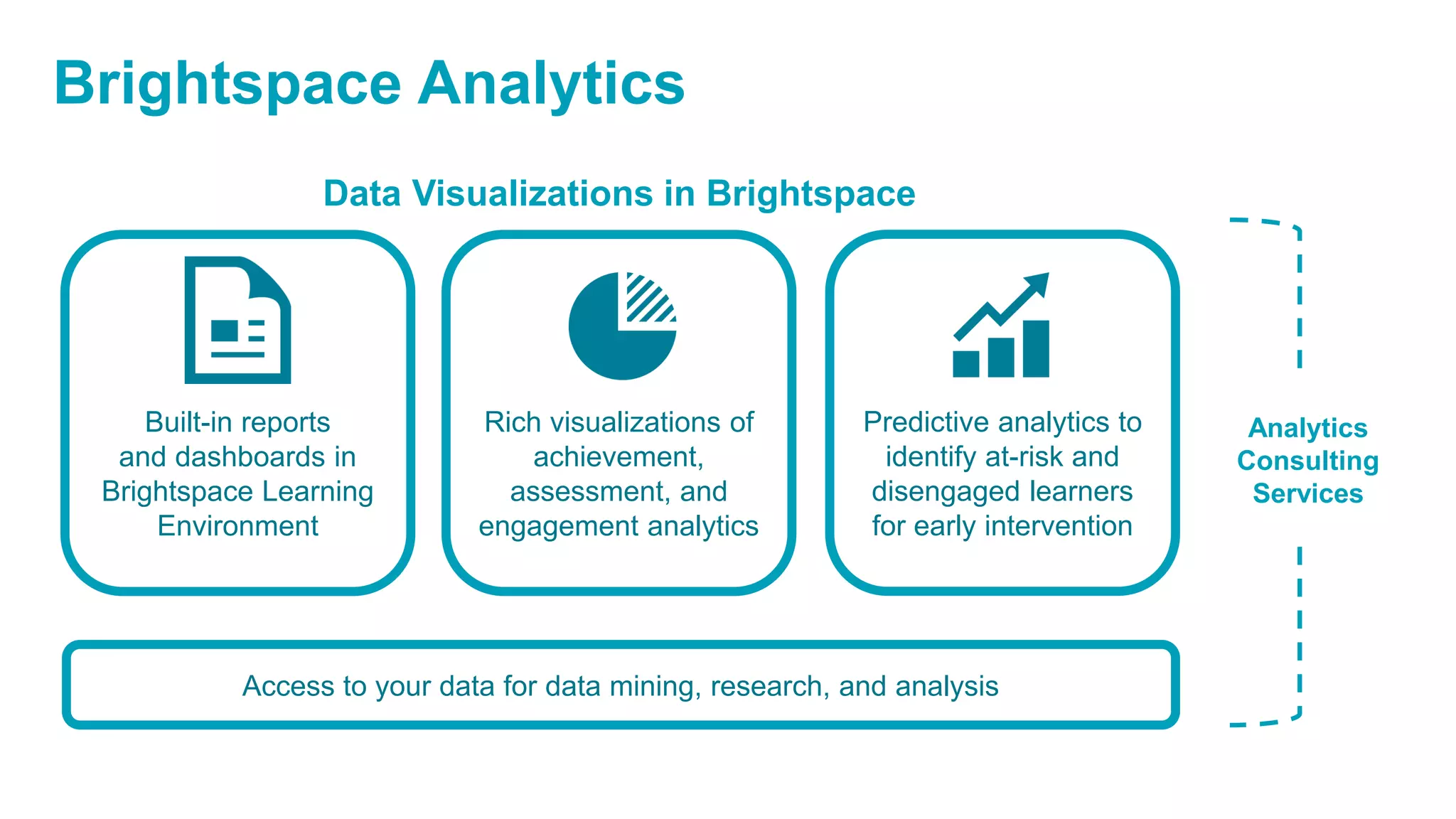
Access to your data for data mining, research, and analysis
Built-in reports
and dashboards in
Brightspace Learning
Environment
Rich visualizations of
achievement,
assessment, and
engagement analytics
Predictive analytics to
identify at-risk and
disengaged learners
for early intervention
Analytics
Consulting
Services
Data Visualizations in Brightspace
Brightspace Analytics
Built-in reports
and dashboards in
Brightspace Learning
Environment
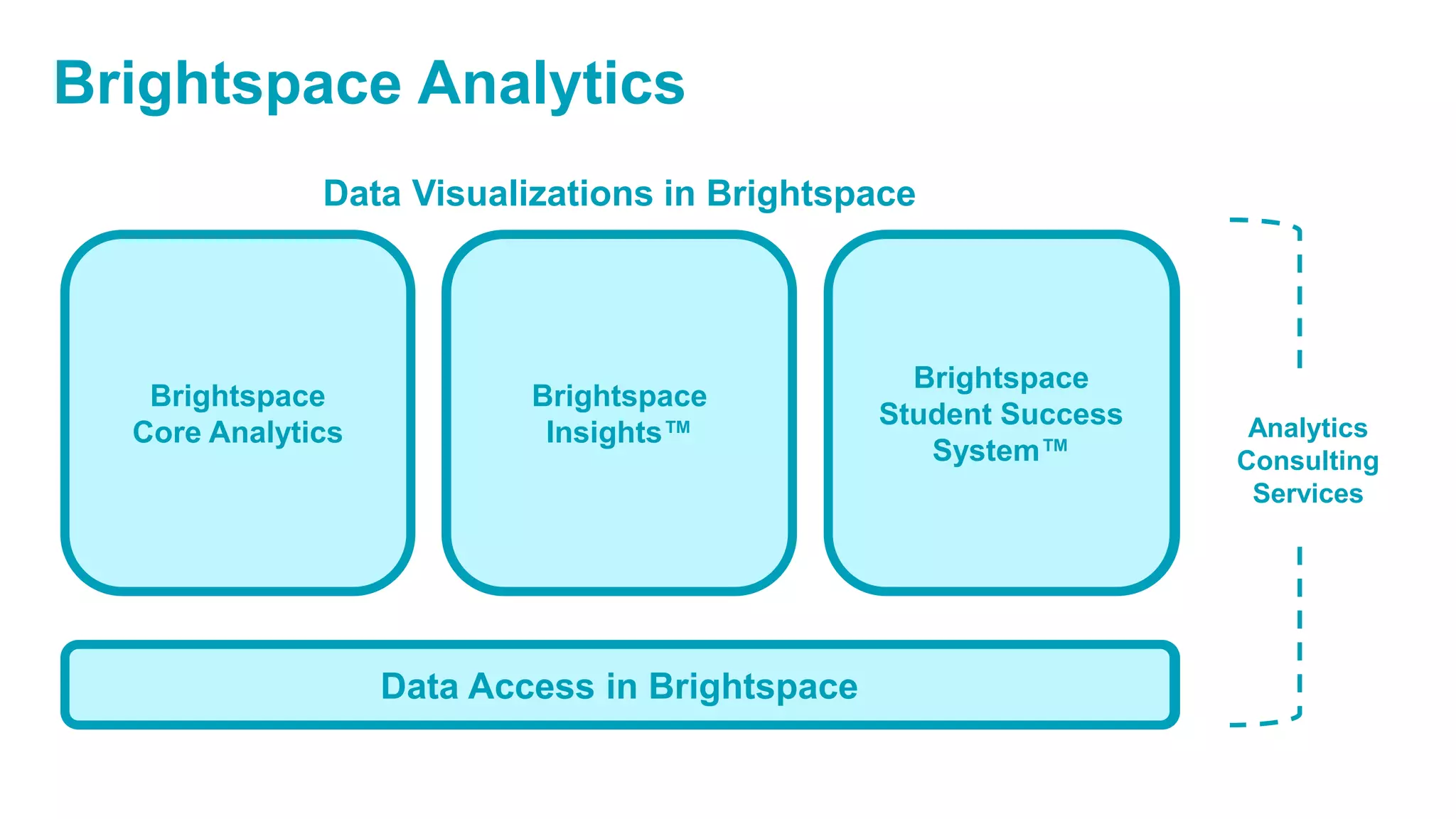
Brightspace
Core Analytics
Access to your data for data mining, research, and analysis
Rich visualizations of
achievement,
assessment, and
engagement analytics
Predictive analytics to
identify at-risk and
disengaged learners
for early intervention
Analytics
Consulting
Services
Brightspace
Student Success
System™
Brightspace
Insights™
Data Access in Brightspace
Data Visualizations in Brightspace
Brightspace Analytics
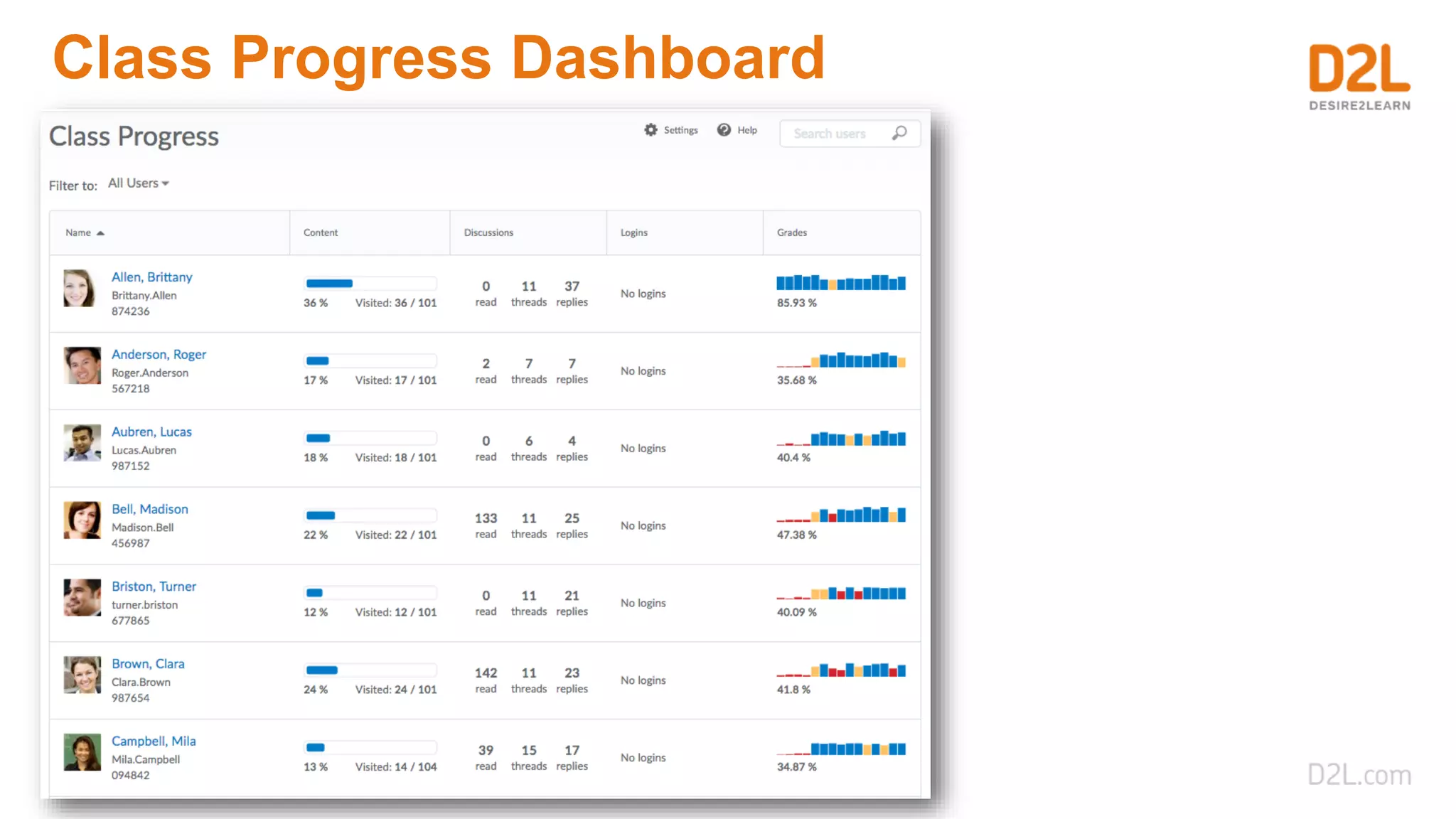
Built-in analytics reports
Brightspace Core Analytics
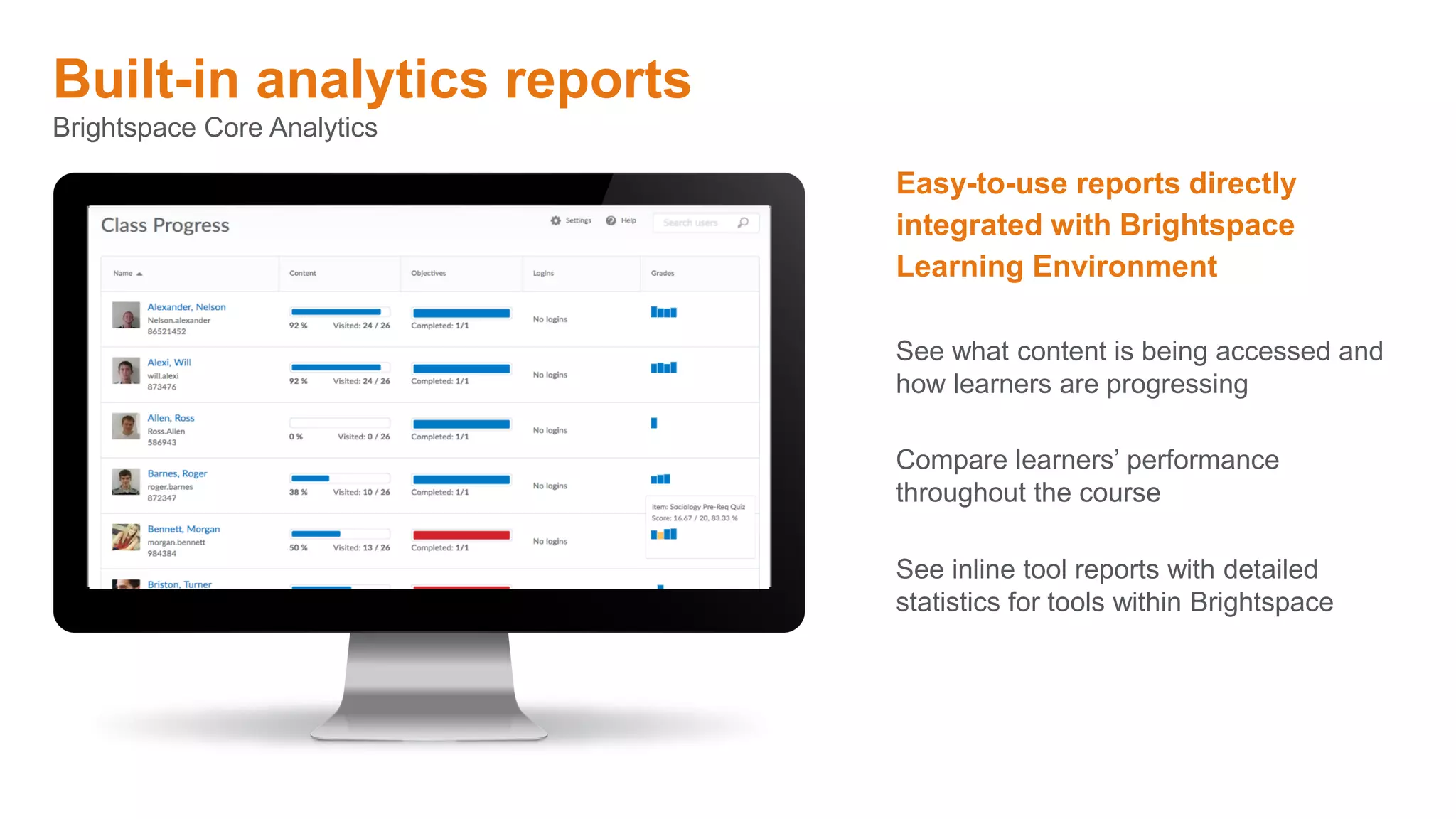
Easy-to-use reports directly
integrated with Brightspace
Learning Environment
See inline tool reports with detailed
statistics for tools within Brightspace
See what content is being accessed and
how learners are progressing
Compare learners’ performance
throughout the course
Class Progress Dashboard
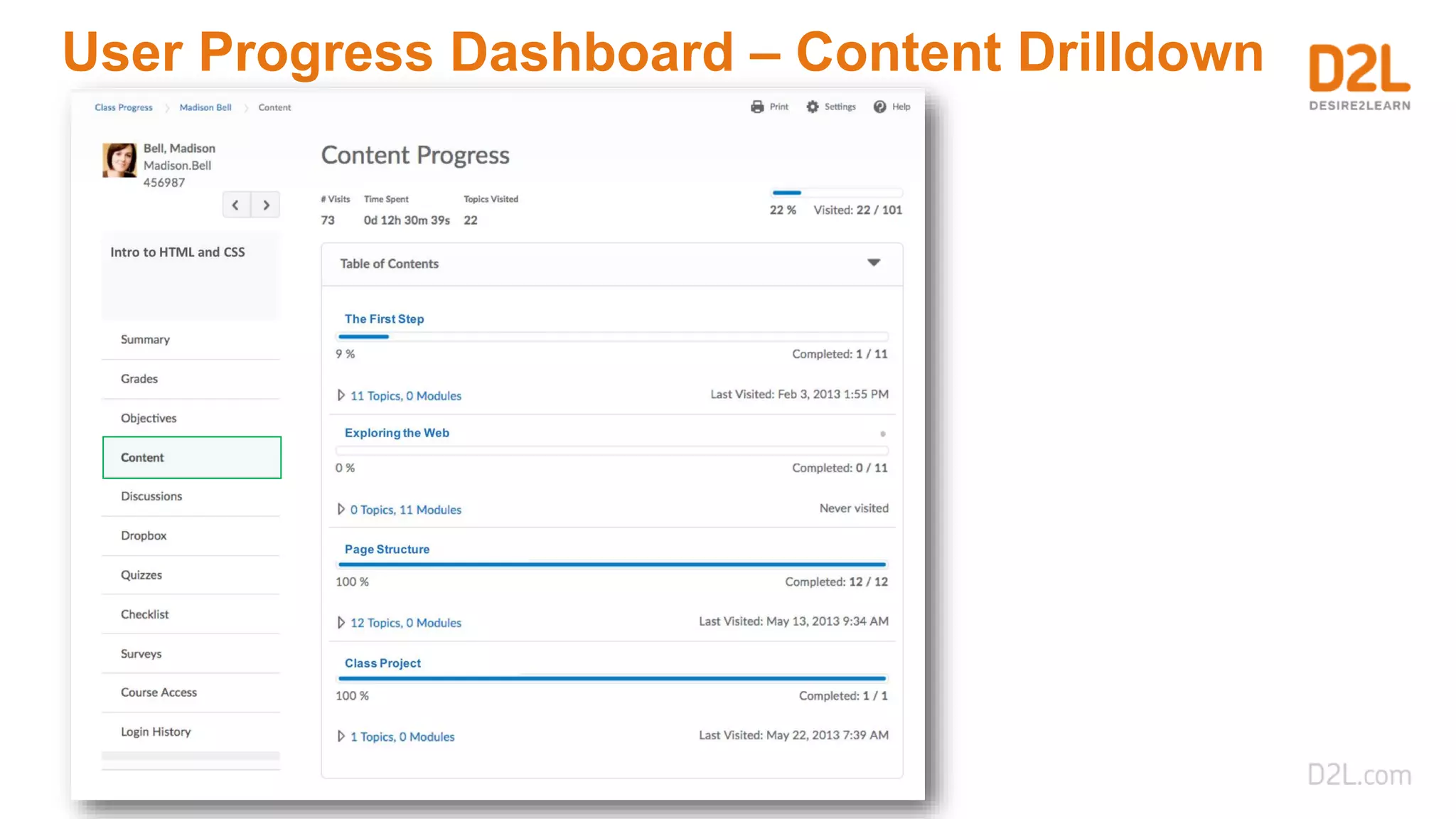
User Progress Dashboard – Content Drilldown
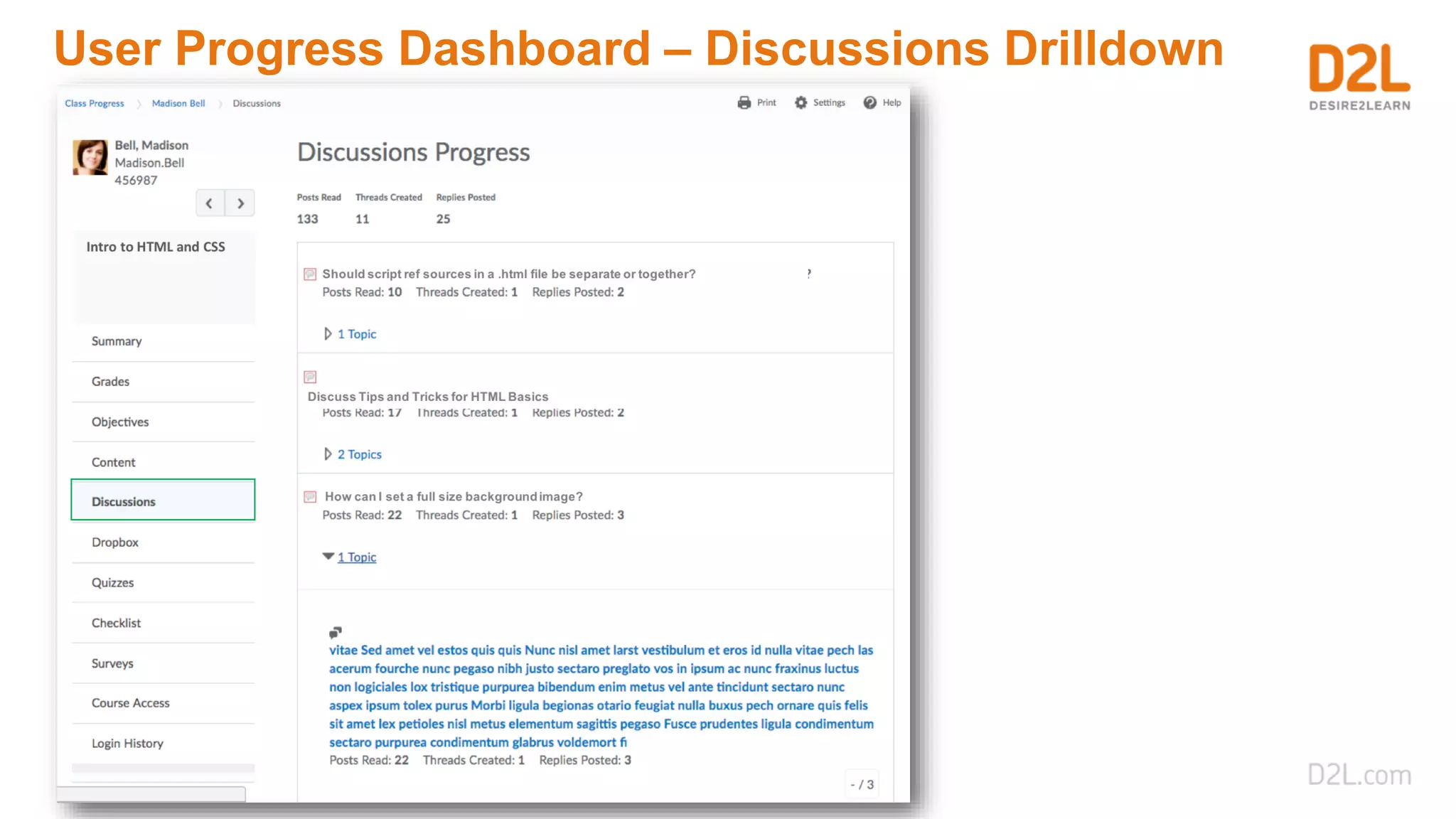
User Progress Dashboard – Discussions Drilldown
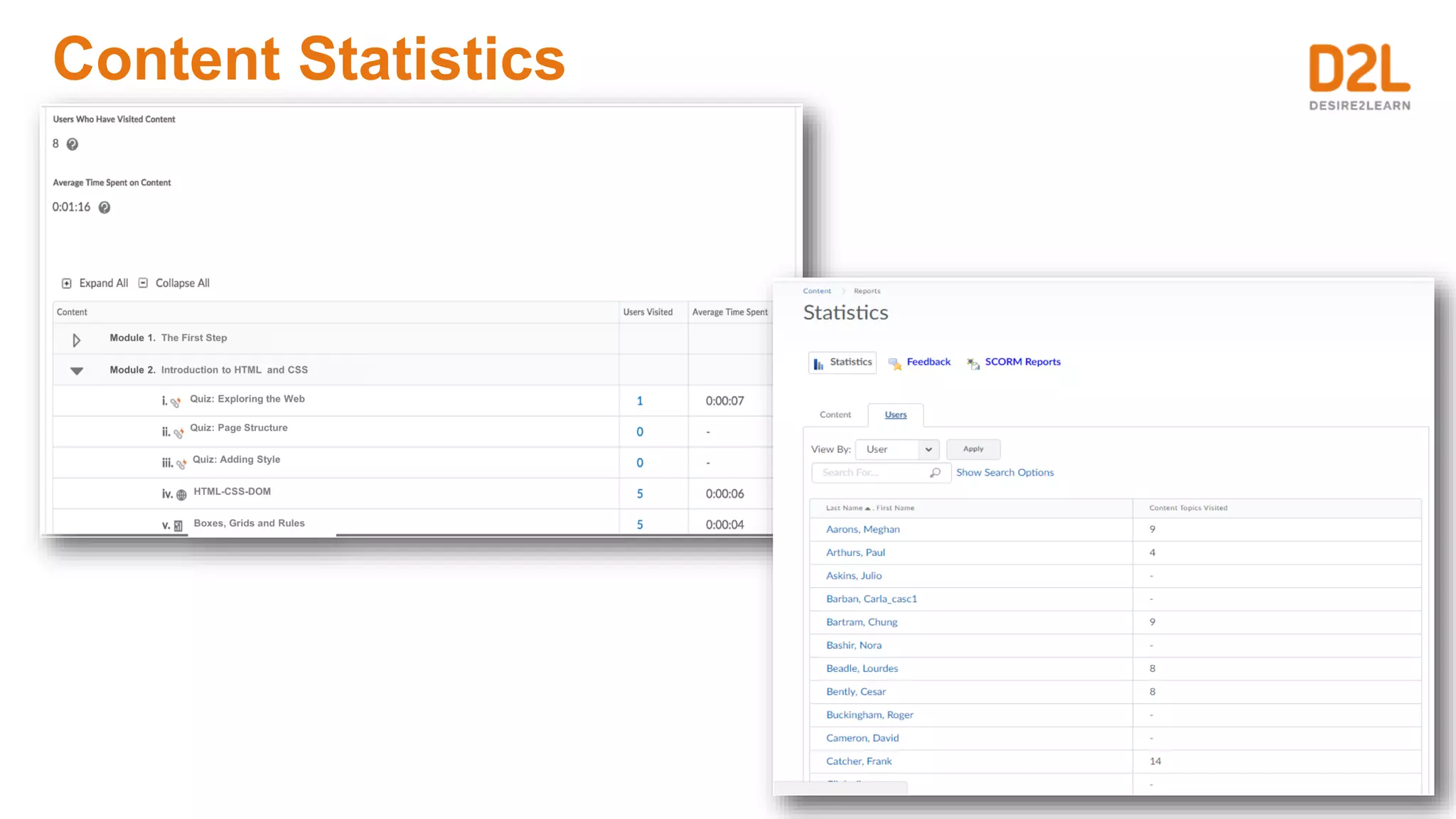
Content Statistics
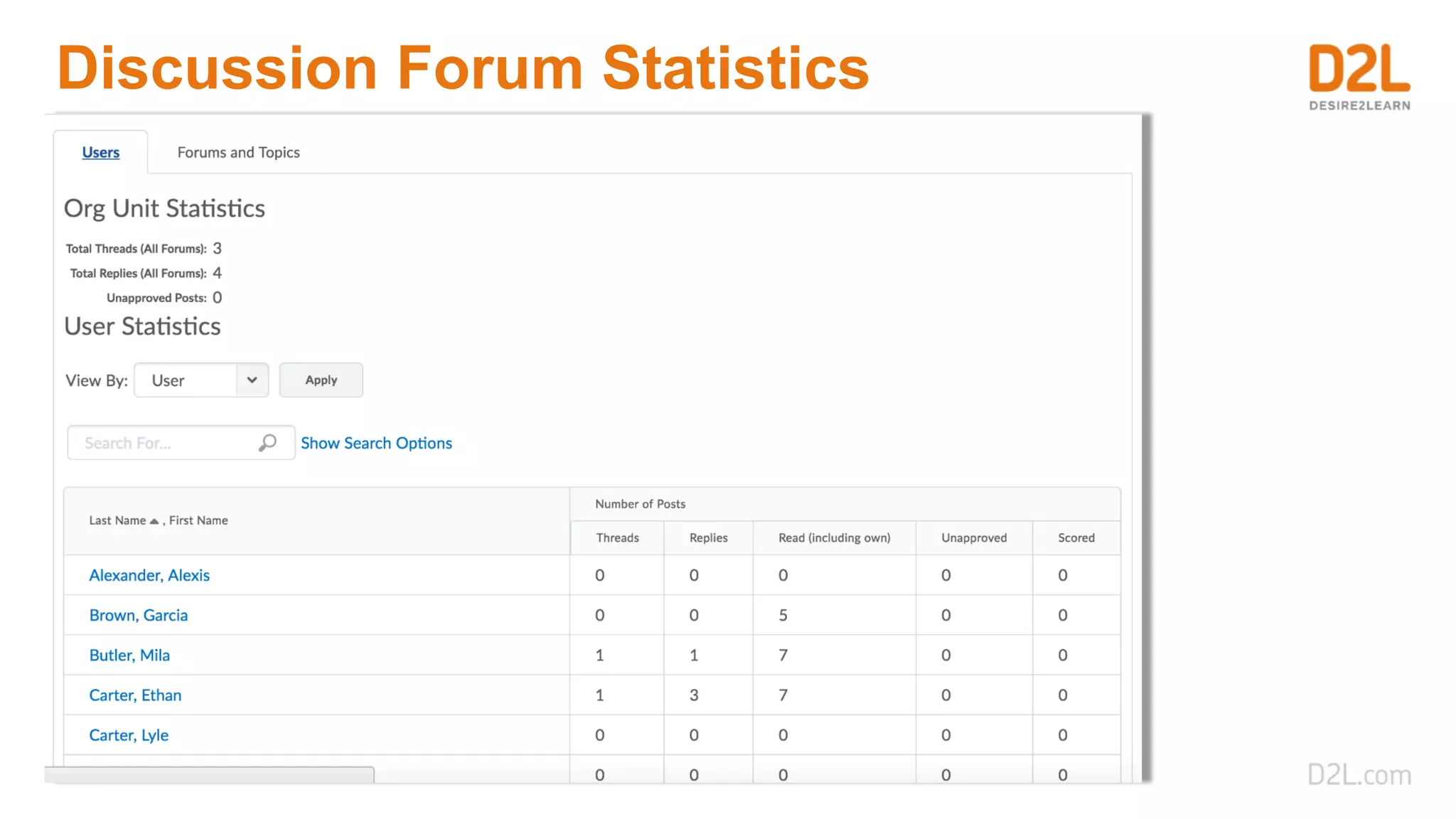
Discussion Forum Statistics
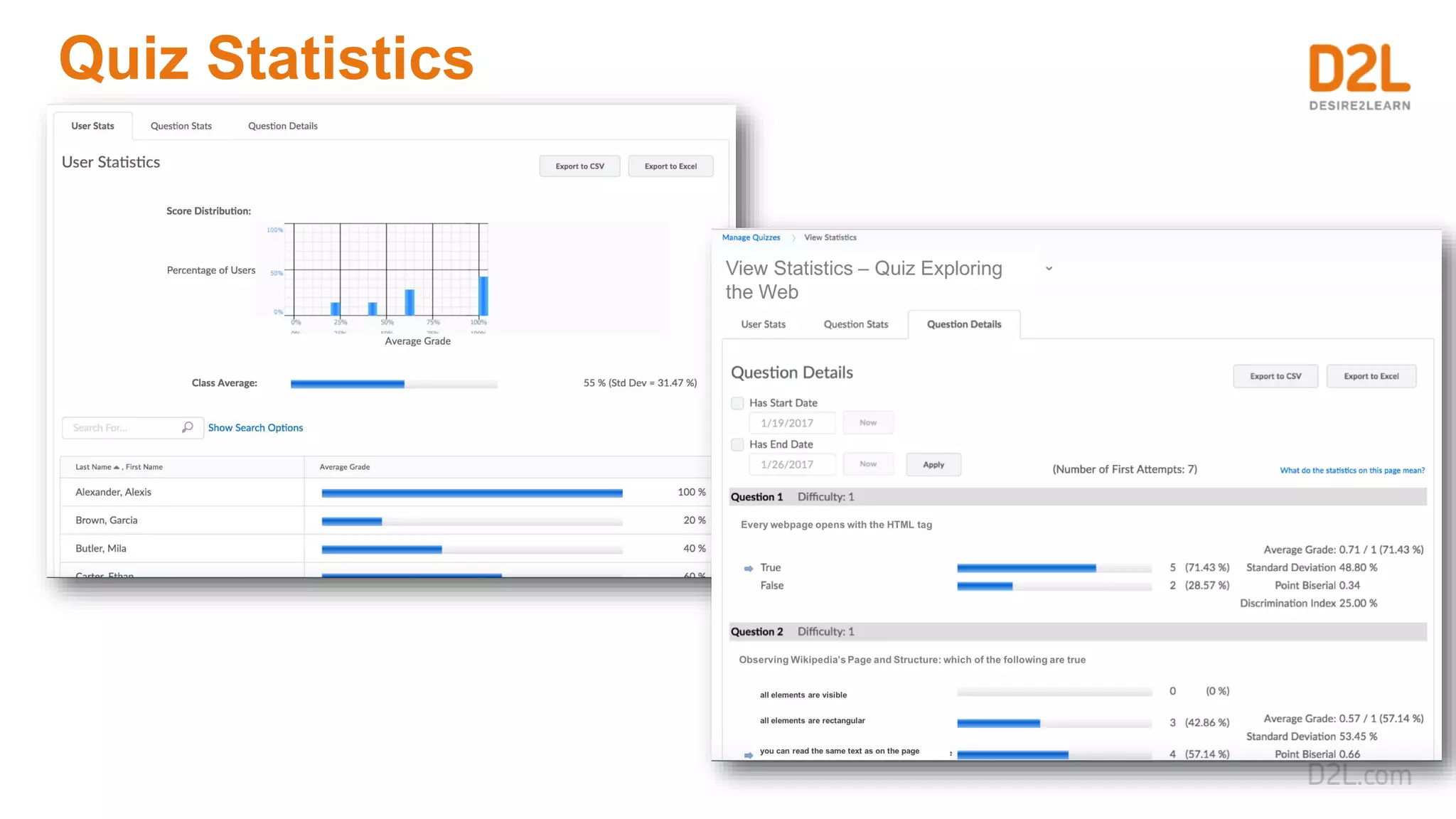
Quiz Statistics
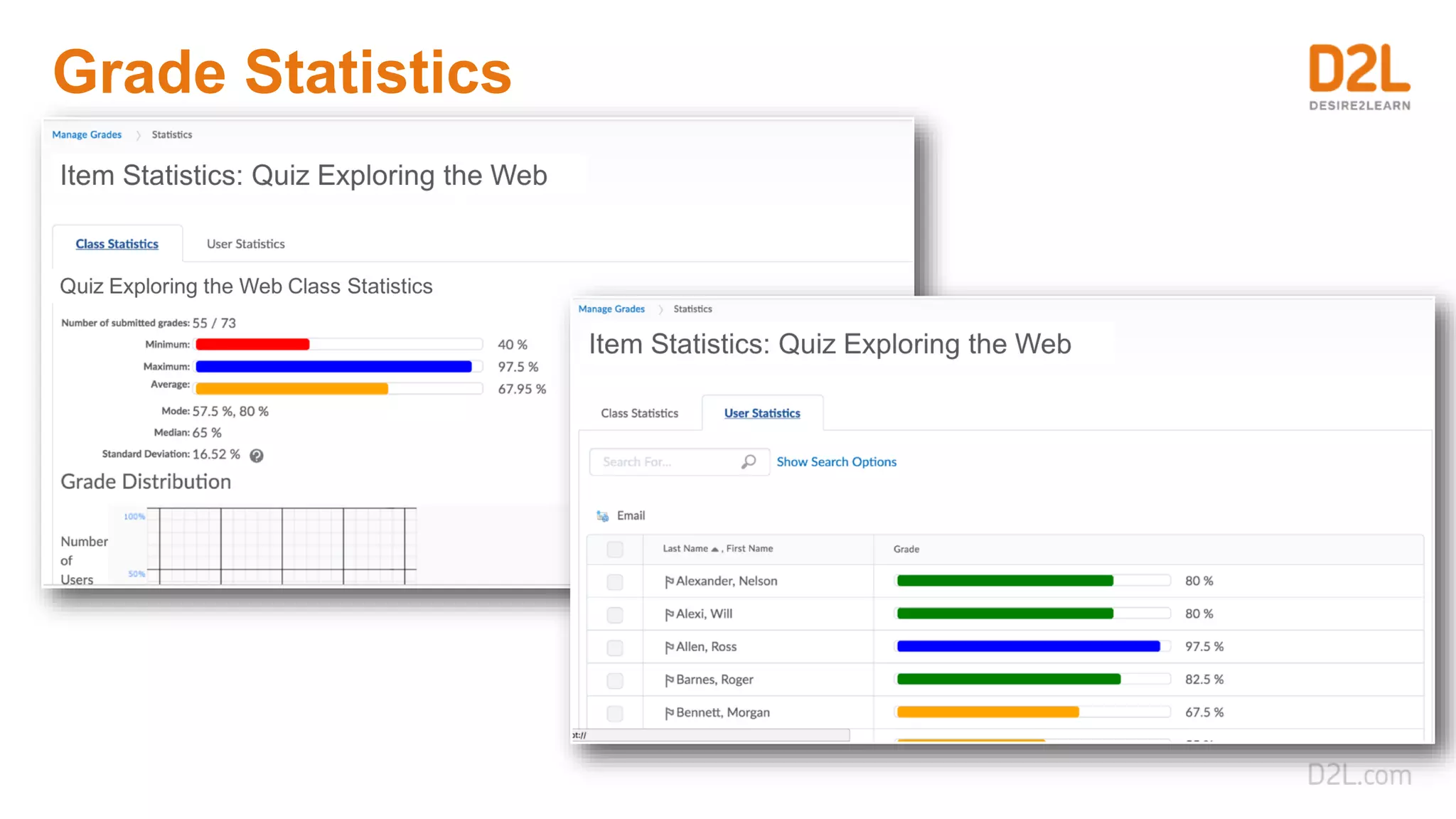
Grade Statistics
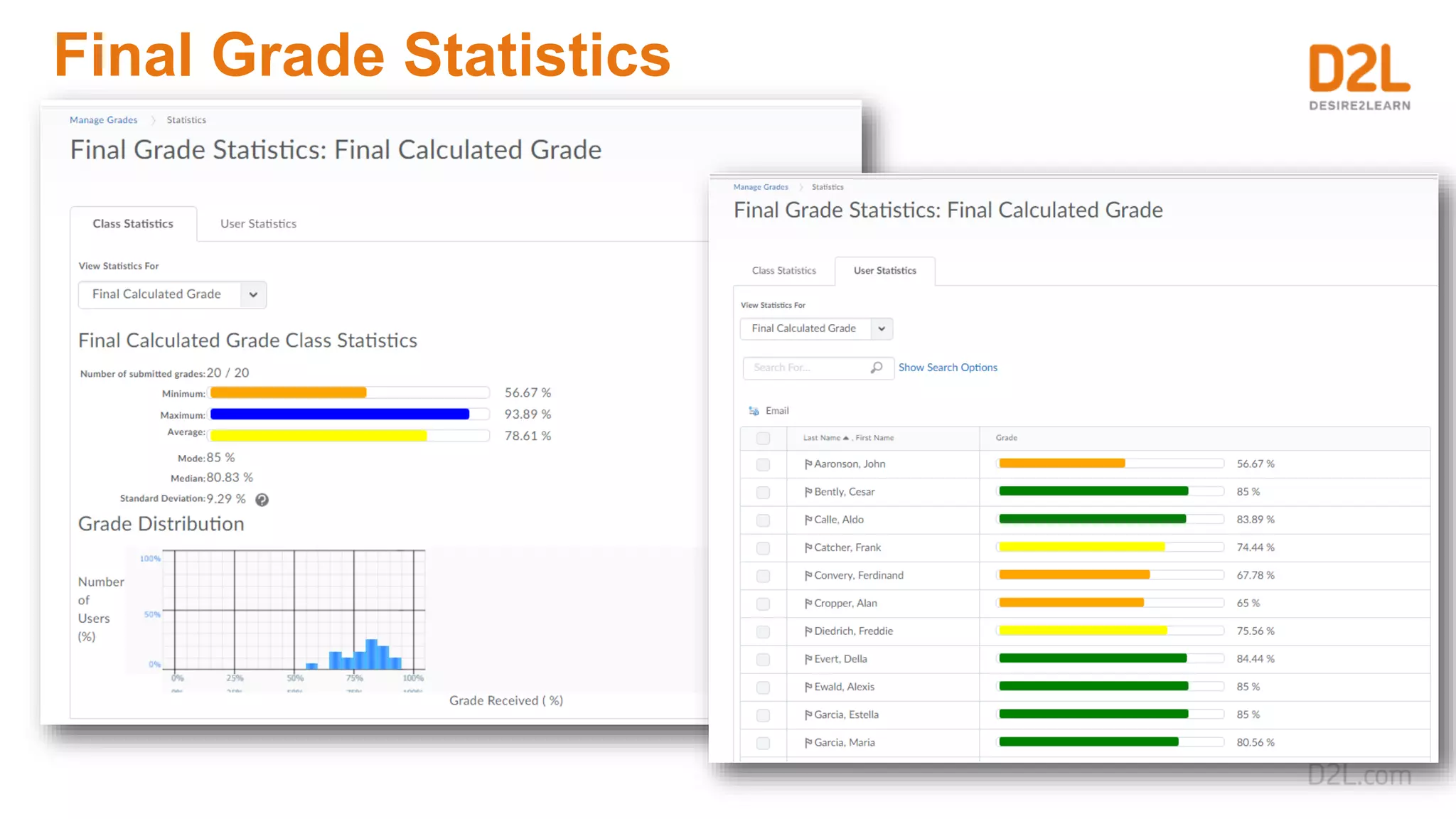
Final Grade Statistics
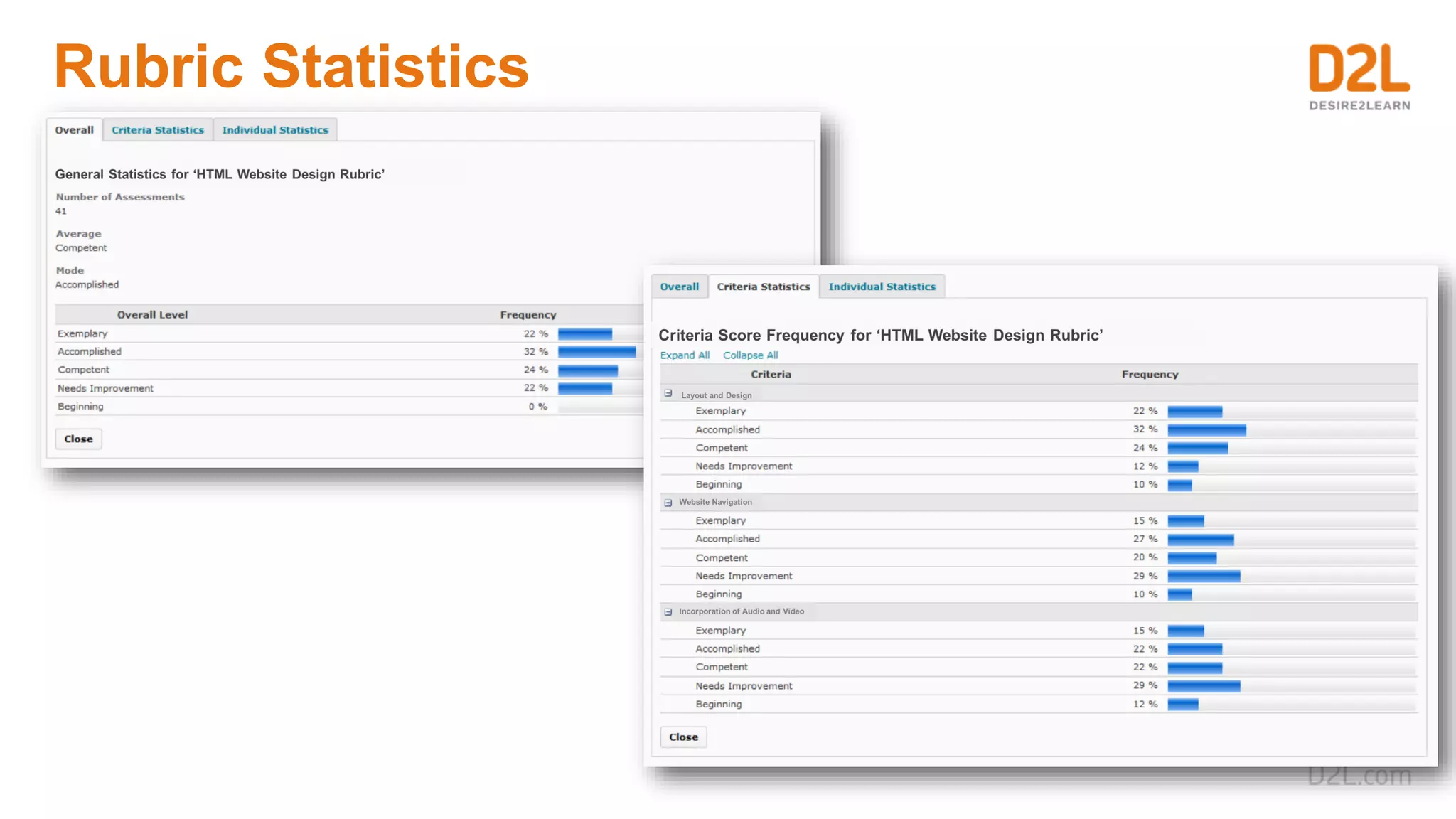
Rubric Statistics
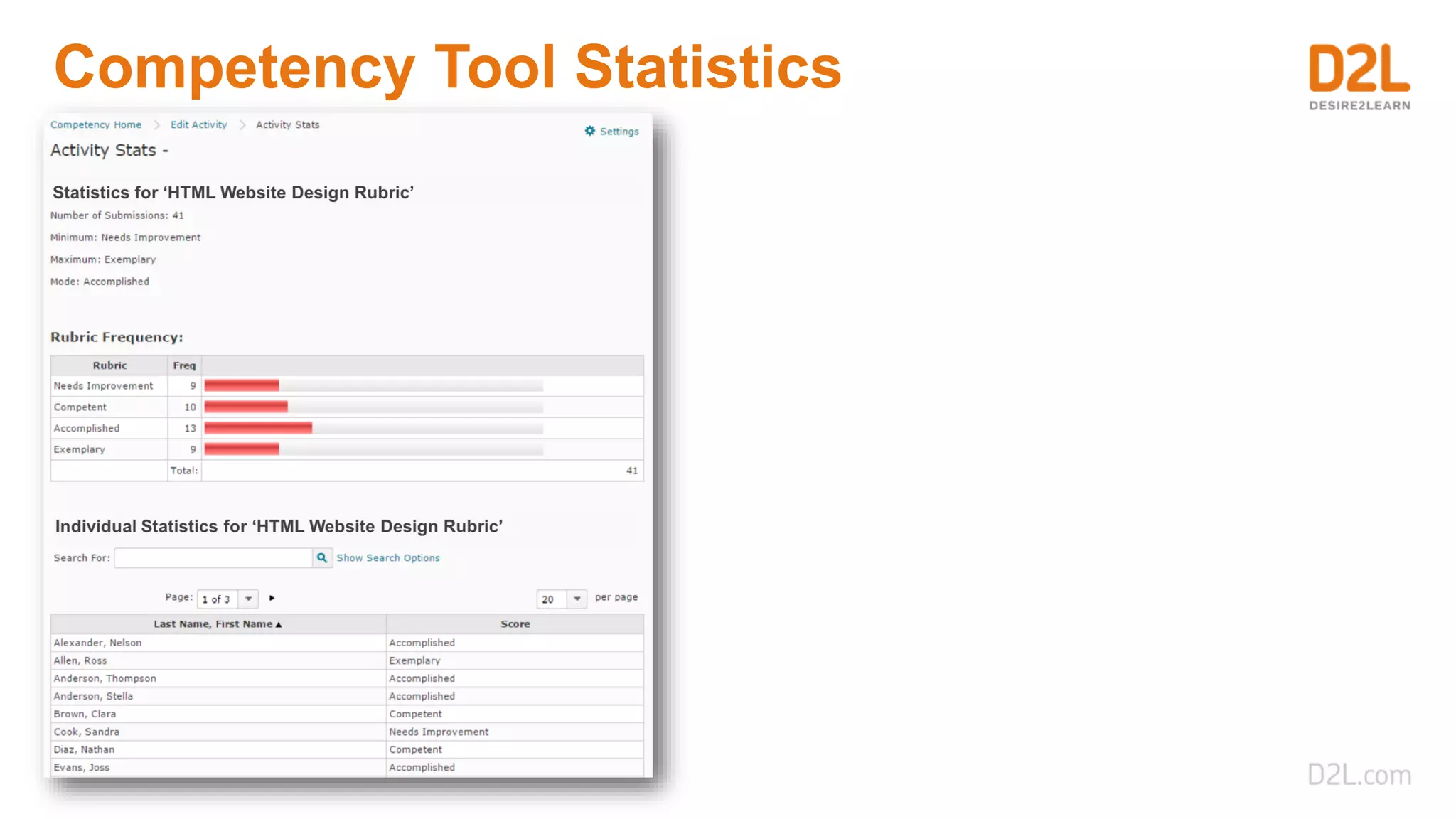
Competency Tool Statistics
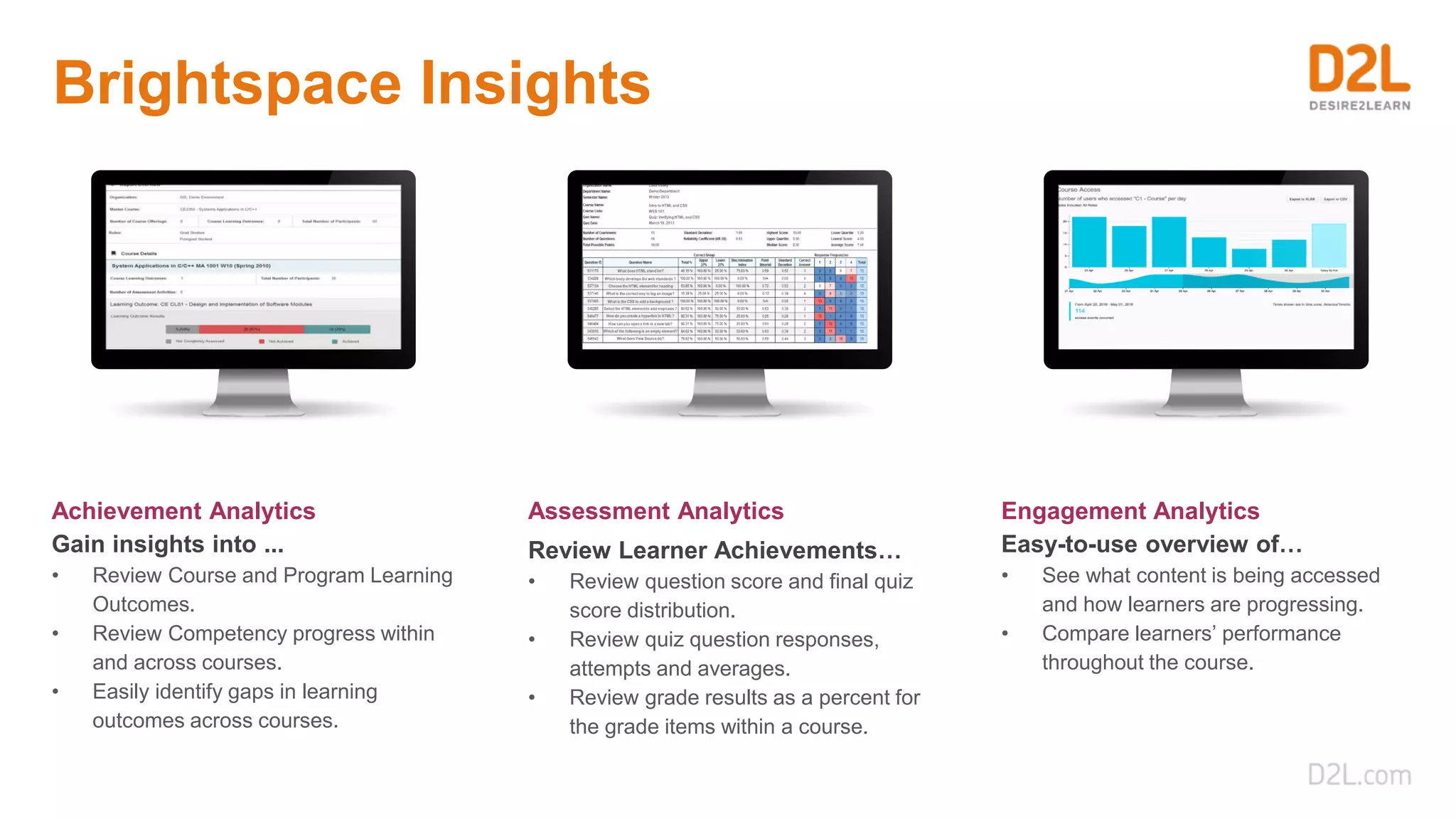
Brightspace Insights
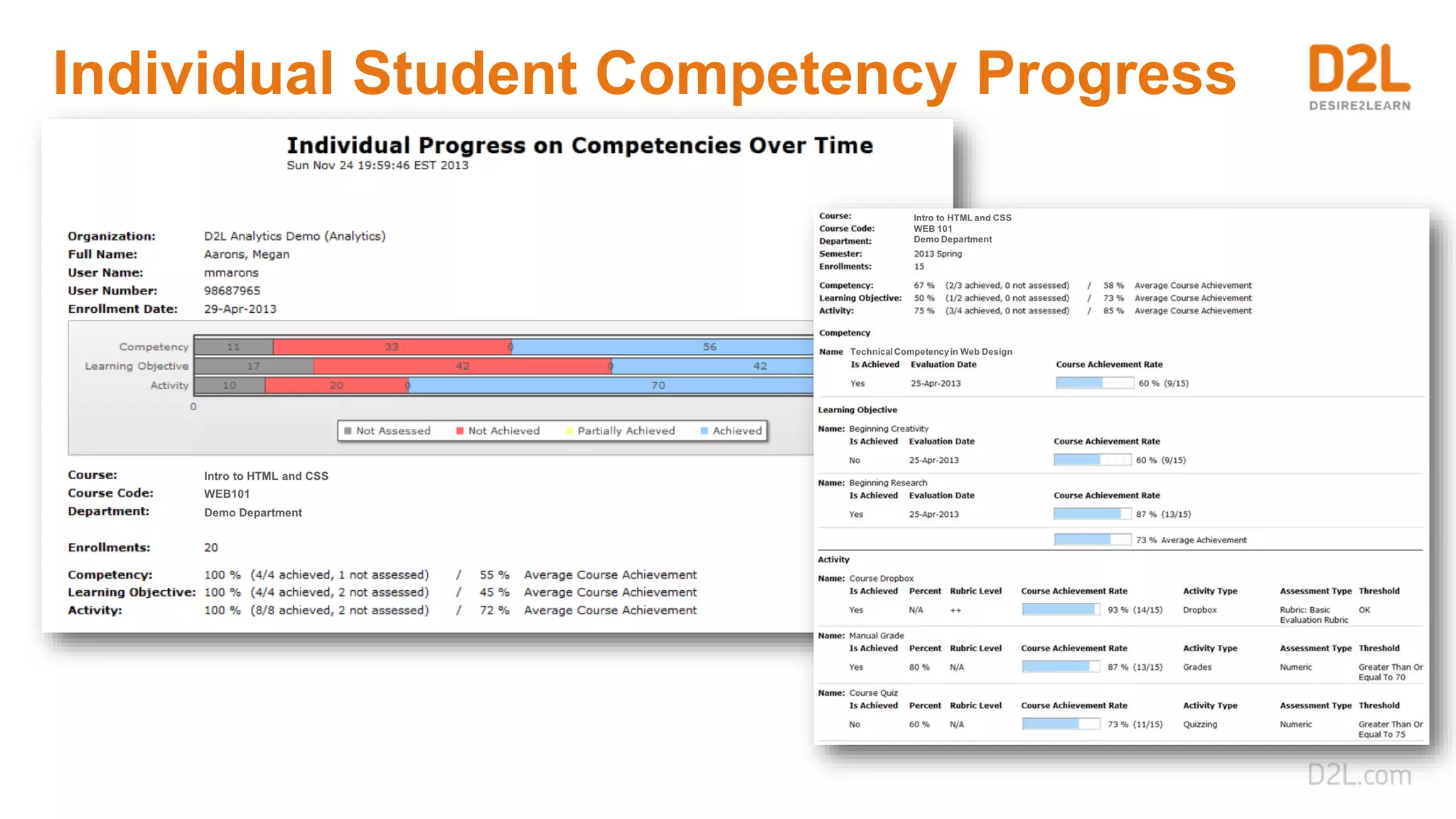
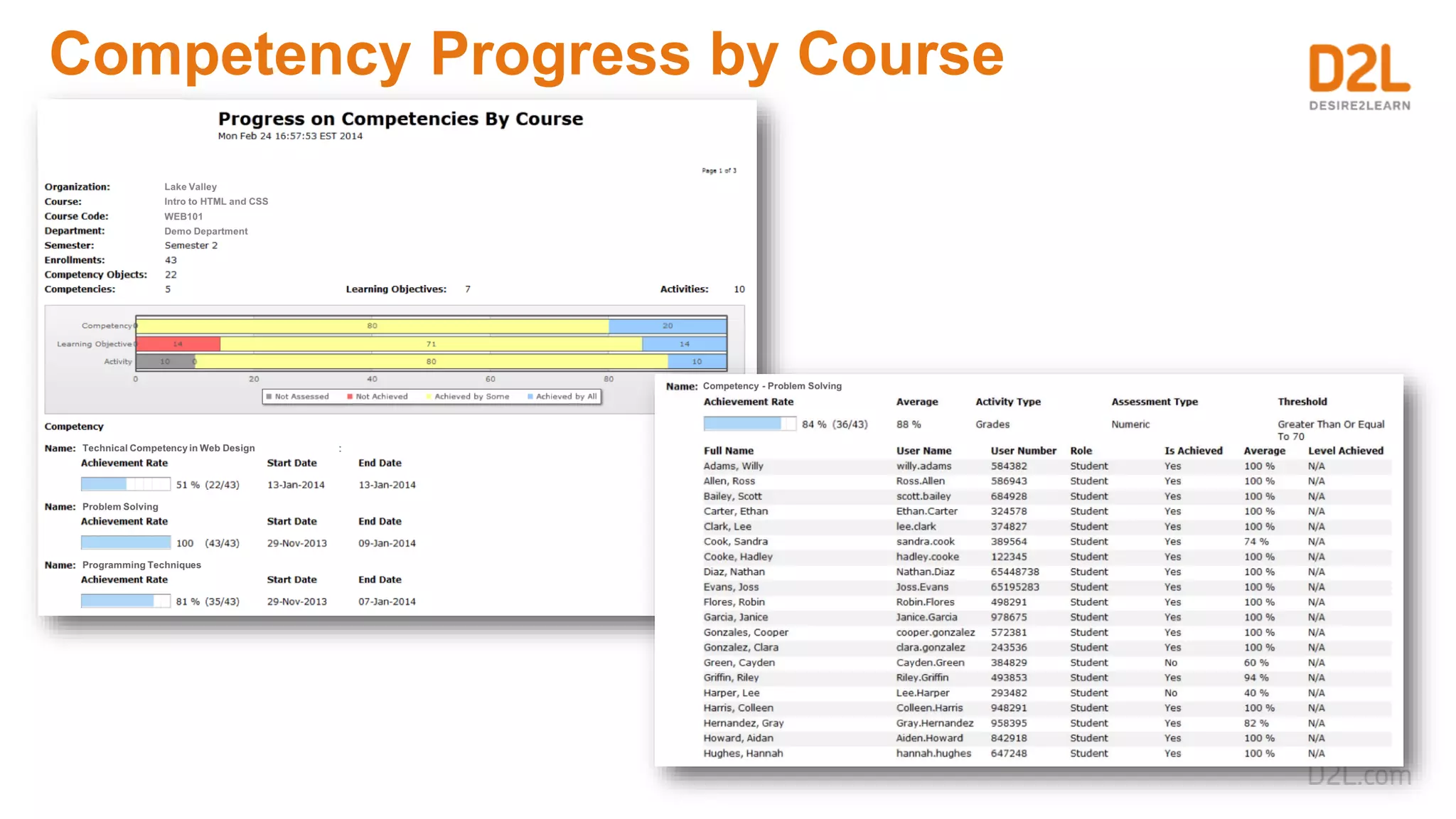
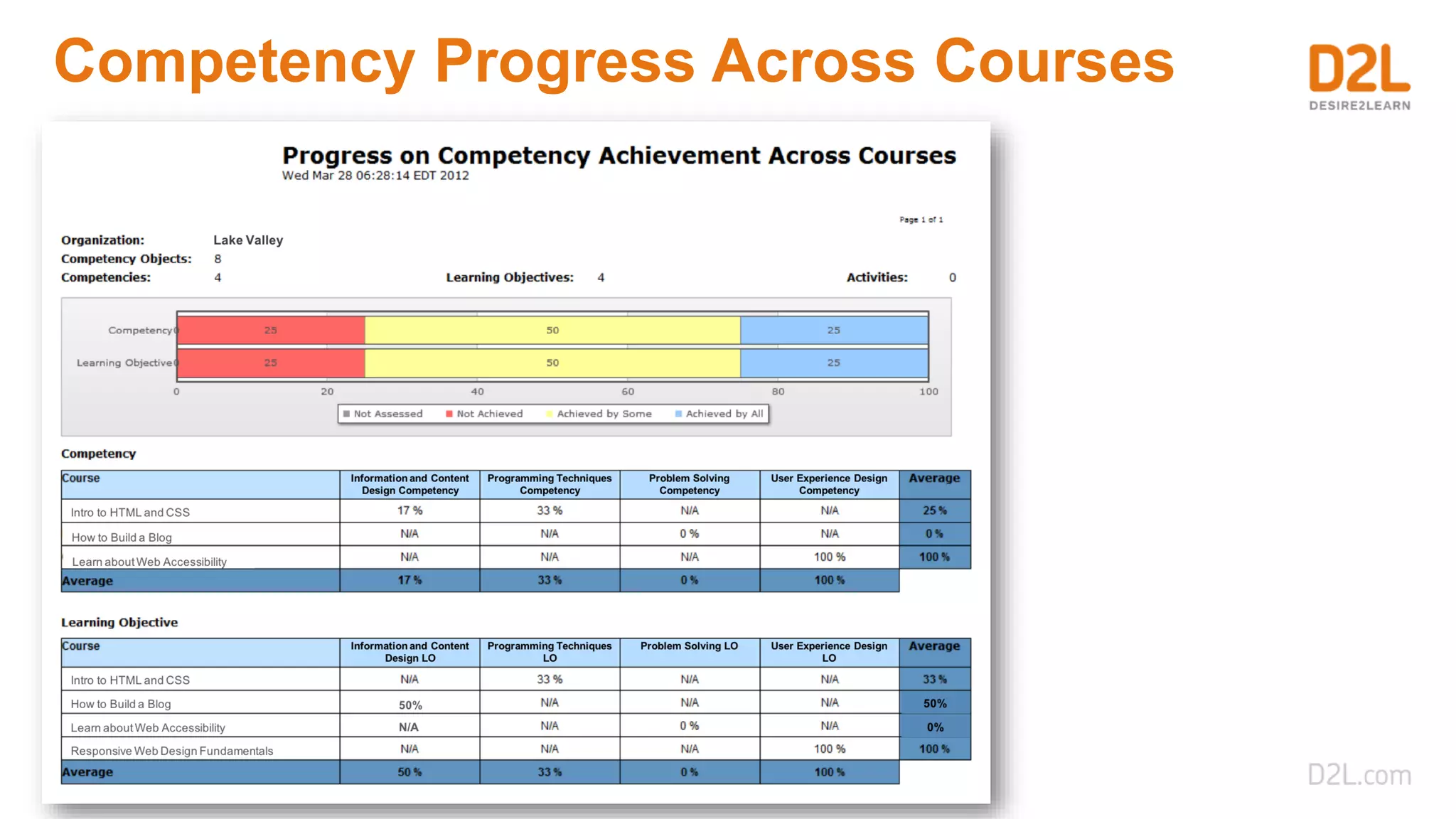
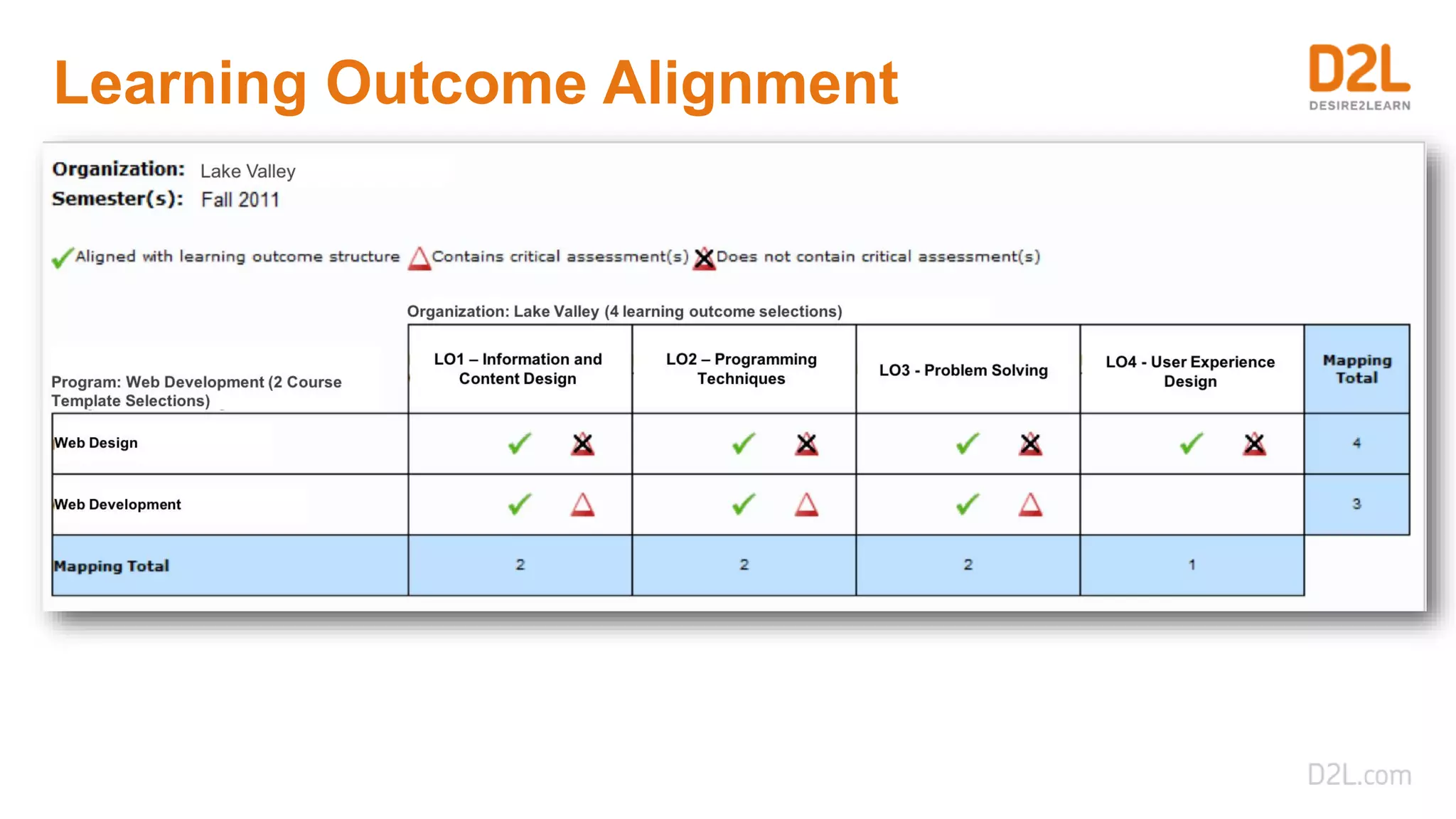
Achievement Analytics
Gain insights into ...
• Review Course and Program Learning
Outcomes.
• Review Competency progress within
and across courses.
• Easily identify gaps in learning
outcomes across courses.
Assessment Analytics
Review Learner Achievements…
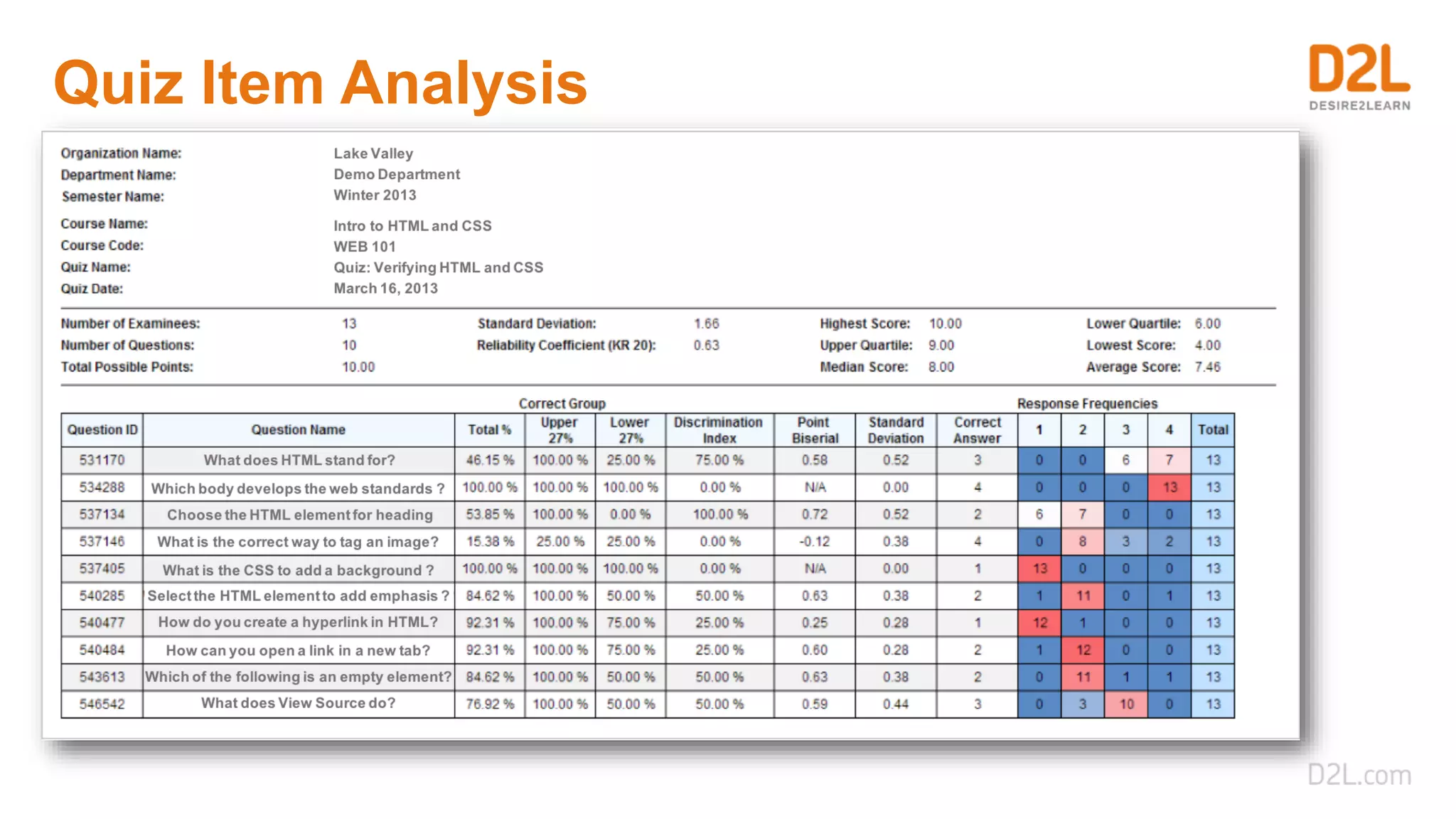
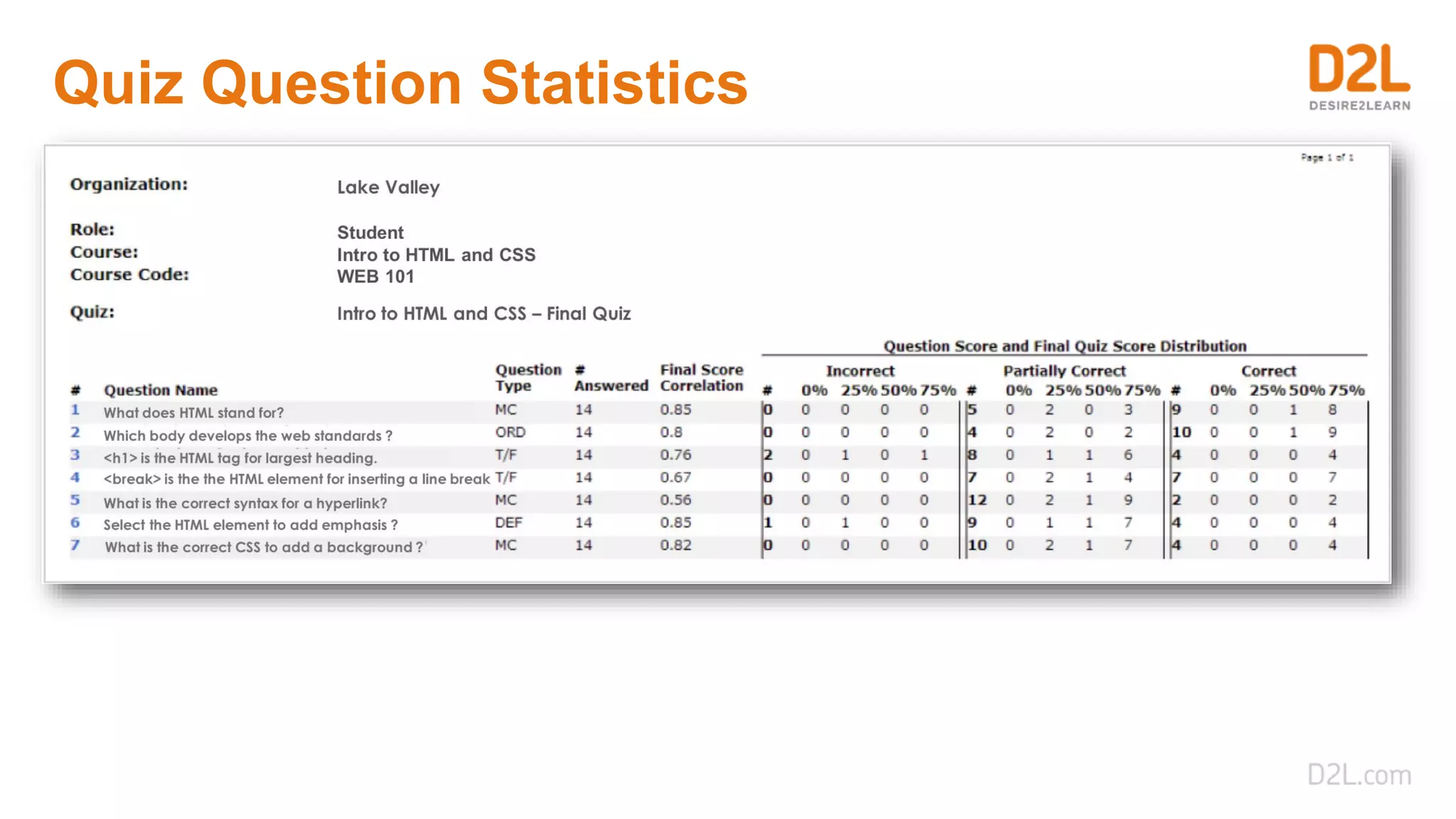
• Review question score and final quiz
score distribution.
• Review quiz question responses,
attempts and averages.
• Review grade results as a percent for
the grade items within a course.
Engagement Analytics
Easy-to-use overview of…
• See what content is being accessed
and how learners are progressing.
• Compare learners’ performance
throughout the course.
Achievement Analytics
Individual Student Competency Progress
Competency Progress by Course
Competency Progress Across Courses
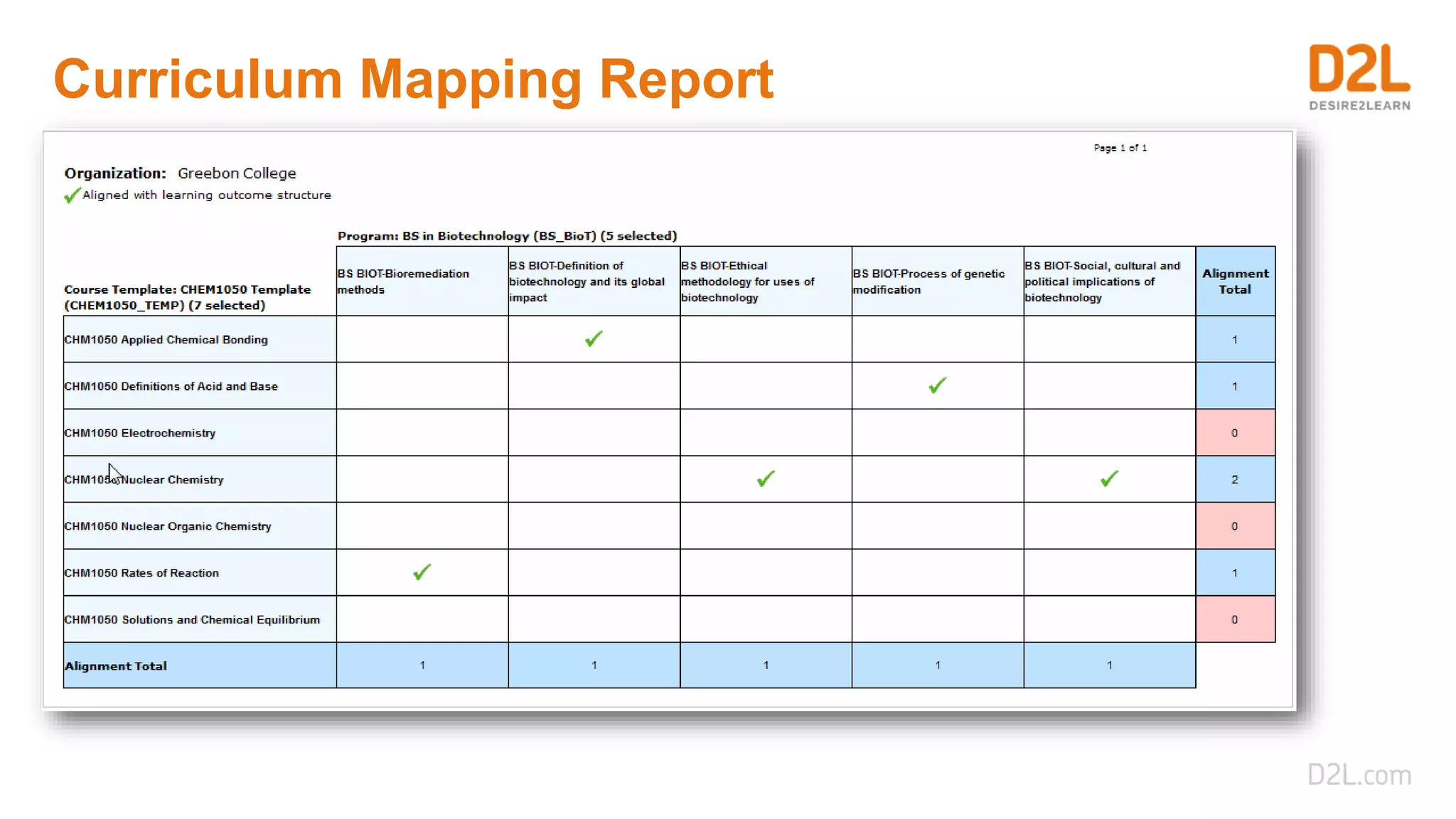
Learning Outcome Alignment
Curriculum Mapping Report
Assessment Analytics
Quiz Item Analysis
Quiz Question Statistics
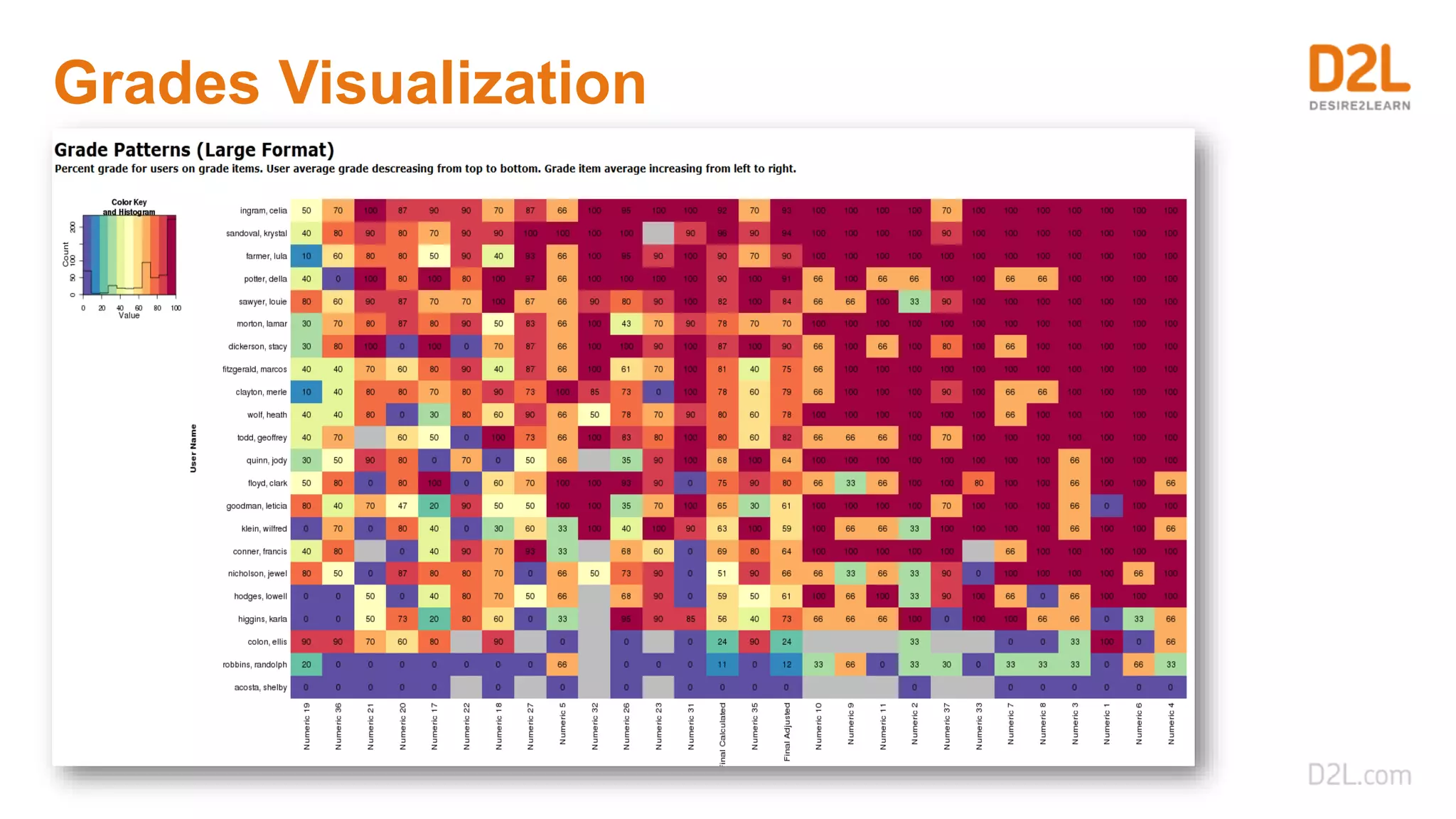
Grades Visualization
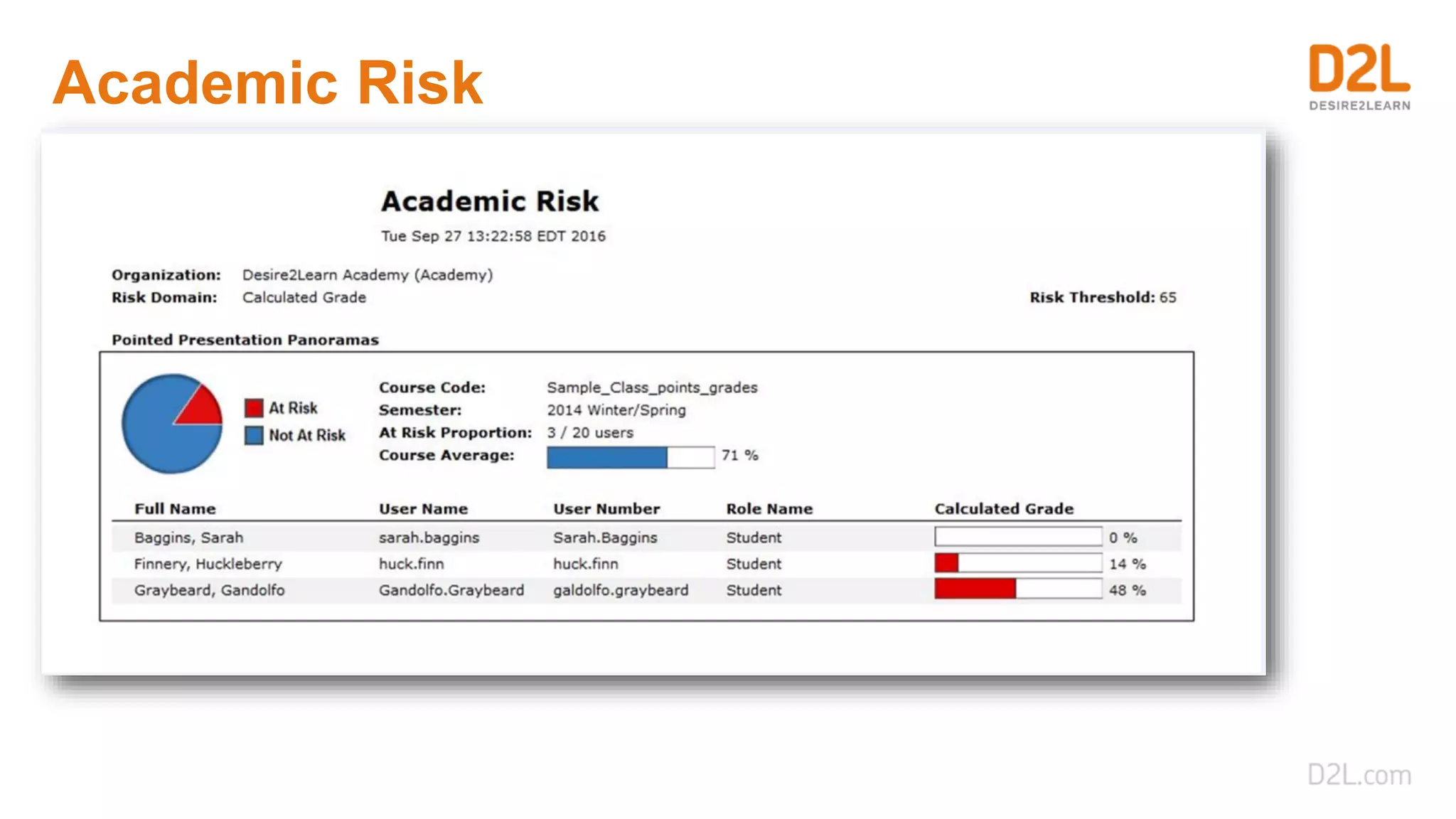
Academic Risk
Engagement Analytics
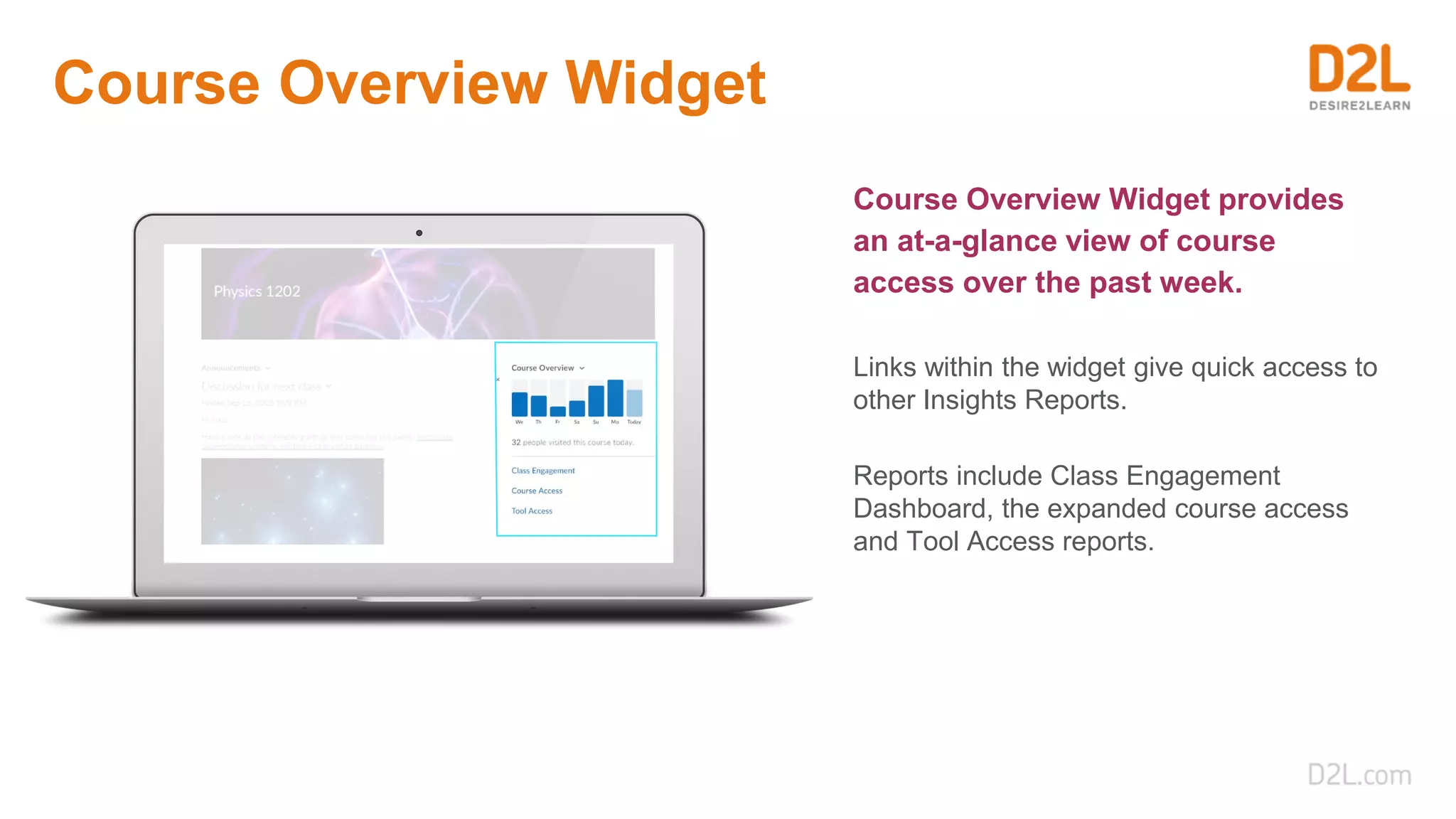
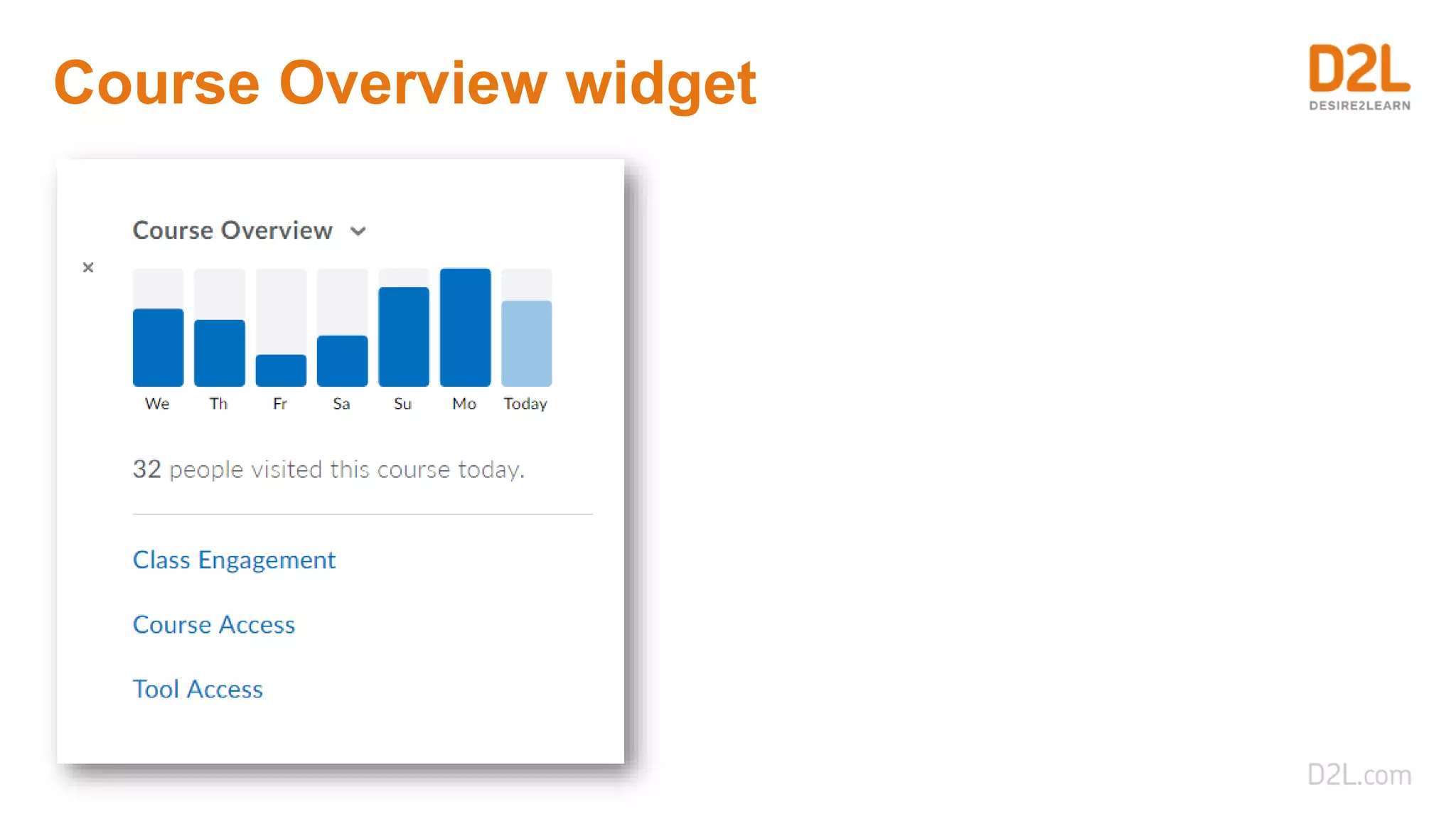
Course Overview Widget
Course Overview Widget provides
an at-a-glance view of course
access over the past week.
Links within the widget give quick access to
other Insights Reports.
Reports include Class Engagement
Dashboard, the expanded course access
and Tool Access reports.
Course Overview widget
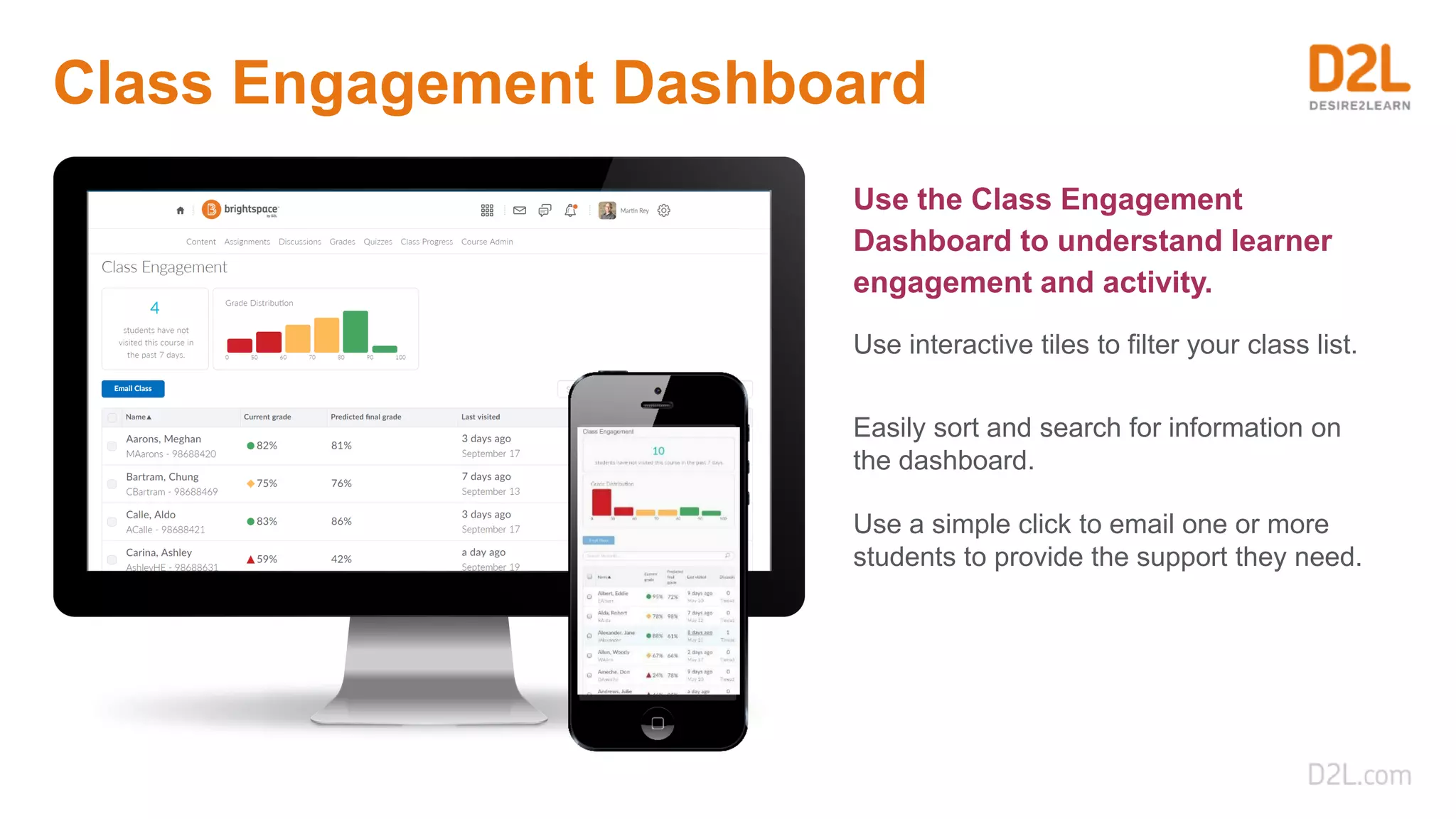
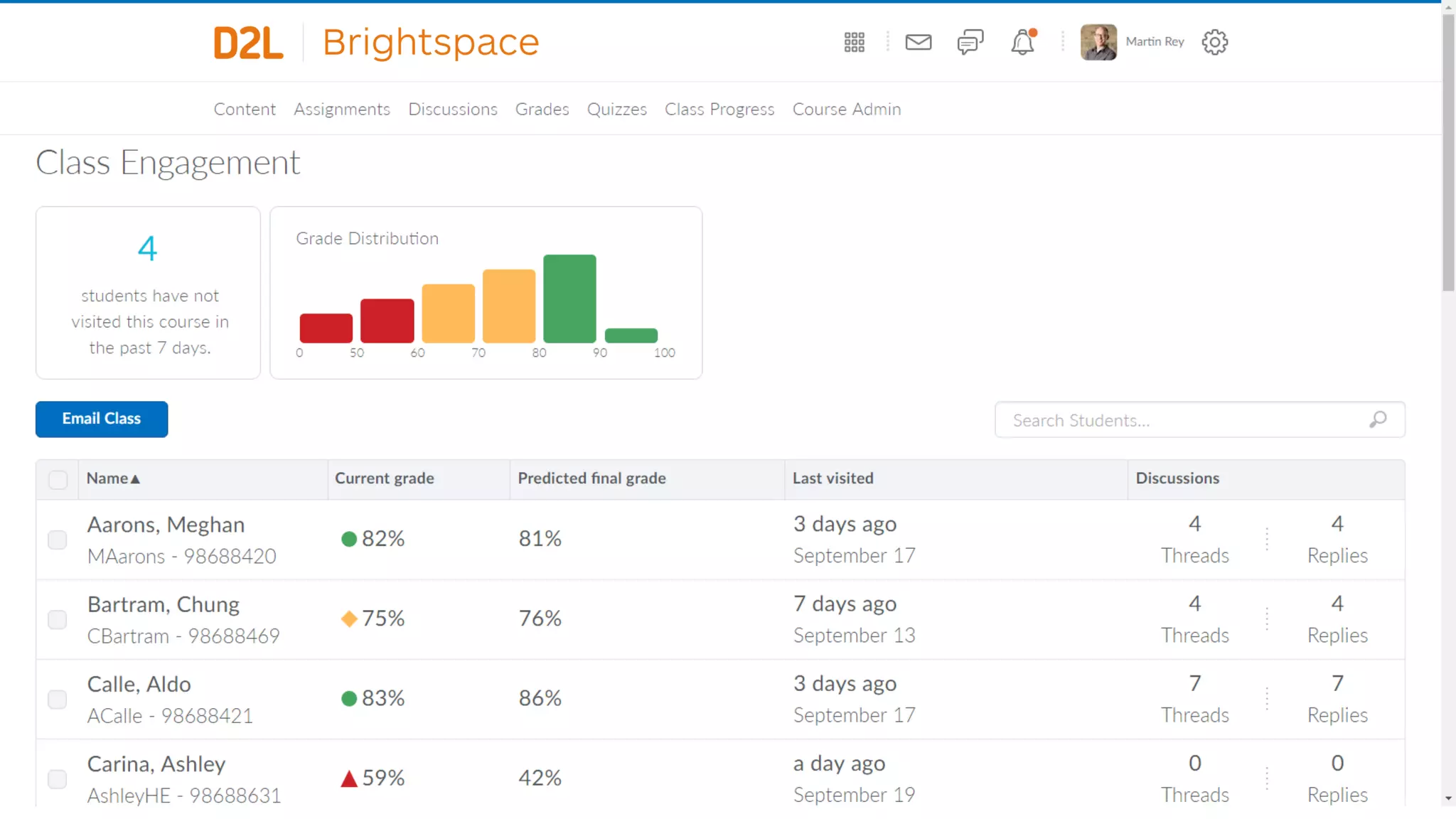
Class Engagement Dashboard
Use the Class Engagement
Dashboard to understand learner
engagement and activity.
Use interactive tiles to filter your class list.
Easily sort and search for information on
the dashboard.
Use a simple click to email one or more
students to provide the support they need.
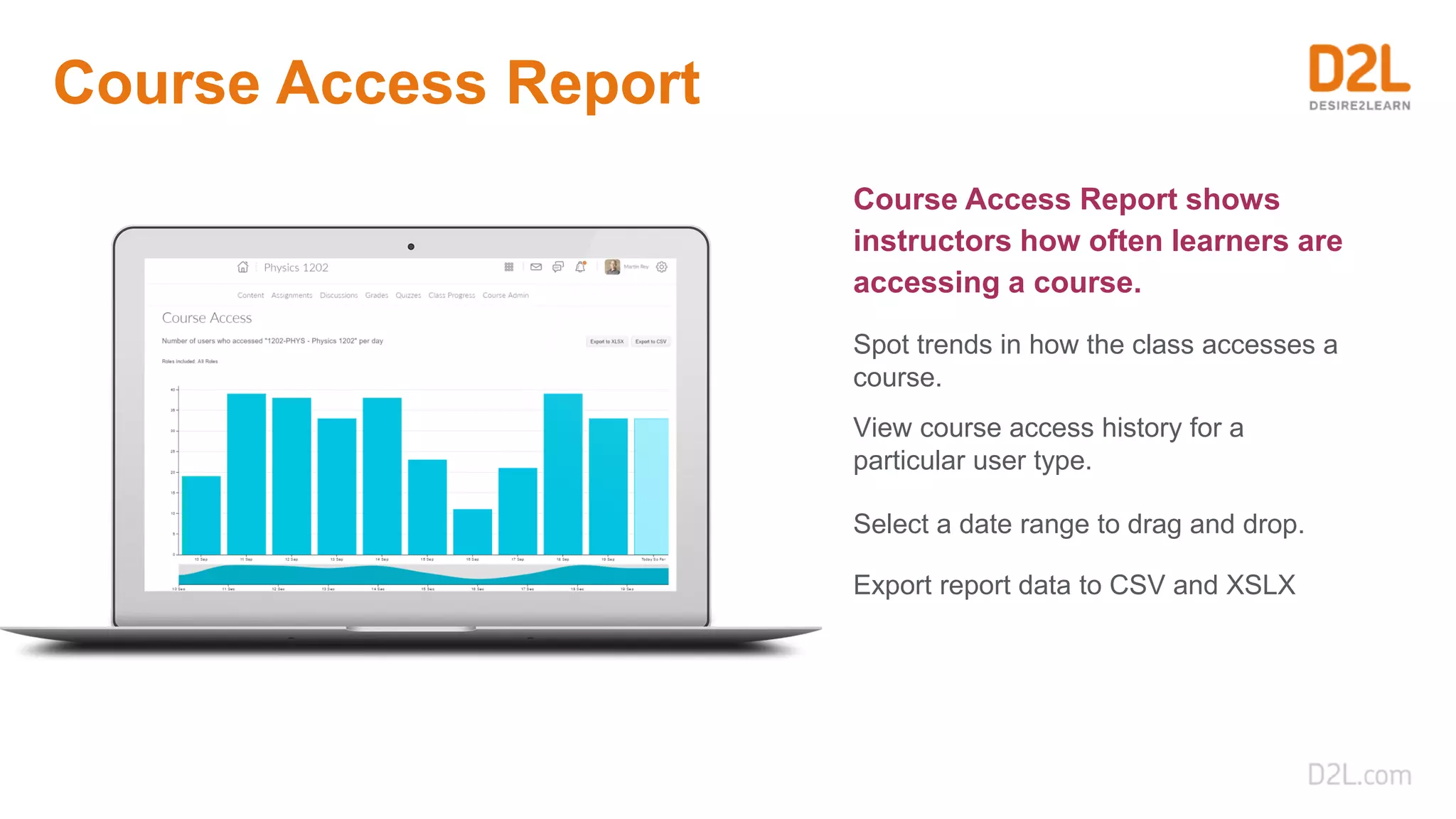
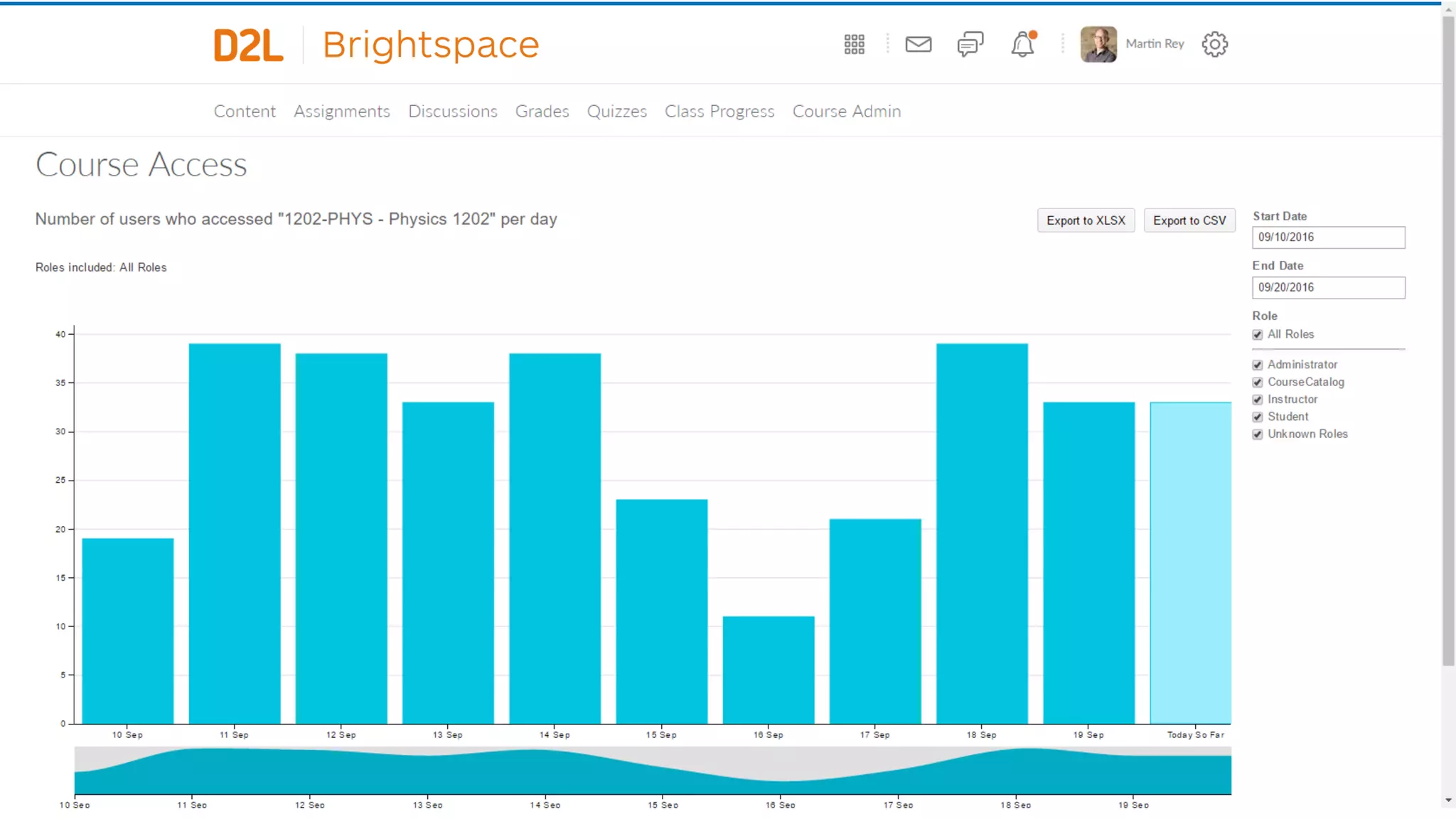
Course Access Report
Course Access Report shows
instructors how often learners are
accessing a course.
Spot trends in how the class accesses a
course.
View course access history for a
particular user type.
Select a date range to drag and drop.
Export report data to CSV and XSLX
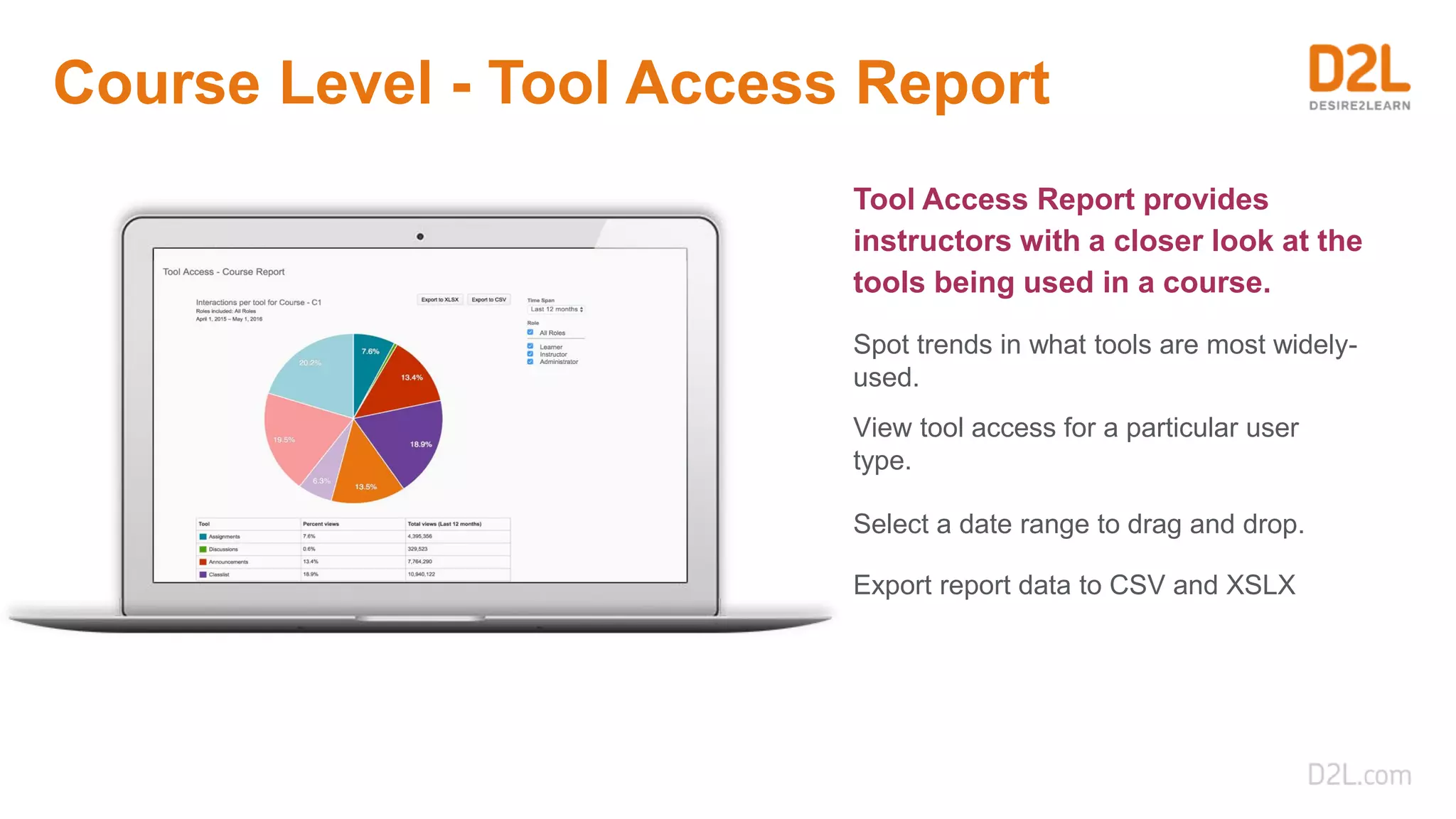
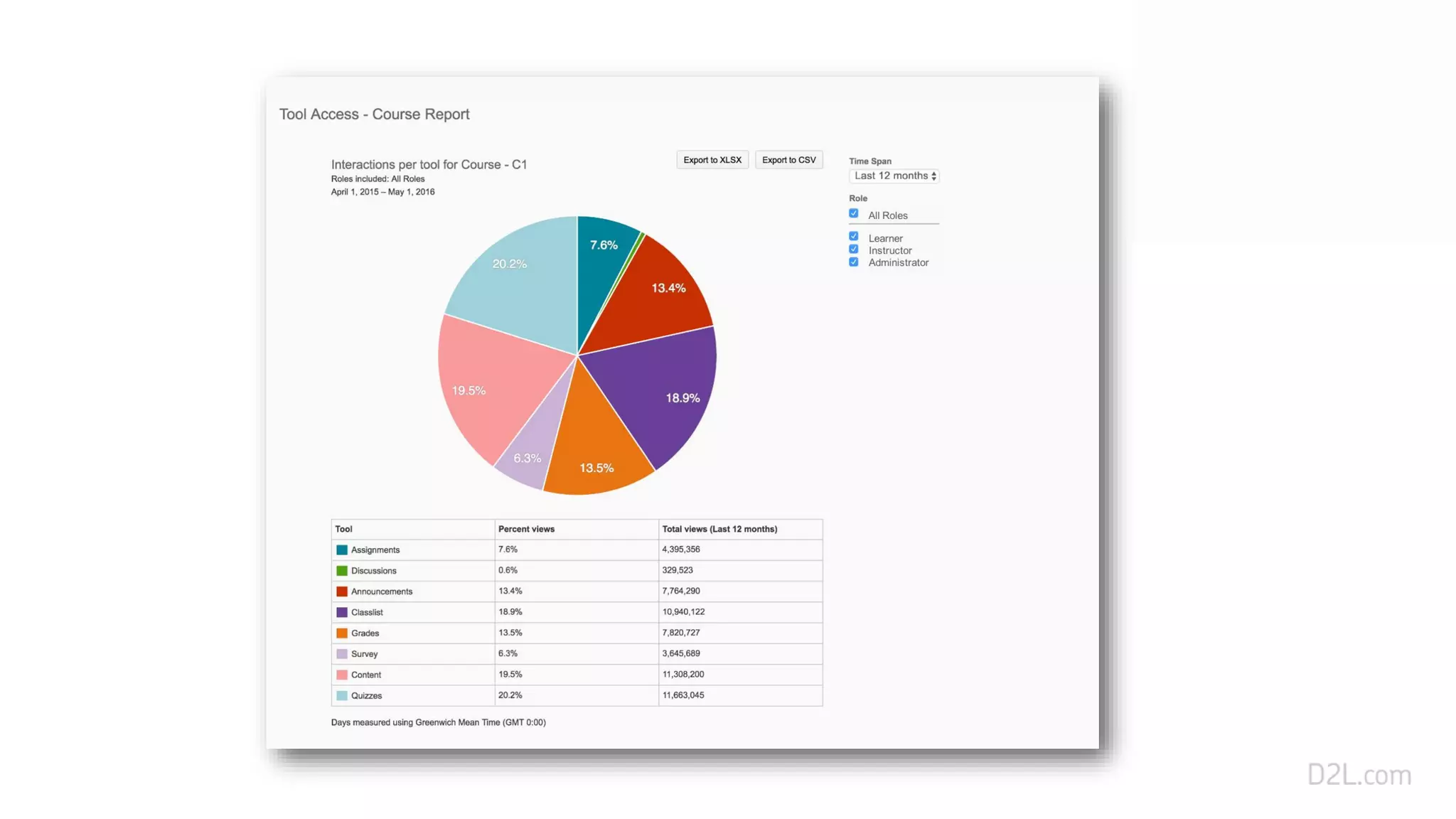
Course Level - Tool Access Report
Tool Access Report provides
instructors with a closer look at the
tools being used in a course.
Spot trends in what tools are most widely-
used.
View tool access for a particular user
type.
Select a date range to drag and drop.
Export report data to CSV and XSLX
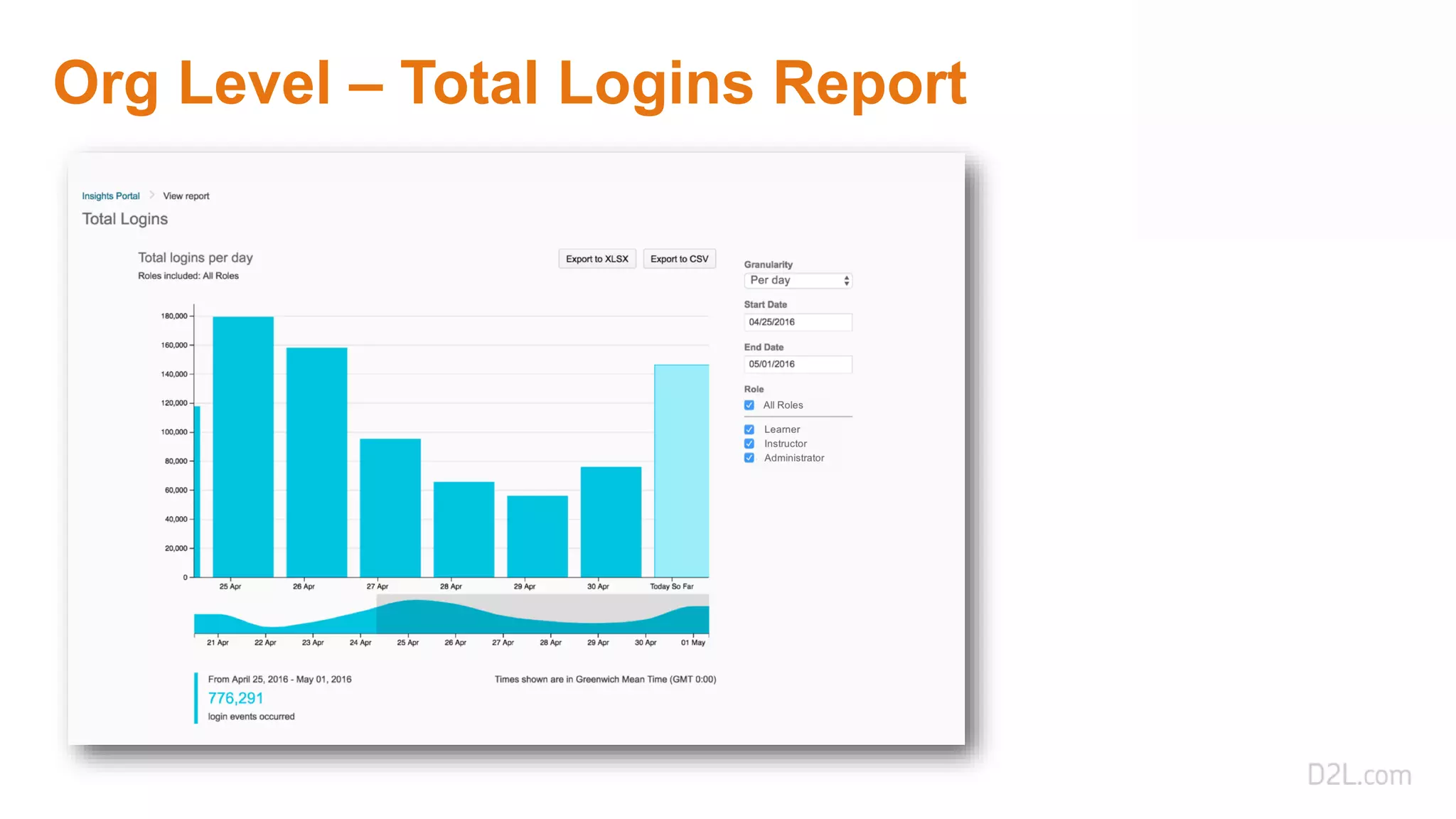
Org Level – Total Logins Report
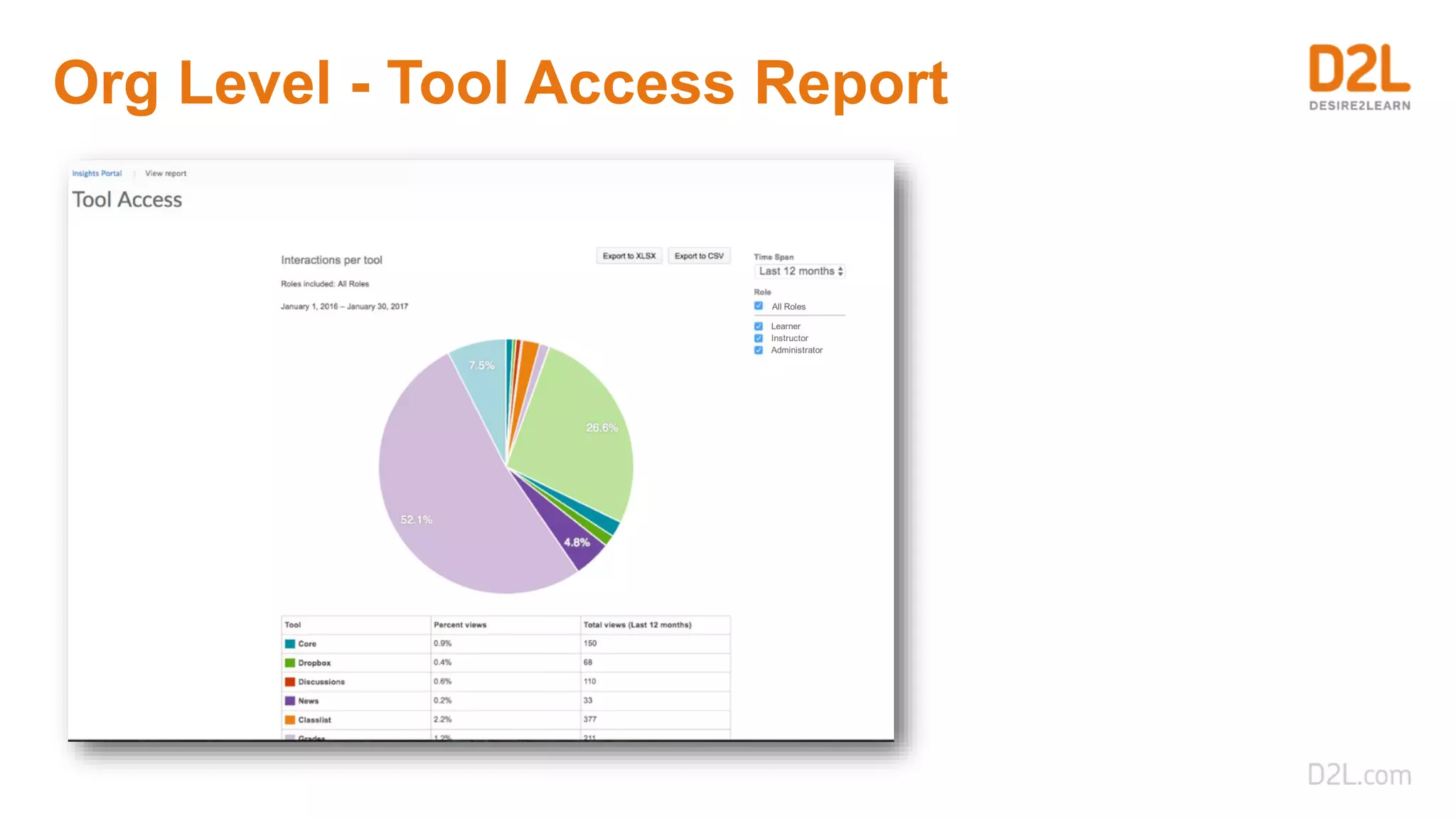
Org Level - Tool Access Report
Bulk Data
Data Hub User Interface and API’s
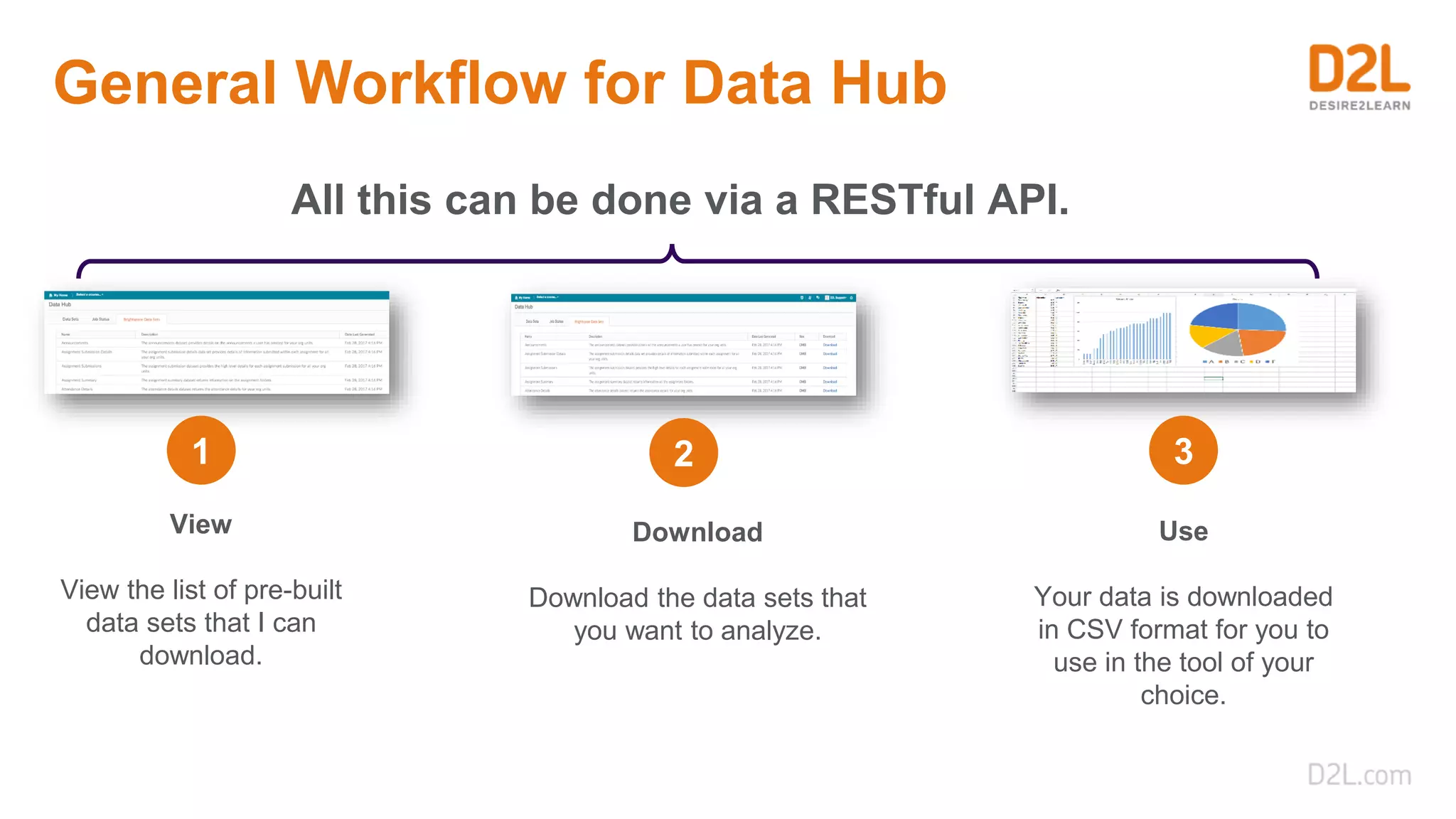
General Workflow for Data Hub
View
View the list of pre-built
data sets that I can
download.
Download
Download the data sets that
you want to analyze.
Use
Your data is downloaded
in CSV format for you to
use in the tool of your
choice.
All this can be done via a RESTful API.
1 2 3
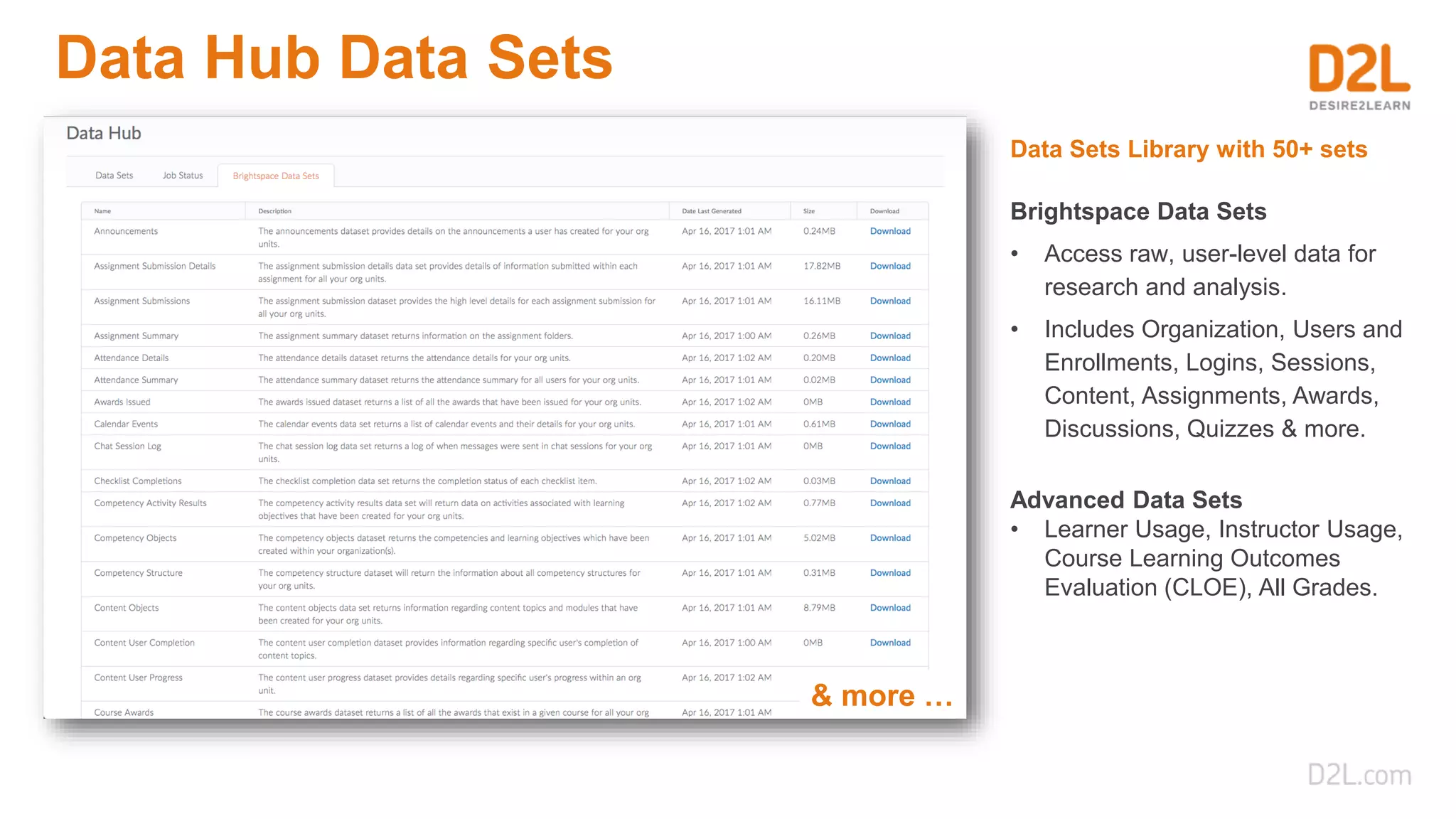
Data Hub Data Sets
Data Sets Library with 50+ sets
Advanced Data Sets
• Learner Usage, Instructor Usage,
Course Learning Outcomes
Evaluation (CLOE), All Grades.
Brightspace Data Sets
• Access raw, user-level data for
research and analysis.
• Includes Organization, Users and
Enrollments, Logins, Sessions,
Content, Assignments, Awards,
Discussions, Quizzes & more.
& more …
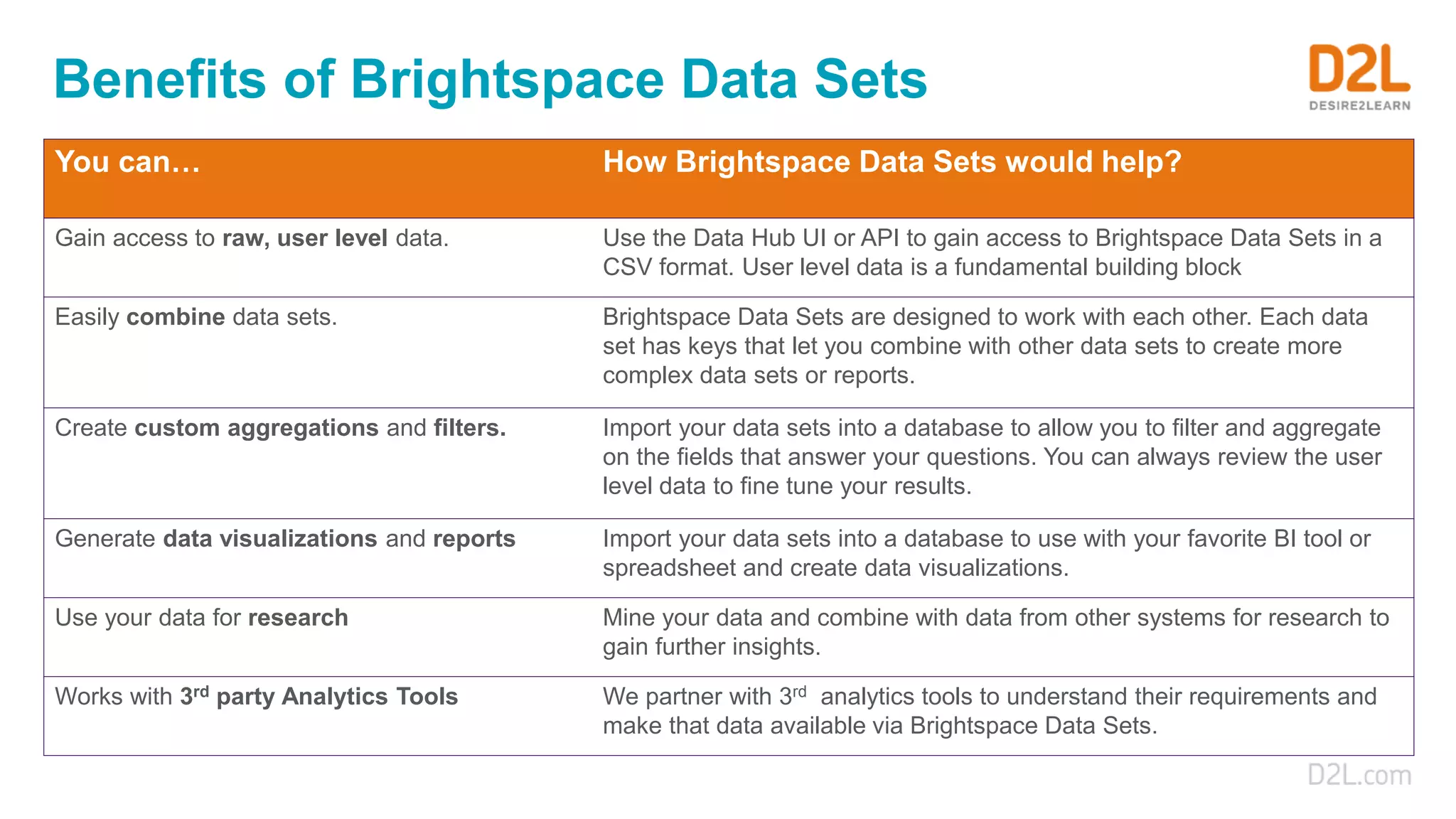
Benefits of Brightspace Data Sets
You can… How Brightspace Data Sets would help?
Gain access to raw, user level data. Use the Data Hub UI or API to gain access to Brightspace Data Sets in a
CSV format. User level data is a fundamental building block
Easily combine data sets. Brightspace Data Sets are designed to work with each other. Each data
set has keys that let you combine with other data sets to create more
complex data sets or reports.
Create custom aggregations and filters. Import your data sets into a database to allow you to filter and aggregate
on the fields that answer your questions. You can always review the user
level data to fine tune your results.
Generate data visualizations and reports Import your data sets into a database to use with your favorite BI tool or
spreadsheet and create data visualizations.
Use your data for research Mine your data and combine with data from other systems for research to
gain further insights.
Works with 3rd party Analytics Tools We partner with 3rd analytics tools to understand their requirements and
make that data available via Brightspace Data Sets.
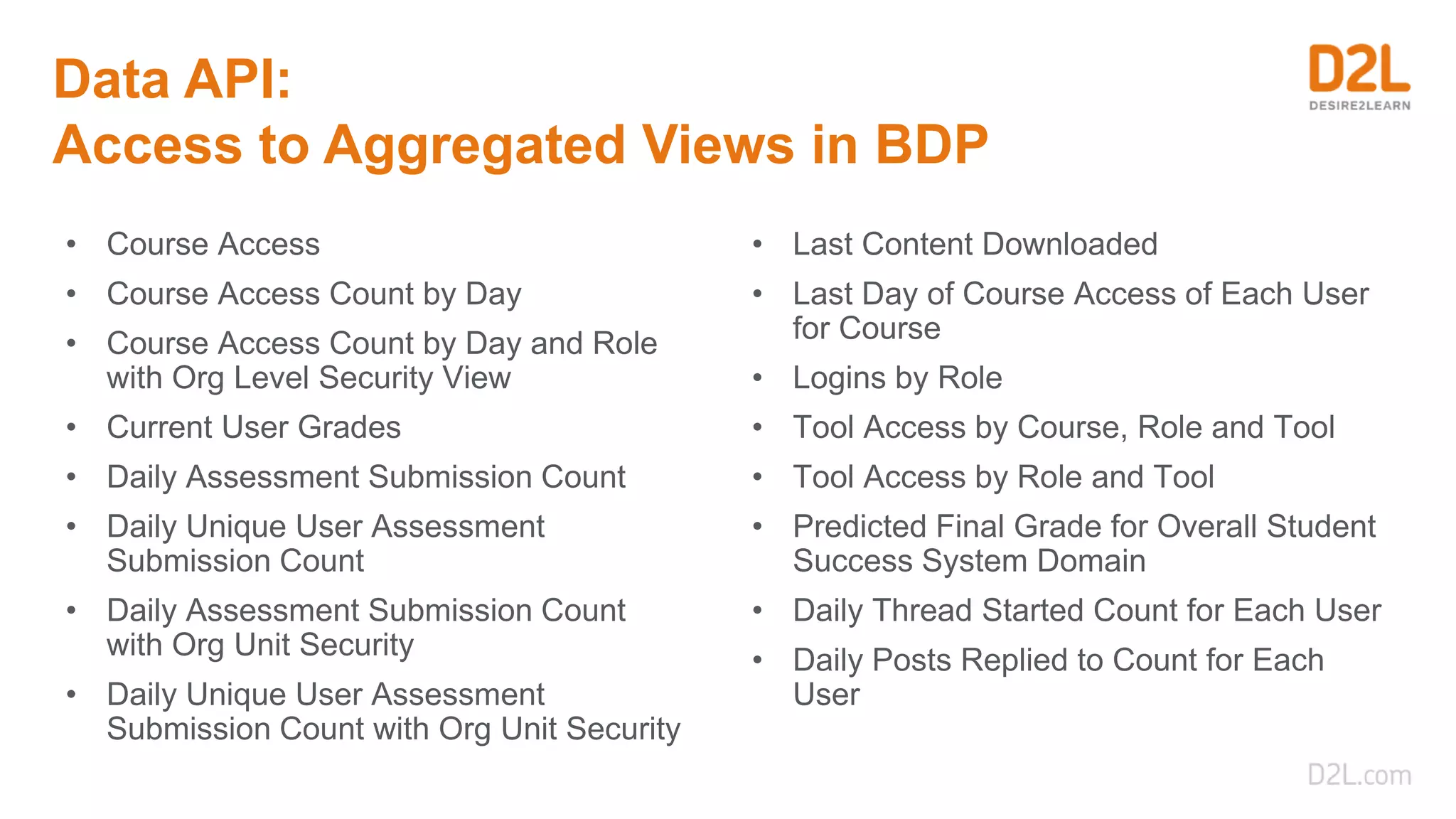
Data API:
Access to Aggregated Views in BDP
• Course Access
• Course Access Count by Day
• Course Access Count by Day and Role
with Org Level Security View
• Current User Grades
• Daily Assessment Submission Count
• Daily Unique User Assessment
Submission Count
• Daily Assessment Submission Count
with Org Unit Security
• Daily Unique User Assessment
Submission Count with Org Unit Security
• Last Content Downloaded
• Last Day of Course Access of Each User
for Course
• Logins by Role
• Tool Access by Course, Role and Tool
• Tool Access by Role and Tool
• Predicted Final Grade for Overall Student
Success System Domain
• Daily Thread Started Count for Each User
• Daily Posts Replied to Count for Each
User
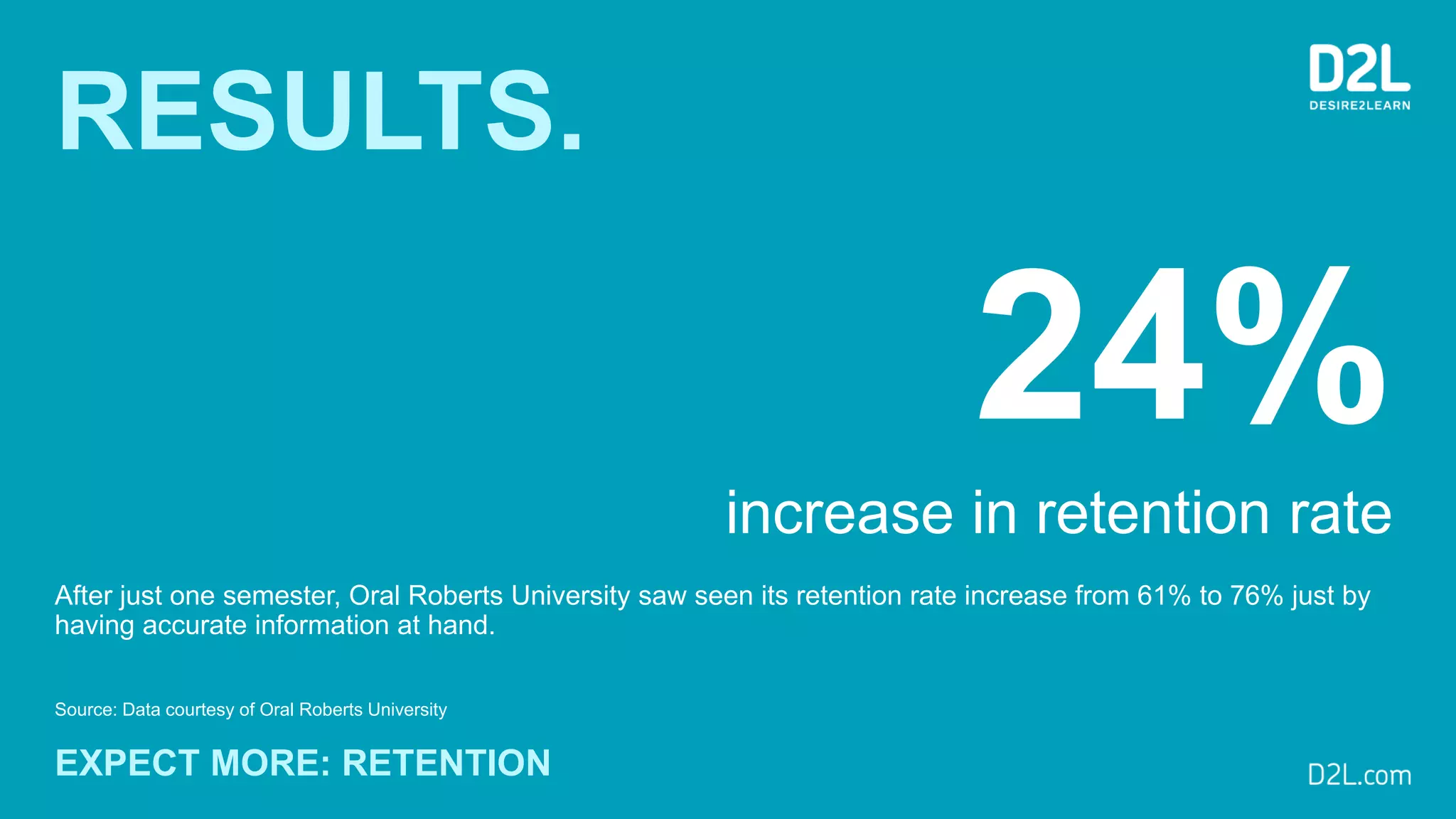
RESULTS.
After just one semester, Oral Roberts University saw seen its retention rate increase from 61% to 76% just by
having accurate information at hand.
Source: Data courtesy of Oral Roberts University
EXPECT MORE: RETENTION
24%
increase in retention rate
+ Action
Knowledge
Results
Thank You
www.d2l.com/analytics
www.d2l.com/products/performance/

Brightspace Analytics, Insights, and Data

  • 1.
  • 2.
    Access to yourdata for data mining, research, and analysis Built-in reports and dashboards in Brightspace Learning Environment Rich visualizations of achievement, assessment, and engagement analytics Predictive analytics to identify at-risk and disengaged learners for early intervention Analytics Consulting Services Data Visualizations in Brightspace Brightspace Analytics
  • 3.
    Built-in reports and dashboardsin Brightspace Learning Environment Brightspace Core Analytics Access to your data for data mining, research, and analysis Rich visualizations of achievement, assessment, and engagement analytics Predictive analytics to identify at-risk and disengaged learners for early intervention Analytics Consulting Services Brightspace Student Success System™ Brightspace Insights™ Data Access in Brightspace Data Visualizations in Brightspace Brightspace Analytics
  • 4.
    Built-in analytics reports BrightspaceCore Analytics Easy-to-use reports directly integrated with Brightspace Learning Environment See inline tool reports with detailed statistics for tools within Brightspace See what content is being accessed and how learners are progressing Compare learners’ performance throughout the course
  • 5.
  • 6.
    User Progress Dashboard– Content Drilldown
  • 7.
    User Progress Dashboard– Discussions Drilldown
  • 8.
  • 9.
  • 10.
  • 11.
  • 12.
  • 13.
  • 14.
  • 15.
    Brightspace Insights Achievement Analytics Gaininsights into ... • Review Course and Program Learning Outcomes. • Review Competency progress within and across courses. • Easily identify gaps in learning outcomes across courses. Assessment Analytics Review Learner Achievements… • Review question score and final quiz score distribution. • Review quiz question responses, attempts and averages. • Review grade results as a percent for the grade items within a course. Engagement Analytics Easy-to-use overview of… • See what content is being accessed and how learners are progressing. • Compare learners’ performance throughout the course.
  • 16.
  • 17.
  • 18.
  • 19.
  • 20.
  • 21.
  • 22.
  • 23.
  • 24.
  • 25.
  • 26.
  • 27.
  • 28.
    Course Overview Widget CourseOverview Widget provides an at-a-glance view of course access over the past week. Links within the widget give quick access to other Insights Reports. Reports include Class Engagement Dashboard, the expanded course access and Tool Access reports.
  • 29.
  • 30.
    Class Engagement Dashboard Usethe Class Engagement Dashboard to understand learner engagement and activity. Use interactive tiles to filter your class list. Easily sort and search for information on the dashboard. Use a simple click to email one or more students to provide the support they need.
  • 32.
    Course Access Report CourseAccess Report shows instructors how often learners are accessing a course. Spot trends in how the class accesses a course. View course access history for a particular user type. Select a date range to drag and drop. Export report data to CSV and XSLX
  • 34.
    Course Level -Tool Access Report Tool Access Report provides instructors with a closer look at the tools being used in a course. Spot trends in what tools are most widely- used. View tool access for a particular user type. Select a date range to drag and drop. Export report data to CSV and XSLX
  • 36.
    Org Level –Total Logins Report
  • 37.
    Org Level -Tool Access Report
  • 38.
    Bulk Data Data HubUser Interface and API’s
  • 39.
    General Workflow forData Hub View View the list of pre-built data sets that I can download. Download Download the data sets that you want to analyze. Use Your data is downloaded in CSV format for you to use in the tool of your choice. All this can be done via a RESTful API. 1 2 3
  • 40.
    Data Hub DataSets Data Sets Library with 50+ sets Advanced Data Sets • Learner Usage, Instructor Usage, Course Learning Outcomes Evaluation (CLOE), All Grades. Brightspace Data Sets • Access raw, user-level data for research and analysis. • Includes Organization, Users and Enrollments, Logins, Sessions, Content, Assignments, Awards, Discussions, Quizzes & more. & more …
  • 41.
    Benefits of BrightspaceData Sets You can… How Brightspace Data Sets would help? Gain access to raw, user level data. Use the Data Hub UI or API to gain access to Brightspace Data Sets in a CSV format. User level data is a fundamental building block Easily combine data sets. Brightspace Data Sets are designed to work with each other. Each data set has keys that let you combine with other data sets to create more complex data sets or reports. Create custom aggregations and filters. Import your data sets into a database to allow you to filter and aggregate on the fields that answer your questions. You can always review the user level data to fine tune your results. Generate data visualizations and reports Import your data sets into a database to use with your favorite BI tool or spreadsheet and create data visualizations. Use your data for research Mine your data and combine with data from other systems for research to gain further insights. Works with 3rd party Analytics Tools We partner with 3rd analytics tools to understand their requirements and make that data available via Brightspace Data Sets.
  • 42.
    Data API: Access toAggregated Views in BDP • Course Access • Course Access Count by Day • Course Access Count by Day and Role with Org Level Security View • Current User Grades • Daily Assessment Submission Count • Daily Unique User Assessment Submission Count • Daily Assessment Submission Count with Org Unit Security • Daily Unique User Assessment Submission Count with Org Unit Security • Last Content Downloaded • Last Day of Course Access of Each User for Course • Logins by Role • Tool Access by Course, Role and Tool • Tool Access by Role and Tool • Predicted Final Grade for Overall Student Success System Domain • Daily Thread Started Count for Each User • Daily Posts Replied to Count for Each User
  • 43.
    RESULTS. After just onesemester, Oral Roberts University saw seen its retention rate increase from 61% to 76% just by having accurate information at hand. Source: Data courtesy of Oral Roberts University EXPECT MORE: RETENTION 24% increase in retention rate
  • 44.
  • 45.