METEOR
Robert Dickert
@rdickert
robertdickert.com
Build high quality real-time apps quickly
PART I: WHY METEOR?
What is Meteor?
• Full-stack JavaScript Framework
• Build tool
• Package system
• Real-time protocol - DDP
• Built on Node.js
• Currently integrates with Mongodb (others to follow)
DEMO
What we saw
• Instant dev environment
• A working base app
• Smart packages
• Hot code push
• Code can run on client, server, or both
• Mongo api can be used locally to access server
• Reactive templates
• Data kept updated to all connected browsers
• Session store local – maintained through hot code pushes
• easy deployment to meteor.com
• bundle for deployment to any node.js environment
So Why Meteor?
• Real-time (chat, dashboard, games, etc.)
• Rapid prototyping
• Productive
• Declarative
• All JavaScript
Further resources
• docs.meteor.com and blog.meteor.com
• Discover Meteor (book) – highly recommended
• Meteor Weekly (newsletter)
• Meteor 101 screencast (Naomi Seyfer)
• www.eventedmind.com
• IRC
• Google Groups
• Github
• win.meteor.com – for Windows users
Questions?
PART II: REACTIVITY
How does Meteor achieve live client-side updates?
Meteor Advanced Topics
• Goal: useful for both beginners and advanced users
• A lot of “magic” in Meteor
• Is Meteor the jQuery of web app development?
Abstraction debt?
• Meteor’s hidden parts are in plain view – just go look
• Great chance to pick something to research and share
with the group
What is Reactivity?
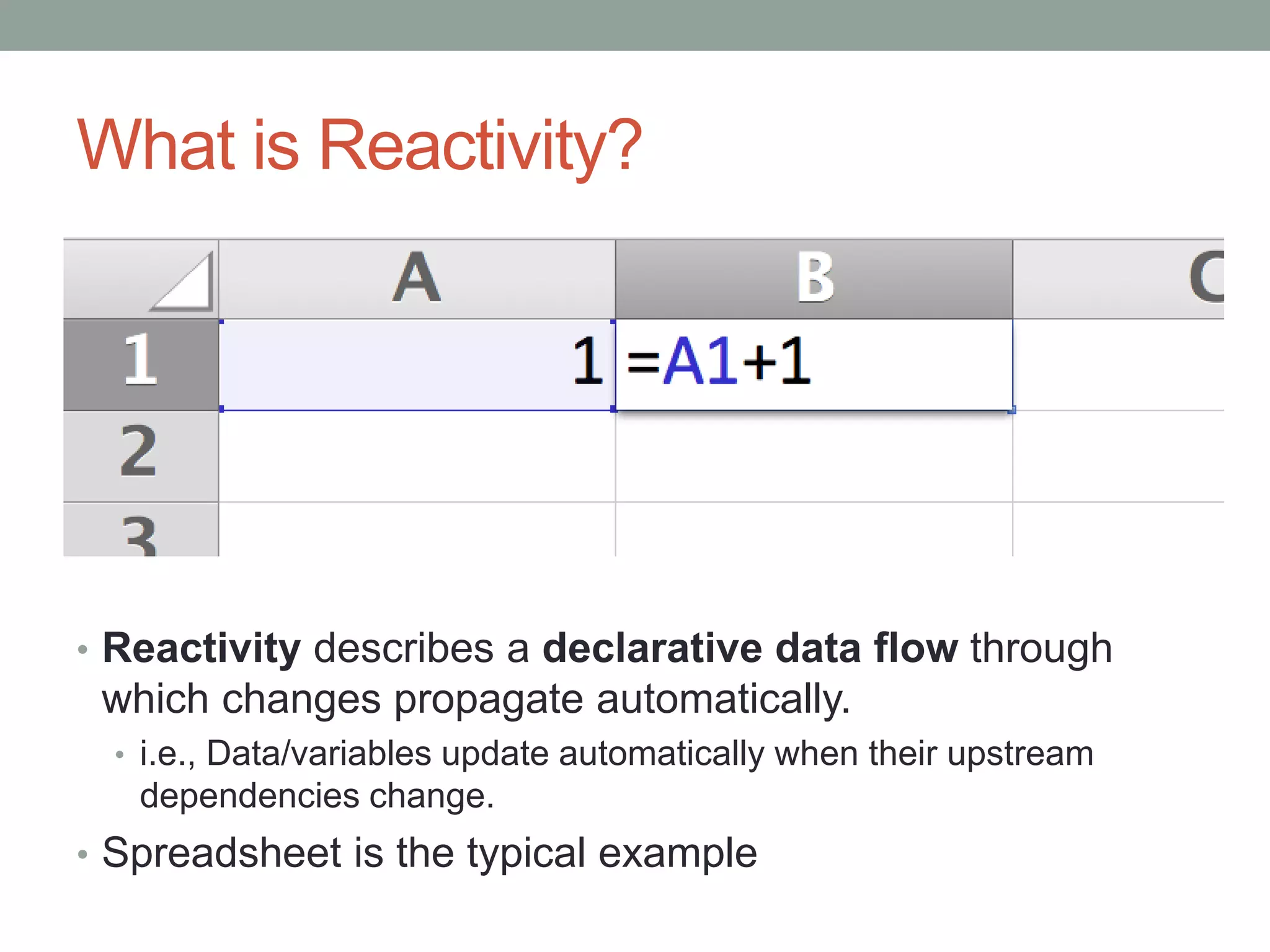
• Reactivity describes a declarative data flow through
which changes propagate automatically.
• i.e., Data/variables update automatically when their upstream
dependencies change.
• Spreadsheet is the typical example
Lamest Demo Ever: Excel
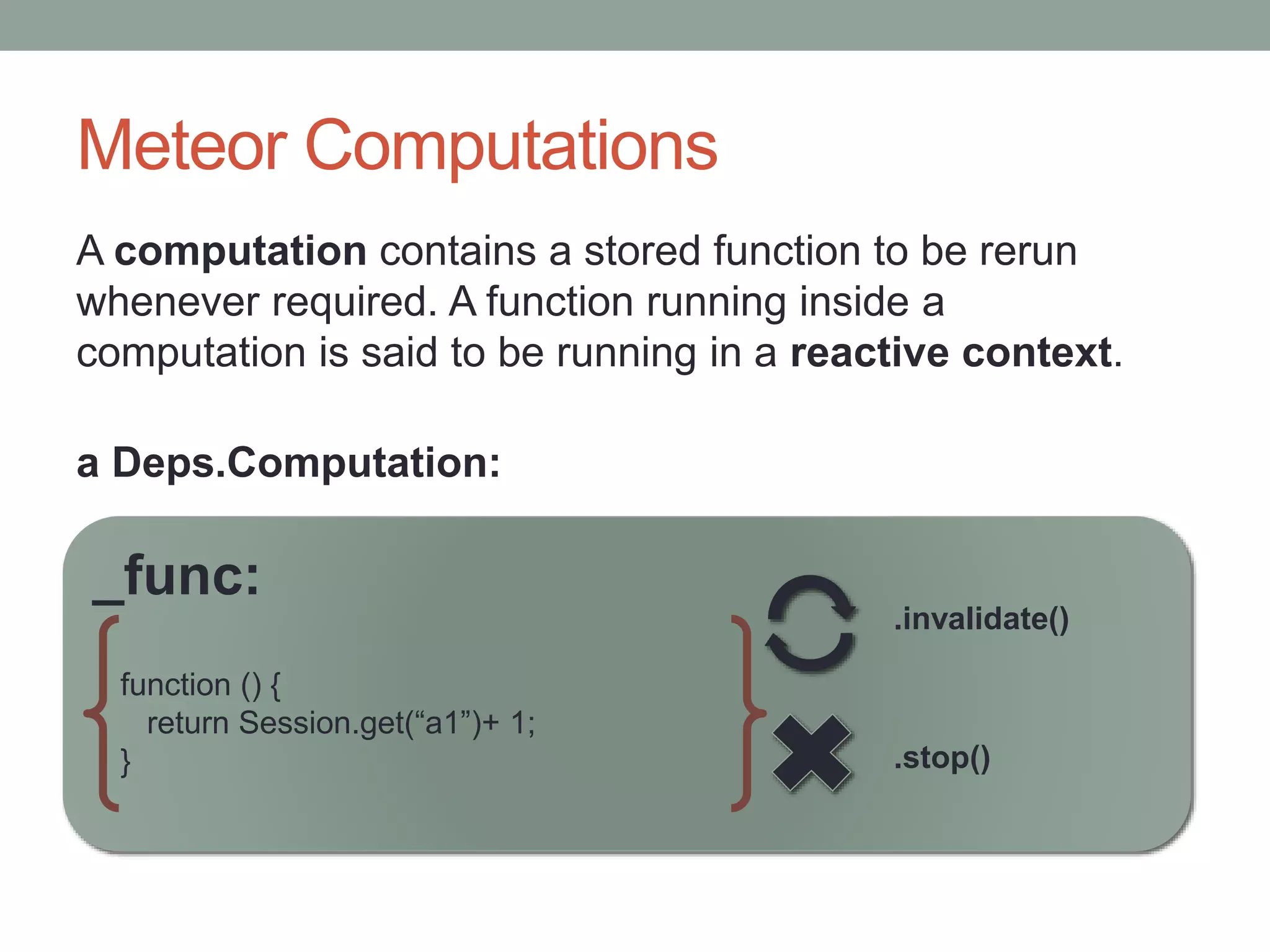
Meteor Computations
A computation contains a stored function to be rerun
whenever required. A function running inside a
computation is said to be running in a reactive context.
_func:
function () {
return Session.get(“a1”)+ 1;
} .stop()
.invalidate()
a Deps.Computation:
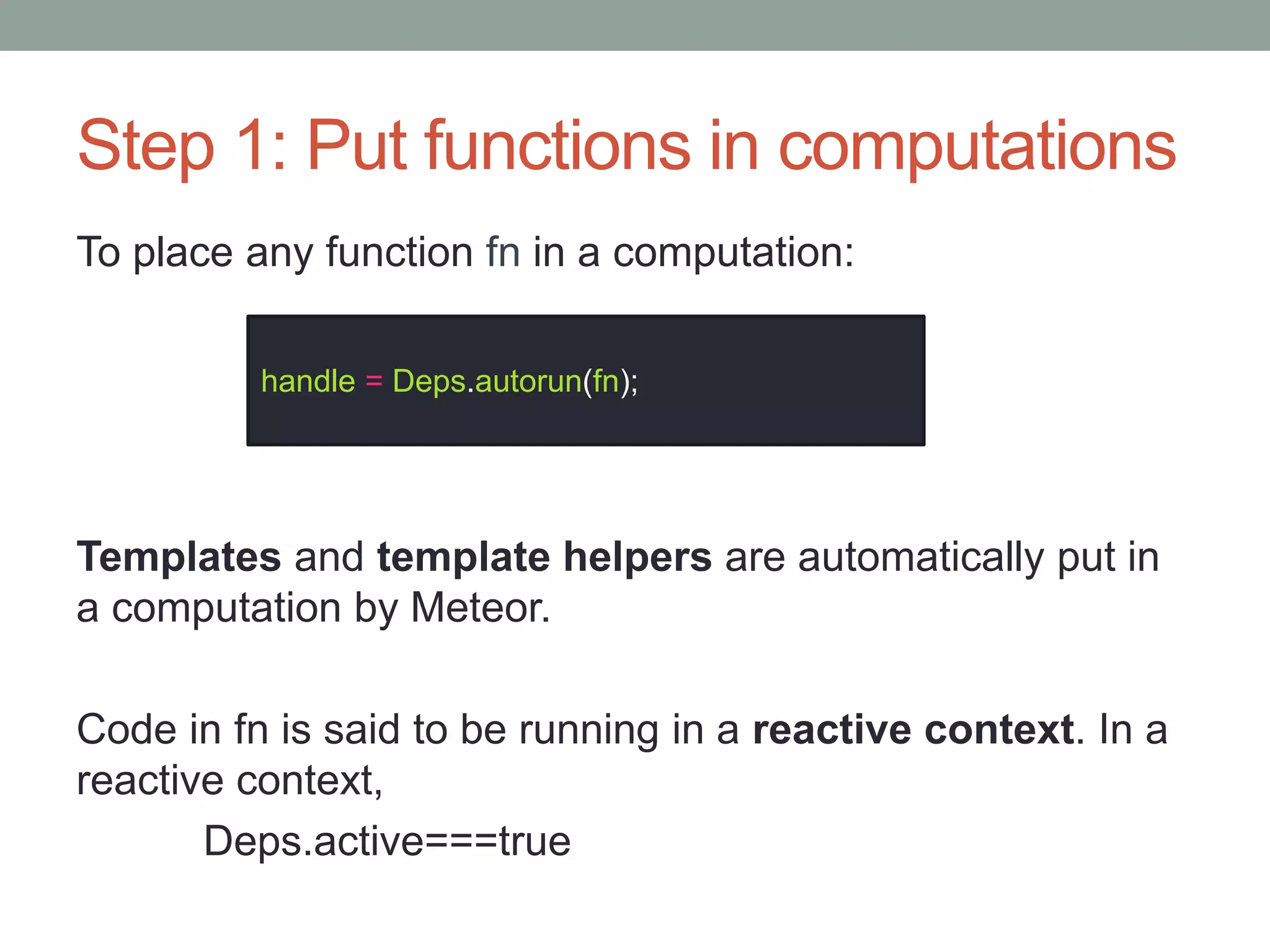
Step 1: Put functions in computations
To place any function fn in a computation:
Templates and template helpers are automatically put in
a computation by Meteor.
Code in fn is said to be running in a reactive context. In a
reactive context,
Deps.active===true
handle = Deps.autorun(fn);
Demo: computations
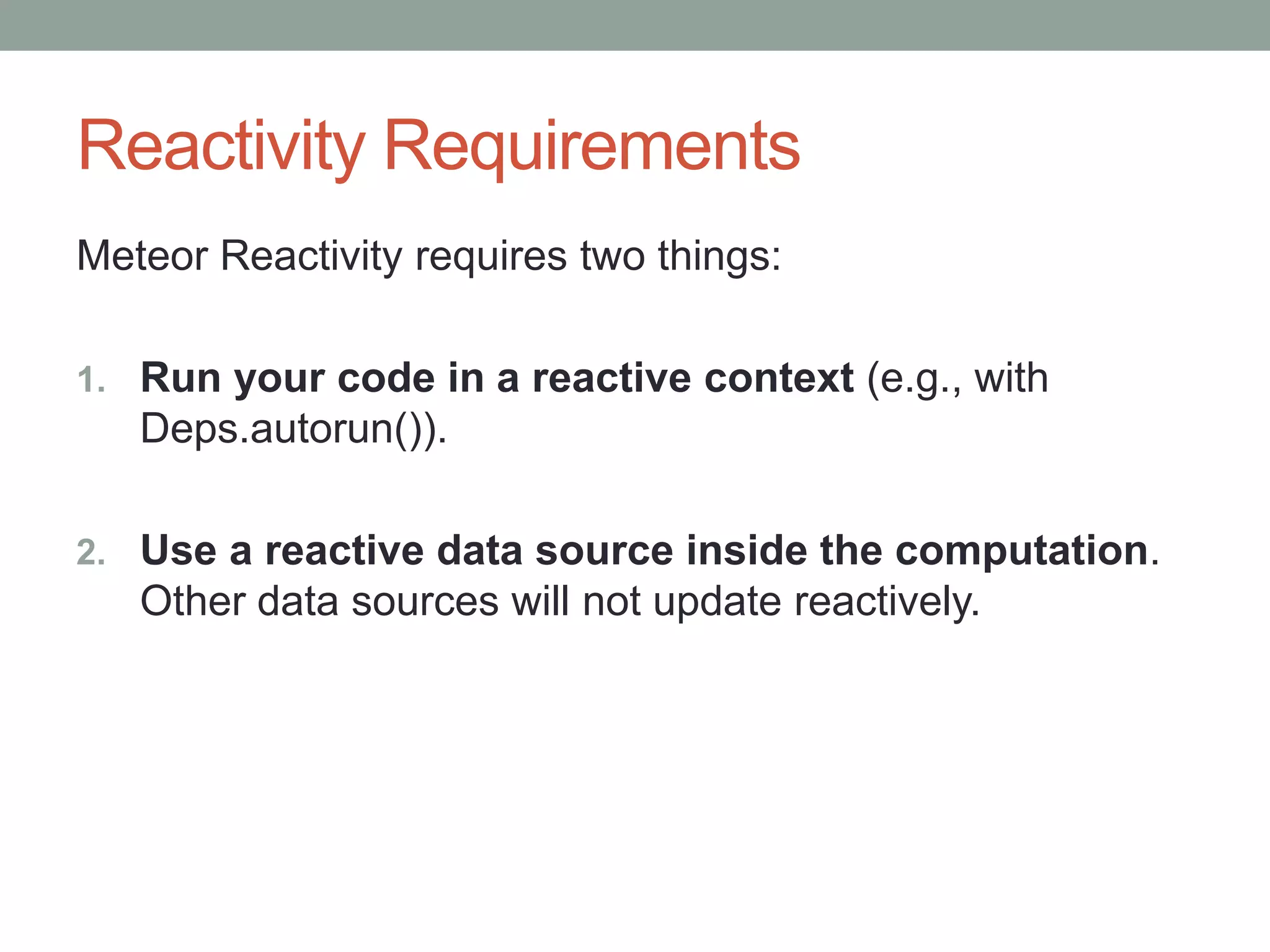
Reactivity Requirements
Meteor Reactivity requires two things:
1. Run your code in a reactive context (e.g., with
Deps.autorun()).
2. Use a reactive data source inside the computation.
Other data sources will not update reactively.
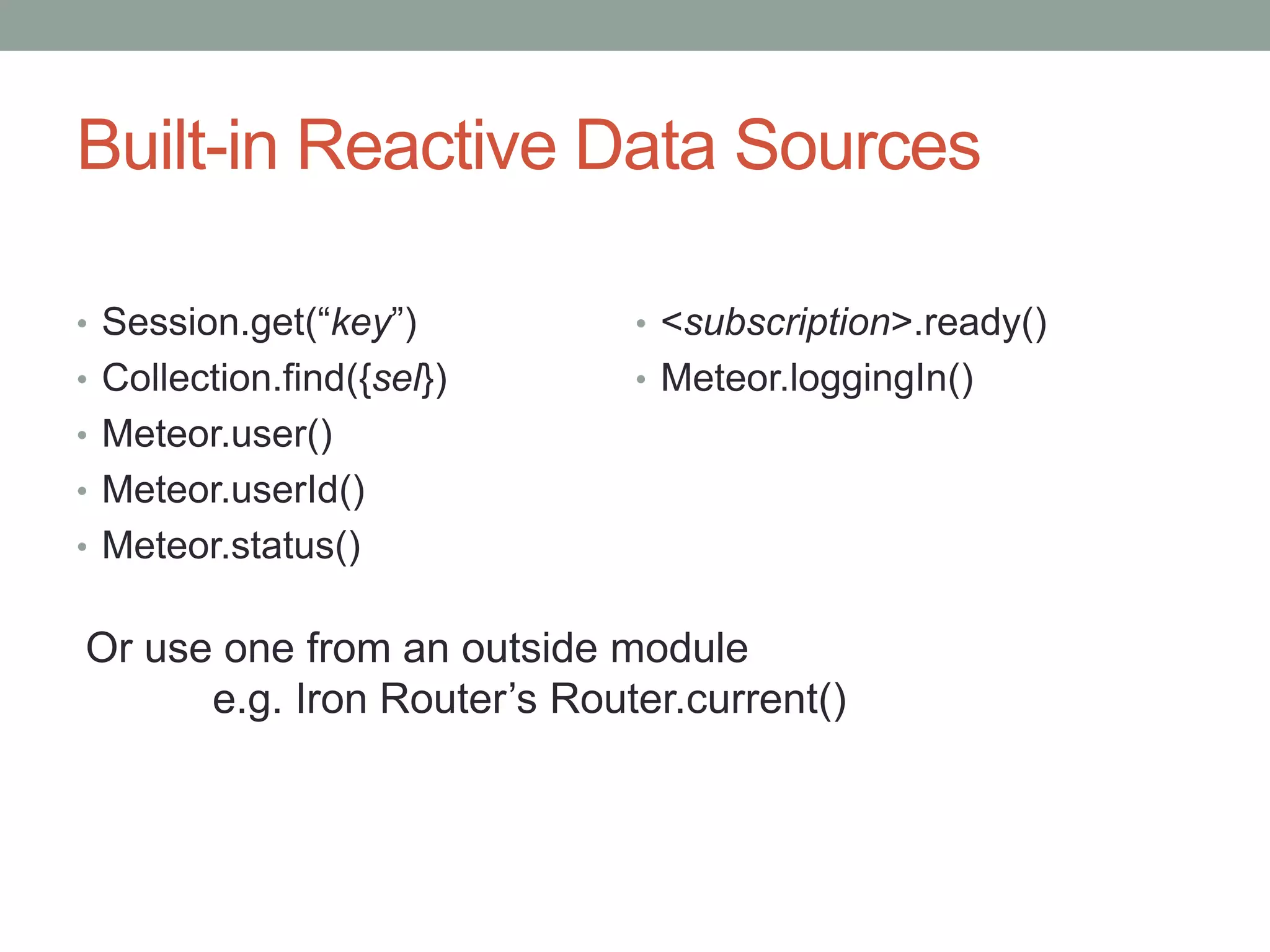
Built-in Reactive Data Sources
• Session.get(“key”)
• Collection.find({sel})
• Meteor.user()
• Meteor.userId()
• Meteor.status()
• <subscription>.ready()
• Meteor.loggingIn()
Or use one from an outside module
e.g. Iron Router’s Router.current()
Making a reactive data source
Why?
• Control what to reactively respond to
• Create a package with reactive API
• Better code organization (Session === global?)
• To really understand what you are doing
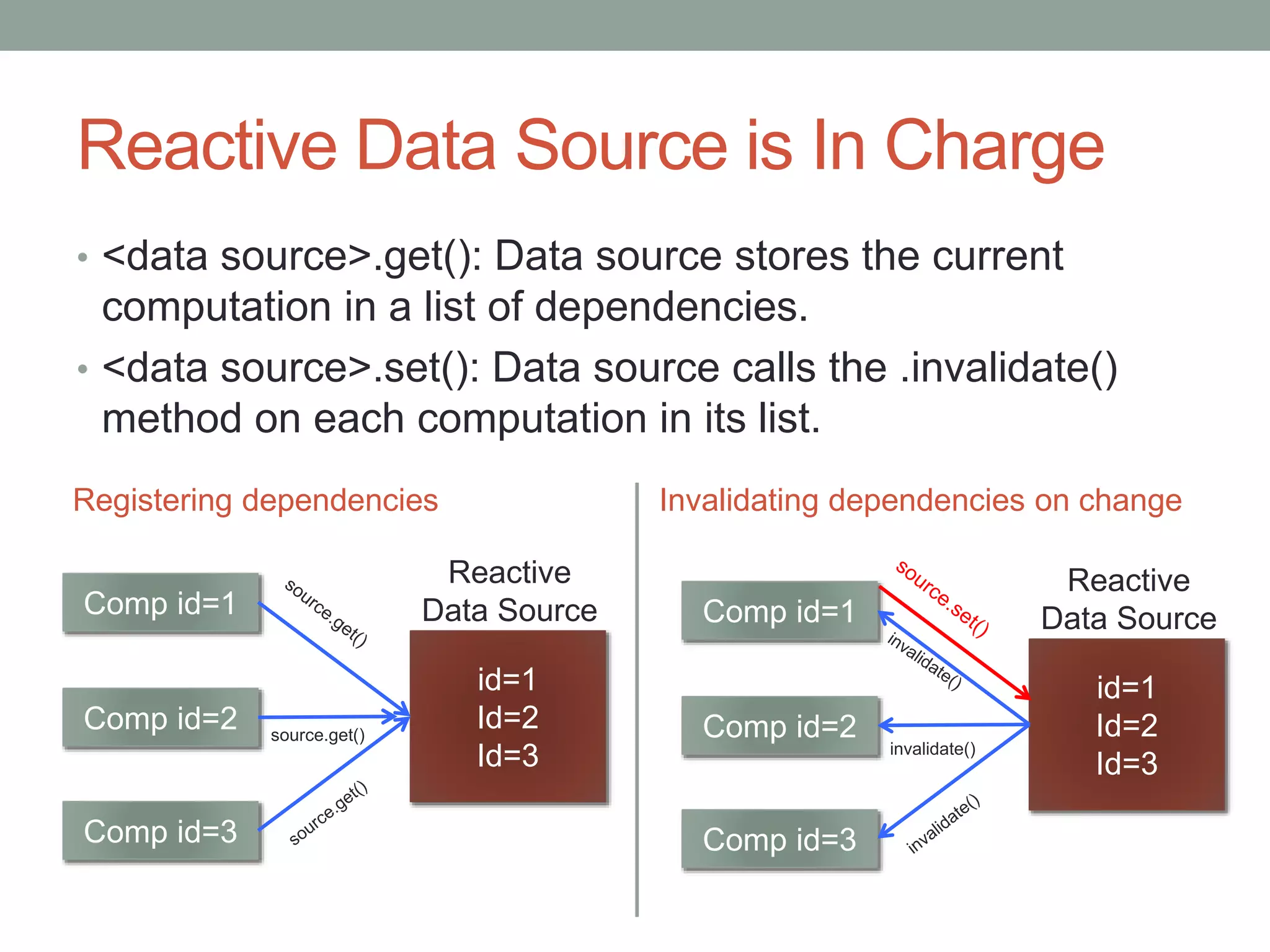
Reactive Data Source is In Charge
• <data source>.get(): Data source stores the current
computation in a list of dependencies.
• <data source>.set(): Data source calls the .invalidate()
method on each computation in its list.
Comp id=1
Comp id=2
Comp id=3
id=1
Id=2
Id=3
Reactive
Data Source
source.get()
Comp id=1
Comp id=2
Comp id=3
id=1
Id=2
Id=3
Reactive
Data Source
invalidate()
Registering dependencies Invalidating dependencies on change
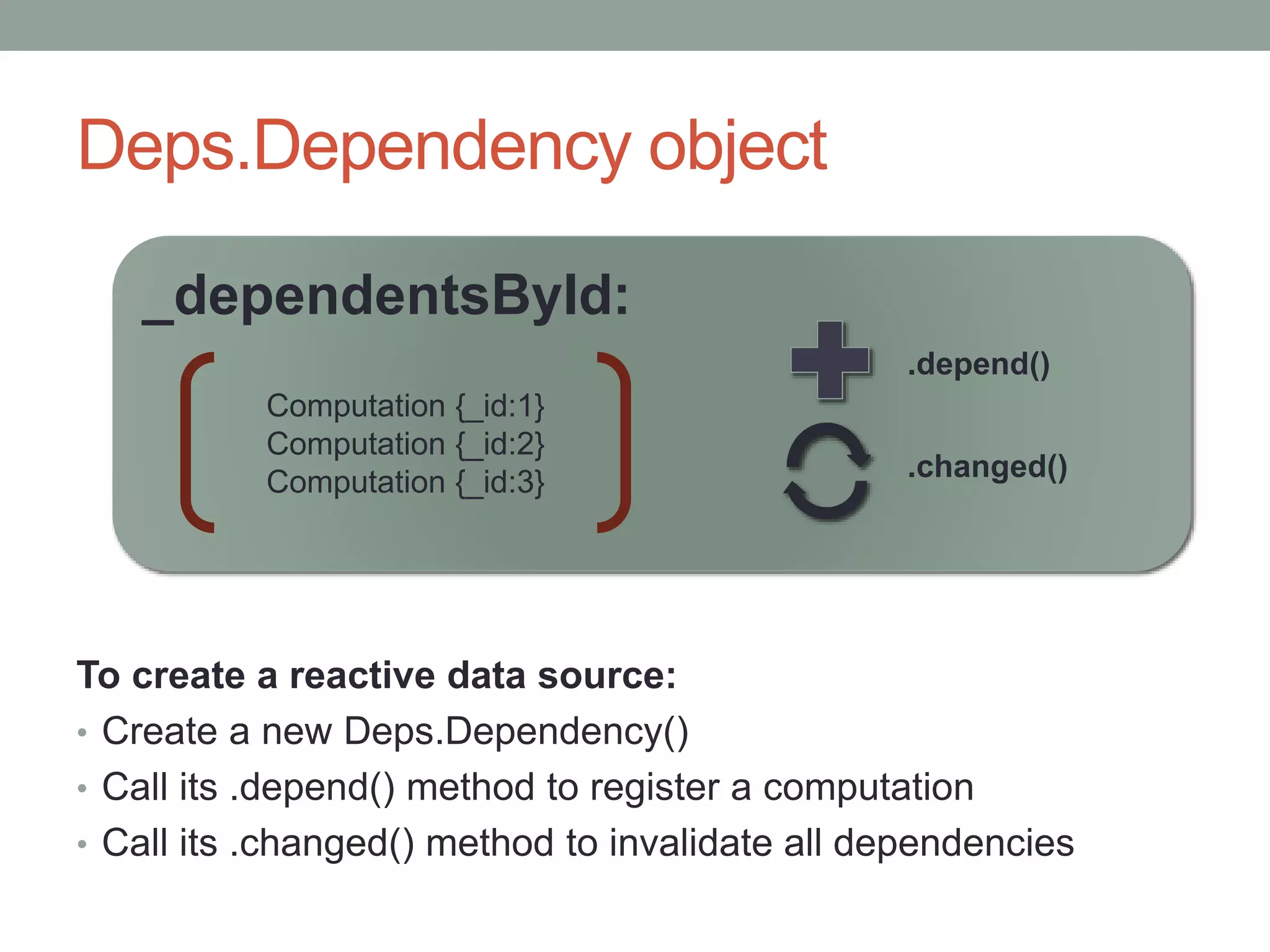
Deps.Dependency object
To create a reactive data source:
• Create a new Deps.Dependency()
• Call its .depend() method to register a computation
• Call its .changed() method to invalidate all dependencies
_dependentsById:
.changed()
Computation {_id:1}
Computation {_id:2}
Computation {_id:3}
.depend()
Demo – make a reactive data source
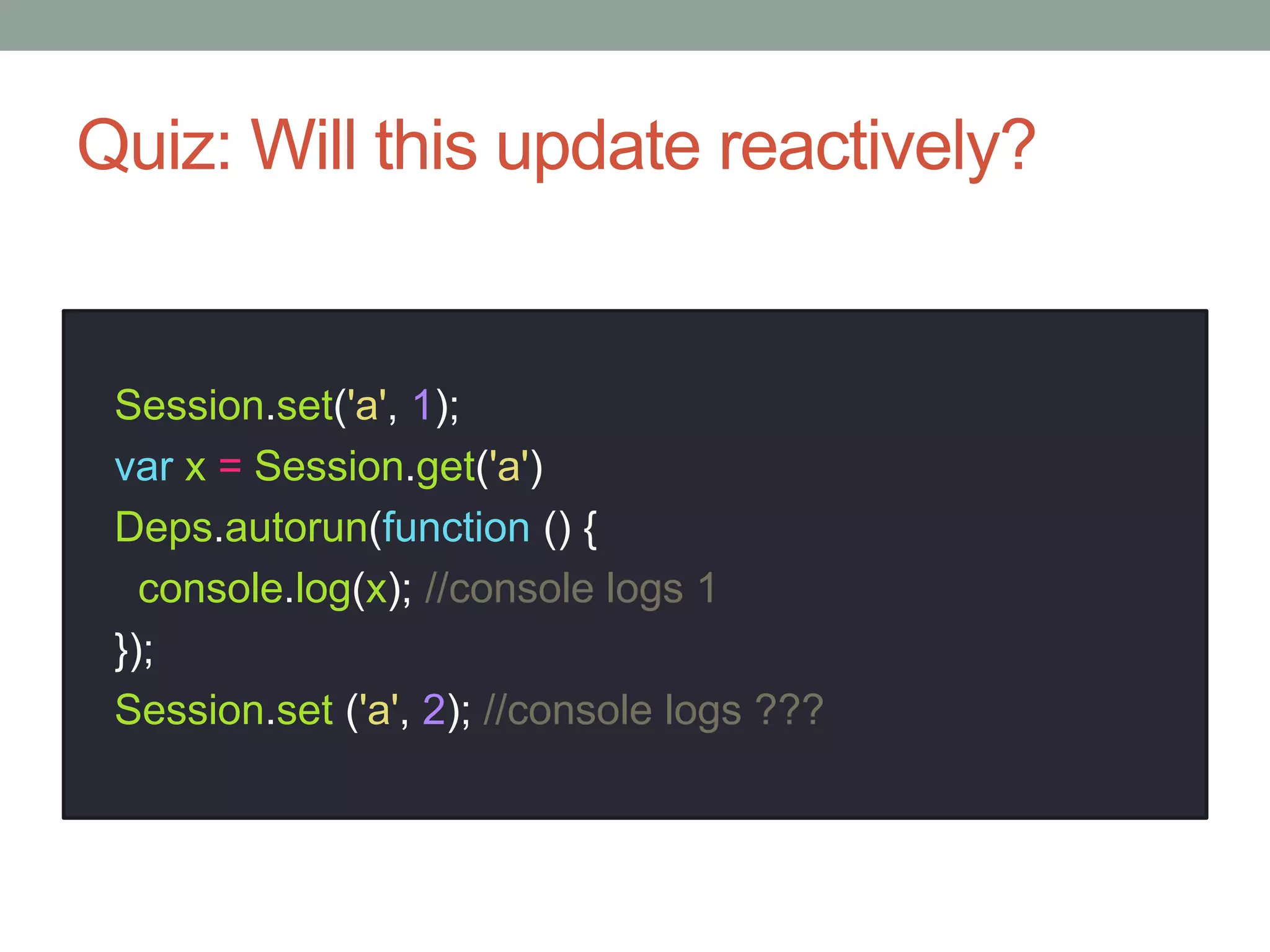
Quiz: Will this update reactively?
Session.set('a', 1);
var x = Session.get('a')
Deps.autorun(function () {
console.log(x); //console logs 1
});
Session.set ('a', 2); //console logs ???
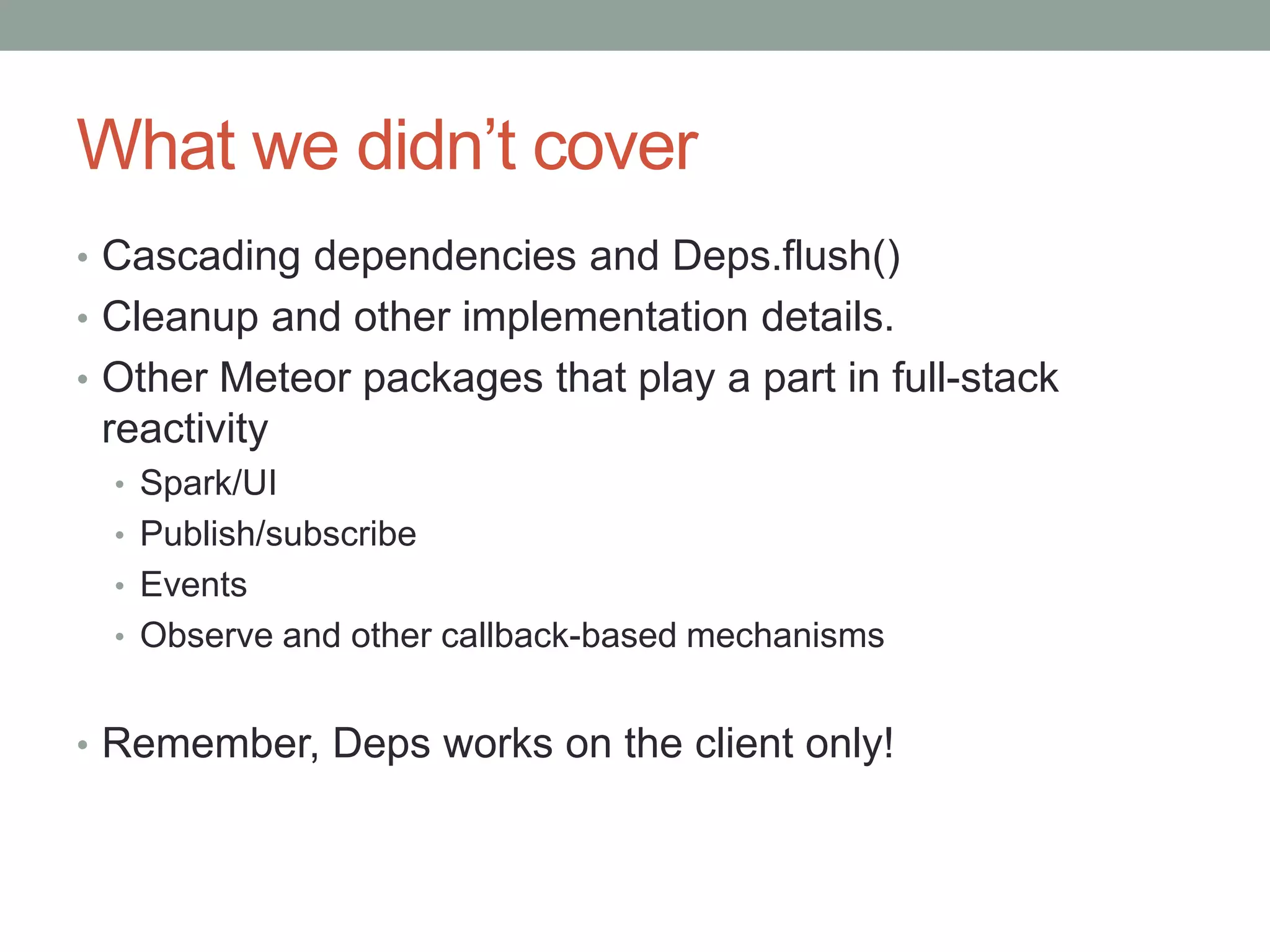
What we didn’t cover
• Cascading dependencies and Deps.flush()
• Cleanup and other implementation details.
• Other Meteor packages that play a part in full-stack
reactivity
• Spark/UI
• Publish/subscribe
• Events
• Observe and other callback-based mechanisms
• Remember, Deps works on the client only!
Resources
• robertdickert.com: Why Is My Meteor App Not Updating
Reactively?
• https://github.com/meteor/meteor/tree/devel/packages/de
ps
• www.eventedmind.com
Questions?
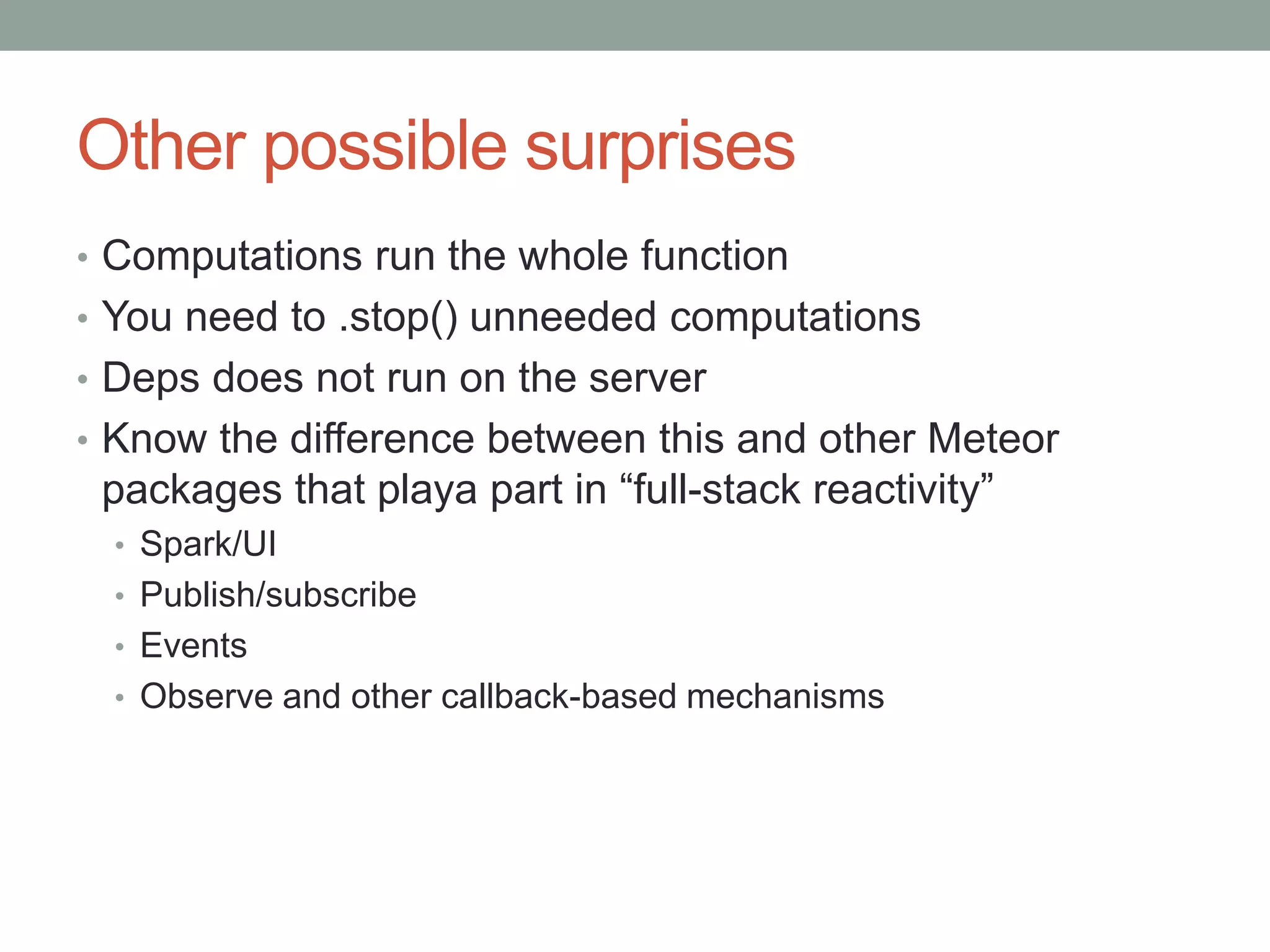
Other possible surprises
• Computations run the whole function
• You need to .stop() unneeded computations
• Deps does not run on the server
• Know the difference between this and other Meteor
packages that playa part in “full-stack reactivity”
• Spark/UI
• Publish/subscribe
• Events
• Observe and other callback-based mechanisms
The data source is in charge
1. Stores computations in Deps.Dependency instance
2. Decides when to register a dependency
(dependency.depend())
3. Triggers the .invalidate() method of every dependent
computation (dependency.changed()).
• B1 needs to be rerun over and over
• It needs to be rerun when A1 changes
 B1 is dependent on A1
• B1 is a computation (aka “reactive context”)
• A1 is a reactive data source
Meteor Features
• One language
• Database everywhere
• Latency compensation
• Full stack reactivity
• Hot code pushes
• Low-friction prototyping and deployment

Meteor Boulder meetup #1

  • 1.
  • 2.
    PART I: WHYMETEOR?
  • 3.
    What is Meteor? •Full-stack JavaScript Framework • Build tool • Package system • Real-time protocol - DDP • Built on Node.js • Currently integrates with Mongodb (others to follow)
  • 4.
  • 5.
    What we saw •Instant dev environment • A working base app • Smart packages • Hot code push • Code can run on client, server, or both • Mongo api can be used locally to access server • Reactive templates • Data kept updated to all connected browsers • Session store local – maintained through hot code pushes • easy deployment to meteor.com • bundle for deployment to any node.js environment
  • 6.
    So Why Meteor? •Real-time (chat, dashboard, games, etc.) • Rapid prototyping • Productive • Declarative • All JavaScript
  • 7.
    Further resources • docs.meteor.comand blog.meteor.com • Discover Meteor (book) – highly recommended • Meteor Weekly (newsletter) • Meteor 101 screencast (Naomi Seyfer) • www.eventedmind.com • IRC • Google Groups • Github • win.meteor.com – for Windows users
  • 8.
  • 9.
    PART II: REACTIVITY Howdoes Meteor achieve live client-side updates?
  • 10.
    Meteor Advanced Topics •Goal: useful for both beginners and advanced users • A lot of “magic” in Meteor • Is Meteor the jQuery of web app development? Abstraction debt? • Meteor’s hidden parts are in plain view – just go look • Great chance to pick something to research and share with the group
  • 11.
    What is Reactivity? •Reactivity describes a declarative data flow through which changes propagate automatically. • i.e., Data/variables update automatically when their upstream dependencies change. • Spreadsheet is the typical example
  • 12.
  • 13.
    Meteor Computations A computationcontains a stored function to be rerun whenever required. A function running inside a computation is said to be running in a reactive context. _func: function () { return Session.get(“a1”)+ 1; } .stop() .invalidate() a Deps.Computation:
  • 14.
    Step 1: Putfunctions in computations To place any function fn in a computation: Templates and template helpers are automatically put in a computation by Meteor. Code in fn is said to be running in a reactive context. In a reactive context, Deps.active===true handle = Deps.autorun(fn);
  • 15.
  • 16.
    Reactivity Requirements Meteor Reactivityrequires two things: 1. Run your code in a reactive context (e.g., with Deps.autorun()). 2. Use a reactive data source inside the computation. Other data sources will not update reactively.
  • 17.
    Built-in Reactive DataSources • Session.get(“key”) • Collection.find({sel}) • Meteor.user() • Meteor.userId() • Meteor.status() • <subscription>.ready() • Meteor.loggingIn() Or use one from an outside module e.g. Iron Router’s Router.current()
  • 18.
    Making a reactivedata source Why? • Control what to reactively respond to • Create a package with reactive API • Better code organization (Session === global?) • To really understand what you are doing
  • 19.
    Reactive Data Sourceis In Charge • <data source>.get(): Data source stores the current computation in a list of dependencies. • <data source>.set(): Data source calls the .invalidate() method on each computation in its list. Comp id=1 Comp id=2 Comp id=3 id=1 Id=2 Id=3 Reactive Data Source source.get() Comp id=1 Comp id=2 Comp id=3 id=1 Id=2 Id=3 Reactive Data Source invalidate() Registering dependencies Invalidating dependencies on change
  • 20.
    Deps.Dependency object To createa reactive data source: • Create a new Deps.Dependency() • Call its .depend() method to register a computation • Call its .changed() method to invalidate all dependencies _dependentsById: .changed() Computation {_id:1} Computation {_id:2} Computation {_id:3} .depend()
  • 21.
    Demo – makea reactive data source
  • 22.
    Quiz: Will thisupdate reactively? Session.set('a', 1); var x = Session.get('a') Deps.autorun(function () { console.log(x); //console logs 1 }); Session.set ('a', 2); //console logs ???
  • 23.
    What we didn’tcover • Cascading dependencies and Deps.flush() • Cleanup and other implementation details. • Other Meteor packages that play a part in full-stack reactivity • Spark/UI • Publish/subscribe • Events • Observe and other callback-based mechanisms • Remember, Deps works on the client only!
  • 24.
    Resources • robertdickert.com: WhyIs My Meteor App Not Updating Reactively? • https://github.com/meteor/meteor/tree/devel/packages/de ps • www.eventedmind.com
  • 25.
  • 26.
    Other possible surprises •Computations run the whole function • You need to .stop() unneeded computations • Deps does not run on the server • Know the difference between this and other Meteor packages that playa part in “full-stack reactivity” • Spark/UI • Publish/subscribe • Events • Observe and other callback-based mechanisms
  • 27.
    The data sourceis in charge 1. Stores computations in Deps.Dependency instance 2. Decides when to register a dependency (dependency.depend()) 3. Triggers the .invalidate() method of every dependent computation (dependency.changed()).
  • 28.
    • B1 needsto be rerun over and over • It needs to be rerun when A1 changes  B1 is dependent on A1 • B1 is a computation (aka “reactive context”) • A1 is a reactive data source
  • 29.
    Meteor Features • Onelanguage • Database everywhere • Latency compensation • Full stack reactivity • Hot code pushes • Low-friction prototyping and deployment