Monitoring
with Prometheus
and Grafana
Assuring business value
Monitoring with Prometheus 1
Lucas Jellema, CTO of AMIS
Fall 2018
Lucas Jellema
Architect / Developer
1994 started in IT at Oracle
2002 joined AMIS
Currently CTO & Solution Architect
Monitoring with Prometheus 2
Overview
• Why monitoring?
• How monitoring?
• Metrics
• gathering | processing | analyzing | presenting | alerting
• Prometheus
• History
• Metrics
• Exporters
• Instrumentation of Applications
• Grafana
• Dinner
• Handson Workshop
Monitoring with Prometheus 3
Monitoring
• Observe [non-functional] behavior of business functions/applications in
[near] real-time
• Availability and health
• Performance
• Access – when and as it should be for whom it should be
• Teams up with:
• Profiling & Debugging – maximum context for activity spikes
• Tracing – track paths through application [and platform & infra] stack
• Logging – per application or platform component output for off-line
processing
• Note: log agents such as Elastic Stack Beats and Elasticsearch
Monitoring with Prometheus 4
What is required for monitoring?
• Gather operational metrics
• And prepare | wrangle metrics (tag, filter, enrich, aggregate, …)
• To raise alert
• To human (via ticket/SMS/…)
• To automated handler/agent
• To support issue resolution (data for root cause analysis)
• To analyze trends + effects/impact of change
Monitoring with Prometheus 5
Type of metrics
• Primary metrics
• Tied to SLA indicators
• Relevant – representative of Key Performance Indicators
• End user experience
• Business activity throughput
• Cost efficiency
• Secondary metrics
• Predictors for primary metrics
• Technical metrics
• Hygiene factors – not directly tied to specific business indicators
• Temperature, Remaining Free Storage, Network Load,
Monitoring with Prometheus 6
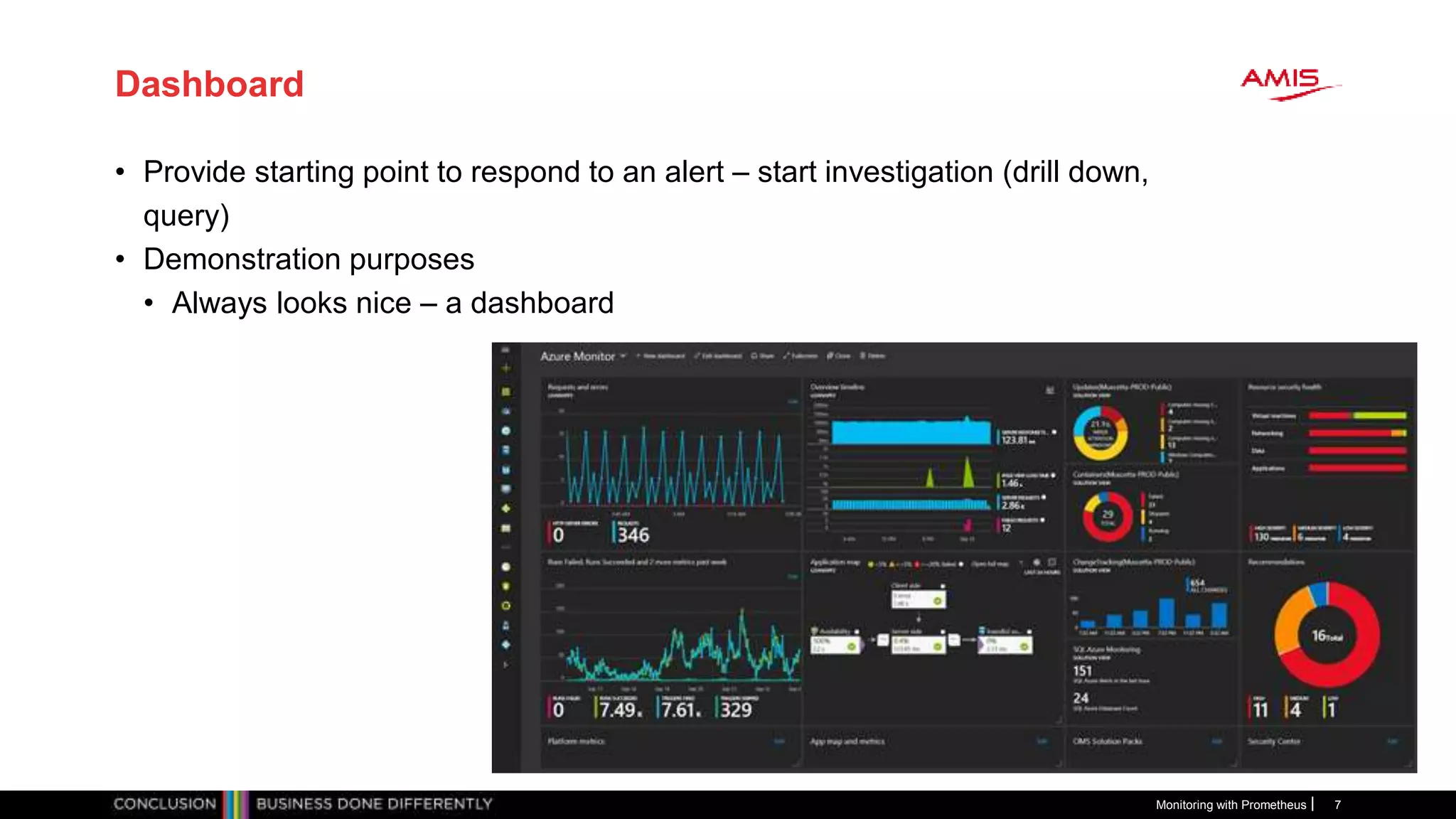
Dashboard
• Provide starting point to respond to an alert – start investigation (drill down,
query)
• Demonstration purposes
• Always looks nice – a dashboard
Monitoring with Prometheus 7
Metrics are collected across the stack
• Business Applications
• SaaS, Standard Applications
• Custom | Tailor made applications
• Platform
• Web Server, Application Server
• Database
• LDAP
• JVM/Node/.NET/… runtime
• Infra
• Container, Container Platform (e.g. Kubernetes)
• Operating System
• Cache
• Proxy, Load Balancer
• Network
• Storage, File System
Monitoring with Prometheus 8
metrics
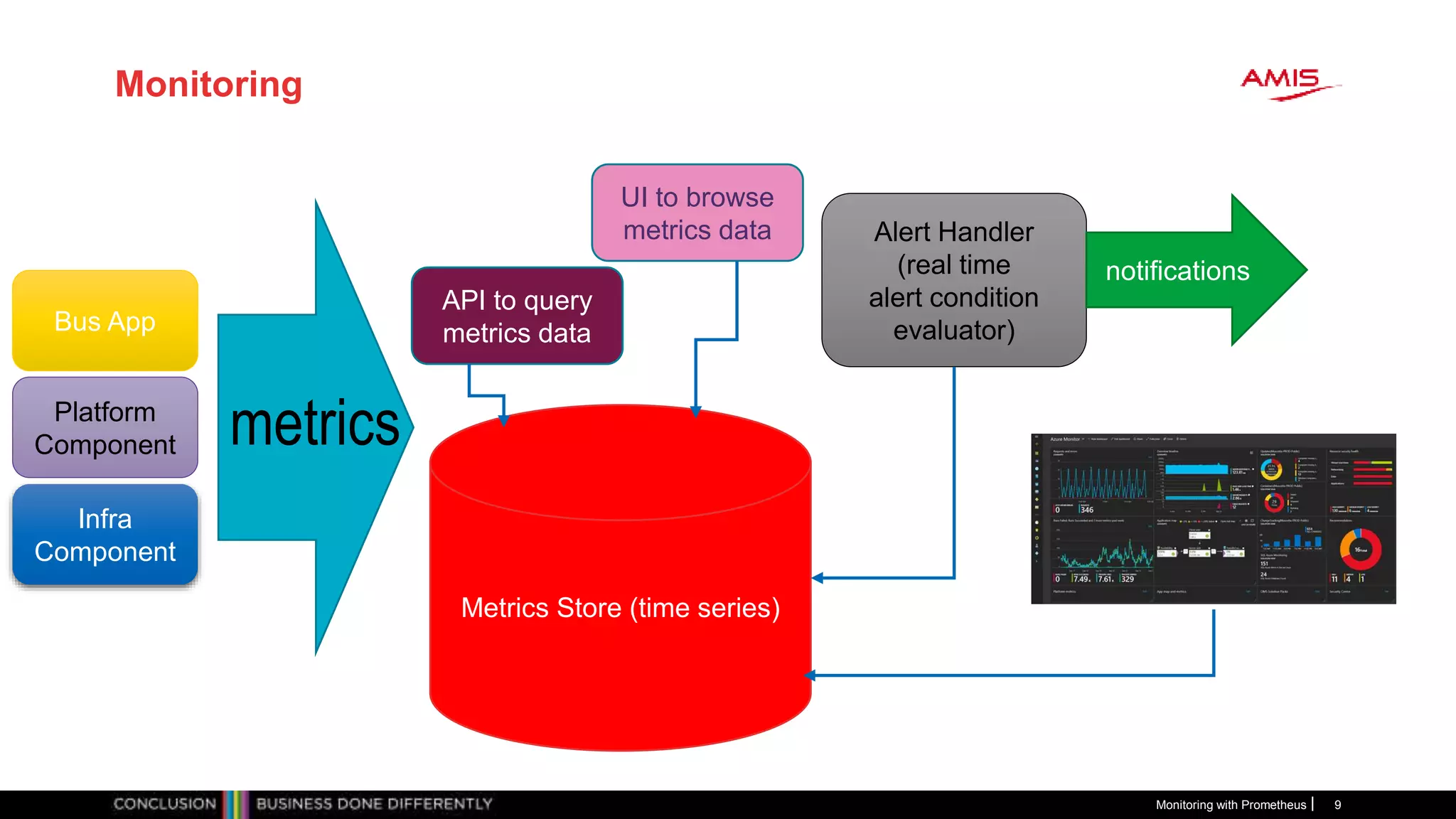
Monitoring
Monitoring with Prometheus 9
Bus App
Platform
Component
Infra
Component
metrics
Metrics Store (time series)
API to query
metrics data
Alert Handler
(real time
alert condition
evaluator)
notifications
UI to browse
metrics data
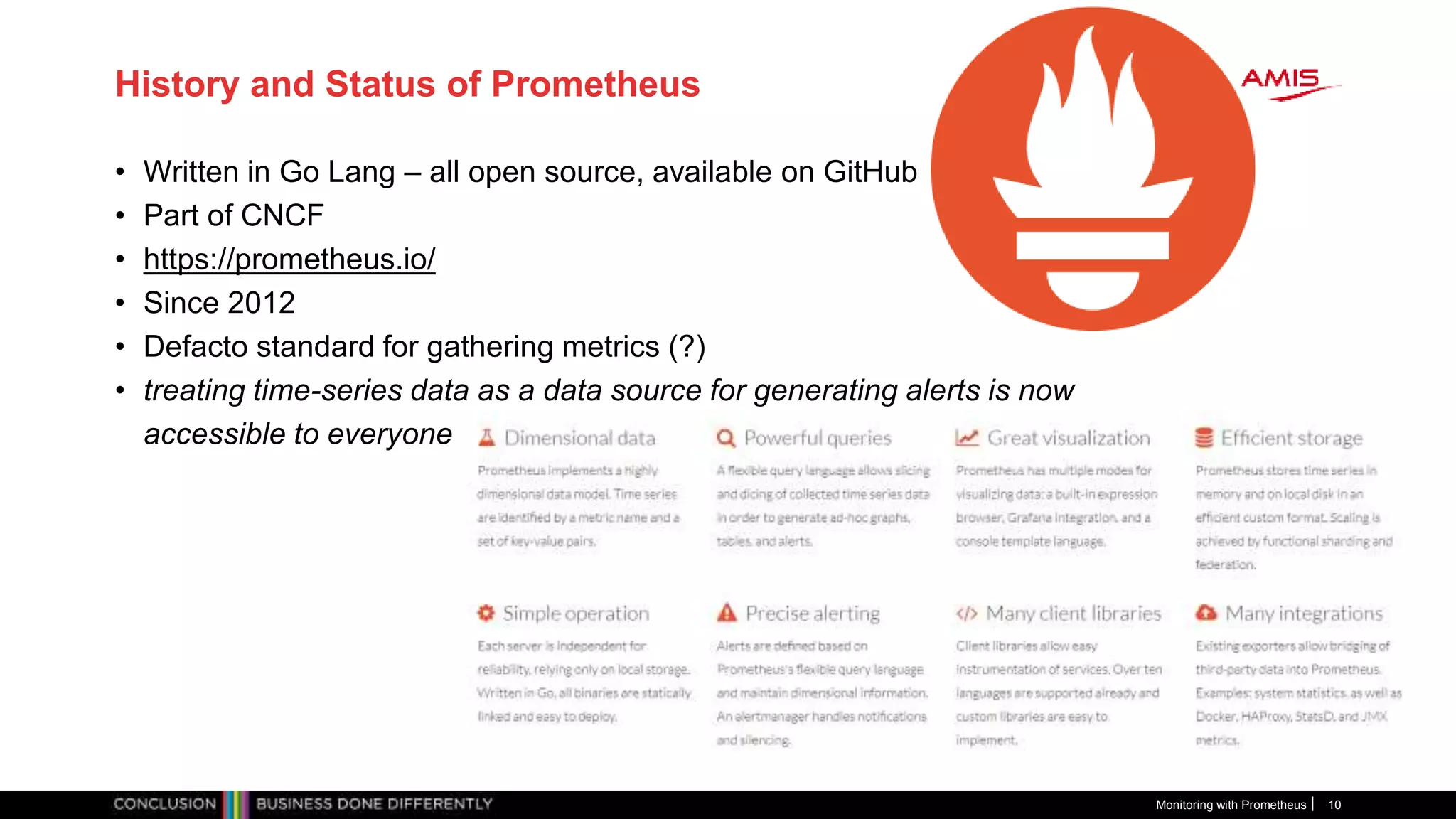
History and Status of Prometheus
• Written in Go Lang – all open source, available on GitHub
• Part of CNCF
• https://prometheus.io/
• Since 2012
• Defacto standard for gathering metrics (?)
• treating time-series data as a data source for generating alerts is now
accessible to everyone through those open source tools like Prometheus
Monitoring with Prometheus 10
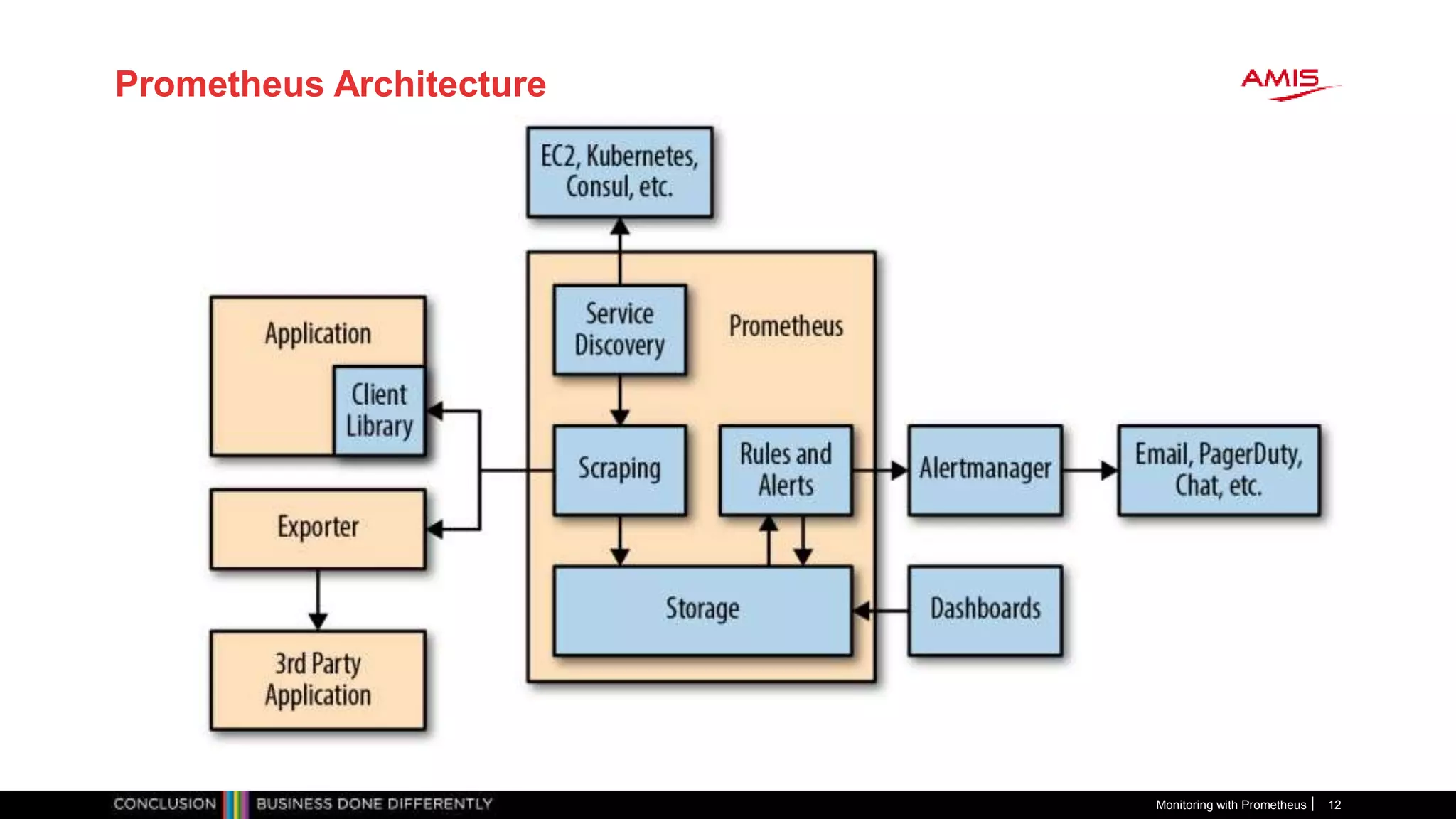
Prometheus
• Gather metrics into database
• Scheduled pull |harvest| scrape actions – HTTP/TCP requests
• Accessing Exporters and built in (scrape) endpoints
• Make metrics availabe to consuming systems and humans
• Such as Grafana (for dashboarding)
• REST APIs
• Prometheus UI – Graphs, Console, PromQL
• Analyze metrics according to [alert] rules
• Determine if alerts are “firing”
• Act on firing alerts
• Send notifications
• Supports federation – global view over local environments and
recovery of local environment
Monitoring with Prometheus 11
Prometheus Architecture
Monitoring with Prometheus 12
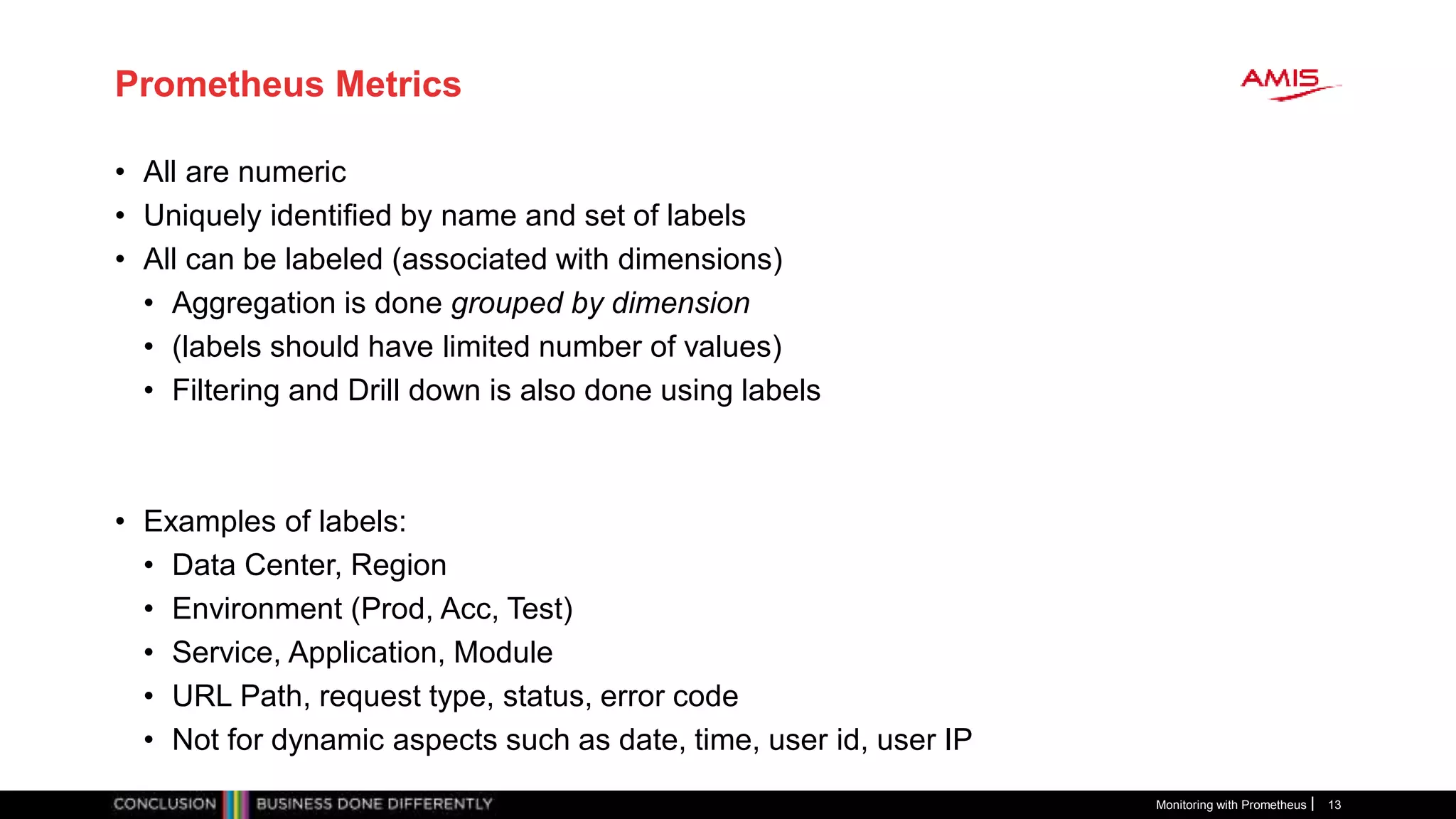
Prometheus Metrics
• All are numeric
• Uniquely identified by name and set of labels
• All can be labeled (associated with dimensions)
• Aggregation is done grouped by dimension
• (labels should have limited number of values)
• Filtering and Drill down is also done using labels
• Examples of labels:
• Data Center, Region
• Environment (Prod, Acc, Test)
• Service, Application, Module
• URL Path, request type, status, error code
• Not for dynamic aspects such as date, time, user id, user IP
Monitoring with Prometheus 13
Demo – Getting started with Prometheus
Monitoring with Prometheus 14
prometheus.yml
- job_name: 'prometheus'
# metrics_path defaults to /metrics
# scheme defaults to 'http'.
static_configs:
- targets: ['localhost:9090']
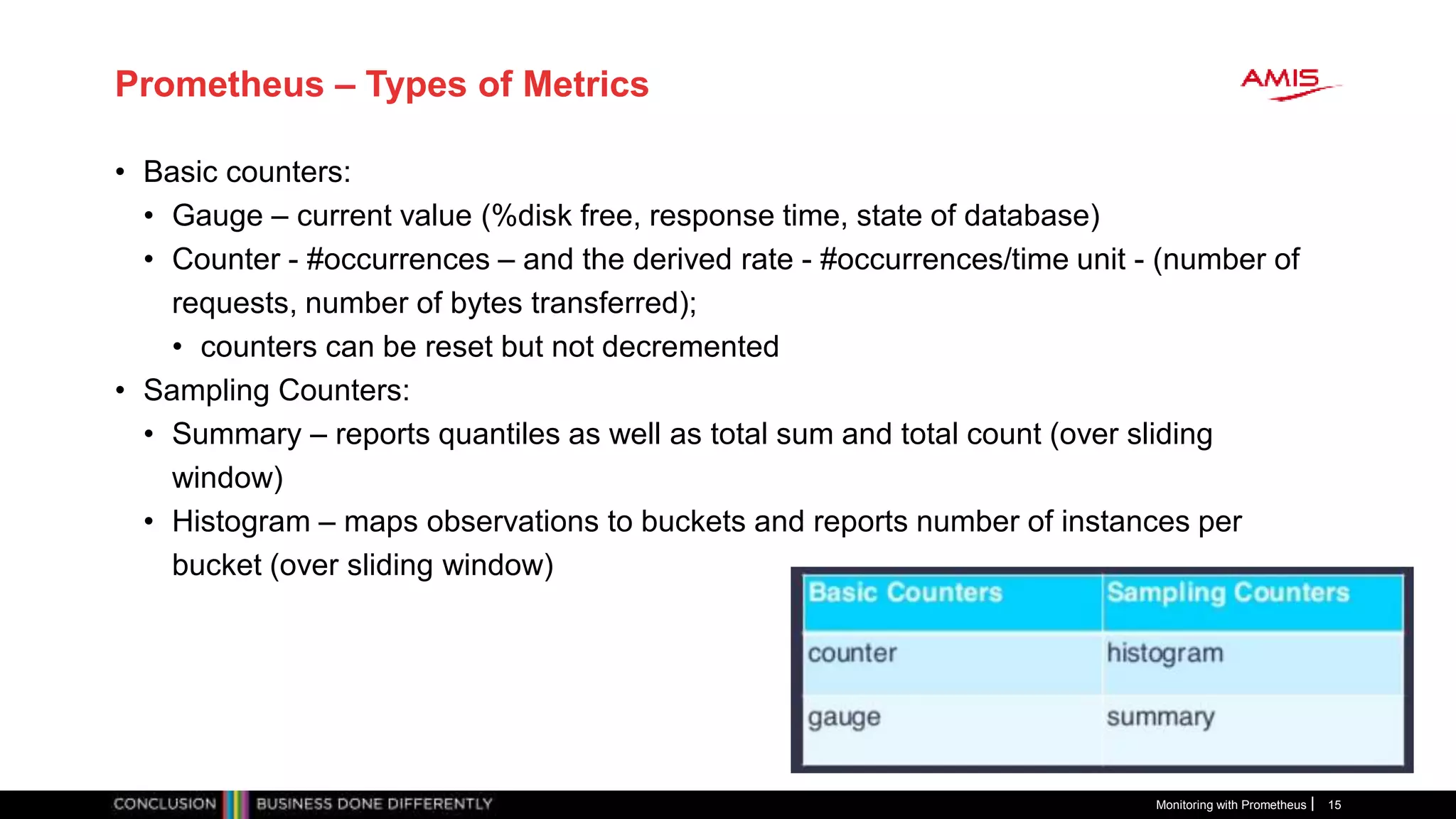
Prometheus – Types of Metrics
• Basic counters:
• Gauge – current value (%disk free, response time, state of database)
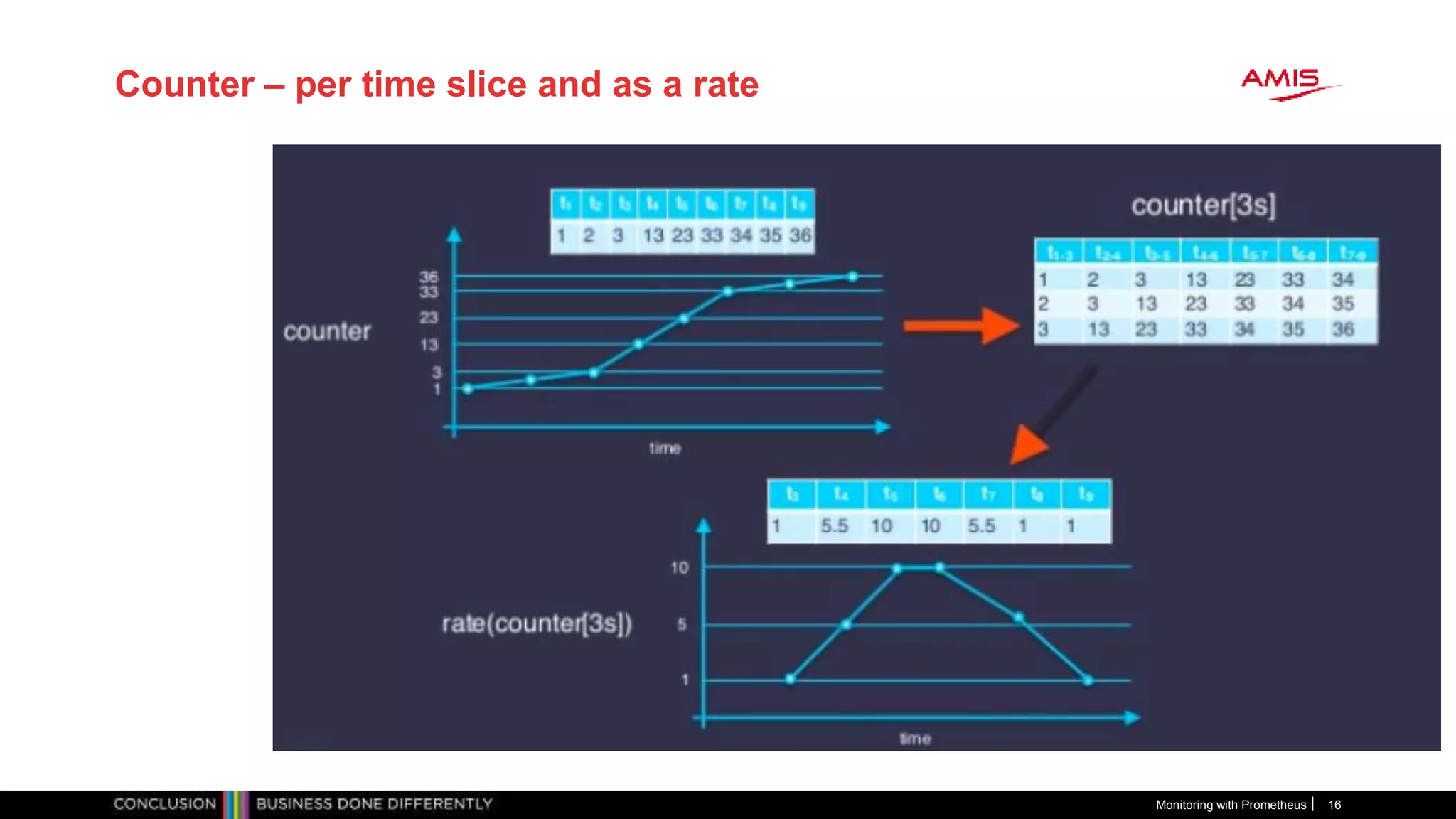
• Counter - #occurrences – and the derived rate - #occurrences/time unit - (number of
requests, number of bytes transferred);
• counters can be reset but not decremented
• Sampling Counters:
• Summary – reports quantiles as well as total sum and total count (over sliding
window)
• Histogram – maps observations to buckets and reports number of instances per
bucket (over sliding window)
Monitoring with Prometheus 15
Counter – per time slice and as a rate
Monitoring with Prometheus 16
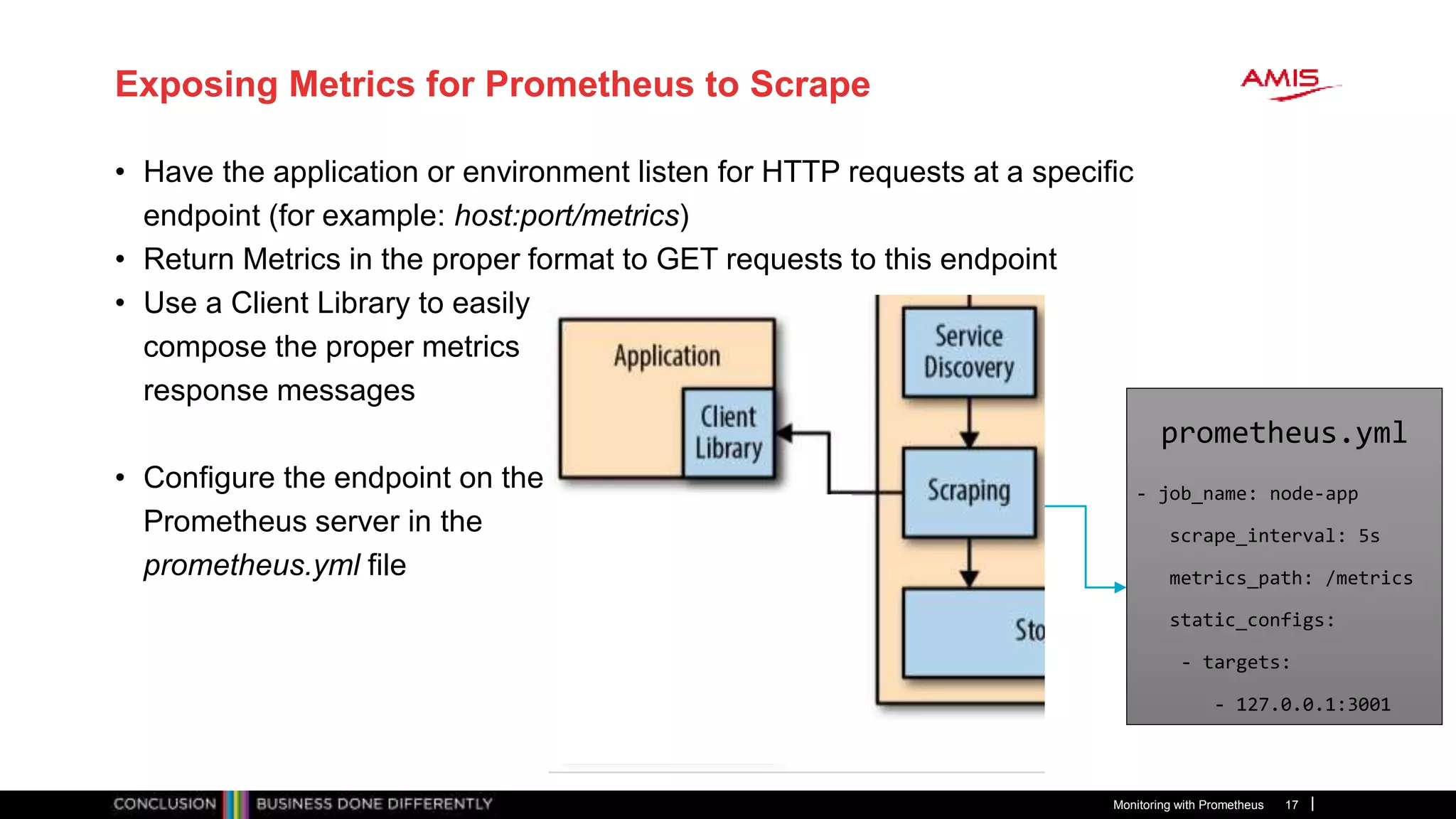
Exposing Metrics for Prometheus to Scrape
• Have the application or environment listen for HTTP requests at a specific
endpoint (for example: host:port/metrics)
• Return Metrics in the proper format to GET requests to this endpoint
• Use a Client Library to easily
compose the proper metrics
response messages
• Configure the endpoint on the
Prometheus server in the
prometheus.yml file
Monitoring with Prometheus 17
prometheus.yml
- job_name: node-app
scrape_interval: 5s
metrics_path: /metrics
static_configs:
- targets:
- 127.0.0.1:3001
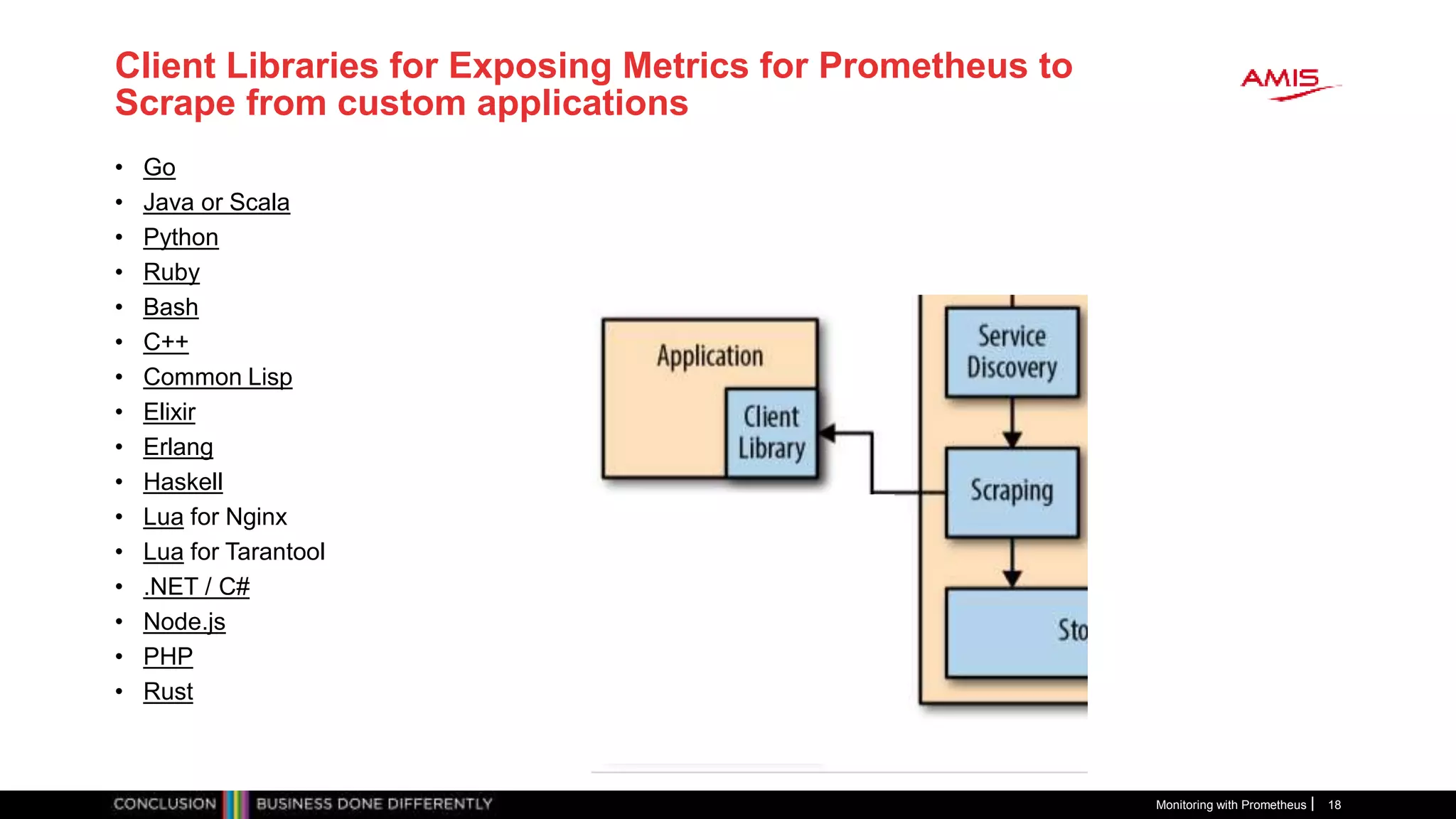
Client Libraries for Exposing Metrics for Prometheus to
Scrape from custom applications
Monitoring with Prometheus 18
• Go
• Java or Scala
• Python
• Ruby
• Bash
• C++
• Common Lisp
• Elixir
• Erlang
• Haskell
• Lua for Nginx
• Lua for Tarantool
• .NET / C#
• Node.js
• PHP
• Rust
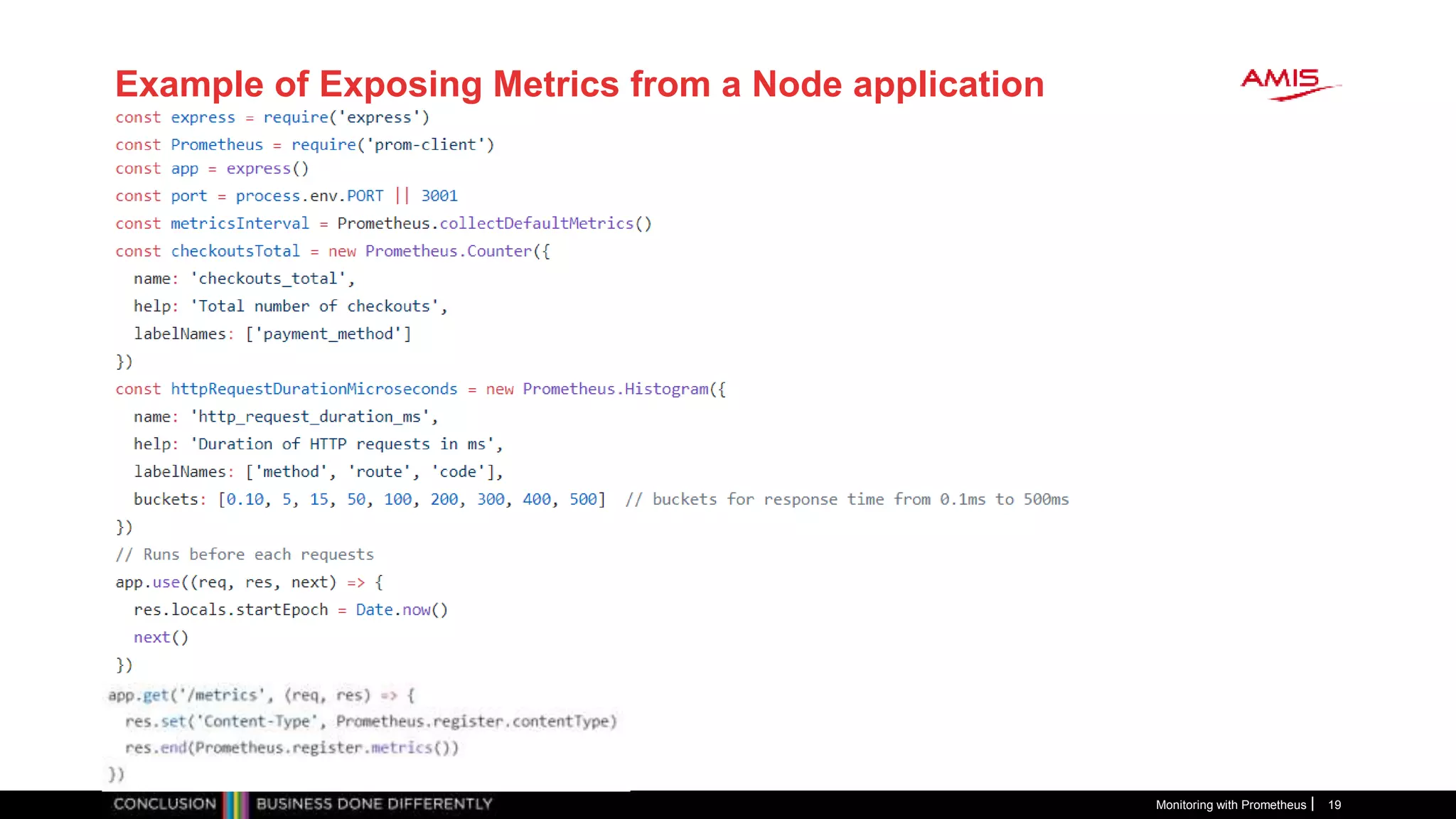
Example of Exposing Metrics from a Node application
Monitoring with Prometheus 19
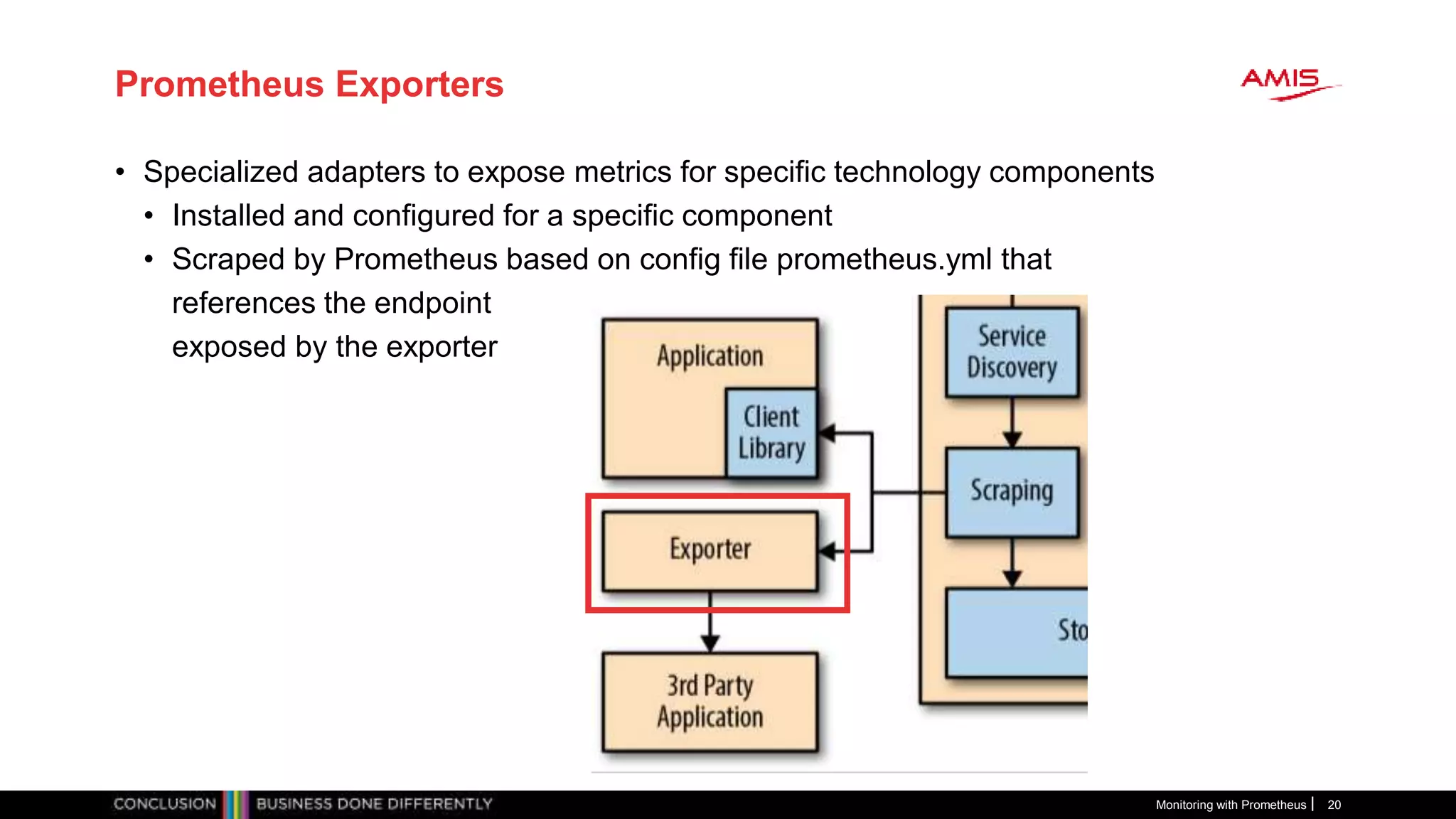
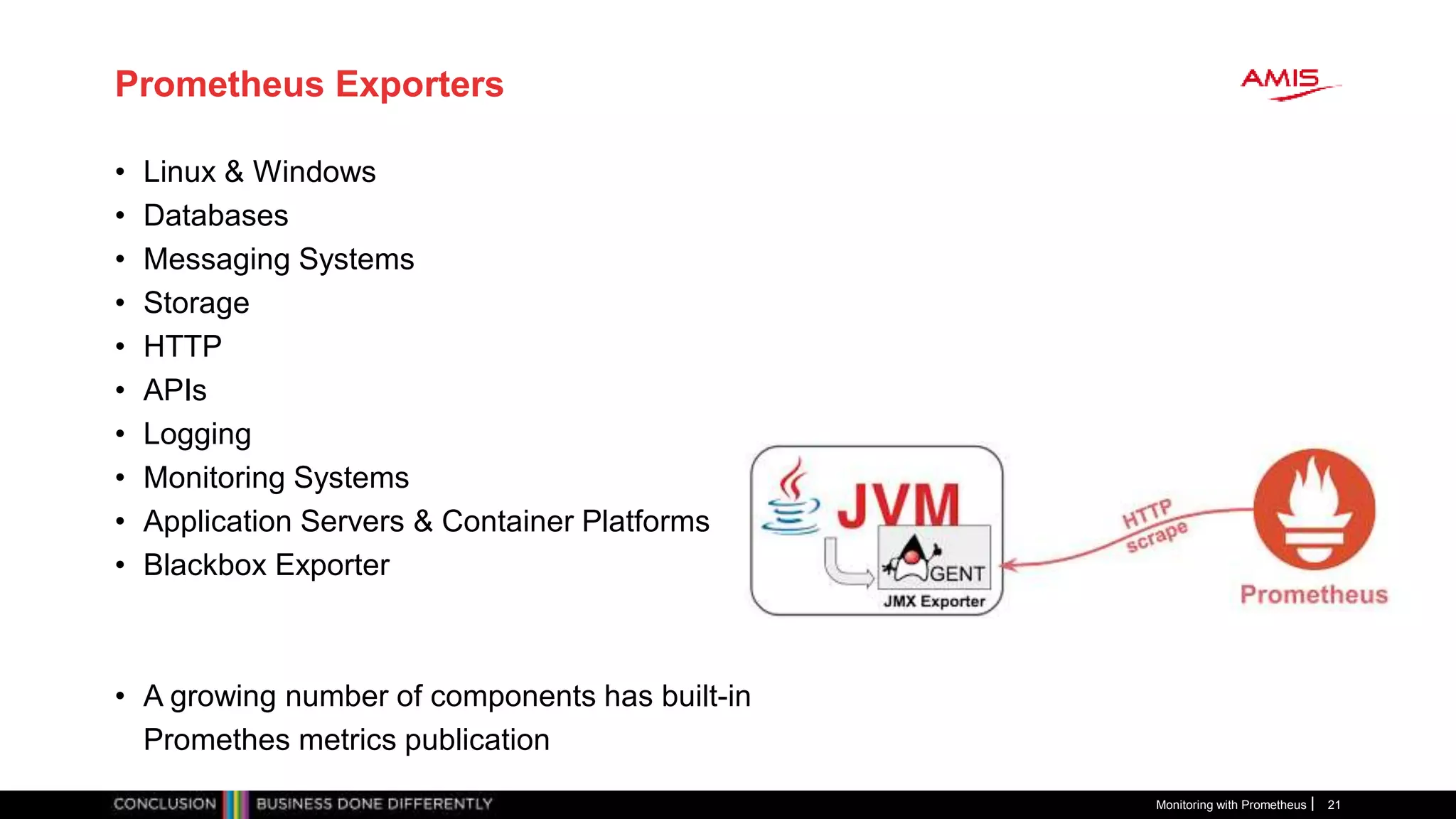
Prometheus Exporters
• Specialized adapters to expose metrics for specific technology components
• Installed and configured for a specific component
• Scraped by Prometheus based on config file prometheus.yml that
references the endpoint
exposed by the exporter
Monitoring with Prometheus 20
Prometheus Exporters
• Linux & Windows
• Databases
• Messaging Systems
• Storage
• HTTP
• APIs
• Logging
• Monitoring Systems
• Application Servers & Container Platforms
• Blackbox Exporter
• A growing number of components has built-in
Promethes metrics publication
Monitoring with Prometheus 21
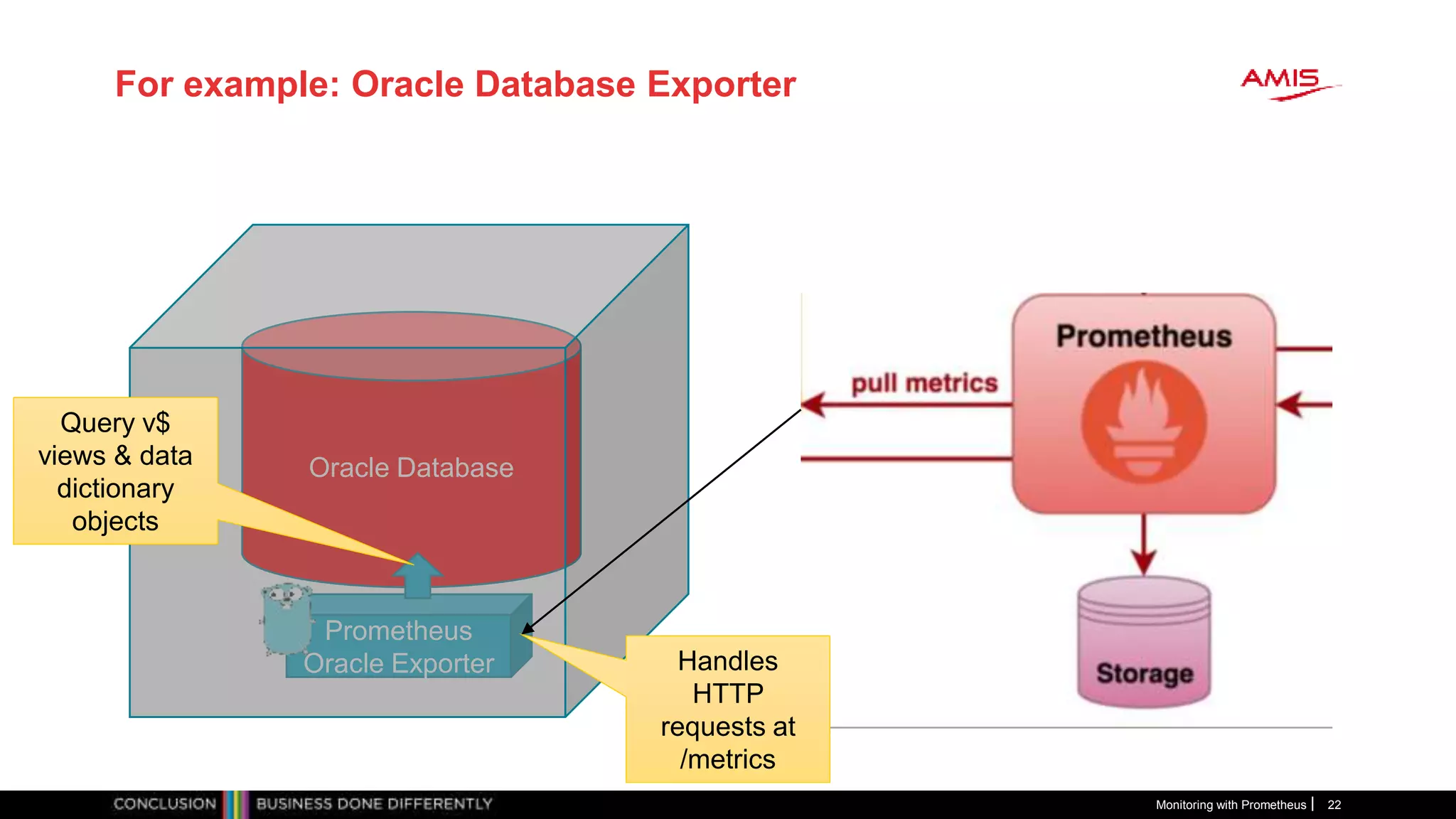
For example: Oracle Database Exporter
Monitoring with Prometheus 22
Oracle Database
Prometheus
Oracle Exporter
Query v$
views & data
dictionary
objects
Handles
HTTP
requests at
/metrics
Monitoring with Prometheus 23
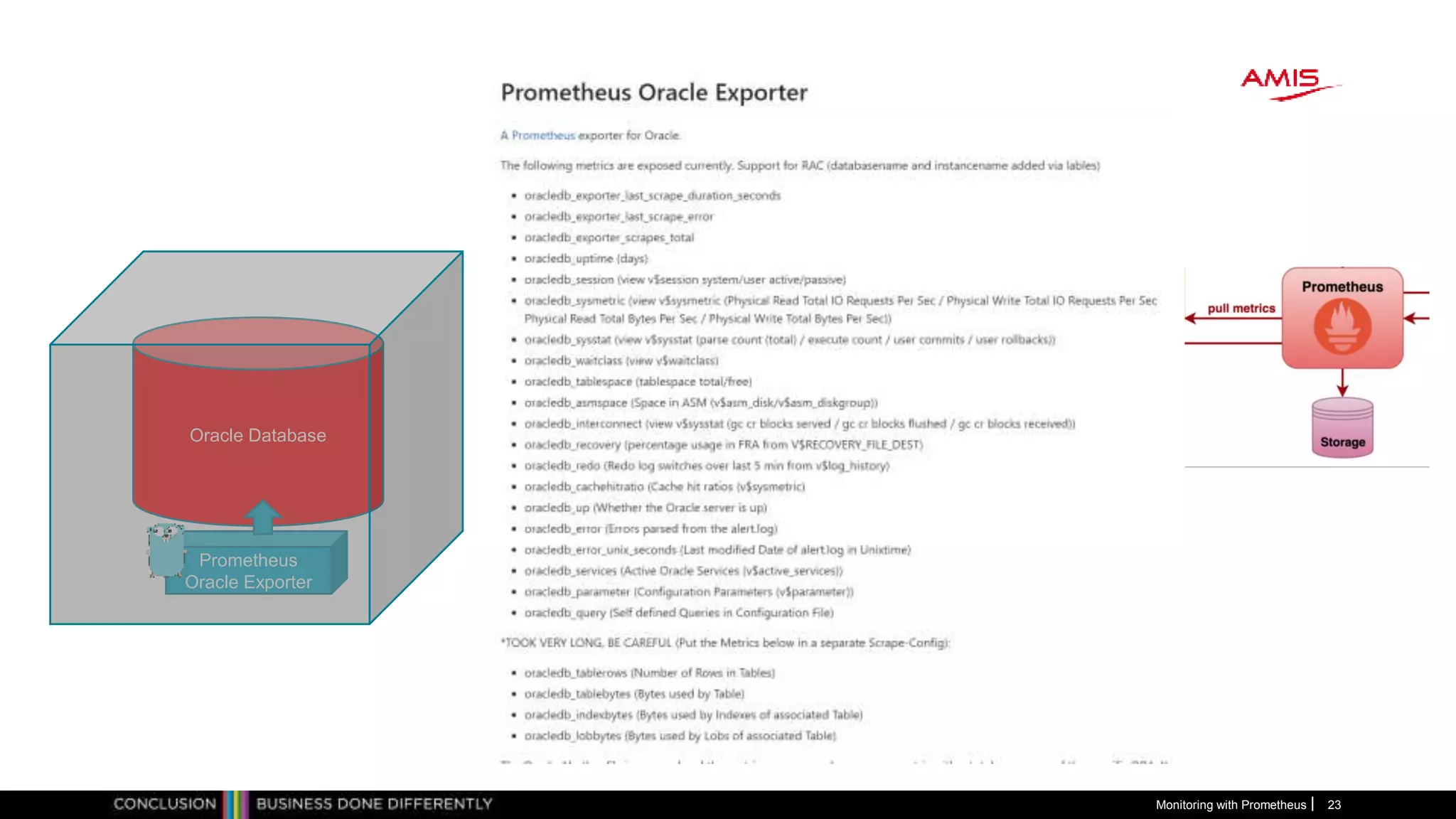
Oracle Database
Prometheus
Oracle Exporter
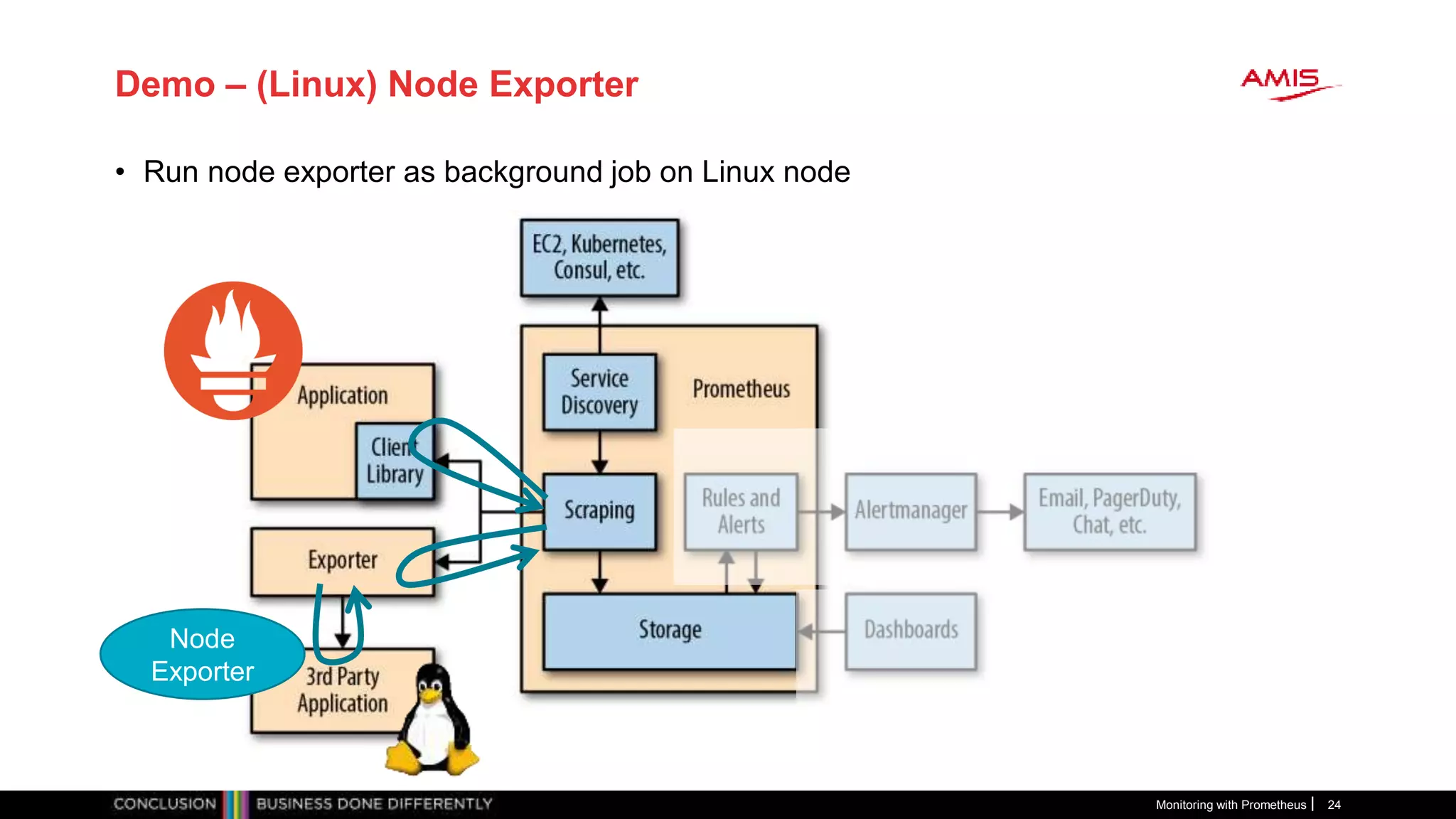
Demo – (Linux) Node Exporter
• Run node exporter as background job on Linux node
Monitoring with Prometheus 24
Node
Exporter
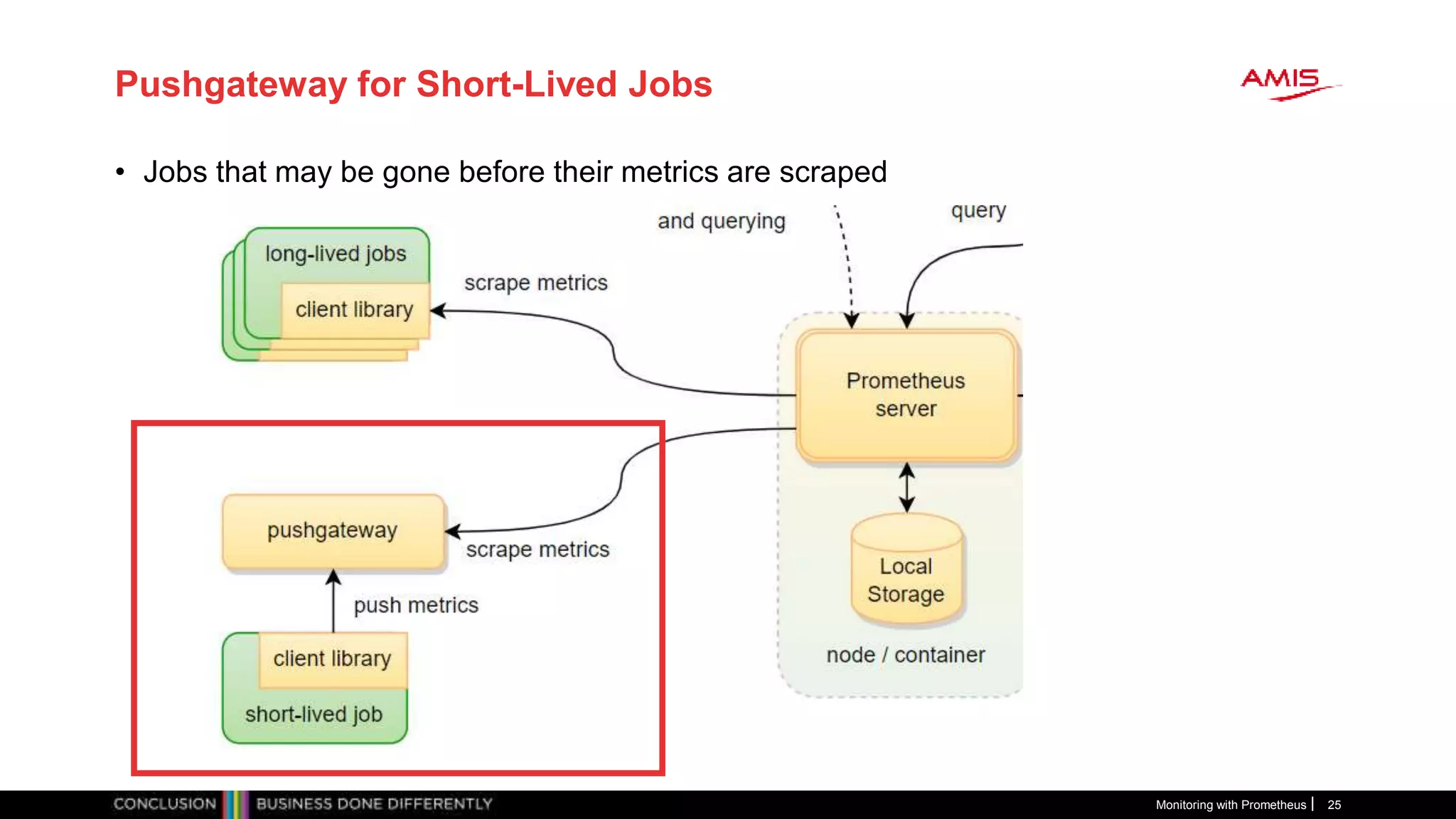
Pushgateway for Short-Lived Jobs
• Jobs that may be gone before their metrics are scraped
Monitoring with Prometheus 25
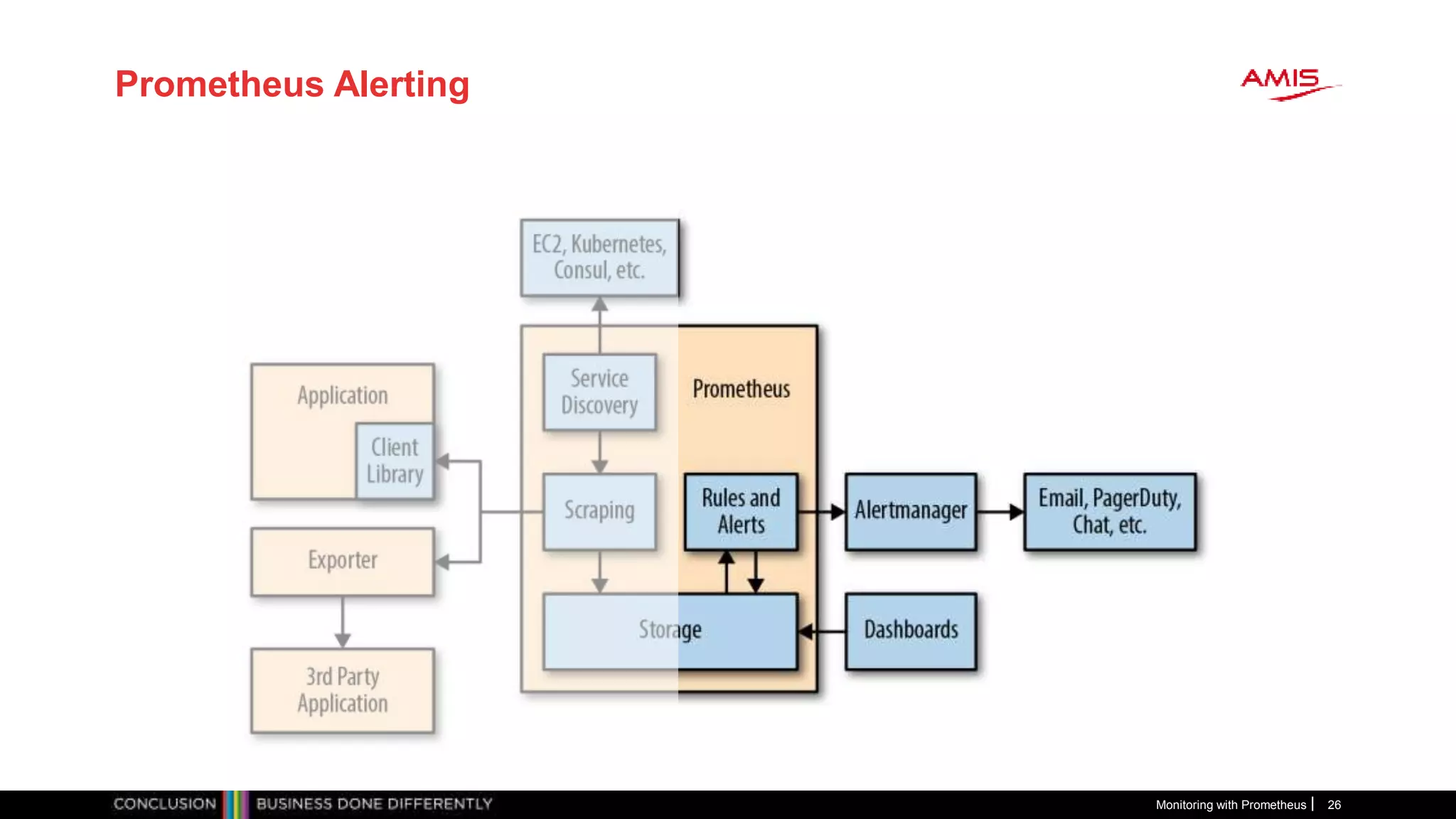
Prometheus Alerting
Monitoring with Prometheus 26
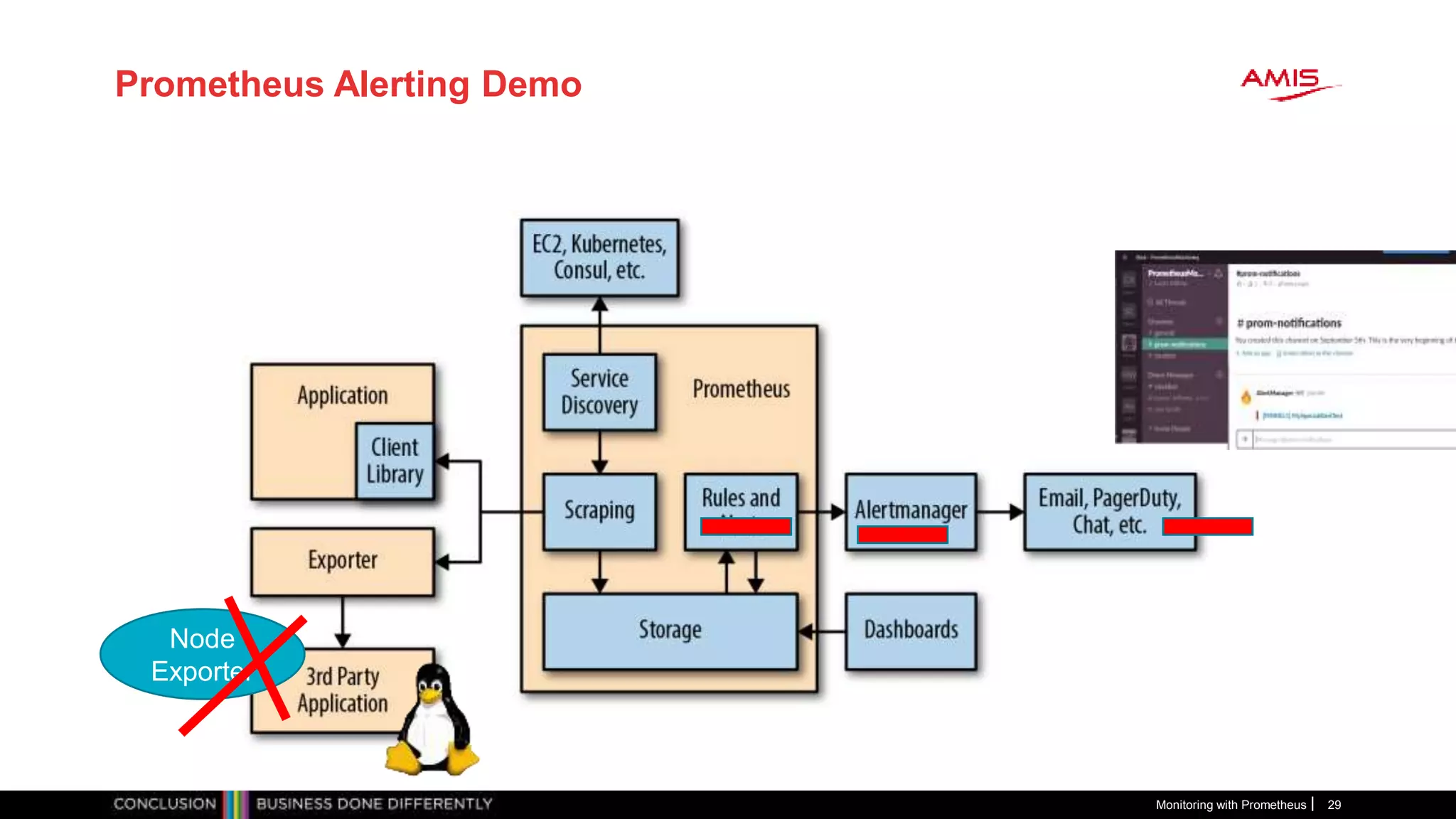
Prometheus Alerting
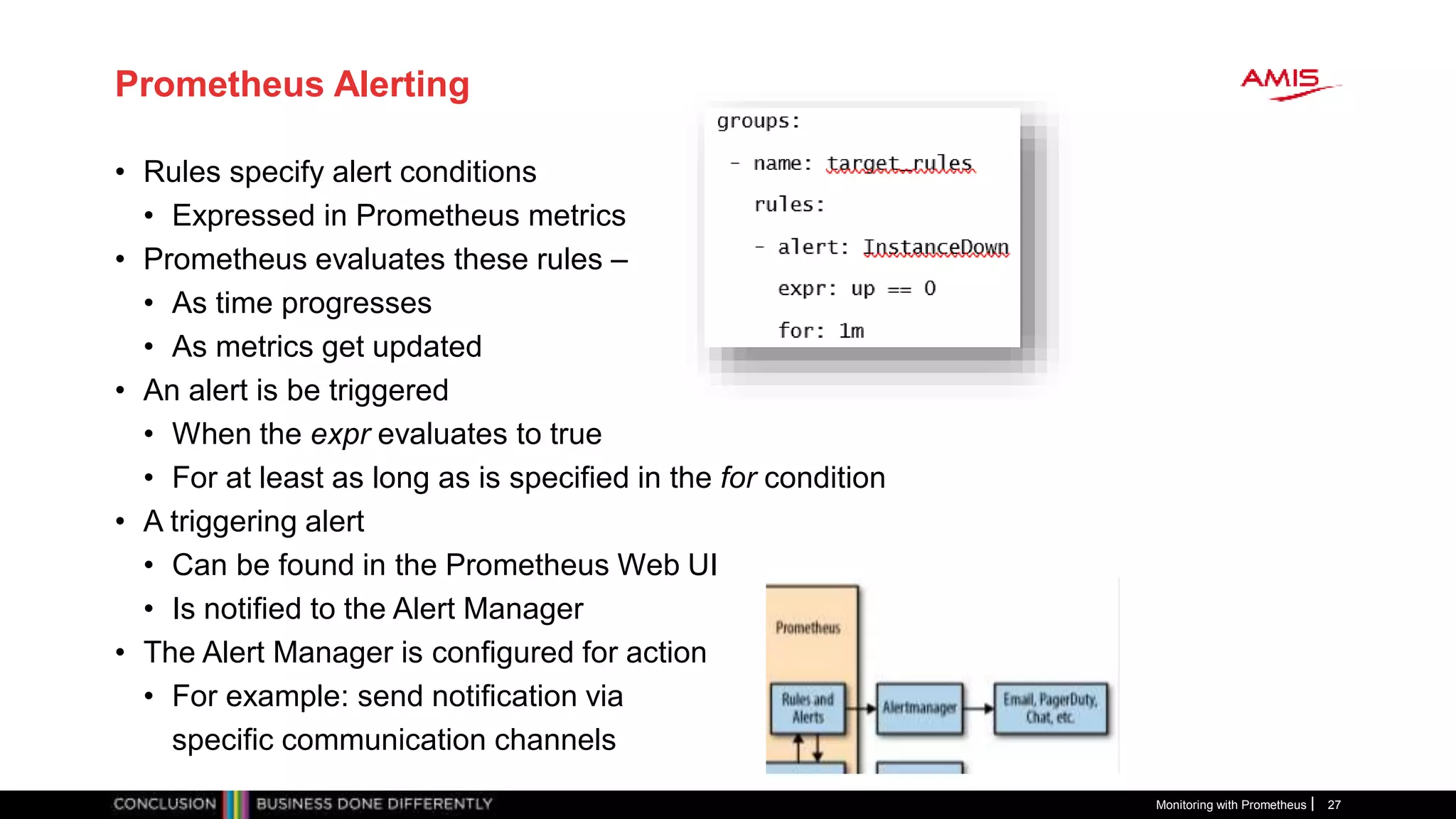
• Rules specify alert conditions
• Expressed in Prometheus metrics
• Prometheus evaluates these rules –
• As time progresses
• As metrics get updated
• An alert is be triggered
• When the expr evaluates to true
• For at least as long as is specified in the for condition
• A triggering alert
• Can be found in the Prometheus Web UI
• Is notified to the Alert Manager
• The Alert Manager is configured for action
• For example: send notification via
specific communication channels
Monitoring with Prometheus 27
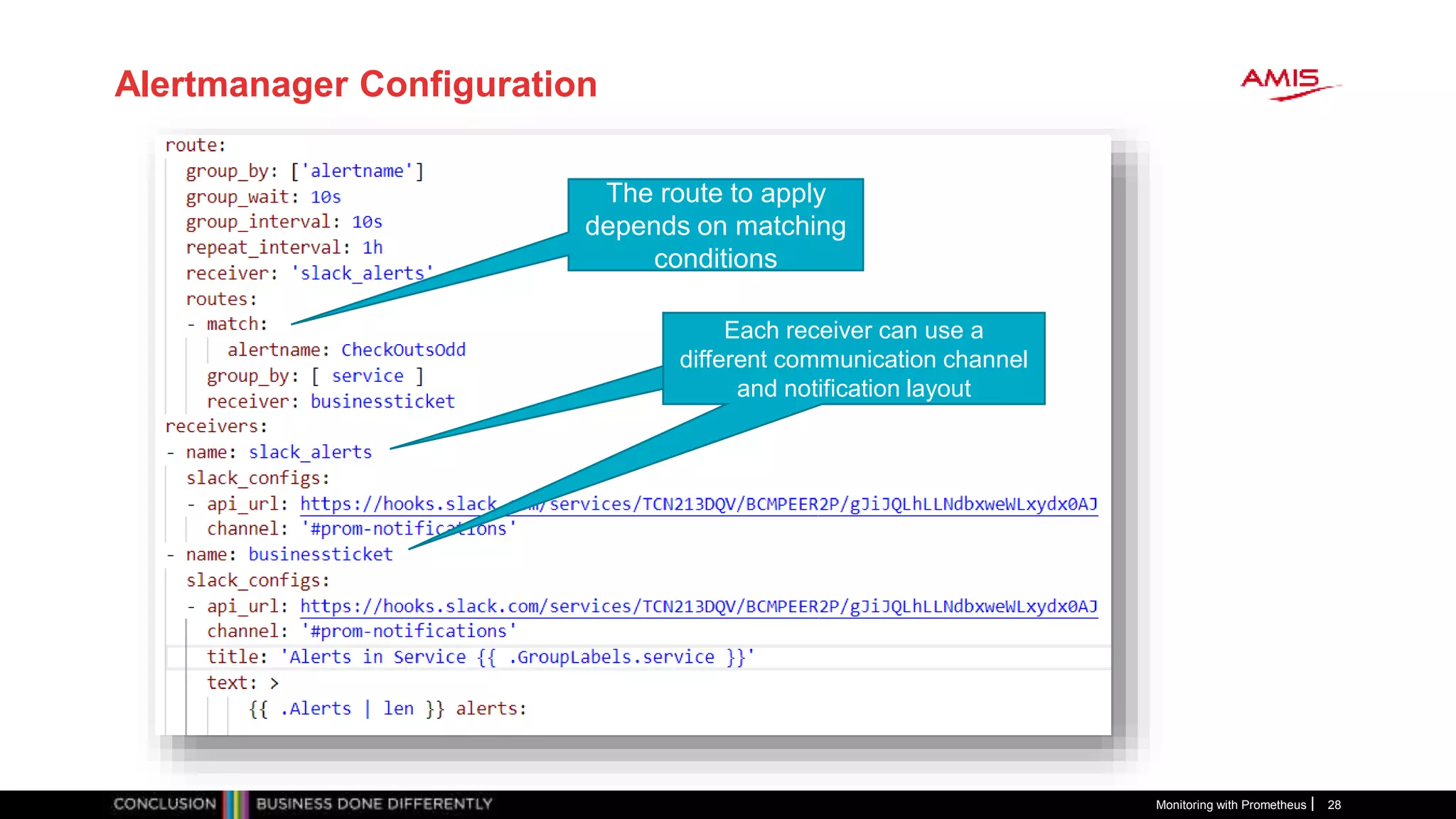
Alertmanager Configuration
Monitoring with Prometheus 28
The route to apply
depends on matching
conditions
Each receiver can use a
different communication channel
and notification layout
Each receiver can use a
different communication channel
and notification layout
Prometheus Alerting Demo
Monitoring with Prometheus 29
Node
Exporter
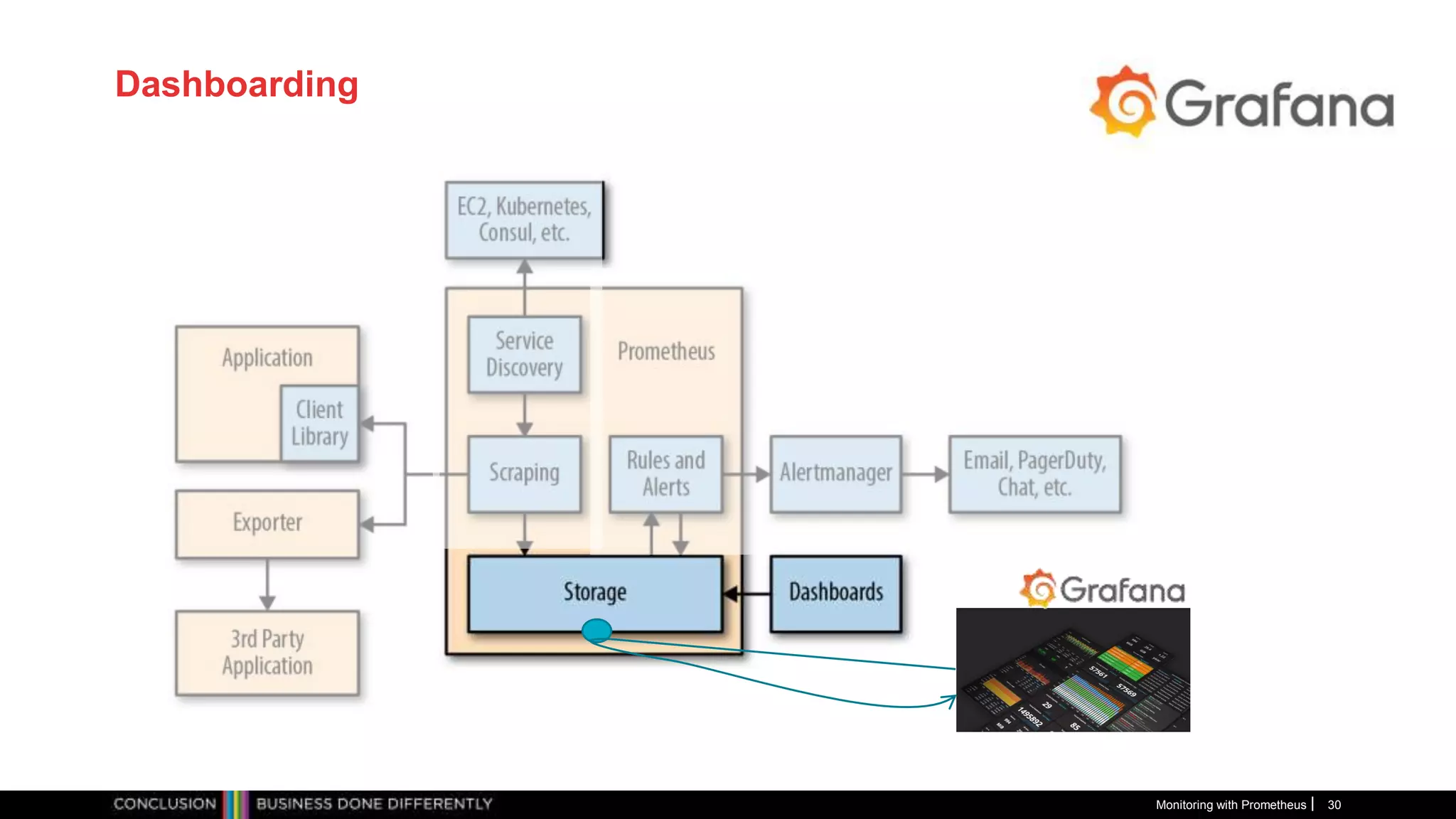
Dashboarding
Monitoring with Prometheus 30
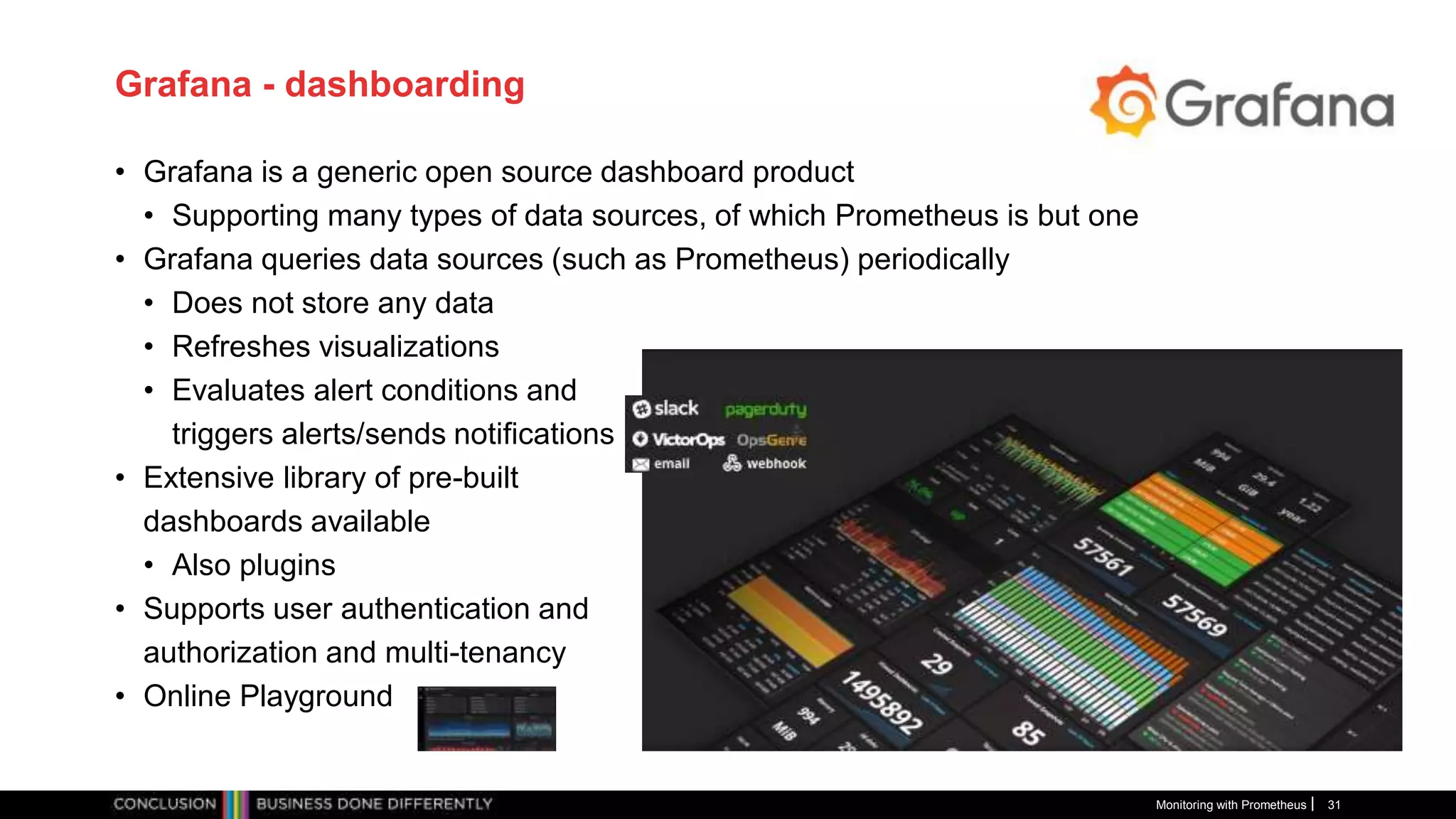
Grafana - dashboarding
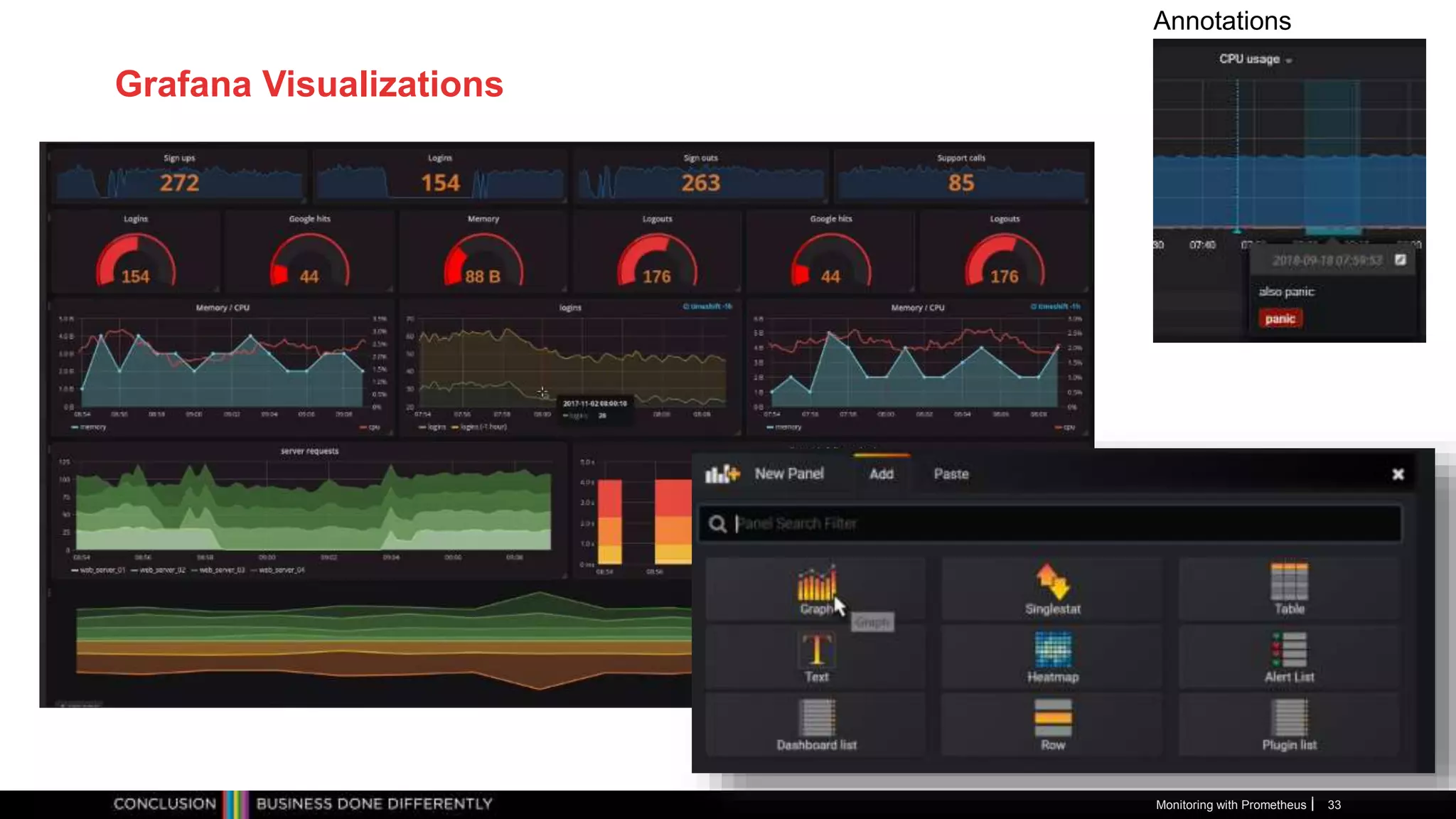
• Grafana is a generic open source dashboard product
• Supporting many types of data sources, of which Prometheus is but one
• Grafana queries data sources (such as Prometheus) periodically
• Does not store any data
• Refreshes visualizations
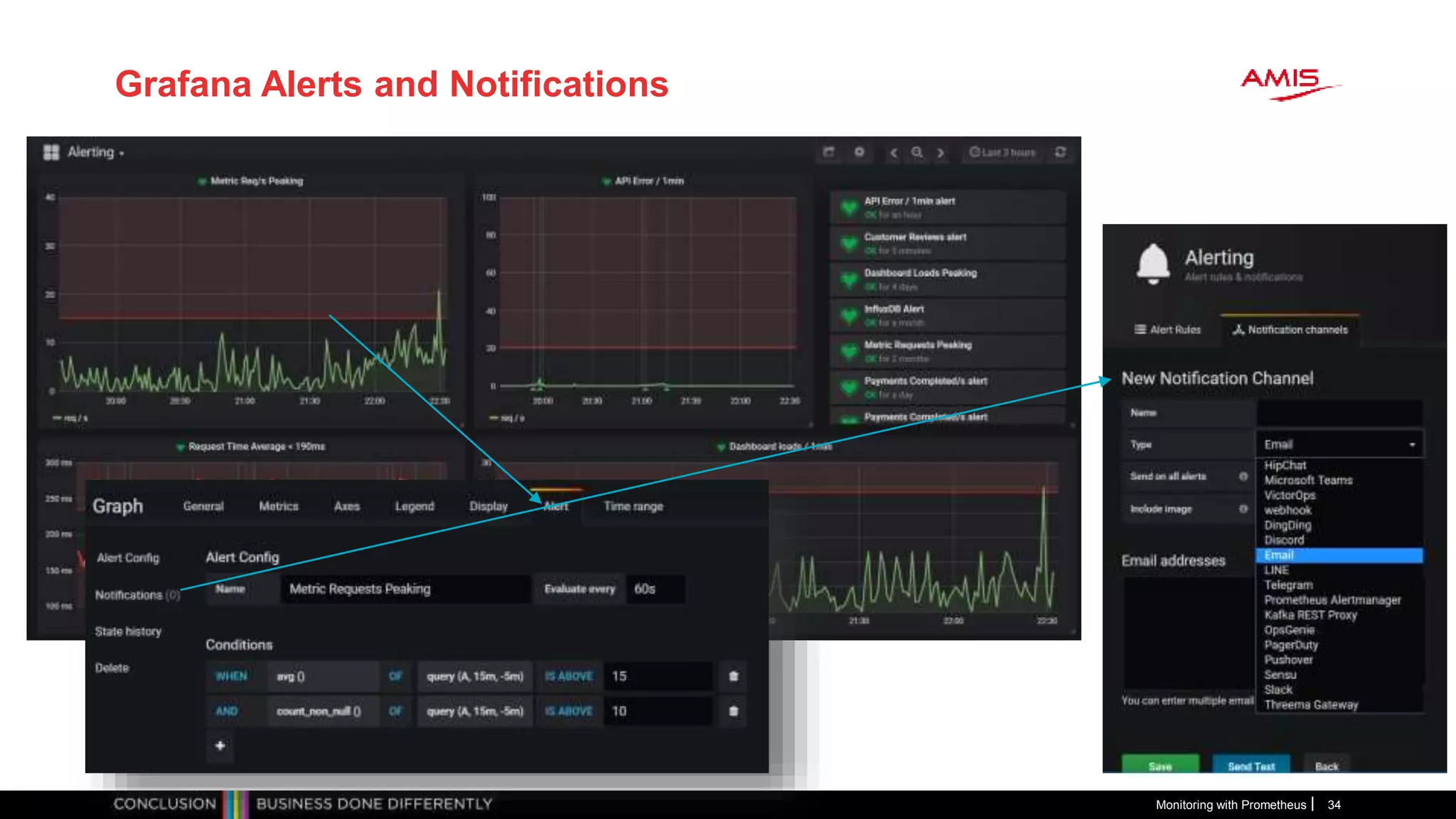
• Evaluates alert conditions and
triggers alerts/sends notifications
• Extensive library of pre-built
dashboards available
• Also plugins
• Supports user authentication and
authorization and multi-tenancy
• Online Playground
Monitoring with Prometheus 31
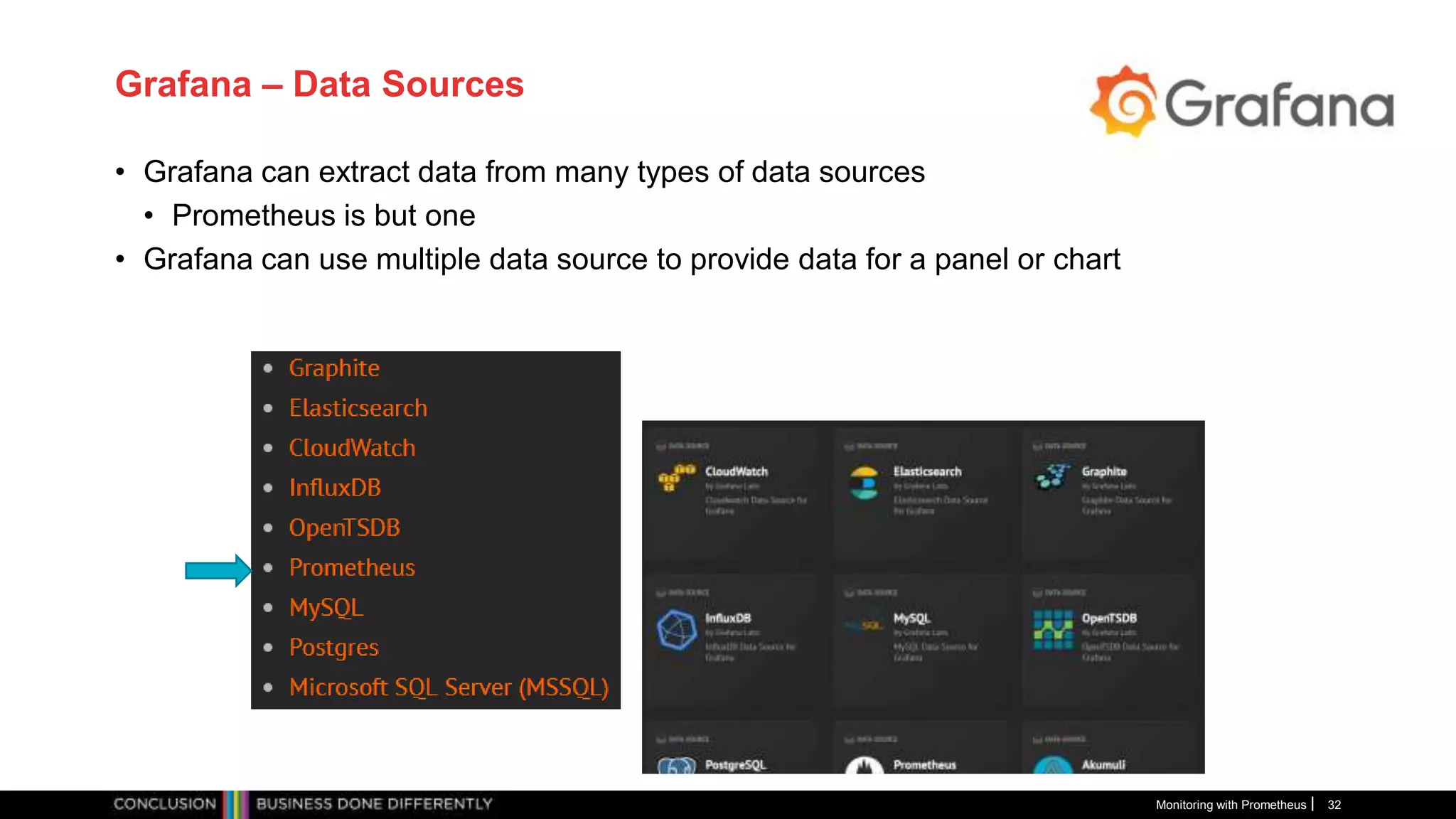
Grafana – Data Sources
• Grafana can extract data from many types of data sources
• Prometheus is but one
• Grafana can use multiple data source to provide data for a panel or chart
Monitoring with Prometheus 32
Grafana Visualizations
Monitoring with Prometheus 33
Annotations
Grafana Alerts and Notifications
Monitoring with Prometheus 34
Workshop
• Prometheus
• First steps
• Exporters for Linux, MySQL, Docker, Blackbox
• Custom Application instrumentation (Node application)
• Alerting
• Alert Manager and Notifications (to Slack)
• Grafana
• First steps
• Preconfigured Prometheus dashboard
• Custom Dashboard based on Prometheus metrics
• Alerts and notifications
• Use prebuilt VM image or build VM from scratch
• Need VirtualBox in both cases [and Vagrant for build from scratch]
Monitoring with Prometheus 35
Materials: http://bit.ly/prometheus-amis
Getting Started/Useful Resources
• KataCoda:
• https://www.katacoda.com/courses/prometheus
https://www.katacoda.com/courses/prometheus/creating-dashboards-with-grafana
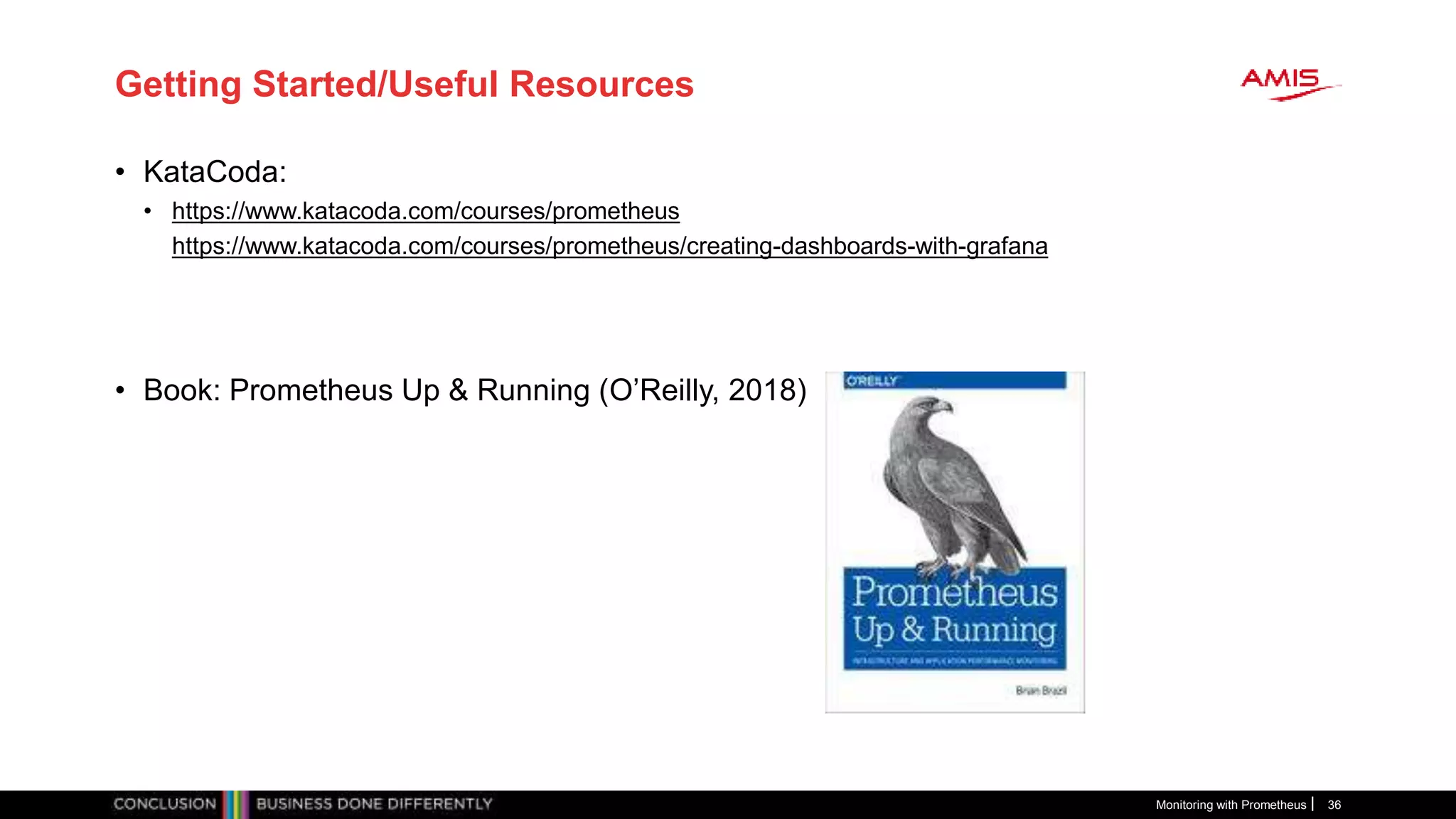
• Book: Prometheus Up & Running (O’Reilly, 2018)
Monitoring with Prometheus 36
धन्यवाद
dhanyavaad
Thank you
Dank je wel
• Blog: technology.amis.nl
• Email: lucas.jellema@amis.nl
• : @lucasjellema
• : lucas-jellema
• : www.amis.nl, info@amis.nl
https://github.com/lucasjellema

MeetUp Monitoring with Prometheus and Grafana (September 2018)

  • 1.
    Monitoring with Prometheus and Grafana Assuringbusiness value Monitoring with Prometheus 1 Lucas Jellema, CTO of AMIS Fall 2018
  • 2.
    Lucas Jellema Architect /Developer 1994 started in IT at Oracle 2002 joined AMIS Currently CTO & Solution Architect Monitoring with Prometheus 2
  • 3.
    Overview • Why monitoring? •How monitoring? • Metrics • gathering | processing | analyzing | presenting | alerting • Prometheus • History • Metrics • Exporters • Instrumentation of Applications • Grafana • Dinner • Handson Workshop Monitoring with Prometheus 3
  • 4.
    Monitoring • Observe [non-functional]behavior of business functions/applications in [near] real-time • Availability and health • Performance • Access – when and as it should be for whom it should be • Teams up with: • Profiling & Debugging – maximum context for activity spikes • Tracing – track paths through application [and platform & infra] stack • Logging – per application or platform component output for off-line processing • Note: log agents such as Elastic Stack Beats and Elasticsearch Monitoring with Prometheus 4
  • 5.
    What is requiredfor monitoring? • Gather operational metrics • And prepare | wrangle metrics (tag, filter, enrich, aggregate, …) • To raise alert • To human (via ticket/SMS/…) • To automated handler/agent • To support issue resolution (data for root cause analysis) • To analyze trends + effects/impact of change Monitoring with Prometheus 5
  • 6.
    Type of metrics •Primary metrics • Tied to SLA indicators • Relevant – representative of Key Performance Indicators • End user experience • Business activity throughput • Cost efficiency • Secondary metrics • Predictors for primary metrics • Technical metrics • Hygiene factors – not directly tied to specific business indicators • Temperature, Remaining Free Storage, Network Load, Monitoring with Prometheus 6
  • 7.
    Dashboard • Provide startingpoint to respond to an alert – start investigation (drill down, query) • Demonstration purposes • Always looks nice – a dashboard Monitoring with Prometheus 7
  • 8.
    Metrics are collectedacross the stack • Business Applications • SaaS, Standard Applications • Custom | Tailor made applications • Platform • Web Server, Application Server • Database • LDAP • JVM/Node/.NET/… runtime • Infra • Container, Container Platform (e.g. Kubernetes) • Operating System • Cache • Proxy, Load Balancer • Network • Storage, File System Monitoring with Prometheus 8 metrics
  • 9.
    Monitoring Monitoring with Prometheus9 Bus App Platform Component Infra Component metrics Metrics Store (time series) API to query metrics data Alert Handler (real time alert condition evaluator) notifications UI to browse metrics data
  • 10.
    History and Statusof Prometheus • Written in Go Lang – all open source, available on GitHub • Part of CNCF • https://prometheus.io/ • Since 2012 • Defacto standard for gathering metrics (?) • treating time-series data as a data source for generating alerts is now accessible to everyone through those open source tools like Prometheus Monitoring with Prometheus 10
  • 11.
    Prometheus • Gather metricsinto database • Scheduled pull |harvest| scrape actions – HTTP/TCP requests • Accessing Exporters and built in (scrape) endpoints • Make metrics availabe to consuming systems and humans • Such as Grafana (for dashboarding) • REST APIs • Prometheus UI – Graphs, Console, PromQL • Analyze metrics according to [alert] rules • Determine if alerts are “firing” • Act on firing alerts • Send notifications • Supports federation – global view over local environments and recovery of local environment Monitoring with Prometheus 11
  • 12.
  • 13.
    Prometheus Metrics • Allare numeric • Uniquely identified by name and set of labels • All can be labeled (associated with dimensions) • Aggregation is done grouped by dimension • (labels should have limited number of values) • Filtering and Drill down is also done using labels • Examples of labels: • Data Center, Region • Environment (Prod, Acc, Test) • Service, Application, Module • URL Path, request type, status, error code • Not for dynamic aspects such as date, time, user id, user IP Monitoring with Prometheus 13
  • 14.
    Demo – Gettingstarted with Prometheus Monitoring with Prometheus 14 prometheus.yml - job_name: 'prometheus' # metrics_path defaults to /metrics # scheme defaults to 'http'. static_configs: - targets: ['localhost:9090']
  • 15.
    Prometheus – Typesof Metrics • Basic counters: • Gauge – current value (%disk free, response time, state of database) • Counter - #occurrences – and the derived rate - #occurrences/time unit - (number of requests, number of bytes transferred); • counters can be reset but not decremented • Sampling Counters: • Summary – reports quantiles as well as total sum and total count (over sliding window) • Histogram – maps observations to buckets and reports number of instances per bucket (over sliding window) Monitoring with Prometheus 15
  • 16.
    Counter – pertime slice and as a rate Monitoring with Prometheus 16
  • 17.
    Exposing Metrics forPrometheus to Scrape • Have the application or environment listen for HTTP requests at a specific endpoint (for example: host:port/metrics) • Return Metrics in the proper format to GET requests to this endpoint • Use a Client Library to easily compose the proper metrics response messages • Configure the endpoint on the Prometheus server in the prometheus.yml file Monitoring with Prometheus 17 prometheus.yml - job_name: node-app scrape_interval: 5s metrics_path: /metrics static_configs: - targets: - 127.0.0.1:3001
  • 18.
    Client Libraries forExposing Metrics for Prometheus to Scrape from custom applications Monitoring with Prometheus 18 • Go • Java or Scala • Python • Ruby • Bash • C++ • Common Lisp • Elixir • Erlang • Haskell • Lua for Nginx • Lua for Tarantool • .NET / C# • Node.js • PHP • Rust
  • 19.
    Example of ExposingMetrics from a Node application Monitoring with Prometheus 19
  • 20.
    Prometheus Exporters • Specializedadapters to expose metrics for specific technology components • Installed and configured for a specific component • Scraped by Prometheus based on config file prometheus.yml that references the endpoint exposed by the exporter Monitoring with Prometheus 20
  • 21.
    Prometheus Exporters • Linux& Windows • Databases • Messaging Systems • Storage • HTTP • APIs • Logging • Monitoring Systems • Application Servers & Container Platforms • Blackbox Exporter • A growing number of components has built-in Promethes metrics publication Monitoring with Prometheus 21
  • 22.
    For example: OracleDatabase Exporter Monitoring with Prometheus 22 Oracle Database Prometheus Oracle Exporter Query v$ views & data dictionary objects Handles HTTP requests at /metrics
  • 23.
    Monitoring with Prometheus23 Oracle Database Prometheus Oracle Exporter
  • 24.
    Demo – (Linux)Node Exporter • Run node exporter as background job on Linux node Monitoring with Prometheus 24 Node Exporter
  • 25.
    Pushgateway for Short-LivedJobs • Jobs that may be gone before their metrics are scraped Monitoring with Prometheus 25
  • 26.
  • 27.
    Prometheus Alerting • Rulesspecify alert conditions • Expressed in Prometheus metrics • Prometheus evaluates these rules – • As time progresses • As metrics get updated • An alert is be triggered • When the expr evaluates to true • For at least as long as is specified in the for condition • A triggering alert • Can be found in the Prometheus Web UI • Is notified to the Alert Manager • The Alert Manager is configured for action • For example: send notification via specific communication channels Monitoring with Prometheus 27
  • 28.
    Alertmanager Configuration Monitoring withPrometheus 28 The route to apply depends on matching conditions Each receiver can use a different communication channel and notification layout Each receiver can use a different communication channel and notification layout
  • 29.
    Prometheus Alerting Demo Monitoringwith Prometheus 29 Node Exporter
  • 30.
  • 31.
    Grafana - dashboarding •Grafana is a generic open source dashboard product • Supporting many types of data sources, of which Prometheus is but one • Grafana queries data sources (such as Prometheus) periodically • Does not store any data • Refreshes visualizations • Evaluates alert conditions and triggers alerts/sends notifications • Extensive library of pre-built dashboards available • Also plugins • Supports user authentication and authorization and multi-tenancy • Online Playground Monitoring with Prometheus 31
  • 32.
    Grafana – DataSources • Grafana can extract data from many types of data sources • Prometheus is but one • Grafana can use multiple data source to provide data for a panel or chart Monitoring with Prometheus 32
  • 33.
    Grafana Visualizations Monitoring withPrometheus 33 Annotations
  • 34.
    Grafana Alerts andNotifications Monitoring with Prometheus 34
  • 35.
    Workshop • Prometheus • Firststeps • Exporters for Linux, MySQL, Docker, Blackbox • Custom Application instrumentation (Node application) • Alerting • Alert Manager and Notifications (to Slack) • Grafana • First steps • Preconfigured Prometheus dashboard • Custom Dashboard based on Prometheus metrics • Alerts and notifications • Use prebuilt VM image or build VM from scratch • Need VirtualBox in both cases [and Vagrant for build from scratch] Monitoring with Prometheus 35 Materials: http://bit.ly/prometheus-amis
  • 36.
    Getting Started/Useful Resources •KataCoda: • https://www.katacoda.com/courses/prometheus https://www.katacoda.com/courses/prometheus/creating-dashboards-with-grafana • Book: Prometheus Up & Running (O’Reilly, 2018) Monitoring with Prometheus 36
  • 37.
    धन्यवाद dhanyavaad Thank you Dank jewel • Blog: technology.amis.nl • Email: lucas.jellema@amis.nl • : @lucasjellema • : lucas-jellema • : www.amis.nl, info@amis.nl https://github.com/lucasjellema

Editor's Notes

  • #11 https://en.wikipedia.org/wiki/Draft:Prometheus_(software)
  • #14 https://pierrevincent.github.io/2017/12/prometheus-blog-series-part-1-metrics-and-labels/
  • #15 Preparation: Vagrant Up Vagrant SSH (open a few command windows with vagrant ssh into VM) Run Prometheus ./prometheus Show metrics: http://192.168.188.112:9090/metrics Open Web UI http://192.168.188.112:9090/targets Show Prometheus itself as target Goto Graph Show Prometheus metrics Show [1m] Show rate ([1m])
  • #17 [5m] will consider all data-points captured for our batch_jobs_completed_total metric for 5 minutes. Applying rate() to a range vectorcalculates the average rate of increase per second during that time-window. 
  • #20 Add Node app scrape job in prometheus.yml Run Node application Access Node app at http://192.168.188.112:3001/checkout
  • #22 https://prometheus.io/docs/instrumenting/exporters/
  • #23 https://github.com/freenetdigital/prometheus_oracle_exporter
  • #25 Run Linux exporter
  • #36 http://bit.ly/prometheus-amis
  • #38 Ukranian: Dyakuyu - https://www.google.nl/search?q=thank+you+in+ukrainian&rlz=1C1GGRV_enNL762NL762&oq=thank+y&aqs=chrome.1.69i59l2j69i61j0j69i57j0.1774j0j9&sourceid=chrome&ie=UTF-8 Russian: Spasibo