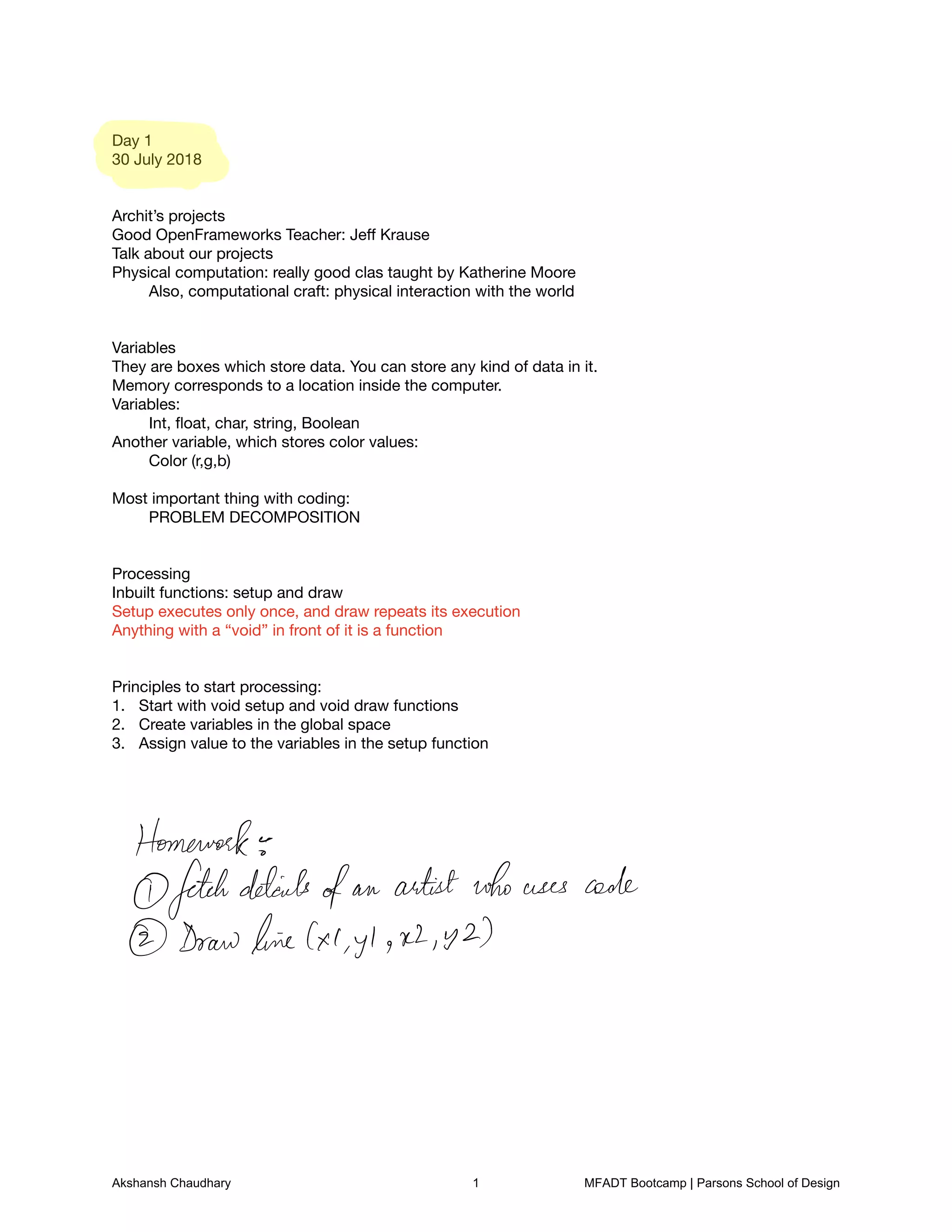
Day 1

30 July 2018


Archit’s projects

Good OpenFrameworks Teacher: Jeff Krause

Talk about our projects

Physical computation: really good clas taught by Katherine Moore

	 Also, computational craft: physical interaction with the world


Variables

They are boxes which store data. You can store any kind of data in it.

Memory corresponds to a location inside the computer. 

Variables:

	 Int, float, char, string, Boolean

Another variable, which stores color values:

	 Color (r,g,b)


Most important thing with coding: 

	 PROBLEM DECOMPOSITION


Processing

Inbuilt functions: setup and draw

Setup executes only once, and draw repeats its execution

Anything with a “void” in front of it is a function


Principles to start processing:

Start with void setup and void draw functions
1.
Create variables in the global space
2.
Assign value to the variables in the setup function 
3.


Homework
fetchdetails
ofan artistwho uses code
Drawline XI yl R2 y 2
Akshansh Chaudhary 1 MFADT Bootcamp | Parsons School of Design
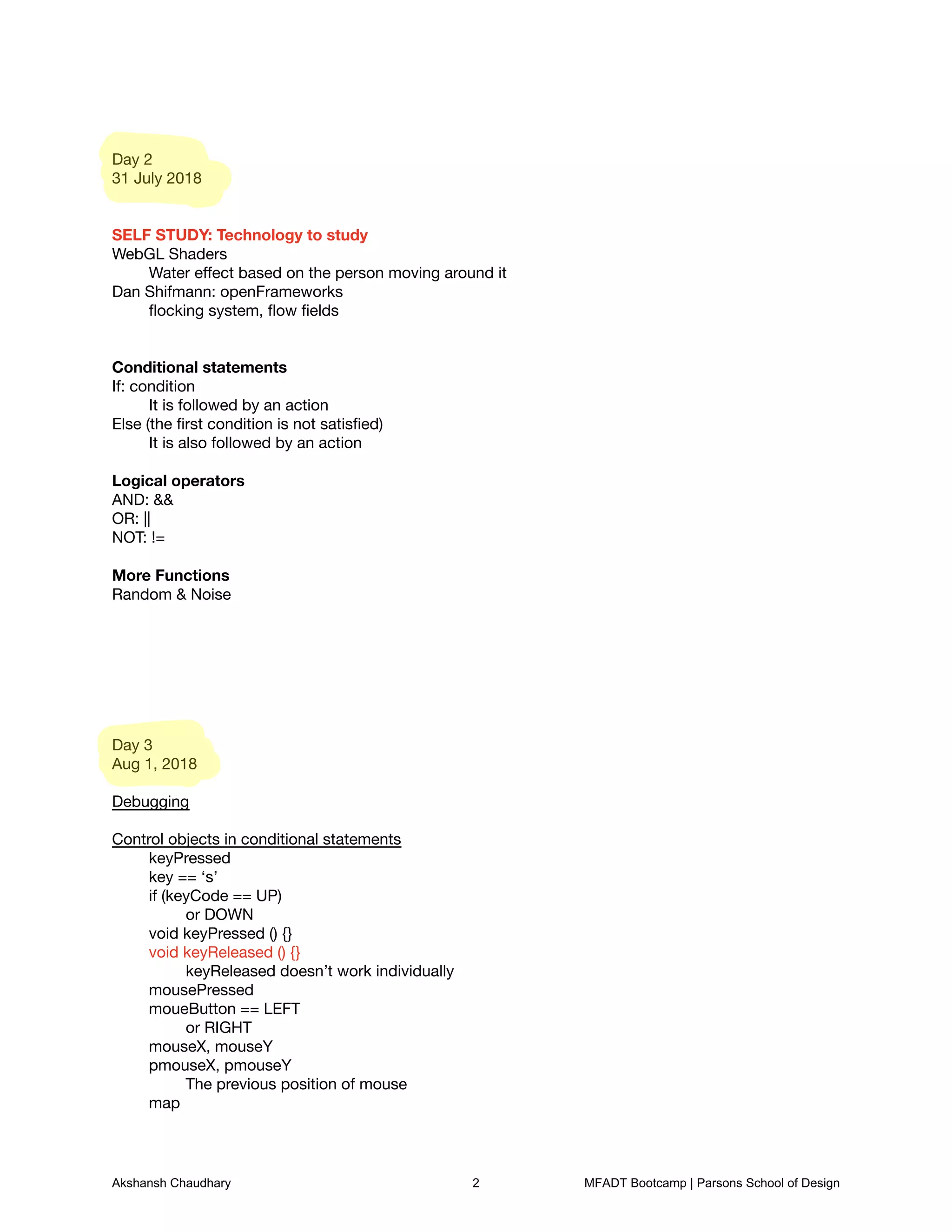
Day 2

31 July 2018


SELF STUDY: Technology to study

WebGL Shaders

	 Water effect based on the person moving around it

Dan Shifmann: openFrameworks

	 flocking system, flow fields


Conditional statements

If: condition

	 It is followed by an action

Else (the first condition is not satisfied)

	 It is also followed by an action


Logical operators

AND: &&

OR: ||

NOT: !=


More Functions

Random & Noise


Day 3

Aug 1, 2018


Debugging


Control objects in conditional statements

	 keyPressed

	 key == ‘s’

	 if (keyCode == UP)

	 	 or DOWN

	 void keyPressed () {}

	 void keyReleased () {}

	 	 keyReleased doesn’t work individually

	 mousePressed

	 moueButton == LEFT

	 	 or RIGHT

	 mouseX, mouseY

	 pmouseX, pmouseY

	 	 The previous position of mouse

	 map

Akshansh Chaudhary 2 MFADT Bootcamp | Parsons School of Design
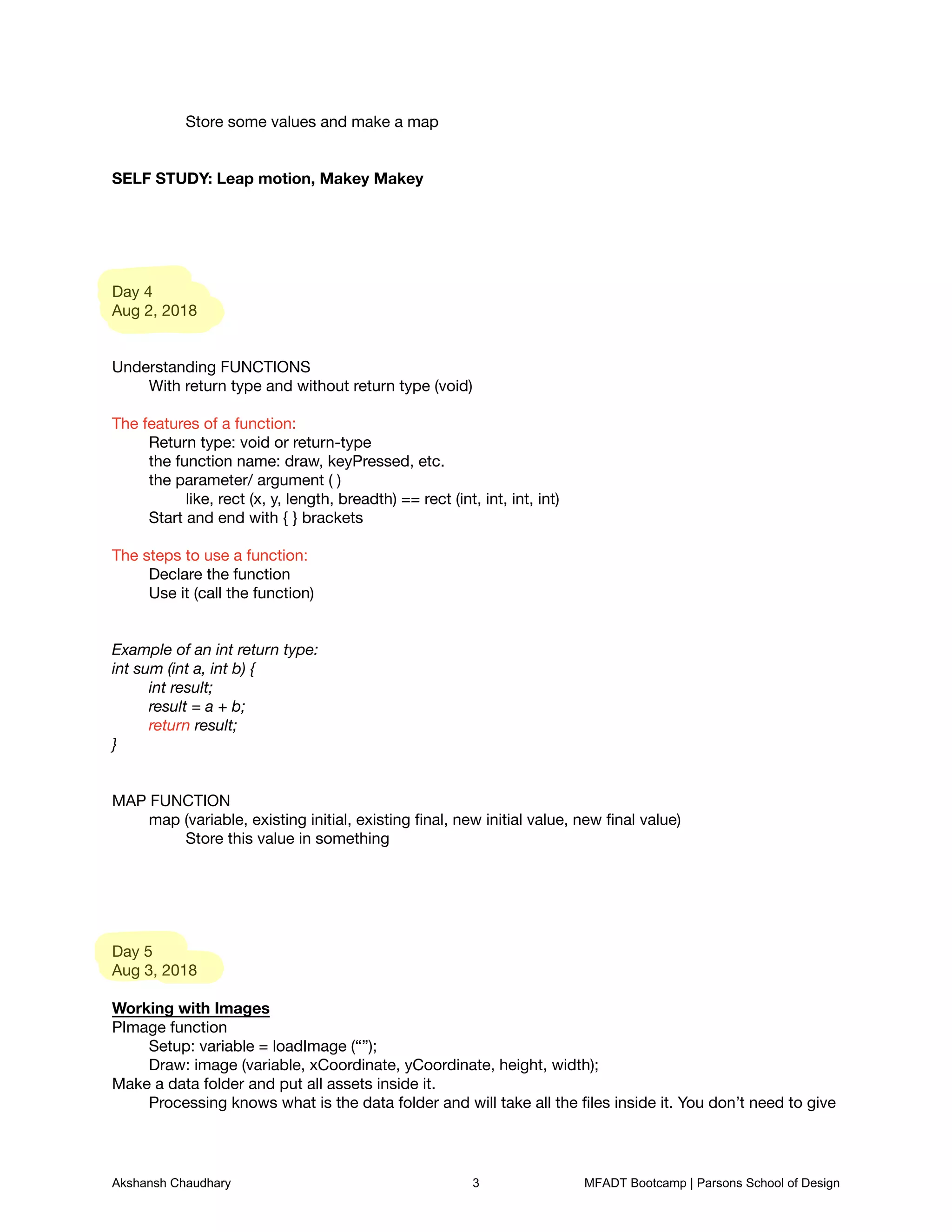
Store some values and make a map


SELF STUDY: Leap motion, Makey Makey


Day 4

Aug 2, 2018


Understanding FUNCTIONS

	 With return type and without return type (void)


The features of a function: 

	 Return type: void or return-type

	 the function name: draw, keyPressed, etc. 

	 the parameter/ argument ( ) 

	 	 like, rect (x, y, length, breadth) == rect (int, int, int, int)

	 Start and end with { } brackets


The steps to use a function:

	 Declare the function

	 Use it (call the function)


Example of an int return type:
int sum (int a, int b) {
	 int result;
	 result = a + b;
	 return result;
}


MAP FUNCTION

	 map (variable, existing initial, existing final, new initial value, new final value)

	 	 Store this value in something


Day 5

Aug 3, 2018


Working with Images

PImage function

	 Setup: variable = loadImage (“”);

	 Draw: image (variable, xCoordinate, yCoordinate, height, width);

Make a data folder and put all assets inside it. 

	 Processing knows what is the data folder and will take all the files inside it. You don’t need to give
Akshansh Chaudhary 3 MFADT Bootcamp | Parsons School of Design
a path for that folder inside processing.


Using Text

Types

	 text, textSize, fill (text color), 

Using a Google Font

	 PFont function


Day 5

Aug 6, 2018


Arrays and For Loops


ARRAYS

If variables are boxes, arrays are shipping containers for those boxes

	 Add [ ] next to a variable to make it an array

	 	 int [ ] batman = {90, 2, 23, 64}; (Batman is an int type)

	 	 string [ ] Spock = {“live”, “long”, “prosper”); (Spock is a string type)


Array naming convention:

	 batman [0] = 90, batman[2] = 23


Give a size of an array (instead of adding values to it)

	 int[ ] num = new int [6]

	 	 This is an array of 6 elements


2D Arrays

	 int [ ] [ ] batman = {32, 53, 64, 12} {123, 64, 15, 64};


FOR Loop 

It can control the number of times the draw function repeats itself 


for (int i = 0; i<5; i++) { }


Day 7

Aug 7, 2018


TRANSFORMATION


Rotate, scale: these transformations rotate the entire canvas

To keep the transformations limited to a particular object, use pushMatrix and popMatrix


Example:

Akshansh Chaudhary 4 MFADT Bootcamp | Parsons School of Design
pushMatrix();

fill(o, 0, 255);

translate(width/2, height/2);

scale(5,5);

ellipse(0,0,20,20);

popMatrix();

angle++;


Day 8

Aug 8, 2018


OBJECTS and CLASSES


Class is a template or blueprint of something, which you can call in a program

	 eg. make a dog: class

	 	 features (nouns) of the dog: variables

	 	 activities (verbs) of the dog: functions	 


ACTIVITY

You are a Venture Capitalists and you want to make a hover board

	 List the list of things (data: parts of the hover board) and identify the functions (what the hover
board can do)


THINGS (data/ components)

Board;

SizeX;

SizeY;

SizeZ;

Speed;

LoadCapacity;

Thrust;

Color;


FUNCTIONS (features)

runOverWater(){}

FlyInverted(){}

NormalFly() {}

TurnLeft () {}

TurnRight () {}

Bounce() {}

SpeedBreak() {}

ThrowLasers() {}

FlipLocation() {}

ElectricCharge () {}


Comments on using classes: inside the sample program

Akshansh Chaudhary 5 MFADT Bootcamp | Parsons School of Design
Day 10

Aug 10, 2018


TEXT ADVENTURE CRITIQUE

The text flow of the text adventure was not in order
1.
Probably, make the options come as a pop up in another screen
A.


BOOTCAMP FINAL CRITIQUE

Don’t say it is a game. Say it as a Playful Interaction or Storytelling
1.
Sven is critical about games not working as games
A.
Update Design Statement: what is the purpose of the project?
2.
Who is it for?
A.
Akshansh Chaudhary 6 MFADT Bootcamp | Parsons School of Design

Bootcamp Code Notes - Akshansh Chaudhary

  • 2.
    Day 1 30 July2018 Archit’s projects Good OpenFrameworks Teacher: Jeff Krause Talk about our projects Physical computation: really good clas taught by Katherine Moore Also, computational craft: physical interaction with the world Variables They are boxes which store data. You can store any kind of data in it. Memory corresponds to a location inside the computer. Variables: Int, float, char, string, Boolean Another variable, which stores color values: Color (r,g,b) Most important thing with coding: PROBLEM DECOMPOSITION Processing Inbuilt functions: setup and draw Setup executes only once, and draw repeats its execution Anything with a “void” in front of it is a function Principles to start processing: Start with void setup and void draw functions 1. Create variables in the global space 2. Assign value to the variables in the setup function 3. Homework fetchdetails ofan artistwho uses code Drawline XI yl R2 y 2 Akshansh Chaudhary 1 MFADT Bootcamp | Parsons School of Design
  • 3.
    Day 2 31 July2018 SELF STUDY: Technology to study WebGL Shaders Water effect based on the person moving around it Dan Shifmann: openFrameworks flocking system, flow fields Conditional statements If: condition It is followed by an action Else (the first condition is not satisfied) It is also followed by an action Logical operators AND: && OR: || NOT: != More Functions Random & Noise Day 3 Aug 1, 2018 Debugging Control objects in conditional statements keyPressed key == ‘s’ if (keyCode == UP) or DOWN void keyPressed () {} void keyReleased () {} keyReleased doesn’t work individually mousePressed moueButton == LEFT or RIGHT mouseX, mouseY pmouseX, pmouseY The previous position of mouse map Akshansh Chaudhary 2 MFADT Bootcamp | Parsons School of Design
  • 4.
    Store some valuesand make a map SELF STUDY: Leap motion, Makey Makey Day 4 Aug 2, 2018 Understanding FUNCTIONS With return type and without return type (void) The features of a function: Return type: void or return-type the function name: draw, keyPressed, etc. the parameter/ argument ( ) like, rect (x, y, length, breadth) == rect (int, int, int, int) Start and end with { } brackets The steps to use a function: Declare the function Use it (call the function) Example of an int return type: int sum (int a, int b) { int result; result = a + b; return result; } MAP FUNCTION map (variable, existing initial, existing final, new initial value, new final value) Store this value in something Day 5 Aug 3, 2018 Working with Images PImage function Setup: variable = loadImage (“”); Draw: image (variable, xCoordinate, yCoordinate, height, width); Make a data folder and put all assets inside it. Processing knows what is the data folder and will take all the files inside it. You don’t need to give Akshansh Chaudhary 3 MFADT Bootcamp | Parsons School of Design
  • 5.
    a path forthat folder inside processing. Using Text Types text, textSize, fill (text color), Using a Google Font PFont function Day 5 Aug 6, 2018 Arrays and For Loops ARRAYS If variables are boxes, arrays are shipping containers for those boxes Add [ ] next to a variable to make it an array int [ ] batman = {90, 2, 23, 64}; (Batman is an int type) string [ ] Spock = {“live”, “long”, “prosper”); (Spock is a string type) Array naming convention: batman [0] = 90, batman[2] = 23 Give a size of an array (instead of adding values to it) int[ ] num = new int [6] This is an array of 6 elements 2D Arrays int [ ] [ ] batman = {32, 53, 64, 12} {123, 64, 15, 64}; FOR Loop It can control the number of times the draw function repeats itself for (int i = 0; i<5; i++) { } Day 7 Aug 7, 2018 TRANSFORMATION Rotate, scale: these transformations rotate the entire canvas To keep the transformations limited to a particular object, use pushMatrix and popMatrix Example: Akshansh Chaudhary 4 MFADT Bootcamp | Parsons School of Design
  • 6.
    pushMatrix(); fill(o, 0, 255); translate(width/2,height/2); scale(5,5); ellipse(0,0,20,20); popMatrix(); angle++; Day 8 Aug 8, 2018 OBJECTS and CLASSES Class is a template or blueprint of something, which you can call in a program eg. make a dog: class features (nouns) of the dog: variables activities (verbs) of the dog: functions ACTIVITY You are a Venture Capitalists and you want to make a hover board List the list of things (data: parts of the hover board) and identify the functions (what the hover board can do) THINGS (data/ components) Board; SizeX; SizeY; SizeZ; Speed; LoadCapacity; Thrust; Color; FUNCTIONS (features) runOverWater(){} FlyInverted(){} NormalFly() {} TurnLeft () {} TurnRight () {} Bounce() {} SpeedBreak() {} ThrowLasers() {} FlipLocation() {} ElectricCharge () {} Comments on using classes: inside the sample program Akshansh Chaudhary 5 MFADT Bootcamp | Parsons School of Design
  • 7.
    Day 10 Aug 10,2018 TEXT ADVENTURE CRITIQUE The text flow of the text adventure was not in order 1. Probably, make the options come as a pop up in another screen A. BOOTCAMP FINAL CRITIQUE Don’t say it is a game. Say it as a Playful Interaction or Storytelling 1. Sven is critical about games not working as games A. Update Design Statement: what is the purpose of the project? 2. Who is it for? A. Akshansh Chaudhary 6 MFADT Bootcamp | Parsons School of Design