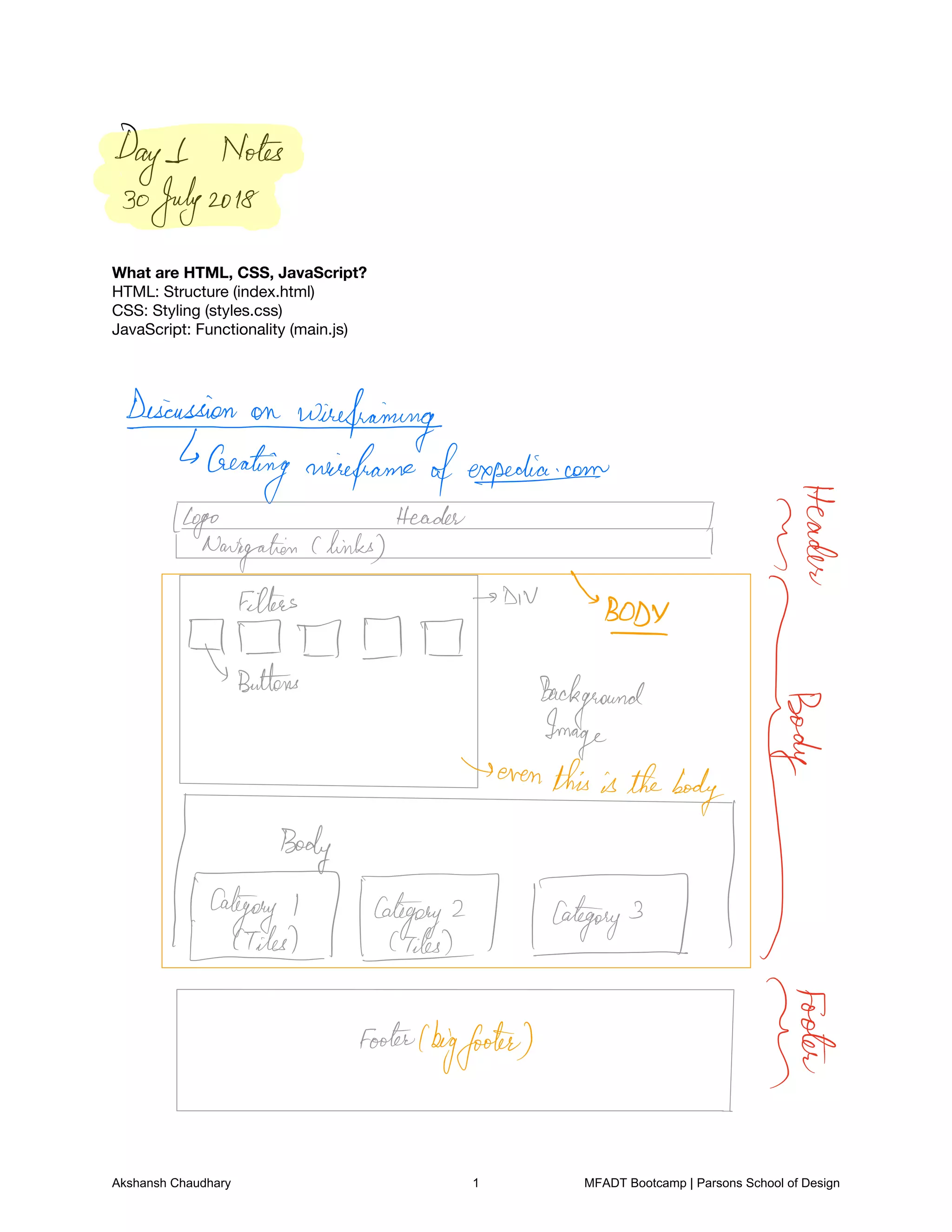
What are HTML, CSS, JavaScript?

HTML: Structure (index.html)

CSS: Styling (styles.css)

JavaScript: Functionality (main.js)


Days Notes
30July2018
Desicussiononwirefraining
Creating wireframe ofexpedia.com
3Eg
I I Itis's Bose
µ
Buttons
Background
tent
h
F 7 I
t
Footetlbigfooter
Jtf
Akshansh Chaudhary 1 MFADT Bootcamp | Parsons School of Design
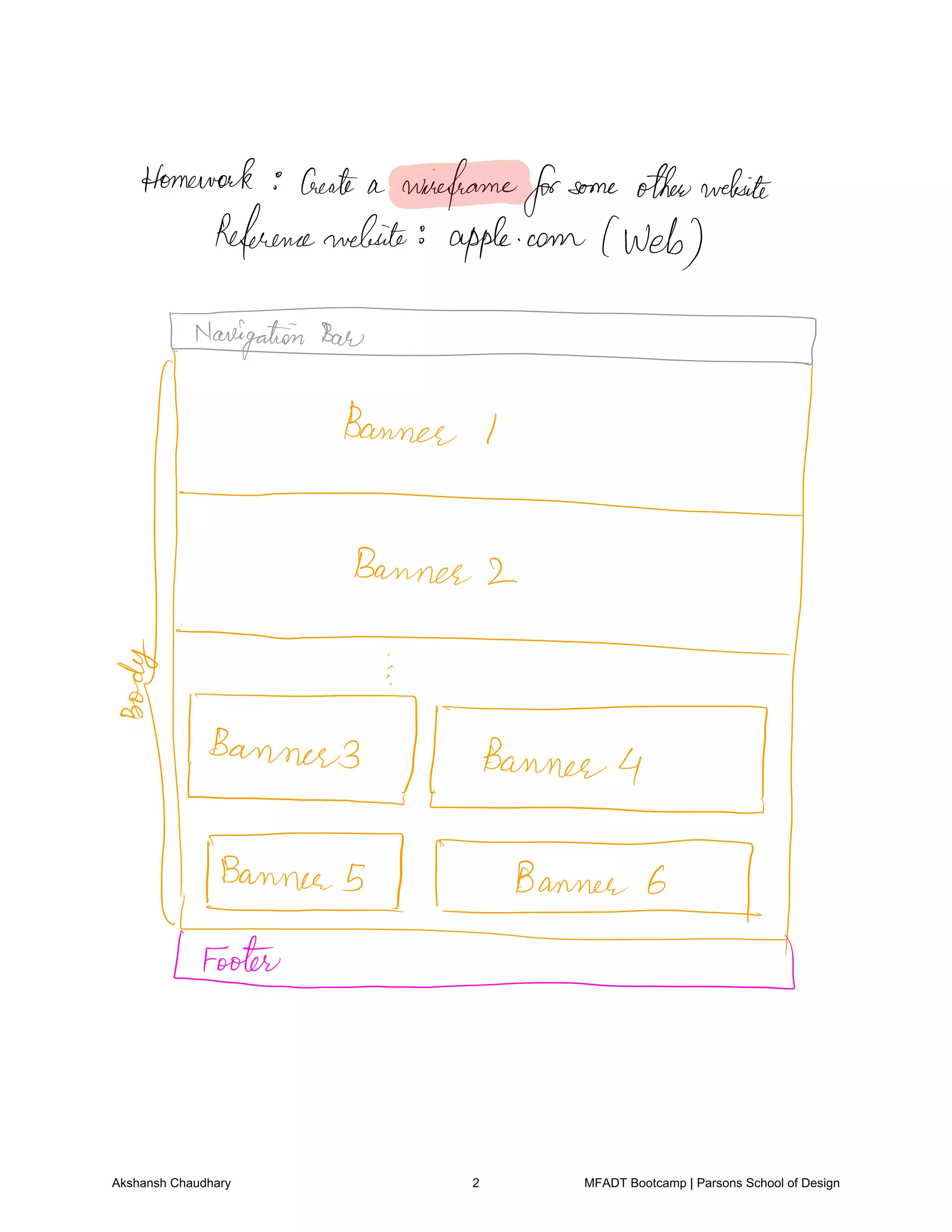
Homework Create a wireframeforsome otherwebsite
Referencewebsite apple.com web
E
I
T T
FX
Akshansh Chaudhary 2 MFADT Bootcamp | Parsons School of Design
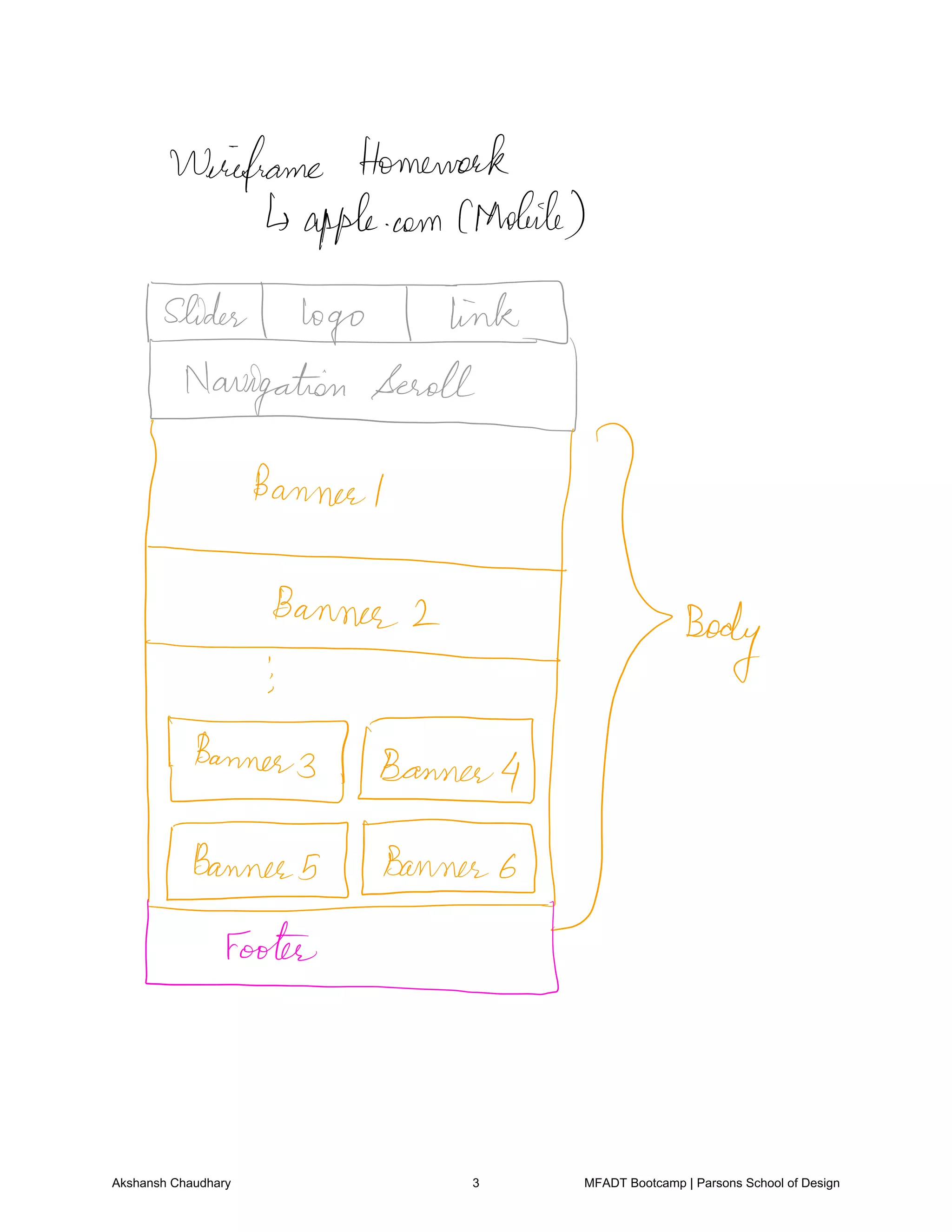
Wireframe Homework
apple.com CMobile
TEE
em
t
her
Akshansh Chaudhary 3 MFADT Bootcamp | Parsons School of Design
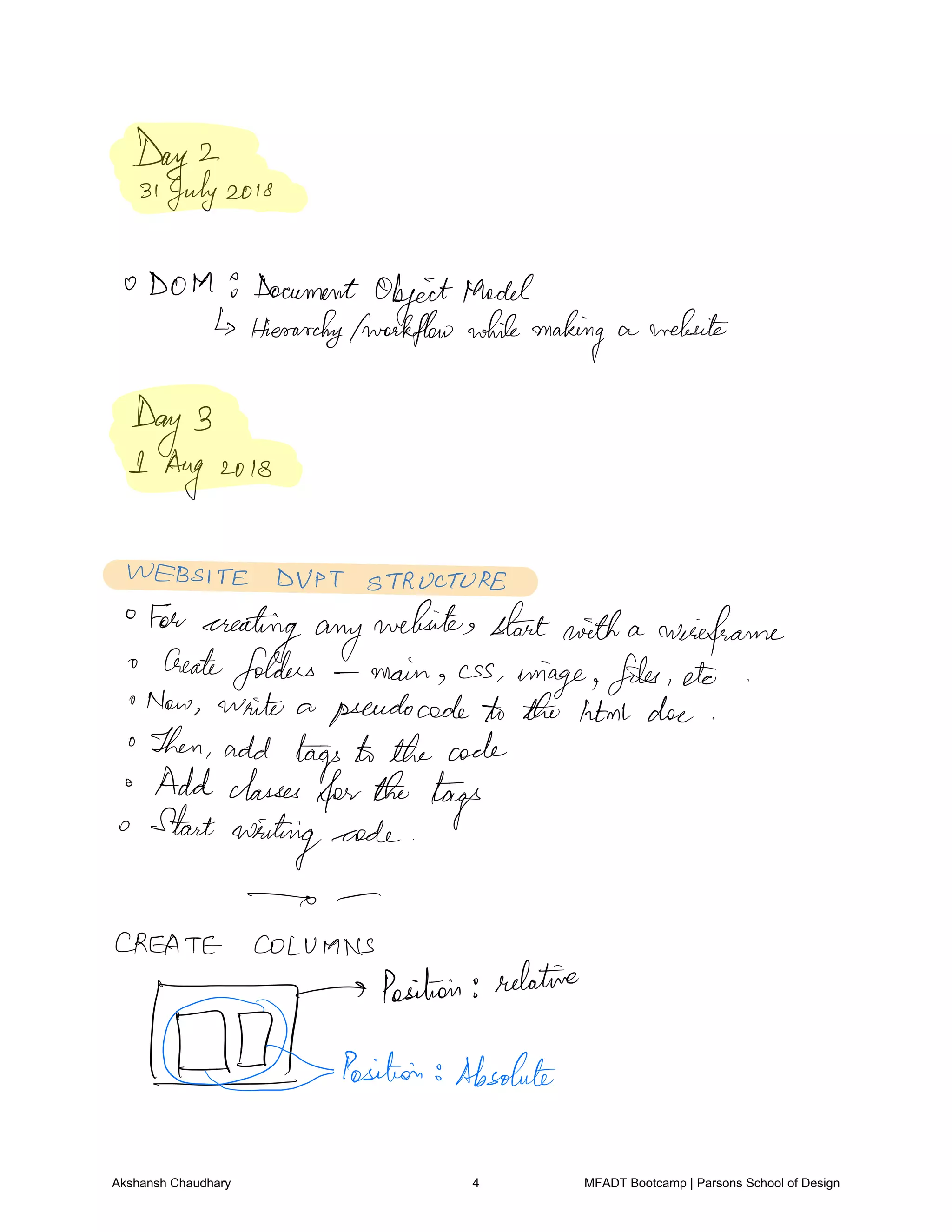
Day 2
31July2018
DOM 9 Document
ObjectModel
Hierarchyfworkflow whilemaking a website
Day 3
I Aug 2018
WEBSITE DUPT STRUCTURE
For
creatingany
websites startwith a wireframe
Create
folders main css
image files etc
Now write a pseudocode to the html doe
Then add tags to the code
Add classes
forthe tags
Start
writing code
CREATE COLUMNS
y
Position relative
Position Absolute
Akshansh Chaudhary 4 MFADT Bootcamp | Parsons School of Design
Homework:

Content map

Home

Industry Projects

IT

Pharma

Marketing

Academic Projects
Study notes website

Apply Parsons website

Processing

Self Projects

Logo Design

Photography

Design rangoli making

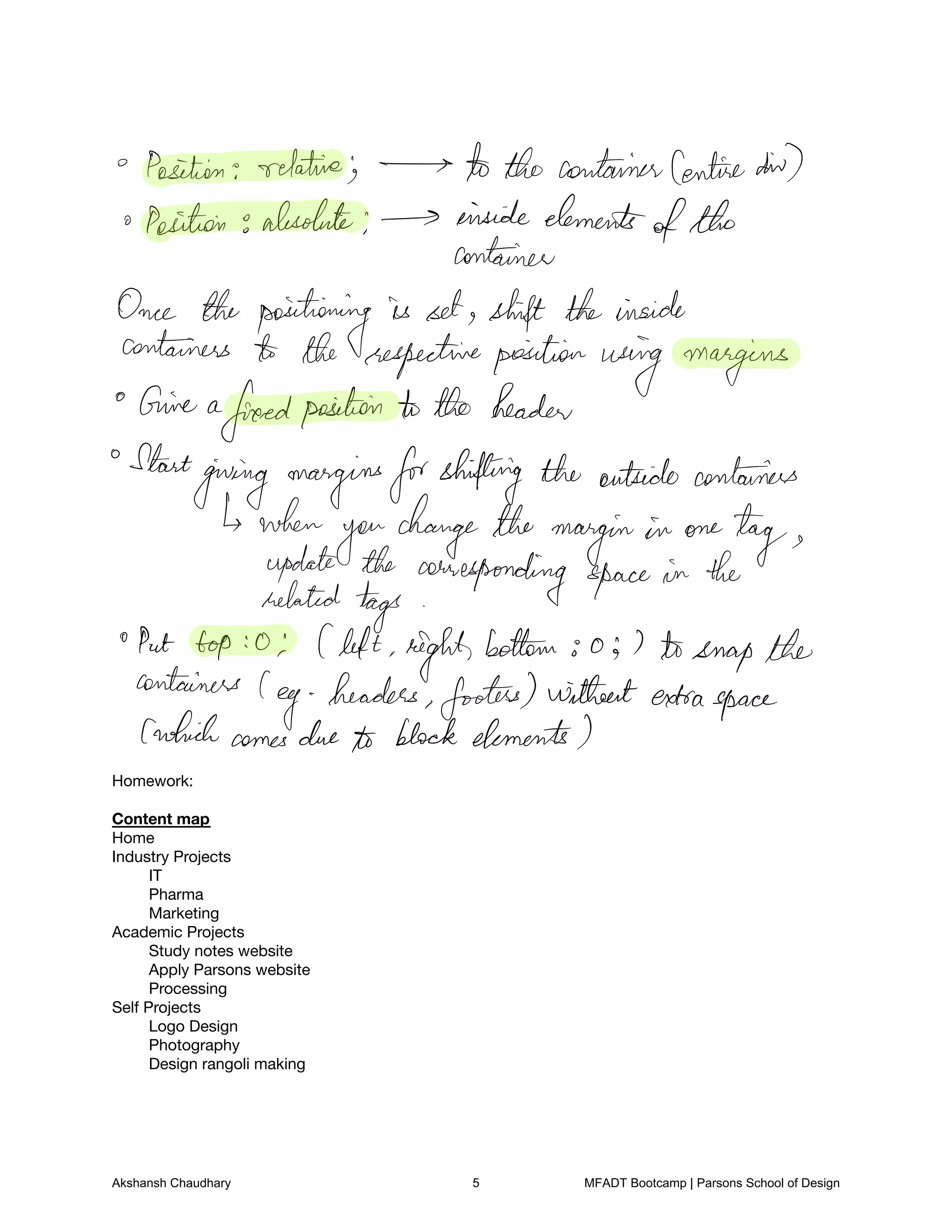
Position relative the containerCentredid
a Position absolute inside elements
ofthe
container
Once the positioning is set shift theinside
containers the respectiveposition using margins
Give a
freedposition to the header
Start
giving marginsforshifting the outside containers
when
you
change the margin in one
tagupdate the corresponding space in the
related tags
Put top o Cleft right
bottom o 7 tosnapthe
containers
leg headers footers withoutextraspace
whichcomesdue to block elements
Akshansh Chaudhary 5 MFADT Bootcamp | Parsons School of Design
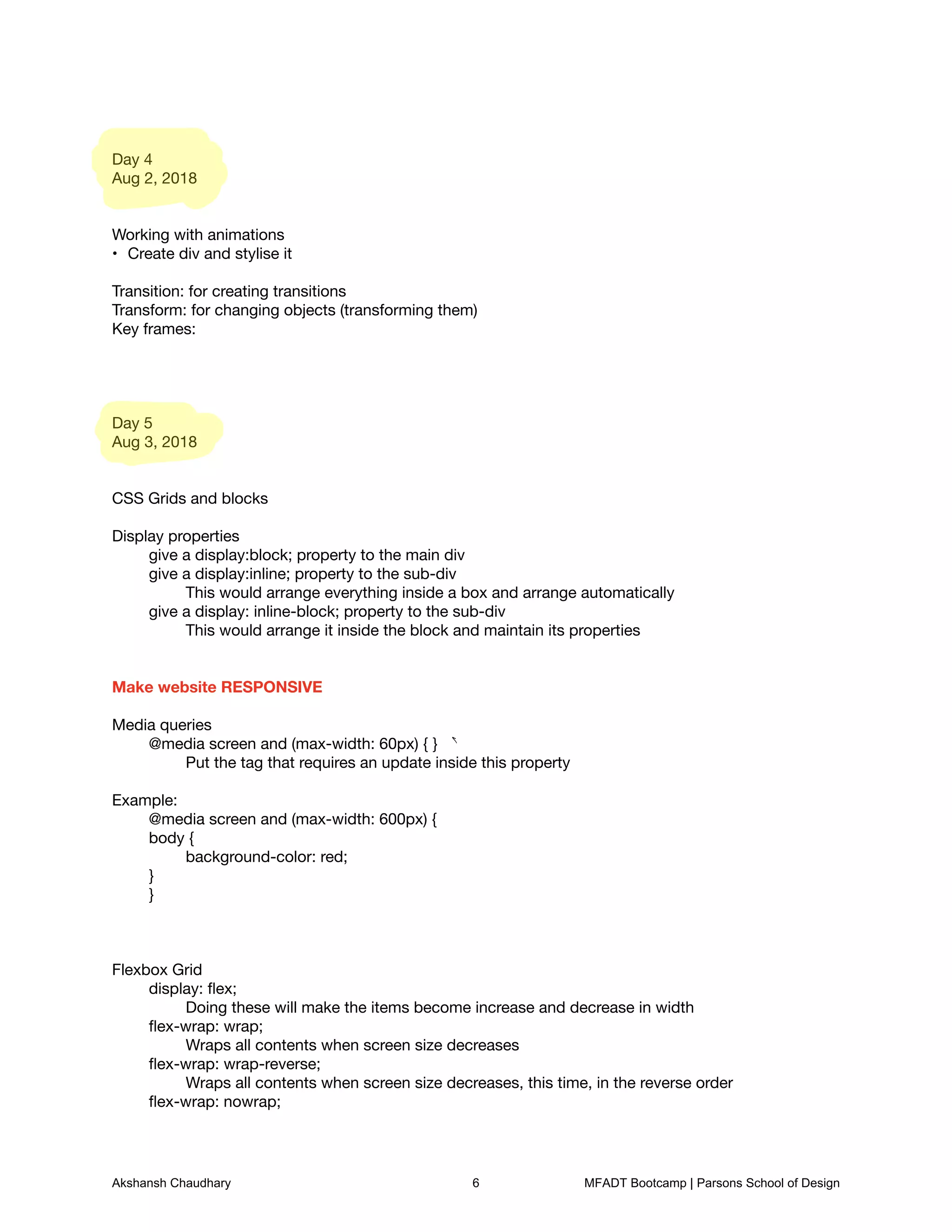
Day 4

Aug 2, 2018


Working with animations

Create div and stylise it
•


Transition: for creating transitions

Transform: for changing objects (transforming them)

Key frames: 


Day 5

Aug 3, 2018


CSS Grids and blocks


Display properties

	 give a display:block; property to the main div

	 give a display:inline; property to the sub-div

	 	 This would arrange everything inside a box and arrange automatically

	 give a display: inline-block; property to the sub-div

	 	 This would arrange it inside the block and maintain its properties


Make website RESPONSIVE


Media queries

	 @media screen and (max-width: 60px) { }

	 	 Put the tag that requires an update inside this property


Example:

	 @media screen and (max-width: 600px) {

	 body {

	 	 background-color: red;

	 }

	 }


Flexbox Grid

	 display: flex;

	 	 Doing these will make the items become increase and decrease in width

	 flex-wrap: wrap;

	 	 Wraps all contents when screen size decreases

	 flex-wrap: wrap-reverse;

	 	 Wraps all contents when screen size decreases, this time, in the reverse order

	 flex-wrap: nowrap;

a
Akshansh Chaudhary 6 MFADT Bootcamp | Parsons School of Design
Does not wrap the contents


	 justify-content: Center, flex-start, flex-end, space-between, space-around, space-evenly;

	 	 For spacing inside the div and flex container


Target a specific div

	 div:nth-child (1n) {}

	 	 This is to target that particular child inside a parent. It gives the value to every other child
(unless stated otherwise)

	 	 	 So, 1n: first element, 2n: 2nd element

	 	 	 	 If there are 3 elements, the 3rd element will have the property of the 1n element
(loops)


Grid-column and grid-row

	 It counts the number of lines there are in a grid. 

	 	 So, if there are 4 blocks, there would be 5 lines.

	 	 You would mention grid-column: 1/ 5 to count all the lines. 

	 	 	 Alternatively, mention grid-column: 1/ -1 (from start “1” to finish “-1”)


Day 7

Aug 7 2018


JAVASCRIPT


Linking a JS file

	 <script src=“js/main.js”></script>


Variable: var

	 Use only var instead of int, string, bool, float


(x++) vs (++x)

	 x++ assigns the value first, and then increments itself

	 ++x adds the value and then assigns it


Check if a code is working or not

	 eg. console.log(stuff[1]);


Using buttons

<p id=“display”></p>

<button type=“button” onclick=“document.getElementById(‘display’).innerHTML=‘Hi. This is Akshansh’
“>Click here </button>

	 Breakdown:

	 	 onclick: if clicked on the button

	 	 getElementByID(‘display’): fetch the ID “display”

	 	 .innerHTML=‘Hi. This is Akshansh’: Go to the ID display and replace it with the text: Hi. This
Akshansh Chaudhary 7 MFADT Bootcamp | Parsons School of Design
is Akshansh


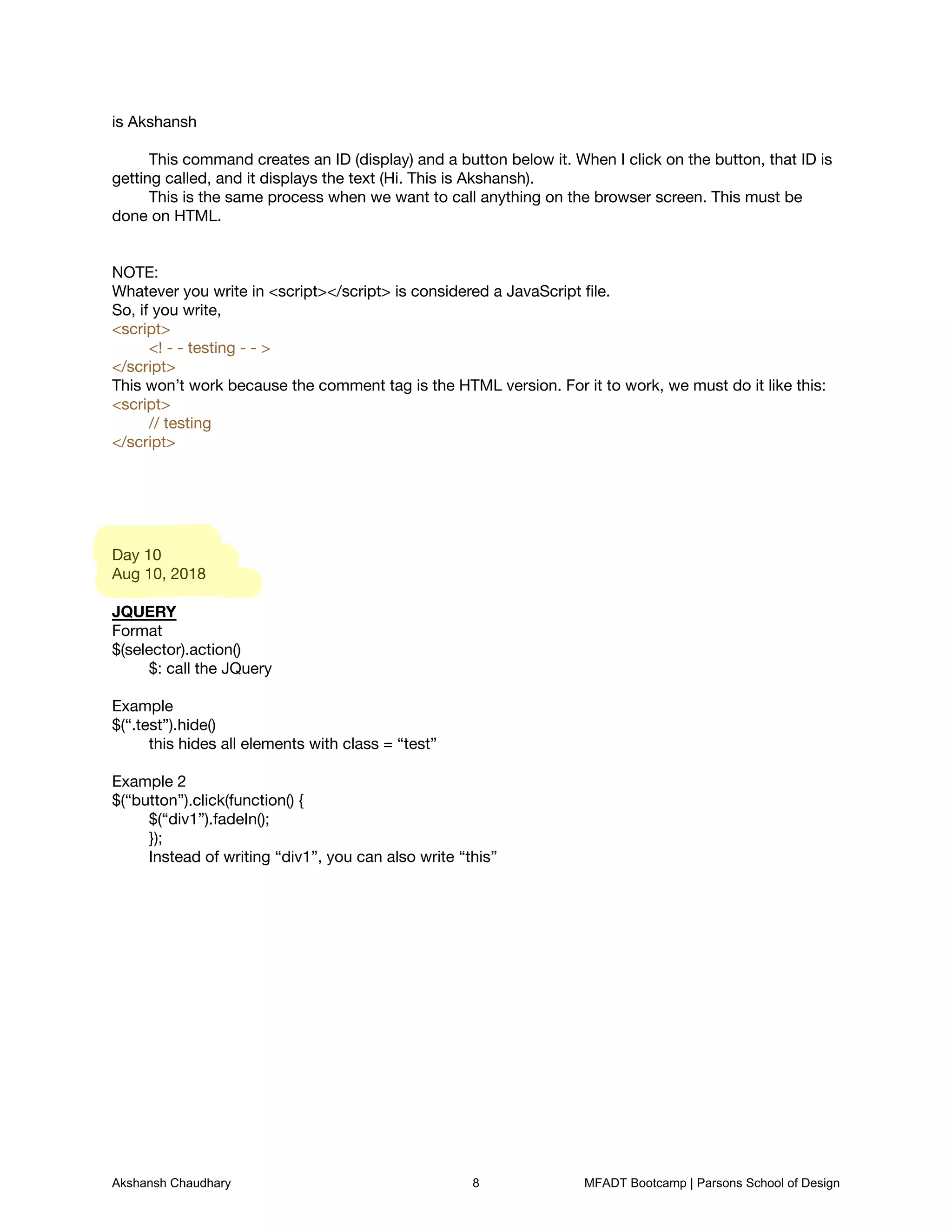
	 This command creates an ID (display) and a button below it. When I click on the button, that ID is
getting called, and it displays the text (Hi. This is Akshansh).

	 This is the same process when we want to call anything on the browser screen. This must be
done on HTML.


NOTE:

Whatever you write in <script></script> is considered a JavaScript file.

So, if you write, 

<script> 

	 <! - - testing - - > 

</script>

This won’t work because the comment tag is the HTML version. For it to work, we must do it like this:

<script> 

	 // testing

</script>


Day 10

Aug 10, 2018


JQUERY

Format

$(selector).action()

	 $: call the JQuery


Example

$(“.test”).hide()

	 this hides all elements with class = “test”


Example 2

$(“button”).click(function() {

	 $(“div1”).fadeIn();

	 });

	 Instead of writing “div1”, you can also write “this”


Akshansh Chaudhary 8 MFADT Bootcamp | Parsons School of Design

Bootcamp Web Notes - Akshansh Chaudhary

  • 2.
    What are HTML,CSS, JavaScript? HTML: Structure (index.html) CSS: Styling (styles.css) JavaScript: Functionality (main.js) Days Notes 30July2018 Desicussiononwirefraining Creating wireframe ofexpedia.com 3Eg I I Itis's Bose µ Buttons Background tent h F 7 I t Footetlbigfooter Jtf Akshansh Chaudhary 1 MFADT Bootcamp | Parsons School of Design
  • 3.
    Homework Create awireframeforsome otherwebsite Referencewebsite apple.com web E I T T FX Akshansh Chaudhary 2 MFADT Bootcamp | Parsons School of Design
  • 4.
    Wireframe Homework apple.com CMobile TEE em t her AkshanshChaudhary 3 MFADT Bootcamp | Parsons School of Design
  • 5.
    Day 2 31July2018 DOM 9Document ObjectModel Hierarchyfworkflow whilemaking a website Day 3 I Aug 2018 WEBSITE DUPT STRUCTURE For creatingany websites startwith a wireframe Create folders main css image files etc Now write a pseudocode to the html doe Then add tags to the code Add classes forthe tags Start writing code CREATE COLUMNS y Position relative Position Absolute Akshansh Chaudhary 4 MFADT Bootcamp | Parsons School of Design
  • 6.
    Homework: Content map Home Industry Projects IT Pharma Marketing AcademicProjects Study notes website Apply Parsons website Processing Self Projects Logo Design Photography Design rangoli making Position relative the containerCentredid a Position absolute inside elements ofthe container Once the positioning is set shift theinside containers the respectiveposition using margins Give a freedposition to the header Start giving marginsforshifting the outside containers when you change the margin in one tagupdate the corresponding space in the related tags Put top o Cleft right bottom o 7 tosnapthe containers leg headers footers withoutextraspace whichcomesdue to block elements Akshansh Chaudhary 5 MFADT Bootcamp | Parsons School of Design
  • 7.
    Day 4 Aug 2,2018 Working with animations Create div and stylise it • Transition: for creating transitions Transform: for changing objects (transforming them) Key frames: Day 5 Aug 3, 2018 CSS Grids and blocks Display properties give a display:block; property to the main div give a display:inline; property to the sub-div This would arrange everything inside a box and arrange automatically give a display: inline-block; property to the sub-div This would arrange it inside the block and maintain its properties Make website RESPONSIVE Media queries @media screen and (max-width: 60px) { } Put the tag that requires an update inside this property Example: @media screen and (max-width: 600px) { body { background-color: red; } } Flexbox Grid display: flex; Doing these will make the items become increase and decrease in width flex-wrap: wrap; Wraps all contents when screen size decreases flex-wrap: wrap-reverse; Wraps all contents when screen size decreases, this time, in the reverse order flex-wrap: nowrap; a Akshansh Chaudhary 6 MFADT Bootcamp | Parsons School of Design
  • 8.
    Does not wrapthe contents justify-content: Center, flex-start, flex-end, space-between, space-around, space-evenly; For spacing inside the div and flex container Target a specific div div:nth-child (1n) {} This is to target that particular child inside a parent. It gives the value to every other child (unless stated otherwise) So, 1n: first element, 2n: 2nd element If there are 3 elements, the 3rd element will have the property of the 1n element (loops) Grid-column and grid-row It counts the number of lines there are in a grid. So, if there are 4 blocks, there would be 5 lines. You would mention grid-column: 1/ 5 to count all the lines. Alternatively, mention grid-column: 1/ -1 (from start “1” to finish “-1”) Day 7 Aug 7 2018 JAVASCRIPT Linking a JS file <script src=“js/main.js”></script> Variable: var Use only var instead of int, string, bool, float (x++) vs (++x) x++ assigns the value first, and then increments itself ++x adds the value and then assigns it Check if a code is working or not eg. console.log(stuff[1]); Using buttons <p id=“display”></p> <button type=“button” onclick=“document.getElementById(‘display’).innerHTML=‘Hi. This is Akshansh’ “>Click here </button> Breakdown: onclick: if clicked on the button getElementByID(‘display’): fetch the ID “display” .innerHTML=‘Hi. This is Akshansh’: Go to the ID display and replace it with the text: Hi. This Akshansh Chaudhary 7 MFADT Bootcamp | Parsons School of Design
  • 9.
    is Akshansh This command creates an ID (display) and a button below it. When I click on the button, that ID is getting called, and it displays the text (Hi. This is Akshansh). This is the same process when we want to call anything on the browser screen. This must be done on HTML. NOTE: Whatever you write in <script></script> is considered a JavaScript file. So, if you write, <script> <! - - testing - - > </script> This won’t work because the comment tag is the HTML version. For it to work, we must do it like this: <script> // testing </script> Day 10 Aug 10, 2018 JQUERY Format $(selector).action() $: call the JQuery Example $(“.test”).hide() this hides all elements with class = “test” Example 2 $(“button”).click(function() { $(“div1”).fadeIn(); }); Instead of writing “div1”, you can also write “this” Akshansh Chaudhary 8 MFADT Bootcamp | Parsons School of Design