Bluetooth Protocol

A Customer support preview

       Ehud Mantzuri
Bluetooth - Main properties

 Simple to use
 Short-range communications technology
 Operates in the unlicensed industrial, scientific and medical
  (ISM) band at 2.4 to 2.485 GHz, using a spread spectrum,
  frequency hopping, full-duplex signal at a nominal rate of 1600
  hops/sec.
 Provides developers both link layer and application layer
  definitions, which support data and voice applications
 Robustness, low power, and low cost.
 Enhanced Data Rate (EDR) up to 2.1 Mbps
 PCM digital audio/voice interface


                        Bluetooth Protocol                     2
Main properties

 Power Saving Modes (Sniff, Hold and Park) – synchronized
  clocks
 Page and inquiry scans
 Standard UART interface w/ Rates of up to 4Mbps
 Standard Host Controlled Interface (HCI)
 Communication error correction schemes
 Maintain high levels of security
 Ad-hoc networks known as piconets established dynamically
 Each device in a piconet can also simultaneously communicate
  with up to seven other devices within that single piconet and
  each device can also belong to several piconets simultaneously


                           Bluetooth Protocol                      3
Usage
   Cable Replacement
      File transfer

      MODEM control

   Wireless Sensors
      Flood Alarm

      Heating Control

   Medical Devices
      Heart Rate Monitor

      Blood Pressure Sensor

      Blood Glucose Meter

      Thermometer


                          Bluetooth Protocol   4
Usage
   Computer Peripherals
      Mouse

      Printers, Scanners

   Consumer Devices
      Phones, PDAs

      Earphones

      fitness sensors

      Watches

      Toys

      Entertainment Devices

      Personal Navigation Devices

   Automotive Applications
                            Bluetooth Protocol   5
Profiles
   SDAP – Service Discovery Application Profile
   FTP – File Transfer Profile
   SPP – Serial (virtual COM) Port Profile
   DUN – DialUp Networking - may be accessed using a simple AT command set.
   HDP – Health Device Profile
   HSP – HeadSet Profile
   HFP - Handsfree Profile
   A2DP - Advanced Audio Distribution Profile
   AVRCP - A/V Remote Control Profile
   HID – Human Interface Device
   OBEX – Object Exchange
   OPP – Object Push Profile
   CTP - Coredless Telephony
   BPP – Basic Printer Profile
   BIP – Basic Imaging Profile
   And many more …
                               Bluetooth Protocol                              6
Core Block Diagram


    Bluetooth Protocol   7
Core Architecture Blocks


      Bluetooth Protocol   8
Core Architecture Blocks


      Bluetooth Protocol   9
HCI Transport Layer
 Allows control over the BT Device
 Full Uart HW flow control
 Transports
      Commands
      Events
      ACL
      synchronous data
      Vendor specific
      SCO, eSCO

   between the Bluetooth device and its host using HCI data packets (Not
     between devices)


                           Bluetooth Protocol                         10
Pairing

 Provides Trust, Authorization, and Authentication
 Each side can declare own security level and request
  compliance from the other side
 Upon completing the pairing process, the device may
  wish to enable the user to "Trust" the device and
  services.
 the device is added to the user's Trusted Devices list
  and the said device will be allowed to reconnect
 the device may be visible or non-visible and also
  connectable or not-connectable

                      Bluetooth Protocol               11
Application - SPP


SPP defines how to set up virtual serial ports and connect
two Bluetooth enabled devices

                            Bluetooth Protocol               12
Application - OBEX


OBEX uses a client-server model and is independent of the transport
mechanism and transport API
                              Bluetooth Protocol                      13
Profile Dependencies


     Bluetooth Protocol   14
Protocol Layers

 L2CAP - Logical Link Control and Adaptation
  Protocol
 SDP - Service Discovery Protocol
 RFCOMM


                  Bluetooth Protocol            15
L2CAP

 Provides
     higher level protocol multiplexing,
     packet segmentation and reassembly, and
     the conveying of quality of service (QoS)
      information.
     Connected to the HCI


                     Bluetooth Protocol           16
RFCOMM

 Emulates the serial cable line (9-Pin) settings
  and status of an RS-232 serial port and is used
  for providing serial data transfer.
 Connects to the lower layers of
  the Bluetooth protocol stack through the
  L2CAP layer
 supports up to 60 simultaneous connections
  between two BT devices
                   Bluetooth Protocol          17
SDP

 Provides a means for applications to
  discover which services are available on the
  remote side and to determine the
  characteristics of those available services.


                  Bluetooth Protocol             18
STACK Layers


 Bluetooth Protocol   19
STACK Layers

 Physical link
      A baseband connection between Bluetooth enabled devices.
      A physical link is always associated with exactly one physical
       channel
      Stateless/connectionless - has no direct representation
       within the structure of a transmitted packet. The access code
       packet field, together with the clock and address of the
       master Bluetooth device, are used to identify a physical
       channel.
      may be active (a default ACL logical transport exists) or
       parked (synchronized in the piconet but has no default ACL).


                            Bluetooth Protocol                      20
Logical Links

 Logical Links and Logical Transports
      A variety of logical links are available to support different
       application data transport
       Each logical link is associated with a logical transport -
        flow control, acknowledgement/repeat mechanisms,
       sequence numbering and scheduling behavior.

Has 3 categories:
      Casting
      Scheduling and Acknowledgement Scheme
      Class of Data
                            Bluetooth Protocol                         21
 Casting
     Unicast
         connection-oriented - connection procedure takes place
          before the link may be used.
         Traffic may be sent in either direction
     Broadcast
         Connectionless - no procedure to create these links, and
          data may be sent over them at any time
         exist between one source device and zero or more
          receiver devices
         Traffic is unidirectional


                           Bluetooth Protocol                        22
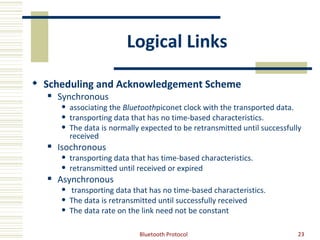
Logical Links

 Scheduling and Acknowledgement Scheme
     Synchronous
         associating the Bluetoothpiconet clock with the transported data.
         transporting data that has no time-based characteristics.
         The data is normally expected to be retransmitted until successfully
          received
     Isochronous
         transporting data that has time-based characteristics.
         retransmitted until received or expired
     Asynchronous
         transporting data that has no time-based characteristics.
         The data is retransmitted until successfully received
         The data rate on the link need not be constant

                              Bluetooth Protocol                             23
Logical Links
 Class of Data
      Control links
           transporting LMP messages between two link managers
            invisible above the baseband layer, and cannot be directly instantiated,
            configured or released by applications,
           always takes priority over the L2CAP link traffic.
      L2CAP links
           Transport L2CAP PDUs, which may carry the L2CAP signaling channel or
            framed user data
           May be fragmented
      Stream links
           Transport user data that has no inherent framing that should be preserved
            when delivering the data.
           Lost data may be replaced by padding at the receiver


                                   Bluetooth Protocol                                   24
Logical Transport
   ACL - Asynchronous Connection-Oriented
        Reliable or time-bounded, bi- directional, point-to-point.
   SCO - Synchronous Connection-Oriented
        Bi-directional, symmetric, point-to-point, AV channels. Used for 64Kb/s
         constant rate data.
   eSCO - Extended Synchronous Connection-Oriented
        Bi-directional, symmetric or asymmetric, point-to-point, general regular data,
         limited retransmission. Used for constant rate data synchronized to the
         master Bluetooth clock.
   ASB - Active slave broadcast
        Unreliable, uni-directional broadcast to any devices synchronized with the
         physical channel. Used for broadcast L2CAP groups.
   PSB – Parked slave broadcast
        Unreliable, uni-directional broadcast to all piconet devices. Used for LMP and
         L2CAP traffic to parked devices, and for access requests from parked devices.


                                   Bluetooth Protocol                                 25
LMP
The Link Manager Protocol contains PDUs (Protocol Data Units)
 Implemented as firmware in BT device
Enabling the following messages between two devices:
 Connection Control
      Connection Establishment
      Detach
      Power control
      Adaptive frequency hopping
      Channel quality driven data rate change
      Quality of service (QoS)
      Paging scheme parameters
      Control of multi-slot packets
      Enhanced Data Rate
      Encapsulated LMP PDUs
                               Bluetooth Protocol               26
LMP
 Security                                Role Switch
      Authentication                               Slot Offset
      Pairing                                      Role Switch
      Change Link Key                    Modes of Operation
      Change Current Link Key Type                 Hold Mode
      Encryption                                   Park Stats
      Request Supported Encryption                 Sniff Mode
       Key Size                           Logical Transports
      Secure Simple Pairing                        SCO Logical Transport
 Informational Requests                            eSCO Logical Transport
      Timing Accuracy                    Test Mode
      Clock Offset                                 Activation and Deactivation of Test
      LMP Version                                  Control of Test Mode
      Supported Features
      Name Request

                                Bluetooth Protocol                                   27
Sniffer


Bluetooth Protocol   28
Network

 Bluetooth nodes can work together to
  establish a multi-hop network
 Each Bluetooth device is allocated a unique
  48-bit Bluetooth device address (BD_ADDR)
  obtained from the IEEE Registration
  Authority


                  Bluetooth Protocol            29
Network


Piconets with a single slave operation (a), a multi-slave operation
(b) and a scatternet operation (c).
                             Bluetooth Protocol                       30
scatternet

 A group of piconets in which connections
  consists between different piconets


                  Bluetooth Protocol         31
Bluetooth SIG - Special Interest
                     Group
 The Bluetooth Qualification Program
 The purpose of the Bluetooth Qualification Program is to
      promote interoperability,
      verify conformance to the Bluetooth specifications,
      enforce compliance,
      grant IP license,
      recognize members who meet a high standard of testing.
 Requires certain testing standards for all designs and
  products which use the Bluetooth.


                          Bluetooth Protocol                    32
Create a Test Plan

 STEP 1: Create/Select a Project
 STEP 2: Declaration Summary
  allows you to choose which layers you will be supporting.
 STEP 3: Edit Core PICS
  The Core PICS consist of (RF), (BB), (LMP), (L2CAP), (SDP), and (GAP).
  mandatory requirements of these layers must be supported.
 STEP 4: Edit Profile PICS
  Any profiles that your product contains can be edited here.
 STEP 5: Consistency Check
  a static consistency check needs to be performed to ensure that the
  proper features are supported. Many features have prerequistes,
  dependencies, or groupings that are required if they are supported.
 STEP 6: Generate the Test Plan


                                Bluetooth Protocol                         33
PICS


Bluetooth Protocol   34
PICS


Bluetooth Protocol   35
Bluetooth Profile Tuning Suite
                  (PTS)
 The OTS is a PC-based test tool created by the Bluetooth
  SIG for its members.
 The PTS automates protocol and profile testing
  producing more accurate, higher quality test results and
  improved interoperability for allproducts.
 The PTS uses Executable Test Suite (ETS) files to exercise
  an IUT. There is one ETS file per profile/protocol and
  each file contains a series of test cases
 The PTS tool contains an easy-to-use XML based test
  report generator


                        Bluetooth Protocol                 36
PTS


Bluetooth Protocol   37
HID Dongle – SW Example

 The initialization of the application occurs in two
  phases:
 first, the hidappInit function is called that when ends
  sets an HIDAPP_EVT_START event
 This triggers the second phase of the initialization,
  which can be found within the main event processing
  function hidappProcessEvent function.
 The HIDDongle application contains two callback
  functions: hidappKeyCback and centralEventCB.

                      Bluetooth Protocol               38
Sources

 Bluetooth SIG - www.bluetooth.org
 Texas Instruments - www.ti.com
     Wireless Connectivity > Bluetooth technology
 www.palowireless.com/bluetooth


                     Bluetooth Protocol              39

Bluetooth1

  • 1.
    Bluetooth Protocol A Customersupport preview Ehud Mantzuri
  • 2.
    Bluetooth - Mainproperties  Simple to use  Short-range communications technology  Operates in the unlicensed industrial, scientific and medical (ISM) band at 2.4 to 2.485 GHz, using a spread spectrum, frequency hopping, full-duplex signal at a nominal rate of 1600 hops/sec.  Provides developers both link layer and application layer definitions, which support data and voice applications  Robustness, low power, and low cost.  Enhanced Data Rate (EDR) up to 2.1 Mbps  PCM digital audio/voice interface Bluetooth Protocol 2
  • 3.
    Main properties  PowerSaving Modes (Sniff, Hold and Park) – synchronized clocks  Page and inquiry scans  Standard UART interface w/ Rates of up to 4Mbps  Standard Host Controlled Interface (HCI)  Communication error correction schemes  Maintain high levels of security  Ad-hoc networks known as piconets established dynamically  Each device in a piconet can also simultaneously communicate with up to seven other devices within that single piconet and each device can also belong to several piconets simultaneously Bluetooth Protocol 3
  • 4.
    Usage  Cable Replacement  File transfer  MODEM control  Wireless Sensors  Flood Alarm  Heating Control  Medical Devices  Heart Rate Monitor  Blood Pressure Sensor  Blood Glucose Meter  Thermometer Bluetooth Protocol 4
  • 5.
    Usage  Computer Peripherals  Mouse  Printers, Scanners  Consumer Devices  Phones, PDAs  Earphones  fitness sensors  Watches  Toys  Entertainment Devices  Personal Navigation Devices  Automotive Applications Bluetooth Protocol 5
  • 6.
    Profiles  SDAP – Service Discovery Application Profile  FTP – File Transfer Profile  SPP – Serial (virtual COM) Port Profile  DUN – DialUp Networking - may be accessed using a simple AT command set.  HDP – Health Device Profile  HSP – HeadSet Profile  HFP - Handsfree Profile  A2DP - Advanced Audio Distribution Profile  AVRCP - A/V Remote Control Profile  HID – Human Interface Device  OBEX – Object Exchange  OPP – Object Push Profile  CTP - Coredless Telephony  BPP – Basic Printer Profile  BIP – Basic Imaging Profile  And many more … Bluetooth Protocol 6
  • 7.
    Core Block Diagram Bluetooth Protocol 7
  • 8.
    Core Architecture Blocks Bluetooth Protocol 8
  • 9.
    Core Architecture Blocks Bluetooth Protocol 9
  • 10.
    HCI Transport Layer Allows control over the BT Device  Full Uart HW flow control  Transports  Commands  Events  ACL  synchronous data  Vendor specific  SCO, eSCO between the Bluetooth device and its host using HCI data packets (Not between devices) Bluetooth Protocol 10
  • 11.
    Pairing  Provides Trust,Authorization, and Authentication  Each side can declare own security level and request compliance from the other side  Upon completing the pairing process, the device may wish to enable the user to "Trust" the device and services.  the device is added to the user's Trusted Devices list and the said device will be allowed to reconnect  the device may be visible or non-visible and also connectable or not-connectable Bluetooth Protocol 11
  • 12.
    Application - SPP SPPdefines how to set up virtual serial ports and connect two Bluetooth enabled devices Bluetooth Protocol 12
  • 13.
    Application - OBEX OBEXuses a client-server model and is independent of the transport mechanism and transport API Bluetooth Protocol 13
  • 14.
    Profile Dependencies Bluetooth Protocol 14
  • 15.
    Protocol Layers  L2CAP- Logical Link Control and Adaptation Protocol  SDP - Service Discovery Protocol  RFCOMM Bluetooth Protocol 15
  • 16.
    L2CAP  Provides  higher level protocol multiplexing,  packet segmentation and reassembly, and  the conveying of quality of service (QoS) information.  Connected to the HCI Bluetooth Protocol 16
  • 17.
    RFCOMM  Emulates theserial cable line (9-Pin) settings and status of an RS-232 serial port and is used for providing serial data transfer.  Connects to the lower layers of the Bluetooth protocol stack through the L2CAP layer  supports up to 60 simultaneous connections between two BT devices Bluetooth Protocol 17
  • 18.
    SDP  Provides ameans for applications to discover which services are available on the remote side and to determine the characteristics of those available services. Bluetooth Protocol 18
  • 19.
  • 20.
    STACK Layers  Physicallink  A baseband connection between Bluetooth enabled devices.  A physical link is always associated with exactly one physical channel  Stateless/connectionless - has no direct representation within the structure of a transmitted packet. The access code packet field, together with the clock and address of the master Bluetooth device, are used to identify a physical channel.  may be active (a default ACL logical transport exists) or parked (synchronized in the piconet but has no default ACL). Bluetooth Protocol 20
  • 21.
    Logical Links  LogicalLinks and Logical Transports  A variety of logical links are available to support different application data transport  Each logical link is associated with a logical transport - flow control, acknowledgement/repeat mechanisms, sequence numbering and scheduling behavior. Has 3 categories:  Casting  Scheduling and Acknowledgement Scheme  Class of Data Bluetooth Protocol 21
  • 22.
     Casting  Unicast  connection-oriented - connection procedure takes place before the link may be used.  Traffic may be sent in either direction  Broadcast  Connectionless - no procedure to create these links, and data may be sent over them at any time  exist between one source device and zero or more receiver devices  Traffic is unidirectional Bluetooth Protocol 22
  • 23.
    Logical Links  Schedulingand Acknowledgement Scheme  Synchronous  associating the Bluetoothpiconet clock with the transported data.  transporting data that has no time-based characteristics.  The data is normally expected to be retransmitted until successfully received  Isochronous  transporting data that has time-based characteristics.  retransmitted until received or expired  Asynchronous  transporting data that has no time-based characteristics.  The data is retransmitted until successfully received  The data rate on the link need not be constant Bluetooth Protocol 23
  • 24.
    Logical Links  Classof Data  Control links  transporting LMP messages between two link managers  invisible above the baseband layer, and cannot be directly instantiated, configured or released by applications,  always takes priority over the L2CAP link traffic.  L2CAP links  Transport L2CAP PDUs, which may carry the L2CAP signaling channel or framed user data  May be fragmented  Stream links  Transport user data that has no inherent framing that should be preserved when delivering the data.  Lost data may be replaced by padding at the receiver Bluetooth Protocol 24
  • 25.
    Logical Transport  ACL - Asynchronous Connection-Oriented  Reliable or time-bounded, bi- directional, point-to-point.  SCO - Synchronous Connection-Oriented  Bi-directional, symmetric, point-to-point, AV channels. Used for 64Kb/s constant rate data.  eSCO - Extended Synchronous Connection-Oriented  Bi-directional, symmetric or asymmetric, point-to-point, general regular data, limited retransmission. Used for constant rate data synchronized to the master Bluetooth clock.  ASB - Active slave broadcast  Unreliable, uni-directional broadcast to any devices synchronized with the physical channel. Used for broadcast L2CAP groups.  PSB – Parked slave broadcast  Unreliable, uni-directional broadcast to all piconet devices. Used for LMP and L2CAP traffic to parked devices, and for access requests from parked devices. Bluetooth Protocol 25
  • 26.
    LMP The Link ManagerProtocol contains PDUs (Protocol Data Units)  Implemented as firmware in BT device Enabling the following messages between two devices:  Connection Control  Connection Establishment  Detach  Power control  Adaptive frequency hopping  Channel quality driven data rate change  Quality of service (QoS)  Paging scheme parameters  Control of multi-slot packets  Enhanced Data Rate  Encapsulated LMP PDUs Bluetooth Protocol 26
  • 27.
    LMP  Security  Role Switch  Authentication  Slot Offset  Pairing  Role Switch  Change Link Key  Modes of Operation  Change Current Link Key Type  Hold Mode  Encryption  Park Stats  Request Supported Encryption  Sniff Mode Key Size  Logical Transports  Secure Simple Pairing  SCO Logical Transport  Informational Requests  eSCO Logical Transport  Timing Accuracy  Test Mode  Clock Offset  Activation and Deactivation of Test  LMP Version  Control of Test Mode  Supported Features  Name Request Bluetooth Protocol 27
  • 28.
  • 29.
    Network  Bluetooth nodescan work together to establish a multi-hop network  Each Bluetooth device is allocated a unique 48-bit Bluetooth device address (BD_ADDR) obtained from the IEEE Registration Authority Bluetooth Protocol 29
  • 30.
    Network Piconets with asingle slave operation (a), a multi-slave operation (b) and a scatternet operation (c). Bluetooth Protocol 30
  • 31.
    scatternet  A groupof piconets in which connections consists between different piconets Bluetooth Protocol 31
  • 32.
    Bluetooth SIG -Special Interest Group  The Bluetooth Qualification Program  The purpose of the Bluetooth Qualification Program is to  promote interoperability,  verify conformance to the Bluetooth specifications,  enforce compliance,  grant IP license,  recognize members who meet a high standard of testing.  Requires certain testing standards for all designs and products which use the Bluetooth. Bluetooth Protocol 32
  • 33.
    Create a TestPlan  STEP 1: Create/Select a Project  STEP 2: Declaration Summary allows you to choose which layers you will be supporting.  STEP 3: Edit Core PICS The Core PICS consist of (RF), (BB), (LMP), (L2CAP), (SDP), and (GAP). mandatory requirements of these layers must be supported.  STEP 4: Edit Profile PICS Any profiles that your product contains can be edited here.  STEP 5: Consistency Check a static consistency check needs to be performed to ensure that the proper features are supported. Many features have prerequistes, dependencies, or groupings that are required if they are supported.  STEP 6: Generate the Test Plan Bluetooth Protocol 33
  • 34.
  • 35.
  • 36.
    Bluetooth Profile TuningSuite (PTS)  The OTS is a PC-based test tool created by the Bluetooth SIG for its members.  The PTS automates protocol and profile testing producing more accurate, higher quality test results and improved interoperability for allproducts.  The PTS uses Executable Test Suite (ETS) files to exercise an IUT. There is one ETS file per profile/protocol and each file contains a series of test cases  The PTS tool contains an easy-to-use XML based test report generator Bluetooth Protocol 36
  • 37.
  • 38.
    HID Dongle –SW Example  The initialization of the application occurs in two phases:  first, the hidappInit function is called that when ends sets an HIDAPP_EVT_START event  This triggers the second phase of the initialization, which can be found within the main event processing function hidappProcessEvent function.  The HIDDongle application contains two callback functions: hidappKeyCback and centralEventCB. Bluetooth Protocol 38
  • 39.
    Sources  Bluetooth SIG- www.bluetooth.org  Texas Instruments - www.ti.com  Wireless Connectivity > Bluetooth technology  www.palowireless.com/bluetooth Bluetooth Protocol 39