INTRODUCING
BLUEDATA EPIC 2.0
September 23, 2015
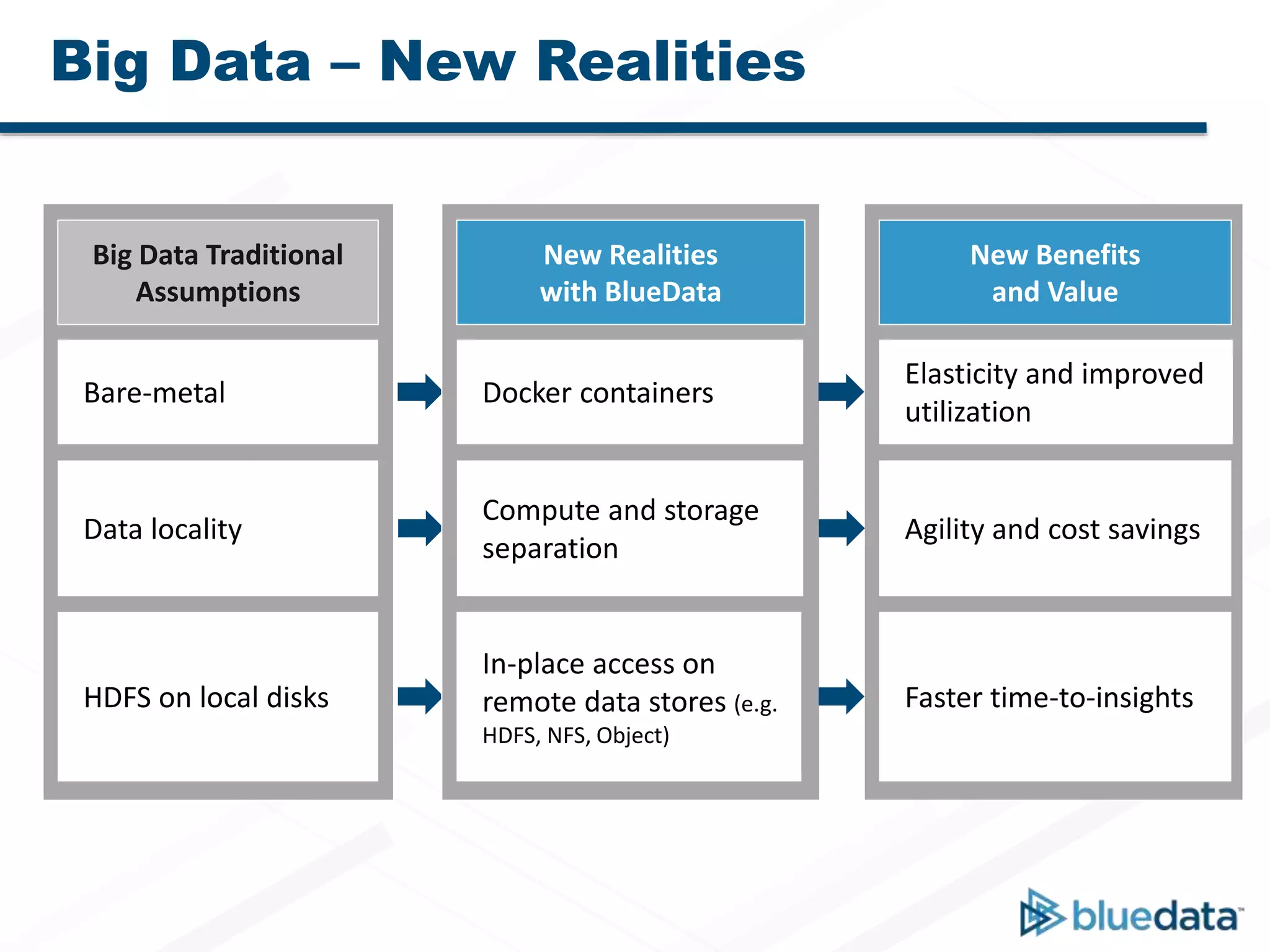
Big Data Traditional
Assumptions
Bare-metal
Data locality
HDFS on local disks
New Realities
with BlueData
Docker containers
Compute and storage
separation
In-place access on
remote data stores (e.g.
HDFS, NFS, Object)
New Benefits
and Value
Elasticity and improved
utilization
Agility and cost savings
Faster time-to-insights
Big Data – New Realities
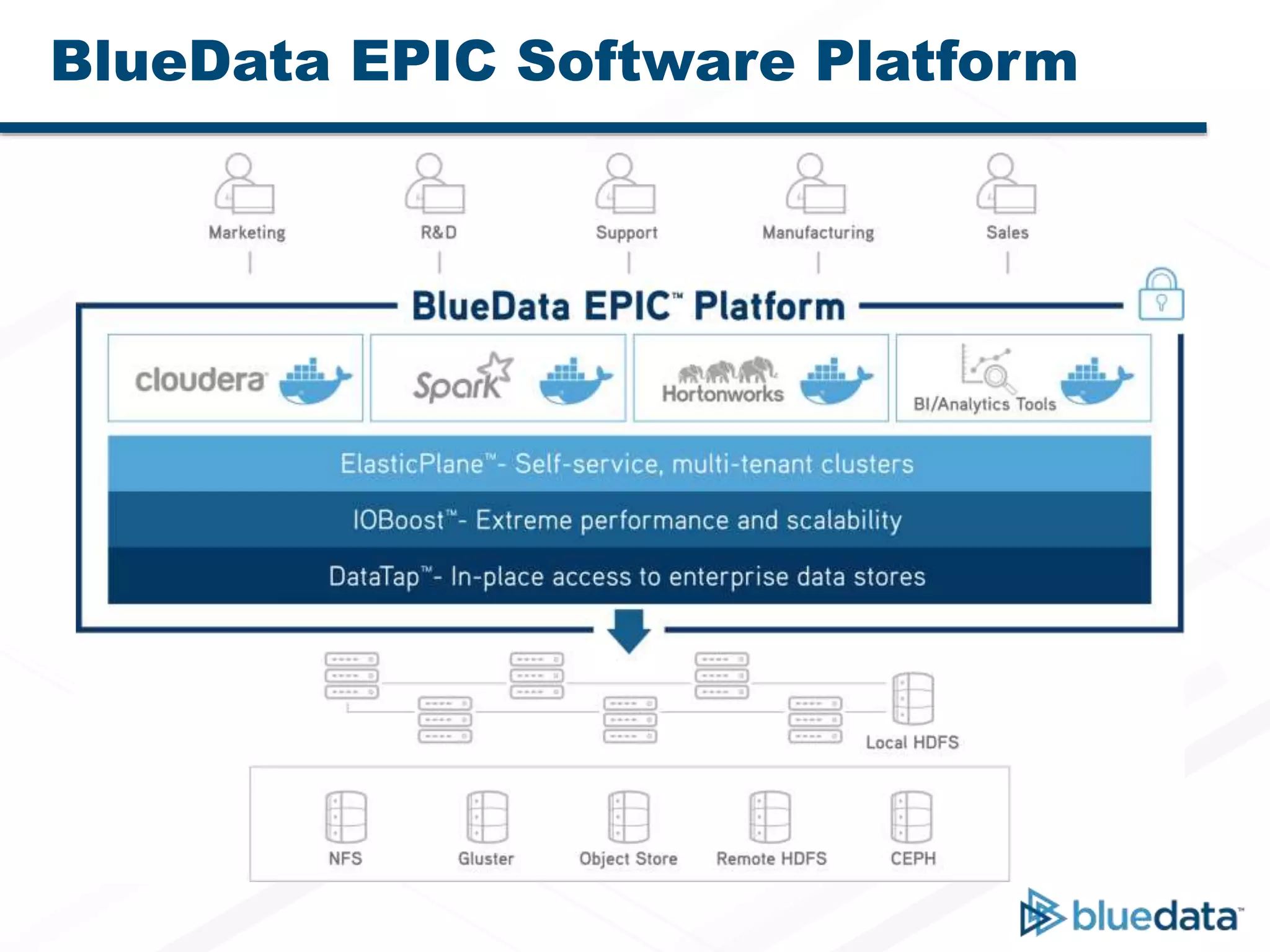
BlueData EPIC Software Platform
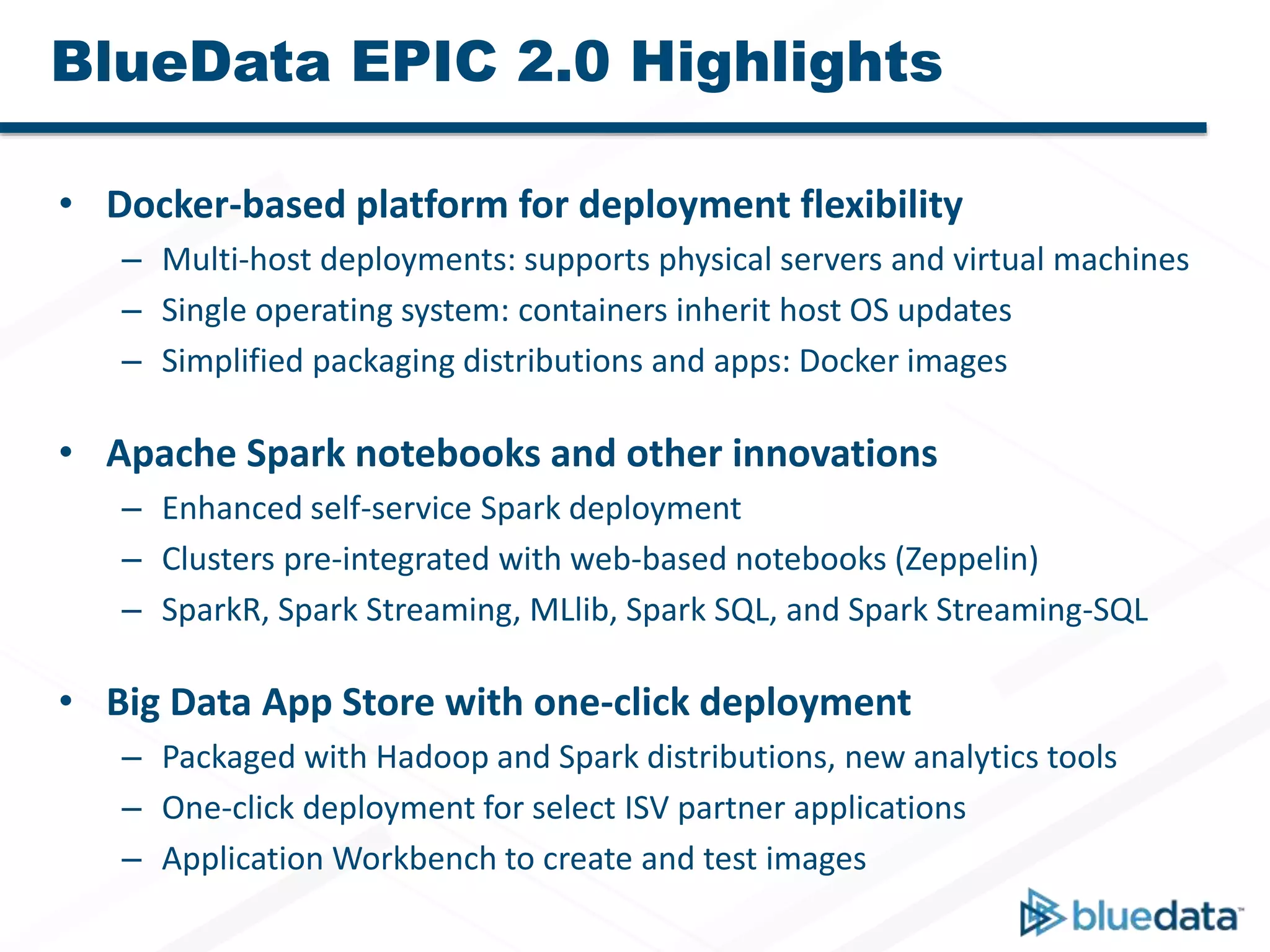
BlueData EPIC 2.0 Highlights
• Docker-based platform for deployment flexibility
– Multi-host deployments: supports physical servers and virtual machines
– Single operating system: containers inherit host OS updates
– Simplified packaging distributions and apps: Docker images
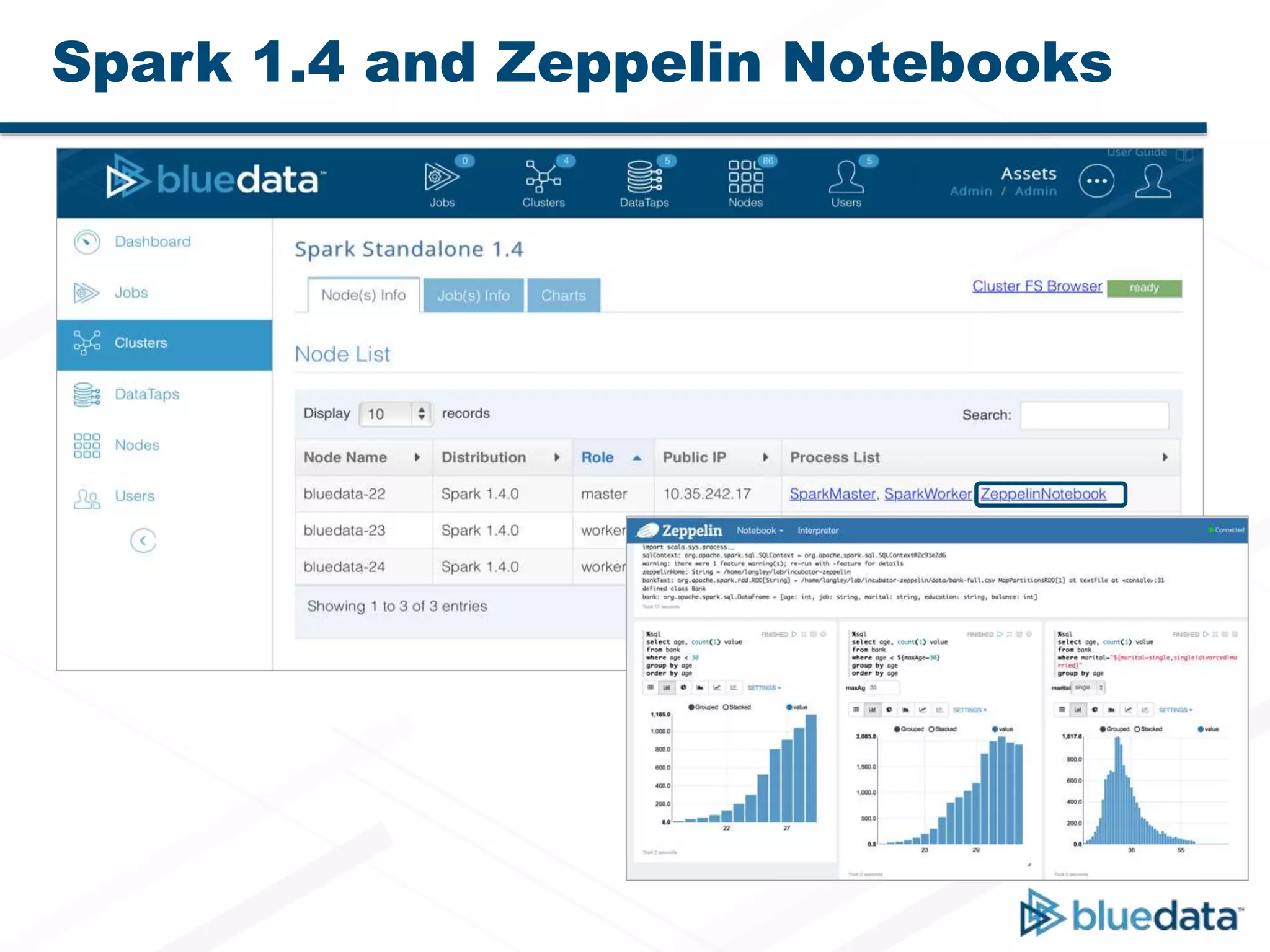
• Apache Spark notebooks and other innovations
– Enhanced self-service Spark deployment
– Clusters pre-integrated with web-based notebooks (Zeppelin)
– SparkR, Spark Streaming, MLlib, Spark SQL, and Spark Streaming-SQL
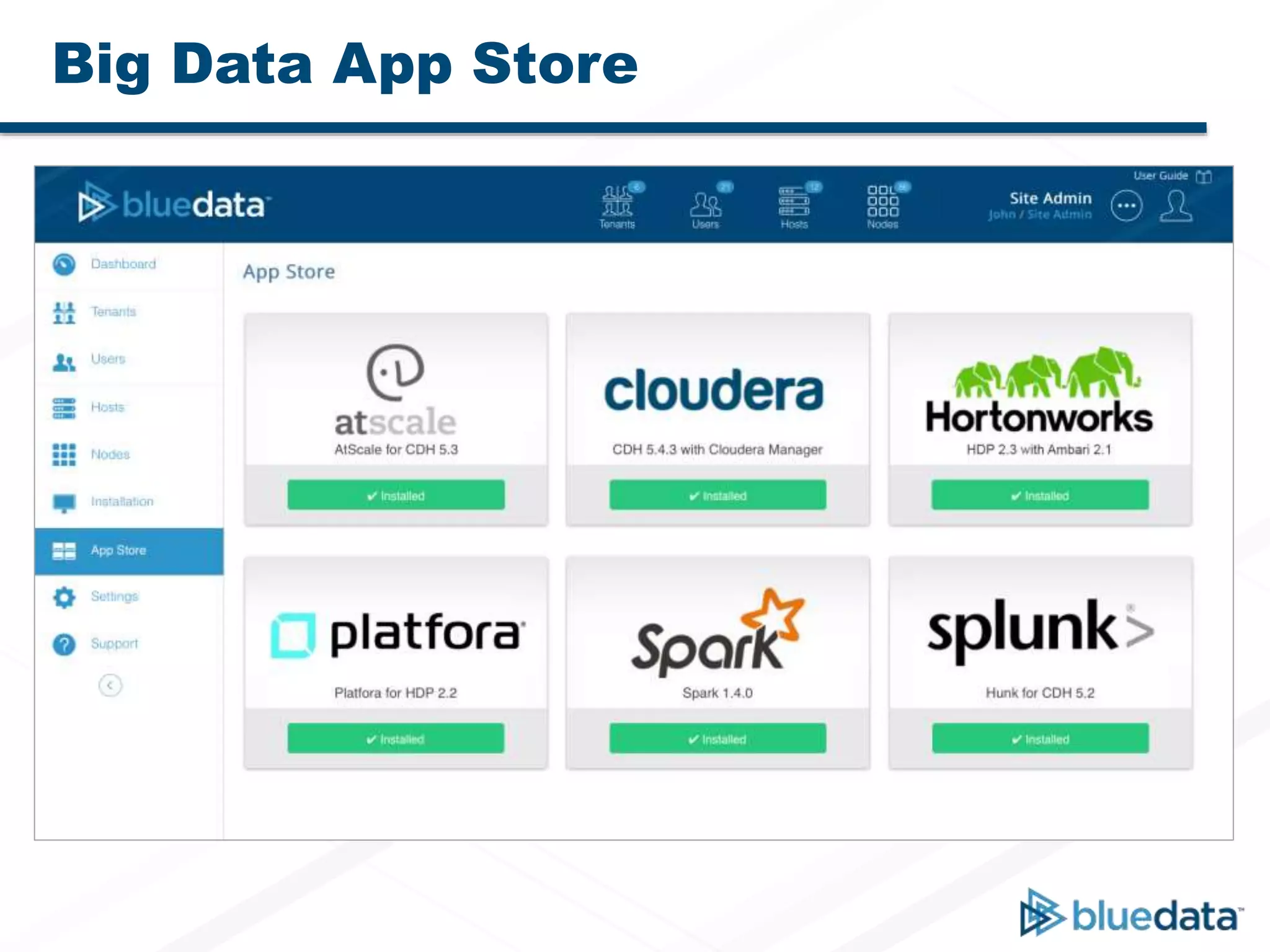
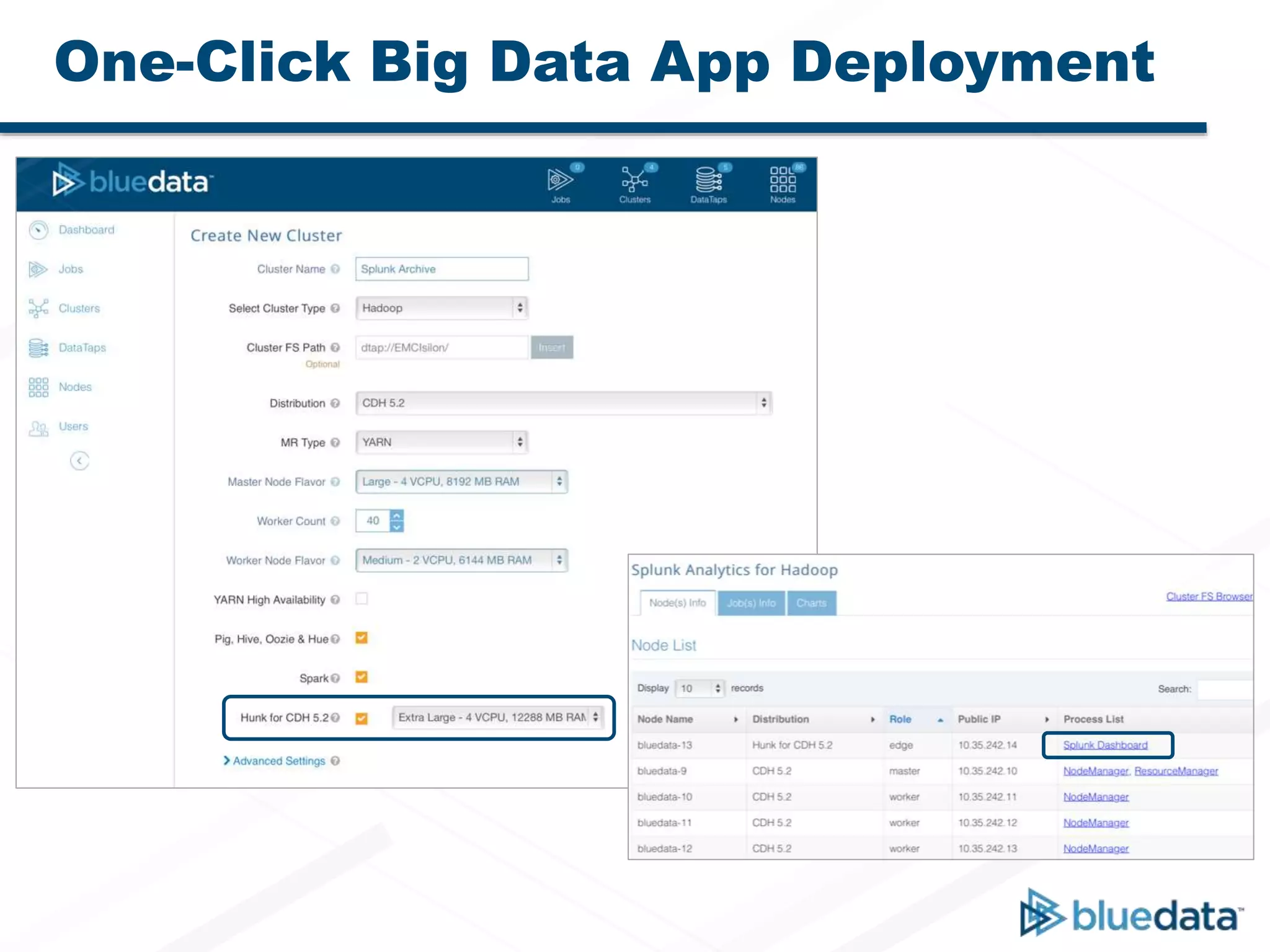
• Big Data App Store with one-click deployment
– Packaged with Hadoop and Spark distributions, new analytics tools
– One-click deployment for select ISV partner applications
– Application Workbench to create and test images
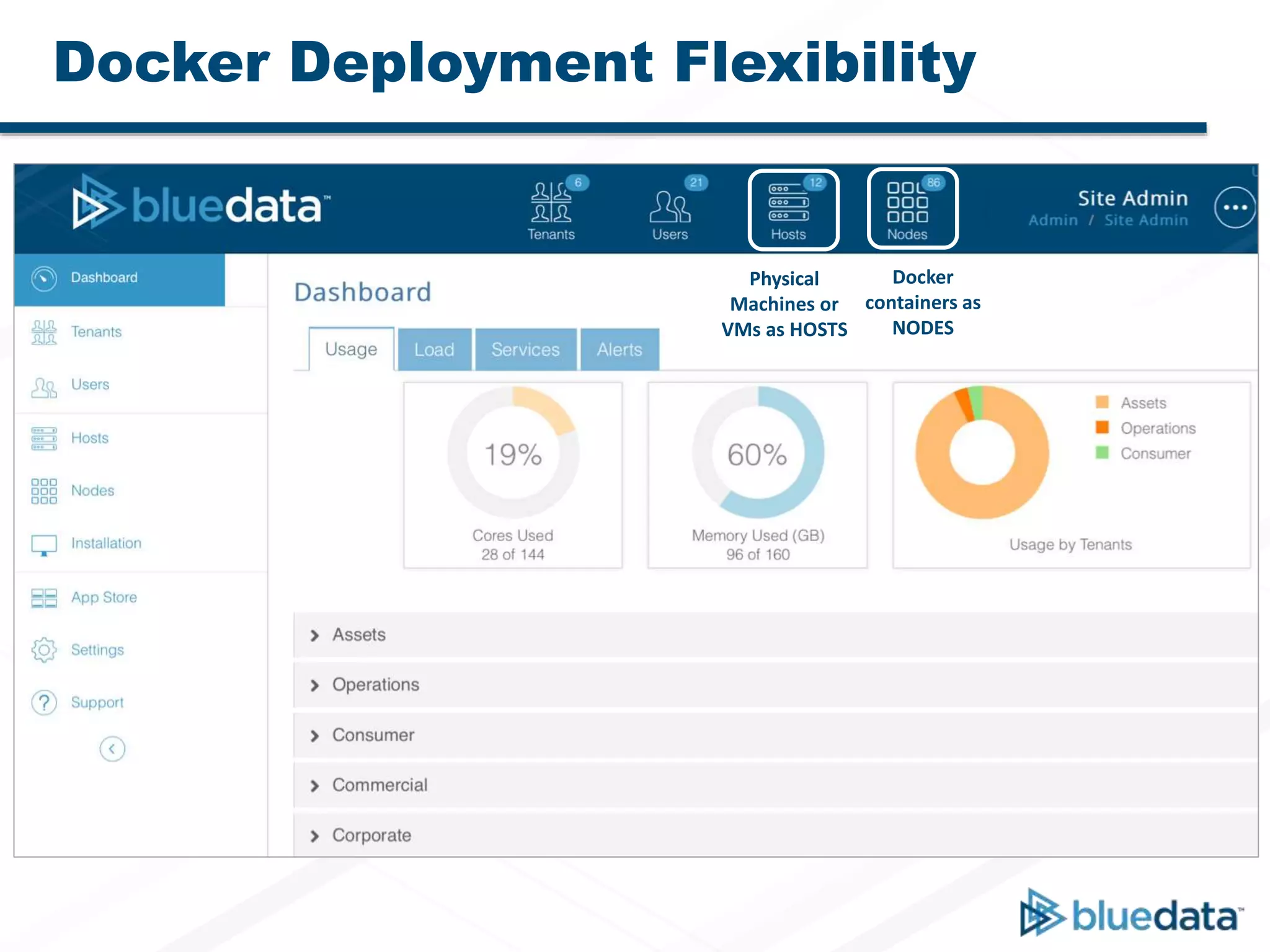
Docker Deployment Flexibility
Physical
Machines or
VMs as HOSTS
Docker
containers as
NODES
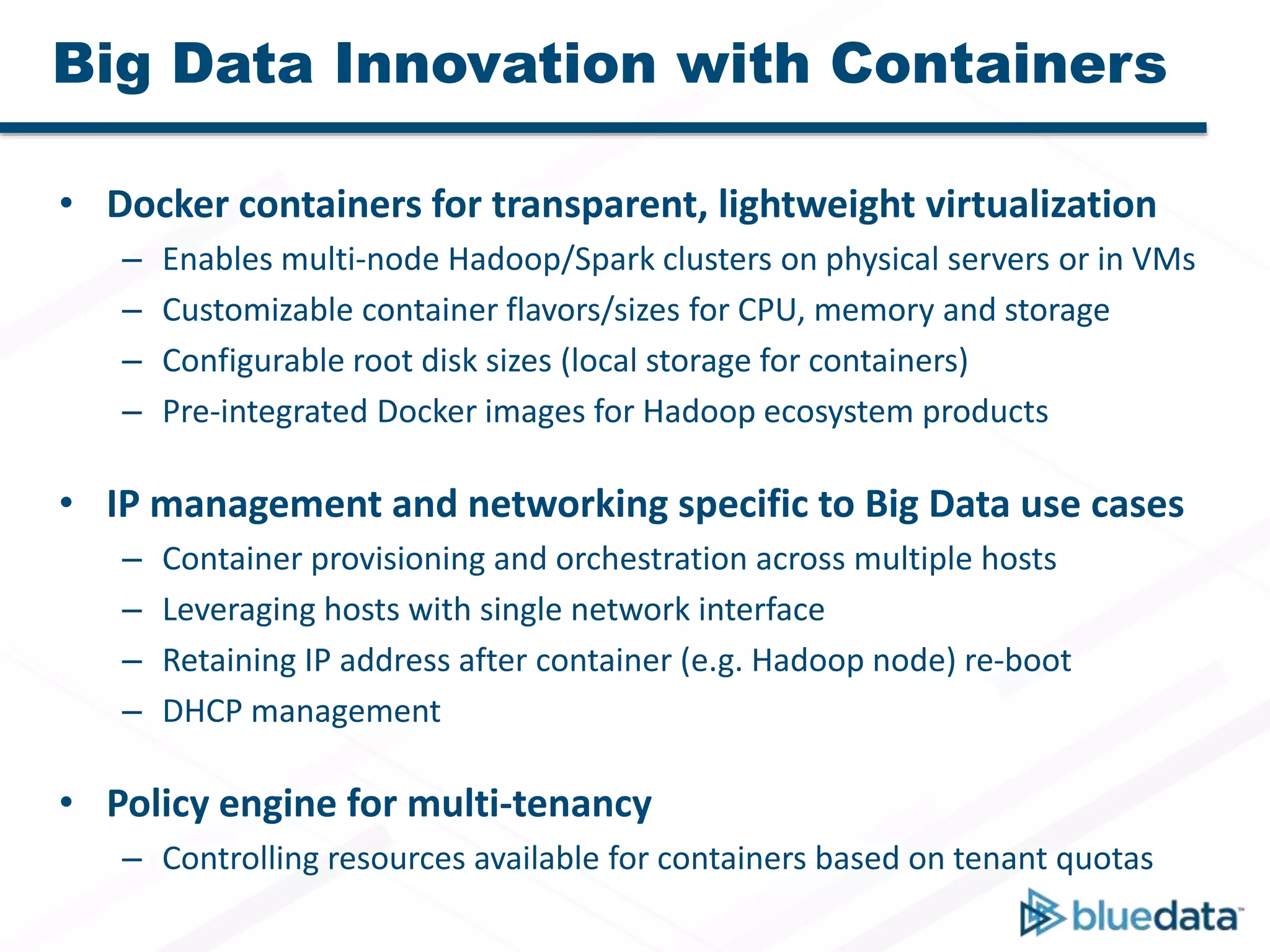
Big Data Innovation with Containers
• Docker containers for transparent, lightweight virtualization
– Enables multi-node Hadoop/Spark clusters on physical servers or in VMs
– Customizable container flavors/sizes for CPU, memory and storage
– Configurable root disk sizes (local storage for containers)
– Pre-integrated Docker images for Hadoop ecosystem products
• IP management and networking specific to Big Data use cases
– Container provisioning and orchestration across multiple hosts
– Leveraging hosts with single network interface
– Retaining IP address after container (e.g. Hadoop node) re-boot
– DHCP management
• Policy engine for multi-tenancy
– Controlling resources available for containers based on tenant quotas
Spark 1.4 and Zeppelin Notebooks
Big Data App Store
One-Click Big Data App Deployment
www.bluedata.com

BlueData EPIC 2.0 Overview

  • 1.
  • 2.
    Big Data Traditional Assumptions Bare-metal Datalocality HDFS on local disks New Realities with BlueData Docker containers Compute and storage separation In-place access on remote data stores (e.g. HDFS, NFS, Object) New Benefits and Value Elasticity and improved utilization Agility and cost savings Faster time-to-insights Big Data – New Realities
  • 3.
  • 4.
    BlueData EPIC 2.0Highlights • Docker-based platform for deployment flexibility – Multi-host deployments: supports physical servers and virtual machines – Single operating system: containers inherit host OS updates – Simplified packaging distributions and apps: Docker images • Apache Spark notebooks and other innovations – Enhanced self-service Spark deployment – Clusters pre-integrated with web-based notebooks (Zeppelin) – SparkR, Spark Streaming, MLlib, Spark SQL, and Spark Streaming-SQL • Big Data App Store with one-click deployment – Packaged with Hadoop and Spark distributions, new analytics tools – One-click deployment for select ISV partner applications – Application Workbench to create and test images
  • 5.
    Docker Deployment Flexibility Physical Machinesor VMs as HOSTS Docker containers as NODES
  • 6.
    Big Data Innovationwith Containers • Docker containers for transparent, lightweight virtualization – Enables multi-node Hadoop/Spark clusters on physical servers or in VMs – Customizable container flavors/sizes for CPU, memory and storage – Configurable root disk sizes (local storage for containers) – Pre-integrated Docker images for Hadoop ecosystem products • IP management and networking specific to Big Data use cases – Container provisioning and orchestration across multiple hosts – Leveraging hosts with single network interface – Retaining IP address after container (e.g. Hadoop node) re-boot – DHCP management • Policy engine for multi-tenancy – Controlling resources available for containers based on tenant quotas
  • 7.
    Spark 1.4 andZeppelin Notebooks
  • 8.
  • 9.
    One-Click Big DataApp Deployment
  • 10.