

Blog Optimization Using Google
Tools
Get Insight of Google Tools & Services
 To Make Blog More Search Engine
Friendly
 To Make Blog Audience Friendly
 To Get Effective Audience on Blog
 To Boost Your Earning
Why Optimization for Blog?
To be Perfect and Effective
1. Google Alert
2. Google Trends
3. Keyword Research Tool
4. Google Page Speed
5. Google Authorship Tool
6. Google Analytics
7. Google Drive
8. Google Webmaster
Google Tools List
1. Discover new content and topics
2. Track Keywords
 Build backlinks within your niche
 Spy Your Competitor
3. Get More Services- Earn More
 Online Services
 Affiliate Marketing
Google Alert
Get Important News Mailed
HOW IT HELPS IN BLOGGING
www.google.com/alert
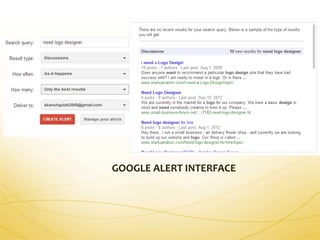
GOOGLE ALERT INTERFACE
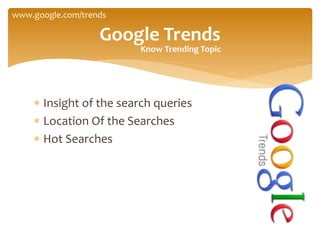
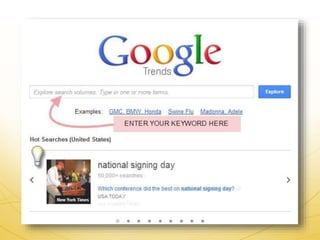
 Insight of the search queries
 Location Of the Searches
 Hot Searches
Google Trends
www.google.com/trends
Know Trending Topic
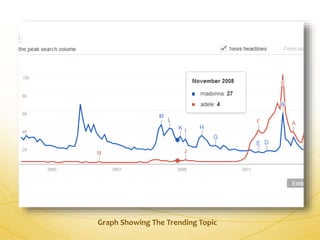
Graph Showing The Trending Topic
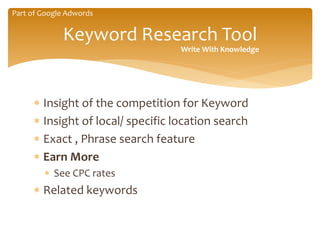
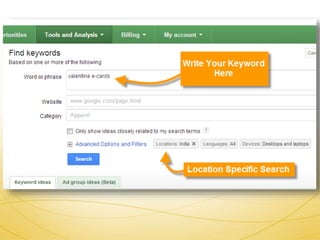
 Insight of the competition for Keyword
 Insight of local/ specific location search
 Exact , Phrase search feature
 Earn More
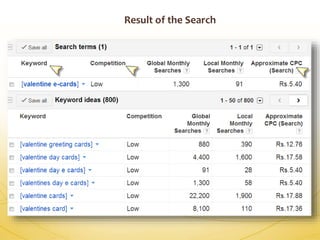
 See CPC rates
 Related keywords
Keyword Research Tool
Write With Knowledge
Part of Google Adwords
Result of the Search
 Analyse and optimize Blog
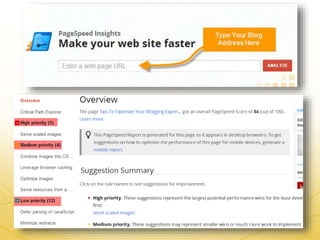
 Ranks Your Blog Out of 100
 Categories errors in different priorities
 Suggestions for improvement
Google Page Speed
http://developers.google.com/speed/pagespeed/insights
 More Search Friendly
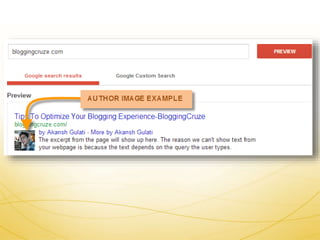
 User Click Frequency increase
 Choose result with image
 Content get more exposure
Google Authorship Tool
http://www.google.com/webmasters/tools/richsnippets
 Content Analyses
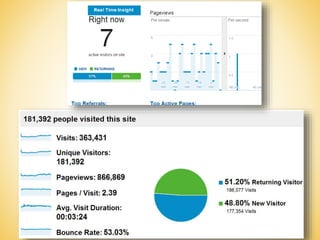
 Real Time Insight
 Each Page Insight
 Analyse social presence
 Custom reports
 Export as PDF
Google Analytics
Gain insights that matter
www.google.com/analytics
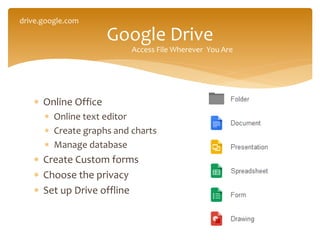
 Online Office
 Online text editor
 Create graphs and charts
 Manage database
 Create Custom forms
 Choose the privacy
 Set up Drive offline
Google Drive
drive.google.com
Access File Wherever You Are
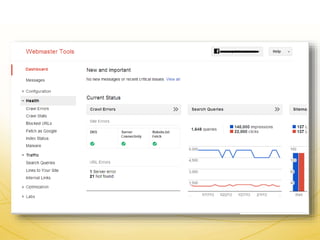
 Links to your site
 Know who is mentioning you on web
 Keyword density report
 Crawl Errors
Google Webmaster
www.google.com/webmasters
Master of Web
Blog Optimization Using Google Tools

Blog Optimization Using Google Tools

  • 1.
    Blog Optimization UsingGoogle Tools Get Insight of Google Tools & Services
  • 2.
     To MakeBlog More Search Engine Friendly  To Make Blog Audience Friendly  To Get Effective Audience on Blog  To Boost Your Earning Why Optimization for Blog? To be Perfect and Effective
  • 3.
    1. Google Alert 2.Google Trends 3. Keyword Research Tool 4. Google Page Speed 5. Google Authorship Tool 6. Google Analytics 7. Google Drive 8. Google Webmaster Google Tools List
  • 4.
    1. Discover newcontent and topics 2. Track Keywords  Build backlinks within your niche  Spy Your Competitor 3. Get More Services- Earn More  Online Services  Affiliate Marketing Google Alert Get Important News Mailed HOW IT HELPS IN BLOGGING www.google.com/alert
  • 5.
  • 6.
     Insight ofthe search queries  Location Of the Searches  Hot Searches Google Trends www.google.com/trends Know Trending Topic
  • 8.
    Graph Showing TheTrending Topic
  • 9.
     Insight ofthe competition for Keyword  Insight of local/ specific location search  Exact , Phrase search feature  Earn More  See CPC rates  Related keywords Keyword Research Tool Write With Knowledge Part of Google Adwords
  • 11.
  • 12.
     Analyse andoptimize Blog  Ranks Your Blog Out of 100  Categories errors in different priorities  Suggestions for improvement Google Page Speed http://developers.google.com/speed/pagespeed/insights
  • 14.
     More SearchFriendly  User Click Frequency increase  Choose result with image  Content get more exposure Google Authorship Tool http://www.google.com/webmasters/tools/richsnippets
  • 16.
     Content Analyses Real Time Insight  Each Page Insight  Analyse social presence  Custom reports  Export as PDF Google Analytics Gain insights that matter www.google.com/analytics
  • 18.
     Online Office Online text editor  Create graphs and charts  Manage database  Create Custom forms  Choose the privacy  Set up Drive offline Google Drive drive.google.com Access File Wherever You Are
  • 19.
     Links toyour site  Know who is mentioning you on web  Keyword density report  Crawl Errors Google Webmaster www.google.com/webmasters Master of Web