Technology Literacy
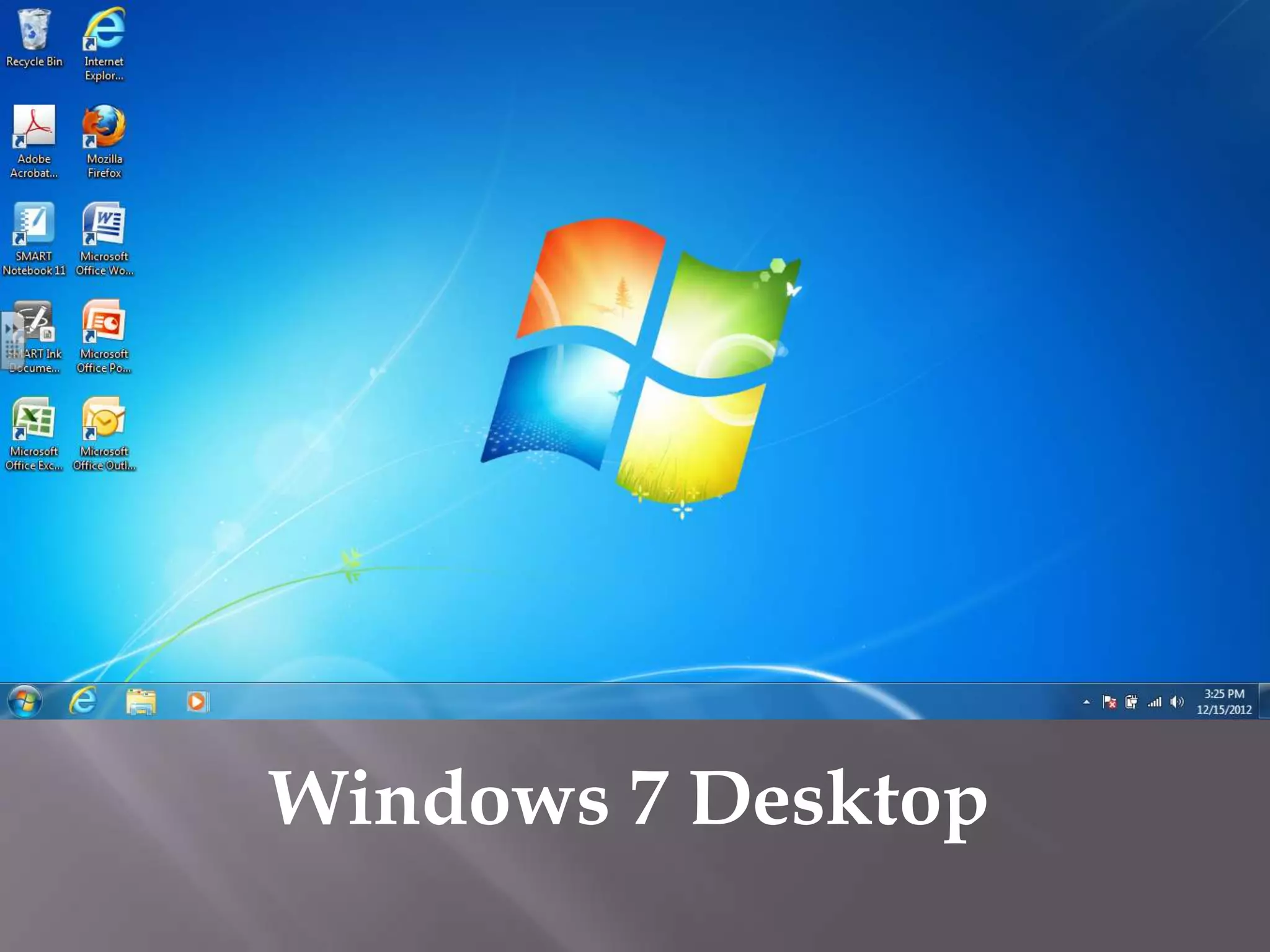
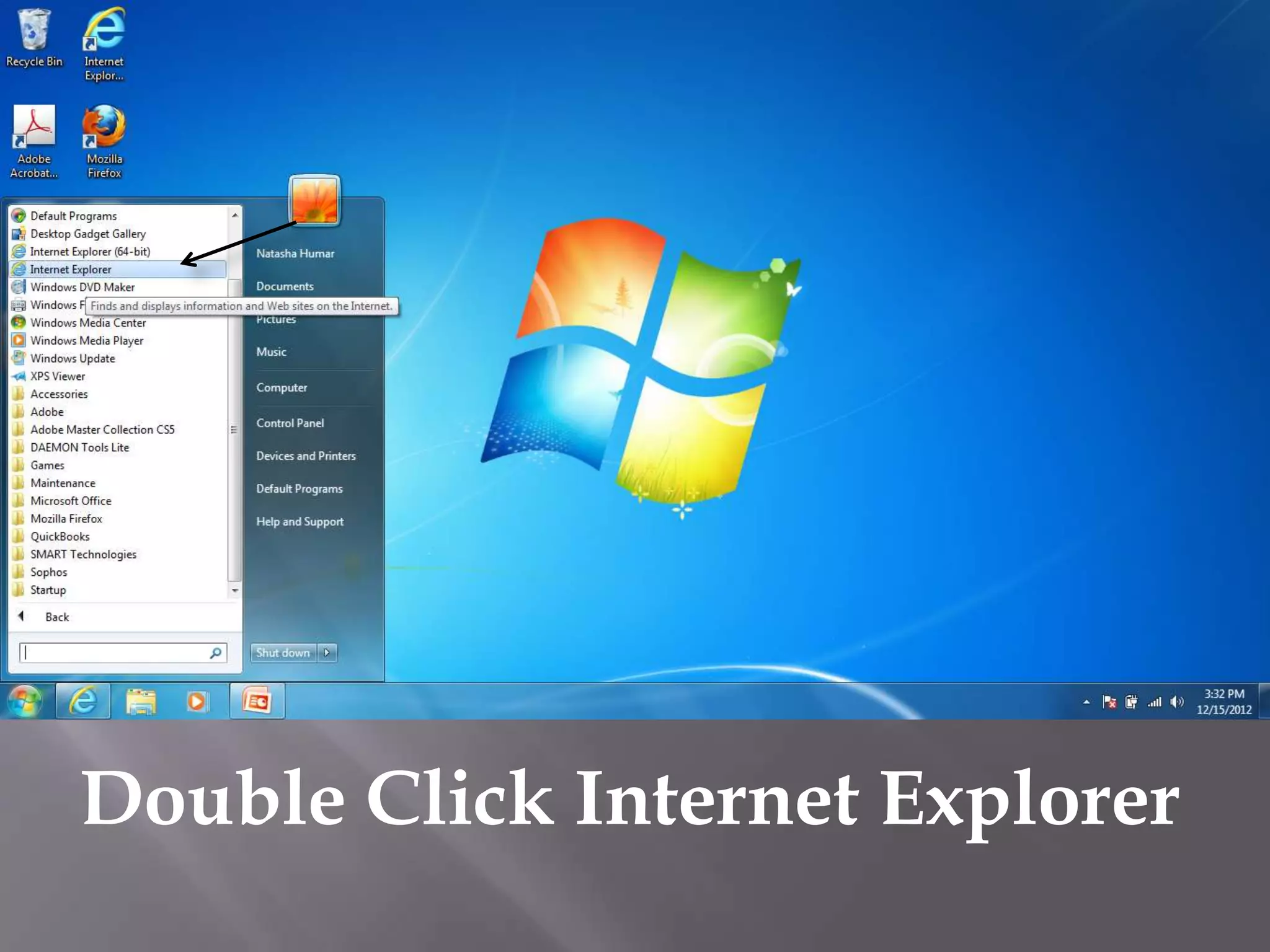
Windows 7 Desktop
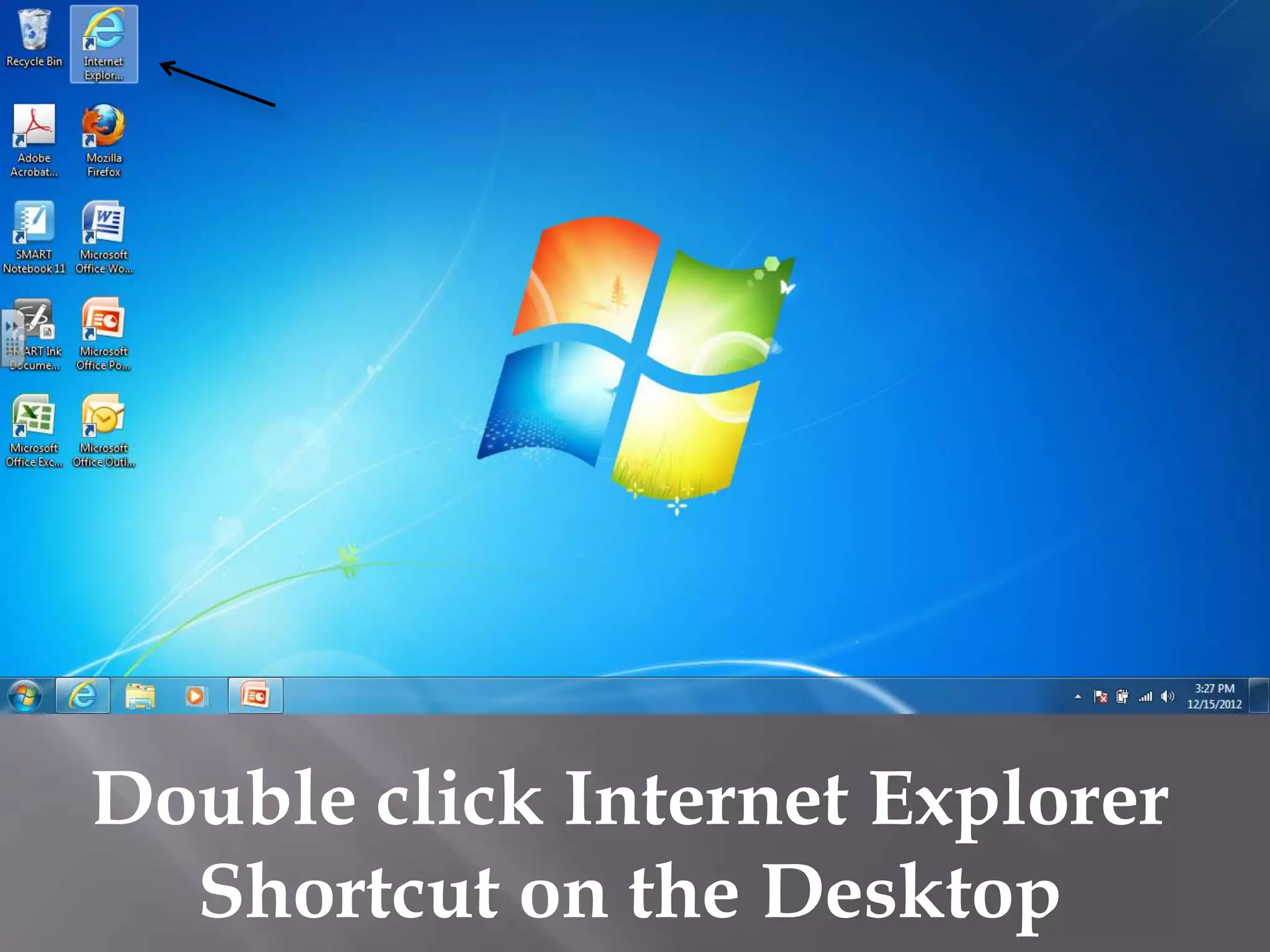
Double click Internet Explorer
  Shortcut on the Desktop
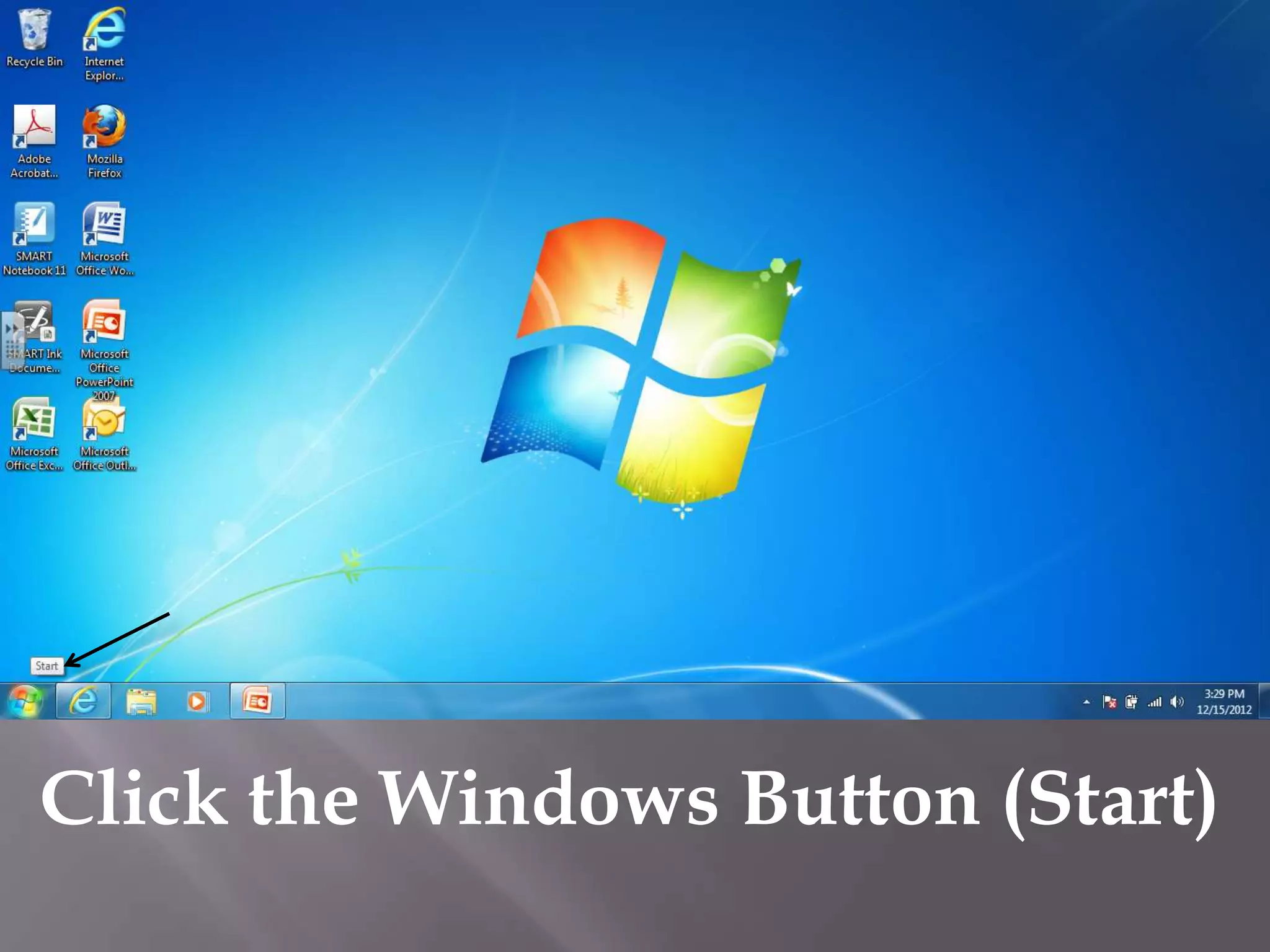
Click the Windows Button (Start)
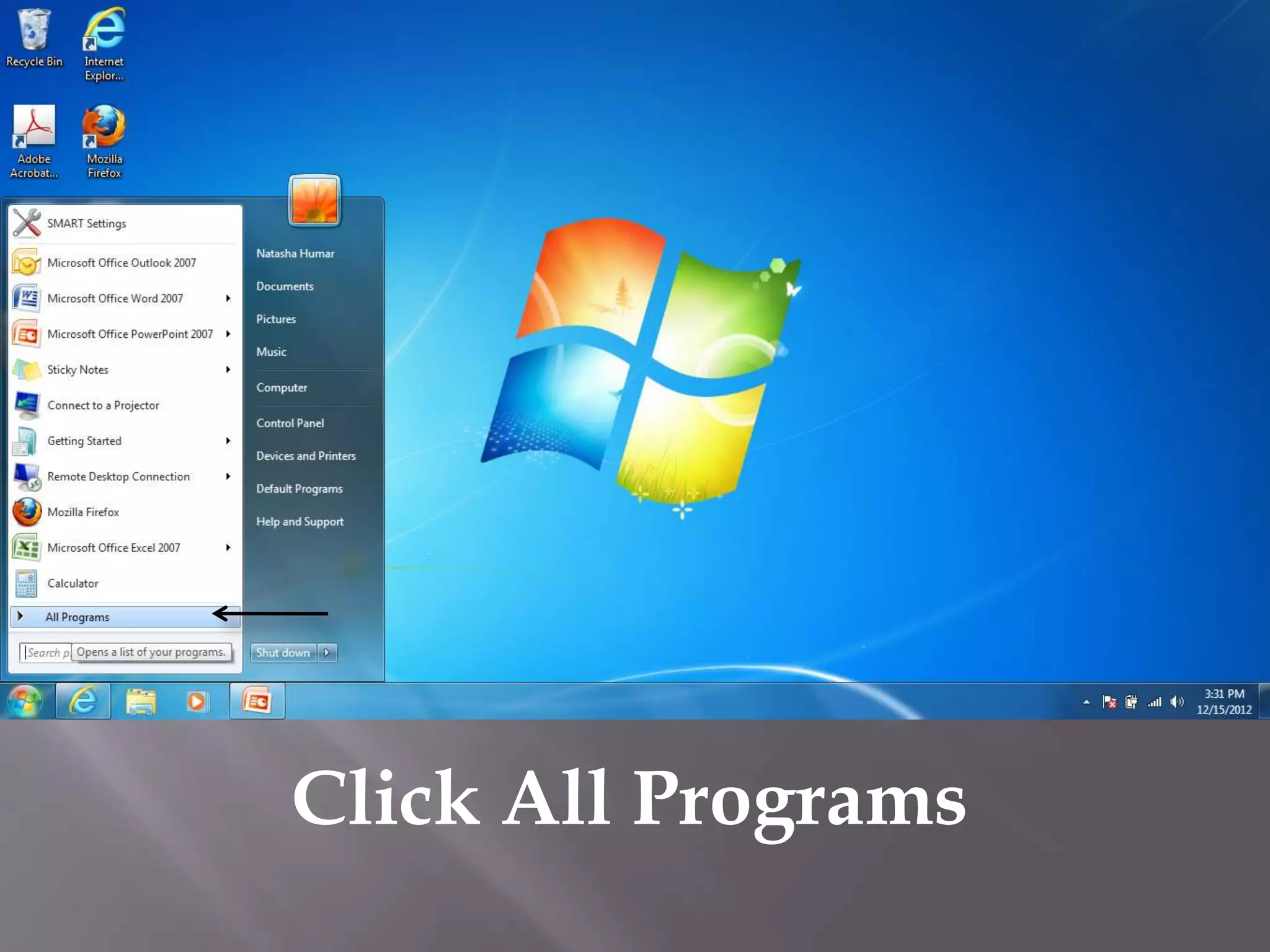
Click All Programs
Double Click Internet Explorer
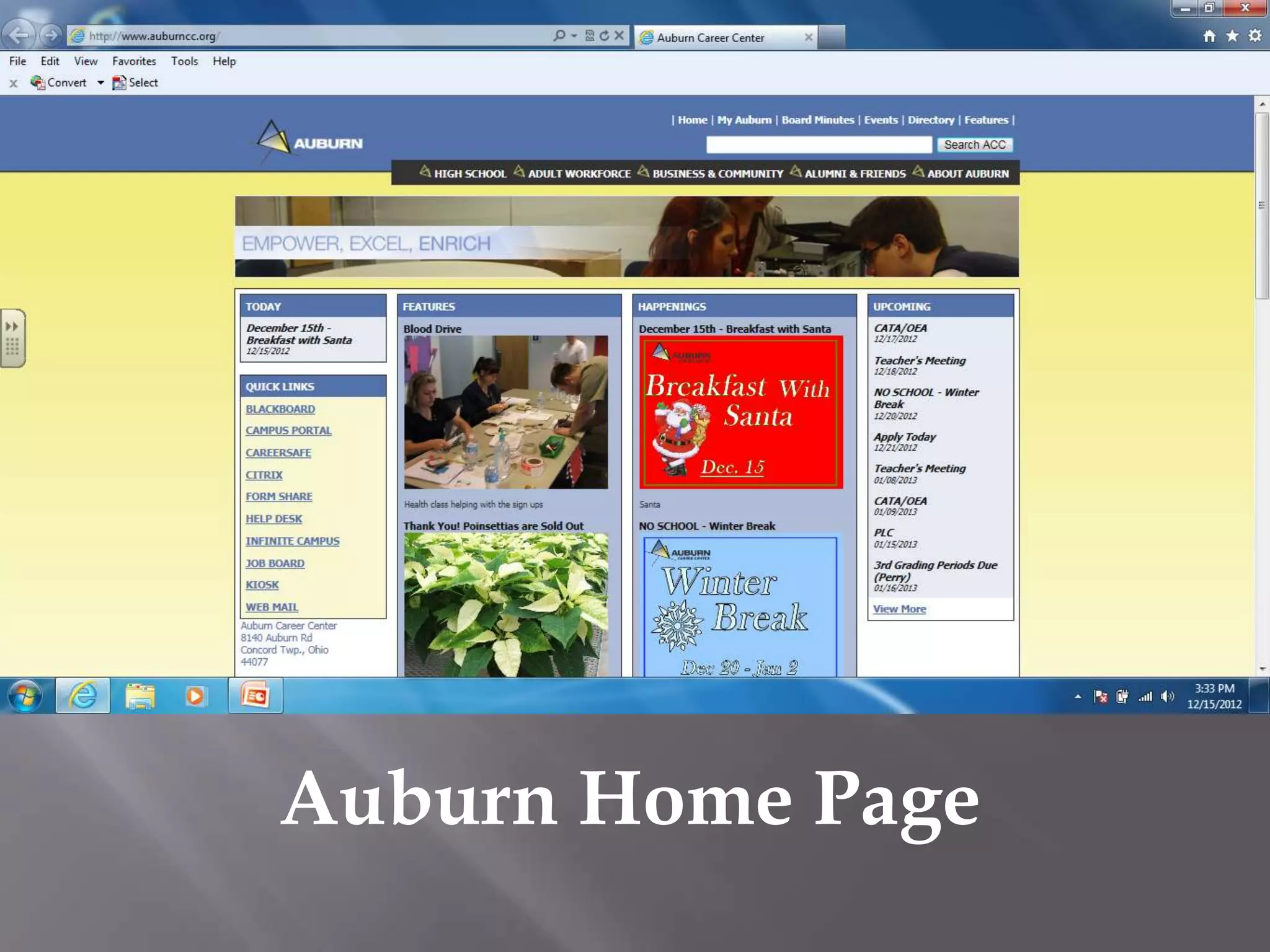
Auburn Home Page
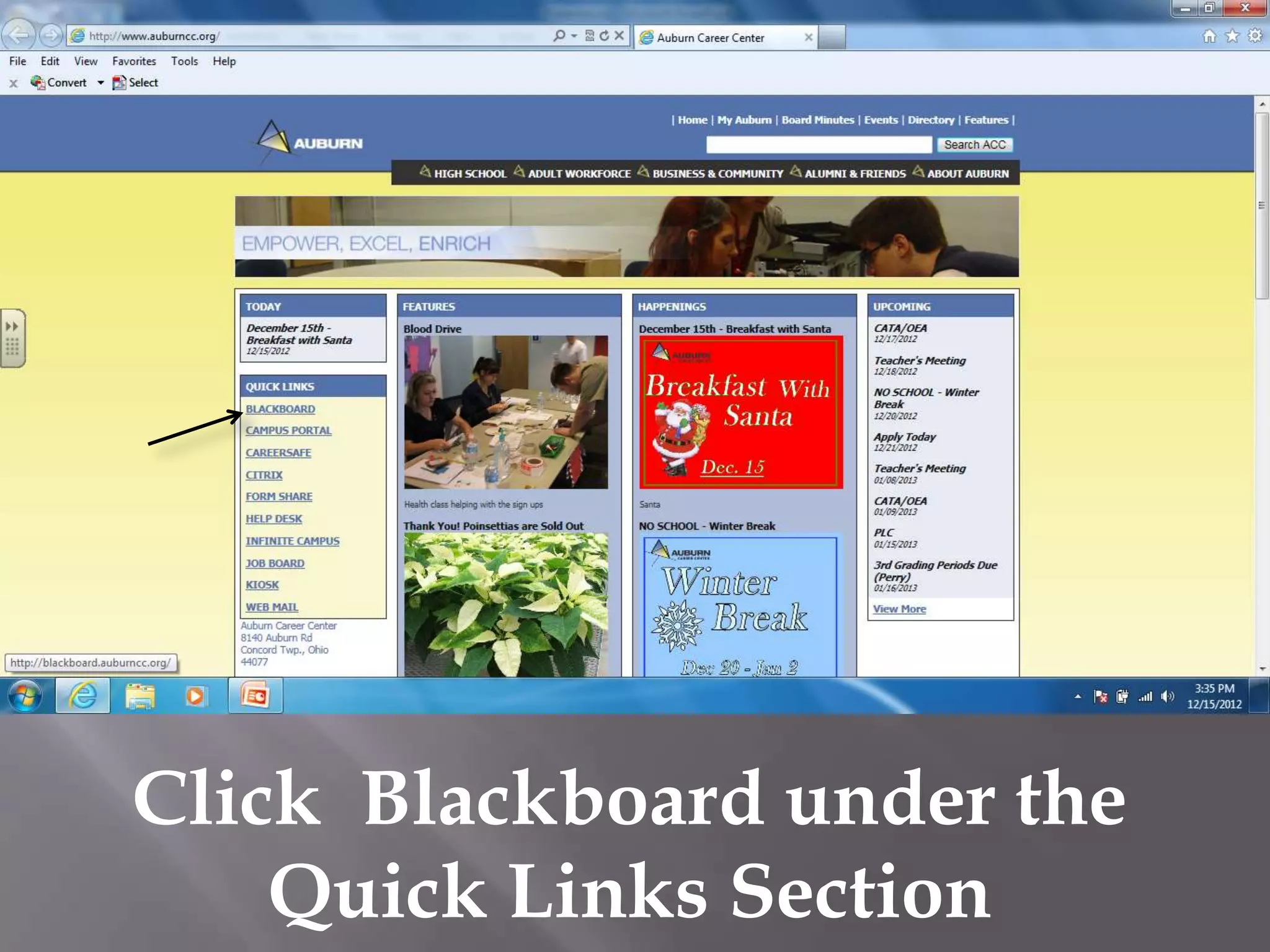
Click Blackboard under the
    Quick Links Section
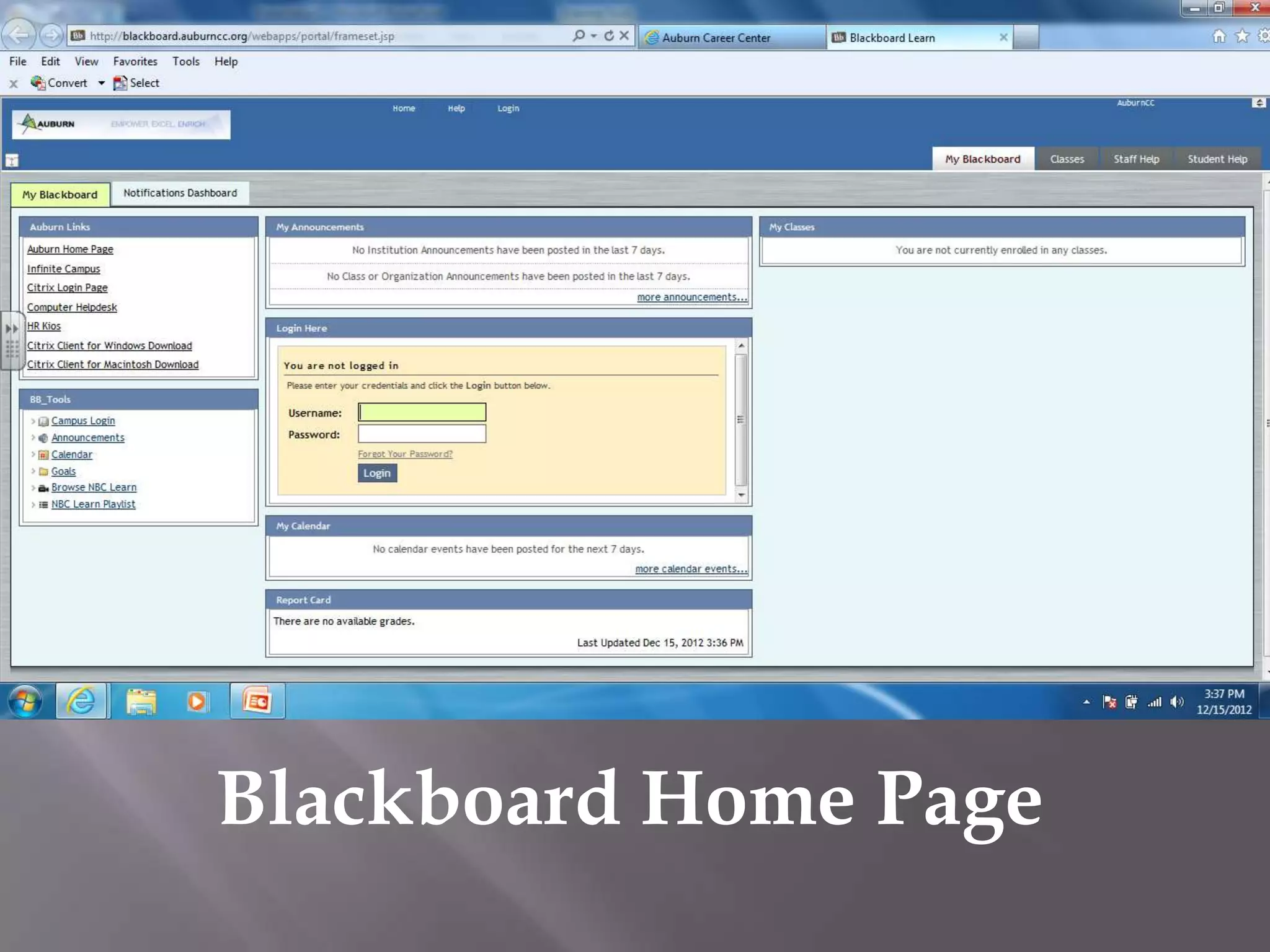
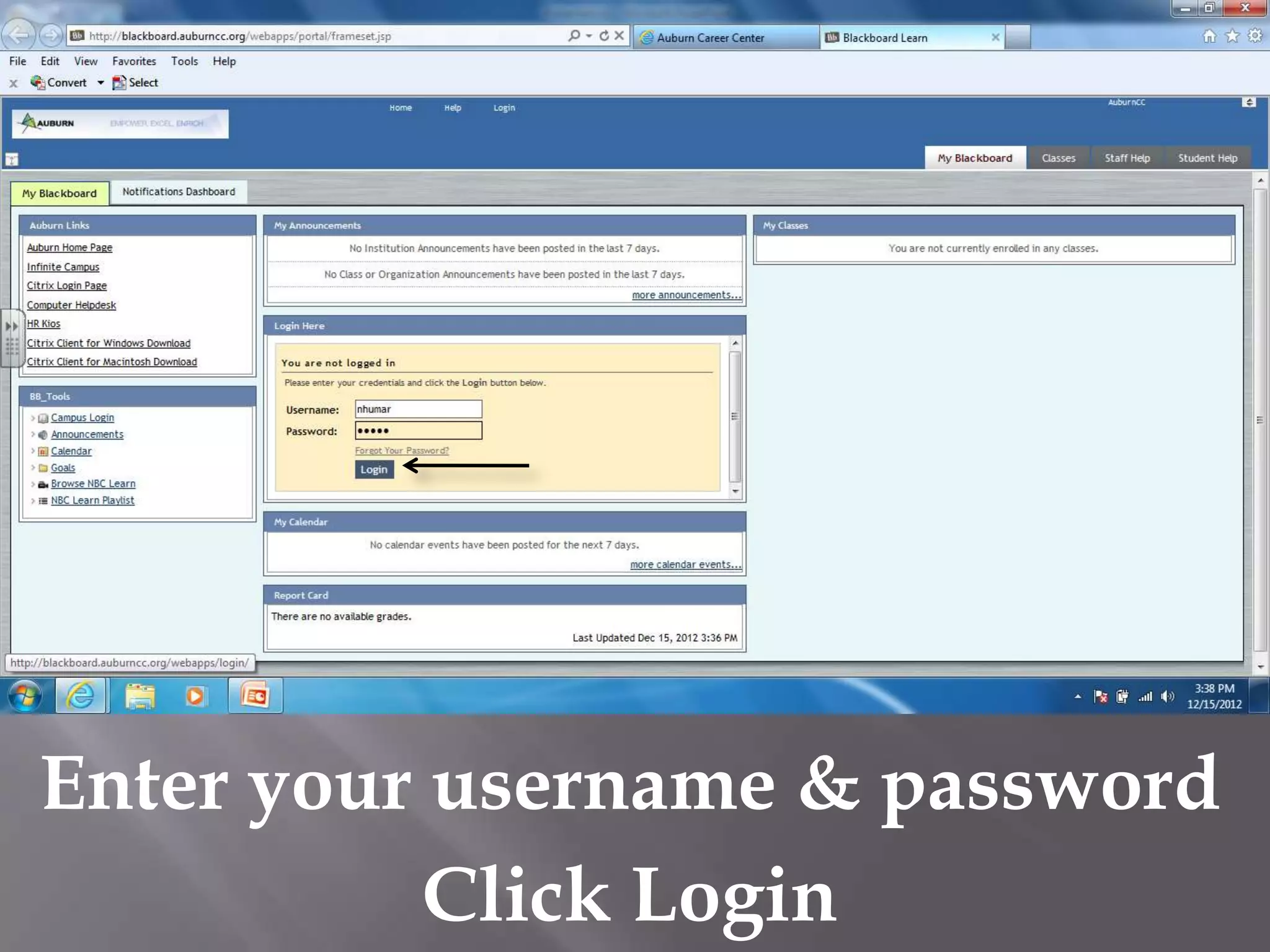
Blackboard Home Page
Enter your username & password
           Click Login
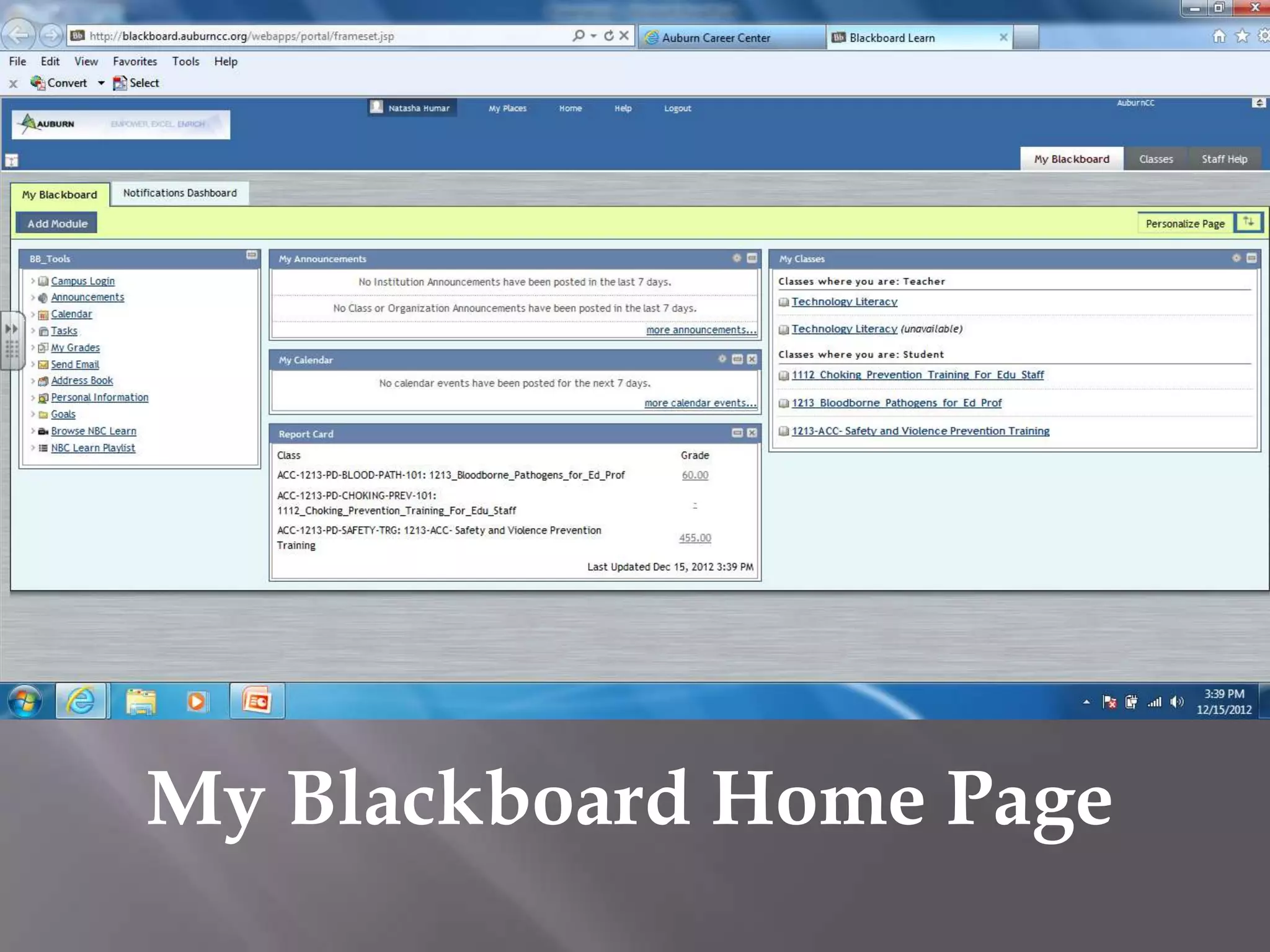
My Blackboard Home Page
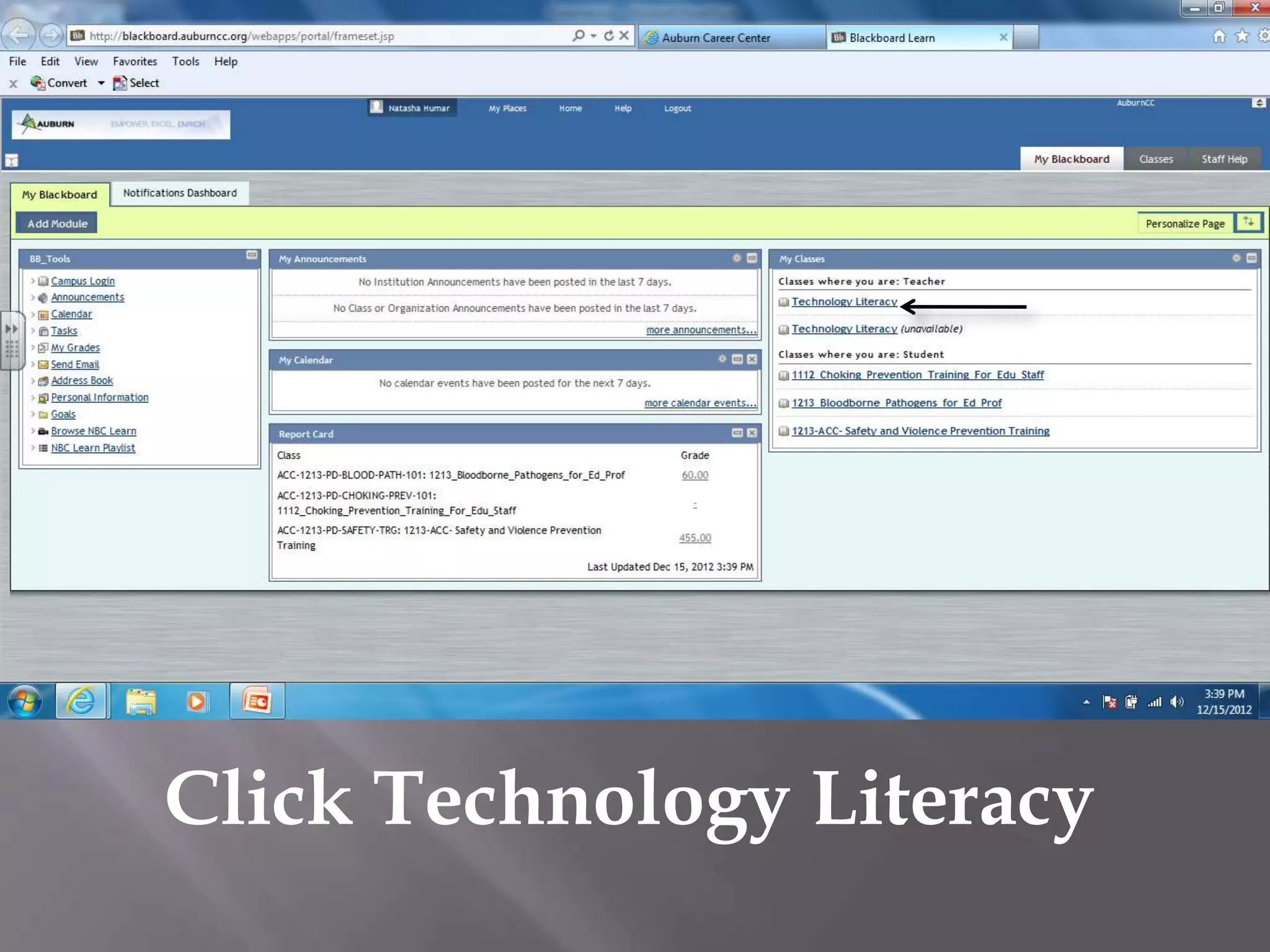
Click Technology Literacy
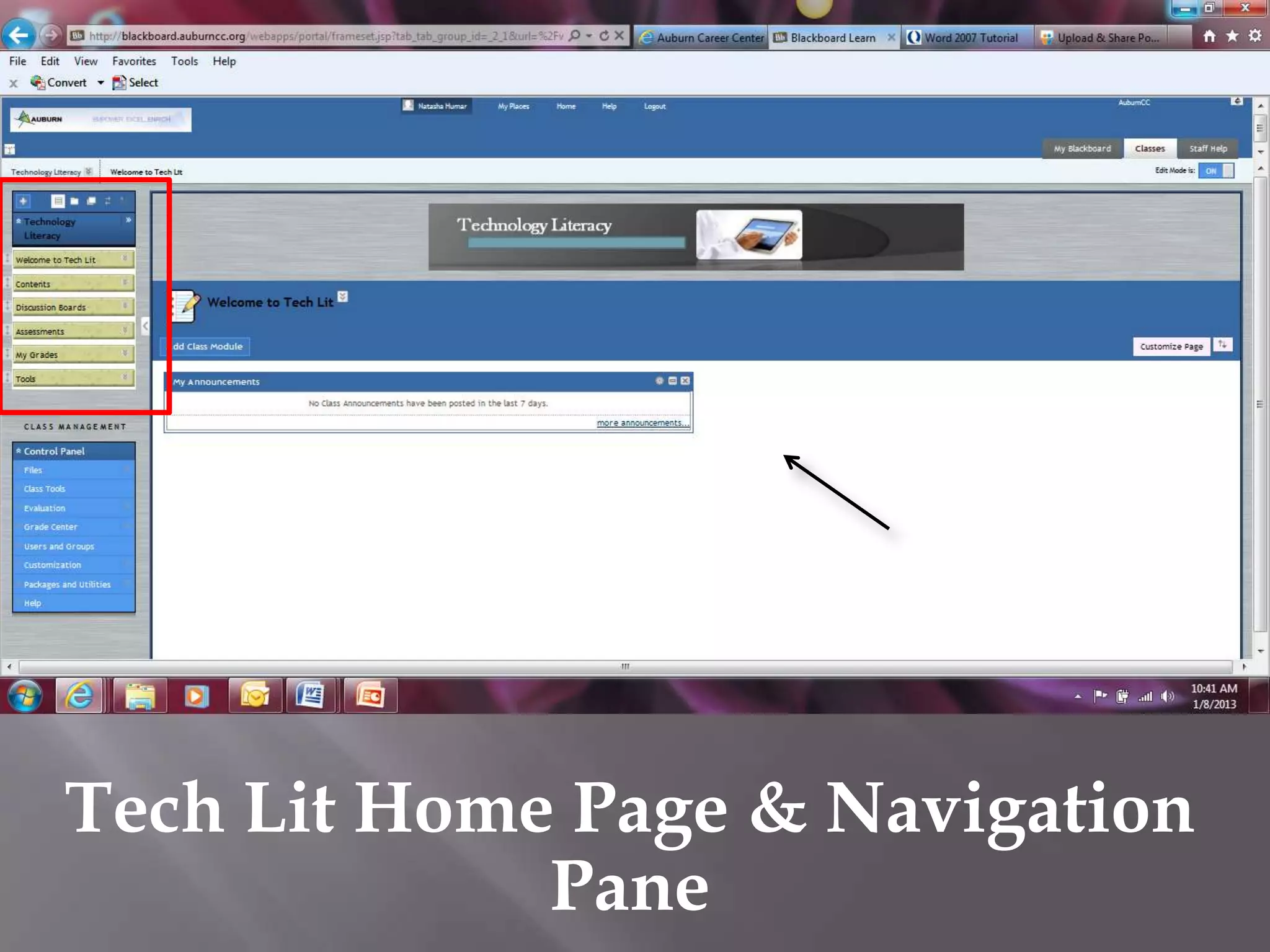
Tech Lit Home Page & Navigation
             Pane
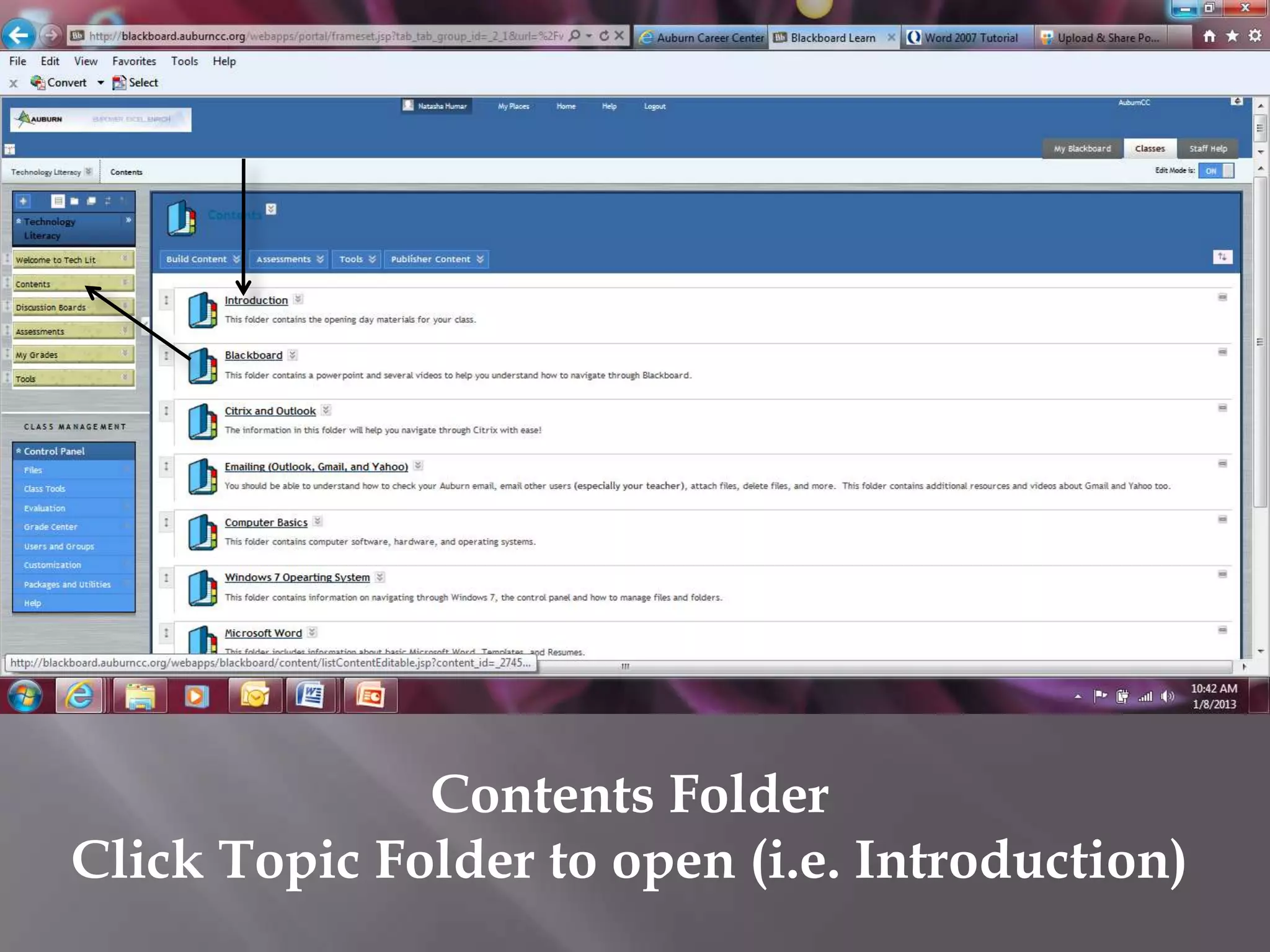
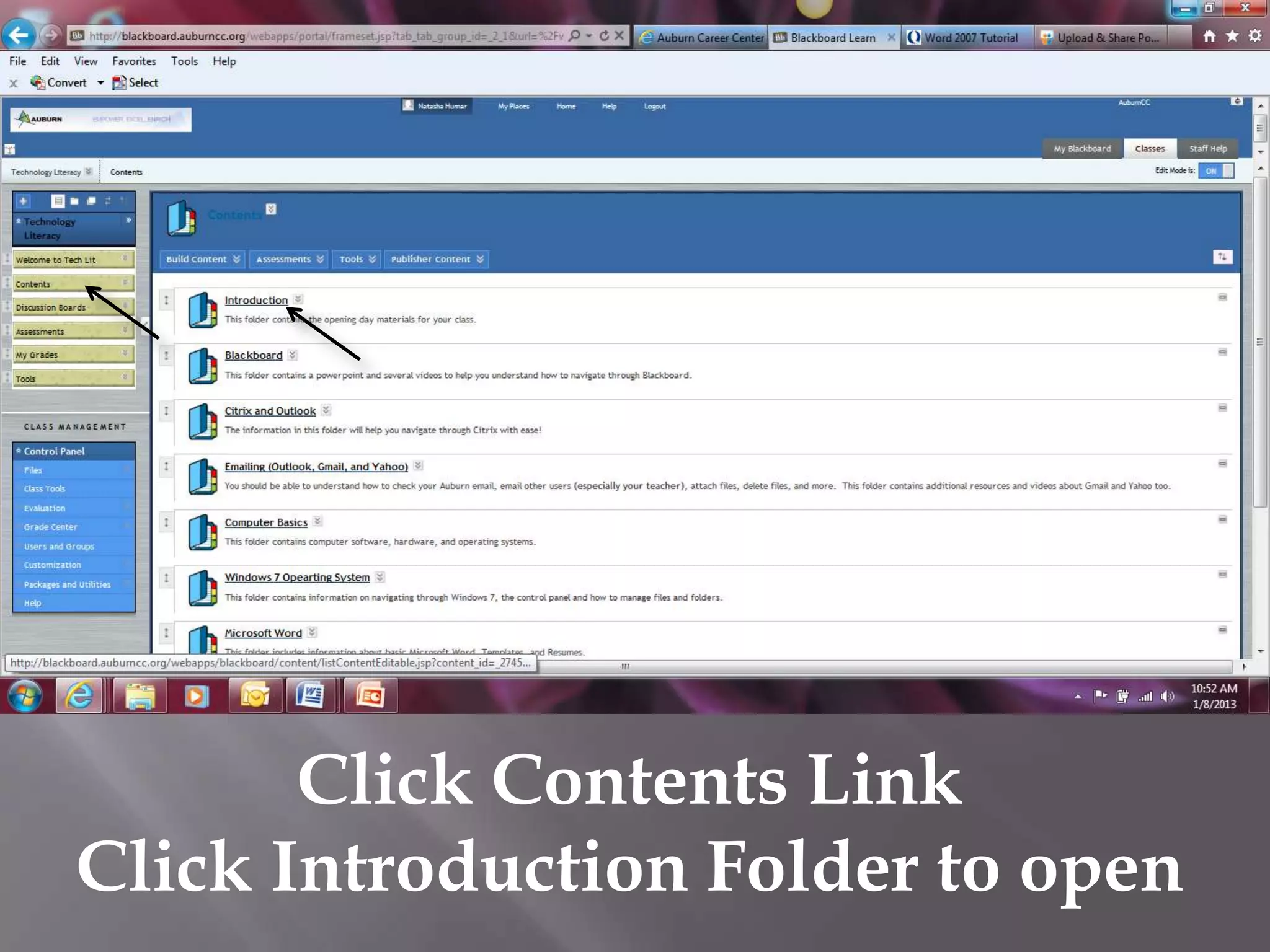
Contents Folder
Click Topic Folder to open (i.e. Introduction)
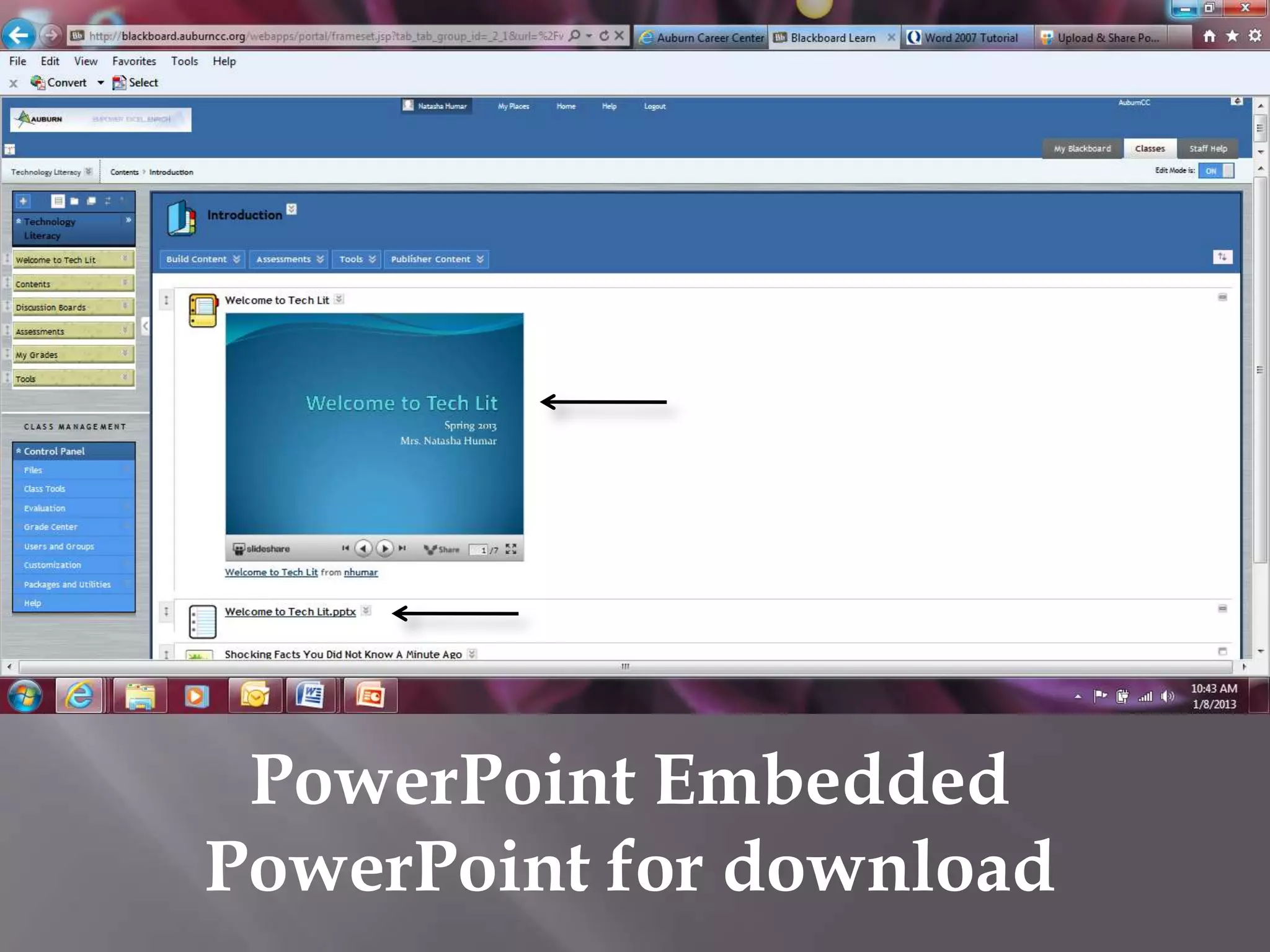
PowerPoint Embedded
PowerPoint for download
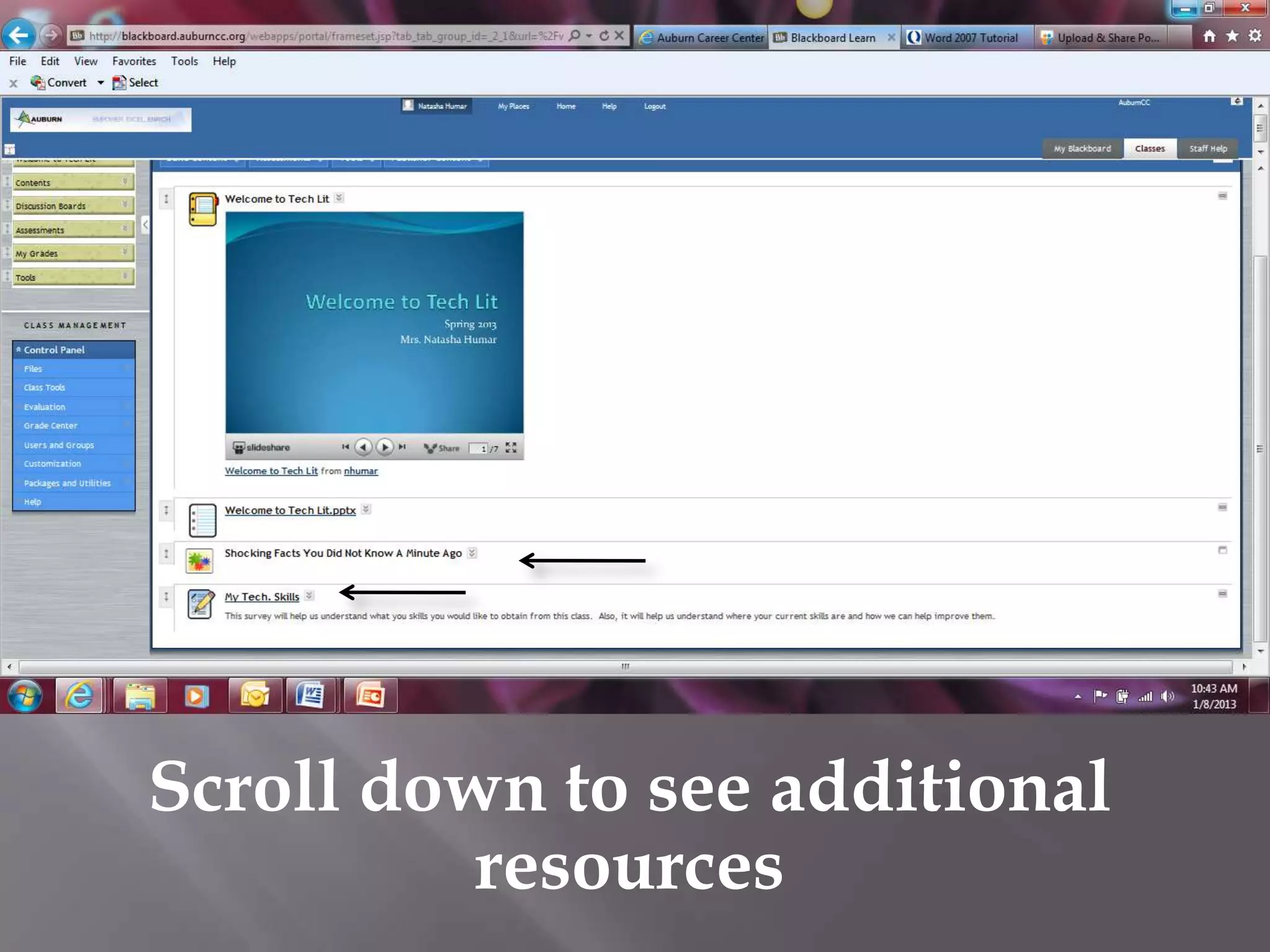
Scroll down to see additional
          resources
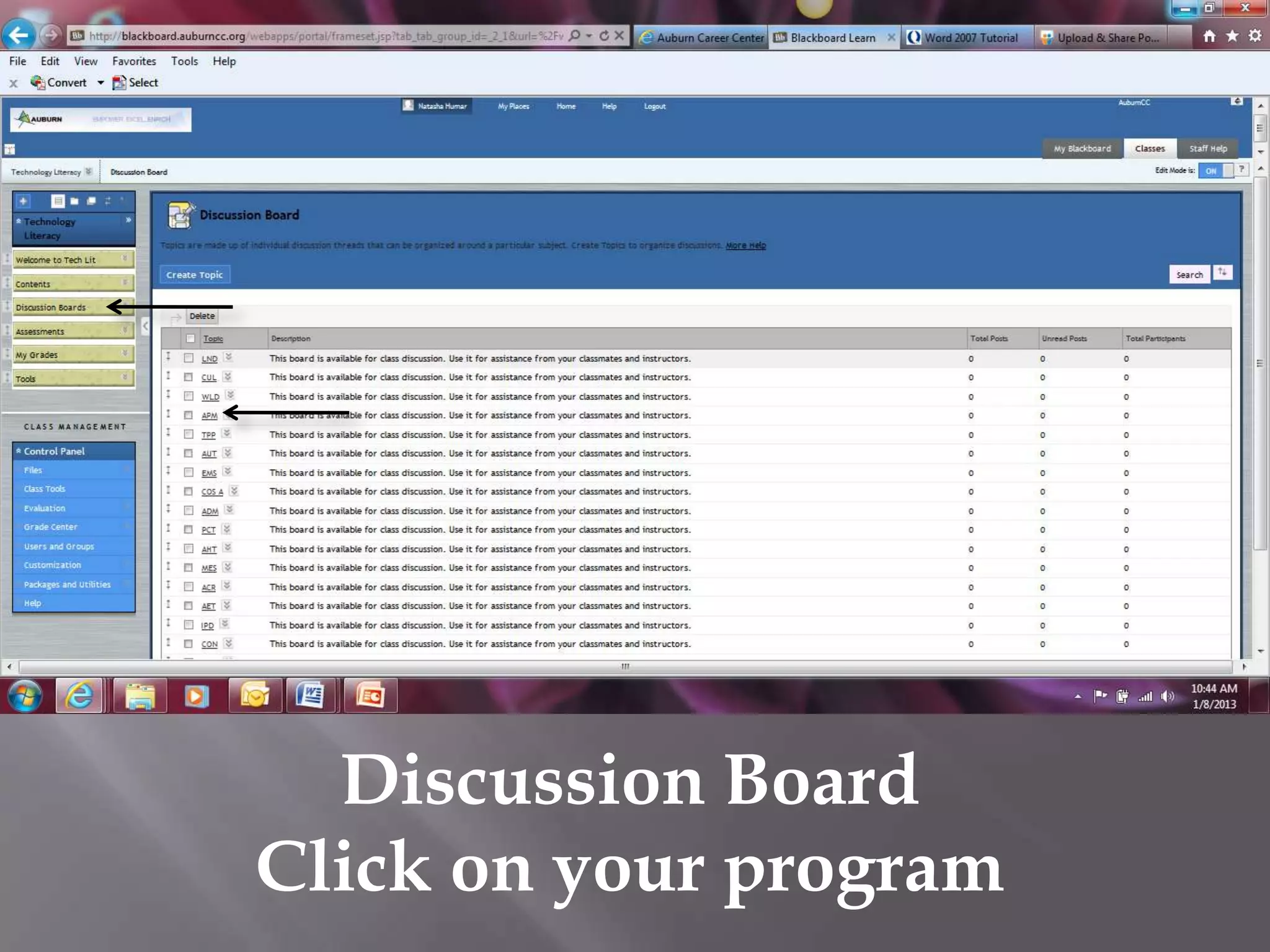
Discussion Board
Click on your program
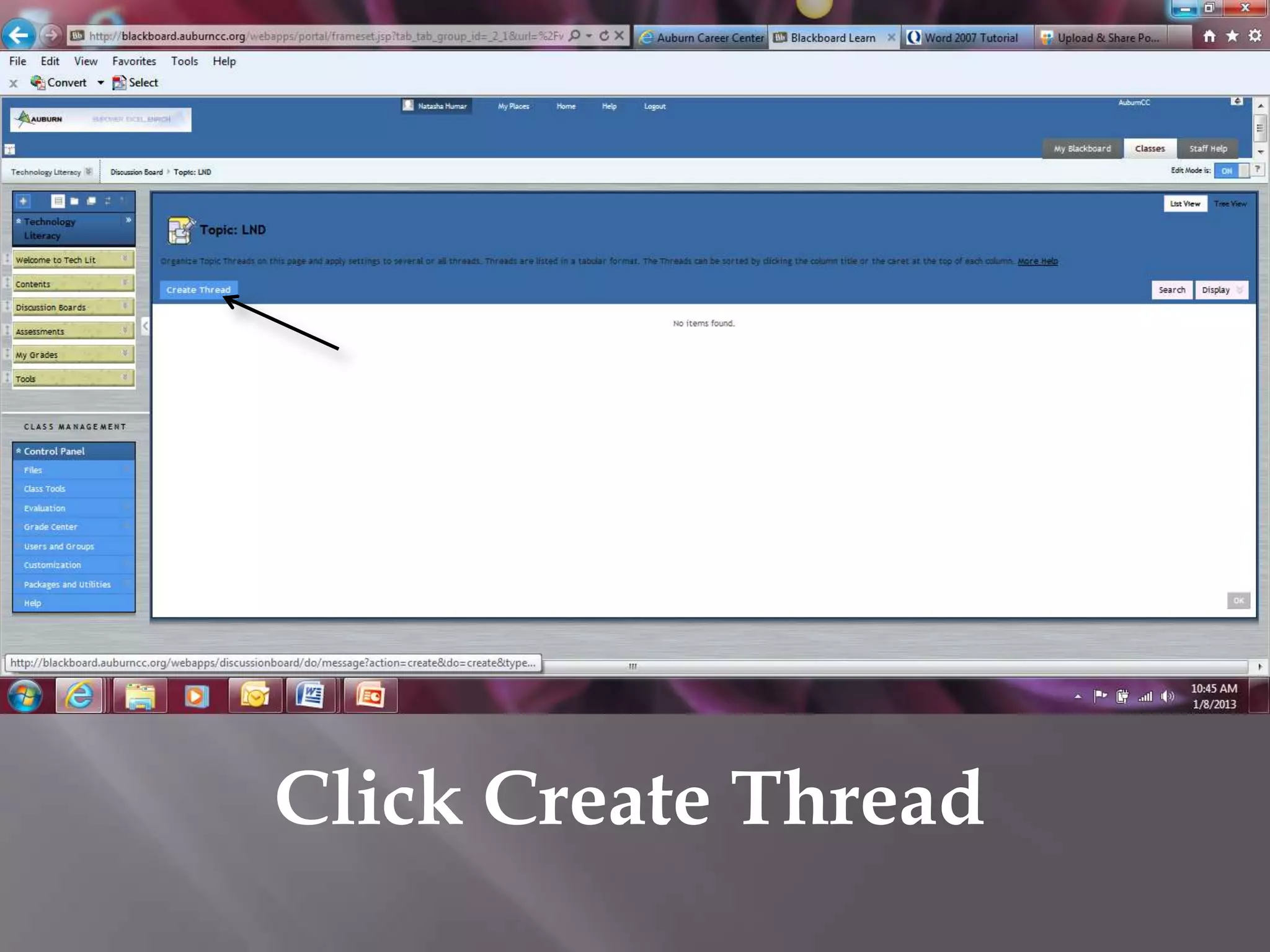
Click Create Thread
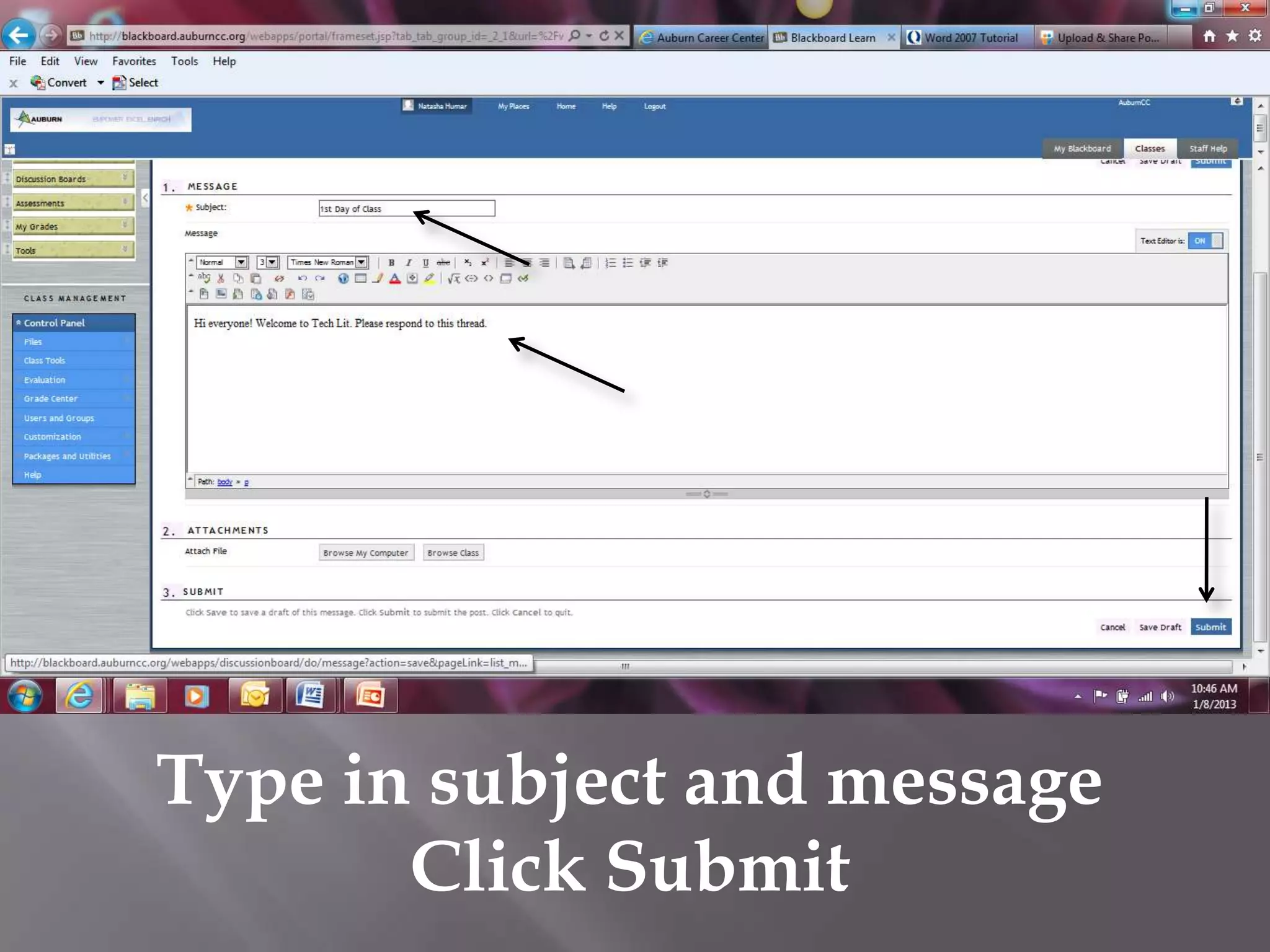
Type in subject and message
       Click Submit
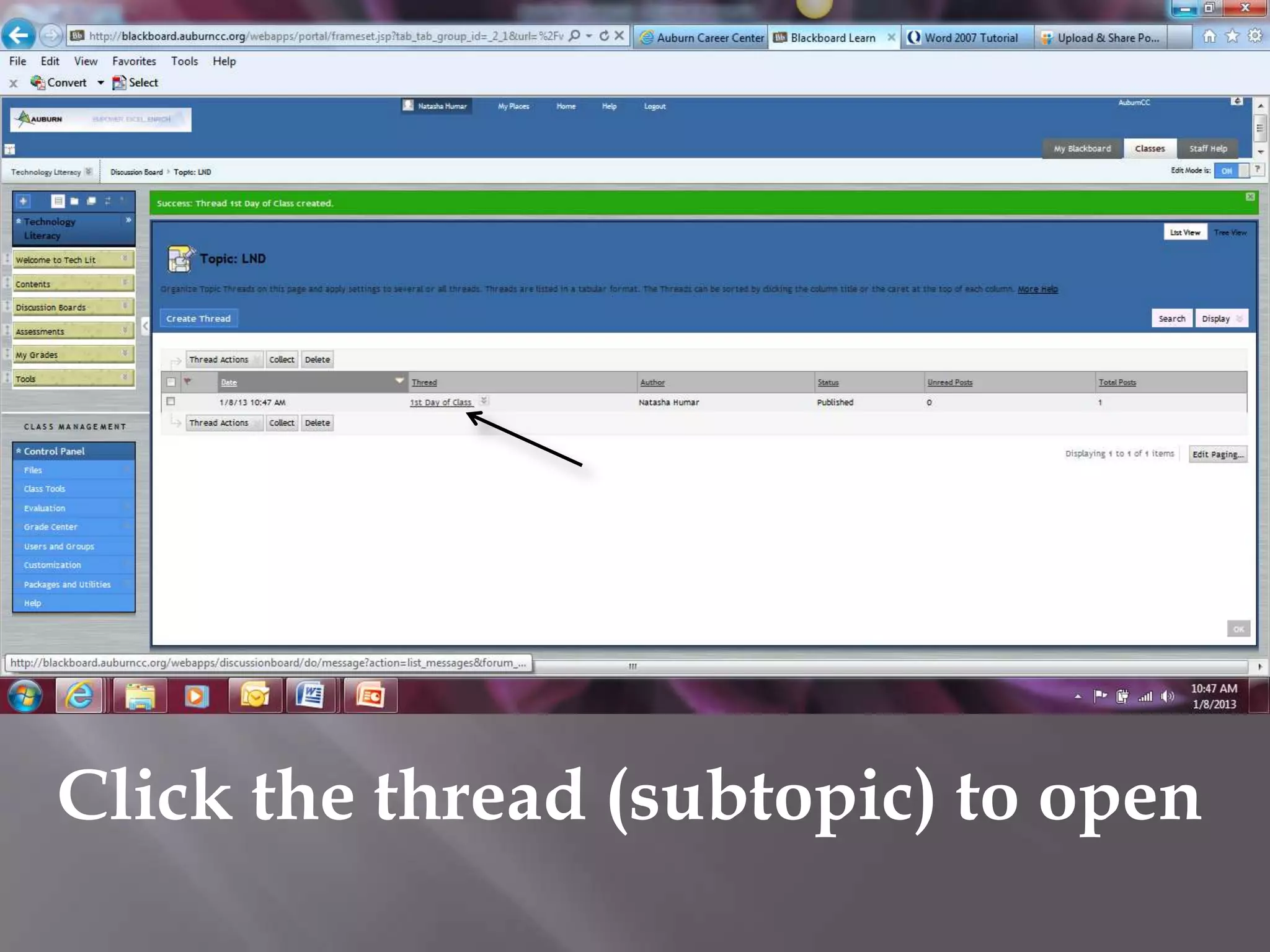
Click the thread (subtopic) to open
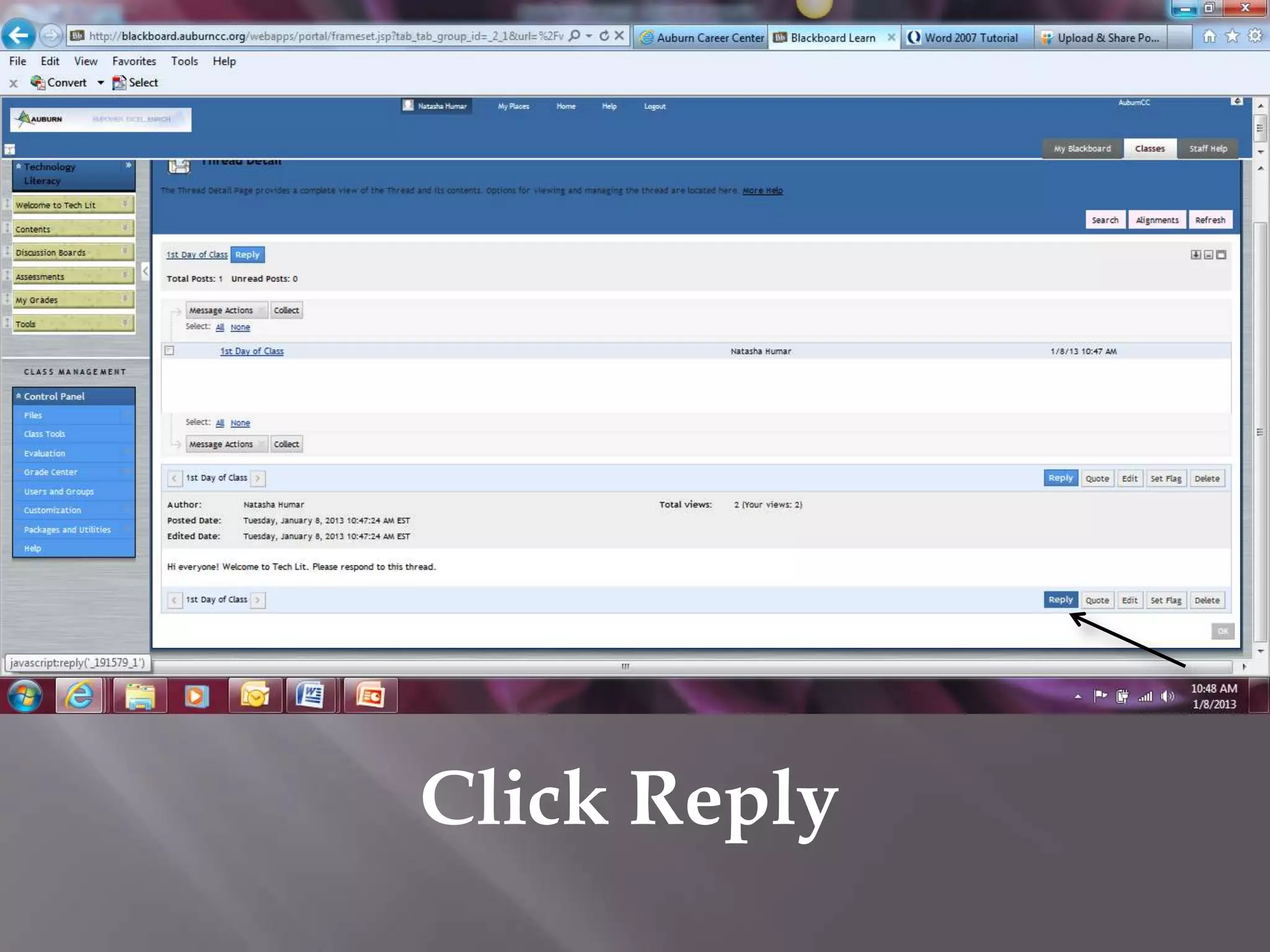
Click Reply
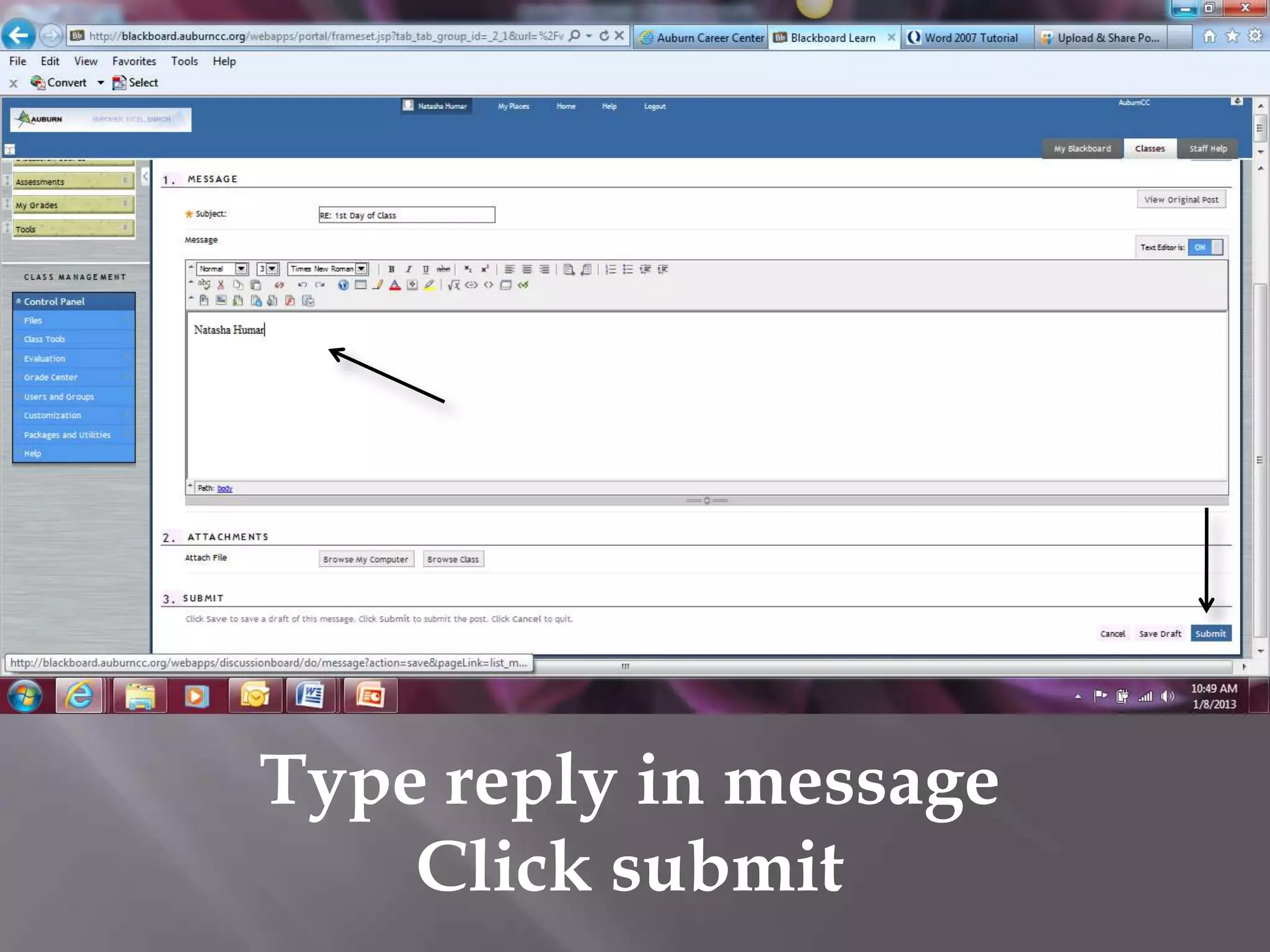
Type reply in message
    Click submit
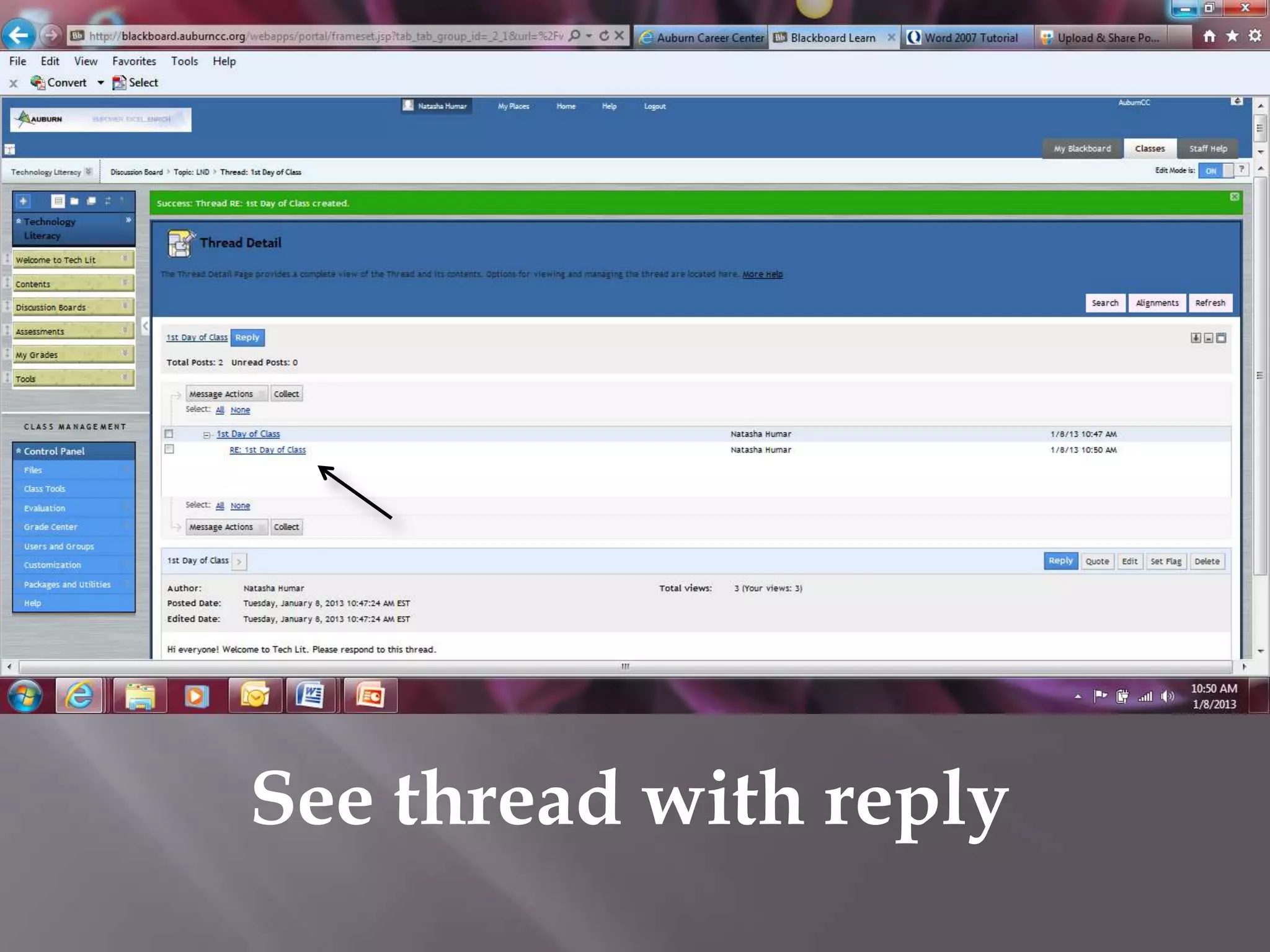
See thread with reply
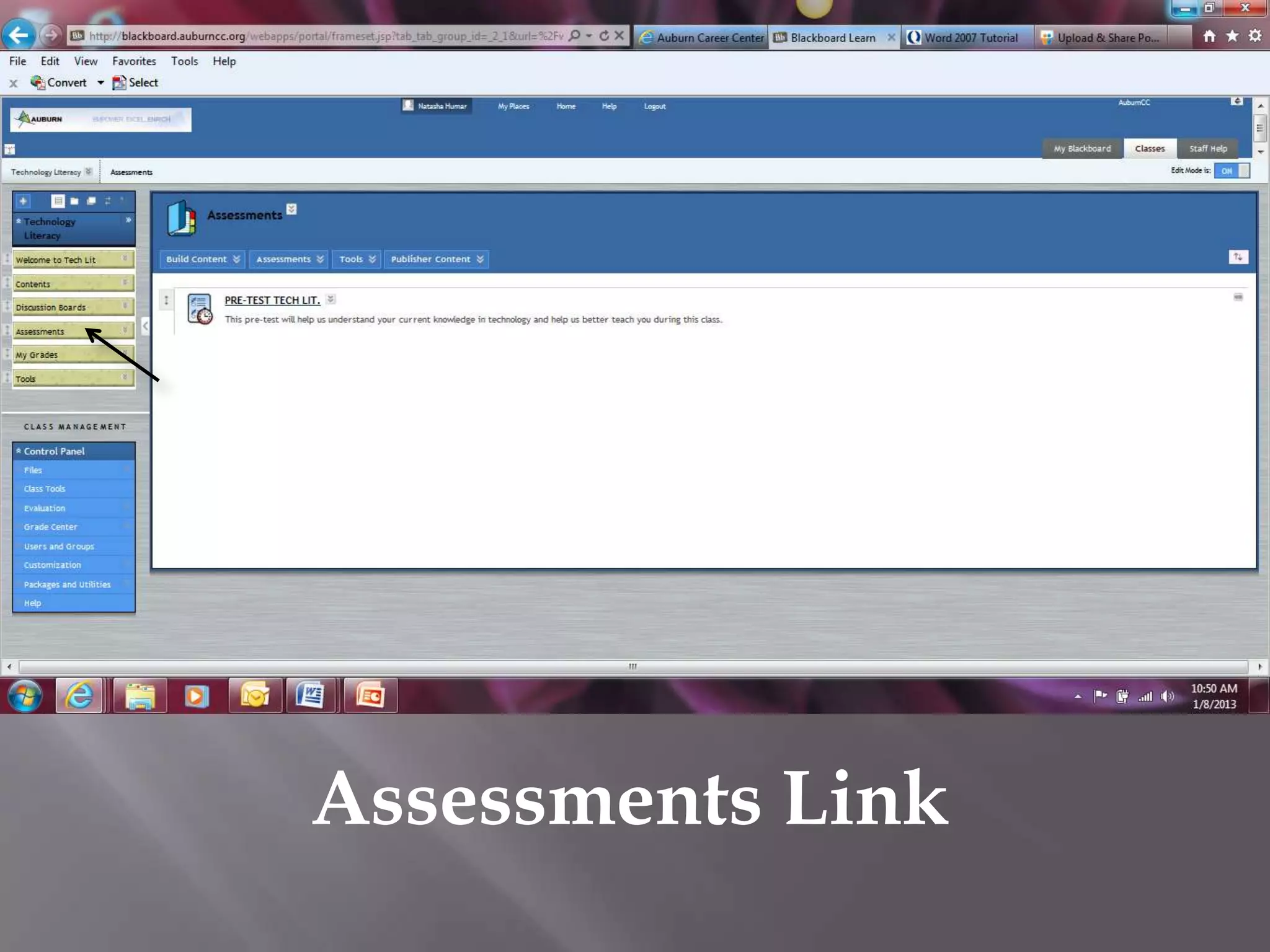
Assessments Link
My Grades Link
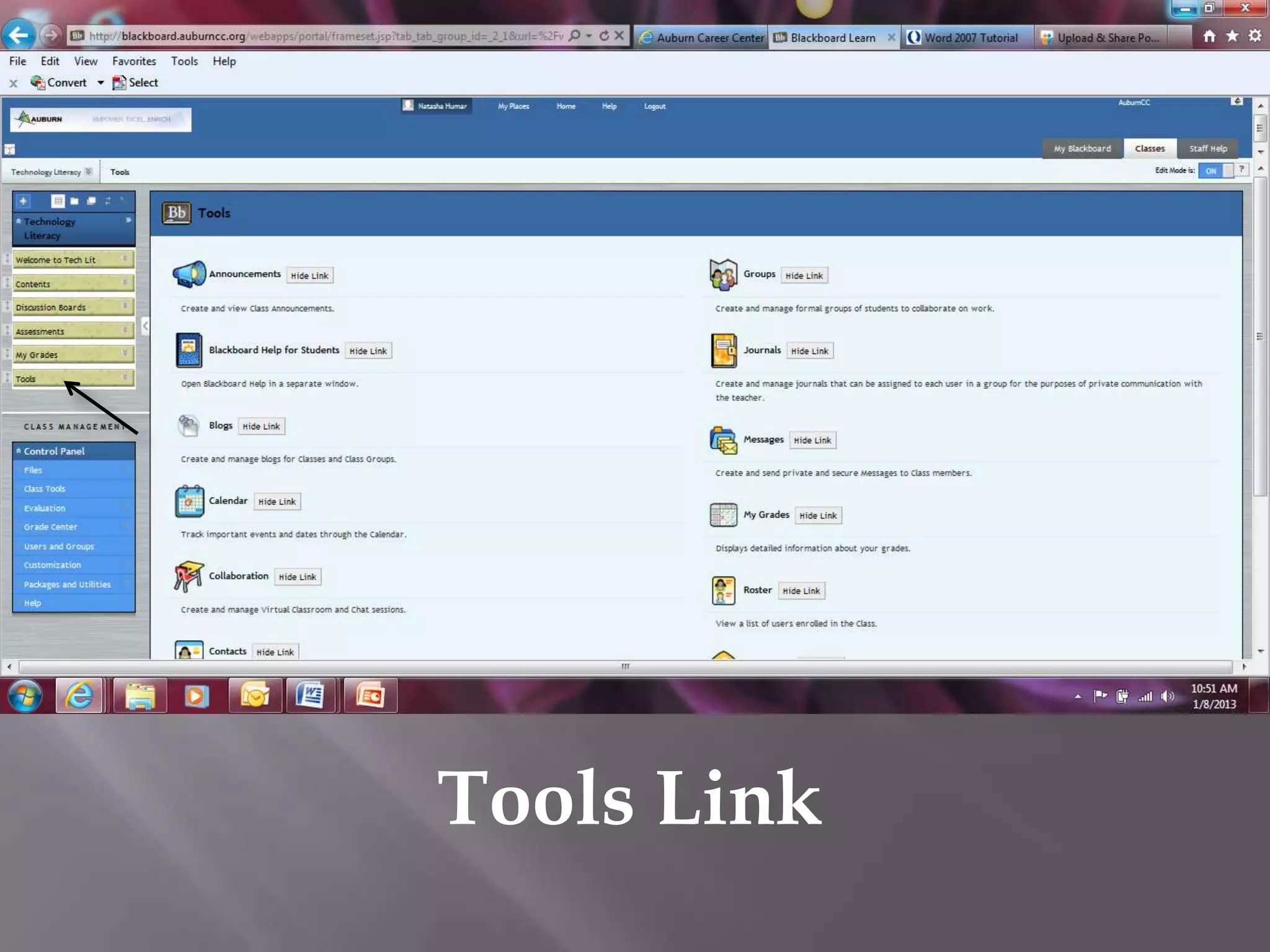
Tools Link
Click Contents Link
Click Introduction Folder to open
Click My Tech Skills Survey
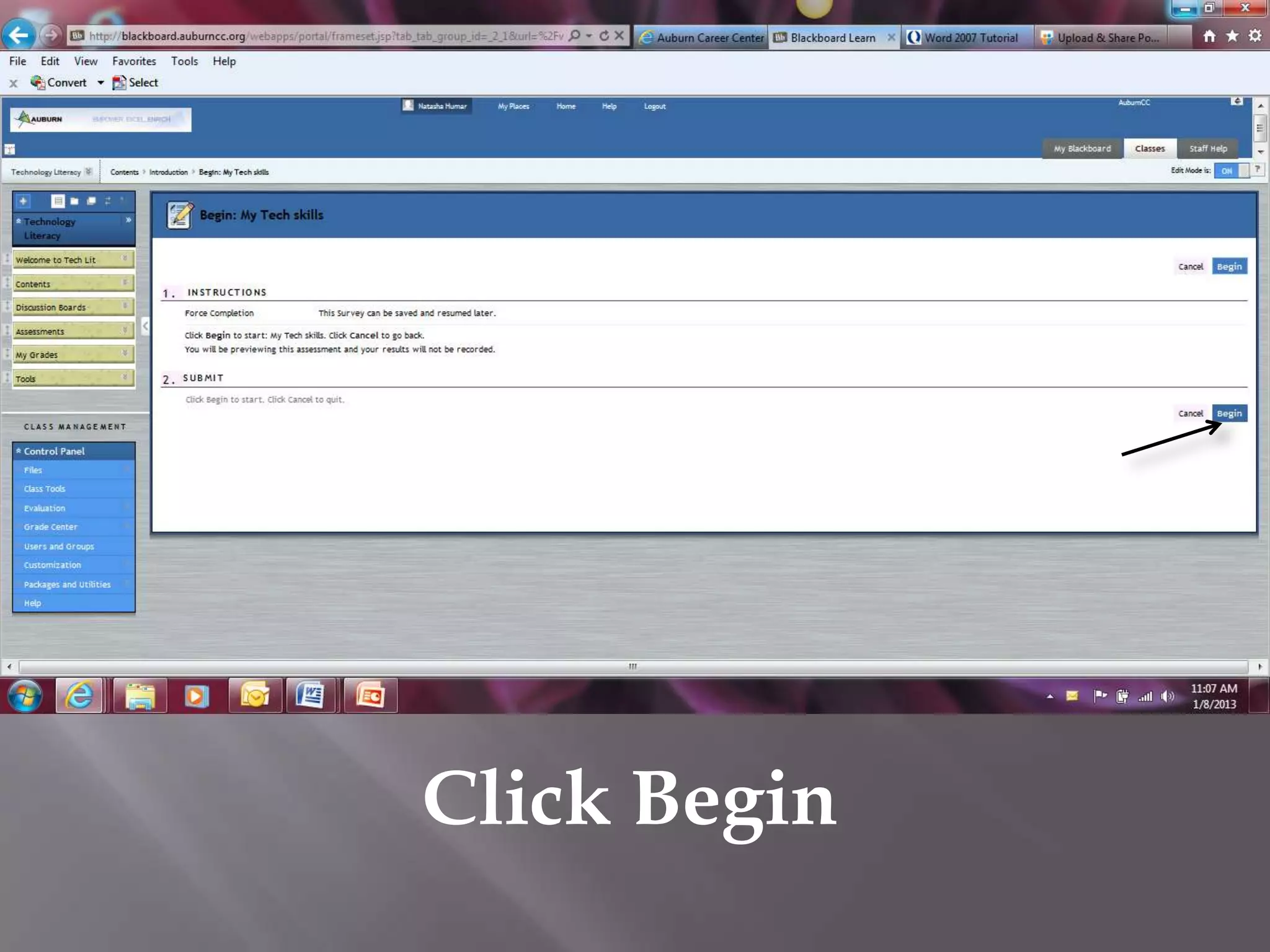
Click Begin
Click button next to True or False to answer
the statement; click arrow to move to the next
                   question
Continue to answer all 16 questions; the last question is
 short answer; click in the answer box to type in your
   response; click Save and Submit when finished
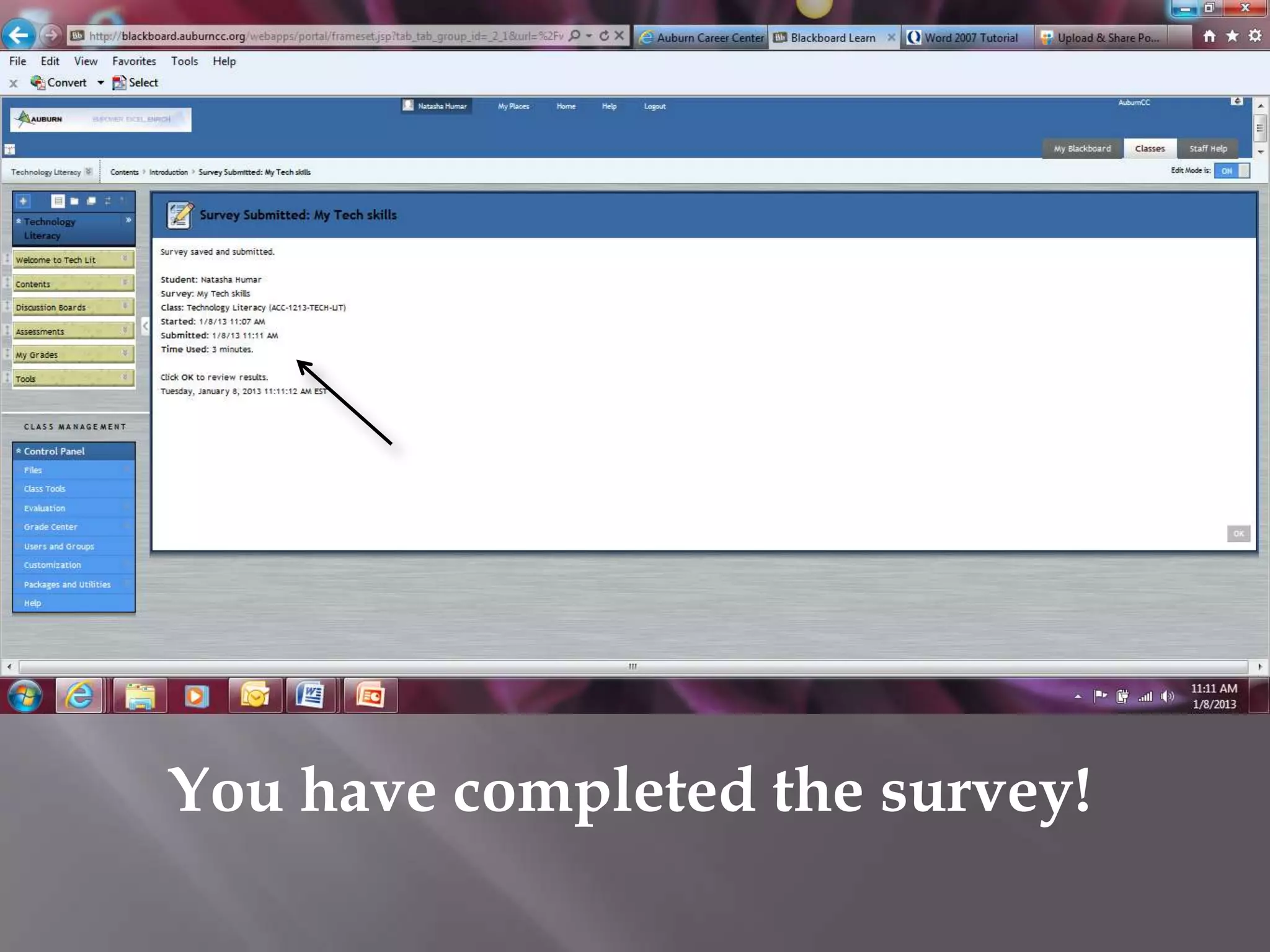
You have completed the survey!

Blackboard Powerpoint