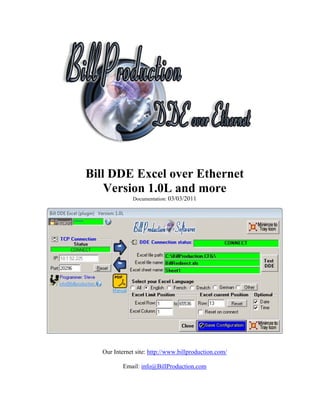
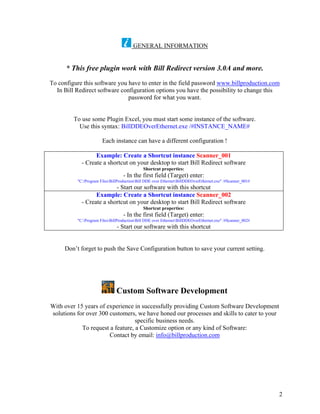
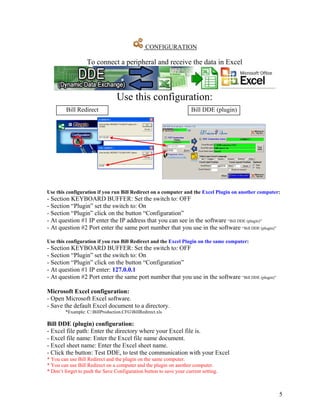
This document provides instructions for connecting a peripheral device to Microsoft Excel using Bill DDE Excel over Ethernet software. The software creates a real-time connection between Bill Redirect software and Excel to receive device data directly into an Excel spreadsheet. Users can run the Bill Redirect and plugin software on one computer or on separate computers connected over a network. The document outlines configuration steps for both applications and provides a VBA code example for sending commands from Excel to a Bill Redirect peripheral.


![Excel VBA
To send data command from Excel to Bill Redirect peripheral use this VBA source in your Excel:
ChannelNumber = DDEInitiate("BPEXCEL", "BPEXCEL")
DDEExecute ChannelNumber, "{TX_SERIAL[Hello Word !{ASCII:13}]}"
DDETerminate ChannelNumber
'** Replace the command {TX_SERIAL[Hello Word !{ASCII:13}]} by the command you want
Use the manual to see all the commands available:
http://www.billproduction.com/Bill_Redirect_Manual.pdf
6](https://image.slidesharecdn.com/billddeoverethernet-130226115924-phpapp01/85/Microsoft-Excel-and-RS-232-peripherals-protocol-communication-DDE-7-320.jpg)
![Bill Redirect Data Filtering Configuration
To add a rule in Bill Redirect
Click on: Configuration
Click on button: ADD
If your devices send many data separated by a character. To receive data in Excel in different columns.
Example: If the character that separates the data is a comma
Enter in field Search Enter in field Replace by
, {ASCII:9}
If your devices send many data at different position in the string. To receive data in Excel in different columns.
Example: If the first data is at position 1 to 9 the second at position 10 to 13 and the third at position 14 to 22
Enter in field Enter in field Replace by
Search
{ALL_RX} {STRING_MID[RX_DATA,1,9]}{ASCII:9}{STRING_MID[RX_DATA,10,4]}{ASCII:9}{STRING_MID[RX_DATA,14,9]}
Use the manual to see all the commands available:
http://www.billproduction.com/Bill_Redirect_Manual.pdf
7](https://image.slidesharecdn.com/billddeoverethernet-130226115924-phpapp01/85/Microsoft-Excel-and-RS-232-peripherals-protocol-communication-DDE-8-320.jpg)


