NAME • TITLE • COMPANY • @TWITTERHANDLE
Better, faster, stronger: Improving
collaboration between Dev and IT by 2x
Laura Haines
Americas Operations Lead
Skyscanner
Michael Hall
Business Tools Squad Lead
Skyscanner
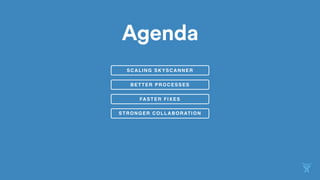
Agenda
SCALING SKYSCANNER
BETTER PROCESSES
FASTER FIXES
STRONGER COLLABORATION
SCALING
SKYSCANNER
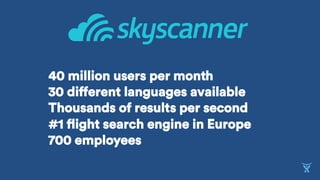
40 million users per month
30 different languages available
Thousands of results per second
#1 flight search engine in Europe

700 employees
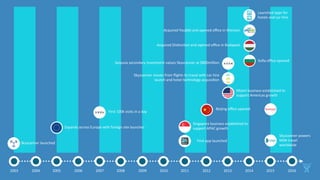
Skyscanner	launched	
Expands	across	Europe	with	foreign	site	launches	
First	100k	visits	in	a	day	
Singapore	business	established	to	
support	APAC	growth	
First	app	launched	
Beijing	office	opened	
Miami	business	established	to	
support	Americas	growth	
Skyscanner	moves	from	flights	to	travel	with	car	hire	
launch	and	hotel	technology	acquisiGon	
Sequoia	secondary	investment	values	Skyscanner	at	$800million	
2003	 2004	 2005	 2006	 2007	 2008	 2009	 2010	 2011	 2012	 2013	 2014	 2015	
Launched	apps	for	
hotels	and	car	hire	
Acquired	Youbibi	and	opened	office	in	Shenzen		
Acquired	DisGncGon	and	opened	office	in	Budapest	
Sofia	office	opened	
Skyscanner	powers	
MSN	travel	
worldwide	
2016
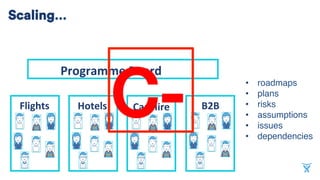
•  roadmaps
•  plans
•  risks
•  assumptions
•  issues
•  dependencies
	
Flights	 Hotels	 Car	Hire	 B2B	
Programme	Board	
C-	
Scaling…
Better processes
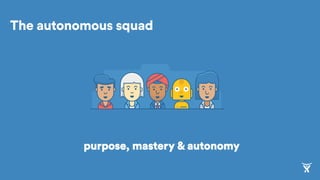
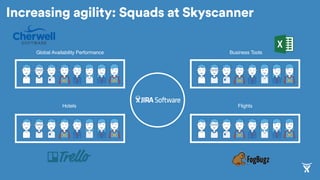
The autonomous squad
purpose, mastery & autonomy
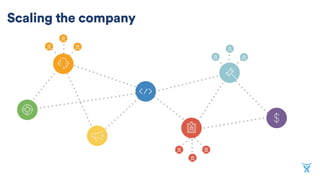
Scaling the company
Global Availability Performance Business Tools
Hotels Flights
Increasing agility: Squads at Skyscanner
Faster fixes
How did staff raise tickets?
After JIRA
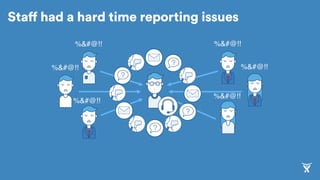
%&#@!!
%&#@!!
%&#@!!
%&#@!!
%&#@!!
%&#@!!
Staff had a hard time reporting issues
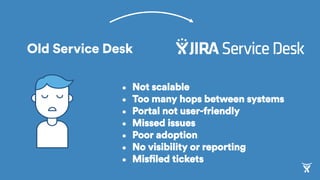
Old Service Desk
•  Not scalable
•  Too many hops between systems
•  Portal not user-friendly
•  Missed issues
•  Poor adoption
•  No visibility or reporting
•  Misfiled tickets
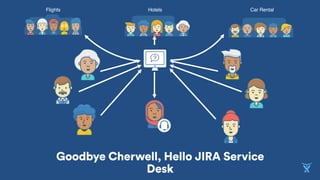
Hotels Car RentalFlights
Goodbye Cherwell, Hello JIRA Service
Desk
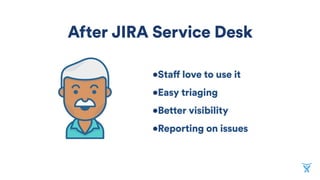
• Staff love to use it
• Easy triaging
• Better visibility
• Reporting on issues
After JIRA Service Desk
You’ll also see a small icon - like this one in the lower right-
hand corner of the images on the slides. Click on this to
easily place an image, screenshot or video.
This presentation deck is intended as a canvas on which
you illustrate your stories.
The best presentations focus on connecting to an audience
by visually enhancing and punctuating concepts, rather than
describing them with text.
With this in mind, the presentation template is filled with slides

for using images, videos, screenshots, and large, punchy text.
We did include a few slides with small text and bullets - we
encourage you to use these sparingly and only when required.
To get started, click “Add Slide” and select the master slide
that best suits your purpose. Type, or cut and paste text into the
text boxes - the provided example slides will help you bring in other
visual elements, like photos, screenshots and video.
How to use this deck
This file is set to a 16:9 aspect ratio
This, like all Atlasssian decks use (ONLY) these fonts:
and, for large blocks of copy, or for the small text in charts /
graphs
When you click in the text boxes on the following slides,
whatever you type will default to the recommended font -
including the preferred size & color.
You’ll see some red boxes with white type on the following

slides, just like this … they are for instructional purposes,

and once they’ve served their purpose - please delete them!
Don’t forget to delete this slide before
you save the final version of your deck!
Swap	to	PPT	Icon
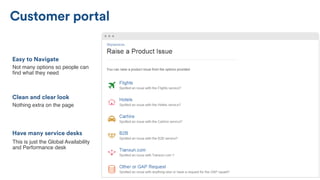
Nothing extra on the page
Clean and clear look
Not many options so people can
find what they need
Easy to Navigate
This is just the Global Availability
and Performance desk
Have many service desks
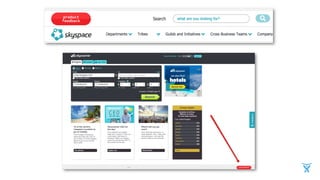
Customer portal
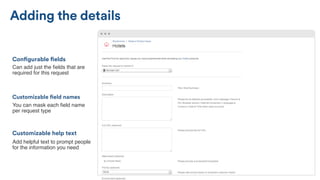
You can mask each field name
per request type
Customizable field names
Can add just the fields that are
required for this request
Configurable fields
Add helpful text to prompt people
for the information you need
Customizable help text
Adding the details
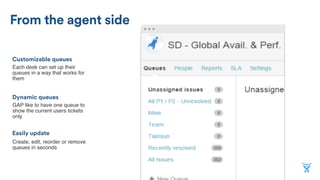
GAP like to have one queue to
show the current users tickets
only
Dynamic queues
Each desk can set up their
queues in a way that works for
them
Customizable queues
Create, edit, reorder or remove
queues in seconds
Easily update
From the agent side
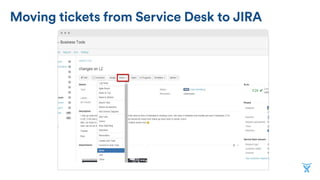
Moving tickets from Service Desk to JIRA
• Devs can see details in one place
• Devs can work it into their backlog
Benefits of triaging in JIRA
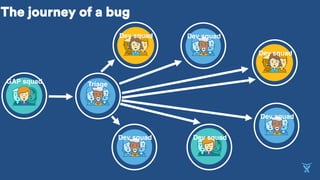
The journey of a bug
GAP squad
Dev squad
Dev squad
Dev squad
Dev squadDev squad
Dev squad
Triage
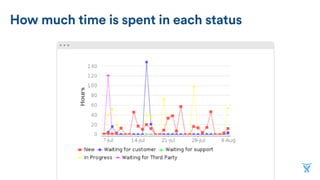
Reporting
With JIRA dashboards
A tool for optimizing process flow
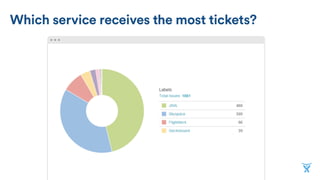
Which service receives the most tickets?
How much time is spent in each status
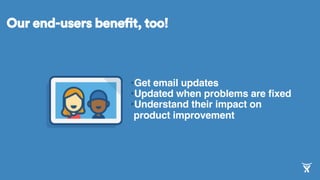
• Get email updates
• Updated when problems are fixed
• Understand their impact on
product improvement
Our end-users benefit, too!
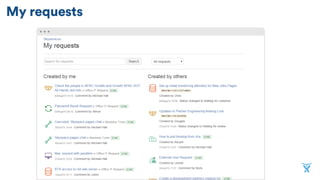
My requests
Skyscanner service
desk results
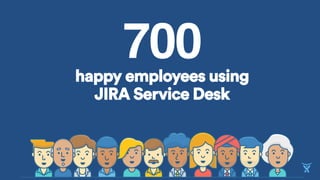
700happy employees using
JIRA Service Desk
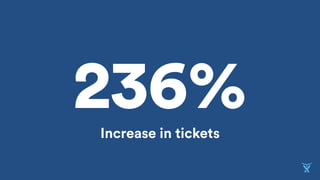
236%Increase in tickets
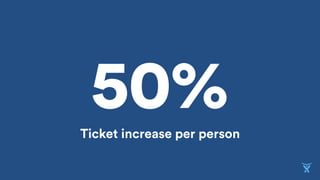
50%Ticket increase per person
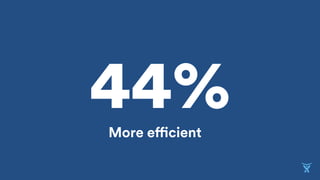
44%More efficient
Stronger collaboration
The journey of a bug
GAP squad
Dev squad
Dev squad
Dev squad
Dev squadDev squad
Dev squad
Triage
We can now focus on individuals and interactions
and are no longer limited by tools
We improved collaboration across squads to make
sure we are accomplishing the same goal
We are more focused on improving software,
rather than documentation
We can now respond to change and
continuously improve going
forward
Key takeaways
JIRA Service Desk allowed Skyscanner
to:
• Grow while staying agile
• Open up collaboration
• Enable a feedback-driven culture
• Define and optimize process flow
• Focus on delivering great products
Laura Haines
Growth Operations Lead, Americas
LinkedIn: https://www.linkedin.com/in/laura
haines1
Twitter: @LauraJoHaines
Michael Hall
Business Tools Squad Lead
LinkedIn: uk.linkedin.com/in/michaelhallskysca
nner
Medium: @MikeKHall

Better, Faster, Stronger: Improving Collaboration Between Dev and IT by 2x