
Introduction to R
Sander Kieft
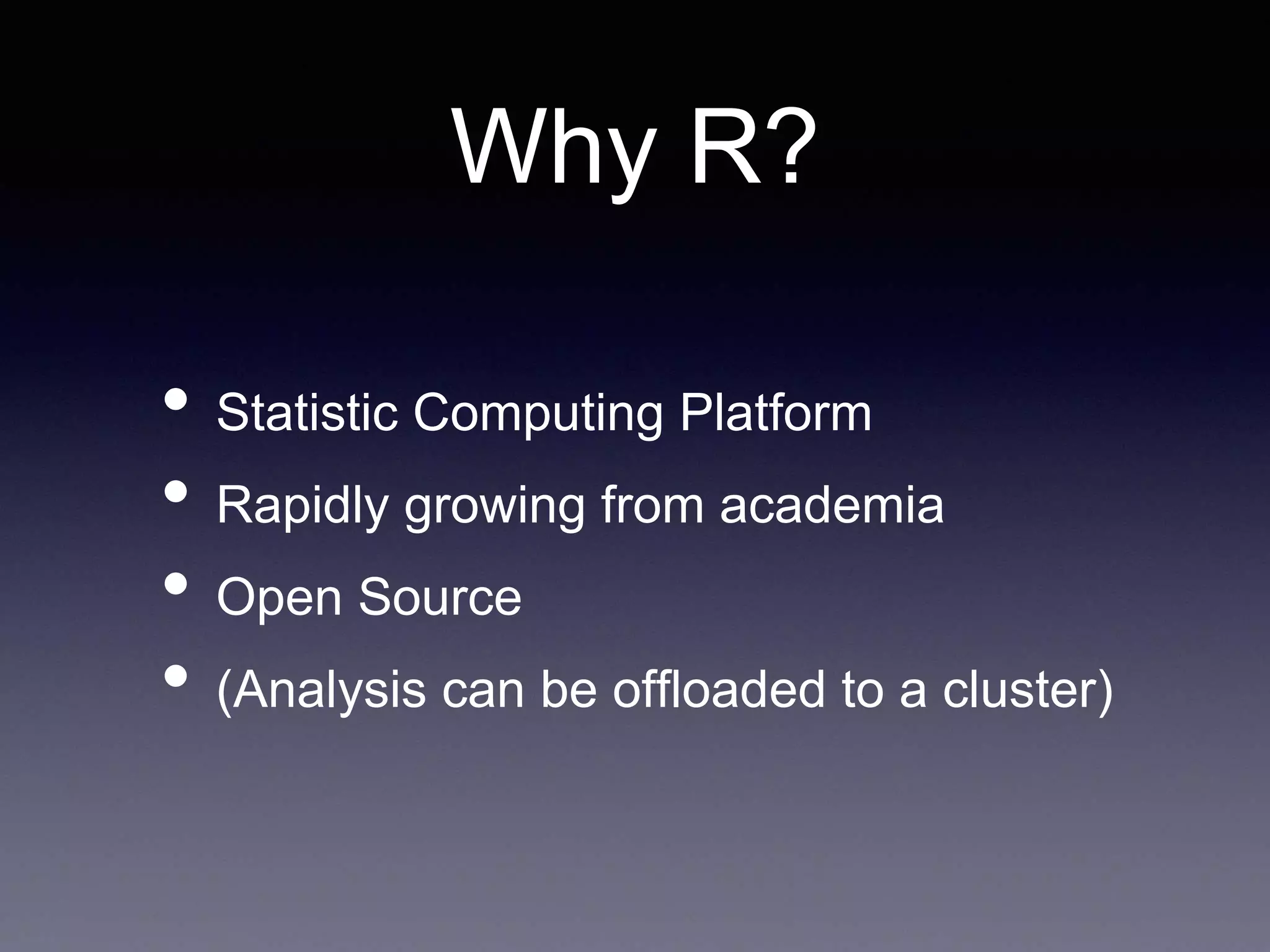
Why R?
• Statistic Computing Platform
• Rapidly growing from academia
• Open Source
• (Analysis can be offloaded to a cluster)
Install
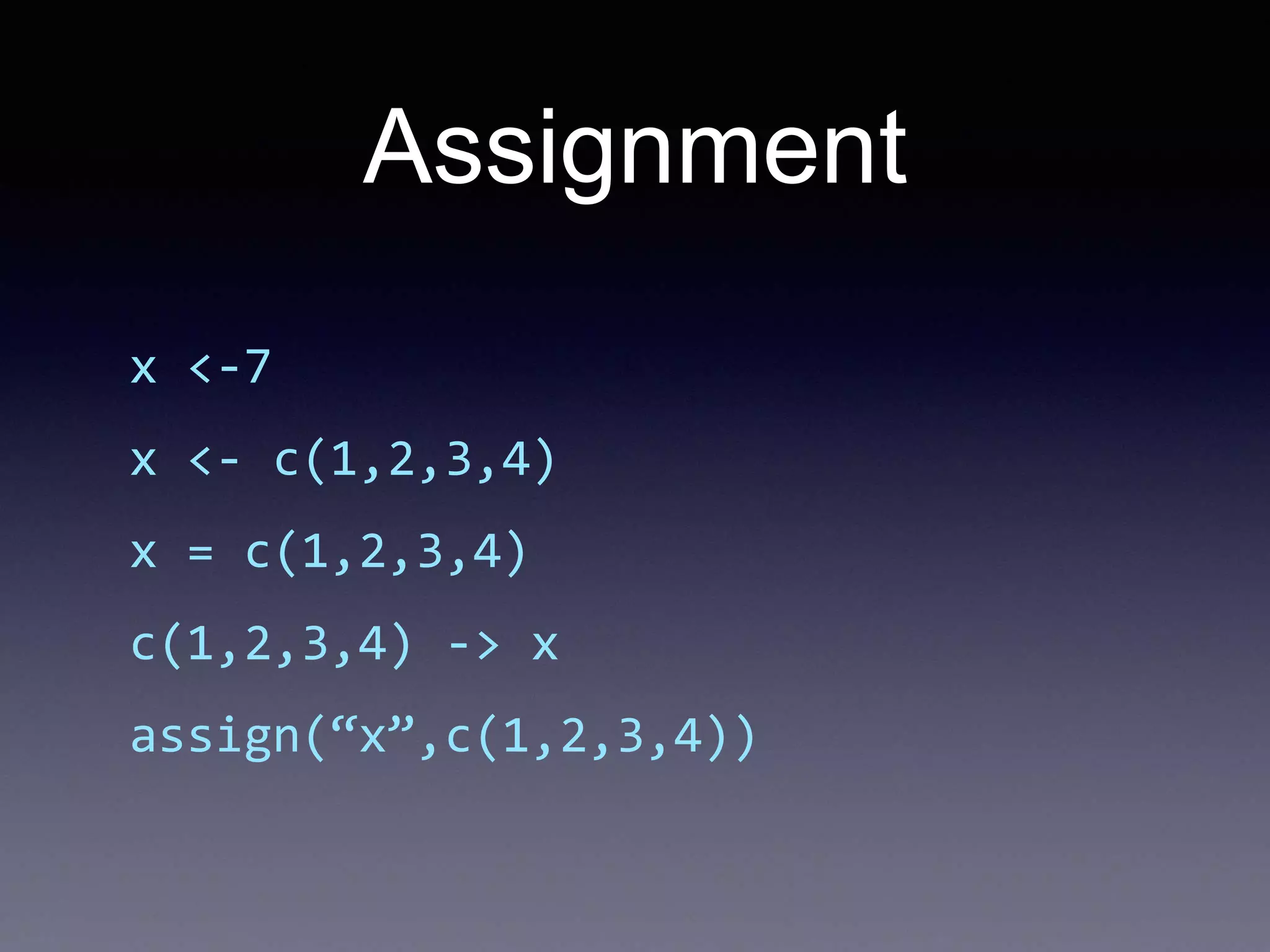
Assignment
x <-7
x <- c(1,2,3,4)
x = c(1,2,3,4)
c(1,2,3,4) -> x
assign(“x”,c(1,2,3,4))
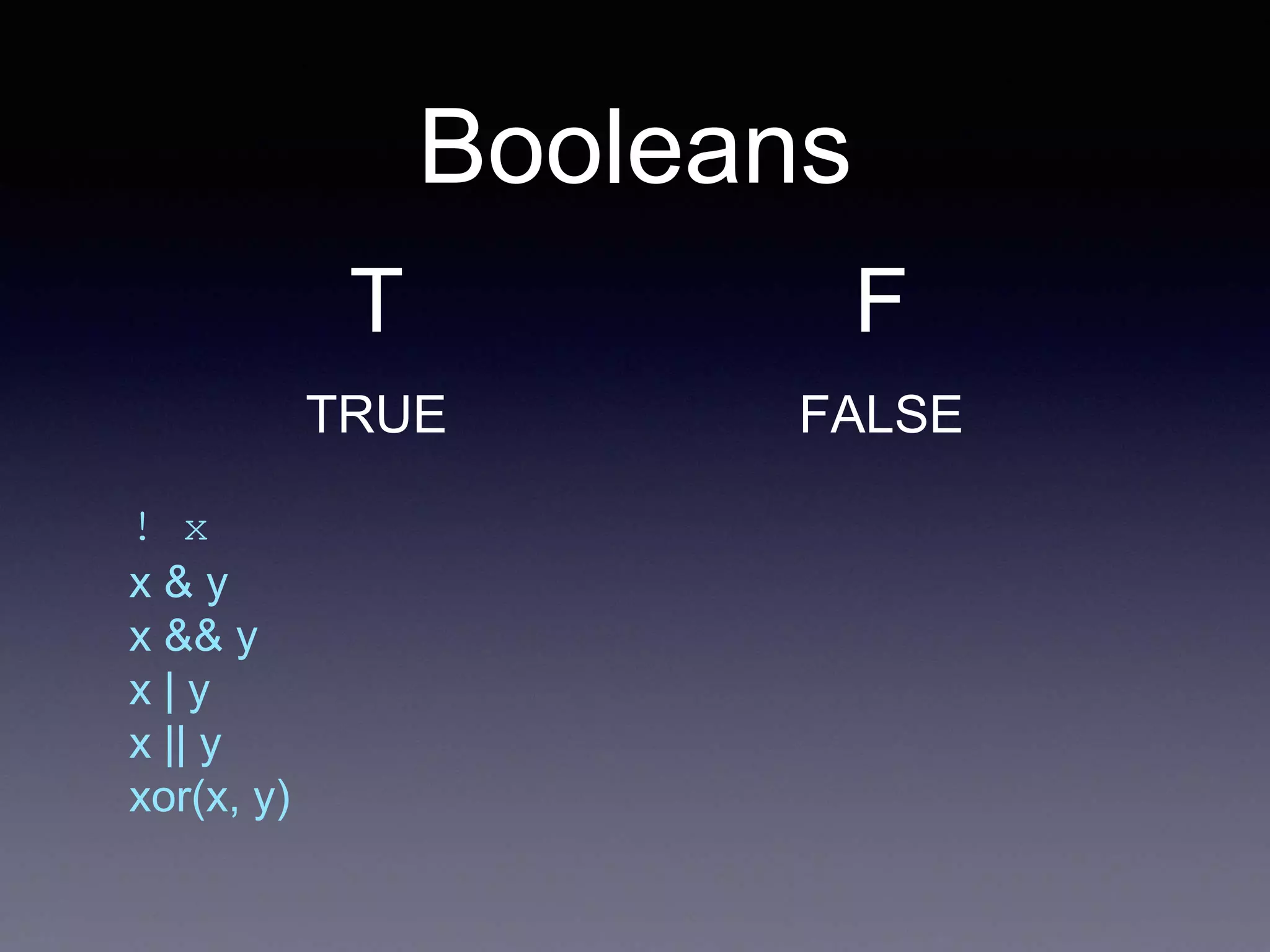
Booleans
! x
x & y
x && y
x | y
x || y
xor(x, y)
T
TRUE
F
FALSE
List comprehension
for(x in d)
for(y in d[x])
if(d[x,y]>100) ...
• vs
d[d > 100]
Vector Arithmetic
x <- c(1,2,3,4,5)
x*2
y <- c(1,2,3,4,5)
x+y
x <- c(1,2,3,4,5)
m <- max(x)
x/m
Working with Data
csv <- read.csv(csv, header=F)
csv
names(csv) <- c(“orange”,”apple”)
•Data frames:
csv$bm
csv[1]
Filtering Data
csv = csv[csv$Cha>100,]
or
subset(impressions, impressions$placement_id = 3599)
or
impressions$good = impressions$placement_id==3599
na.omit(impressions$good)
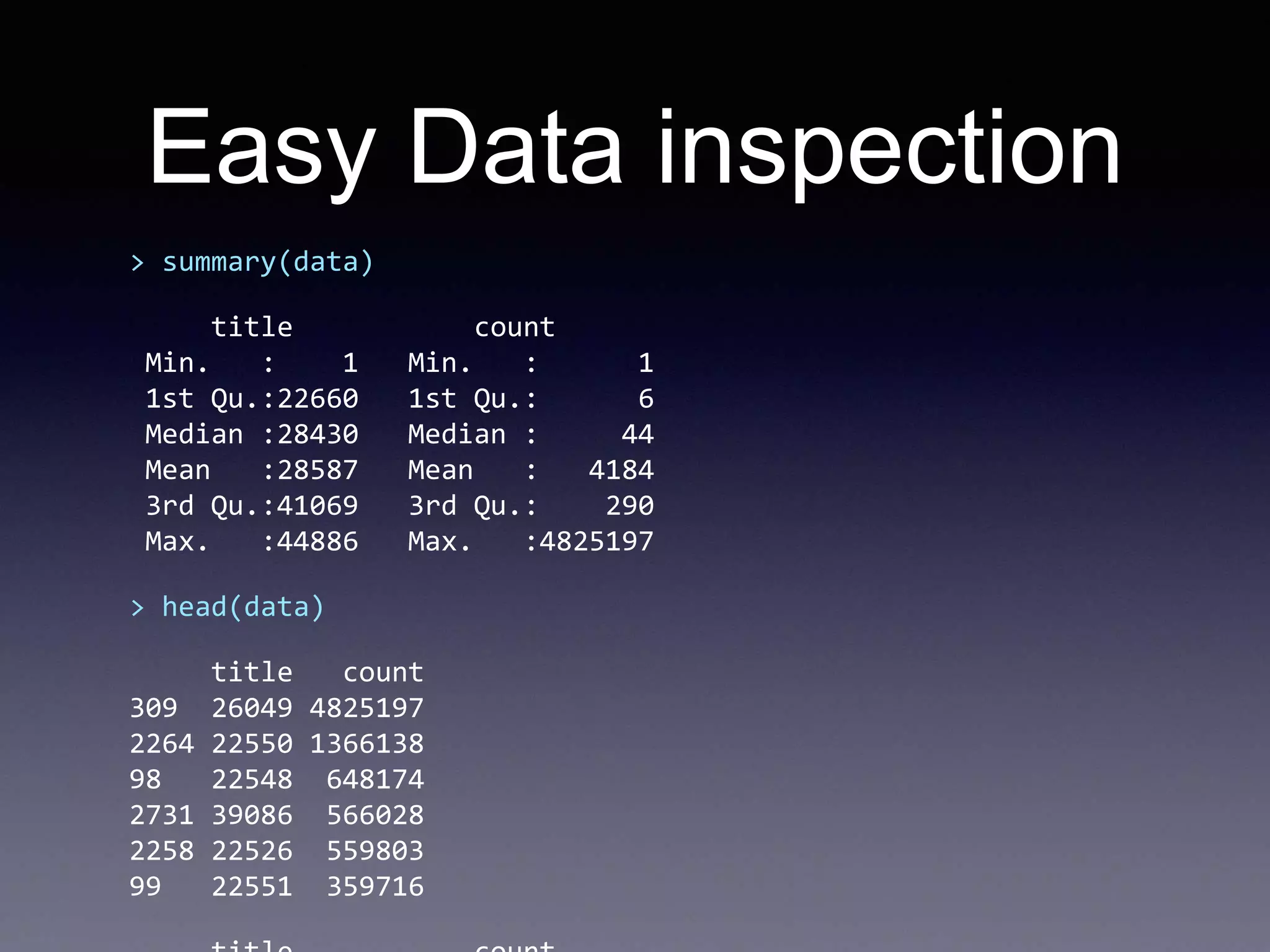
Easy Data inspection
> summary(data)
title count
Min. : 1 Min. : 1
1st Qu.:22660 1st Qu.: 6
Median :28430 Median : 44
Mean :28587 Mean : 4184
3rd Qu.:41069 3rd Qu.: 290
Max. :44886 Max. :4825197
> head(data)
title count
309 26049 4825197
2264 22550 1366138
98 22548 648174
2731 39086 566028
2258 22526 559803
99 22551 359716
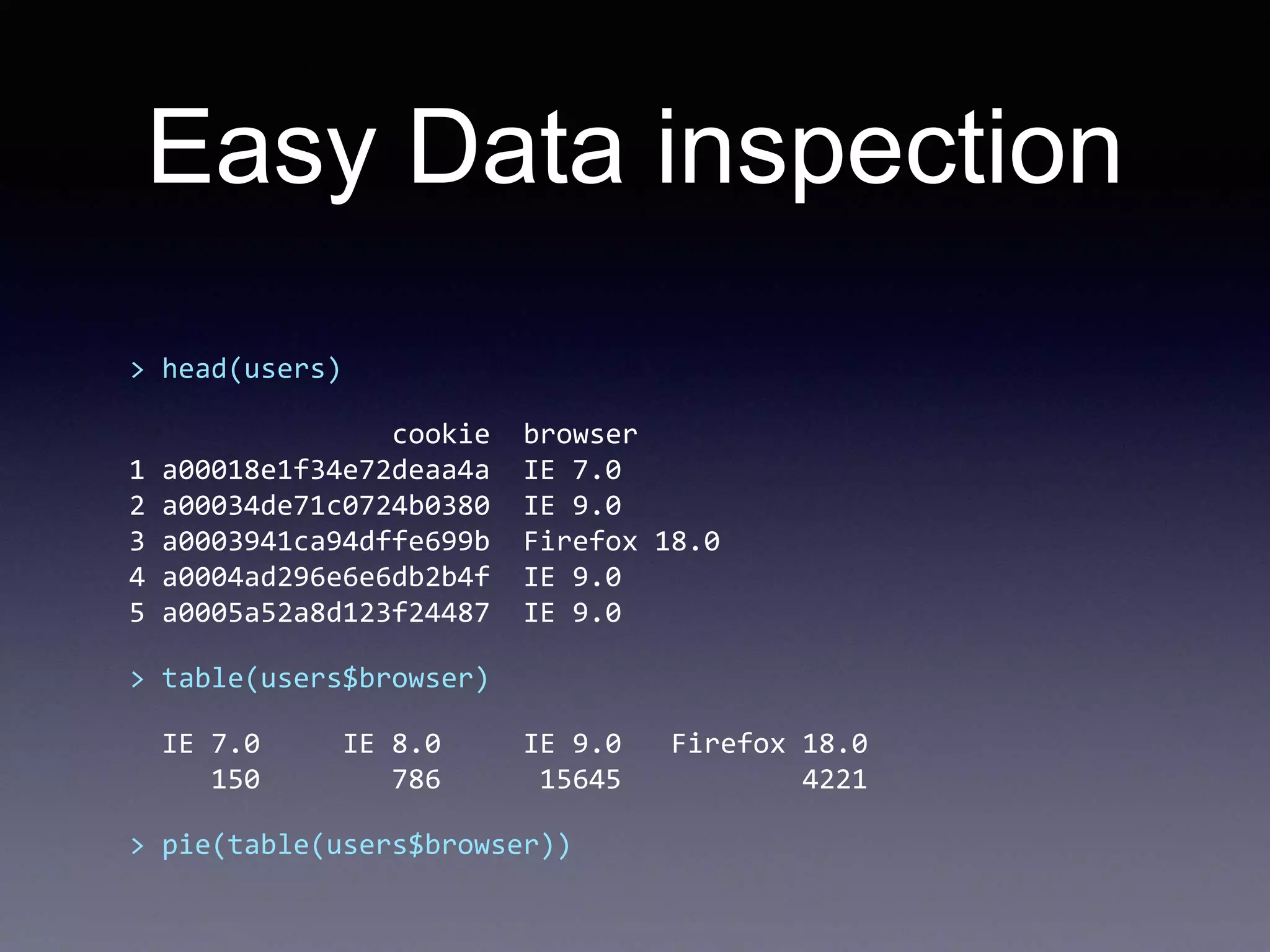
Easy Data inspection
> head(users)
cookie browser
1 a00018e1f34e72deaa4a IE 7.0
2 a00034de71c0724b0380 IE 9.0
3 a0003941ca94dffe699b Firefox 18.0
4 a0004ad296e6e6db2b4f IE 9.0
5 a0005a52a8d123f24487 IE 9.0
> table(users$browser)
IE 7.0 IE 8.0 IE 9.0 Firefox 18.0
150 786 15645 4221
> pie(table(users$browser))
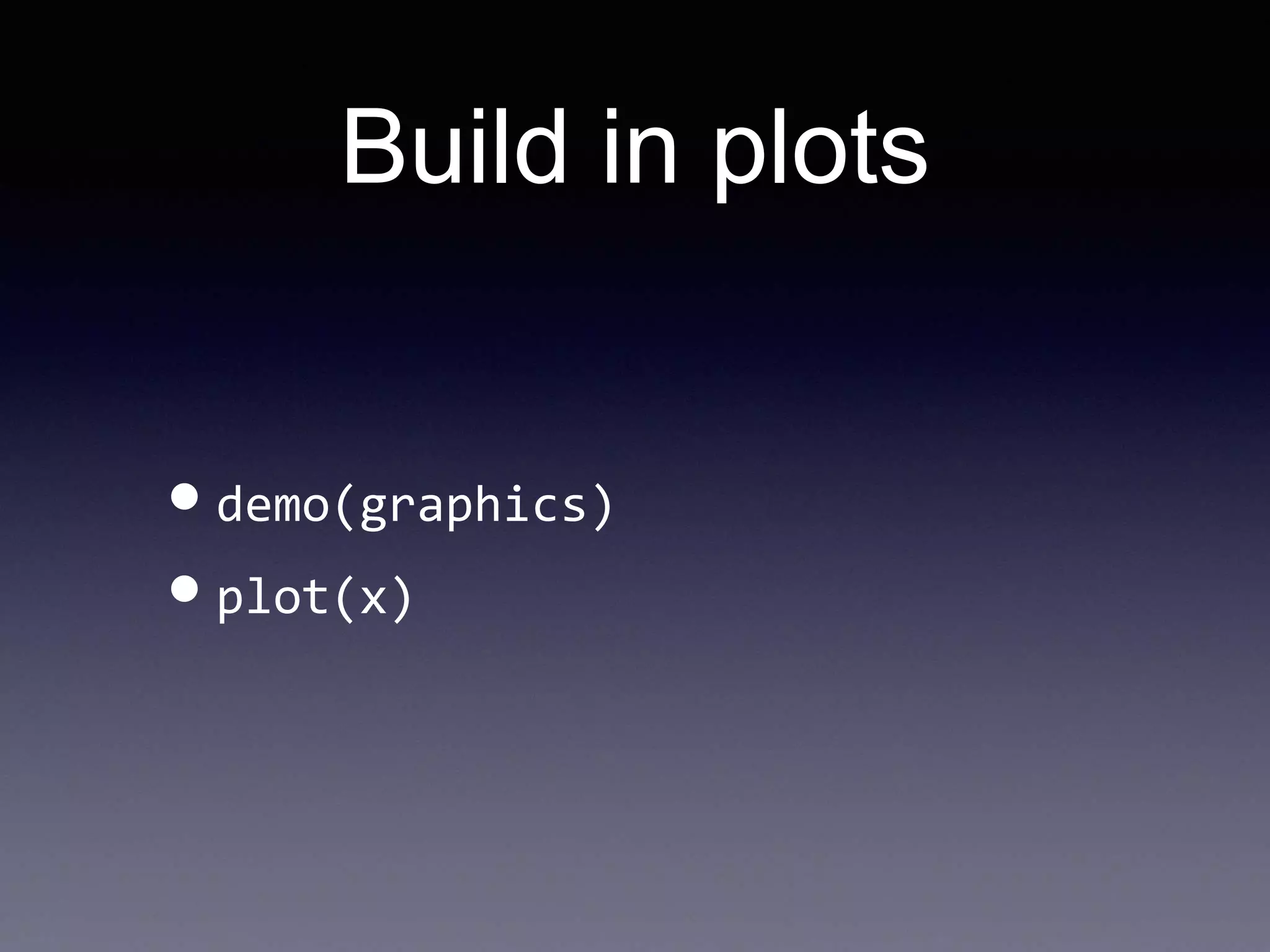
Build in plots
•demo(graphics)
•plot(x)
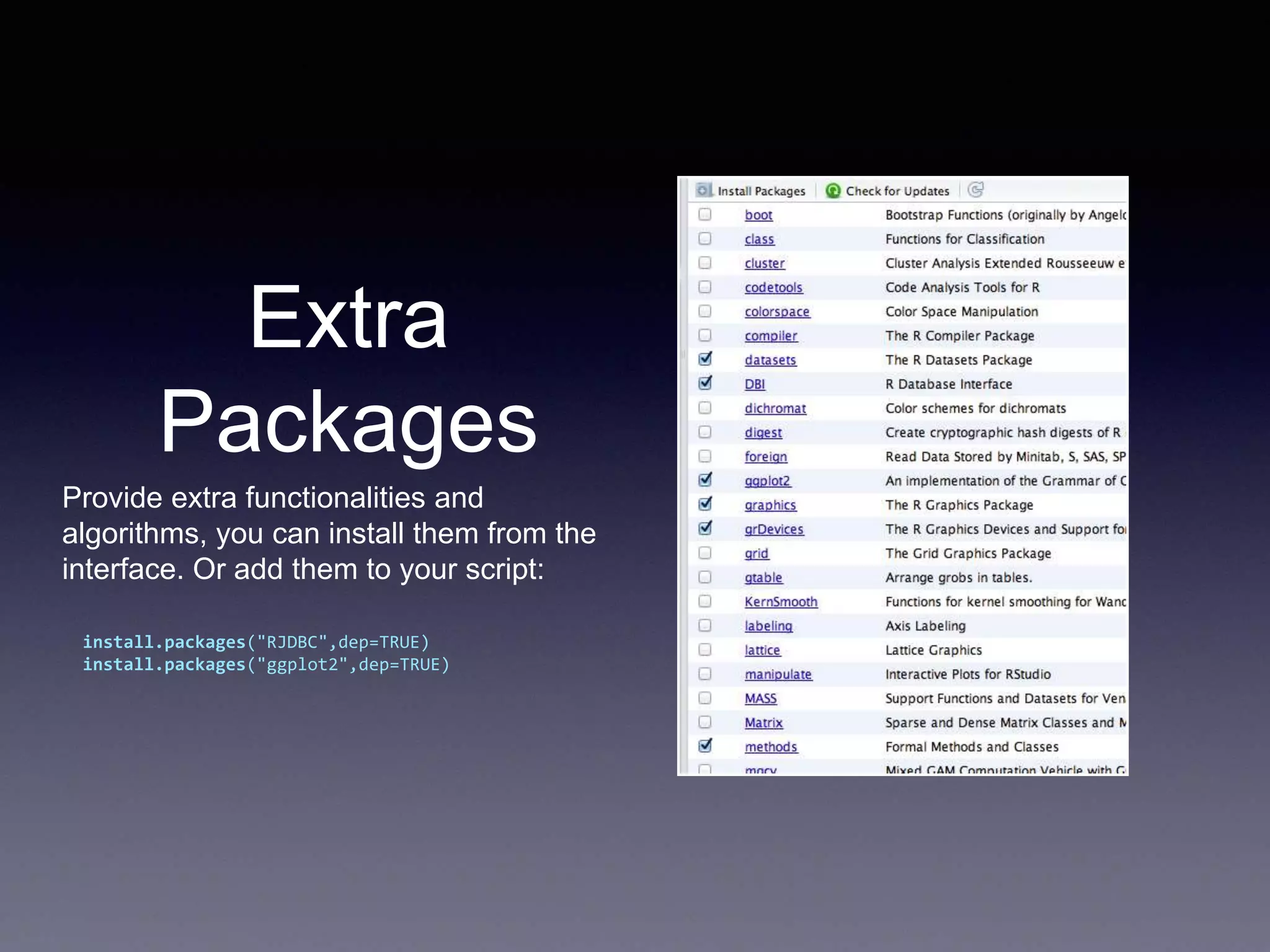
Extra
Packages
Provide extra functionalities and
algorithms, you can install them from the
interface. Or add them to your script:
install.packages("RJDBC",dep=TRUE)
install.packages("ggplot2",dep=TRUE)
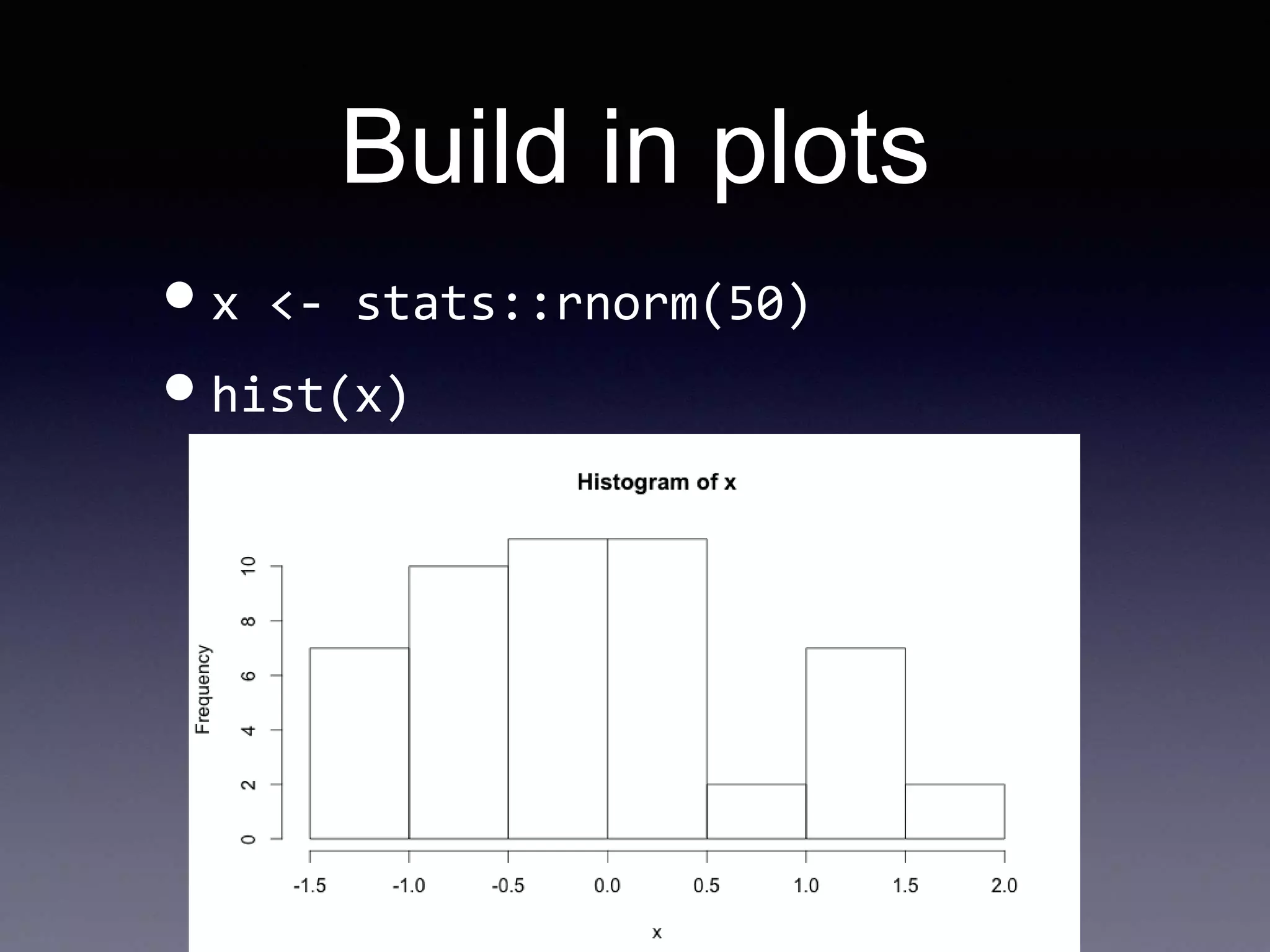
Build in plots
•x <- stats::rnorm(50)
•hist(x)
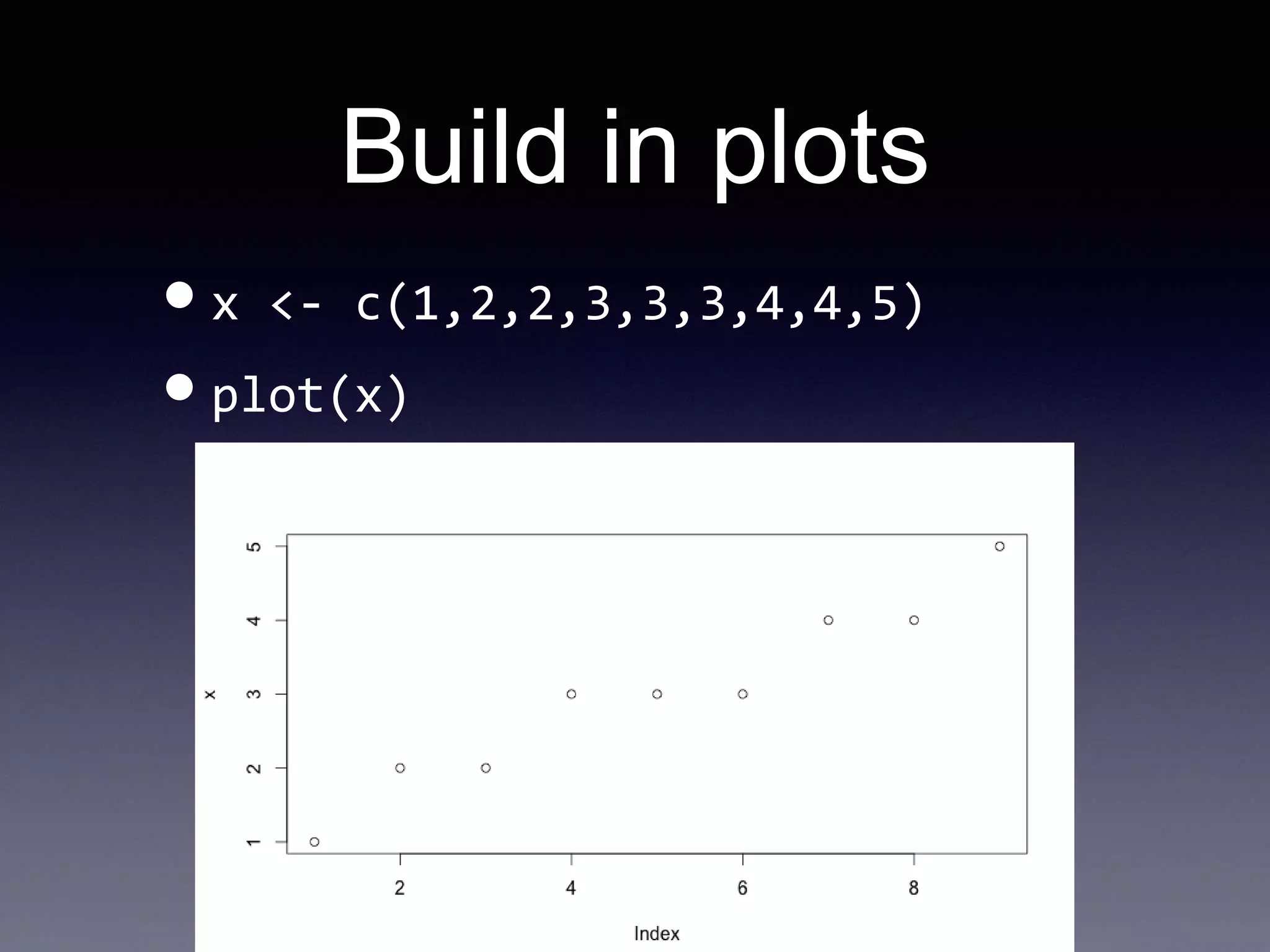
Build in plots
•x <- c(1,2,2,3,3,3,4,4,5)
•plot(x)
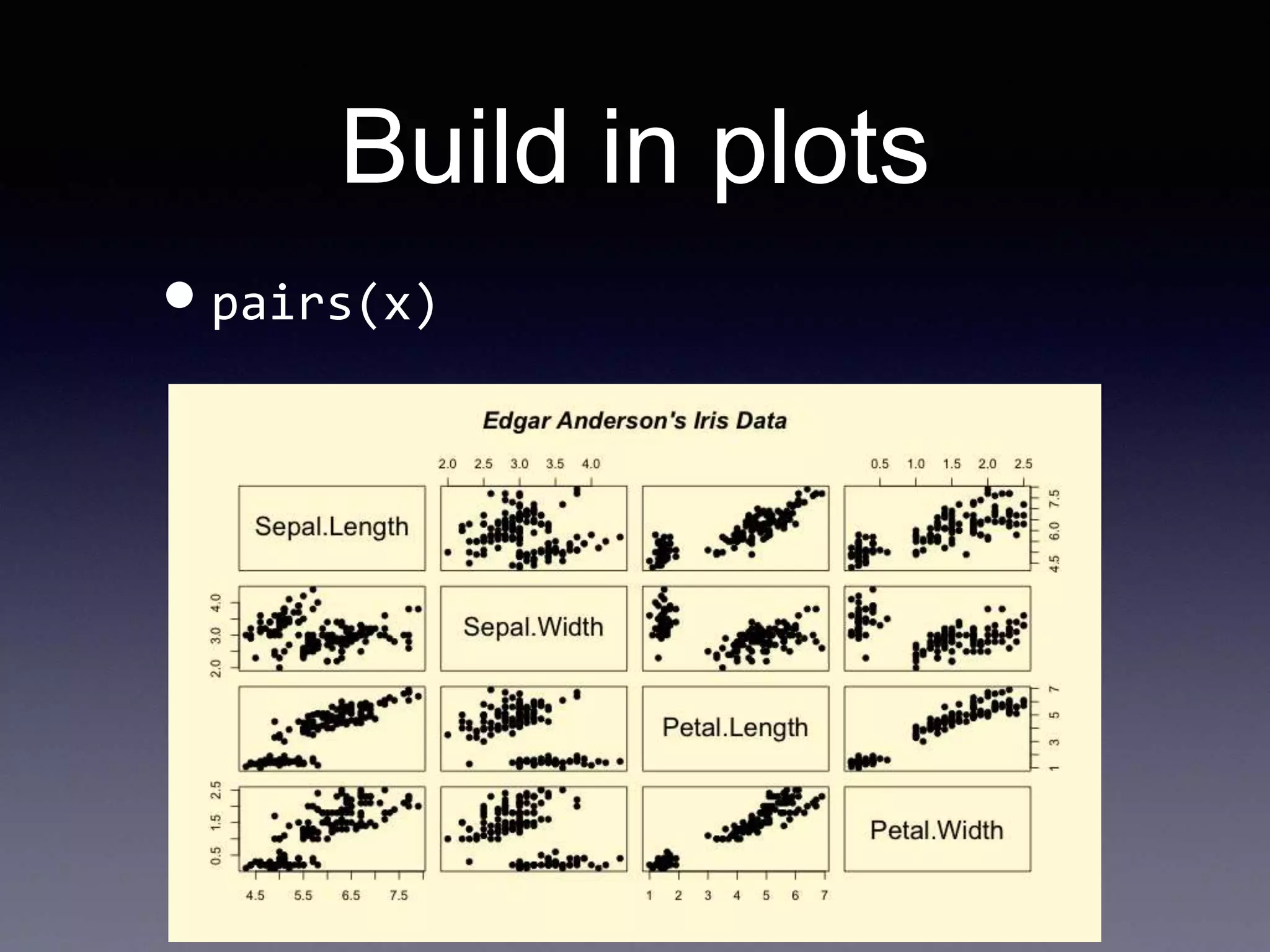
Build in plots
•pairs(x)
More advanced
graphs
•ggplot2 libary
• Combine line, point and bars in one
graph
• Combine smoothing or regression
function
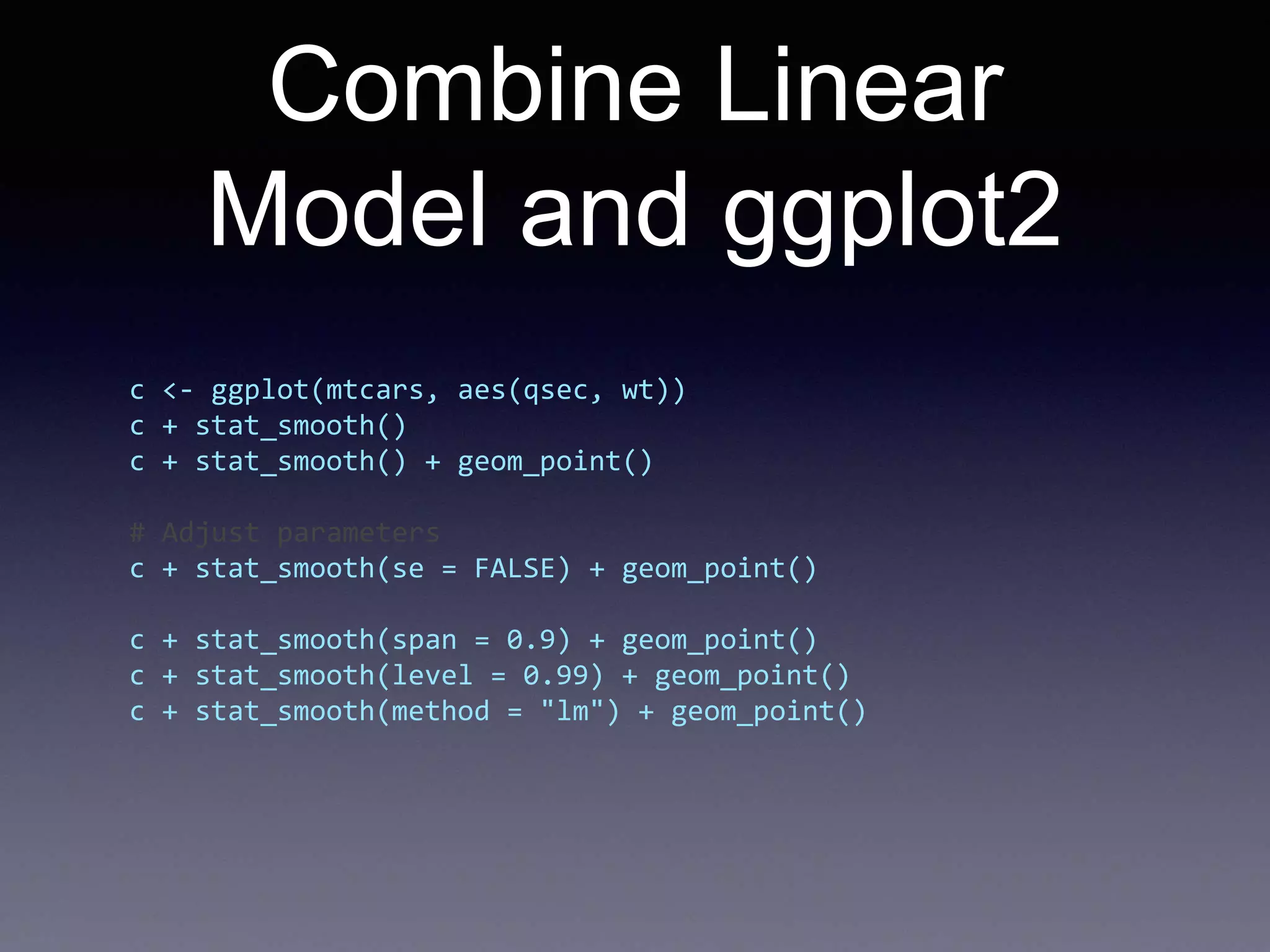
Combine Linear
Model and ggplot2
c <- ggplot(mtcars, aes(qsec, wt))
c + stat_smooth()
c + stat_smooth() + geom_point()
# Adjust parameters
c + stat_smooth(se = FALSE) + geom_point()
c + stat_smooth(span = 0.9) + geom_point()
c + stat_smooth(level = 0.99) + geom_point()
c + stat_smooth(method = "lm") + geom_point()
Reading data
# read the data from csv
data = read.csv('data.csv', header = F, sep = 't', col.names = c('title',
'count'))
# order the data
data = data[order(data$count, decreasing=T),]
data$title = factor(data$title, levels=unique(as.character(data$title)))
head(data)
qplot(count, title, data=data)
# the other way around
qplot(title, count, data=data)
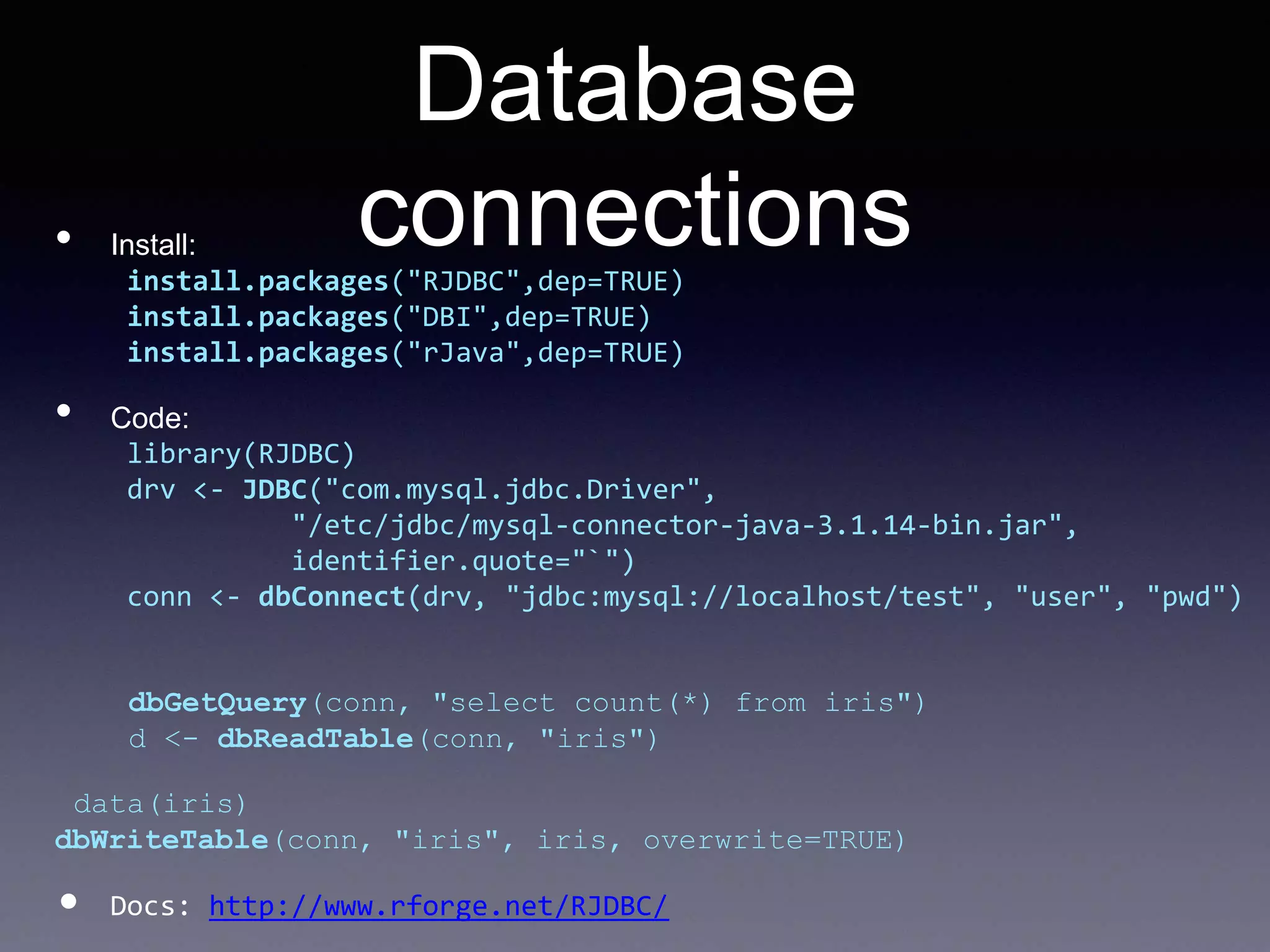
Database
connections• Install:
install.packages("RJDBC",dep=TRUE)
install.packages("DBI",dep=TRUE)
install.packages("rJava",dep=TRUE)
• Code:
library(RJDBC)
drv <- JDBC("com.mysql.jdbc.Driver",
"/etc/jdbc/mysql-connector-java-3.1.14-bin.jar",
identifier.quote="`")
conn <- dbConnect(drv, "jdbc:mysql://localhost/test", "user", "pwd")
dbGetQuery(conn, "select count(*) from iris")
d <- dbReadTable(conn, "iris")
data(iris)
dbWriteTable(conn, "iris", iris, overwrite=TRUE)
• Docs: http://www.rforge.net/RJDBC/
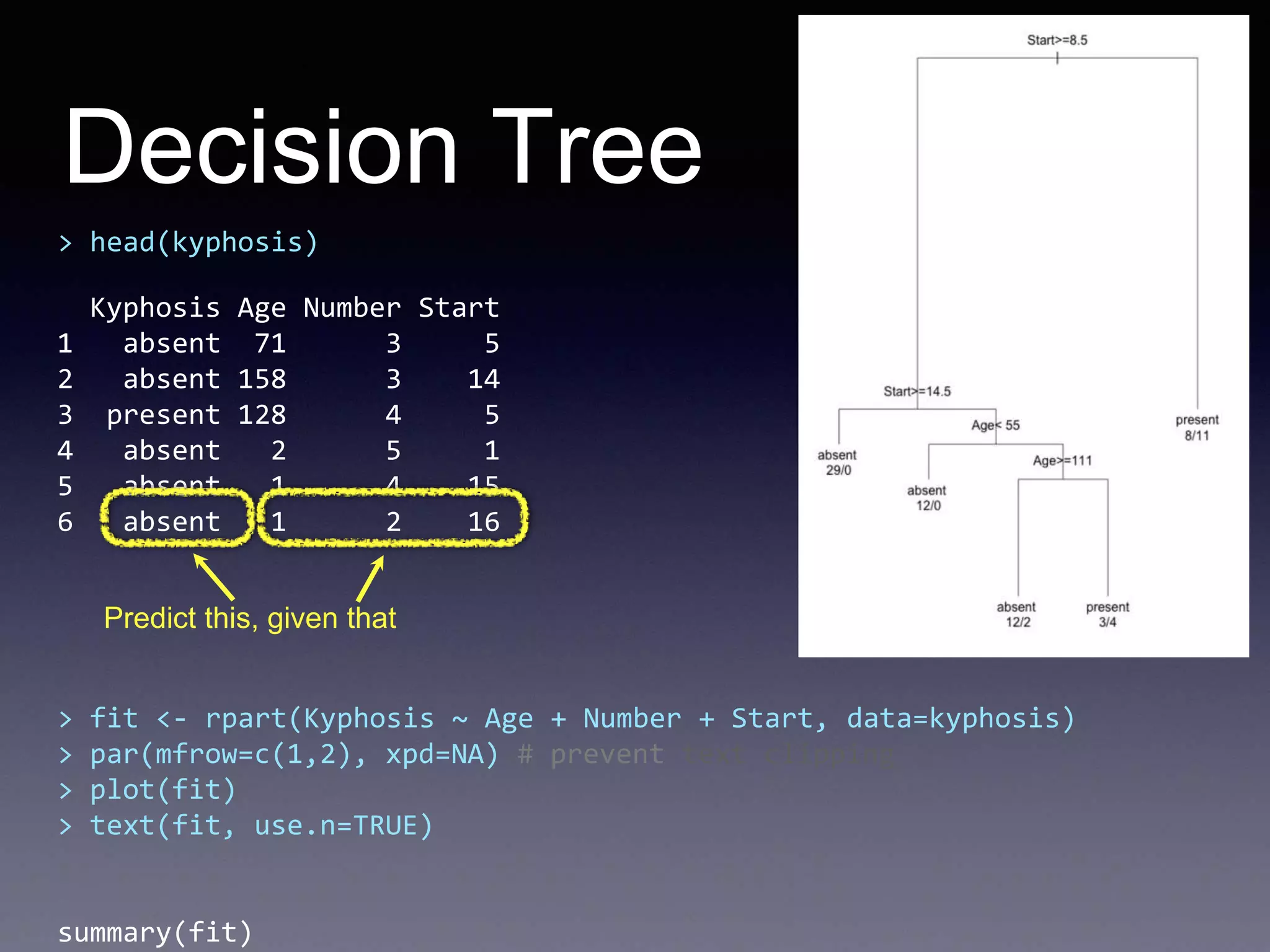
Decision Tree
> head(kyphosis)
Kyphosis Age Number Start
1 absent 71 3 5
2 absent 158 3 14
3 present 128 4 5
4 absent 2 5 1
5 absent 1 4 15
6 absent 1 2 16
> fit <- rpart(Kyphosis ~ Age + Number + Start, data=kyphosis)
> par(mfrow=c(1,2), xpd=NA) # prevent text clipping
> plot(fit)
> text(fit, use.n=TRUE)
summary(fit)
Predict this, given that
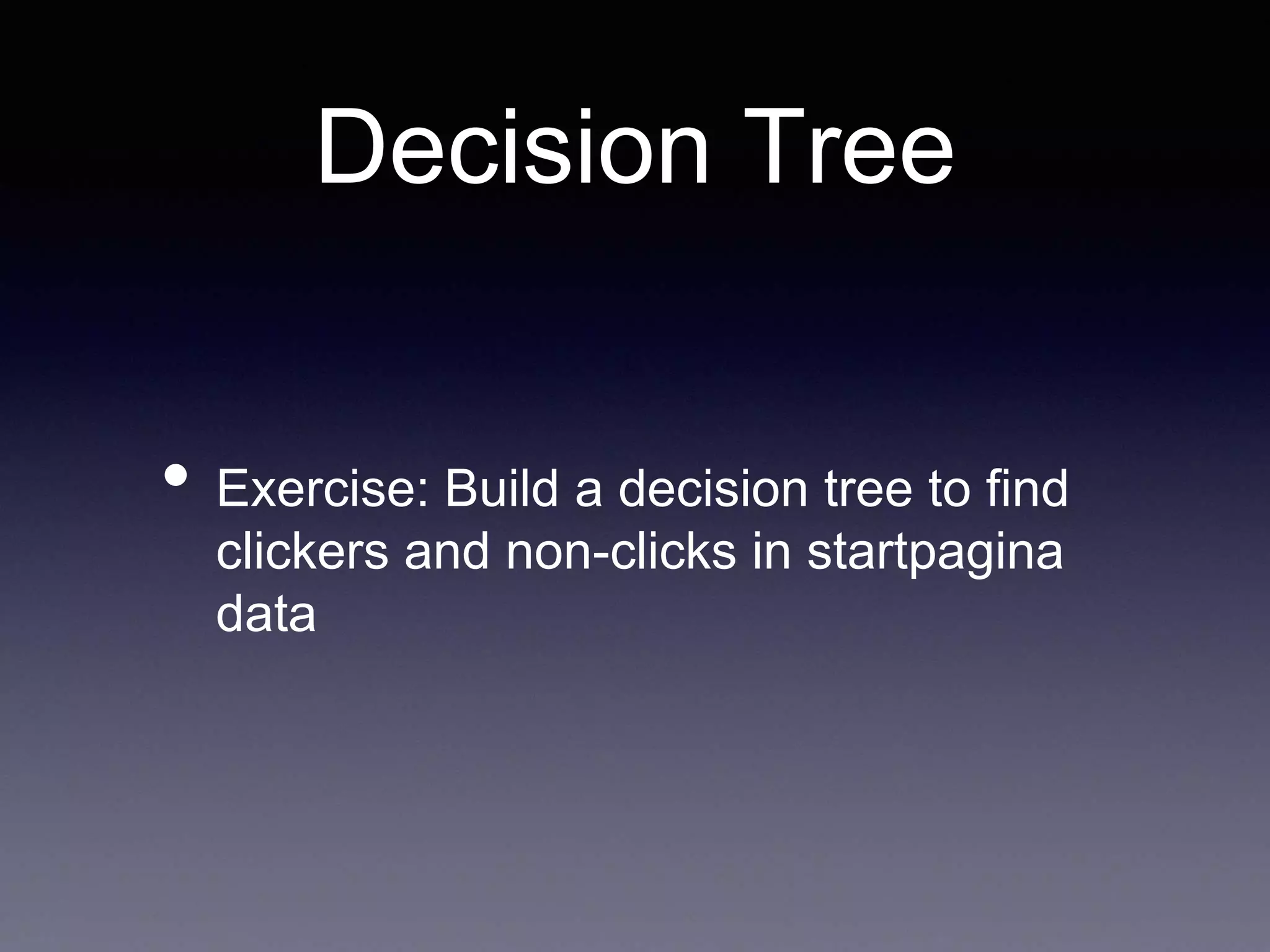
Decision Tree
• Exercise: Build a decision tree to find
clickers and non-clicks in startpagina
data
Decision Tree
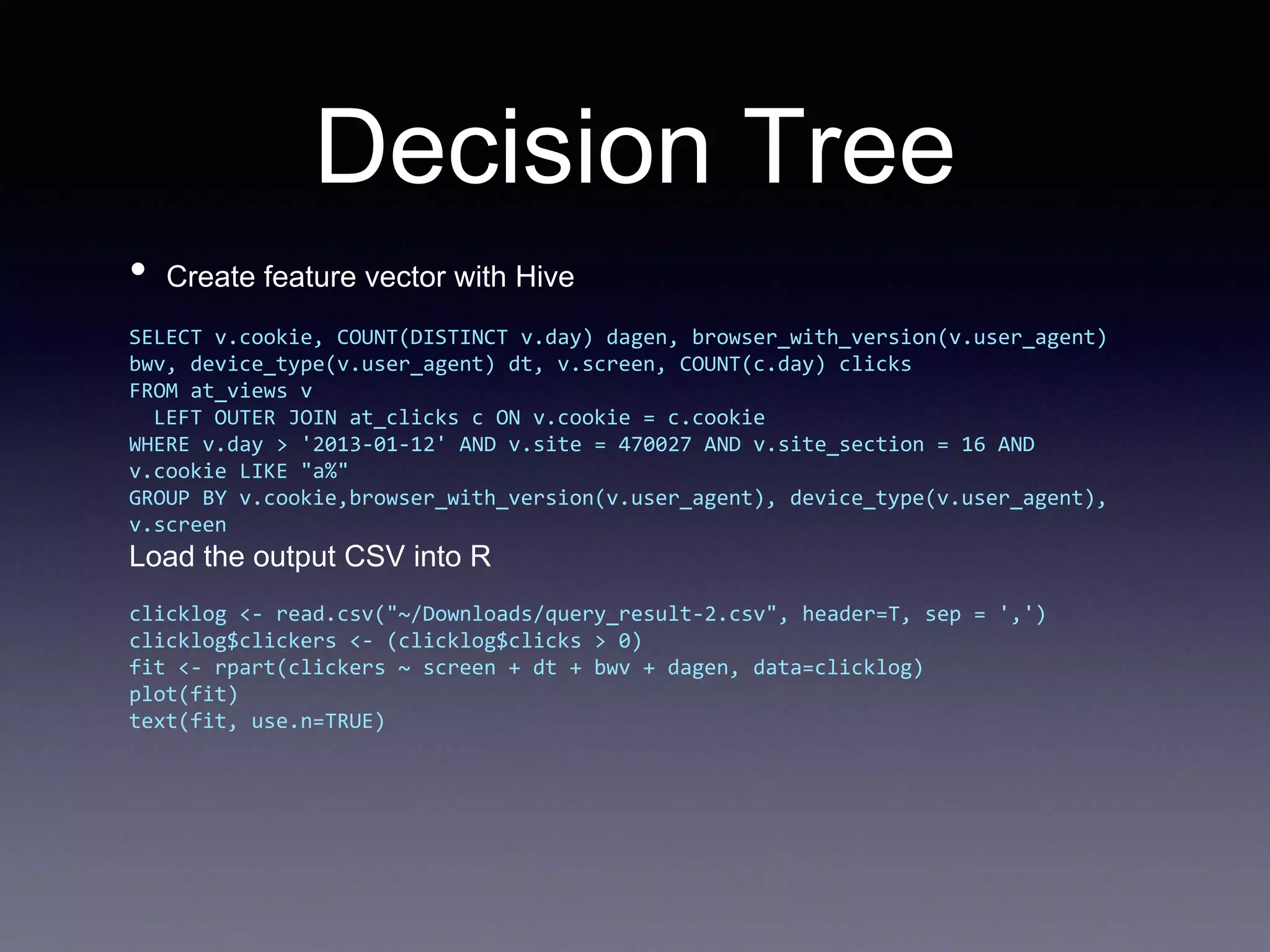
• Create feature vector with Hive
SELECT v.cookie, COUNT(DISTINCT v.day) dagen, browser_with_version(v.user_agent)
bwv, device_type(v.user_agent) dt, v.screen, COUNT(c.day) clicks
FROM at_views v
LEFT OUTER JOIN at_clicks c ON v.cookie = c.cookie
WHERE v.day > '2013-01-12' AND v.site = 470027 AND v.site_section = 16 AND
v.cookie LIKE "a%"
GROUP BY v.cookie,browser_with_version(v.user_agent), device_type(v.user_agent),
v.screen
Load the output CSV into R
clicklog <- read.csv("~/Downloads/query_result-2.csv", header=T, sep = ',')
clicklog$clickers <- (clicklog$clicks > 0)
fit <- rpart(clickers ~ screen + dt + bwv + dagen, data=clicklog)
plot(fit)
text(fit, use.n=TRUE)
Random Forest
> rf = randomForest(factor(Species) ~ Sepal.Length + Sepal.Width +
Petal.Length + Petal.Width, data =iris)
> rf$confusion
setosa versicolor virginica class.error
setosa 50 0 0 0.00
versicolor 0 47 3 0.06
virginica 0 4 46 0.08
> set.seed(1)
> iris.rf <- randomForest(iris[,-5], iris[,5], proximity=TRUE)
> plot(outlier(iris.rf), type="h",
> col=c("red", "green", "blue")[as.numeric(iris$Species)])
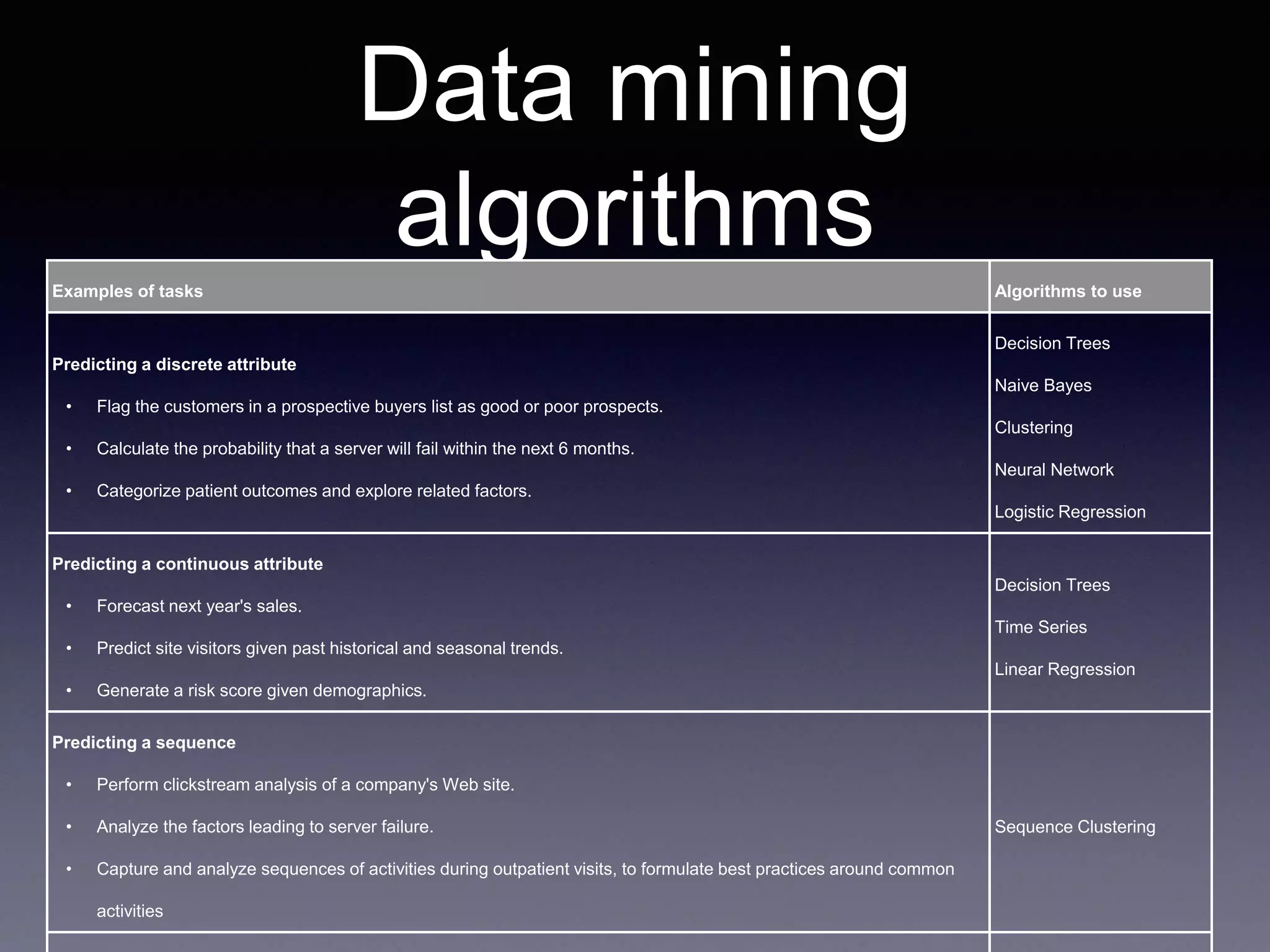
Data mining
algorithmsExamples of tasks Algorithms to use
Predicting a discrete attribute
• Flag the customers in a prospective buyers list as good or poor prospects.
• Calculate the probability that a server will fail within the next 6 months.
• Categorize patient outcomes and explore related factors.
Decision Trees
Naive Bayes
Clustering
Neural Network
Logistic Regression
Predicting a continuous attribute
• Forecast next year's sales.
• Predict site visitors given past historical and seasonal trends.
• Generate a risk score given demographics.
Decision Trees
Time Series
Linear Regression
Predicting a sequence
• Perform clickstream analysis of a company's Web site.
• Analyze the factors leading to server failure.
• Capture and analyze sequences of activities during outpatient visits, to formulate best practices around common
activities
Sequence Clustering
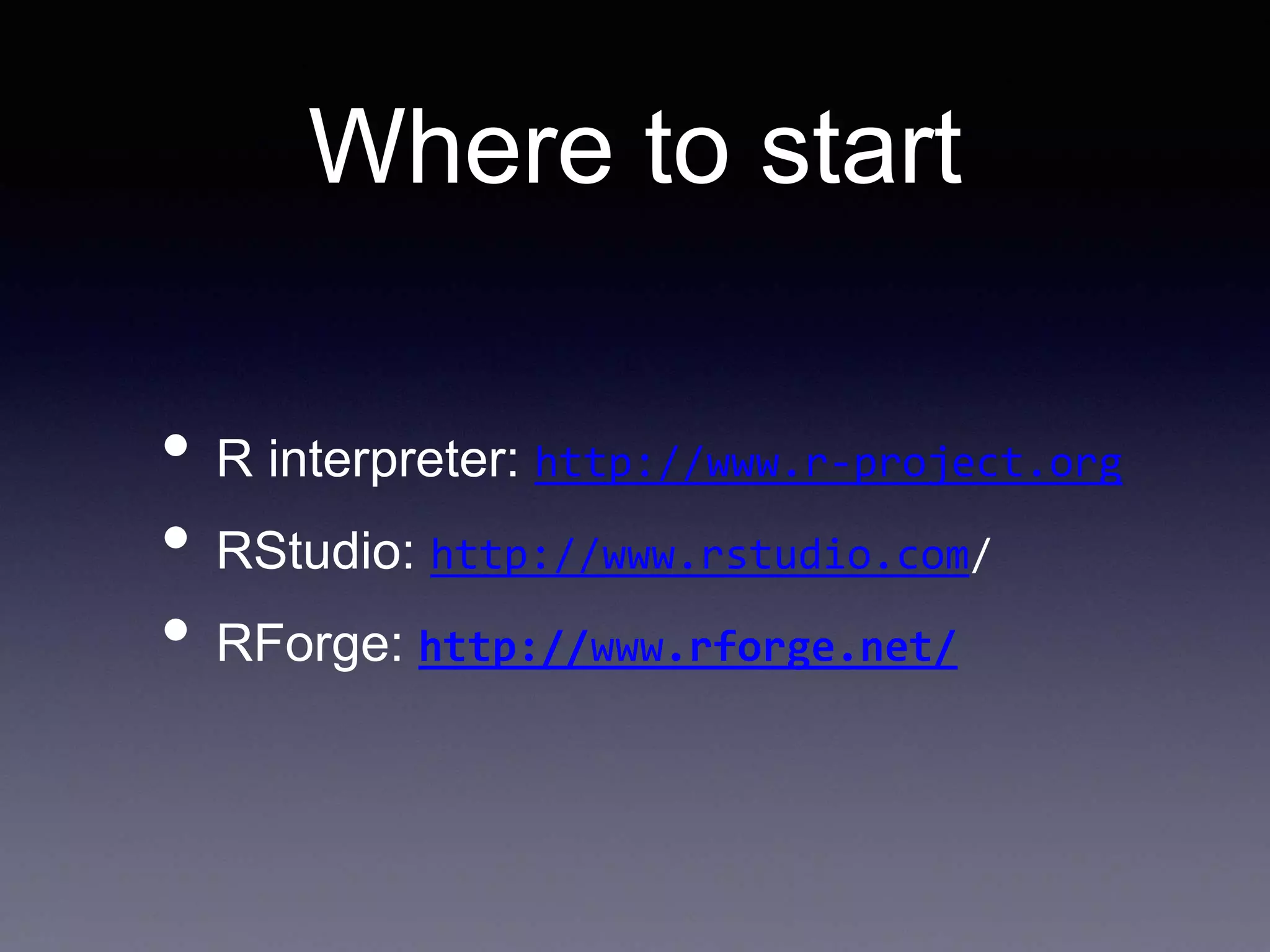
Where to start
• R interpreter: http://www.r-project.org
• RStudio: http://www.rstudio.com/
• RForge: http://www.rforge.net/

Introduction to R

  • 1.
  • 2.
    Why R? • StatisticComputing Platform • Rapidly growing from academia • Open Source • (Analysis can be offloaded to a cluster)
  • 3.
  • 4.
    Assignment x <-7 x <-c(1,2,3,4) x = c(1,2,3,4) c(1,2,3,4) -> x assign(“x”,c(1,2,3,4))
  • 5.
    Booleans ! x x &y x && y x | y x || y xor(x, y) T TRUE F FALSE
  • 6.
    List comprehension for(x ind) for(y in d[x]) if(d[x,y]>100) ... • vs d[d > 100]
  • 7.
    Vector Arithmetic x <-c(1,2,3,4,5) x*2 y <- c(1,2,3,4,5) x+y x <- c(1,2,3,4,5) m <- max(x) x/m
  • 8.
    Working with Data csv<- read.csv(csv, header=F) csv names(csv) <- c(“orange”,”apple”) •Data frames: csv$bm csv[1]
  • 9.
    Filtering Data csv =csv[csv$Cha>100,] or subset(impressions, impressions$placement_id = 3599) or impressions$good = impressions$placement_id==3599 na.omit(impressions$good)
  • 10.
    Easy Data inspection >summary(data) title count Min. : 1 Min. : 1 1st Qu.:22660 1st Qu.: 6 Median :28430 Median : 44 Mean :28587 Mean : 4184 3rd Qu.:41069 3rd Qu.: 290 Max. :44886 Max. :4825197 > head(data) title count 309 26049 4825197 2264 22550 1366138 98 22548 648174 2731 39086 566028 2258 22526 559803 99 22551 359716
  • 11.
    Easy Data inspection >head(users) cookie browser 1 a00018e1f34e72deaa4a IE 7.0 2 a00034de71c0724b0380 IE 9.0 3 a0003941ca94dffe699b Firefox 18.0 4 a0004ad296e6e6db2b4f IE 9.0 5 a0005a52a8d123f24487 IE 9.0 > table(users$browser) IE 7.0 IE 8.0 IE 9.0 Firefox 18.0 150 786 15645 4221 > pie(table(users$browser))
  • 12.
  • 13.
    Extra Packages Provide extra functionalitiesand algorithms, you can install them from the interface. Or add them to your script: install.packages("RJDBC",dep=TRUE) install.packages("ggplot2",dep=TRUE)
  • 14.
    Build in plots •x<- stats::rnorm(50) •hist(x)
  • 15.
    Build in plots •x<- c(1,2,2,3,3,3,4,4,5) •plot(x)
  • 16.
  • 17.
    More advanced graphs •ggplot2 libary •Combine line, point and bars in one graph • Combine smoothing or regression function
  • 18.
    Combine Linear Model andggplot2 c <- ggplot(mtcars, aes(qsec, wt)) c + stat_smooth() c + stat_smooth() + geom_point() # Adjust parameters c + stat_smooth(se = FALSE) + geom_point() c + stat_smooth(span = 0.9) + geom_point() c + stat_smooth(level = 0.99) + geom_point() c + stat_smooth(method = "lm") + geom_point()
  • 19.
    Reading data # readthe data from csv data = read.csv('data.csv', header = F, sep = 't', col.names = c('title', 'count')) # order the data data = data[order(data$count, decreasing=T),] data$title = factor(data$title, levels=unique(as.character(data$title))) head(data) qplot(count, title, data=data) # the other way around qplot(title, count, data=data)
  • 20.
    Database connections• Install: install.packages("RJDBC",dep=TRUE) install.packages("DBI",dep=TRUE) install.packages("rJava",dep=TRUE) • Code: library(RJDBC) drv<- JDBC("com.mysql.jdbc.Driver", "/etc/jdbc/mysql-connector-java-3.1.14-bin.jar", identifier.quote="`") conn <- dbConnect(drv, "jdbc:mysql://localhost/test", "user", "pwd") dbGetQuery(conn, "select count(*) from iris") d <- dbReadTable(conn, "iris") data(iris) dbWriteTable(conn, "iris", iris, overwrite=TRUE) • Docs: http://www.rforge.net/RJDBC/
  • 21.
    Decision Tree > head(kyphosis) KyphosisAge Number Start 1 absent 71 3 5 2 absent 158 3 14 3 present 128 4 5 4 absent 2 5 1 5 absent 1 4 15 6 absent 1 2 16 > fit <- rpart(Kyphosis ~ Age + Number + Start, data=kyphosis) > par(mfrow=c(1,2), xpd=NA) # prevent text clipping > plot(fit) > text(fit, use.n=TRUE) summary(fit) Predict this, given that
  • 22.
    Decision Tree • Exercise:Build a decision tree to find clickers and non-clicks in startpagina data
  • 23.
    Decision Tree • Createfeature vector with Hive SELECT v.cookie, COUNT(DISTINCT v.day) dagen, browser_with_version(v.user_agent) bwv, device_type(v.user_agent) dt, v.screen, COUNT(c.day) clicks FROM at_views v LEFT OUTER JOIN at_clicks c ON v.cookie = c.cookie WHERE v.day > '2013-01-12' AND v.site = 470027 AND v.site_section = 16 AND v.cookie LIKE "a%" GROUP BY v.cookie,browser_with_version(v.user_agent), device_type(v.user_agent), v.screen Load the output CSV into R clicklog <- read.csv("~/Downloads/query_result-2.csv", header=T, sep = ',') clicklog$clickers <- (clicklog$clicks > 0) fit <- rpart(clickers ~ screen + dt + bwv + dagen, data=clicklog) plot(fit) text(fit, use.n=TRUE)
  • 24.
    Random Forest > rf= randomForest(factor(Species) ~ Sepal.Length + Sepal.Width + Petal.Length + Petal.Width, data =iris) > rf$confusion setosa versicolor virginica class.error setosa 50 0 0 0.00 versicolor 0 47 3 0.06 virginica 0 4 46 0.08 > set.seed(1) > iris.rf <- randomForest(iris[,-5], iris[,5], proximity=TRUE) > plot(outlier(iris.rf), type="h", > col=c("red", "green", "blue")[as.numeric(iris$Species)])
  • 25.
    Data mining algorithmsExamples oftasks Algorithms to use Predicting a discrete attribute • Flag the customers in a prospective buyers list as good or poor prospects. • Calculate the probability that a server will fail within the next 6 months. • Categorize patient outcomes and explore related factors. Decision Trees Naive Bayes Clustering Neural Network Logistic Regression Predicting a continuous attribute • Forecast next year's sales. • Predict site visitors given past historical and seasonal trends. • Generate a risk score given demographics. Decision Trees Time Series Linear Regression Predicting a sequence • Perform clickstream analysis of a company's Web site. • Analyze the factors leading to server failure. • Capture and analyze sequences of activities during outpatient visits, to formulate best practices around common activities Sequence Clustering
  • 26.
    Where to start •R interpreter: http://www.r-project.org • RStudio: http://www.rstudio.com/ • RForge: http://www.rforge.net/