

Intro to HTML5 Canvas
       Juho Vepsäläinen
Gonna Talk About These
  Topics You Betcha
Canvas (Overview)

Canvas 2D Context (The Beefcake)

Canvas Tricks (For Fun and Profit)

Canvas Demos (To Recap Concepts Discussed)
Canvas
Overview
http://dev.w3.org/html5/2dcontext/


        Just Google it. :)
Definition

Immediate-mode API and associated utility methods
   for drawing two-dimensional vector graphics
             to a raster drawing area.


  Draw and forget API and utils for 2D drawing.
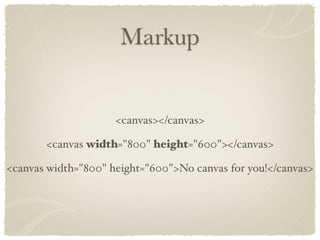
Markup


                     <canvas></canvas>

       <canvas width="800" height="600"></canvas>

<canvas width="800" height="600">No canvas for you!</canvas>
Element Access


Attributes: width, height

Method: getContext (for drawing), toDataURL (for
saving)
Show some apps and libs now.
Canvas 2D Context
    The Beefcake
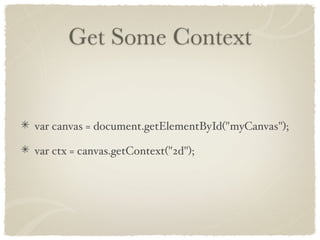
Get Some Context


var canvas = document.getElementById("myCanvas");

var ctx = canvas.getContext("2d");
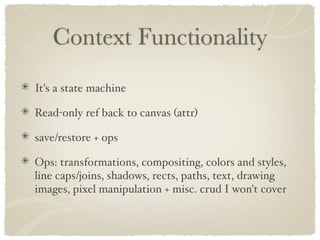
Context Functionality
It's a state machine

Read-only ref back to canvas (attr)

save/restore + ops

Ops: transformations, compositing, colors and styles,
line caps/joins, shadows, rects, paths, text, drawing
images, pixel manipulation + misc. crud I won't cover
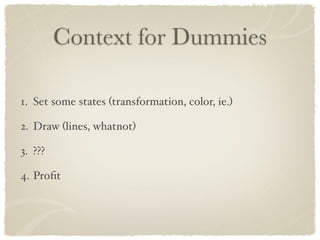
Context for Dummies

1. Set some states (transformation, color, ie.)

2. Draw (lines, whatnot)

3. ???

4. Profit
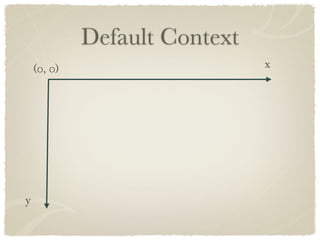
Default Context
    (0, 0)                     x


y
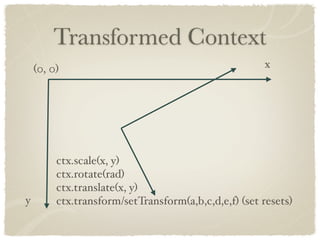
Transformed Context
    (0, 0)                                            x


         ctx.scale(x, y)
         ctx.rotate(rad)
         ctx.translate(x, y)
y        ctx.transform/setTransform(a,b,c,d,e,f) (set resets)
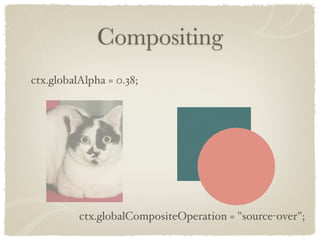
Compositing
ctx.globalAlpha = 0.38;


          ctx.globalCompositeOperation = "source-over";
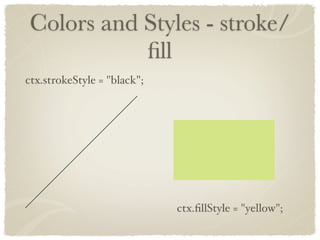
Colors and Styles - stroke/
           fill
ctx.strokeStyle = "black";


                             ctx.fillStyle = "yellow";
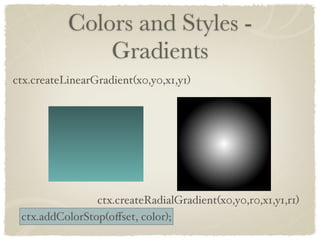
Colors and Styles -
               Gradients
ctx.createLinearGradient(x0,y0,x1,y1)


                ctx.createRadialGradient(x0,y0,r0,x1,y1,r1)
 ctx.addColorStop(offset, color);
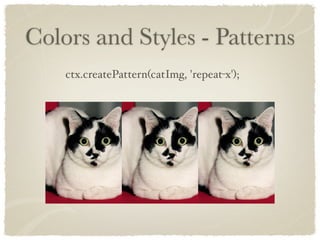
Colors and Styles - Patterns
    ctx.createPattern(catImg, 'repeat-x');
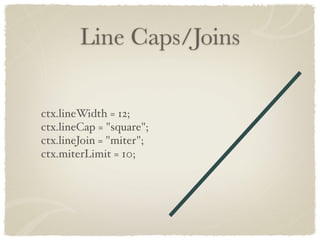
Line Caps/Joins

ctx.lineWidth = 12;
ctx.lineCap = "square";
ctx.lineJoin = "miter";
ctx.miterLimit = 10;
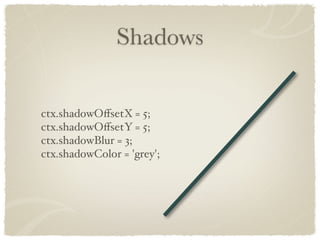
Shadows

ctx.shadowOffsetX = 5;
ctx.shadowOffsetY = 5;
ctx.shadowBlur = 3;
ctx.shadowColor = 'grey';
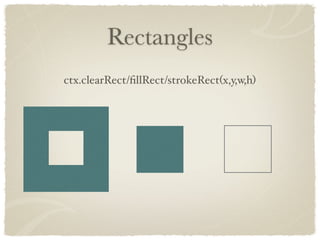
Rectangles
ctx.clearRect/fillRect/strokeRect(x,y,w,h)
Paths
ctx.beginPath();

ctx.moveTo(x, y); // initial pos

// define curve
ctx.lineTo/quadraticCurveTo/bezierCurveTo/
    arcTo/arc/rect
...

ctx.closePath();

ctx.fill/stroke/clip();
Text

ctx.font = "24px sans-serif ";
ctx.textAlign = "center";

ctx.fillText/strokeText(text,x,y,maxWidth);
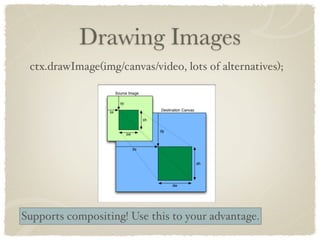
Drawing Images
 ctx.drawImage(img/canvas/video, lots of alternatives);


Supports compositing! Use this to your advantage.
Pixel Manipulation
  ctx.createImageData/getImageData/putImageData
  var data = ctx.getImageData(0, 0, w, h);

  var realData = data.data;
  for(var y = 0, pos = 0; y < h; y++) {
    for(var x = 0; x < w; x++, pos+=4) {
       realData[pos + 2] *= 0.5; // modify Blue channel
    }
  }
  data.data = realData;

Friggin' slow! Avoid if possible. Optimize usage.
Canvas Tricks
For Fun and Profit
Blurred Lines

Basic idea: Use line shadow, offset actual line
            so that it isn't visible.
Multiple Layers


Basic idea: CSS z-index + absolute positioning.
Erasing


Basic idea: Use destination-out compositing op.
CSS Fun

Basic idea: Play around with CSS opacity
and transformations (incurs perf penalty).
Canvas Demos
To recap concepts discussed
Demo time.

Intro to HTML5 Canvas