





Before you go to production:
Complete your project with the UI
development and platform setup
Methodology series - Chapter #4
Delphine Coille
Evangelist & Community Manager
@Bonitasoft
Victor Garcia Pereda
Training manager
@Bonitasoft
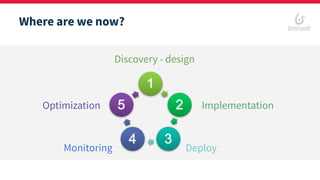
Discovery - design
Implementation
DeployMonitoring
Optimization
Where are we now?
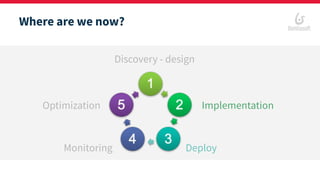
Where are we now?
Discovery - design
Implementation
DeployMonitoring
Optimization
Deploy
Develop the user interface
Development best practices with UI Designer
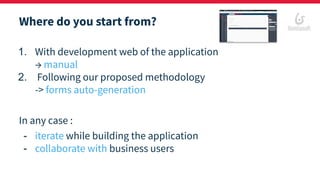
Where do you start from?
1. With development web of the application
→ manual
2. Following our proposed methodology
-> forms auto-generation
In any case :
- iterate while building the application
- collaborate with business users
Some definitions
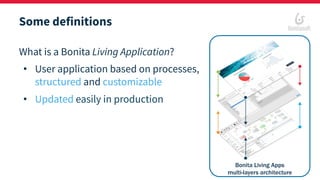
What is a Bonita Living Application?
• User application based on processes,
structured and customizable
• Updated easily in production
Bonita Living Apps
multi-layers architecture
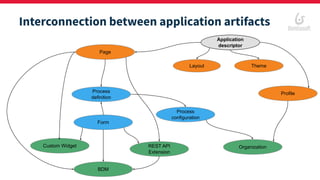
Interconnection between application artifacts
Application
descriptor
Layout Theme
Profile
Organization
Page
Process
definition
Form
REST API
Extension
Process
configuration
Custom Widget
BDM
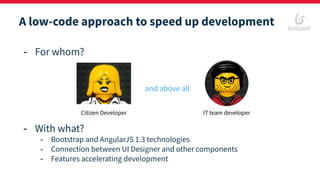
A low-code approach to speed up development
- For whom?
- With what?
- Bootstrap and AngularJS 1.3 technologies
- Connection between UI Designer and other components
- Features accelerating development
and above all
Citizen Developer IT team developer
DEMO
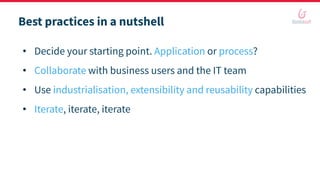
Best practices in a nutshell
• Decide your starting point. Application or process?
• Collaborate with business users and the IT team
• Use industrialisation, extensibility and reusability capabilities
• Iterate, iterate, iterate
Prepare the production
environment
And get a stable and agile platform
Why is it so important to anticipate?
Launch of a digital transformation project
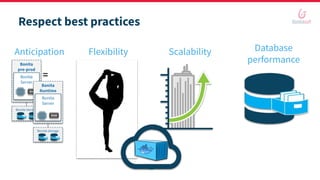
Respect best practices
Flexibility Scalability Database
performanceBonita
pre-prod
Bonita storage
Bonita
Server
Bonita
Runtime
Bonita storage
Bonita
Server
=
Anticipation
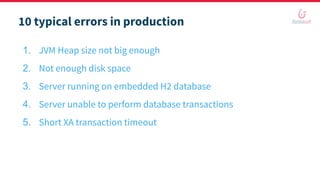
10 typical errors in production
1. JVM Heap size not big enough
2. Not enough disk space
3. Server running on embedded H2 database
4. Server unable to perform database transactions
5. Short XA transaction timeout
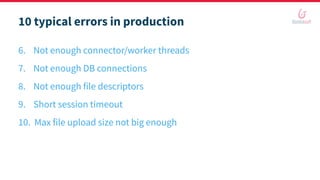
6. Not enough connector/worker threads
7. Not enough DB connections
8. Not enough file descriptors
9. Short session timeout
10. Max file upload size not big enough
10 typical errors in production
You are ready to deploy!
Q&A time
You ask, we answer!
Visit us online
bonitasoft.com
Join our community
community.bonitasoft.com
Download
bonitasoft.com/downloads
Follow us on twitter
@bonitasoft
Thank you for attending!

Best Practices - chapter #4 - Web UI development and Bonita infrastructure setup

  • 1.
    Before you goto production: Complete your project with the UI development and platform setup Methodology series - Chapter #4 Delphine Coille Evangelist & Community Manager @Bonitasoft Victor Garcia Pereda Training manager @Bonitasoft
  • 2.
  • 3.
    Where are wenow? Discovery - design Implementation DeployMonitoring Optimization Deploy
  • 4.
    Develop the userinterface Development best practices with UI Designer
  • 5.
    Where do youstart from? 1. With development web of the application → manual 2. Following our proposed methodology -> forms auto-generation In any case : - iterate while building the application - collaborate with business users
  • 6.
    Some definitions What isa Bonita Living Application? • User application based on processes, structured and customizable • Updated easily in production Bonita Living Apps multi-layers architecture
  • 7.
    Interconnection between applicationartifacts Application descriptor Layout Theme Profile Organization Page Process definition Form REST API Extension Process configuration Custom Widget BDM
  • 8.
    A low-code approachto speed up development - For whom? - With what? - Bootstrap and AngularJS 1.3 technologies - Connection between UI Designer and other components - Features accelerating development and above all Citizen Developer IT team developer
  • 9.
  • 10.
    Best practices ina nutshell • Decide your starting point. Application or process? • Collaborate with business users and the IT team • Use industrialisation, extensibility and reusability capabilities • Iterate, iterate, iterate
  • 11.
    Prepare the production environment Andget a stable and agile platform
  • 12.
    Why is itso important to anticipate? Launch of a digital transformation project
  • 13.
    Respect best practices FlexibilityScalability Database performanceBonita pre-prod Bonita storage Bonita Server Bonita Runtime Bonita storage Bonita Server = Anticipation
  • 14.
    10 typical errorsin production 1. JVM Heap size not big enough 2. Not enough disk space 3. Server running on embedded H2 database 4. Server unable to perform database transactions 5. Short XA transaction timeout
  • 15.
    6. Not enoughconnector/worker threads 7. Not enough DB connections 8. Not enough file descriptors 9. Short session timeout 10. Max file upload size not big enough 10 typical errors in production
  • 16.
    You are readyto deploy!
  • 17.
  • 18.
    Visit us online bonitasoft.com Joinour community community.bonitasoft.com Download bonitasoft.com/downloads Follow us on twitter @bonitasoft Thank you for attending!