User-Centered Design
Nathalie Cotté
2020-06-18
Hello
You
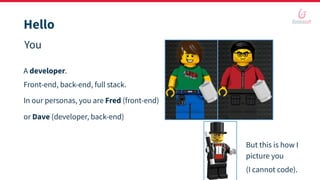
A developer.
Front-end, back-end, full stack.
But this is how I
picture you
(I cannot code).
or Dave (developer, back-end)
In our personas, you are Fred (front-end)
Hello
You
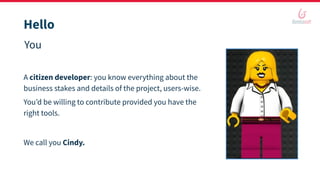
A citizen developer: you know everything about the
business stakes and details of the project, users-wise.
You’d be willing to contribute provided you have the
right tools.
We call you Cindy.
Hello
You
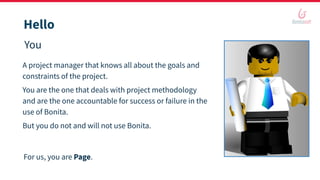
A project manager that knows all about the goals and
constraints of the project.
You are the one that deals with project methodology
and are the one accountable for success or failure in the
use of Bonita.
But you do not and will not use Bonita.
For us, you are Page.
Hello
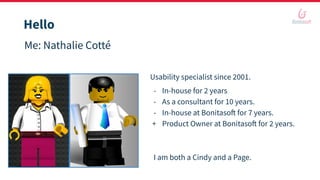
Me: Nathalie Cotté
Usability specialist since 2001.
- In-house for 2 years
- As a consultant for 10 years.
- In-house at Bonitasoft for 7 years.
+ Product Owner at Bonitasoft for 2 years.
I am both a Cindy and a Page.
Hello
Us
Sharing knowledge, experience, and best practices to build success in IT projects.
Especially projects with Bonita.
Hear back from your experience.
⇒ Quizzes. Questions.
Quizz it is!
In this webinar, we will cover
• Making sense as a project team
• A Digital Process Automation (DPA) project
• User-Centered Design (UCD)
• Collaborate in Bonita
• Bonus, to take away
• Q&A
Making sense
as a project team
Making sense as a project team
Coding must feel great
It may feel like art sometimes.
The thing with art is, you can like it or dislike it.
It is a matter of taste. It’s very personal.
So coding as an artist can lead to
functionally-perfect-but-only-usable-by-
its-author-or-its-tribe applications.
Making sense as a project team
What is worse than a project that is rejected by its target?
Users get frustrated to endure yet another tool from IT.
Too many irritants.
They again feel that their voice was not heard.
They do not understand why making changes now is too costly or even unachievable.
⇒ So much time lost not coding the right things.
⇒ Why is that?
Quizz it!
Sometimes projects are for IT users.
Most of the time, not.
In those cases, IT works to support business objectives.
And IT has its own constraints too.
⇒ In this context, a developer cannot be a code artist.
Fact #1
Making sense as a project team
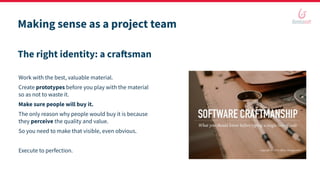
The right identity: a craftsman
Work with the best, valuable material.
Create prototypes before you play with the material
so as not to waste it.
Make sure people will buy it.
The only reason why people would buy it is because
they perceive the quality and value.
So you need to make that visible, even obvious.
Execute to perfection.
Making sense as a project team
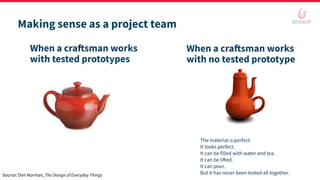
When a craftsman works
with tested prototypes
The material is perfect.
It looks perfect.
It can be filled with water and tea.
It can be lifted.
It can pour.
But it has never been tested all together.
When a craftsman works
with no tested prototype
Source: Don Norman, The Design of Everyday Things
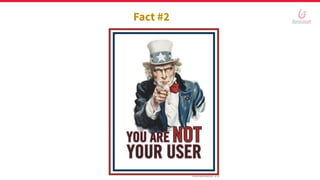
Fact #2
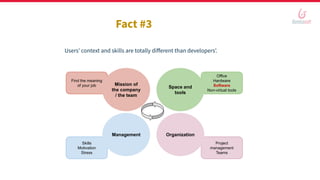
Skills
Motivation
Stress
Office
Hardware
Software
Non-virtual tools
Project
management
Teams
Find the meaning
of your job
Fact #3
Users’ context and skills are totally different than developers’.
Mission of
the company
/ the team
Space and
tools
Management Organization
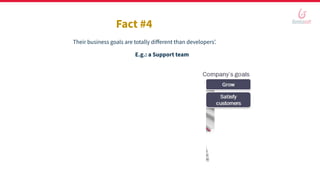
Fact #4
Their business goals are totally different than developers’.
E.g.: a Support team
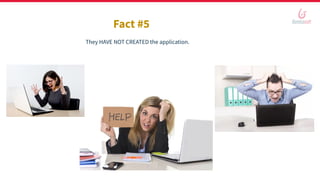
Fact #5
They HAVE NOT CREATED the application.
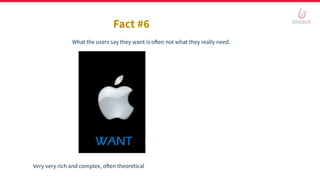
Fact #6
What the users say they want is often not what they really need.
Very very rich and complex, often theoretical | Starts with something very simple and straightforward, pragmatic
Making sense as a project team
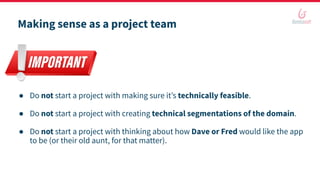
● Do not start a project with making sure it’s technically feasible.
● Do not start a project with creating technical segmentations of the domain.
● Do not start a project with thinking about how Dave or Fred would like the app
to be (or their old aunt, for that matter).
Making sense as a project team
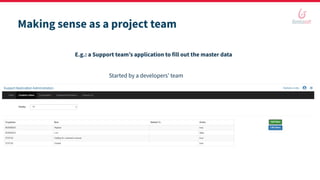
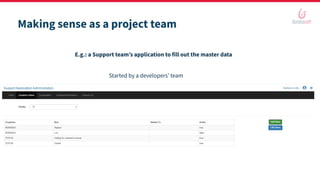
E.g.: a Support team’s application to fill out the master data
Started by a developers’ team
Bridging the gap to the users is the only way to get the reward for the hard
work.
When users are satisfied, the team can be proud of the job that has been
done.
UX/UI design are complex tasks and are not part of the developer’s job
description.
UX design just takes different skills.
It brings prototypes, testing, and negotiation to the craftsman work so no
material is wasted, the product is bought/adopted, and it proves its value.
Fact #7, 8, 9, and 10
What do you think?
Making sense as a project team
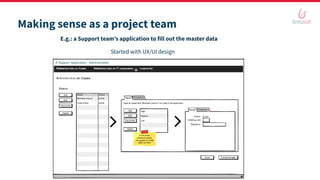
E.g.: a Support team’s application to fill out the master data
Started with UX/UI design
Making sense as a project team
E.g.: a Support team’s application to fill out the master data
Started by a developers’ team
Making sense as a project team
● Start a project with making sure the team embeds such user-centered skills.
● Business analyst - UX design and UI design.
● The business part is not delegated to this person.
⇒ They will “just” bring flow and relevance to the business-IT collaboration
=> They will guarantee (by the UCD method) the usability of the result application.
A Digital Process Automation
(DPA) project
A DPA project
Process Optimization - Process Digitization - Process Automation
In DPA, the application will run processes in the background, connect to the IS and trace operations.
For the rest, there is a business need to fulfill and the mission is to provide a tool to:
- Provide relief from the pain, solve an issue
- Help do something when it is not yet possible
- Help do something better or more than before to reach a goal in a sustainable way
Users’ satisfaction, and respect of time and budget are the criteria for success.
Like any other project, there is a need for efficiency and relevance.
User-centered design
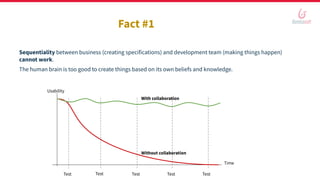
Fact #1
Sequentiality between business (creating specifications) and development team (making things happen)
cannot work.
The human brain is too good to create things based on its own beliefs and knowledge.
With collaboration
Without collaboration
Time
Usability
Test Test Test Test Test
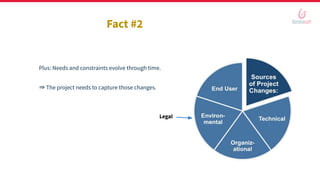
Fact #2
Plus: Needs and constraints evolve through time.
⇒ The project needs to capture those changes.
Legal
Fact #3
But with some methods, the human brain is also good for empathy and consensus.
⇒ Plan time for collaboration
⇒ Plan iterations
⇒ Make that happen
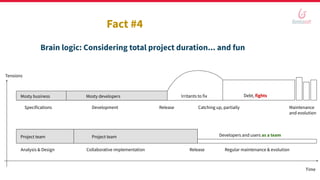
Brain logic: Considering total project duration... and fun
Mosty developersMosty business
Release
Irritants to fix Debt, fights
Analysis & Design Collaborative implementation Release Regular maintenance & evolution
Tensions
Time
Specifications Development Catching up, partially Maintenance
and evolution
Developers and users as a teamProject team Project team
Fact #4
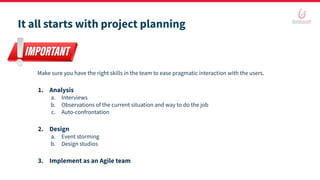
It all starts with project planning
Make sure you have the right skills in the team to ease pragmatic interaction with the users.
1. Analysis
a. Interviews
b. Observations of the current situation and way to do the job
c. Auto-confrontation
2. Design
a. Event storming
b. Design studios
3. Implement as an Agile team
Analysis = UX design
● Users
● Managers
● Project manager
● IT team
● IT manager
Explicit the goals, expectations, and constraints
Interviews
Analysis = UX design
● Users
● At specific times of their activities
● As a new co-worker
● Reveal the unspoken
○ When things are not smooth
○ Recoveries
○ Post-its
○ Hidden Excel sheets...
Explicit the goals, expectations, and constraints
Observations
Analysis = UX design
● Why do I do that?
● What should I get so I do not need to do that any more?
Explicit the goals, expectations, and constraints
Auto-confrontation
Analysis = UX design
● Theory of the prescribed work
● Reality of how it is performed given the constraints
● The needs become obvious
● For both users and their advocate
⇒ Cindy/Page as a PO become the owner of this knowledge
Explicit the goals, expectations, and constraints
Deliverables
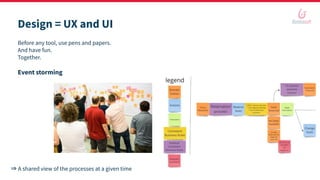
Before any tool, use pens and papers.
And have fun.
Together.
Event storming
Design = UX and UI
⇒ A shared view of the processes at a given time
Design = UX and UI
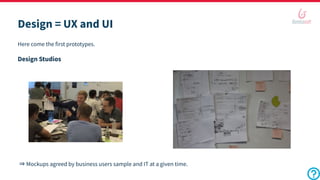
Here come the first prototypes.
Design Studios
⇒ Mockups agreed by business users sample and IT at a given time.
In your company
Design = UX and UI
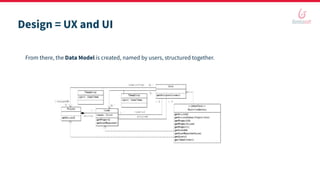
From there, the Data Model is created, named by users, structured together.
On top of all the benefits known for DPA platforms:
- Standardization
- Orchestration
- Automation
- Traceability
- Efficiency
- Maintainability
- Continuous improvement
Fact #5
With this preliminary work, Bonita comes very handy.
It allows for wide team collaboration in the way projects are implemented.
⇒ Helpful when IT is overwhelmed by users’ needs
⇒ Necessary to gear the project in the right direction
Collaborate in Bonita
BDM and processes
Cindy can contribute in a “pair programming mode” with Dave: she knows the business parts.
Dave knows the tool and programming concepts. Bonita provides the development capabilities.
They negotiate between users’ needs and technical constraints. And they do it real time.
Pages, application, and layout
Cindy can build applications and page structure thanks to Bonita’s Visual Programming capabilities.
She documents where coding will be needed in all “Description” fields of the project documentation.
REST API extensions, Custom widgets, html, CSS.
Fred and Dave get the technical constraints behind the needs and can negotiate in pseudo real time.
They can anticipate the development needs.
User review
Variables, documents, contracts, and operations
Cindy can create variables, documents, and contracts. With a regular training to Bonita’s concepts.
Dave and Fred must know about the contracts.
Dave instantiates variables and documents, and creates the operations when needed.
Forms and operational pages
Agile methodology.
Cindy can generate the forms and position all relevant widgets.
Fred and Dave add the extensions.
Fred creates the UI design finalization so the look and feel, thus the experience, is great.
T@mD: Test at my Desk
T@mD
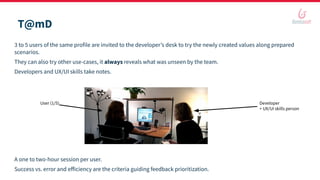
3 to 5 users of the same profile are invited to the developer’s desk to try the newly created values along prepared
scenarios.
They can also try other use-cases, it always reveals what was unseen by the team.
Developers and UX/UI skills take notes.
A one to two-hour session per user.
Success vs. error and efficiency are the criteria guiding feedback prioritization.
User (1/5) Developer
+ UX/UI skills person
Permissions
Dave creates the permissions for REST API extensions and pages.
Cindy can create the permissions for applications (profiles), processes (actor mapping), BDM (access control).
In your company
Ready for User Acceptance Tests
To take away
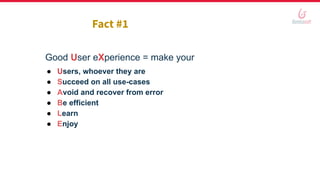
Good User eXperience = make your
● Users, whoever they are
● Succeed on all use-cases
● Avoid and recover from error
● Be efficient
● Learn
● Enjoy
Fact #1
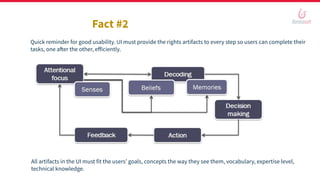
Fact #2
Quick reminder for good usability. UI must provide the rights artifacts to every step so users can complete their
tasks, one after the other, efficiently.
All artifacts in the UI must fit the users’ goals, concepts the way they see them, vocabulary, expertise level,
technical knowledge.
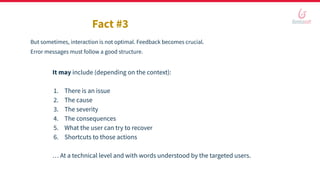
Fact #3
But sometimes, interaction is not optimal. Feedback becomes crucial.
Error messages must follow a good structure.
It may include (depending on the context):
1. There is an issue
2. The cause
3. The severity
4. The consequences
5. What the user can try to recover
6. Shortcuts to those actions
… At a technical level and with words understood by the targeted users.
To sum up
User-Centered Design method takes some specific skills.
Simple common sense is not enough when the project targets people other than the developers.
It brings fun, quality and users’ satisfaction compared to sequential and separate teams.
It requires a budget, but the return on investment is guaranteed, both at project relevance and the health of
teams relationship levels.
● Talk about it when a project and its resources are taking shape
● Give arguments so the team tries
● Enjoy!
Questions?
Answers!
Thank you.

User Centered Design: guarantee that your business process automation projects succeed

  • 1.
  • 2.
    Hello You A developer. Front-end, back-end,full stack. But this is how I picture you (I cannot code). or Dave (developer, back-end) In our personas, you are Fred (front-end)
  • 3.
    Hello You A citizen developer:you know everything about the business stakes and details of the project, users-wise. You’d be willing to contribute provided you have the right tools. We call you Cindy.
  • 4.
    Hello You A project managerthat knows all about the goals and constraints of the project. You are the one that deals with project methodology and are the one accountable for success or failure in the use of Bonita. But you do not and will not use Bonita. For us, you are Page.
  • 5.
    Hello Me: Nathalie Cotté Usabilityspecialist since 2001. - In-house for 2 years - As a consultant for 10 years. - In-house at Bonitasoft for 7 years. + Product Owner at Bonitasoft for 2 years. I am both a Cindy and a Page.
  • 6.
    Hello Us Sharing knowledge, experience,and best practices to build success in IT projects. Especially projects with Bonita. Hear back from your experience. ⇒ Quizzes. Questions.
  • 7.
  • 8.
    In this webinar,we will cover • Making sense as a project team • A Digital Process Automation (DPA) project • User-Centered Design (UCD) • Collaborate in Bonita • Bonus, to take away • Q&A
  • 9.
    Making sense as aproject team
  • 10.
    Making sense asa project team Coding must feel great It may feel like art sometimes. The thing with art is, you can like it or dislike it. It is a matter of taste. It’s very personal. So coding as an artist can lead to functionally-perfect-but-only-usable-by- its-author-or-its-tribe applications.
  • 11.
    Making sense asa project team What is worse than a project that is rejected by its target? Users get frustrated to endure yet another tool from IT. Too many irritants. They again feel that their voice was not heard. They do not understand why making changes now is too costly or even unachievable. ⇒ So much time lost not coding the right things. ⇒ Why is that?
  • 12.
  • 13.
    Sometimes projects arefor IT users. Most of the time, not. In those cases, IT works to support business objectives. And IT has its own constraints too. ⇒ In this context, a developer cannot be a code artist. Fact #1
  • 14.
    Making sense asa project team The right identity: a craftsman Work with the best, valuable material. Create prototypes before you play with the material so as not to waste it. Make sure people will buy it. The only reason why people would buy it is because they perceive the quality and value. So you need to make that visible, even obvious. Execute to perfection.
  • 15.
    Making sense asa project team When a craftsman works with tested prototypes The material is perfect. It looks perfect. It can be filled with water and tea. It can be lifted. It can pour. But it has never been tested all together. When a craftsman works with no tested prototype Source: Don Norman, The Design of Everyday Things
  • 16.
  • 17.
    Skills Motivation Stress Office Hardware Software Non-virtual tools Project management Teams Find themeaning of your job Fact #3 Users’ context and skills are totally different than developers’. Mission of the company / the team Space and tools Management Organization
  • 18.
    Fact #4 Their businessgoals are totally different than developers’. E.g.: a Support team
  • 19.
    Fact #5 They HAVENOT CREATED the application.
  • 20.
    Fact #6 What theusers say they want is often not what they really need. Very very rich and complex, often theoretical | Starts with something very simple and straightforward, pragmatic
  • 21.
    Making sense asa project team ● Do not start a project with making sure it’s technically feasible. ● Do not start a project with creating technical segmentations of the domain. ● Do not start a project with thinking about how Dave or Fred would like the app to be (or their old aunt, for that matter).
  • 22.
    Making sense asa project team E.g.: a Support team’s application to fill out the master data Started by a developers’ team
  • 23.
    Bridging the gapto the users is the only way to get the reward for the hard work. When users are satisfied, the team can be proud of the job that has been done. UX/UI design are complex tasks and are not part of the developer’s job description. UX design just takes different skills. It brings prototypes, testing, and negotiation to the craftsman work so no material is wasted, the product is bought/adopted, and it proves its value. Fact #7, 8, 9, and 10
  • 24.
  • 25.
    Making sense asa project team E.g.: a Support team’s application to fill out the master data Started with UX/UI design
  • 26.
    Making sense asa project team E.g.: a Support team’s application to fill out the master data Started by a developers’ team
  • 27.
    Making sense asa project team ● Start a project with making sure the team embeds such user-centered skills. ● Business analyst - UX design and UI design. ● The business part is not delegated to this person. ⇒ They will “just” bring flow and relevance to the business-IT collaboration => They will guarantee (by the UCD method) the usability of the result application.
  • 28.
    A Digital ProcessAutomation (DPA) project
  • 29.
    A DPA project ProcessOptimization - Process Digitization - Process Automation In DPA, the application will run processes in the background, connect to the IS and trace operations. For the rest, there is a business need to fulfill and the mission is to provide a tool to: - Provide relief from the pain, solve an issue - Help do something when it is not yet possible - Help do something better or more than before to reach a goal in a sustainable way Users’ satisfaction, and respect of time and budget are the criteria for success. Like any other project, there is a need for efficiency and relevance.
  • 30.
  • 31.
    Fact #1 Sequentiality betweenbusiness (creating specifications) and development team (making things happen) cannot work. The human brain is too good to create things based on its own beliefs and knowledge. With collaboration Without collaboration Time Usability Test Test Test Test Test
  • 32.
    Fact #2 Plus: Needsand constraints evolve through time. ⇒ The project needs to capture those changes. Legal
  • 33.
    Fact #3 But withsome methods, the human brain is also good for empathy and consensus. ⇒ Plan time for collaboration ⇒ Plan iterations ⇒ Make that happen
  • 34.
    Brain logic: Consideringtotal project duration... and fun Mosty developersMosty business Release Irritants to fix Debt, fights Analysis & Design Collaborative implementation Release Regular maintenance & evolution Tensions Time Specifications Development Catching up, partially Maintenance and evolution Developers and users as a teamProject team Project team Fact #4
  • 35.
    It all startswith project planning Make sure you have the right skills in the team to ease pragmatic interaction with the users. 1. Analysis a. Interviews b. Observations of the current situation and way to do the job c. Auto-confrontation 2. Design a. Event storming b. Design studios 3. Implement as an Agile team
  • 36.
    Analysis = UXdesign ● Users ● Managers ● Project manager ● IT team ● IT manager Explicit the goals, expectations, and constraints Interviews
  • 37.
    Analysis = UXdesign ● Users ● At specific times of their activities ● As a new co-worker ● Reveal the unspoken ○ When things are not smooth ○ Recoveries ○ Post-its ○ Hidden Excel sheets... Explicit the goals, expectations, and constraints Observations
  • 38.
    Analysis = UXdesign ● Why do I do that? ● What should I get so I do not need to do that any more? Explicit the goals, expectations, and constraints Auto-confrontation
  • 39.
    Analysis = UXdesign ● Theory of the prescribed work ● Reality of how it is performed given the constraints ● The needs become obvious ● For both users and their advocate ⇒ Cindy/Page as a PO become the owner of this knowledge Explicit the goals, expectations, and constraints Deliverables
  • 40.
    Before any tool,use pens and papers. And have fun. Together. Event storming Design = UX and UI ⇒ A shared view of the processes at a given time
  • 41.
    Design = UXand UI Here come the first prototypes. Design Studios ⇒ Mockups agreed by business users sample and IT at a given time.
  • 42.
  • 43.
    Design = UXand UI From there, the Data Model is created, named by users, structured together.
  • 44.
    On top ofall the benefits known for DPA platforms: - Standardization - Orchestration - Automation - Traceability - Efficiency - Maintainability - Continuous improvement Fact #5 With this preliminary work, Bonita comes very handy. It allows for wide team collaboration in the way projects are implemented. ⇒ Helpful when IT is overwhelmed by users’ needs ⇒ Necessary to gear the project in the right direction
  • 45.
  • 46.
    BDM and processes Cindycan contribute in a “pair programming mode” with Dave: she knows the business parts. Dave knows the tool and programming concepts. Bonita provides the development capabilities. They negotiate between users’ needs and technical constraints. And they do it real time.
  • 47.
    Pages, application, andlayout Cindy can build applications and page structure thanks to Bonita’s Visual Programming capabilities. She documents where coding will be needed in all “Description” fields of the project documentation. REST API extensions, Custom widgets, html, CSS. Fred and Dave get the technical constraints behind the needs and can negotiate in pseudo real time. They can anticipate the development needs.
  • 48.
  • 49.
    Variables, documents, contracts,and operations Cindy can create variables, documents, and contracts. With a regular training to Bonita’s concepts. Dave and Fred must know about the contracts. Dave instantiates variables and documents, and creates the operations when needed.
  • 50.
    Forms and operationalpages Agile methodology. Cindy can generate the forms and position all relevant widgets. Fred and Dave add the extensions. Fred creates the UI design finalization so the look and feel, thus the experience, is great.
  • 51.
  • 52.
    T@mD 3 to 5users of the same profile are invited to the developer’s desk to try the newly created values along prepared scenarios. They can also try other use-cases, it always reveals what was unseen by the team. Developers and UX/UI skills take notes. A one to two-hour session per user. Success vs. error and efficiency are the criteria guiding feedback prioritization. User (1/5) Developer + UX/UI skills person
  • 53.
    Permissions Dave creates thepermissions for REST API extensions and pages. Cindy can create the permissions for applications (profiles), processes (actor mapping), BDM (access control).
  • 54.
  • 55.
    Ready for UserAcceptance Tests
  • 56.
  • 57.
    Good User eXperience= make your ● Users, whoever they are ● Succeed on all use-cases ● Avoid and recover from error ● Be efficient ● Learn ● Enjoy Fact #1
  • 58.
    Fact #2 Quick reminderfor good usability. UI must provide the rights artifacts to every step so users can complete their tasks, one after the other, efficiently. All artifacts in the UI must fit the users’ goals, concepts the way they see them, vocabulary, expertise level, technical knowledge.
  • 59.
    Fact #3 But sometimes,interaction is not optimal. Feedback becomes crucial. Error messages must follow a good structure. It may include (depending on the context): 1. There is an issue 2. The cause 3. The severity 4. The consequences 5. What the user can try to recover 6. Shortcuts to those actions … At a technical level and with words understood by the targeted users.
  • 60.
    To sum up User-CenteredDesign method takes some specific skills. Simple common sense is not enough when the project targets people other than the developers. It brings fun, quality and users’ satisfaction compared to sequential and separate teams. It requires a budget, but the return on investment is guaranteed, both at project relevance and the health of teams relationship levels. ● Talk about it when a project and its resources are taking shape ● Give arguments so the team tries ● Enjoy!
  • 61.
  • 62.