Be an IVR Rock Star:Be an IVR Rock Star:
Best Practices For Building World-Class Voice Applications
Dr. Ahmed Bouzid
Director of Product, Angel
Angel Company Overview
• Founded in 1999 as a BU of MicroStrategy (NASDAQ: MSTR)
• Patented IVR Technology: 25+ granted
• Over 1,000 customers in 20 different industries
• Over 10,000 applications deployed including many of nation’s top
consumer brands
11/26/20102
• Industry Awards for Technology Excellence:
Agenda
1. Introduction
– Why people hate IVRs
– Why IVRs – For the enterprise and callers
– People don’t hate self-service, they hate bad automation
2. The Three Challenges of IVR
– Automation is imposed on the user
– There is a constrained nature of VUI
11/26/20103
– System is simulating uniquely human behavior
3. The Caller First Philosophy
– Rapid development allowing for design and testing
– Leveraging data about callers
– Leveraging data about the application
4. Intelligent Behavior
– Examples of intelligent behavior
– Some scenarios
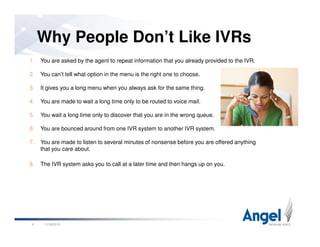
Why People Don’t Like IVRs
1. You are asked by the agent to repeat information that you already provided to the IVR.
2. You can’t tell what option in the menu is the right one to choose.
3. It gives you a long menu when you always ask for the same thing.
4. You are made to wait a long time only to be routed to voice mail.
5. You wait a long time only to discover that you are in the wrong queue.
11/26/20104
6. You are bounced around from one IVR system to another IVR system.
7. You are made to listen to several minutes of nonsense before you are offered anything
that you care about.
8. The IVR system asks you to call at a later time and then hangs up on you.
Why IVRs: For the Enterprise
Handle volume: Never enough people to staff a call center.
Reduce costs: Deflect calls from expensive agents.
Increase revenue: Systematic up-selling, cross-selling.
Increase agent satisfaction: push complex tasks to agents.
11/26/20105
Systematic tracking of calls/activities: What services, products selected.
Customer Satisfaction: Serving the client off hours.
Scalability: crisis, peaks.
Why IVRs: For Callers
No waiting: empowering self-service.
Facilitate task completion: logging notes into CRM by speaking.
Privacy: sensitive information (test results).
Security: Providing credit card information.
11/26/20106
Security: Providing credit card information.
24x7x365: Convenience of access.
Being able to take your time: not rushed by human
Speed of task completion: When you know what to do and just need to do it.
Not being sold by a human: Turning down computer is easier.
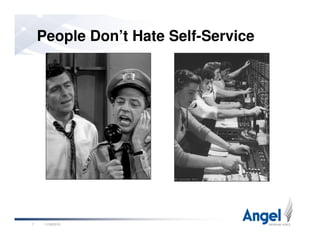
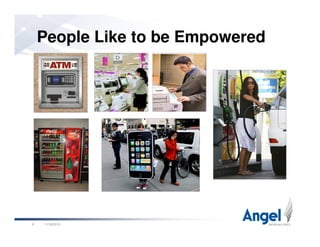
People Don’t Hate Self-Service
11/26/20107
People Like to be Empowered
11/26/20108
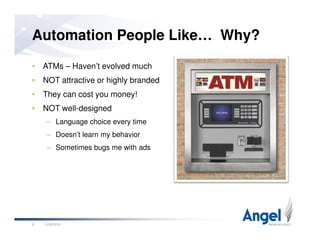
• ATMs – Haven’t evolved much
• NOT attractive or highly branded
• They can cost you money!
• NOT well-designed
– Language choice every time
Automation People Like… Why?
– Language choice every time
– Doesn’t learn my behavior
– Sometimes bugs me with ads
11/26/20109
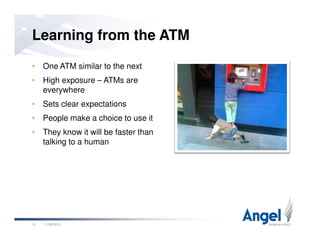
• One ATM similar to the next
• High exposure – ATMs are
everywhere
• Sets clear expectations
• People make a choice to use it
Learning from the ATM
• They know it will be faster than
talking to a human
11/26/201010
• Automation is imposed on the user
• Constrained nature of interface
• System is simulating uniquely human behavior
Three Fundamental Challenges with IVR
11/26/201011
• System is simulating uniquely human behavior
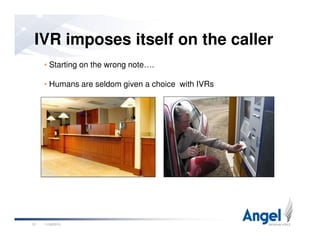
IVR imposes itself on the caller
• Starting on the wrong note….
• Humans are seldom given a choice with IVRs
11/26/201012
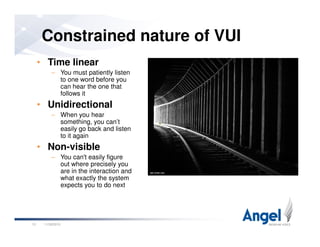
Constrained nature of VUI
• Time linear
– You must patiently listen
to one word before you
can hear the one that
follows it
• Unidirectional
– When you hear
something, you can’t
11/26/201013
something, you can’t
easily go back and listen
to it again
• Non-visible
– You can't easily figure
out where precisely you
are in the interaction and
what exactly the system
expects you to do next
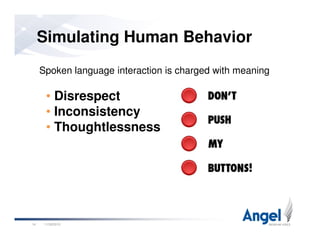
Simulating Human Behavior
Spoken language interaction is charged with meaning
• Disrespect
• Inconsistency
• Thoughtlessness
11/26/201014
• Thoughtlessness
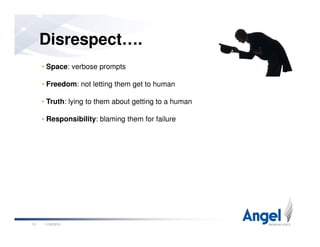
Disrespect….
• Space: verbose prompts
• Freedom: not letting them get to human
• Truth: lying to them about getting to a human
• Responsibility: blaming them for failure
11/26/201015
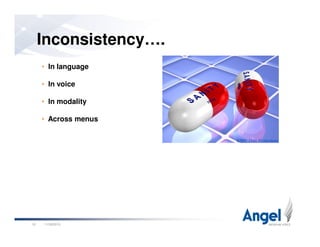
Inconsistency….
• In language
• In voice
• In modality
• Across menus
11/26/201016
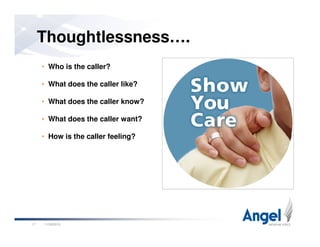
Thoughtlessness….
• Who is the caller?
• What does the caller like?
• What does the caller know?
• What does the caller want?
11/26/201017
• How is the caller feeling?
11/26/201018
• Calling retail store phone number on a Sunday afternoon
• They made a purchase two days ago
• It is afternoon, they called two hours ago about a trouble ticket. The
ticket was originally opened the day before. The ticket is not
resolved yet
• 80% of the caller’s calls are about getting account balance
Some Scenarios
11/26/201019
• Calling the power company after a power outage
• 75% of callers were at web before going to IVR
• Caller has a history of zero-ing out immediately
• Caller gave poor marks to the last agent they spoke with
• ISP service went down 10 minutes ago….
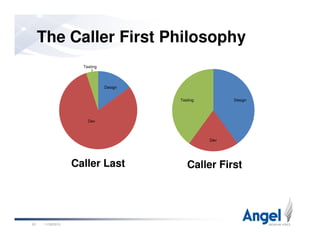
DesignTesting
Design
Dev
Testing
The Caller First Philosophy
11/26/201020
Caller First
Dev
Caller Last
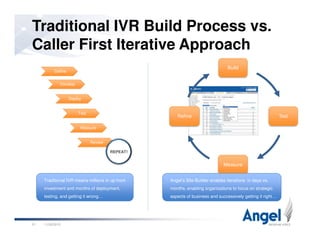
Traditional IVR Build Process vs.
Caller First Iterative Approach
Develop
Deploy
Test
Define
Build
TestRefine
11/26/201021
Measure
Review
REPEAT!
Measure
Traditional IVR means millions in up front
investment and months of deployment,
testing, and getting it wrong…
Angel’s Site Builder enables iterations in days vs.
months, enabling organizations to focus on strategic
aspects of business and successively getting it right…
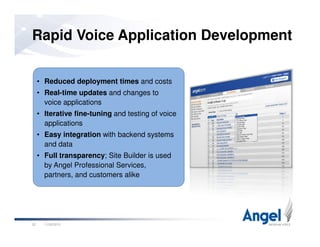
• Reduced deployment times and costs
• Real-time updates and changes to
voice applications
• Iterative fine-tuning and testing of voice
applications
Rapid Voice Application Development
11/26/201022
applications
• Easy integration with backend systems
and data
• Full transparency; Site Builder is used
by Angel Professional Services,
partners, and customers alike
• Requirements Gathering and Analysis
Understand the problems that need to be solved, and know the calling population that will be
using the applications
– Conduct expert review of existing functionality
– Listen to live calls in the call center, debrief with live agents
• Uncover pain points and monotonous calls
• Listen for terminology used
The Design Process: Step 1
• Understand why agents “say it that way”
– Interview key stakeholders about the underlying business objectives
• Brand considerations
• Legal considerations
– Match business goals with caller goals
– Identify available customer data to drive interactions
11/26/201023
Angel gains enough knowledge about your business to apply our creativity,
prior experience, and best practices to designing the right application.
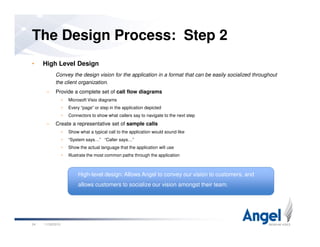
• High Level Design
Convey the design vision for the application in a format that can be easily socialized throughout
the client organization.
– Provide a complete set of call flow diagrams
• Microsoft Visio diagrams
• Every “page” or step in the application depicted
• Connectors to show what callers say to navigate to the next step
– Create a representative set of sample calls
The Design Process: Step 2
– Create a representative set of sample calls
• Show what a typical call to the application would sound like
• “System says…” “Caller says…”
• Show the actual language that the application will use
• Illustrate the most common paths through the application
11/26/201024
High-level design: Allows Angel to convey our vision to customers, and
allows customers to socialize our vision amongst their team.
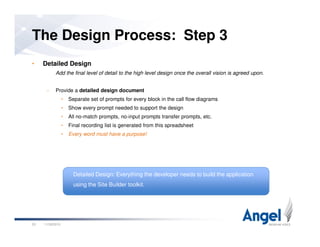
• Detailed Design
Add the final level of detail to the high level design once the overall vision is agreed upon.
– Provide a detailed design document
• Separate set of prompts for every block in the call flow diagrams
• Show every prompt needed to support the design
• All no-match prompts, no-input prompts transfer prompts, etc.
• Final recording list is generated from this spreadsheet
The Design Process: Step 3
• Final recording list is generated from this spreadsheet
• Every word must have a purpose!
11/26/201025
Detailed Design: Everything the developer needs to build the application
using the Site Builder toolkit.
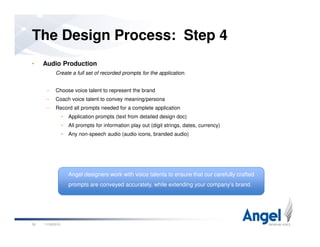
• Audio Production
Create a full set of recorded prompts for the application.
– Choose voice talent to represent the brand
– Coach voice talent to convey meaning/persona
– Record all prompts needed for a complete application
• Application prompts (text from detailed design doc)
• All prompts for information play out (digit strings, dates, currency)
The Design Process: Step 4
• All prompts for information play out (digit strings, dates, currency)
• Any non-speech audio (audio icons, branded audio)
11/26/201026
Angel designers work with voice talents to ensure that our carefully crafted
prompts are conveyed accurately, while extending your company’s brand.
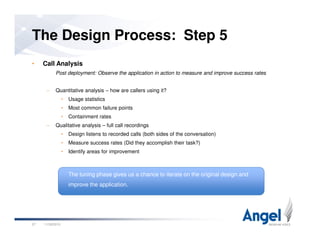
• Call Analysis
Post deployment: Observe the application in action to measure and improve success rates
– Quantitative analysis – how are callers using it?
• Usage statistics
• Most common failure points
• Containment rates
– Qualitative analysis – full call recordings
The Design Process: Step 5
– Qualitative analysis – full call recordings
• Design listens to recorded calls (both sides of the conversation)
• Measure success rates (Did they accomplish their task?)
• Identify areas for improvement
11/26/201027
The tuning phase gives us a chance to iterate on the original design and
improve the application.
Data is Key….
• Data about the callers
• Data about the application
11/26/201028
• User Profile
• Recent User Activity
• Call Initiation Context
• Call Population Distribution
Data Connectivity
11/26/201029
• Value to the Enterprise
• Experience using the system
• Disposition towards using the system
• Age/Gender
User Profile
11/26/201030
• Age/Gender
• Language
• Emotional state
• Past reasons for calling
• Resolution outcome of last
transaction
• Agent spoken with last time
Recent Call Activity
11/26/201031
• Agent spoken with last time
• How long they waited last time?
• Were they satisfied with call
outcome?
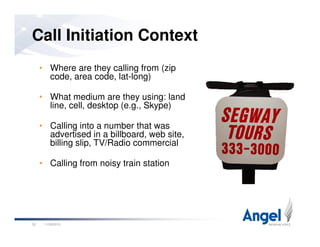
• Where are they calling from (zip
code, area code, lat-long)
• What medium are they using: land
line, cell, desktop (e.g., Skype)
• Calling into a number that was
Call Initiation Context
11/26/201032
• Calling into a number that was
advertised in a billboard, web site,
billing slip, TV/Radio commercial
• Calling from noisy train station
• Most frequent requests
across caller population
• Request distribution across
profiles
• Time-sensitive requests
Call Population Distribution
11/26/201033
• Time-sensitive requests
• Event-triggered requests
• Call context distribution
across callers: most callers
were in web?
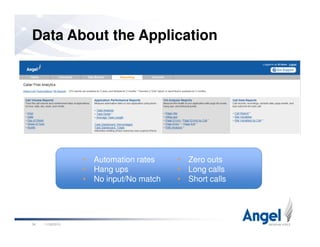
Data About the Application
11/26/201034
• Automation rates
• Hang ups
• No input/No match
• Zero outs
• Long calls
• Short calls
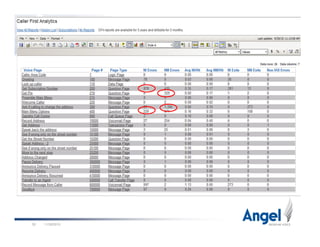
Screen shot of Call Volume (showing peaks)
11/26/201035
Intelligent behavior….
11/26/201036
Intelligent behavior….
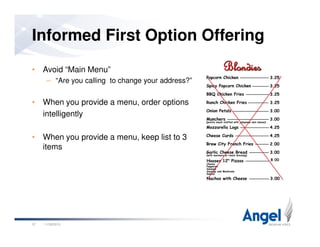
• Avoid “Main Menu”
– “Are you calling to change your address?”
• When you provide a menu, order options
intelligently
Informed First Option Offering
11/26/201037
• When you provide a menu, keep list to 3
items
• Don’t offer nonsensical options:
– New prospect being offered option to talk to billing
• Offer options the caller cares about:
– Telling callers with a large checking account balance about the
newly launched high-yield CD
– Over draft protection for callers with a dangerously low balance
Offer Only Relevant Options
11/26/201038
– Over draft protection for callers with a dangerously low balance
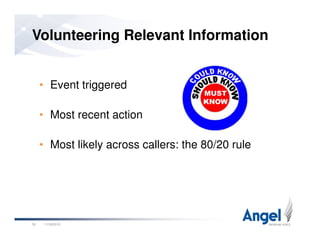
• Event triggered
• Most recent action
Volunteering Relevant Information
11/26/201039
• Most likely across callers: the 80/20 rule
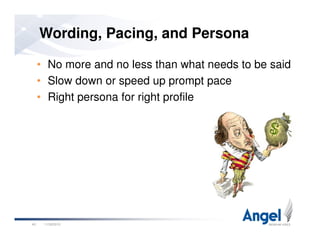
Wording, Pacing, and Persona
• No more and no less than what needs to be said
• Slow down or speed up prompt pace
• Right persona for right profile
11/26/201040
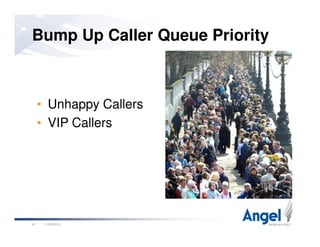
• Unhappy Callers
• VIP Callers
Bump Up Caller Queue Priority
11/26/201041
• VIP Callers
• Caller is probably irritated or
unhappy, in distress
• Caller has a history of doing
badly with the application
Bypass Automation
11/26/201042
badly with the application
• Caller is calling from a noisy
environment
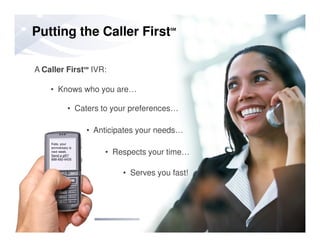
• Knows who you are…
• Caters to your preferences…
A Caller FirstSM
IVR:
Putting the Caller FirstSM
11/26/201043
Kate, your
anniversary is
next week.
Send a gift?
888-692-6435
• Anticipates your needs…
• Serves you fast!
• Respects your time…
Thanks for joining us. After the webinar
you will each receive the Angel White
Paper: “Driving Performance with
Embedded BI in Your Voice Application”
Q & A
11/26/201044
Ahmed Bouzid
Director of Product
bouzid@angel.com
888-662-4955
Q & ASchedule a Demo:
http://www.angel.com/schedule-demo.jsp

IVR Best Practices

  • 1.
    Be an IVRRock Star:Be an IVR Rock Star: Best Practices For Building World-Class Voice Applications Dr. Ahmed Bouzid Director of Product, Angel
  • 2.
    Angel Company Overview •Founded in 1999 as a BU of MicroStrategy (NASDAQ: MSTR) • Patented IVR Technology: 25+ granted • Over 1,000 customers in 20 different industries • Over 10,000 applications deployed including many of nation’s top consumer brands 11/26/20102 • Industry Awards for Technology Excellence:
  • 3.
    Agenda 1. Introduction – Whypeople hate IVRs – Why IVRs – For the enterprise and callers – People don’t hate self-service, they hate bad automation 2. The Three Challenges of IVR – Automation is imposed on the user – There is a constrained nature of VUI 11/26/20103 – System is simulating uniquely human behavior 3. The Caller First Philosophy – Rapid development allowing for design and testing – Leveraging data about callers – Leveraging data about the application 4. Intelligent Behavior – Examples of intelligent behavior – Some scenarios
  • 4.
    Why People Don’tLike IVRs 1. You are asked by the agent to repeat information that you already provided to the IVR. 2. You can’t tell what option in the menu is the right one to choose. 3. It gives you a long menu when you always ask for the same thing. 4. You are made to wait a long time only to be routed to voice mail. 5. You wait a long time only to discover that you are in the wrong queue. 11/26/20104 6. You are bounced around from one IVR system to another IVR system. 7. You are made to listen to several minutes of nonsense before you are offered anything that you care about. 8. The IVR system asks you to call at a later time and then hangs up on you.
  • 5.
    Why IVRs: Forthe Enterprise Handle volume: Never enough people to staff a call center. Reduce costs: Deflect calls from expensive agents. Increase revenue: Systematic up-selling, cross-selling. Increase agent satisfaction: push complex tasks to agents. 11/26/20105 Systematic tracking of calls/activities: What services, products selected. Customer Satisfaction: Serving the client off hours. Scalability: crisis, peaks.
  • 6.
    Why IVRs: ForCallers No waiting: empowering self-service. Facilitate task completion: logging notes into CRM by speaking. Privacy: sensitive information (test results). Security: Providing credit card information. 11/26/20106 Security: Providing credit card information. 24x7x365: Convenience of access. Being able to take your time: not rushed by human Speed of task completion: When you know what to do and just need to do it. Not being sold by a human: Turning down computer is easier.
  • 7.
    People Don’t HateSelf-Service 11/26/20107
  • 8.
    People Like tobe Empowered 11/26/20108
  • 9.
    • ATMs –Haven’t evolved much • NOT attractive or highly branded • They can cost you money! • NOT well-designed – Language choice every time Automation People Like… Why? – Language choice every time – Doesn’t learn my behavior – Sometimes bugs me with ads 11/26/20109
  • 10.
    • One ATMsimilar to the next • High exposure – ATMs are everywhere • Sets clear expectations • People make a choice to use it Learning from the ATM • They know it will be faster than talking to a human 11/26/201010
  • 11.
    • Automation isimposed on the user • Constrained nature of interface • System is simulating uniquely human behavior Three Fundamental Challenges with IVR 11/26/201011 • System is simulating uniquely human behavior
  • 12.
    IVR imposes itselfon the caller • Starting on the wrong note…. • Humans are seldom given a choice with IVRs 11/26/201012
  • 13.
    Constrained nature ofVUI • Time linear – You must patiently listen to one word before you can hear the one that follows it • Unidirectional – When you hear something, you can’t 11/26/201013 something, you can’t easily go back and listen to it again • Non-visible – You can't easily figure out where precisely you are in the interaction and what exactly the system expects you to do next
  • 14.
    Simulating Human Behavior Spokenlanguage interaction is charged with meaning • Disrespect • Inconsistency • Thoughtlessness 11/26/201014 • Thoughtlessness
  • 15.
    Disrespect…. • Space: verboseprompts • Freedom: not letting them get to human • Truth: lying to them about getting to a human • Responsibility: blaming them for failure 11/26/201015
  • 16.
    Inconsistency…. • In language •In voice • In modality • Across menus 11/26/201016
  • 17.
    Thoughtlessness…. • Who isthe caller? • What does the caller like? • What does the caller know? • What does the caller want? 11/26/201017 • How is the caller feeling?
  • 18.
  • 19.
    • Calling retailstore phone number on a Sunday afternoon • They made a purchase two days ago • It is afternoon, they called two hours ago about a trouble ticket. The ticket was originally opened the day before. The ticket is not resolved yet • 80% of the caller’s calls are about getting account balance Some Scenarios 11/26/201019 • Calling the power company after a power outage • 75% of callers were at web before going to IVR • Caller has a history of zero-ing out immediately • Caller gave poor marks to the last agent they spoke with • ISP service went down 10 minutes ago….
  • 20.
    DesignTesting Design Dev Testing The Caller FirstPhilosophy 11/26/201020 Caller First Dev Caller Last
  • 21.
    Traditional IVR BuildProcess vs. Caller First Iterative Approach Develop Deploy Test Define Build TestRefine 11/26/201021 Measure Review REPEAT! Measure Traditional IVR means millions in up front investment and months of deployment, testing, and getting it wrong… Angel’s Site Builder enables iterations in days vs. months, enabling organizations to focus on strategic aspects of business and successively getting it right…
  • 22.
    • Reduced deploymenttimes and costs • Real-time updates and changes to voice applications • Iterative fine-tuning and testing of voice applications Rapid Voice Application Development 11/26/201022 applications • Easy integration with backend systems and data • Full transparency; Site Builder is used by Angel Professional Services, partners, and customers alike
  • 23.
    • Requirements Gatheringand Analysis Understand the problems that need to be solved, and know the calling population that will be using the applications – Conduct expert review of existing functionality – Listen to live calls in the call center, debrief with live agents • Uncover pain points and monotonous calls • Listen for terminology used The Design Process: Step 1 • Understand why agents “say it that way” – Interview key stakeholders about the underlying business objectives • Brand considerations • Legal considerations – Match business goals with caller goals – Identify available customer data to drive interactions 11/26/201023 Angel gains enough knowledge about your business to apply our creativity, prior experience, and best practices to designing the right application.
  • 24.
    • High LevelDesign Convey the design vision for the application in a format that can be easily socialized throughout the client organization. – Provide a complete set of call flow diagrams • Microsoft Visio diagrams • Every “page” or step in the application depicted • Connectors to show what callers say to navigate to the next step – Create a representative set of sample calls The Design Process: Step 2 – Create a representative set of sample calls • Show what a typical call to the application would sound like • “System says…” “Caller says…” • Show the actual language that the application will use • Illustrate the most common paths through the application 11/26/201024 High-level design: Allows Angel to convey our vision to customers, and allows customers to socialize our vision amongst their team.
  • 25.
    • Detailed Design Addthe final level of detail to the high level design once the overall vision is agreed upon. – Provide a detailed design document • Separate set of prompts for every block in the call flow diagrams • Show every prompt needed to support the design • All no-match prompts, no-input prompts transfer prompts, etc. • Final recording list is generated from this spreadsheet The Design Process: Step 3 • Final recording list is generated from this spreadsheet • Every word must have a purpose! 11/26/201025 Detailed Design: Everything the developer needs to build the application using the Site Builder toolkit.
  • 26.
    • Audio Production Createa full set of recorded prompts for the application. – Choose voice talent to represent the brand – Coach voice talent to convey meaning/persona – Record all prompts needed for a complete application • Application prompts (text from detailed design doc) • All prompts for information play out (digit strings, dates, currency) The Design Process: Step 4 • All prompts for information play out (digit strings, dates, currency) • Any non-speech audio (audio icons, branded audio) 11/26/201026 Angel designers work with voice talents to ensure that our carefully crafted prompts are conveyed accurately, while extending your company’s brand.
  • 27.
    • Call Analysis Postdeployment: Observe the application in action to measure and improve success rates – Quantitative analysis – how are callers using it? • Usage statistics • Most common failure points • Containment rates – Qualitative analysis – full call recordings The Design Process: Step 5 – Qualitative analysis – full call recordings • Design listens to recorded calls (both sides of the conversation) • Measure success rates (Did they accomplish their task?) • Identify areas for improvement 11/26/201027 The tuning phase gives us a chance to iterate on the original design and improve the application.
  • 28.
    Data is Key…. •Data about the callers • Data about the application 11/26/201028
  • 29.
    • User Profile •Recent User Activity • Call Initiation Context • Call Population Distribution Data Connectivity 11/26/201029
  • 30.
    • Value tothe Enterprise • Experience using the system • Disposition towards using the system • Age/Gender User Profile 11/26/201030 • Age/Gender • Language • Emotional state
  • 31.
    • Past reasonsfor calling • Resolution outcome of last transaction • Agent spoken with last time Recent Call Activity 11/26/201031 • Agent spoken with last time • How long they waited last time? • Were they satisfied with call outcome?
  • 32.
    • Where arethey calling from (zip code, area code, lat-long) • What medium are they using: land line, cell, desktop (e.g., Skype) • Calling into a number that was Call Initiation Context 11/26/201032 • Calling into a number that was advertised in a billboard, web site, billing slip, TV/Radio commercial • Calling from noisy train station
  • 33.
    • Most frequentrequests across caller population • Request distribution across profiles • Time-sensitive requests Call Population Distribution 11/26/201033 • Time-sensitive requests • Event-triggered requests • Call context distribution across callers: most callers were in web?
  • 34.
    Data About theApplication 11/26/201034 • Automation rates • Hang ups • No input/No match • Zero outs • Long calls • Short calls
  • 35.
    Screen shot ofCall Volume (showing peaks) 11/26/201035
  • 36.
  • 37.
    • Avoid “MainMenu” – “Are you calling to change your address?” • When you provide a menu, order options intelligently Informed First Option Offering 11/26/201037 • When you provide a menu, keep list to 3 items
  • 38.
    • Don’t offernonsensical options: – New prospect being offered option to talk to billing • Offer options the caller cares about: – Telling callers with a large checking account balance about the newly launched high-yield CD – Over draft protection for callers with a dangerously low balance Offer Only Relevant Options 11/26/201038 – Over draft protection for callers with a dangerously low balance
  • 39.
    • Event triggered •Most recent action Volunteering Relevant Information 11/26/201039 • Most likely across callers: the 80/20 rule
  • 40.
    Wording, Pacing, andPersona • No more and no less than what needs to be said • Slow down or speed up prompt pace • Right persona for right profile 11/26/201040
  • 41.
    • Unhappy Callers •VIP Callers Bump Up Caller Queue Priority 11/26/201041 • VIP Callers
  • 42.
    • Caller isprobably irritated or unhappy, in distress • Caller has a history of doing badly with the application Bypass Automation 11/26/201042 badly with the application • Caller is calling from a noisy environment
  • 43.
    • Knows whoyou are… • Caters to your preferences… A Caller FirstSM IVR: Putting the Caller FirstSM 11/26/201043 Kate, your anniversary is next week. Send a gift? 888-692-6435 • Anticipates your needs… • Serves you fast! • Respects your time…
  • 44.
    Thanks for joiningus. After the webinar you will each receive the Angel White Paper: “Driving Performance with Embedded BI in Your Voice Application” Q & A 11/26/201044 Ahmed Bouzid Director of Product bouzid@angel.com 888-662-4955 Q & ASchedule a Demo: http://www.angel.com/schedule-demo.jsp