Microsoft 2010Yes, you can!
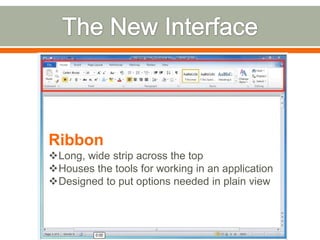
The New InterfaceRibbonLong, wide strip across the top
Houses the tools for working in an application
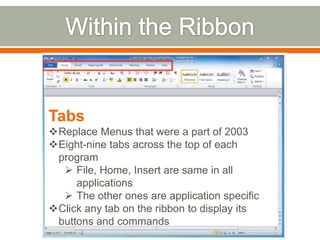
Designed to put options needed in plain viewWithin the RibbonTabsReplace Menus that were a part of 2003
Eight-nine tabs across the top of each program
File, Home, Insert are same in all applications
The other ones are application specific
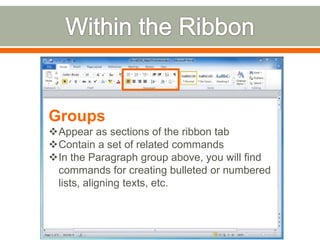
Click any tab on the ribbon to display its buttons and commandsWithin the RibbonGroupsAppear as sections of the ribbon tab
Contain a set of related commands
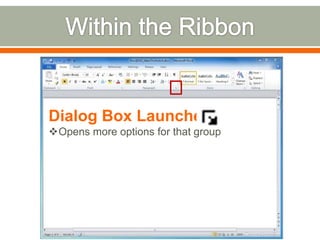
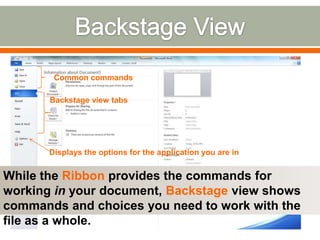
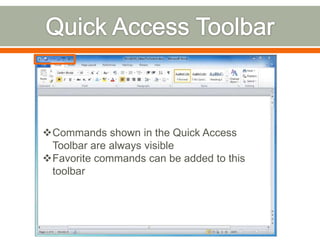
In the Paragraph group above, you will find commands for creating bulleted or numbered lists, aligning texts, etc.Within the RibbonDialog Box LauncherOpens more options for that groupBackstage ViewCommon commandsBackstage view tabsDisplays the options for the application you are inWhile the Ribbon provides the commands for working in your document, Backstage view shows commands and choices you need to work with the file as a whole.
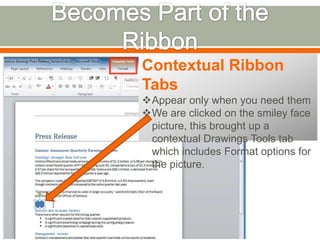
Becomes Part of the RibbonContextual Ribbon TabsAppear only when you need them
We are clicked on the smiley face picture, this brought up a contextual Drawings Tools tab which includes Format options for the picture.Customizing the RibbonRibbon can be customized to suit the way you workAllows you to turn off the display of tabs you don’t use, as well as create new tabs and groupsYou can add a group to an existing tab or move a group to a different tab. You can also change the order in which the tabs and groups appear.

Basic office2010

  • 1.
  • 2.
    The New InterfaceRibbonLong,wide strip across the top
  • 3.
    Houses the toolsfor working in an application
  • 4.
    Designed to putoptions needed in plain viewWithin the RibbonTabsReplace Menus that were a part of 2003
  • 5.
    Eight-nine tabs acrossthe top of each program
  • 6.
    File, Home, Insertare same in all applications
  • 7.
    The other onesare application specific
  • 8.
    Click any tabon the ribbon to display its buttons and commandsWithin the RibbonGroupsAppear as sections of the ribbon tab
  • 9.
    Contain a setof related commands
  • 10.
    In the Paragraphgroup above, you will find commands for creating bulleted or numbered lists, aligning texts, etc.Within the RibbonDialog Box LauncherOpens more options for that groupBackstage ViewCommon commandsBackstage view tabsDisplays the options for the application you are inWhile the Ribbon provides the commands for working in your document, Backstage view shows commands and choices you need to work with the file as a whole.
  • 11.
    Becomes Part ofthe RibbonContextual Ribbon TabsAppear only when you need them
  • 12.
    We are clickedon the smiley face picture, this brought up a contextual Drawings Tools tab which includes Format options for the picture.Customizing the RibbonRibbon can be customized to suit the way you workAllows you to turn off the display of tabs you don’t use, as well as create new tabs and groupsYou can add a group to an existing tab or move a group to a different tab. You can also change the order in which the tabs and groups appear.