CPS – 7b
Methods of Teaching Computer Skills
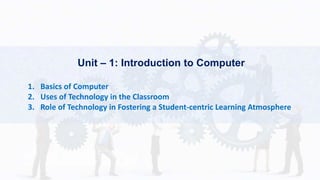
Unit – 1: Introduction to Computer
1. Basics of Computer
2. Uses of Technology in the Classroom
3. Role of Technology in Fostering a Student-centric Learning Atmosphere
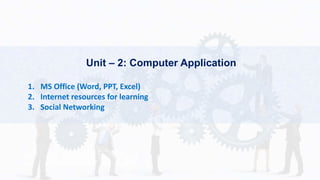
Unit – 2: Computer Application
1. MS Office (Word, PPT, Excel)
2. Internet resources for learning
3. Social Networking
Unit – 3: Computer Instructions
1. Methodological Issues
2. Structuring the practical tasks, ICT Integrated - lesson
3. Internet and lesson planning
Basics of Computers
Dr. Rohit Bagthariya
Computer
A computer is an electronic device, operating under
the control of instructions stored in its own memory
that can accept data (input), process the data
according to specified rules, produce information
(output), and store the information for future use.
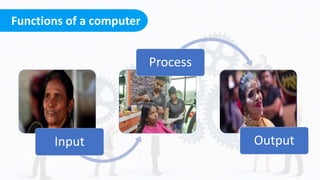
Functions of a computer
Click on the model to interact
Any digital computer carries out five functions in gross terms:
 Takes data as input.
 Stores the data in its memory and use them when
required.
 Process the data and converts it into useful information
 Generates the output.
 Control all the above four points.
Functions of a computer
Click on the model to interact
Input
Process
Output
Computer Components
Click on the model to interact
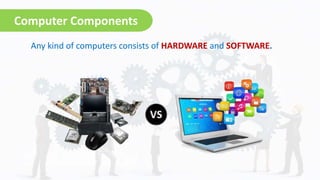
Any kind of computers consists of HARDWARE and SOFTWARE.
Hardware
Click on the model to interact
The physical parts/components of a computer that we can touch,
for example, monitor, mouse, keyboard, computer data storage,
hard drive disk (HDD), system unit (graphic cards, sound cards,
memory, motherboard and chips), etc.
Hardware can be further classified into,
 Input devices
 Output devices
 Processing devices
 Memory devices
Software
Click on the model to interact
Software is a generic term for organized collections of computer
data and instructions, often broken into two major categories:
system software that provides the basic non-task-specific
functions of the computer, and application software which is
used by users to accomplish specific tasks.
Software falls into two broad categories,
 System Software
 Application Software
Characteristics of Computer
Click on the model to interact
 The computer can process data very fast, at the
rate of millions of instructions per second.
Some calculations that would have taken hours
and days to complete otherwise, can be
completed in a few seconds using the computer.
For example, calculation and generation of
salary slips of thousands of employees of an
organization, weather forecasting that requires
analysis of a large amount of data related to
temperature, pressure and humidity of various
places, etc.
Speed
Accuracy
Diligence
Storage
Versatility
Characteristics of Computer
Click on the model to interact
 Computer provides a high degree of
accuracy. For example, the computer
can accurately give the result of
division of any two numbers up to 10
decimal places.
Speed
Accuracy
Diligence
Storage
Versatility
Characteristics of Computer
Click on the model to interact
 When used for a longer period of time,
the computer does not get tired or
fatigued. It can perform long and
complex calculations with the same
speed and accuracy from the start till
the end.
Speed
Accuracy
Diligence
Storage
Versatility
Characteristics of Computer
Click on the model to interact
 Large volumes of data and information
can be stored in the computer and also
retrieved whenever required. A limited
amount of data can be stored,
temporarily, in the primary memory.
Secondary storage devices like floppy
disk and compact disk can store a large
amount of data permanently.
Speed
Accuracy
Diligence
Storage
Versatility
Characteristics of Computer
Click on the model to interact
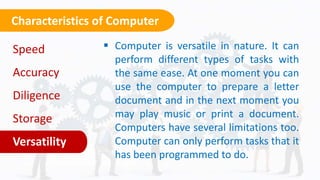
 Computer is versatile in nature. It can
perform different types of tasks with
the same ease. At one moment you can
use the computer to prepare a letter
document and in the next moment you
may play music or print a document.
Computers have several limitations too.
Computer can only perform tasks that it
has been programmed to do.
Speed
Accuracy
Diligence
Storage
Versatility
Check Your understanding
Click on the model to interact
 What is a Computer?
 Function of a Computer.
 Classification of Hardware.
 Classification of Software.
 Characteristics of a Computer.
Thank You!
Any
Questions?

Basic of computer

  • 1.
    CPS – 7b Methodsof Teaching Computer Skills
  • 2.
    Unit – 1:Introduction to Computer 1. Basics of Computer 2. Uses of Technology in the Classroom 3. Role of Technology in Fostering a Student-centric Learning Atmosphere
  • 3.
    Unit – 2:Computer Application 1. MS Office (Word, PPT, Excel) 2. Internet resources for learning 3. Social Networking
  • 4.
    Unit – 3:Computer Instructions 1. Methodological Issues 2. Structuring the practical tasks, ICT Integrated - lesson 3. Internet and lesson planning
  • 5.
    Basics of Computers Dr.Rohit Bagthariya
  • 6.
    Computer A computer isan electronic device, operating under the control of instructions stored in its own memory that can accept data (input), process the data according to specified rules, produce information (output), and store the information for future use.
  • 7.
    Functions of acomputer Click on the model to interact Any digital computer carries out five functions in gross terms:  Takes data as input.  Stores the data in its memory and use them when required.  Process the data and converts it into useful information  Generates the output.  Control all the above four points.
  • 8.
    Functions of acomputer Click on the model to interact Input Process Output
  • 9.
    Computer Components Click onthe model to interact Any kind of computers consists of HARDWARE and SOFTWARE.
  • 10.
    Hardware Click on themodel to interact The physical parts/components of a computer that we can touch, for example, monitor, mouse, keyboard, computer data storage, hard drive disk (HDD), system unit (graphic cards, sound cards, memory, motherboard and chips), etc. Hardware can be further classified into,  Input devices  Output devices  Processing devices  Memory devices
  • 11.
    Software Click on themodel to interact Software is a generic term for organized collections of computer data and instructions, often broken into two major categories: system software that provides the basic non-task-specific functions of the computer, and application software which is used by users to accomplish specific tasks. Software falls into two broad categories,  System Software  Application Software
  • 12.
    Characteristics of Computer Clickon the model to interact  The computer can process data very fast, at the rate of millions of instructions per second. Some calculations that would have taken hours and days to complete otherwise, can be completed in a few seconds using the computer. For example, calculation and generation of salary slips of thousands of employees of an organization, weather forecasting that requires analysis of a large amount of data related to temperature, pressure and humidity of various places, etc. Speed Accuracy Diligence Storage Versatility
  • 13.
    Characteristics of Computer Clickon the model to interact  Computer provides a high degree of accuracy. For example, the computer can accurately give the result of division of any two numbers up to 10 decimal places. Speed Accuracy Diligence Storage Versatility
  • 14.
    Characteristics of Computer Clickon the model to interact  When used for a longer period of time, the computer does not get tired or fatigued. It can perform long and complex calculations with the same speed and accuracy from the start till the end. Speed Accuracy Diligence Storage Versatility
  • 15.
    Characteristics of Computer Clickon the model to interact  Large volumes of data and information can be stored in the computer and also retrieved whenever required. A limited amount of data can be stored, temporarily, in the primary memory. Secondary storage devices like floppy disk and compact disk can store a large amount of data permanently. Speed Accuracy Diligence Storage Versatility
  • 16.
    Characteristics of Computer Clickon the model to interact  Computer is versatile in nature. It can perform different types of tasks with the same ease. At one moment you can use the computer to prepare a letter document and in the next moment you may play music or print a document. Computers have several limitations too. Computer can only perform tasks that it has been programmed to do. Speed Accuracy Diligence Storage Versatility
  • 17.
    Check Your understanding Clickon the model to interact  What is a Computer?  Function of a Computer.  Classification of Hardware.  Classification of Software.  Characteristics of a Computer.
  • 18.