1
Alain Salesse
Solutions Architect
March 2017
Micro Focus Disaster Recovery
Solution Overview
#MFSummit2017
2
• Introduction to PlateSpin
• What is disaster recovery and why it
matters
• PlateSpin DR solutions
• Q&A
Agenda
2
3
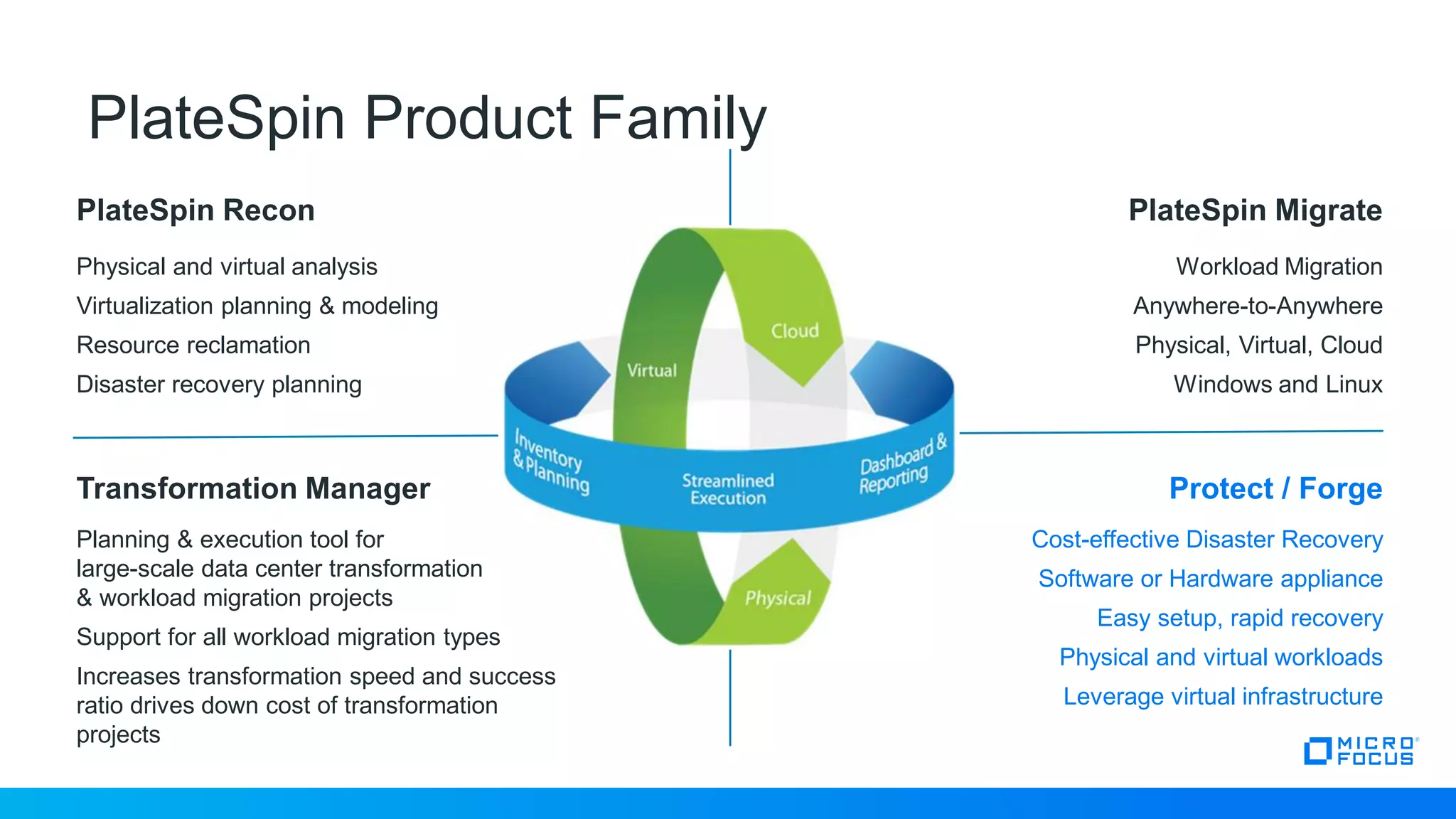
PlateSpin Product Family
PlateSpin Recon PlateSpin Migrate
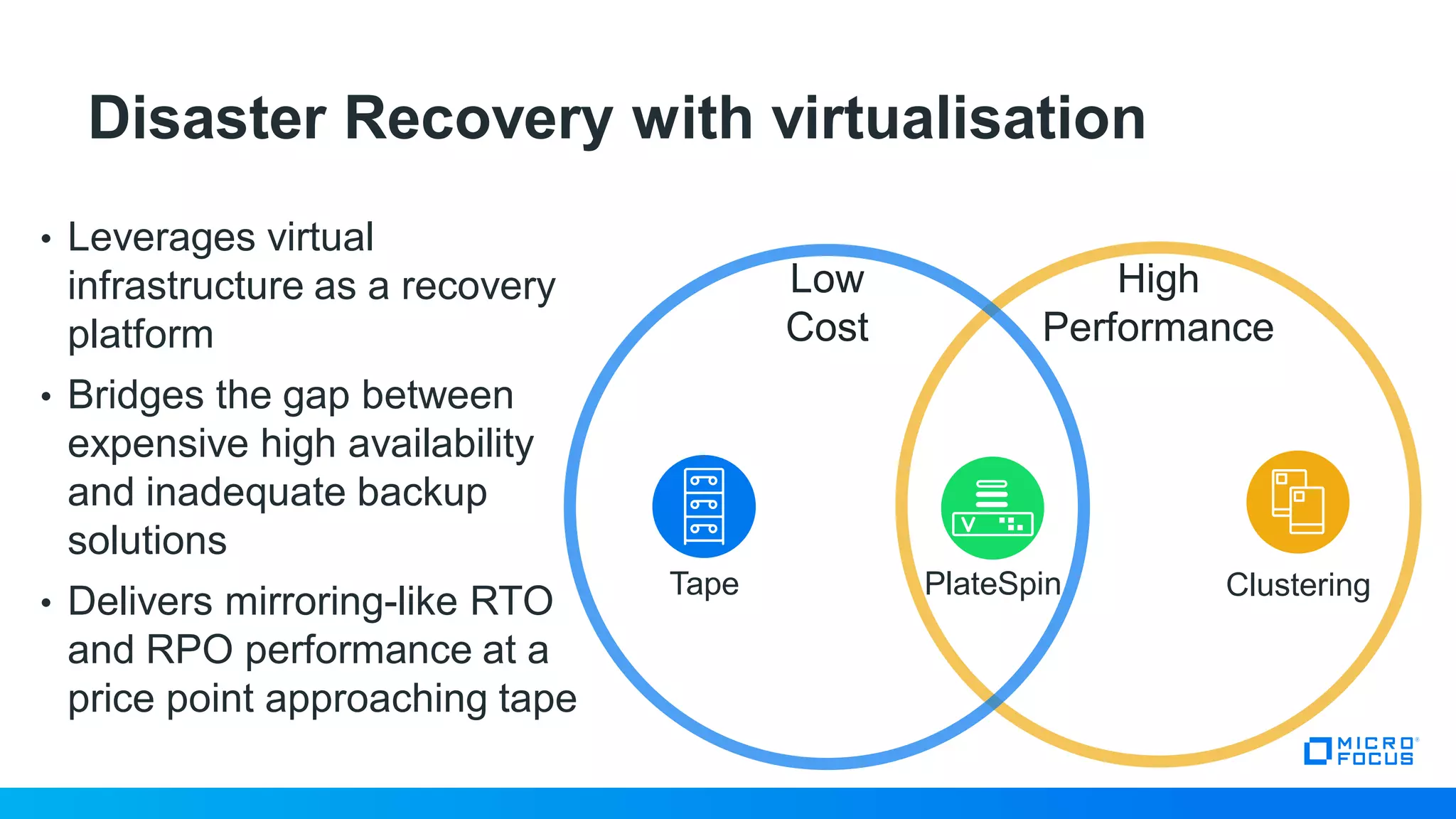
Transformation Manager Protect / Forge
Physical and virtual analysis
Virtualization planning & modeling
Resource reclamation
Disaster recovery planning
Workload Migration
Anywhere-to-Anywhere
Physical, Virtual, Cloud
Windows and Linux
Cost-effective Disaster Recovery
Software or Hardware appliance
Easy setup, rapid recovery
Physical and virtual workloads
Leverage virtual infrastructure
Planning & execution tool for
large-scale data center transformation
& workload migration projects
Support for all workload migration types
Increases transformation speed and success
ratio drives down cost of transformation
projects
4
Introduction to Disaster Recovery
5
What is Disaster Recovery?
5
Replication of entire server workloads
Failover of workloads during an outage
Failback of workloads after the outage
6
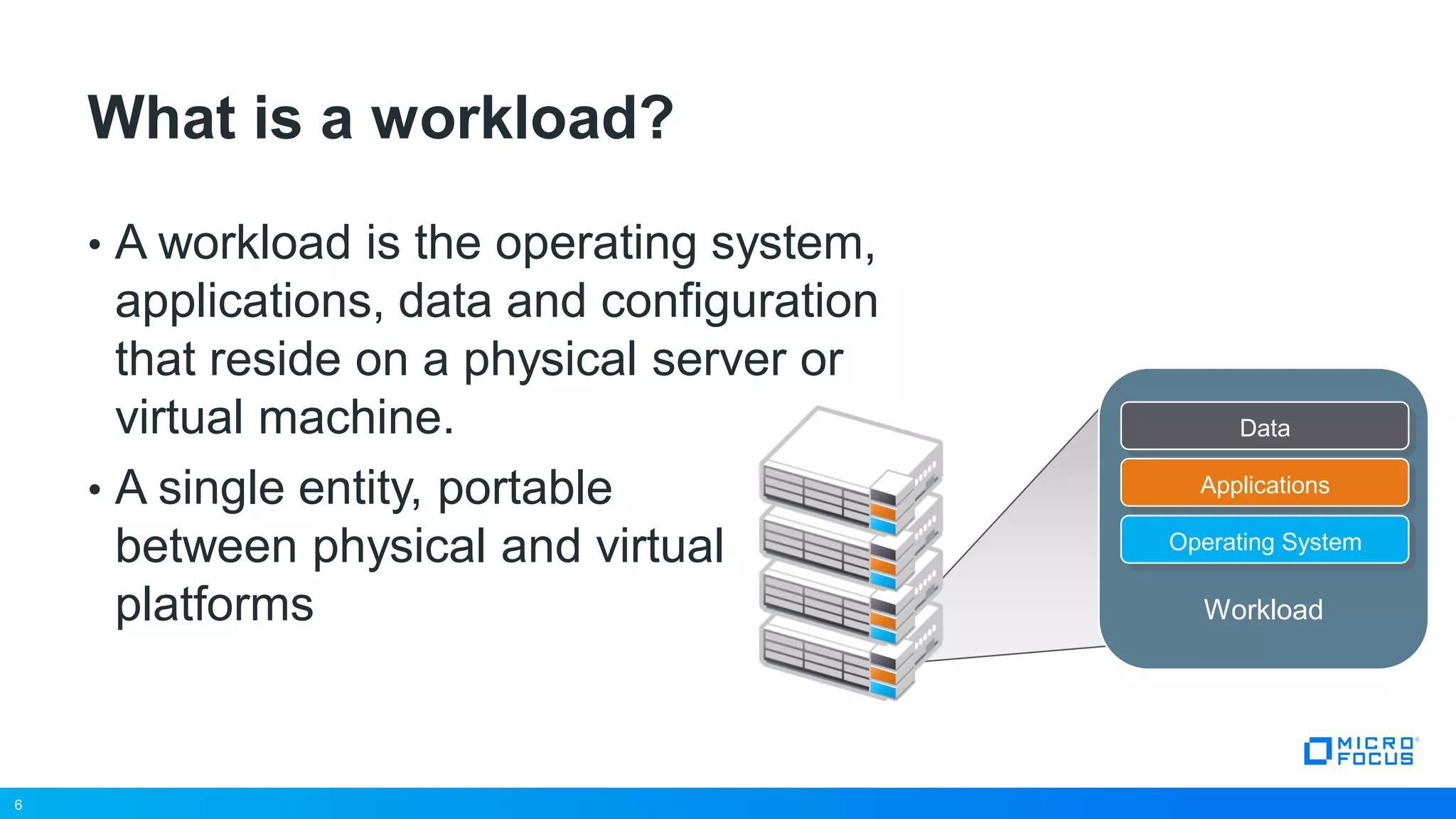
• A workload is the operating system,
applications, data and configuration
that reside on a physical server or
virtual machine.
• A single entity, portable
between physical and virtual
platforms
What is a workload?
6
Data
Applications
Operating System
Workload
7
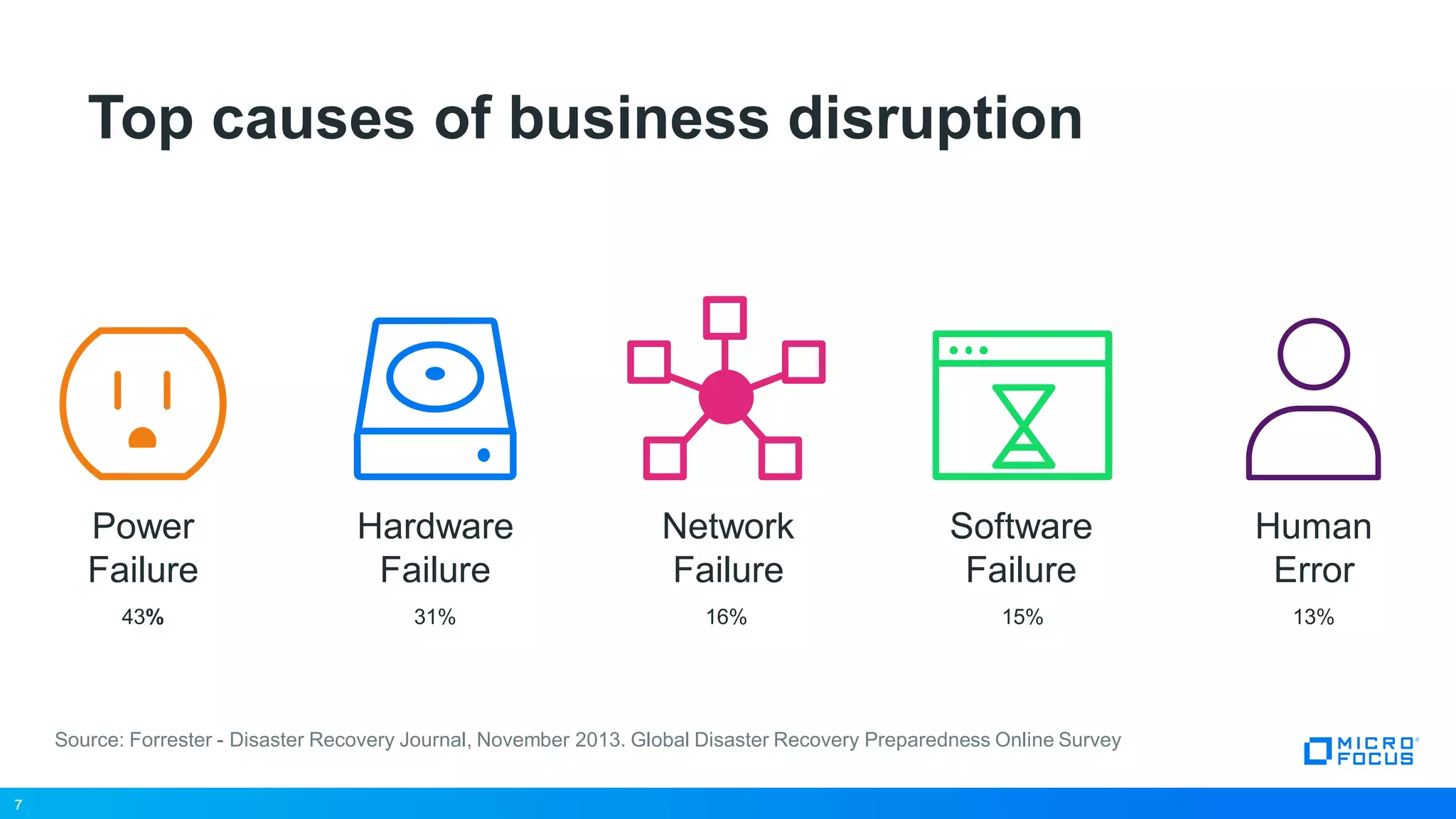
Top causes of business disruption
7
Network
Failure
16%
Hardware
Failure
31%
Software
Failure
15%
Power
Failure
43%
Human
Error
13%
Source: Forrester - Disaster Recovery Journal, November 2013. Global Disaster Recovery Preparedness Online Survey
8
However, the threat landscape is evolving…
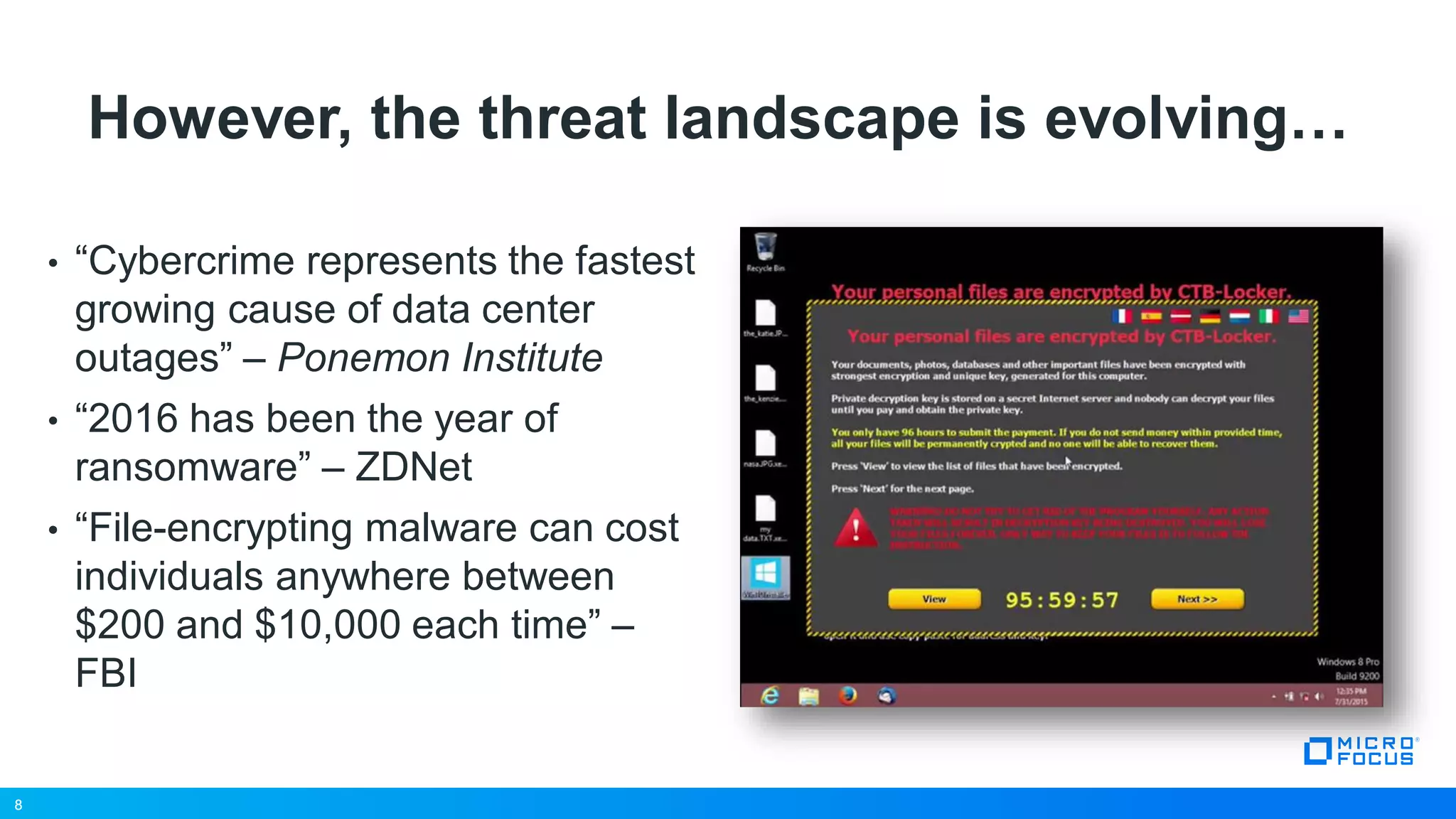
• “Cybercrime represents the fastest
growing cause of data center
outages” – Ponemon Institute
• “2016 has been the year of
ransomware” – ZDNet
• “File-encrypting malware can cost
individuals anywhere between
$200 and $10,000 each time” –
FBI
8
9
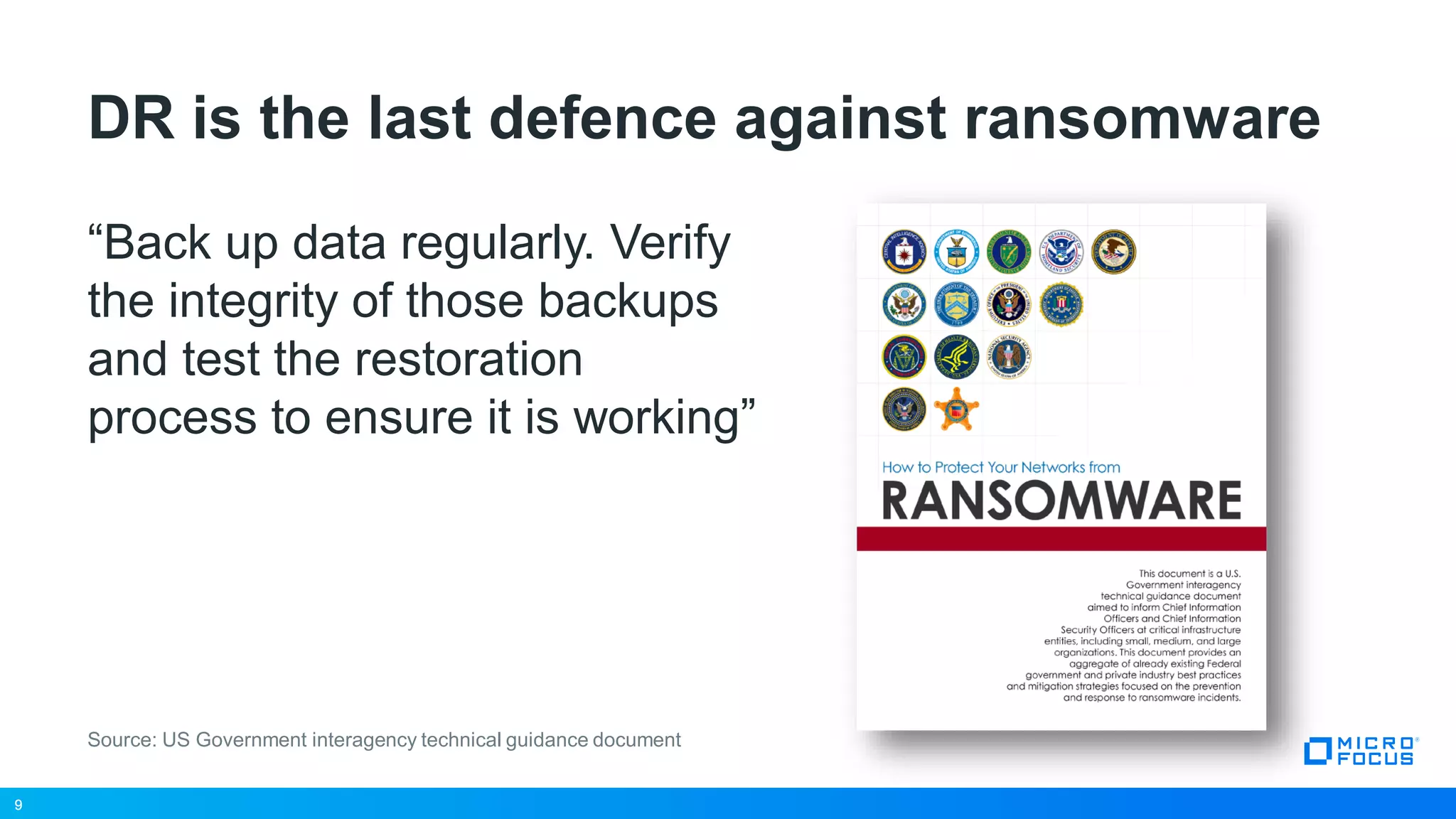
DR is the last defence against ransomware
“Back up data regularly. Verify
the integrity of those backups
and test the restoration
process to ensure it is working”
9
Source: US Government interagency technical guidance document
10
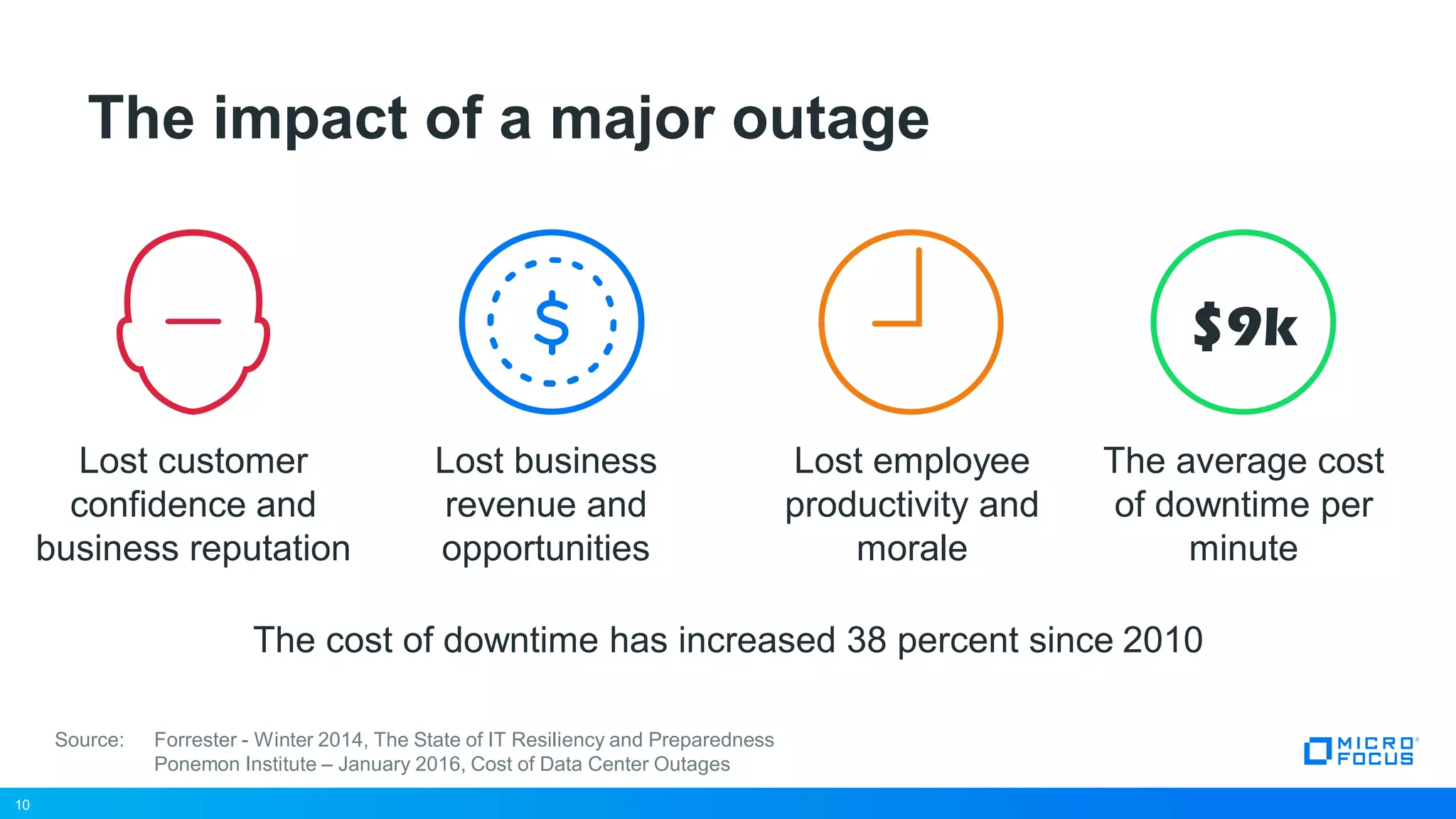
Lost business
revenue and
opportunities
Lost employee
productivity and
morale
The cost of downtime has increased 38 percent since 2010
The impact of a major outage
10
Source: Forrester - Winter 2014, The State of IT Resiliency and Preparedness
Ponemon Institute – January 2016, Cost of Data Center Outages
The average cost
of downtime per
minute
$9k
Lost customer
confidence and
business reputation
11
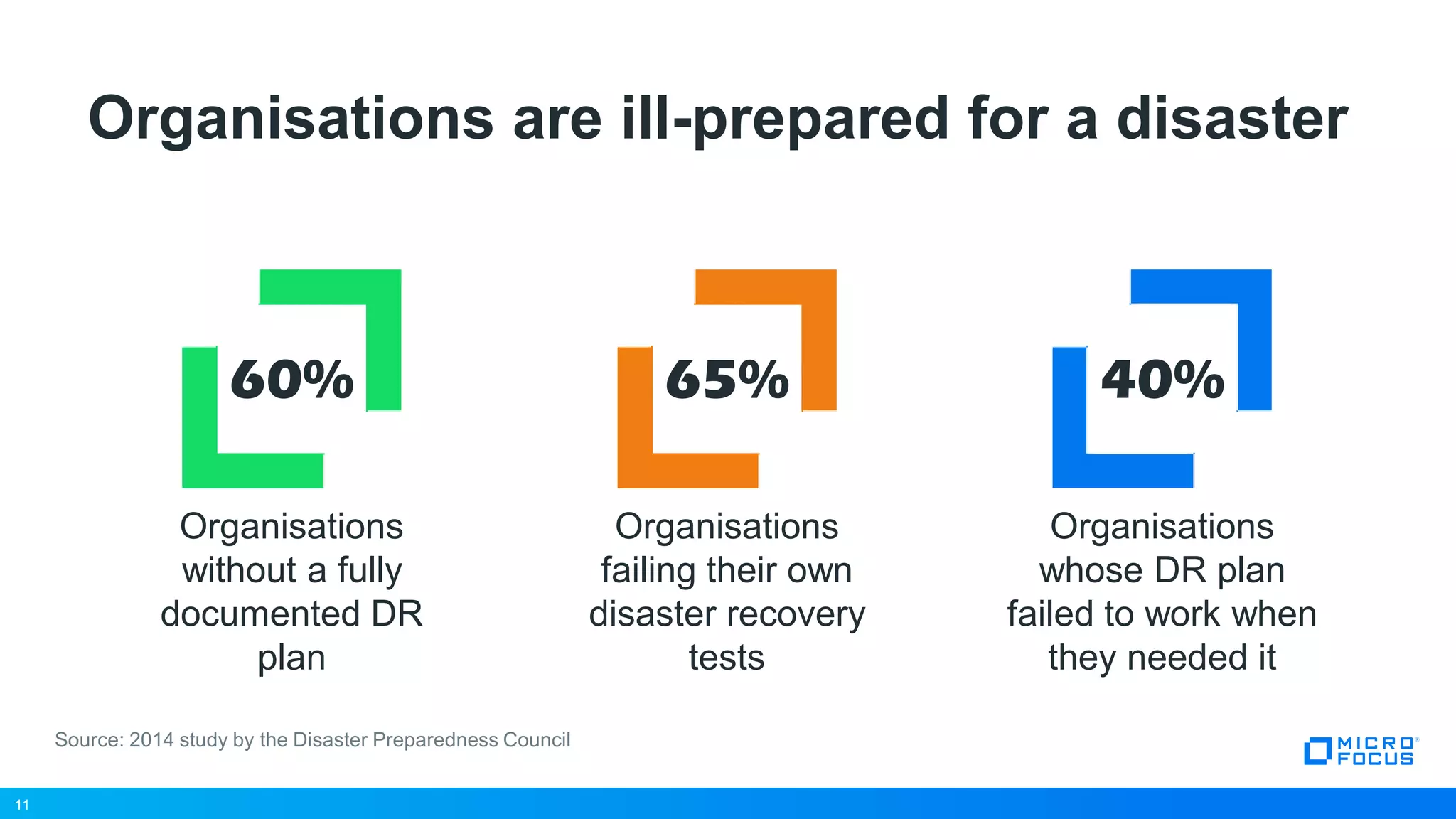
Organisations are ill-prepared for a disaster
11
Source: 2014 study by the Disaster Preparedness Council
40%
Organisations
whose DR plan
failed to work when
they needed it
Organisations
without a fully
documented DR
plan
60%
Organisations
failing their own
disaster recovery
tests
65%
12
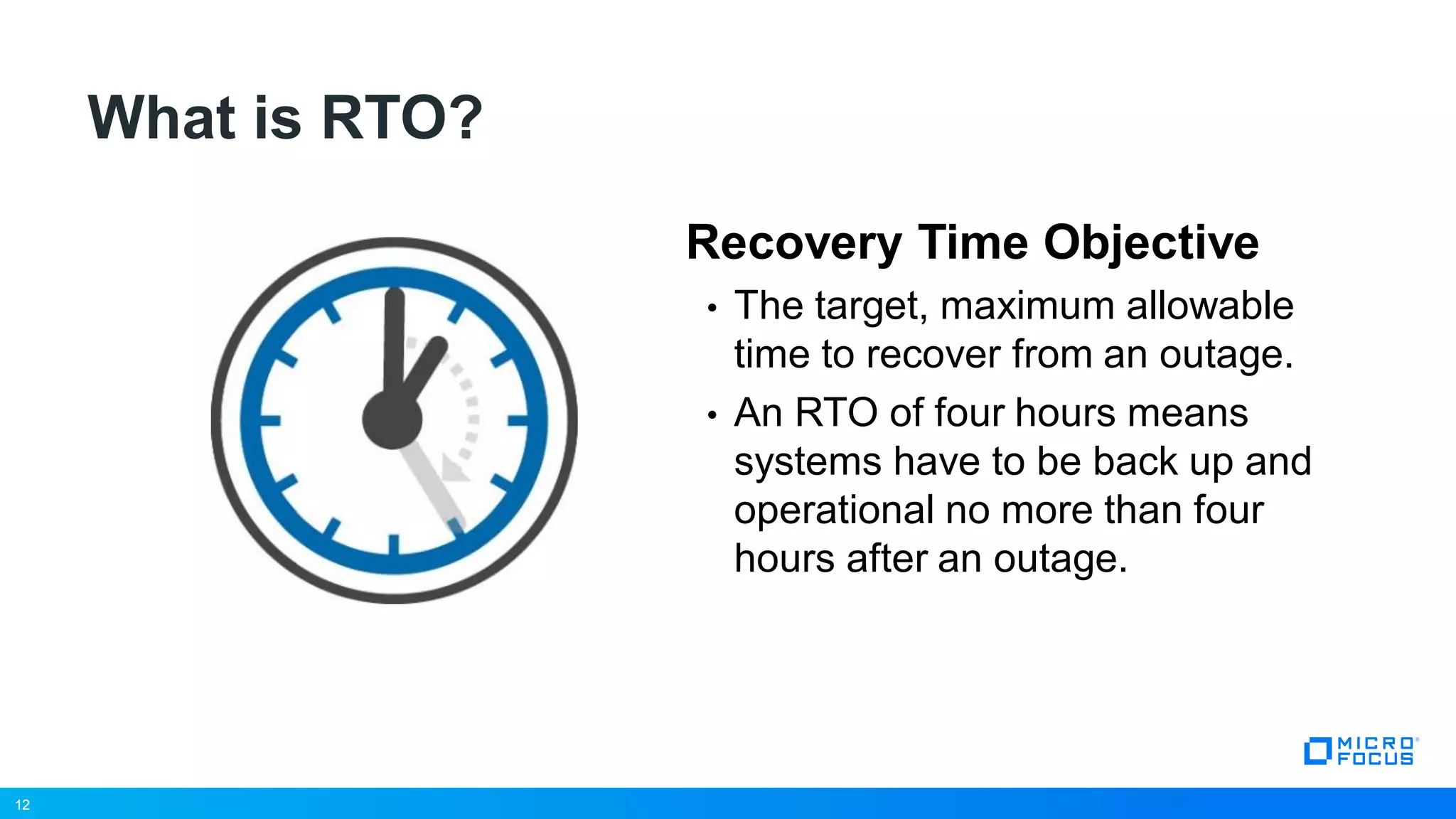
What is RTO?
Recovery Time Objective
• The target, maximum allowable
time to recover from an outage.
• An RTO of four hours means
systems have to be back up and
operational no more than four
hours after an outage.
12
13
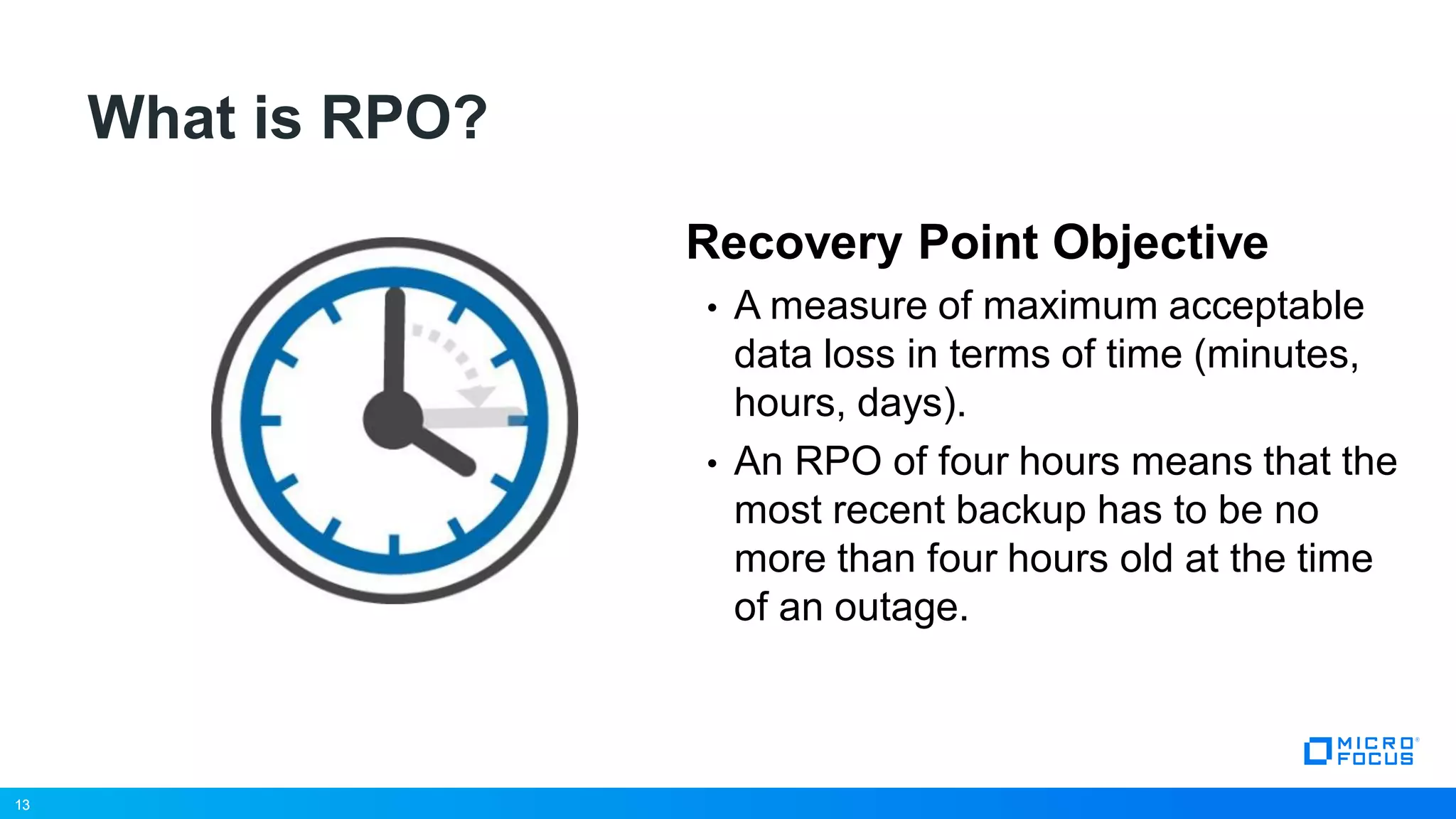
What is RPO?
Recovery Point Objective
• A measure of maximum acceptable
data loss in terms of time (minutes,
hours, days).
• An RPO of four hours means that the
most recent backup has to be no
more than four hours old at the time
of an outage.
13
14
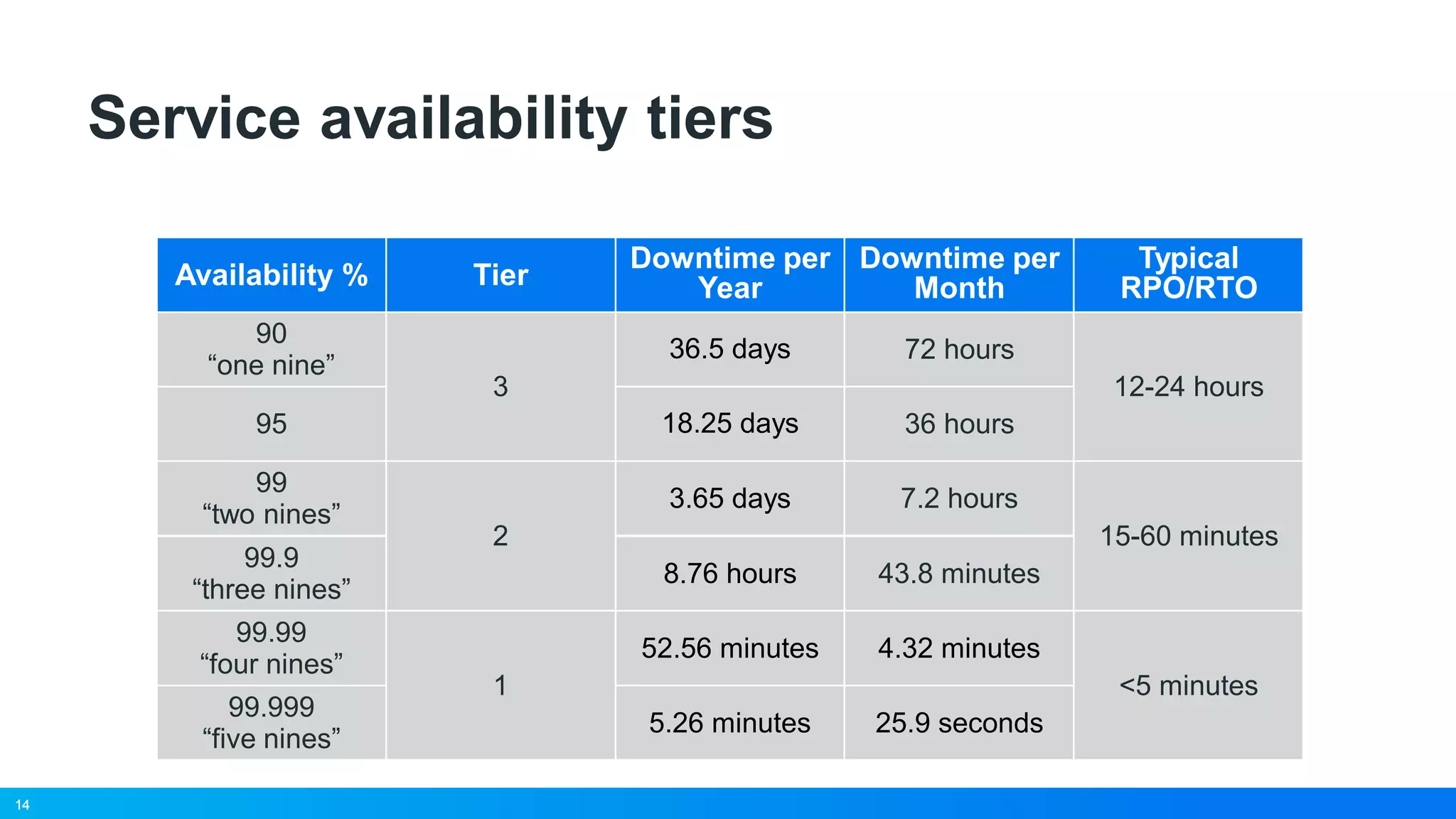
Service availability tiers
Availability %
Downtime per
Year
Downtime per
Month
Typical
RPO/RTO
90
“one nine”
36.5 days 72 hours
12-24 hours
95 18.25 days 36 hours
99
“two nines”
3.65 days 7.2 hours
15-60 minutes
99.9
“three nines”
8.76 hours 43.8 minutes
99.99
“four nines”
52.56 minutes 4.32 minutes
<5 minutes
99.999
“five nines”
5.26 minutes 25.9 seconds
14
Tier
3
2
1
15
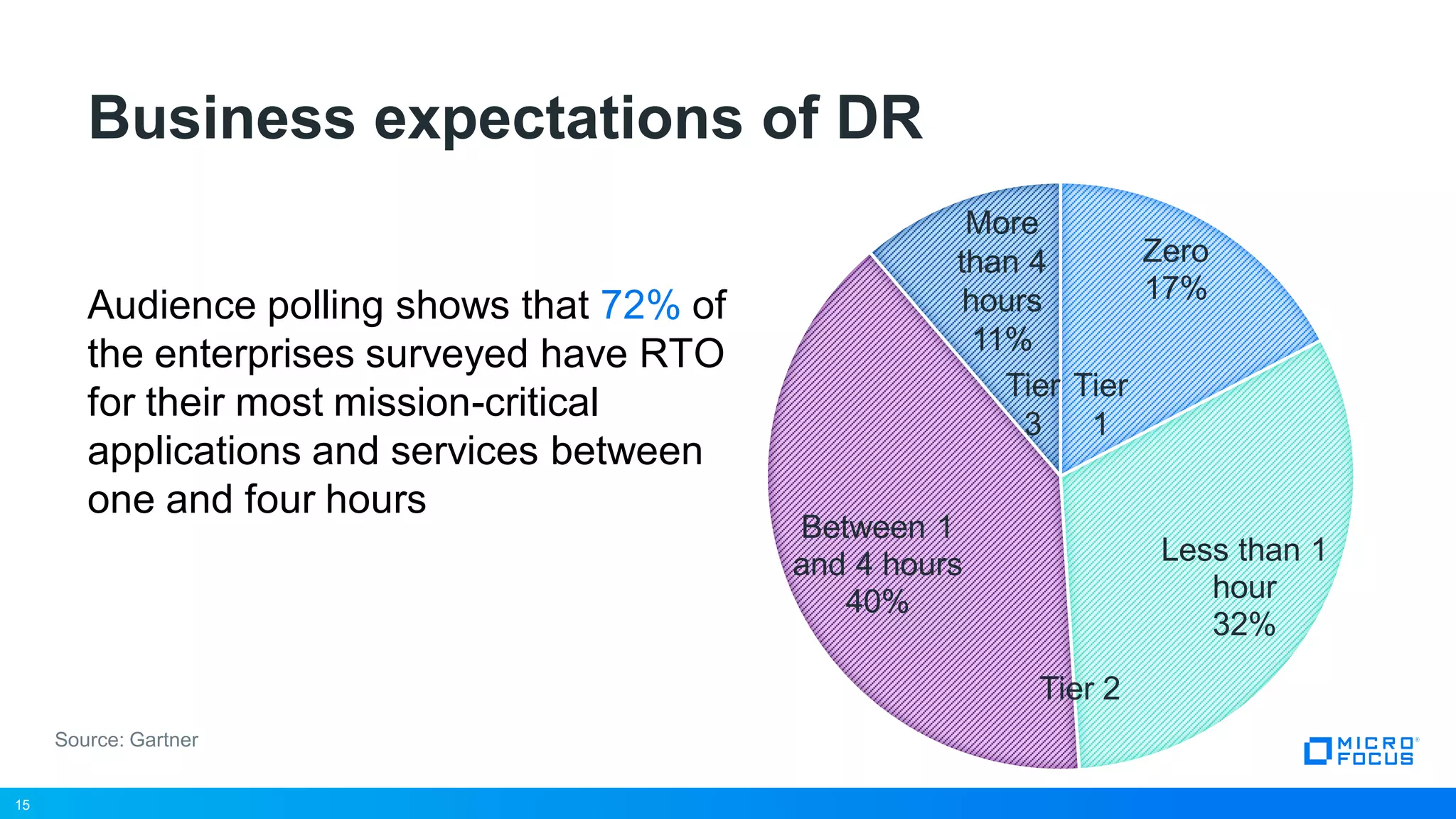
Business expectations of DR
15
Source: Gartner
Zero
17%
Less than 1
hour
32%
Between 1
and 4 hours
40%
Tier
1
Tier 2
Tier
3
More
than 4
hours
11%
Audience polling shows that 72% of
the enterprises surveyed have RTO
for their most mission-critical
applications and services between
one and four hours
16
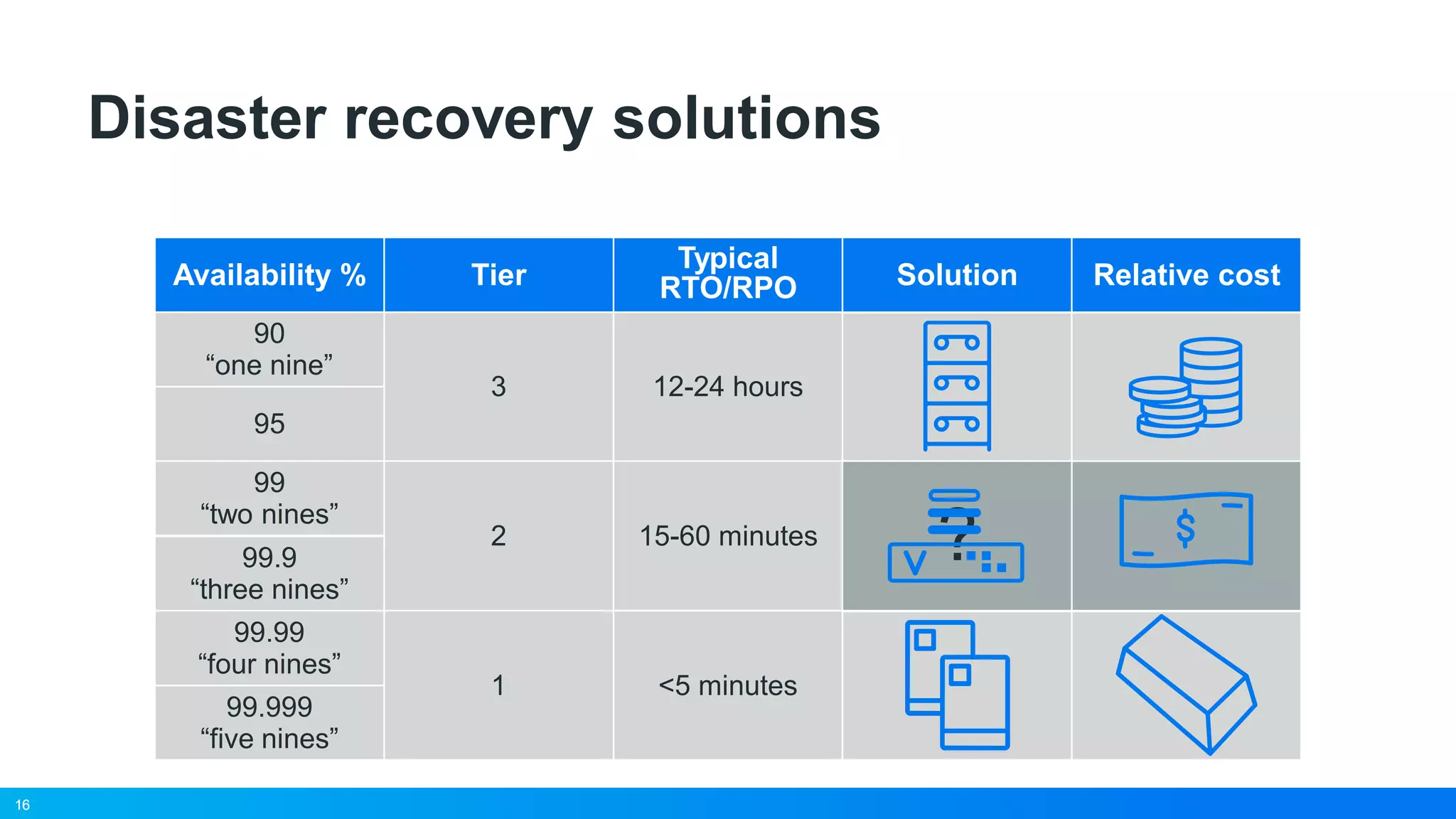
Disaster recovery solutions
Availability %
Typical
RTO/RPO Solution Relative cost
90
“one nine”
12-24 hours
95
99
“two nines”
15-60 minutes
?99.9
“three nines”
99.99
“four nines”
<5 minutes
99.999
“five nines”
16
Tier
3
2
1
17
PlateSpin Virtualized
Disaster Recovery
18
Low
Cost
• Leverages virtual
infrastructure as a recovery
platform
• Bridges the gap between
expensive high availability
and inadequate backup
solutions
• Delivers mirroring-like RTO
and RPO performance at a
price point approaching tape
Disaster Recovery with virtualisation
PlateSpinTape Clustering
High
Performance
19
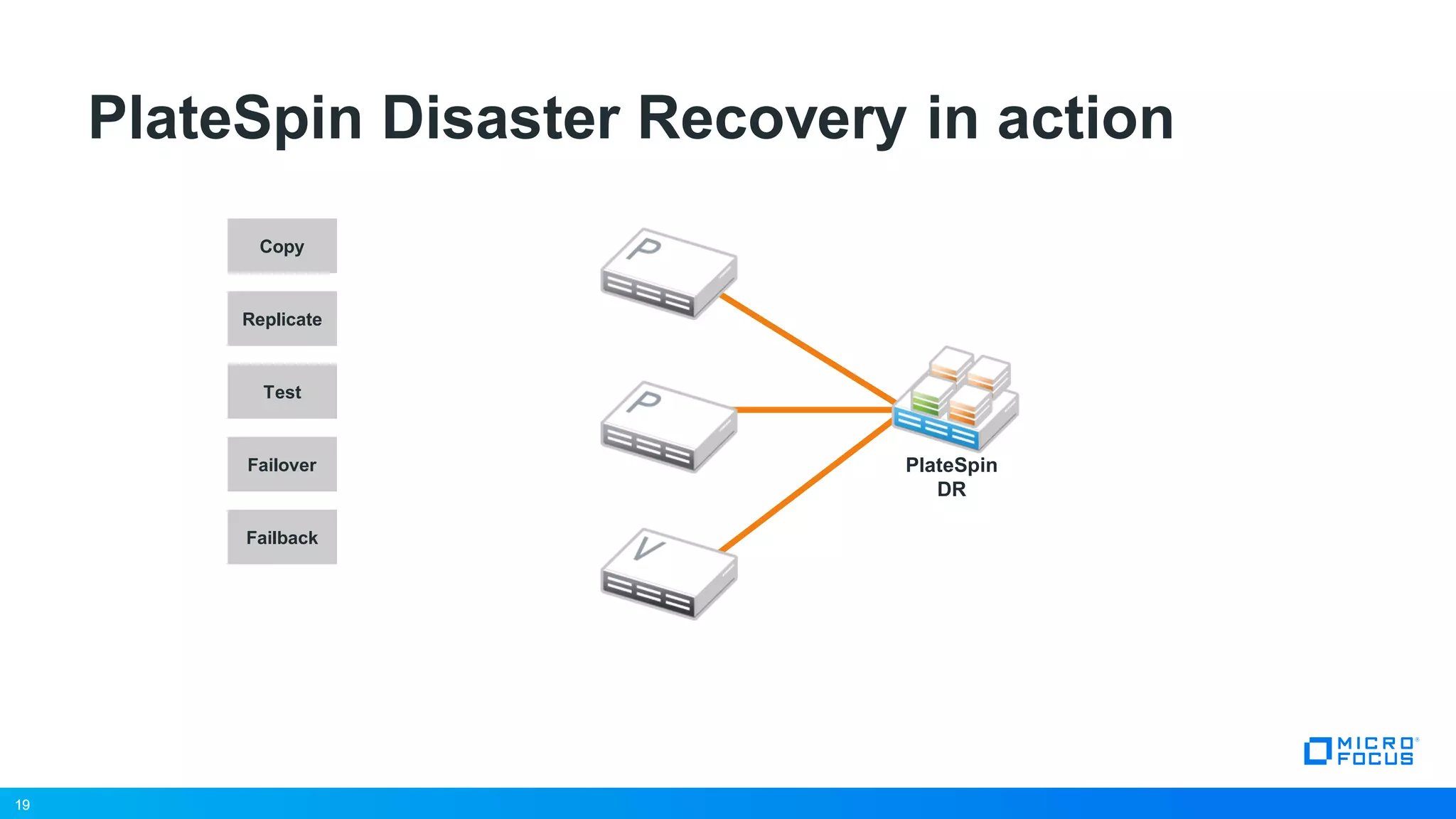
PlateSpin Disaster Recovery in action
Copy
Replicate
Failover
Failback
Test
19
PlateSpin
DR
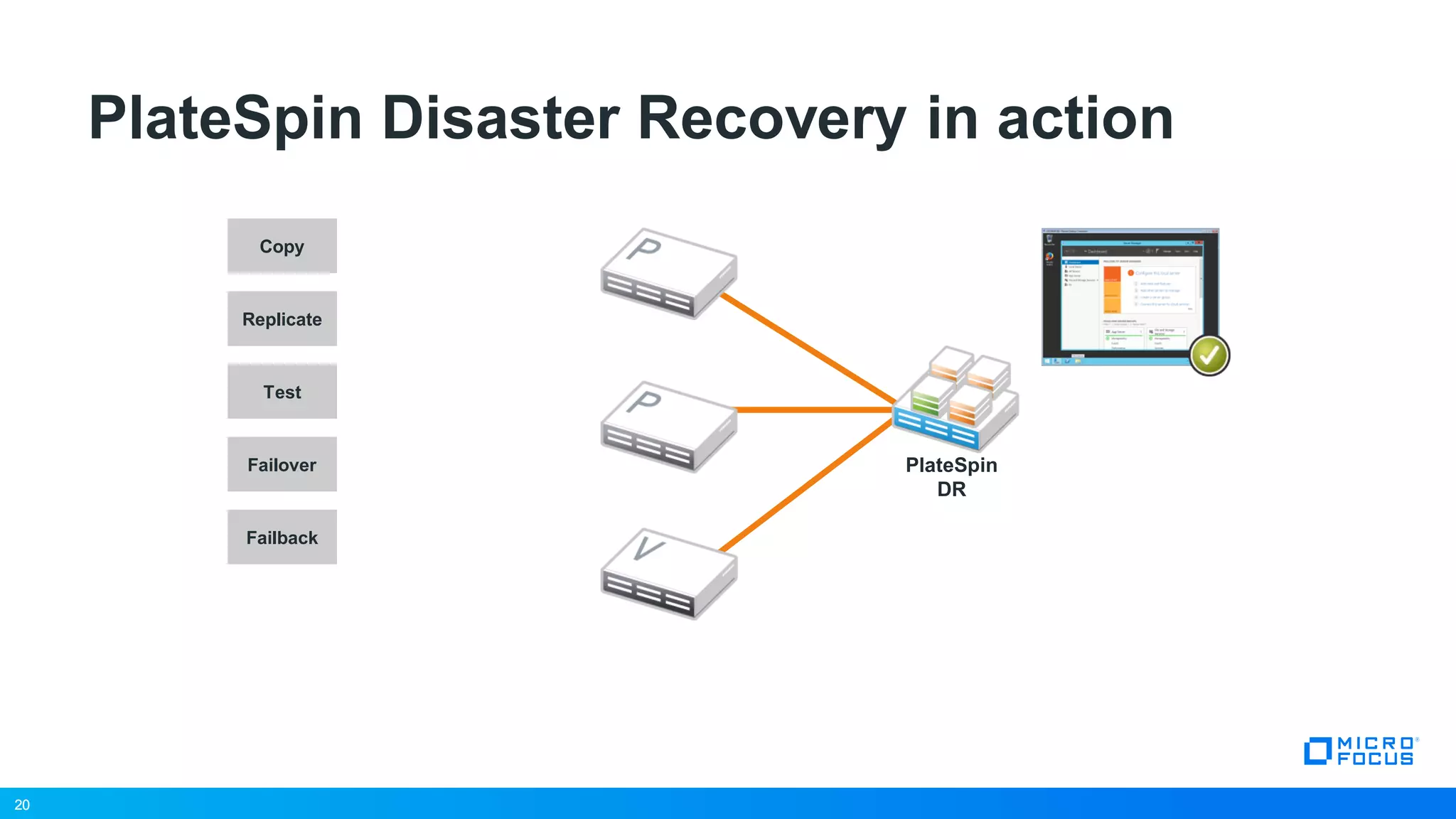
20
PlateSpin Disaster Recovery in action
Copy
Replicate
Failover
Failback
Test
20
PlateSpin
DR
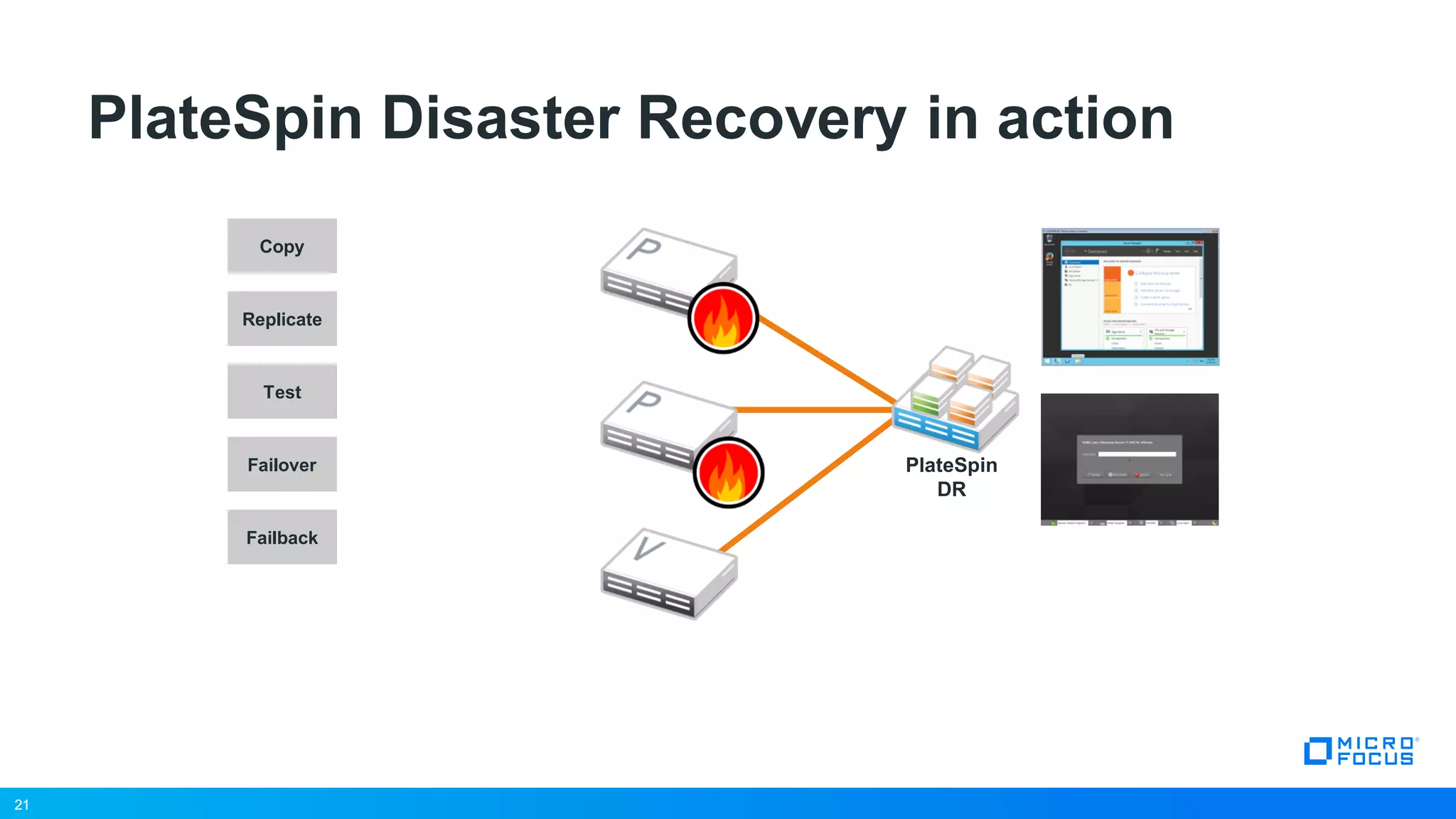
21
PlateSpin Disaster Recovery in action
Copy
Replicate
Failover
Failback
Test
21
PlateSpin
DR
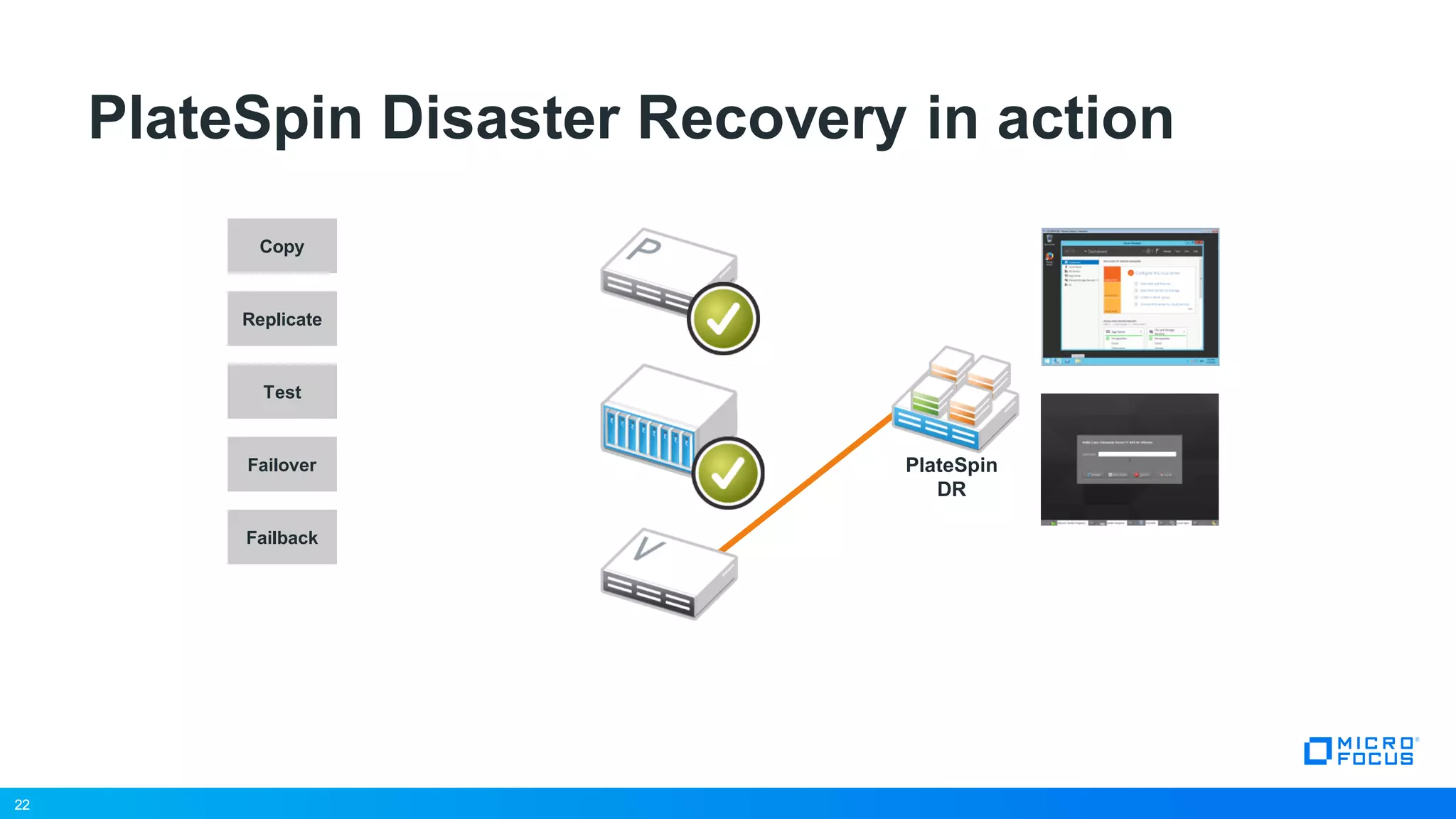
22
PlateSpin Disaster Recovery in action
Copy
Replicate
Failover
Failback
Test
22
PlateSpin
DR
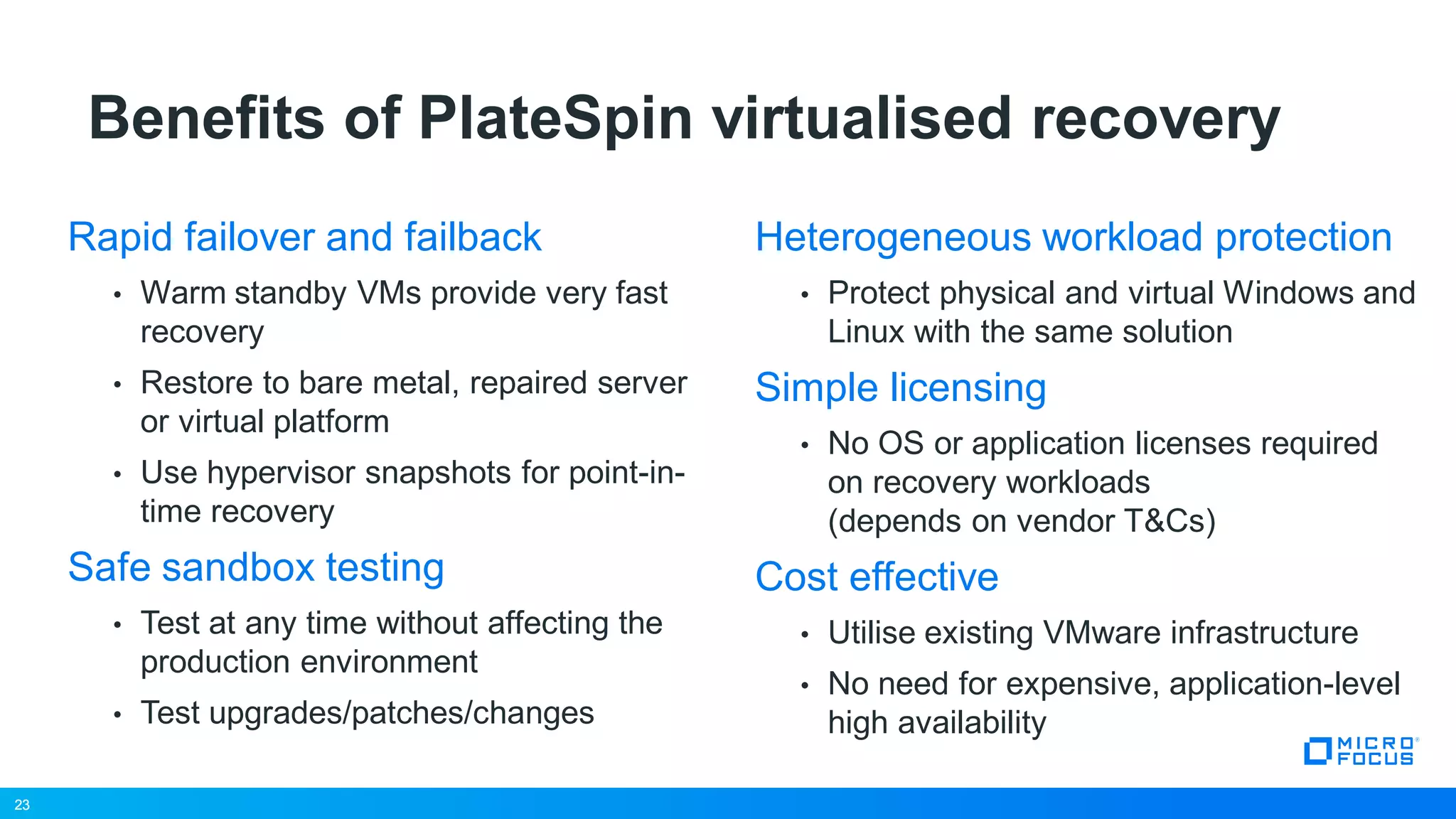
23
Benefits of PlateSpin virtualised recovery
Rapid failover and failback
• Warm standby VMs provide very fast
recovery
• Restore to bare metal, repaired server
or virtual platform
• Use hypervisor snapshots for point-in-
time recovery
Safe sandbox testing
• Test at any time without affecting the
production environment
• Test upgrades/patches/changes
Heterogeneous workload protection
• Protect physical and virtual Windows and
Linux with the same solution
Simple licensing
• No OS or application licenses required
on recovery workloads
(depends on vendor T&Cs)
Cost effective
• Utilise existing VMware infrastructure
• No need for expensive, application-level
high availability
23
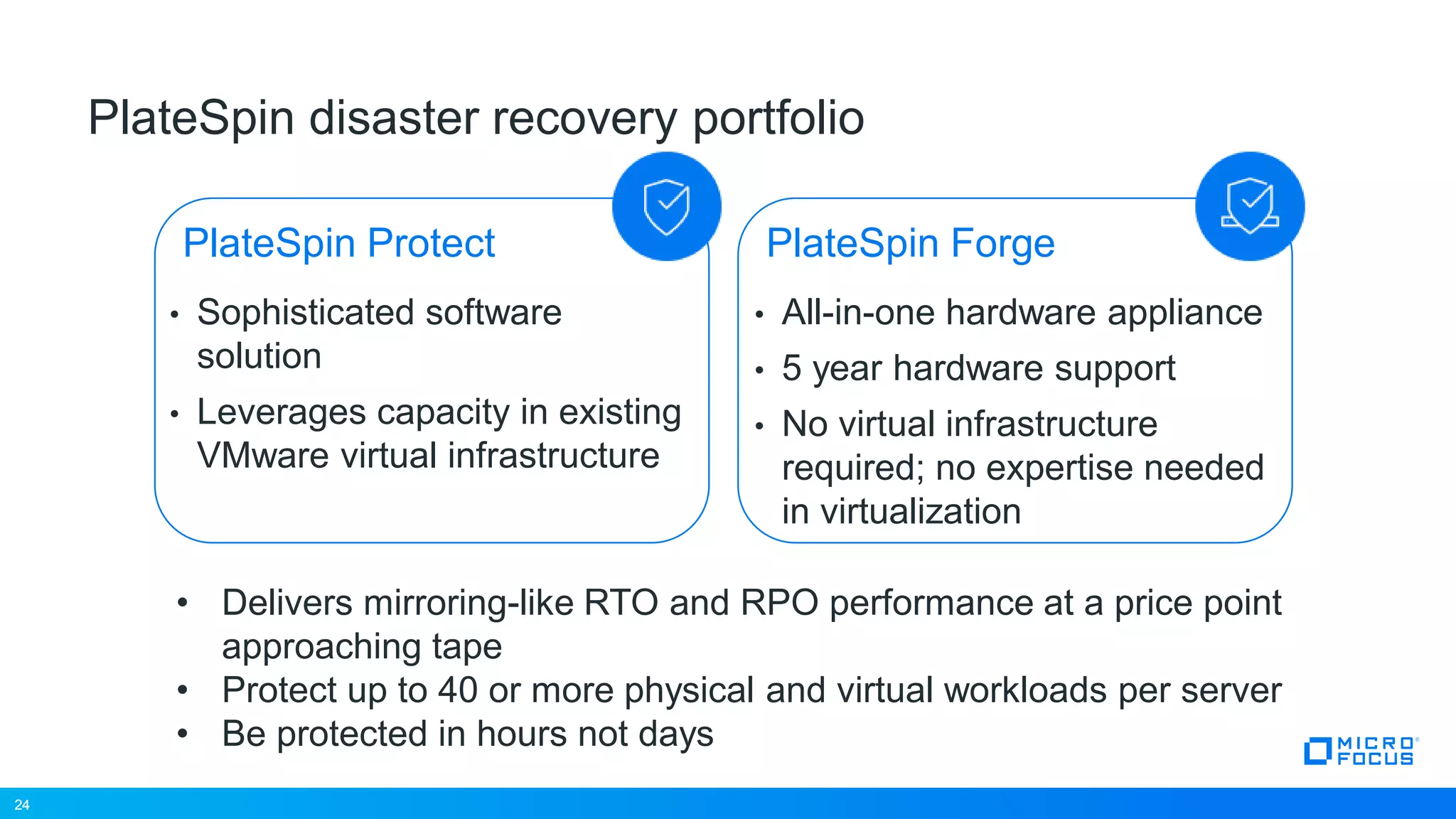
24
PlateSpin disaster recovery portfolio
• Sophisticated software
solution
• Leverages capacity in existing
VMware virtual infrastructure
• All-in-one hardware appliance
• 5 year hardware support
• No virtual infrastructure
required; no expertise needed
in virtualization
PlateSpin Protect
• Delivers mirroring-like RTO and RPO performance at a price point
approaching tape
• Protect up to 40 or more physical and virtual workloads per server
• Be protected in hours not days
24
PlateSpin Forge
25
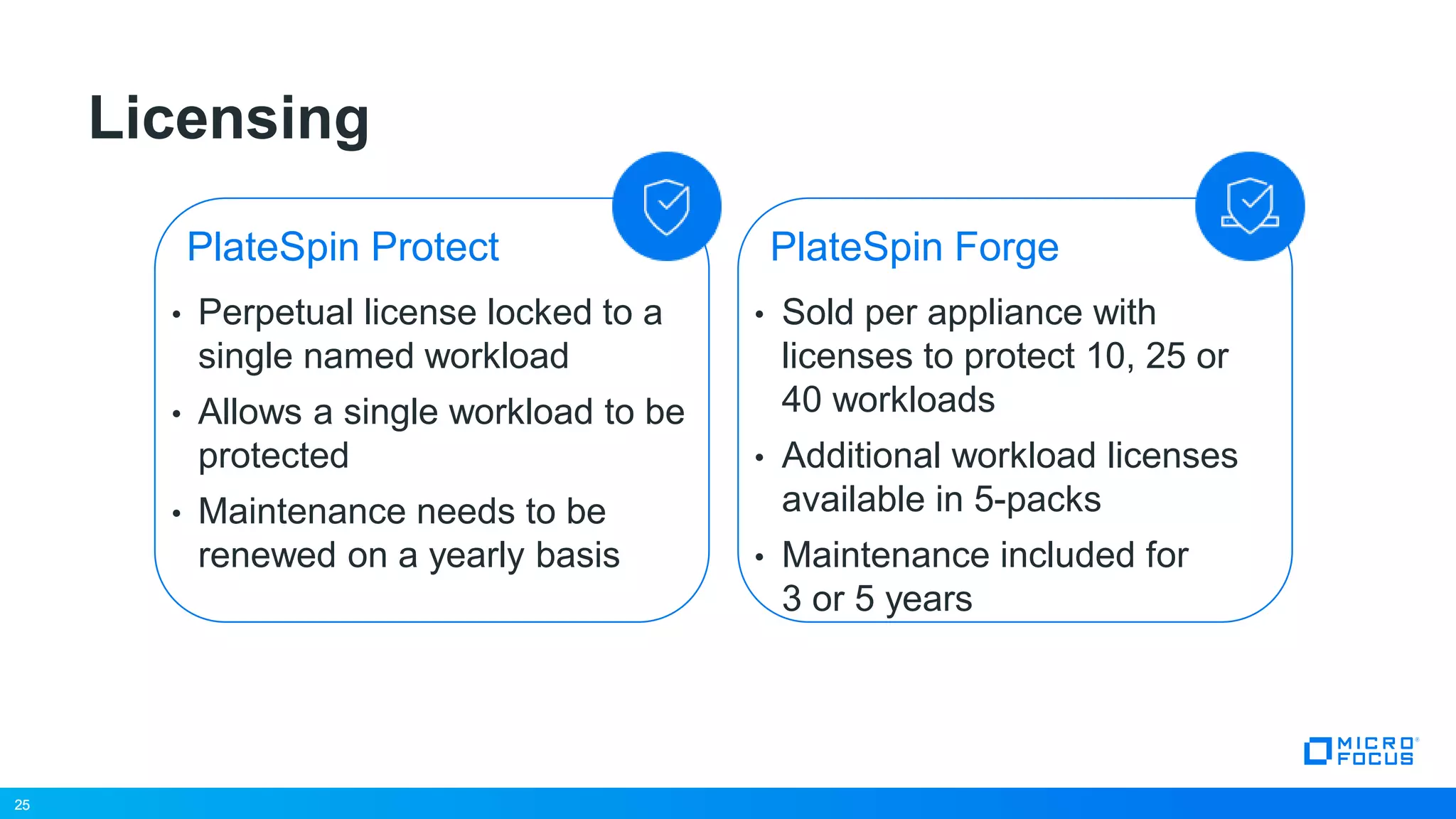
Licensing
• Perpetual license locked to a
single named workload
• Allows a single workload to be
protected
• Maintenance needs to be
renewed on a yearly basis
• Sold per appliance with
licenses to protect 10, 25 or
40 workloads
• Additional workload licenses
available in 5-packs
• Maintenance included for
3 or 5 years
PlateSpin Protect
25
PlateSpin Forge
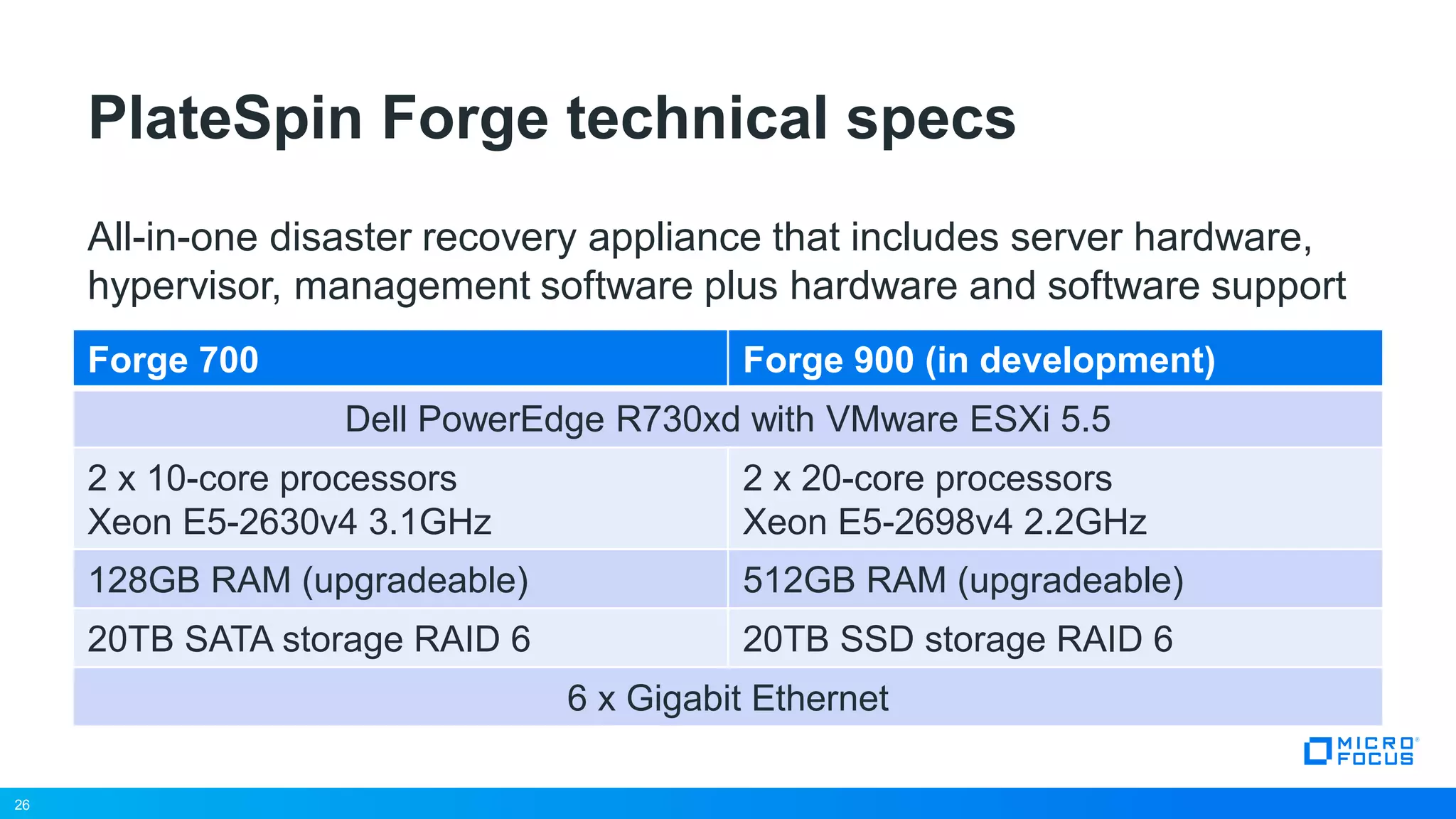
26
Forge 700 Forge 900 (in development)
Dell PowerEdge R730xd with VMware ESXi 5.5
2 x 10-core processors
Xeon E5-2630v4 3.1GHz
2 x 20-core processors
Xeon E5-2698v4 2.2GHz
128GB RAM (upgradeable) 512GB RAM (upgradeable)
20TB SATA storage RAID 6 20TB SSD storage RAID 6
6 x Gigabit Ethernet
PlateSpin Forge technical specs
26
All-in-one disaster recovery appliance that includes server hardware,
hypervisor, management software plus hardware and software support
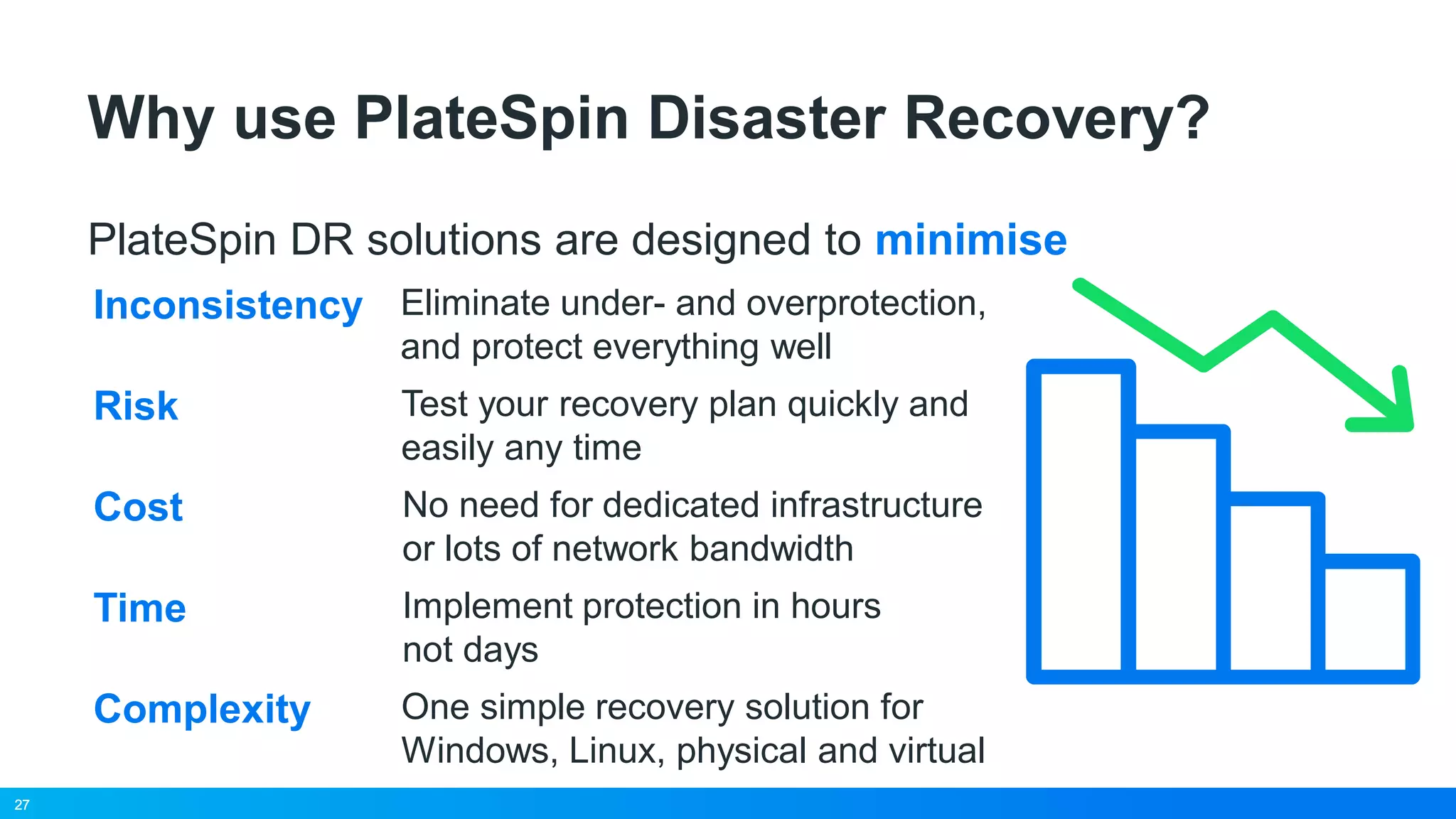
27
Why use PlateSpin Disaster Recovery?
PlateSpin DR solutions are designed to minimise
Risk Test your recovery plan quickly and
easily any time
Cost No need for dedicated infrastructure
or lots of network bandwidth
Time Implement protection in hours
not days
Complexity One simple recovery solution for
Windows, Linux, physical and virtual
Inconsistency Eliminate under- and overprotection,
and protect everything well
27
28
29
www.microfocus.com

BACK FROM THE EDGE: INFRASTRUCTURE PROTECTION THROUGH PLATESPIN

  • 1.
    1 Alain Salesse Solutions Architect March2017 Micro Focus Disaster Recovery Solution Overview #MFSummit2017
  • 2.
    2 • Introduction toPlateSpin • What is disaster recovery and why it matters • PlateSpin DR solutions • Q&A Agenda 2
  • 3.
    3 PlateSpin Product Family PlateSpinRecon PlateSpin Migrate Transformation Manager Protect / Forge Physical and virtual analysis Virtualization planning & modeling Resource reclamation Disaster recovery planning Workload Migration Anywhere-to-Anywhere Physical, Virtual, Cloud Windows and Linux Cost-effective Disaster Recovery Software or Hardware appliance Easy setup, rapid recovery Physical and virtual workloads Leverage virtual infrastructure Planning & execution tool for large-scale data center transformation & workload migration projects Support for all workload migration types Increases transformation speed and success ratio drives down cost of transformation projects
  • 4.
  • 5.
    5 What is DisasterRecovery? 5 Replication of entire server workloads Failover of workloads during an outage Failback of workloads after the outage
  • 6.
    6 • A workloadis the operating system, applications, data and configuration that reside on a physical server or virtual machine. • A single entity, portable between physical and virtual platforms What is a workload? 6 Data Applications Operating System Workload
  • 7.
    7 Top causes ofbusiness disruption 7 Network Failure 16% Hardware Failure 31% Software Failure 15% Power Failure 43% Human Error 13% Source: Forrester - Disaster Recovery Journal, November 2013. Global Disaster Recovery Preparedness Online Survey
  • 8.
    8 However, the threatlandscape is evolving… • “Cybercrime represents the fastest growing cause of data center outages” – Ponemon Institute • “2016 has been the year of ransomware” – ZDNet • “File-encrypting malware can cost individuals anywhere between $200 and $10,000 each time” – FBI 8
  • 9.
    9 DR is thelast defence against ransomware “Back up data regularly. Verify the integrity of those backups and test the restoration process to ensure it is working” 9 Source: US Government interagency technical guidance document
  • 10.
    10 Lost business revenue and opportunities Lostemployee productivity and morale The cost of downtime has increased 38 percent since 2010 The impact of a major outage 10 Source: Forrester - Winter 2014, The State of IT Resiliency and Preparedness Ponemon Institute – January 2016, Cost of Data Center Outages The average cost of downtime per minute $9k Lost customer confidence and business reputation
  • 11.
    11 Organisations are ill-preparedfor a disaster 11 Source: 2014 study by the Disaster Preparedness Council 40% Organisations whose DR plan failed to work when they needed it Organisations without a fully documented DR plan 60% Organisations failing their own disaster recovery tests 65%
  • 12.
    12 What is RTO? RecoveryTime Objective • The target, maximum allowable time to recover from an outage. • An RTO of four hours means systems have to be back up and operational no more than four hours after an outage. 12
  • 13.
    13 What is RPO? RecoveryPoint Objective • A measure of maximum acceptable data loss in terms of time (minutes, hours, days). • An RPO of four hours means that the most recent backup has to be no more than four hours old at the time of an outage. 13
  • 14.
    14 Service availability tiers Availability% Downtime per Year Downtime per Month Typical RPO/RTO 90 “one nine” 36.5 days 72 hours 12-24 hours 95 18.25 days 36 hours 99 “two nines” 3.65 days 7.2 hours 15-60 minutes 99.9 “three nines” 8.76 hours 43.8 minutes 99.99 “four nines” 52.56 minutes 4.32 minutes <5 minutes 99.999 “five nines” 5.26 minutes 25.9 seconds 14 Tier 3 2 1
  • 15.
    15 Business expectations ofDR 15 Source: Gartner Zero 17% Less than 1 hour 32% Between 1 and 4 hours 40% Tier 1 Tier 2 Tier 3 More than 4 hours 11% Audience polling shows that 72% of the enterprises surveyed have RTO for their most mission-critical applications and services between one and four hours
  • 16.
    16 Disaster recovery solutions Availability% Typical RTO/RPO Solution Relative cost 90 “one nine” 12-24 hours 95 99 “two nines” 15-60 minutes ?99.9 “three nines” 99.99 “four nines” <5 minutes 99.999 “five nines” 16 Tier 3 2 1
  • 17.
  • 18.
    18 Low Cost • Leverages virtual infrastructureas a recovery platform • Bridges the gap between expensive high availability and inadequate backup solutions • Delivers mirroring-like RTO and RPO performance at a price point approaching tape Disaster Recovery with virtualisation PlateSpinTape Clustering High Performance
  • 19.
    19 PlateSpin Disaster Recoveryin action Copy Replicate Failover Failback Test 19 PlateSpin DR
  • 20.
    20 PlateSpin Disaster Recoveryin action Copy Replicate Failover Failback Test 20 PlateSpin DR
  • 21.
    21 PlateSpin Disaster Recoveryin action Copy Replicate Failover Failback Test 21 PlateSpin DR
  • 22.
    22 PlateSpin Disaster Recoveryin action Copy Replicate Failover Failback Test 22 PlateSpin DR
  • 23.
    23 Benefits of PlateSpinvirtualised recovery Rapid failover and failback • Warm standby VMs provide very fast recovery • Restore to bare metal, repaired server or virtual platform • Use hypervisor snapshots for point-in- time recovery Safe sandbox testing • Test at any time without affecting the production environment • Test upgrades/patches/changes Heterogeneous workload protection • Protect physical and virtual Windows and Linux with the same solution Simple licensing • No OS or application licenses required on recovery workloads (depends on vendor T&Cs) Cost effective • Utilise existing VMware infrastructure • No need for expensive, application-level high availability 23
  • 24.
    24 PlateSpin disaster recoveryportfolio • Sophisticated software solution • Leverages capacity in existing VMware virtual infrastructure • All-in-one hardware appliance • 5 year hardware support • No virtual infrastructure required; no expertise needed in virtualization PlateSpin Protect • Delivers mirroring-like RTO and RPO performance at a price point approaching tape • Protect up to 40 or more physical and virtual workloads per server • Be protected in hours not days 24 PlateSpin Forge
  • 25.
    25 Licensing • Perpetual licenselocked to a single named workload • Allows a single workload to be protected • Maintenance needs to be renewed on a yearly basis • Sold per appliance with licenses to protect 10, 25 or 40 workloads • Additional workload licenses available in 5-packs • Maintenance included for 3 or 5 years PlateSpin Protect 25 PlateSpin Forge
  • 26.
    26 Forge 700 Forge900 (in development) Dell PowerEdge R730xd with VMware ESXi 5.5 2 x 10-core processors Xeon E5-2630v4 3.1GHz 2 x 20-core processors Xeon E5-2698v4 2.2GHz 128GB RAM (upgradeable) 512GB RAM (upgradeable) 20TB SATA storage RAID 6 20TB SSD storage RAID 6 6 x Gigabit Ethernet PlateSpin Forge technical specs 26 All-in-one disaster recovery appliance that includes server hardware, hypervisor, management software plus hardware and software support
  • 27.
    27 Why use PlateSpinDisaster Recovery? PlateSpin DR solutions are designed to minimise Risk Test your recovery plan quickly and easily any time Cost No need for dedicated infrastructure or lots of network bandwidth Time Implement protection in hours not days Complexity One simple recovery solution for Windows, Linux, physical and virtual Inconsistency Eliminate under- and overprotection, and protect everything well 27
  • 28.
  • 29.