ARC303 - Unmeltable Infrastructure at Scale:
Using Apache Kafka, Twitter Storm
and ElasticSearch on AWS
Jim Nisbet

Philip O’Toole

CTO and VP of Engineering, Loggly

Lead Developer, Infrastructure, Loggly

November 2013

© 2013 Amazon.com, Inc. and its affiliates. All rights reserved. May not be copied, modified, or distributed in whole or in part without the express consent of Amazon.com, Inc.
What Loggly Does
•  Log Management as a service
–  Near real-time indexing of events

•  Distributed architecture, built on AWS
•  Initial production services in 2011
–  Loggly Generation 2 released in Sept 2013

•  Thousands of customers
Agenda for this Presentation
• 
• 
• 
• 
• 
• 

A bit about logging
Lessons learned from our first generation
How we leverage AWS services
Our use of Kafka, Storm, ElasticSearch
What worked well for us and what did not
Where we are going
Log Management
•  Everyone starts with …
–  A bunch of log files (syslog, application specific)
–  On a bunch of machines

•  Management consists of doing the simple stuff
–  Rotate files, compress and delete
–  Information is there but awkward to find specific events
–  Weird log retention policies evolve over time
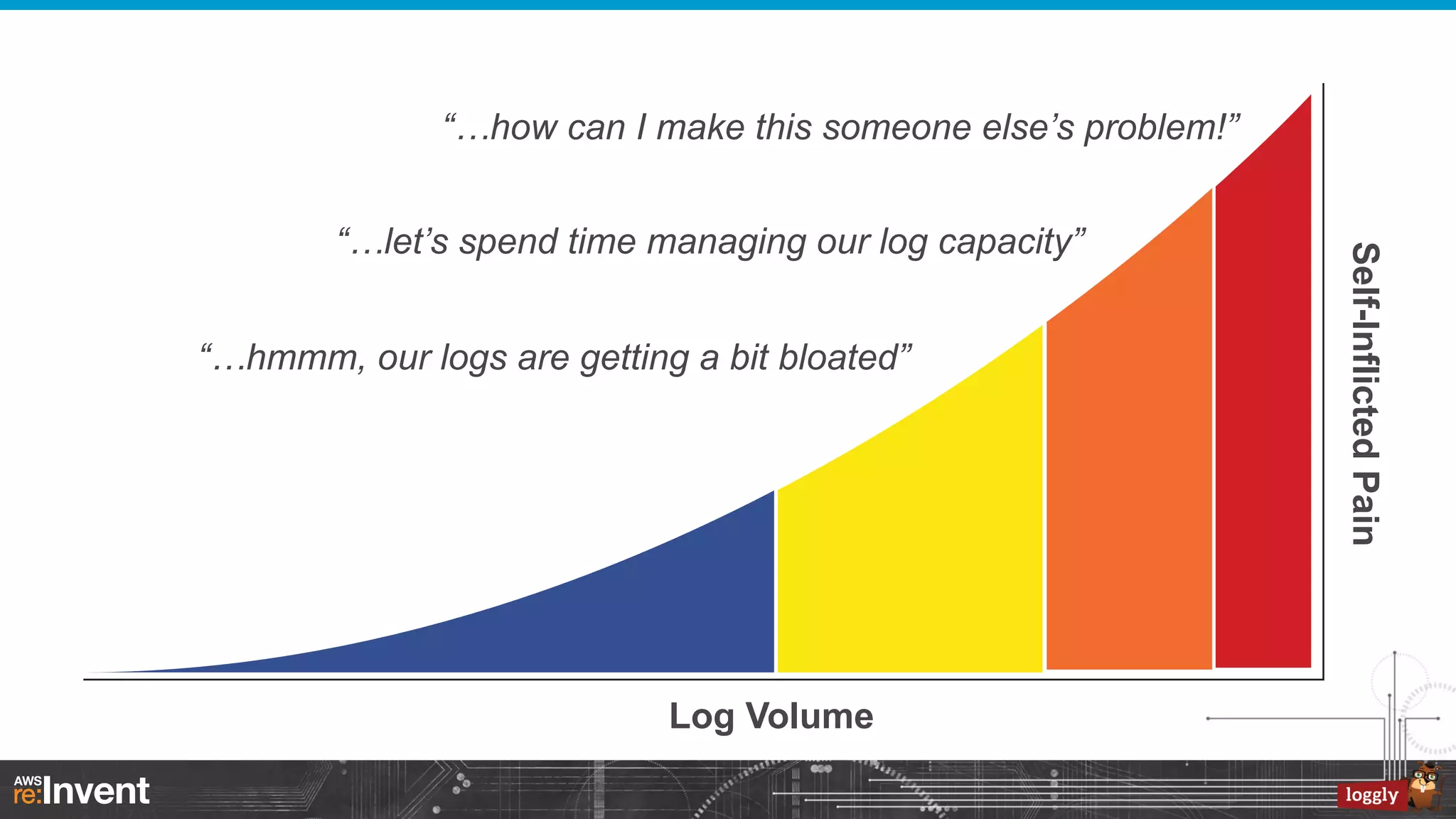
“…how can I make this someone else’s problem!”

“…hmmm, our logs are getting a bit bloated”

Log Volume

Self-Inflicted Pain

“…let’s spend time managing our log capacity”
Best Practices in Log Management
•  Use existing logging infrastructure
–  Real time syslog forwarding is built in
–  Application log file watching

•  Store logs externally
–  Accessible when there is a system failure

•  Log messages in machine parsable format
–  JSON encoding when logging structured information
–  Key-value pairs
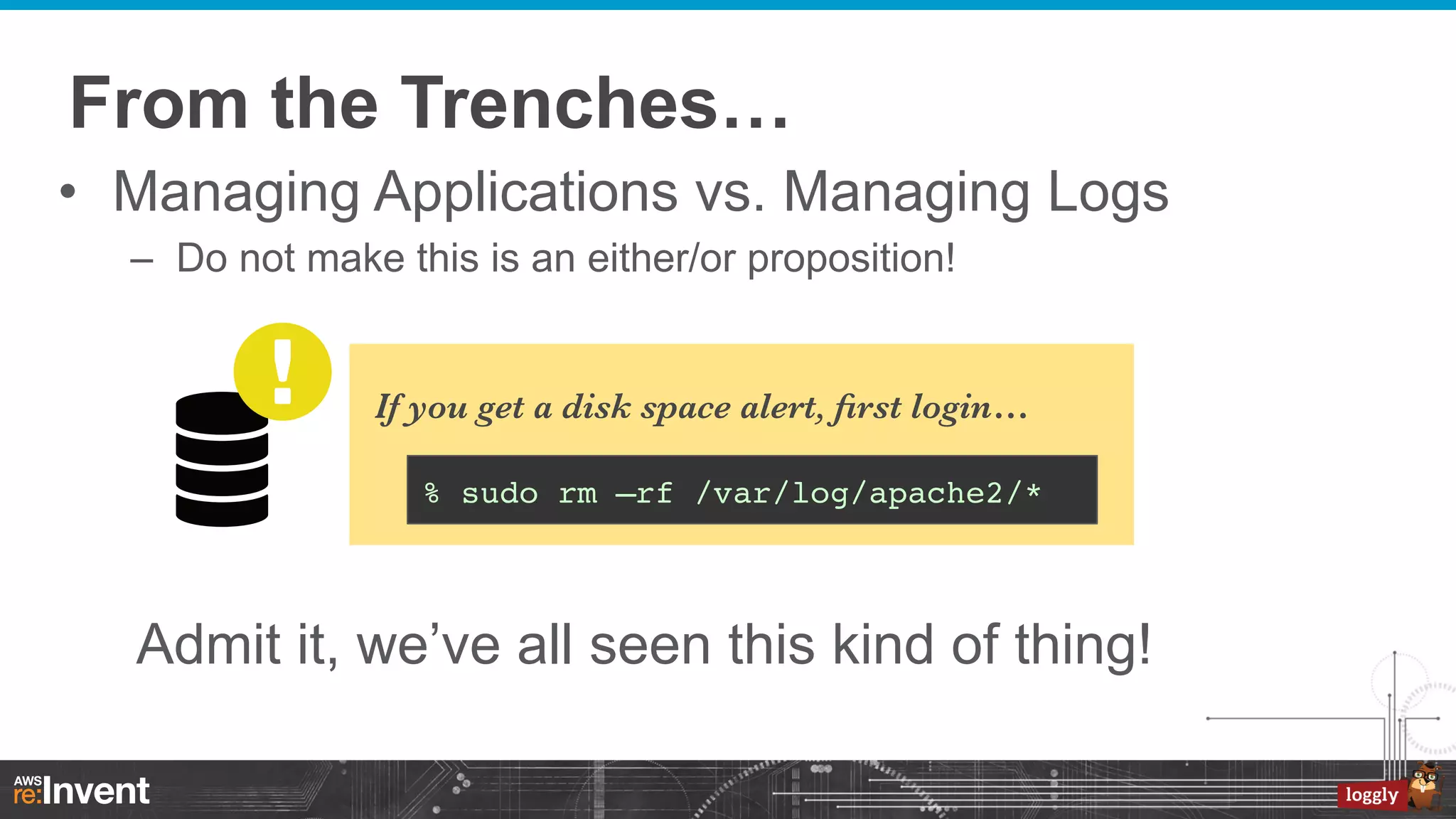
From the Trenches…
•  Managing Applications vs. Managing Logs
–  Do not make this is an either/or proposition!

If you get a disk space alert, first login…
% sudo rm –rf /var/log/apache2/*!

Admit it, we’ve all seen this kind of thing!
You Have Logs...
2013-10-25T18:35:43.387+0000: 441.482: [GC [PSYoungGen: 2430541K->268617K(2484544K)] 7687523K>5660738K(8076992K), 0.3266870 secs] [Times: user=1.05 sys=0.17, real=0.33 secs]!
2013-10-25T18:35:43.714+0000: 441.809: [Full GC [PSYoungGen: 268617K->0K(2484544K)] [ParOldGen: 5392121K>354965K(5592448K)] 5660738K->354965K(8076992K) [PSPermGen: 44444K->44395K(83968K)], 0.9225290 secs] [Times:
user=2.22 sys=0.26, real=0.92 secs]!

•  In this case, JVM garbage collection logs
enabled with…
-XX:+PrintGCDetails -XX:+PrintGCDateStamps -XX:+PrintGCTimeStamps
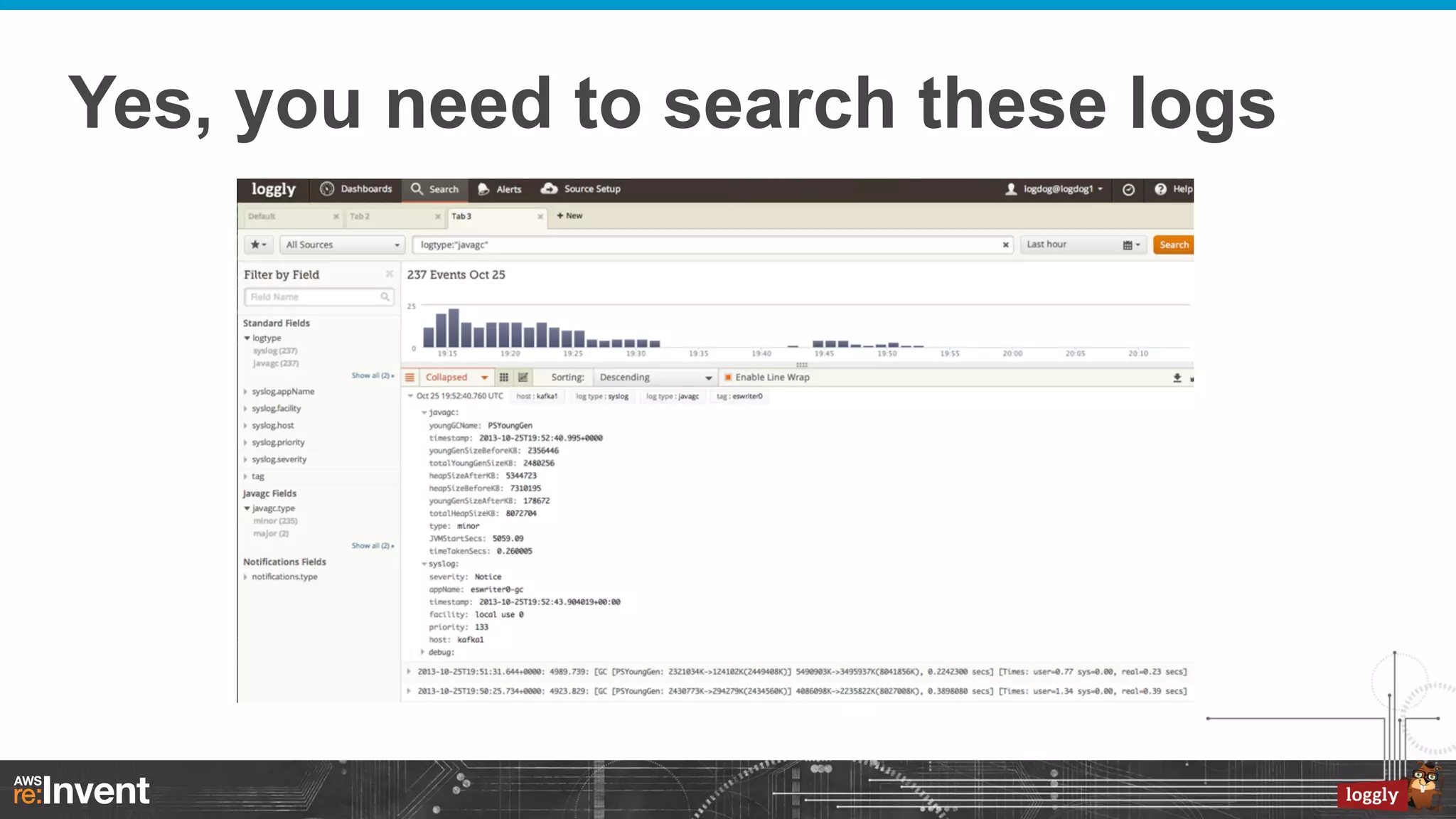
Yes, you need to search these logs
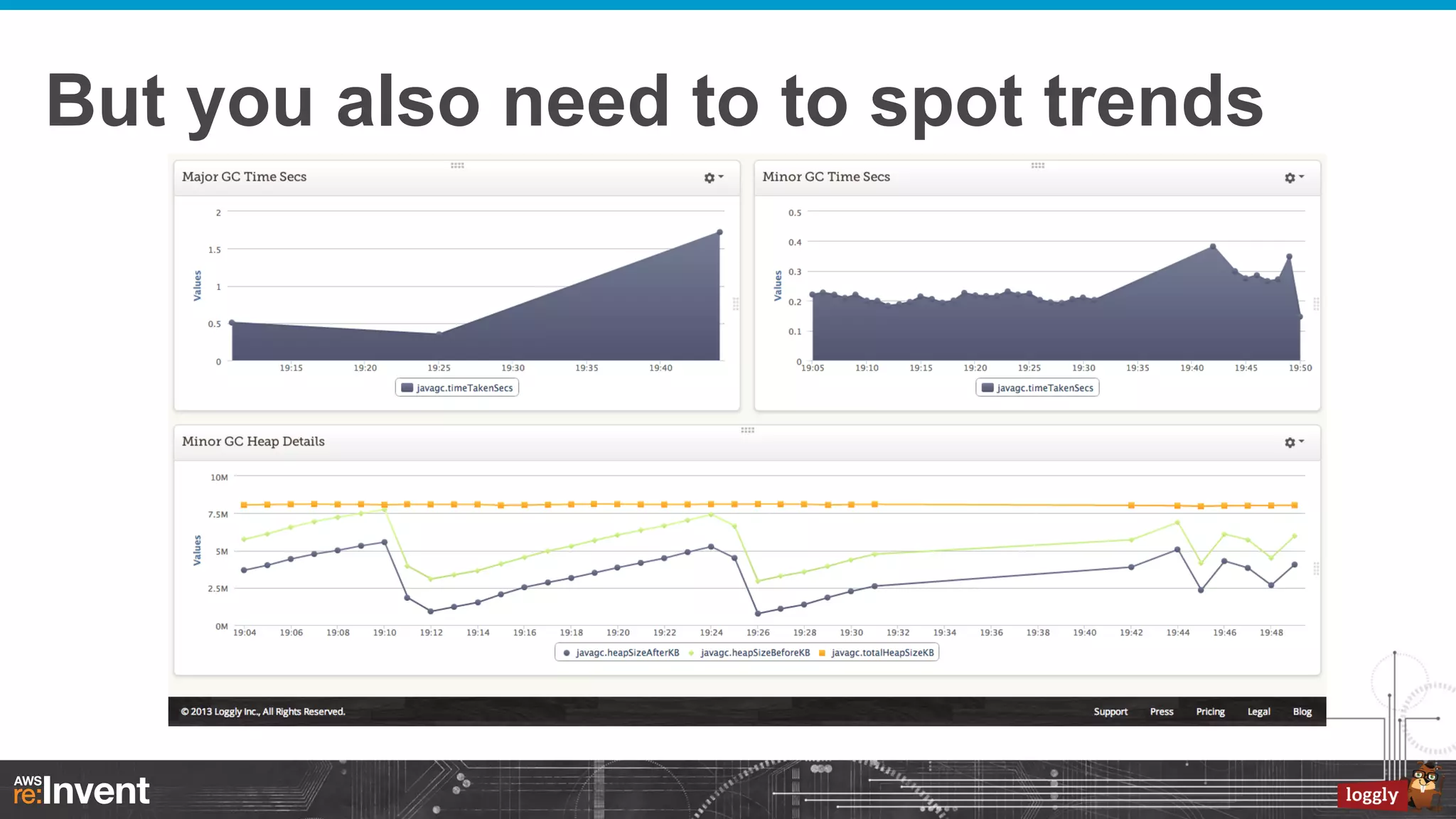
But you also need to to spot trends
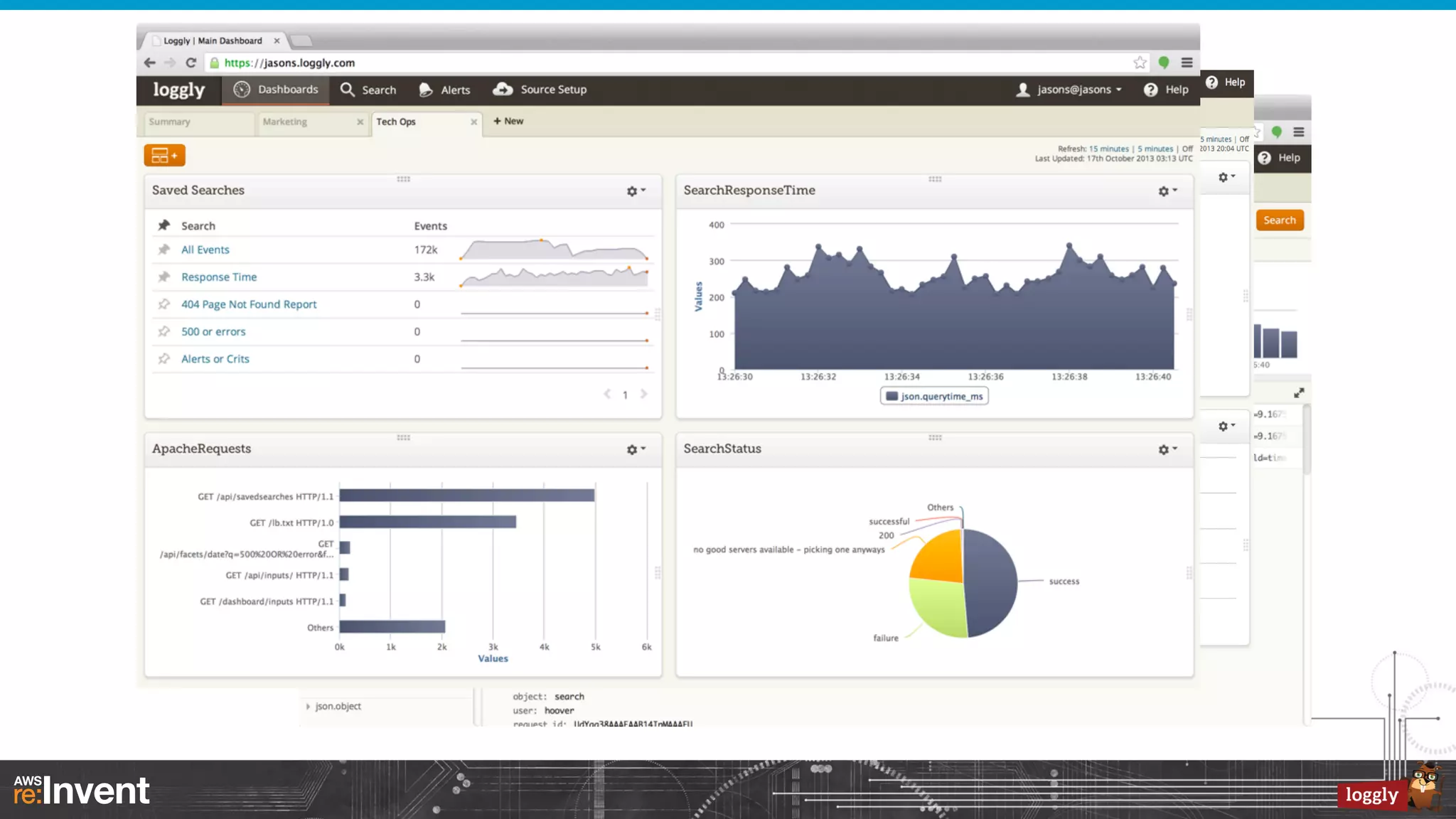
Loggly Offers Logging as a Service
Loggly First Generation
•  Logging as a service
–  Real-time searchable logs

•  Thousands of customers
–  Transmission rates from 10 events/sec to 100k events/sec
–  When customers systems are busy they send more logs
–  Log traffic has distinct bursts; bursts can last for several hours

•  AWS EC2 deployment
–  We used EC2 Instance storage

•  SOLR Cloud
–  Full power of Lucene search
–  Tens of thousands of shards (with special ‘sleep shard’ logic)

•  ZeroMQ for message queue
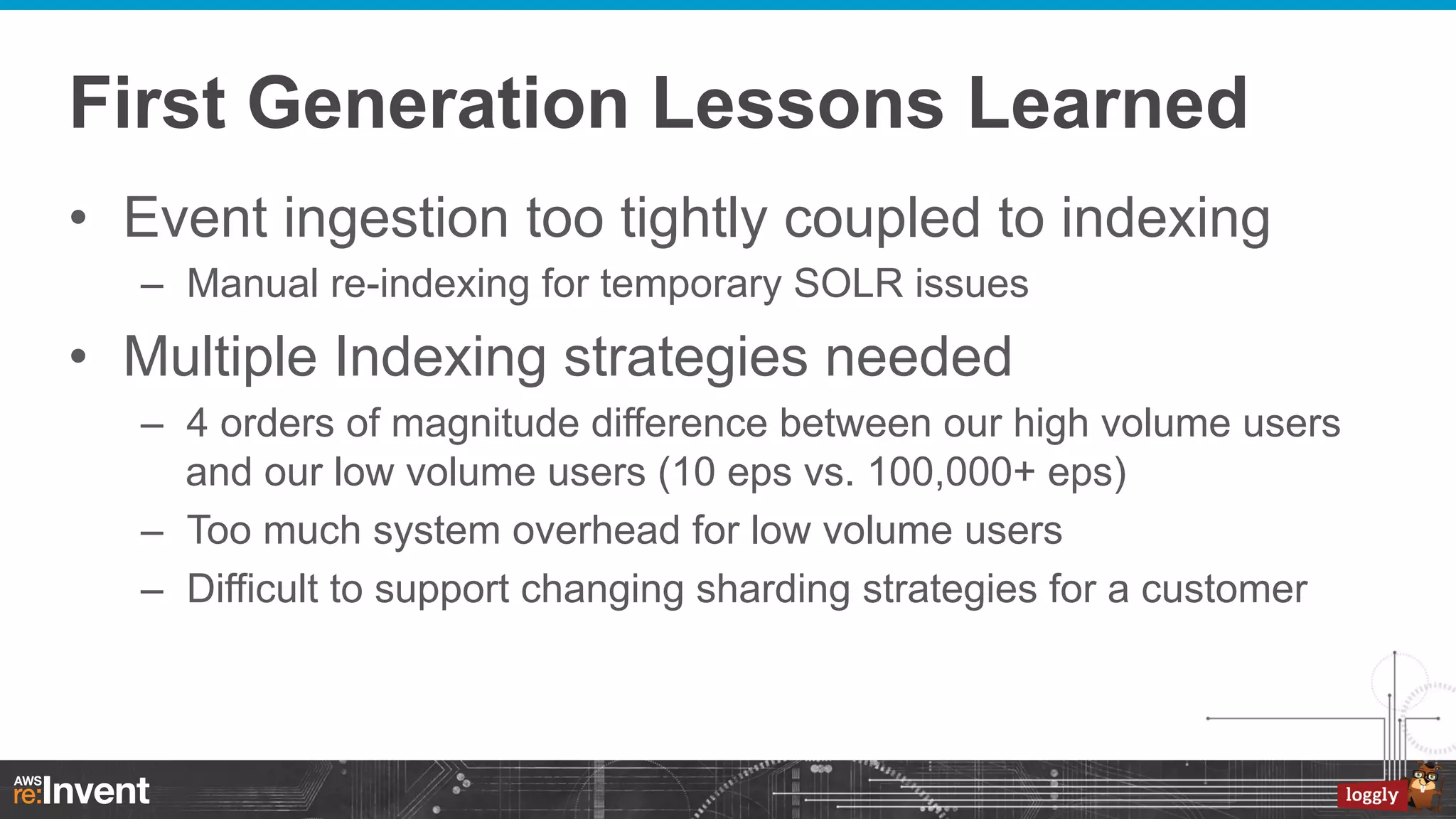
First Generation Lessons Learned
•  Event ingestion too tightly coupled to indexing
–  Manual re-indexing for temporary SOLR issues

•  Multiple Indexing strategies needed
–  4 orders of magnitude difference between our high volume users
and our low volume users (10 eps vs. 100,000+ eps)
–  Too much system overhead for low volume users
–  Difficult to support changing sharding strategies for a customer
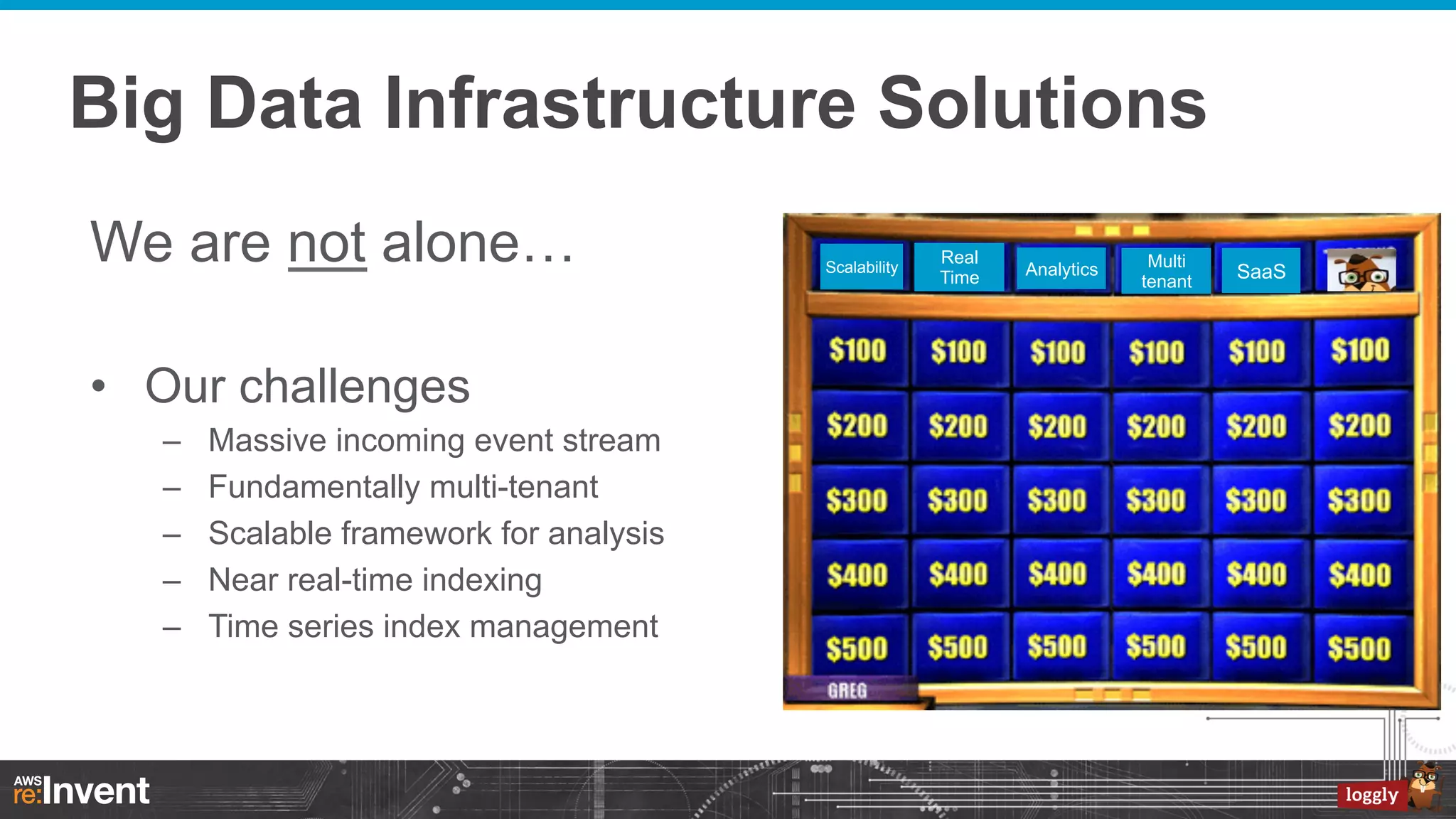
Big Data Infrastructure Solutions
We are not alone…
•  Our challenges
– 
– 
– 
– 
– 

Massive incoming event stream
Fundamentally multi-tenant
Scalable framework for analysis
Near real-time indexing
Time series index management

Scalability

Real
Time

Analytics

Multi
tenant

SaaS
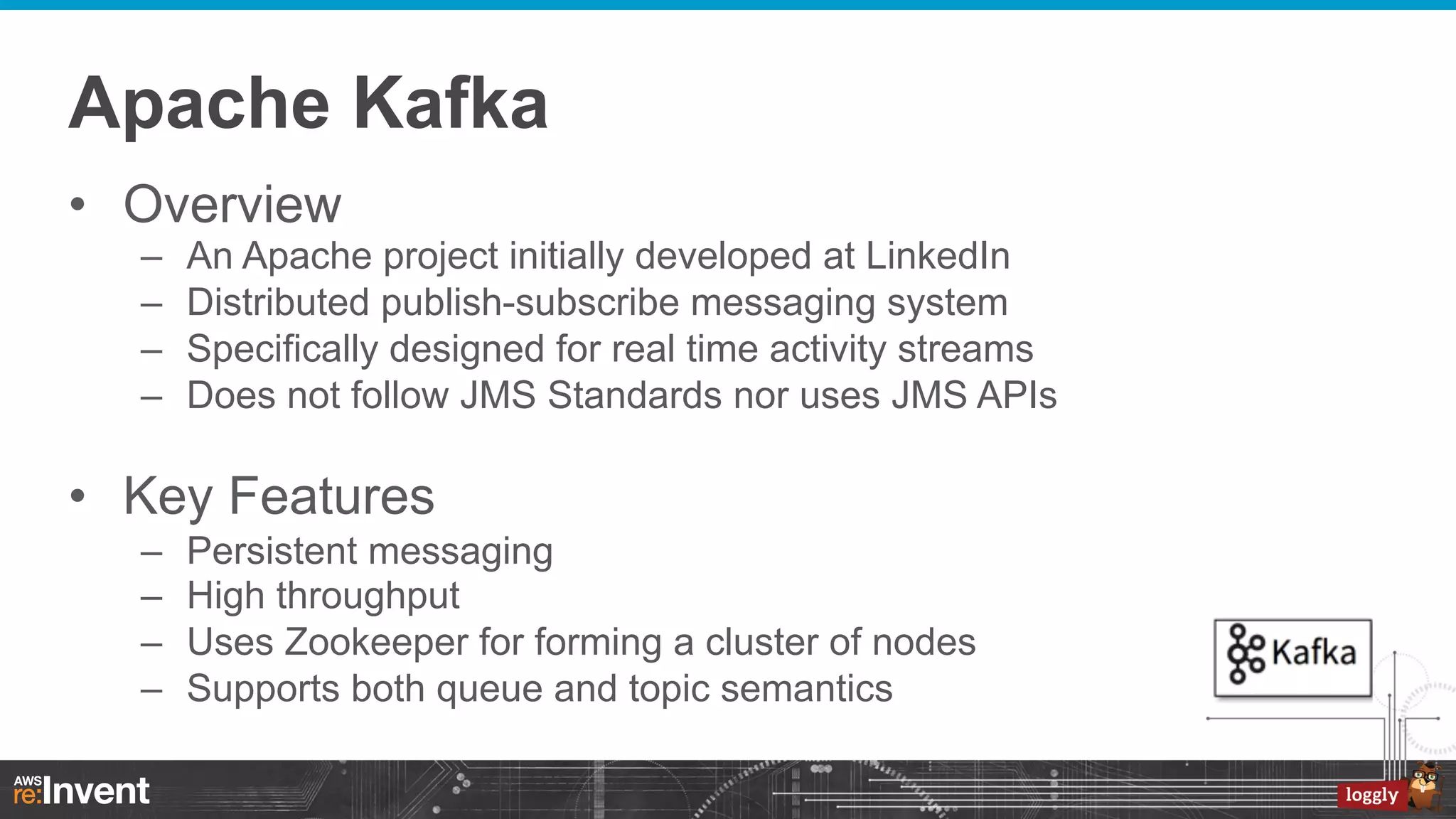
Apache Kafka
•  Overview
– 
– 
– 
– 

An Apache project initially developed at LinkedIn
Distributed publish-subscribe messaging system
Specifically designed for real time activity streams
Does not follow JMS Standards nor uses JMS APIs

•  Key Features
– 
– 
– 
– 

Persistent messaging
High throughput
Uses Zookeeper for forming a cluster of nodes
Supports both queue and topic semantics
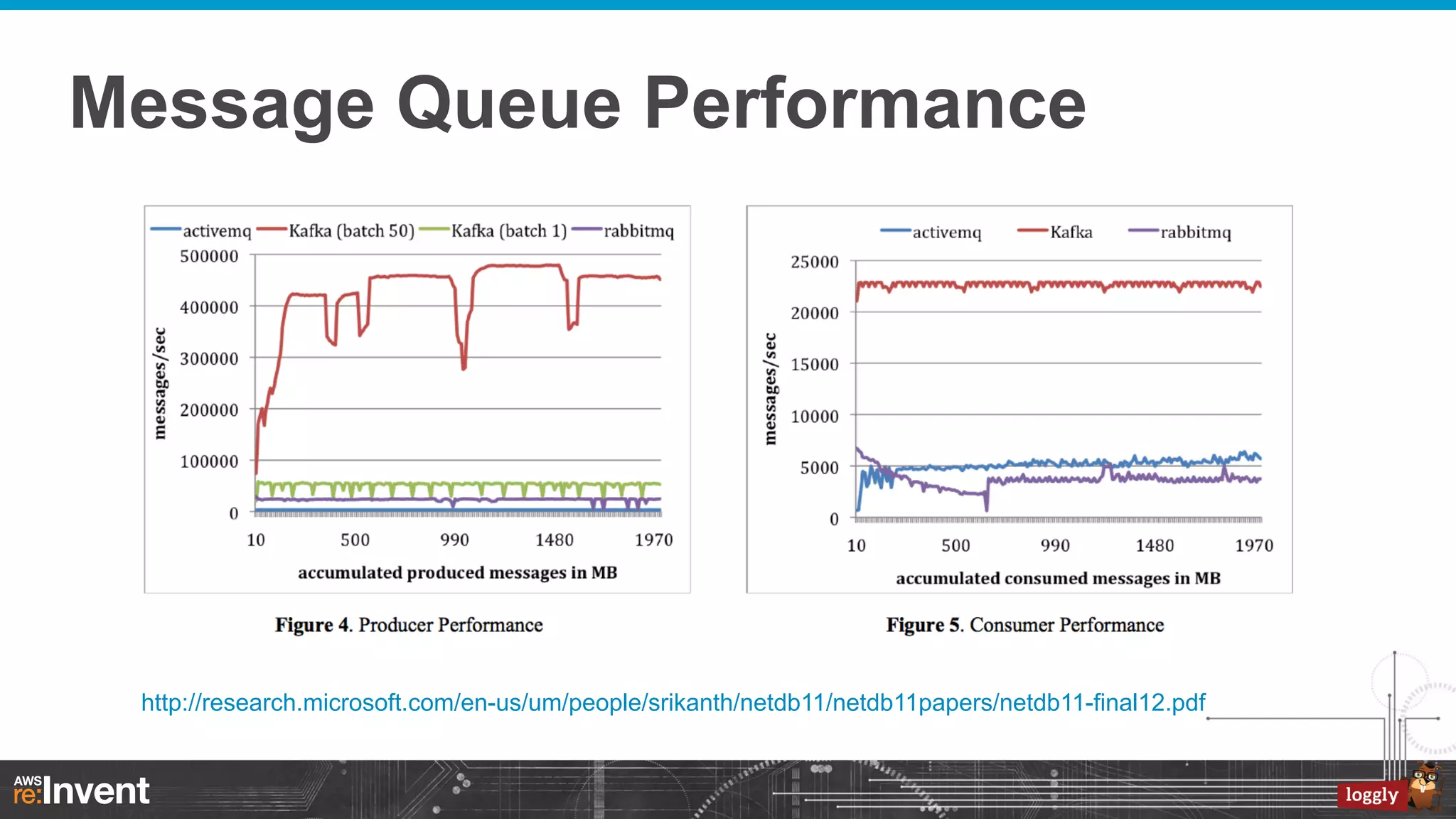
Message Queue Performance

http://research.microsoft.com/en-us/um/people/srikanth/netdb11/netdb11papers/netdb11-final12.pdf
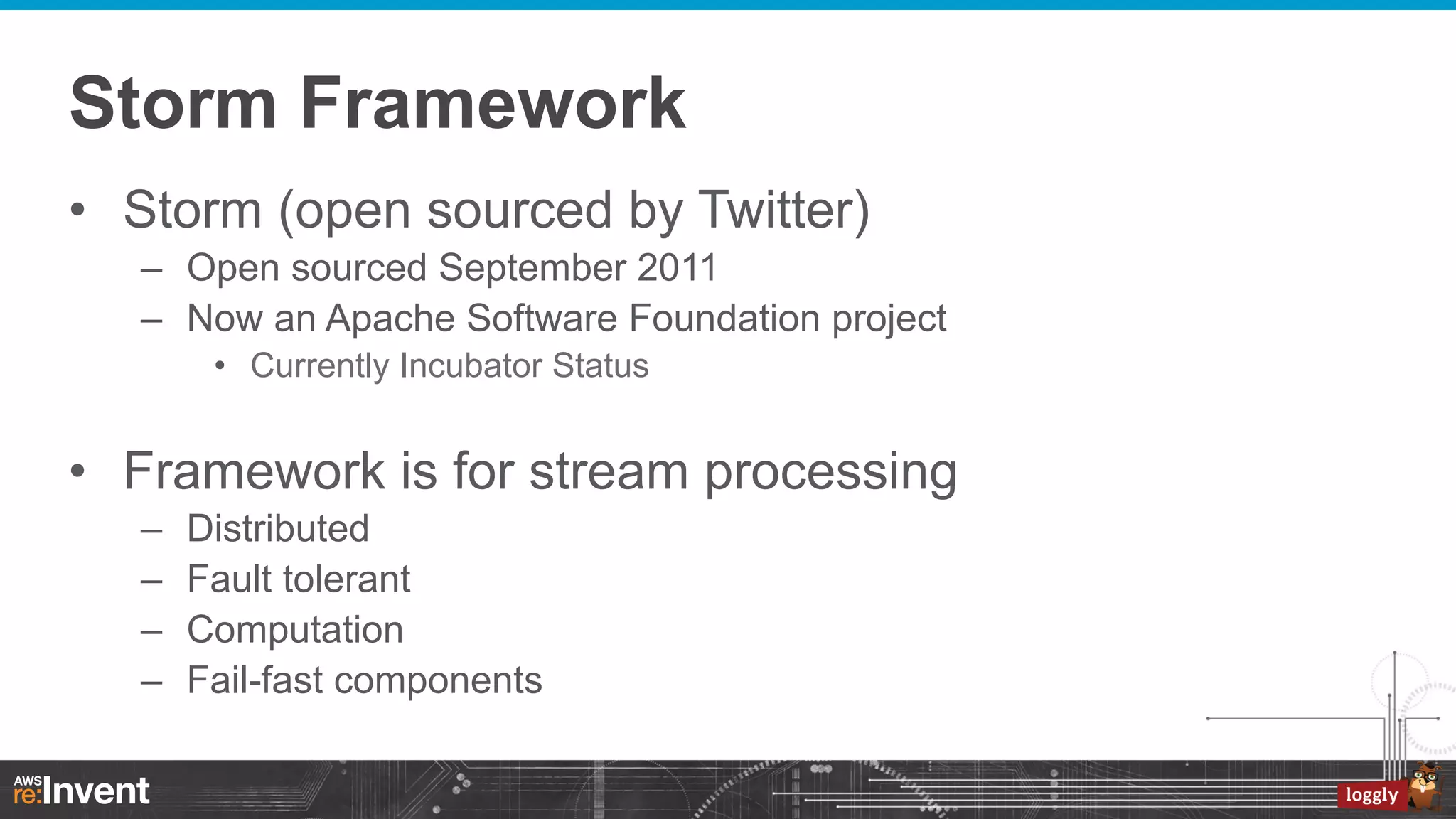
Storm Framework
•  Storm (open sourced by Twitter)
–  Open sourced September 2011
–  Now an Apache Software Foundation project
•  Currently Incubator Status

•  Framework is for stream processing
– 
– 
– 
– 

Distributed
Fault tolerant
Computation
Fail-fast components
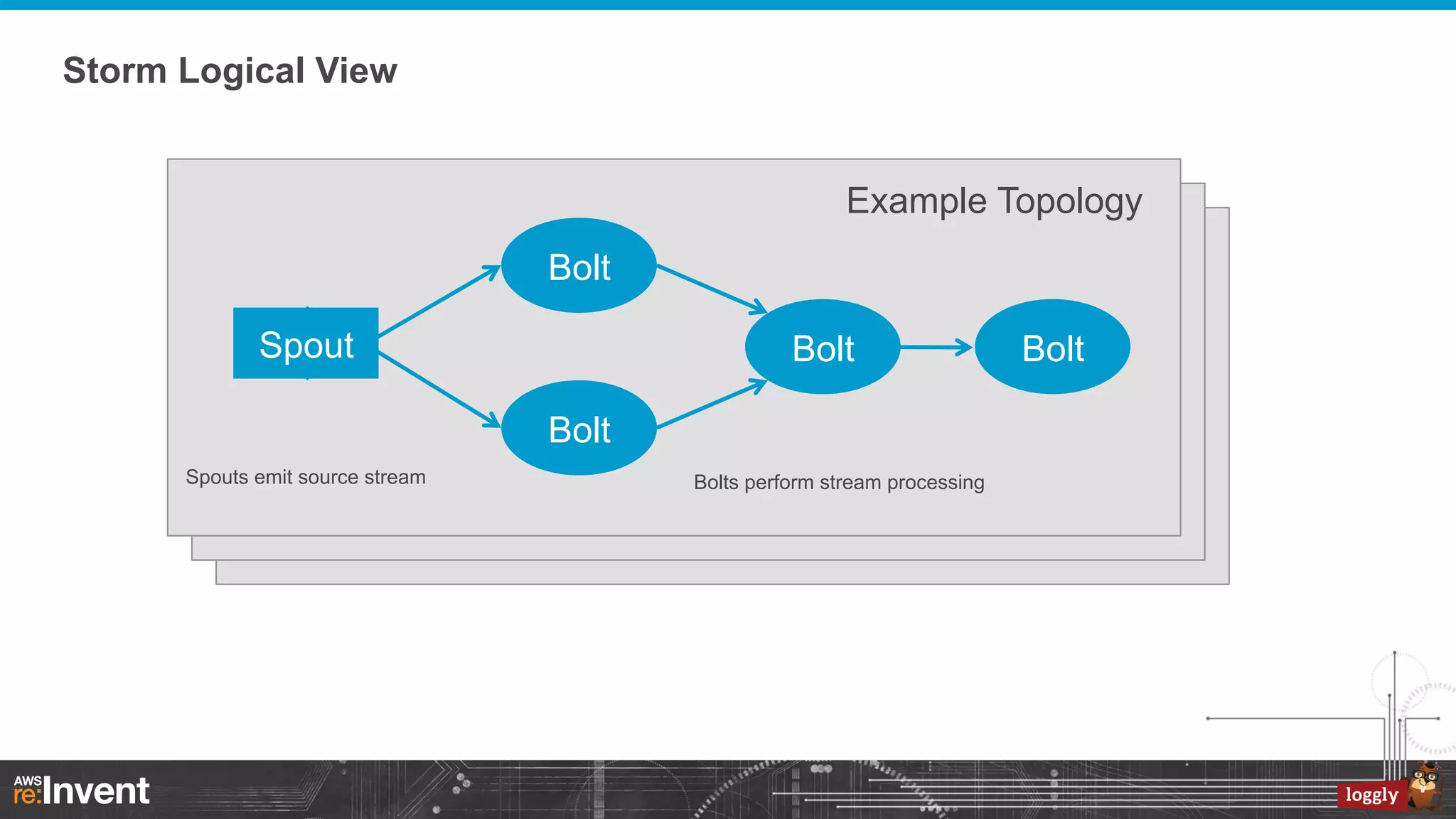
Storm Logical View
Example Topology
Bolt
Spout

Bolt
Bolt

Spouts emit source stream

Bolts perform stream processing

Bolt
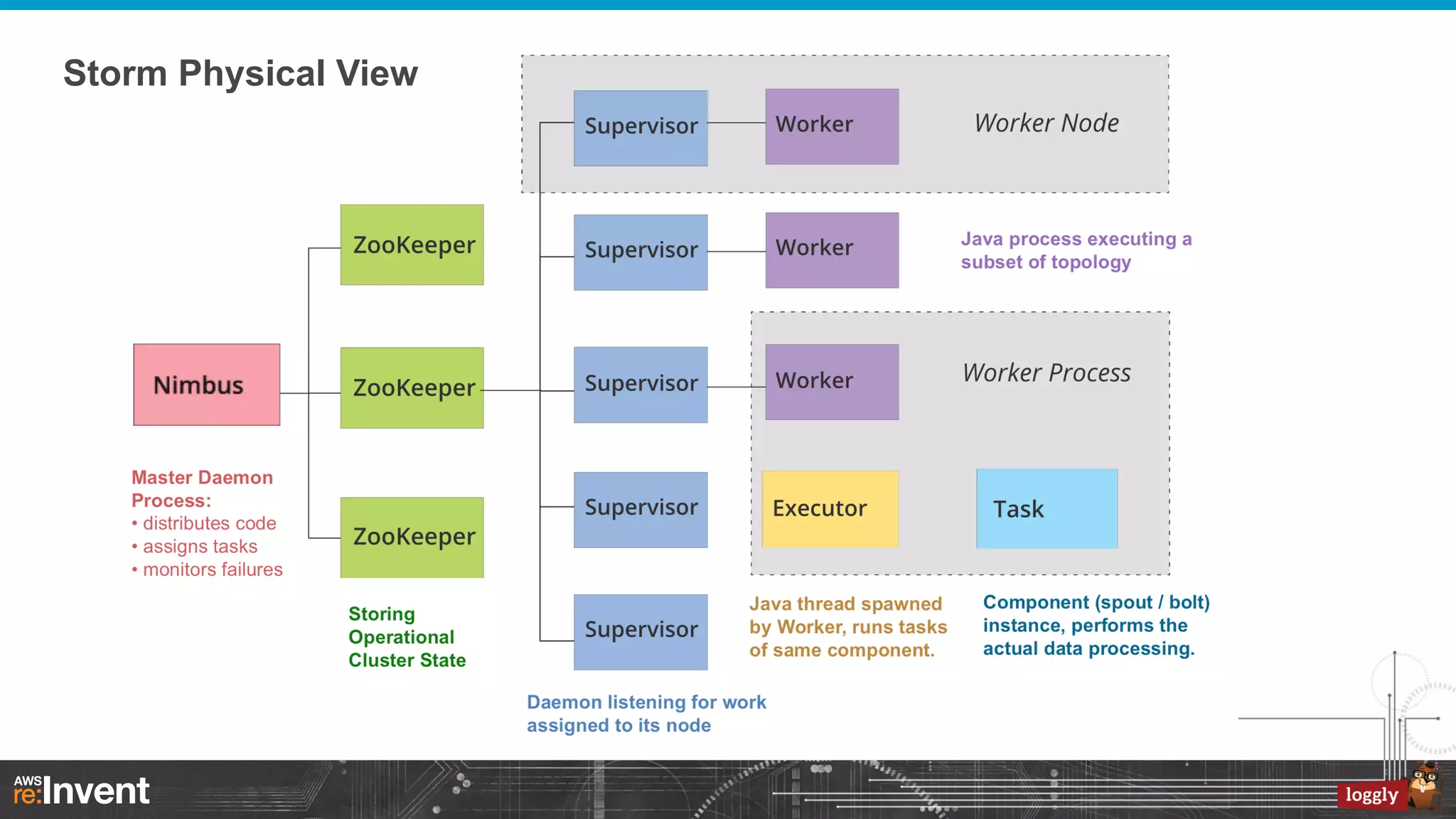
Storm Physical View
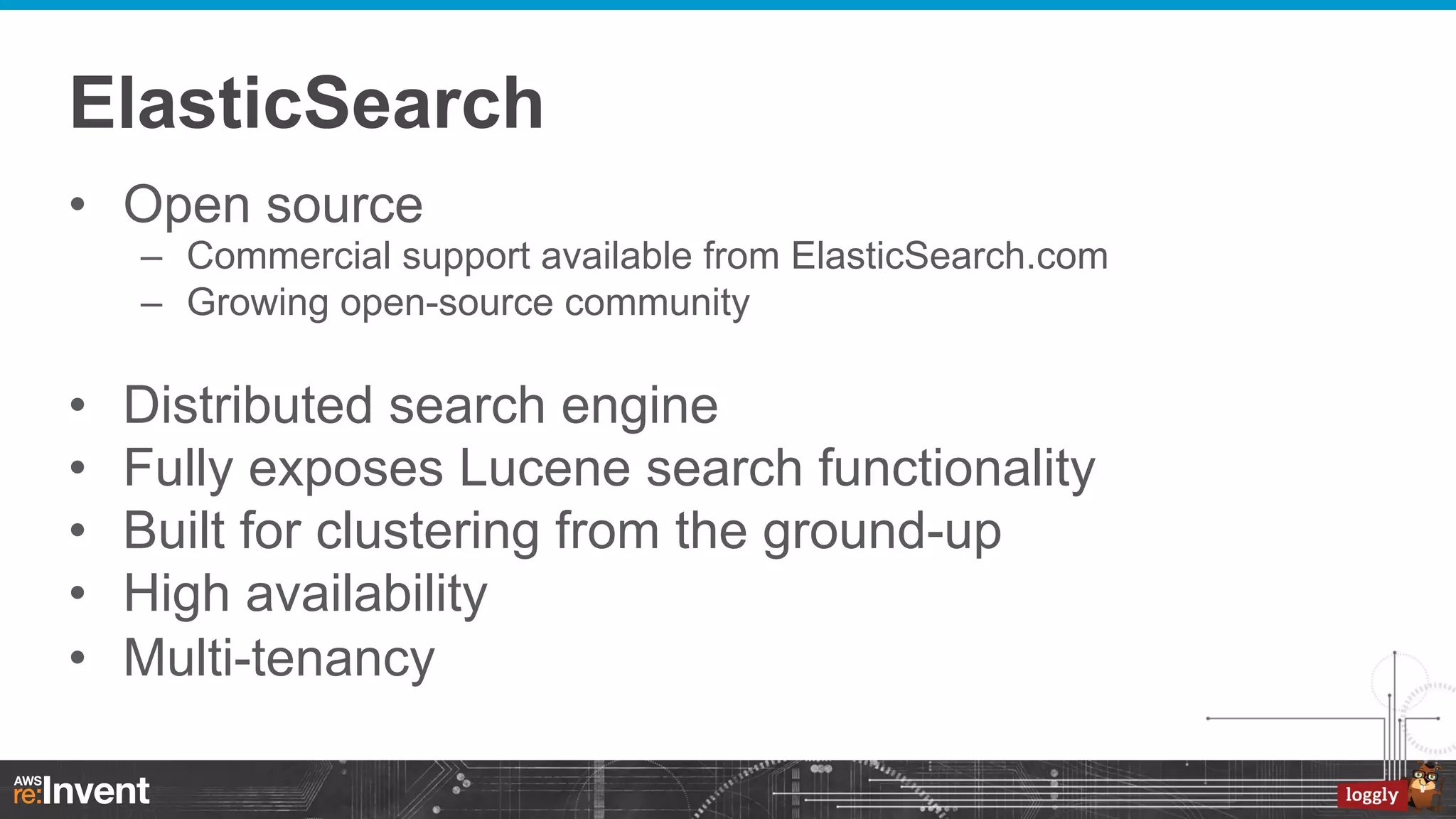
ElasticSearch
•  Open source
–  Commercial support available from ElasticSearch.com
–  Growing open-source community

• 
• 
• 
• 
• 

Distributed search engine
Fully exposes Lucene search functionality
Built for clustering from the ground-up
High availability
Multi-tenancy
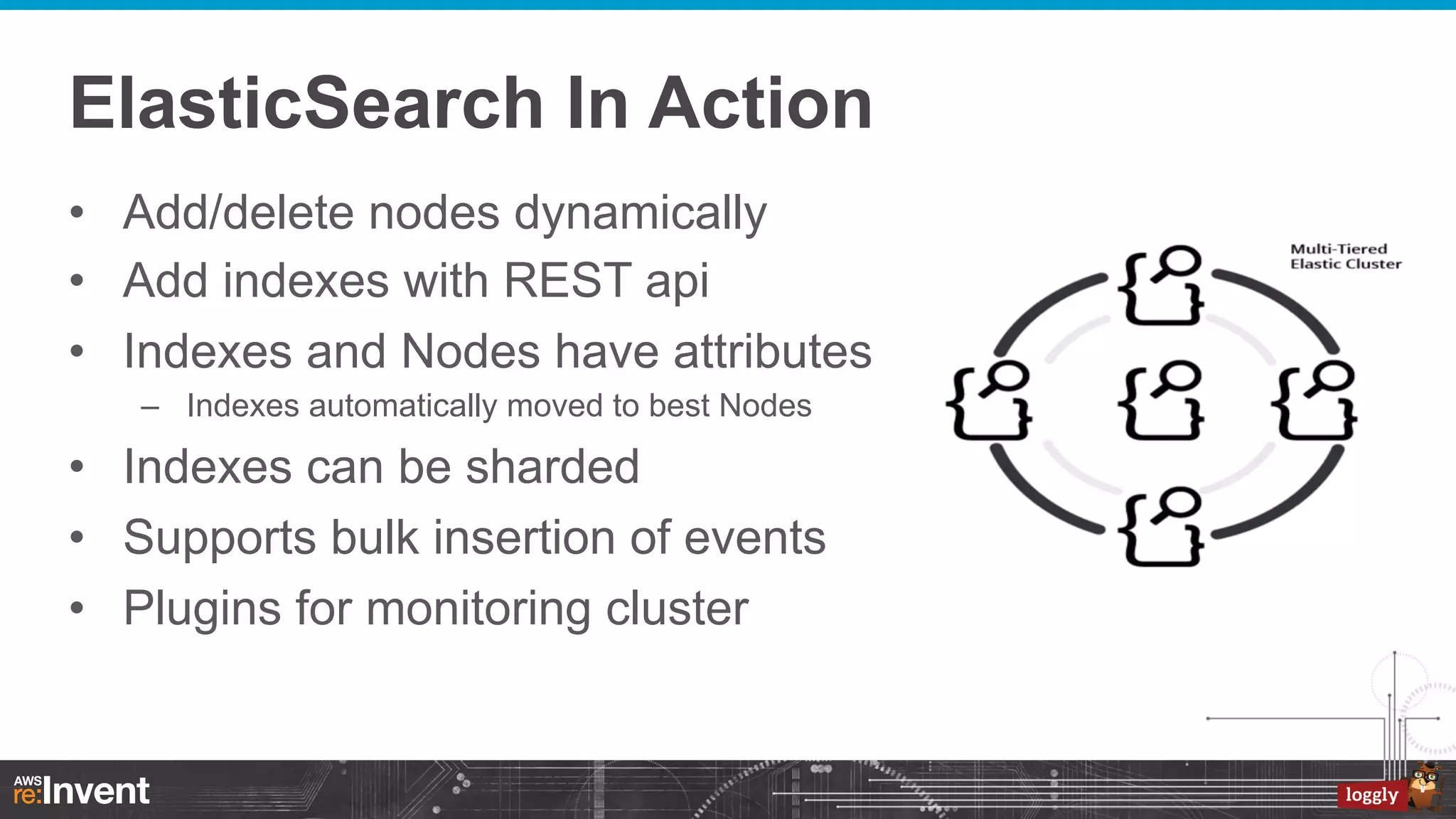
ElasticSearch In Action
•  Add/delete nodes dynamically
•  Add indexes with REST api
•  Indexes and Nodes have attributes
–  Indexes automatically moved to best Nodes

•  Indexes can be sharded
•  Supports bulk insertion of events
•  Plugins for monitoring cluster
Our Second Generation
Generation 2 – The Challenge
•  Always accept log data
–  Never make a customer’s incident worse

•  Never drop log data
–  A single log message could be critical

•  True Elasticity
Perfect Match For Real Time Log Events
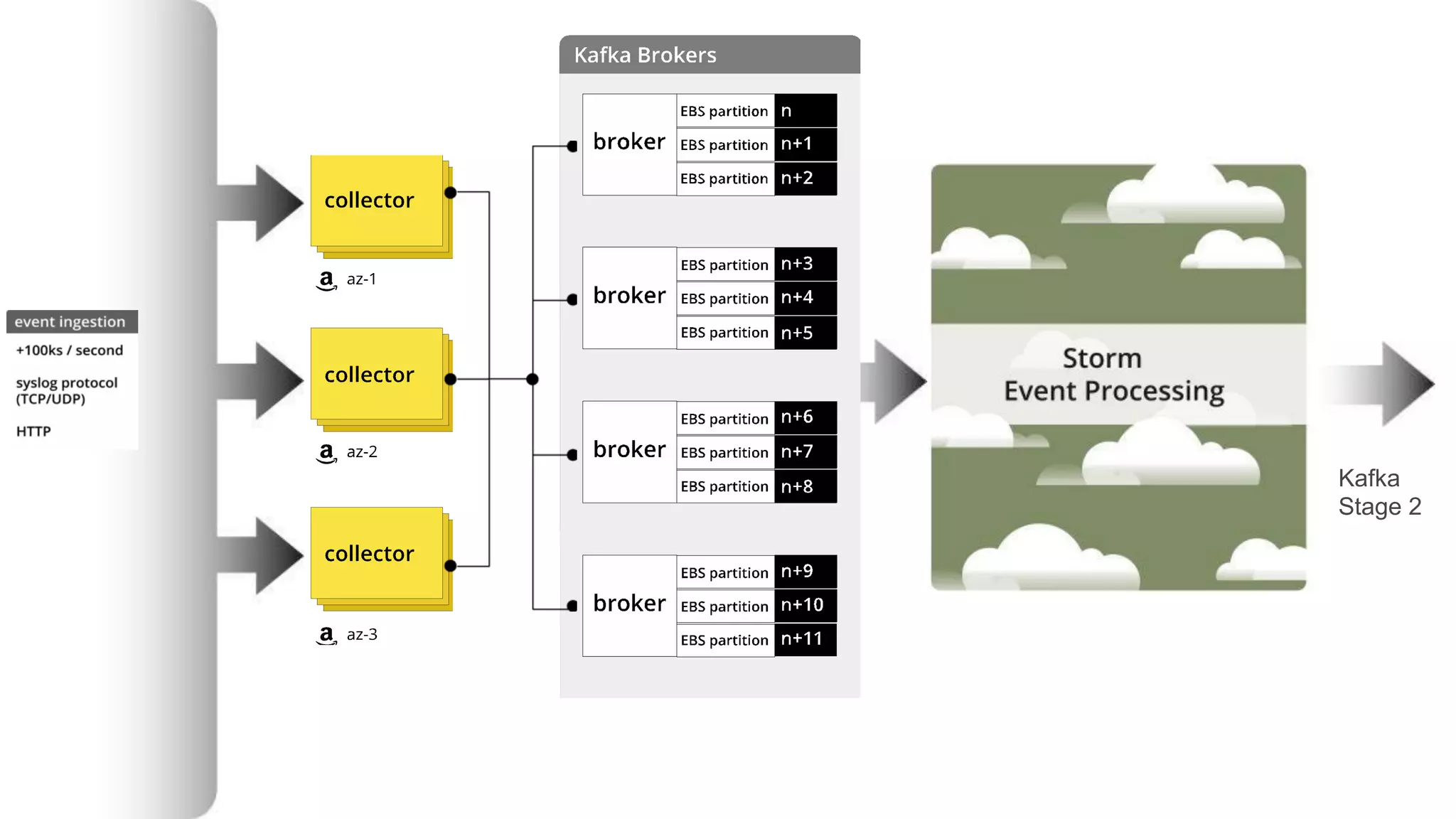
•  Apache Kafka
–  Extremely high-performance pub-sub persistent queue

•  Consumer tracks their location in queue
–  A good fit for our use cases

•  Multiple Kafka brokers
–  Good match for AWS
•  Multiple brokers per region
•  Availability Zone separation
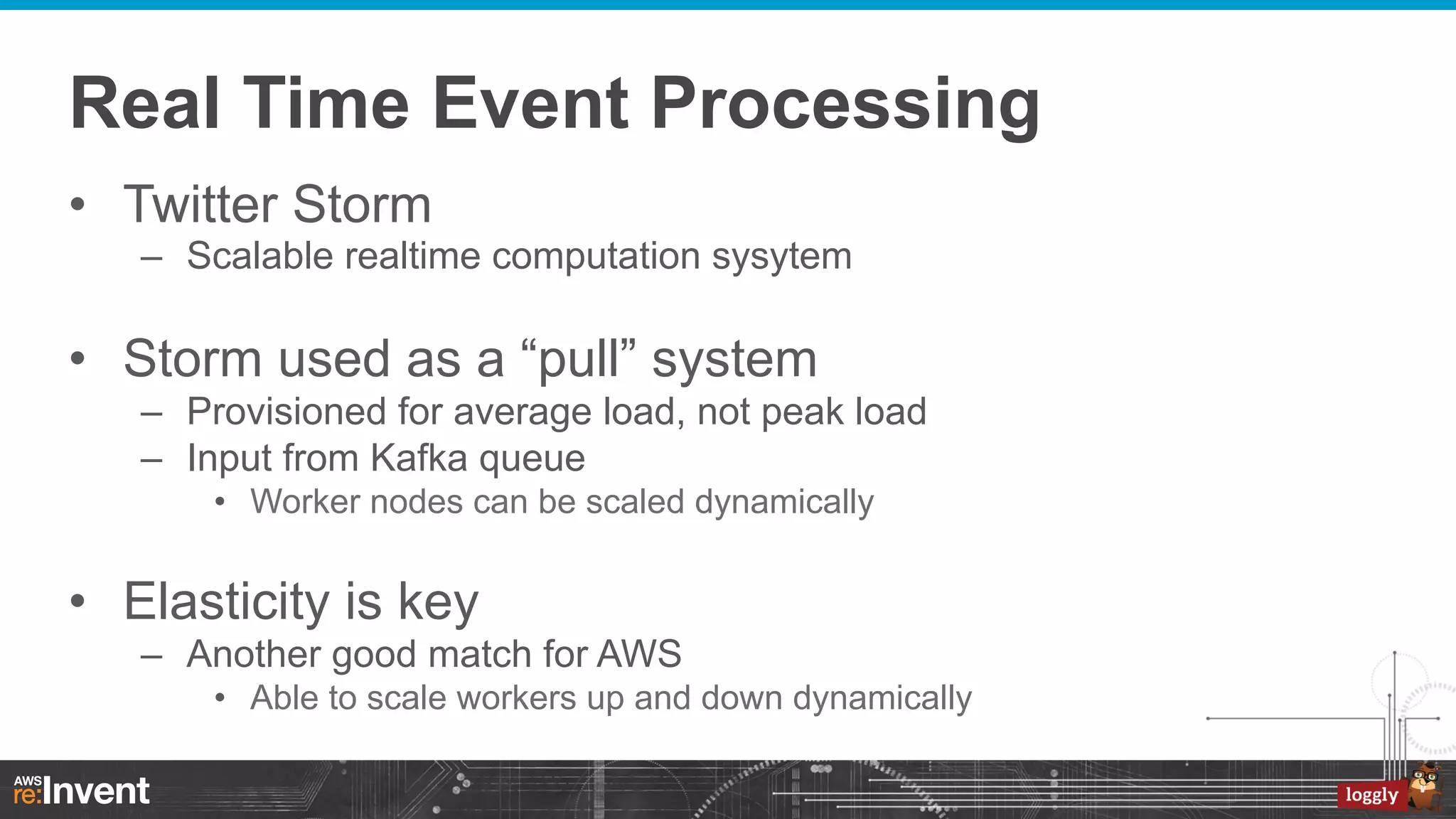
Real Time Event Processing
•  Twitter Storm
–  Scalable realtime computation sysytem

•  Storm used as a “pull” system
–  Provisioned for average load, not peak load
–  Input from Kafka queue
•  Worker nodes can be scaled dynamically

•  Elasticity is key
–  Another good match for AWS
•  Able to scale workers up and down dynamically
Log Event Ingestion
Kafka
Stage 2
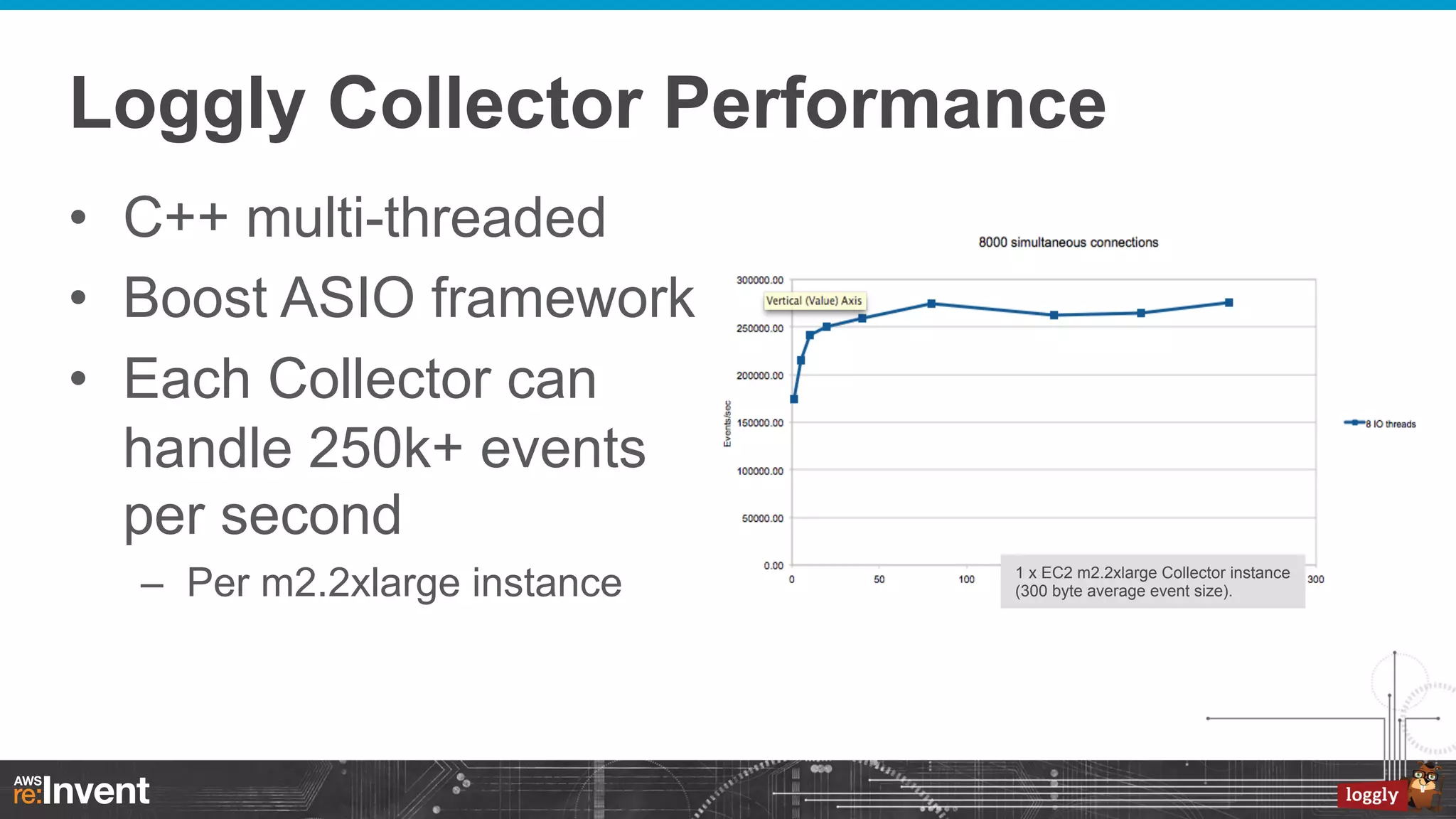
Loggly Collector Performance
•  C++ multi-threaded
•  Boost ASIO framework
•  Each Collector can
handle 250k+ events
per second
–  Per m2.2xlarge instance

1 x EC2 m2.2xlarge Collector instance
(300 byte average event size).
Processing Events
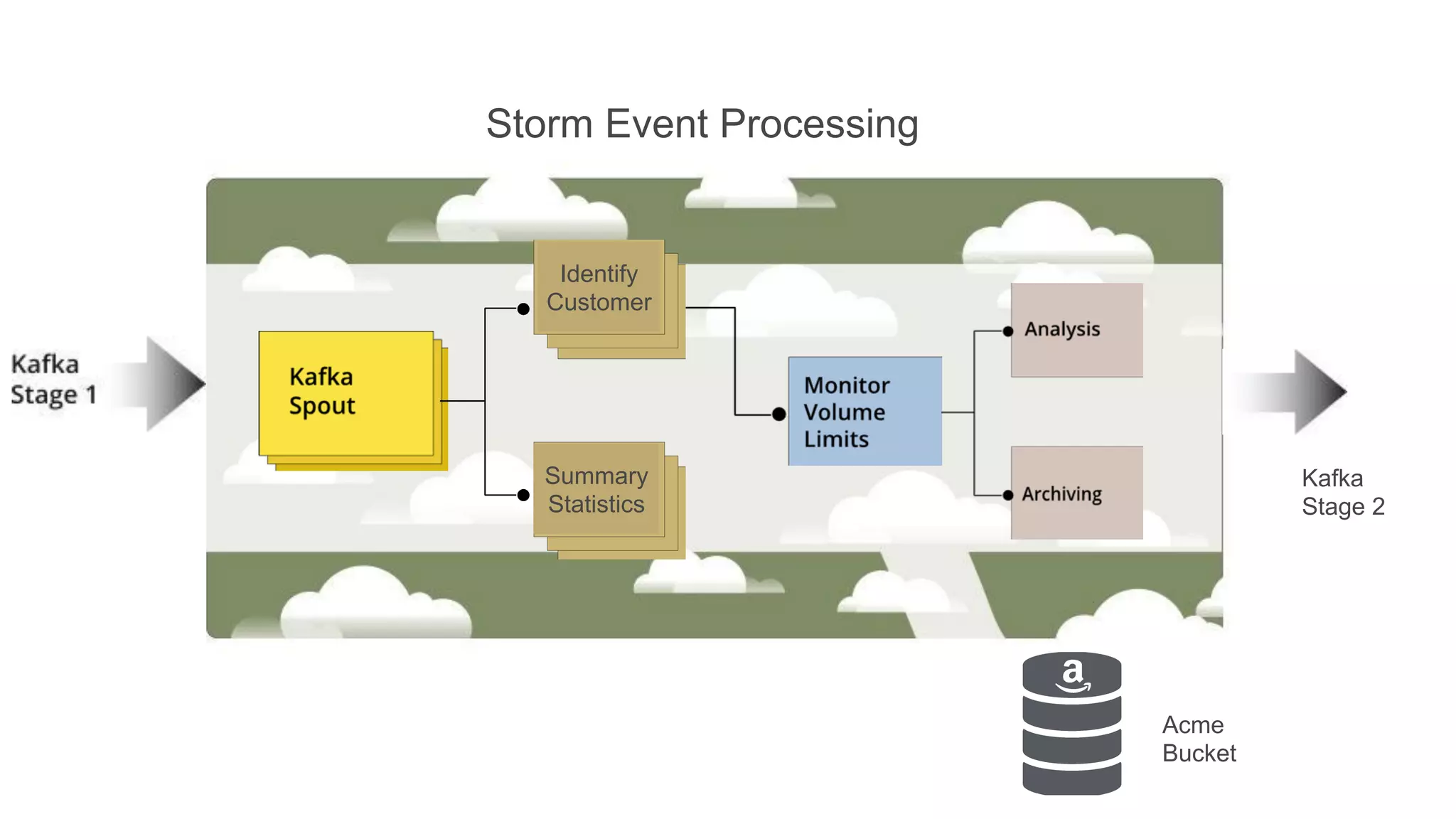
Storm Event Processing

Identify
Customer

Summary
Statistics

Kafka
Stage 2

Acme
Bucket
Event Pipeline in Summary
•  Storm provides Complex Event Processing
–  Where we run much of our secret-sauce

•  Stage 1 contains the raw Events
•  Stage 2 contains processed Events
•  Snapshot the last day of Stage 2 events to S3
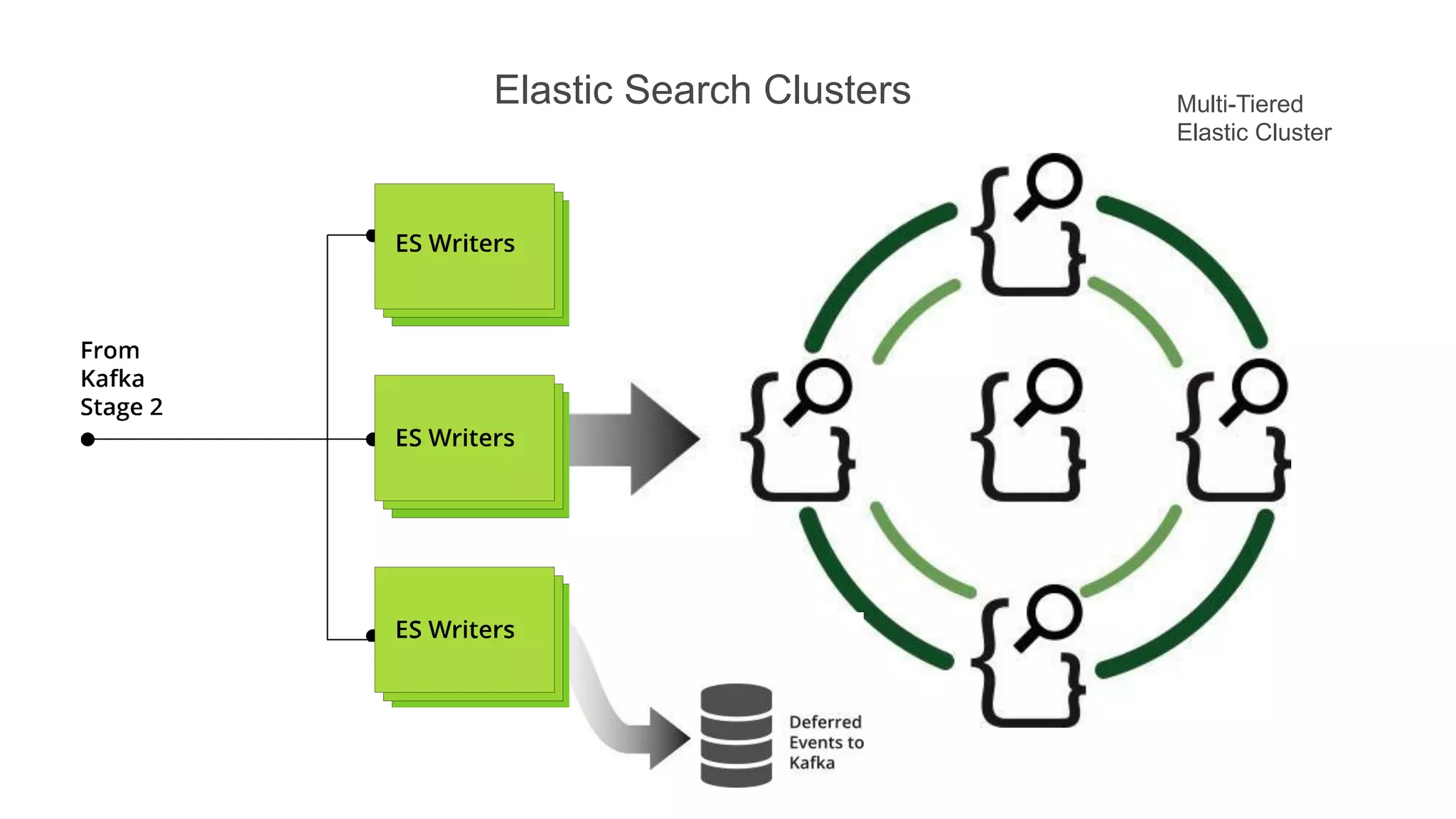
Elastic Search Clusters

Multi-Tiered
Elastic Cluster
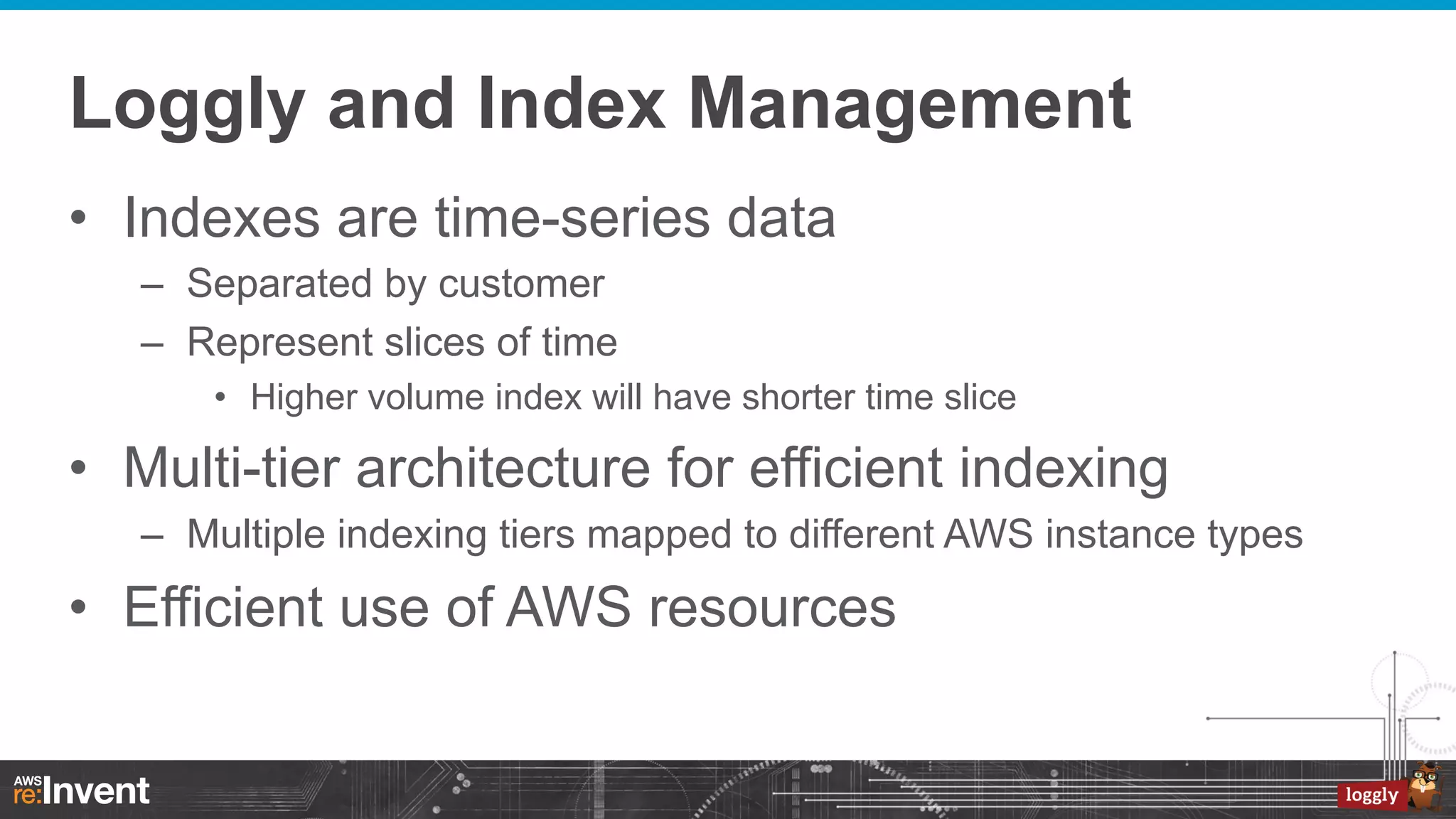
Loggly and Index Management
•  Indexes are time-series data
–  Separated by customer
–  Represent slices of time
•  Higher volume index will have shorter time slice

•  Multi-tier architecture for efficient indexing
–  Multiple indexing tiers mapped to different AWS instance types

•  Efficient use of AWS resources
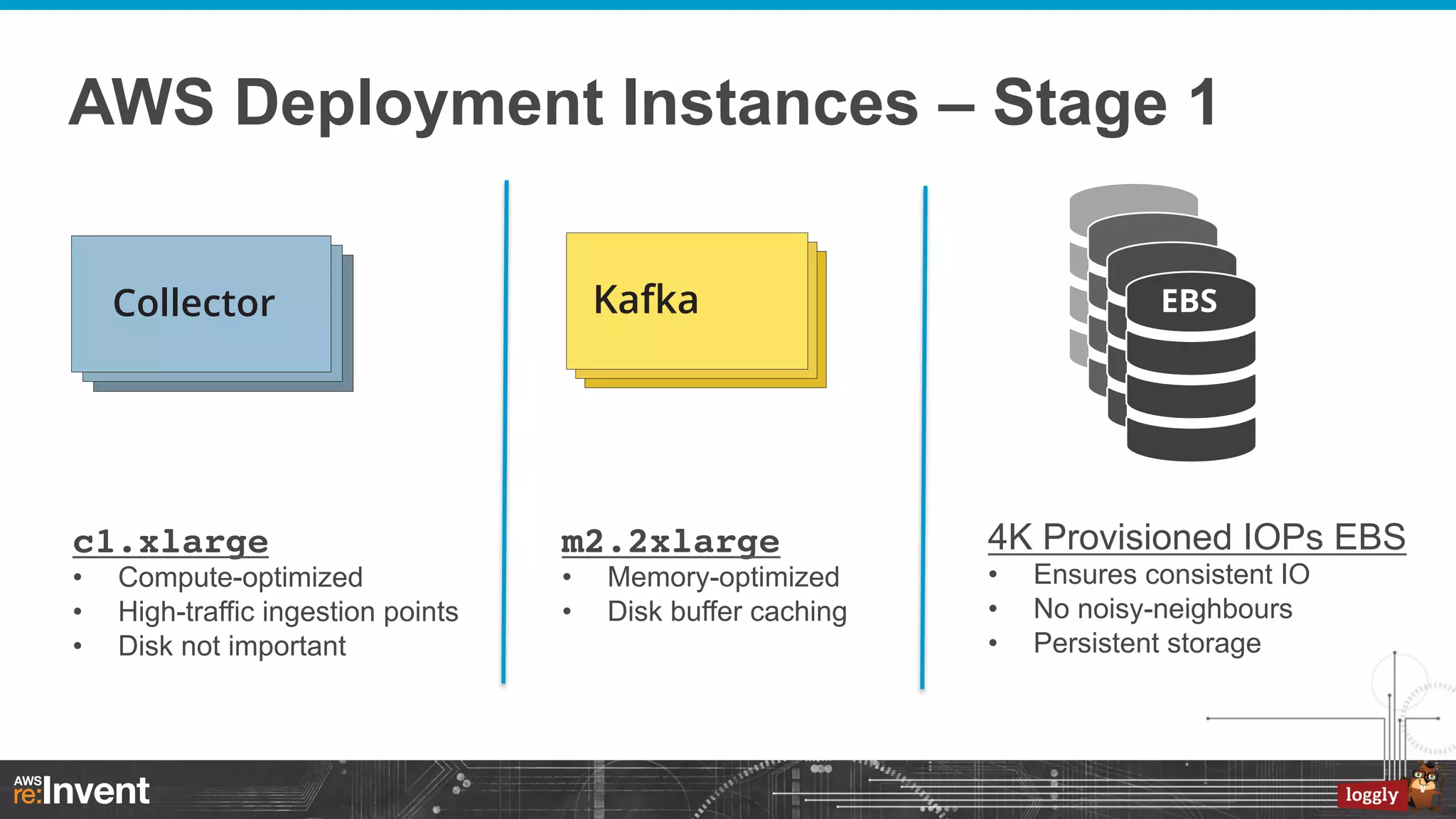
AWS Deployment Instances – Stage 1

c1.xlarge
• 
• 
• 

Compute-optimized
High-traffic ingestion points
Disk not important

m2.2xlarge!
• 
• 

Memory-optimized
Disk buffer caching

4K Provisioned IOPs EBS
• 
• 
• 

Ensures consistent IO
No noisy-neighbours
Persistent storage
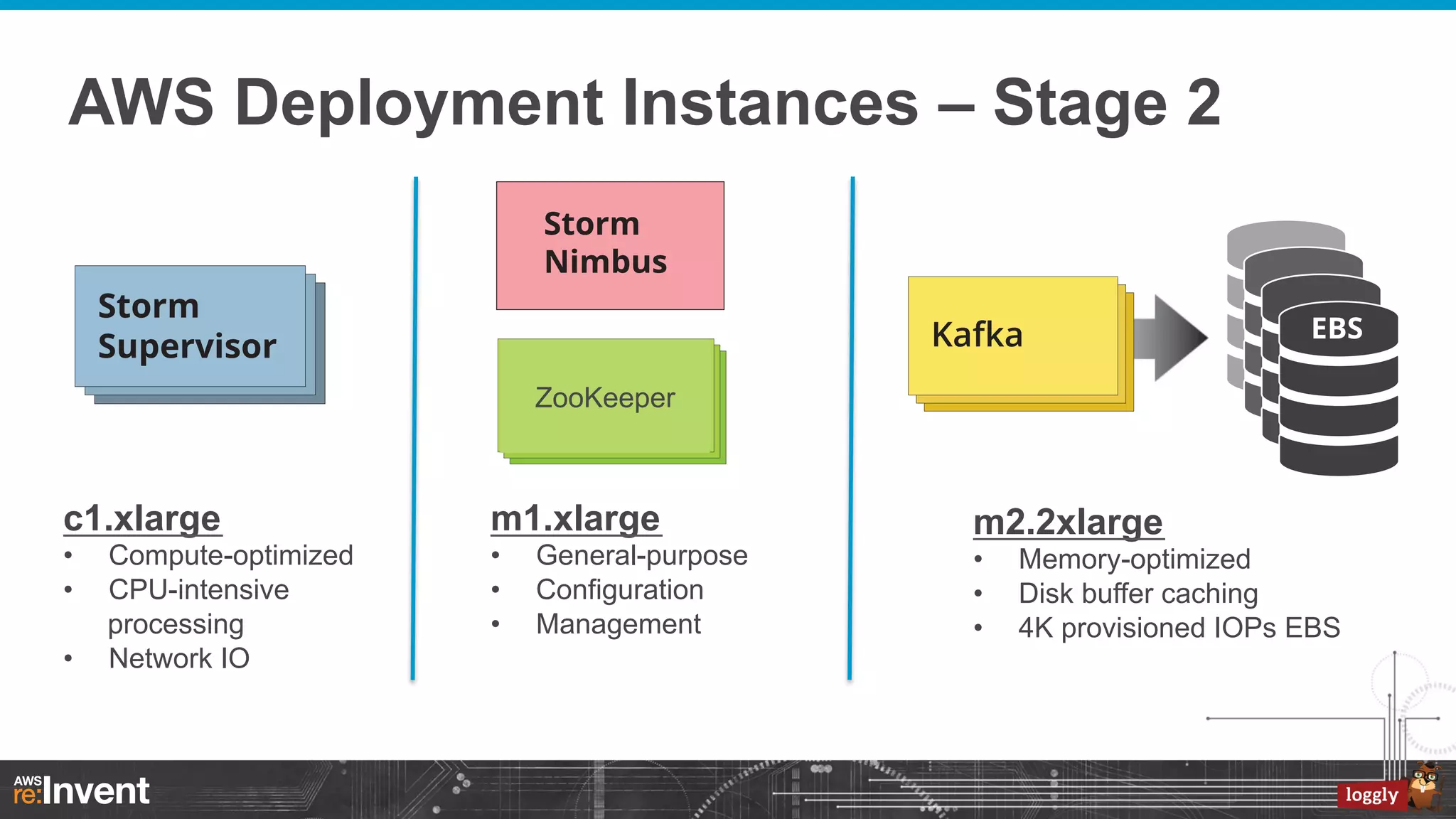
AWS Deployment Instances – Stage 2

ZooKeeper

c1.xlarge

m1.xlarge

• 
• 

• 
• 
• 

• 

Compute-optimized
CPU-intensive
processing
Network IO

General-purpose
Configuration
Management

m2.2xlarge
• 
• 
• 

Memory-optimized
Disk buffer caching
4K provisioned IOPs EBS
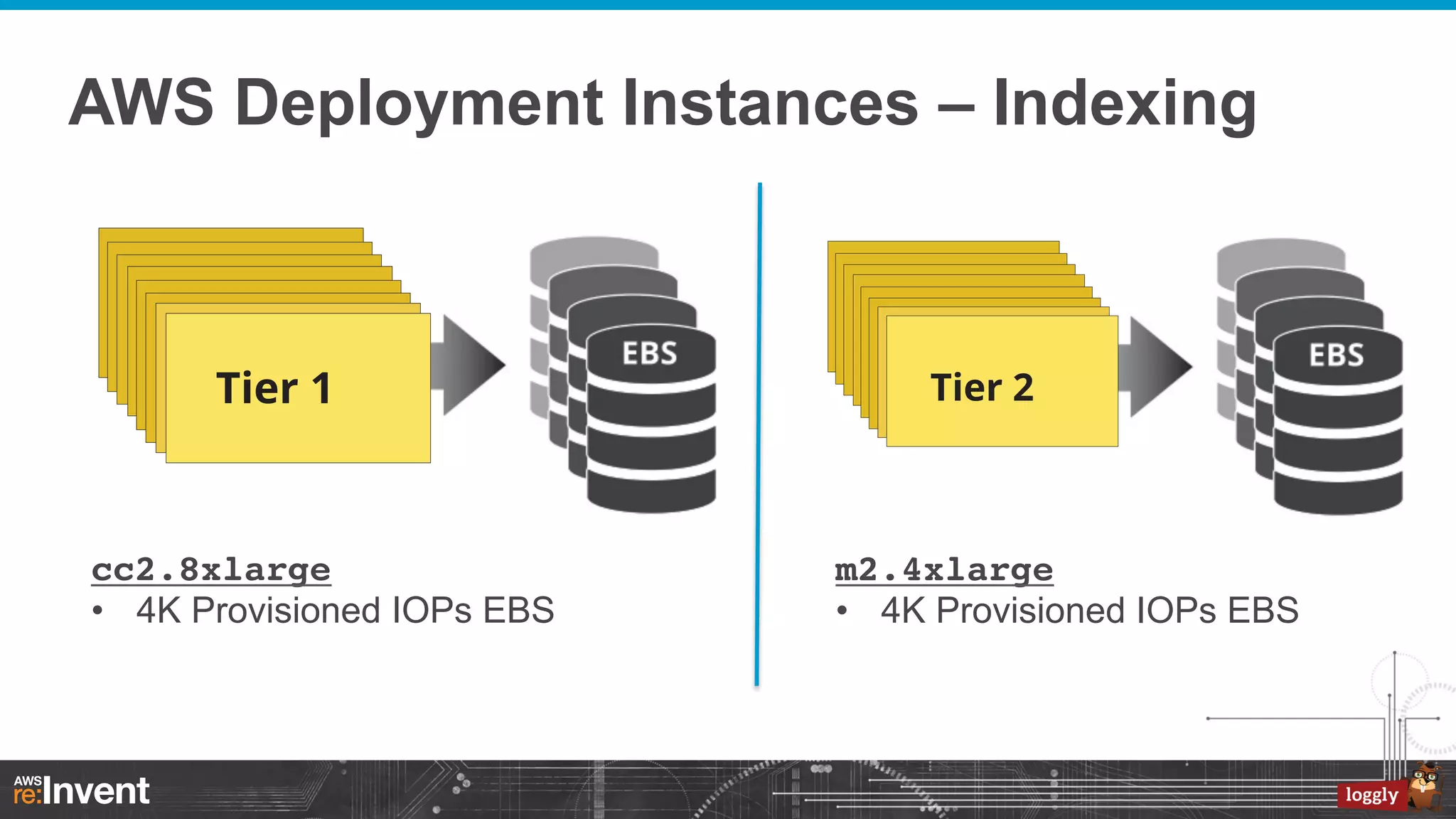
AWS Deployment Instances – Indexing

cc2.8xlarge!
•  4K Provisioned IOPs EBS

m2.4xlarge!
•  4K Provisioned IOPs EBS
A Few False Starts
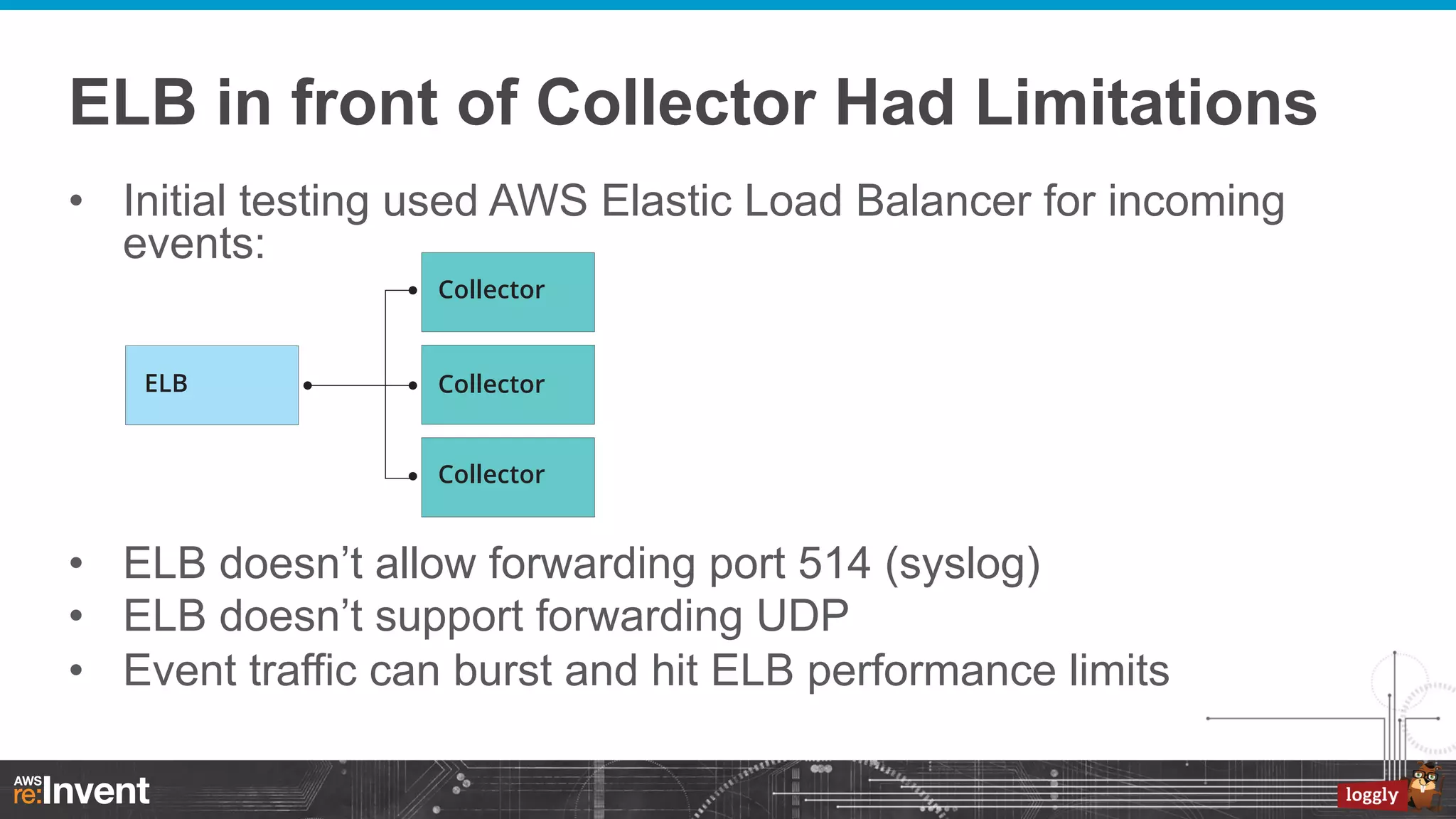
ELB in front of Collector Had Limitations
•  Initial testing used AWS Elastic Load Balancer for incoming
events:

•  ELB doesn’t allow forwarding port 514 (syslog)
•  ELB doesn’t support forwarding UDP
•  Event traffic can burst and hit ELB performance limits
AWS Route 53 DNS Round Robin a Win
•  DNS Round Robin is a pretty basic load balancing
–  Not a bump in the wire

•  Take advantage of AWS failover health checks
–  When a collector goes out of service, it will be out of the DNS rotation

•  Round Robin across multiple regions, AZs
–  Latency based resolution optimizes inbound traffic

•  Collector failover takes longer than it would with ELB
Our First Plan for Log Events
•  Cassandra
–  Highly scalable key-value store
–  Impressive write performance a good match for us
–  Apache project plus commercial support with DataStax

•  Use Cassandra for both our Event Queue and
Persistent Store
–  Our strategy was to get the raw event in to Cassandra
–  …then perform workflow processing on events
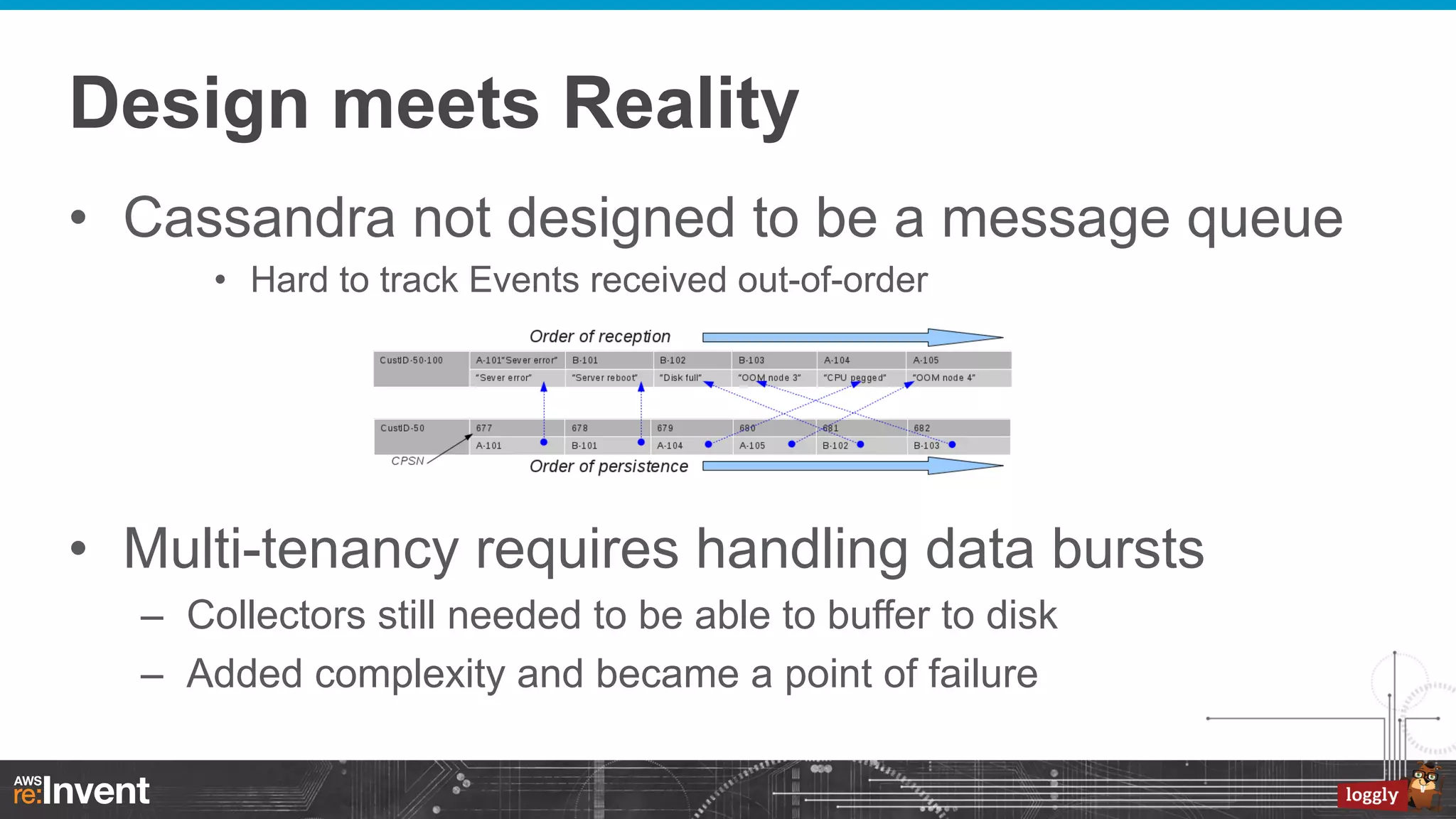
Design meets Reality
•  Cassandra not designed to be a message queue
•  Hard to track Events received out-of-order

•  Multi-tenancy requires handling data bursts
–  Collectors still needed to be able to buffer to disk
–  Added complexity and became a point of failure
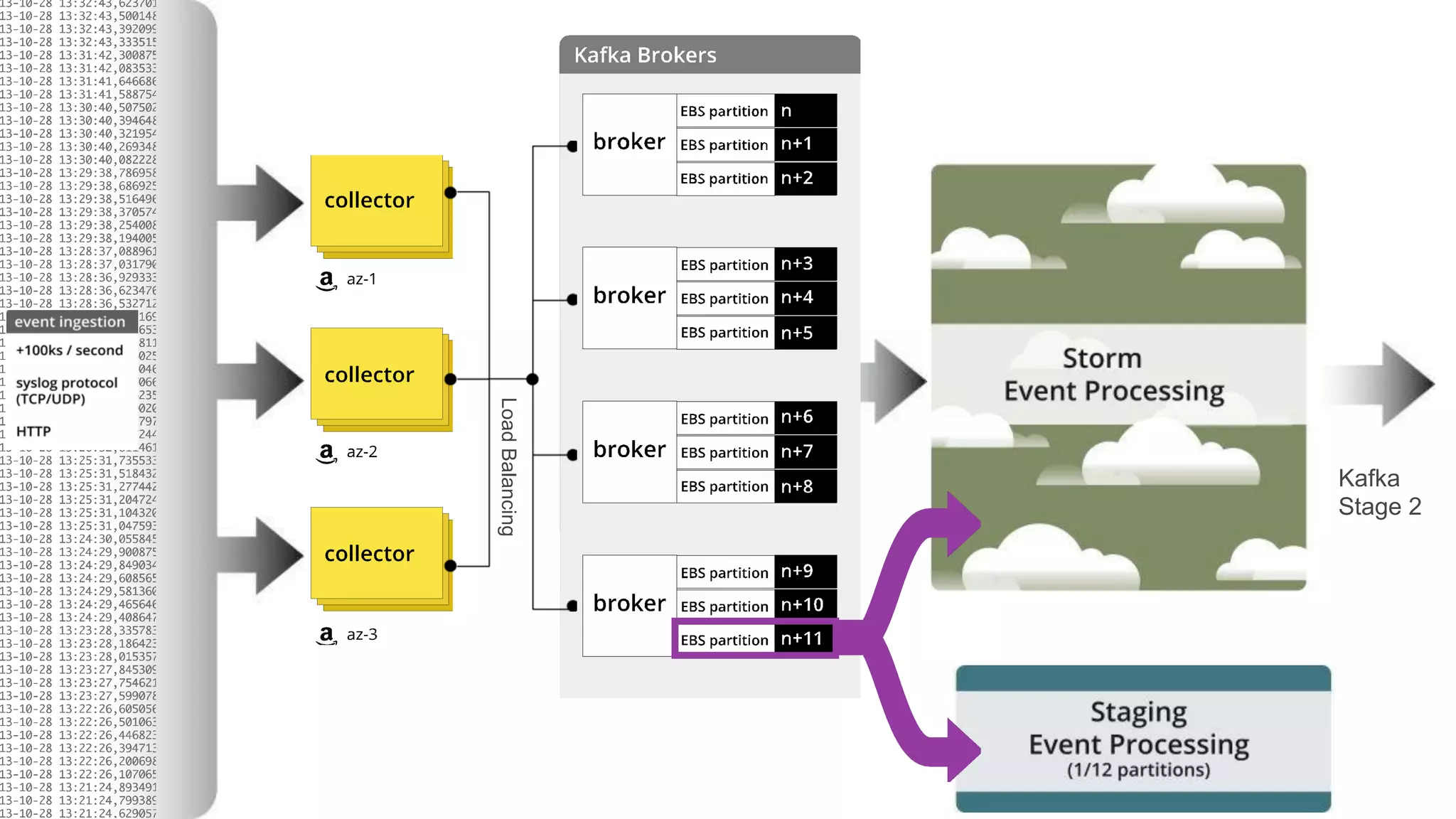
Staging Pre-Production System
Load Balancing

Kafka
Stage 2
Kafka enables Staging Architecture
•  Kafka producer doesn’t care if there are
multiple consumers
•  Staging system runs pre-production code
•  Pub-sub allows us to randomly index a
fraction of our production load
•  A highly-effective pre-production system
Big Wins
•  Leveraging AWS services
– 
– 
– 
– 

Multi-Region, multi-AZ
Provisioned IOPS for availability and scale
Route 53 DNS support with latency resolution
Easy to increase and decrease Storm resources

•  Leveraging Open Source infrastructure
–  Apache Kafka
–  Twitter Storm
–  ElasticSearch

•  Staging
Future of Loggly Infrastructure
•  Better use of Amazon Auto Scaling
•  Keep logs in region they came from
–  We currently keep indexed events in a single region

•  Integrate with more external data sources
Feedback
•  Questions?
Send’em to us on twitter: @loggly
Kick the tires, sign up: loggly.com/ace
Jim Nisbet
CTO and VP of Engineering, Loggly
Philip O’Toole
Lead Developer, Infrastructure, Loggly

AWS re:Invent presentation: Unmeltable Infrastructure at Scale by Loggly

  • 1.
    ARC303 - UnmeltableInfrastructure at Scale: Using Apache Kafka, Twitter Storm and ElasticSearch on AWS Jim Nisbet Philip O’Toole CTO and VP of Engineering, Loggly Lead Developer, Infrastructure, Loggly November 2013 © 2013 Amazon.com, Inc. and its affiliates. All rights reserved. May not be copied, modified, or distributed in whole or in part without the express consent of Amazon.com, Inc.
  • 2.
    What Loggly Does • Log Management as a service –  Near real-time indexing of events •  Distributed architecture, built on AWS •  Initial production services in 2011 –  Loggly Generation 2 released in Sept 2013 •  Thousands of customers
  • 3.
    Agenda for thisPresentation •  •  •  •  •  •  A bit about logging Lessons learned from our first generation How we leverage AWS services Our use of Kafka, Storm, ElasticSearch What worked well for us and what did not Where we are going
  • 4.
    Log Management •  Everyonestarts with … –  A bunch of log files (syslog, application specific) –  On a bunch of machines •  Management consists of doing the simple stuff –  Rotate files, compress and delete –  Information is there but awkward to find specific events –  Weird log retention policies evolve over time
  • 5.
    “…how can Imake this someone else’s problem!” “…hmmm, our logs are getting a bit bloated” Log Volume Self-Inflicted Pain “…let’s spend time managing our log capacity”
  • 6.
    Best Practices inLog Management •  Use existing logging infrastructure –  Real time syslog forwarding is built in –  Application log file watching •  Store logs externally –  Accessible when there is a system failure •  Log messages in machine parsable format –  JSON encoding when logging structured information –  Key-value pairs
  • 7.
    From the Trenches… • Managing Applications vs. Managing Logs –  Do not make this is an either/or proposition! If you get a disk space alert, first login… % sudo rm –rf /var/log/apache2/*! Admit it, we’ve all seen this kind of thing!
  • 8.
    You Have Logs... 2013-10-25T18:35:43.387+0000:441.482: [GC [PSYoungGen: 2430541K->268617K(2484544K)] 7687523K>5660738K(8076992K), 0.3266870 secs] [Times: user=1.05 sys=0.17, real=0.33 secs]! 2013-10-25T18:35:43.714+0000: 441.809: [Full GC [PSYoungGen: 268617K->0K(2484544K)] [ParOldGen: 5392121K>354965K(5592448K)] 5660738K->354965K(8076992K) [PSPermGen: 44444K->44395K(83968K)], 0.9225290 secs] [Times: user=2.22 sys=0.26, real=0.92 secs]! •  In this case, JVM garbage collection logs enabled with… -XX:+PrintGCDetails -XX:+PrintGCDateStamps -XX:+PrintGCTimeStamps
  • 9.
    Yes, you needto search these logs
  • 10.
    But you alsoneed to to spot trends
  • 11.
  • 12.
    Loggly First Generation • Logging as a service –  Real-time searchable logs •  Thousands of customers –  Transmission rates from 10 events/sec to 100k events/sec –  When customers systems are busy they send more logs –  Log traffic has distinct bursts; bursts can last for several hours •  AWS EC2 deployment –  We used EC2 Instance storage •  SOLR Cloud –  Full power of Lucene search –  Tens of thousands of shards (with special ‘sleep shard’ logic) •  ZeroMQ for message queue
  • 13.
    First Generation LessonsLearned •  Event ingestion too tightly coupled to indexing –  Manual re-indexing for temporary SOLR issues •  Multiple Indexing strategies needed –  4 orders of magnitude difference between our high volume users and our low volume users (10 eps vs. 100,000+ eps) –  Too much system overhead for low volume users –  Difficult to support changing sharding strategies for a customer
  • 14.
    Big Data InfrastructureSolutions We are not alone… •  Our challenges –  –  –  –  –  Massive incoming event stream Fundamentally multi-tenant Scalable framework for analysis Near real-time indexing Time series index management Scalability Real Time Analytics Multi tenant SaaS
  • 15.
    Apache Kafka •  Overview –  –  –  –  AnApache project initially developed at LinkedIn Distributed publish-subscribe messaging system Specifically designed for real time activity streams Does not follow JMS Standards nor uses JMS APIs •  Key Features –  –  –  –  Persistent messaging High throughput Uses Zookeeper for forming a cluster of nodes Supports both queue and topic semantics
  • 16.
  • 17.
    Storm Framework •  Storm(open sourced by Twitter) –  Open sourced September 2011 –  Now an Apache Software Foundation project •  Currently Incubator Status •  Framework is for stream processing –  –  –  –  Distributed Fault tolerant Computation Fail-fast components
  • 18.
    Storm Logical View ExampleTopology Bolt Spout Bolt Bolt Spouts emit source stream Bolts perform stream processing Bolt
  • 19.
  • 20.
    ElasticSearch •  Open source – Commercial support available from ElasticSearch.com –  Growing open-source community •  •  •  •  •  Distributed search engine Fully exposes Lucene search functionality Built for clustering from the ground-up High availability Multi-tenancy
  • 21.
    ElasticSearch In Action • Add/delete nodes dynamically •  Add indexes with REST api •  Indexes and Nodes have attributes –  Indexes automatically moved to best Nodes •  Indexes can be sharded •  Supports bulk insertion of events •  Plugins for monitoring cluster
  • 22.
  • 23.
    Generation 2 –The Challenge •  Always accept log data –  Never make a customer’s incident worse •  Never drop log data –  A single log message could be critical •  True Elasticity
  • 24.
    Perfect Match ForReal Time Log Events •  Apache Kafka –  Extremely high-performance pub-sub persistent queue •  Consumer tracks their location in queue –  A good fit for our use cases •  Multiple Kafka brokers –  Good match for AWS •  Multiple brokers per region •  Availability Zone separation
  • 25.
    Real Time EventProcessing •  Twitter Storm –  Scalable realtime computation sysytem •  Storm used as a “pull” system –  Provisioned for average load, not peak load –  Input from Kafka queue •  Worker nodes can be scaled dynamically •  Elasticity is key –  Another good match for AWS •  Able to scale workers up and down dynamically
  • 26.
  • 27.
  • 28.
    Loggly Collector Performance • C++ multi-threaded •  Boost ASIO framework •  Each Collector can handle 250k+ events per second –  Per m2.2xlarge instance 1 x EC2 m2.2xlarge Collector instance (300 byte average event size).
  • 29.
  • 30.
  • 31.
    Event Pipeline inSummary •  Storm provides Complex Event Processing –  Where we run much of our secret-sauce •  Stage 1 contains the raw Events •  Stage 2 contains processed Events •  Snapshot the last day of Stage 2 events to S3
  • 32.
  • 33.
    Loggly and IndexManagement •  Indexes are time-series data –  Separated by customer –  Represent slices of time •  Higher volume index will have shorter time slice •  Multi-tier architecture for efficient indexing –  Multiple indexing tiers mapped to different AWS instance types •  Efficient use of AWS resources
  • 34.
    AWS Deployment Instances– Stage 1 c1.xlarge •  •  •  Compute-optimized High-traffic ingestion points Disk not important m2.2xlarge! •  •  Memory-optimized Disk buffer caching 4K Provisioned IOPs EBS •  •  •  Ensures consistent IO No noisy-neighbours Persistent storage
  • 35.
    AWS Deployment Instances– Stage 2 ZooKeeper c1.xlarge m1.xlarge •  •  •  •  •  •  Compute-optimized CPU-intensive processing Network IO General-purpose Configuration Management m2.2xlarge •  •  •  Memory-optimized Disk buffer caching 4K provisioned IOPs EBS
  • 36.
    AWS Deployment Instances– Indexing cc2.8xlarge! •  4K Provisioned IOPs EBS m2.4xlarge! •  4K Provisioned IOPs EBS
  • 37.
  • 38.
    ELB in frontof Collector Had Limitations •  Initial testing used AWS Elastic Load Balancer for incoming events: •  ELB doesn’t allow forwarding port 514 (syslog) •  ELB doesn’t support forwarding UDP •  Event traffic can burst and hit ELB performance limits
  • 39.
    AWS Route 53DNS Round Robin a Win •  DNS Round Robin is a pretty basic load balancing –  Not a bump in the wire •  Take advantage of AWS failover health checks –  When a collector goes out of service, it will be out of the DNS rotation •  Round Robin across multiple regions, AZs –  Latency based resolution optimizes inbound traffic •  Collector failover takes longer than it would with ELB
  • 40.
    Our First Planfor Log Events •  Cassandra –  Highly scalable key-value store –  Impressive write performance a good match for us –  Apache project plus commercial support with DataStax •  Use Cassandra for both our Event Queue and Persistent Store –  Our strategy was to get the raw event in to Cassandra –  …then perform workflow processing on events
  • 41.
    Design meets Reality • Cassandra not designed to be a message queue •  Hard to track Events received out-of-order •  Multi-tenancy requires handling data bursts –  Collectors still needed to be able to buffer to disk –  Added complexity and became a point of failure
  • 42.
  • 43.
  • 44.
    Kafka enables StagingArchitecture •  Kafka producer doesn’t care if there are multiple consumers •  Staging system runs pre-production code •  Pub-sub allows us to randomly index a fraction of our production load •  A highly-effective pre-production system
  • 46.
    Big Wins •  LeveragingAWS services –  –  –  –  Multi-Region, multi-AZ Provisioned IOPS for availability and scale Route 53 DNS support with latency resolution Easy to increase and decrease Storm resources •  Leveraging Open Source infrastructure –  Apache Kafka –  Twitter Storm –  ElasticSearch •  Staging
  • 47.
    Future of LogglyInfrastructure •  Better use of Amazon Auto Scaling •  Keep logs in region they came from –  We currently keep indexed events in a single region •  Integrate with more external data sources
  • 48.
    Feedback •  Questions? Send’em tous on twitter: @loggly Kick the tires, sign up: loggly.com/ace Jim Nisbet CTO and VP of Engineering, Loggly Philip O’Toole Lead Developer, Infrastructure, Loggly