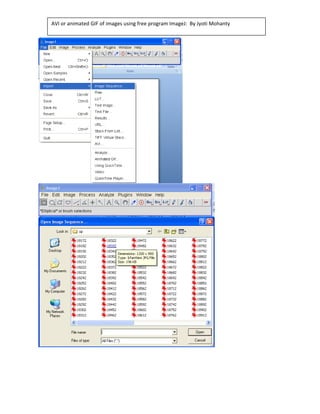
AVI or animated GIF of images using free program ImageJ:  By Jyoti Mohanty 


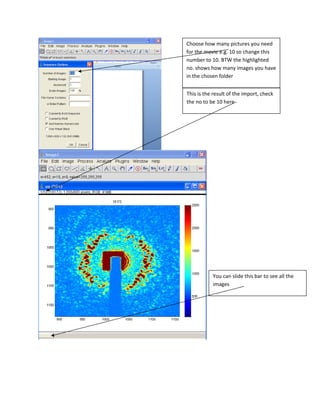
Choose how many pictures you need 
for the movie e.g. 10 so change this 
number to 10. BTW the highlighted 
no. shows how many images you have 
in the chosen folder 


This is the result of the import, check 
the no to be 10 here 


           You can slide this bar to see all the 
           images 
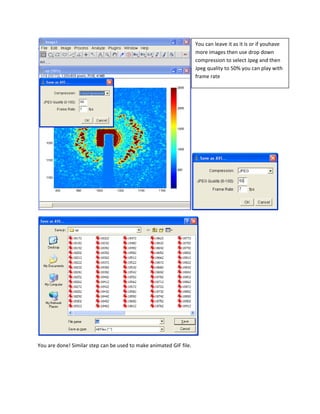
You can leave it as it is or if youhave 
                                                                     more images then use drop down 
                                                                     compression to select Jpeg and then 
                                                                     Jpeg quality to 50% you can play with 
                                                                     frame rate 


You are done! Similar step can be used to make animated GIF file. 


Avi movie Image J