Animating Digital
Libraries
James Williamson, MLIS, CA, DAS
Digital Production Librarian
Southern Methodist University
The Basics
What is a GIF?
oStands for graphics
interchange format
oBasically an animated format
for the web that can be
created from images,
illustrations, and videos.
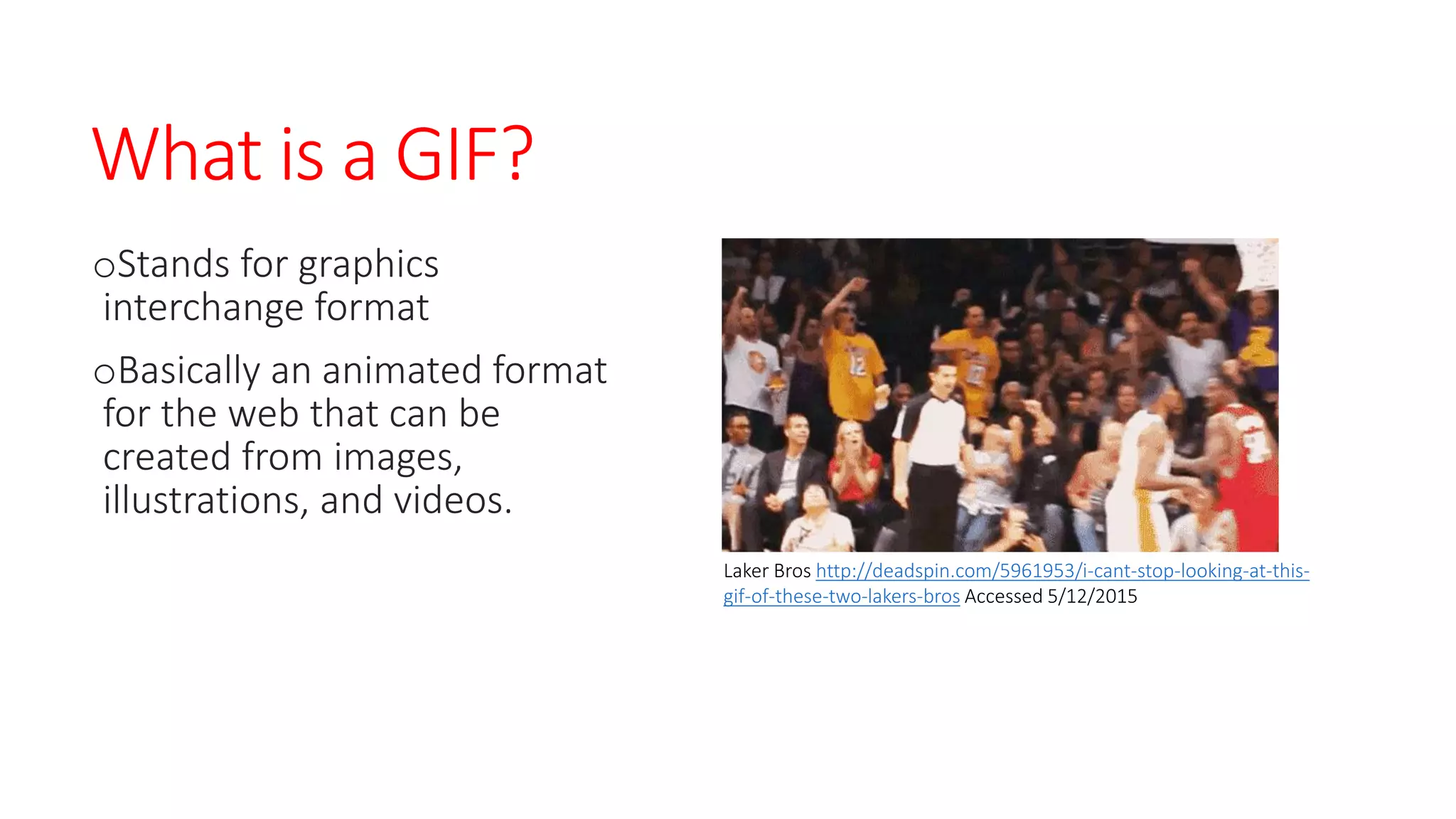
Laker Bros http://deadspin.com/5961953/i-cant-stop-looking-at-this-
gif-of-these-two-lakers-bros Accessed 5/12/2015
Why should I use them?
oLanguage of the internet
-especially on youth driven sites like
Tumblr
oA number of institutions have
found success using them
-Previous GIFs have been featured
multiple times on Tumblr Radar. Each
appearance on the Radar resulted in a
substantial bump in followers.
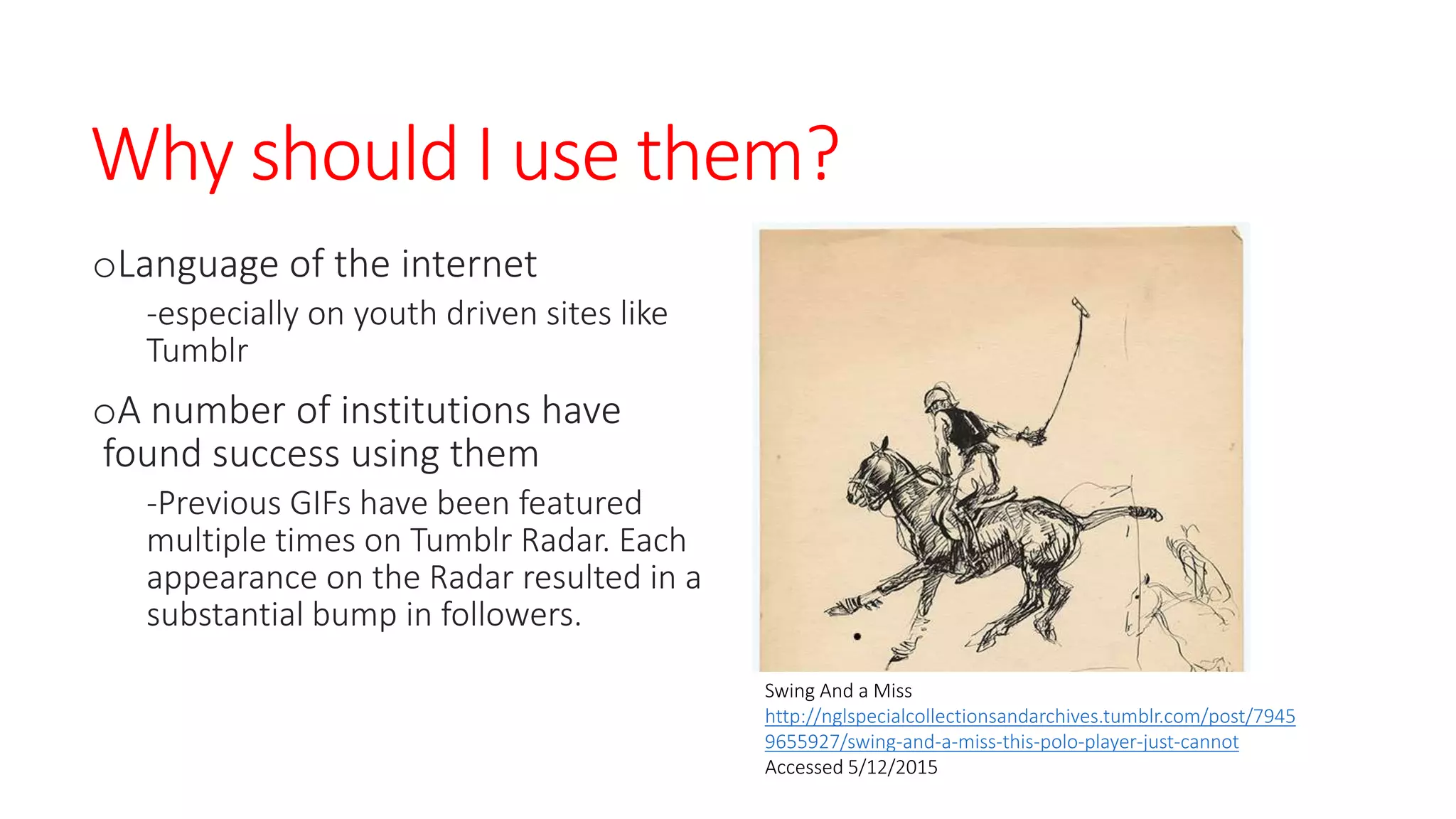
Swing And a Miss
http://nglspecialcollectionsandarchives.tumblr.com/post/7945
9655927/swing-and-a-miss-this-polo-player-just-cannot
Accessed 5/12/2015
Book GIFs
oGIFs created from books in
your collection
-miniature books, art books, rare
books, weird books, etc.
oPopular on the web and
simple to put together
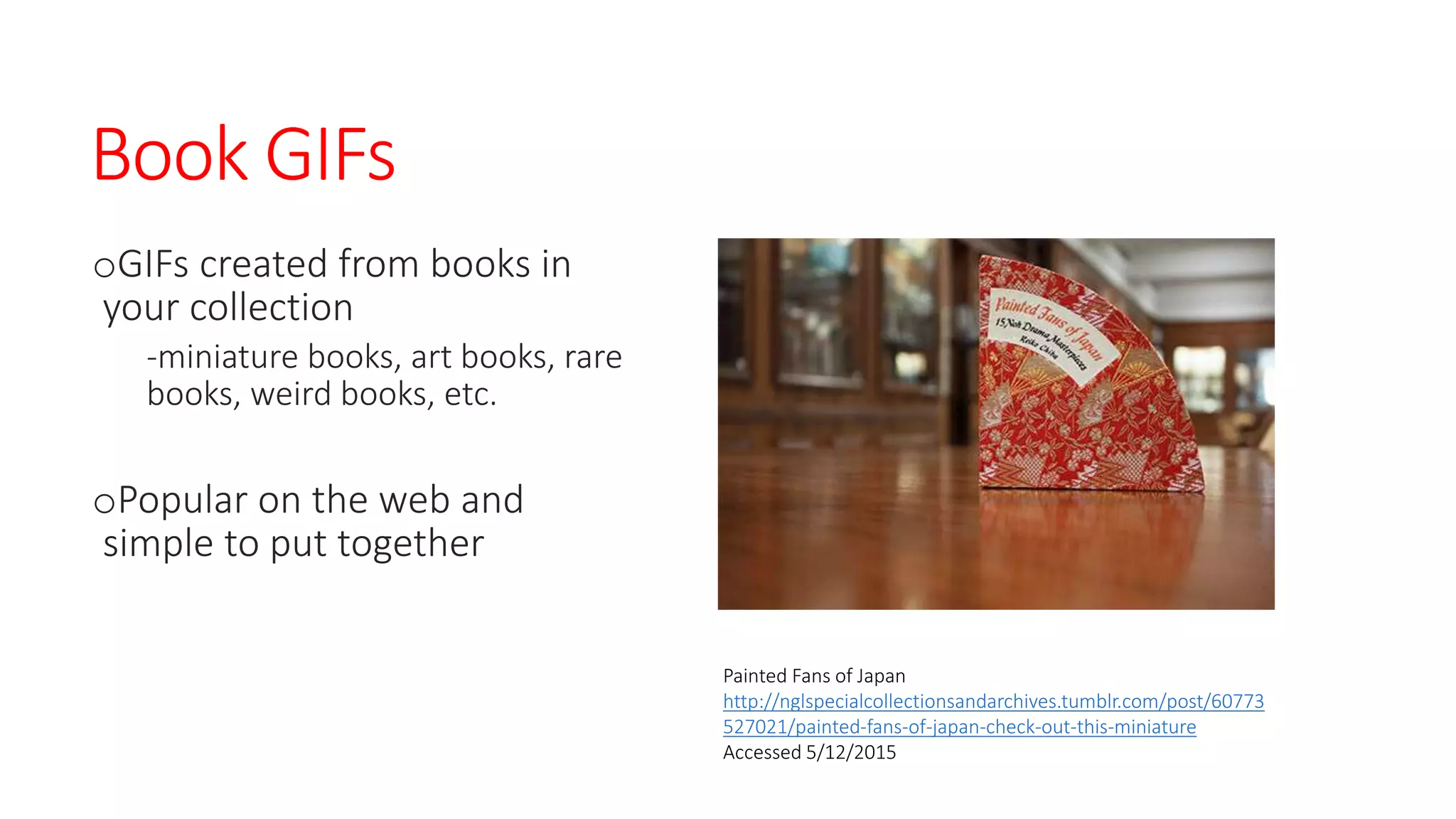
Painted Fans of Japan
http://nglspecialcollectionsandarchives.tumblr.com/post/60773
527021/painted-fans-of-japan-check-out-this-miniature
Accessed 5/12/2015
You can use any type of book
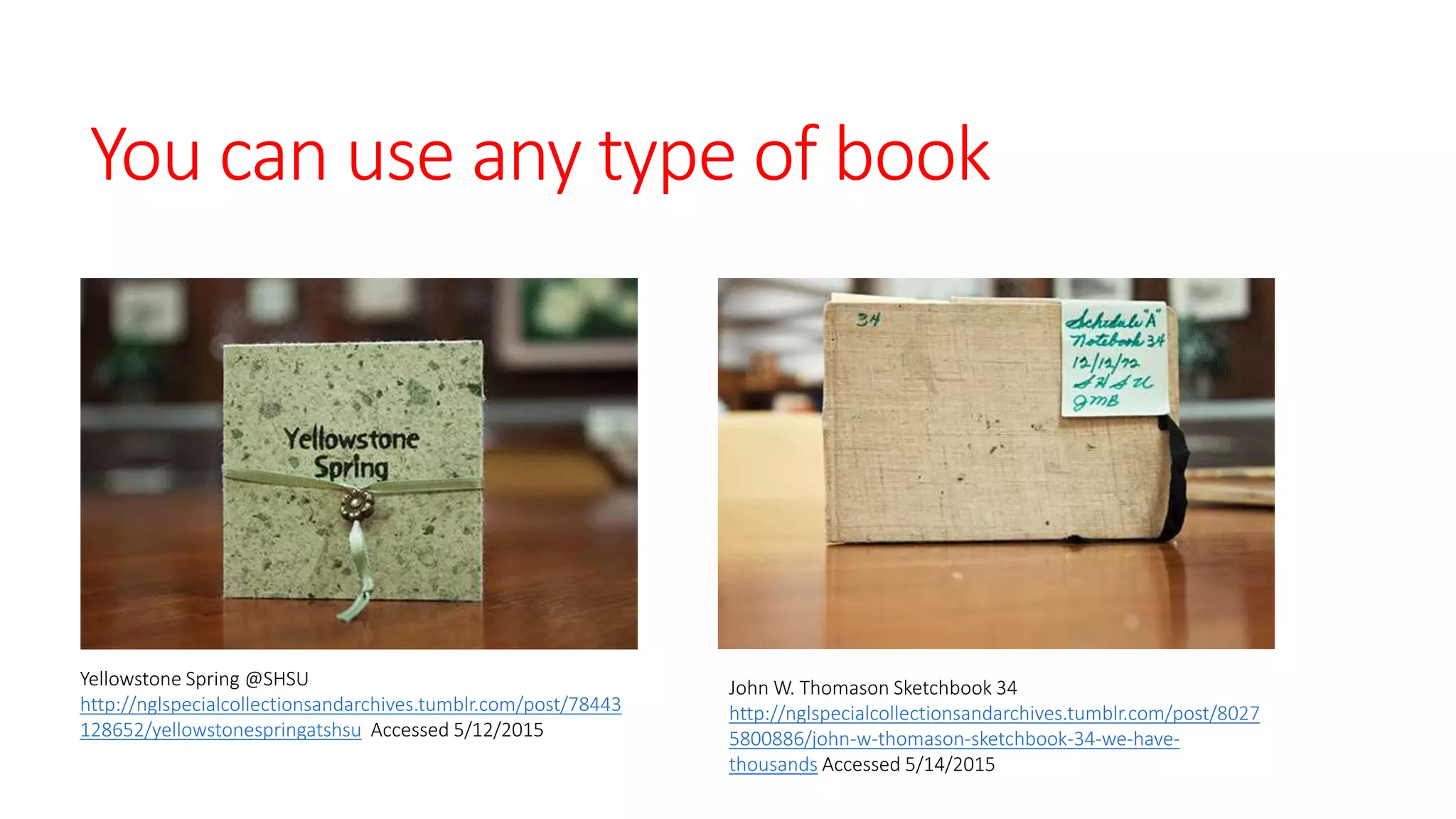
Yellowstone Spring @SHSU
http://nglspecialcollectionsandarchives.tumblr.com/post/78443
128652/yellowstonespringatshsu Accessed 5/12/2015
John W. Thomason Sketchbook 34
http://nglspecialcollectionsandarchives.tumblr.com/post/8027
5800886/john-w-thomason-sketchbook-34-we-have-
thousands Accessed 5/14/2015
Technical requirements for Book GIFs
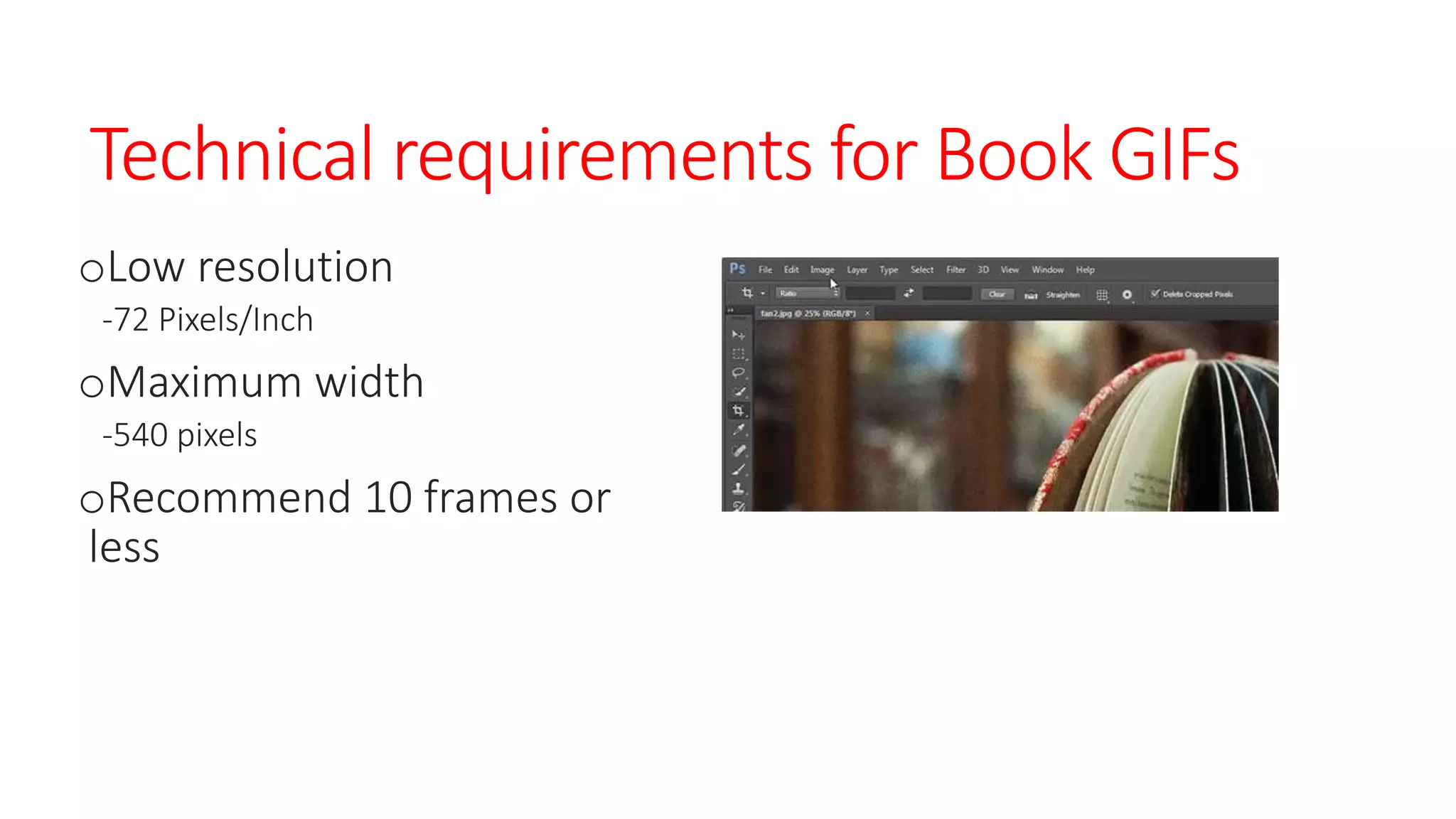
oLow resolution
-72 Pixels/Inch
oMaximum width
-540 pixels
oRecommend 10 frames or
less
How to create
Book GIFs
oStep one
-Take a series of photos of a book from your collection
-Highlight cover and inside contents
-If it has a unique feature, highlight it
oStep two
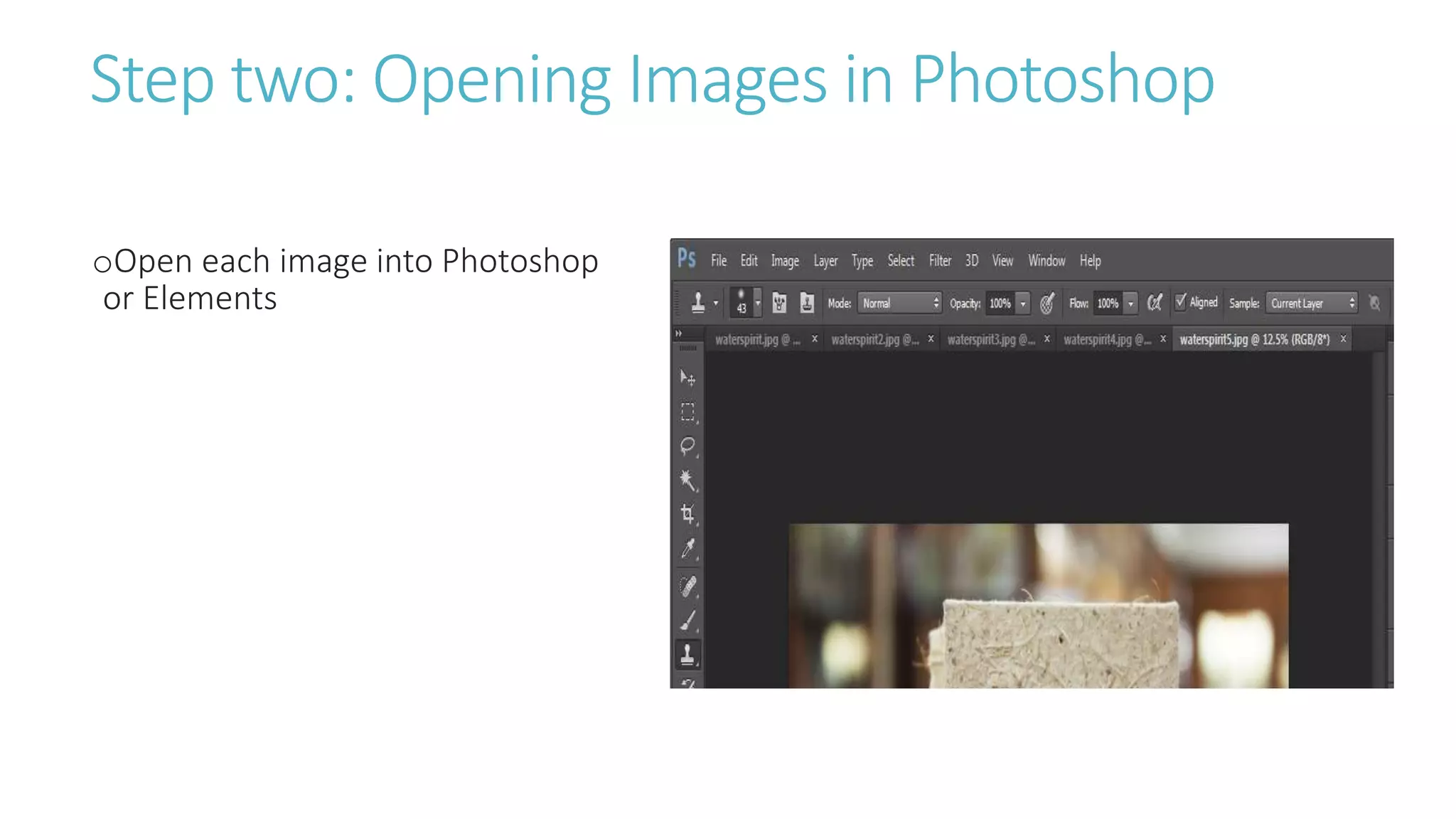
-Open each image into Photoshop
oStep three
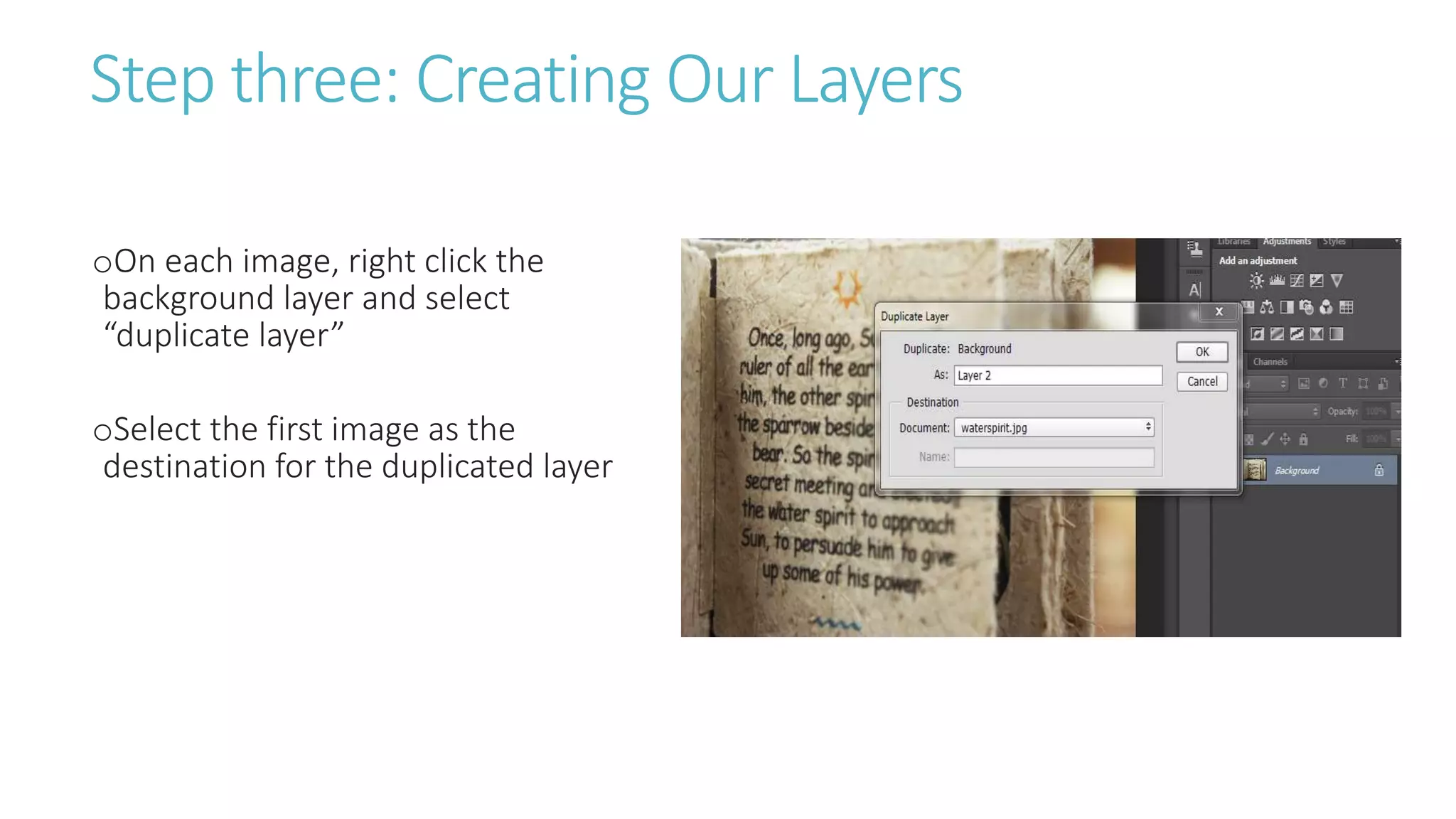
-On each image, right click the background layer and select “duplicate layer”
-Select the first image as the destination for the duplicated layer
oStep four
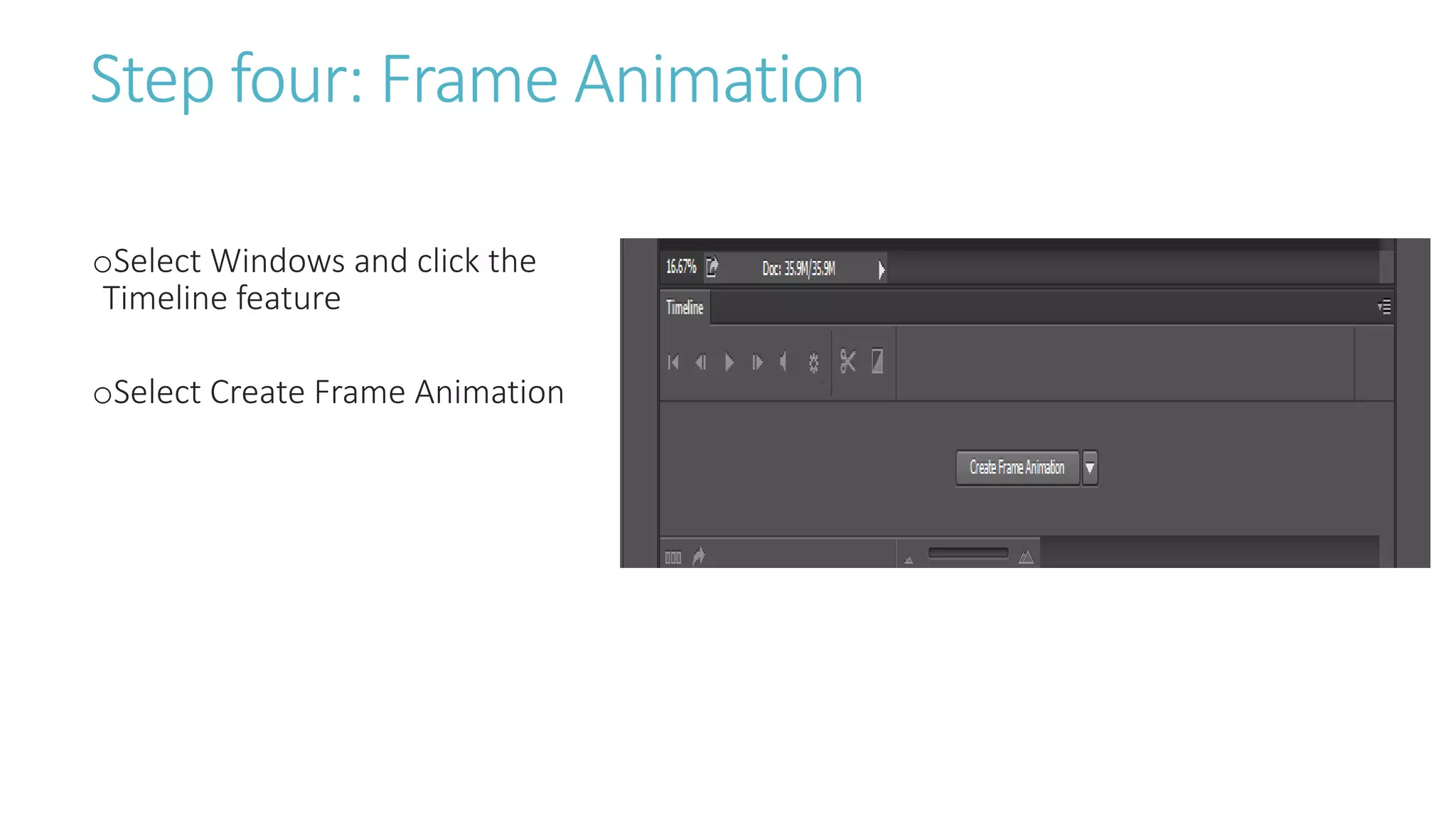
-Select Windows and click the Timeline feature
-Select Create Frame Animation
oStep Five
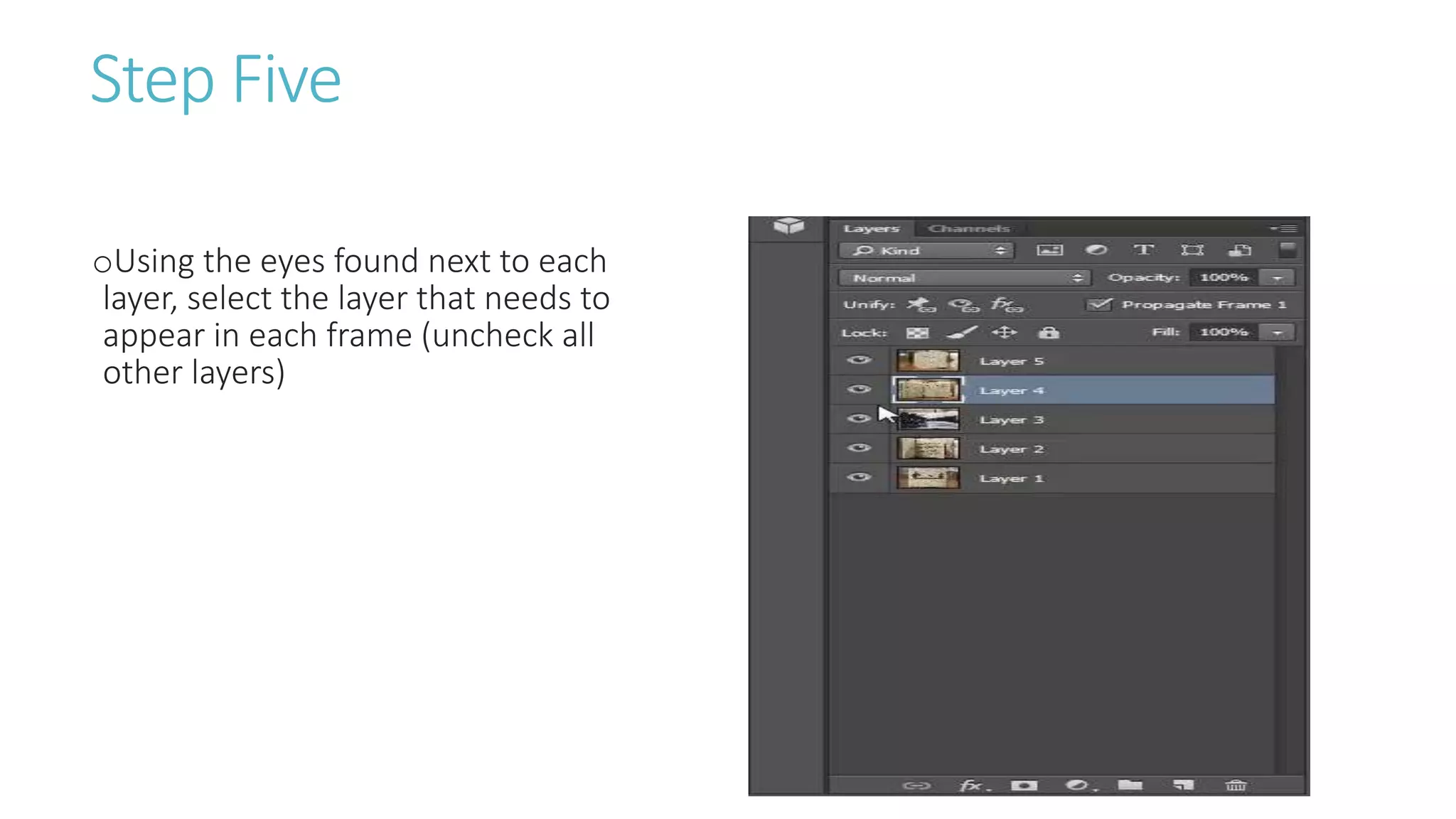
-Using the eyes found next to each layer, select the layer that needs to appear in each frame (uncheck all
other layers)
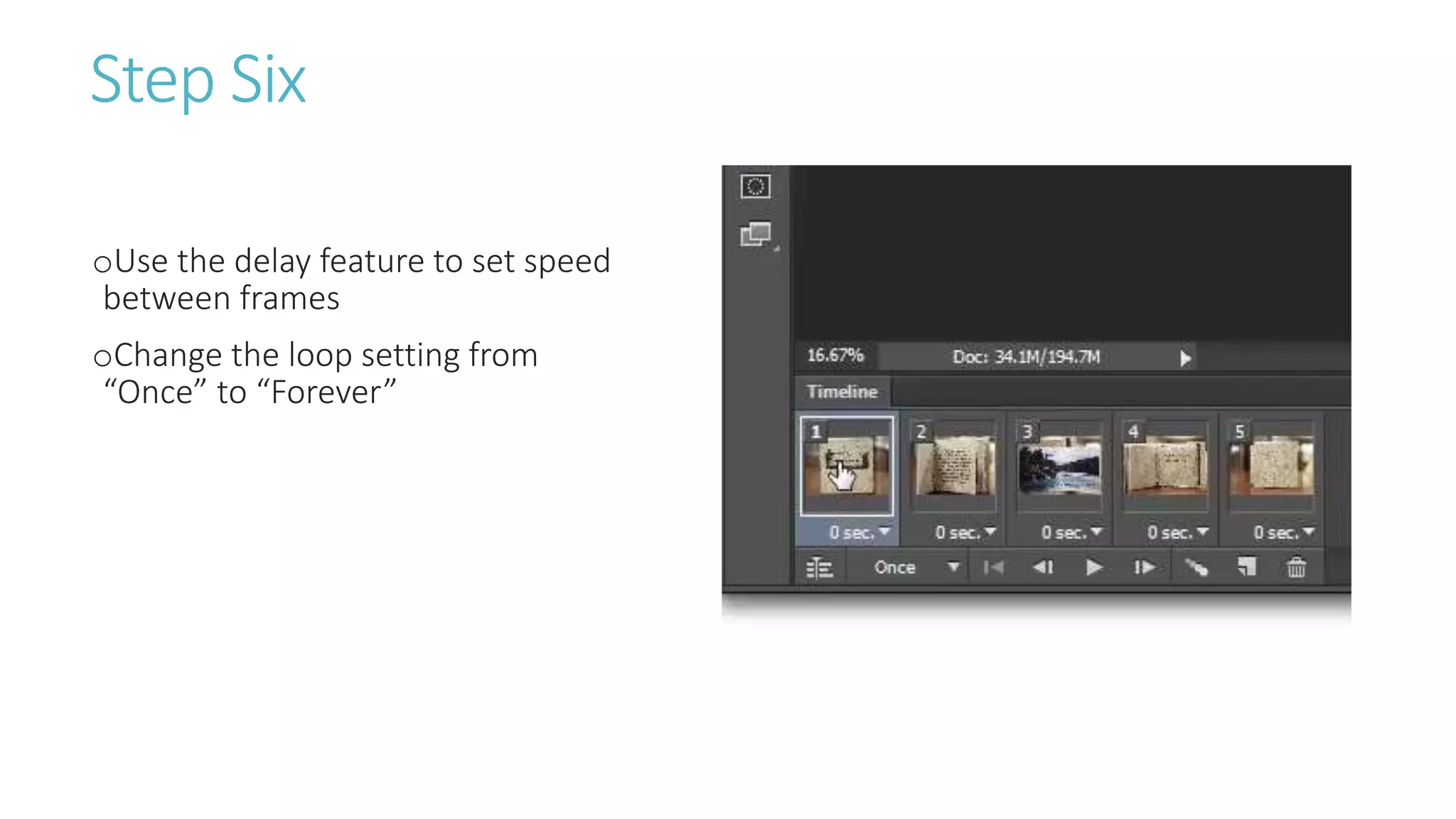
oStep Six
-Use the delay feature to set speed between frames
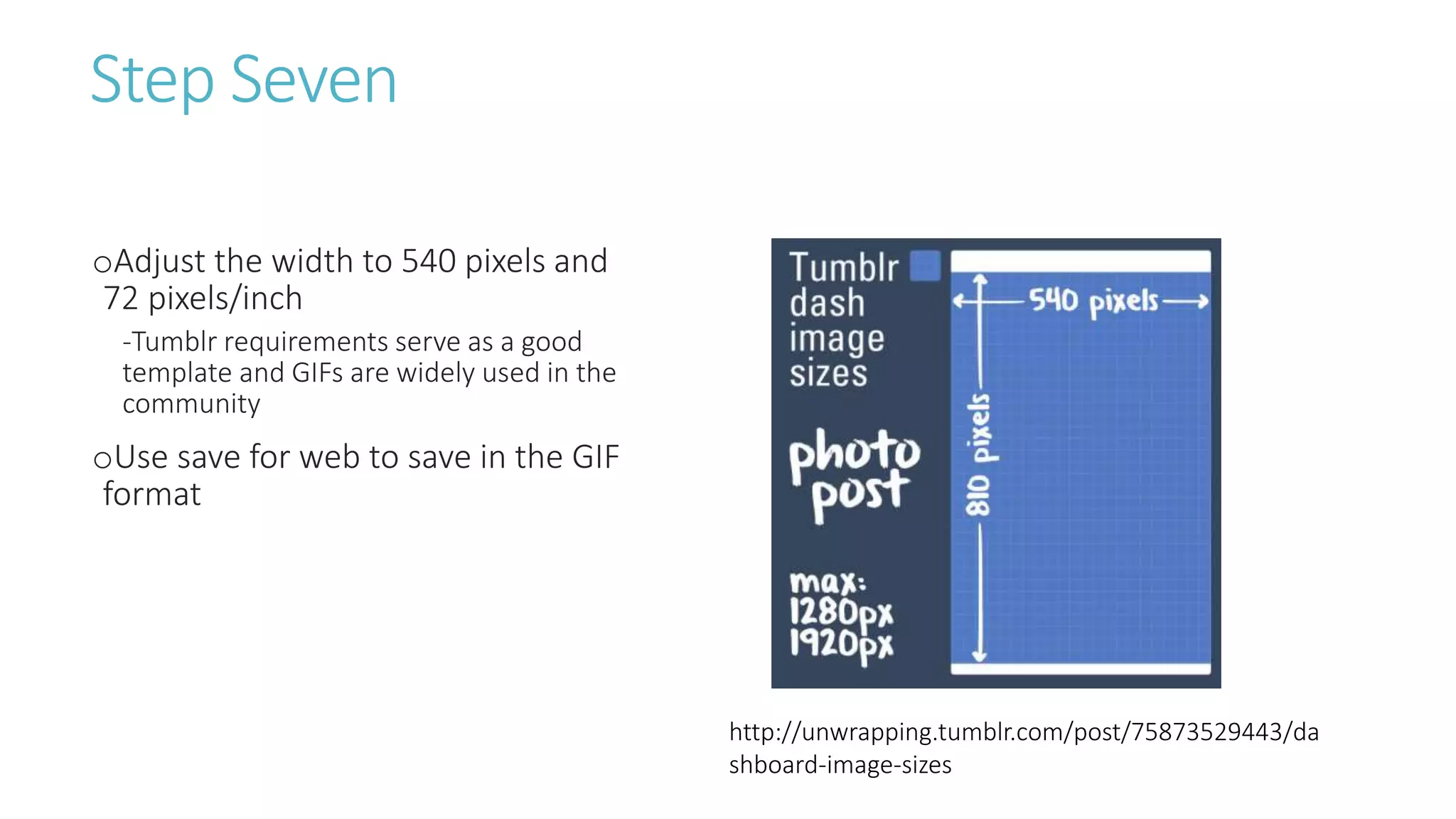
oStep Seven
-Adjust the width to 540 pixels and 72 pixels/inch
-Use save for web to save in the GIF format
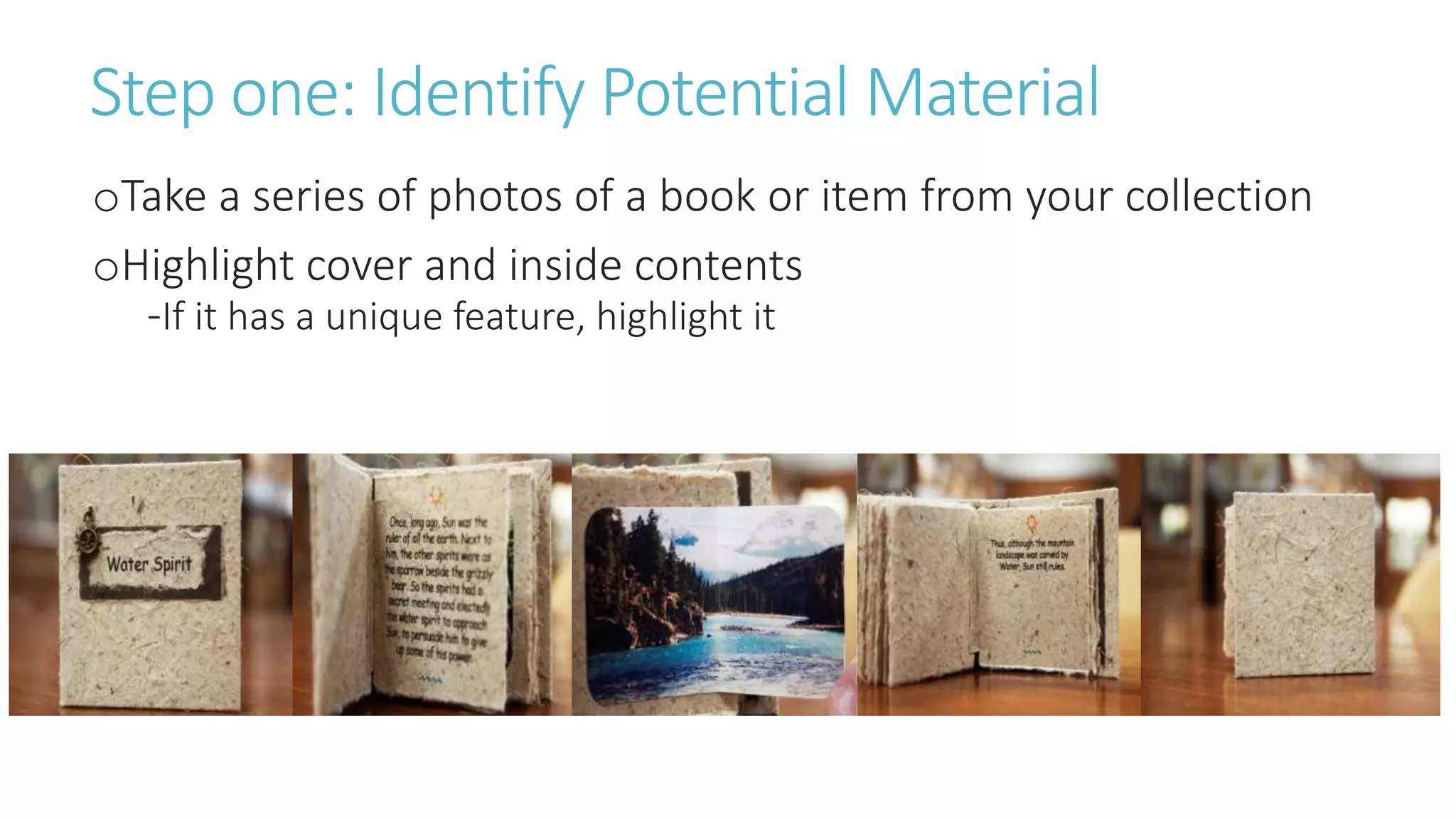
Step one: Identify Potential Material
oTake a series of photos of a book or item from your collection
oHighlight cover and inside contents
-If it has a unique feature, highlight it
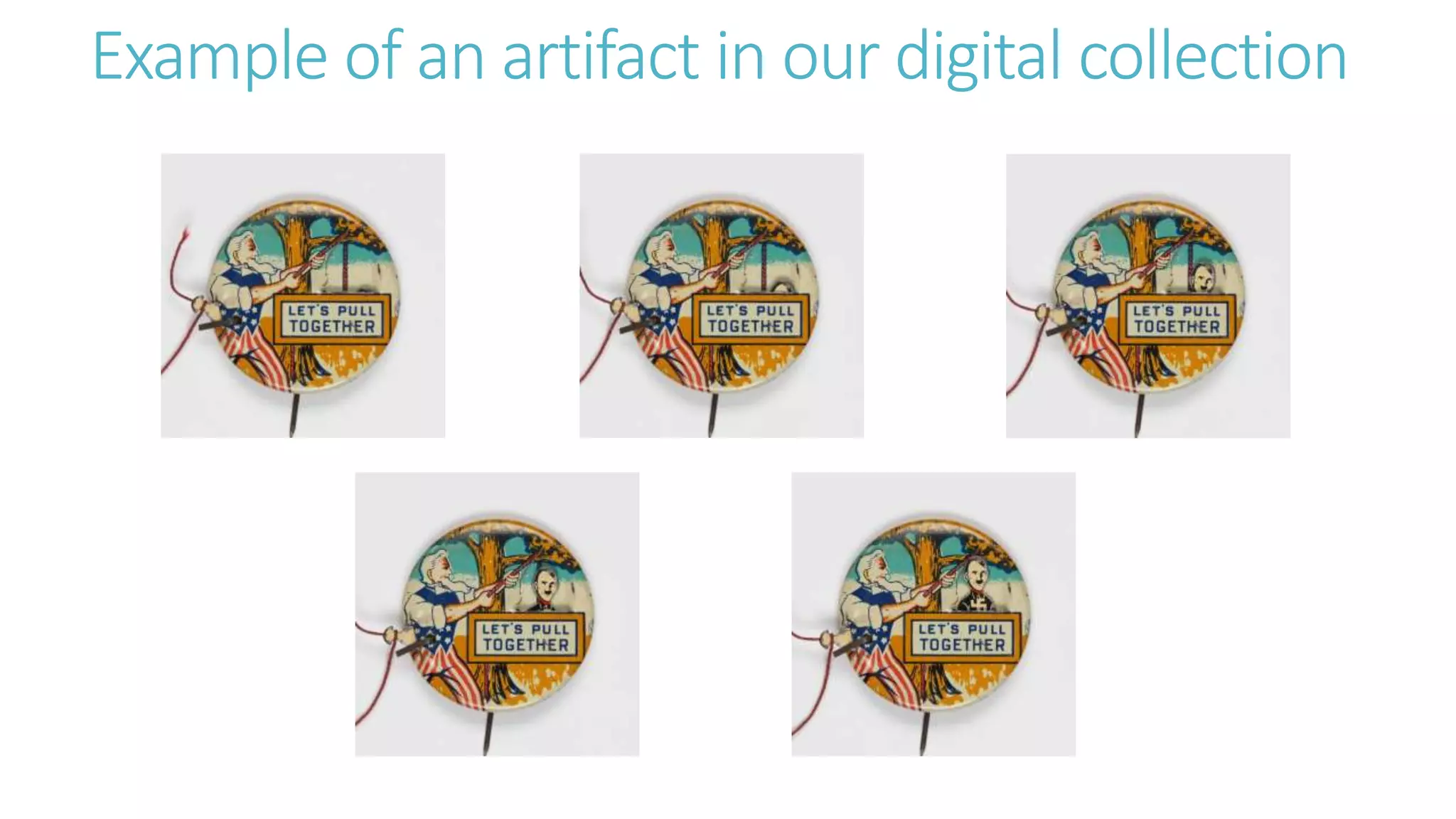
Example of an artifact in our digital collection
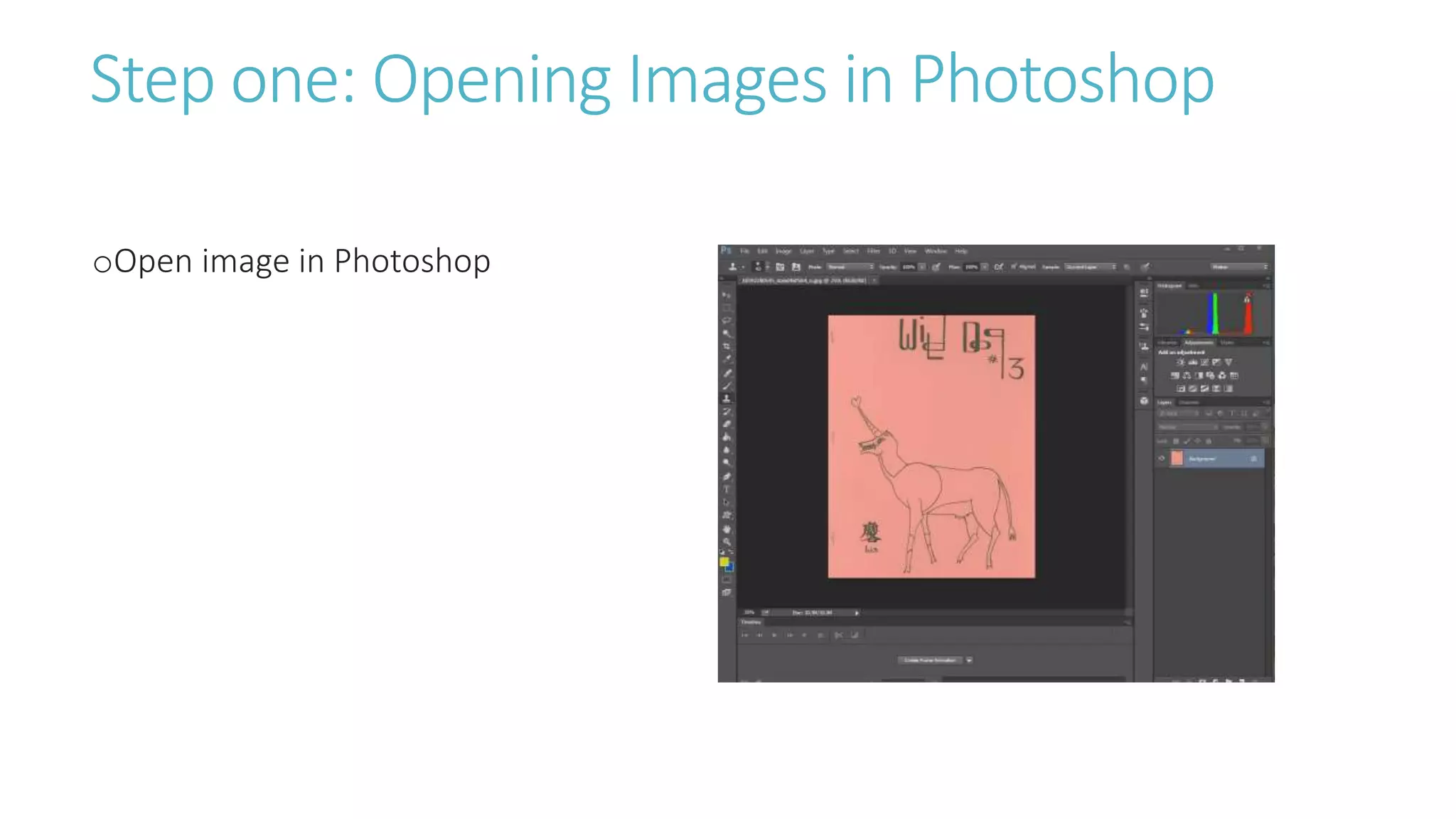
Step two: Opening Images in Photoshop
oOpen each image into Photoshop
or Elements
Step three: Creating Our Layers
oOn each image, right click the
background layer and select
“duplicate layer”
oSelect the first image as the
destination for the duplicated layer
Step four: Frame Animation
oSelect Windows and click the
Timeline feature
oSelect Create Frame Animation
Step Five
oUsing the eyes found next to each
layer, select the layer that needs to
appear in each frame (uncheck all
other layers)
Step Six
oUse the delay feature to set speed
between frames
oChange the loop setting from
“Once” to “Forever”
Step Seven
oAdjust the width to 540 pixels and
72 pixels/inch
-Tumblr requirements serve as a good
template and GIFs are widely used in the
community
oUse save for web to save in the GIF
format
http://unwrapping.tumblr.com/post/75873529443/da
shboard-image-sizes
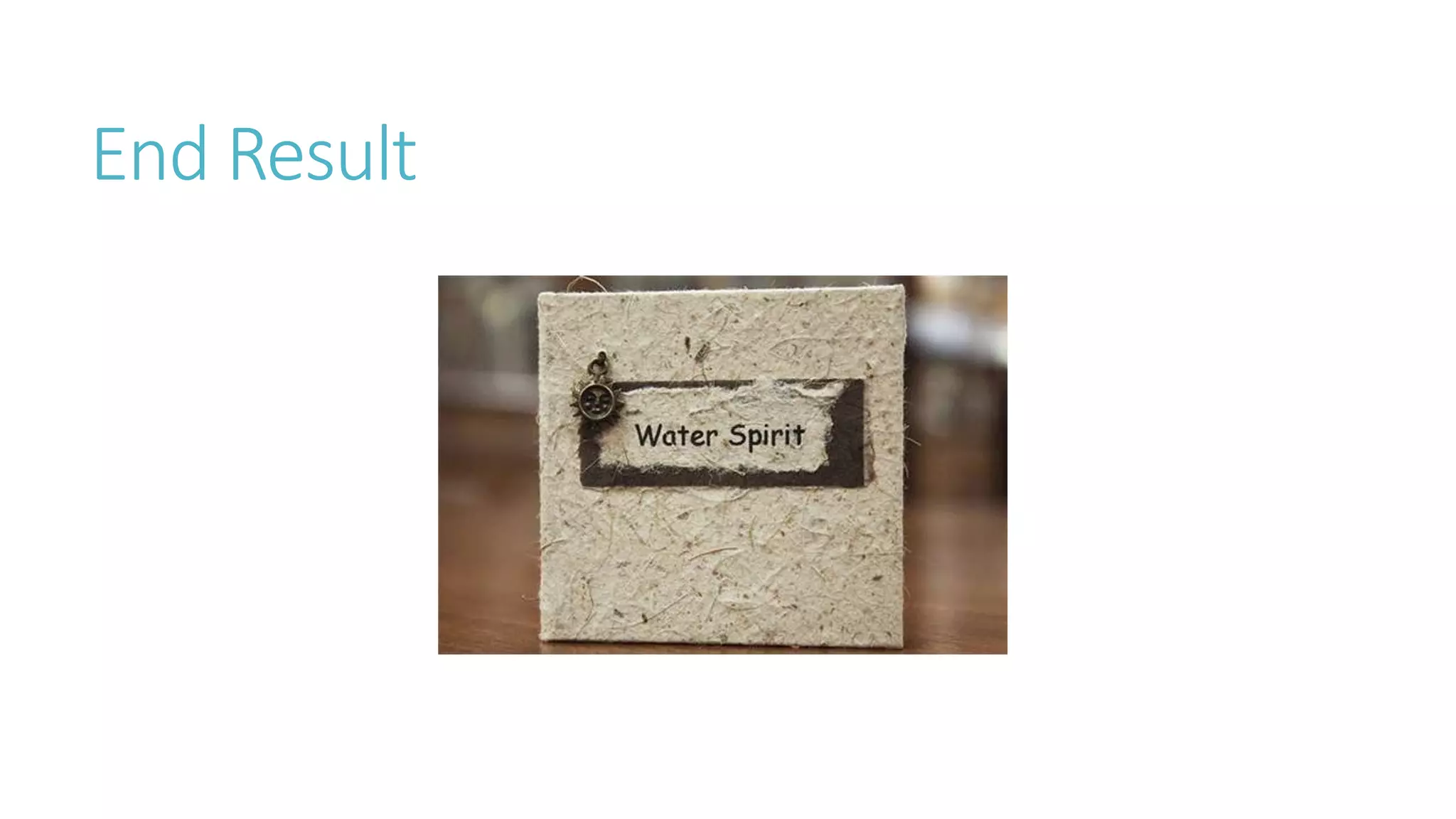
End Result
Questions?
Working with Frames
Video GIFs
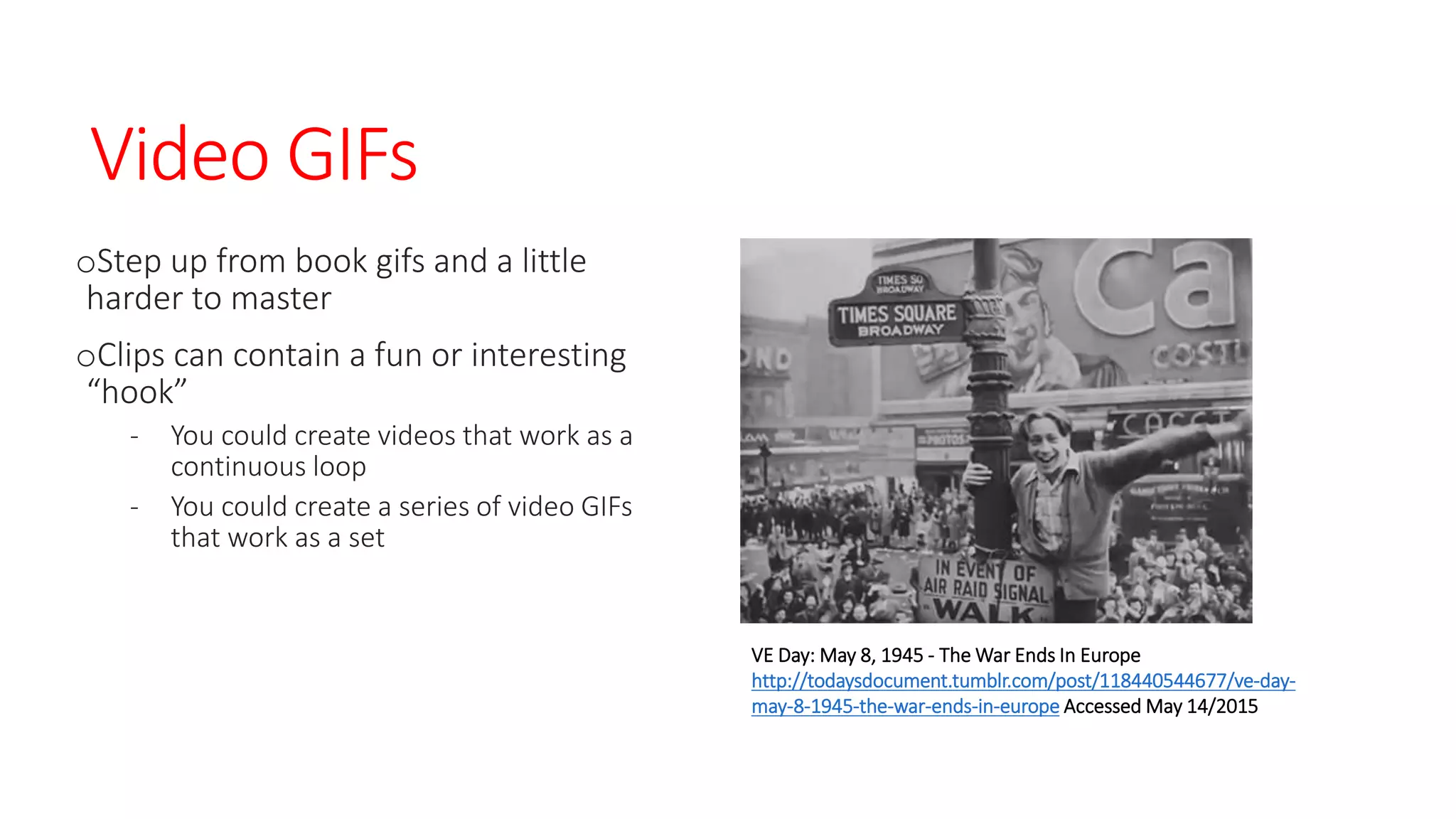
oStep up from book gifs and a little
harder to master
oClips can contain a fun or interesting
“hook”
- You could create videos that work as a
continuous loop
- You could create a series of video GIFs
that work as a set
VE Day: May 8, 1945 - The War Ends In Europe
http://todaysdocument.tumblr.com/post/118440544677/ve-day-
may-8-1945-the-war-ends-in-europe Accessed May 14/2015
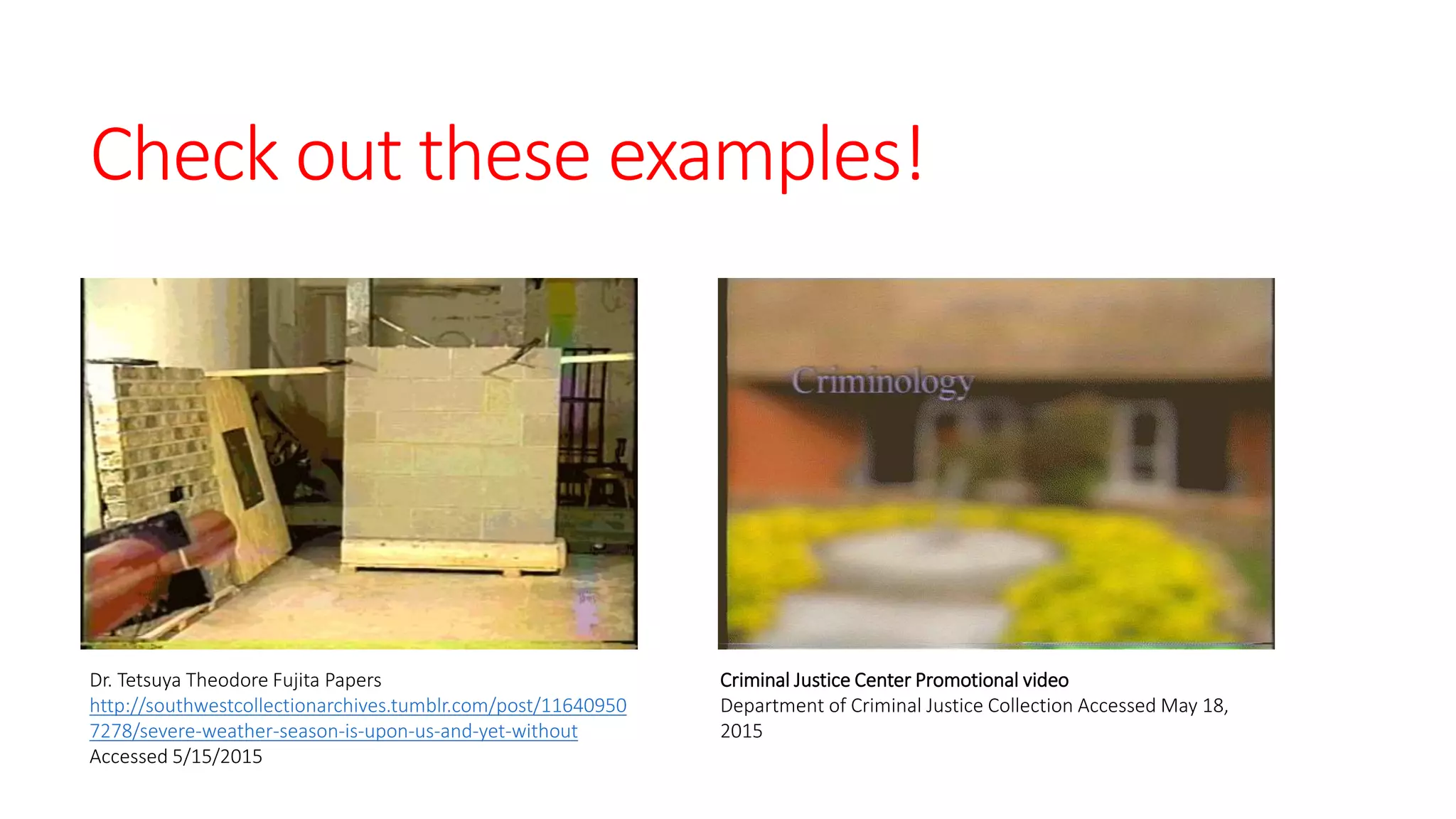
Check out these examples!
Dr. Tetsuya Theodore Fujita Papers
http://southwestcollectionarchives.tumblr.com/post/11640950
7278/severe-weather-season-is-upon-us-and-yet-without
Accessed 5/15/2015
Criminal Justice Center Promotional video
Department of Criminal Justice Collection Accessed May 18,
2015
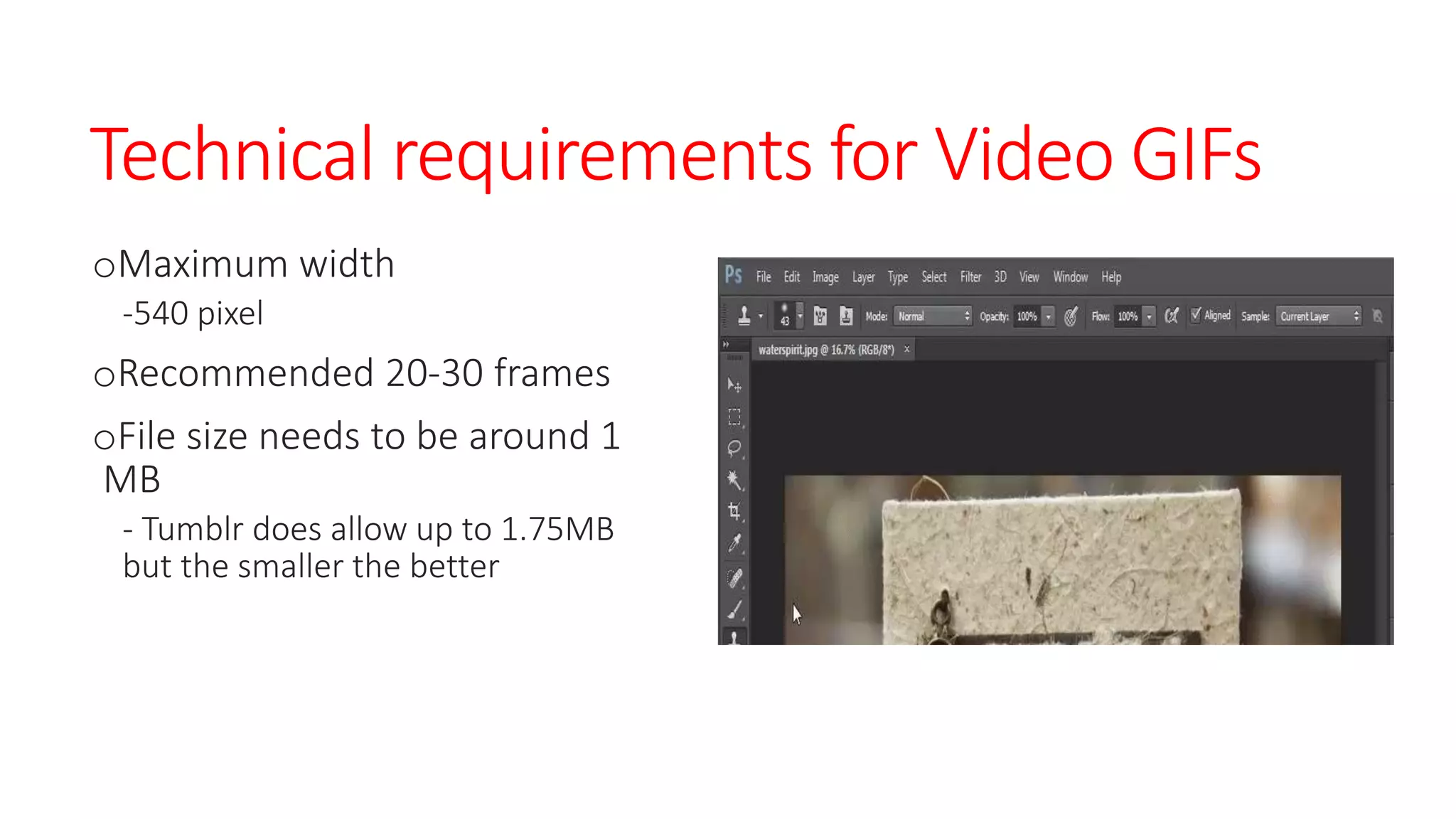
Technical requirements for Video GIFs
oMaximum width
-540 pixel
oRecommended 20-30 frames
oFile size needs to be around 1
MB
- Tumblr does allow up to 1.75MB
but the smaller the better
Well that’s not very specific!
oMultiple factors effect video gifs
-What is the quality of the video?
-It is black and white or color?
-What is the length of the clip that you want to use?
oThis means playing with features to get close to the 1 MB
Things you can do to affect the file size
oChange resolution
-lowering to a point where it does not impact the quality of
the video
oLossy Compression
-Using between 1 to 25 does not have too much of an effect
oLimit color palate
-Lower the colors from 256 to either 128 or 64 may make a
size difference without effecting the quality
How to create Video GIFsoStep one
-shorten video files in program like Premiere or Movie Maker from Windows (You do
have this ability in Photoshop but it lacks precision)
oStep two
-Import into Photoshop
-Convert Video frames to Layers
oStep three
-Select file
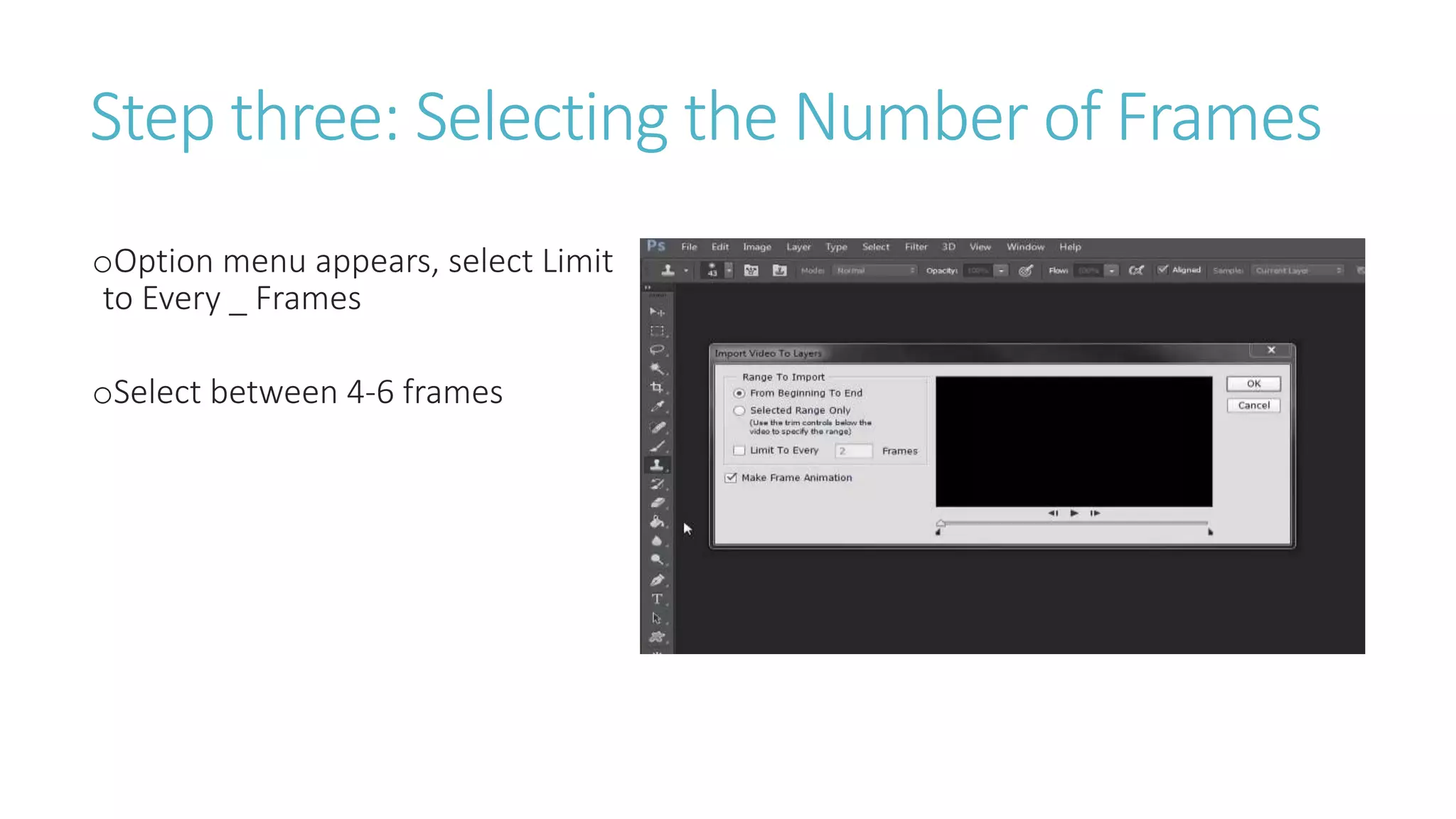
-Option menu appears, select Limit to Every _ Frames
-Select between 4-6 frames
oStep four
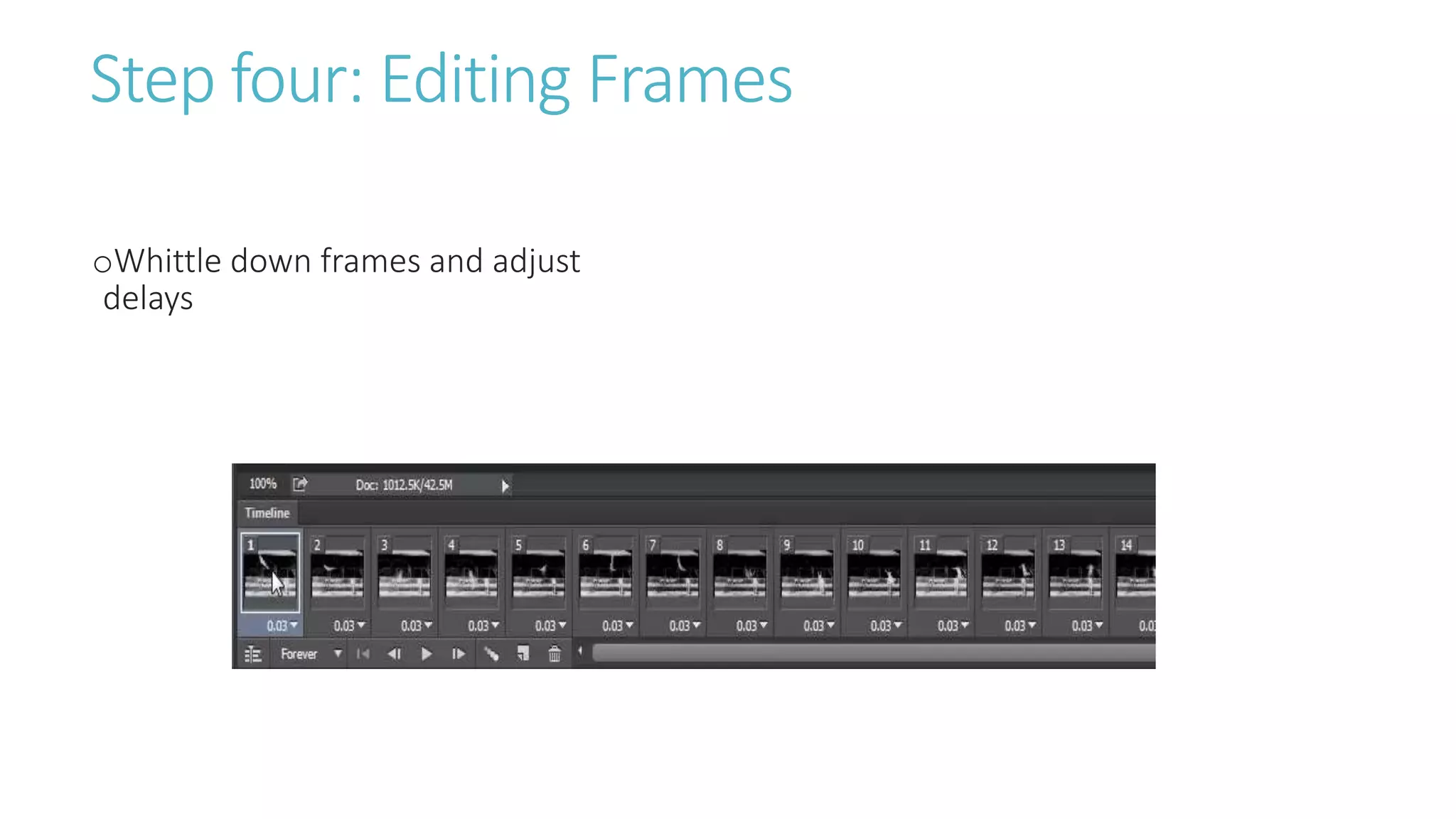
-Whittle down frames and adjust delays
oStep five
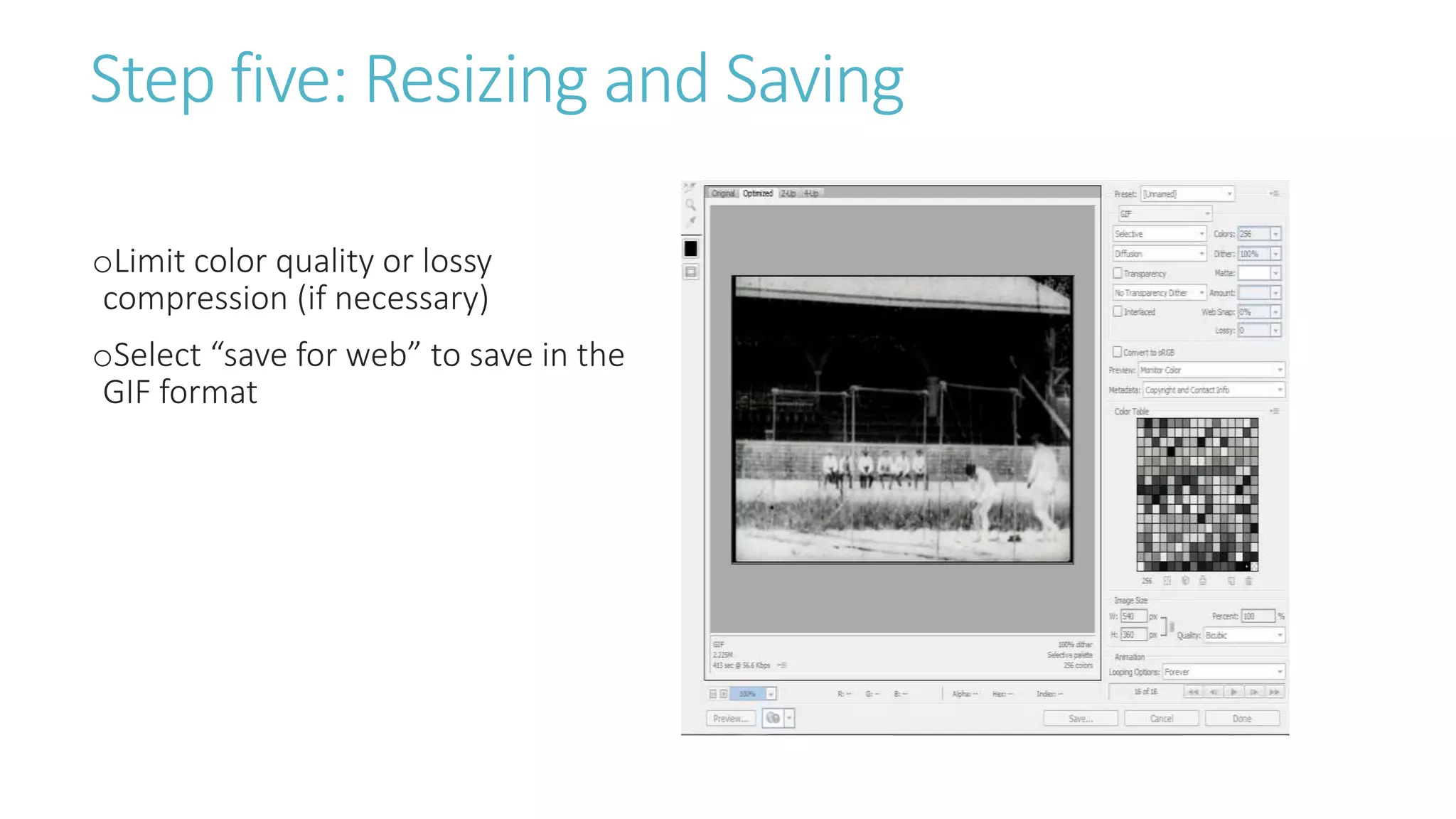
-Limit color quality or lossy compression
-Select “save for web” to save in the GIF format
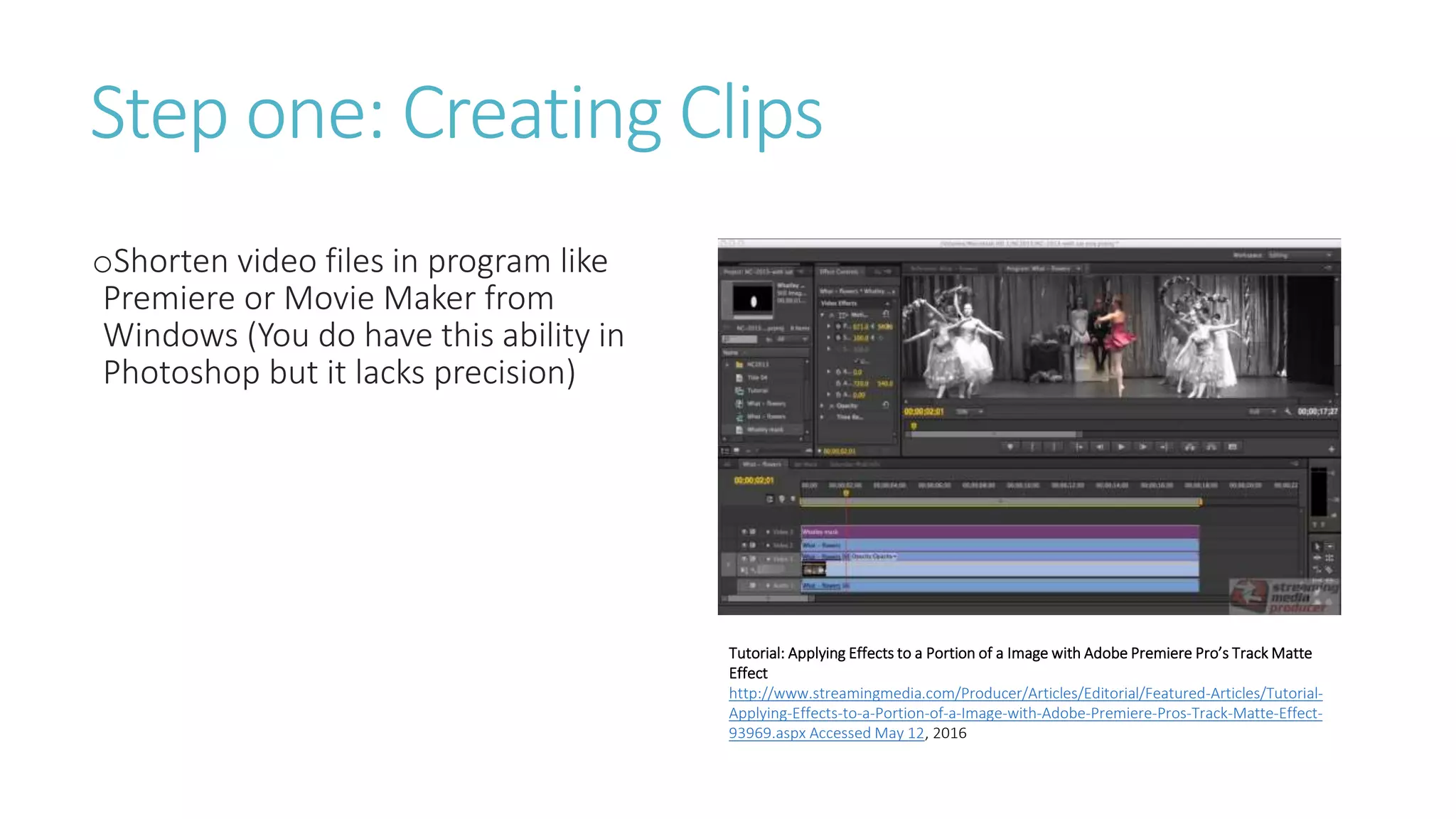
Step one: Creating Clips
oShorten video files in program like
Premiere or Movie Maker from
Windows (You do have this ability in
Photoshop but it lacks precision)
Tutorial: Applying Effects to a Portion of a Image with Adobe Premiere Pro’s Track Matte
Effect
http://www.streamingmedia.com/Producer/Articles/Editorial/Featured-Articles/Tutorial-
Applying-Effects-to-a-Portion-of-a-Image-with-Adobe-Premiere-Pros-Track-Matte-Effect-
93969.aspx Accessed May 12, 2016
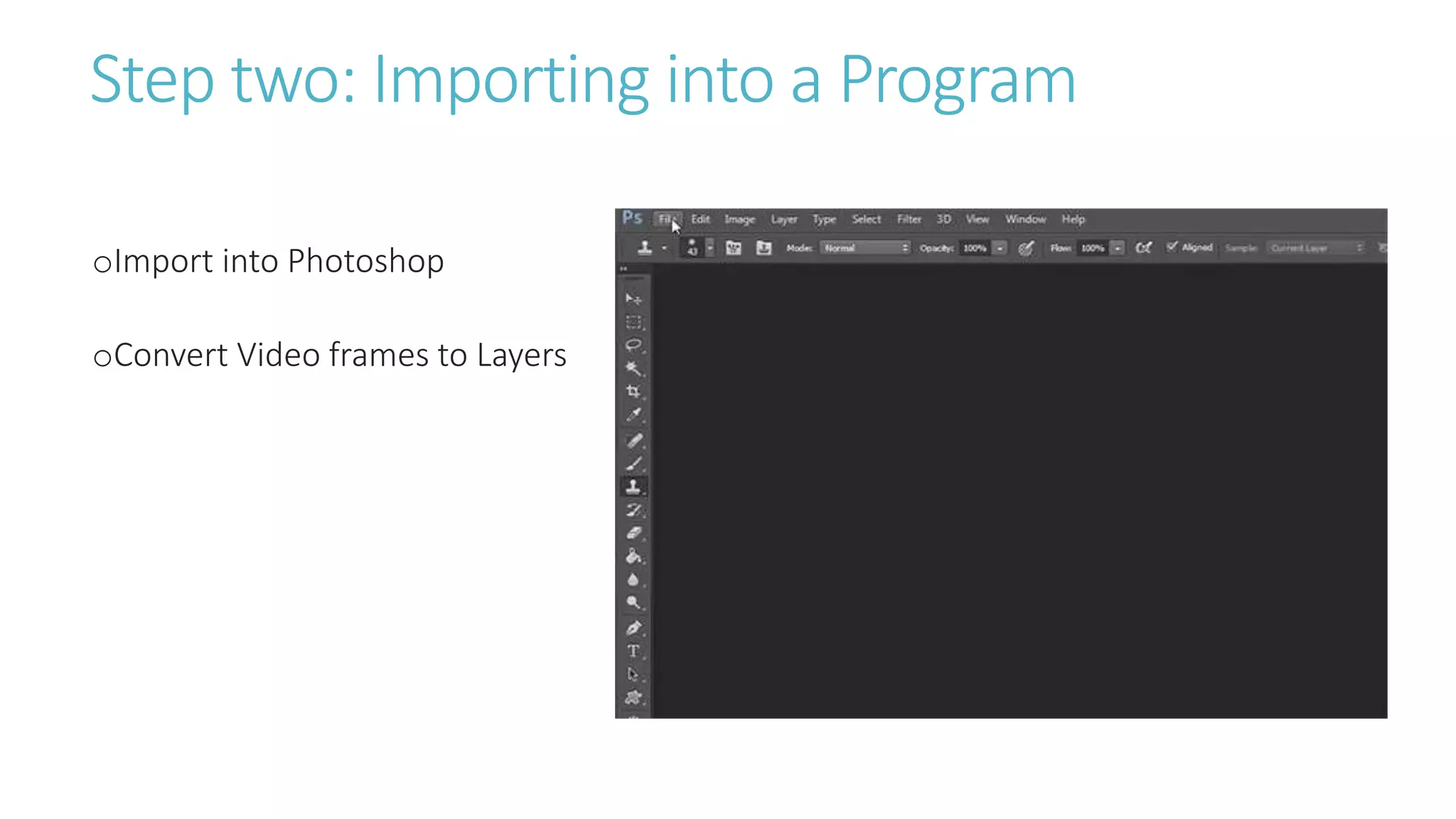
Step two: Importing into a Program
oImport into Photoshop
oConvert Video frames to Layers
Step three: Selecting the Number of Frames
oOption menu appears, select Limit
to Every _ Frames
oSelect between 4-6 frames
Step four: Editing Frames
oWhittle down frames and adjust
delays
Step five: Resizing and Saving
oLimit color quality or lossy
compression (if necessary)
oSelect “save for web” to save in the
GIF format
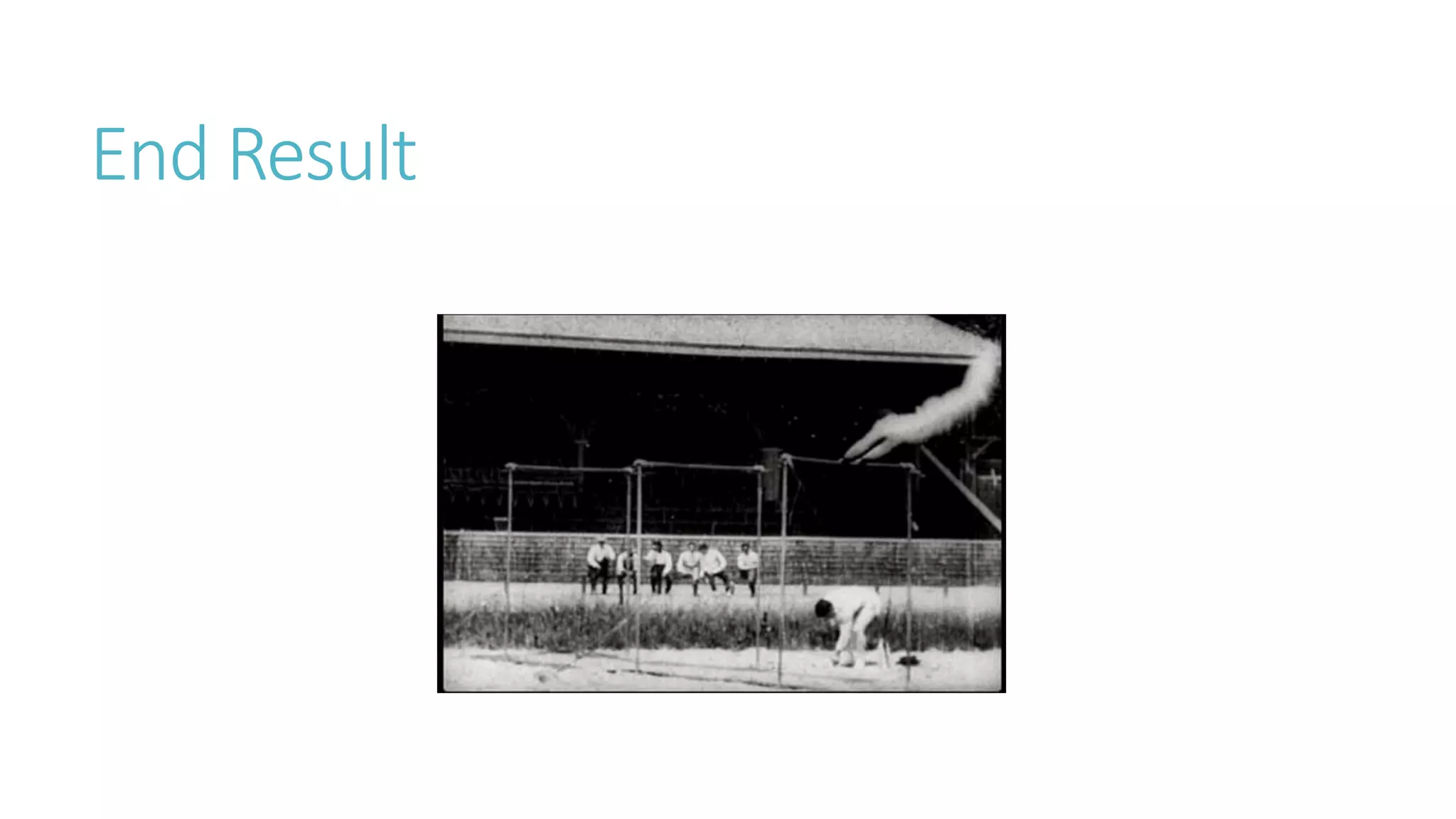
End Result
Questions?
Advanced GIFfing
Animation GIFs
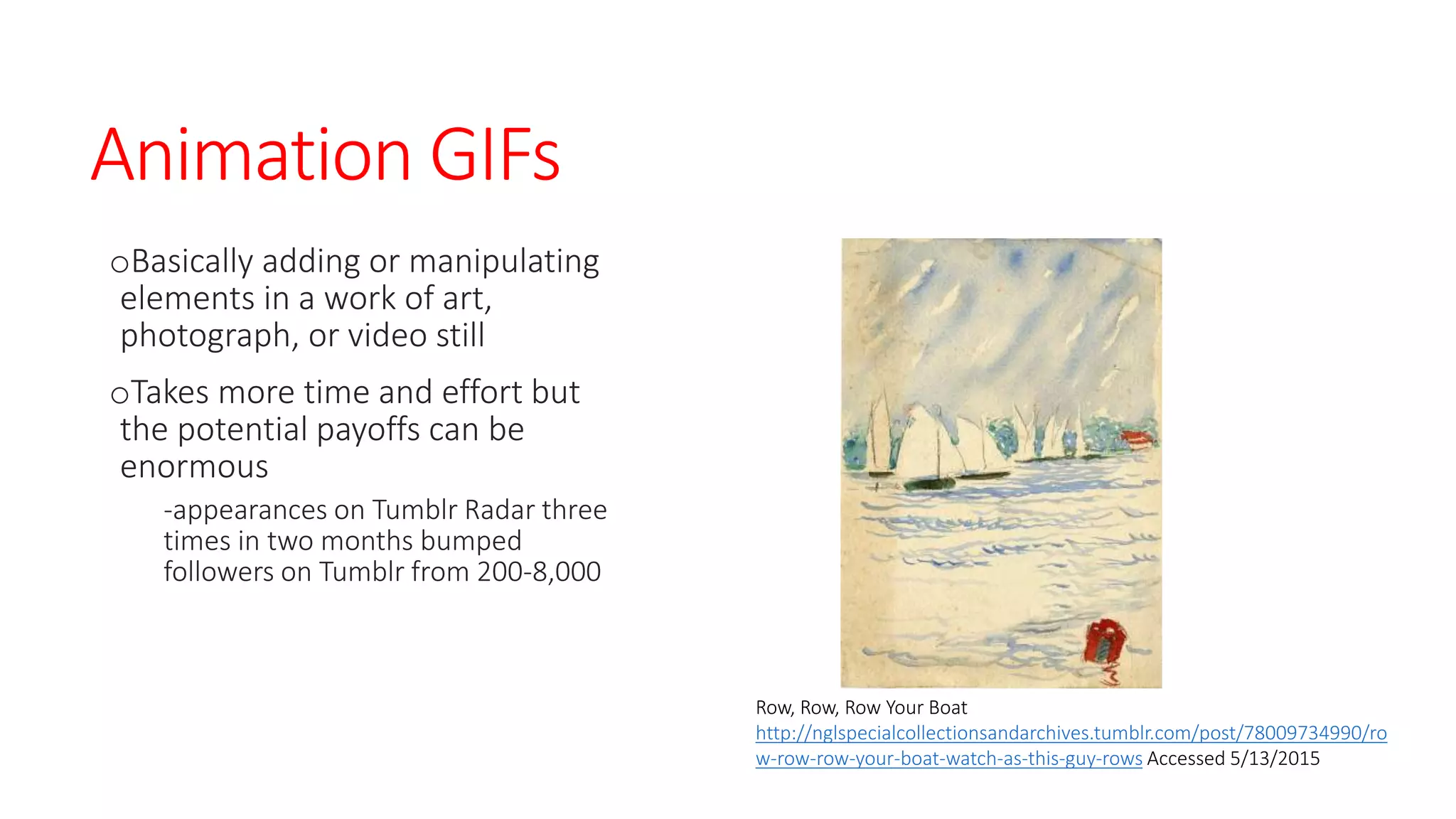
oBasically adding or manipulating
elements in a work of art,
photograph, or video still
oTakes more time and effort but
the potential payoffs can be
enormous
-appearances on Tumblr Radar three
times in two months bumped
followers on Tumblr from 200-8,000
Row, Row, Row Your Boat
http://nglspecialcollectionsandarchives.tumblr.com/post/78009734990/ro
w-row-row-your-boat-watch-as-this-guy-rows Accessed 5/13/2015
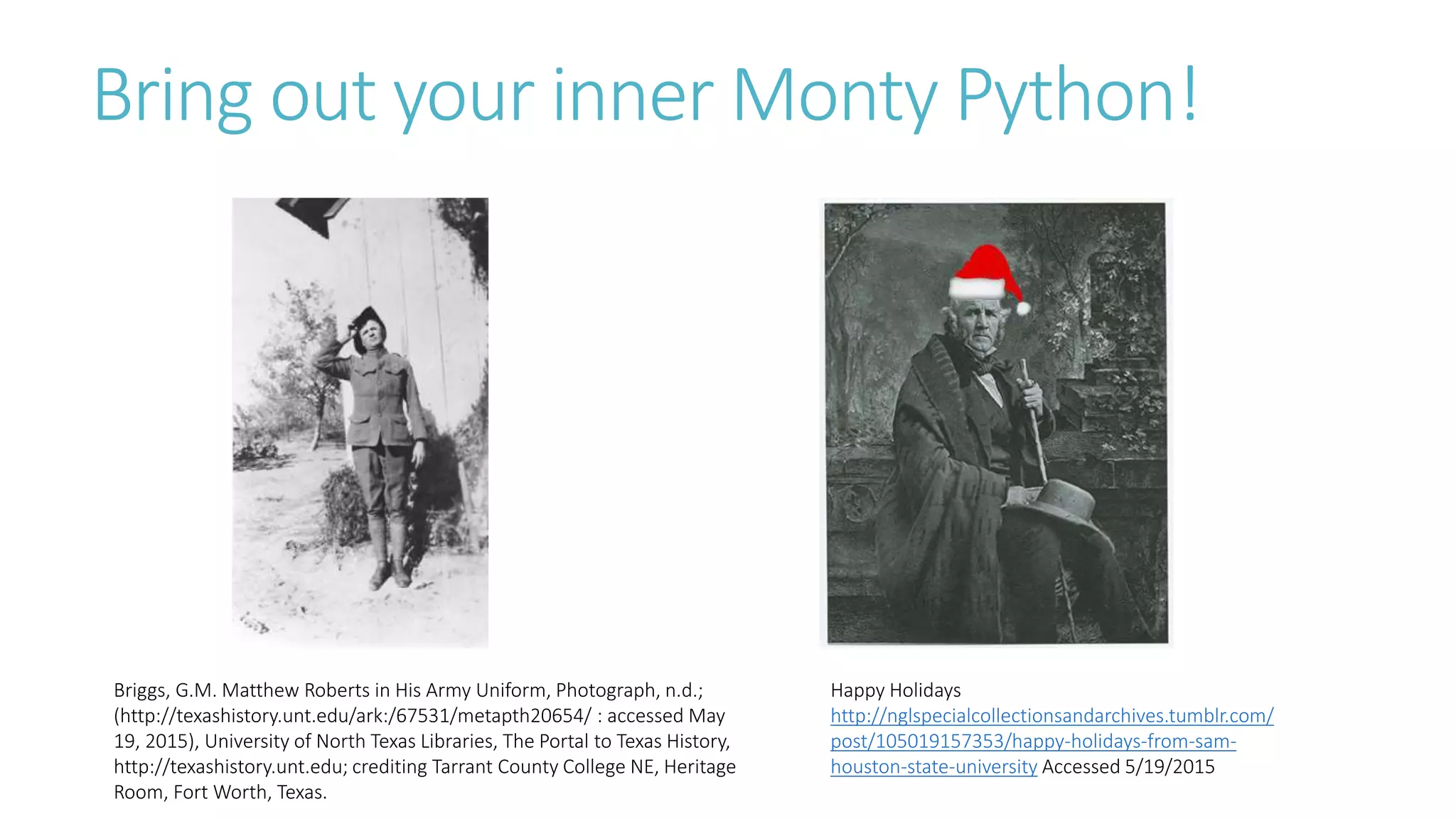
Bring out your inner Monty Python!
Happy Holidays
http://nglspecialcollectionsandarchives.tumblr.com/
post/105019157353/happy-holidays-from-sam-
houston-state-university Accessed 5/19/2015
Briggs, G.M. Matthew Roberts in His Army Uniform, Photograph, n.d.;
(http://texashistory.unt.edu/ark:/67531/metapth20654/ : accessed May
19, 2015), University of North Texas Libraries, The Portal to Texas History,
http://texashistory.unt.edu; crediting Tarrant County College NE, Heritage
Room, Fort Worth, Texas.
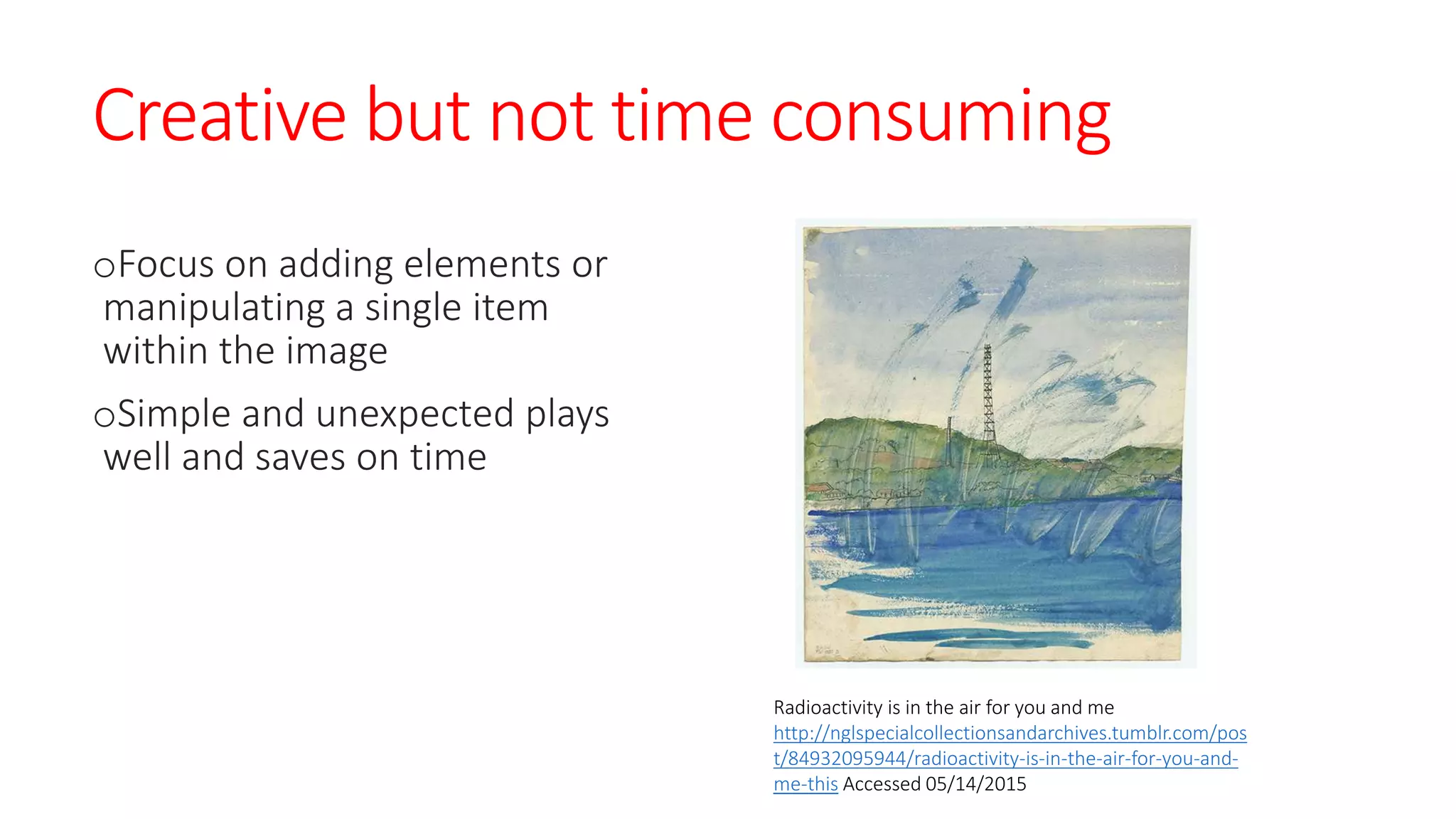
Creative but not time consuming
oFocus on adding elements or
manipulating a single item
within the image
oSimple and unexpected plays
well and saves on time
Radioactivity is in the air for you and me
http://nglspecialcollectionsandarchives.tumblr.com/pos
t/84932095944/radioactivity-is-in-the-air-for-you-and-
me-this Accessed 05/14/2015
oStep one
-Open image in Photoshop
oStep two
-Using either Quick Selection or Lasso tool, layer selection Layer via Cut
oStep three
-Create Frame Animation
oStep four
-Either duplicate the cut layer or move the layer using the move tool and move the layer for
each frame
-If you do not want a layer to appear, remove the eye on the layer for that frame
oStep five
-Adjust frame speed to preference
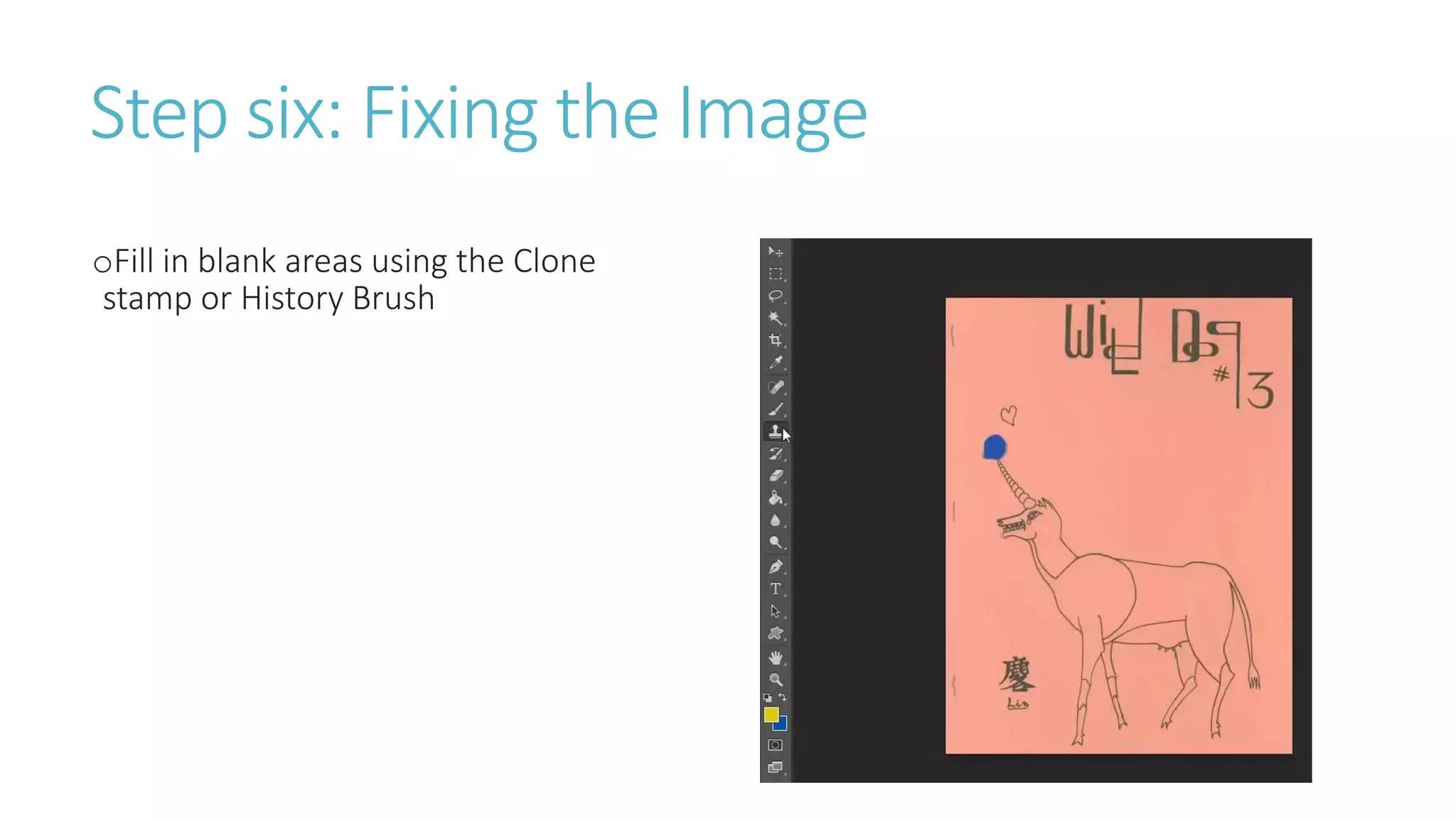
oStep six
-Fill in blank areas using the Clone stamp or History Brush
oStep Seven
-Adjust Image size to 540 pixel width and 72 pixels/inch
-Use save for web to save in the GIF format
How to create
Animation GIFs
Step one: Opening Images in Photoshop
oOpen image in Photoshop
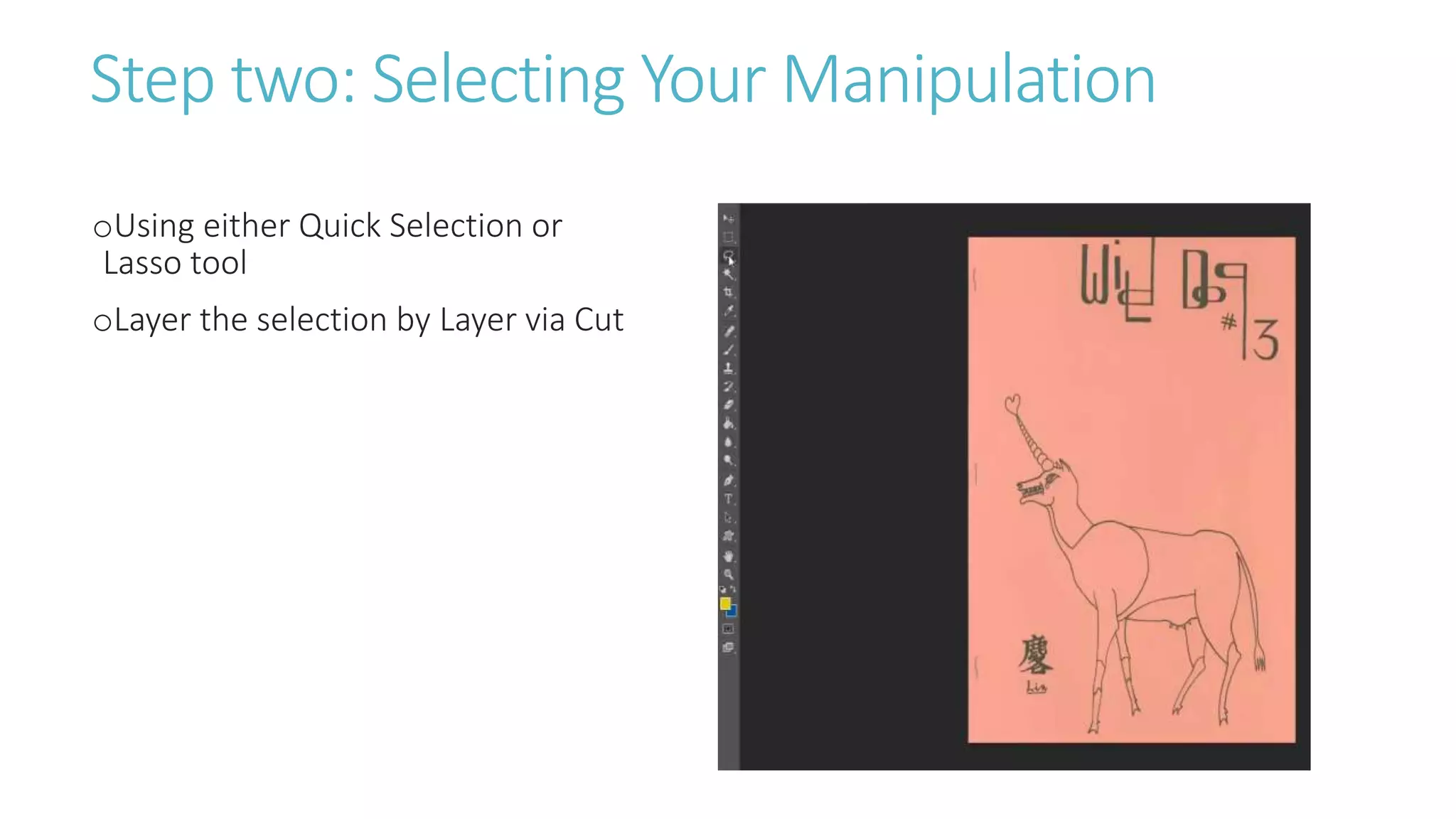
Step two: Selecting Your Manipulation
oUsing either Quick Selection or
Lasso tool
oLayer the selection by Layer via Cut
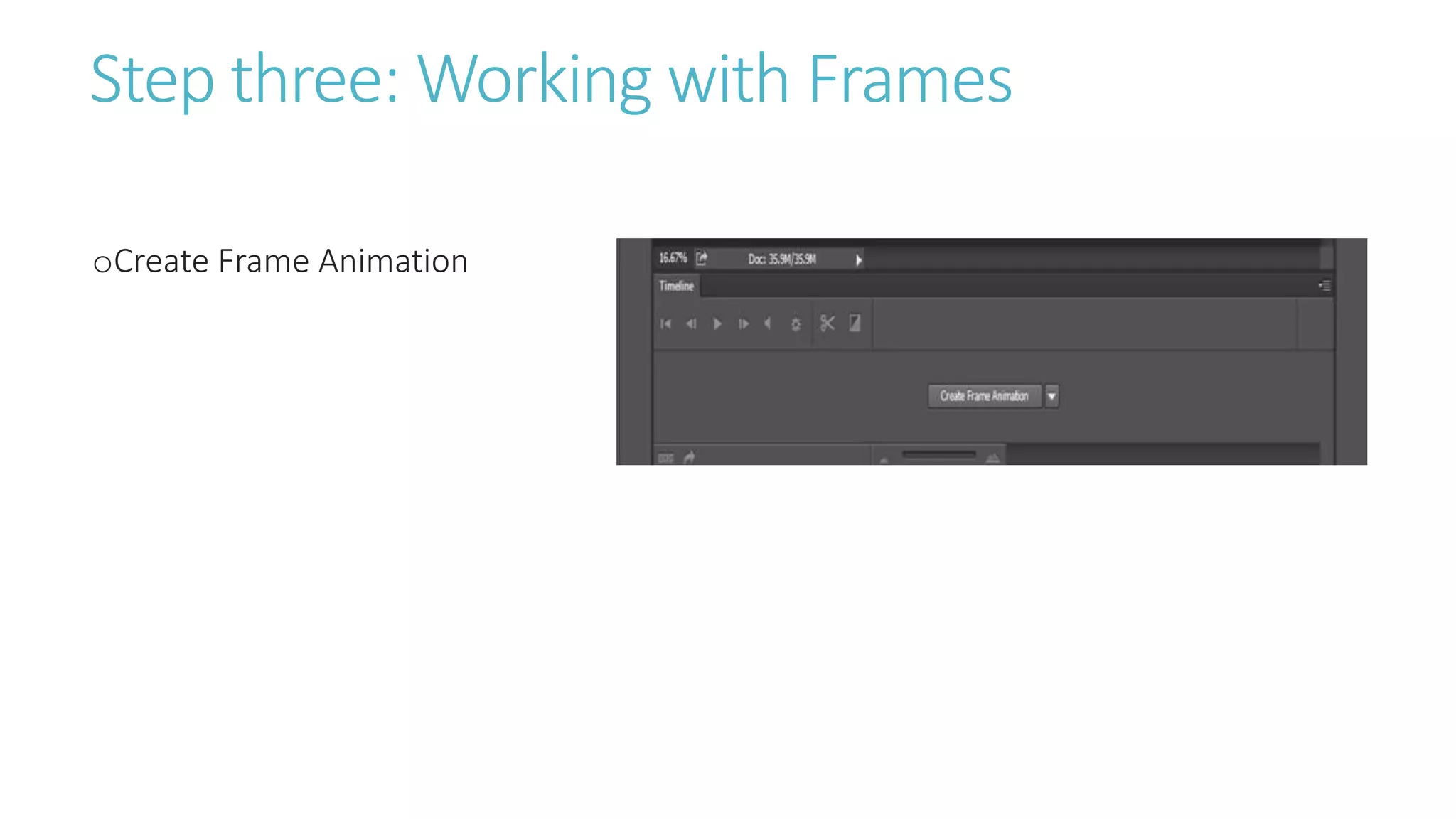
Step three: Working with Frames
oCreate Frame Animation
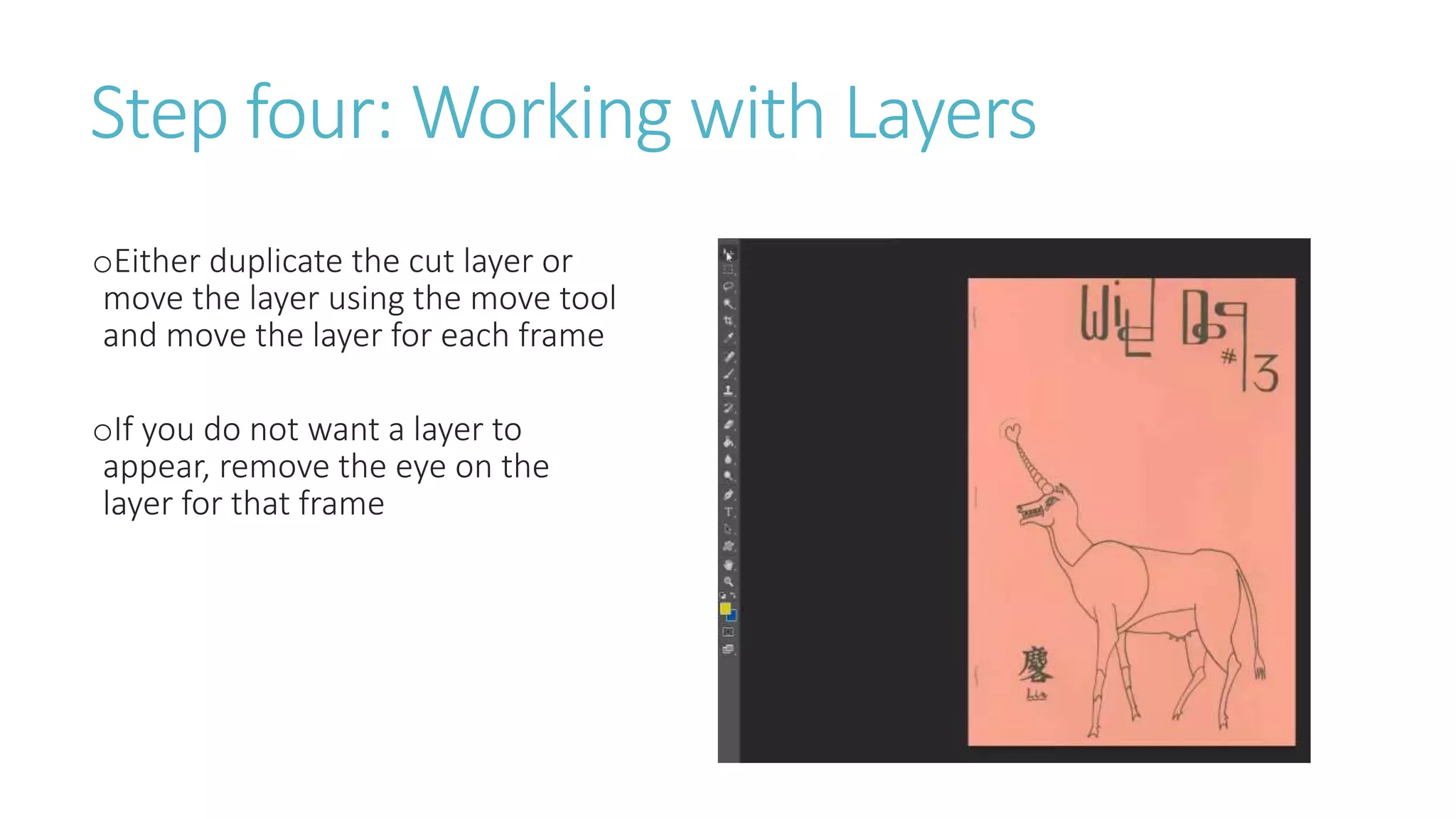
Step four: Working with Layers
oEither duplicate the cut layer or
move the layer using the move tool
and move the layer for each frame
oIf you do not want a layer to
appear, remove the eye on the
layer for that frame
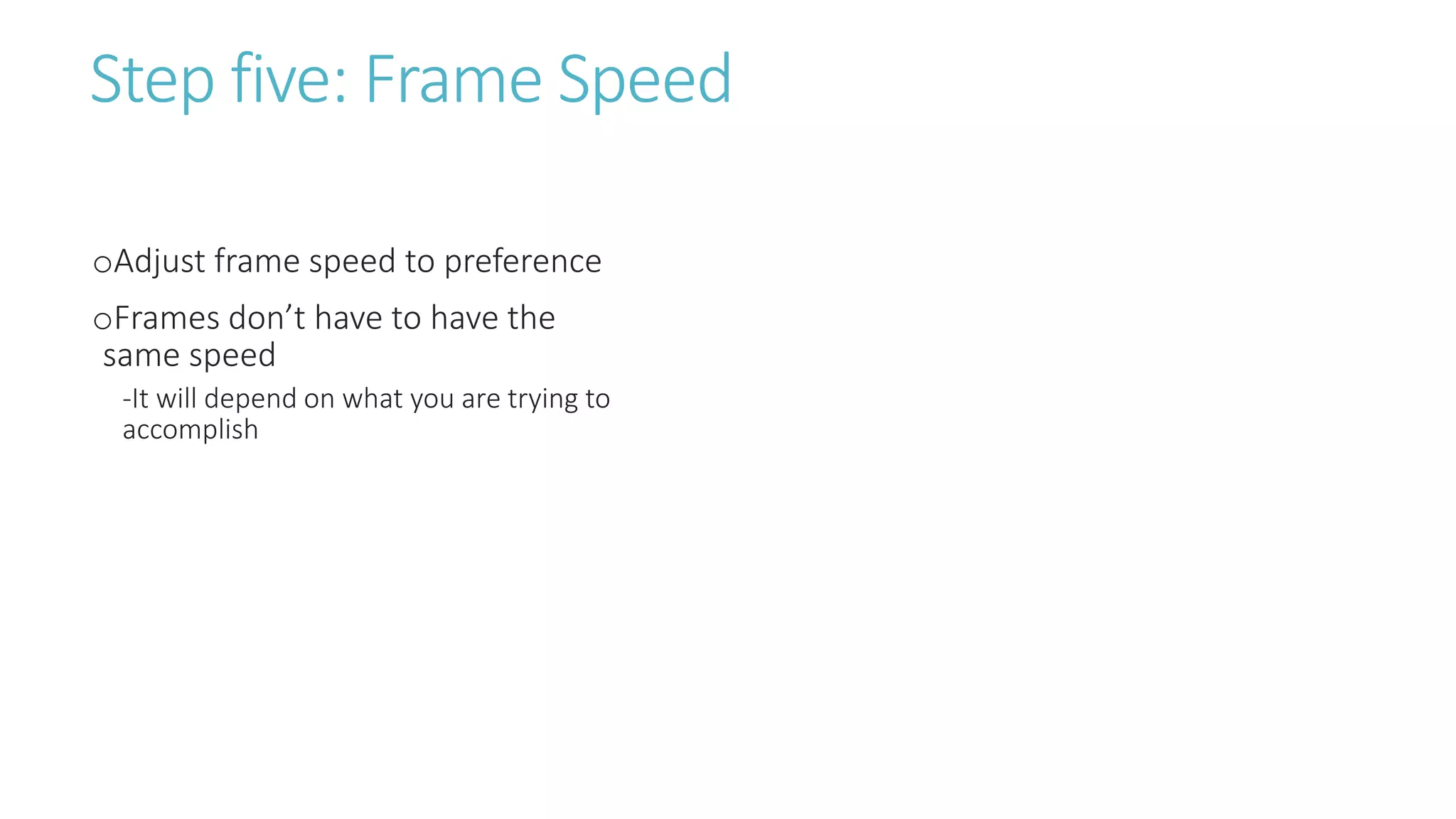
Step five: Frame Speed
oAdjust frame speed to preference
oFrames don’t have to have the
same speed
-It will depend on what you are trying to
accomplish
Step six: Fixing the Image
oFill in blank areas using the Clone
stamp or History Brush
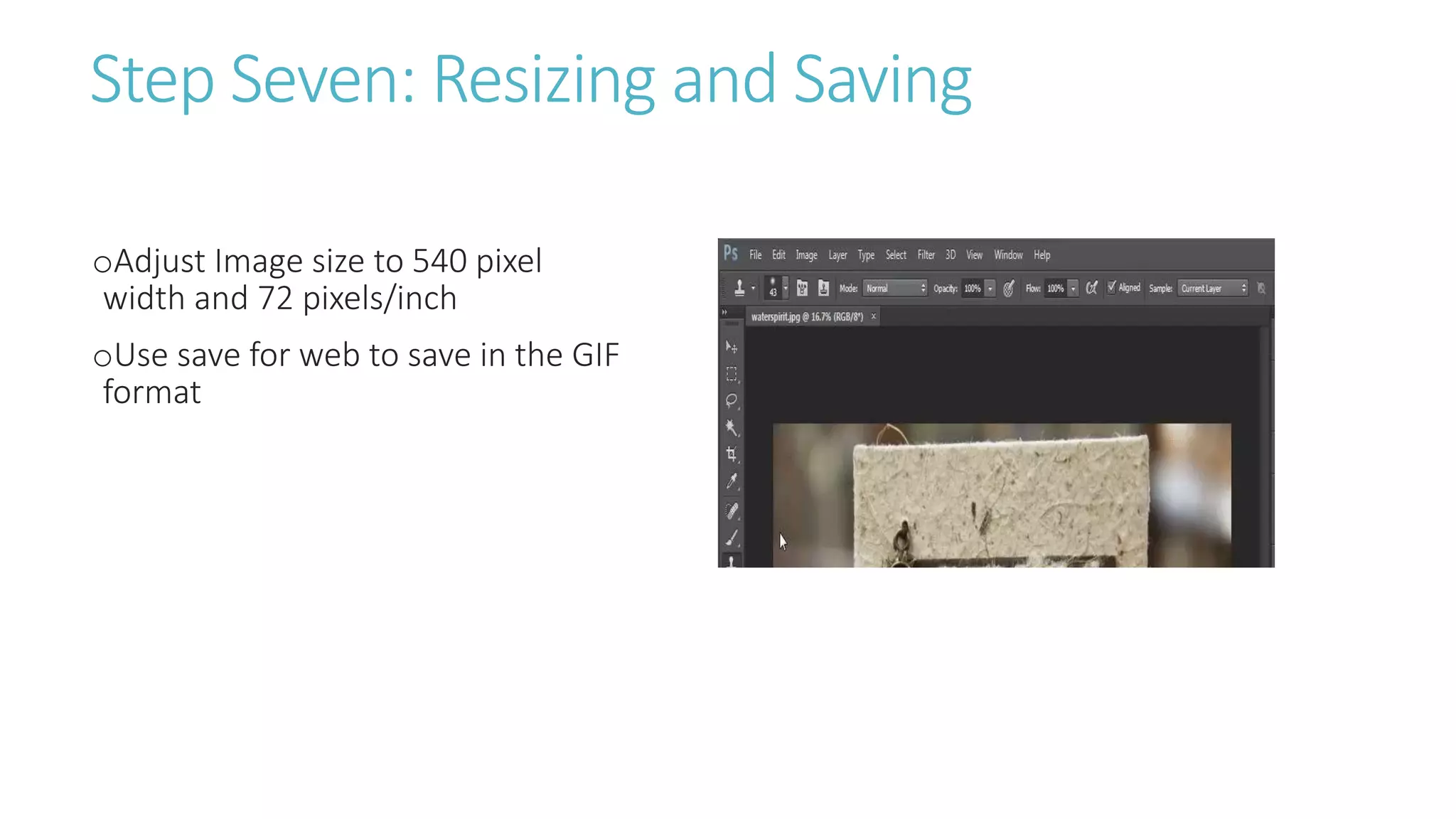
Step Seven: Resizing and Saving
oAdjust Image size to 540 pixel
width and 72 pixels/inch
oUse save for web to save in the GIF
format
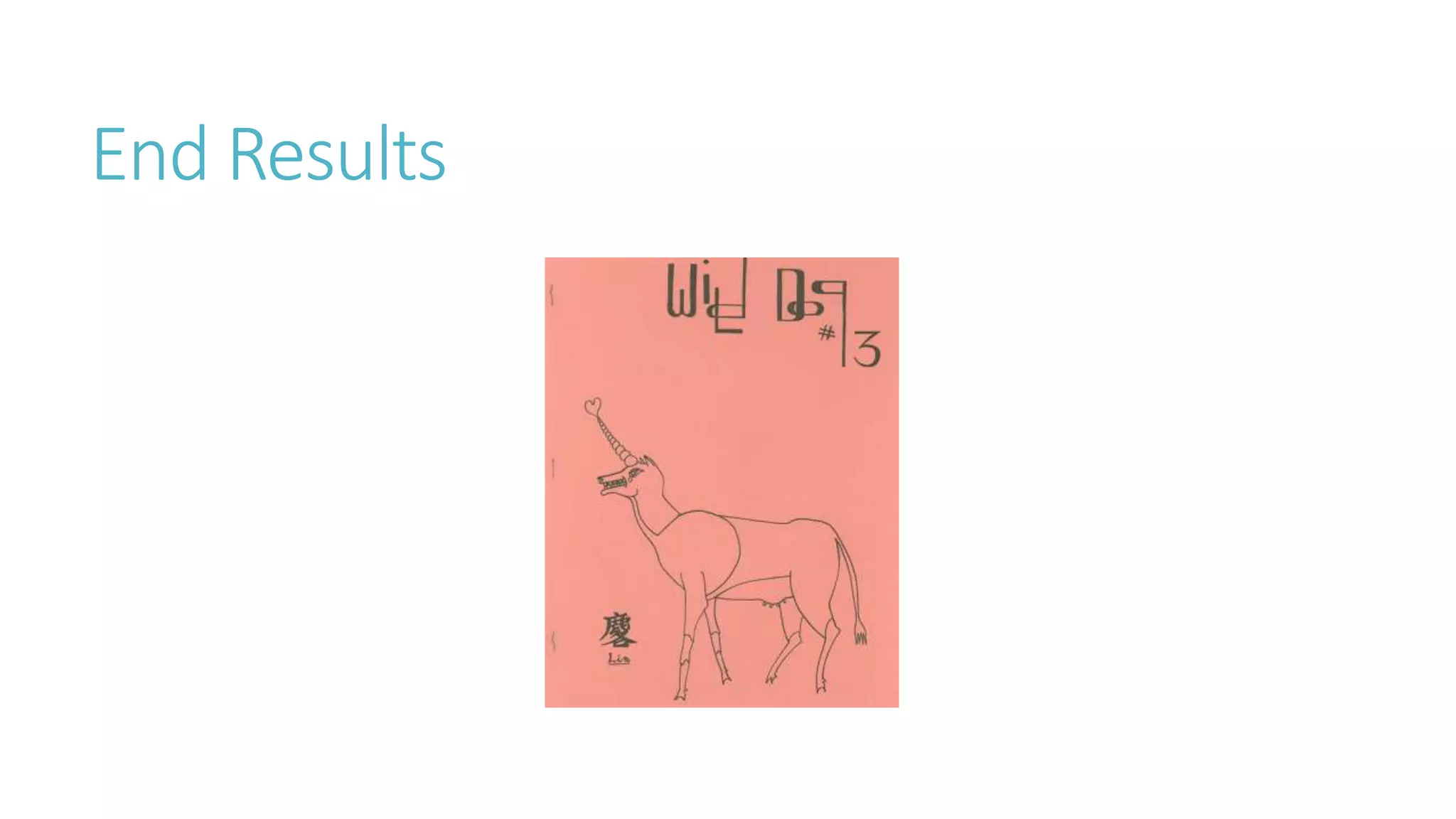
End Results
Questions?
Considerations
Copyright
oAssess the risk level involved in making gifs
oMake sure that stakeholder and/or donors are aware of your
work
oUnderstanding that GIFs put on the web are made available
with no or limited restrictions
oState you intentions with Creative Commons license
CC-BY 3.0 License
Share - copy and redistribute the material in any medium or format
Adapt -remix, transform, and build upon the material
Attribution-You must give appropriate credit, provide a link to the license, and indicate if
changes were made. You may do so in any reasonable manner, but not in any way that
suggests the licensor endorses you or your use.
No additional restrictions — You may not apply legal terms or technological measures that
legally restrict others from doing anything the license permits.
Source: “Attribution 3.0 Unported (CC BY 3.0)” http://creativecommons.org/licenses/by/3.0/
Accessed May 3, 2016.
Approach
oIts important to assess your collections and the material you
might be working with
-Can you create a constant output from your collection?
-Can you be humorous?
-Can you create something that is unique?
Contact Information
JAMES WILLIAMSON
Email: jdwilliamson@mail.smu.edu
Twitter: @metalarchivist
Tumblr: themetalarchivist

Animating Digital Libraries

  • 1.
    Animating Digital Libraries James Williamson,MLIS, CA, DAS Digital Production Librarian Southern Methodist University
  • 2.
  • 3.
    What is aGIF? oStands for graphics interchange format oBasically an animated format for the web that can be created from images, illustrations, and videos. Laker Bros http://deadspin.com/5961953/i-cant-stop-looking-at-this- gif-of-these-two-lakers-bros Accessed 5/12/2015
  • 4.
    Why should Iuse them? oLanguage of the internet -especially on youth driven sites like Tumblr oA number of institutions have found success using them -Previous GIFs have been featured multiple times on Tumblr Radar. Each appearance on the Radar resulted in a substantial bump in followers. Swing And a Miss http://nglspecialcollectionsandarchives.tumblr.com/post/7945 9655927/swing-and-a-miss-this-polo-player-just-cannot Accessed 5/12/2015
  • 5.
    Book GIFs oGIFs createdfrom books in your collection -miniature books, art books, rare books, weird books, etc. oPopular on the web and simple to put together Painted Fans of Japan http://nglspecialcollectionsandarchives.tumblr.com/post/60773 527021/painted-fans-of-japan-check-out-this-miniature Accessed 5/12/2015
  • 6.
    You can useany type of book Yellowstone Spring @SHSU http://nglspecialcollectionsandarchives.tumblr.com/post/78443 128652/yellowstonespringatshsu Accessed 5/12/2015 John W. Thomason Sketchbook 34 http://nglspecialcollectionsandarchives.tumblr.com/post/8027 5800886/john-w-thomason-sketchbook-34-we-have- thousands Accessed 5/14/2015
  • 7.
    Technical requirements forBook GIFs oLow resolution -72 Pixels/Inch oMaximum width -540 pixels oRecommend 10 frames or less
  • 8.
    How to create BookGIFs oStep one -Take a series of photos of a book from your collection -Highlight cover and inside contents -If it has a unique feature, highlight it oStep two -Open each image into Photoshop oStep three -On each image, right click the background layer and select “duplicate layer” -Select the first image as the destination for the duplicated layer oStep four -Select Windows and click the Timeline feature -Select Create Frame Animation oStep Five -Using the eyes found next to each layer, select the layer that needs to appear in each frame (uncheck all other layers) oStep Six -Use the delay feature to set speed between frames oStep Seven -Adjust the width to 540 pixels and 72 pixels/inch -Use save for web to save in the GIF format
  • 9.
    Step one: IdentifyPotential Material oTake a series of photos of a book or item from your collection oHighlight cover and inside contents -If it has a unique feature, highlight it
  • 10.
    Example of anartifact in our digital collection
  • 11.
    Step two: OpeningImages in Photoshop oOpen each image into Photoshop or Elements
  • 12.
    Step three: CreatingOur Layers oOn each image, right click the background layer and select “duplicate layer” oSelect the first image as the destination for the duplicated layer
  • 13.
    Step four: FrameAnimation oSelect Windows and click the Timeline feature oSelect Create Frame Animation
  • 14.
    Step Five oUsing theeyes found next to each layer, select the layer that needs to appear in each frame (uncheck all other layers)
  • 15.
    Step Six oUse thedelay feature to set speed between frames oChange the loop setting from “Once” to “Forever”
  • 16.
    Step Seven oAdjust thewidth to 540 pixels and 72 pixels/inch -Tumblr requirements serve as a good template and GIFs are widely used in the community oUse save for web to save in the GIF format http://unwrapping.tumblr.com/post/75873529443/da shboard-image-sizes
  • 17.
  • 18.
  • 19.
  • 20.
    Video GIFs oStep upfrom book gifs and a little harder to master oClips can contain a fun or interesting “hook” - You could create videos that work as a continuous loop - You could create a series of video GIFs that work as a set VE Day: May 8, 1945 - The War Ends In Europe http://todaysdocument.tumblr.com/post/118440544677/ve-day- may-8-1945-the-war-ends-in-europe Accessed May 14/2015
  • 21.
    Check out theseexamples! Dr. Tetsuya Theodore Fujita Papers http://southwestcollectionarchives.tumblr.com/post/11640950 7278/severe-weather-season-is-upon-us-and-yet-without Accessed 5/15/2015 Criminal Justice Center Promotional video Department of Criminal Justice Collection Accessed May 18, 2015
  • 22.
    Technical requirements forVideo GIFs oMaximum width -540 pixel oRecommended 20-30 frames oFile size needs to be around 1 MB - Tumblr does allow up to 1.75MB but the smaller the better
  • 23.
    Well that’s notvery specific! oMultiple factors effect video gifs -What is the quality of the video? -It is black and white or color? -What is the length of the clip that you want to use? oThis means playing with features to get close to the 1 MB
  • 24.
    Things you cando to affect the file size oChange resolution -lowering to a point where it does not impact the quality of the video oLossy Compression -Using between 1 to 25 does not have too much of an effect oLimit color palate -Lower the colors from 256 to either 128 or 64 may make a size difference without effecting the quality
  • 25.
    How to createVideo GIFsoStep one -shorten video files in program like Premiere or Movie Maker from Windows (You do have this ability in Photoshop but it lacks precision) oStep two -Import into Photoshop -Convert Video frames to Layers oStep three -Select file -Option menu appears, select Limit to Every _ Frames -Select between 4-6 frames oStep four -Whittle down frames and adjust delays oStep five -Limit color quality or lossy compression -Select “save for web” to save in the GIF format
  • 26.
    Step one: CreatingClips oShorten video files in program like Premiere or Movie Maker from Windows (You do have this ability in Photoshop but it lacks precision) Tutorial: Applying Effects to a Portion of a Image with Adobe Premiere Pro’s Track Matte Effect http://www.streamingmedia.com/Producer/Articles/Editorial/Featured-Articles/Tutorial- Applying-Effects-to-a-Portion-of-a-Image-with-Adobe-Premiere-Pros-Track-Matte-Effect- 93969.aspx Accessed May 12, 2016
  • 27.
    Step two: Importinginto a Program oImport into Photoshop oConvert Video frames to Layers
  • 28.
    Step three: Selectingthe Number of Frames oOption menu appears, select Limit to Every _ Frames oSelect between 4-6 frames
  • 29.
    Step four: EditingFrames oWhittle down frames and adjust delays
  • 30.
    Step five: Resizingand Saving oLimit color quality or lossy compression (if necessary) oSelect “save for web” to save in the GIF format
  • 31.
  • 32.
  • 33.
  • 34.
    Animation GIFs oBasically addingor manipulating elements in a work of art, photograph, or video still oTakes more time and effort but the potential payoffs can be enormous -appearances on Tumblr Radar three times in two months bumped followers on Tumblr from 200-8,000 Row, Row, Row Your Boat http://nglspecialcollectionsandarchives.tumblr.com/post/78009734990/ro w-row-row-your-boat-watch-as-this-guy-rows Accessed 5/13/2015
  • 35.
    Bring out yourinner Monty Python! Happy Holidays http://nglspecialcollectionsandarchives.tumblr.com/ post/105019157353/happy-holidays-from-sam- houston-state-university Accessed 5/19/2015 Briggs, G.M. Matthew Roberts in His Army Uniform, Photograph, n.d.; (http://texashistory.unt.edu/ark:/67531/metapth20654/ : accessed May 19, 2015), University of North Texas Libraries, The Portal to Texas History, http://texashistory.unt.edu; crediting Tarrant County College NE, Heritage Room, Fort Worth, Texas.
  • 36.
    Creative but nottime consuming oFocus on adding elements or manipulating a single item within the image oSimple and unexpected plays well and saves on time Radioactivity is in the air for you and me http://nglspecialcollectionsandarchives.tumblr.com/pos t/84932095944/radioactivity-is-in-the-air-for-you-and- me-this Accessed 05/14/2015
  • 37.
    oStep one -Open imagein Photoshop oStep two -Using either Quick Selection or Lasso tool, layer selection Layer via Cut oStep three -Create Frame Animation oStep four -Either duplicate the cut layer or move the layer using the move tool and move the layer for each frame -If you do not want a layer to appear, remove the eye on the layer for that frame oStep five -Adjust frame speed to preference oStep six -Fill in blank areas using the Clone stamp or History Brush oStep Seven -Adjust Image size to 540 pixel width and 72 pixels/inch -Use save for web to save in the GIF format How to create Animation GIFs
  • 38.
    Step one: OpeningImages in Photoshop oOpen image in Photoshop
  • 39.
    Step two: SelectingYour Manipulation oUsing either Quick Selection or Lasso tool oLayer the selection by Layer via Cut
  • 40.
    Step three: Workingwith Frames oCreate Frame Animation
  • 41.
    Step four: Workingwith Layers oEither duplicate the cut layer or move the layer using the move tool and move the layer for each frame oIf you do not want a layer to appear, remove the eye on the layer for that frame
  • 42.
    Step five: FrameSpeed oAdjust frame speed to preference oFrames don’t have to have the same speed -It will depend on what you are trying to accomplish
  • 43.
    Step six: Fixingthe Image oFill in blank areas using the Clone stamp or History Brush
  • 44.
    Step Seven: Resizingand Saving oAdjust Image size to 540 pixel width and 72 pixels/inch oUse save for web to save in the GIF format
  • 45.
  • 46.
  • 47.
  • 48.
    Copyright oAssess the risklevel involved in making gifs oMake sure that stakeholder and/or donors are aware of your work oUnderstanding that GIFs put on the web are made available with no or limited restrictions oState you intentions with Creative Commons license
  • 49.
    CC-BY 3.0 License Share- copy and redistribute the material in any medium or format Adapt -remix, transform, and build upon the material Attribution-You must give appropriate credit, provide a link to the license, and indicate if changes were made. You may do so in any reasonable manner, but not in any way that suggests the licensor endorses you or your use. No additional restrictions — You may not apply legal terms or technological measures that legally restrict others from doing anything the license permits. Source: “Attribution 3.0 Unported (CC BY 3.0)” http://creativecommons.org/licenses/by/3.0/ Accessed May 3, 2016.
  • 50.
    Approach oIts important toassess your collections and the material you might be working with -Can you create a constant output from your collection? -Can you be humorous? -Can you create something that is unique?
  • 51.
    Contact Information JAMES WILLIAMSON Email:jdwilliamson@mail.smu.edu Twitter: @metalarchivist Tumblr: themetalarchivist